A UI/UX design agency plans how a digital product works and how it looks. It studies users, maps the steps they take, and turns that work into interfaces developers can build. UI/UX design services commonly cover websites, web apps, SaaS platforms, and mobile apps.
Which services you need depends on your product’s complexity, its stage of development, and the design skills your team already has.
What does a UI/UX design agency do?
A UI/UX design agency helps you create a digital product that people can navigate and use efficiently. You hire it to reduce guesswork in design decisions before your team invests heavily in development.
- UX stands for user experience. It covers structure, logic, and ease of use. A UX designer asks where users get stuck and how to fix it.
- UI stands for user interface. It covers the visual layer: layouts, buttons, type, color, icons, and spacing. A UI designer makes the product clear and consistent on every screen.
Some providers call themselves a UX design agency or a user experience agency and focus on UX design services such as research and structure. Others present as a UI design agency and focus on UI design services and visual work. Many UI/UX agencies combine both within the same engagement.
What UI/UX design services does an agency provide?
A full UI/UX engagement can include the seven service groups below. Smaller projects may use only a few of them, while complex product work may combine several.
User research and discovery
Discovery collects the context for the project. It often includes stakeholder workshops, a review of competitor products, and a look at existing analytics. User research studies your users directly. Common methods are interviews, surveys, behavioral data analysis, and usability studies.
Depending on scope, you may receive a research summary, user segments or personas, journey maps, and a prioritized list of problems to solve.
What may need extra scope: recruiting participants, paying participant incentives, and large studies with hundreds of responses. Agree in writing who recruits participants and who pays their incentives. For ongoing studies, a user experience design agency with in-house researchers or a dedicated UX research agency may fit better.
Information architecture and user flows
Information architecture is how content and features are organized. It decides what goes in the menu, how pages group together, and what users see first.
User flows map the steps a person takes to finish a task, such as signing up or placing an order. Clear flows reduce dead ends and repeated steps.
What you receive: a sitemap or app map, navigation structure, and flow diagrams for key tasks. Card sorting and tree testing, two methods that check navigation with real users, are sometimes priced separately.
Wireframing and prototyping
Wireframes are low-detail layouts that show where content and controls go. They let you agree on structure before the team invests in detailed visual design.
A prototype links screens together so you can click through them like a real product. Teams use prototypes to test ideas with users and to show stakeholders how the product will behave.
What you receive: wireframes for key screens and, where needed, a clickable prototype shared through the project’s design workspace.
User interface design
UI design services turn approved structures or wireframes into finished, high-fidelity screens. Depending on scope, the specification can also cover loading, empty, and error states and how layouts adapt across screen sizes.
What you receive: final screen designs, a UI kit or style guide, and exported assets such as icons.
What may need extra scope: custom illustrations, custom icon sets, motion design, and extra screens beyond the agreed count.
Usability testing
Usability testing means watching real users try to complete tasks in your product or prototype. It shows problems that internal teams miss because they already know how the product works.
Tests can be moderated, where a researcher guides each session, or unmoderated, where users complete tasks alone on a testing platform. Small rounds work well. Nielsen Norman Group recommends testing with about five users and running several small rounds, with more participants when a product serves distinct user groups.
What you receive: a test plan, session recordings or notes, and a findings report with fixes ranked by severity. Some buyers bring in a usability testing agency for larger or repeated rounds.
Design systems
A design system is a shared library of reusable components, such as buttons, forms, and cards, plus rules for using them. It keeps a product consistent as more people design and build it.
Design systems are especially useful for products with many screens, repeated components, or several product teams. A smaller site may need only a lightweight UI kit or style guide.
What you receive: a component library in the design tool, design tokens for color, type, and spacing, and usage documentation. Coded components are a development task and may require a separate team.
UX audits and redesigns
A UX audit is an expert review of an existing product. Depending on scope, the agency may assess the product against usability principles such as Nielsen’s 10 usability heuristics, accessibility requirements, analytics data, user flows, and interface consistency.
What you receive: an audit report that lists issues, explains why each one matters, and ranks them by impact.
A redesign is a separate engagement that fixes those issues, so agree on that scope separately. An independent UX design firm or a specialist from the UX audit agencies list can run the audit before you commit to larger changes.
What deliverables should you expect from a UI/UX project?
A UI/UX project can produce research documents, structural plans, design files, prototypes, and handoff materials for developers.
| Deliverable | What it is | Stage |
| Research report | Summary of interviews, data, and key user problems | Discovery |
| Personas and journey maps | Profiles of user types and the steps they take | Discovery |
| Sitemap and user flows | Structure of the product and paths through key tasks | Structure |
| Wireframes | Low-detail layouts for each key screen | Structure |
| Interactive prototype | Clickable model used for review and testing | Validation |
| High-fidelity UI screens | Final visual designs, including states and breakpoints | Design |
| UI kit or design system | Reusable components, tokens, and usage rules | Design |
| Usability test report | Findings from user sessions with ranked fixes | Validation |
| Developer handoff files | Specs, measurements, assets, and annotated flows | Handoff |
Not every project includes every deliverable from our table. A UX audit may end with one report, while a new SaaS product may need all nine.
Ask the UI/UX agency to confirm the exact deliverables, file formats, number of screens, and revision rounds in writing before work starts.
Which UI/UX services are core and which are optional?
Scope for UI/UX design services varies widely from project to project. The table groups services by how they are commonly scoped.
Service | How it is commonly scoped |
Light discovery and stakeholder workshops | Part of a full UI/UX engagement |
Information architecture and user flows | Part of a full UI/UX engagement |
Wireframes and prototypes | Part of a full UI/UX engagement |
High-fidelity UI design | Part of a full UI/UX engagement |
Developer handoff | Part of a full UI/UX engagement |
In-depth user research with recruited participants | Often separately scoped |
Usability testing rounds | Often separately scoped |
Full design system | Often separately scoped |
Accessibility audit against WCAG | Often separately scoped |
UX writing and microcopy | Often separately scoped |
Motion and interaction design | Often separately scoped |
Front-end and back-end development | Specialist or adjacent service |
Brand identity and logo design | Specialist or adjacent service |
SEO and marketing copy at scale | Specialist or adjacent service |
Research and testing cause the most confusion. In one project, “research” may mean a single workshop. In another, it means several rounds of interviews and usability sessions with recruited participants.
The UI/UX pricing guide explains how these choices affect the budget.
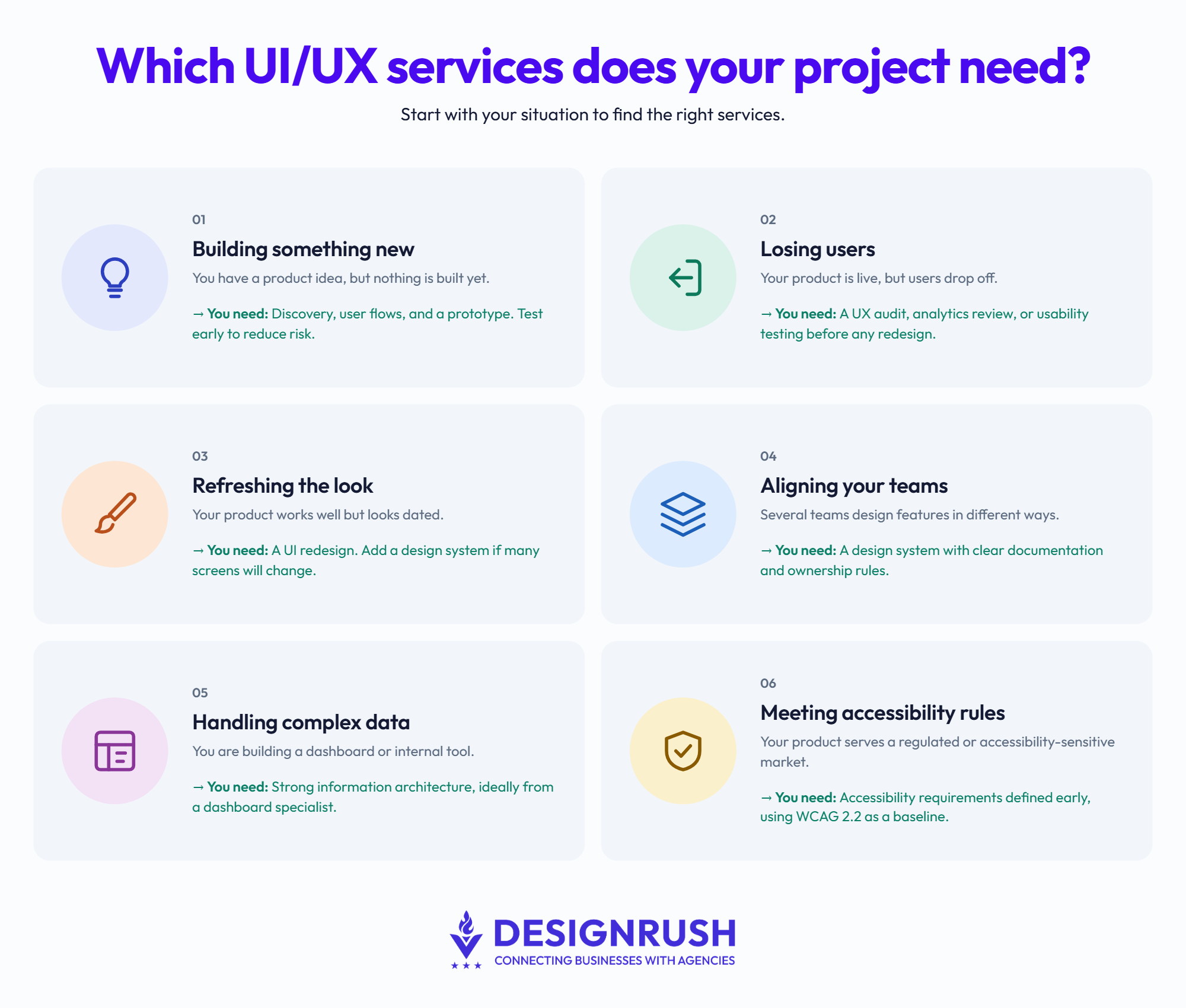
Which UI/UX services does your project actually need?
- Match the services to your situation. The scenarios below cover the most common starting points.
- You have a new product idea and nothing is built yet. You likely need discovery, user flows, and a prototype. Usability testing can reduce risk before full development begins.
- Your product is live, but users drop off. A UX audit, analytics review, or usability testing can help identify the cause before you commit to a targeted redesign.
- Your product works well but looks dated. A UI redesign may be enough if the underlying experience still works. Add a design system if many screens will change.
- Several teams design features in different ways. You likely need a design system with clear documentation and ownership rules.
- You are building a dashboard or internal tool with complex data. You likely need strong information architecture. Agencies focused on dashboard design have more practice with tables, filters, and user roles.
- Your product serves a regulated or accessibility-sensitive market. Define the applicable accessibility requirements early. WCAG 2.2 is the current W3C Recommendation for web content accessibility, although the legal requirements that apply to you may differ.
Once you know which services you need, the guide to choosing a UI/UX design agency covers the evidence to request before signing.