- Agency: TouchZen
- Client: InstaStylin
- Category: App Design — Fashion
- Location: Irvine, California, United States
- Project Brief: Design a fashion app that connects users with professional stylists through live video consultations, intuitive booking, secure payments, and tools for managing stylist profiles and availability.
Fashion advice from a personal stylist once meant an in-person appointment and a price tag to match. InstaStylin by TouchZen connects users with professional stylists through live video calls, booked ahead or started instantly.
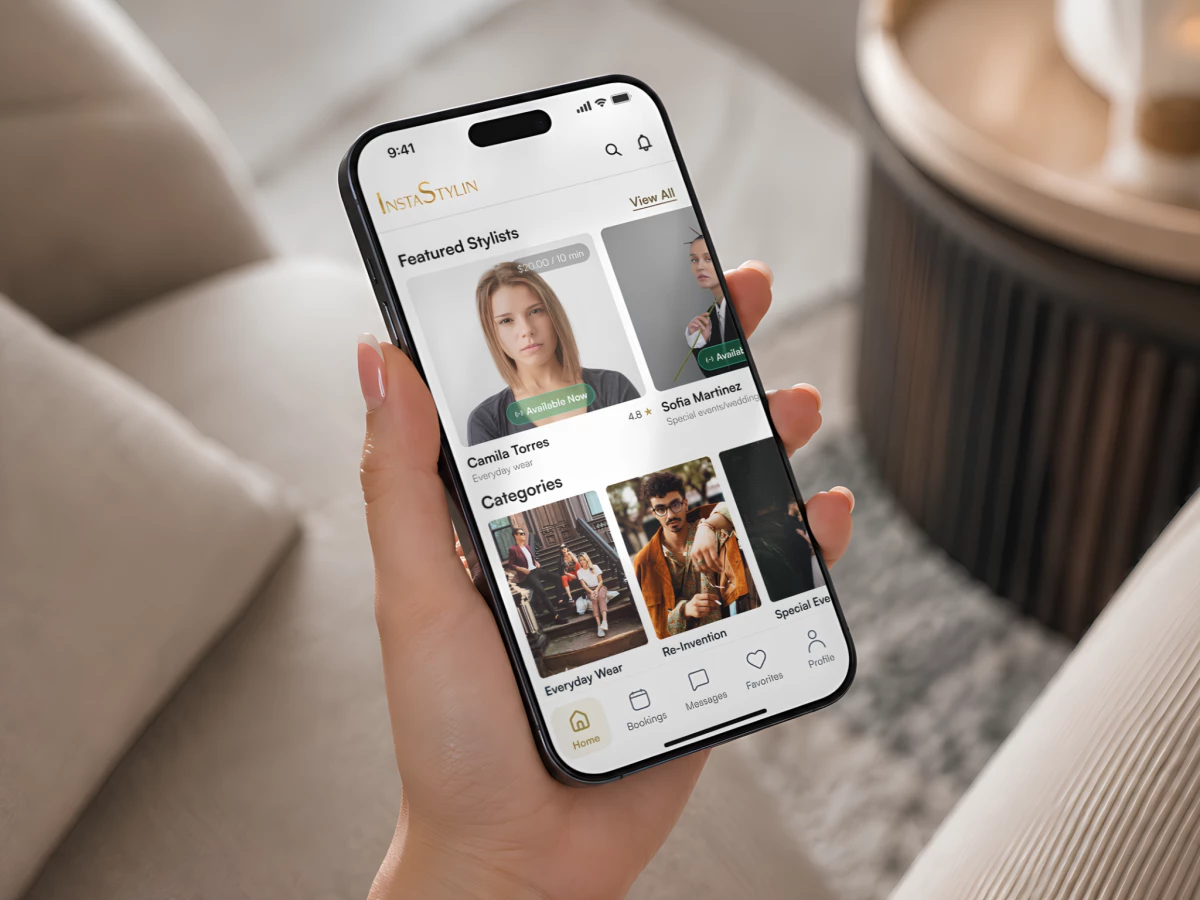
The home screen opens on a Featured Stylists carousel. Each photo card lists a price per 10 minutes and a star rating, with a green Available Now pill over the portrait.
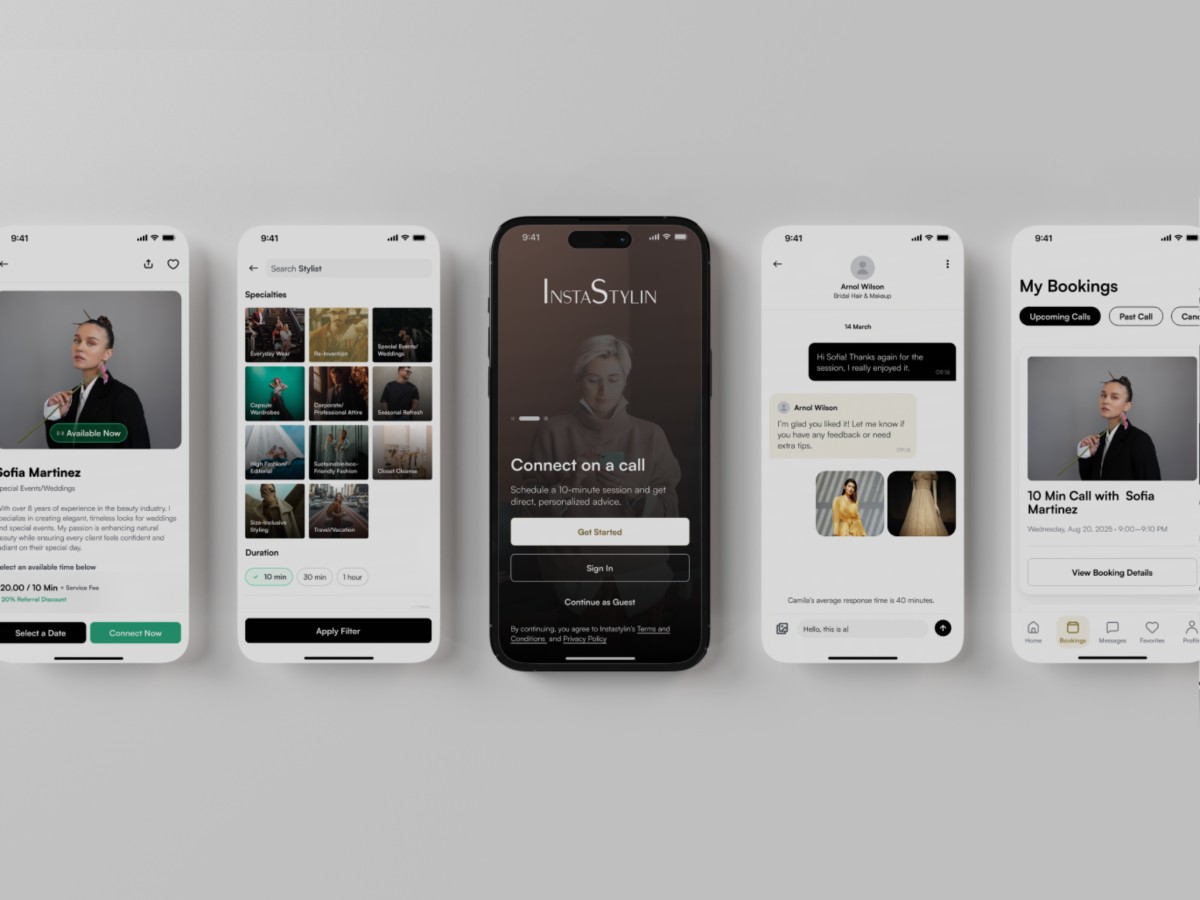
A filter screen narrows the search across 11 specialty tiles. Options run from Capsule Wardrobes to Size-Inclusive Styling, and duration chips set the call at 10 minutes, 30 minutes, or one hour.
Every stylist profile ends in two ways to book. A black Select a Date button schedules a call, and an emerald Connect Now button starts one on the spot, with a 20% referral discount listed under the price.
Messaging keeps the conversation going after the call. Clients and stylists trade texts and outfit photos in one thread, and a line above the input bar shows the stylist’s average response time.
My Bookings sorts sessions into Upcoming Calls, Past Calls, and Canceled tabs. Each card places the stylist’s portrait and call time above a View Booking Details button.
Stripe processes every payment inside the app. Ratings from past clients sit on each stylist card, so users can compare stylists before they book.
A thin serif wordmark in muted gold sets the visual tone. Oversized I and S capitals sit above a clean sans-serif interface in warm ivory and solid black, and the splash screen pairs the tagline “Real Stylists. Real Time.” with a black-and-white studio portrait.
Stylists manage their side of the business from a separate dashboard. A green toggle tells clients they are available now, and a Setup Availability button opens a calendar with gold-dotted dates.
A My Revenue screen tracks earnings over time. All-time revenue sits above time filters, and a Payment Activity list tags each paid session as completed.