
I’ve tested 10 of the top AI video generators to use in 2026, and in this article, I’m breaking them down based on real use cases to help you figure out which one fits your workflow.
Top AI Video Generators: Key Findings
- Descript, Runway, and LTX Studio offer the most editing and production control.
- Google Veo, Kling AI, Luma AI, and Pika focus on video generation, from photorealism and realistic motion to speed and creative effects.
- Synthesia and HeyGen scale avatar videos, while Shutterstock prioritizes commercially safe generation and clearer usage rights.
What Is an AI Video Generator?
An AI video generator is software that creates moving video from a text prompt, a still image, an existing clip, or some combination of the three, using a trained video-generation model instead of a camera or a traditional editing timeline.
Chris Marcus, Chief Creative Officer at Colormatics, says brands often confuse production efficiency with creative effectiveness.
“They think they are scaling creativity when they are really scaling mediocrity,” he says.
Marcus recommends using AI to accelerate testing, versioning, animatics, and early concept exploration. Teams can then reinvest the time and money saved into stronger ideas, casting, and creative direction.
This distinction is useful when comparing the tools below. Generators can reduce production work, but they cannot decide whether an idea is original, relevant, or worth producing.
The AI Video Generation Market Right Now
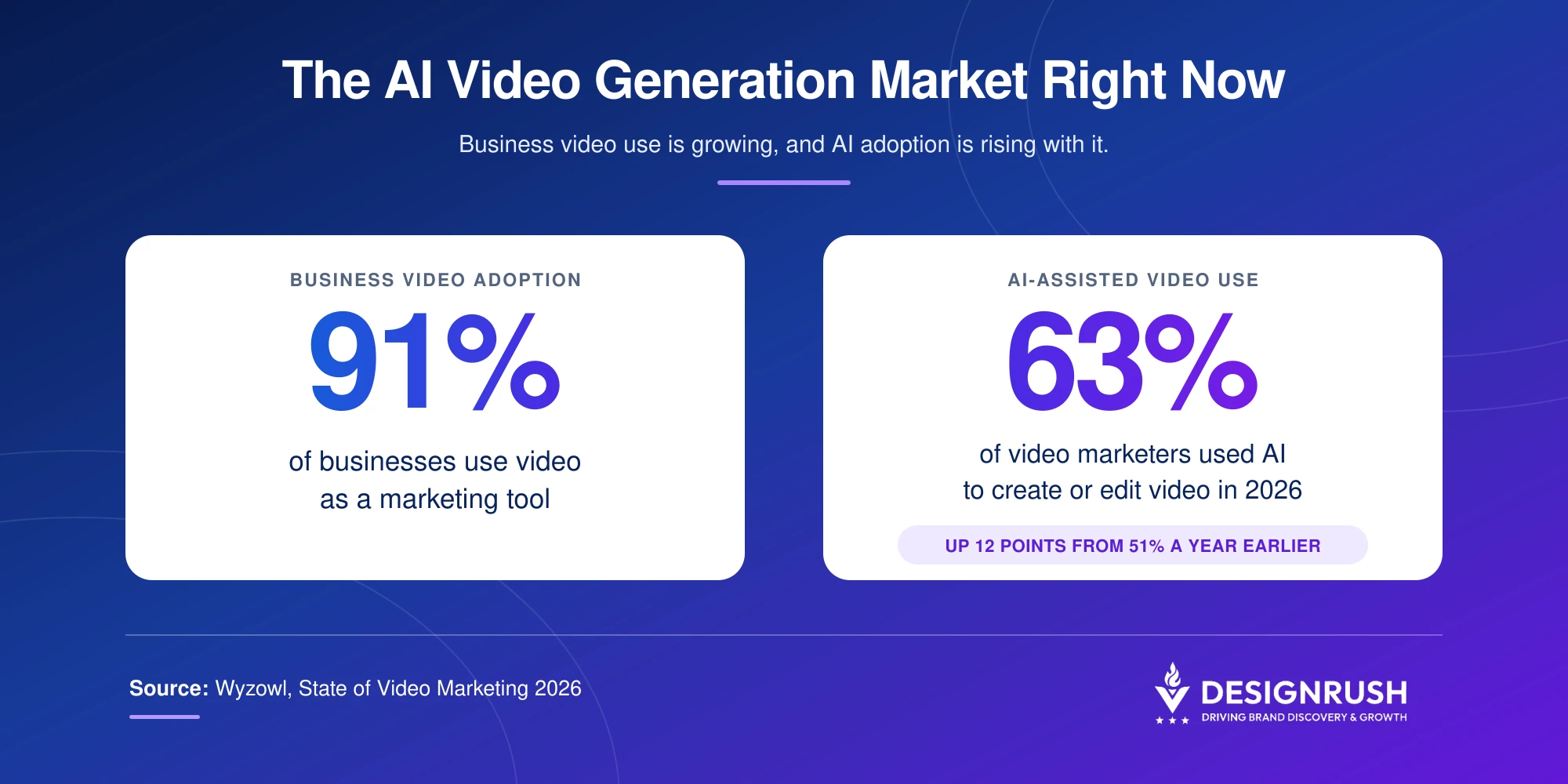
Demand for these tools continues to grow alongside business video use.
According to Wyzowl's 2026 State of Video Marketing report, 91% of businesses now use video as a marketing tool, and 63% of video marketers say they've used AI tools to help create or edit video this year, up from just 51% twelve months earlier
The volume of generated content has also increased rapidly.
Google's own Labs team reported in a February 2026 update that users have created more than 1.5 billion images and videos inside Google Flow since its launch the previous year.
That growth is partly driven by shorter and less expensive production cycles.
Thabiso, Managing Director at VXC Express, says AI video can reduce production timelines from weeks to hours or even minutes by cutting the need for location shoots, casting, equipment rentals, and extensive post-production.
“From a marketing ROI standpoint, it’s incredibly effective when used with the right strategy,” he says.
Top AI Video Generators Comparison at a Glance
| Tool | Best For | Free Tier | Storyboarding | Native Audio/Voice | Starting Price |
| Descript | Transcript-based editing | ✅ | ✅ | ✅ | $24/month |
| Shutterstock | Commercially licensed generation | ✅ | ✅ | ❌ | $15/month |
| Google Veo | Photorealistic cinematic output | ✅ | ✅ | Not confirmed | $4.59/month |
| Runway | Editing and animations | ✅ | ✅ | ✅ | $15/month |
| Kling AI | Realistic human motion and lip-sync | ✅ | ❌ | ✅ | $10/month |
| Luma AI | Speed and photorealism | ✅ | Limited | Limited | $30/month |
| Pika | Budget and creative effects | ✅ | ❌ | Lip-sync only | $10/month |
| LTX Studio | Script-to-scene workflows | ✅ | ❌ | ✅ | $15/month |
| Synthesia | Avatar-led training videos | ✅ | ❌ | ✅ | $29/month |
| HeyGen | Avatar video | ✅ | ❌ | ✅ | $29/month |
For more help in strategizing, polishing, and publishing highly engaging and professional-grade content, partner with top video production agencies.
1. Descript: Best for Transcript-Based Editing
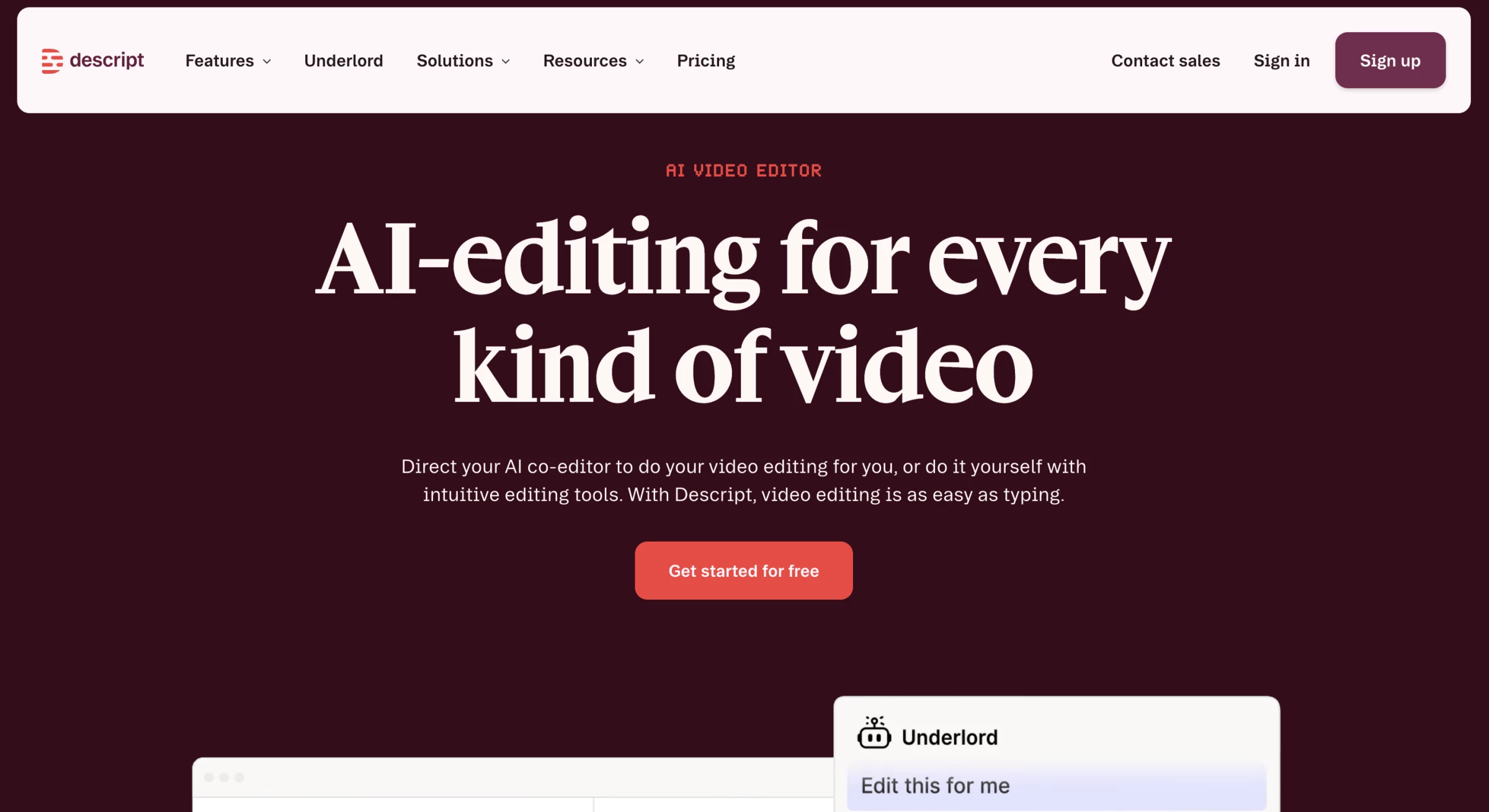
Descript is an all-in-one video platform that’s been built for modern content teams and marketers, not professional film editors.
Its core idea is simple but powerful: edit video the same way you’d edit a Google Doc. This positioning changes everything.
Pros:
- Fast turnaround from recording to publishing
- Built-in collaboration and shareable review links
- All-in-one recording (screen + webcam in one place)
Cons:
- Advanced creative effects are more limited than dedicated film tools
- Best results still require thoughtful editing and structure
Instead of wrestling with complex timelines, you work inside a transcript. Delete a sentence in the text, and the corresponding video footage disappears automatically. It removes much of the intimidation that traditionally comes with video editing.
For product marketers, content teams, and developer advocates, that’s a major workflow breakthrough.
Get started with Descript for free.
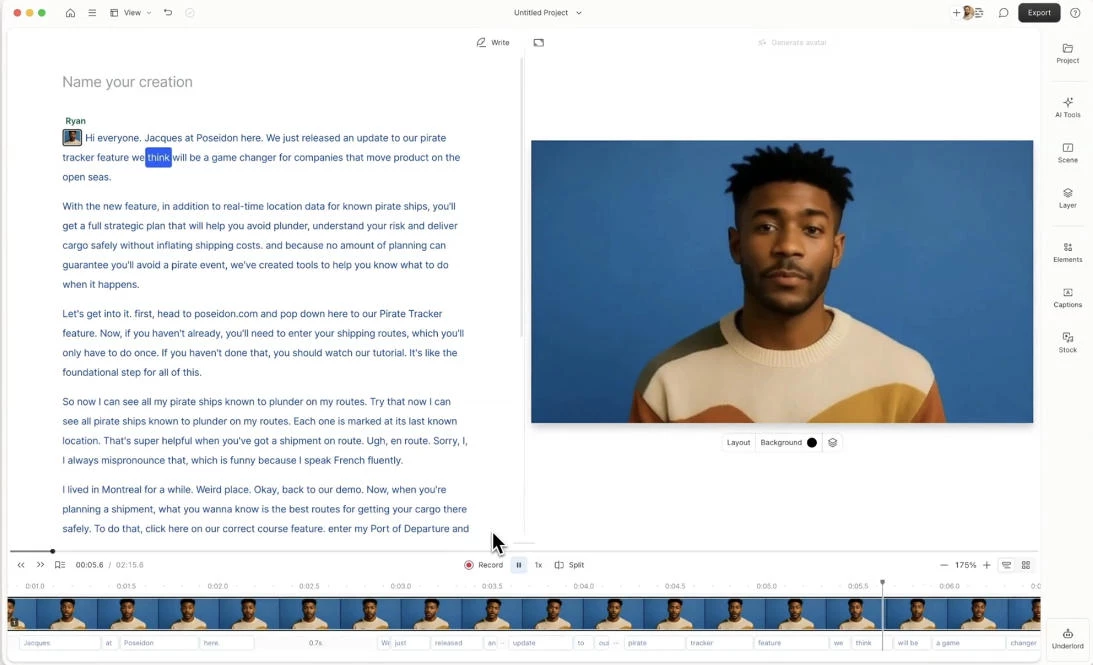
When I imported a recording, the platform automatically generated a transcript. From there, editing felt surprisingly natural.
If I wanted to remove a mistake, I simply highlighted the words in the transcript and deleted them. The video updated instantly.
That alone removes a huge barrier for marketers who feel overwhelmed by traditional timeline-based editing. Instead of thinking in layers and tracks, you think in sentences and structure.
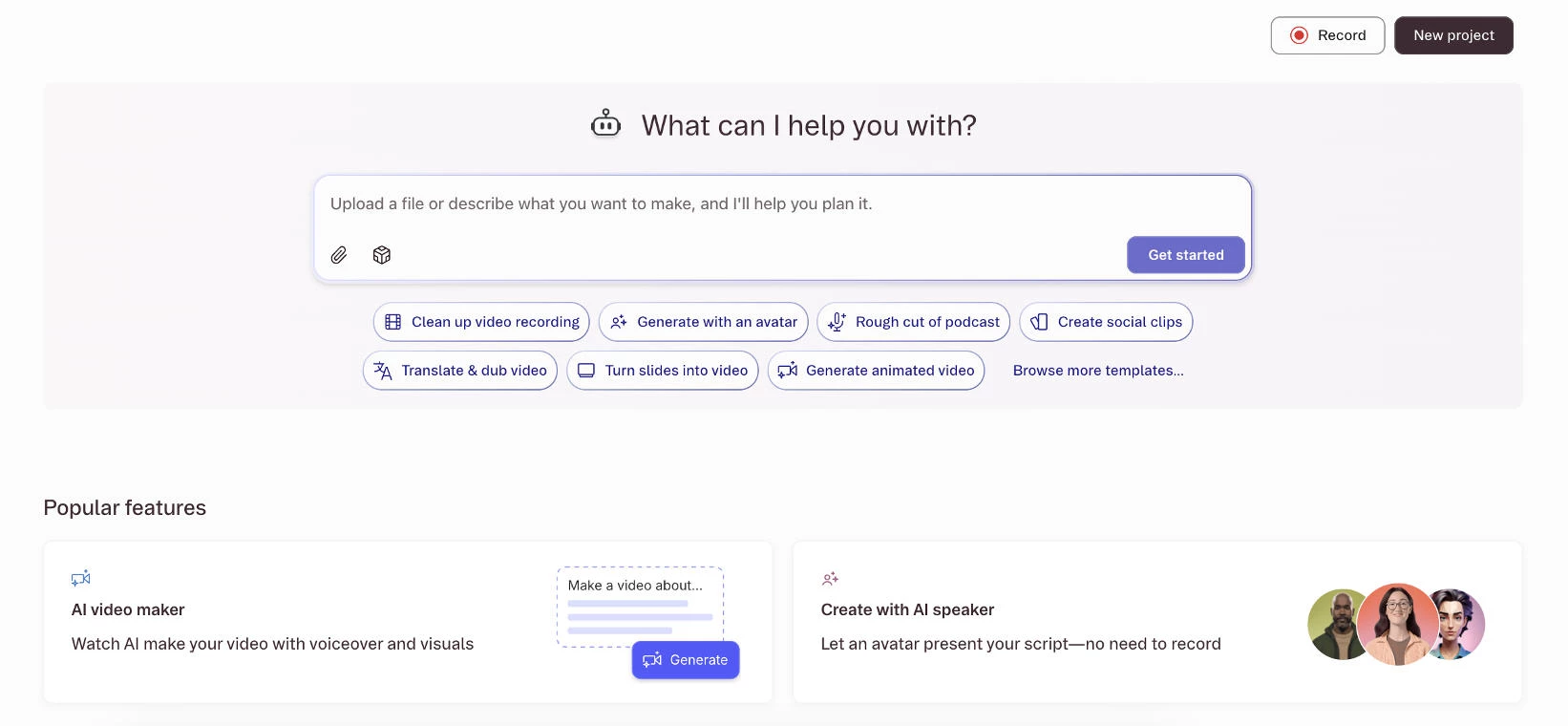
One of the biggest benefits I experienced was speed. Since recording, editing, collaboration, captions, and audio cleanup all happen in one place, I didn’t have to constantly switch between tools or manage messy handoffs.
That streamlined workflow meant faster turnaround times, fewer dependencies on external editors, and more control over revisions. I was able to produce polished, professional videos very quickly, which is incredibly valuable when working with limited time and resources.
Get started with Descript for free.
Pricing:
- Free
- Hobbyist: $24/person/month
- Creator: $35/person/month
- Business: $65/person/month
- Enterprise: Custom pricing
What Users Say
Many users appreciate how intuitive Descript feels compared to traditional editing software.
That said, it’s not meant to replace advanced cinematic workflows. Some creative effects or highly complex edits may require additional tools.
But for structured marketing content, internal communications, and educational videos, users consistently highlight how much time it saves, especially during revision cycles.
Who’s It For?
Descript is built for content marketing teams and podcasters that need to move quickly, collaborate efficiently, and create polished content without relying on complex editing expertise.
If your workflow involves recordings, explainers, demos, or repurposed content, Descript fits naturally into the process.
Other Notable Features
- Automatic, accurate speech-to-text conversion
- AI-powered voice correction and replacement
- Studio Sound enhancement
- Automated, customizable video subtitles
- Collaborative feedback with comment-based revisions
2. Shutterstock AI Video Generator: Best for Commercially Safe, Licensed Generation
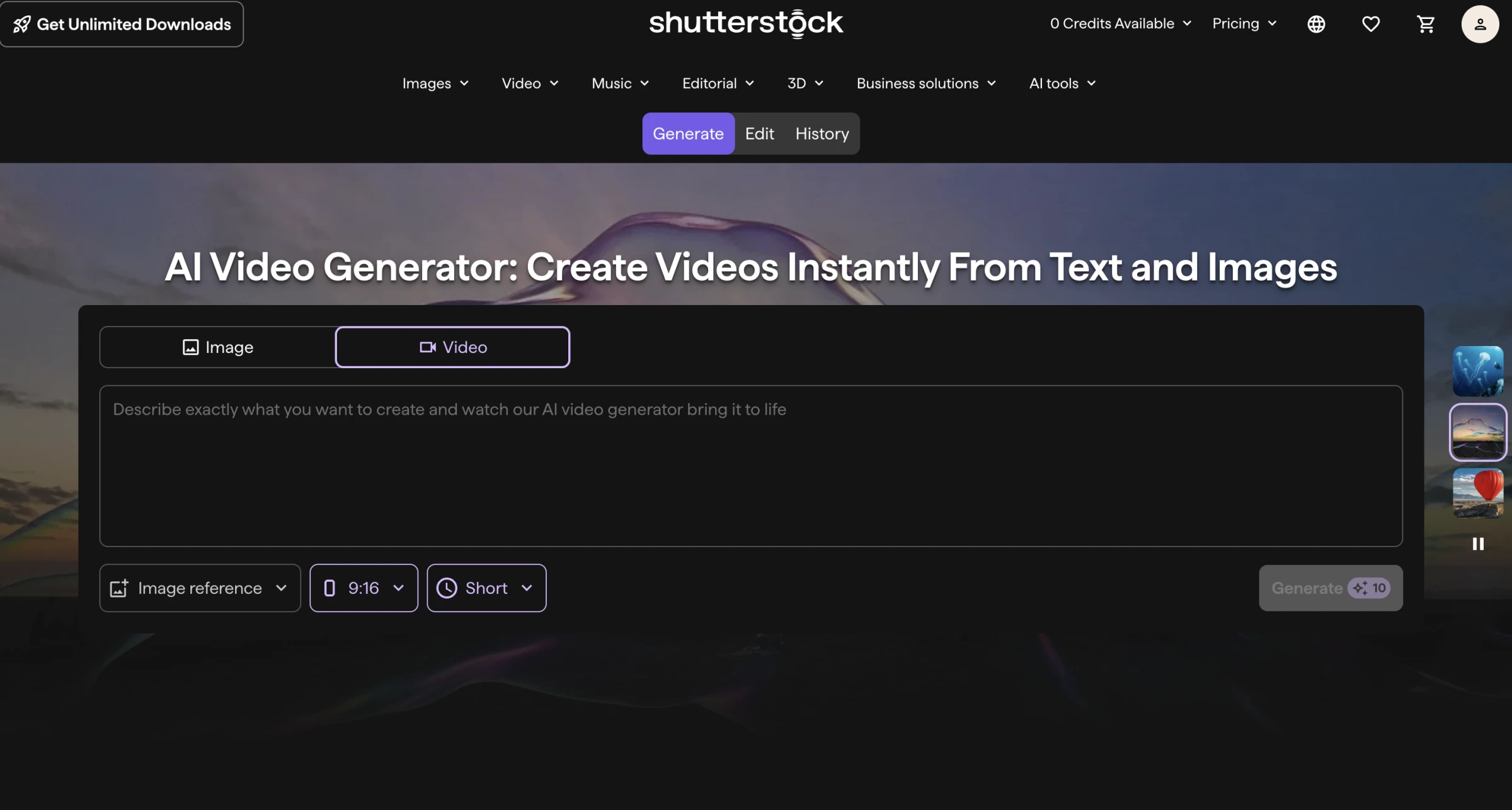
Shutterstock’s AI Video Generator gave me access to several leading video models without making me choose and manage each one separately.
I could start with a prompt, still image, or existing clip, while Shutterstock automatically selected between models such as Google Veo, Runway, and Seedance.
Pros:
- Built around licensed content, directly addressing the commercial-rights gap
- Combines multiple leading video models in one interface
- Useful if your team already licenses stock assets through Shutterstock
Cons:
- Limited creative control compared with dedicated platforms
- Free allowance is currently limited to two generations for new users
When I opened the generator, the interface felt much simpler than most dedicated AI video platforms I had tried. I entered my prompt, selected the format and duration, and left the model choice to Shutterstock.
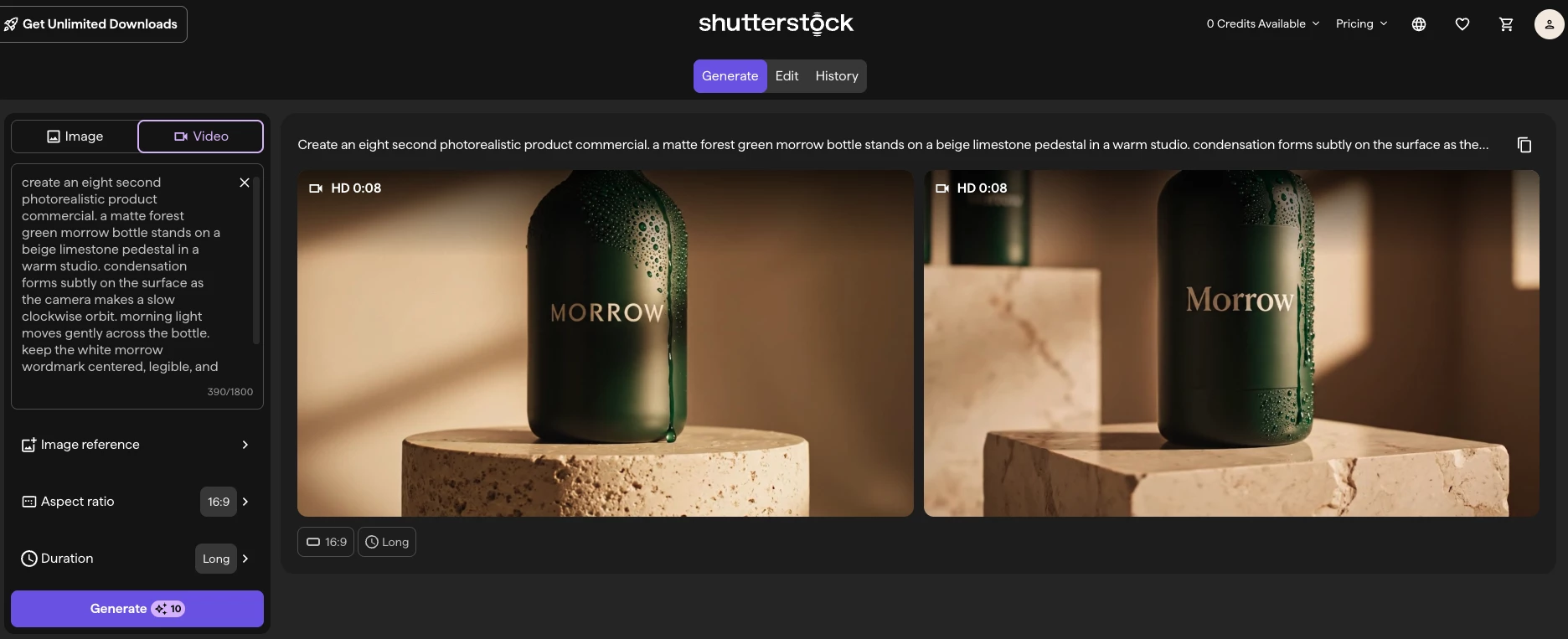
My first prompt produced a visually polished clip, but the movement was more generic than I intended. I got a better result after rewriting the prompt to specify the subject, setting, action, and camera movement separately.
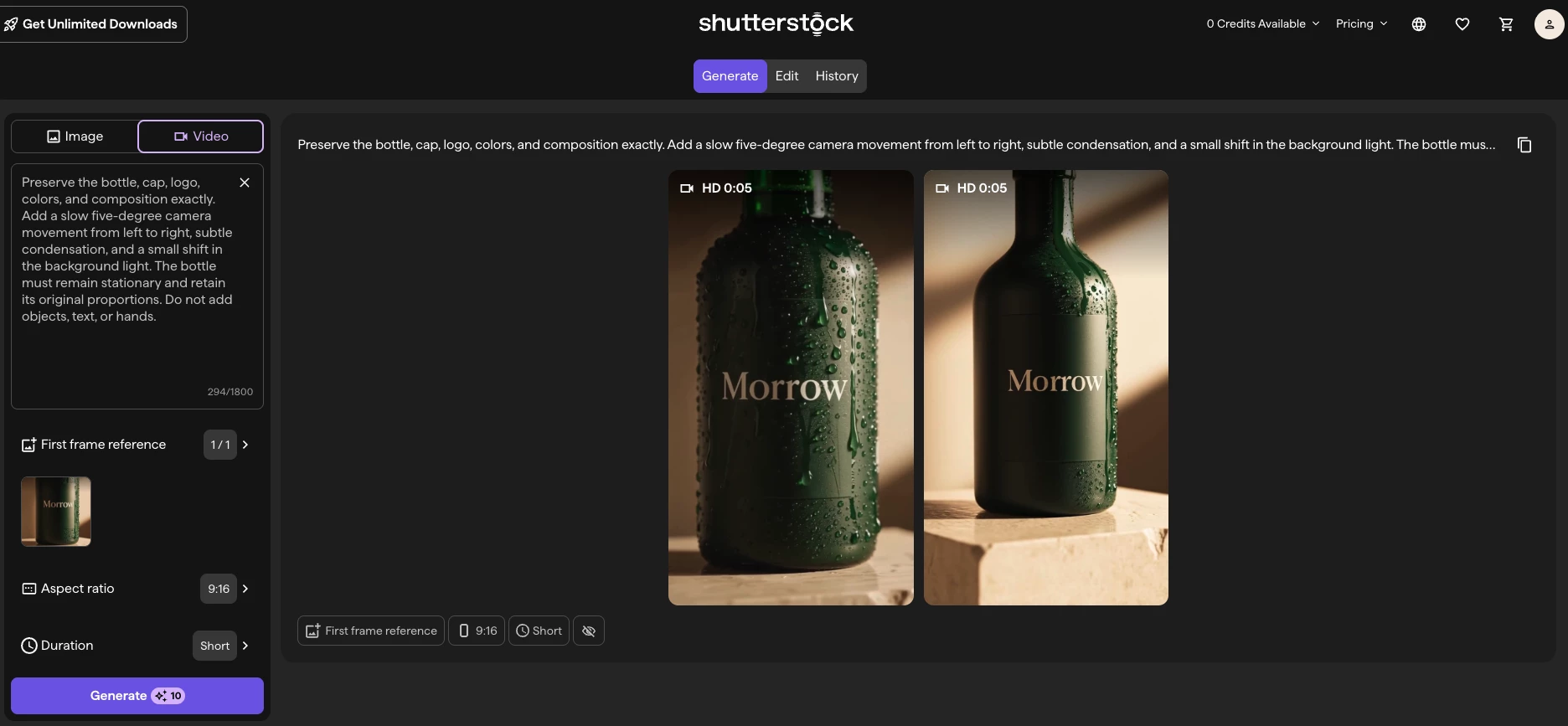
I found the image-to-video workflow more dependable for marketing content. I uploaded a still image, used it as the opening frame, and described how I wanted the subject and camera to move.
Starting with an existing visual gave the model more direction and helped preserve the composition.
It also made the tool feel more useful for real campaign workflows because I could animate an approved product image or Shutterstock asset instead of asking the model to invent everything from scratch.
The biggest differentiator I found was the legal protection available to enterprise customers.
Shutterstock offers human review, commercial licensing, and legal indemnification for eligible AI-generated content, which provides more reassurance than most standalone generators.
However, that protection does not automatically cover every video created through the standard generator, so I would still confirm that a specific output has been reviewed and licensed before using it in a client campaign.
Try licensed AI video generation with Shutterstock.
Pricing (yearly):
- Free trial: Two generations
- GenAI Subscription: $15/month
- Unlimited Plus: $69/month
- Teams and Enterprise: Custom
What Users Say
My experience reflected what I found in early reviews of the tool.
Users and reviewers generally like the straightforward workflow, the ability to work from text or images, and the convenience of accessing several video models through one platform.
The main limitation is creative control. The generator works well for quickly exploring a concept, but it does not provide the detailed shot controls or editing features that experienced AI filmmakers may expect.
Who's It For?
I would recommend Shutterstock’s AI Video Generator to marketing teams, agencies, designers, and social media managers who want to turn campaign ideas or existing visuals into short video clips without learning a complex production platform.
Other Notable Features
- Text-to-video and image-to-video generation
- Existing images and clips as visual references
- Automatic model selection
- Google Veo, Runway, and Seedance access
- Adjustable aspect ratios and durations
- Integrated Shutterstock content library
3. Google Veo: Best for Photorealistic Cinematic Output
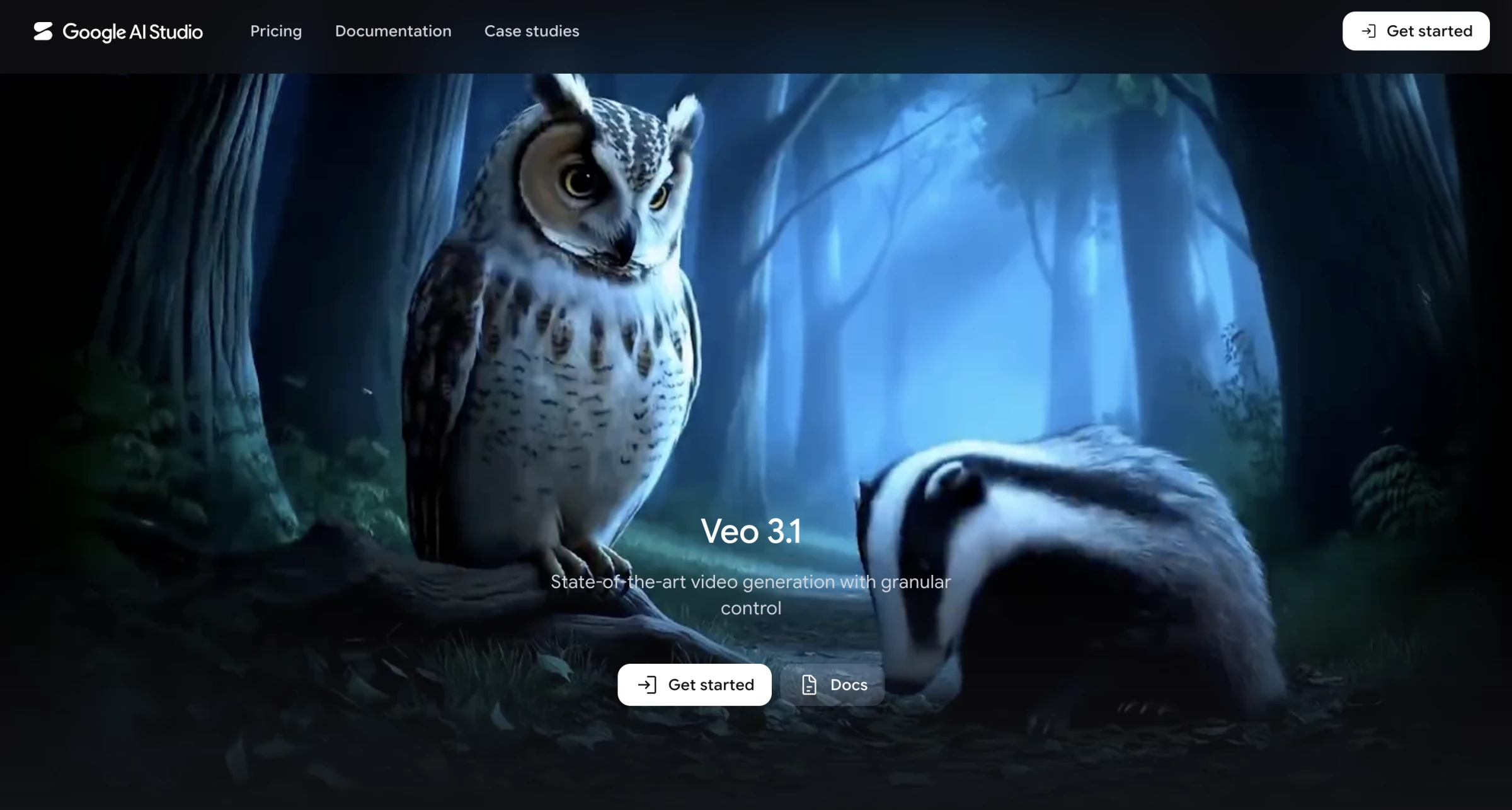
Google Veo gave me some of the most convincing photorealistic footage of any AI video generator I tested.
It handled lighting, camera movement, depth, and environmental motion with enough coherence that the strongest clips looked filmed rather than animated.
I tested the latest version, Veo 3.1, through Google Flow, which adds reference images, camera controls, scene sequencing, extensions, and asset management around the model.
Pros:
- Highly photorealistic lighting, textures, and motion
- Strong adherence to detailed cinematic prompts
- Generates synchronized dialogue, sound effects, and ambience
- Supports characters, objects, and styles through reference images
Cons:
- Veo 3.1 Quality consumes 100 credits per generation
- Quality generations usually last eight seconds
- Generated dialogue and on-screen text still need close review
I started with text-to-video to see how Veo would interpret a cinematic prompt without a reference image.
I described the shot using the same language I would use in a production brief, specifying the subject, location, lighting, lens effect, camera movement, and surrounding sound.
Veo handled one subject and one clear action much better than several people performing overlapping movements.
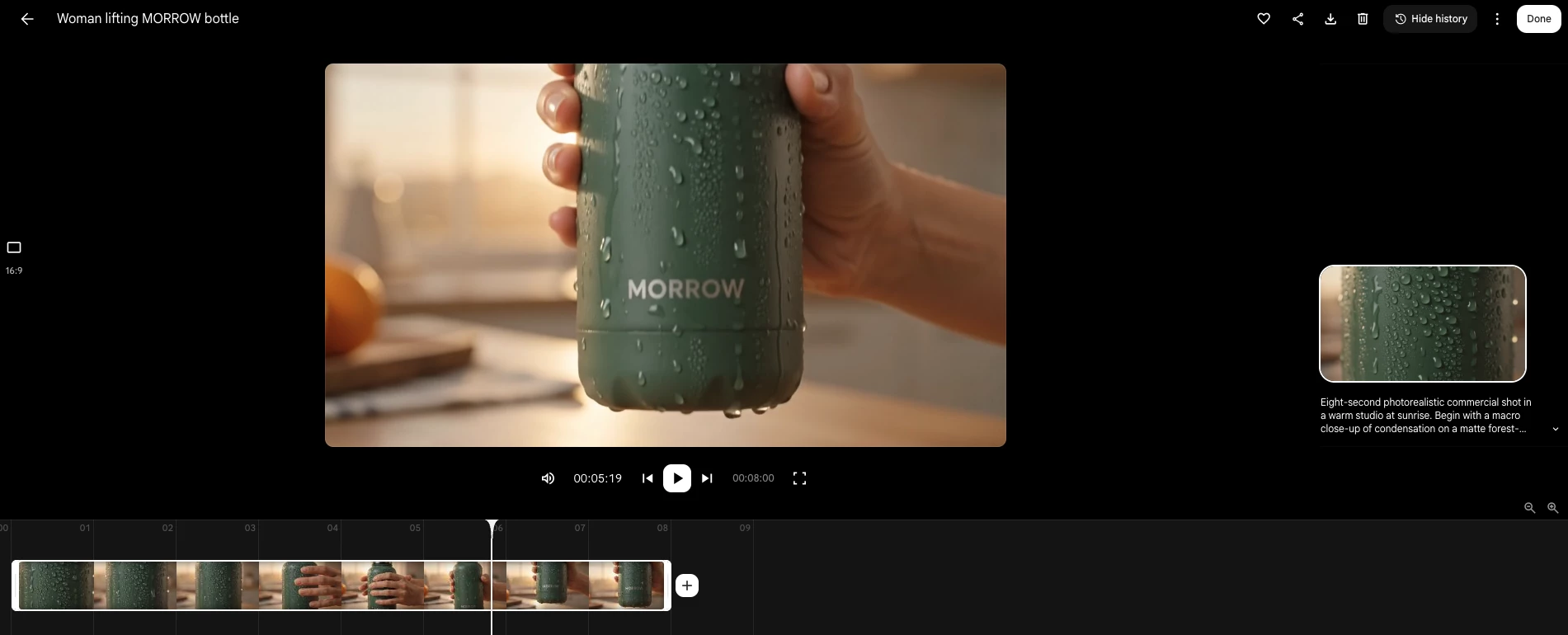
The image-to-video tools gave me more control when I needed to preserve a specific character, product, or visual style.
With Ingredients to Video, I could provide reference images for the people, objects, and overall look I wanted Veo to follow.
Frames to Video was even more useful for tightly planned shots. I could provide the opening and closing images and let Veo create the movement between them.
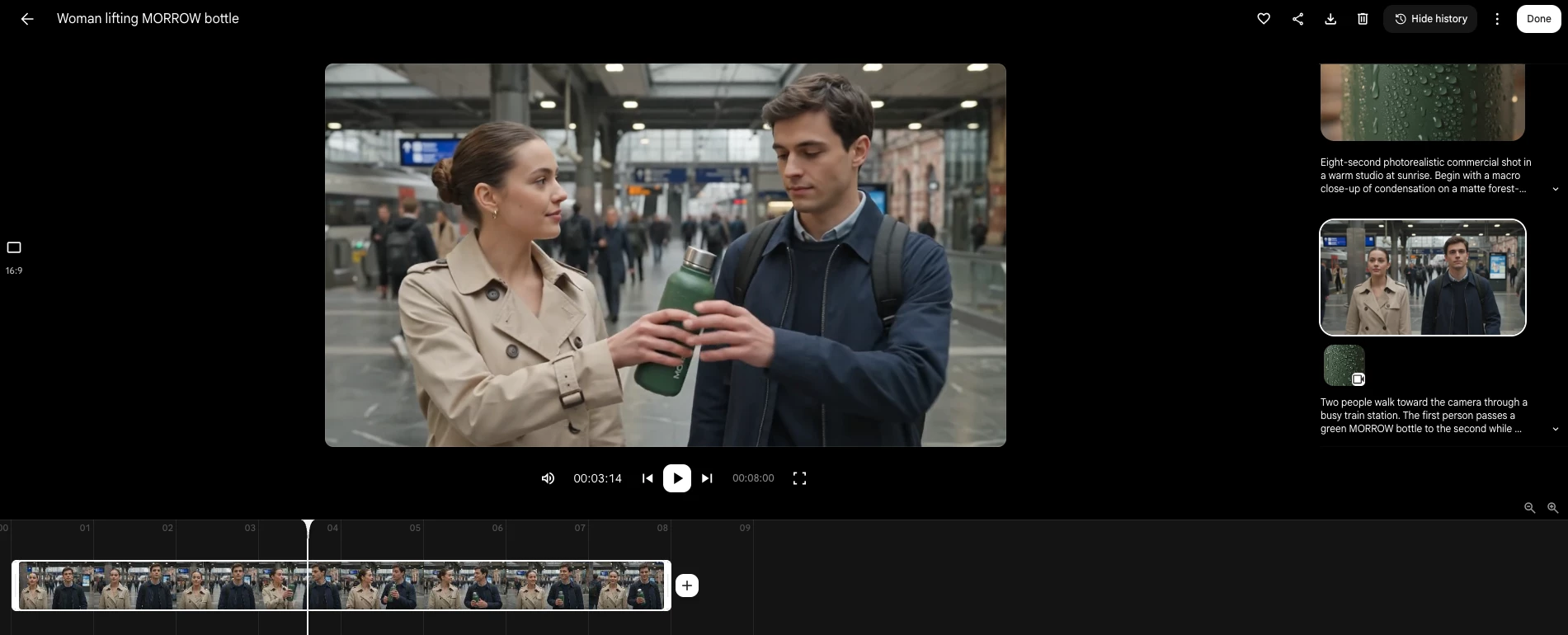
This reduced the unpredictability of a completely prompt-led generation and helped me control where the shot began and ended.
Pricing:
Google Flow uses credits, and the number consumed depends on the selected model.
- Free: 50 Flow credits per day
- Google AI Plus: $4.99 per month with 200 monthly credits
- Google AI Pro: $19.99 per month with 1,000 monthly credits
- Google AI Ultra: $99.99 per month with 10,000 monthly credits
- Google AI Ultra: $199.99 per month with 25,000 monthly credits
What Users Say
Some creators report producing strong results by generating reference images first and using detailed prompts to control each shot. One creator said this workflow reduced the time needed to build and assemble a video from several hours to around 20 minutes.
Others report missing audio, characters changing appearance, and people or objects unexpectedly disappearing during complex scenes.
These problems appear more frequently when several characters or actions compete for the model’s attention.
Who’s It For?
Google Veo suits filmmakers, creative directors, agencies, and marketing teams that prioritize visual realism and want to direct shots through detailed production-style prompts.
I would choose it for cinematic advertising concepts, photorealistic B-roll, product shots, music video scenes, establishing shots, and film previsualization.
Other Notable Features
- Text-to-video and image-to-video generation
- Native dialogue, sound effects, and ambient audio
- Ingredients to Video with multiple reference images
- First and last frame control
- Camera angle and movement controls
- Scene extension
- Object insertion and removal
- Scenebuilder for arranging and trimming clips
- Reusable characters, objects, and style references
- Frame extraction for connected generations
4. Runway: Best for Editing and Animation
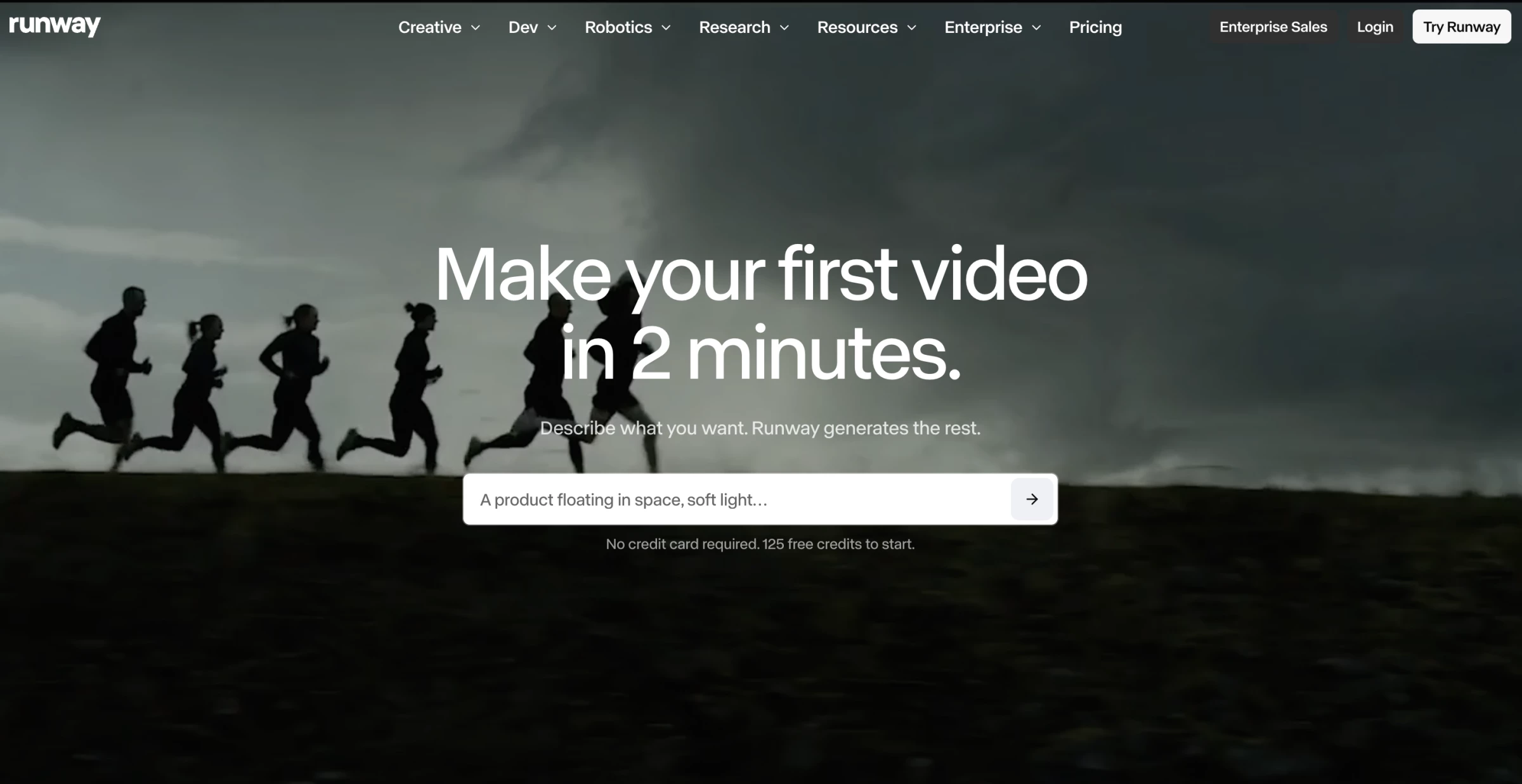
Runway was one of the first video generators I ever used, and it’s still one of the most creatively flexible AI design tools available today.
It provides an entire suite of AI-powered editing features that actually feel fun to use. If I’m working on a video that needs polish, animation, or surreal style, this is the tool I open first.
Pros:
- Powerful Gen-4 model for image-to-video and video-to-video generation
- Ideal for remixing, experimenting, and creative editing
- Fast background removal and inpainting
Cons:
- Prompt tuning and post-editing still required for best results
- Free plan is a one-time 125-credit trial, not a recurring allowance
What I love most is how modular Runway feels. I can start with a video I shot on my phone, remove the background in seconds, add a layer of AI-generated motion, and then blend it with dreamlike effects.
It’s like having Photoshop and Premiere merged together with a boost of generative magic.
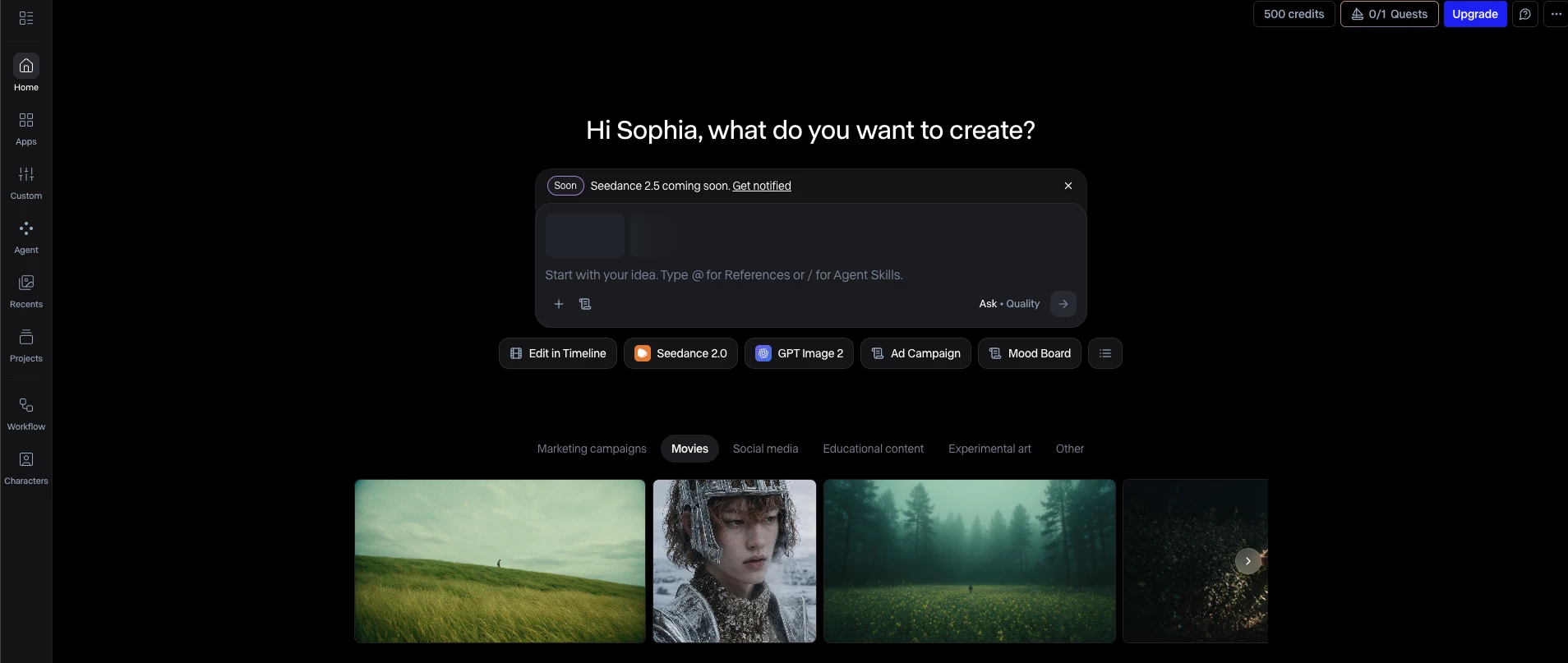
I recently started playing with Runway Gen-4.5, and it’s the most refined and reliable version yet. I can set a look, a character, or a location, and Gen-4 keeps it all cohesive across every scene.
It felt like I was building an actual world, and not just one-off clips. I’ve used it to create full sequences with the same subject from different angles, moods, and lighting setups, and it all holds together beautifully.
The tool is great for content that leans into storytelling or needs a touch of surrealism.
It provides all the tools you need to explore and push boundaries, mixing creativity with control.
Pricing:
- Free
- Standard: $15/month
- Pro: $35/month
- Unlimited: $95/month
- Enterprise: Contact Runway sales team
What Users Say
Still, the results can sometimes vary depending on the details in prompts. Users advise that it’s still important to finesse input to be able to create a high-quality video using the platform.
However, it's still an excellent creative companion and visual testing ground.
Who’s It For?
Runway is great for content that leans into storytelling or needs a touch of surrealism. It provides all the tools you need to explore and push boundaries, mixing creativity with control.
Other Notable Features
- Video-to-video transformation
- Timeline editor with layers and transitions
- Stylized motion effects and filters
- Inpainting and frame interpolation
- Audio-reactive animation effects
- Frequent updates and creative tool expansions
5. Kling AI: Best for Realistic Human Motion and Lip-Sync
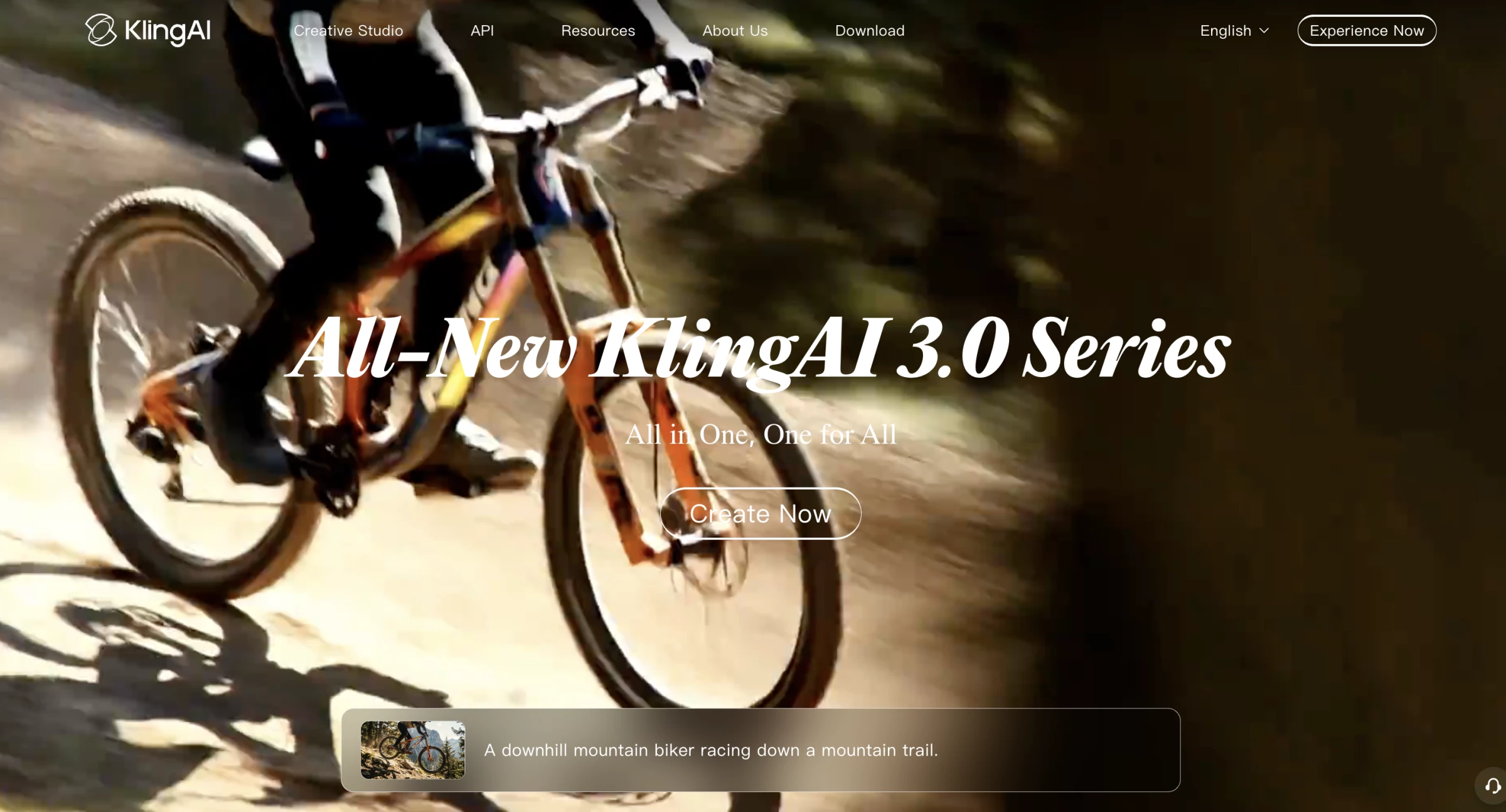
Kling AI works best when a video depends on a person moving or speaking naturally. In my testing, it handled basic body movement, facial expressions, and short lines of dialogue reasonably well, although the quality varied between generations.
Its current Video 3.0 models can generate visuals and audio together, while Motion Control transfers a performance from a reference video to a character image.
Pros:
- Handles simple human movement relatively well
- Generates dialogue and lip movement together
- Supports motion transfer from a reference video
Cons:
- Results vary noticeably between generations
- Complex actions can produce sudden or distorted movement
I tested Kling by animating a still character and giving them a short line to deliver.
The body movement looked more natural than I expected, with visible changes in posture rather than movement limited to the mouth and head.
The lip-sync also followed the speech closely when the character faced the camera and delivered a short sentence.
Longer dialogue, faster speech, and larger head movements made small synchronization errors more noticeable.
For marketing teams, this makes Kling practical for short product introductions, social advertisements, AI influencer content, and presenter-led clips.
It can create a usable human performance without filming someone or manually matching their mouth to a voiceover.
Motion Control adds another useful option. I could upload a reference performance and transfer its general gestures and body movement to a character image.
It did not reproduce every movement exactly, but it gave me more control than describing the performance through a prompt alone.
Kling Video 3.0 can also generate dialogue, ambient sound, and effects alongside clips lasting up to 15 seconds.
However, I would keep each generation focused on one character, one action, and one short line. Complex scenes created more visual errors and usually required additional attempts.
Pricing:
- Free: 66 daily credits with watermarked output
- Standard: $10 per month with 660 credits
- Pro: $37 per month with 3,000 credits
- Premier: $92 per month with 8,000 credits
- Ultra: $180 per month with 26,000 credits
What Users Say
Users found that Kling could produce realistic motion and synchronized speech but criticized the high credit cost and occasional abrupt movement.
Other users have pointed out background instability, unusual movement, and imperfect lip-sync in more complicated clips. Kling can produce usable results, but users should expect failed attempts and budget their credits accordingly.
Who’s It For?
Kling AI suits creators producing short videos built around a person or character.
That includes social media advertisements, AI influencer content, product demonstrations, short dialogue scenes, music clips, and presenter-led videos.
Other Notable Features
- Image-to-video generation
- Motion transfer from reference videos
- Native dialogue and sound effects
- Multi-character lip-sync
- Up to 15-second clips
- Multi-shot generation
- Support for five languages, dialects, and accents
6. Luma AI: Best for Speed and Photorealistic Output
Luma AI is useful for marketers who need realistic product shots, atmospheric B-roll, or social visuals without a long generation process.
Its current Ray3.2 model supports text-to-video, image-to-video, and video modification, while Draft Mode allows teams to test ideas before spending more credits on higher-quality output.
Pros:
- Fast, low-credit Draft Mode
- Realistic lighting and camera movement
- Strong image-to-video workflow
Cons:
- Final quality still varies between generations
- Sometimes adds movement that the prompt did not request
I tested Luma by uploading a product image and requesting a slow camera movement with subtle changes in light and background motion.
The first result preserved the product reasonably well and handled reflections and camera depth without making the scene look heavily animated.
Image-to-video gave me more dependable results than starting from text because the source image established the product, composition, and visual style.
However, Luma treated the movement instructions somewhat loosely. One result introduced a more dramatic tracking motion than I requested, so I had to simplify the prompt.
The main speed advantage came from Draft Mode. I could test the composition and general movement at a lower credit cost before generating the final version.
This made more sense for marketing work than repeatedly rendering every concept in 1080p.
Ray3.2 also supports up to 16 keyframes and Modify Video for transforming existing footage while preserving selected elements such as motion, structure, faces, or poses.
For most marketing teams, however, its clearest use remains generating short product visuals and B-roll quickly.
Pricing:
- Plus: $30 per month with 10,000 credits
- Pro: $90 per month with 40,000 credits
- Ultra: $300 per month with 150,000 credits
- Enterprise: Custom pricing
What Users Say
Product Hunt reviewers highlight Luma’s photorealistic output and coherent motion, particularly for image-to-video work.
However, some also criticize unclear credit consumption and limited customer support.
Who’s It For?
Luma AI suits marketing teams and content creators who need short product shots, campaign concepts, social media visuals, or photorealistic B-roll quickly.
Other Notable Features
- Text-to-video and image-to-video
- Low-credit Draft Mode
- Multi-keyframe direction
- Video modification
- Character references
- Motion and structure controls
- Reframing for different aspect ratios
7. Pika: Best Budget Pick for Social and Creative Effects
Pika is a practical budget option if you want to create short, attention-grabbing social content.
Rather than competing directly with cinematic generators such as Veo, it focuses on quick effects, transformations, object swaps, and unusual visual concepts.
Pros:
- One-click effects work well for social content
- Simple image-to-video and video editing tools
- Commercial use and watermark-free downloads
Cons:
- Free generations are limited to 480p
- Not designed for polished, long-form video
I tested Pika by applying one of its Pikaffects to a product image. The platform turned it into a five-second transformation without requiring me to write a detailed prompt or set up an editing timeline.
The result worked as a quick social effect, although it changed some of the product’s finer details.
I would use it for a playful organic post or attention-grabbing transition, but not for a product advertisement where the packaging must remain completely accurate.
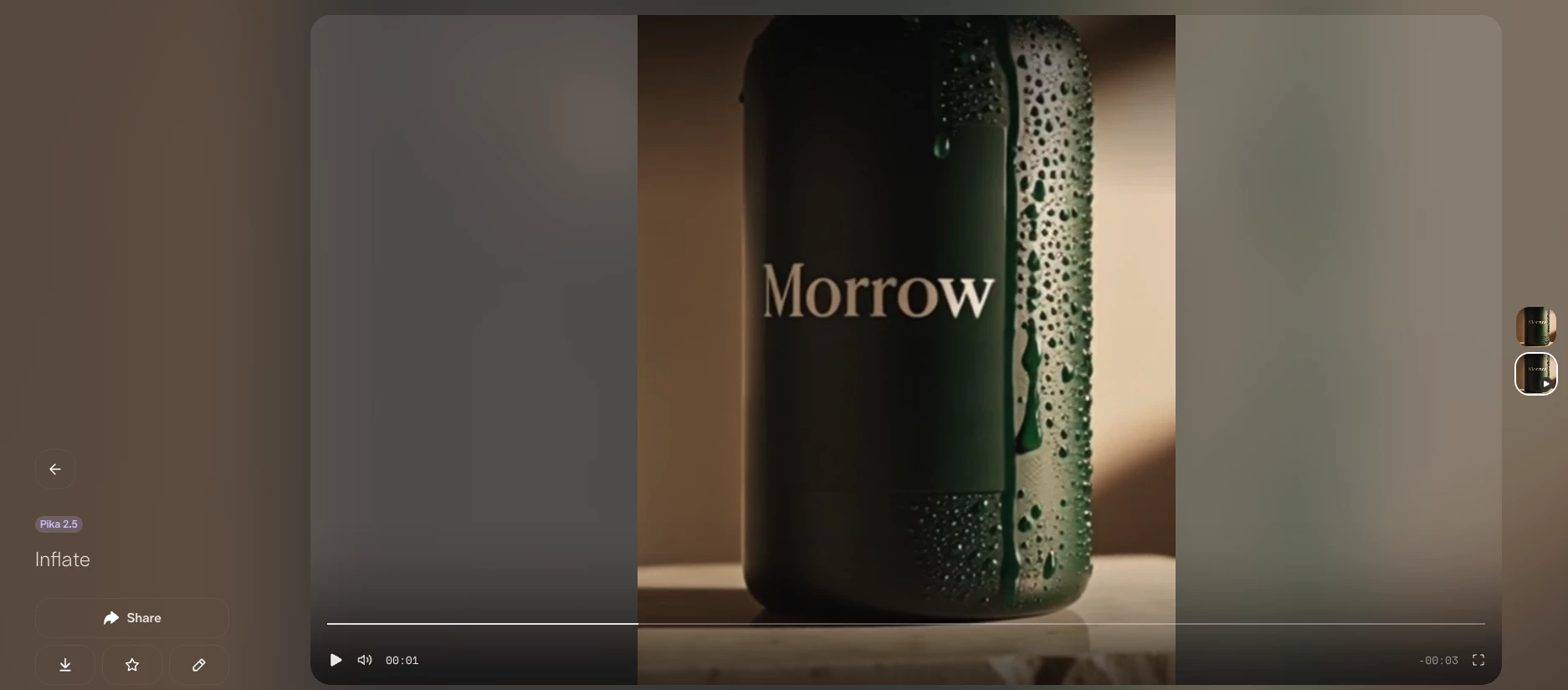
Pikaffects is the clearest reason for a marketing team to use Pika. Presets can melt, squash, inflate, explode, or otherwise transform an uploaded image or video.
They make it easy to recreate the type of short visual joke or surreal transition that performs well on TikTok and Instagram.
Pikaswaps and Pikadditions provide more control over existing footage. I could replace an object or introduce a new element while retaining much of the original movement.
The effect was not seamless in every frame, but it was considerably faster than masking and compositing the element manually.
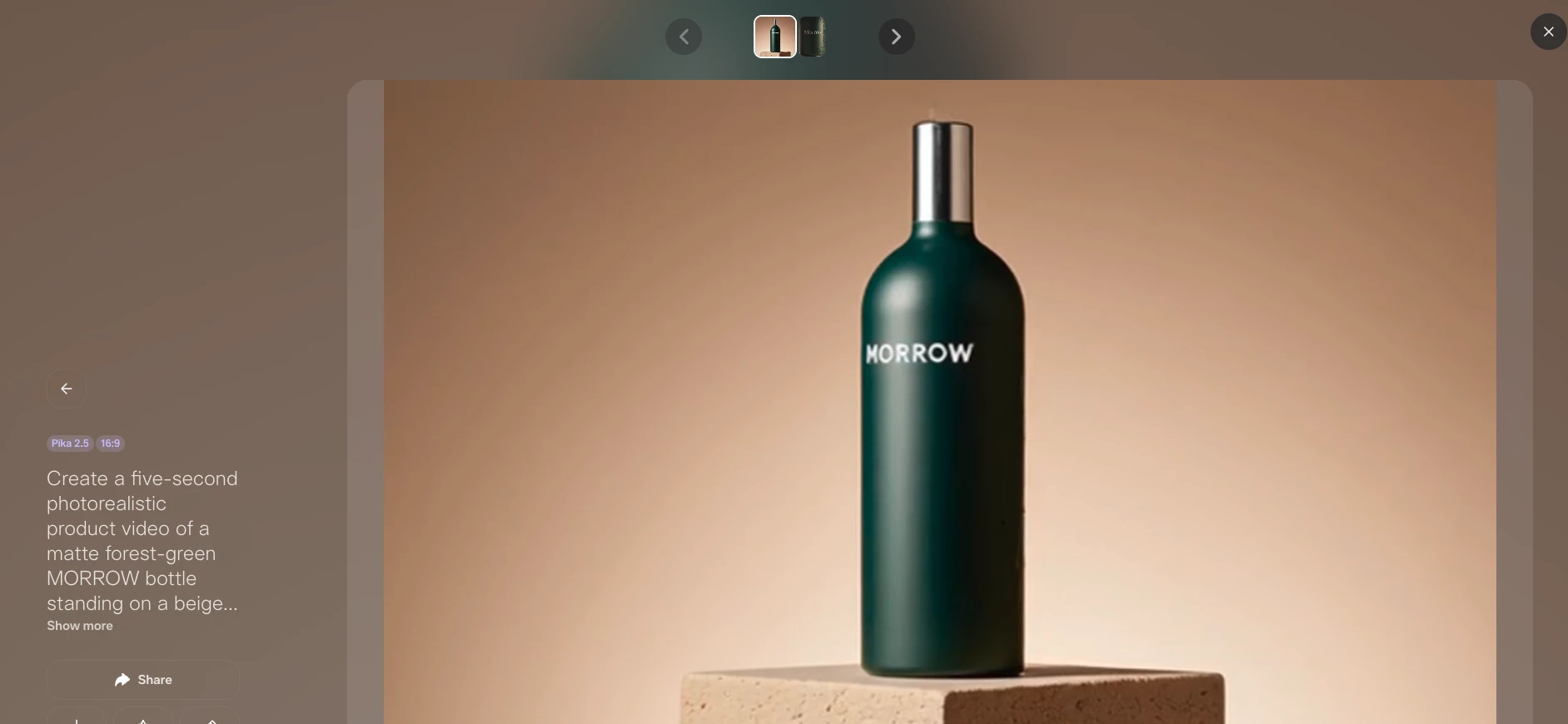
Pika 2.5 also supports standard text-to-video and image-to-video generation.
However, I found its specialized effects more convincing than its attempts at photorealistic footage. That makes Pika better for deliberately stylized content than videos that need to look as though they came from a real camera.
Pricing:
- Basic: Free with 80 monthly credits
- Standard: $10 per month or $8 when billed annually, with 700 credits
- Pro: $35 per month or $28 when billed annually, with 2,300 credits
- Fancy: $95 per month or $76 when billed annually, with 6,000 credits
What Users Say
Product Hunt reviewers generally praise Pika’s image animation, camera controls, and ability to preserve faces, although the platform only has a limited number of reviews there.
Customer-service reviews are less positive. Some users report failed generations, lost credits, and slow support responses, so I would test the free tier before committing to a subscription.
Who’s It For?
Pika is best for social media managers and creators producing memes, trend-led posts, visual hooks, product transformations, and short branded experiments on a limited budget.
Other Notable Features
- Pikaffects for one-click transformations
- Pikaswaps for replacing video elements
- Pikadditions for inserting objects
- Pikatwists for changing a video’s outcome
- Pikaframes for transitions between keyframes
- Pikascenes for combining visual elements
- Pikaformance for audio-driven facial animation
8. LTX Studio: Best for Script-to-Scene Workflows

LTX Studio feels like a creative director’s dream. If you’ve ever had a great idea but struggled to visualize it before production, this platform is a game changer.
It takes your script and turns it into a fully built-out visual sequence, with characters, shots, mood, and camera movements.
Pros:
- Interface and tool customization based on project needs
- Built-in feedback tools
- Balance of automation and creative customization
Cons:
- Occasional unsynchronized motions
For pre-production, pitching, or building a visual narrative before cameras ever roll, LTX gave me a serious head start.
I used it to create full scenes with camera movement, lighting, and customized characters. It feels like skipping several steps in the creative process and landing right at the fun part: refining my vision.
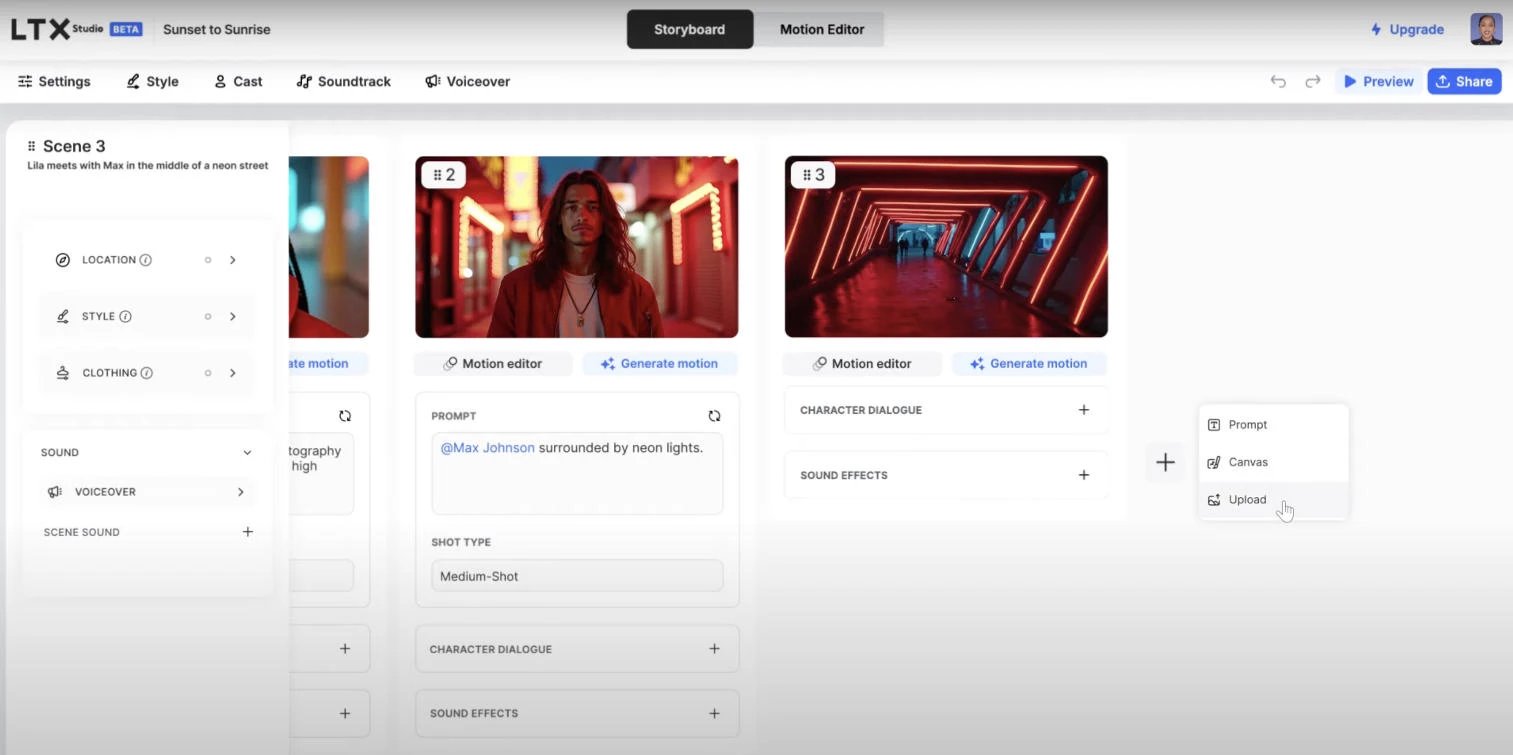
LTX Studio builds out cinematic sequences with scene transitions, shot angles, and emotional tone, and I can adjust everything too: the camera path, environment details, and overall mood.
This kind of precision is hard to get from most AI tools and makes creating high-end visuals significantly easier.
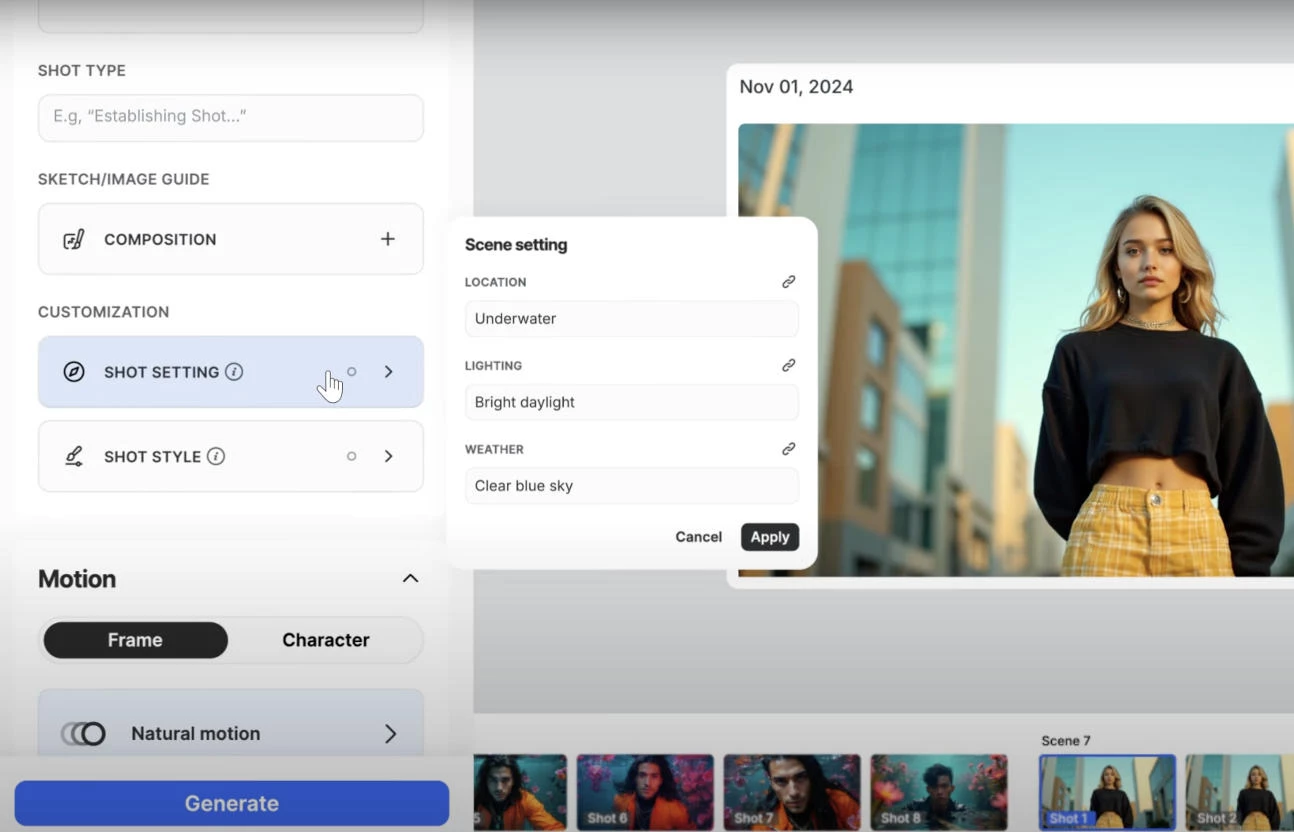
LTX Studio is great for storyboarding and pre-production, to visualize what the final product can look like without filming. It helps businesses and creative teams move quickly and deliver polished videos while staying clear on creative direction.
Pricing:
- Lite: $15/month
- Standard: $35/month
- Pro: $125/month
- Enterprise: Custom pricing
What Users Say
Of course, it isn’t perfect. Sometimes the model glitches and produces static images instead of videos.
But users have shared slight tweaks in the settings that can refine the tool’s performance and deliver amazing output for individual creators and brands alike.
Who’s It For?
LTX Studio is great for storyboarding and pre-production, to visualize what the final product can look like without filming. It helps creators move quickly and deliver polished videos while staying clear on creative direction.
Other Notable Features
- AI storyboard generator based on written scripts or ideas
- Customizable character design
- Scene editing tools with control over shot composition
- Adjustable camera movement and angles
- Visual environment editing with element placement
- Great for storytelling and product-centric use cases
9. Synthesia: Best for Avatar-Led Training Videos
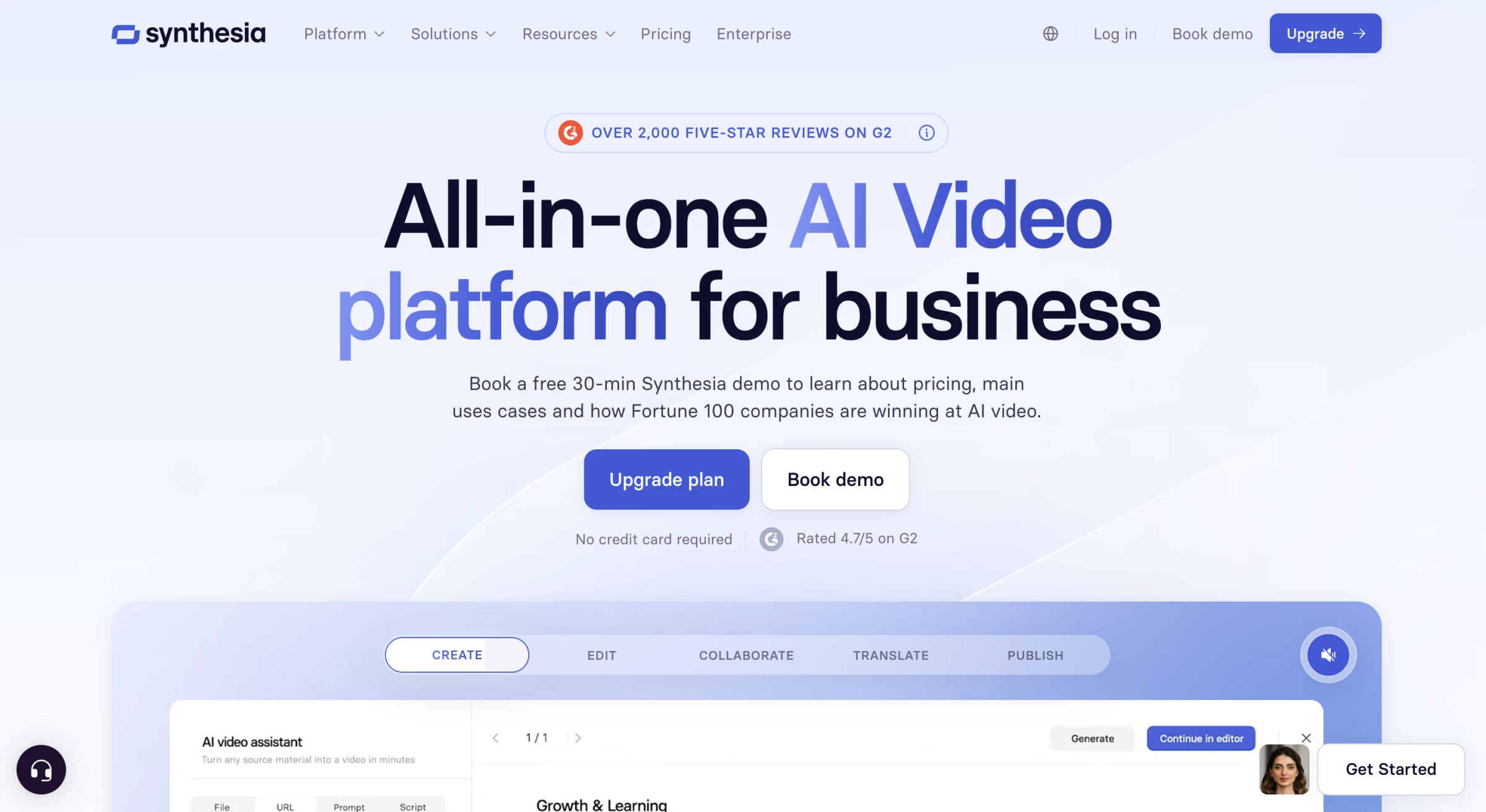
Synthesia is polished, reliable, and built for teams that need to scale training, internal updates, or marketing without turning every project into a production.
I can create a professional-looking video in minutes, using AI avatars and voiceovers that sound surprisingly natural.
Pros:
- Supports 140 languages
- Updated videos on the platform are also updated on embedded pages
- Intuitive dashboard
Cons:
- Avatars lack realistic human emotion
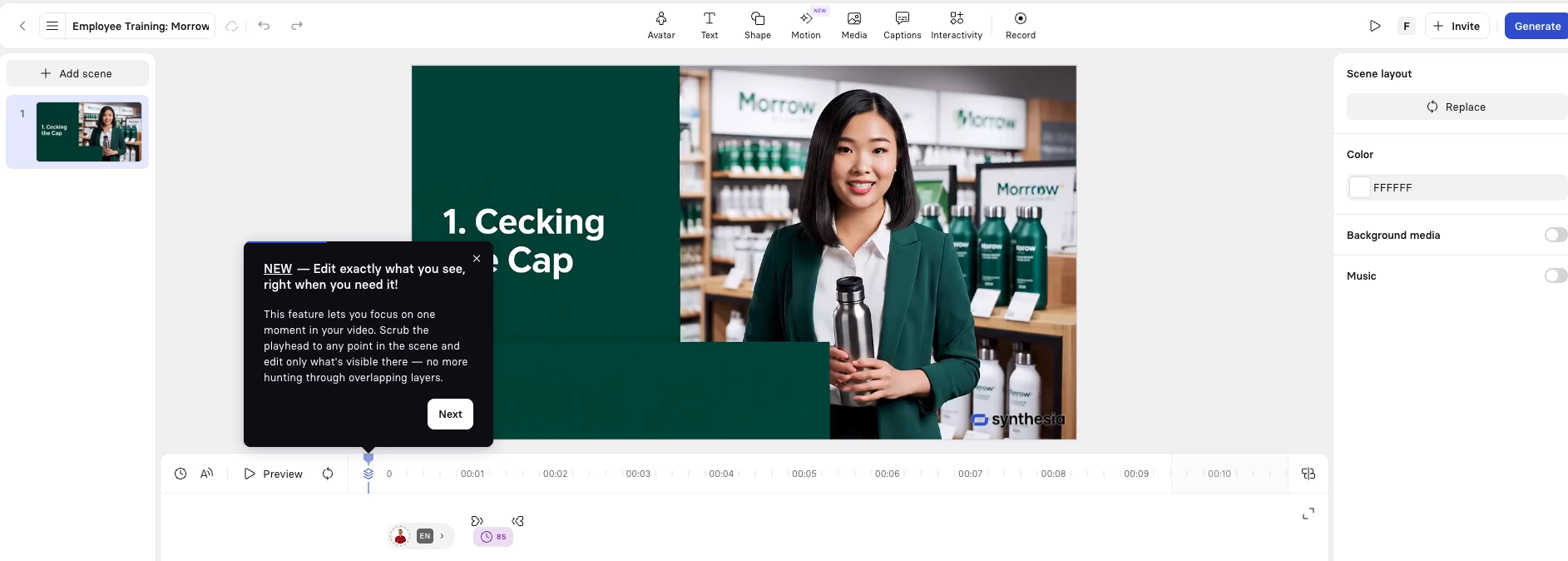
Within minutes, I made a clean, branded video with a confident presenter delivering the script.
Its video templates also helped me build various types of content, like onboarding guides, interactive courses, weekly updates, short promos, and more.
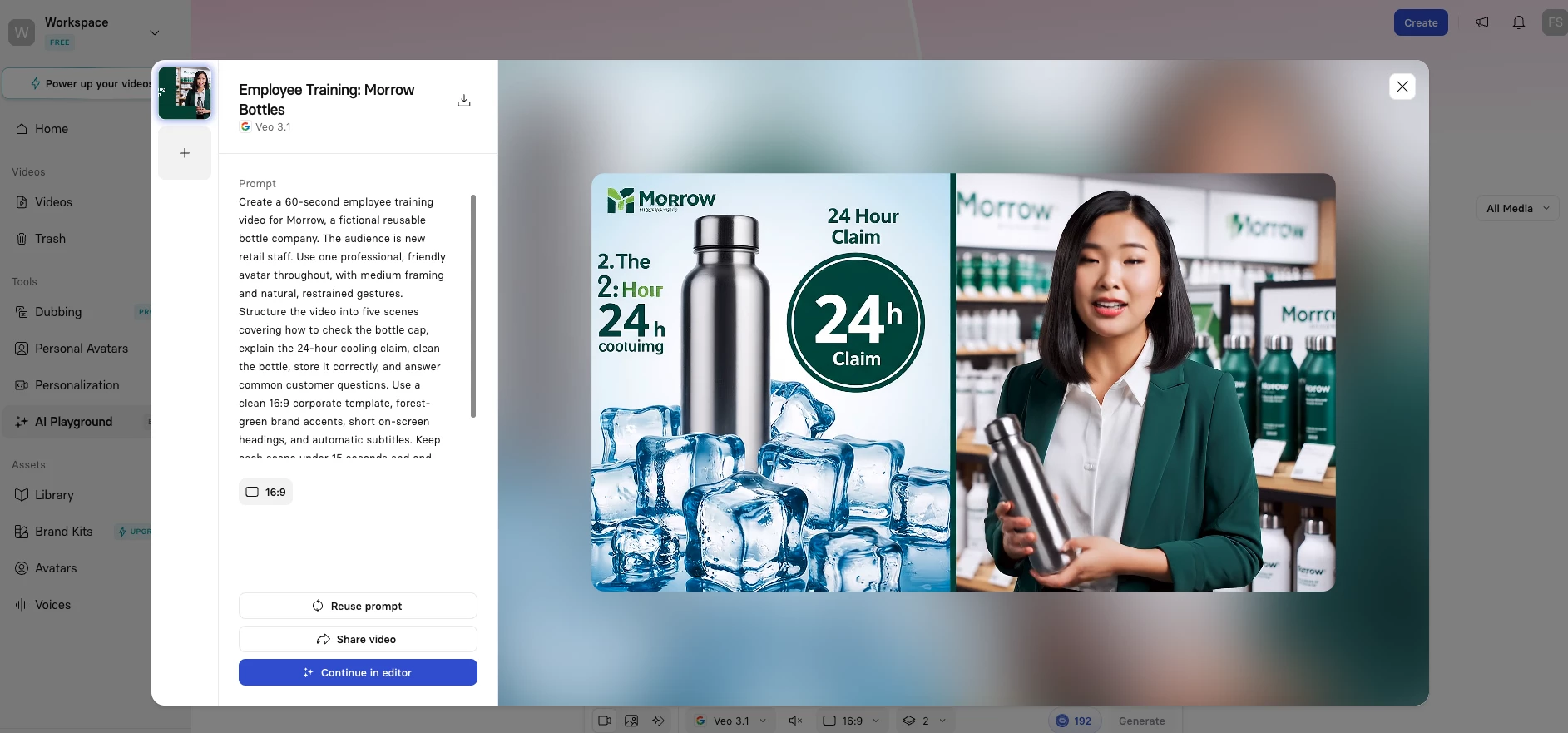
The layouts are clean, the visuals are easy to customize, and I could easily tweak the settings to ensure all videos look and feel on-brand.
Synthesia is ideal for training videos, internal corporate updates, and onboarding content where clarity and tone matter.
It cuts down hours of repetitive explanation into polished videos that can be shared instantly.
Pricing:
- Starter: $29/month
- Creator: $89/month
- Enterprise: Custom pricing
What Users Say
Unfortunately, me and other users have found that the avatars’ mouth movements are often misaligned with speech, which can be quite distracting.
Some users have also noted that Synthesia videos haven’t quite overcome the “uncanny valley” effect, leading to reservations about its current applicability.
Another big downside is that videos can sometimes feel a little too corporate or static if you don’t layer in your own visuals or screen recordings.
It’s not the tool I’d use for dynamic storytelling, but for consistent, clear messaging at scale, it’s unmatched.
Who's It For?
Synthesia is perfect for anyone who wants to create professional-looking videos without hiring a production crew or stepping in front of a camera.
It’s a great fit for marketing teams looking to boost engagement, educators and trainers who want to build more interactive lessons, businesses needing quick and polished visuals, and ones aiming to streamline internal comms or product demos.
Whether you’re in sales, HR, eCommerce, or just someone with a message to share, Synthesia makes it easy to turn text into polished video in minutes.
Other Notable Features
- AI text-to-video generation with photorealistic avatars
- Personal avatar creation from a short video
- Pre-built templates for training, marketing, and internal communications
- Auto-subtitles and text overlays
- Screen recording support for tutorial-style content
- Brand kit integration
10. HeyGen: Best for Multilingual Avatar Marketing
HeyGen is an AI avatar platform built for creating presenter-led videos without repeatedly filming the presenter.
Basically, you can create one video, translate it into more than 175 languages and dialects, and have HeyGen adjust the presenter’s voice and lip movements for each version.
Pros:
- Strong lip-synced video translation
- Realistic custom Digital Twins
- Simple script-based editing
Cons:
- Premium avatars use credits quickly
- Longer talking-head videos can still feel artificial
I tested HeyGen with a short presenter-led marketing script. I selected an avatar, added the script, chose a voice, and adjusted the layout inside its text-based editor.
The result was most convincing in shorter scenes with a medium camera framing.
The lip-sync was generally accurate, although a few gestures and facial expressions still had the slightly controlled quality common to AI avatars.
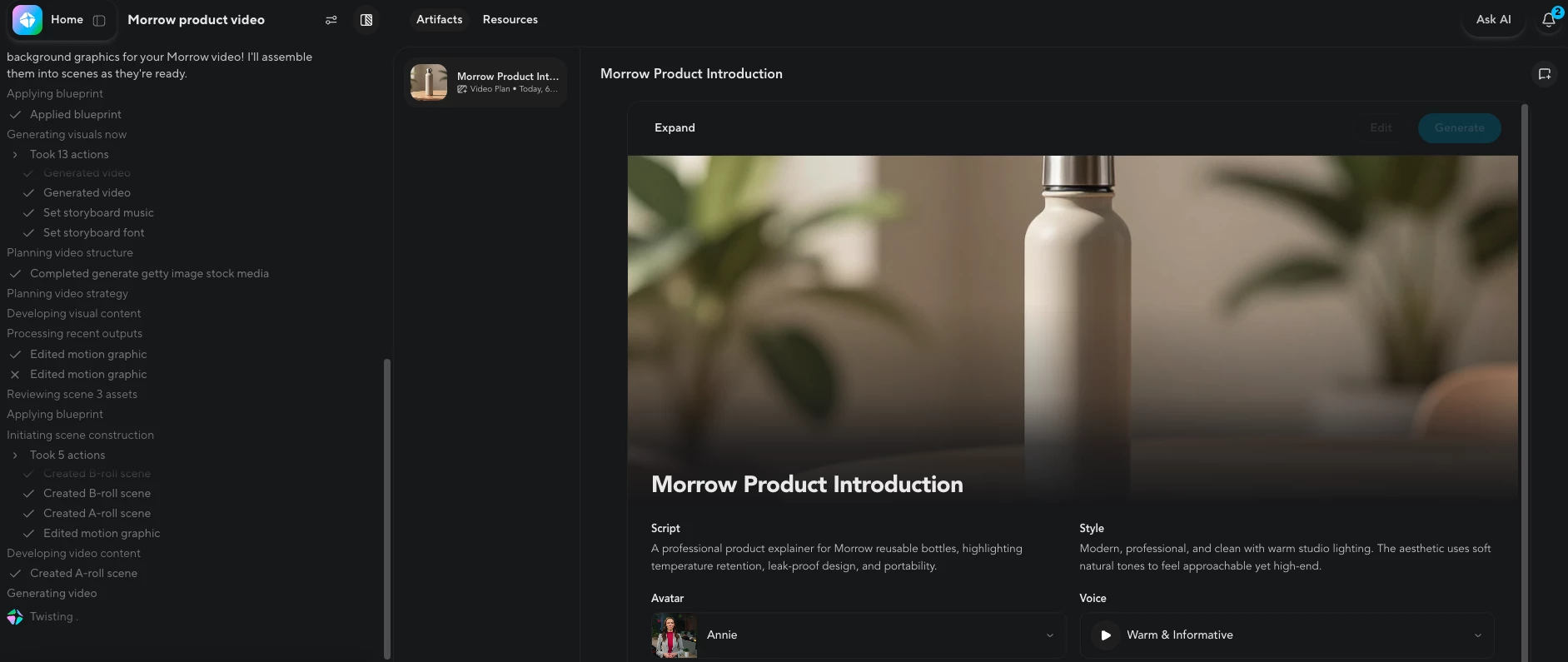
HeyGen’s Avatar V is noticeably more expressive than its standard avatar model, particularly when matching pauses and changes in tone.
However, it costs 20 credits per generated minute, compared with three credits for Avatar III.
I would use the standard model for drafts and reserve Avatar V for final campaign videos where realism matters.
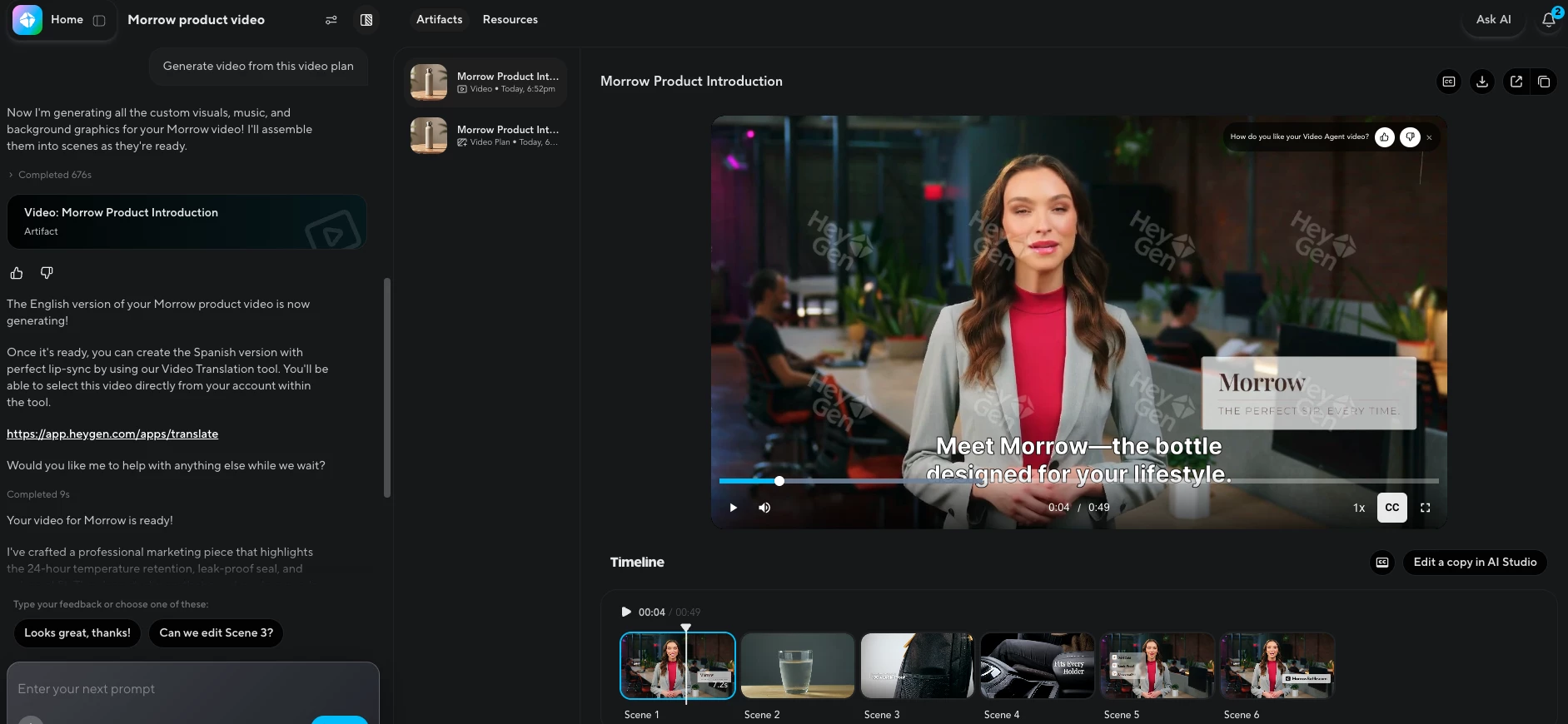
Video translation was the most useful part of my test. Instead of recreating the video for another market, I translated the original version and kept the same presenter, voice style, and general pacing.
The translated result was not flawless. I still needed to adjust a few pauses and phrases that sounded unnatural when translated directly.
Even so, it was considerably faster than recording and editing a separate version for every language.
This makes HeyGen particularly useful for product explainers, campaign updates, sales videos, and onboarding content that needs to be distributed across multiple regions.
Pricing:
- Free: Three videos per month, up to one minute each
- Creator: $29/month
- Pro: $49/month
- Business: $149/month, plus $20 per additional seat
- Enterprise: Custom pricing
What Users Say
Users who tested several avatar platforms found that HeyGen produced the cleanest lip-sync and strong translations, but noticed that the presenter’s face could drift slightly between separate recording sessions.
Other users note that it works best for presenter-led content. If the video requires complex movement, cinematic scenes, or extensive product footage, you will probably need to combine HeyGen with another video editor or generation tool.
Who’s It For?
HeyGen is best for marketing, sales, and localization teams that need to turn one presenter video into multiple regional versions.
It is a particularly good fit for product explainers, campaign announcements, training videos, customer onboarding, and personalized outreach.
Other Notable Features
- Avatar V custom Digital Twins
- Translation into more than 175 languages and dialects
- Voice cloning and lip-synced dubbing
- Text-based AI Studio editor
- Video Agent for prompt-based video creation
- Automatic captions and B-roll
Other Video Tools With Growing AI Capabilities
Let’s take a quick look at platforms that are blending video with smarter, more interactive AI features.
- Reap: Smart AI video clipper
- Magic Hour: Turning content into brand new videos
- Vyond: Best for explainer videos
1. Reap: Smart AI Video Clipper
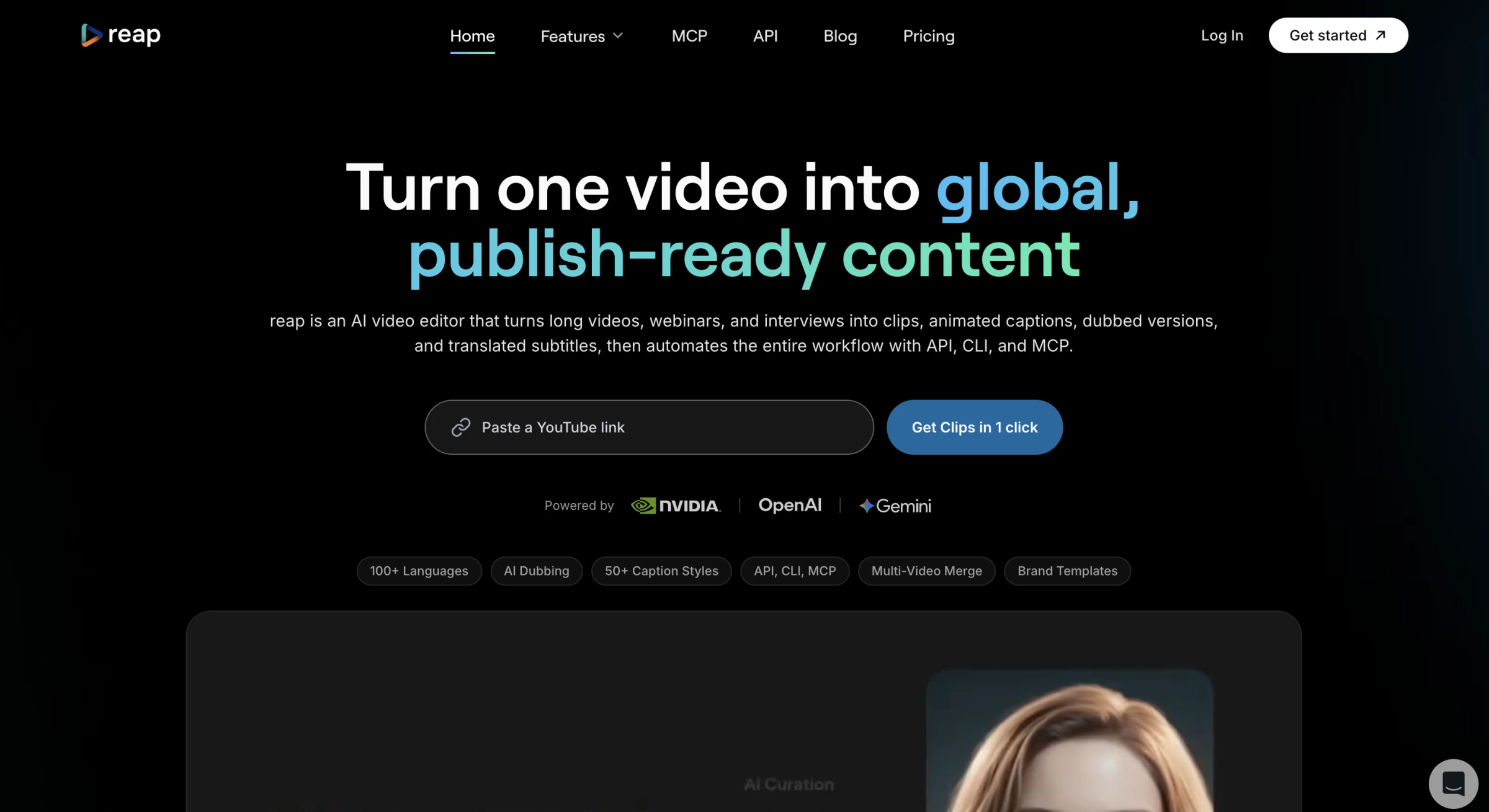
Reap is a generative AI video tool that turns long videos into shareable, social-ready shorts.
I signed up, uploaded a long-form video, and watched Reap work its magic. In under 20 minutes, it had generated several short clips.
| Pros | Cons |
|
|
The system automatically picked highlights, added animated captions, and reframed the video for social platforms. Despite some lag, I was impressed with how much I could customize: styles, subtitles, even emoji highlights.
Editing felt like working with a document: remove a filler word in the transcript and the clip updates instantly. It made slicing up a 30+ minute video into polished, platform-ready shorts feel effortless.
That said, processing time varied: sometimes it took nearly an hour for longer videos.
And while speech transcription was mostly accurate, I did find a few mistranslations and wished for more control over caption edits in certain cases.
Reap.video is a compelling tool if your focus is turning webinars, interviews, or educational content into polished short clips quickly. It's smart, automated, and cropping out tedious editing work.
But if you're handling music videos, live streams, or heavy translation editing, or you need robust API/publishing workflows, it may feel a bit limited.
Pricing:
- Free
- Creator: $14.99/month
- Studio: $45/month
2. Magic Hour: Turning Content Into Brand New Videos
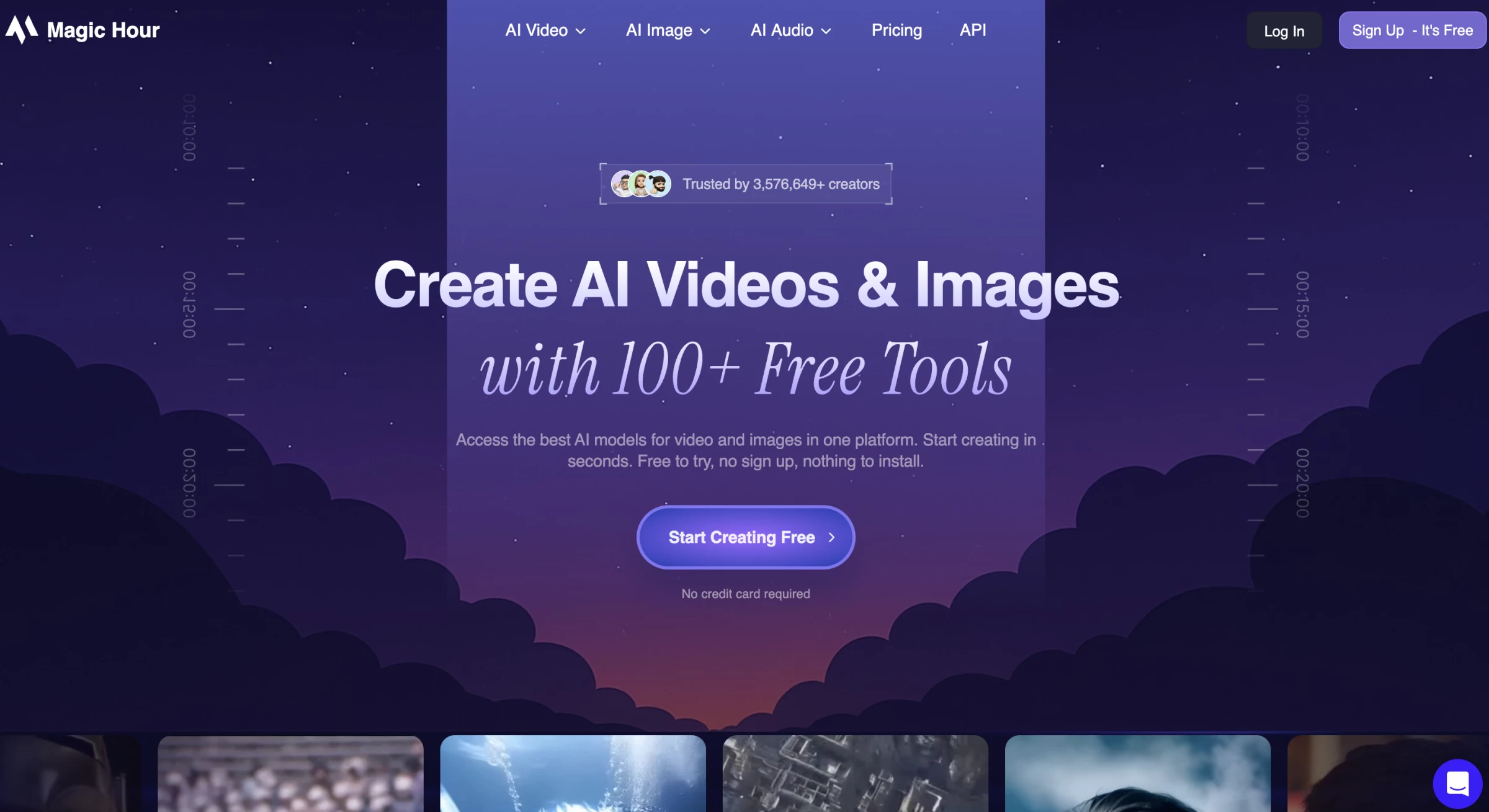
Magic Hour is a generative video tool that turns text prompts, photos, and existing videos into new clips.
After signing up, I selected “Create” and chose the tool I wanted to test. The interface is simple and easy to follow.
| Pros | Cons |
|
|
The feature I wanted to try first was the video-to-video tool because I liked the idea of taking a clip I already had and giving it a different style. Rendering took about three to five minutes.
The process was clear and I did not have to adjust any technical settings.
I also tested the text-to-video and image-to-video tools.
One limitation became noticeable. The maximum length of the videos changes depending on the model.
Some models allow clips up to 60 seconds, while newer ones such as Veo 3.1 and Kling 2.5 currently support only 10 to 12 seconds.
The shorter limit is balanced by stronger visual quality, since the newer models produced cleaner and more detailed results.
Overall, Magic Hour provides a straightforward way to turn ideas, photos, or existing footage into polished videos with minimal setup.
Pricing:
- Free
- Creator: $15/month
- Pro: $45/month
- Business: $99/month
3. Vyond: Best for Explainer Videos
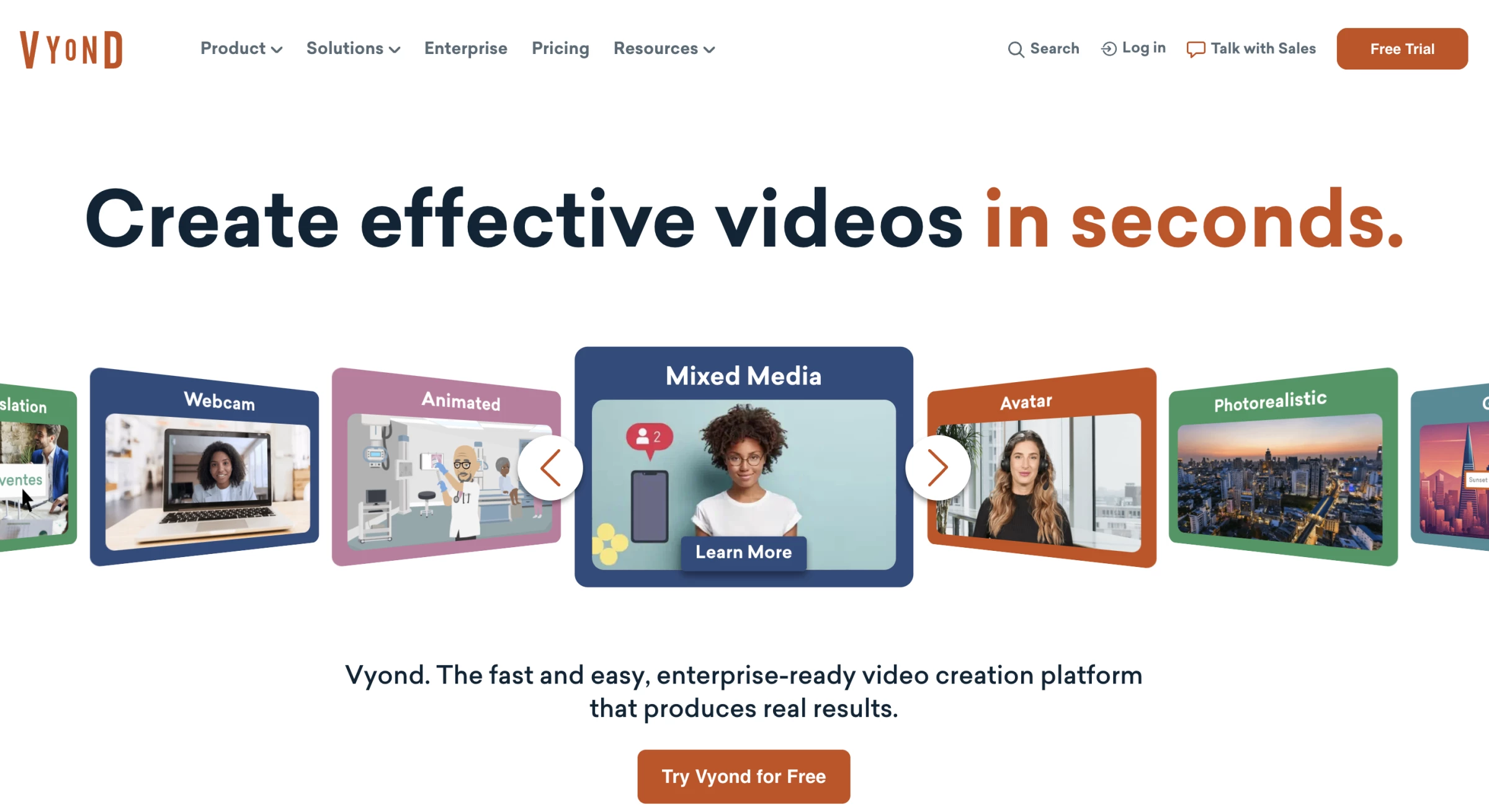
Vyond is one of those tools I underestimated at first, until I realized just how powerful it can be for simplifying complex ideas.
It's excellent for internal content: think onboarding, policy explainers, and pitch decks that need a visual refresh.
| Pros | Cons |
|
|
I used Vyond Go to explain a new campaign strategy, and in seconds, it gave me a fully animated explainer.
Characters, background, voiceover, scene transitions — all done.
I was also able to personalize it by swapping the character style, adjusting the pacing, and rewording the call to action to perfectly suit my brand.
It’s great for training, client explainers, and internal updates that need to go global fast.
Vyond is the go-to for corporate video content, when you need something professional, polished, and people-friendly.
Whether it’s a C-suite summary or a visual for a sales deck, it can tell great stories without needing to hire an animator.
Pricing:
- Starter: $99/month
- Professional: $199/month
- Enterprise: Custom pricing
- Agency: Custom pricing
Final Thoughts on AI Video Generators
AI video generators are quickly becoming a standard part of the marketing toolkit. As adoption grows, the real advantage comes from combining AI speed with creative direction and storytelling.
If you want to turn AI-generated video into refined campaigns that truly engage audiences, partnering with experienced video production companies can help elevate both strategy and creative quality.
Our team ranks agencies worldwide to help you find a qualified partner. Visit our Agency Directory for the top video production companies, as well as:
- Top Video Marketing Agencies
- Top Graphic Design Companies
- Top Creative Agencies
- Top Audio Production Companies
- Top New York Video Production Companies
AI Video Generators FAQs
1. Do I need video editing experience to use AI video generators?
Most platforms are designed for beginners or non-technical users. Tools like Vyond and Synthesia use drag-and-drop interfaces or simple prompt-based inputs.
2. Are AI-generated videos copyright safe?
If you use original text and assets most AI tools provide commercial usage rights for the content you generate, but the specifics vary by platform and plan, so it's always worth checking each platform's current terms of service.
Shutterstock's AI Video Generator is the one tool on this list built specifically to make that question easier to answer, since it generates on top of already-licensed content, though as a newly launched product, confirm its current licensing terms before using outputs in a paid campaign.
3. How much do AI video generators cost?
Pricing varies widely. Free tiers are now common, typically with watermarks, credit caps, or short clip limits. Paid plans range from roughly $15/month to $200+/month for professional or enterprise use, and access models can shift fast. Always confirm current pricing on the vendor's own page.
4. Is there a free AI video generator?
Most tools on this list have a free tier. Free tiers are genuinely useful for testing quality and workflow fit, but expect watermarks, resolution caps, or tight monthly limits as none of them are built for finished, high-volume commercial output at the free tier.
5. What's the best AI video generator for social media and short-form content?
Pika and Kling AI are the strongest fits. Pika for its creative effects and low cost, Kling for realistic human subjects and lip-sync when a person is talking on camera. Reap is worth adding if your workflow is repurposing existing long-form video into shorts rather than generating new footage.
6. What's the best AI video generator for corporate training?
Synthesia and HeyGen lead this category if you specifically need SCORM export or LMS integration for compliance training.