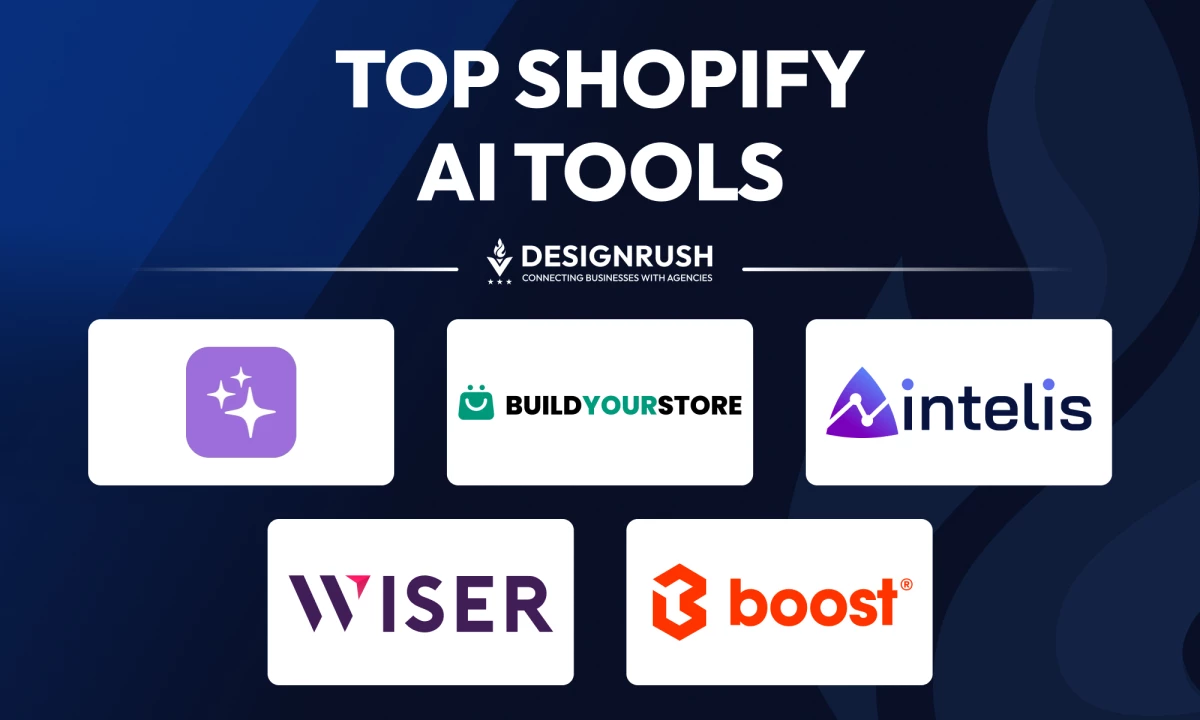

I tested the top Shopify AI tools to see which ones actually deliver for agencies and brands. Let’s break down what worked, what didn’t, and which tools can really help you scale smarter.
Shopify AI Tools: Key Points
- Shopify Magic creates brand-matched copy and media, while Build Your Store launches a ready-made site with curated products and themes.
- Intelis sets prices based on competitor data and profit goals, and WISER recommends products using browsing and purchase history.
- Boost Commerce adds smarter search, filters, and merchandising to keep catalogs sales-focused.
Top 5 Shopify AI Tools Overview
The platforms I tested do more than automate tasks — they make smart decisions.
These tools optimize search experiences and predict product bundles, learning how people shop to drive conversions and growth.
| Tool | Best For | Built-In Personalization | Easy Onboarding | Customization Options | Pricing |
| Shopify Magic | Fast content generation | ❌ | ✅ | ✅ | Free; feature availability varies by plan |
| Build Your Store | Instant MVP store setup | ❌ | ✅ | ❌ | Free to use; no hidden fees or commissions (Shopify plan required) |
| Intelis | Competitor-based pricing optimization | ✅ | ✅ (Moderate) | ✅ | Basic: $79/month |
| WISER | Personalized product recommendations | ✅ | ✅ | ✅ | Free Plan: 0–50 orders/month; $9/month: 51–100 orders |
| Boost Commerce | Smart search and advanced filtering | ✅ | ❌ | ✅ | Basic (25 products) $29/month |
1. Shopify Magic: Best for Content Generation and Quick Store Setup
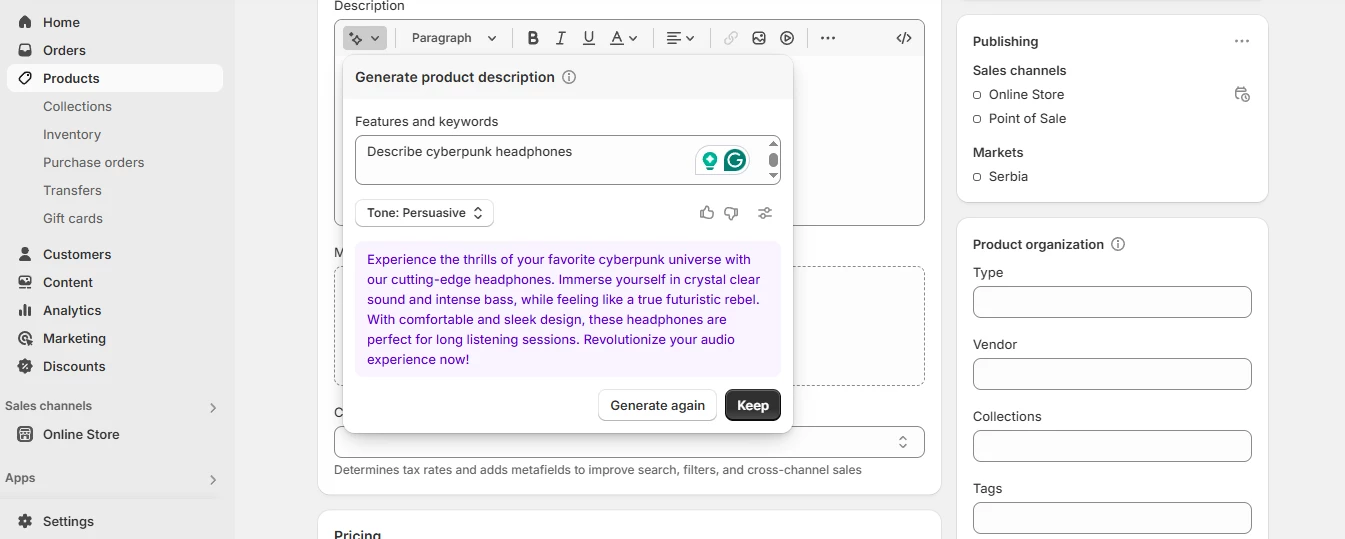
When I first dove into Shopify Magic, I expected a simple text spinner — but instead, I found a deeply integrated AI engine that feels native to Shopify’s dashboard.
I tested its product description generator by inputting a bare product name and a couple of keywords. Within seconds, it delivered punchy, on‑brand copy in multiple languages. In short, Shopify Magic is a true “write‑and‑publish” tool.
| Pros | Cons | Pricing |
|
|
|
Beyond copy, I put the Sidekick Assistant through its paces. It analyzed my eCommerce sales data, suggested discount strategies, and drafted marketing emails aligned with seasonal campaigns.
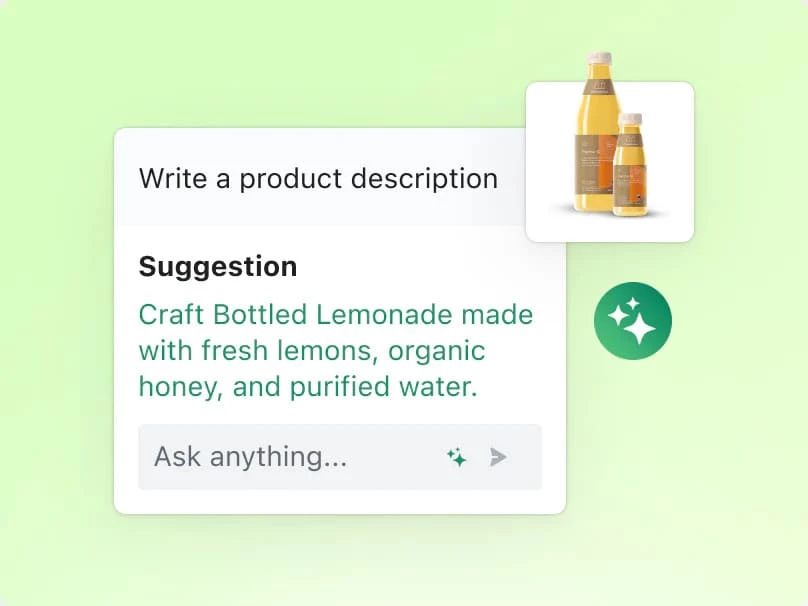
The media‑editing suite also lets me remove complex backgrounds from product photos in one click, saving me from firing up Photoshop. I even used the theme generator to spin up a minimalist store layout based on a short Q&A.
On higher‑tier plans, Magic’s predicted‑spend insights gave me a peek at customer lifetime value, helping me plan acquisition budgets more confidently.
And since everything runs inside Shopify, there’s zero context‑switching — AI‑powered content, visuals, and eCommerce analytics all flow through my existing workflows.
What Users Say
Across Shopify forums and eCommerce communities, the consensus on Shopify Magic is positive — with a few caveats. Merchants praise the time saved on first drafts for product descriptions and promo copy, but note the output can feel generic unless you polish it.
Some users point out that while it’s great for getting something down quickly, the content often requires rewriting to avoid sounding mediocre or overly templated.
Who’s It For?
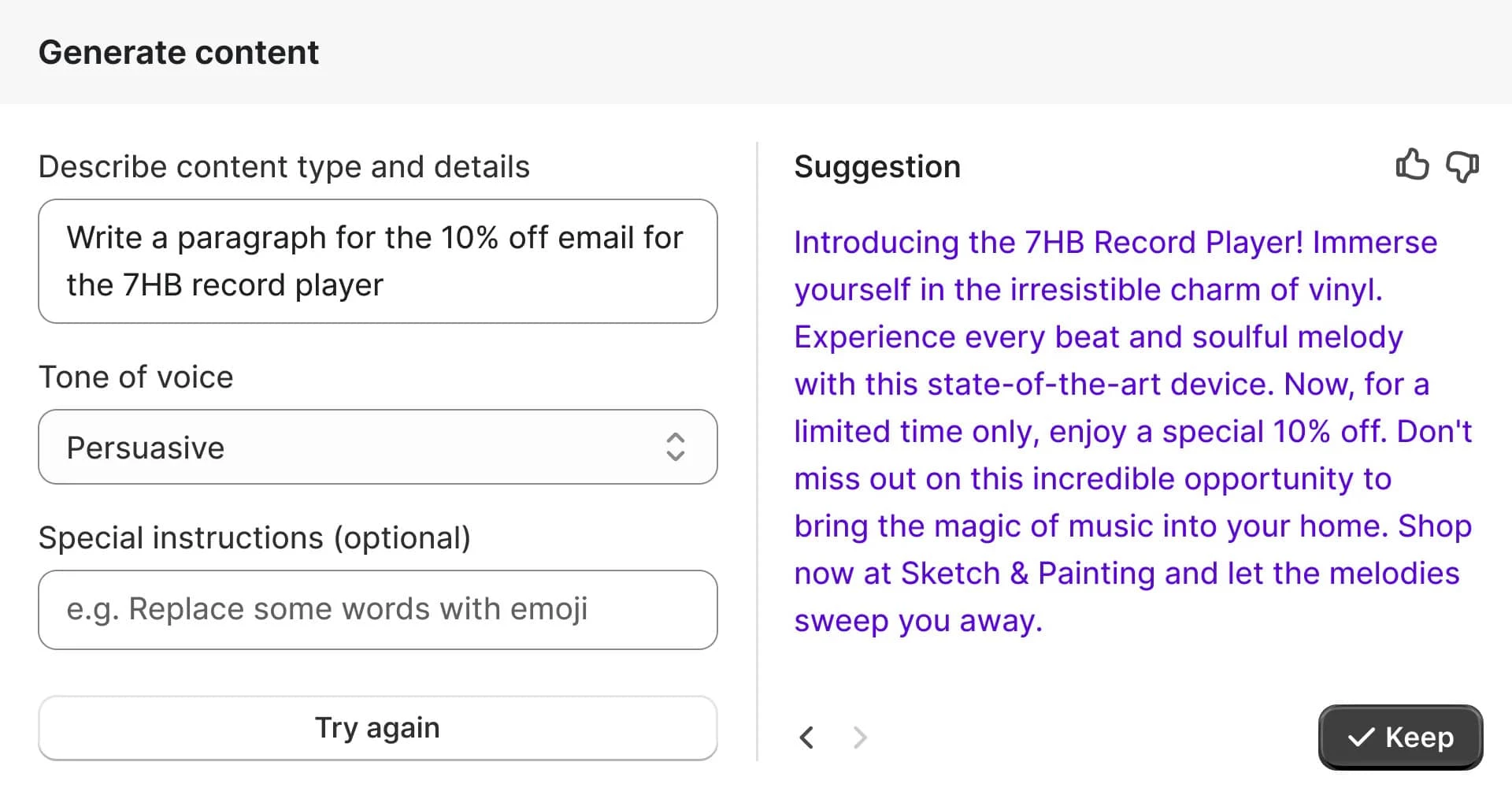
As user feedback shows, Shopify Magic may lack finesse at times, but it shines in efficiency, making it a go-to for small businesses and agencies racing against the clock.
If you're rushing to launch product pages, whip up marketing emails, manage inventory with AI‑backed demand predictions, or maintain a consistent storefront look through rapid image edits, Magic fits right in. Even your support team can deploy its chatbot and FAQ generator to keep customers happy without relying on heavy dev resources.
Try Shopify Magic for free with any Shopify plan.
Other Notable Features
- Automatically drafts product descriptions, blog posts, email subject lines, and section headings to maintain consistency and speed up copy creation
- Sidekick Assistant analyzes data and offers personalized recommendations, from pricing strategies to marketing angles.
- One‑click background removal and replacement for professional product imagery without leaving Shopify
- Builds a starter store theme from your preferences and prompts, cutting design time dramatically
- Condenses Shopify App Store feedback into bite‑sized insights so you can vet extensions faster
- Translates complex audience data into plain‑language profiles for more targeted marketing
- Uses historical purchasing patterns to estimate future customer value (Advanced Shopify and up)
2. Build Your Store: Best for Lightning‑Fast, AI‑Driven Store Launches
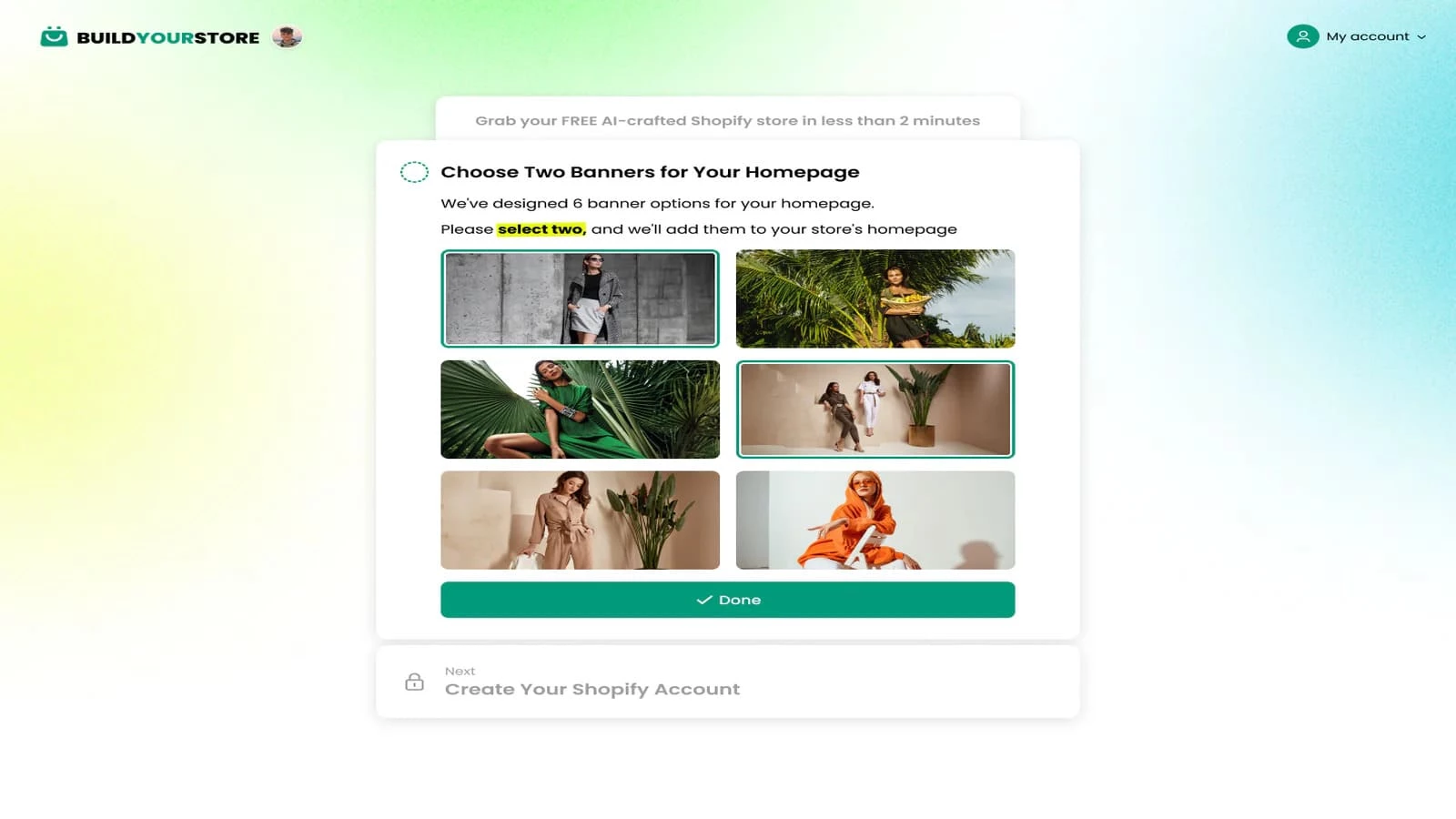
Build Your Store (BYS) acts like a virtual eCommerce architect. I answered a brief Q&A about my niche and storefront style, and within two minutes the tool had selected ten high‑potential products, assembled optimized product pages, and even applied a conversion‑focused theme. The process felt more like chatting with an expert consultant than wrestling with settings.
| Pros | Cons | Pricing |
|
|
|
BYS’s AI isn’t limited to page layout; it automates pricing rules based on real‑time market signals, syncs inventory across suppliers, and preloads dropshipping courses to guide your next steps.
I tested the automation by simulating order surges and watched as BYS adjusted stock thresholds and pricing tiers without my intervention.
What struck me most was the end‑to‑end integration: from a free .store domain to 24/7 setup support, BYS feels more like an AI-powered co-founder than just a tool.
What Users Say
Build Your Store earns kudos for its lightning-fast setup and zero‑coding approach — many users report going live in under five minutes. Entrepreneurs love the seamless product imports and automated pricing that cut down on manual work.
Some community members note limited advanced customization and occasional hiccups with supplier connections, along with a few account termination concerns. However, BYS support is known to proactively reach out and resolve complaints.
Overall, the buzz mixes "incredibly efficient" with "needs polish," making it a must-try for time-strapped store owners.
Who’s It For?
If you're a first-time entrepreneur, dropshipper, or brand-testing niche concepts, Build Your Store gives you an AI‑guided shortcut to storefront success without sacrificing control.
Try Build Your Store for free with any Shopify plan.
Other Notable Features
- Orchestrates product selection, page design, and theme application with minimal prompts
- Presents curated niche options to help you target profitable markets instantly
- Ships with ten top‑performing items preloaded for immediate sales
- Delivers templates crafted to maximize customer engagement and revenue
- Generates product pages that are sales‑optimized straight out of the box
- Sets you up with a professional web address at no extra cost
- Unlocks private dropshipping courses to level up your eCommerce know‑how
- Ensures you’re never stuck, with round‑the‑clock assistance available
3. Intelis: Best for AI‑Driven Dynamic Pricing
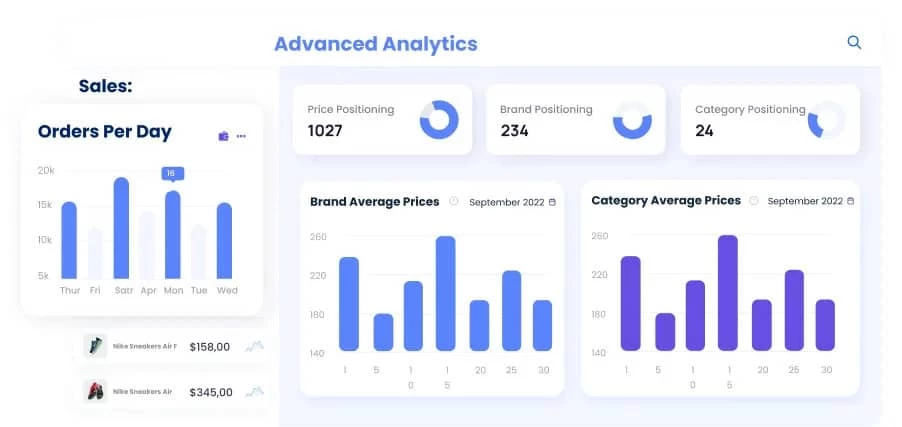
I saw Intelis’ AI kick in almost instantly — within minutes, it was mapping out real‑time competitor prices and recommending margin-boosting adjustments.
Once I connected my Shopify catalog, Intelis’s dynamic pricing engine analyzed thousands of stock-keeping units (SKUs) and automatically adjusted my store prices based on competitor activity, market conditions, and profit goals.
| Pros | Cons | Pricing |
|
|
|
I tested its AI Automatch by comparing identical products across multiple marketplaces — the match rate was impressively accurate, saving me hours of manual data gathering.
Then, I simulated a flash sale scenario and watched Intelis not only lower prices to stay competitive but also recommend optimal timing for further adjustments. The bulk‑update feature then applied those changes across all relevant products with one click.
On the support side, their team was lightning‑fast: when I encountered a minor installation hiccup, they walked me through a browser workaround and confirmed the recent bug fix.
Overall, Intelis’s AI‑powered insights deliver a level of automation and precision that feels indispensable for scaling revenue.
What Users Say
Intelis garners praise for its dynamic pricing accuracy and clear analytics — many merchants report noticeable revenue uplifts after activation. Users highlight the intuitive interface and responsive support team, noting issues get resolved “within minutes.”
View this post on Instagram
That said, some users find the plans pricey — particularly for larger catalogs — and note the lack of mobile support. A few early adopters experienced login bugs, but the Intelis team swiftly addressed these, earning praise for responsive support.
Overall, the community consensus is that Intelis is worth the investment for serious sellers.
Who’s It For?
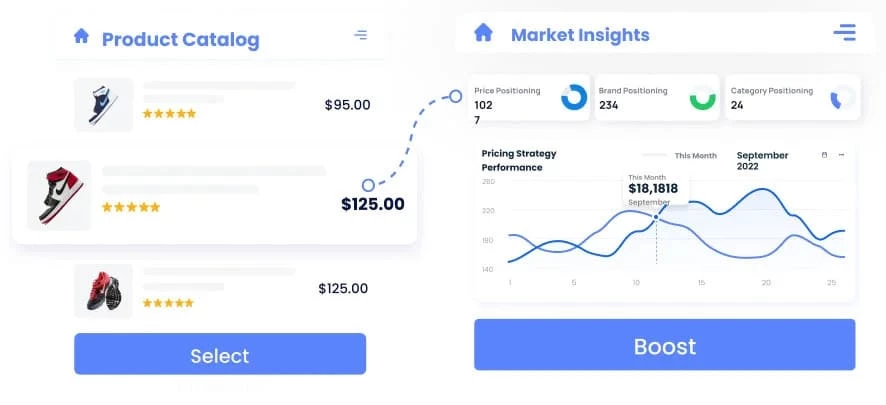
Intelis is ideal for retailers and eCommerce agencies focused on competitive market analysis, optimizing sales with AI-driven pricing, and enforcing MAP policies to maintain pricing integrity across channels.
Try Intelis free for 14 days — no payment required.
Other Notable Features
- Automate price adjustments in real time based on market and competitor data
- Intelligently match your SKUs with competitor listings for accurate comparisons
- Push pricing changes across multiple products simultaneously to save time
- Receive concise, actionable insights on pricing performance every day
- Enforce MAP policies to protect brand integrity
4. WISER: Best for AI‑Powered Personalization and Upselling
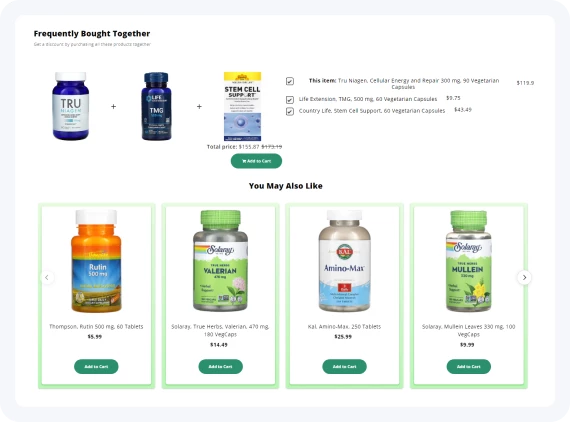
Integrating WISER into my Shopify staging store felt like adding a personal sales psychologist. Its machine‑learning algorithms analyze live browsing patterns and past purchases to predict what customers want next.
The AI instantly updates recommendations, surfacing trending items the moment they gain traction.
| Pros | Cons | Pricing |
|
|
|
What impressed me most was the balance between automation and control. While WISER’s AI crafted multi‑touchpoint upsells, I could still fine‑tune individual suggestions via the dashboard.
When I tested the email recommendation feature, WISER seamlessly fed personalized product lists into my Mailchimp campaign, boosting email click rates without extra manual tagging.
Behind the scenes, WISER’s analytics suite compiles detailed reports on widget performance. I used these insights to optimize my “Recently Viewed” carousel and double down on high‑performing combinations.
The AI also adapts to new customer behaviors, so over time, suggestions become sharper and more profitable.
What Users Say
In Shopify and eCommerce circles, WISER enjoys glowing reviews for its AI‑driven recommendation accuracy and highly responsive support team. Merchants praise how the WISER crew tailors each module to match a brand’s theme and addresses issues in minutes.
View this post on Instagram
Users also praise the upsell and recommendation widgets as big conversion drivers, though some note steep fees at higher volumes and early limitations on the free plan.
Who’s It For?
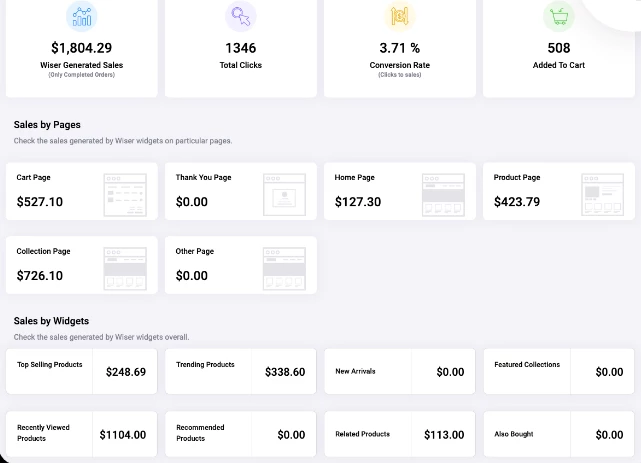
WISER is built for eCommerce brands looking to elevate product discovery, increase average order values with upsells, reduce bounce rates through real‑time suggestions, and supercharge email marketing campaigns with personalized recommendations.
Start your 14-day free trial of Wiser — no payment required.
Other Notable Features
- Offers personalized product suggestions based on customer behavior
- Displays targeted popups with recommended products at key moments
- Presents additional items immediately after checkout to increase average order values
- Integrates with email platforms for personalized campaign suggestions
- Engages shoppers with interactive product quizzes
- Tracks the performance of recommendation widgets for continuous optimization
- Customizable styling and positioning to match your store’s branding
5. Boost Commerce: Best for Search and Advanced Filtering
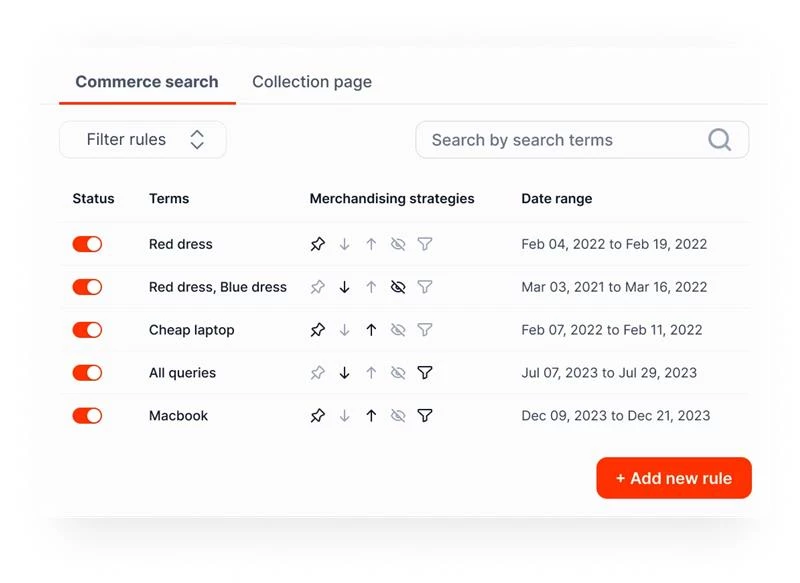
With Boost Commerce, I wanted to see if its AI‑driven search and filtering could tame my sprawling catalog — and it did not disappoint. The moment I added my SKUs, Boost’s machine‑learning engine began indexing product metadata and evaluating customer search behavior to deliver pinpoint-accurate results.
I also tested a handful of complex queries and Boost’s AI Site Search surfaced the right items in milliseconds, even suggesting synonyms and common misspellings.
| Pros | Cons | Pricing |
|
|
|
Beyond basic search, I experimented with its visual merchandising tools: pinning high‑margin products, boosting seasonal bestsellers, and demoting out‑of-stock items.
The dashboard’s drag‑and‑drop interface uses predictive algorithms to recommend which products to feature, saving me hours of manual A/B testing.
I also enabled back‑in‑stock alerts and pre‑order functionality — both powered by AI that learns which customers want notifications first.
Integrations with Klaviyo let me surface trending items directly in email campaigns, while predictive bundles combined complementary products based on historical purchase patterns.
What Users Say
Boost Commerce earns high marks for elevating search accuracy and filter flexibility. Merchants applaud the responsive support team that quickly irons out technical hiccups and celebrates the app’s ability to boost on‑site engagement.
Some users caution that integrating Boost can require developer time and that extra filtering slots carry additional costs. There are also reports of slower collection page loads for very large catalogs.
Still, the overall buzz is largely positive — Boost Commerce is viewed as a powerful tool that justifies its price when search and navigation are mission‑critical.
Who’s It For?
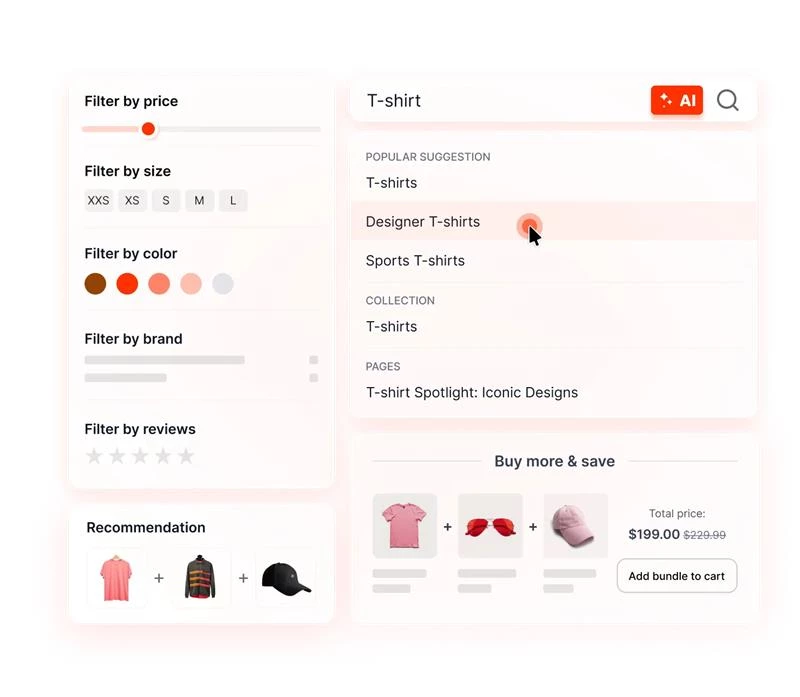
Boost Commerce is ideal for merchants managing extensive product catalogs needing AI‑enhanced search and filtering and for marketing teams aiming to refine campaigns with data‑driven product recommendations and merchandising strategies.
Try Boost Commerce with a 14-day free trial — no payment required.
Other Notable Features
- Uses machine learning to rank search results based on intent and relevance
- Highlights best sellers, trending items, and personalized picks
- Suggests complementary products based on customer behavior patterns
- Notifies shoppers when out‑of‑stock items are available again
- Lets customers order upcoming products before they launch
- Embeds recommendations into Klaviyo and Mailchimp emails
- Empowers merchants to arrange products strategically for promotions
- Supports multilingual and multi‑currency storefronts for international reach
Other Shopify Tools With AI Capabilities
There’s a growing ecosystem of third-party tools designed to enhance your store with smart automation, data-driven insights, and optimized user experiences. If you’re looking to push your store’s performance a bit further, this next part is worth exploring as well.
- UXify: Navigation AI for instant Shopify page loads
- Airboxr: Shopify analytics without the spreadsheet struggle
- PagePilot: AI co-pilot for high-converting product pages
- SleekFlow: Conversational AI for customer engagement
1. UXify: Navigation AI for Instant Shopify Page Loads
Modern shoppers expect seamless, instantaneous browsing. But traditional page loads, even on fast themes, can interrupt momentum, increase bounce rates, and harm conversions.
UXify solves this with Navigation AI, a system that predicts where shoppers will click next and pre-loads pages before they click, delivering truly instant navigation — like flipping through a catalog.
| Pros | Cons | Pricing |
|
|
|
I triggered a demo store and browsed multiple product pages. Within seconds, Navigation AI pre-fetched likely next pages — making navigation between category, search, and product pages feel instant. The UI remained smooth with zero noticeable loading.
I clicked from a collection page to a product page and it loaded pretty fast. Then I hit the back button, tried a few more category links… same thing. Pages felt preloaded, almost like navigating a native app or flipping through a PDF catalog. That “lag” we all mentally brace for after clicking? Gone.
What really stood out was how invisible the magic felt. Customers don’t have to do anything.
There are no pop-ups, no flashing elements — just fast, fluid navigation. It made the store feel more premium without changing a single pixel of design.
2. Airboxr: Shopify Analytics Without the Spreadsheet Struggle
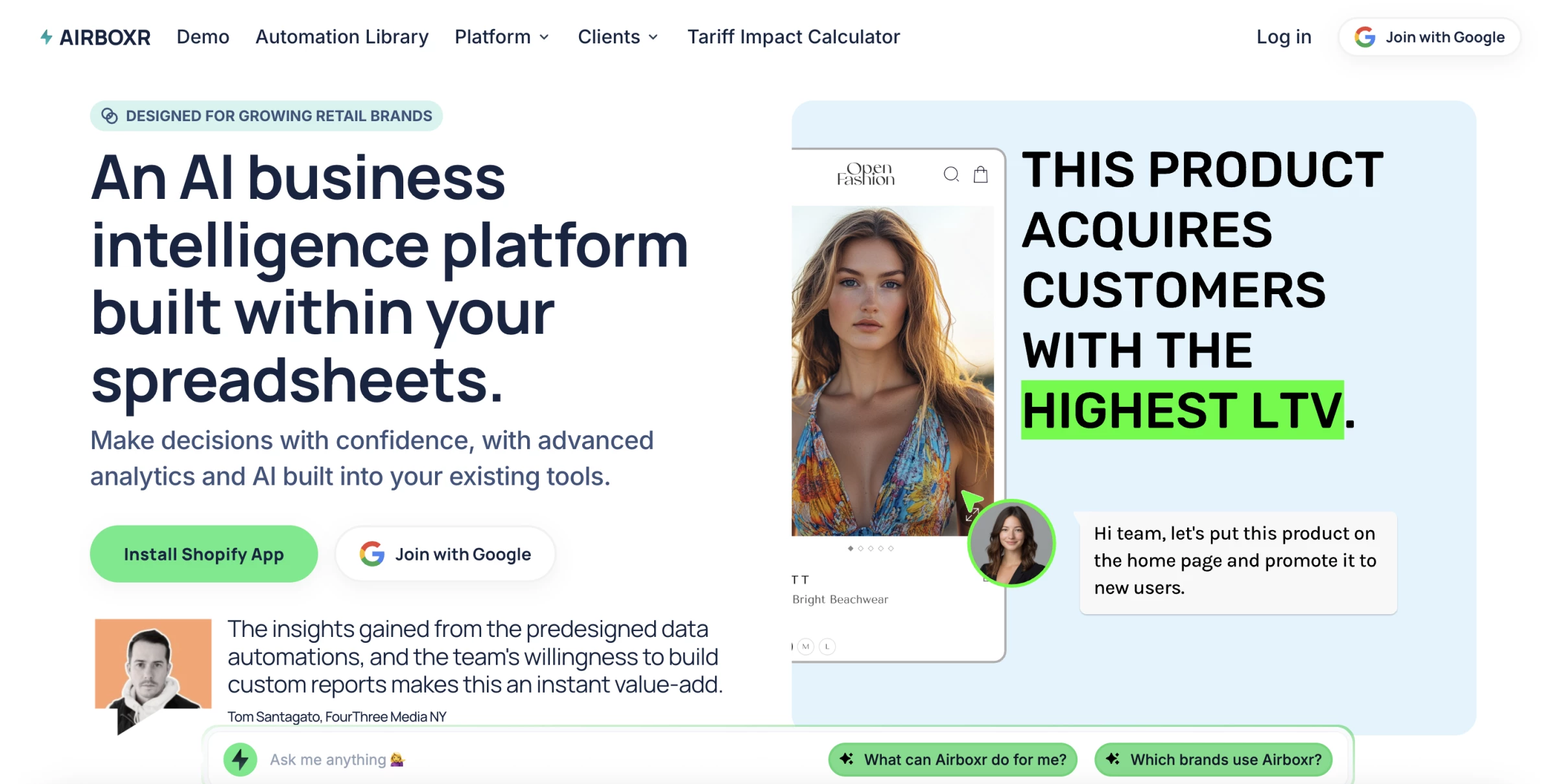
I recently spent some time working with Airboxr, and I have to say, if you're running a Shopify store and tired of the copy-paste circus that comes with analytics, this feels like a breath of fresh air. I
It plugs directly into Google Sheets (and Excel), so instead of jumping between dashboards and CSVs, everything lives in one place.
| Pros | Cons | Pricing |
|
|
|
What really stood out was how easily I could pull data from Shopify — orders, customer retention, product performance, you name it — without touching a single formula or running a custom export.
The AI side of things, namely Murphy, adds serious value beyond just data pulling.
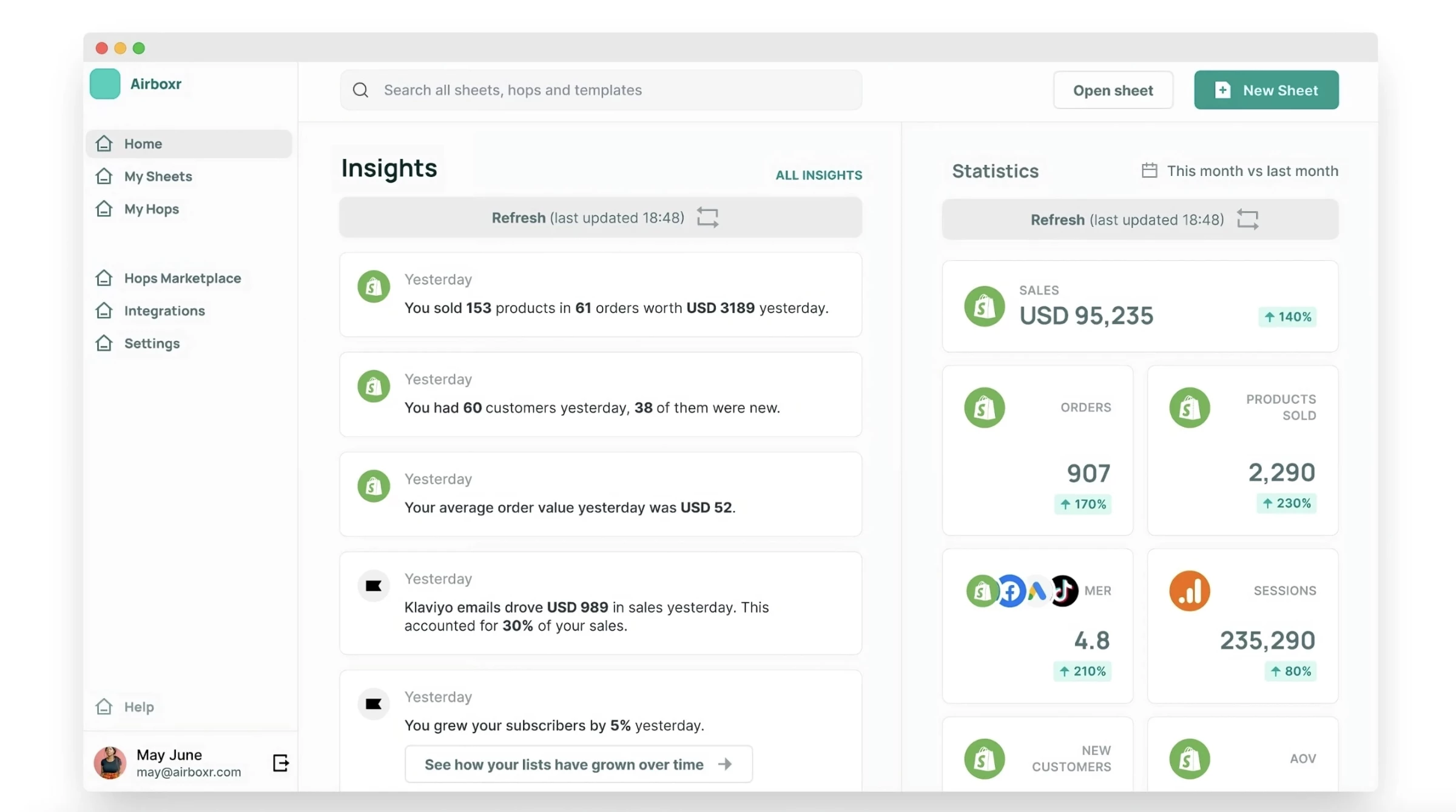
I typed a plain English request like “Give me top-performing products by profit margin last month,” and within seconds, Murphy selected the right report (they call these “Hops”), filled my sheet with the data, and even gave me a smart summary.
It’s not trying to be a flashy BI tool with dashboards and widgets everywhere — it’s more of an AI-powered spreadsheet sidekick.
And for Shopify brands especially, this blend of automation and practical AI feels like a huge time-saver.
3. PagePilot: AI Co-Pilot for High-Converting Product Pages
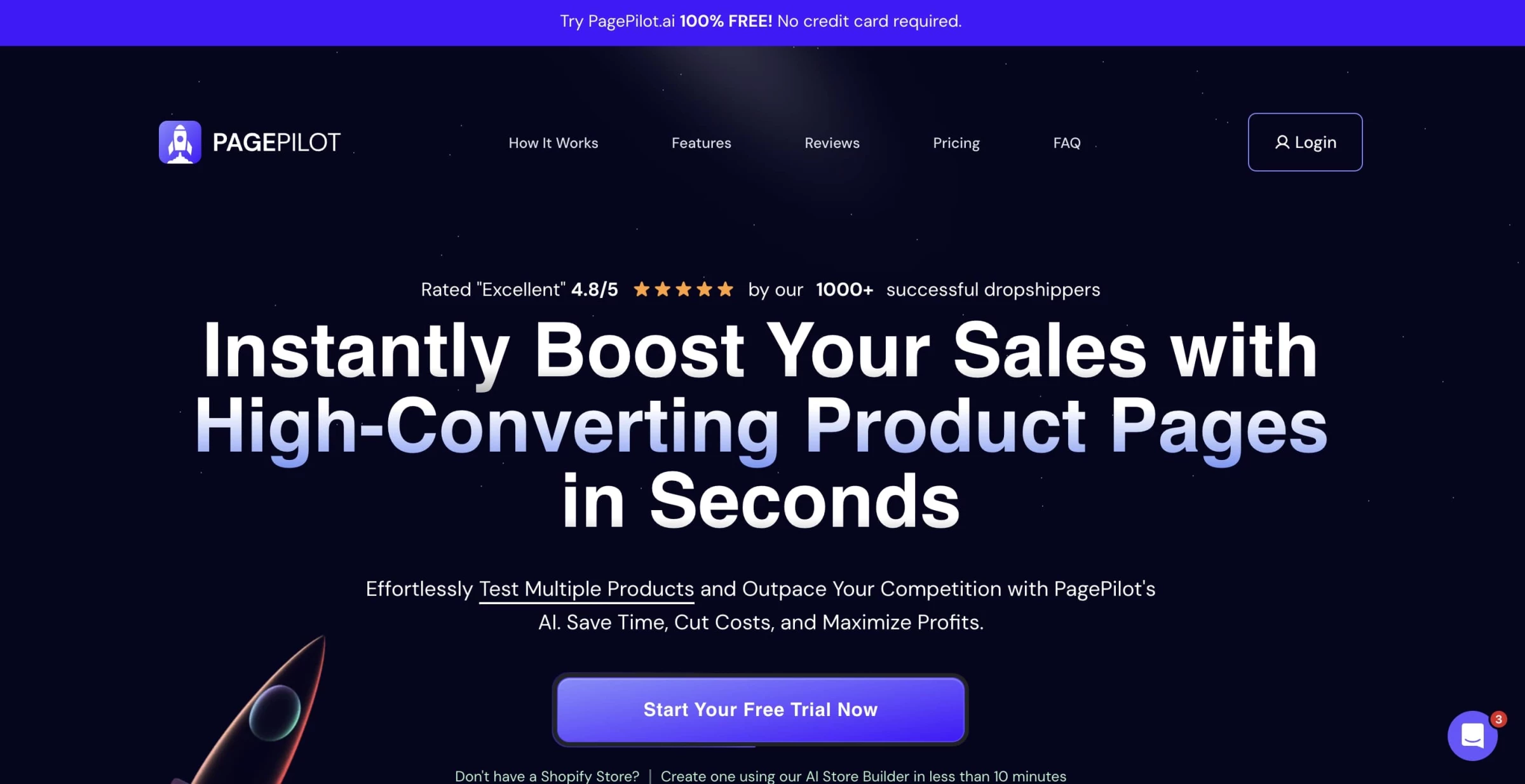
PagePilot.ai is an AI‑powered platform designed to automate the creation of high-converting product/landing pages for Shopify.
| Pros | Cons | Pricing |
|
|
|
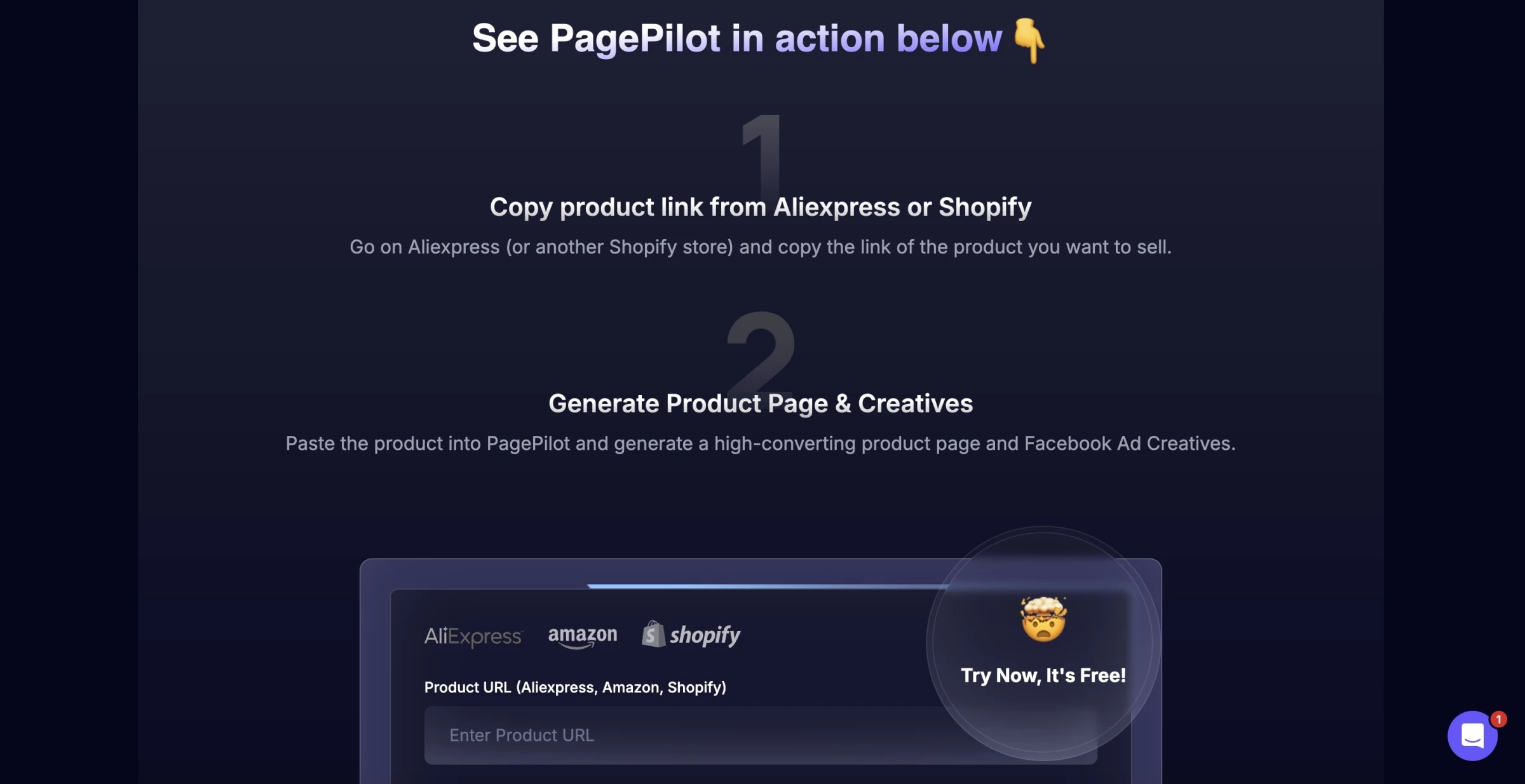
I started by pasting an AliExpress product link into PagePilot. Within seconds, it grabbed all the basics: images, specs, pricing, and immediately spun up a fully designed product page. The layout looked polished and conversion-focused, with sections like benefits, specs, social proof, and clear CTAs.
Behind the scenes, I found out they use AI to generate product descriptions, titles, and structured layouts, even pulling in psychological hooks and urgency.
In real use, the copy felt tight, though I did tweak a few lines to align it better with my brand voice.
One-click import into Shopify is seamless. I connected my test store, hit “Import,” and the page appeared live, formatted correctly, product variants preserved, and CTAs functional.
The non-tech savvy would appreciate how polished this feels straight out of the box.
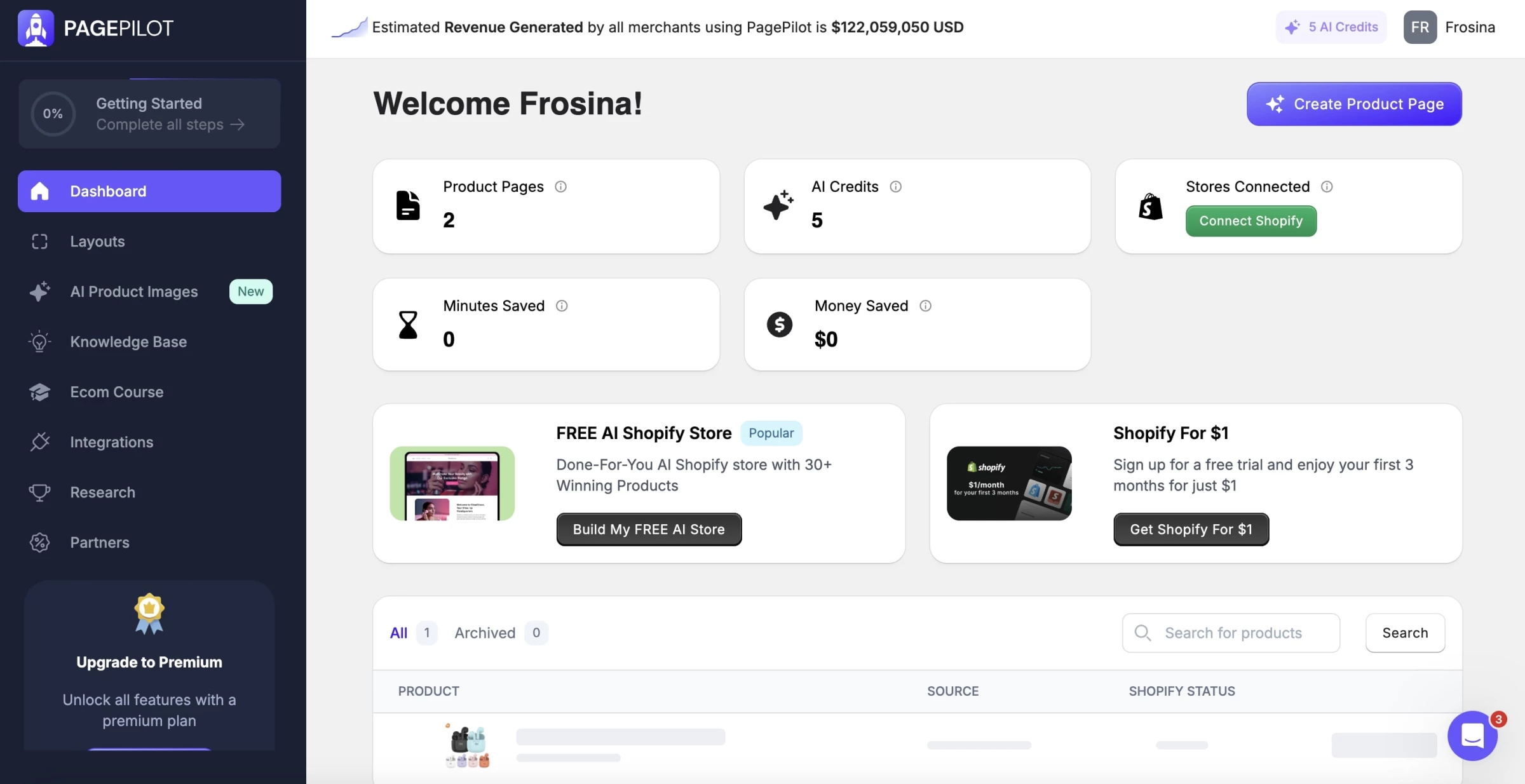
If you're running a dropshipping or Shopify store and want to scale quickly with less manual work, PagePilot.ai delivers strong value: fast page builds, AI image styling, ad copy, and trending product insights.
Just be ready to fine-tune the output and manage your subscription carefully. Overall, it’s a good shortcut for busy eCommerce founders.
4. SleekFlow: Conversational AI for Customer Engagement
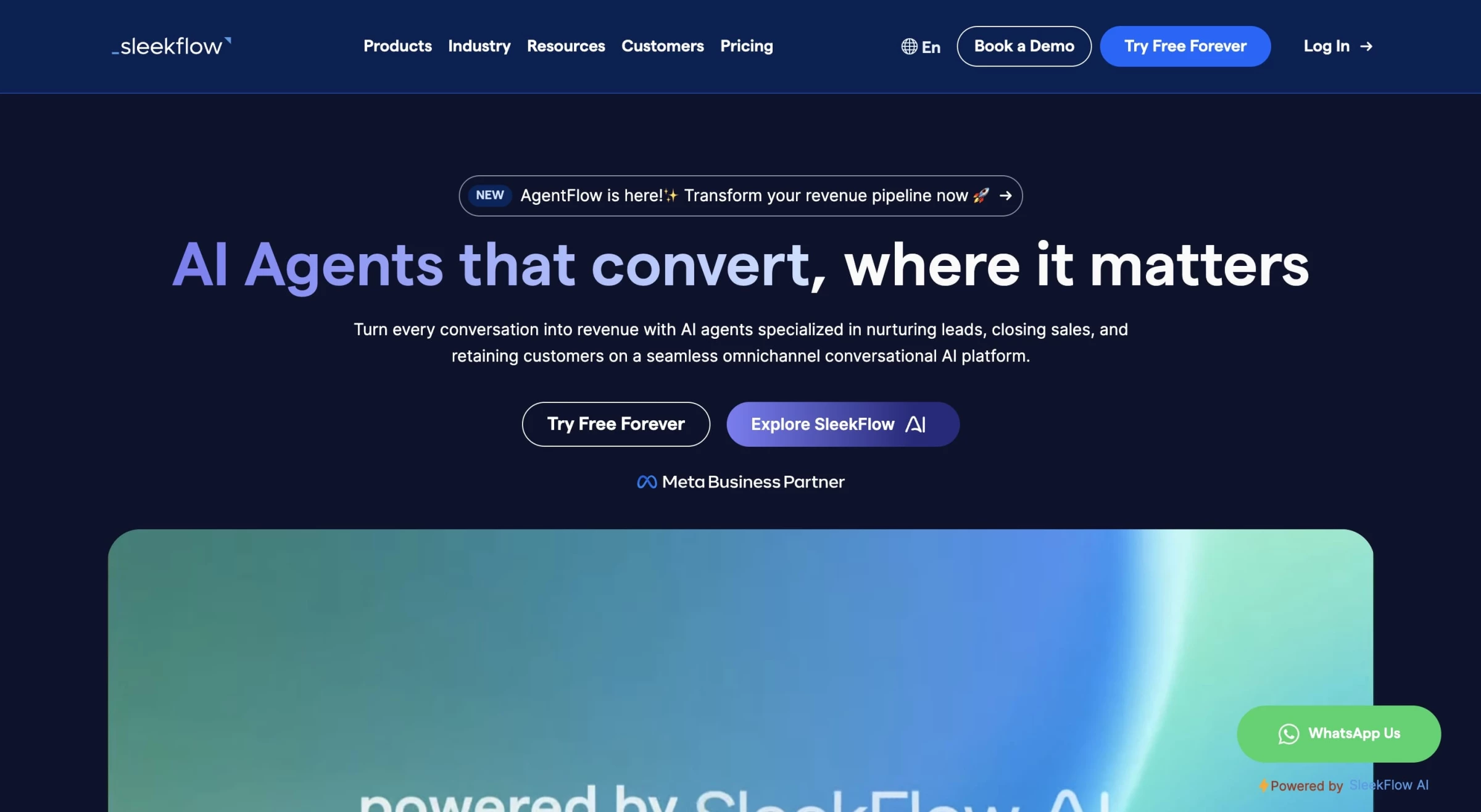
I tried SleekFlow to see if its AI features could actually make customer conversations easier, and the results were mixed but generally positive.
| Pros | Cons | Pricing |
|
|
|
On the plus side, the knowledge base training worked better than I expected. After uploading some FAQs and product docs, the AI gave answers that were reasonably accurate and could handle a couple of follow-up questions without losing the thread.
It wasn’t perfect, but it felt more useful than the keyword-driven bots I’ve tested in the past.
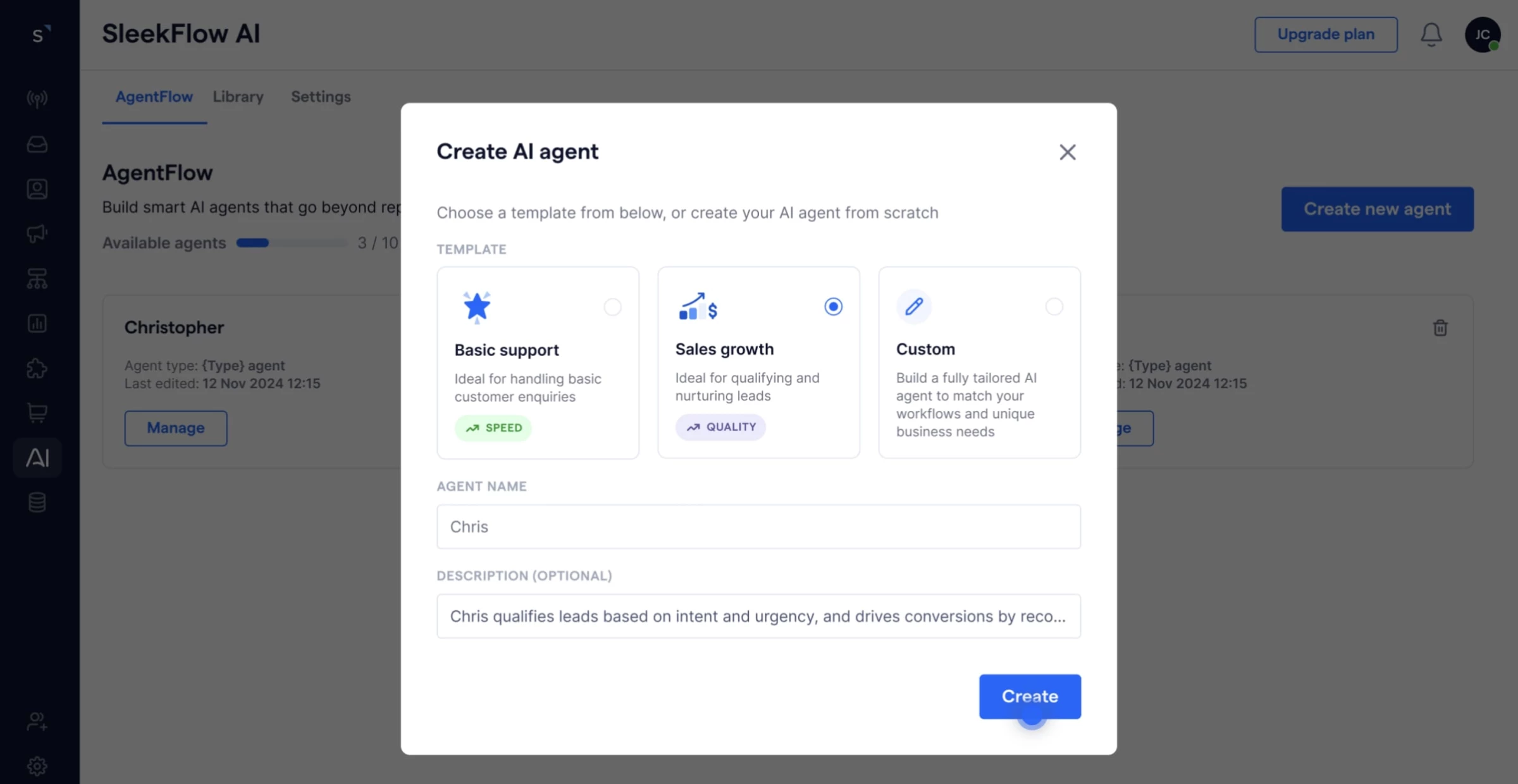
The multi-agent setup also made a difference. Instead of a single AI trying to do it all, SleekFlow splits the job into smaller tasks (like fetching info, drafting, and checking responses).
In practice, this reduced the number of strange or “hallucinated” replies, although I still caught a few awkward answers here and there.
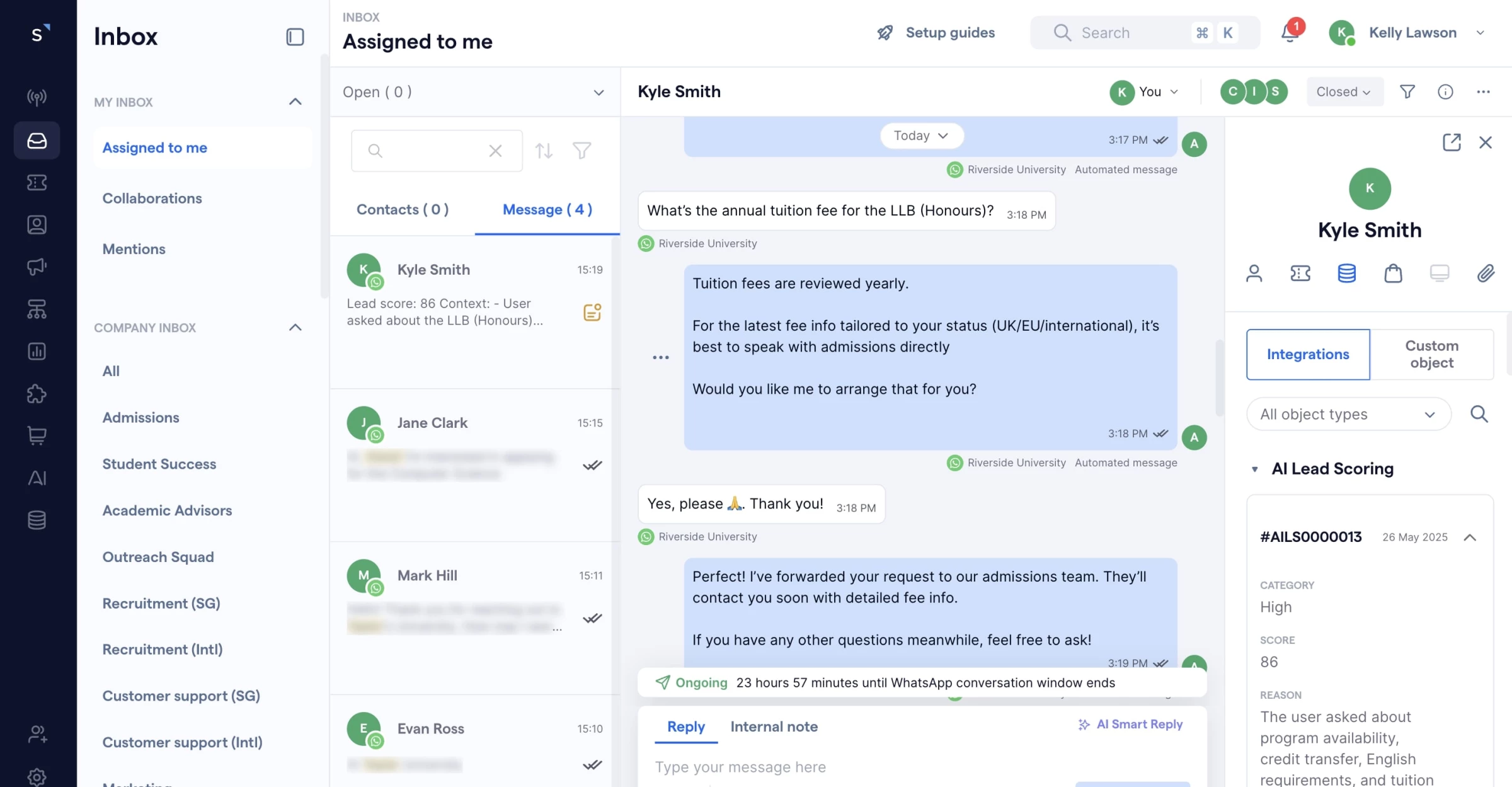
That said, SleekFlow isn’t plug-and-play. Setting up flows, training the knowledge base, and testing edge cases took effort, and I noticed the analytics were fairly limited — I couldn’t easily see where the AI was strong versus where it struggled.
Some of the more advanced features are also locked behind higher-tier plans, which might not make sense for smaller teams.
Overall, I’d say SleekFlow’s AI can take routine pressure off your team, but only if you’re willing to put in the setup work and accept that it won’t be flawless out of the box.

Our team ranks agencies worldwide to help you find a qualified partner. Visit our Agency Directory for the top eCommerce companies, as well as:
- Top eCommerce Consultants
- Top eCommerce Marketing Agencies
- Top Shopify Development Companies
- Top Shopify Marketing Agencies
- Top Shopify Plus eCommerce Agencies
Our design experts also showcase the most innovative eCommerce projects worldwide. For inspiration, visit our Awards section to explore the best and latest in eCommerce website designs.
Shopify AI Tools FAQs
1. How do I choose between Shopify Magic and Build Your Store for launching a new shop?
Use Shopify Magic if your priority is generating on‑brand copy, images, or email campaigns instantly. Opt for Build Your Store when you need a full end‑to‑end store configured—products, theme, and domain — in just a few clicks. Both tools complement each other but solve different parts of your launch workflow.
2. Can AI‑driven pricing really boost my profit margins?
Absolutely. Intelis’s AI models analyze competitor pricing, market trends, and your profit goals in real time, then adjust your prices accordingly. I tested flash‑sale scenarios and saw immediate margin improvements without manual intervention.
3. Will personalized recommendations from WISER upset my existing store design?
Not at all. WISER integrates seamlessly with your theme and offers fully customizable widgets — everything from “Frequently Bought Together” popups to embedded carousels. You retain control while its AI continuously refines suggestions for higher engagement.
4. Is Boost Commerce worth the investment for small to mid‑sized catalogs?
If search accuracy and advanced filtering directly impact your conversions, yes. Boost’s machine‑learning search delivers precise results even on smaller catalogs, and its visual merchandising tools help you highlight high‑margin items. For many merchants, the uplift in search‑driven sales more than pays for the subscription.