
I experimented with AI tools for WordPress to assess their real-world impact. Here are five plugins that are worth pursuing.
AI Plugins for WordPress: Key Points
- Angie executes multi-step, sitewide workflows using MCP-powered context awareness to act directly inside WordPress.
- Rank Math speeds up content production with AI-driven text generation and SEO-optimized structure suggestions.
- Divi AI generates and customizes images, offering aspect ratio adjustments and resolution upscaling.
- AIOSEO automates meta descriptions and real-time on-page optimizations for faster SEO improvements.
- AI Engine integrates multiple AI services for content creation, chatbot deployment, and workflow automation with extensive customization.
Top AI Plugins for WordPress Reviewed
In the competitive world of WordPress, AI plugins are emerging as key assets. I tested five of them to evaluate their effectiveness. Here's my experience with them:
| Plugin | Best for | SEO optimization | Content generation | Image generation & editing | Price (starting at) |
| Angie AI | Full-site automation | ❌ | ✅ | ✅ | Free beta |
| Rank Math | Optimizing content production | ✅ | ✅ | ❌ | Free trial available |
| Divi AI | Image creation | ✅ | ✅ | ✅ | Free trial available |
| AIOSEO | SEO setting | ✅ | ✅ | ❌ | $49.60/year |
| AI Engine | AI services integration | ✅ | ✅ | ✅ | Free tier available |
1. Angie AI: Best for Full-Site Automation
Elementor’s AI Assistant, Angie, is built to manage your entire website through natural language commands.
Unlike traditional AI plugins that handle isolated tasks like content writing or image generation, Angie executes multi-step workflows all in context, without manual tagging or setup.
| Pros | Cons | Pricing |
|
|
|
When I tested Angie, what stood out immediately was its agentic execution. It didn’t just generate text or design suggestions, it performed the tasks. I could ask it to “update all product descriptions to include a sustainability note” or “apply 15% off promotion on all my products,” and it handled both instantly.
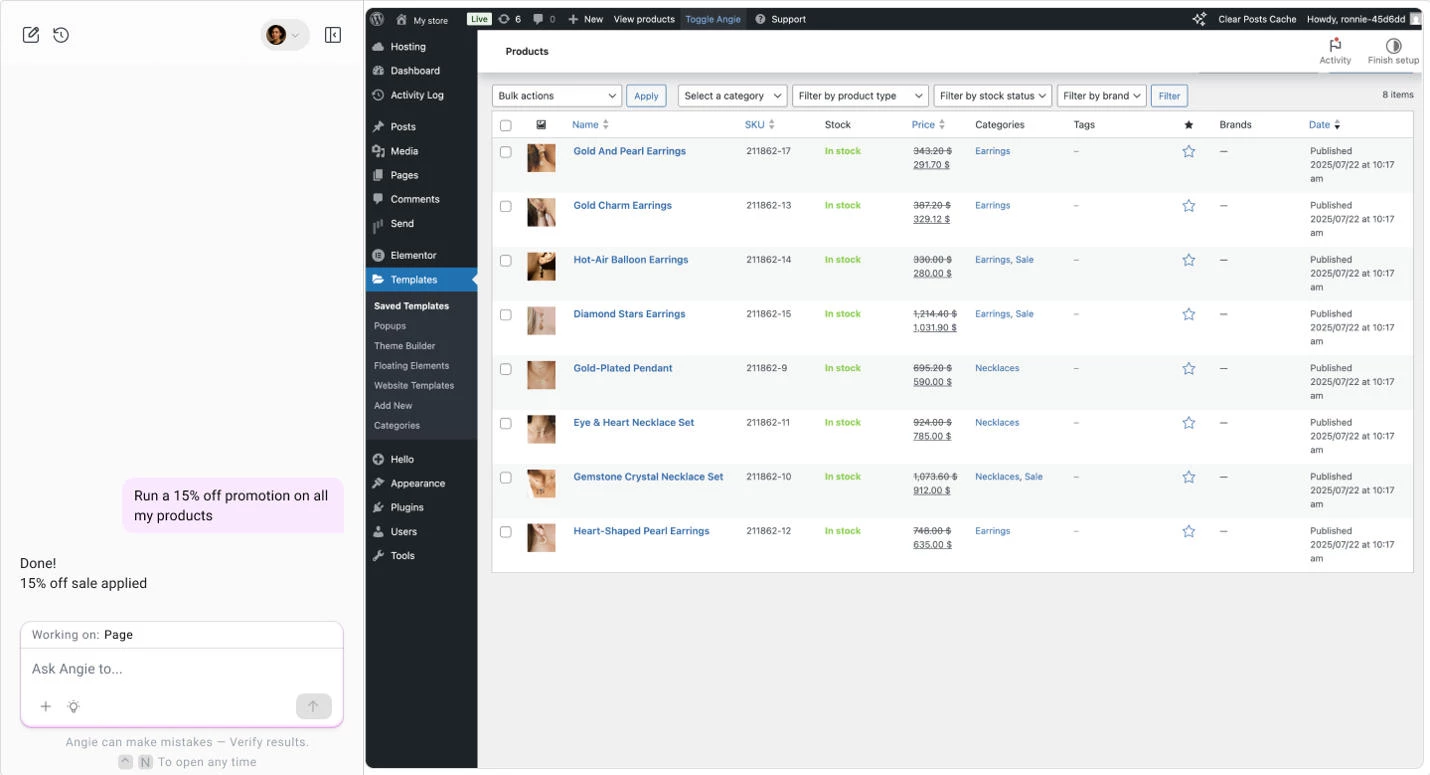
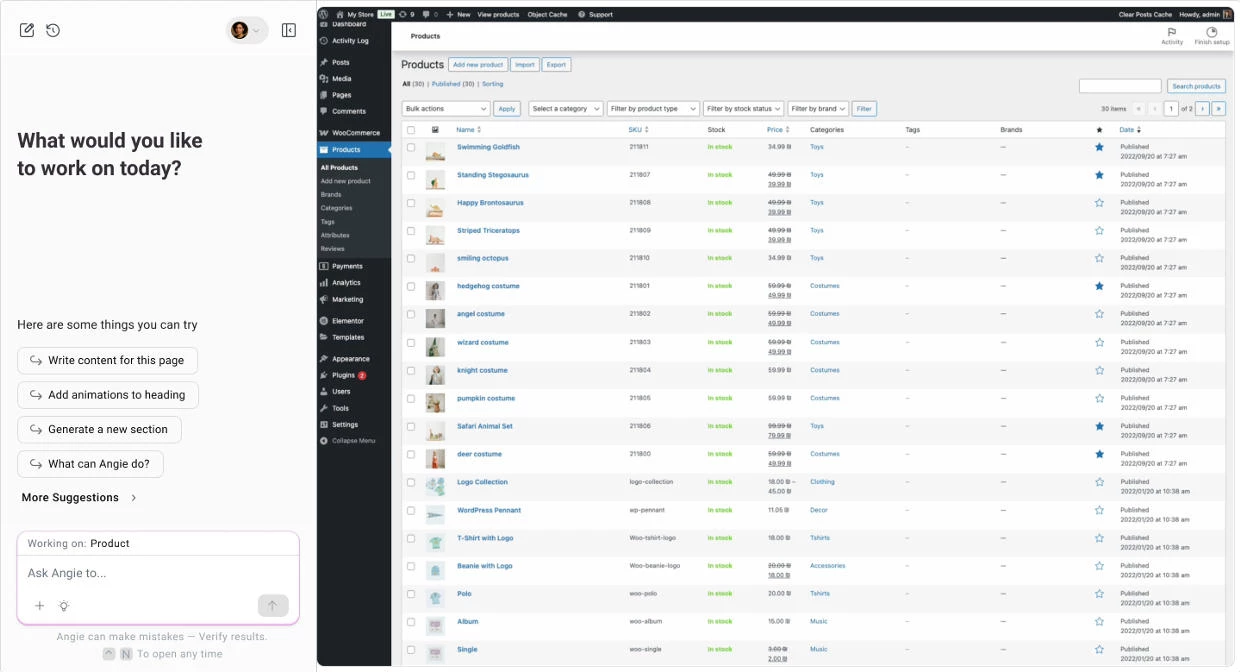
The onboarding process was straightforward: once connected to my Elementor account, Angie scanned the site structure and immediately understood where content, templates, and products lived.
That deep context awareness allowed it to make accurate, in-place updates, which is a level of precision I haven’t seen in other AI WordPress tools.
For design workflows, Angie worked seamlessly within Elementor’s Editor, allowing me to re-style entire sections or adjust typography and spacing site-wide. It can also write or insert HTML, CSS, and JavaScript snippets for deeper customization.
What Users Say
Early adopters of Angie’s beta highlight its “magic-like” automation and ease of use, especially for repetitive workflows like content publishing or product management.
Users note that the Elementor integration feels native, with prompts that execute smoothly across design and content tasks. However, some have mentioned intermittent bugs and incomplete plugin integrations, expected at this beta stage.
Who’s It For?
If you routinely juggle client updates, product uploads, or maintenance tasks, Angie can drastically reduce operational time.
It’s equally useful for store owners who need to automate WooCommerce workflows and developers looking for a context-aware AI that can perform code-level actions safely inside WordPress.
Other Notable Features
- Plugin and theme activation, installation, or removal through conversational commands
- Smart scheduling and automation queue
- Performance and hosting optimization insights
- Bulk content and image operations with AI generation and editing
- Seamless WooCommerce inventory and pricing management



2. Rank Math: Best for Optimizing Content Production
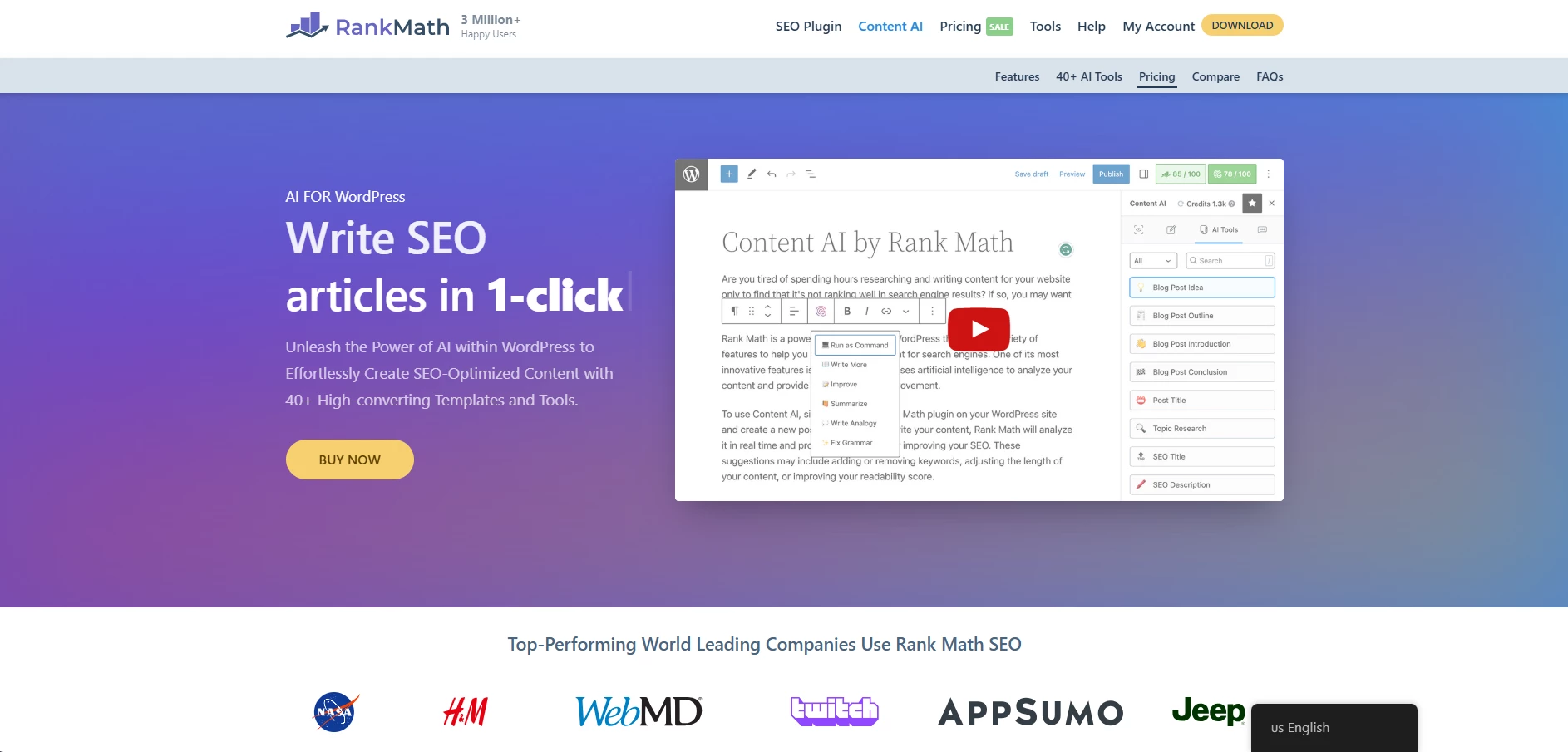
Rank Math’s Content AI is envisioned to empower content creation and SEO optimization directly within WordPress. I tested the tool to see how well it could integrate into writing workflows and how its SEO features perform.
| Pros | Cons | Pricing |
|
|
|
The first aspect of Content AI I explored was integration with WordPress. After installation, I was able to start using it without a steep learning curve.
It functions frictionlessly within both the classic editor and the block editor, making it versatile for different users. The interface is clean and straightforward, which made navigating the tools simple.
Check out Rank Math’s packages to get started.
In terms of writing, I tried Content AI's long form articles writing feature. While the created content was generally well-structured, I had to manually tweak it to mirror my brand voice and style preferences.
The tool created a clear outline and reorganized the content. It also suggested headings and subheadings that are SEO-optimized to amplify the content’s potential to rank in search results.
Another functionality worth mentioning is the personalized content suggestions. Based on my indicated target audience, Content AI gave me recommendations for adjusting the writing tone.
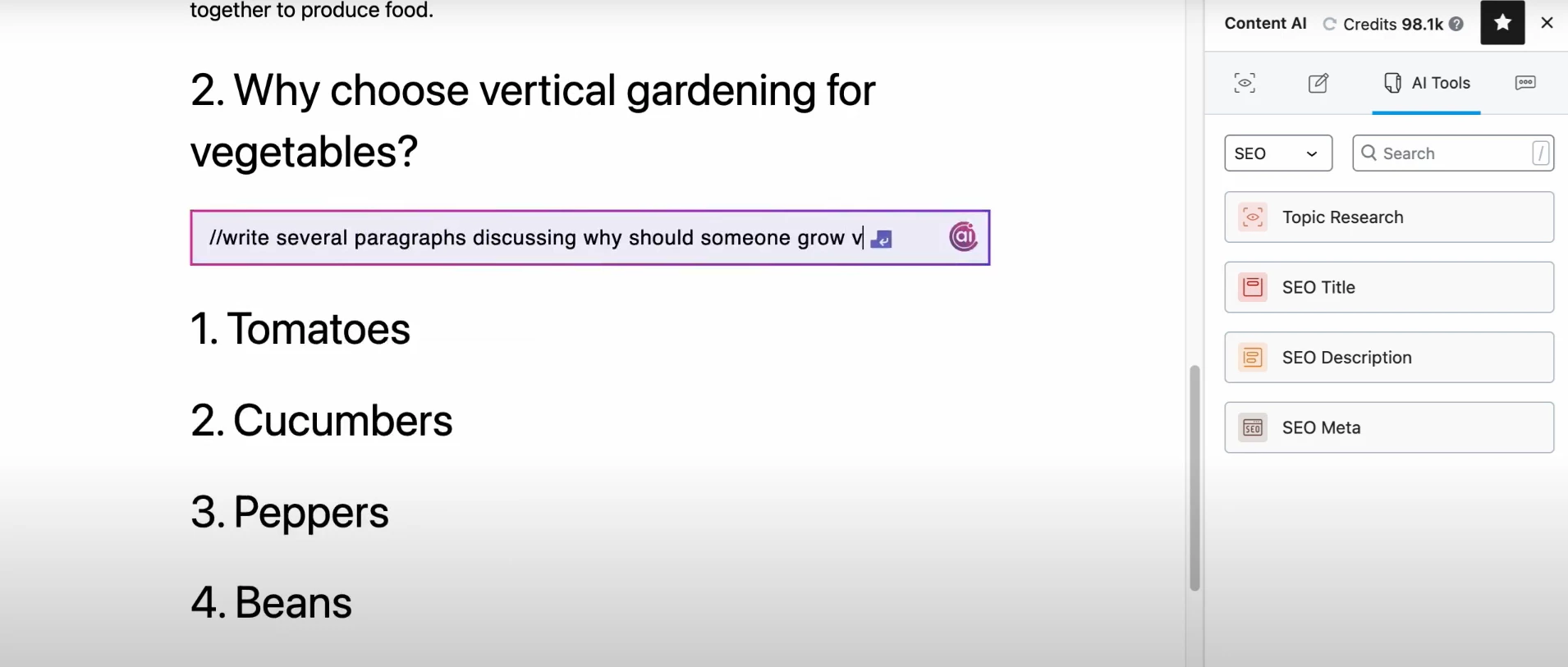
Beyond writing, the AI plugin also generates content outlines based on the keywords and topic selected, which would be useful for structuring long-form posts.
Complementing its content production abilities, Rank Math has an SEO widget within its portfolio, engineered to fix issues and address common errors like missing meta tags or incorrect formatting.
What Users Say
When reviewing Rank Math, the majority of users praise its ease of use and effectiveness. Several reviews mention the plugin's user-friendly interface and the seamless integration with WordPress.
Many also highlight the comprehensive set of tools offered, from keyword tracking to automatic schema generation.
However, some users have raised concerns about the plugin's complexity for beginners, particularly when accessing its more advanced features.
While the setup process is generally praised for being straightforward, there are mentions of a learning curve when using the full suite of tools.
Who’s It For?
Rank Math’s integration with WordPress, combined with tools for keyword research, content structuring, and SEO optimization, makes it a practical asset for anyone looking to streamline their content creation process and enhance SEO performance.
Other Notable Features
- AI-powered writing assistance
- Personalized content suggestions based on target audience
- Bulk generation of SEO titles, descriptions, and ALT text
- Multiple language support
- Real-time content optimization with the Content AI score
- 125+ customizable prompts for diverse needs
3. Divi AI: Best for Image Creation
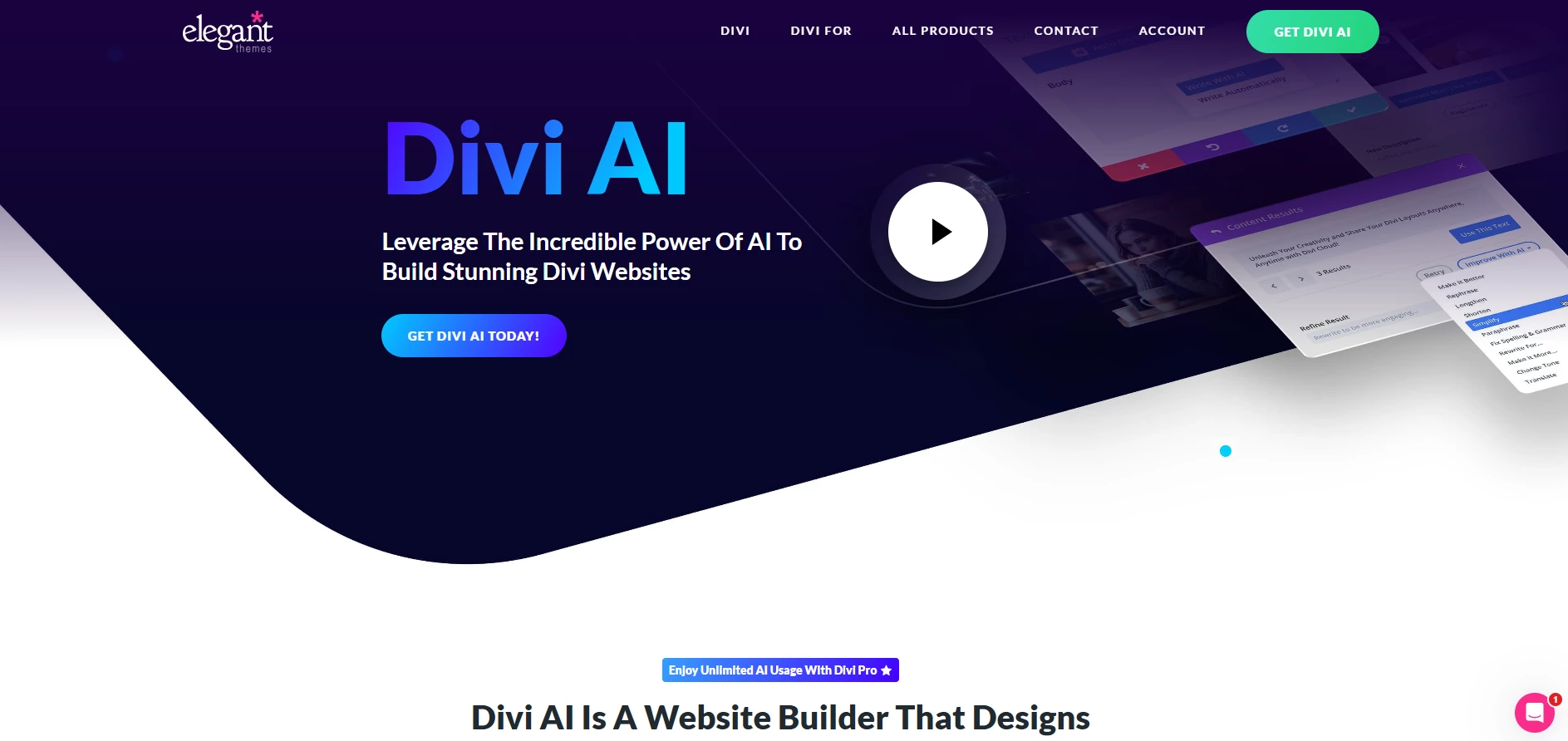
Divi AI, developed by Elegant Themes, is a WordPress plugin for image and content creation. During my trial, I focused mainly on its visual generation and editing capabilities and their integration into WordPress themes.
| Pros | Cons | Pricing |
|
|
|
The first feature I tested was its image generator. I entered a simple text prompt, which yielded many image options in various styles. The customization options were decent, allowing for different visual styles like sketches or 3D renderings.
While it provided good results, the AI engine didn’t always produce the details I expected, but it offered a starting point that could easily be tweaked.
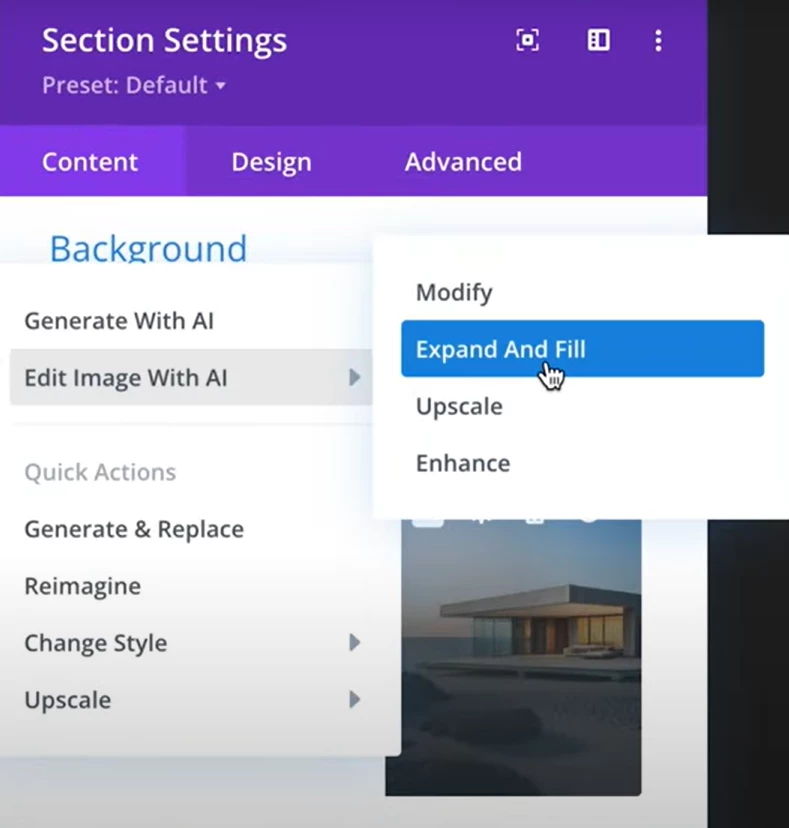
Next, I tinkered around the visual editor, which allowed me to adjust images by either modifying existing elements or adding new ones.
I used a reference image and instructed Divi AI to change specific parts, such as replacing backgrounds or adding objects, while leaving other elements unchanged.
This was useful for making quick adjustments without manually editing each part of the image; however, the process wasn’t as precise as I would’ve liked in some cases, especially with more complex modifications.
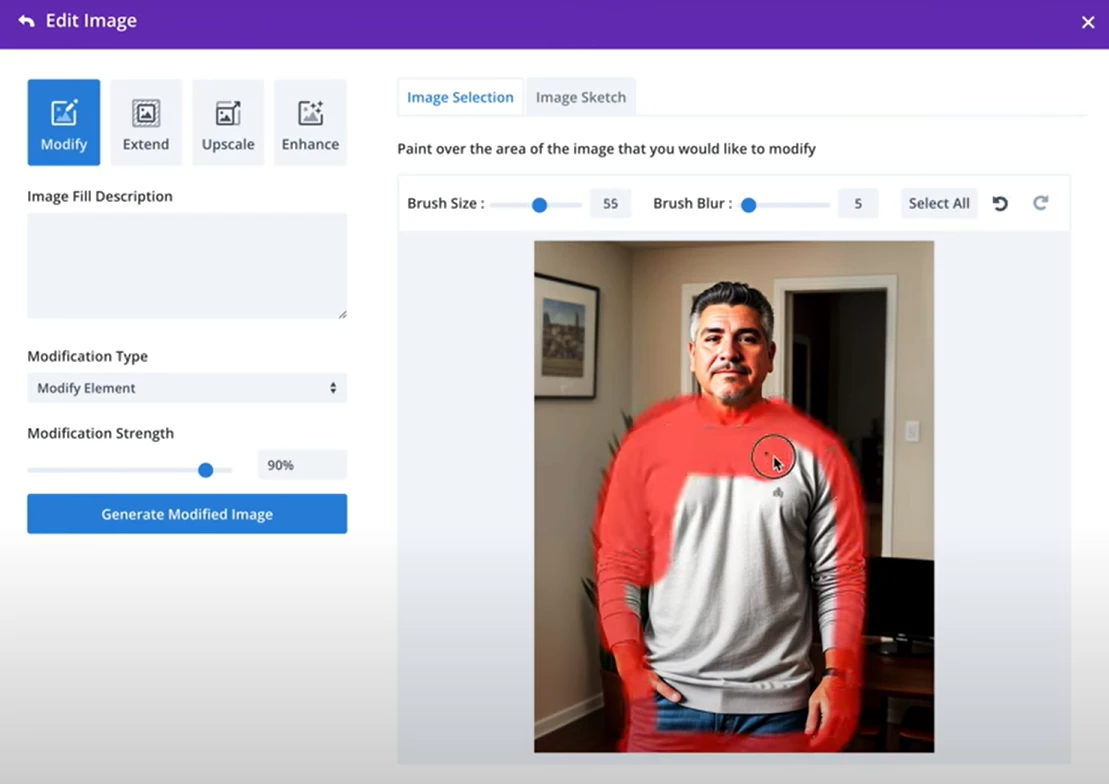
Another aspect I tested was the image aspect ratio modifier. In that regard, Divi AI successfully adjusted a square image to fit a landscape layout, while filling in the gaps with relevant elements.
The image upscaling function was another highlight. I tested it with lower-resolution images, and Divi AI improved their sharpness and detail without making them look artificially altered.
Sign up for a free Divi AI trial.
What Users Say
The AI plugin for WordPress receives mixed feedback, with many users finding it useful for generating context-aware content, like text and images, and commending its ability to replace placeholder content with more relevant material.
On the other hand, some folks report that the results can be inconsistent, especially for specific design needs. Their input is that while it’s effective for general content, it may not yet deliver the level of polish required for more complex, custom designs and visuals.
Who’s It For?
Divi's AI is a good match for web design agencies looking to streamline their workflow and freelancers who need to quickly bring client ideas to life with minimal hassle.
Small business owners might also find it practical for building their websites without coding.
Other Notable Features
- Supports multiple aspect ratios and custom sizes
- Automatic image generation based on page content
- Image dimensions adjustments
- Upscale images up to 4 times their original size
- Image quality enhancements via contrast, saturation, and detail adjustment
- Reimagines an existing image to create new variations
- Ability to generate, replace, or change image styles
4. All In One SEO (AIOSEO): Best for SEO Setting
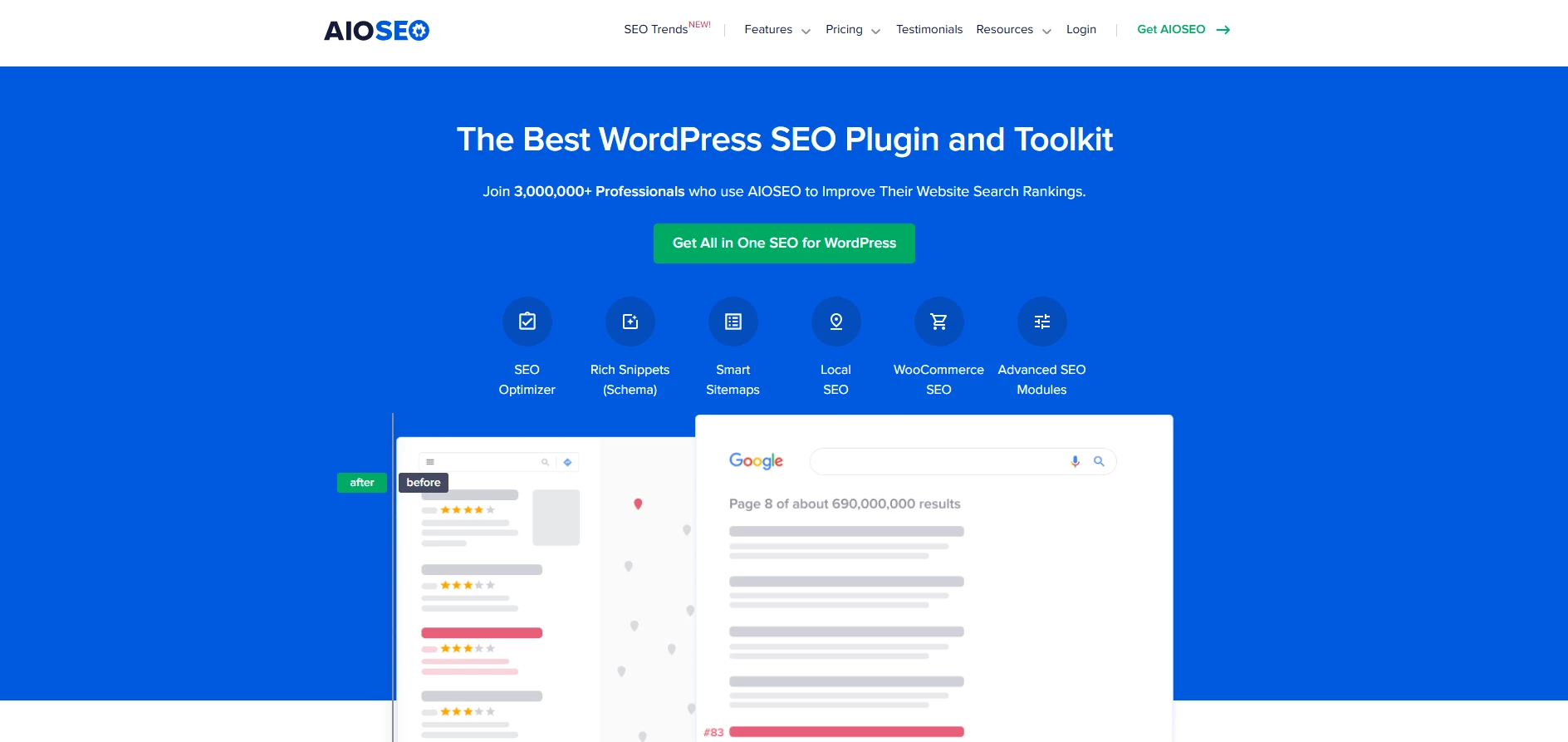
All in One SEO (AIOSEO) is a robust SEO plugin for WordPress, packed with features for simplifying on-site optimization. Its AI-powered features are envisioned to make SEO tasks faster and efficient, and aid SEOs improve overall performance.
| Pros | Cons | Pricing |
|
|
|
When I first began testing AIOSEO, I was drawn to its AI title and meta description generator, which was integrated with ChatGPT.
The feature allowed me to quickly draft titles and descriptions directly within the WordPress editor. Although not every suggestion was perfect, it offered a good foundation for further tweaking.
Get 60% off your first year with AIOSEO.
I also tested the link assistant, a feature that automatically analyzes internal links and offers suggestions for improvements. It presented me with a detailed breakdown of link types across my site and its ability to identify orphaned posts.
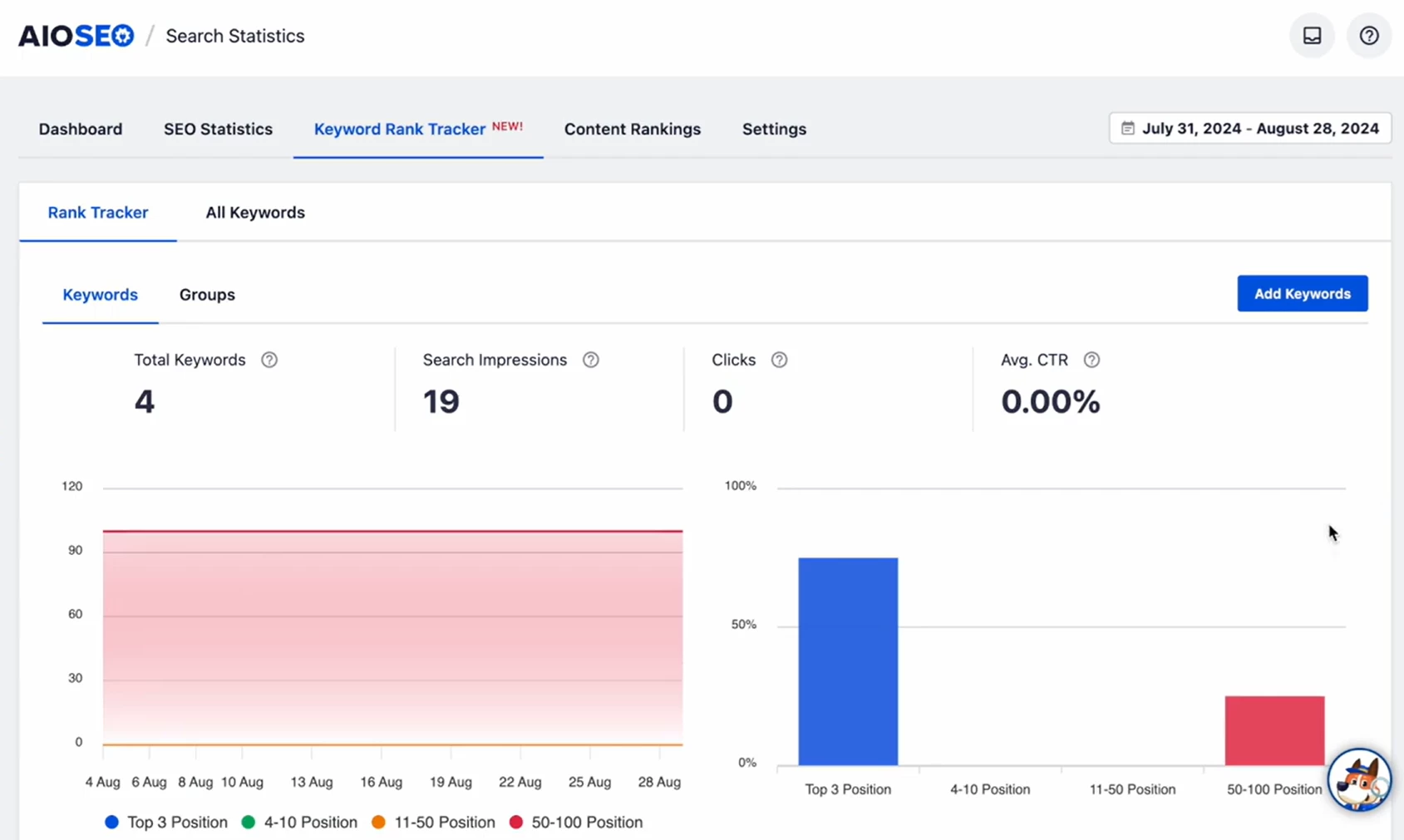
Another notable feature was the keyword rank tracker, which integrates with Google Search Console to track keyword performance in real-time.
It provided clear insights into how my content was ranking and any fluctuations in positions. This was particularly useful for monitoring progress, though I did find that some keyword groups needed better organization.
The TruSEO On-Page Analysis tool was another highlight for me, offering real-time feedback on SEO scores, readability, and keyword optimization as I worked through my posts.
I also gave its SEO Audit Checklist a try, which helped me identify potential issues on my site that could impact rankings.
Its smart issue detection was helpful, though it was sometimes too generic and required deeper manual analysis to fully understand the severity of certain issues.
What Users Say
Users mainly express positive experiences from All in One SEO (AIOSEO), with many noting the simple setup and intuitive interface. Several reviews highlight the value of the free version, particularly its instant SEO insights and competitor comparison features.
Across the reviews, SEOs also mention how the plugin has noticeably improved their website's SEO rankings and content performance after just a short period.
Who’s It For?
All in One SEO (AIOSEO) is intended for WordPress users seeking a comprehensive yet user-friendly SEO solution.
Its intuitive setup and TruSEO analysis make it ideal for beginners and small business owners aiming to enhance their site's search visibility without delving into complex configurations.
Marketers and developers might also find it valuable for its advanced features like schema markup and local SEO capabilities.
Other Notable Features
- Comprehensive on-page SEO analysis with real-time recommendations
- Full control over meta tags, title tags, and descriptions
- XML sitemap generation for better indexing
- Schema Markup support
- Built-in social media optimization functionalities
- Multilingual SEO support for international websites
5. AI Engine: Best for AI Services Integration
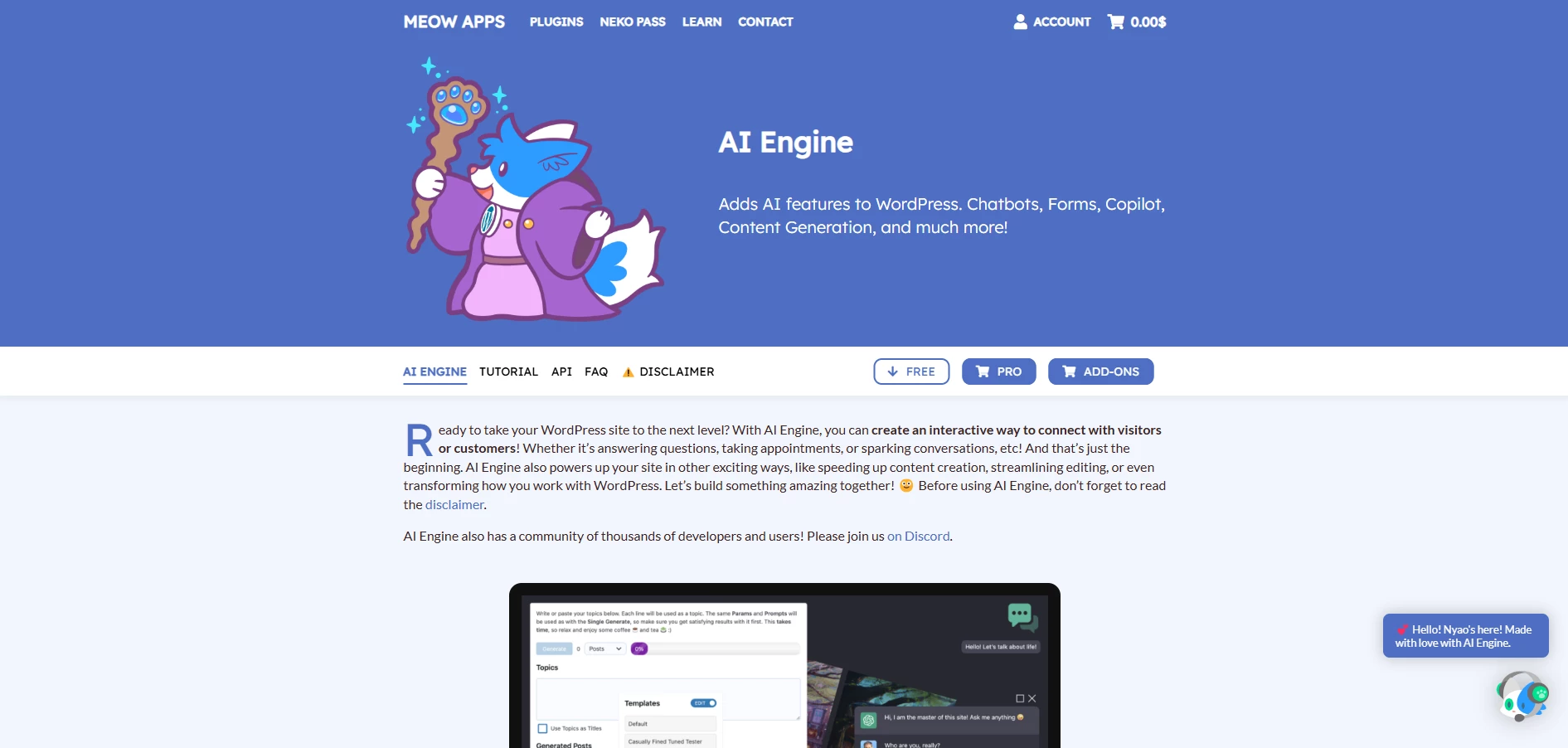
Built by Meow Apps, AI Engine is a WordPress plugin that integrates AI-powered tools into the platform. It offers a range of functionalities, from content generation and chatbots to automated workflows.
| Pros | Cons | Pricing |
|
|
|
The initial setup involved configuring an AI environment. By default, AI Engine sets up an OpenAI environment, though users can add other services such as Google or HuggingFace.
Once the environment was configured, I explored the AI Copilot integrated into the WordPress editor. This tool functions within the default Gutenberg editor, rather than page builders, providing content suggestions, rewrites, and translations.
Start with AI Engine for free.
The interface is minimalistic, with content generation being triggered by a simple keystroke. I found the suggestions to be accurate, particularly for SEO-driven tasks.
The Magic Wand tool further expanded my editing capabilities, allowing for text alterations such as shortening or expanding content, translating, and synonym suggestions with a simple click.
A significant feature of AI Engine is its chatbot functionality. I was able to deploy a customizable chatbot using shortcodes, which can be placed on specific pages or across the entire site.
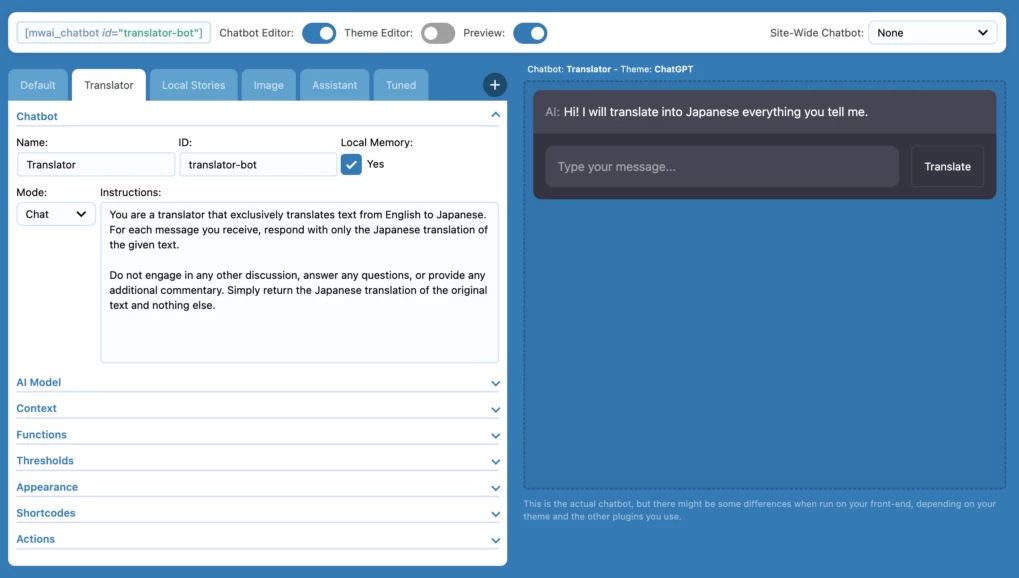
The chatbot can be programmed with various behaviors, including interaction based on predefined business logic such as booking appointments or answering product inquiries. Its responses can be customized through a knowledge base, allowing it to better understand and interact with site visitors.
The AI Playground is another tool within the plugin that allows for hands-on exploration of various AI features, from translations to text manipulation. It’s a good match for experimenting with AI beyond the confines of traditional post creation, offering a wide range of potential applications.
What Users Say
Online reviews echo my sentiment regarding Engine AI’s user-friendly interface, ease of setup, and the power of its AI features, particularly with the free version.
The positive feedback also includes excitement about trying out the Pro version, indicating an overall satisfaction with the capabilities offered.
On the other hand, some users have encountered issues that have affected their experience, particularly with the latest update. Problems such as random crashes, unresponsiveness, and interface complexities have led to dissatisfaction.
A few folks have also expressed frustration with the app's reliability, mentioning that it often fails to function as expected.
Who’s It For?
AI Engine is ideal for businesses that seek to enhance user interactions with chatbots, generate content efficiently, or integrate AI-driven features into their websites.
Developers and agencies will also find it helpful, given its flexibility for fine-tuning models and integrating with external systems.
Other Notable Features
- Integration with multiple AI environments (OpenAI, Google, Azure, etc.)
- Real-time streaming of AI responses for chatbots and tools
- Advanced text manipulation with the Magic Wand tool
- Simple one-click post translation while maintaining formatting
- Chatbot customization via shortcodes and avatars
- Ability to fine-tune AI models for specific tasks or business needs
- Customizable chatbot responses based on business logic
- Use of clean HTML and CSS for easy chatbot styling
AI Plugins for WordPress: Final Words
AI plugins for WordPress are seizing a momentum among developers and marketers alike for building, optimizing, and maintaining websites.
With deep integration into the WordPress framework, they enable users to automate complex tasks while retaining full control over the creative process.
On the topic of what features typically justify the cost of paid AI tools for agencies, we spoke with Brizy’s CEO, Dimi Baitanciuc. Here's his take:
Paid tools help with things like keeping tone and voice the same across content. Other useful features include project folders for team content templates, analytics, and exporting to platforms like WordPress.
If you seek to capture the full potential of WordPress, partnering with a specialized agency can offer a distinct advantage.

Our team ranks agencies worldwide to help you find a qualified partner. Visit our Agency Directory for top-rated WordPress web design companies, as well as:
- Top Web Development Companies
- Top WooCommerce Development Companies
- Top WordPress Development Companies
- Top UI/UX Design Agencies
- Top Content Marketing Agencies
AI Plugins for WordPress: FAQs
1. Are there any security implications of using AI plugins in WordPress?
AI plugins, like any other WordPress plugins, can introduce security risks if not regularly updated or properly configured.
Ensuring the plugins are from trusted sources, actively maintained, and compatible with your WordPress version can help prevent vulnerabilities that could be exploited by attackers.
2. Do AI plugins require technical expertise to use effectively?
While many AI plugins are designed with user-friendliness in mind, some features may require a basic understanding of website optimization and content management.
However, most tools offer intuitive interfaces and guides to provide accessibility even to users without technical know-how.