
Modern B2B teams are asked to do more with less: shorter cycles, leaner headcount, and higher quotas. AI agents can help, but the term now covers everything from chatbots to tools that take real action across business systems.
To make this list, an agent had to complete meaningful work inside a real workflow with minimal day-to-day supervision.
We also cover custom AI agent development for businesses whose integrations, workflows, or compliance requirements go beyond what packaged tools can handle.
Here are the five tools that passed, followed by three custom development partners worth considering.
AI Agents for B2B: Key Findings
- Newo.ai and Regie.ai automate revenue workflows: Newo handles inbound calls and bookings, while Regie runs outbound prospecting.
- Decagon, Claygent, and Ramp automate operations: Decagon handles support, Claygent enriches GTM data, and Ramp manages finance and spend.
- Bytes Technolab, Krazimo, and ELEKS cover custom development: From bespoke workflows to reliable, compliance-heavy enterprise agents.
What Is a B2B AI Agent? How It Differs From a Chatbot or an Assistant
A B2B AI agent is software that completes a multi-step task on its own.
Unlike basic AI bots for B2B that answer questions and stop there, a true AI agent reads a situation, decides what to do, and takes action across your systems without a human requesting each step.
The difference from older tools is initiative. A chatbot waits for a question and answers it. An assistant drafts something and hands it back for you to send. An agent is trusted to research the account, draft the email, update the CRM field, and route the lead.
As Tim Montgomery, President of TIMIT SOLUTIONS, explains, "B2B AI agents are built to handle more depth, complexity, and collaboration," tackling the intricate needs of businesses rather than just catering to individual users.
Montgomery's point is that B2B AI succeeds or fails at the team or org level; it can't just be faster convenience for one user.
Top B2B AI Agents at a Glance
We evaluated each tool on this list through hands-on testing, verified reviews, and user sentiment before selecting the five strongest performers.
Each platform was assessed on its autonomy, integrations, ability to retain context, human oversight, and measurable business impact.
Tool | Best For | CRM Integration | Multi-Channel Support | Real-Time Analytics | Pricing |
Voice & text receptionists | ✅ | ✅ | ✅ | Free | |
Automated outbound prospecting | ✅ | ✅ | ✅ | $180/user/month, billed annually | |
Enterprise AI customer support | ✅ | ✅ | ✅ | Custom, enterprise-only | |
GTM data enrichment | ✅ | ❌ | ✅ | Free | |
Finance automation and spend management | ✅ | ❌ | ✅ | Free |
Pricing, integrations, and ratings were verified against vendor websites as of June 2026.
For this review, we excluded tools that function primarily as AI assistants for B2B rather than as autonomous agents or that we couldn't evaluate to the same standard.
1. Newo.ai – Best for AI Voice Employees That Answer Every Call
For service businesses and multi-location operators that lose revenue to missed calls.

Newo.ai builds AI voice employees that answer the phone, qualify the caller, pull from your knowledge base, and book the appointment.
You paste a website URL and get a production-ready receptionist trained on the site’s content in about three minutes.
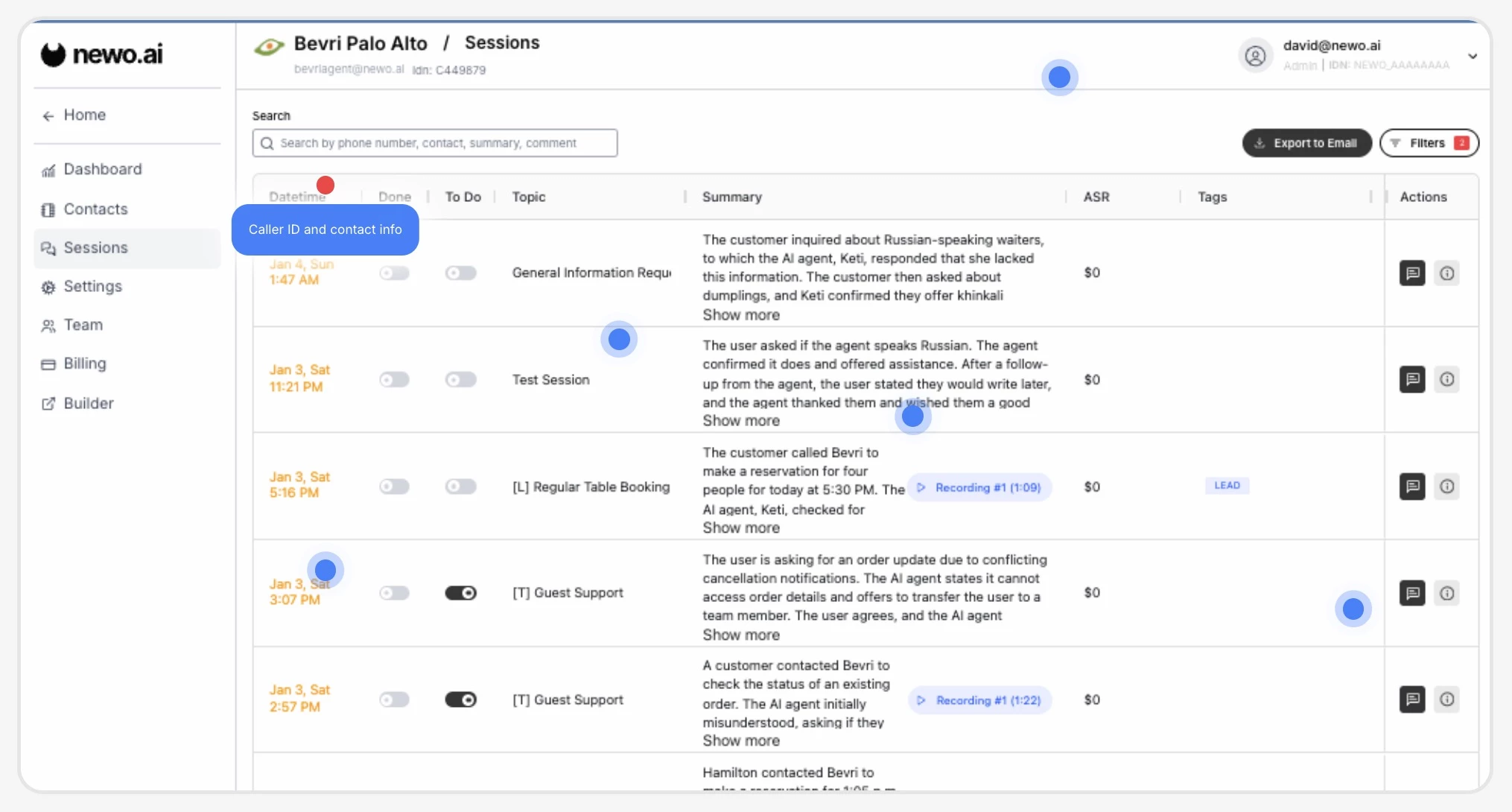
The agent can also be configured to follow structured qualification frameworks like BANT. It triaged well, spotting genuine interest versus browsing quickly.
A white-label program and the deep integration reach also make it a strong fit for agencies, VoIP providers, and CRM/POS vendors rolling out AI voice agents across many clients.
Pricing
- Free Pay As You Go tier: 50 free units (one-time), then $1.75/unit
- AI Receptionist: Starts at $299/month, 200 units/month
- Enterprise: Custom pricing
Key Features
- 1-Click Voice AI Builder creates an AI receptionist from a website.
- Supervisor/Observer architecture prevents inaccurate responses.
- Magic Browser + 200+ integrations connect to PMS, CRM, and legacy systems.
- ASR tracking tracks AI-generated revenue.
- Omnichannel support works across seven channels in 60 languages.
Pros
- Fast, no-code setup from a website or Google Business Profile
- Natural voice conversations across phone, SMS, web chat, and social
- Supervisor architecture reduces hallucinations
- Automatic LLM failover improves reliability
Cons
- Accents and background noise can still affect accuracy
- Some logic flows need manual configuration
- Best suited to scheduling-heavy businesses, less so for complex sales processes
What Users Say
Users report real results with Newo.ai. One restaurant owner shared that they made an extra $6,800 in July 2024 from large group bookings, all while spending just $530 on the platform.
With the AI Hostess answering calls 24/7, especially during off-hours and busy periods, they captured bookings they would’ve otherwise missed.
That said, it’s not flawless. The same user noted the AI occasionally miscommunicated their business hours. Still, the overall sentiment was positive, and for businesses that rely on responsiveness, Newo.ai delivers.
Who’s It For?
Newo.ai is best for local and multi-location service businesses that lose money when calls go unanswered, and for groups that need centralized control with location-level routing.
Its no-code builder suits owners without an IT team, while the 200+ integrations and white-label program make it attractive to agencies, VoIP providers, and software vendors reselling AI voice agents.
Businesses that specifically want a human answering every call, or that field very low call volume, may not need it.
2. Regie.ai – Best for Autonomous Outbound Sales (AI SDR)
For enterprise and mid-market SDR/BDR teams running high-volume multichannel outbound.
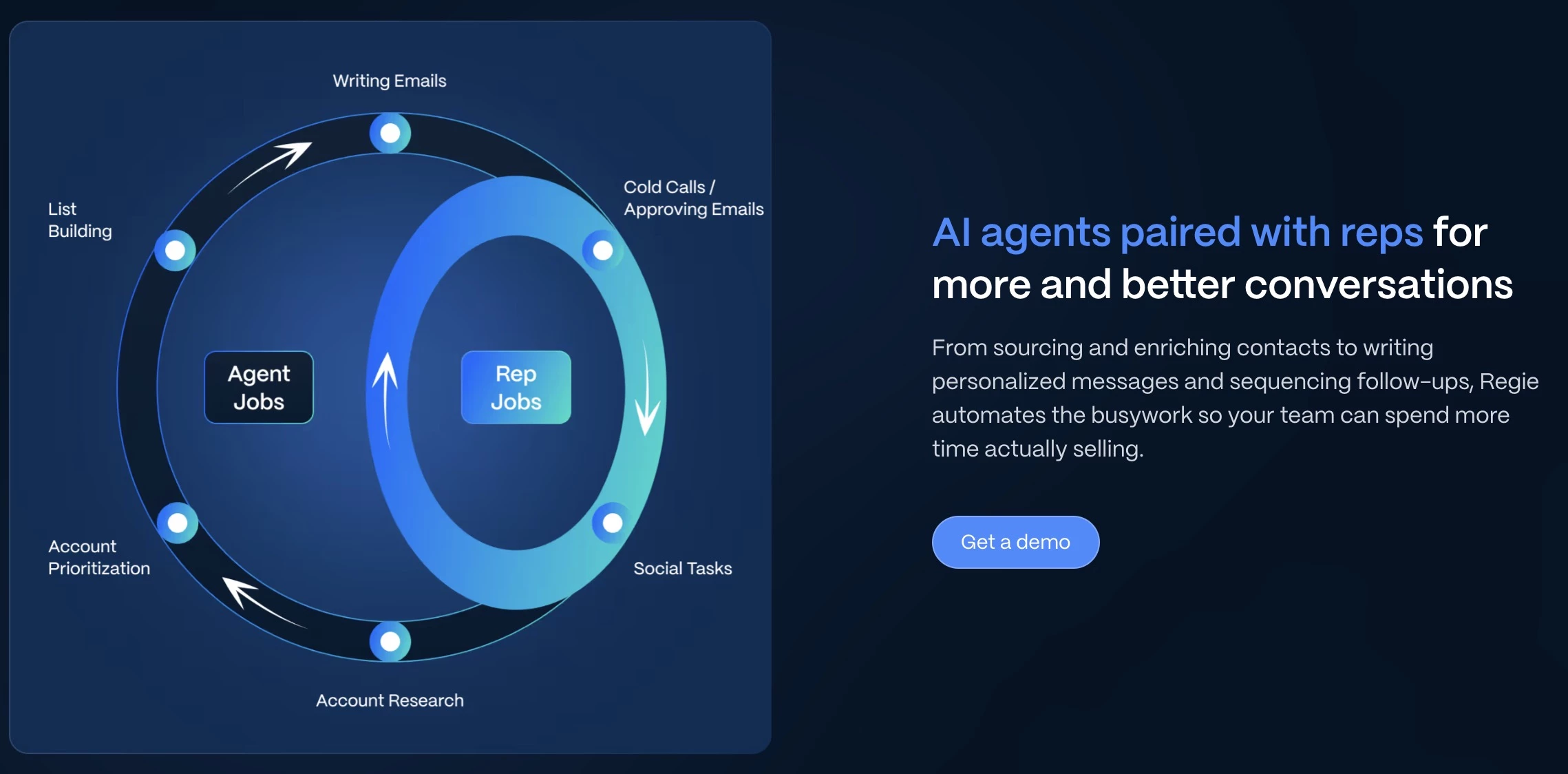
Outbound sales is a beast of its own in B2B, and Regie.ai is among the few tools that feel purpose-built for the content side of that problem, with autonomous agents that research accounts and draft sequences continuously.
It's best for high-volume outbound teams, typically 10+ reps, that want AI sales agents to handle the repetitive research-and-first-touch work while humans focus on live conversations and closing.
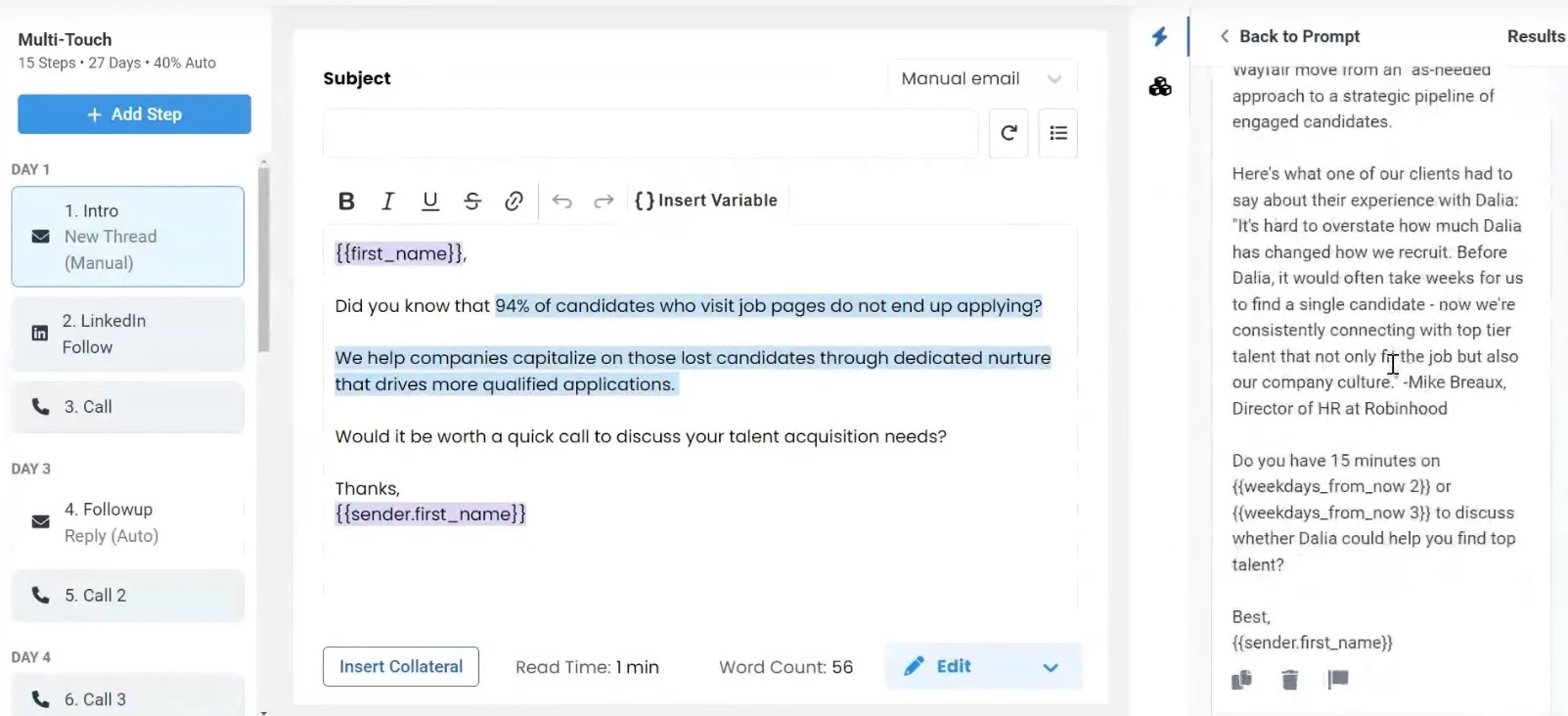
When a prospect picks up the dialer, the agent surfaces a script tailored to that person's context. It also integrates natively with Outreach, Salesloft, HubSpot, and Salesforce, which means you’re not adding extra friction to your existing workflow.
Pricing
- AI SEP: $180/user/month, billed annually
- Force Multiplier Rep: $499/user/month, billed annually
- RegieOne Enterprise: Custom pricing
Book a demo with Regie.ai today.
Key Features
- 220M+ contact database provides built-in prospect data.
- Parallel dialer supports up to nine lines and live connects.
- Source-rich personalization uses LinkedIn, company news, blogs, podcasts, and job posts.
- Co-pilot mode prioritizes intent and tracks pipeline performance.
What Users Say
Regie is consistently praised for the quality of its AI-generated content, though some users note that its lead sourcing automation isn't as extensive as that of some competing platforms.
Some users also say that generated copy can sound robotic and require human editing, and that dialing in brand voice isn't instant.
Who’s It For?
Regie.ai fits enterprise and mid-market sales orgs pushing high outbound volume across email, phone, and LinkedIn, especially those wanting to replace a patchwork of point tools with one AI-driven system.
Budget-conscious teams, however, will likely find the pricing floor and annual commitment hard to justify, and teams where every message is handcrafted may prefer a lighter AI-assist tool.
3. Decagon – Best for Enterprise AI Customer Support
For large enterprises automating high-volume customer support across chat, email, and voice.

Decagon is a top-tier enterprise CX platform whose defining B2B feature is Agent Operating Procedures (AOPs), which let teams define AI support workflows in natural language instead of code.
This feature is paired with AI Actions that let agents actually resolve issues rather than just answer them.
Decagon is best for large, high-volume support operations in retail, fintech, and travel that already run Zendesk or Salesforce and want an autonomous resolution layer with enterprise-grade QA, security, and auditability.
It publishes strong outcomes and deflection rates, and its customer roster skews to well-known tech and consumer brands.
Pricing
- Custom, enterprise-only. No public pricing, no free trial, and no self-serve signup.
Get a demo with Decagon today.
Key Features
- Agent Operating Procedures (AOPs) define workflows in natural language.
- AI Actions automate refunds, order updates, identity checks, and ticket creation.
- Omnichannel support carries conversations across chat and voice.
- Watchtower and Guardrails monitor quality and enforce safety controls.
- Enterprise readiness includes testing, SOC 2, data residency, and version control.
Pros
- Genuinely autonomous resolution with backend actions
- Natural-language workflow building (AOPs) that non-engineers can iterate on
- Strong QA/guardrails, security, and cross-channel voice + chat memory
- Fast enterprise deployment (commonly reported at 4-6 weeks)
Cons
- Opaque, high-floor pricing, and enterprise-only; no self-serve or trial
- No native helpdesk. You still need Zendesk or Salesforce alongside it
- Per-conversation billing means you can pay for interactions the AI doesn't resolve, with limited visibility into agent decisions
What Users Say
Users praise it for being fast to deploy and demos well, but flag limited transparency, as you can't always see why its agents decided on something or tune behavior as granularly as you'd like.
Buyers repeatedly note the biggest friction is evaluation itself: with no public pricing or trial, you can't gauge fit without a sales process.
Who’s It For?
Decagon is for enterprises with large support volumes, complex workflows, and bigger budgets, typically companies already on Zendesk or Salesforce that want to automate customer support with strong governance.
Smaller businesses looking for transparent pricing, a free trial, or an all-in-one helpdesk will likely find better self-serve alternatives.
4. Claygent – Best for AI-Powered GTM Data Research and Enrichment
For RevOps and GTM engineers who turn raw lists into enriched, research-backed pipeline.
Clay is a GTM (go-to-market) automation platform, and Claygent is its AI research agent that finds data traditional databases don't index.
It combines multi-provider data enrichment with an agent that can research any company or person and return structured fields you can score, segment, and personalize on.
It's best for RevOps teams and GTM engineers who can build and maintain workflows and who need custom, defensible data.
Unlimited seats on every plan also make it cost-effective for larger teams.
Pricing
- Free plan: Includes 6,000 actions/year and Claygent
- Launch: Starts at $167/month, billed annually
- Growth: $446/month, billed annually
- Enterprise: Custom pricing
Get started with Clay's 14-day trial.
Key Features
- Claygent researches websites, job posts, and news to generate structured prospect data.
- Waterfall enrichment pulls contact and company data from 150+ providers.
- Claygent Builder creates reusable AI agents using natural-language prompts.
- Navigator interacts with websites to extract data without APIs.
- Signals and intent tracking monitor buying signals and sync them with CRMs.
Pros
- Claygent surfaces unique, unstructured data at scale, and agents are reusable across workflows
- The waterfall approach yields materially better data coverage than a single provider
- No-code agent building and unlimited user seats on every plan
- Transparent, recently lowered data pricing, and a genuine free tier
Cons
- Credit-based costs can spiral at volume, and you're charged for enrichment attempts even when no data is returned
- A real learning curve; teams often need a few weeks to build effective workflows
- It enriches and researches, but doesn't tell reps what to do next; large workflows can still require other tools
What Users Say
Users describe Clay as one of the most flexible and powerful enrichment-and-workflow tools available. It’s a powerful data layer for outbound teams that have the ops capacity to build and maintain it.
The most consistent caveat across these reviews is credit control. Teams report burning through monthly credit allocations faster than expected once AI-heavy Claygent steps stack up in a single workflow.
Who’s It For?
Clay is best for B2B sales, marketing, and RevOps teams that rely on custom data and personalized outbound campaigns.
Its value compounds at volume. This means solo operators or teams enriching only a few hundred contacts a month may get better value from a lighter platform.
5. Ramp – Best for AI-Driven Finance and Spend Management
For finance and accounting teams that want to automate spend, procurement, and month-end close.
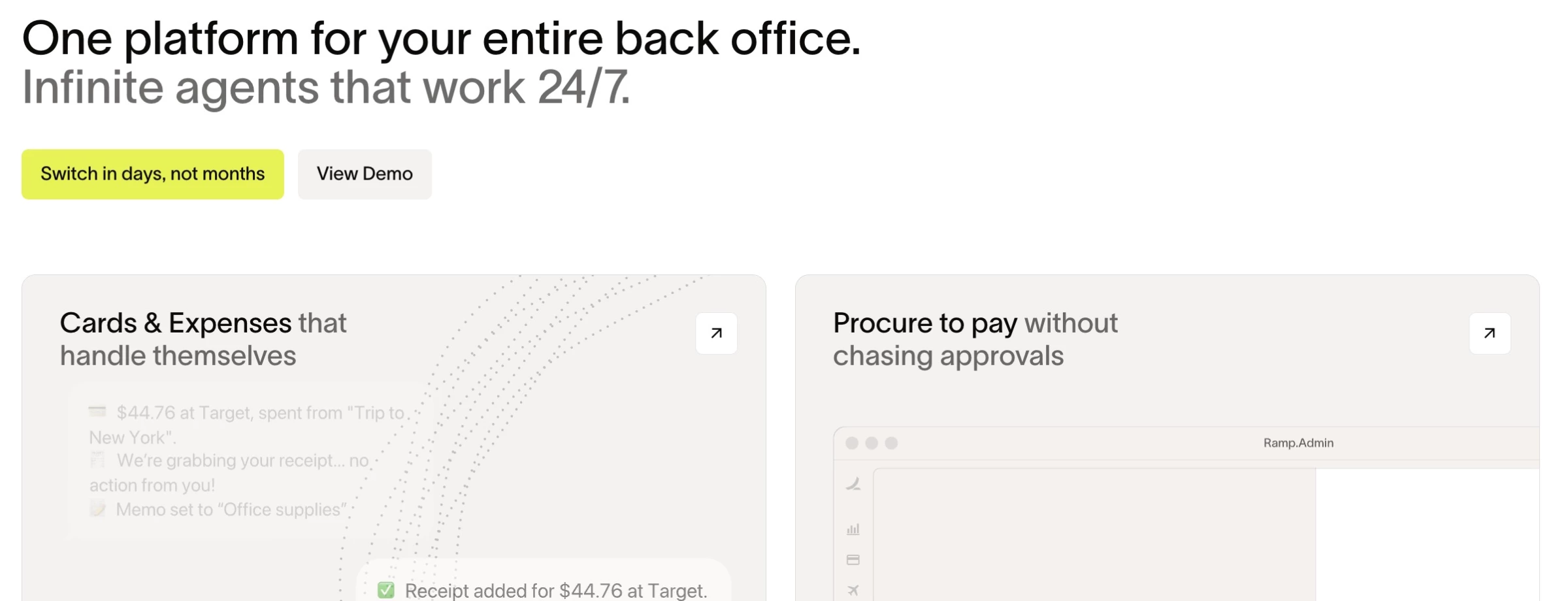
Ramp is a financial operations platform built around AI-powered finance and procurement.
Its AI agents automate expense management, accounts payable, accounting, and purchasing, while built-in spend controls and token cost tracking help businesses manage AI spending.
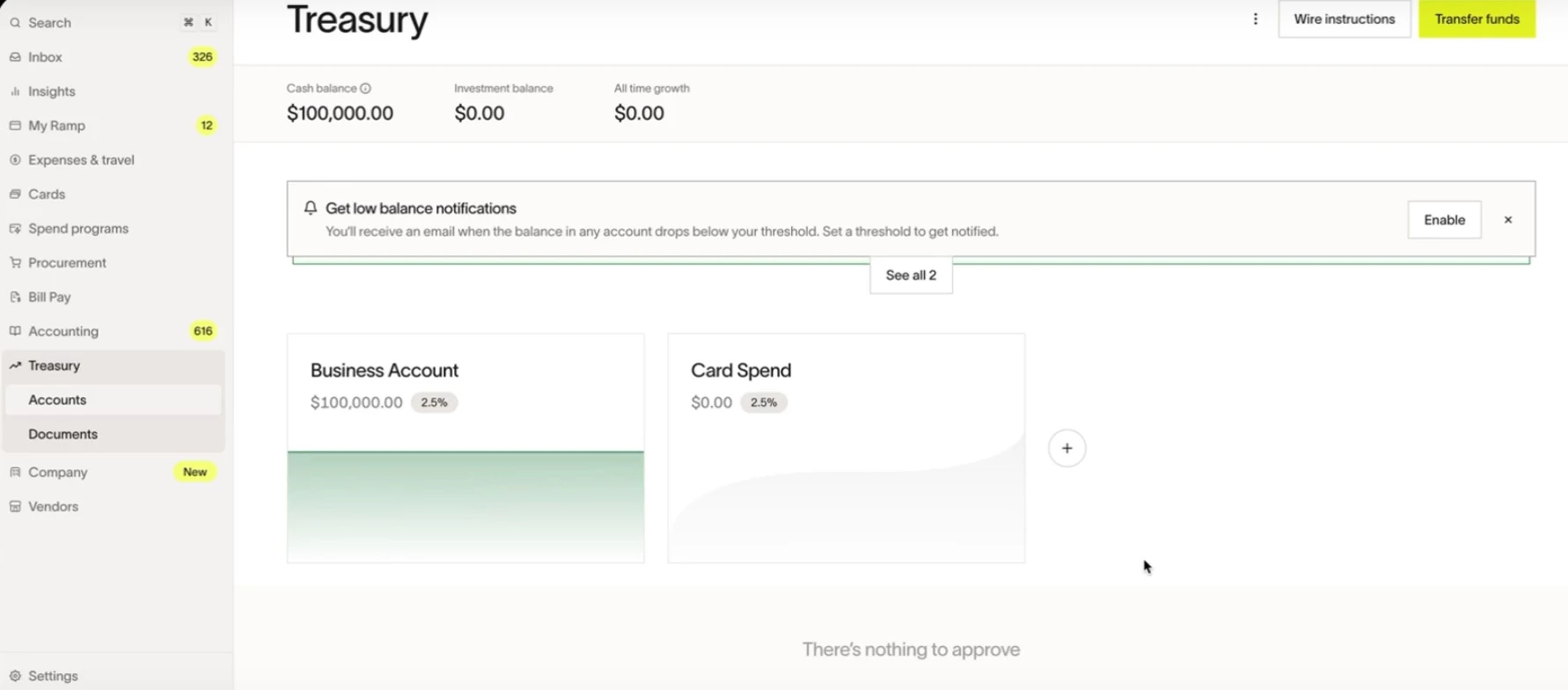
Ramp can issue scoped virtual cards to AI agents with the same limits and traceability as human cardholders, while Token Spend Management gives finance a single view of otherwise invisible token costs.
It's best for finance, accounting, and procurement teams, from startups on the free tier to enterprises that want to speed up close and govern spend proactively.
Pricing
- Free tier: Unlimited cards, expense management, bill pay, and 1.5% uncapped cashback
- Plus: Starts at $15/user/month
- Enterprise: Custom pricing
Get started with Ramp for free.
Key Features
- Finance AI agents automate expenses, invoices, GL coding, and reconciliation.
- Procurement agents handle vendor sourcing, contracts, and compliance.
- AI Expense Management matches receipts, categorizes spending, and tracks budgets.
- Agent Spend Controls set spending limits for AI agents.
- Token Spend Management tracks AI usage costs across providers and integrations.
Pros
- Genuinely free core tier with unlimited cards and 1.5% uncapped cashback
- Best-in-class AI receipt matching and categorization, with fast setup (often 1–2 days)
- Production finance and procurement agents plus agent-level spend governance
- Strong real-time visibility, savings insights, and 200+ integrations
Cons
- Advanced workflows, multi-entity, and deep ERP sync sit behind paid tiers
- ERP sync depth can be limited, with a few multi-domain gaps
- Very small firms may not need it
What Users Say
On Capterra, where Ramp holds 4.9/5 stars, reviewers repeatedly praise how quickly they can issue and revoke virtual cards compared to a traditional bank-issued card, plus how easily receipts get tracked and reconciled.
Some newer users, however, report onboarding challenges, payment delays, and slower customer support response times.
Who’s It For?
Ramp is designed for B2B finance teams, operations leaders, and startup CFOs who want to automate expense management, tighten controls, and find cost-saving opportunities.
Ramp is especially useful for high-growth companies scaling quickly.
How To Choose a B2B AI Agent: A Quick Evaluation Checklist
B2B AI bots, chatbots, and true agents all carry the same 'AI agent' label today, but they operate very differently.
Before you sign a contract, run any candidate through these five questions:
- Does it act, or just suggest? There's a difference between a copilot that drafts for a human to send and an agent that completes work end-to-end. Ask vendors what the tool can do without human approval at each step.
- Can it track multiple stakeholders or locations within a single account? Ask vendors how the tool behaves when multiple stakeholders or locations are involved. An agent that only remembers one conversation will miss the bigger picture.
- Does it connect to your CRM and existing GTM stack? An AI agent that can't read and write to your CRM or ERP will always create manual work. Ask if the sync is bi-directional and covers your specific systems.
- Can humans override or approve decisions? Ask what happens when the agent is uncertain. Escalation should be a designed feature, not an afterthought.
- Is success measured by revenue, not activity volume? Calls answered and tickets closed can rise while revenue stays flat. Push vendors to show pipeline or revenue attribution. Prioritize outcome-based pricing or a pay-per-resolution model.
The best B2B AI agent for your business depends on the task:
Newo.ai for voice and front-desk automation that turns missed calls into revenue, Regie.ai for autonomous outbound, Decagon for enterprise support resolution, Clay for AI-driven GTM data, and Ramp for agentic finance and spend control.
When Off-the-Shelf Isn't Enough: Custom AI Agent Development
Every tool reviewed above starts with a configurable product which works well for standardized use cases such as FAQs, internal search, and simple customer support.
Custom development becomes more practical when an agent must interact with multiple internal systems, follow organization-specific workflows, enforce business rules, or operate in a regulated environment.
“Customization reaches its limit when a business needs the AI agent to adapt to its operations rather than asking its operations to adapt to the AI agent,” Bytes Technolab’s AI development team explains.
When it comes to choosing custom development the team recommends selecting one high-value workflow, such as customer support, patient intake, or document processing, for the first engagement.
“Version one should focus on a single use case, essential integrations, clear points for human intervention, and measurable success criteria. Multi-agent ecosystems, agent orchestration, and autonomous decision-making can come later,” the team says.
Bytes estimates that a narrowly scoped V1 could cost between $4,000 and $7,000 and take two to three weeks to develop, although data readiness, integration complexity, and compliance requirements can extend both.
The agencies below build custom agents for workflows that require deeper integrations, proprietary data, stronger governance, or more control than a packaged platform can provide.
- Bytes Technolab: Best for Custom AI Agents Built From Scratch
- Krazimo: Best for Reliable, Enterprise-Grade AI Agents
- ELEKS: Best for Enterprise-Scale, Compliance-Ready AI Agents
1. Bytes Technolab: Best for Custom AI Agents Built From Scratch
Bytes Technolab is an AI-first product engineering and AI and data implementation company founded in 2011 and headquartered in Tomball, Texas, serving clients across North America, the UK, MENA, and Asia.
Where the tools earlier in this article deploy pre-configured agents into an existing workflow, Bytes Technolab runs a dedicated AI Agent Development practice that builds agents from a structured process including discovery, architecture, training, integration, testing, deployment, and ongoing optimization.
Bytes Technolab is best suited to businesses that need an AI agent built around their proprietary data, workflows, and technology stack.
- Agency services:
- Custom AI Agent Development and Multi-Platform Integration
- Agentic AI and Generative AI Development
- MVP and Digital Product Development
- Minimum budget: $1,000-$10,000
- Notable clients: Healthy Planet Canada, Ragnar, Alliance Consumer Group, Celebration Giftware, NEBO
What Clients Say
Reviews on DesignRush consistently point to long client tenures with several partners mentioning relationships spanning 5 to 20 years and noting clear communication despite time-zone differences between the largely US and Canada client base and the development team.
Recurring themes across the review base are timely delivery, attentive project management, and a willingness to keep supporting a product long after initial launch, across industries from eCommerce to healthcare to consumer goods.
What Sets the Agency Apart
Bytes Technolab developed an AI-powered triage and patient intake agent in three months for Wellcura, a US digital healthcare startup. The MVP automated patient queries, structured patient data, and generated consultation summaries without adding more tools to providers’ workflows.
According to Bytes Technolab’s AI development team, making the agent production-ready required more than functional automation.
“For Wellcura, that meant defined clinical guardrails, a complete audit trail, secure handling of patient data, and escalation of uncertain or high-risk cases to clinicians instead of independent decision-making,” the team says.
These governance and failure-handling controls are difficult for packaged agents to provide in regulated healthcare environments, even when they can automate individual interactions or actions.
The agent achieved a 93% intake completion rate, made patient intake three times faster, reduced manual triage time by 47%, and improved provider slot utilization by 38%.
2. Krazimo: Best for Reliable, Enterprise-Grade AI Agents
Krazimo is an AI engineering and consulting company founded in 2023 and headquartered in Dover, Delaware. Its team includes former engineers from Google, Microsoft, and Amazon, with a focus on custom AI software, agentic systems, RAG, and workflow automation.
Krazimo caps its intake at 10 active projects so senior engineers can remain closely involved throughout each engagement.
It favors deterministic, testable agent behavior over open-ended autonomy, trading project volume for deeper attention on a smaller number of high-stakes implementations.
It’s best suited to businesses that need agents to complete complex, multi-step work reliably, particularly when inputs are unpredictable, mistakes are costly, or some decisions still require human oversight.
- Agency services:
- Multi-Agent Systems and RAG-as-a-Service
- Automation and Intelligent Workflows
- AI-Assisted Full-Stack Development
- Minimum budget: $50,000+
- Notable clients: BlinkVoice, Arivihan, LinguaCore, Graph AI, 15Rock
What Clients Say
Clients highlight the team's technical depth and speed, with several reviews noting the final product exceeding the original scope.
A recurring theme is Krazimo's ability to manage complex, multi-integration builds like real-time data feeds, voice AI stacks, while staying ahead of schedule.
Reviewers also point to strong day-to-day communication and sprint-based delivery, with quick responses to feedback across several 2026 reviews describing ongoing engagements without significant complaints raised.
What Sets the Agency Apart
Krazimo built Blink Concierge for VoIP provider BlinkVoice, creating a platform that deploys AI agents on real phone numbers to answer inbound calls and complete tasks such as making reservations, checking orders, capturing leads, updating CRM records, and routing support requests.
The agents are built to trigger actual actions, like creating bookings, updating CRM records, routing calls, and escalating to a human only when a request falls outside policy or requires judgment.
For simple, repeatable businesses like restaurants, this fully automated the basic questions call layer, cutting human involvement to as low as 2-3% of routine calls, with faster responses and fewer missed calls since agents can answer immediately, including after hours.
3. ELEKS: Best for Enterprise-Scale, Compliance-Ready AI Agents
ELEKS is a global software engineering and technology consultancy founded in 1991 and headquartered in Tallinn, Estonia. Its 2,000+ specialists support more than 120 active client accounts, with over 1,000 end-to-end projects completed.
Where the earlier tools offer ready-made agents, ELEKS supports the entire AI development lifecycle and develops custom agentic systems for complex workflows in finance, healthcare, energy, manufacturing, and other data-sensitive industries.
ELEKS is best suited to large organizations that need AI integrated into established infrastructure under formal security and compliance controls.
Its credentials include ISO 9001, ISO 27001, SOC 2 Type II, HITRUST e1, CREST, and Cyber Essentials Plus certifications.
- Agency services:
- AI Development
- Software Development and Digital Transformation
- Cloud Consulting and Cybersecurity
- Minimum budget: $25,000-$50,000
- Notable clients: Aramex, Autodesk, Blackboard, ESET, Havas, Eagle Investment Systems
What Clients Say
Reviews on DesignRush and Google consistently describe ELEKS as disciplined, detail-oriented, and process-driven, and several clients specifically cite the firm's culture of engineering rigor.
One client of 19 years describes ELEKS as an integral part of their engineering team rather than an outside vendor.
Recurring themes include thorough upfront business analysis, meeting tight deadlines on complex builds, and sustained multi-year partnerships across sectors as varied as logistics, government, and financial services.
What Sets the Agency Apart
For its own customer support operations, ELEKS built a Microsoft Copilot Agent on Azure OpenAI, integrated with Microsoft Teams and Atlassian tools.
The agent auto-categorizes incoming support tickets, retrieves relevant historical fixes, and correlates similar past issues by ID and custom field.
The company reports this cut support engineers' time spent on root cause analysis by 20%.
Other B2B AI Tools With Growing AI Capabilities
Several other platforms are also tapping into the power of AI to streamline operations, boost efficiency, and provide valuable insights for growth.
1. PARTNER2B: AI-Powered Partner Discovery and Ecosystem Growth
For B2B tech companies building or scaling partner ecosystems.
- Pricing: Custom and not publicly listed
- Key features:
- AI Partner Fit Score – Matches you to best-fit technology and channel partners against your Ideal Partner Profile
- Partner Marketplace – 10,000+ verified B2B companies, filterable by industry, region, size, and goals
- Partner Program Hub – Showcase and promote your program as an ongoing inbound channel
- Learning Hub – Partnership guides and glossary for teams new to partner-led growth
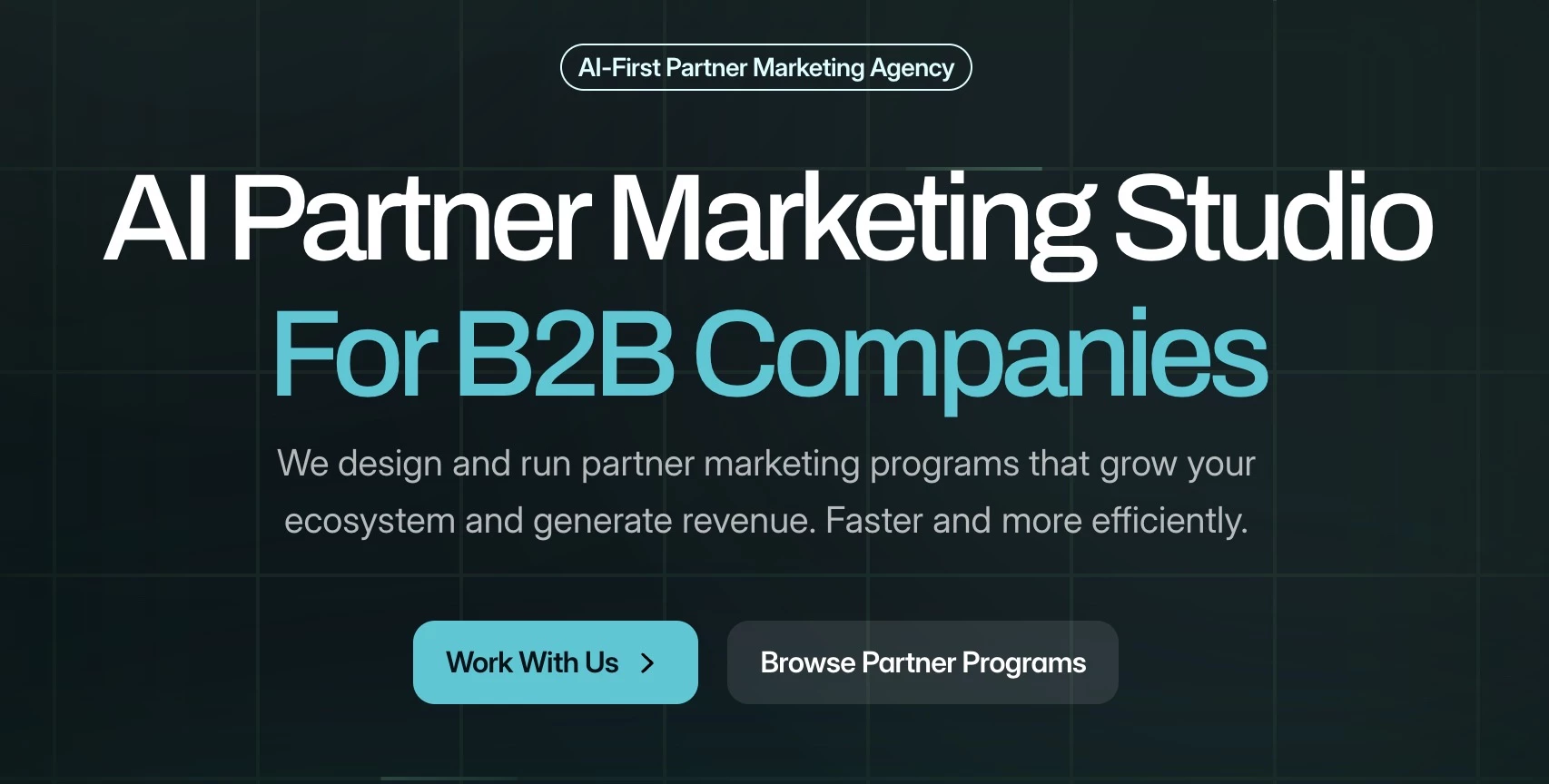
Partner2B is an AI-first B2B partner marketplace that helps businesses discover and connect with the right partners.
Instead of manual search, its AI matchmaking feature, Partner Fit Score, analyzes your profile and recommends compatible partners from a network of more than 10,000 businesses based on shared goals and market alignment.
It's notably lightweight and low-cost relative to the other platforms here. PARTNER2B covers the top of the partnership funnel: finding and connecting with the right partners.
2. InfraHive: Custom AI Agents on Top of Enterprise Data
For finance, support, and IT ops teams that need production AI agents wired into enterprise data.
- Pricing: Custom and not publicly listed
- Key features:
- Data-first AI agents – Connect to ERPs, business apps, and unstructured documents.
- Document parsing and structuring – Extracts structured data from invoices, purchase orders, contracts, PDFs, and spreadsheets.
- Prebuilt agent patterns – Automate accounts payable/receivable, KYC, data migration, and contract workflows.
- In-house RAG stack – Provides private, self-hosted retrieval in 100+ languages.
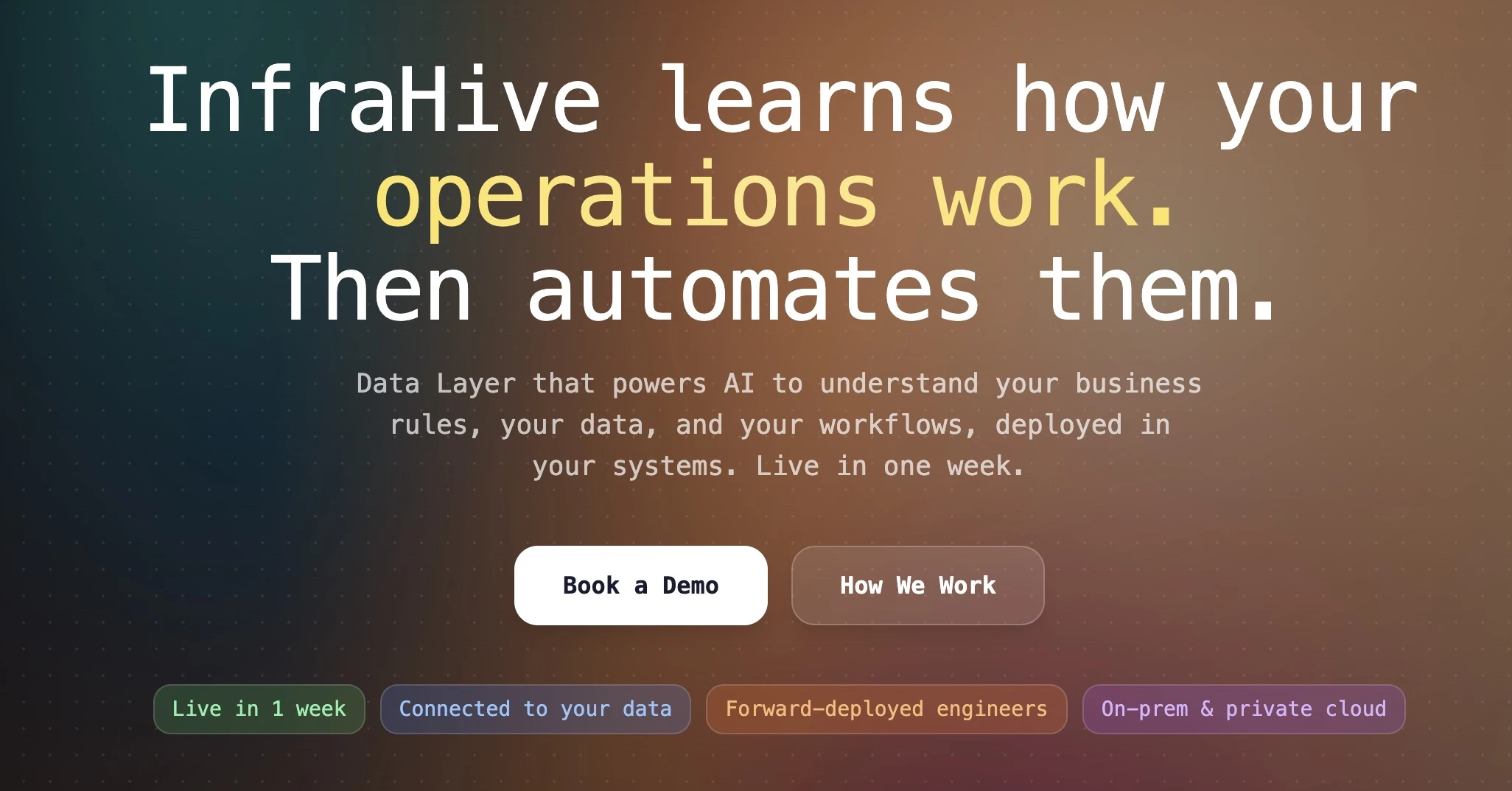
InfraHive connects enterprise systems like ERP and deploys AI agents on top of that data.
It combines software with hands-on implementation, embedding engineers to connect enterprise systems and deploy AI agents on real business data, with on-premises support for privacy-sensitive organizations
InfraHive is best for finance, support, and IT operations teams in data-heavy industries that want fully managed AI solutions. It's the most bespoke and least self-serve option on this list.

Our team ranks agencies worldwide to help you find a qualified partner. Visit our Agency Directory for the top AI companies, as well as:
- Top AI Marketing Companies
- Top AI Market Research Companies
- Top AI Companies in Seattle
- Top AI App Development Companies
- Top AI Product Development Companies
Our design experts also recognize the most innovative design projects across the globe. Visit our Awards section for the best & latest.
Best B2B AI Assistants FAQs
1. How can AI enhance personalization in B2B marketing strategies?
In B2B marketing, AI can analyze vast amounts of customer data to spot patterns and preferences, then enable businesses to deliver highly personalized content and recommendations.
This kind of personalization can lead to more engagement and higher conversion rates by addressing the specific needs and interests of each client.
2. How can a business determine which AI tool best aligns with its specific needs?
To choose the right AI tool, a business should clearly define its goals, ensure the tool integrates with existing data sources and supports required data types, assess whether it works with current systems and scales with growth, and review the vendor’s reputation, support, and ongoing development.
3. In what ways does AI contribute to improving B2B customer support services?
AI-powered tools can automate routine inquiries, provide instant responses through chatbots, and assist human agents with real-time information.
This can dramatically improve response times and, ultimately, customer satisfaction. AI can even analyze customer interactions to identify areas for service improvement.
4. What security risks should businesses weigh before deploying a B2B AI agent?
Since agents often need access to CRM records, financial systems, or customer data to take action, businesses should confirm how a vendor handles data residency, encryption, and access controls before rollout.
Look for certifications like SOC 2, audit trails for every action the agent takes, and clear documentation on how sensitive data is stored or shared with third-party models.
It's also worth asking whether the agent operates within defined guardrails or can be restricted from taking certain high-risk actions (like issuing refunds or modifying financial records) without human sign-off.
5. How should a business measure ROI from a B2B AI agent?
Track outcomes the agent directly drives, like resolved tickets, booked meetings, or hours saved, and weigh that against cost. Activity volume alone, like calls handled and emails sent, can look good without moving revenue.
Many vendors now offer outcome-based or pay-per-resolution pricing models specifically because flat subscription fees make it harder to tie spend directly to results.
When evaluating a tool, ask for benchmarks or case studies that show revenue or cost impact.