
Most analytics tools are built to track pages, not the forms where conversions actually happen.
Forms are where users hesitate, abandon, or commit, yet many teams rely on surface-level metrics that miss what’s really causing drop-offs.
Best Form Analytics Tools: Key Findings
- More than 67% of users will abandon a form if they encounter complications, and overall completion rates typically sit between 50% and 70%, making form optimization a critical conversion lever.
- Standard analytics tools often miss what happens inside forms, leaving teams without visibility into field-level friction that directly impacts conversions.
- Form analytics tools provide deeper insight by showing exactly where users hesitate, make errors, or drop off, enabling more targeted and effective improvements.
How Form Analytics Tools Improve Conversions
Forms sit at the point where users decide to continue or leave, with signups, checkouts, demo requests, and applications all depending on users completing a sequence of fields without friction.
That’s where many businesses lose potential customers. On average 67% of site visitors will abandon a form entirely if they encounter any complications.
Standard analytics platforms don’t show what’s causing those drop-offs. They stop at the page level, leaving teams without visibility into how users interact with individual fields.
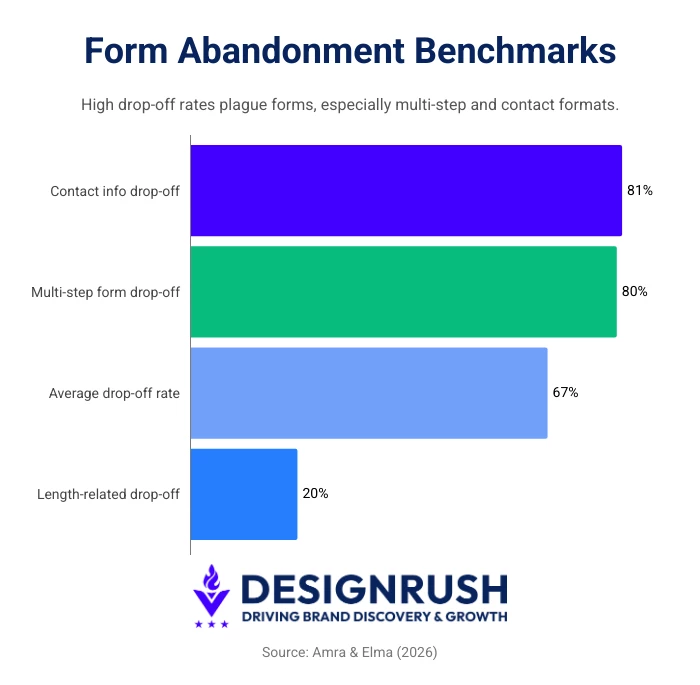
Recent data shows that only about half of users who start a form complete it, with abandonment rates ranging between 50% and 70% depending on complexity.
Form analytics tools fill that gap. They track behavior at a field level, showing where users hesitate, make corrections, or abandon the process.
The most effective tools do this by tracking key metrics such as:
- Field-level conversion rate is the percentage of users who successfully complete a specific field and helps identify which inputs are blocking progress.
- Field drop-off rate shows where users abandon the form at a particular field and highlights exactly where they are leaving.
- Hesitation time measures how long users pause before completing a field and can signal confusion, uncertainty, or cognitive load.
- Fill rate is the percentage of users who interact with or complete a field and reveals whether fields are being skipped or ignored.
- Ignored fields are inputs that users consistently bypass or leave empty and often indicate unnecessary or poorly positioned fields.
- Time to completion measures how long it takes users to complete the form and reflects overall usability and efficiency.
These metrics are what separate dedicated form analytics tools from general analytics platforms. They explain how users move through forms and where you can improve completion rates or recover lost conversions.
Top 10 Form Analytics Tools to Improve Conversion Rates
The tools below stand out for how effectively they reveal form-level friction, from high-level drop-offs to field-specific issues. They'll help you figure out how to reduce form abandonment more effectively.
| Tool | Best For | Field-level Analytics | Heatmaps | Checklist Analytics | Starting Price |
| Zuko Analytics | Form optimization & CRO teams | Yes | No | Yes | $56/month |
| Hotjar | Visual behavior insights | No | Yes | No | $39/month |
| FullStory | Debugging complex UX issues | No | No | No | Custom pricing |
| Mouseflow | Field-level & behavioral insights | Yes | Yes | No | $25/month |
| Smartlook | Journey-based analysis | No | No | No | $55/month |
| Crazy Egg | Quick engagement insights | No | Yes | No | $29/month |
| Inspectlet | Automatic event tracking | No | No | No | $39/month |
| Contentsquare | Enterprise experience analytics | No | Yes | Yes | $39/month |
| Lucky Orange | Live chat & behavior tracking | No | Yes | No | $32/month |
| Google Analytics | High-level conversion tracking | No | No | No | Free |
1. Zuko Analytics: Best for Dedicated Form Analytics and Conversion Optimization
For marketing, UX, and CRO teams that rely on forms for lead generation, onboarding, or checkout and need precise visibility into where users drop off
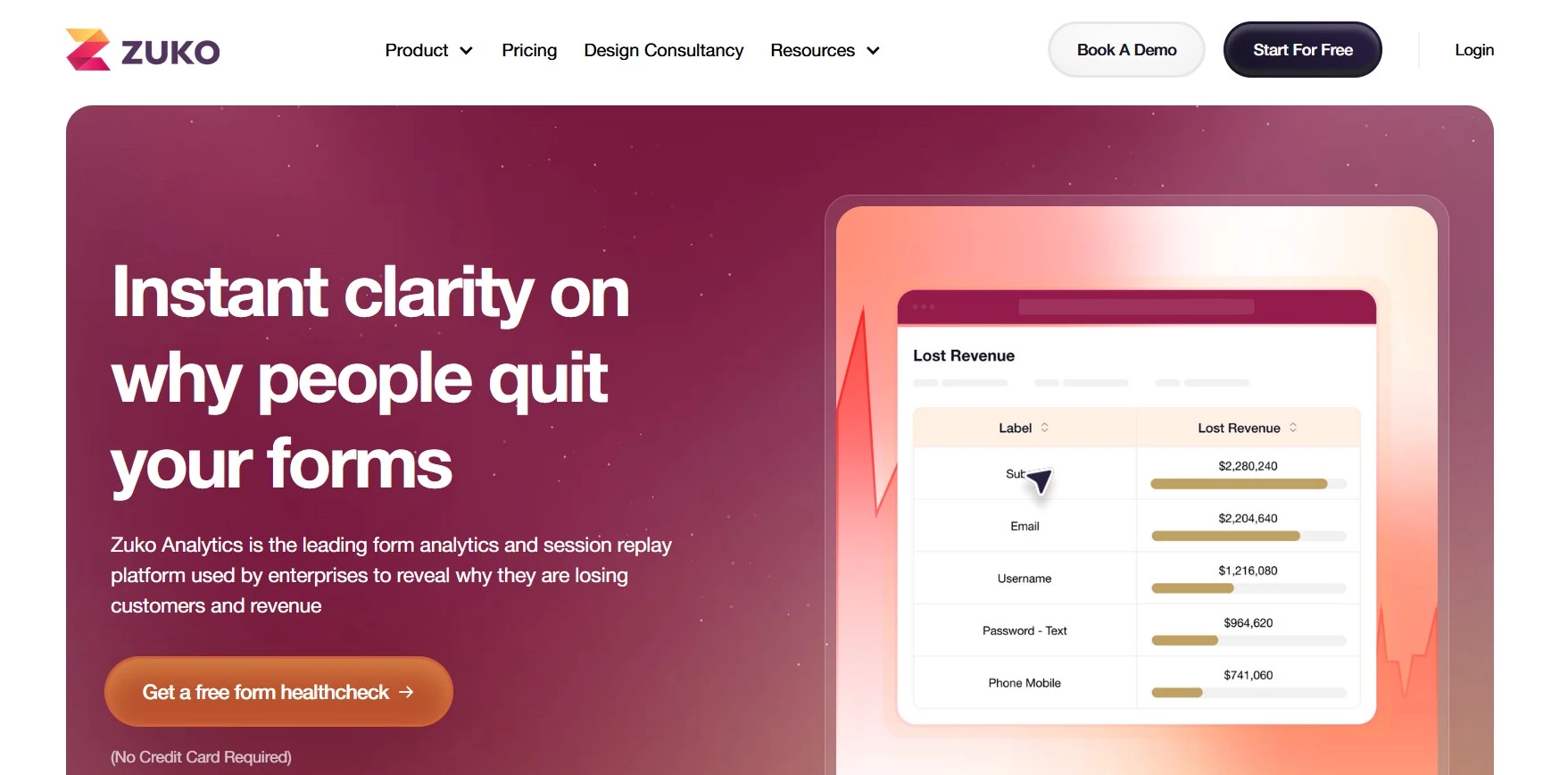
Zuko is a specialist form analytics platform designed to help businesses identify and fix issues in their forms and checkouts that cause potential customers to drop out.
Google Analytics has not been designed to track forms, so using it to understand exactly where customers get frustrated is extremely difficult. Zuko is purpose-built for that use case, automatically tracking behavior on each form field without requiring manual event tagging.
Since Zuko only does form tracking, it is more focused than the more general UX tools.
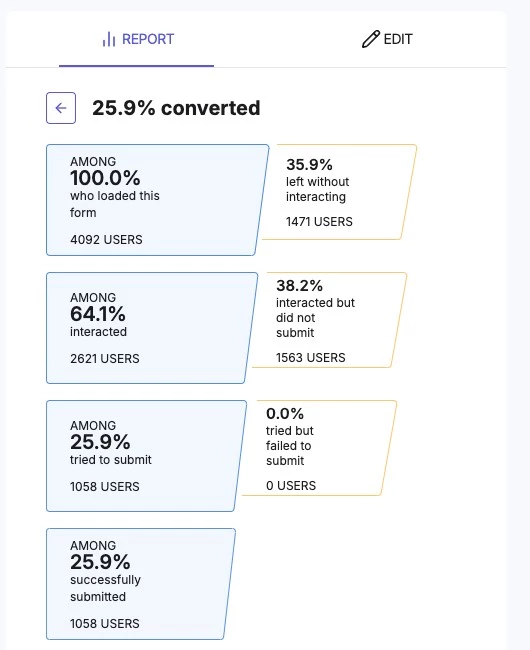
Zuko provides detailed field-level analytics, showing where users hesitate, re-enter data, encounter errors, or abandon specific fields. This makes it easier to pinpoint the exact causes of friction.
Its behavioral insights go further, with metrics like “behavior difference” highlighting how converters and abandoners interact differently, helping teams prioritize fixes.
It also has an integrated Session Replay function which can quickly help you watch the sessions where customers struggle the most with your form.
Pricing:
- Zuko pricing starts at $56 per month with free trials available, so you can test the tracking out before committing
Zuko also offers dedicated Shopify checkout analytics, with step-level and field-level visibility into where customers drop out during checkout.
An AI assistant helps interpret the data and suggest improvements, which makes it easier to take action on those insights.
For teams that depend on forms to generate revenue, this level of detail is a crucial advantage. You can identify problem fields, test changes, and track improvements without guesswork.
Zuko’s reports are designed for clarity, revealing issues quickly without complex setup, making the platform accessible to both marketers and product teams.
Other Notable Features
- Field-level drop-off and completion tracking
- Error and validation analysis
- Time-to-complete insights
- Funnel-style reporting for multi-step forms
What Users Say
Users highlight Zuko’s depth and focus as a key advantage. Many note how easy it is to implement and how clearly it surfaces actionable insights, with strong support also mentioned.
2. Hotjar: Best for Visualizing Form Behavior and User Friction
For marketing, UX, and product teams that want to see how users interact with forms in real scenarios, including hesitation, drop-offs, and repeated inputs
Hotjar, now part of the Contentsquare ecosystem, no longer offers traditional form analytics but instead focuses on making user behavior visible through heatmaps, session recordings, and feedback tools.
It gives teams a clear view of how users move through them and where they encounter issues.
Instead of relying only on completion rates, teams can watch sessions to understand how users interact with specific fields, where they pause, and what leads them to abandon.
Pricing:
- Free plan available
- Growth: $39/month
- Pro: Enquire
- Enterprise: Enquire
For teams looking to improve form performance without heavy setup, Hotjar offers a practical starting point. It provides enough detail to identify patterns while remaining easy to implement and use across marketing and product teams.
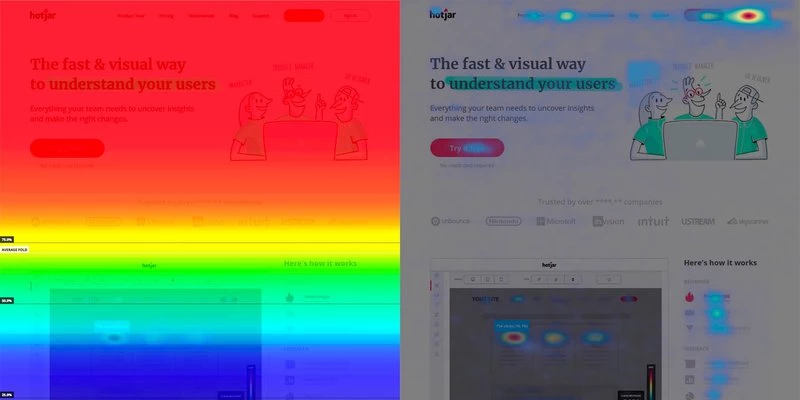
It’s particularly useful in early-stage optimization, where understanding user behavior matters more than deep technical analysis.
Other Notable Features
- Heatmaps for clicks and scroll behavior
- Session recordings with filtering
- On-site surveys and feedback widgets
What Users Say
Users consistently highlight Hotjar’s ease of use and quick setup, noting that heatmaps and session recordings make it straightforward to understand how users interact with pages.
Many value how it helps visualize behavior and uncover friction without needing deep technical expertise.
At the same time, some users mention limitations around data depth and scalability, particularly for more complex analysis or high-traffic sites.
3. FullStory: Best for Diagnosing Complex Form Issues
For product, engineering, and UX teams that need detailed session-level data to understand exactly how and why users fail to complete forms
FullStory captures user sessions in detail, allowing teams to replay interactions and analyze behavior across entire journeys, including forms. This makes it possible to identify issues such as broken validation, confusing inputs, or unexpected user behavior.
For form analysis, FullStory surfaces friction signals like repeated clicks, rapid corrections, and abandonment patterns that indicate deeper usability or technical problems.
Pricing:
- Custom pricing
This level of visibility is especially valuable for teams working on complex forms, such as multi-step onboarding or checkout flows. Instead of relying on assumptions, teams can trace issues back to specific interactions.
It also supports collaboration between product, UX, and engineering teams by providing a shared view of user behavior.
Other Notable Features
- Advanced session replay with search
- Friction signals and error tracking
- Integration with product and engineering tools
What Users Say
Users highlight FullStory’s depth of insight, particularly its ability to provide detailed session data and pinpoint where users drop off or encounter issues.
Many value the ease of exploring behavior through session replay and the quality of support. Some note a learning curve with advanced features, along with pricing considerations for smaller teams.
4. Mouseflow: Best for Detailed Field-Level Form Insights
For teams that want to understand how users interact with individual fields and identify exactly where forms break down
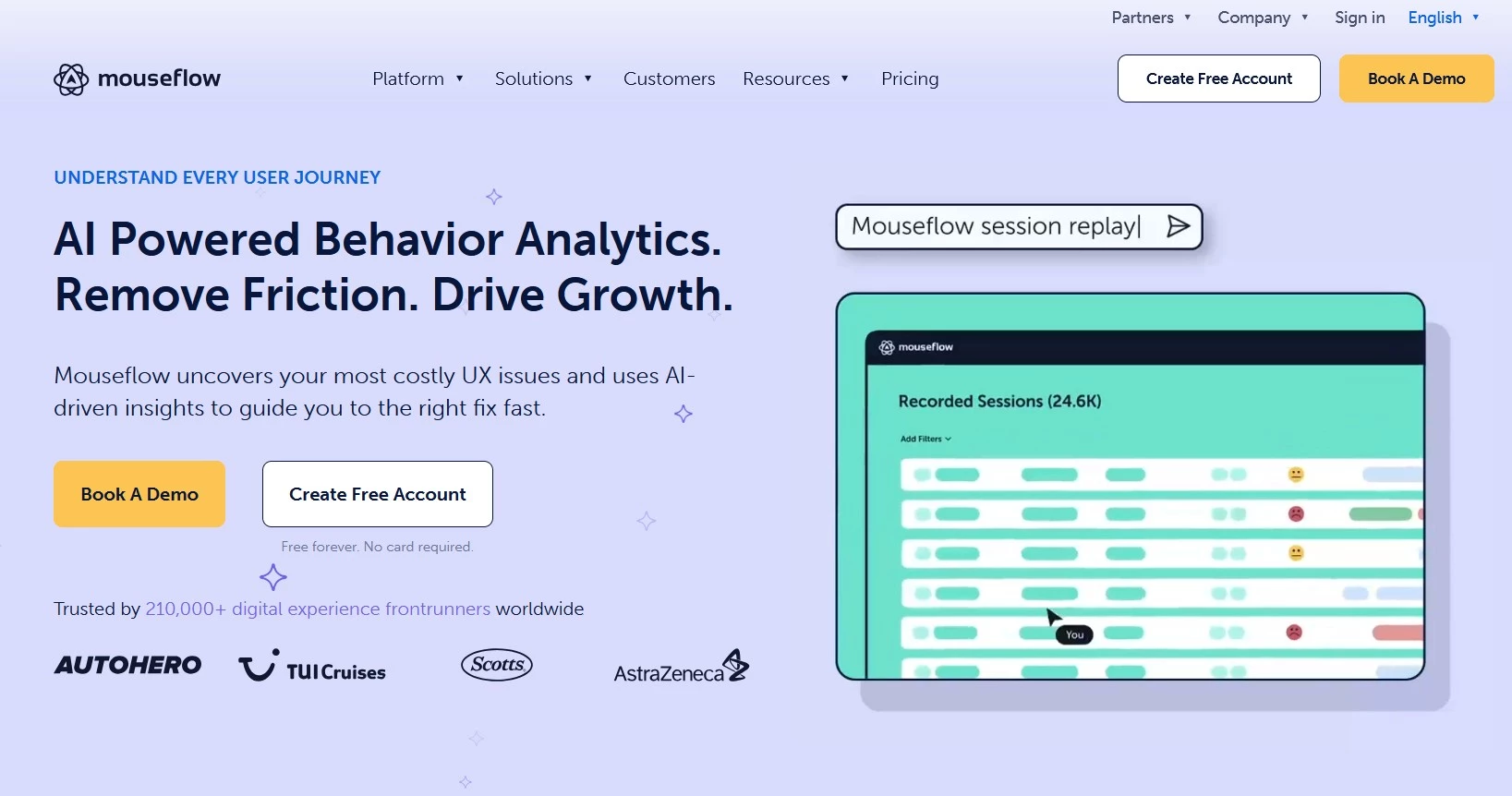
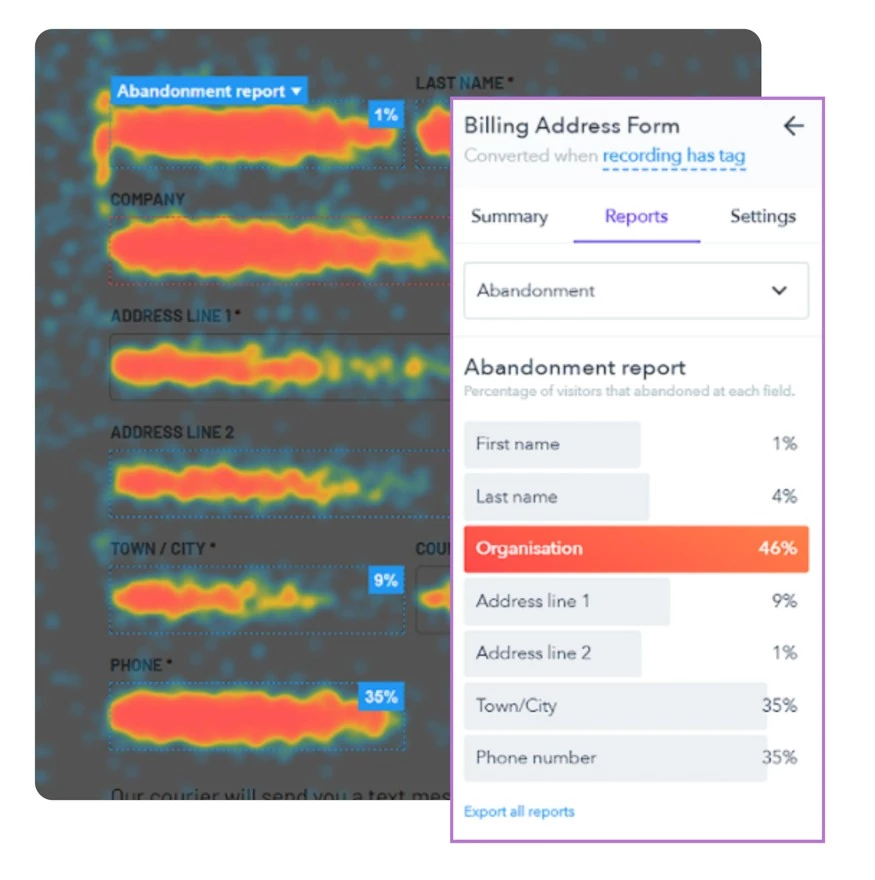
Mouseflow includes dedicated form analytics that track how users engage with each field. Teams can see drop-off rates, time spent per field, and where users make corrections or encounter errors.
This level of detail helps isolate specific issues within a form, rather than relying on overall conversion metrics.
Pricing:
- Free plan available
- Essential: $25/month
- Advanced: $109/month
- Premium: $319/month
For teams focused on improving conversion rates, this field-level visibility allows for targeted changes that can have a direct impact on performance.
Mouseflow also combines form analytics with session replay, giving teams both quantitative data and behavioral context.
Other Notable Features
- Session replay
- Conversion funnels
- Friction and error tracking
What Users Say
Users mention Mouseflow’s ease of use and quick setup, along with the value of its heatmaps and session recordings for understanding user behavior and improving conversions.
Many note that it provides clear, actionable insights without requiring complex analysis. Some do mention pricing as a limitation for smaller teams, along with occasional concerns around data accuracy or feature depth.
5. Smartlook: Best for Connecting Form Data With User Journeys
For product and UX teams that want to link form interactions with broader user behavior across sessions and devices
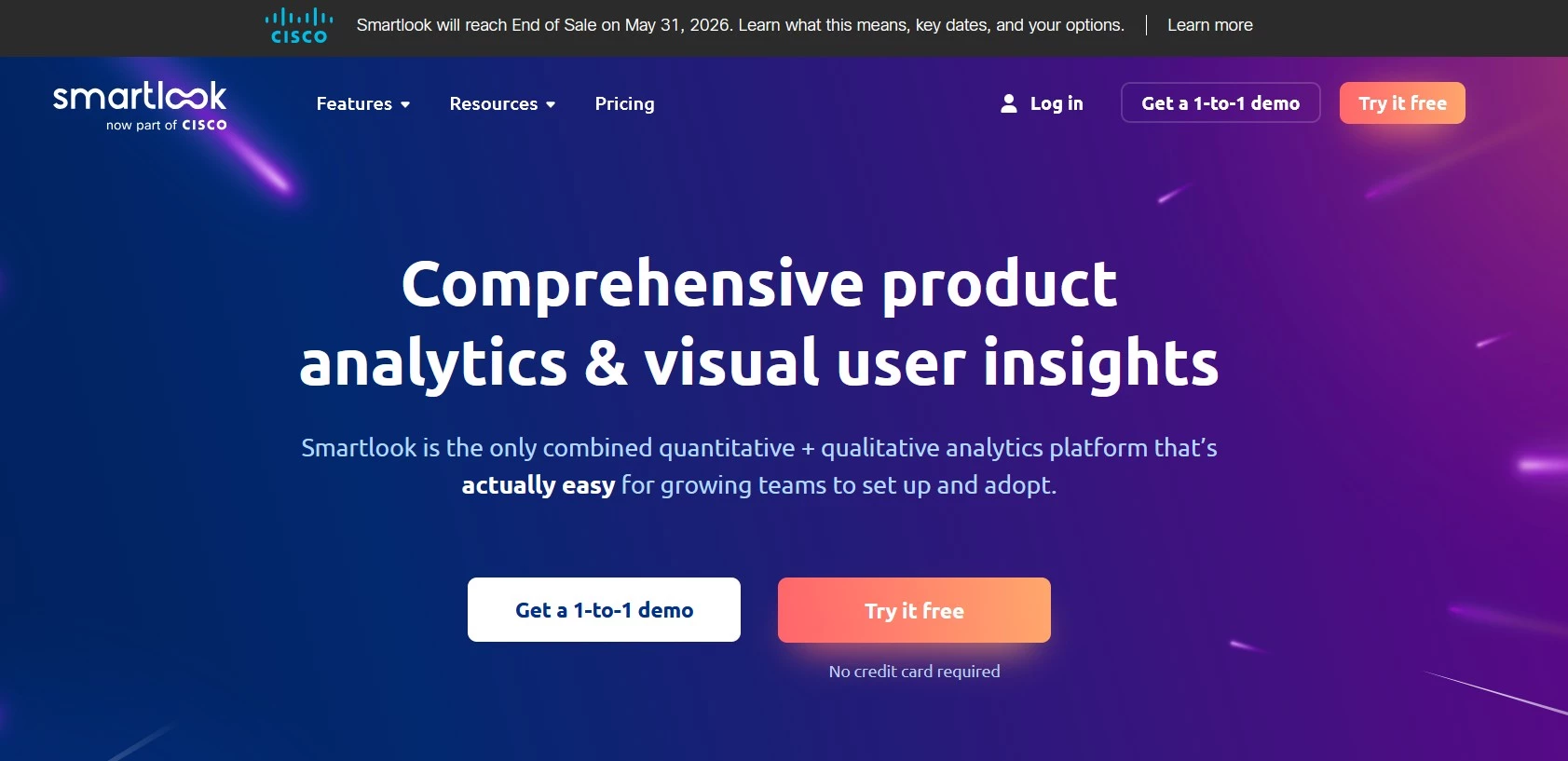
Smartlook combines session recordings with event tracking, allowing teams to analyze form performance alongside full user journeys. This helps identify how users arrive at forms, interact with them, and what leads to completion or abandonment.
It provides both quantitative metrics and session-level context, making it easier to understand patterns across different user segments.
Pricing:
- Free plan available
- Pro plan: From $55/month
- Enterprise plan: Enquire
Teams working across web and mobile will appreciate how Smartlook offers a unified view of behavior, which is great for tracking form performance across platforms.
It’s a strong option for teams that want insight without needing extensive setup or manual tracking.
Other Notable Features
- Event tracking and funnels
- Cross-platform analytics
- Session filtering and segmentation
What Users Say
FullStory’s depth and flexibility receive praise from reviewers, particularly its ability to uncover bugs, track user behavior, and provide detailed session insights that go beyond standard analytics.
Many value how quickly it helps teams diagnose issues and understand user interactions.
Pricing is a recurring concern, however, especially for smaller teams, and some users note occasional performance issues or delays when loading sessions.
6. Crazy Egg: Best for Quick Form Engagement Insights
For teams that want a simple way to understand how users interact with forms without investing in more complex analytics tools
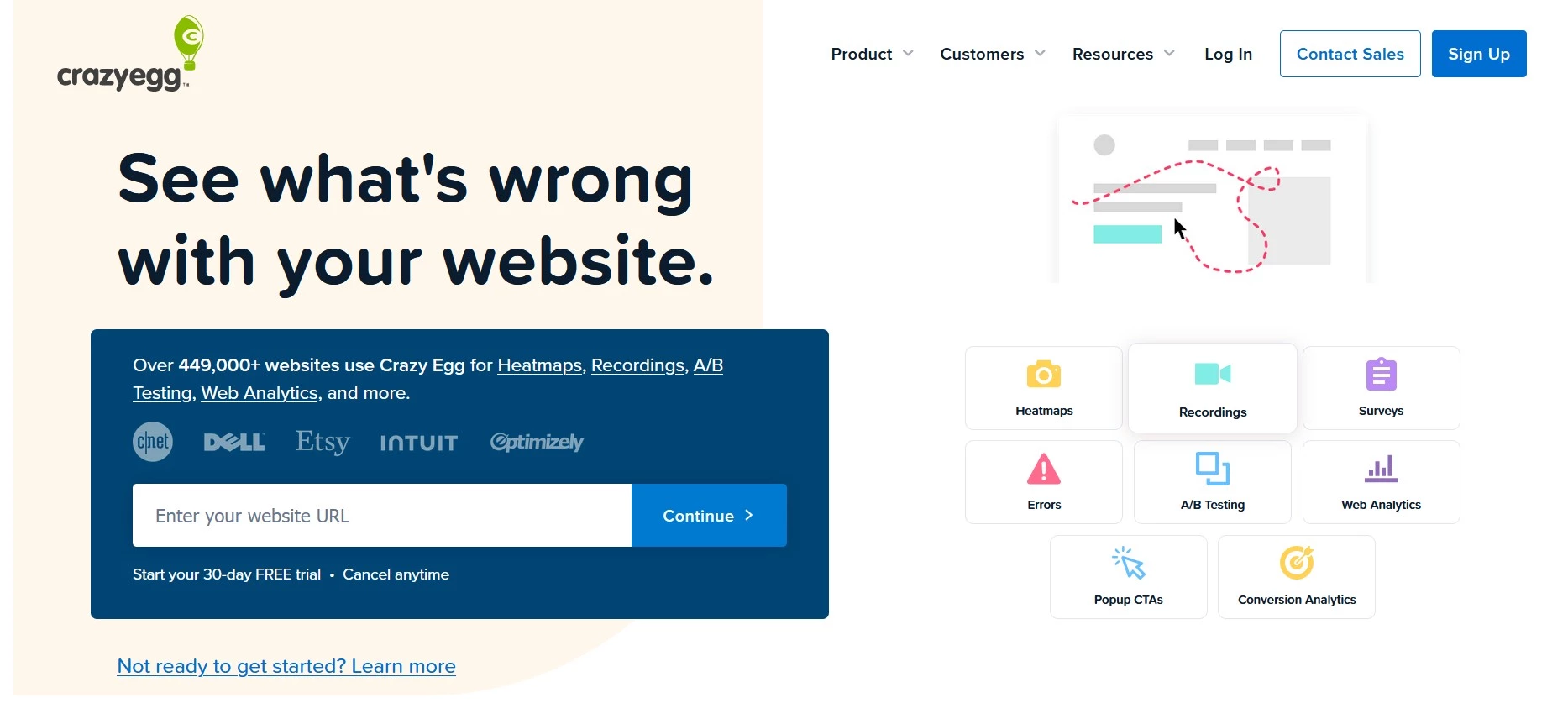
Crazy Egg provides visual reports such as heatmaps and scrollmaps that show how users engage with pages, including forms. This helps identify whether users reach forms, interact with them, or abandon them before completing key steps.
While it doesn’t offer detailed field-level analytics, it provides fast insight into engagement patterns.
Pricing:
- Free Trial
- Starter: $29/month
- Plus: $99/month
- Pro: $249/month
- Enterprise: $599/month
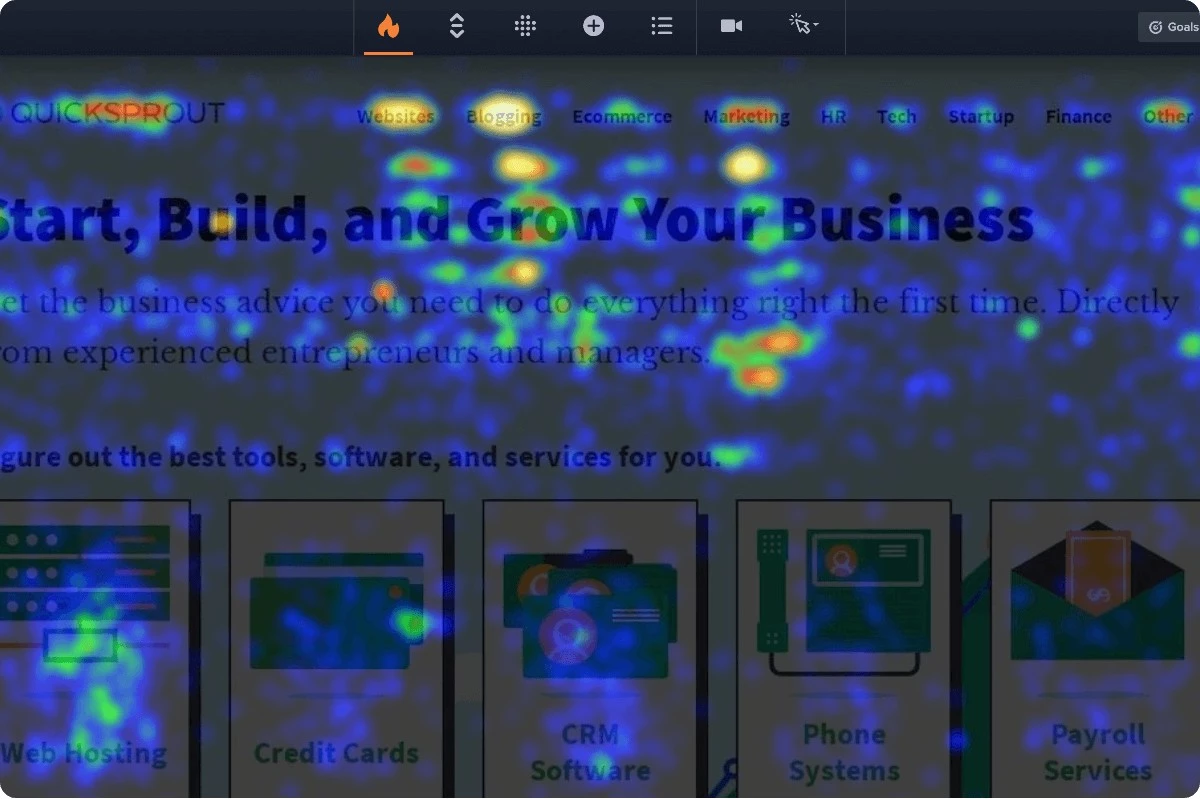
For teams looking for quick, actionable insights, Crazy Egg offers a straightforward approach. It’s often used as an entry point into conversion optimization before moving to more specialized tools.
Other Notable Features
- Heatmaps and scrollmaps
- A/B testing tools
- Easy setup
What Users Say
Feedback for Crazy Egg is mixed. Some users appreciate its straightforward approach to visualizing user behavior through heatmaps and testing tools, but others report frustration with reliability, support, and overall value.
7. Inspectlet: Best for Form Analytics With Session-Level Context
For marketing, UX, and product teams that want to combine form analytics with session recordings to understand why users abandon forms
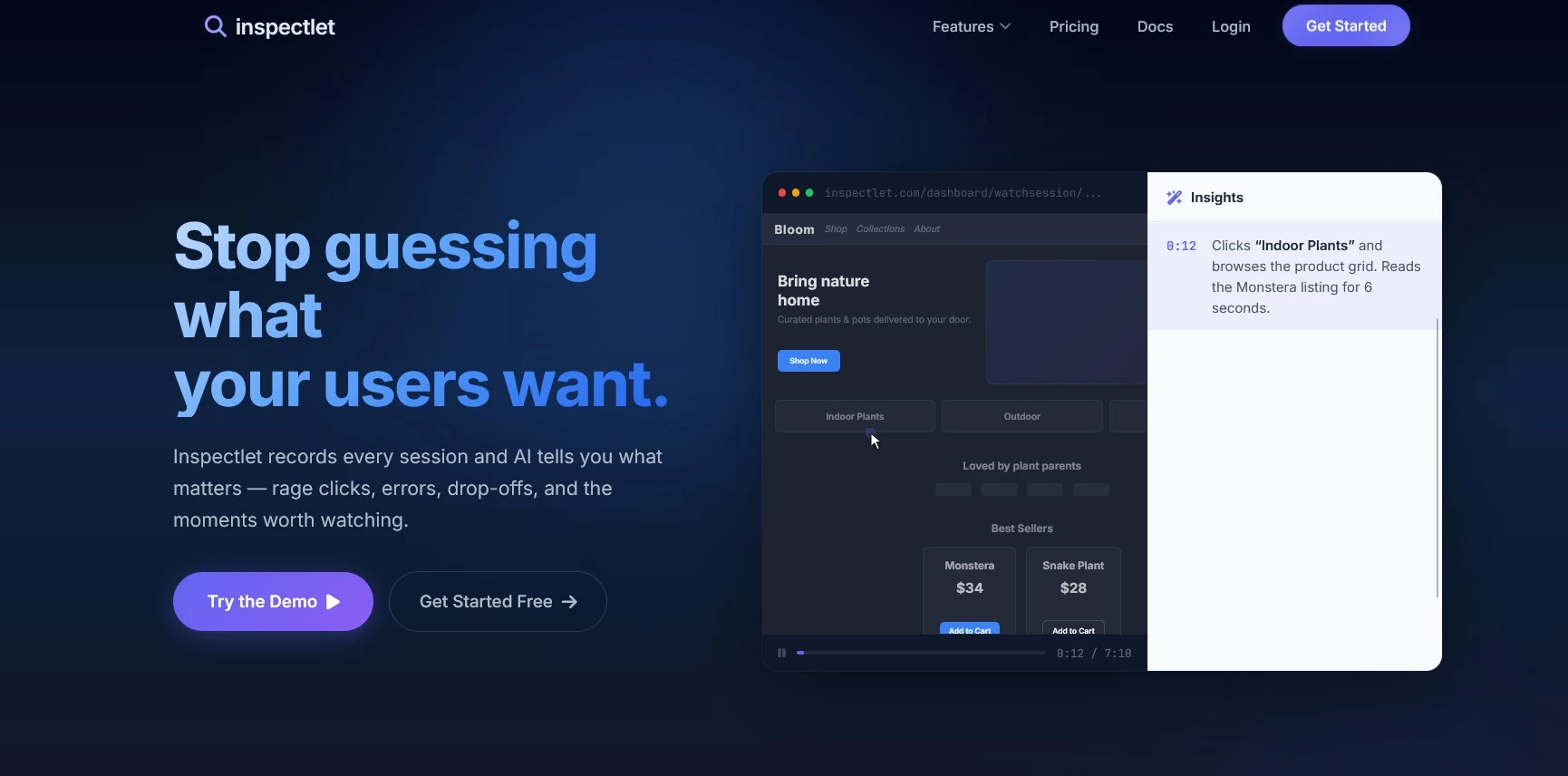
Inspectlet combines session replay with detailed form analytics, giving teams visibility into how users interact with forms at both a behavioral and field level.
Unlike tools that focus only on visual insights or high-level metrics, Inspectlet tracks keystrokes, hesitation, re-entries, and drop-offs within individual fields. This makes it easier to identify friction points and understand how users move through forms in real time.
Pricing:
- Free plan available
- Micro: $39/month
- Startup: $79/month
- Growth: $149/month
- Accelerate: $299/month
For teams focused on improving form performance, this combination of recordings and structured data provides useful context. You can see where users struggle and then watch sessions to understand the behavior behind those patterns.
Inspectlet is particularly useful for diagnosing issues in lead generation forms, onboarding flows, and checkout processes where small usability problems can impact conversion rates.
Other Notable Features
- Session replay with keystroke tracking
- Form analytics and drop-off tracking
- Heatmaps and engagement reports
- Conversion funnel analysis
What Users Say
Users note the value of Inspectlet’s session recordings and form analytics for understanding user behavior and identifying drop-offs. Many appreciate its affordability and straightforward interface, though some note limitations in customization, occasional glitches, and weaker customer support.
8. Contentsquare: Best for Enterprise-Level Form Optimization
For large organizations that need to connect form performance with broader customer journeys and revenue outcomes
Contentsquare provides advanced analytics that tie user behavior to business metrics. Form interactions can be analyzed within full user journeys, so teams understand how friction affects conversions at scale.
It goes beyond surface metrics by identifying patterns across large datasets and highlighting areas that impact performance.
Pricing:
- Free plan available
- Growth: $39/month
- Pro: Enquire
- Enterprise: Enquire
For enterprise teams, this level of insight supports strategic decision-making and prioritization across digital experiences, including forms.
It’s particularly useful for high-traffic websites where small improvements can have a significant impact on revenue.
Other Notable Features
- Journey analysis
- Experience metrics
- AI-driven insights
What Users Say
Contentsquare receives praise for depth of insight and its ability to analyze behavior at scale, athough some do note a learning curve when getting started.
9. Lucky Orange: Best for combining form analytics with live engagement
For teams that want to understand form behavior while also interacting with users in real time
Lucky Orange combines session recordings, heatmaps, and live chat, allowing teams to both analyze behavior and intervene when users hesitate.
For forms, this means identifying drop-offs and offering immediate support to help users complete the process.
Pricing:
- Free plan available
- Build: $32/month
- Grow: $72/month
- Expand: $199/month
- Scale: $839/month
- Enterprise: Enquire
This combination is particularly useful for lead generation and service-based websites where direct engagement can recover conversions.
It allows teams to move beyond analysis and take action during the user session.
Other Notable Features
- Live chat and visitor tracking
- Conversion funnels
- Session recordings
What Users Say
Users appreciate Lucky Orange’s ease of use and quick setup, along with the value of its heatmaps and session recordings for understanding visitor behavior. Some note occasional performance issues and limitations for more advanced analysis.
10. Google Analytics: Best for tracking form conversions within broader analytics
For teams that want to measure form performance as part of overall website and marketing analytics
Google Analytics tracks form submissions, conversion rates, and funnel performance across pages and campaigns. While it doesn’t provide detailed form-level insights by default, it offers a strong overview of how forms contribute to acquisition and revenue.
With event tracking or integrations, teams can monitor form starts, completions, and drop-offs.
Pricing:
- Free (GA4)
- Enterprise version available
For many teams, it acts as a baseline tool that complements more specialized form analytics platforms. It’s useful for connecting form performance with traffic sources, campaigns, and user segments.
However, it doesn’t natively offer field level data. If you want to understand where people drop off on your form, you’ll have to spend a lot of time trying to set this up using Google Tag Manager.
Other Notable Features
- Funnel and conversion tracking
- Audience segmentation
- Integration with advertising tools
What Users Say
Google Analytics is a broadly popular tool in the website performance and user behavior analytics space. Many value the depth of data and integration with other tools, though some note a learning curve and complexity, especially for newer users or more advanced analysis.
How to Choose the Right Form Analytics Tool
Not all form analytics tools provide the same level of insight, with some focusing on high-level behavior and others breaking performance down at the field level.
The right choice depends on how important forms are to your conversion flow, how much detail you need, and how your team will use the data.
If your goal is to understand why users abandon forms, tools with field-level analytics provide the clearest answers by showing where users hesitate, re-enter information, or encounter errors.
For broader analysis, tools with session replay or heatmaps can provide context, but they often require more interpretation.
To be sure you’re making the right choice, keep the following in mind:
- Consider how forms fit into your conversion strategy
- Look for tools that make insights actionable
- Balance depth with usability
- Evaluate integration and scalability
1. Consider How Forms Fit Into Your Conversion Strategy
The importance of form analytics varies depending on your business model.
- For lead generation, financial services, and SaaS, forms directly impact pipeline and acquisition
- For ecommerce, checkout flows are closely tied to revenue
- For product-led teams, onboarding forms influence activation and retention
If forms play a central role, a specialist form analytics tool will usually provide more actionable insight than a general analytics platform.
2. Look for Tools That Make Insights Actionable
Collecting data is one thing, but acting on it is what drives improvement.
The best form analytics tools make issues easy to spot:
- High drop-off fields
- Validation errors
- Long completion times
Some also offer behavioral comparisons or AI-driven suggestions to help prioritize fixes.
Tools that require extensive setup or manual tagging can slow teams down, especially if you’re iterating quickly.
3. Balance Depth With Usability
There’s often a trade-off between depth of insight and ease of use.
More advanced platforms offer detailed analysis across user journeys, but they can come with a steeper learning curve. Simpler tools are easier to adopt but may lack the detail needed to diagnose more complex issues.
Choose a tool that provides enough depth to identify problems without requiring significant technical overhead.
4. Evaluate Integration and Scalability
Form analytics doesn’t exist in isolation. It should connect with the rest of your analytics stack.
Look for tools that integrate with your existing platforms, whether that’s Google Analytics, CRM systems, or eCommerce platforms. For growing teams, scalability also matters, particularly if you expect higher traffic volumes or more complex form flows over time.
Best Form Analytics Tools: Wrapping Up
Form analytics tools go beyond tracking drop-offs to reveal why users abandon, helping teams make smarter, faster improvements.
As forms continue to play a central role in conversion across marketing, product, and eCommerce, investing in the right level of insight can make the difference between incremental gains and meaningful, sustained improvement.

Our team ranks agencies worldwide to help you find a qualified partner. Visit our Agency Directory to find top-rated digital marketing companies, as well as:
- Content Marketing Agencies
- Conversion Rate Optimization Services
- Affiliate Marketing Companies
- Direct Marketing Companies
- Top Digital Marketing Agencies in Pittsburgh
Best Form Analytics Tools FAQs
1. What is form abandonment tracking?
Form abandonment tracking shows where users leave a form before submitting it. The best form analytics tools go further by identifying the specific fields, errors, or behaviors linked to those exits.
2. Is a dedicated form analytics tool better than Google Analytics?
Google Analytics is useful for tracking completed submissions and traffic sources, but it does not explain field-level friction well. A dedicated form analytics tool is better when you need to see hesitation, corrections, validation issues, and drop-offs inside the form.
3. What is field-level form analytics?
Field-level form analytics measures how users interact with each individual field, including time spent, re-entries, errors, and exits. This helps teams identify whether a phone number field, password field, address field, or another input is creating unnecessary friction.
4. What types of forms benefit most from form analytics software?
Lead generation forms, checkout forms, demo request forms, onboarding flows, application forms, and quote request forms benefit most because they directly affect revenue or pipeline. Longer, multi-step, or high-intent forms usually have the most to gain.
5. Can form analytics tools track checkout abandonment?
Some form analytics tools can track checkout abandonment, especially platforms built for form and checkout analysis. For ecommerce teams, step-level and field-level checkout data can show whether users leave because of payment fields, shipping details, account creation, or validation issues.
6. What should you check before choosing form analytics software?
Check whether the tool supports field-level analytics, session replay, checkout tracking, privacy controls, integrations, and setup without heavy manual tagging. Pricing should also match your form volume, since some platforms charge based on sessions, recordings, or traffic.