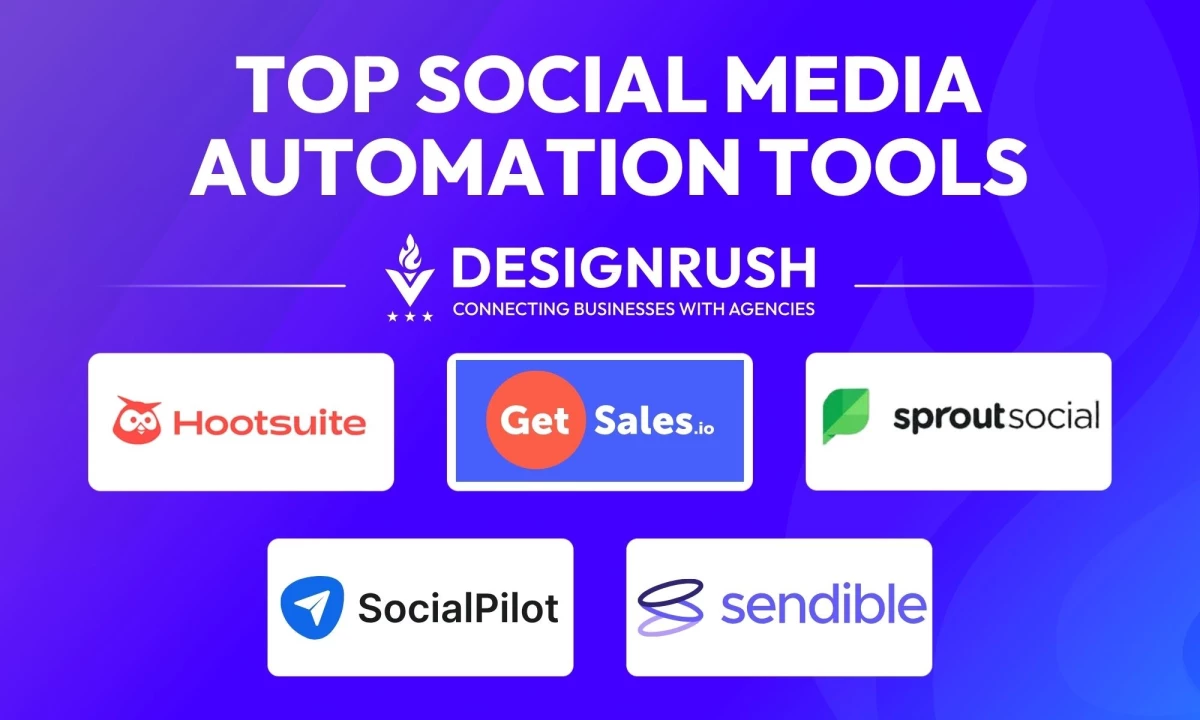

I tested the top social media automation tools to see which ones save time, boost engagement, and fit real content workflows. Here's how they performed.
Social Media Automation: Key Findings
- Sprout Social and Agorapulse offer deep analytics and smart engagement features to help teams connect effectively.
- Hootsuite and SocialPilot excel at large-scale scheduling and easy-to-use posting for smoother brand management.
- Sendible provides powerful customization and automation workflows for efficient multi-client management.
Top Social Automation Tools Reviewed
Inconsistent posting and manual scheduling drain creative energy. I tested the leading social media automation tools to find which ones truly streamline workflows.
Some easily handled content queues, while others offered smart scheduling and audience insights.
| Tool | Best For | Content and Hashtag Proposals | Integrates with CRM | White Label Features | Social Listening | Pricing Starts At |
| Sprout Social | Tracking Conversations and Trends in Real Time | ✅ | ✅ | ❌ | ✅ | $199 |
| Hootsuite | Social Selling with CRM APIs and Auto-DMs | ✅ | ✅ | ✅ | ❌ | $149 |
| GetSales.io | Safe multi-account LinkedIn outreach | ❌ | ✅ | ✅ | ❌ | $79 |
| SocialPilot | White-Labeled Social Media Reports | ✅ | ❌ | ✅ | ❌ | $30 |
| Agorapulse | Unified Engagement and Response Platform | ❌ | ✅ | ✅ | ✅ | $99 |
| Sendible | Scalable Client-Facing Workflow Automation | ❌ | ✅ | ✅ | ✅ | $29 |
1. Sprout Social: Best for Monitoring Conversations and Trends in Real Time
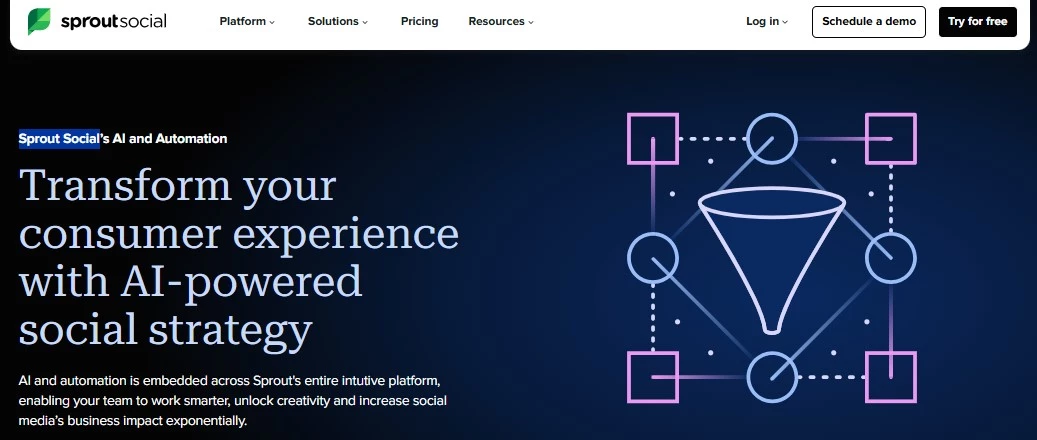
It's safe to say Sprout Social is one of the most robust and well-integrated platforms I’ve tested in social media analytics.
Pros:
- Deep analytics for actionable insights
- Cross-channel engagement
- Strong integrations (Salesforce, Canva, Dropbox, Google Drive, among others)
- Centralized content calendar and collaborative tools
- Real-time sentiment analysis and performance alerts
- AI caption generator and message prioritization
Cons:
- Premium AI features require higher-tier plans
- The steep learning curve for teams new to Sprout, especially for analytics
- AI still requires human editing for brand tone
- Switching platforms may be complex
Pricing:
- Standard: $199
- Professional: $299
- Advanced: $399
- Enterprise: Custom
Upon connecting my social pages, its unified dashboard made it incredibly easy to manage content, monitor engagement, and track performance — all in one clean, intuitive interface.
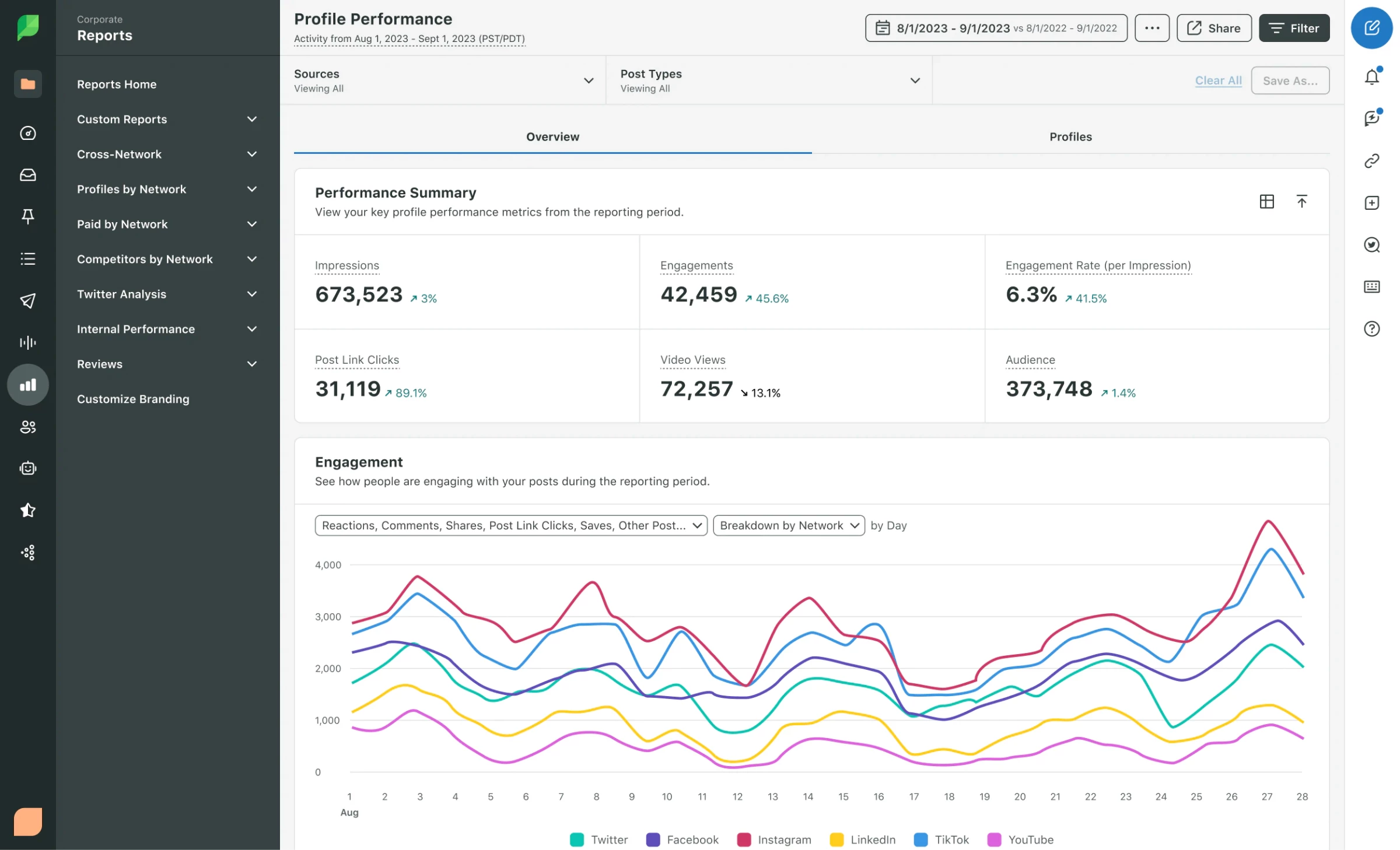
The social media automation tool's AI analytics engine went beyond surface-level metrics. The insights pulled sentiment breakdowns and compared post-performance across networks. This data showed me patterns in follower behavior I hadn’t noticed before.
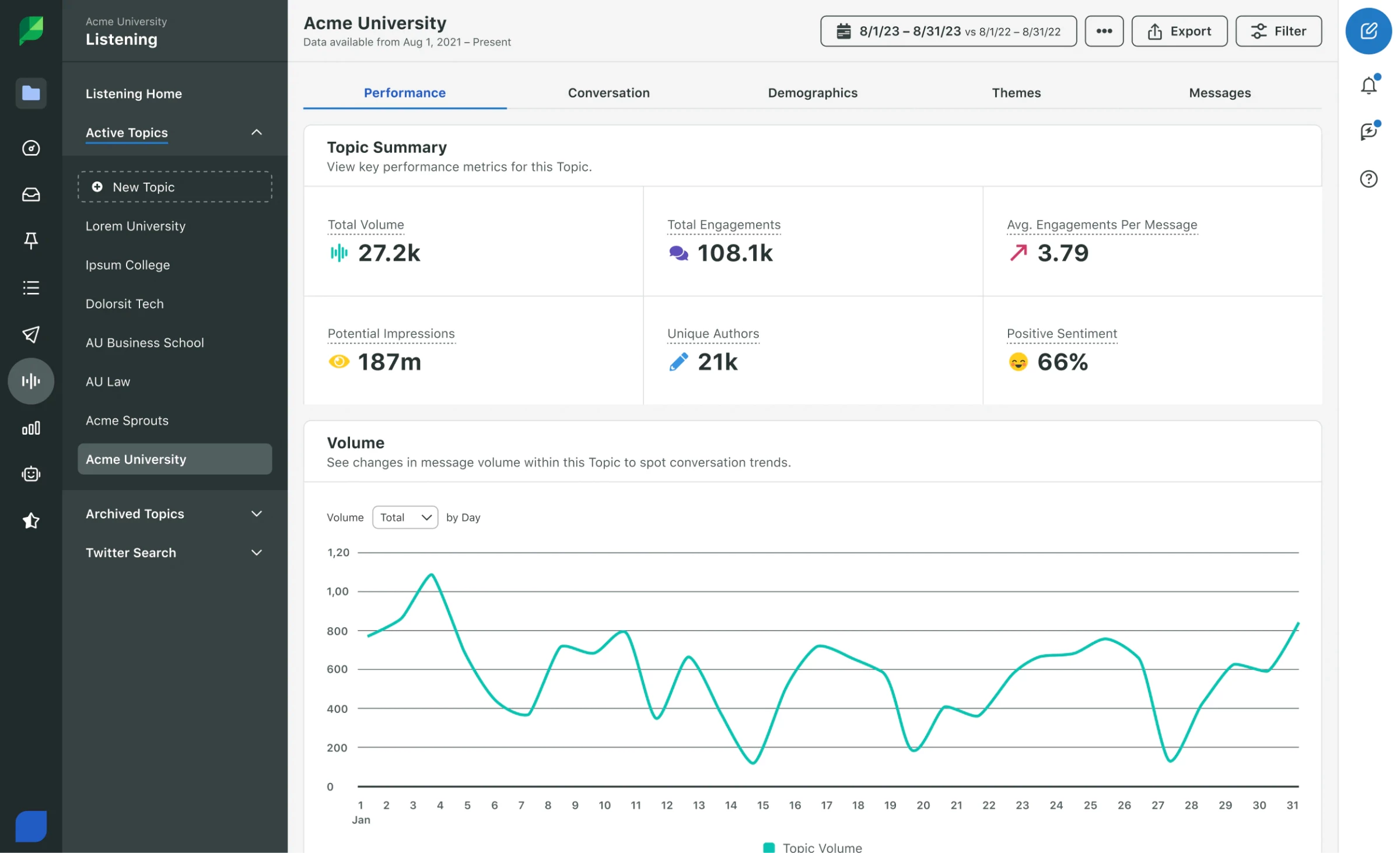
The Comment Sentiment Reporting helped me identify which posts resonated emotionally with audiences. This was valuable for tweaking campaigns and adapting an entire content strategy.
Via the Unified Smart Inbox and Message Spike Alerts, I was instantly notified when a post went viral, so I could jump in and engage in real time. The AI also flagged important DMs and comments based on sentiment and urgency, which saved me hours of manual scanning.
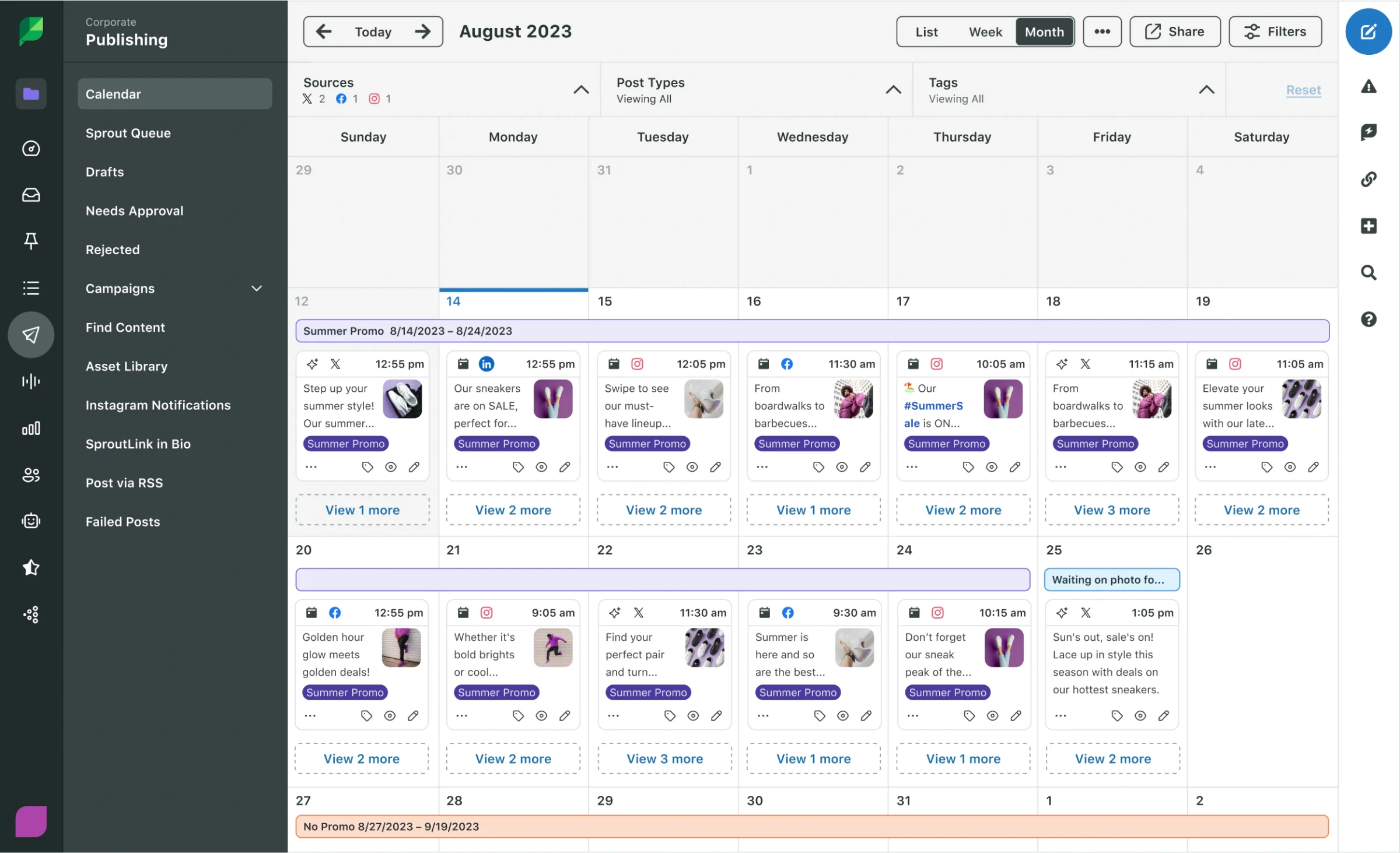
Sprout truly differentiates itself, though, in how all of this ties together: publishing, engagement, analytics, and employee advocacy live in one platform. I could create posts with AI-generated captions, collaborate with the team using a shared calendar, and export polished reports without leaving Sprout Social.
What Users Say
Sprout Social appears to be a favorite among social media managers. It consistently earns praise for its clarity and precision. The social media automation tool's daily workflows, high-level strategic planning, smooth onboarding, and responsive user support are special mentions.
Who’s It For?
Sprout Social is ideal for mid-size to enterprise teams, agencies, and brands that manage multiple social accounts and need centralized workflows, reporting executive insights, and influencer management.
Try Sprout Social for free for 30 days.
Other Notable Features:
- AI Caption Generator
- Collaborative Publishing Calendar
- Sentiment Analysis and Comment Reporting
- Message Spike Alerts
- Link-in-Bio Tool
- Employee Advocacy and Influencer Management
- Social Listening and Competitive Insights
- AI Assist for customer engagement


2. Hootsuite: Best for Social Selling with CRM Integration and Auto-DMs
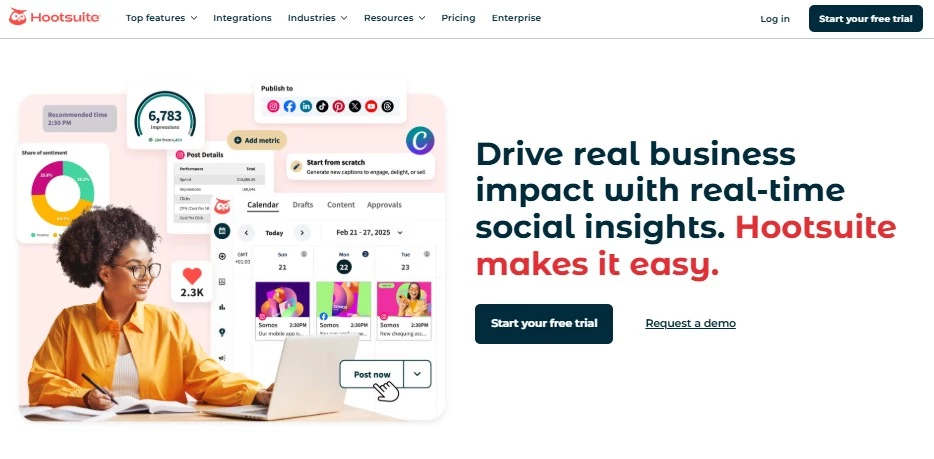 Beyond a social media scheduler, Hootsuite is a strategic command center for digital marketing. All its features felt deeply integrated and cohesive, enabling me to see the full social picture in one place.
Pros:
- All-in-One Dashboard for publishing, listening, ads, and analytics
- Bulk scheduling and auto-publishing
- Advanced social listening (including visual content)
- Best-time-to-post feature
- Seamless integrations with Canva, HubSpot, Salesforce, among others
- Enterprise-grade custom dashboards and reports
Cons:
- The steep learning curve for beginners
- Higher-tier tools locked in premium plans
- No built-in video editing capabilities
Pricing:
- Standard: $149
- Advanced: $399
- Enterprise: Custom
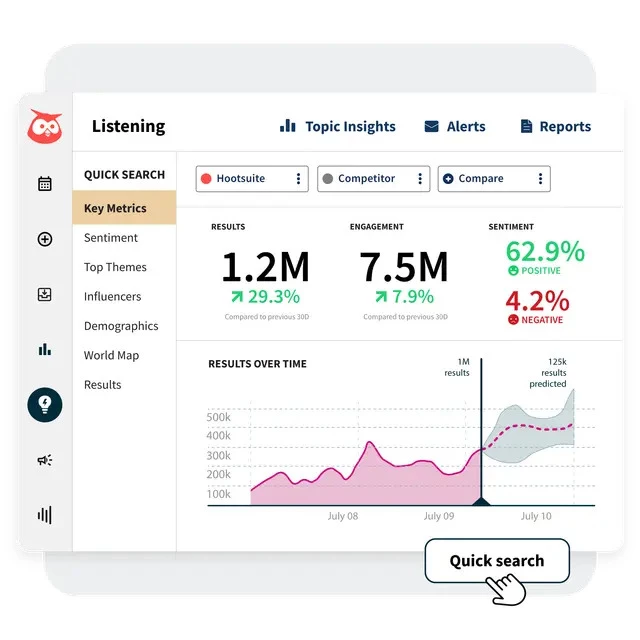
The social media automation tool provided real-time insights on follower growth, engagement trends, audience sentiment, and competitive benchmarks.
Even more impressively, the Blue Silk™ AI told a story, offering sharp insights into what was working, when, and why. The numbers allowed for strategizing instead of just posting and monitoring.
 I used the AI-generated caption and hashtag suggestions on a few posts and found that they aligned with trending language in my niche. The "Best Time to Post" tool also yielded noticeable engagement lifts when I followed its timing suggestions.
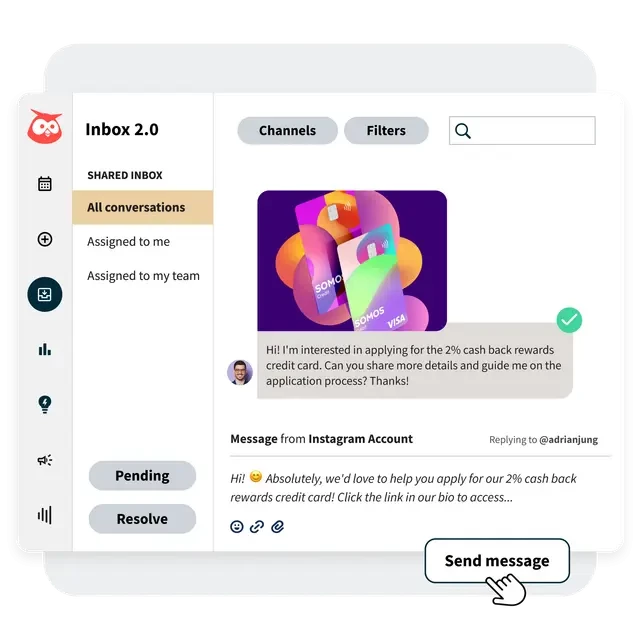 The auto-DM feature was handy for initiating timely conversations with new followers or leads. It helped me stay responsive without being glued to my inbox.
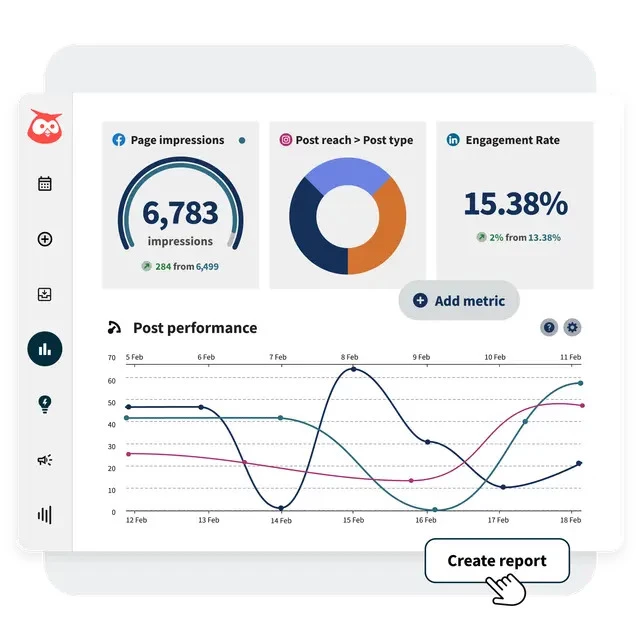
The customizable reports made it easy to present meaningful data to stakeholders.
However, admittedly, Hootsuite took time to navigate and properly configure each module. Also, some of the more powerful collaboration and listening tools are gated behind enterprise pricing.
What Users Say
Users consistently praise Hootsuite for making social media management more organized and less overwhelming. Many appreciate how it saves time and helps stay consistent across platforms.
It’s frequently described as a go-to tool for handling multiple accounts. Reviewers also note that centralizing everything in one place brings peace of mind. Overall, with Hootsuite, people feel more confident and in control of their content strategy.
Who’s It For?
Hootsuite's centralized functions are best for enterprise teams, marketing departments, agencies, and social media managers who need data-driven strategies at scale.
Pick the perfect plan for your brand.
Other Notable Features:
- Blue Silk™ AI for intelligent insights
- Social Inbox with Saved Replies
- Competitor benchmarking and performance Scoring
- AI Caption and Hashtag Generator
- Hootbio (Link in Bio tool)
- Automated ad management
- Influencer and UGC management tools
- Employee advocacy
3. GetSales.io: Best for Account-Based LinkedIn Outreach at Scale
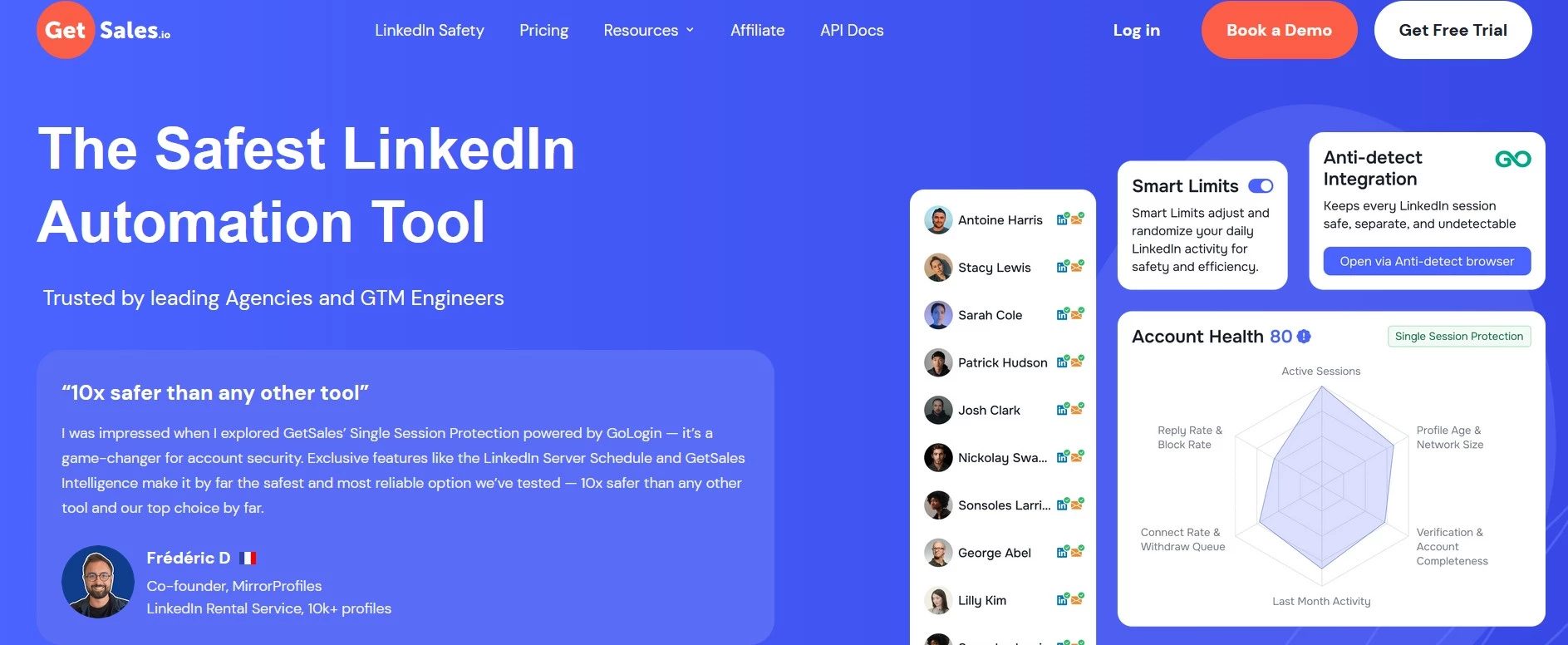
GetSales.io was made especially for teams that live in LinkedIn and outbound. It’s built around multiple sender profiles, shared workflows, and advanced safety layers like Single Session LinkedIn Protection to scale outreach without worrying about bans or account flags.
Its account-level approach to outreach feels to me more like a control room for social selling than a simple campaign tool.
Pros:
- Unified inbox for managing outreach from dozens of LinkedIn profiles and unlimited email inboxes in one tab
- Rotating sender profiles and account-level flows for high-volume, multichannel campaigns
- Strong safety stack (Single Session Protection, Bright Data proxies, GoLogin integration) for compliant LinkedIn automation
- Built-in outreach CRM with tasks, account pipelines, and performance analytics for SDR teams
- Flexible pricing tiers that scale from solo users to large agencies with whitelabel options
- Focused on LinkedIn and outbound, not a full content scheduler for every social network
Cons:
- Best suited to teams already comfortable with outbound sales workflows and multi-profile setups
- Feature set may be more than what solo creators or basic social media managers need
Pricing:
- Solo: $79 / team
- Growth: $199 / team
- Business: $299 / team
- Business-20: $499 / team
- Flex tiers: from $500 to $3,000 / month for larger, multi-team deployments
Once I started building campaigns in GetSales, it quickly began to feel very different from the usual ‘lead list plus sequence’ tools.
That’s because you can rotate multiple LinkedIn and email sender profiles through the same outreach sequences, manage up to 50+ LinkedIn profiles in a single unified inbox, and see every interaction synced at the account level.
Features like Renting Identity (renting verified LinkedIn identities), LinkedIn import and enrichment directly from LinkedIn and Sales Navigator, and cloud-based LinkedIn and email automation give teams a lot of control over scale and relevance without having to manually stitch together a bunch of tools.
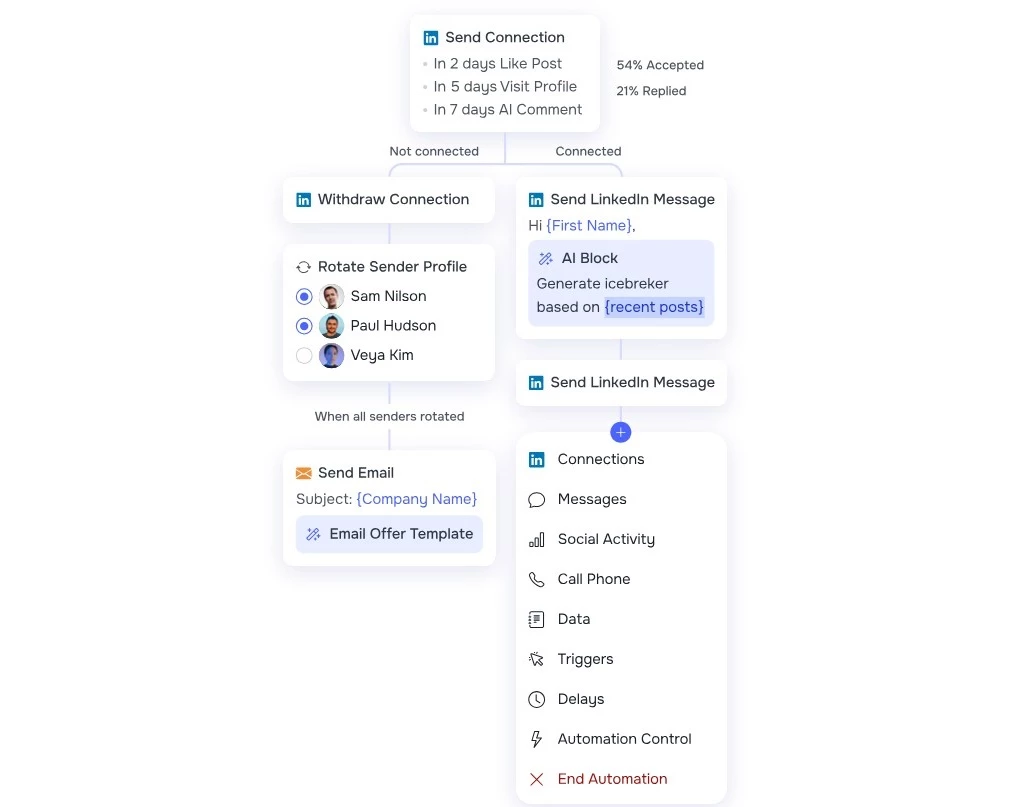
Meanwhile, the built-in sales development representative (SDR) CRM, task management, and analytics dashboards let you track performance per sender, per account, and per team, all in one place.
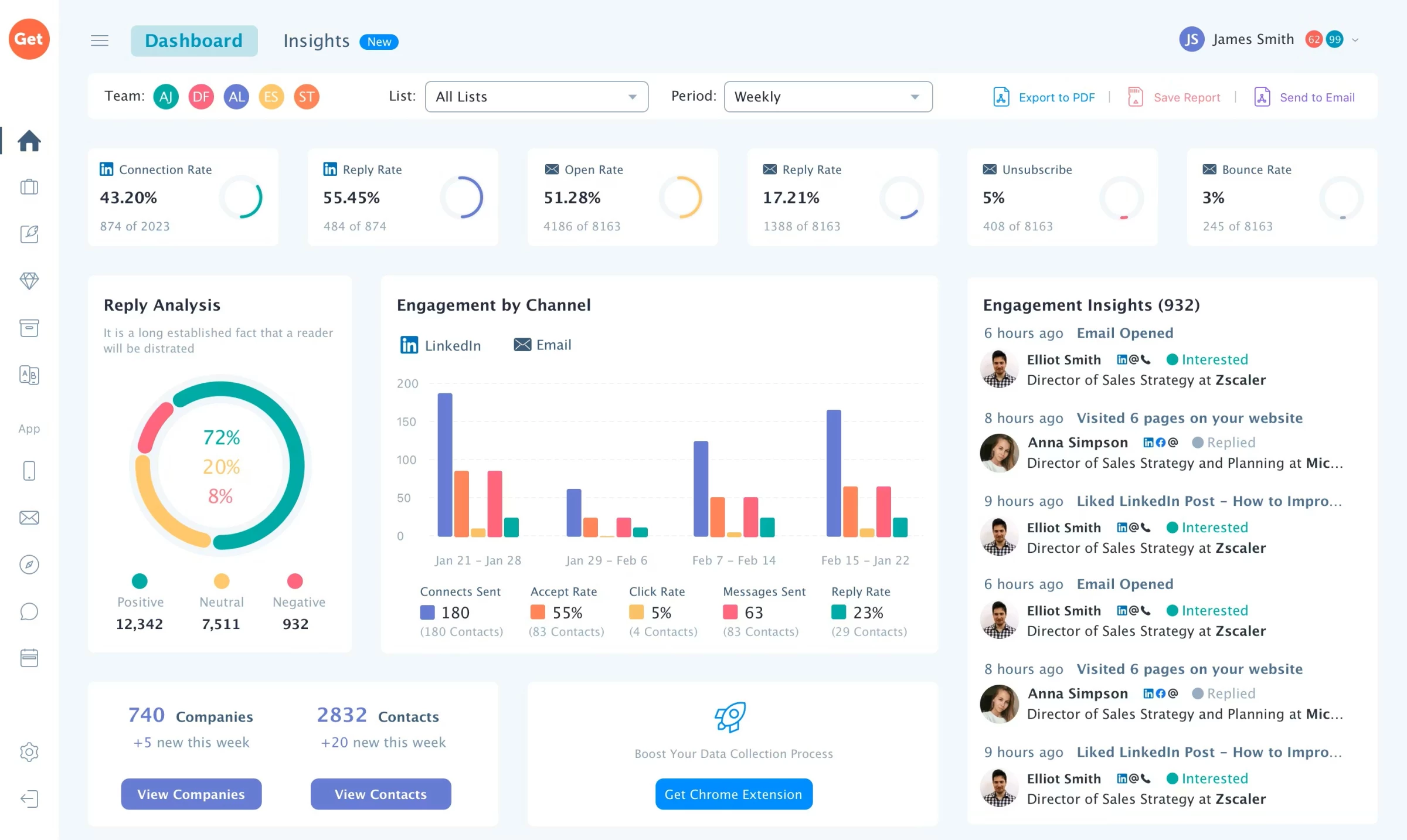
I found that GetSales.io really shines when you need to turn messy, multi-profile LinkedIn prospecting into a safer, organized system sales reps can actually manage at scale. It’s built to turn LinkedIn into a scalable, measurable social selling engine, not just another place to push out content.
What Users Say
User reviews highlight four recurring themes: security, ease of use, responsive support, and value for money.
Many appreciate the way GetSales puts account safety first compared to other LinkedIn tools while still helping them automate outreach and generate leads cost-effectively.
They also call out its intuitive interface, flexible outreach setup, and fast, helpful support team as key reasons they stick with the platform.
Who’s It For?
GetSales is ideal for B2B teams, GTM engineers, and lead generation agencies that rely heavily on LinkedIn and email to drive pipeline.
If you need safe, high-volume outreach across many sender profiles, want account-based flows instead of just lead lists, and care about detailed performance tracking for SDRs and campaigns, it’s a strong fit.
Sign up for a free trial of GetSales today.
Other Notable Features:
- Unified Inbox for 50+ LinkedIn profiles and unlimited email inboxes
- Rotating Sender Profiles across LinkedIn and email
- Single Session LinkedIn Protection and integrated anti-detect setup
- Account-based outreach with account deals, nurturing, and interaction sync
- LinkedIn Import & Enrichment from LinkedIn and Sales Navigator
- SDR CRM with tasks, filters, and performance tracking
- Account-level analytics, unified profiles dashboard, and industry benchmarks
- Chrome extension to save leads, access historical comms, and generate AI-assisted LinkedIn messages
4. SocialPilot: Best for White-Labeled Social Media Reporting
 SocialPilot has long been known for its social media scheduling, so I was especially interested in its AI-powered analytics and content creation features. I ran it across several channels, like Facebook, LinkedIn, and Instagram, and tested it as a solo creator and in a simulated agency setting.
Pros:
- Customizable roles and team workflows
- AI-generated content with multiple variations and tone options
- Downloadable reports
- Powerful bulk scheduling via CSV
- Unified Social Inbox and review management
Cons:
- Limited native app integrations compared to enterprise tools
- No built-in visual editor for images or video
- Lacks advanced AI features like sentiment analysis and trend forecasting
Pricing:
- Essentials: $30
- Standard: $50
- Premium: $100
- Ultimate: $200
The results were strong across the board, especially for analytics and streamlined workflows.
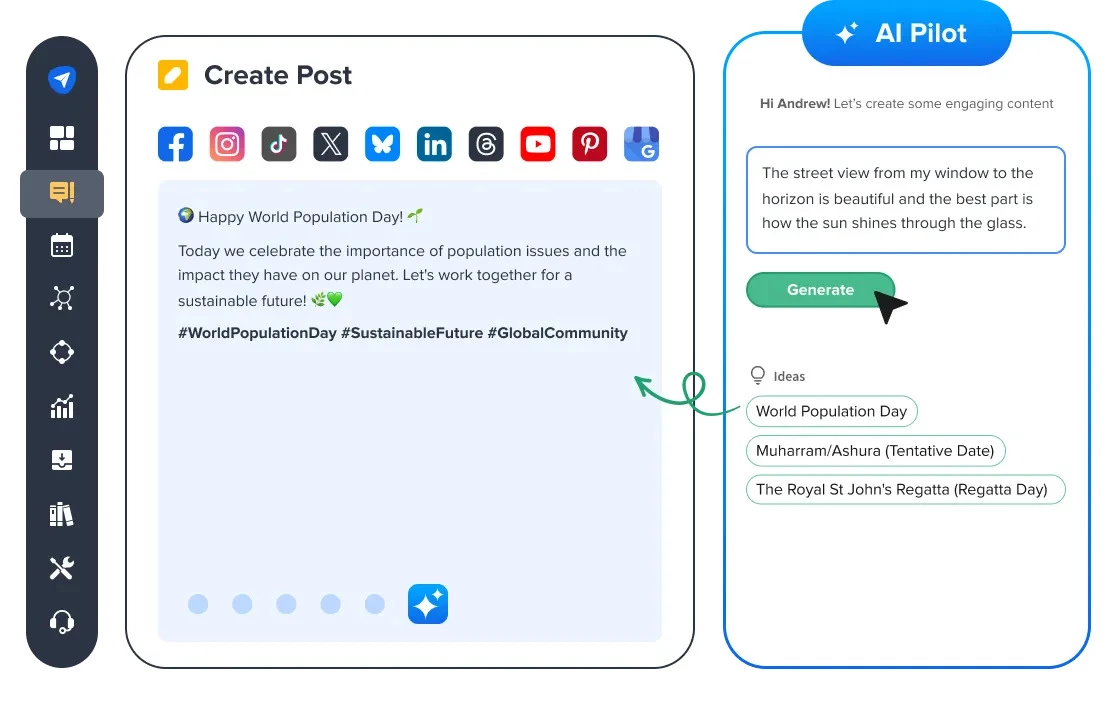
The AI Pilot feature deserves a special mention. It would suggest brand-consistent, audience-friendly caption variations, hashtags, and tone shifts.
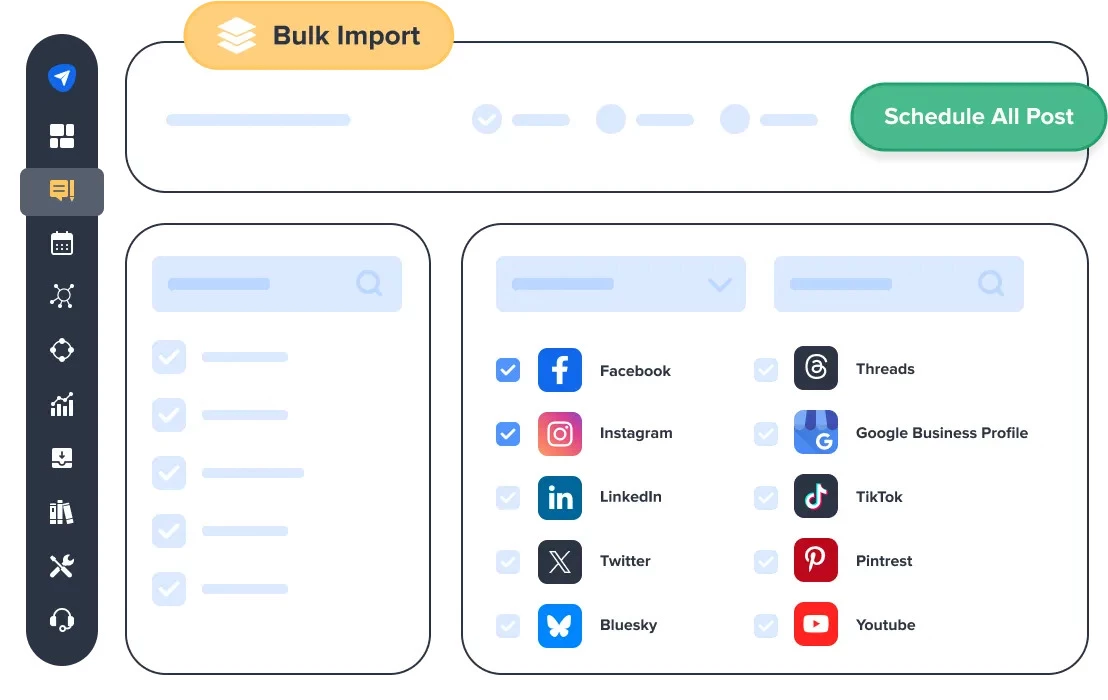 When I uploaded a content batch for scheduling, the AI gave me multiple caption styles for each post, a major time-saver. Paired with the Bulk Scheduling via CSV function, I could upload and auto-schedule a month’s content in a single afternoon.
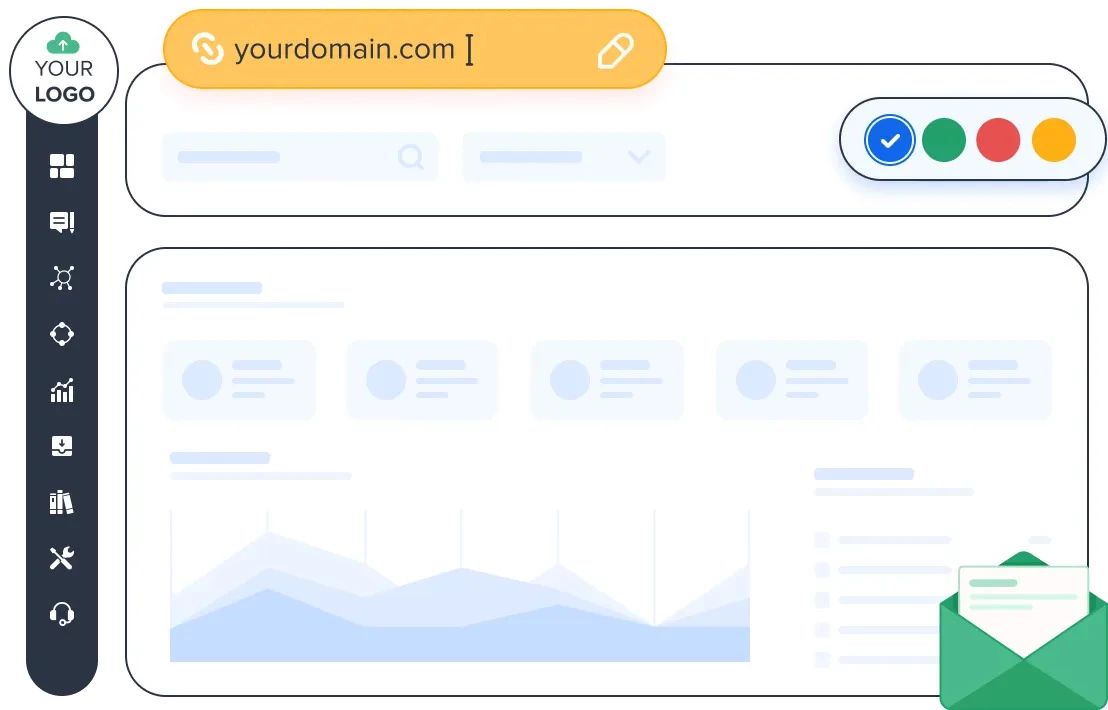 SocialPilot’s analytics dashboard was clean, detailed, and downloadable in white-label PDF format. I could break down performance per platform, identify high-performing hashtags, and track engagement trends over time.
However, it lacks deeper AI analytics capabilities like sentiment analysis or predictive trends — which other tools like Sprout offer.
The Content Calendar, Social Inbox, and Team Management features made it feel like a full-blown agency tool. I loved how I could assign roles, approve drafts, and manage reviews in one place.
However, the limited native app integrations and lack of a built-in image or video editor made me hop over to Canva more often than I would’ve liked.
SocialPilot is a solid social media automation tool that packs robust functionality into a budget-friendly package.
What Users Say
Users appreciate SocialPilot’s value for money and suitability for small teams. Many found it to be a solid choice in comparison to larger platforms. They say that it has a long-standing credibility in the industry.
It’s seen as beginner-friendly and an easy entry point for individuals just starting in social media management.
Who’s It For?
Marketing agencies, social media managers, and SMBs can benefit from SocialPilot if they want a powerful scheduling and analytics toolkit without the complexity or cost of enterprise software.
The social media automation tool also suits customer support teams and reputation managers looking for streamlined inbox and review management.
Get your 14 days of free trial today.
Other Notable Features:
- AI Pilot for brand-consistent auto-generated captions and hashtags
- Bulk Scheduling via CSV
- Content daily/weekly/monthly calendar
- Content Library for reusable assets
- Social Inbox for centralized message handling
- Advanced reporting and white-label PDFs
- Review monitoring and response tools
- Client and team role-based access
5. Agorapulse: Best for Unified Engagement and Response Management
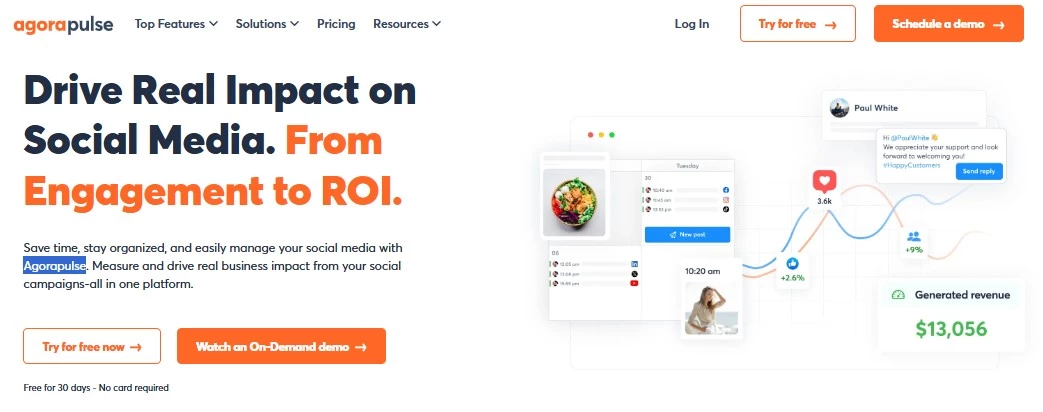 Agorapulse is a full-scale social strategy tool that turns complex metrics into clear, actionable insights.
Pros:
- Unified social inbox for all interactions
- Integrated Google Analytics for ROI tracking
- Excellent social listening across blogs, news, and social platforms
- Link-in-bio landing page customization
- Collaboration-friendly for agencies and teams
Cons:
- The learning curve for advanced features
- Higher cost compared to lightweight tools
- Limited direct eCommerce integrations
- It may be excessive for solo creators or small teams
Pricing:
- Standard: $99
- Professional: $149
- Advanced: $199
- Custom: Inquire
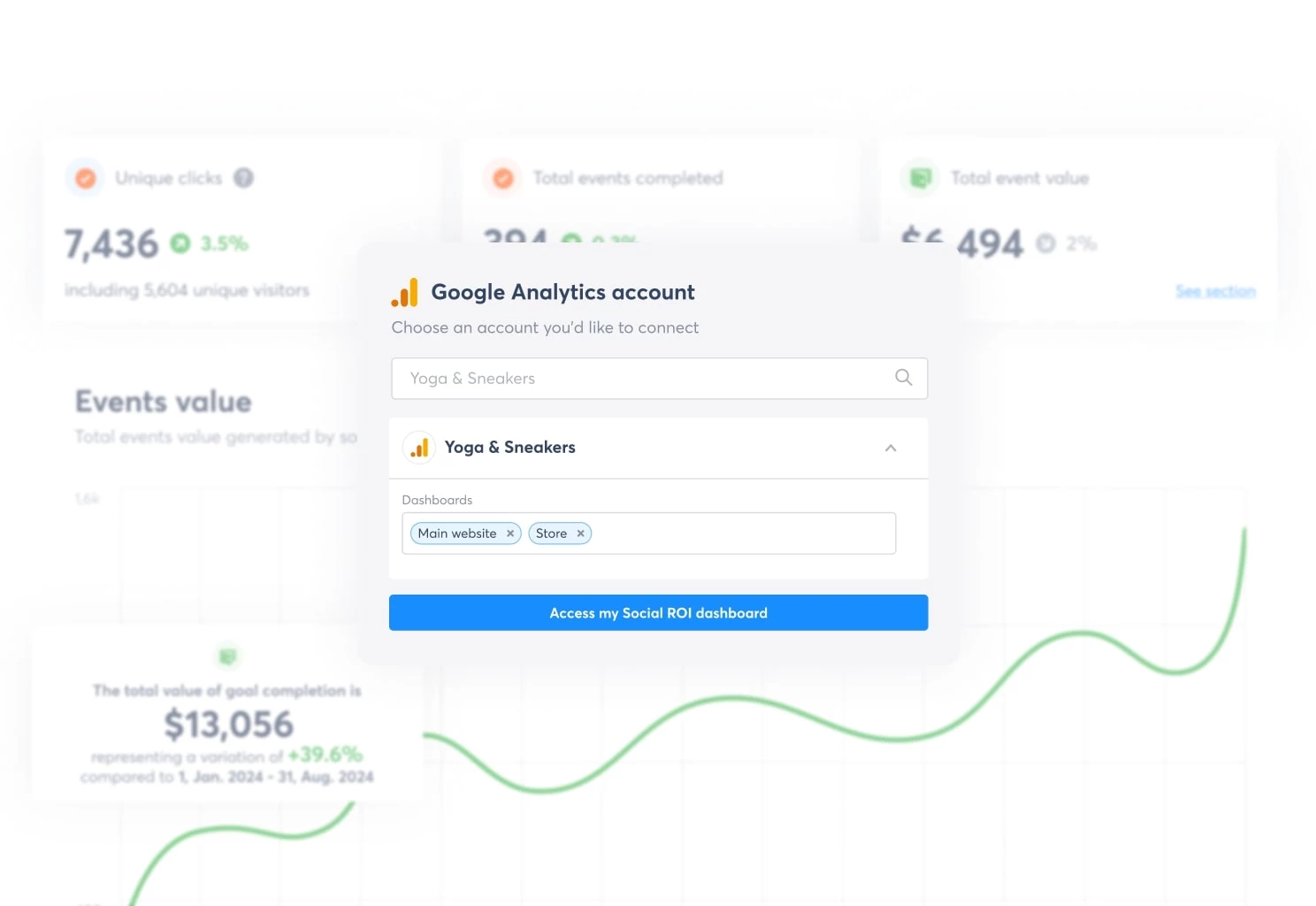
The integrated ROI Dashboard helped me visualize exactly how specific posts contributed to website traffic and leads, thanks to the seamless Google Analytics tie-in. That alone saved me hours I would’ve spent cobbling together reports from different platforms.
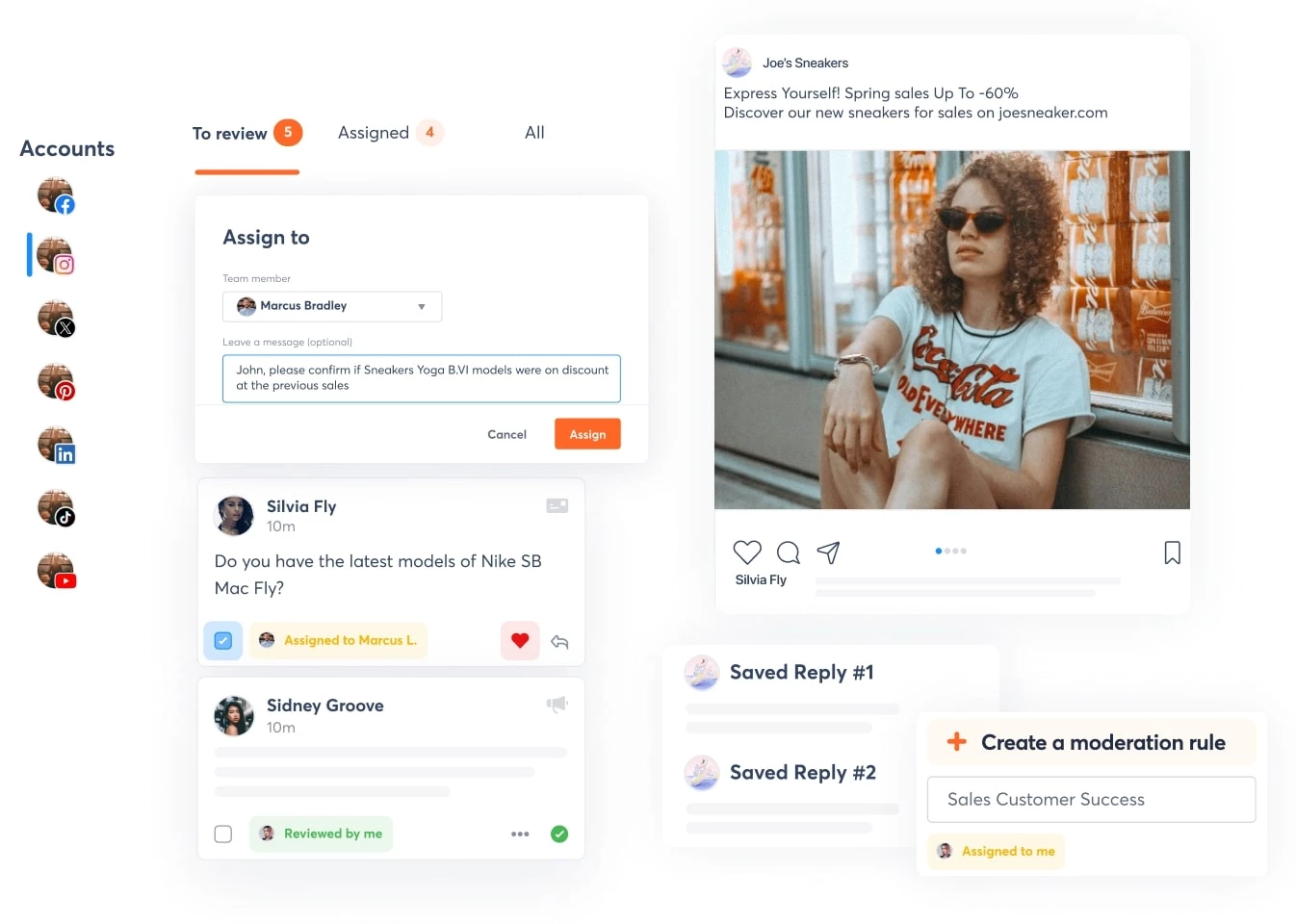
The Unified Inbox was another highlight. Instead of bouncing between apps, I could view and respond to all comments, DMs, mentions, and reviews from one place. Its automation rules, such as assigning messages or tagging common queries, cut my response time in half.
Social listening was also top-notch. I tracked competitor moves and picked up emerging trends using keyword monitoring across blogs, news outlets, and social media platforms.
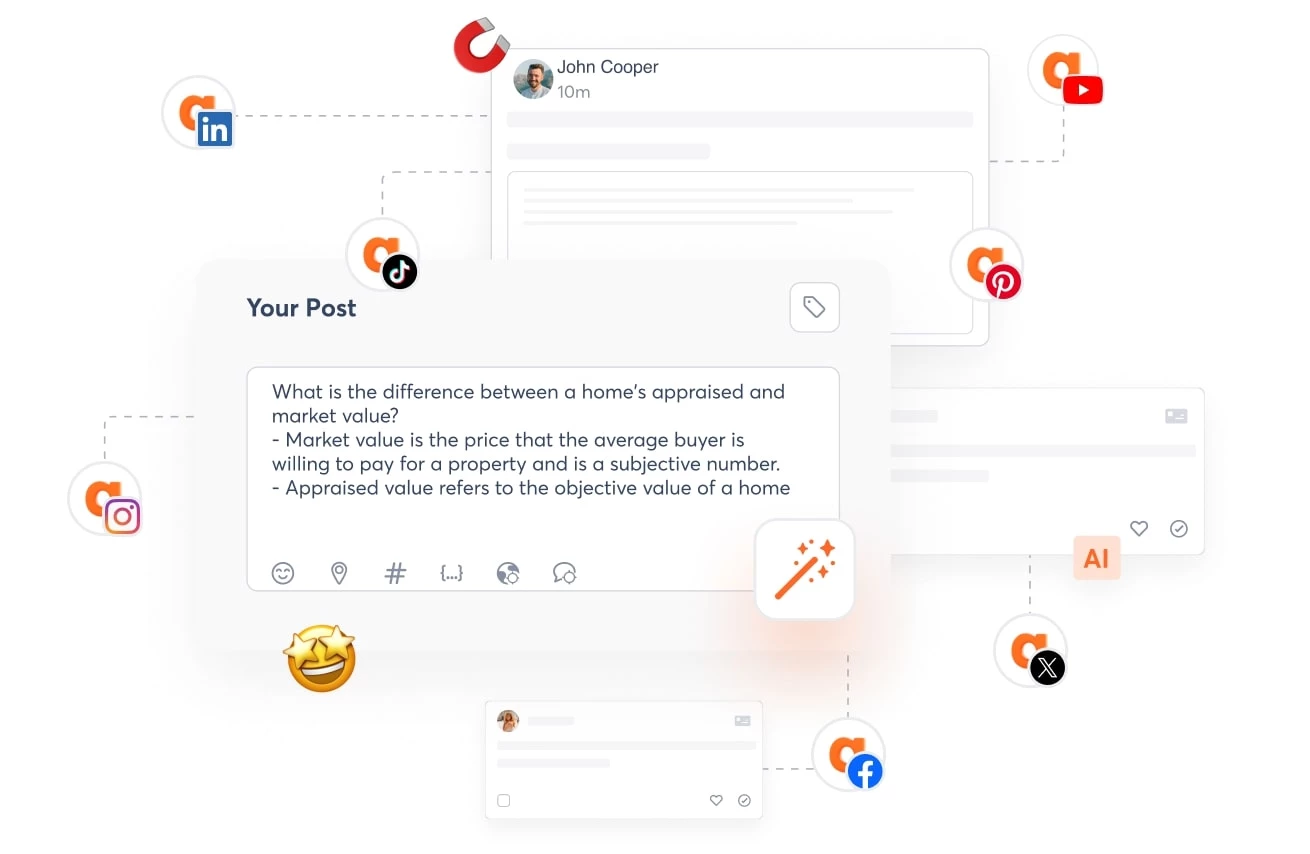 The Writing Assistant was helpful, too, especially when I had to generate several caption variations for different client tones.
What Users Say
Many reviewers say Agorapulse is reliable and comfortable, especially when managing many accounts. They appreciate how the social media automation tool is accessible on desktop and mobile. Their overall satisfaction reflects trust and familiarity with Agorapulse.
Who’s It For?
Agorapulse leans more toward teams utilizing its deeper functionalities, namely, employee advocacy campaigns and multi-layered reporting.
I also see its greatest value for agencies juggling multiple accounts or internal teams needing to tie social activity directly to business KPIs.
Try it for free for 30 days; no credit card required.
Other Notable Features:
- Inbox Management with automation and prioritization
- Social Listening for brand mentions and industry trends
- ROI Dashboard linked to Google Analytics
- AI Writing Assistant for on-brand, scalable content
- Advocacy Campaign Manager to mobilize internal/external promoters
- PulseLink in Bio for link traffic optimization
- Custom Reports and Metrics automation
6. Sendible: Best for Scalable Client-Facing Workflow Automation
Sendible strikes a strong balance between automation, usability, and agency-level scalability.
Pros:
- Excellent for team and client collaboration with role-based permissions
- Customizable reports and white-labeled dashboards
- Centralized inbox simplifies engagement management
- Time-saving AI Assist for on-brand captions
- Secure client onboarding
Cons:
- No robust social listening or competitor tracking tools
- Limited ROI or conversion tracking
- AI capabilities are focused only on captions, not strategy
Pricing:
- Creator: $29
- Traction: $89
- Scale: $199
- Advanced: $299
- Enterprise: $750
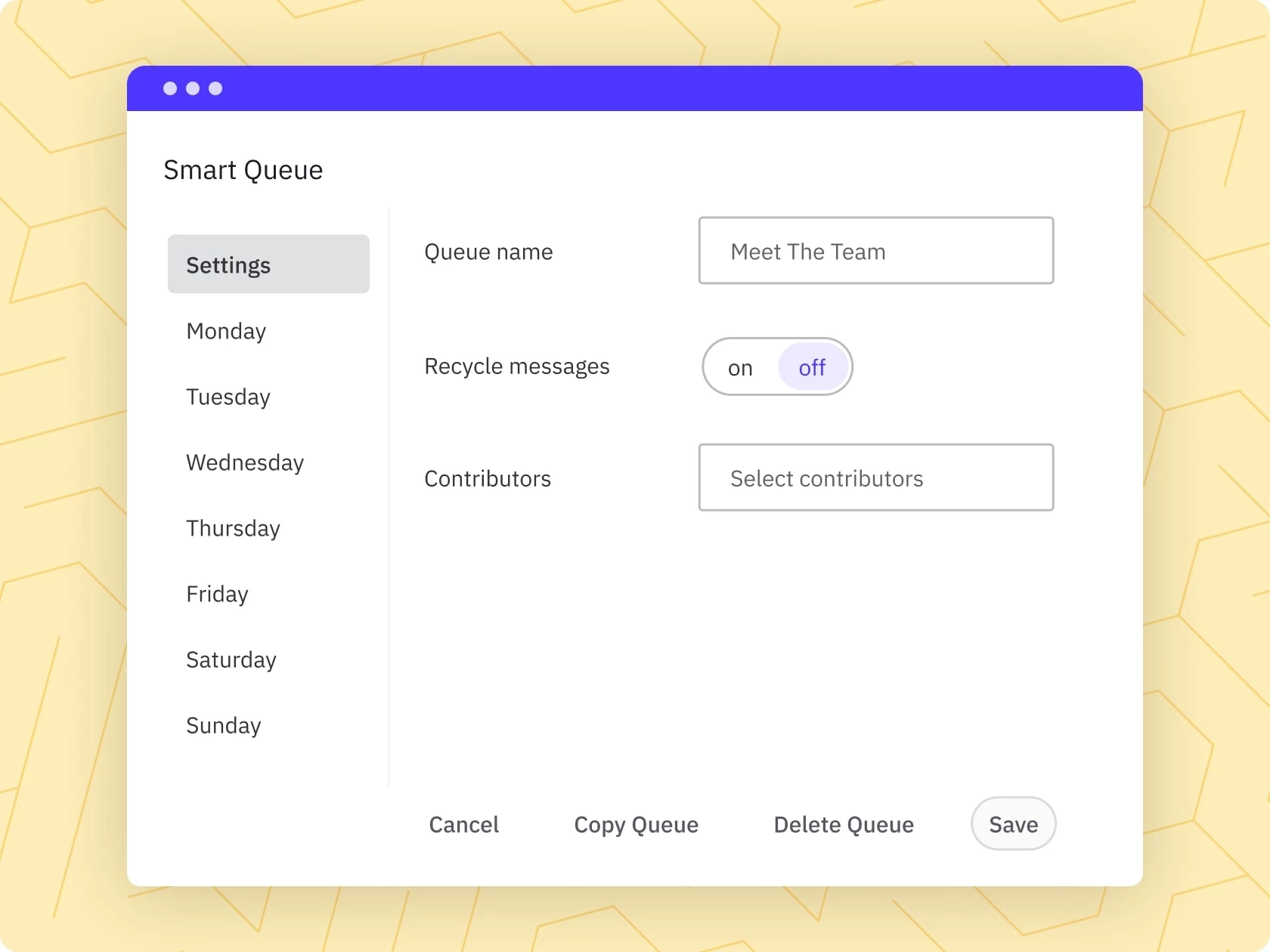
As someone managing multiple brands, I most appreciated the Smart Queues and Bulk Import features. These allowed me to upload a full month’s worth of posts via CSV and have them trickle out at optimal times, saving hours of manual scheduling.
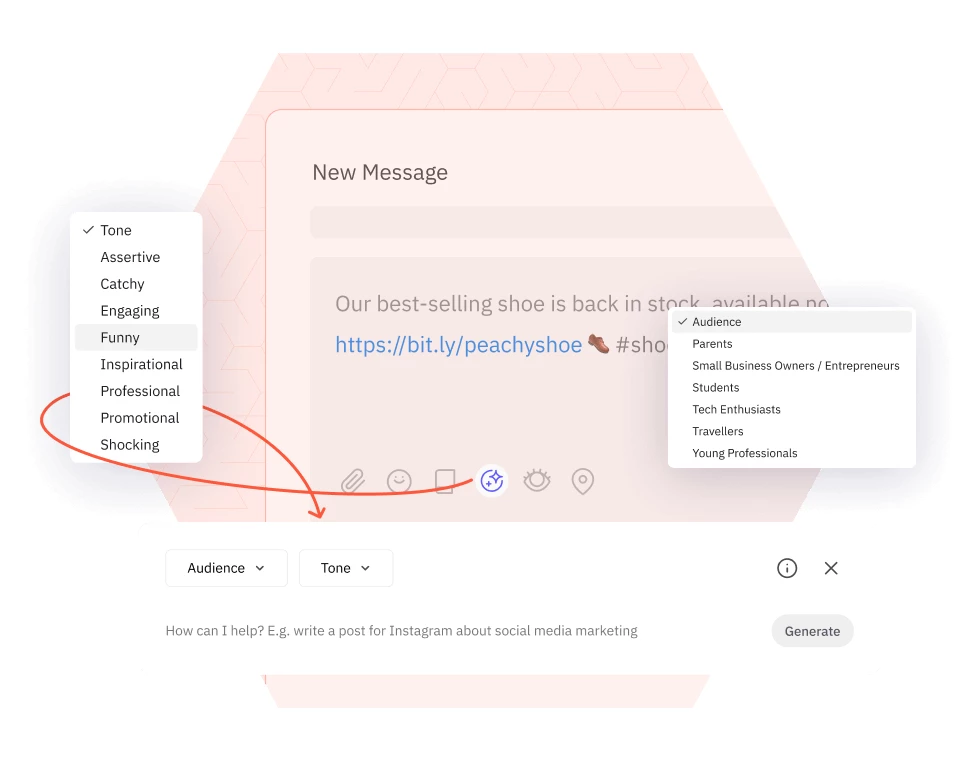
The AI Assist isn’t as advanced as some newer content ideation tools, but it’s great for quick caption generation that stays on-brand. That small boost made day-to-day posting far more efficient.
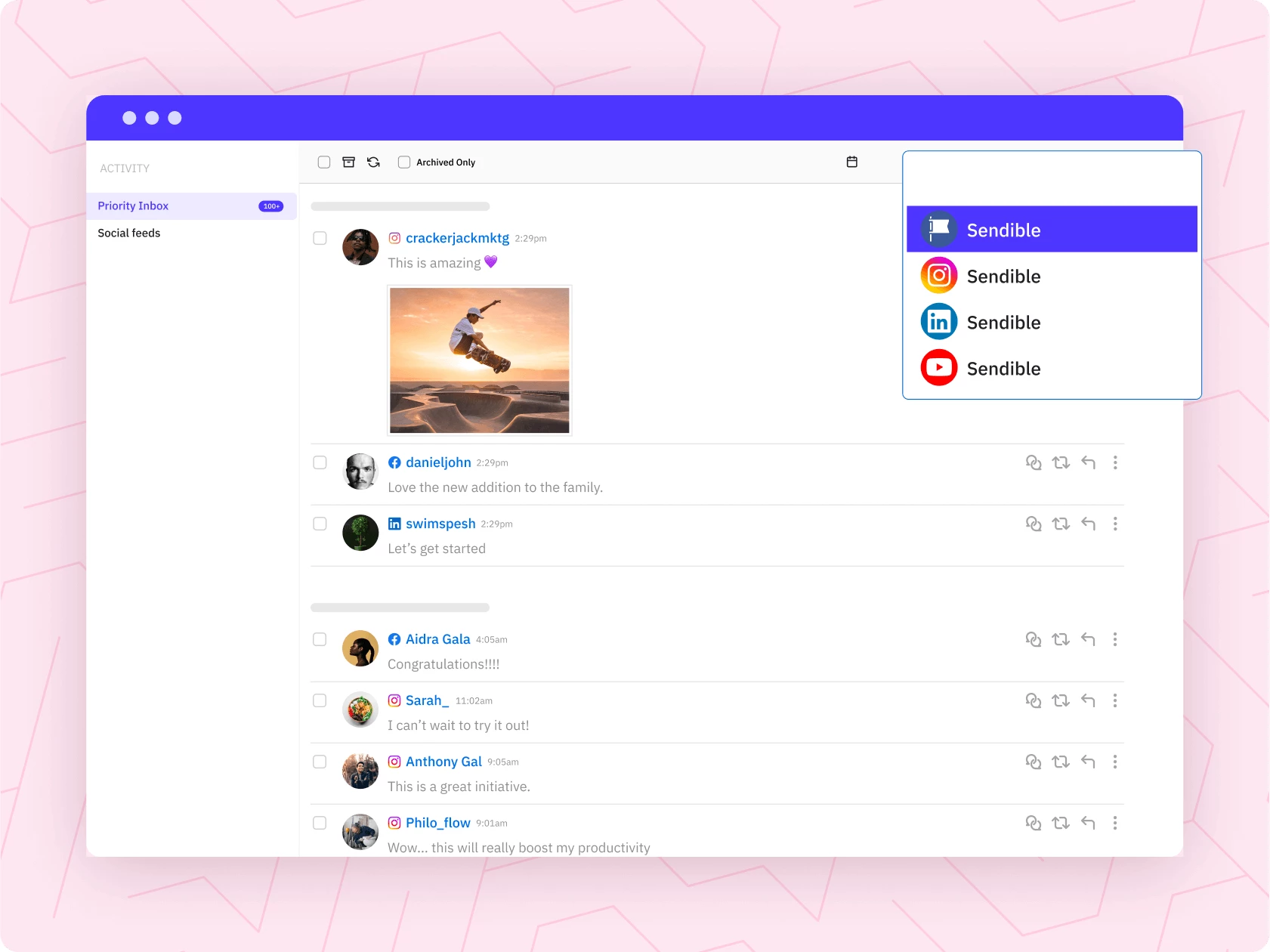
The Priority Inbox brought all messages and comments into one streamlined space, making community management much less chaotic. It's especially valuable for juggling five or more profiles.
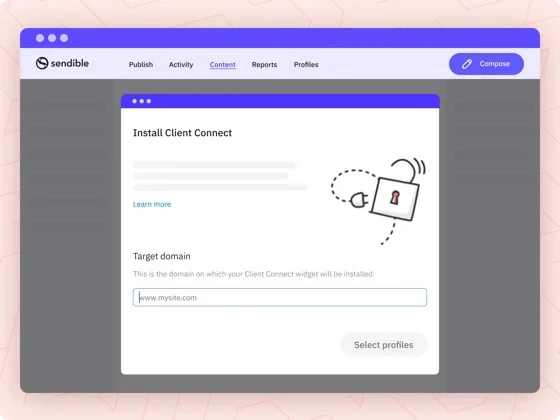
On the other hand, Client Connect let me onboard a new client without needing their login credentials, which felt both secure and professional.
Customization is another one of Sendible's high points. I could brand the client-facing dashboard and generate white-labeled reports tailored to each brand. The automated reports were gold. Once set up, they would go out weekly or monthly without me lifting a finger.
Collaboration features like shared calendars and campaign managers helped keep my team in sync, especially during high-volume campaign weeks.
What Users Say
Many users praise how simple it is to manage multiple accounts and schedule content on Sendible, including on Pinterest and Google Business Profile.
The social media automation tool's interface is clean and intuitive, making onboarding and daily tasks smooth. Reviewers also cite the visual appeal and usefulness of the reports as the platform's strengths.
Who’s It For?
Sendible feels like a purpose-built tool for agencies and power users who value workflow over bells and whistles. It may not be the flashiest in AI-driven insights, but it’s reliable, customizable, and made for professionals managing complex social media pipelines.
Get hands-on — free for a limited time.
Other Notable Features:
- Smart Compose Box for centralized post-creation
- Priority Inbox for all-in-one engagement tracking
- Bulk Import via CSV + recurring Smart Queues
- AI Assist for quick, consistent captions
- Organized Content Library and Campaign Manager
- UTM Tracking for link performance insights
- Automated Reports for clients and teams
- Client Connect for secure, seamless onboarding
- Optimal Times Posting for maximum reach
Our team ranks agencies worldwide to help you find a qualified partner. Visit our Agency Directory for the top social media marketing companies, as well as:
- Top LinkedIn Marketing Agencies
- Top Instagram Marketing Agencies
- Top Social Media Marketing Consulting Services
- Top Facebook Marketing Companies
- Top Direct Marketing Companies
Social Media Automation Tool FAQs
1. What’s the difference between a scheduler and a social media automation tool?
The difference between schedulers and social media automation tools lies in their functions and capabilities. Schedulers allow basic post-planning and publishing. Meanwhile, social media automation tools include smart features like AI captioning, hashtag suggestions, analytics, and content repurposing.
2. What features should I look for in a good social media automation tool?
Look for platform compatibility, ease of use, content calendar, auto-scheduling, AI assistance, analytics, and customer support. Also, social media automation tools with content idea generators and hashtag recommendations should be considered.
3. How can social media automation tools help me grow faster on social media?
Social media automation tools help you grow faster by keeping your content consistent, timely, and optimized without daily effort. They analyze performance and audience behavior so you can post smarter, not harder.