
AI marketing tools use machine learning and generative AI to support tasks such as content creation, personalization, campaign optimization, automation, and performance analysis.
As the number of platforms grows, the challenge is identifying which ones offer genuinely useful capabilities.
The 15 tools below cover content, SEO, design, email, video, paid media, attribution, influencer marketing, and AI search visibility, with each considered for its strengths, limitations, and best-fit marketing teams.
Best AI Digital Marketing Tools: Key Findings
- AI marketing tools increasingly focus on specific functions. Omnisend and ActiveCampaign support lifecycle execution, Pixis optimizes paid media, and Brandi AI tracks visibility in AI-generated answers.
- StoryChief, Descript, and Syllaby automate parts of content and video production while leaving strategy and final editorial decisions with marketing teams.
- Measurement is expanding beyond clicks and last-touch attribution, with Prescient AI analyzing channel contribution and Brandi AI showing how brands appear across AI platforms.
15 Best AI Tools for Marketing at a Glance
The best AI marketing tools depend on the job: Jasper and ChatGPT cover content, Surfer handles SEO, HubSpot Breeze and ActiveCampaign run lifecycle automation, Pixis and Plai manage paid media, and Brandi AI tracks visibility in AI answers.
| AI Marketing Tool | Best For | Primary Function | Free Plan | Pricing Starts at (monthly) |
| ChatGPT | General-purpose AI assistant | Content | Yes | $8/month |
| Jasper | Brand-controlled marketing copy | Content | No (7-day trial) | $69/seat/month |
| Descript | All-in-one video and podcast editor | Content | Yes | $24/person/month |
| Brandi AI | AI visibility (GEO) | AI Visibility | No | $349.99/month |
| Surfer SEO | Content optimization | Content | No | $59/month |
| StoryChief | Content planning and publishing | Content | Yes | $22/month |
| Canva Magic Studio | Fast campaign design | Design | Yes | $18/month |
| Syllaby | AI multichannel video marketing | Content | No | $29/month |
| Hubspot Breeze | CRM-based marketing automation | Lifecycle automation | Yes (free tools) | $10/seat/month |
| ActiveCampaign | Email and sales automation | Lifecycle automation | No (14-day trial) | $19/month |
| Omnisend | eCommerce multi-channel campaigns | Lifecycle automation | Yes | $16/month |
| Pixis | AI media buying and campaign optimization | Paid media | Capped (Prism) | $99/month |
| Plai | AI-assisted ad campaign management | Paid media | Yes | $97/month |
| Prescient AI | Predictive marketing attribution | Measurement | No | Custom |
| Modash | Influencer discovery and vetting | Influencer marketing | No (14-day trial) | $299/month |
For teams running webinar campaigns, WebinarGeek offers AI-assisted audience Q&A and post-event performance analysis to help manage attendee questions and identify improvements for future sessions.
How These AI Marketing Tools Were Chosen
We built an initial list of AI-native platforms and established marketing tools with AI capabilities, reviewing product documentation, and public user feedback.
We narrowed the selection to 15 tools covering distinct marketing needs, including content, SEO, design, email, video, paid media, attribution, influencer marketing and AI search visibility.
Our firsthand testing focused on the features available to us, including setup, everyday workflows, generated outputs and the editing or adjustments needed before use.
We also consulted experts in the field to assess practical usefulness, workflow fit, and limitations beyond published specifications.
We evaluated the tools using the same six criteria:
- Workflow fit: We assessed the marketing tasks each tool supports and the teams most likely to benefit.
- Ease of use: We considered setup, navigation and how clearly the tool guides users through its core workflow.
- AI usefulness: We reviewed the relevance of AI outputs and the human input, editing and verification they require.
- Control: We examined options for supplying context, applying brand guidance, adjusting outputs and managing approvals.
- Integrations and collaboration: We checked connections with existing marketing systems and features for sharing work across contributors.
- Pricing and plan limits: We compared published monthly prices, free access, usage allowances and important restrictions on seats, contacts, credits and features.
1. ChatGPT: Best for General-Purpose Marketing Assistance
For marketers moving between copy, research, and data analysis.
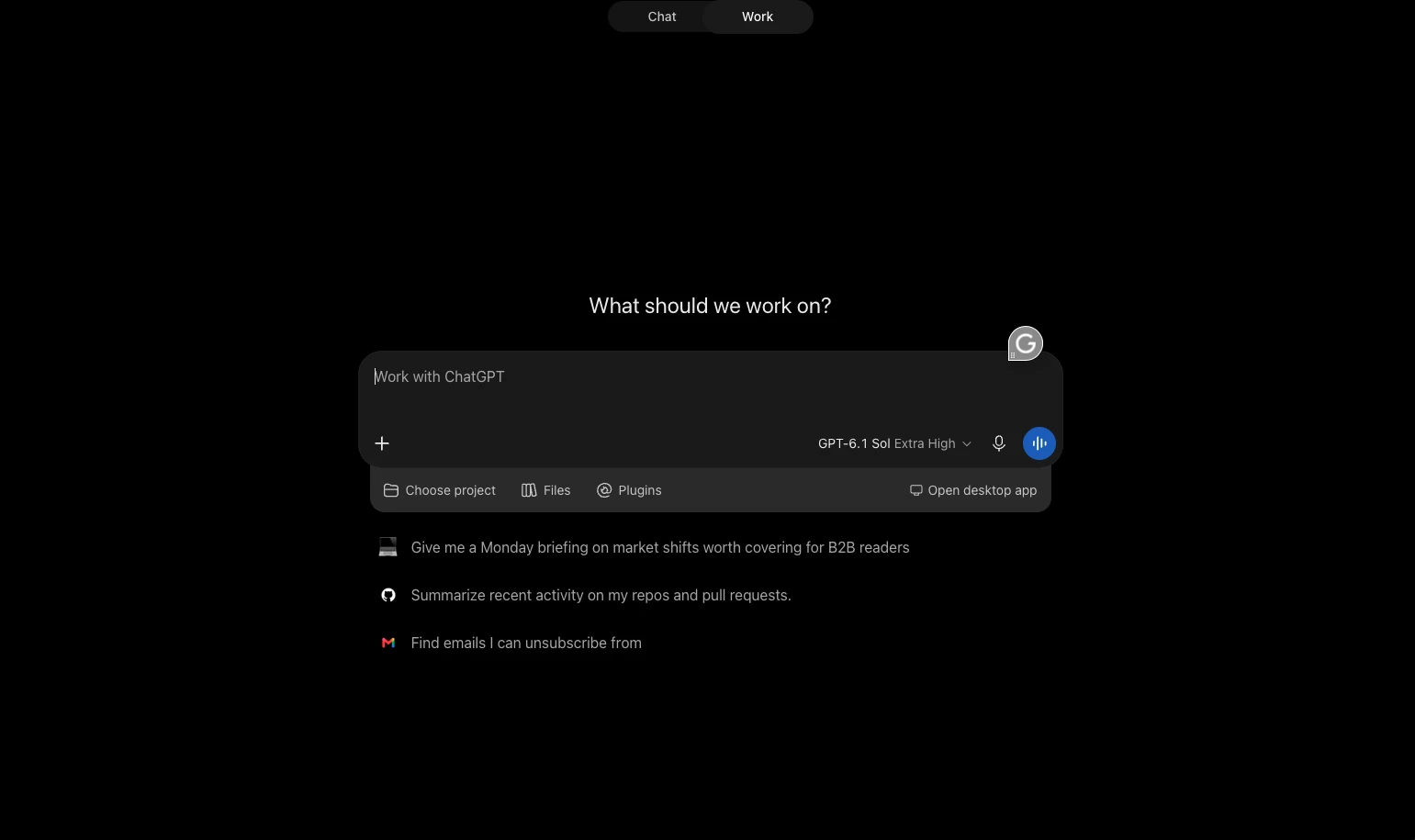
ChatGPT fits the way I work when a marketing task involves several smaller jobs. Developing an angle, organizing a brief and tightening the final copy can all happen within the same conversation.
Pros:
- A free plan lets marketers try basic drafting, research, and analysis workflows
- One assistant supports several tasks, from content briefs to spreadsheet analysis
- Business includes workspace administration and SSO, with supported app connections providing access to authorized company information
Cons:
- Answers can contain inaccurate or outdated information, so important claims need verification
- Model, file and Deep Research limits vary by plan
- Business requires at least two seats, which increases the minimum subscription cost
For this test, I started with a campaign brief covering the audience, offer and key message.
I asked ChatGPT to turn it into an email draft and LinkedIn post, then requested a shorter version of the email with a clearer call to action.
My review focused on whether each format preserved the original message and whether the revisions followed my instructions.
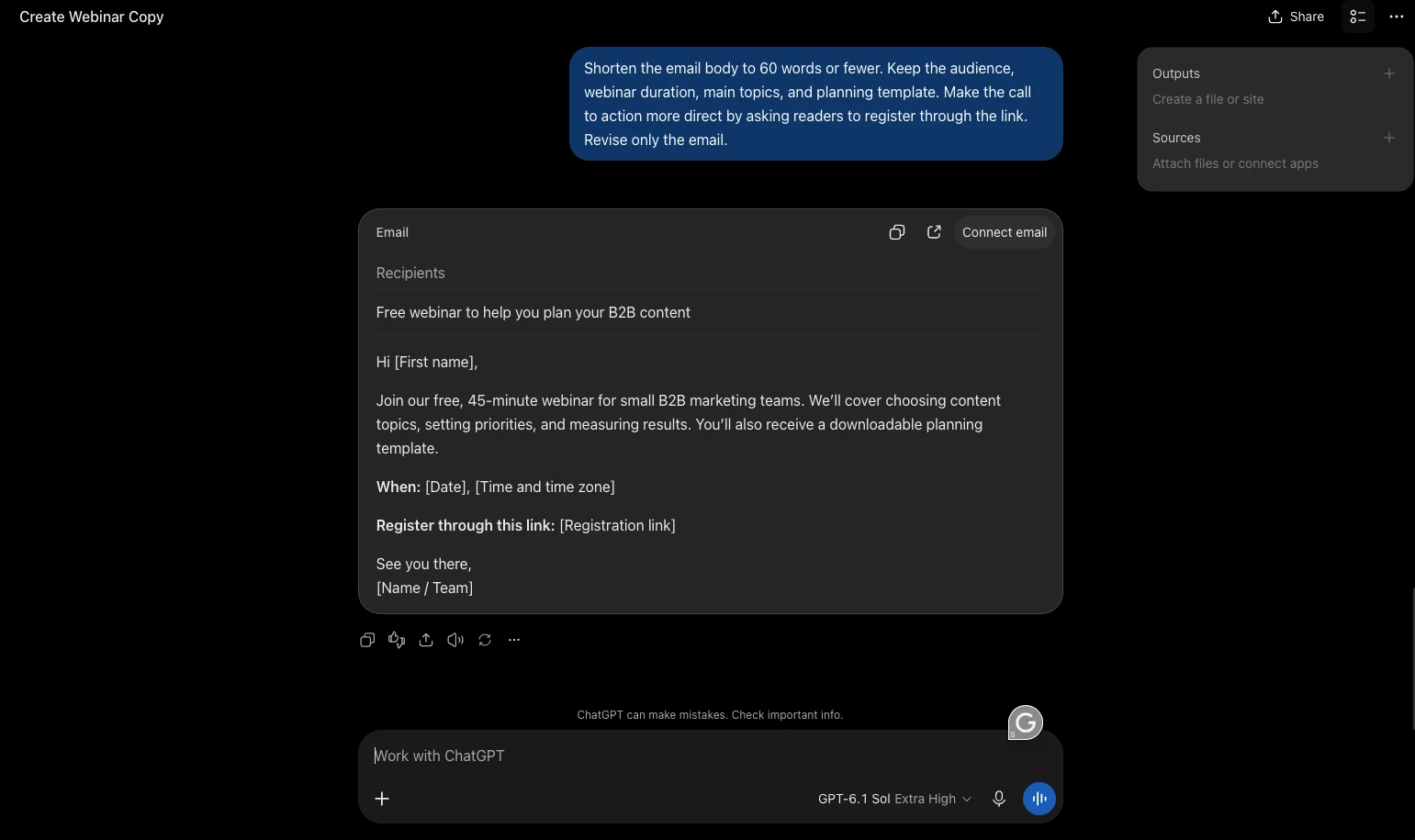
That is the workflow I would assess before upgrading: how effectively the assistant responds to direction across several rounds of editing. I would also check every product claim and supporting fact before using the copy.
Projects provide a place to keep related conversations and reference files together.
Plan choice affects model access, tools and usage allowances; Business adds workspace administration and centralized billing.
Pricing
- Free
- Go: $8/month
- Plus: $20/month
- Pro 100: $100/month
- Pro 200: $200/month
- Pro 500: $500/month
- Business Standard: $25/seat/month
- Business Premium: $125/seat/month
- Enterprise: Custom
Business requires at least two Standard or Premium seats in total. Two Standard seats therefore cost $50/month with monthly billing or $480/year with annual billing.
Optional usage credits and API charges are separate. Local prices and applicable taxes can differ.
What Users Say
On Capterra, ChatGPT holds 4.4/5 across 404 reviews as checked Oct. 9, 2026. Reviewers highlight ease of use and time savings in writing, research and everyday tasks.
Some report confident but inaccurate answers, outdated information, or the need for additional prompting and fact-checking.
Other Notable Features
- Projects keep campaign chats, briefs and reference files together for ongoing work.
- Custom GPTs let users save instructions and reference material for repeatable marketing tasks on eligible plans.
- File and data analysis helps marketers examine spreadsheets, summarize performance data and create charts.
- Canvas provides a workspace for editing drafts and refining individual passages.
- Image generation and editing supports visual concepts, mockups and changes to existing images.
2. Jasper: Best for Brand-Controlled Marketing Copy
For marketing teams that need consistent copy across writers and campaigns.
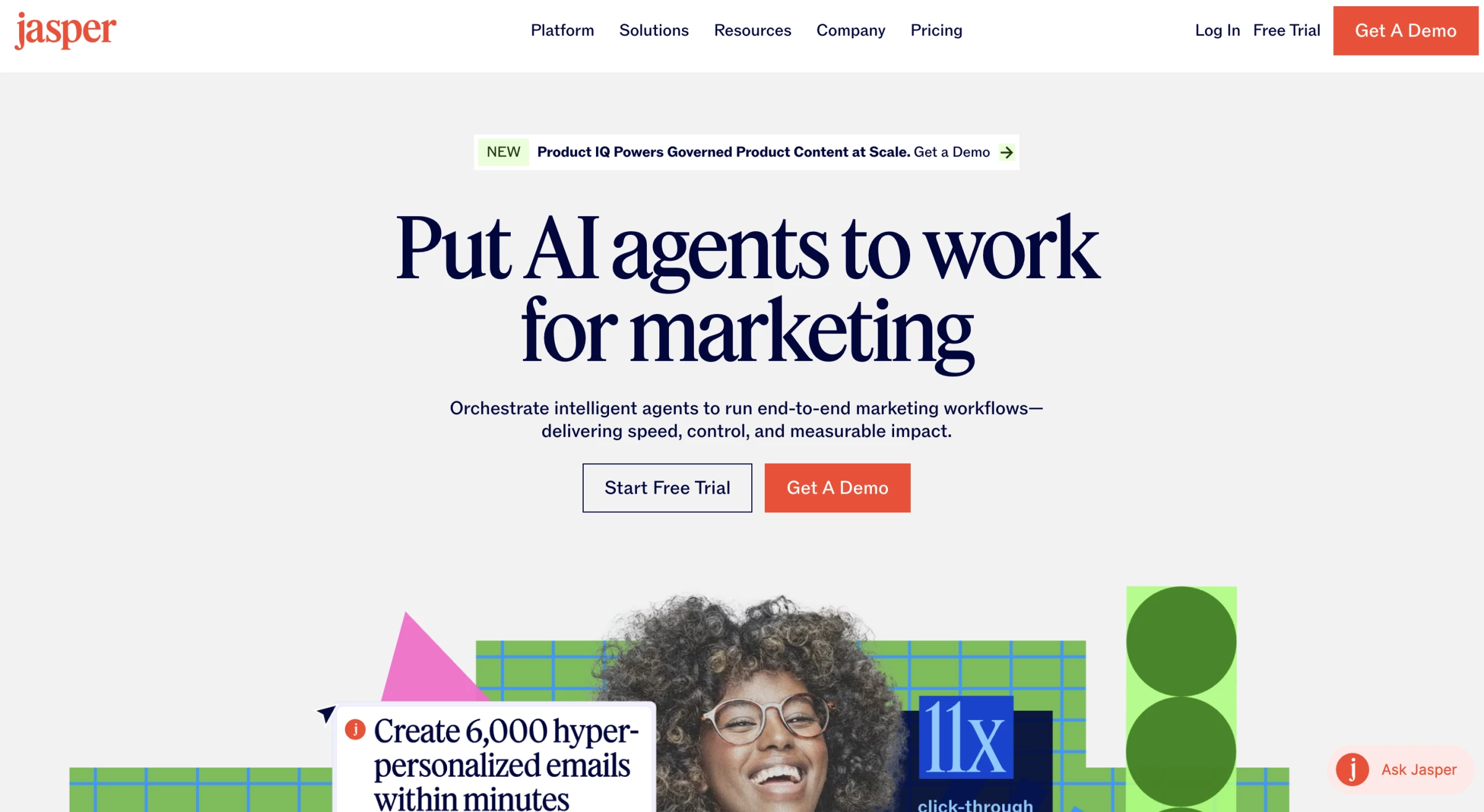
Consistency was the focus of my Jasper test. I wanted to evaluate how its brand settings could guide different pieces of content around the same offer.
Pros:
- Brand Voice, Knowledge and Audiences help writers apply shared brand context
- Pro includes agents for core marketing workflows, while Business supports custom agents
- Content creation and repurposing support more than 30 languages
- Chrome and Edge extensions bring Jasper into browser-based workflows
- Image generation and editing support campaign asset production
Cons:
- Pro includes one seat; teams needing additional users must contact sales for Business
- Pro limits customization to two Brand Voices, five Knowledge assets and three Audiences
- Business starts with a 12-month commitment
- There is no ongoing free plan, although Pro offers a seven-day trial
- Generated copy still needs review for accuracy, repetition and brand fit
The scenario used existing brand copy as reference material, product information as context and a defined audience. From that starting point, I generated an email, a social caption, and an advertising headline.
I reviewed the drafts for terminology, tone and whether the message suited each format.
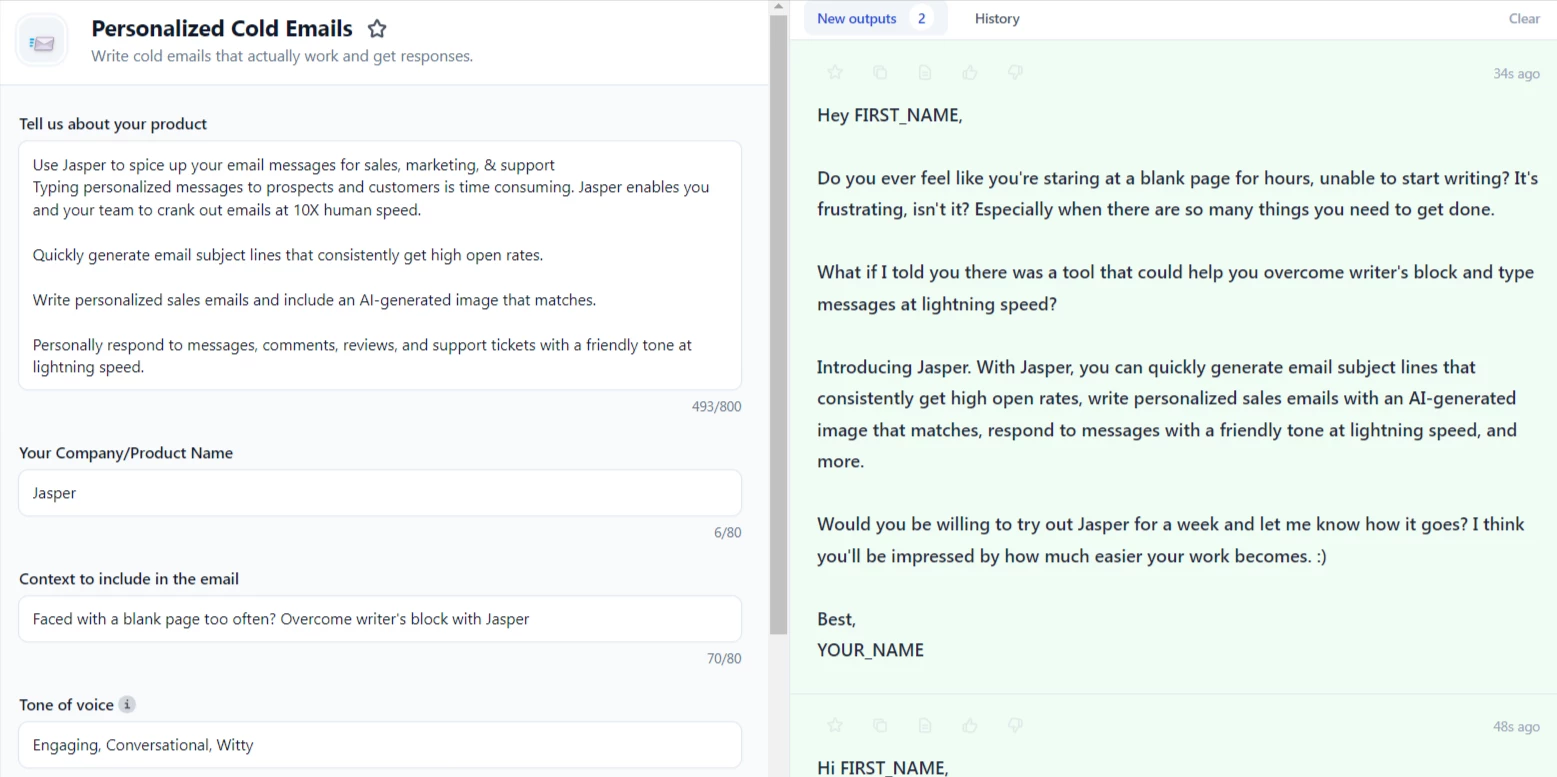
I would still edit each asset individually. Applying the same brand context across formats doesn’t remove the need to check factual claims, repetitive phrases or an awkward call to action.
The subscription structure also affects the decision. Pro includes one seat, two Brand Voices, five Knowledge assets and three Audiences. Teams needing additional users, collaboration and broader customization must evaluate Business.
For more options, see our guide to AI copywriting tools.
Pricing
- Pro: $69/seat/month
- Business: Custom
Some Business agent workflows use credits alongside seat-based pricing, so confirm the included allowance and additional usage costs when requesting a quote. Pro offers a seven-day free trial.
What Users Say
On Capterra, Jasper holds 4.8/5 across 1,855 reviews.
Reviewers highlight faster content production, repurposing and tone-of-voice features.
Some criticize repetitive output and subscription costs. Older reviews describe previous packages and credit systems, so their pricing comments may not reflect the current Pro and Business plans.
Other Notable Features
- Canvas provides a workspace for drafting, editing and organizing marketing content.
- Jasper Grid, available on Business, supports scaled content workflows through a spreadsheet-style interface.
- The no-code agent builder, available on Business, lets teams create agents around their own marketing processes.
- The Copyscape add-on checks text for matching sources and potential plagiarism.
- Integrations with Webflow, Google Docs and Slack connect Jasper with publishing, writing and communication workflows.
3. Descript: Best for All-in-One Video and Podcast Editor
For content teams producing video and audio without editing overhead.
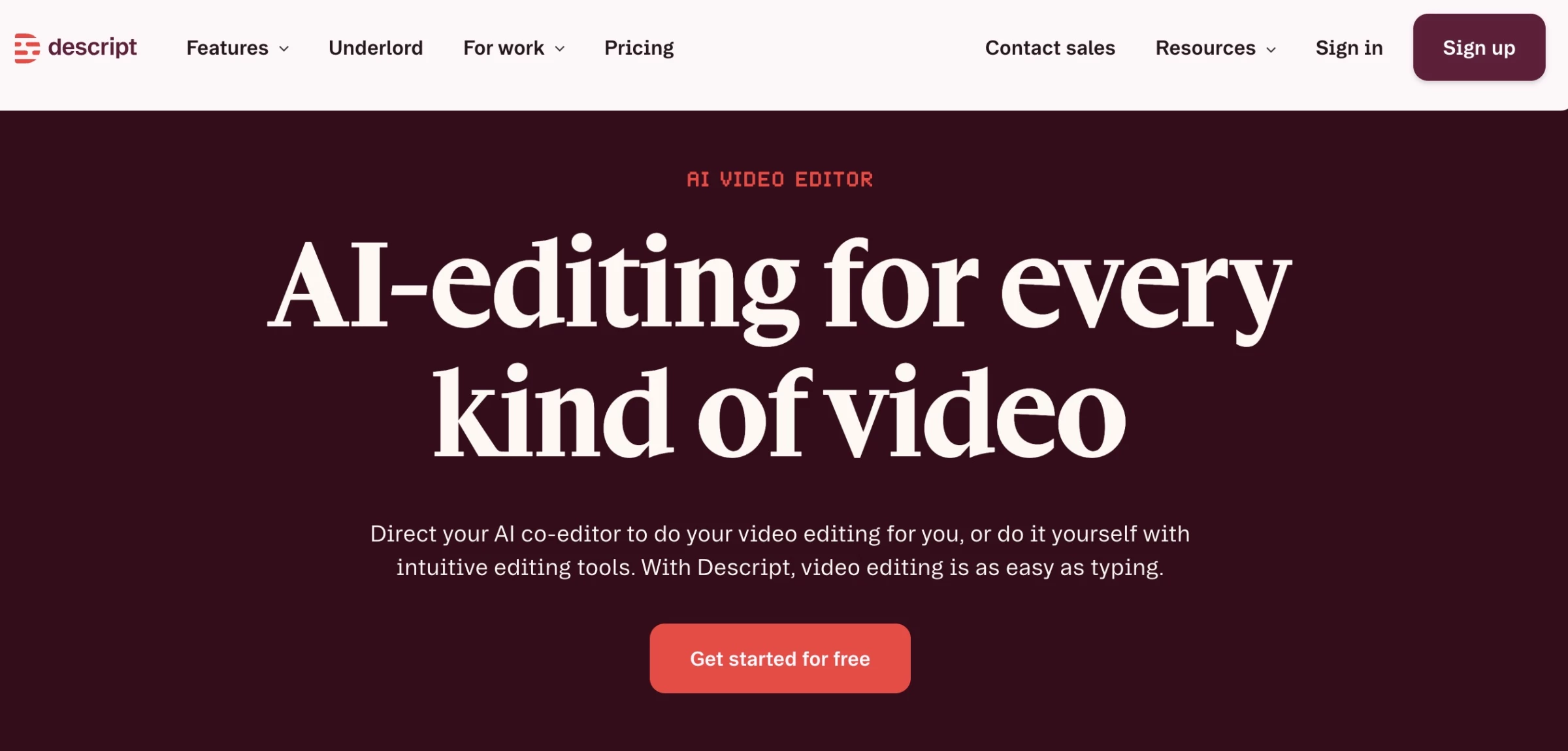
I’ve tried Descript for our marketing videos, and it has made editing much simpler for our team.
Pros:
- Edit video by editing the transcript
- All-in-one screen + webcam recording
- Shareable drafts and commenting for collaboration
- Works on Mac and Windows
Cons:
- Not designed for advanced visual effects
The best part is how it lets you edit video like a Google Doc. You don’t need to figure out and manually edit timelines. Instead, you just delete, insert, or rearrange words in the transcript, and the video updates automatically.
For someone without a professional video editing background, this makes trimming webinars, product demos, or training videos faster, more precise, and far less intimidating.
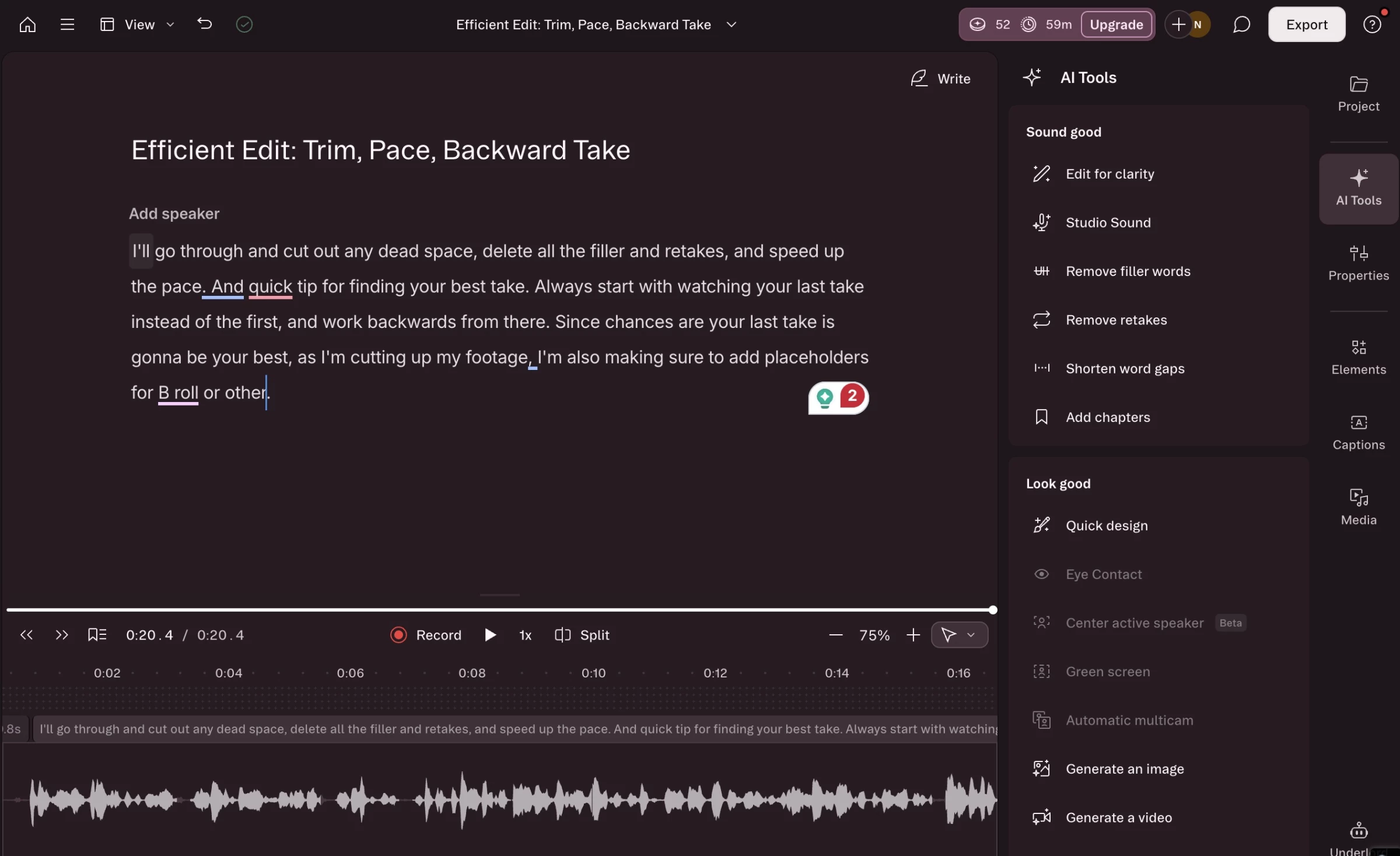
Recording is straightforward, too. Descript combines screen and webcam capture into a single tool, which is useful for product walkthroughs, feature demos, or educational content.
For example, I can record a 10-minute demo, clean up my speech using Descript’s AI tools, and have a polished video ready in under an hour.
Descript’s AI features are genuinely useful. They save time on tedious tasks like cleaning up filler words, improving audio, or adding captions.
Filler Word Removal automatically trims “ums,” “uhs,” and other non-essential words, while Overdub lets you fix mistakes or add narration without having to re-record.
I’ve found these tools amazing for cutting down the back-and-forth and manual cleanup that usually slows video production.
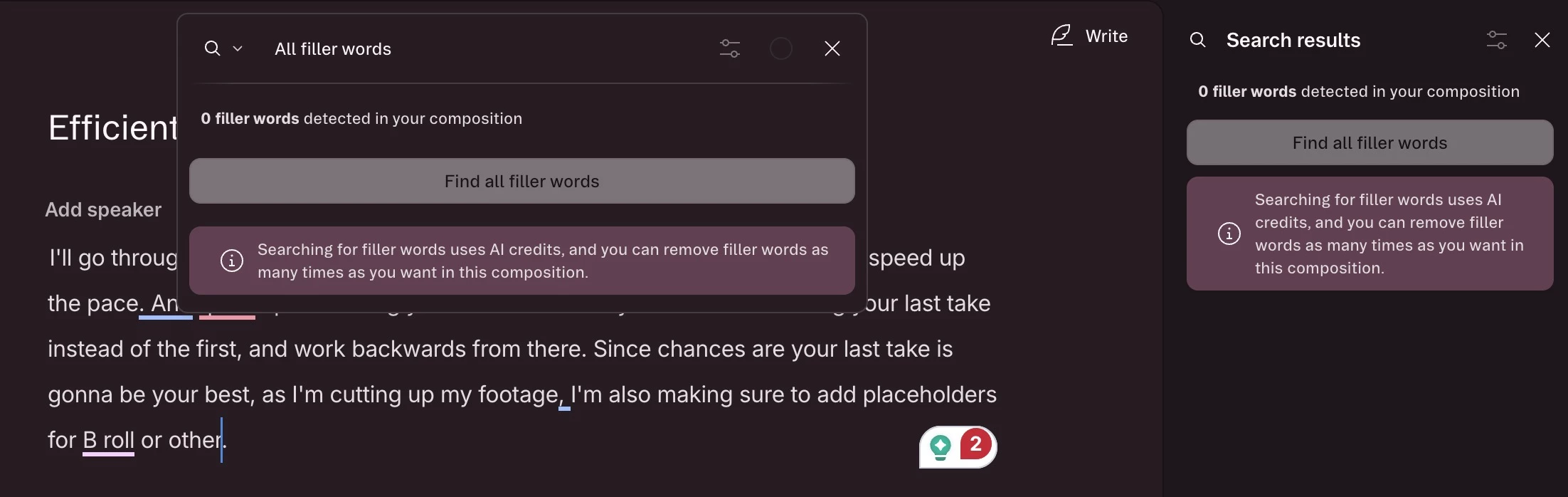
I love how Descript makes collaboration and feedback easy with shareable links, collaborator commenting, and versioning that keeps track of changes so nothing gets lost.
With Descript, you don’t need multiple tools to go from idea to published video. You still get polished, professional videos faster, with less tool-switching and minimal reliance on external editors.
Pricing
- Free plan with limited recording and exports
- Hobbyist: $24/person/month; $16/month billed annually
- Creator: $35/person/month; $24/ month billed annually
- Business: $65/person/month; $50/month billed annually
- Enterprise: Custom pricing
What Users Say
People love how Descript makes podcast and video editing so much simpler. The text-based workflow makes it easy to cut filler words, rearrange segments, and polish recordings without fuss.
Many find it a huge time-saver for cutting, arranging, and creating social clips.
At the same time, some users do run into glitches, slow performance, and a learning curve, particularly with video or large projects.
Still, for many creators, especially small teams or solo podcasters, Descript is a handy all-in-one tool that keeps editing fast and manageable.
Other Notable Features:
- Short-form clip creation to repurpose content for social
- Multi-track audio and video editing
- Templates for demos and webinars for fast styling
- AI tools like filler word removal, Studio Sound, Overdub, auto captions
4. Brandi AI: Best for AI Search Visibility & GEO Strategy
For SEO and content leaders tracking visibility in AI search
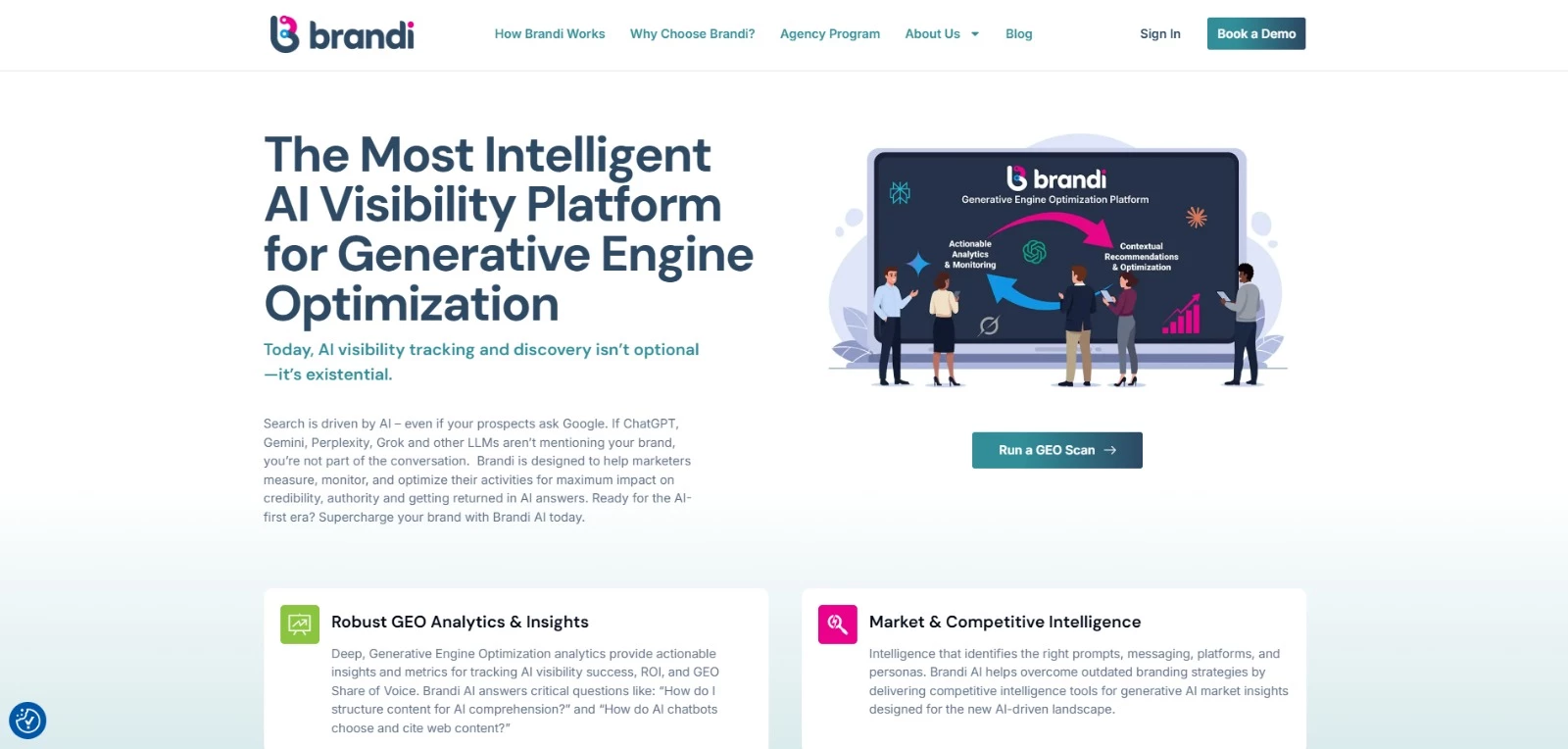
Brandi AI focuses on a problem most marketers are only starting to notice, which is your brand’s visibility inside AI-generated answers.
Brandi shows how your brand appears in tools like ChatGPT, Google AI Overviews, Gemini, and Perplexity. It finds the actual questions buyers ask AI and reveals whether your brand is cited, how often, and in what context.
What stood out to me is how it connects visibility to action. It identifies the prompts driving competitor visibility and guides you on restructuring content so it becomes AI-readable and more likely to be cited.
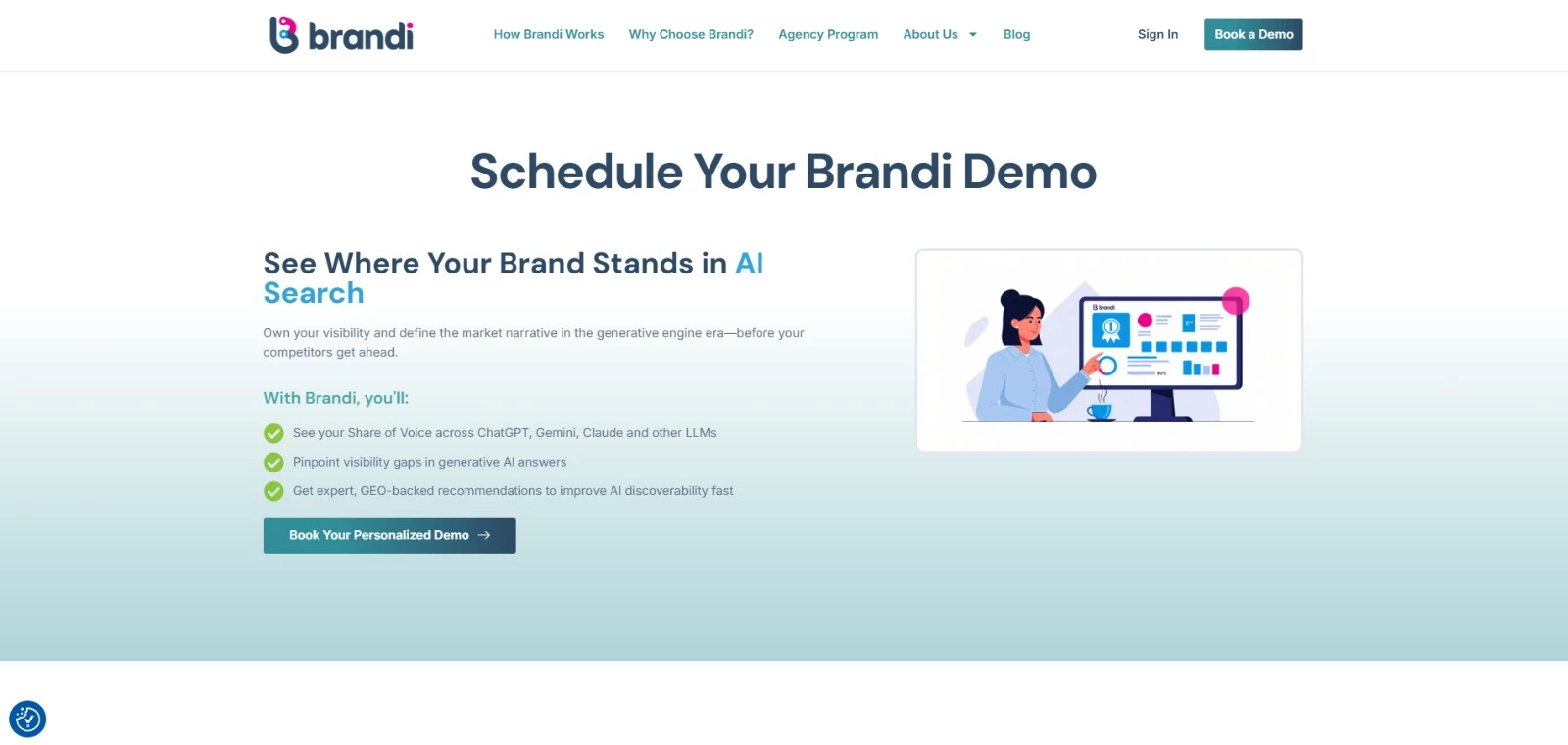
This moves content strategy away from keyword targeting toward answering real buyer questions in a format AI systems can extract and reference.
For global teams, the platform provides an extra layer of visibility into AI across languages and regions, helping you understand how they appear in different markets.
Pros:
- Tracks brand mentions across AI platforms (ChatGPT, Gemini, Perplexity, etc.)
- Identifies high-intent prompts influencing visibility
- Compares your brand’s presence in AI-generated answers against competitors
- GEO (Generative Engine Optimization) system for optimizing content for AI citations
- Multi-language and regional visibility tracking
Cons:
- Not a content creation tool itself
- Requires existing content to optimize effectively
Pricing
- Starting at $349.99/month
What Users Say
Brandi AI is often described as intuitive to navigate, with clear visibility into how brands appear in AI-generated answers. Features like the prompt hub and optimization tools make it easier to track performance, spot gaps, and adjust content to improve citation rates.
Users also mention the pace of product updates and a responsive team that actively incorporates feedback.
On the flip side, the amount of data can take time to get used to, and maintaining prompt coverage requires ongoing input.
Other Notable Features
- AI discovery intelligence layer
- Competitive AI visibility benchmarking
- Prompt-level content optimization insights
5. Surfer SEO: Best for Content Optimization
For content teams that want SEO guidance while drafting and updating articles.
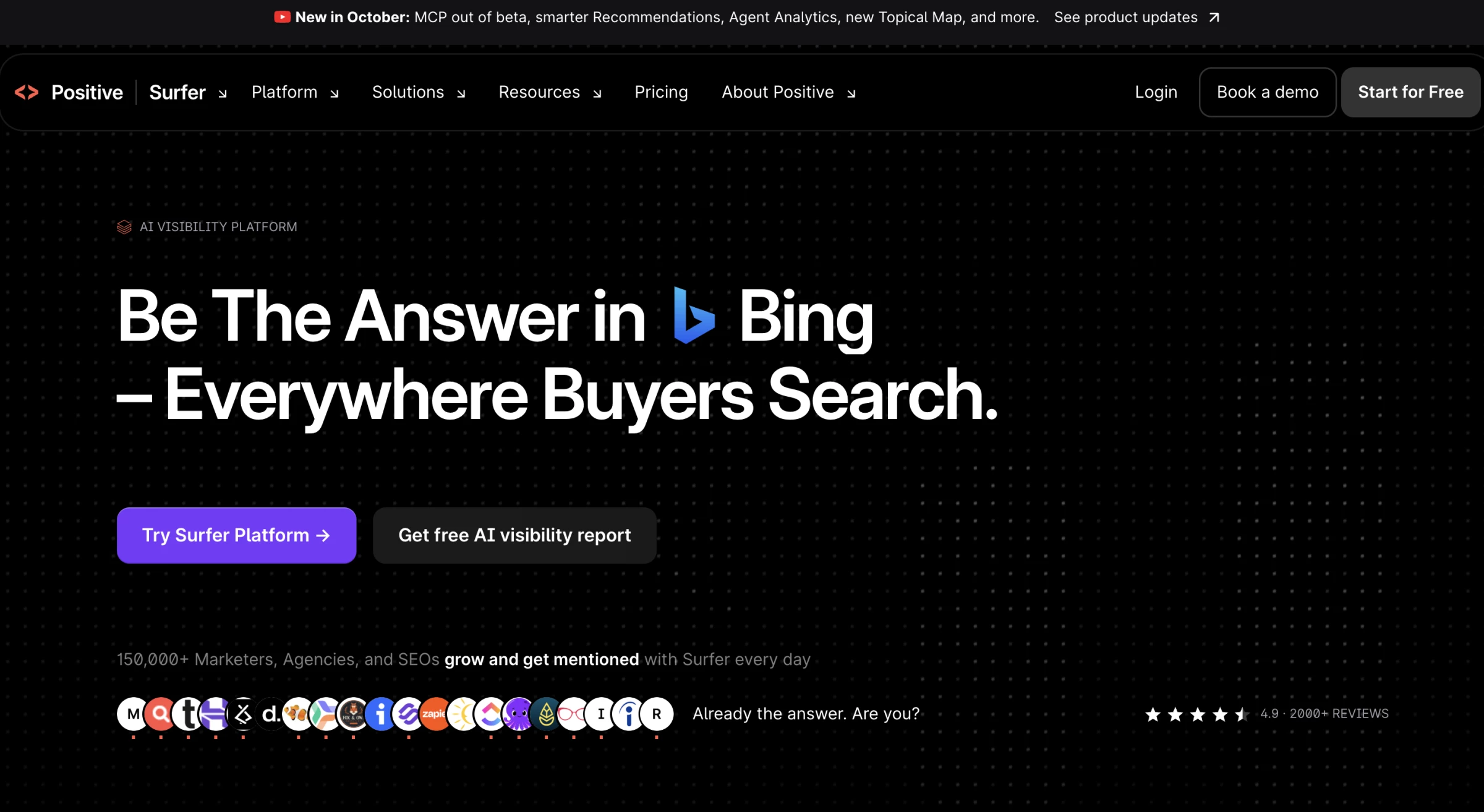
Surfer gives me a structured way to review a draft before publication. Its Content Editor presents recommendations on relevant terms, headings and length alongside the article.
Pros:
- Live optimization guidance helps writers identify gaps while editing
- Standard and higher plans include WordPress and Google Docs integrations
- Standard and higher plans include a Plagiarism Checker and Rank Drop Detection
- Pro and higher plans add Contentful integration and automated internal linking
Cons:
- No ongoing free plan for the full platform, although new accounts can try Pro free for seven days
- Monthly Discovery subscriptions include 10 documents; Standard and Pro include 30 each
- API access requires Peace of Mind or Enterprise
My test scenario began with an existing draft and its target keyword. I reviewed the suggested terms and structure, then identified recommendations that could help explain the topic more fully.
The next step was to revise the relevant passages and check how the guidance changed as I edited.
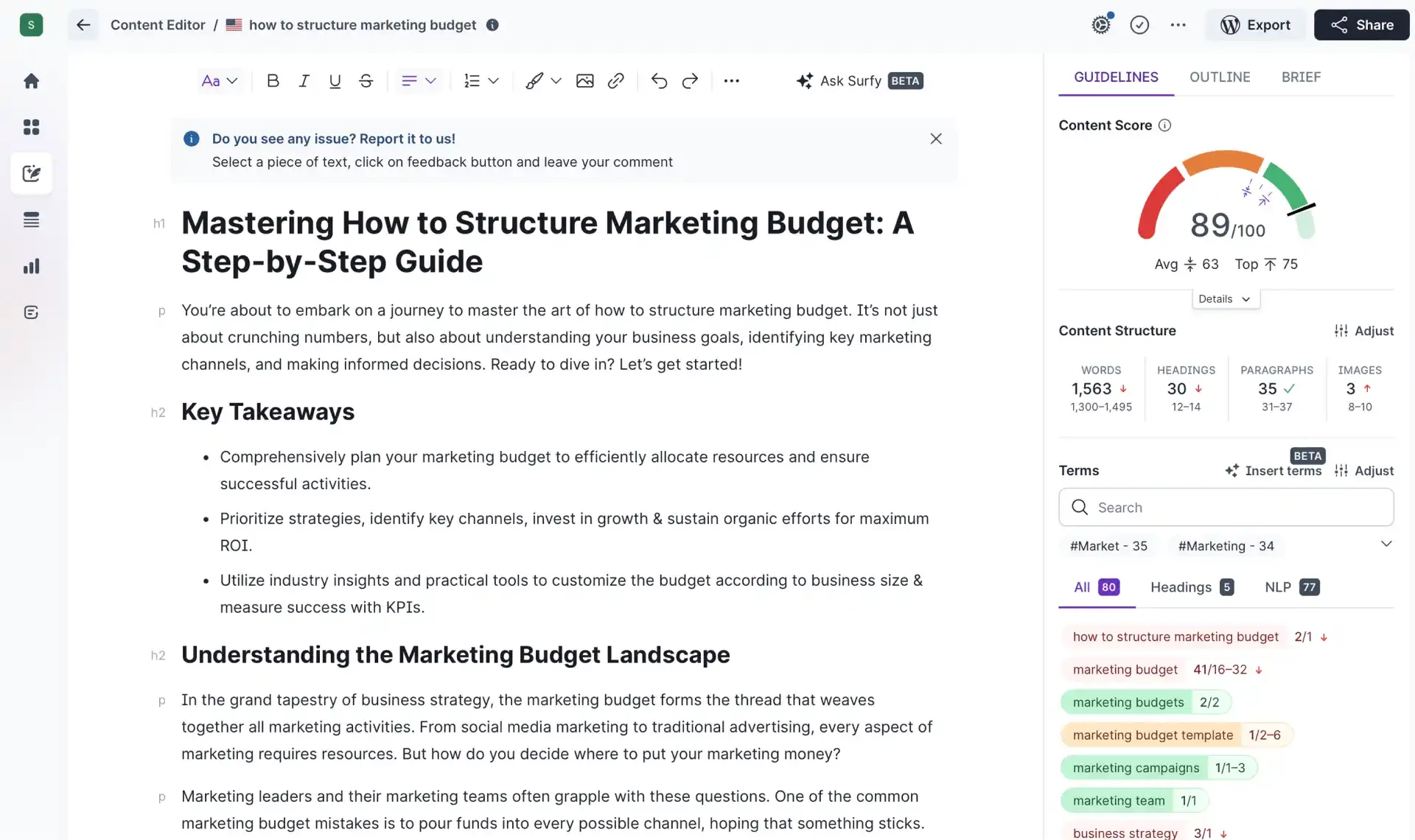
Readability remained part of that assessment. I would check whether an added term clarified the article, whether a suggested heading served the reader and whether the revised copy still followed the brief.
Content Score measures alignment with Surfer’s recommendations; it does not verify facts or guarantee rankings.
For related options, explore our guide to AI SEO tools.
Pricing
- Discovery: $59/month
- Standard: $119/month
- Pro: $219/month
- Peace of Mind: $359/month
- Enterprise: Custom
New accounts receive a seven-day Pro trial.
What Users Say
Surfer holds 4.9/5 across 422 reviews on Capterra. Reviewers praise the Content Editor’s real-time guidance and its usefulness for briefing writers.
Criticism includes pricing and AI-generated copy that needs substantial editing. Some reviewers also find it less useful for topics with limited competition.
Other Notable Features
- Outline Builder suggests headings and questions to help structure content briefs.
- Surfy helps writers edit, rephrase and expand text inside the Content Editor.
- Auto-Optimize adds relevant terms and adjusts sections to address optimization gaps.
- Internal Linking finds and inserts links to relevant pages on your domain on Pro and higher plans.
- Version History lets writers restore earlier drafts, with retention periods that vary by plan.
6. StoryChief: Best AI Content Marketing Tool for Editorial Workflows
For editorial teams and agencies coordinating content across contributors and channels.
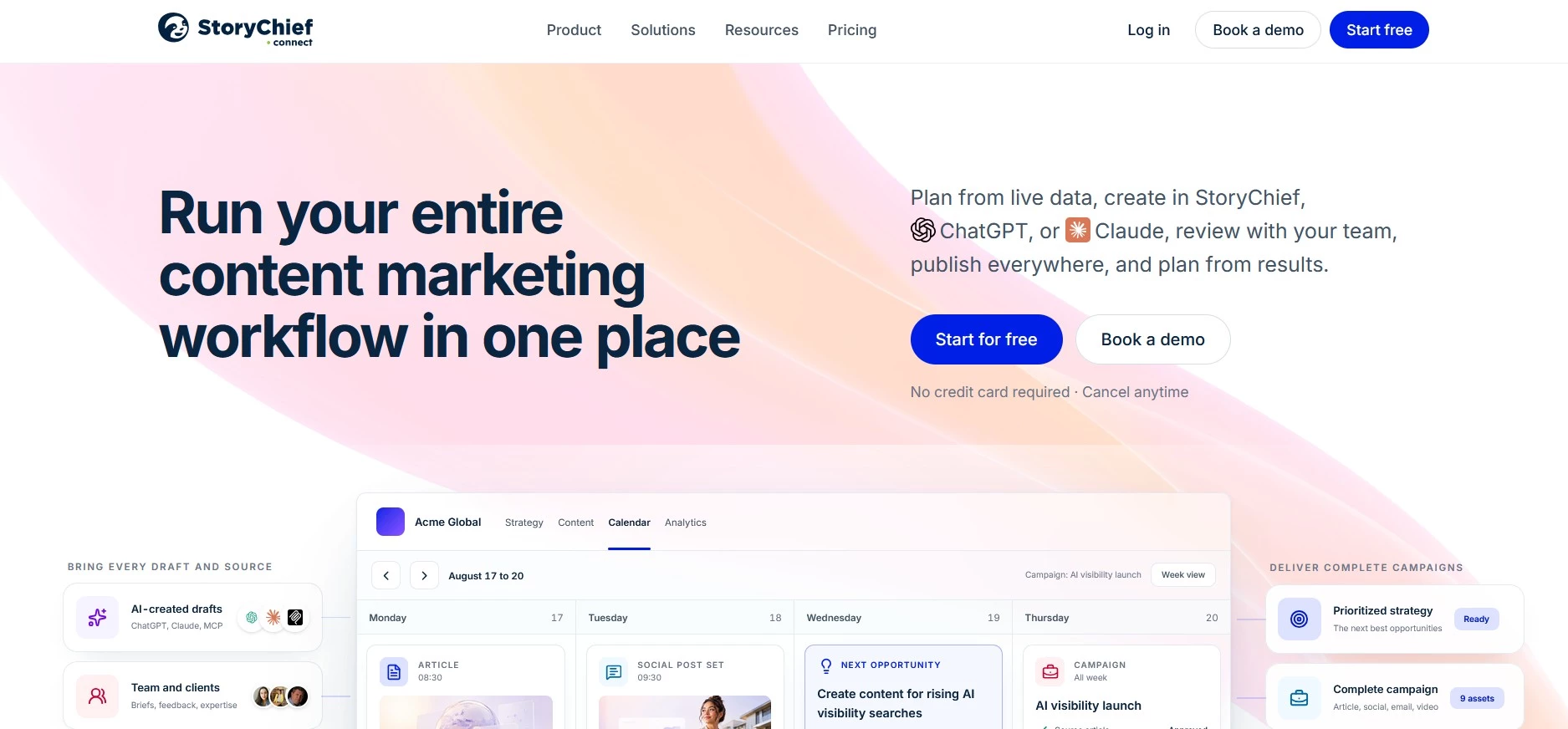
StoryChief brings content planning, production, review, publishing, and performance tracking into a combined workspace. It's a neat fit for teams that have outgrown spreadsheets, shared documents, and separate scheduling tools.
Content can begin with a structured brief based on the company’s strategy, brand voice, audience, and current SEO and AEO data. Writers then work in an editor that checks readability, search optimization, AI-search readiness, and gaps against the brief.
Pros:
- Combines briefs, assignments, editing, approvals, and publishing
- Provides real-time SEO, GEO, and readability guidance
- Supports separate workspaces for agency clients
- Publishes to websites, social platforms, and newsletters
- Keeps human review in the publishing process
Cons:
- Full editorial plans are billed per seat or client
- Lower-cost plans focus mainly on social media
- AI image and video generation require an add-on
- Some channels require Zapier rather than a native integration
- May offer more workflow features than solo creators need
Comments, suggestions, versions, and approvals remain attached to each piece of content to give editors and clients a clear place to review changes (no moving drafts between email threads and documents).
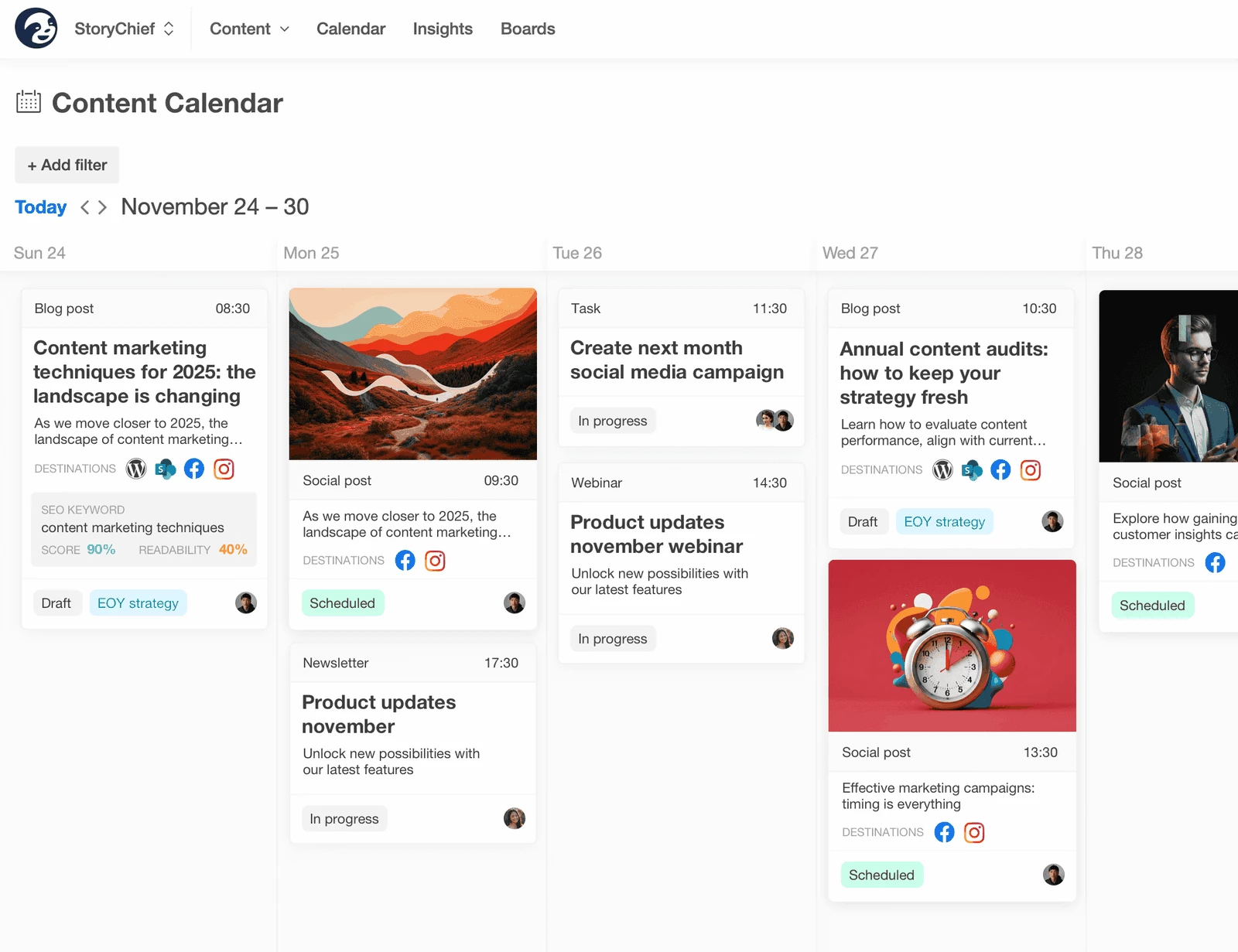
Once content is approved, StoryChief can publish it to connected content management systems, social accounts, newsletters, and syndication channels. Website, social, and search data can then feed back into future briefs and content decisions.
Agencies can keep each client’s brand information, permissions, channels, content, and reporting in a separate workspace to help prevent assets and feedback from becoming mixed across accounts.
For a wider view of agency software, see our guide to marketing tools for agencies.
Pricing
- Starter: $69/month
- Growth: $339/month
- Scale: $539/month
Paid plans include a free trial without a credit card.
What Users Say
Users frequently praise StoryChief for centralizing content production, client reviews, SEO checks, and multichannel publishing.
Several users say the approval tools reduce the time spent collecting feedback from clients and contributors. There is some criticism around restrictive entry plans and missing native integrations for some channels, although Zapier can cover part of that gap.
Other Notable Features
- AI-generated content briefs
- Brand voice and audience profiles
- SEO, GEO, and readability guidance
- Editorial calendar and task assignments
- Comments, version history, and approval workflows
- Multichannel publishing and content analytics


7. Canva Magic Studio: Best for Fast Campaign Design
For marketers creating recurring social, advertising, and email visuals.
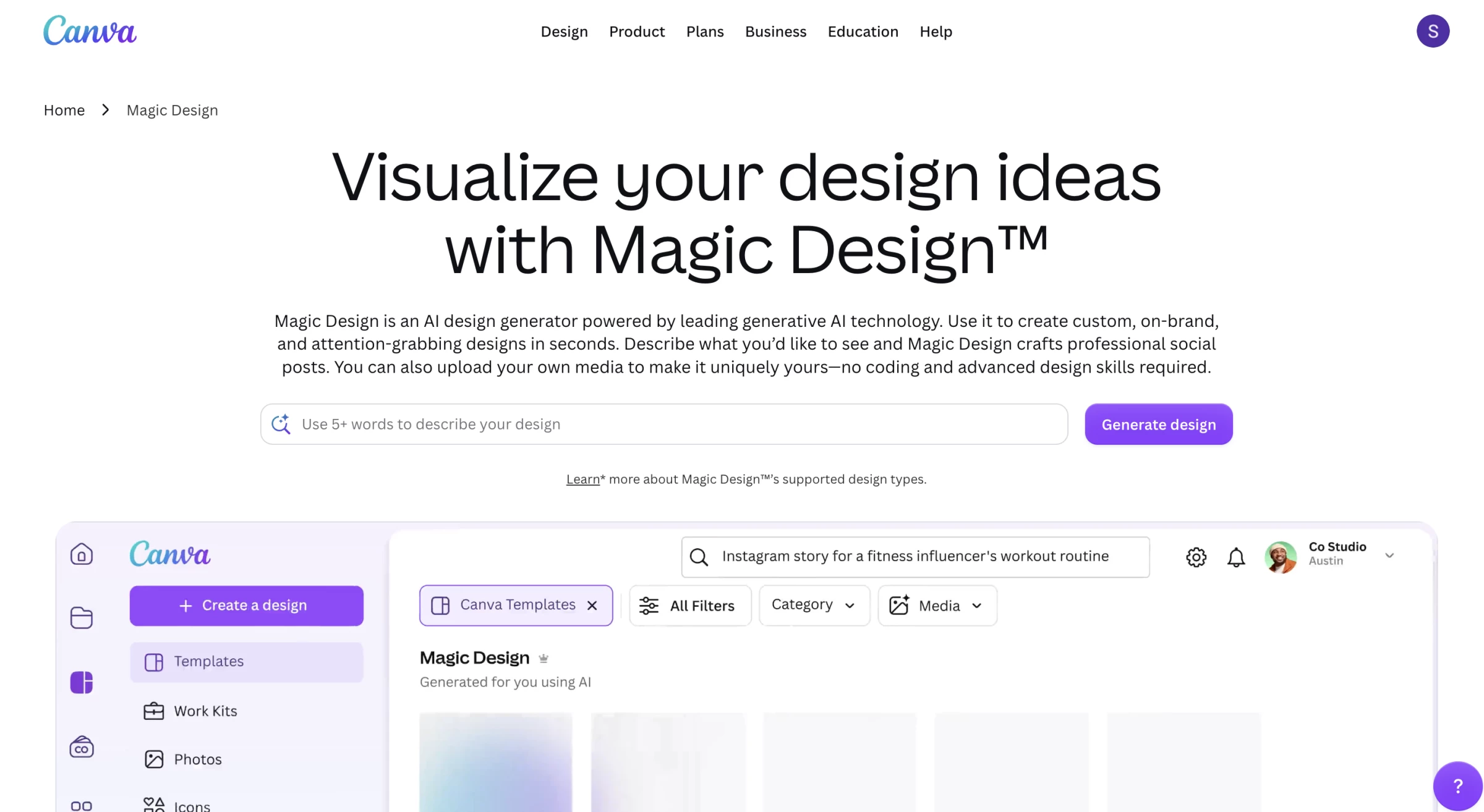
Canva’s appeal becomes clearer when one campaign needs several versions of the same visual. Templates, brand assets, and editing tools keep those adaptations within a single workspace.
Pros:
- A free plan supports basic design work and limited AI use
- Pro includes Background Remover and Magic Resize to speed up editing and adaptation across channels
- Pro includes five Brand Kits and 100GB of cloud storage for organizing recurring campaign assets
- Business adds 100 Brand Kits, approvals and team administration to support consistent work across contributors
Cons:
- Pro supports one person; teams needing shared brand controls should evaluate Business
- Business charges per person, so subscription costs increase as the team grows.
- Premium and Ultra AI tools draw from a shared monthly allowance, with complex tasks consuming more
- The largest AI allowance requires the optional AI Pass add-on, which costs extra
- AI-generated designs and copy still need review for accuracy and brand fit
I built the test scenario around a campaign graphic that needed to work as a LinkedIn post, an Instagram Story and an email banner.
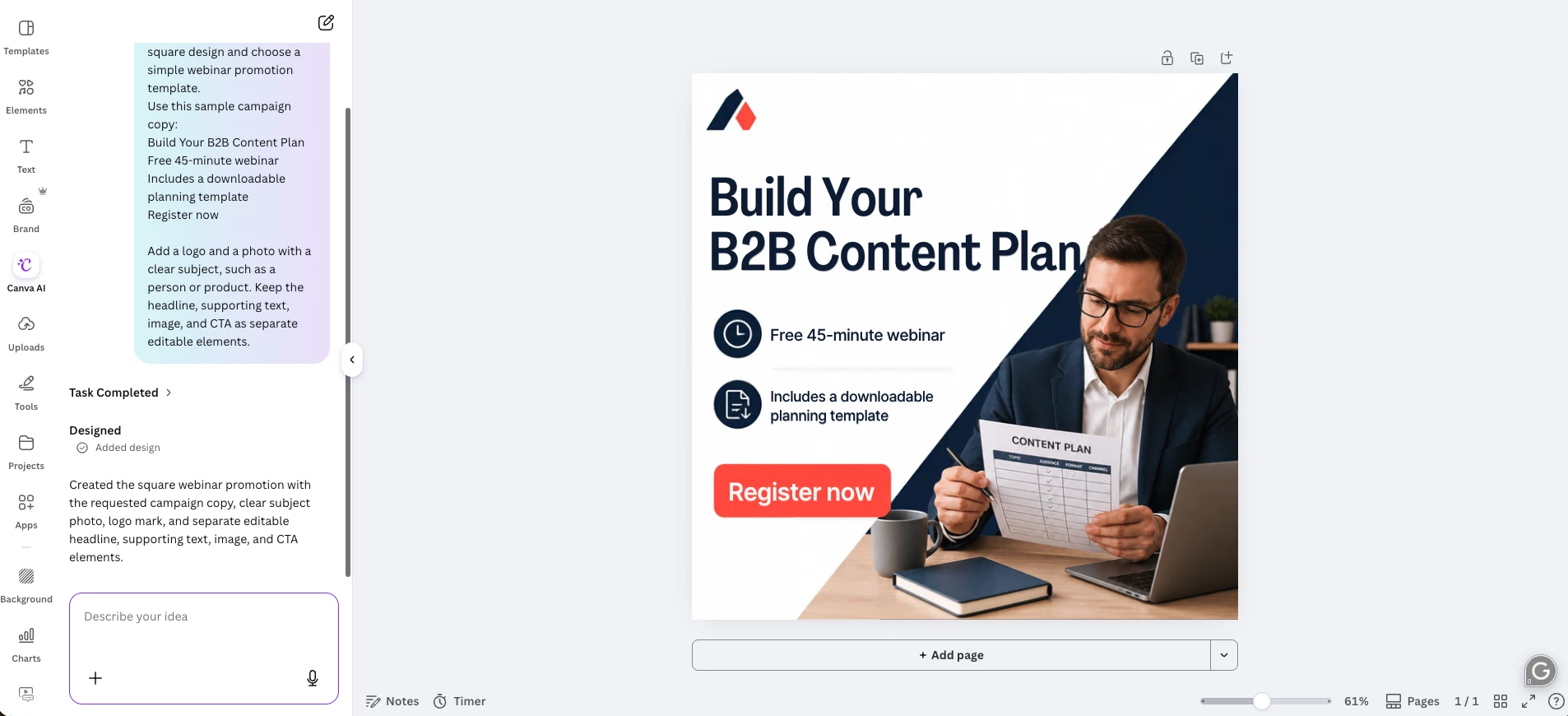
The workflow included removing an image background, applying brand colors, and adapting the layout with Magic Resize. I then reviewed each format for cropping, text placement, and legibility.
Those final checks are essential to the task. A resized layout still needs to communicate clearly in its new dimensions, especially when a headline or product image occupies much of the original design.
I would evaluate AI-generated imagery separately, checking whether the output suited the campaign and could withstand closer inspection.
Magic Studio comes through Canva’s plans, while Canva now presents its broader AI offering as Canva AI.
Pricing
- Free
- Pro: $18 for one person
- Business: $25/person/month
- Enterprise: Custom pricing
Canva offers free trials for Pro and Business.
The optional AI Pass costs an additional $100/person/month.
What Users Say
Canva holds 4.7/5 across 13,458 reviews on Capterra. Reviewers praise its ease of use, templates, and fast turnaround. Feedback on AI varies: some appreciate faster creation, while others describe inconsistent image generation.
Criticism also covers paid-feature restrictions and limited advanced editing.
Other Notable Features
- Magic Write helps draft and revise copy within the design workflow.
- AI image and video generation creates visuals from prompts, with access and usage depending on the selected tool and plan.
- Magic Layers turns flat designs into editable layouts so marketers can adjust individual elements.
- Canva Code generates interactive content without requiring users to write code.
- Social Content Planner, available on Pro and higher plans, schedules and publishes content across supported social channels.
8. Syllaby: Best for AI-Based Multichannel Video Marketing
For lean marketing teams creating video content without an in-house studio
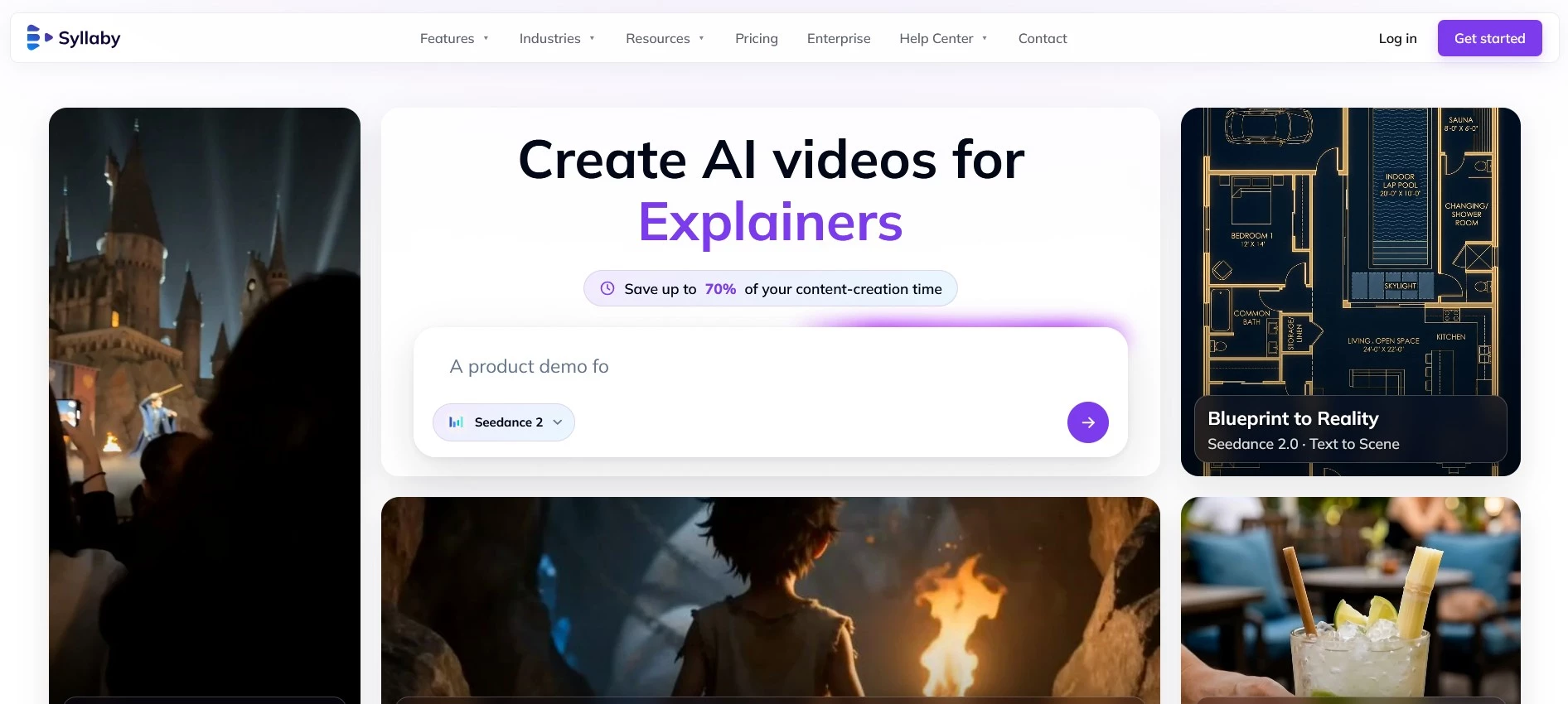
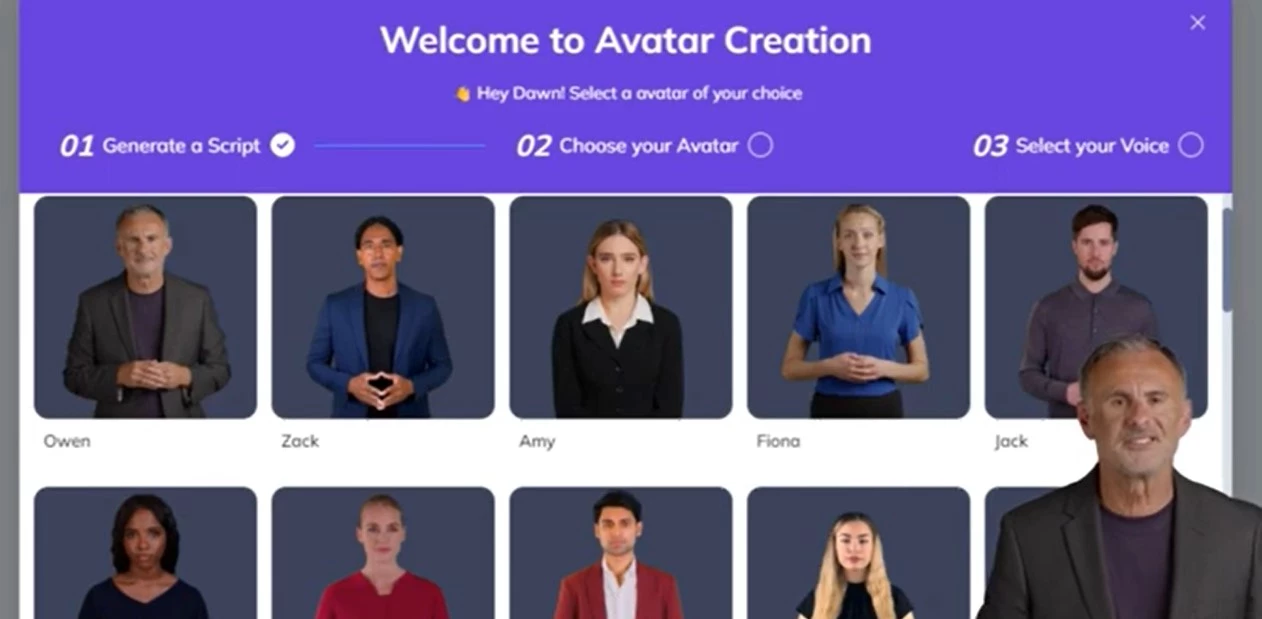
Syllaby groups scriptwriting, avatars, voice cloning, and scheduling behind a single interface.
Pros:
- Clean interface with easy AI tool access
- Generates personalized scripts with advanced language models
- AI voiceovers reduce the need for manual recording
- Centralized content repurposing and scheduling
Cons:
- Heavy automation can limit creative nuance
- Avatar customization is limited for niche brands
- Cloned voices may sound flat
- Rendering can lag on less powerful devices
I could jump into scriptwriting almost immediately, and the AI did a solid job of generating content tailored to the specific audiences I defined.
It used insights to shape the copy and its messaging for different customer journey stages.
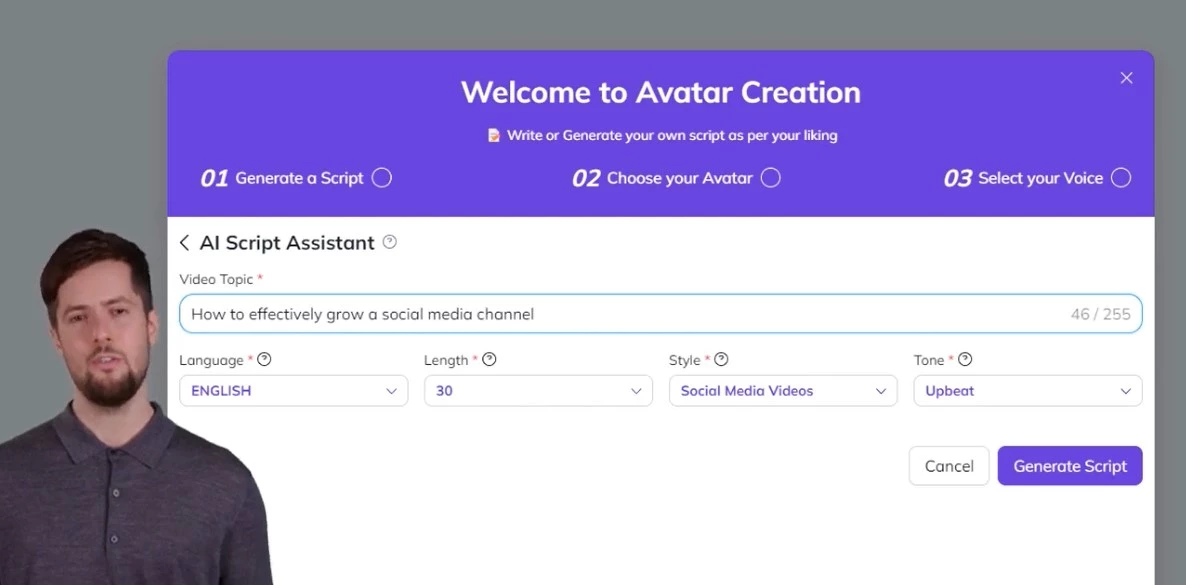
The video creation flow is where Syllaby started to feel like more than just a writing assistant. With features like voice cloning and AI avatars, I could produce full videos without stepping in front of the camera.
That alone made it easy to push content across email, socials, and landing pages, minus bottlenecking the creative process.
Pricing
- Basic: $29/month, or $24.67/month billed annually
- Standard: $78/month, or $66.33/month billed annually
- Premium: $153/month, or $130.08/month billed annually
What Users Say
Feedback is somewhat mixed. Positive reviews describe the convenience of creating and scheduling videos without much editing experience.
Negative reviews include complaints about inconsistent generated visuals, trial allowances, cancellation, and support. Other customers report helpful support, so service experiences are not uniform.
Other Notable Features
- SEO optimization for video titles, tags, and descriptions
- Cloud-based video storage
- Campaign performance analytics
- AI-powered video editing
- Persona-based content recommendations
9. HubSpot Breeze: Best for AI Marketing Automation Inside a CRM
For teams that want AI connected to their customer data and marketing workflows.
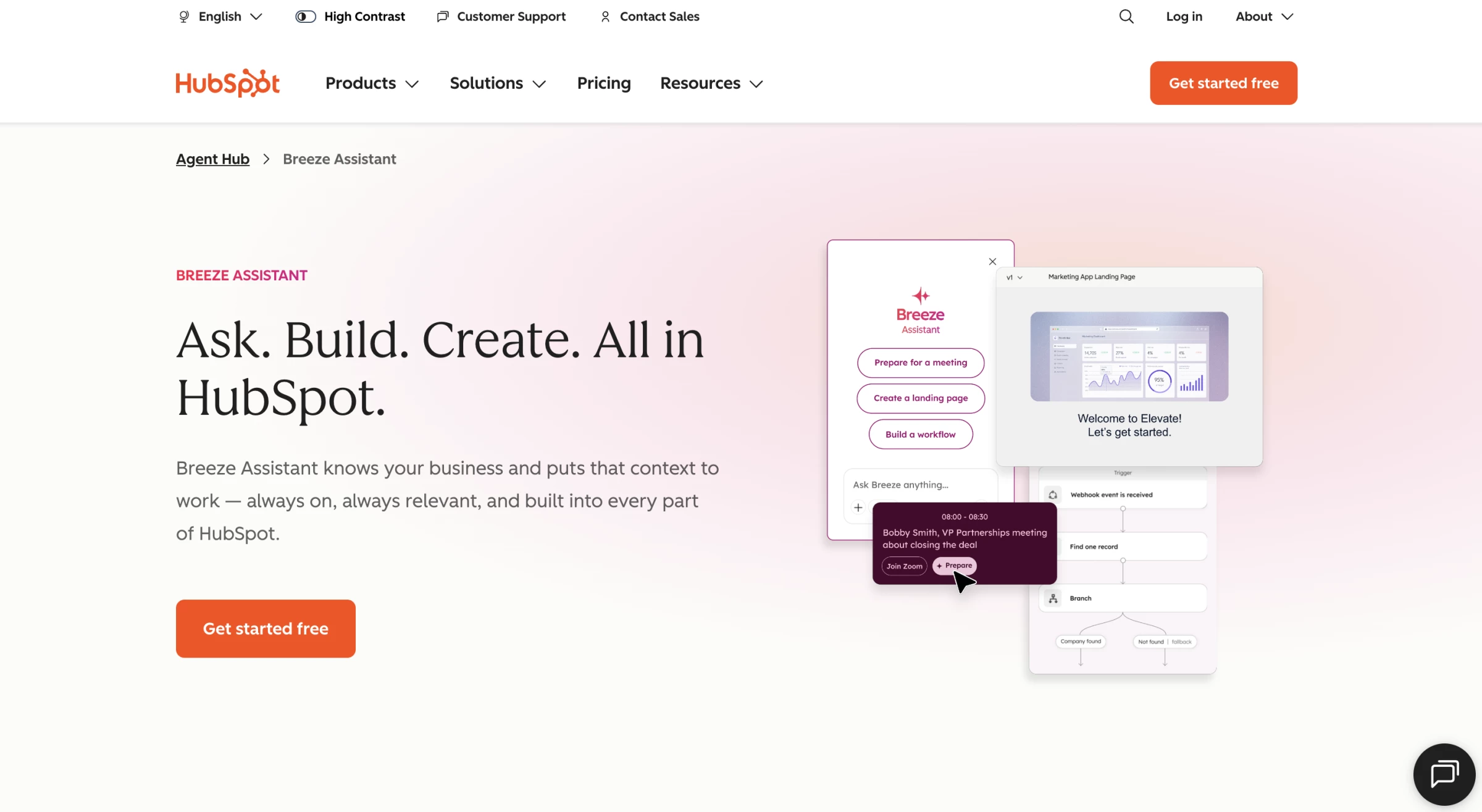
I approached Breeze through a task that depends on customer context: preparing a relevant follow-up message inside the CRM.
Pros:
- AI works with existing CRM records, helping teams connect marketing activity with customer context
- Free marketing tools support up to two users before a paid subscription
- Agent builder comes with Starter, Professional and Enterprise, allowing paid users to create custom agents
- Marketing Studio brings campaign planning and asset creation into one workspace on Professional and Enterprise
Cons:
- Advanced workflows and omnichannel marketing automation require Professional or Enterprise
- Professional and Enterprise require paid onboarding
- Credit-consuming features can generate additional costs, and unused monthly credits do not roll over
- Some marketing agents remain in beta
The test scenario used a sample contact record with notes about an inquiry and the next step.
I asked Breeze Assistant to summarize the available context and help prepare a follow-up draft.
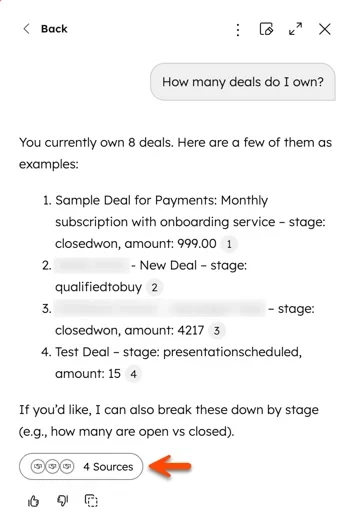
The assistant needs to help the marketer use the information already available while keeping the resulting communication accurate and appropriate.
For teams working in HubSpot, this connection to CRM records is a strong reason to explore Breeze. I would assess it alongside the wider subscription, including the features available on the selected plan and the credits certain agents consume.
Marketing Studio requires Professional or Enterprise, while the agent builder comes with paid plans.
Pricing
- Free
- Starter: $10/month/seat
- Professional: $890/month
- Enterprise: $3,600/month
Additional credits cost $0.01 each, through capacity packs or pay-as-you-go billing.
What Users Say
A Gartner Peer Insights reviewer of Breeze AI Agents says its integration with HubSpot saves time and reduces switching between tools.
Reviews of Breeze Intelligence focus on its data-enrichment capabilities.
Users praise ease of use and useful customer data, while criticism includes expensive credit usage and occasionally patchy enrichment results.
Other Notable Features
- Breeze Assistant answers questions and helps users work with their CRM data.
- AI Email Writer drafts email copy and subject lines to speed up campaign preparation.
- Marketing Studio, available on Professional and Enterprise, organizes campaign plans and assets across channels.
- Agent builder, included with paid plans, creates custom agents using prompts, company knowledge and CRM context; custom agent runs consume credits.
10. ActiveCampaign: Best for Autonomous Customer Lifecycle Marketing
For teams managing full-funnel automation in marketing and sales.
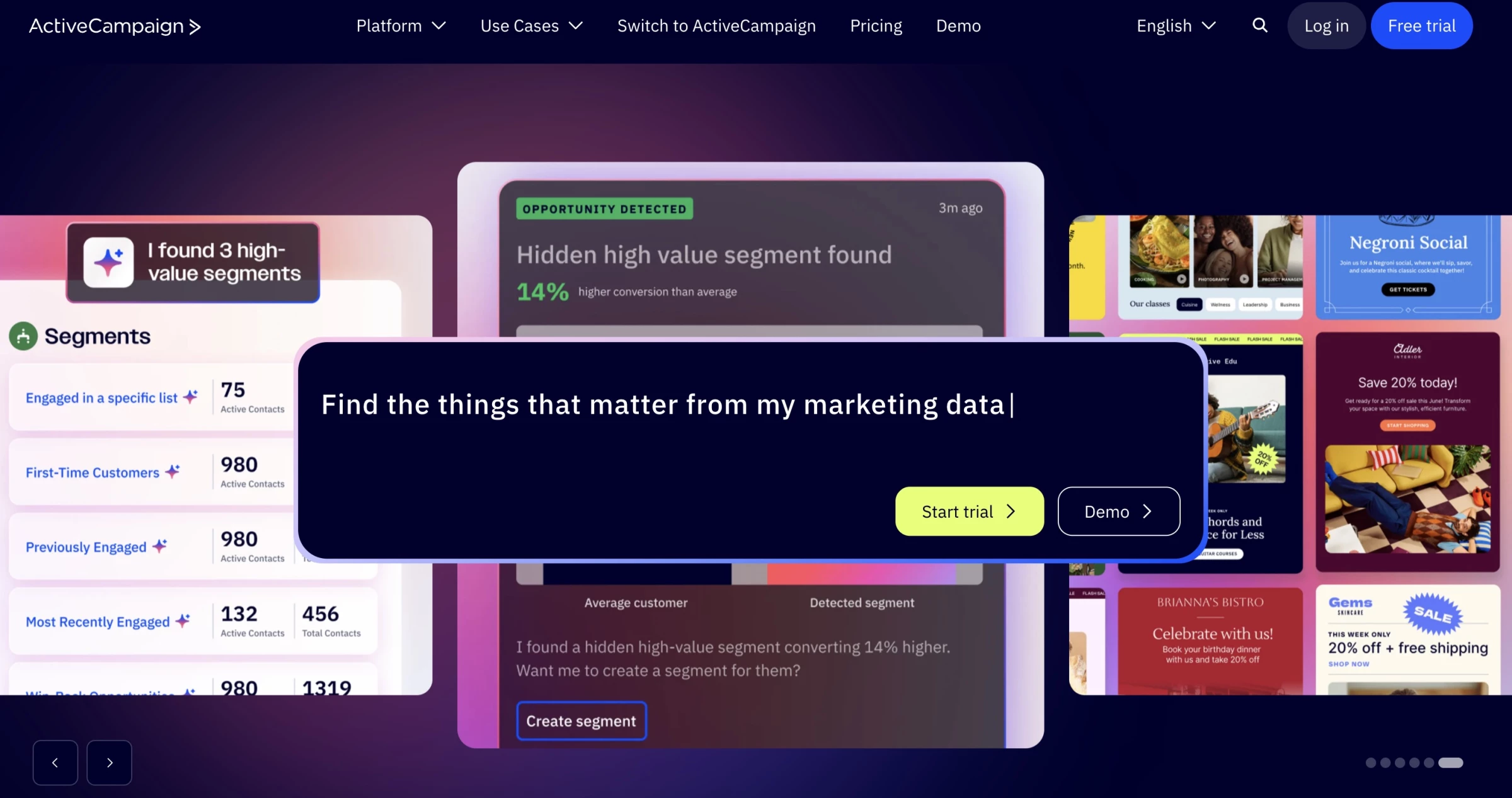
I've tested a lot of automation platforms, and most of them still rely on you to think through every branch, delay, and condition manually. ActiveCampaign felt different.
I didn't have to stitch together workflows step-by-step. Instead, I simply had to describe a goal like booking more demos or re-engaging cold leads, and ActiveCampaign's AI agents built the automation system for that outcome.
Pros:
- True autonomous marketing
- Predictive Sending with weekly recalibration
- 250+ prebuilt email templates and 1,000+ integrations
- Cross-channel orchestration (email, SMS, WhatsApp)
- Built-in CRM with AI scoring
Cons:
- Full power requires consistent data volume
- Pricing scales with contact count
- Setup can feel overwhelming without clear goals
Everything was consolidated into one predictive system.
Predictive Sending recalculates the best send time weekly for each contact, while AI-Suggested Segments surface high-value audiences that marketers might otherwise miss.
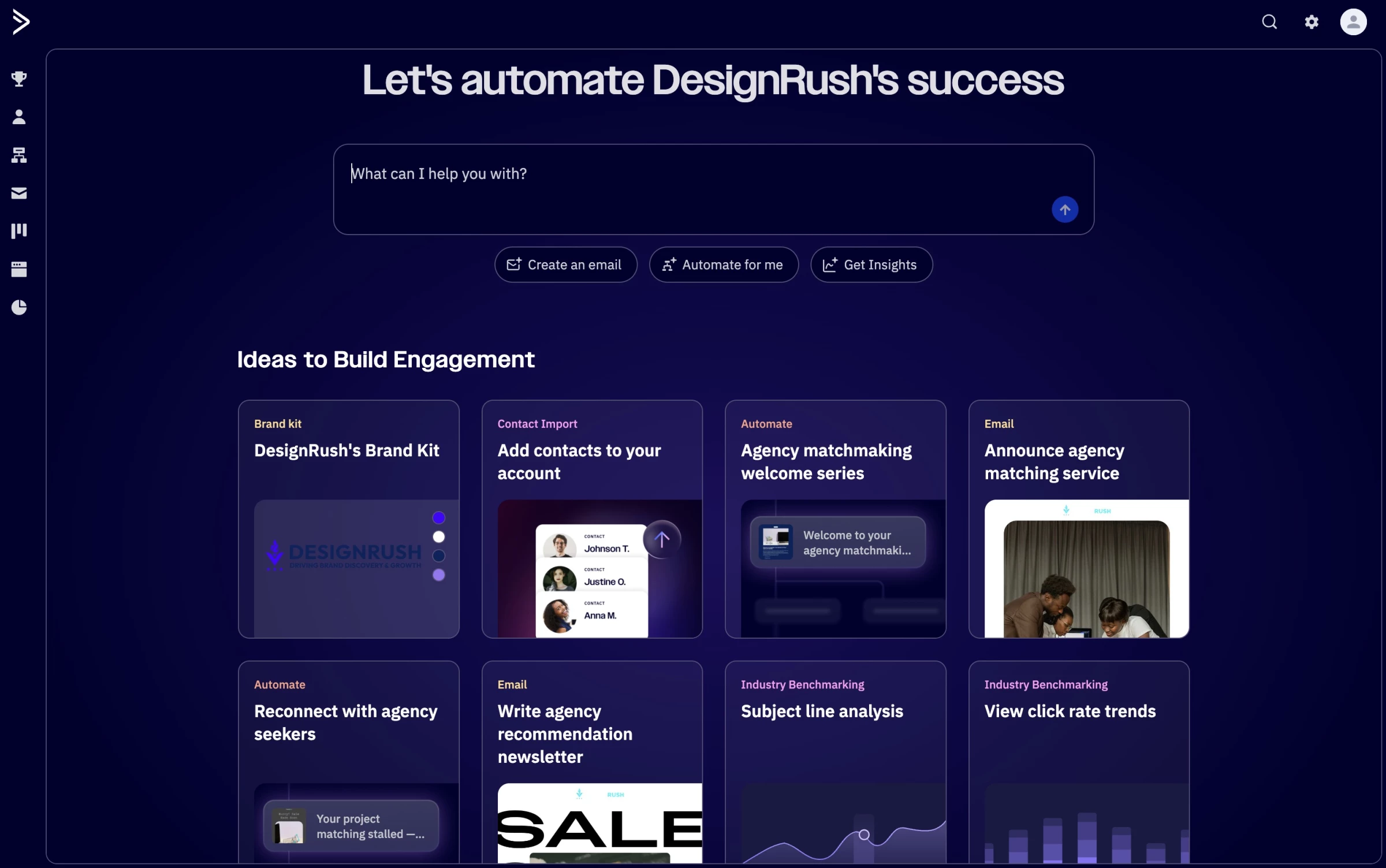
And because the CRM sits inside the same ecosystem, its win probability scoring highlights which deals deserve attention.
ActiveCampaign's AI impressively coordinated the full lifecycle for me, from first touch to closed deal.
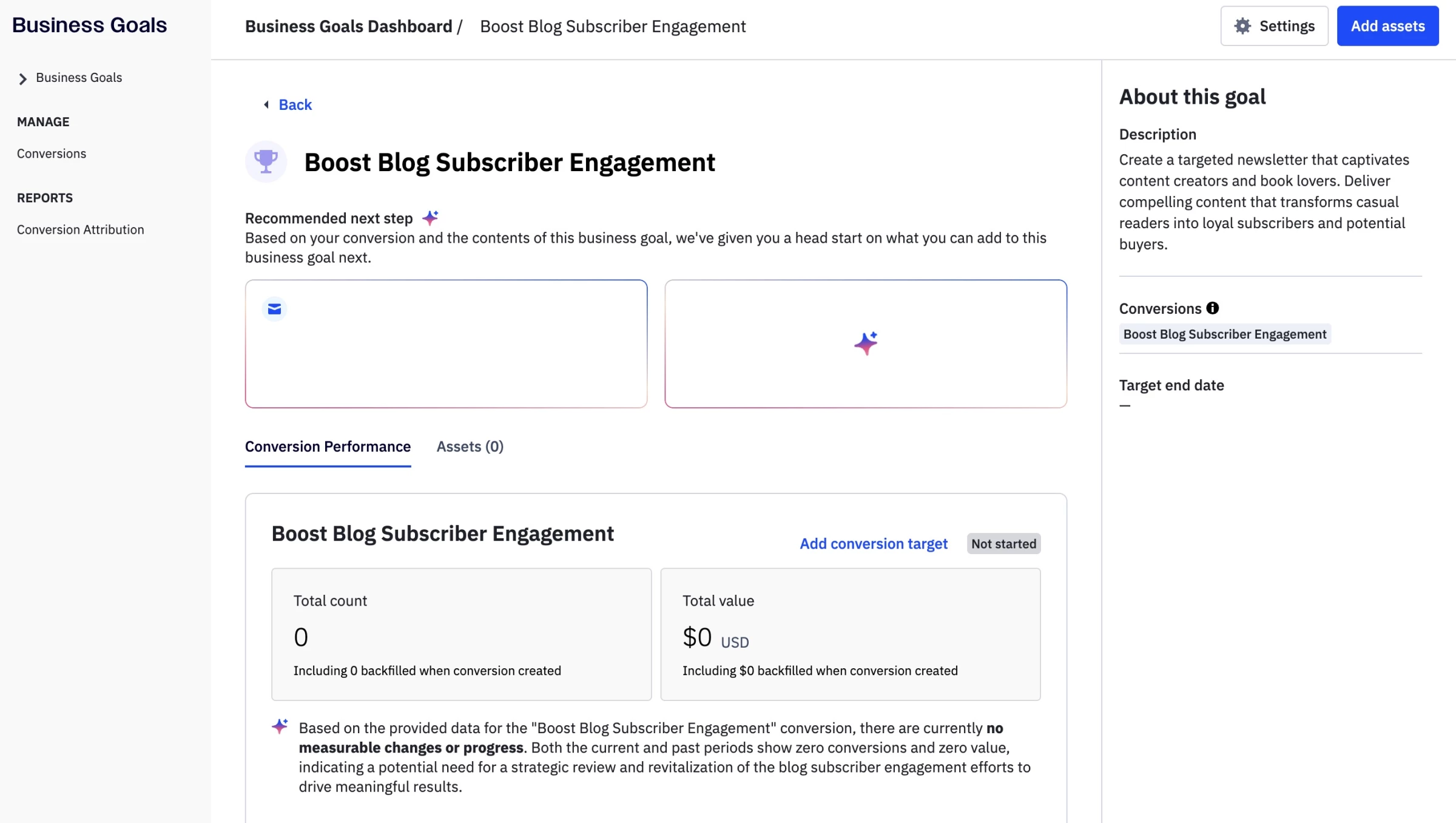
I was also able to connect email, SMS, WhatsApp, CRM pipelines, and behavioral tracking under one layer. Meaning that if engagement patterns shift, the timing automatically adjusts.
If leads go cold, nurture flows adapt. If the deal probability drops, the system flags the next steps. It feels less like I'm running campaigns and more like simply managing a system that's continuously optimizing behind the scenes.
Jackie Palmer, ActiveCampaign's VP Product Marketing, puts it this way:
“Traditional email automation was about drawing boxes and arrows; autonomous marketing is about setting goals and letting AI figure out the next best move.”
Palmer also reports that teams using the platform reclaim “13+ hours a week” as AI agents handle campaign building, testing, and optimization.
“The competitive edge now comes from how well you orchestrate AI across the full lifecycle, not whether you use it at all."
Pricing
- Starter: Starts at $19/month
- Plus: Starts at $59/month
- Pro: Starts at $99/month
- Enterprise: Starts at $179/month
What Users Say
Users consistently praise ActiveCampaign for its advanced automation.
They love how it allows them to automate almost every aspect of marketing and sales, from campaigns and ecommerce flows to contact management.
They caution, however, that the platform's depth can make it challenging for beginners, and some have noted that rising costs make it hard to justify for smaller lists.
Still, many see ActiveCampaign as superior for email automation. It is widely respected for its power and flexibility, while pricing and the learning curve are the main drawbacks.
Other Notable Features
- AI Campaign Builder (turn prompts into full campaigns)
- AI Brand Kit (auto-import brand assets from your website)
- AI Actions Library for automation enhancements
- Integration with ChatGPT and Claude via the MCP server
- Business Goals tracking with next-step recommendations
11. Omnisend: Best for eCommerce Email and Multi-Channel Campaigns
For eCommerce teams running multi-channel campaigns
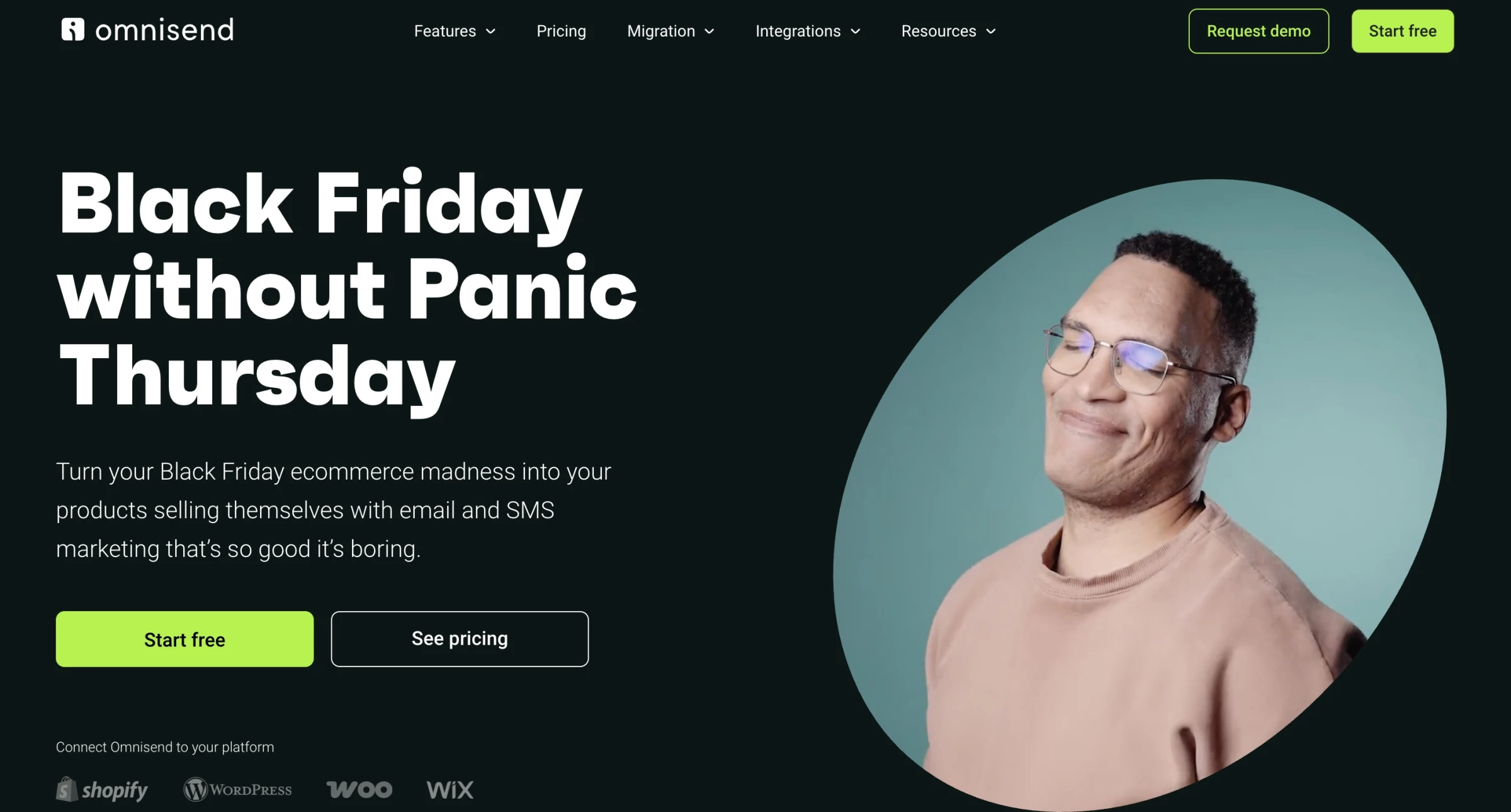
I’ve tried a lot of email marketing platforms, but Omnisend felt like it was built with online stores in mind from day one.
The platform combines email, SMS, and web push notifications in one place, eliminating the need to juggle different dashboards or log into multiple tools.
Pros:
- Email, SMS, and web push notifications in one platform
- Drag-and-drop builder
- Pre-built automation templates
- Supports audience segmentation and scheduling
- Personalized product suggestions
- Responsive support team
Cons:
- AI suggestions sometimes need refining
- Advanced marketers may find reporting and automation limited
- Form creation can be tricky
- Limited customization for larger businesses
Using the drag-and-drop builder, I was able to create a shoppable email in minutes, complete with product blocks, discount codes, and a professional-looking layout, all without hiring a designer.
The AI templates guided me gently, suggesting optimizations and helping me structure campaigns.
What impressed me most was how quickly Omnisend let me iterate. I could A/B test subject lines, tweak messages, and see results almost immediately.
Integrations with Shopify, WooCommerce, and BigCommerce made the workflow seamless, and their support team was responsive when I had questions.
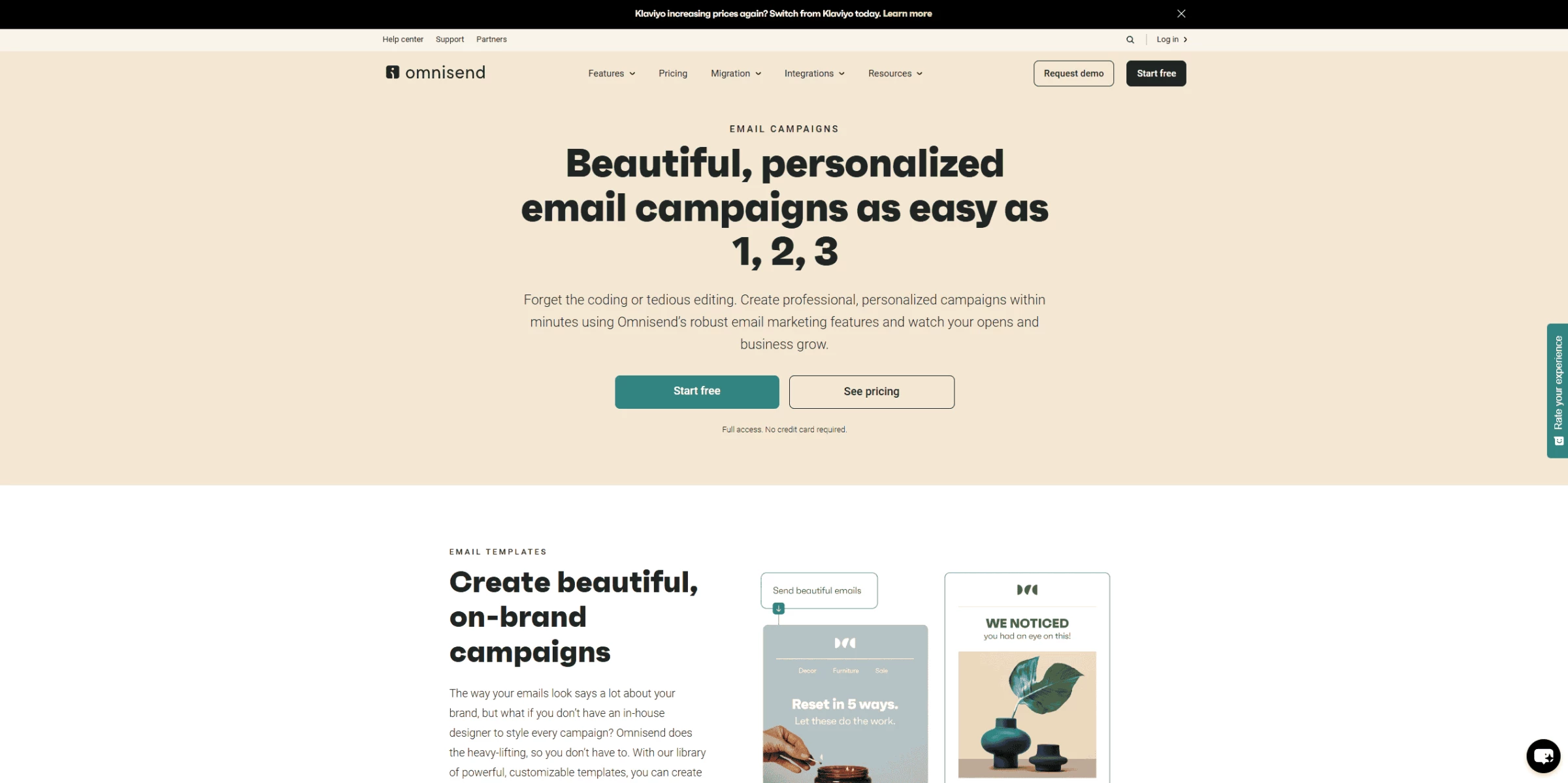
Of course, it’s not flawless. Some of the AI suggestions need refining. Also, more advanced marketers might notice limits in reporting and automation complexity.
For smaller or mid-sized online stores, Omnisend feels like an efficient marketing partner. It doesn’t replace creative input, but it speeds up campaign creation and helps you stay consistent across channels.
Pricing
- Free: Up to 250 contacts and 500 emails/month
- Standard: From $16/month for 500 contacts
- Pro: From $59/month for 2,500 contacts
Paying three months upfront cuts Standard to $11.20 and Pro to $41.30 a month.
What Users Say
Omnisend is widely praised for its automation tools, multi-channel reach, and solid ROI.
Users especially like how easy it is to launch email and SMS campaigns, segment audiences, and manage sales workflows without getting bogged down in technical details.
Of course, it’s not perfect. Creating forms can be a bit tricky, and larger businesses might find the customization options a little limited compared to more advanced platforms.
Other Notable Features
- Up to 8 personalized product suggestions per email for upsells and cross-sells
- Easy-to-use drag-and-drop email builder
- Segmentation and scheduling tools for targeted campaigns
- Pre-built automation templates for quick deployment
12. Pixis: Best for AI Media Buying and Campaign Optimization
For performance marketers scaling paid campaigns with AI optimization.
Running paid campaigns always felt like trial and error taken to the extreme until I tested Pixis.
I connected it to both my Meta and Google Ads accounts, and almost immediately, it began working behind the scenes like a smart media buyer.
Pros:
- Continuously optimizes performance and reallocates spend automatically
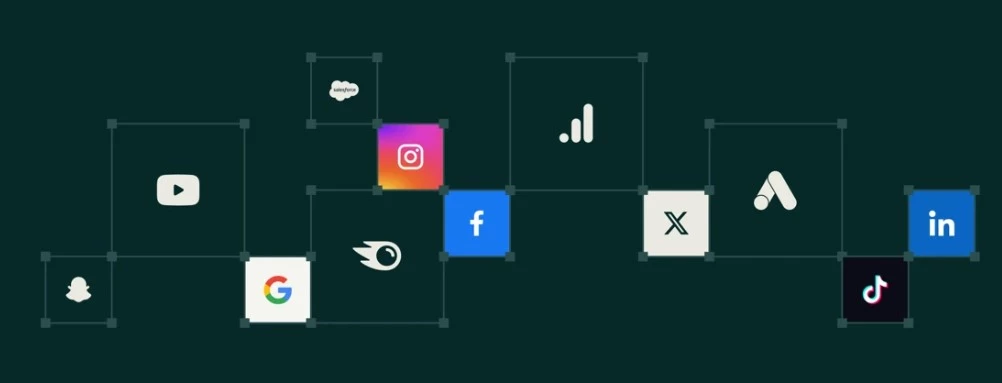
- Works across Google, Meta, and other major channels
- Improves conversions, targeting, and creatives using predictive algorithms
Cons:
- Steep learning curve
- Setup requires careful configuration to avoid misfires
- Limited transparency into optimization logic
- Less control for hands-on marketers
Within days, it started reallocating budget across ad sets, automatically testing creatives, and refining audience targeting based on live performance data.
What surprised me most was that the overall results improved while my budget remained unchanged. It was like plugging in an invisible campaign manager who doesn’t sleep and never misses a beat.
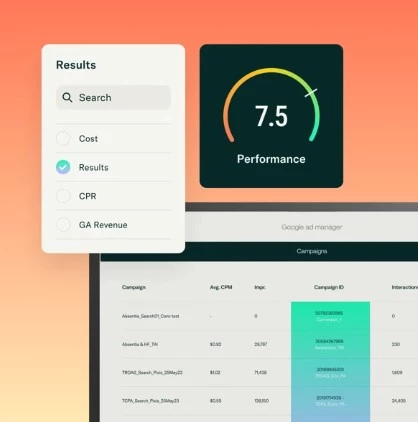
Pixis uses predictive AI models that continuously analyze what’s working and what's not. It efficiently scales marketing campaigns.
I could see performance lift even in underperforming segments because the system quickly caught and corrected issues in real time.
This AI marketing tool may not be built for beginners. You need active campaigns and a decent ad volume for the AI to learn from.
When I started from scratch, the insights were limited, but once it had historical data to work with, it really hit its stride.
Pricing
- Prism, Pixis's AI insights product, starts free (capped at 50 prompts or 30 days), then $99, $500 or $1,000 a month, each with a 14-day trial.
What Users Say
While the results were strong, Pixis can sometimes feel like a black box, i.e., you don’t always know why it made certain decisions unless you dig deep.
However, when set up correctly, Pixis genuinely felt like a predictive, algorithmic partner that fine-tuned campaigns with impressive speed.
Other Notable Features
- Predictive AI optimization engine
- Autonomous budget reallocation and budget pacing controls
- Real-time targeting refinement
- Cross-platform ad management
- Automatic A/B testing
13. Plai: Best for Automated Multi-Platform Ads
For small businesses and agencies that need help creating, launching, and managing paid campaigns
Plai handles campaign setup, creative production, and optimization across Meta, Google, TikTok, LinkedIn, and 11 other advertising platforms.
Brand Context takes product information, colors, language, and tone from a company website, from which Plai then generates editable copy, images, videos, targeting suggestions, and campaign variations based on your chosen goal and platform.
Pros:
- Free plan includes two campaigns and two optimizations per month
- Supports campaign creation across 11+ advertising platforms
- Generates editable copy, images, videos, and targeting suggestions
- Imports existing campaigns for centralized management
- Offers multi-campaign budget optimization
- Provides client workspaces and white-label options for agencies
Cons:
- Monthly plans charge 2.5% on Plai-managed ad spend above $20,000
- The $97 Brand plan is limited to Optimize for Me and 50 Creative Hub assets per month
- White-labeling, advanced targeting, and multi-ad-set creation require another plan or add-on
- Independent reviews are limited, and much of the coverage online comes from affiliates
Optimize for Me reviews Meta and Google campaigns daily, and can generate new creatives, remove underperforming audiences, placements, keywords, or locations, and direct more of the budget toward stronger results.
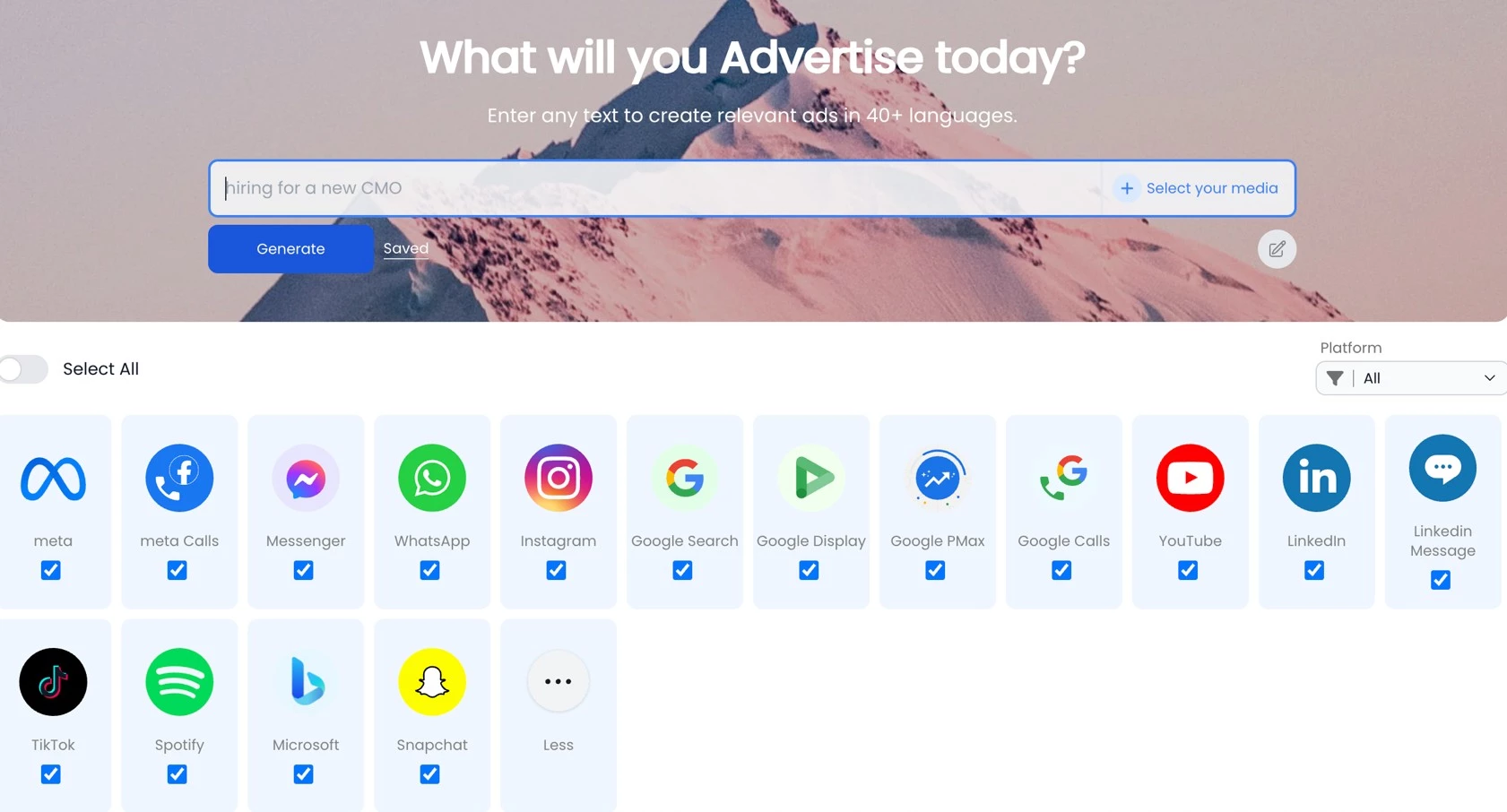
Optimization Folders work across campaigns to shift spend among better-performing ads on platforms such as Meta, Google, and TikTok. Existing campaigns can also be imported, edited, paused, and reviewed alongside those created in Plai.
Plai also documents support for launching ChatGPT Ads. Access requires a connected OpenAI advertiser account, and Ads Manager remains in beta (availability also varies by market).
Pricing
- Free: Limited campaigns and AI creatives
- Brand Builder: $790/year, equivalent to about $66/month
- Agency White-label: $2,490/year
- Monthly plans: From $97/month
What Users Say
User feedback is limited but positive about the straightforward campaign setup and accessibility for users with limited experience in native ad managers.
Criticism includes a dated interface, less polished campaign statistics, and isolated reports of reporting or Google Ads integration challenges.
Other Notable Features
- ChatGPT Ads campaign setup
- Cross-platform campaign analytics
- UGC-style avatar videos
- Keyword and audience research
- Organic social media scheduling
- Landing-page creation
- Reusable campaign templates
- GoHighLevel and Stripe integrations
14. Prescient AI: Best for Predictive Marketing Attribution
For growth teams needing accurate multi-channel attribution insights
Prescient AI wasn’t on my radar until I hit a wall trying to understand where my conversions were coming from.
Standard attribution models like last-click or platform-specific reports from Meta and Google weren’t telling the full story. This especially applies to longer customer journeys that cover multiple touchpoints.
Pros:
- Identifies undervalued channels with measurable impact
- Continuously improves attribution accuracy
- Integrates with major platforms and first-party data
- Advanced marketing mix modeling (MMM)
- Fast implementation (as little as 48 hours)
Cons:
- Less suitable for small or single-channel campaigns
- Analysis-only (no direct campaign management)
- Built for consumer brands, not B2B
When I tested Prescient AI, it felt like someone finally turned the lights on.
The AI marketing tool uses machine learning (ML) to predict and map multi-touch attribution to show how different channels contribute to conversion outcomes over time, not just at the point of sale.
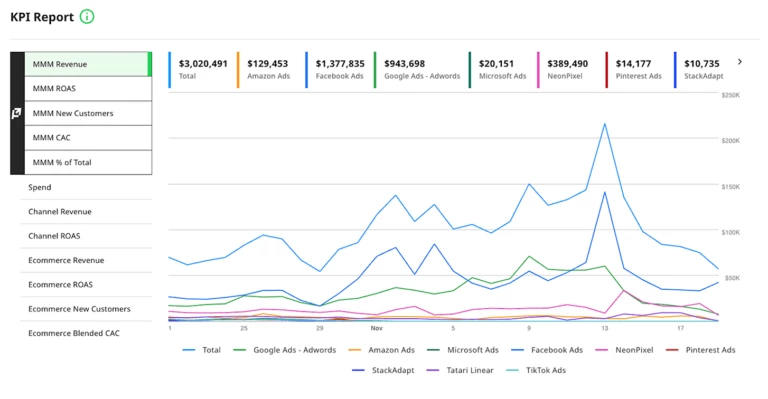
One of the most valuable things I got out of it was the ability to reassign the budget more strategically.
Through Prescient, I discovered that TikTok, a platform I had almost written off, was quietly driving high-intent traffic for my eCommerce campaign.
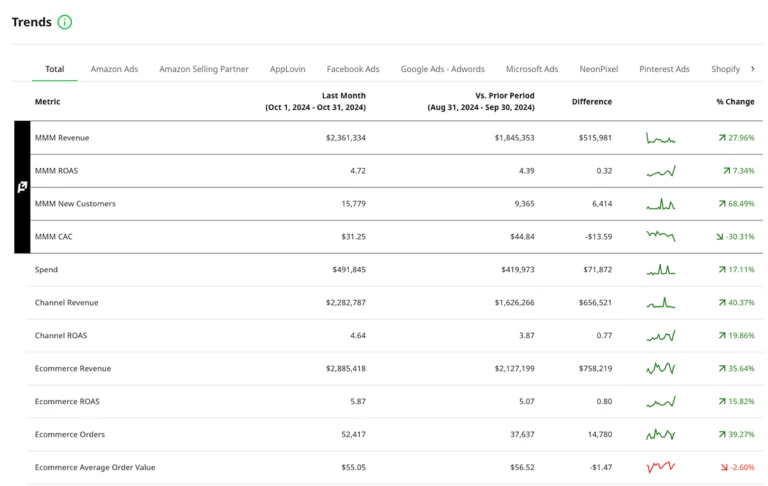
That insight alone helped justify a shift in spend that eventually improved ROAS across the board.
Pricing
- Pricing is available upon inquiry or demo request
What Users Say
Independent reviews are limited, but in a case study published by Prescient AI, Good American’s associate director of performance marketing, Avery Lewis, says the team connected its channels in just 16 minutes and received insights two days later that helped inform media spending.
She also describes using the platform’s recommendations to adjust the brand’s media mix.
Other Notable Features
- Predictive attribution modeling
- Halo effects attribution
- Multi-touch journey mapping
- Channel contribution analysis
- Budget allocation insights via forecast from historical performance
15. Modash: Best for AI-Assisted Influencer Discovery
Modash suits B2C marketing teams looking for creators whose content and audiences match their campaigns.
Modash helps marketers find and evaluate creators on Instagram, YouTube, and TikTok.
Its database includes public profiles, giving brands access to creators beyond those who have registered with an influencer marketplace.
Audience filters and engagement data help teams assess potential partners before making contact.
Pros:
- AI search helps find creators by content theme and visual style.
- Audience analysis supports more targeted shortlists.
- Campaign tracking collects partner content and performance metrics.
Cons:
- Essentials limits usage to 300 opened profiles and 150 email unlocks per month, with tracking for 100 creators.
- AI search needs separate audience filters to narrow results by follower demographics.
- Discovery and tracking focus on Instagram, YouTube, and TikTok, limiting its usefulness for campaigns on other platforms.
Its AI search accepts descriptions of the content or style a campaign needs and returns matching creators. Marketers can then narrow the results using filters. Audience demographics require separate filters; the AI search cannot interpret those requirements directly from a prompt.
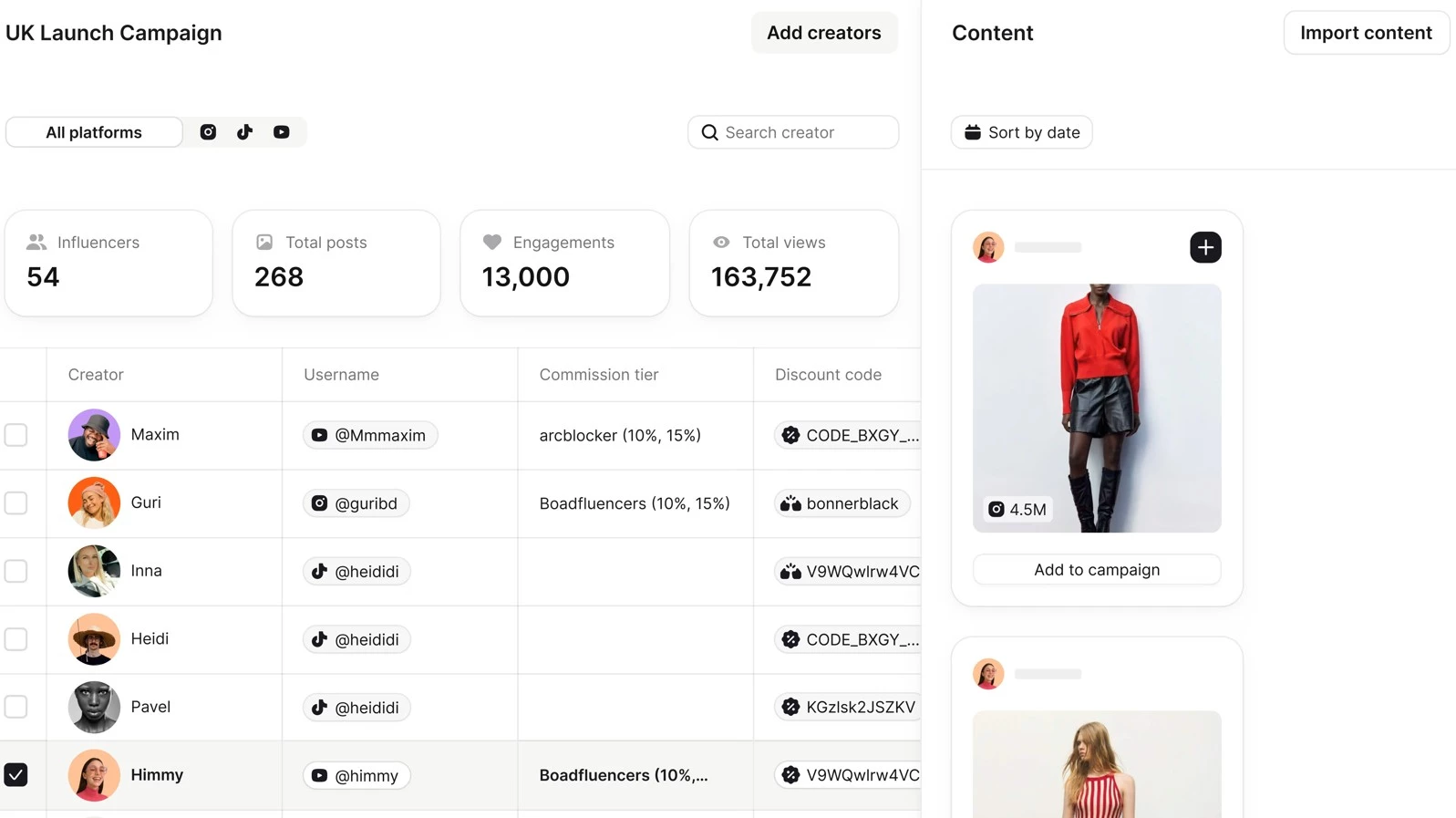
Once partnerships are underway, Modash collects campaign content and tracks performance. It also includes tools for managing creator relationships, with Shopify integrations for product gifting and, on higher plans, affiliate sales.
Pricing
- Essentials: From $299/month, $199/monthbilled annually
- Performance: From $599/month, $499/month billed annually
- Enterprise: Custom pricing
- Free trial: 14 days, no credit card required
What Users Say
Modash holds a highly positive rating from reviewers who praise its detailed discovery filters, ease of use, and customer support. Some do raise concerns about cost, tracking allowances, and the presentation of reports.
The review sample is small, and older comments could refer to features that have since changed.
Other Notable Features
- Gmail and Outlook inbox integrations for creator communications.
- Discovery of influential accounts already following a brand.
- Shopify product gifting, with affiliate management available on higher plans.
How To Choose an AI Marketing Tool
Most teams need a small group of specialist tools chosen around clear workflow gaps.
Ryan Hernandez, founder and CEO at WGA, identifies faster data analysis as one of AI’s main advantages:
“AI tools in digital marketing source and study a tremendous amount of data and information in seconds that would otherwise take us months.”
For buyers, the practical question is where that speed will help and what the tool requires in return.
Compare these five points before adding another platform:
- Start with the task. Look for depth in the area that needs improvement, such as content production, campaign management, attribution, or AI visibility.
- Check the data and integrations. Confirm that the tool works with the CRM, advertising platforms, and other data sources already in use.
- Set the level of control. Check whether marketers can review outputs, change settings, and override automated decisions when necessary.
- Account for the full commitment. Consider contact limits, user seats, add-ons, setup work, and the person responsible for managing the tool.
- Define how value will be measured. Choose a relevant baseline, such as production time, campaign performance, attribution clarity, or visibility in AI-generated answers.
Mo Sabri, co-founder and COO at Trust Outsourcing Solutions, makes the case for connecting AI tools to existing data systems rather than running them separately:
"By using APIs and integration platforms to make sure there is a solid connection established with your primary data storage, instead of using AI tools as stand alone apps, you can also set up a monitoring system to govern access control so things don't get out of hand.
A well trained admin with basic understanding of data filtering and data analysis can cover this for you if you have the right system set up."
He also notes where AI falls short:
"While AI can do an amazing job at qualifying leads and lead screening, it cannot yet replace the human element of closing a sale or performing a live demo on a feature or service [...]"
AI Marketing Tool Trends Shaping 2026
The tools in this roundup point to four shifts in how marketers use AI:
- More campaign execution: ActiveCampaign builds automations from prompts, while Pixis supports budget, targeting and bid optimization. AI increasingly helps teams act on campaign data.
- Tools chosen by task: Writing, video, attribution and AI visibility require different capabilities. A practical AI adoption plan should prioritize workflow gaps, integrations and overlapping subscriptions.
- Broader measurement: Prescient AI models contribution across marketing channels, while Brandi AI tracks how brands appear in AI-generated answers, extending measurement beyond website clicks.
Choosing AI Tools for Marketing: Final Thoughts
- Solo marketers can cover drafting and design with ChatGPT and Canva, both of which have free plans. Jasper Pro adds brand controls but covers a single seat.
- Teams that need shared workflows should look at HubSpot Breeze or ActiveCampaign for lifecycle automation, and StoryChief for briefs, approvals and publishing.
- Agencies get separate client workspaces in StoryChief and client workspaces with white-label options in Plai.
- Free tiers run out fast. Omnisend's stops at 250 contacts and 500 emails a month, Plai's at two campaigns and two optimizations, and Canva's at 50 AI credits.
- Pixis and Prescient AI need existing campaign volume to learn from. Brandi AI (AI search visibility), Prescient AI (predictive attribution) and Modash (influencer discovery) each cover a job no other tool here does.
Teams that want help putting these tools to work can compare AI automation agencies in our directory.

Our team ranks agencies worldwide to help you find a qualified partner. Visit our Agency Directory for the top digital marketing agencies, as well as: