
Managing web design projects requires tools that support efficient design, collaboration, and delivery. The right web design platform streamlines workflows, improves consistency, and reduces friction across teams.
Below are the best apps for web designers and the key features to look for when choosing one.
Web Designing Apps: Key Findings
- Figma and Canva help visualize layouts and assets, while BrandCrowd supports brand-aligned design systems, and Wix, Squarespace, and Webflow focus on building and launching websites.
- Wix, Squarespace, and Designmodo make it possible to design and publish responsive sites quickly without writing code.
- Adobe Dreamweaver is useful for teams that want full control over HTML, CSS, and JS when building custom websites.
Why Web Designers Need Smarter App Stacks in 2026
Adobe reports that 95.2% of content leaders say visual content is critical to their business, while overall content demand is growing 5x to 20x.
At the same time, audience expectations are rising. 82% of global consumers expect experiences to engage multiple senses, pushing brands to create richer visuals, motion, sound, and interactive digital environments.
For web designers, this means websites are no longer static pages. They are immersive brand experiences that combine visual design, animation, storytelling, and interaction.
Meeting those expectations requires more than a single design tool, so teams rely on specialized apps for wireframing, UI design, asset generation, collaboration, and site deployment.
1. Design.com: Best for Quick Site Concepts
-content-large-webp.webp)
Design.com is a lightweight design platform that combines an AI website generator with branding tools, including logo creation and marketing asset templates.
While it isn’t intended to replace professional design software, it can be useful for designers who need to generate quick site concepts or basic client websites without having to build everything from scratch.
The platform offers a simple website builder supported by a large template library. Designers can generate a starting layout, adjust sections in the visual editor, and publish a basic website with hosting included.
Design.com also includes a logo generator and a library of brand assets, such as social graphics, business cards, and digital branding materials. This makes it convenient for quickly assembling small branding packages for early-stage businesses or rapid project turnaround.
Pricing
- Free Website Pack: Free
- Basic hosted website
- 3-page limit
- Design.com watermark
- Limited editor features
- Website Builder:
- $9/month billed monthly
- $6/month billed annually
Key Features
- AI-powered website generator that produces starter layouts from templates
- Built-in logo generator for creating brand visuals alongside websites
- Large library of templates and design assets for marketing materials
- Visual editor for adjusting page sections and layouts without coding
- Hosting included for publishing simple websites directly from the platform
Try Design.com to quickly generate a website concept and supporting brand assets.
2. BrandCrowd: Best for Creating Brand-Aligned Websites and Assets With AI
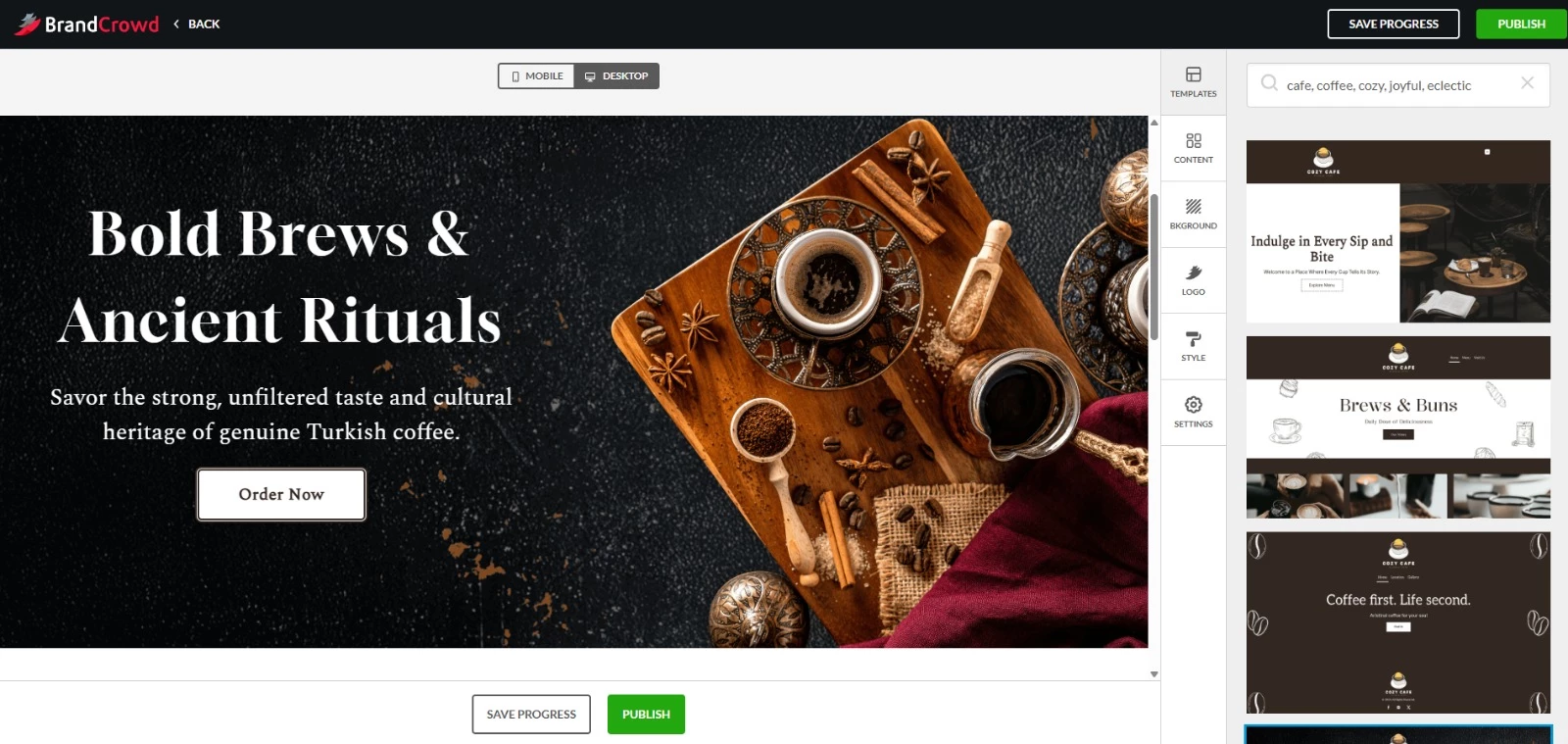
BrandCrowd approaches web design from a branding-first perspective. You start building your website using layouts or templates, while the platform simultaneously generates a complete visual identity.
That brand is then applied consistently across website elements and supporting design assets.
After creating a logo, the platform automatically applies brand colors, typography, and visual style.
I could generate website-ready visuals, social graphics, and business materials that all aligned without manually matching styles.
What makes it different from traditional website builders is how the AI handles consistency.
Rather than assembling pages element by element, the platform produces designs that already match, which is especially useful for early-stage brands or quick client projects.
It also includes tools for creating simple websites, link-in-bio pages, and digital business cards, enabling you to launch a basic branded presence alongside visual assets from the same system.
Pricing
- Free Website Pack:
- Basic hosted website with a 3-page limit
- Watermark and limited editor features
- Website Builder:
- $9/month (billed monthly)
- $6/month (billed annually)
Paid plan includes unlimited pages, full editor access, custom domain connection, and additional features such as contact forms, media embeds, and basic eCommerce functionality.
Key Features
- AI-generated logos that extend into full brand visuals
- Automatic brand consistency across website and marketing assets
- AI-assisted editing using prompt-based adjustments
- Built-in tools for websites, social media graphics, and digital business cards
- Access to 1M+ designs and 400K+ logos across industries
Try BrandCrowd and generate brand-aligned assets and extend them into a cohesive web presence.
3. Wix: Best for Full Website Creation With Design Control
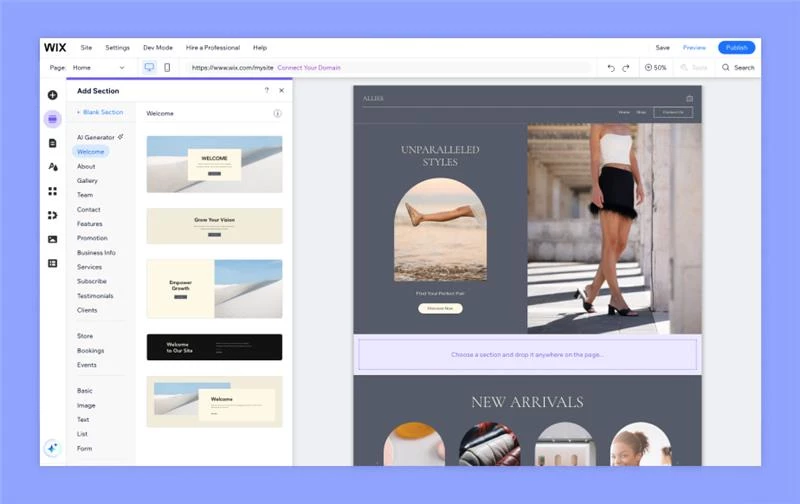
Wix is a widely used website builder that helps designers create full websites quickly with a visual editor and AI-powered design tools.
Designers can start by describing their website goals and preferences to Wix’s AI tools, which generate a tailored site structure, layout, and content suggestions.
Alternatively, they can choose from 2,000+ designer-made templates covering industries such as eCommerce, portfolios, restaurants, blogs, and nonprofits.
Every element can be refined using Wix’s visual editor. Designers can adjust layouts, colors, fonts, animations, and interactive elements to craft the final experience.
Wix also includes built-in SEO tools, analytics, and marketing features, helping you promote websites, track performance, and manage growth directly from the platform.
Pricing
- Free: AI-generated site with Wix branding
- Light: $17/month
- Core: $29/month
- Business: $39/month
- Business Elite: $159/month
Key Features
- AI website generator that creates a tailored site from prompts
- Drag-and-drop editor for adjusting layouts, sections, and design elements
- 2,000+ fully customizable templates across multiple industries
- AI tools for generating website copy, images, and visual edits
- Built-in visual effects, such as animations, gradients, scroll effects, and interactions
- Integrated SEO tools, marketing features, and analytics
- Native support for eCommerce, blogs, events, and scheduling
Get started with Wix to generate and customize a full website in minutes.
4. Figma: Best for UI Design Collaboration
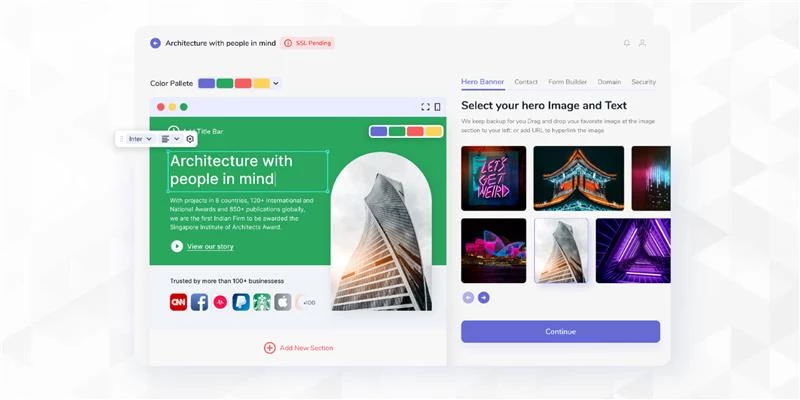
Figma is a browser-based design platform used by product and web teams to create interfaces, prototypes, and design systems in a shared workspace. It supports the full web design workflow, from early wireframes to developer handoff, all within the same environment.
You can build responsive layouts using tools such as Auto Layout, components, styles, and variables, which help maintain consistency across large projects.
Interactive prototypes can also be created directly inside the design file to simulate real user flows before development begins.
Because Figma runs in the cloud, collaborators can work in the same file simultaneously. Team cursors, comments, and shared libraries keep designers, developers, and stakeholders aligned throughout the design process.
Pricing
- Starter: Free
- Professional:
- Full seat: $16/month (billed annually)
- Dev seat: $12/month (billed annually)
- Collab seat: $3/month (billed annually)
- Organization:
- Full seat: $55/month (billed annually)
- Dev seat: $25/month
- Collab seat: $5/month
- Enterprise:
- Full seat: $90/month (billed annually)
- Dev seat: $35/month
- Collab seat: $5/month
Key Features
- Browser-based UI design platform with real-time collaboration
- Layout tools: Auto Layout, components, styles, and variables
- Interactive prototyping without code
- Shared design systems and team libraries
- Dev Mode for structured developer handoff
- Plugin ecosystem, UI kits, and community templates
- Commenting and team cursors for collaborative design reviews
Try Figma to design, prototype, and collaborate in one shared workspace.
5. WordPress: Best for Content-Rrich Websites
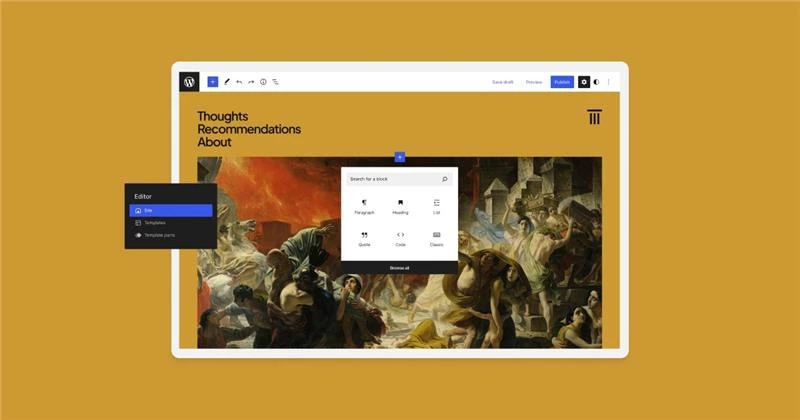
WordPress is the world’s most widely used content management system and a core platform for designers building websites.
The platform’s block editor lets you assemble pages using drag-and-drop content blocks and pre-built layout patterns.
Typography, colors, spacing, and page structure can all be adjusted directly inside the editor, giving designers control over how content is presented across the site.
WordPress also provides advanced customization through themes, plugins, and CSS controls. Web designers can extend features with thousands of plugins or use themes to quickly launch fully styled websites.
Pricing
Free
- Personal: $4/month (billed annually)
- Premium: $8/month (billed annually)
- Business: $25/month (billed annually)
- Commerce: $45/month (billed annually)
- Enterprise: Starting at $25,000/year
Key Features
- Block editor with drag-and-drop content blocks and layout patterns
- Extensive ecosystem of themes and plugins for customization
- Built-in blogging, publishing, and media management tools
- Advanced design controls for typography, colors, and CSS
- Support for eCommerce through WooCommerce integrations
- Hosting, domain management, and analytics available through WordPress.com plans
Start experimenting and building with WordPress.
6. Webflow: Best for Custom No-Code Builds
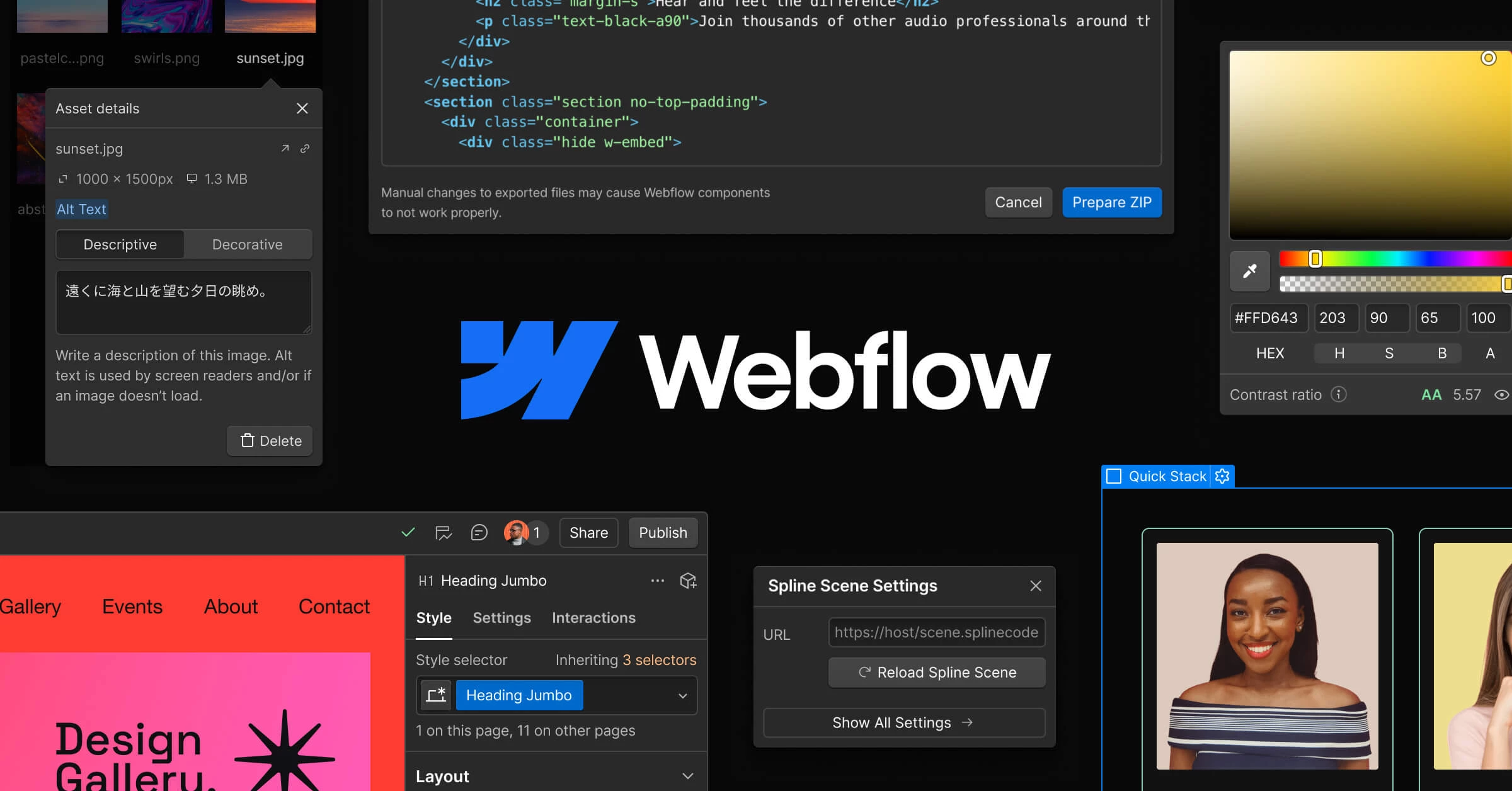
Webflow sits between traditional website builders and front-end development tools. It gives designers a visual interface for building websites while still working with real web technologies like HTML, CSS, and JavaScript.
Instead of relying on fixed templates, designers work directly on a design canvas where layouts are structured using Flexbox and CSS Grid. Webflow then generates clean, production-ready code in the background.
The platform also includes tools for building reusable components, managing design systems, and building detailed interactions and animations.
Combined with its built-in CMS and hosting, Webflow supports the entire workflow from design to launch inside a single environment.
For teams that want the freedom of custom design without maintaining a full front-end codebase, Webflow offers a middle ground between design tools and development frameworks.
Pricing
- Starter: Free
- Basic: $14/month (billed yearly)
- CMS: $23/month (billed yearly)
- Business: $39/month (billed yearly)
Key Features
- Visual design canvas that generates production-ready HTML, CSS, and JS
- Layout control using Flexbox and CSS Grid through visual tools
- Advanced animations and interaction builder
- Built-in CMS for dynamic content such as blogs or marketing pages
- Reusable components and shared libraries
- Integrated hosting with SSL and performance optimization
- Option to export clean code or publish directly through Webflow hosting
Try Webflow to design and launch fully custom websites without writing front-end code.
7. Canva: Best for Fast Design Assets
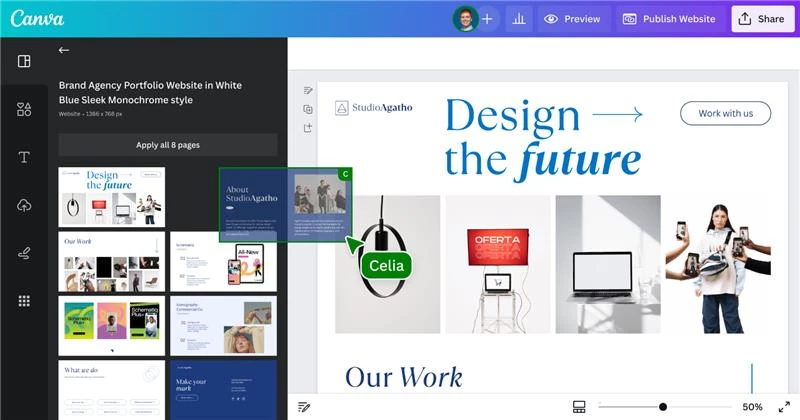
Canva is often the fastest way to turn an idea into a polished visual. While it’s not a dedicated web design platform, web designers can use it to quickly create landing page concepts, client mockups, or supporting website graphics.
The editor works with simple drag-and-drop controls and a large library of templates, photos, and design elements.
Layouts, colors, typography, and images can all be adjusted directly on the canvas, making it easy to produce presentable concepts without setting up a full design file.
Canva also includes AI-powered tools for generating images, editing visuals, and resizing designs for multiple formats.
Combined with its template library and brand kit features, it’s a handy tool for creating fast visual assets during early project stages.
Pricing
- Free
- Pro: $120/year per person
- Business: $200/year per person
- Enterprise: Custom pricing
Key Features
- Drag-and-drop design editor with simple layout controls
- 3.6M+ templates and 141M+ photos, videos, graphics, and audio assets
- AI-powered design tools
- Brand kits for managing colors, fonts, and logos
- Built-in collaboration for shared editing and comments
- Cloud-based workspace accessible on the web and mobile
Try Canva to create quick design concepts, mockups, and marketing visuals.
8. Squarespace: Best for Design-Led Websites
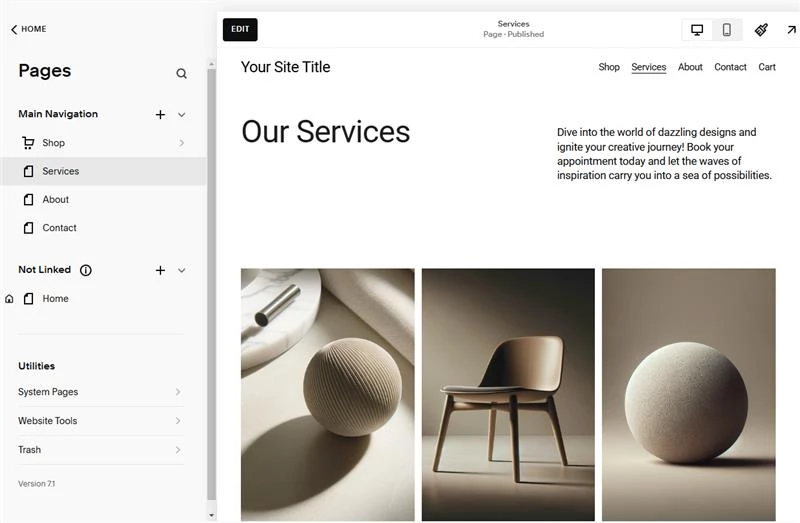
Squarespace is known for its design-forward templates and tightly integrated website builder. Many designers turn to it when they want a visually refined site that can be launched quickly without having to assemble multiple tools.
Projects typically start with one of Squarespace’s professionally designed templates or with Blueprint AI, which generates a personalized website structure based on a business description.
From there, you can customize the pages using the drag-and-drop editor, built-in style controls, and layout sections.
The platform also bundles essential site tools into the same environment. SEO settings, analytics, eCommerce features, and marketing integrations are included by default, enabling you to design, publish, and manage a site from a single dashboard.
Pricing
- Basic: $16/month (billed annually)
- Core: $23/month (billed annually)
- Plus: $39/month (billed annually)
- Advanced: $99/month (billed annually)
Key Features
- Professionally designed templates focused on visual storytelling
- Drag-and-drop website editor with built-in style controls
- Squarespace Blueprint AI for generating personalized site structures
- Integrated SEO, analytics, and marketing tools
- Built-in eCommerce tools for selling products and services
- Mobile-optimized layouts and responsive design
- Secure hosting with SSL and unlimited bandwidth
Explore Squarespace if you want a design-focused platform for building websites quickly.
9. Adobe Dreamweaver: Best for Code-First Development
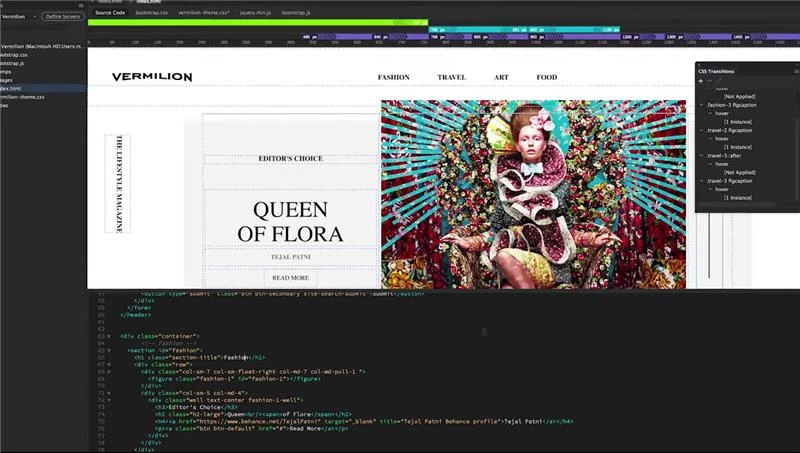
Adobe Dreamweaver is built for developers who prefer writing code directly instead of relying on drag-and-drop builders. It combines a powerful code editor with a visual preview, so you can design and test pages simultaneously.
You can work with HTML, CSS, JavaScript, and Bootstrap while managing full site structures from a single interface. Dreamweaver also integrates with Adobe Creative Cloud, making it easy to import assets from Photoshop, Illustrator, or Adobe Stock during development.
If you want full control over responsive layouts and front-end code while still working in a modern development environment, Dreamweaver keeps everything in one place.
Key Features
- Real-time code editing with live preview
- Support for HTML, CSS, JavaScript, and Bootstrap
- Built-in site and file management tools
- Integration with Adobe Creative Cloud assets
- Responsive design tools for building across devices
Pricing
- Dreamweaver Single App: $22.99/month
- Creative Cloud Pro (20+ apps including Dreamweaver): $34.99/month billed annually
- Business plan for teams: $99.99/month per license (excl. VAT)
Explore Adobe Dreamweaver for a coding-first approach to web design.
10. Designmodo: Best for Rapid, All-in-One Web and Email Design Solutions
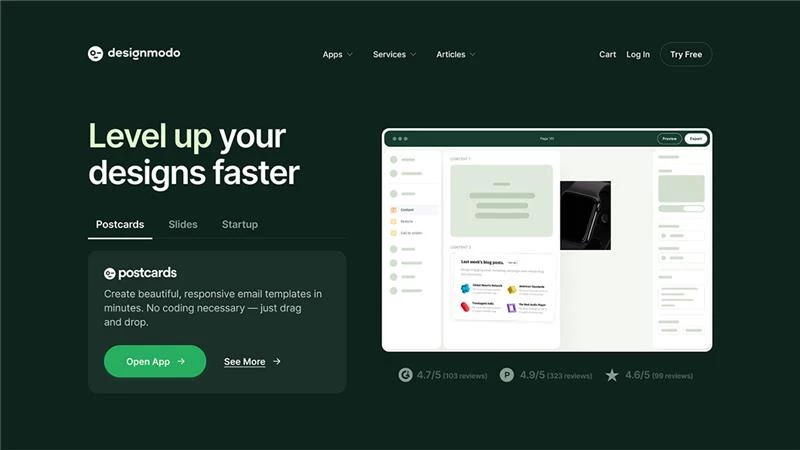
Designmodo focuses on speed. Instead of building every element from scratch, you assemble websites or emails using pre-designed UI blocks and templates.
The platform includes three tools: Slides for animated static websites, Startup for Bootstrap landing pages, and Postcards for email newsletter design.
Each uses a drag-and-drop editor so you can quickly arrange sections, customize styles, and export clean code when you're ready to launch.
Pricing
- Free
- Plus: $9/month
- Pro: $19/month
Key Features
- Drag-and-drop builders for websites and email templates
- Slides for animated static websites
- Startup for Bootstrap landing pages
- Postcards email template builder
- Pre-designed UI blocks and responsive templates
- Code export and hosting integration options
Explore Designmodo if you want to create with ease.
Best Apps for Web Designers: The Bottom Line
Choosing the right website development tools depends on your workflow, project needs, and expertise.
Whether you need an intuitive builder like Wix, advanced prototyping with Figma, or full control with Dreamweaver, each tool brings unique advantages.
Web designers should assess functionality, collaboration features, and scalability to ensure their chosen software enhances efficiency and creativity.
Best Applications for Web Designers FAQs
1. Which design app is best for beginners?
Wix, Squarespace, and Canva are strong starting points because they offer intuitive visual editors that don’t require coding.
For projects that need a clear visual direction from the start, BrandCrowd can also help by generating a brand identity and applying it across website assets automatically.
Together, these tools make it easier for new designers to move from idea to a structured, visually consistent site.
2. Which tool is best for website prototyping?
Figma and Designmodo are top choices for prototyping and UI design.
Figma’s cloud-based platform supports real-time collaboration for iterating on designs seamlessly. Designmodo offers comprehensive UI kits and templates that streamline the prototyping process.
Both tools allow designers to quickly visualize and refine their ideas before moving to full development.
3. What’s the best website builder for creative portfolios?
Squarespace and Webflow stand out for creative portfolios due to their visually stunning, design-focused templates.
Squarespace provides an integrated experience with built-in e-commerce and blogging tools, while Webflow gives advanced control without coding.
Both platforms help you create a dynamic, eye-catching portfolio that leaves a lasting impression.
4. Are there free options for web design software?
Yes, several free options exist for web design, including Figma, Canva, WordPress, and BrandCrowd.
Figma’s free plan offers robust design and collaboration features, while Canva provides a large library of assets and templates. WordPress is open-source with a wide range of free plugins and themes.
BrandCrowd also offers free logos and basic website tools, making it useful for generating branded visuals before moving into full site design.
5. Do professional web designers still use coding tools?
Yes, professional web designers still rely on coding tools such as Adobe Dreamweaver when they need full control over HTML, CSS, and JavaScript.
While visual builders and no-code platforms speed up projects, coding tools are important for custom layouts, advanced functionality, and performance improvement.