
Client portal software solves a problem most service firms know well. Project updates get buried in long email threads, and files scatter across inboxes and shared drives. Clients also lack a secure place to send sensitive documents.
Client portal software is a secure, branded online workspace where a business and its clients exchange files, send messages, sign documents, and pay invoices in one place.
This guide compares 10 options, from all-in-one suites to file-sharing specialists and free plans for freelancers, with pricing models that change the real cost as a client list grows.
Client Portal Software: Key Findings
- Firms lose a median of nearly $60,000 a year to client coordination work, and ShareFile and Glasscubes reduce it with request lists that track outstanding documents automatically.
- Ahsuite covers up to 10 client portals for free, and Bitrix24 lets firms invite unlimited guests to client workspaces, so small teams can test a portal before paying.
- Pricing models shape long-term costs more than entry rates. SuiteDash charges one flat fee from $19/month regardless of client count, while per-seat tools grow with every team member.
Why Your Client Portal Matters When Coordination Costs Firms $60K a Year
Chasing client documents by email feels free until someone adds up the hours.
Progress Software, the company behind ShareFile, surveyed 355 firms across 10 industries for its State of Client Collaboration 2026 report.
- Respondents said they spend nearly 20 hours a week collecting documents and signatures, following up with clients, clarifying requests, and tracking tasks.
- At an average billing rate of $65 per hour, Progress puts the median annual cost of that nonbillable work at nearly $60,000.
- The delays also reach clients. Nearly 70% of respondents said at least one in every 10 quarterly engagements is held up by missing information or workflow problems.
Progress sells client file-sharing software, so the findings come from a vendor with a stake in the problem. Even so, the pattern will be familiar to anyone who has chased a signature across several email threads.
When comparing tools, look beyond the monthly price to four practical capabilities:
- Structured document requests replace open-ended email threads with checklists clients can complete in one place.
- Branded access keeps the portal on your own domain, so it feels like part of your service.
- Built-in billing and e-signatures shorten the gap between finished work and payment.
- Permission controls let you decide which client contacts can see each file, invoice, and conversation.
Use the 10-tool comparison below to weigh these capabilities against each platform’s pricing model.
Client Portal Software Compared
Pricing models differ more than headline numbers suggest. Some tools charge per team member, while others price by account or by client count. Four of the 10 include a permanent free plan.
| Tool | Best For | Primary Function | Free Plan | Pricing Starts At |
| SuiteDash | Unlimited clients at a flat price | All-in-one portal with CRM and invoicing | No; 14-day trial | $19/month |
| Assembly (formerly Copilot) | Branded professional services portals | Client portal with billing and a no-code app builder | Yes, 5 active contacts | $29/month |
| HoneyBook | Freelancers and creative businesses | Client booking, contracts, invoicing, and payments | No; free trial | $29/month |
| ShareFile | Secure file sharing in regulated industries | Encrypted file sharing with document request lists | No; 30-day trial | $16.50/user/month |
| Onehub | File sharing and virtual data rooms | Branded file workspaces and data rooms | No; two-week trial | $12.50/user/month |
| Glasscubes | Accounting firms collecting client information | Document request lists with automated reminders | No | £120/month account fee plus £18/user |
| Bitrix24 | CRM and client collaboration on a free plan | CRM with guest-based client workspaces | Yes, 5 GB storage | $49/month (5 users) |
| monday.com | Project collaboration with clients | Work management boards with guest access | Yes, up to 2 seats | $9/seat/month (3-seat minimum) |
| Ahsuite | Free client portals for freelancers | Client portals with iframe embeds and file sharing | Yes, up to 10 portals | $6.50/month |
| Zendesk | Support-focused customer portals | Help center and ticketing with AI agents | No; free trial | $19/agent/month |
How We Selected These Client Portal Tools
We researched standalone client portals, all-in-one business suites, industry-specific practice management platforms, and open-source tools. We then narrowed the list to 10 options covering different business types and budgets.
We evaluated every platform using the same six criteria:
- Client experience: We reviewed how clients sign in and how much effort it takes them to find what they need. Portals that require fewer steps to upload a file or approve a request ranked higher.
- White-label branding: We checked whether firms can use their own domain, logo, and sender email. We also noted which branding features require a higher plan or an add-on.
- Document handling: We assessed file requests, client uploads, and e-signature support. Tools that turn document collection into a trackable checklist scored better than those offering basic file storage alone.
- Security and access controls: We compared multi-factor authentication, permission settings, and published compliance commitments. Where a tool offers HIPAA support, we noted the plan that includes it.
- Billing and integrations: We reviewed built-in invoicing and payment collection alongside connections to CRM and accounting software. This shows how much of the client relationship each portal can handle without extra tools.
- Pricing at scale: We compared per-seat, per-user, and flat-rate models, along with client caps and contact limits. We also calculated how costs change as a firm adds team members or clients.
We verified pricing and feature details against each vendor’s official pricing pages and help documentation.
1. SuiteDash: Best for Unlimited Clients at a Flat Price
Choose SuiteDash if your firm wants CRM and invoicing inside a white-label portal, under one subscription that stays the same as headcount grows.
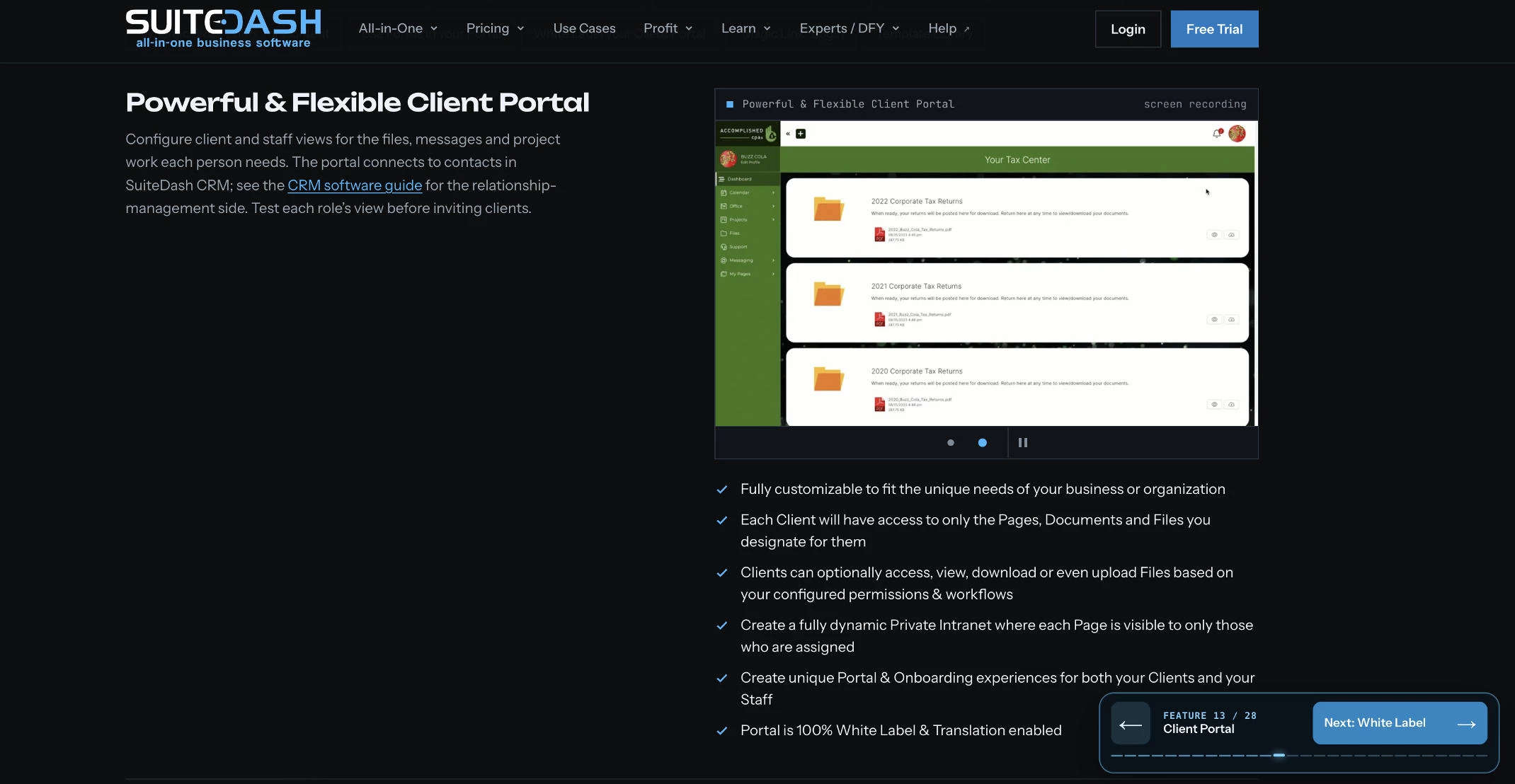
The platform combines a client portal with CRM, project management, invoicing, and file sharing. Pricing is set per account, so a firm with 15 staff and 400 clients pays the same plan rate as a solo consultant.
Clients can also reach their portal through a custom-branded mobile app, which every plan includes.
A marketing agency, for example, could give each retainer client a portal showing project tasks and invoices under the agency’s brand.
Feature gating is the main planning issue. Start covers the core portal but has no automation. Thrive adds drip marketing and proposals. Pinnacle unlocks the full automation toolkit, onboarding flows, support tickets, and a learning management system.
Firms that want automated client onboarding will likely need Pinnacle.
Pricing
- Start: $19/month, with 100 GB storage
- Thrive: $49/month, with 500 GB storage
- Pinnacle: $99/month
Annual and one-time lifetime plans are also available. The 14-day free trial runs on Pinnacle with no credit card required.
Pros:
- Unlimited clients and staff keep costs predictable as the firm grows.
- Every plan includes a branded mobile app.
Cons:
- Automation and onboarding flows require Pinnacle.
- Setup takes considerable time before workflows run smoothly.
What Users Say
Capterra reviewers frequently praise SuiteDash’s value for the price and its customization options. A steep learning curve is the most common complaint, and several reviewers describe the interface and templates as dated.
Other Notable Features
- Email marketing campaigns are included from Start.
- Client-side live chat is available from Thrive.
- API access is included on all plans, with call limits that rise by tier.
- A reseller program supports white-label resale to other businesses.
2. Assembly (formerly Copilot): Best for Branded Professional Services Portals
Choose Assembly if your firm wants a polished client login with built-in billing and the option to build custom portal apps without code.
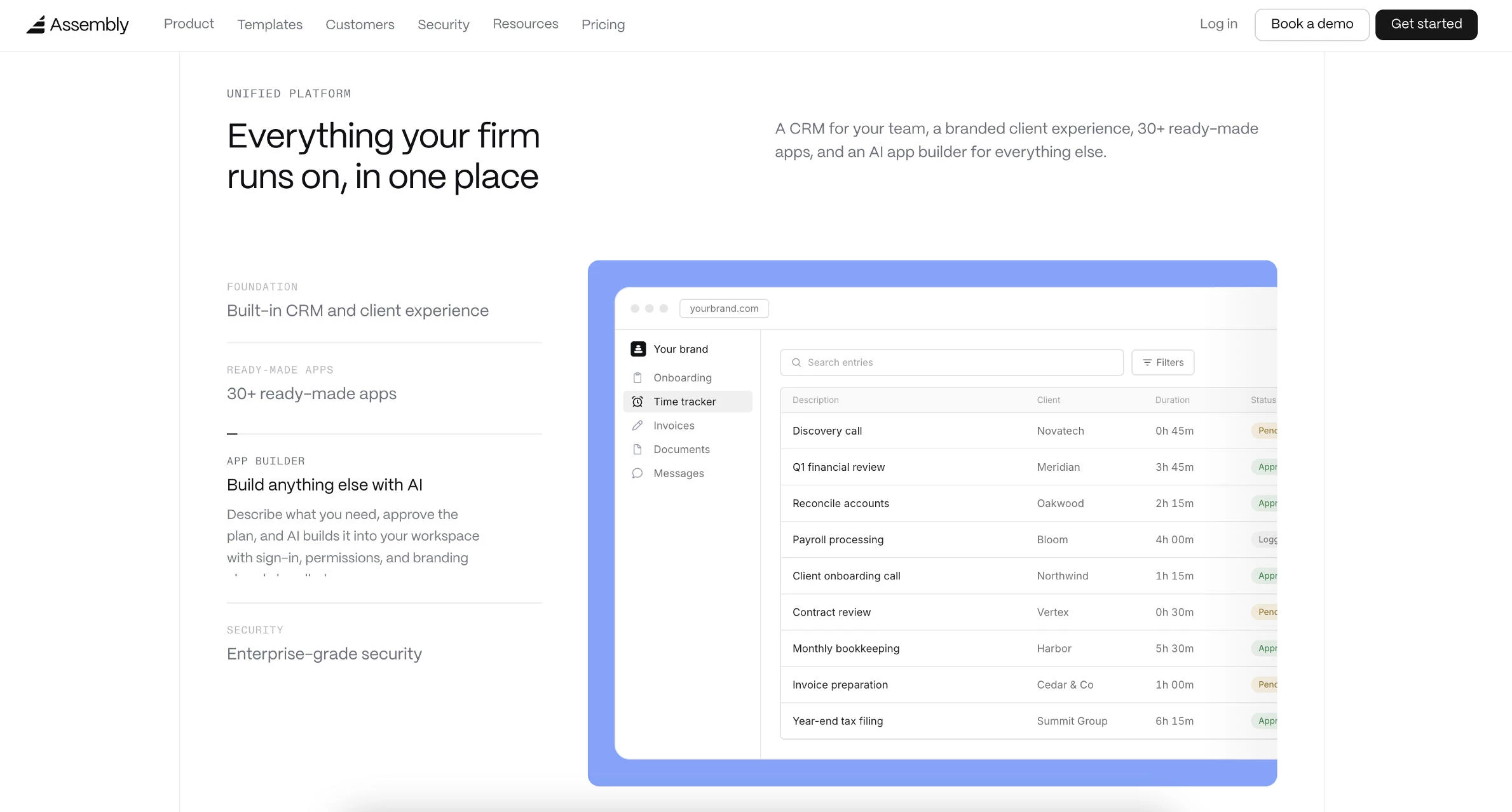
Clients sign in to message your team and pay invoices, while internal records and notes stay in the CRM.
The current version adds an app builder. Firms can install pre-made apps or describe a custom tool, and the builder creates it using monthly build credits. Live apps don’t consume credits once published.
A bookkeeping firm, for example, could build a month-end document checklist that clients complete inside the portal.
Contact limits usually decide the plan. Starter covers 50 active contacts, while custom domains and badge removal start on Professional. HIPAA support and client access permissions require Advanced.
Each portal also needs its own subscription, which adds up for agencies running separate brands.
Pricing
- Free: 5 active contacts and 1 internal user
- Starter: $49/month, or $29/month billed annually, for 50 contacts
- Professional: $99/month billed annually, for 500 contacts and 3 users
- Advanced: $499/month billed annually, with unlimited contacts
- Enterprise: From $2,000/month
Payment processing fees apply when you collect client payments through the portal.
Pros:
- The free plan supports live testing with real clients.
- Plans carry no per-client charges within contact limits.
Cons:
- Removing Assembly branding requires Professional.
- Separate brands need separate subscriptions.
What Users Say
G2 reviewers rate Assembly highly and frequently praise how clean the portal looks to clients. Much of that feedback predates the 2026 app-builder pricing, so weigh it against current plan limits.
Other Notable Features
- Contracts and e-signatures keep agreements inside the portal.
- An API and MCP connector support custom integrations.
- Extra build credits cost $0.60 each on paid plans.
- Additional apps cost $5/month beyond the five included on paid plans.
3. HoneyBook: Best for Freelancers and Creative Businesses
Choose HoneyBook if you book clients through proposals and contracts and want deposits and payments collected in the same flow.
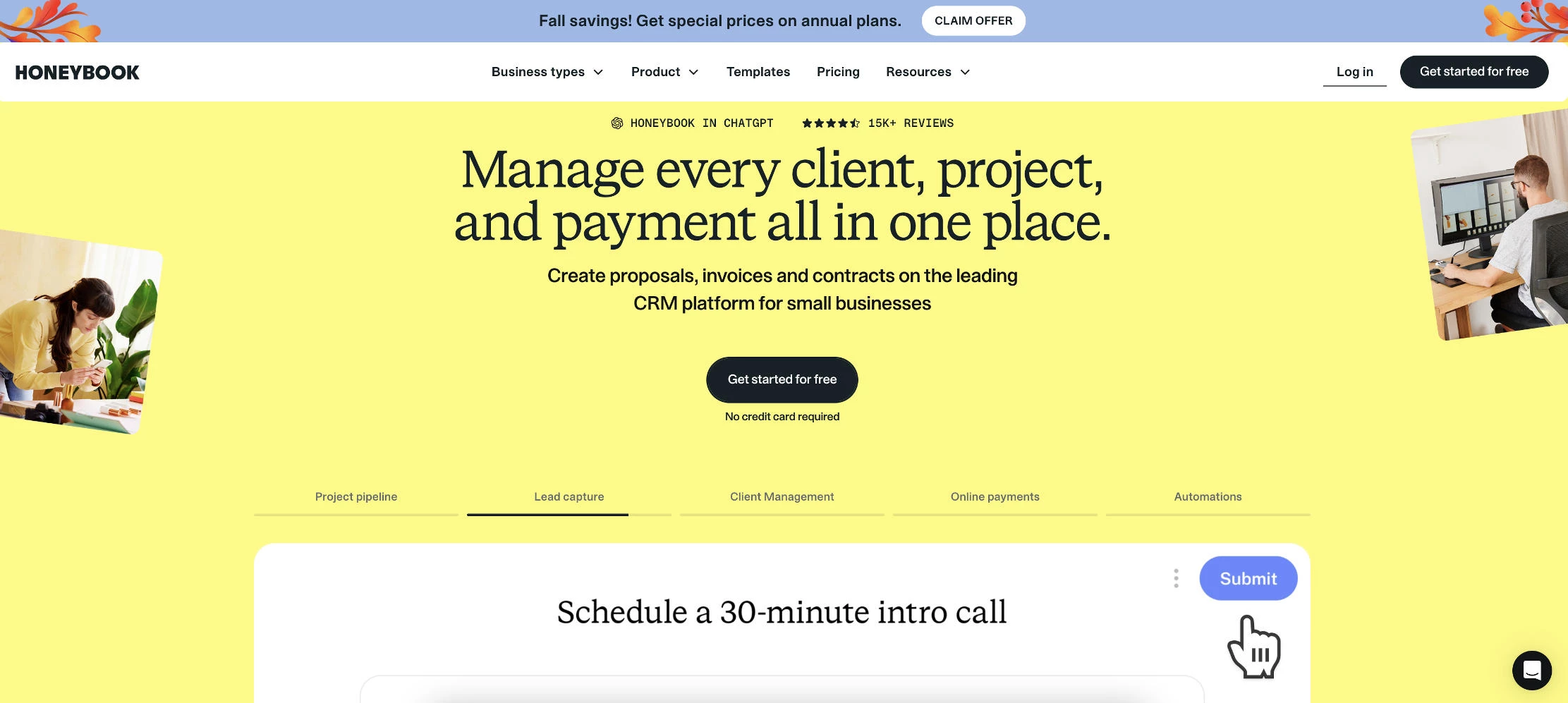
The platform links proposals, contracts, invoices, and payments. Its client portal gives clients one place to find files, messages, payment details, and project updates.
A wedding photographer, for example, could send a proposal that the couple signs and pays a deposit on. The photographer could then use the portal to share the shot list and final gallery link.
Plan choice depends on automation and team size. Starter covers the core workflow, including unlimited clients and projects, but excludes automation. Essentials adds automations, scheduling, and branded portal customization, with room for two team members. Premium allows unlimited team members at a flat price.
Payment processing adds to the subscription. Card payments cost 2.9% plus 25 cents, and ACH transfers cost 1.5%. A business processing $100,000 a year by card would pay roughly $2,900 in fees.
Pricing
- Starter: $36/month, or $29/month billed annually
- Essentials: $59/month, or $49/month billed annually
- Premium: $129/month, or $109/month billed annually
A free trial is available.
Pros:
- Booking and payment run through a single client flow.
- Premium plan’s flat price covers unlimited team members.
Cons:
- Automation requires Essentials plan or higher.
- Processing fees add meaningfully to the total cost.
What Users Say
Reviewers frequently praise how professional the client experience feels. Cost is a recurring concern, especially after the February 2025 increase raised Starter’s monthly rate from $19 to $36.
Other Notable Features
- HoneyBook AI helps draft client communications on every plan.
- Lead capture forms feed new inquiries into the project pipeline.
- Payment plans let clients split larger invoices into installments.
- Built-in reports track payments and basic profit and loss.
4. ShareFile: Best for Secure File Sharing in Regulated Industries
Choose ShareFile if your firm handles tax or health records and needs compliance support, such as a HIPAA business associate agreement, alongside client document requests.
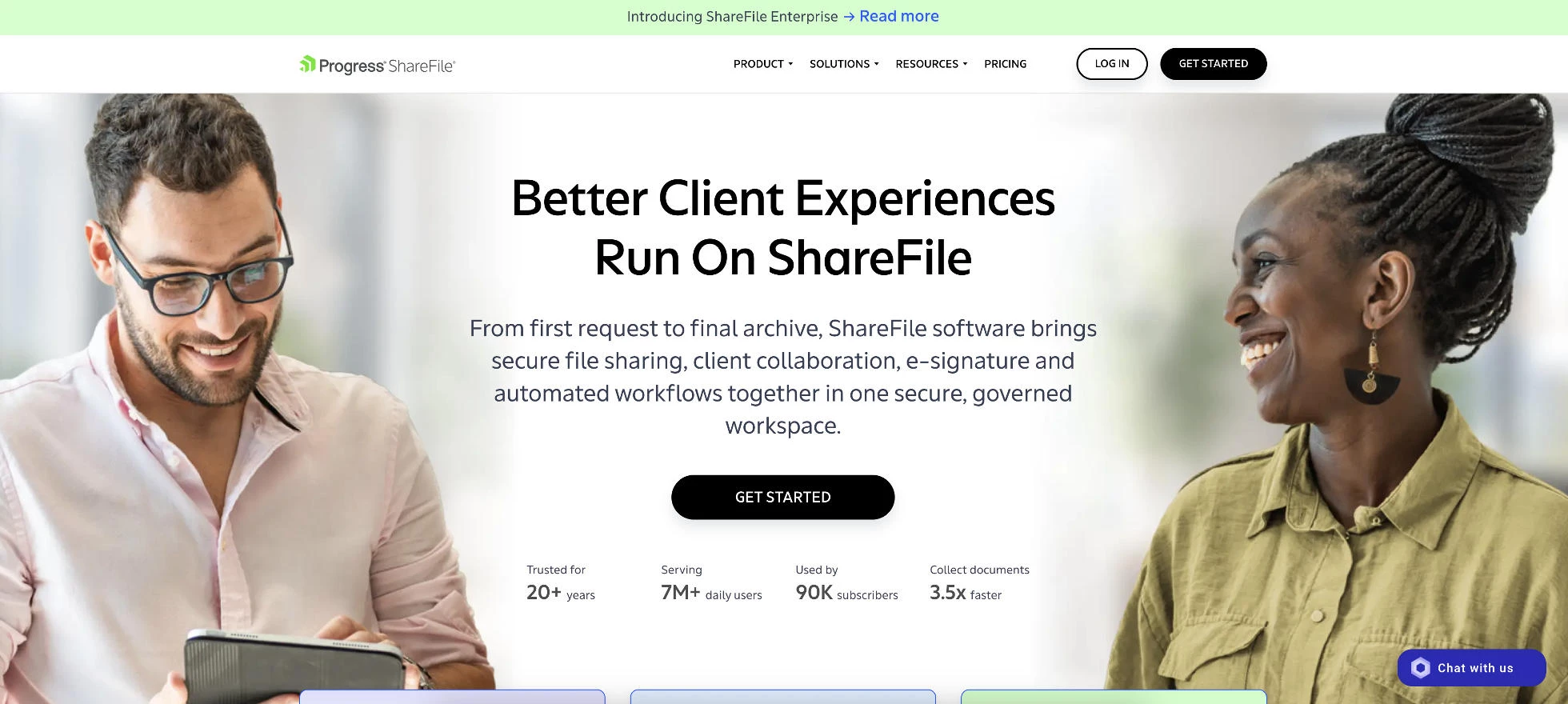
Owned by Progress Software, ShareFile combines encrypted file sharing with a client portal and document request lists. Every plan includes unlimited client users, so costs depend only on internal team size.
A CPA firm, for example, could send each client a tax season request list and track outstanding items without chasing them by email.
The tier decision matters more than the headline price. Advanced covers storage and sharing with a basic portal. Premium adds e-signature, the enhanced client portal, workflow automation, and AI document tools.
Compliance eligibility also starts on Premium. Firms handling health records can sign a HIPAA business associate agreement, and SEC and FINRA support is included for financial services.
Pricing
- Advanced: $16.50/user/month billed annually
- Premium: $26/user/month billed annually
- Enterprise: $35/user/month billed annually
- Virtual Data Room: $69.30/user/month billed annually
Advanced, Premium, and Enterprise require at least three users, and the data room plan requires five. A 30-day Premium trial is available.
Pros:
- Unlimited client users keep costs tied to team size.
- Compliance eligibility suits regulated client work.
Cons:
- E-signature and HIPAA support require Premium.
- The three-user minimum raises entry costs for solo practitioners.
What Users Say
G2 reviewers in financial services, legal, and accounting often describe ShareFile as a premium but justified investment because of its security and compliance features. Feedback on pricing is more mixed overall.
Other Notable Features
- Dynamic watermarking on Premium deters unauthorized sharing.
- Outlook and Gmail plugins send files securely from email.
- Office 365 co-editing supports collaborative document review.
- Premium storage is pooled at 1 TB per license.
5. Onehub: Best for File Sharing and Virtual Data Rooms
Choose Onehub if you exchange files with many outside users and occasionally need a data room for a deal or audit at a flat monthly cost.
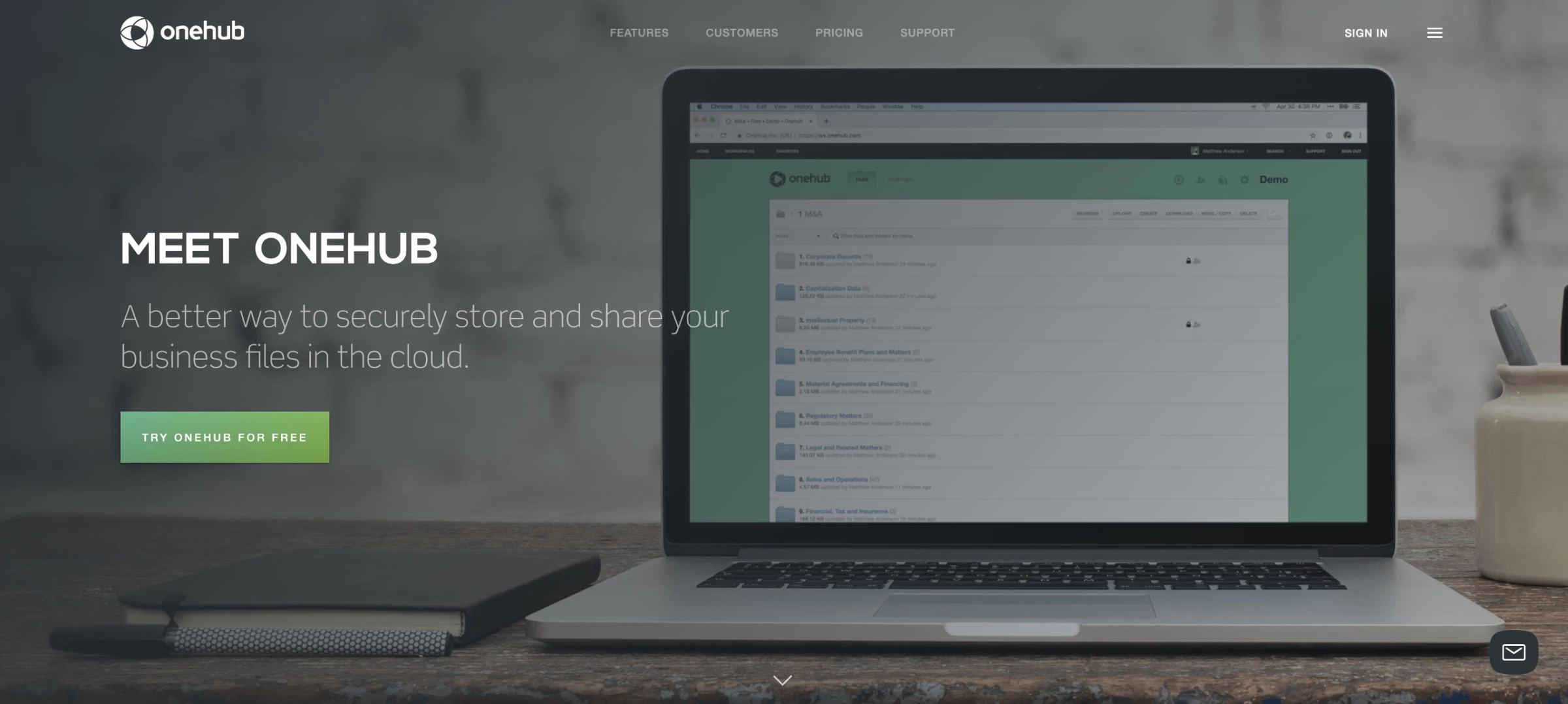
Onehub organizes shared content into branded workspaces with role-based permissions. Clients invited with view, print, download, or upload roles don’t count as paid users, up to each plan’s total user limit.
A consulting firm, for example, could set up one workspace per client, then open a data room when a client prepares for an acquisition.
The Data Room Edition adds stealth mode, which hides participants from one another, and custom agreements that users must accept before viewing any files. It costs a flat monthly fee, well below what many dedicated data room platforms charge.
Plan limits matter as client lists grow. Standard caps storage at 1 TB and workspaces at 50, while custom domains and full white labeling require the top-tier plan.
Pricing
- Standard: $12.50/user/month billed annually (3-user minimum)
- Advanced: $20/user/month billed annually (5-user minimum)
- Data Room Edition: $300/month billed annually, with 5 paid users
- Unlimited Edition: $$500/month billed annually
A free two-week trial is available.
Pros:
- External client users are free up to plan limits.
- Data room features cost less than many dedicated platforms.
Cons:
- Custom domains require the most expensive plan.
- The interface feels dated next to newer portals.
What Users Say
Capterra reviewers frequently highlight Onehub’s value for the price and how easy setup is for clients. Some describe the interface as outdated compared with competitors.
Other Notable Features
- Audit trails on Advanced record activity on shared files.
- DocuSign integration supports signatures inside workspaces.
- Advanced lets admins enforce two-factor authentication.
- Microsoft Office and Google Workspace integrations are included on every plan.
6. Glasscubes: Best for Accounting Firms Collecting Client Information
Choose Glasscubes if your team spends tax and audit season chasing clients for documents and wants automated reminders to handle the follow-up.
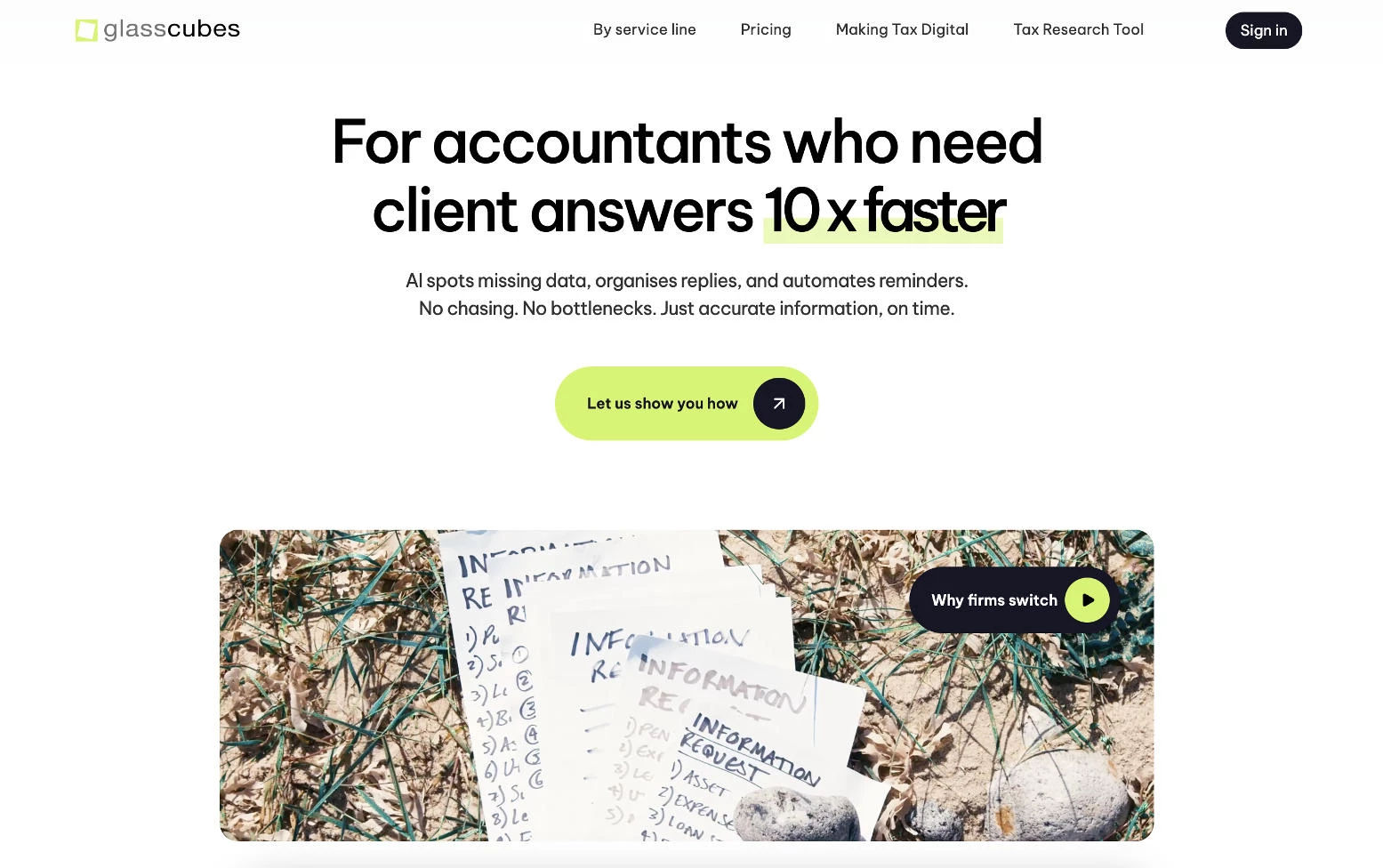
The UK-based platform centers its workspaces on request lists. Firms send clients a structured list of documents and questions, and automated reminders follow up until each item is complete. Real-time reporting shows which requests remain outstanding across the whole client base.
Clients can respond through an emailed link without creating a login, which lowers friction for less technical clients.
An audit team, for example, could issue query lists to a client’s finance department and track responses and follow-up questions in one place.
Pricing combines a monthly account fee with a per-user license, and every plan supports unlimited clients. Essential covers request lists and automated reminders. Professional adds online forms, approvals, task management, and 2 TB of storage. A white-labeled portal with a custom URL and single sign-on requires Advantage.
Pricing
- Essential: £120/month account fee plus £18/user
- Professional: £180/month account fee plus £22/user
- Advantage: £360/month account fee plus £38/user
Annual billing reduces both fees by 20%. Prices exclude VAT and are published in GBP only.
Pros:
- Automated reminders reduce manual client follow-up.
- No-login responses make it easy for clients to participate.
Cons:
- GBP-only pricing means firms outside the UK must confirm rates.
- White-label branding requires the top tier.
What Users Say
Capterra reviewers, many from accounting and audit, frequently praise how much Glasscubes cuts back-and-forth email. Some note that request links can get lost in clients’ inboxes, and one reviewer would prefer a dedicated client login over email links.
Other Notable Features
- ISO 27001 certification and GDPR compliance apply on every plan.
- Two-factor authentication protects all accounts.
- E-signatures support digital client approvals.
- A bulk distribution service sends requests to many clients at once.
7. Bitrix24: Best for CRM and Client Collaboration on a Free Plan
Choose Bitrix24 if you want deal tracking and client workspaces in one platform and expect to invite more clients than you have staff.
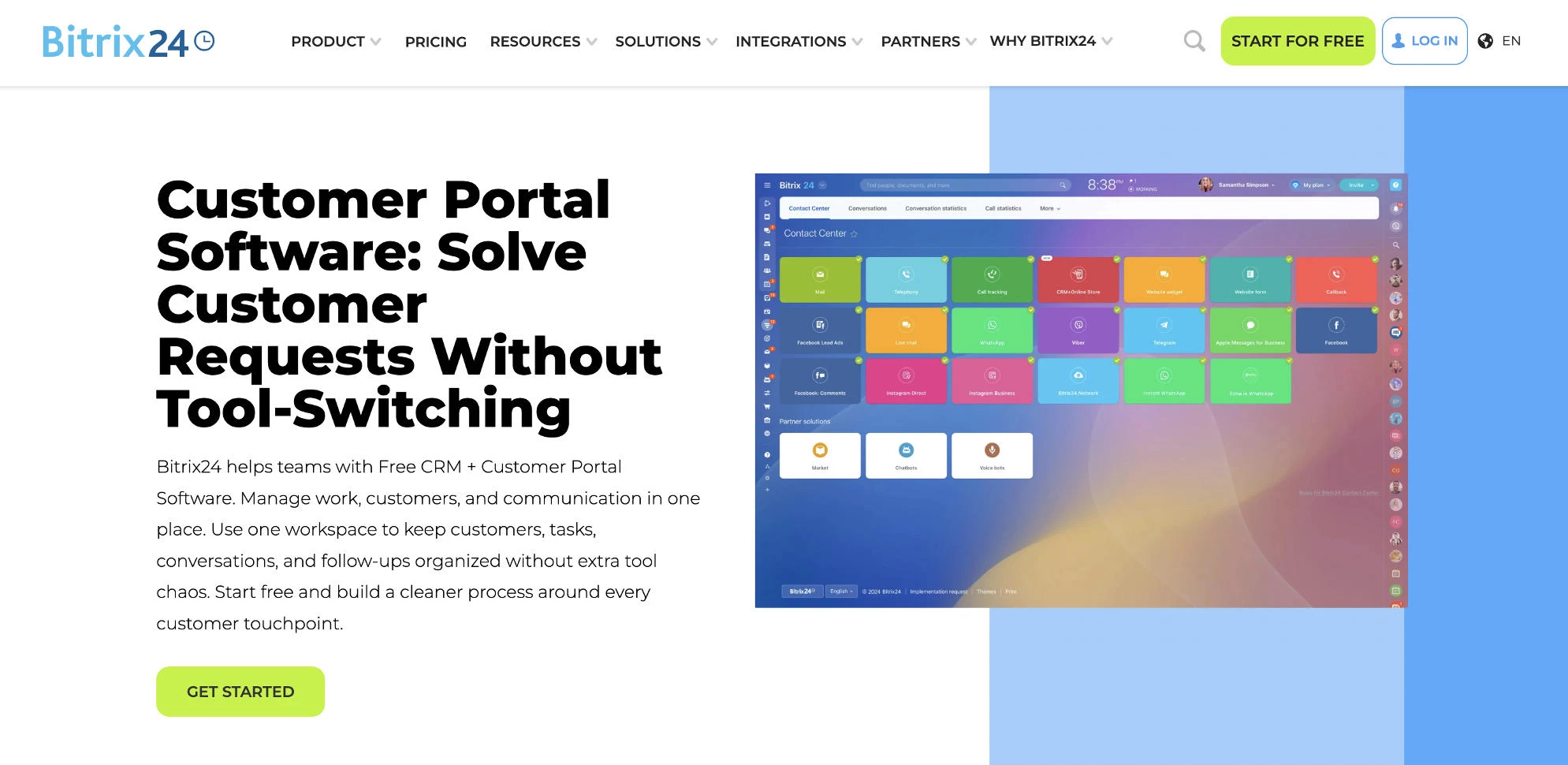
Client-facing work happens in Collabs, workspaces where invited guests share a chat, files, tasks, and a calendar with your team. Guests see only that collab and don’t count toward a plan’s user limit, so a firm can invite as many clients as it needs.
A digital marketing agency, for example, could open a collab for each client and keep feedback in the shared chat instead of email.
The CRM tracks deals and contacts alongside that client work, which separates Bitrix24 from portal-only tools. Standard adds invoicing and online payments.
Pricing is a flat fee per company with user caps. At 50 users, Standard works out to about $2 per user, while small teams pay more per head on Basic.
The free plan includes basic CRM, tasks, calendars, and chat with 5 GB of storage. Bitrix24’s own materials disagree on how many users it covers, so confirm the limit before relying on it.
Pricing
- Free: 5 GB storage
- Basic: $49/month billed annually (5 users)
- Standard: $99/month billed annually (50 users)
- Professional: $199/month billed annually (100 users)
A 15-day trial of paid plans requires no card.
Pros:
- Unlimited guests make client collaboration inexpensive.
- Flat company pricing becomes cheap per user at scale.
Cons:
- The platform has a steep learning curve.
- Branding options are limited compared with dedicated portals.
What Users Say
Reviewers often credit Bitrix24 with replacing several separate tools at a low price. The learning curve is the most common complaint, and some find the portal experience less polished than dedicated tools.
Other Notable Features
- E-signature lets clients sign documents inside a collab.
- Online booking lets clients schedule appointments.
- CoPilot AI transcribes calls and fills CRM fields on paid plans.
- Vibe+ plans add REST API access and an MCP server for external AI tools.
8. monday.com: Best for Project Collaboration with Clients
Choose monday.com if your team already manages work on boards and wants clients to comment on tasks directly instead of waiting for status reports.
Clients join as guests on shareable boards and see only the boards they’re invited to. They can comment on items and upload files in each item’s update thread, which keeps feedback attached to the task it concerns.
A web design agency, for example, could share a launch board with a client so comments on each page sit beside the task for that page.
Guest rules drive the plan choice. Guest access starts on Standard, where the first three guests are free and every additional four count as one billed seat. Pro allows unlimited guests, which suits agencies with many active clients. Basic offers unlimited free viewers with read-only access but no guests.
Paid plans also require at least three seats, so the real starting cost is higher than the per-seat price suggests.
Pricing
- Free: Up to 2 seats, without guest access
- Basic: $12/seat/month, or $9/seat/month billed annually
- Standard: $14/seat/month, or $12/seat/month billed annually
- Pro: $24/seat/month, or $19/seat/month billed annually
- Enterprise: Custom pricing
A 14-day free trial runs at the Pro level.
Pros:
- Pro’s unlimited guests scale well across many clients.
- Clients see live progress without separate status reports.
Cons:
- Guest access requires Standard or higher.
- The platform has no built-in client invoicing.
What Users Say
G2 reviewers rate monday.com highly and frequently praise its ease of use and visual boards. Common complaints involve costs rising with seat counts and automation limits on lower tiers.
Other Notable Features
- Timeline and Gantt views on Standard help clients see project schedules.
- Private boards on Pro keep internal discussions away from guests.
- Standard includes 250 automation actions per month.
- Native time tracking on Pro supports billable-hour reporting.
9. Ahsuite: Best Free Client Portal for Freelancers
Choose Ahsuite if you manage a handful of clients and want to embed live dashboards or design files in each portal at no cost.
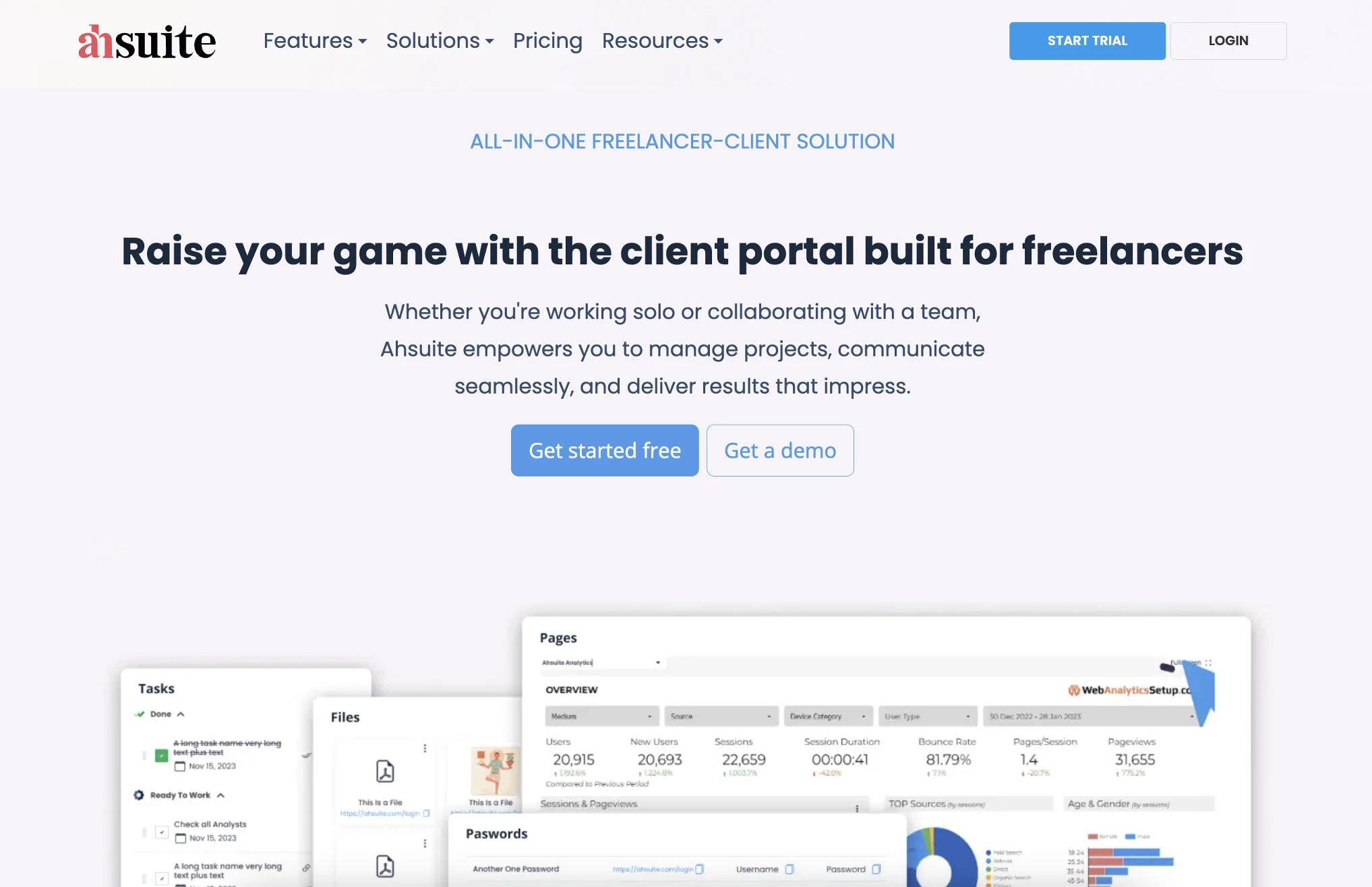
Each portal pairs tasks and file sharing with embedded content. Anything that loads in an iframe, such as a Looker Studio dashboard, Figma board, Google Sheet, or slide deck, can appear directly in the client’s view.
A freelance SEO consultant, for example, could embed a live reporting dashboard in each client’s portal so results update without sending a new file every month.
Ahsuite uses 256-bit encryption and supports two-step verification. Paid plans add a password vault for sharing client credentials securely.
Grow removes the portal cap for a low monthly fee. White labeling and a custom domain require Agency, and private internal seats for team members cost extra. Lifetime purchase options are also available, which is unusual in this category.
Pricing
- Starter: Free, up to 10 portals
- Grow: $8/month, or $6.50/month billed annually, with unlimited portals
- Agency: $29/month, or $24/month billed annually
Grow and Agency also offer one-time lifetime pricing of $156 and $576. Paid plans include a 30-day free trial with no credit card required.
Pros:
- The free plan supports up to 10 active client portals.
- Iframe embeds bring live reports into the portal.
Cons:
- White labeling requires an Agency plan.
- The small review base offers limited evidence of long-term reliability.
What Users Say
Ahsuite holds a high Capterra rating, though from a small number of reviews, most of them several years old. Reviewers praise the clean design and ease of use, while one found setting up each new client portal somewhat cumbersome.
Other Notable Features
- Advanced forms collect client information inside each portal.
- AI-powered custom pages help build portal layouts.
- Bulk tools update many portals at once.
- Billing tools are available on paid plans.
10. Zendesk: Best for Support-Focused Customer Portals
Choose Zendesk if you serve a large customer base and want a self-service help center that deflects routine questions before they become tickets.
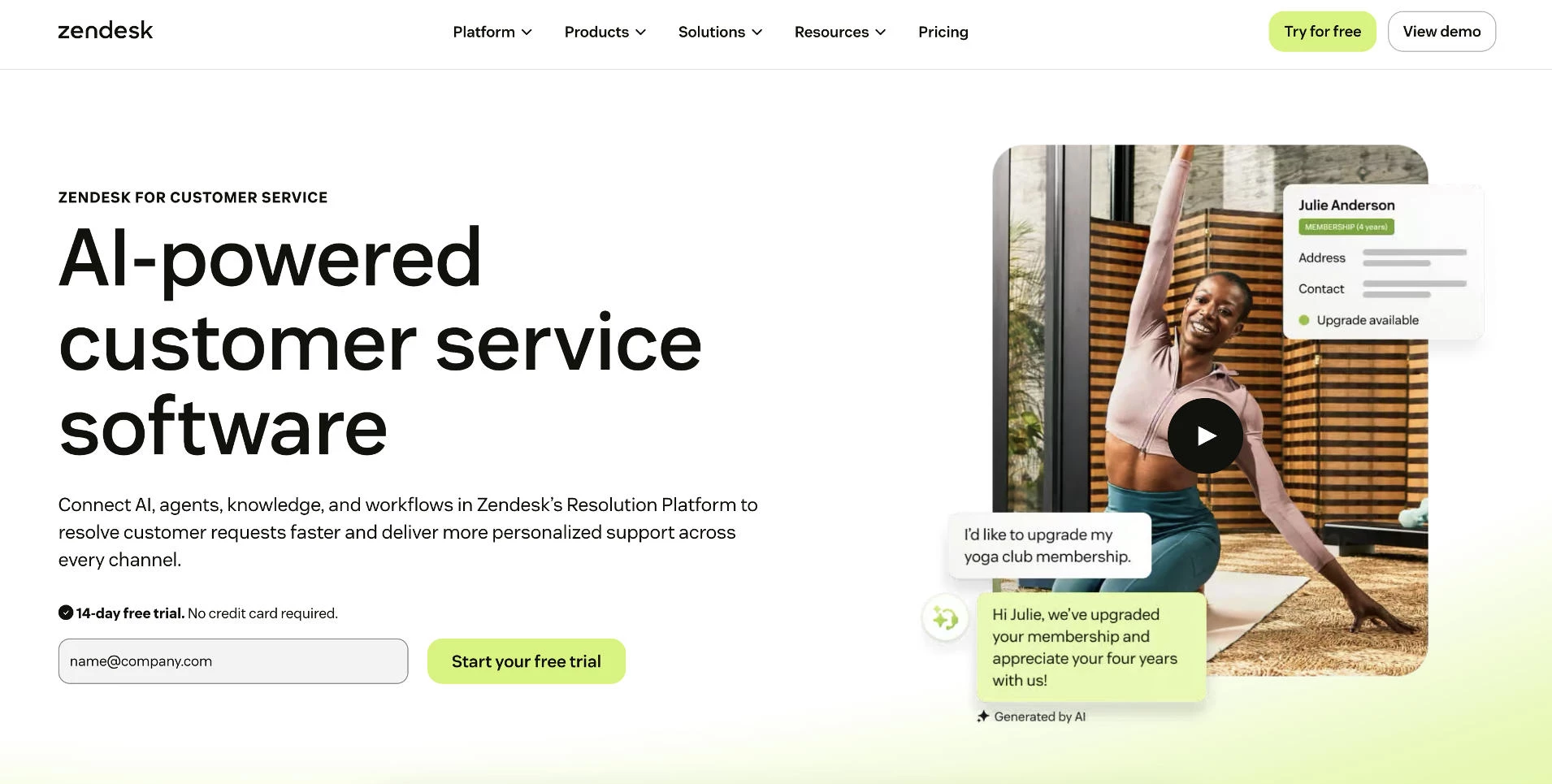
Customers use a branded help center to search knowledge base articles and submit requests, then follow each ticket’s status from their own account.
A software company, for example, could publish setup guides in the help center so common questions get answered before a ticket is ever opened.
AI agents, included in every plan, answer routine questions automatically. Billing is based on automated resolutions, with a small monthly allowance per agent and charges beyond it.
Pricing is per agent, and customers using the portal don’t count toward that total. Suite Team adds omnichannel messaging and one help center. Suite Professional raises that to five help centers, adds SLA management and skills-based routing, and supports HIPAA compliance.
Pricing
- Support Team: $19/agent/month billed annually
- Suite Team: $55/agent/month billed annually
- Suite Professional: $115/agent/month billed annually
- Suite Enterprise: Custom pricing
Copilot, the AI assistant for agents, costs an additional $50/agent/month.
Pros:
- Customers use the portal without adding to agent costs.
- AI agents deflect routine questions on every plan.
Cons:
- Per-agent pricing adds up quickly for larger teams.
- File sharing and project collaboration fall outside its focus.
What Users Say
Reviewers frequently praise Zendesk’s ticketing depth and integrations. Cost is a common complaint, especially once add-ons and AI usage are factored in.
Other Notable Features
- Light agents let colleagues add internal notes without a full seat.
- Multiple help centers on Professional support separate brands.
- An API supports custom integrations, with higher request limits on upper tiers.
- Prebuilt dashboards report on ticket volume and response times.
How To Choose Client Portal Software for Your Business
The right portal depends on what clients need to do once they log in and how your team already works.
Compare your shortlist against the factors below, then test the strongest one or two options with a real client.
- Start with use case
- Match security to your compliance obligations
- Check integrations with your existing stack
- Decide how much branding clients should see
- Test ease of use from the client's side
- Model costs as your client list grows
1. Start With Use Case
Define the main job before comparing features. A firm that mostly collects documents needs request lists and reminders, while an agency managing deliverables needs tasks and feedback threads.
Businesses supporting a large customer base usually need a help center and ticketing. That points toward a customer portal such as Zendesk rather than a client workspace.
2. Match Security to Your Compliance Obligations
Every portal on this list protects logins and files to some degree, but the controls vary by plan. Require these five before moving a tool forward:
- Encryption in transit and at rest protects files while they upload and while they sit in storage.
- Multi-factor authentication stops a stolen password from opening a client’s account, and the strongest tools let admins enforce it for everyone.
- Role-based access limits each client to their own files and conversations, which matters most when many clients share one account.
- Audit logs record who viewed, downloaded, or changed each file, giving you a trail if a dispute or breach occurs.
- Single sign-on lets your team log in through an existing identity provider, which simplifies offboarding when staff leave.
These controls often sit on higher tiers. Onehub adds audit trails and enforced two-factor authentication on Advanced, while Glasscubes reserves single sign-on for Advantage.
Compliance claims need closer scrutiny. Treat SOC 2, GDPR, and HIPAA mentions on a vendor’s website as a starting point, then verify each one directly:
- For SOC 2, ask for the Type II report, which some vendors share only under NDA.
- For HIPAA, confirm the vendor will sign a business associate agreement and which plan includes it. ShareFile offers one from Premium, and Zendesk supports HIPAA on Suite Professional.
- For GDPR, request the data processing agreement and confirm where client data is stored.
3. Check Integrations With Your Existing Stack
List the tools the portal must connect to, such as your CRM and accounting software. Confirm each connection on the vendor’s integrations page, since a missing sync usually means manual re-entry.
Some platforms reduce the need for integrations by building those functions in. SuiteDash and Bitrix24 include a CRM, while ShareFile and Onehub serve as file storage themselves.
4. Decide How Much Branding Clients Should See
Most tools allow a logo and brand colors on entry plans, but custom domains and badge removal usually cost more. Assembly starts custom domains on Professional, while Glasscubes and Ahsuite reserve white labeling for their top tiers.
Decide whether clients need to see your own domain or whether a branded login page is enough.
5. Test Ease of Use From the Client’s Side
A portal only works if clients actually use it. Invite a real client during the trial and note where they hesitate.
Lower-friction options help less technical clients. Glasscubes, for example, lets clients respond through an emailed link without creating a login.
6. Model Costs as Your Client List Grows
Pricing models change the math more than headline rates suggest. Most tools on this list follow one of three structures:
| Pricing Model | How It Works | Examples | Watch For |
| Flat rate | One account fee, regardless of client count | SuiteDash, Bitrix24 | User caps that force a tier jump |
| Per user | Charges for each team member | ShareFile, monday.com, Zendesk, Onehub | Seat minimums and guest billing rules |
| Per client | Charges based on active clients or portals | Assembly, Ahsuite | Contact or portal limits on lower tiers |
Some tools combine models. Glasscubes, for instance, charges a monthly account fee plus a per-user license.
Price your current client count and double that figure before committing to an annual plan. Then check for the costs that rarely appear in the headline price:
- Client seats can count against your bill. On monday.com’s Standard plan, every group of four guests beyond the first three counts as a paid seat.
- Storage limits vary widely, from 5 GB on Bitrix24’s free plan to 1 TB on Onehub Standard. Firms exchanging large files should confirm the cap before migrating.
- White labeling and custom domains usually require an upgrade. Assembly starts custom domains on Professional, and Onehub reserves them for its $575/month top tier.
- E-signature support may sit on a higher plan. ShareFile includes e-signature only from Premium.
- Payment processing adds a percentage to every client payment. HoneyBook, for example, charges 2.9% plus 25 cents per card transaction.
Annual billing lowers most rates but locks you in, so confirm the fit during the trial first.
Which Client Portal Software Fits Your Business?
| If You Need... | Choose | Why |
| A booking and payment workflow for freelance work | HoneyBook | Proposals, contracts, and payments run through one client flow |
| Branded client portals for an agency | Assembly or SuiteDash | Assembly adds custom portal apps, while SuiteDash keeps one flat rate as client counts grow |
| Document collection for an accounting firm | Glasscubes | Request lists and automated reminders handle tax and audit follow-up |
| Secure file exchange for a law firm | ShareFile | Premium adds compliance eligibility and e-signature, with unlimited client users |
| A self-service portal for a support team | Zendesk | A help center and AI agents deflect routine questions before they become tickets |
| A free client portal | Ahsuite or Bitrix24 | Ahsuite’s free plan covers 10 portals, and Bitrix24 adds a free CRM with unlimited collab guests |
Client Portal Software: Final Thoughts
The best client portal software is the one your clients will actually use.
Before committing, run one real client through the trial and price the plan at double your current client count. Branding, e-signatures, and compliance features often sit on higher tiers, so the plan that fits today may not be the one you pay for in a year.
If your business needs a custom portal built around its own systems, a development partner can design and integrate one for you.

Our team ranks agencies worldwide to help you find a qualified partner. Visit our Agency Directory for the top IT services companies, as well as: