
I explored today’s leading AI tools for business to find out which ones genuinely boost productivity and streamline operations. Here’s what delivered, what fell short, and which tools are worth bringing into your workflow.
Top AI Productivity Tools: Key Findings
- AI tools like ClickUp Brain and Reclaim.ai are reshaping task, schedule, and communication management with real results.
- Vic.ai automates finances, Freshdesk AI streamlines support, and Salesforce Einstein boosts CRM, each solving key pain points with precision.
- Choosing the right AI solution for your business can significantly reduce manual work, improve decision-making, and unlock time for more strategic initiatives.
Top AI Tools for Business Reviewed
I spent time testing a range of AI-powered tools across key business functions: project management, customer service, sales, finance, and scheduling.
Choosing the right tool can be a challenge that requires careful consideration.
For such a decision, Alex Benedychuk, CEO of Regis Team, says:
“I prioritize integration capabilities with existing systems, scalability to handle growing demands, ease of use with minimal learning curves, customization options to fit specific workflows, and robust data security to protect sensitive information.”
Here’s how each one performed, where it excels, and why it might (or might not) be the right fit for your team.
To be able to fully leverage these AI solutions and tailor them to your organization's unique requirements, you may want to consider consulting with experts in the field.
| Tool | Best For | Project Management | Customer Support | Financial Ops | Pricing (Starting At) |
| ClickUp Brain | Project management | ✅ | ✅ | ❌ | Free plan |
| Freshdesk AI | Customer support | ❌ | ✅ | ❌ | Free Trial |
| Salesforce Einstein | Sales and CRM | ✅ | ✅ | ✅ | $50/user/month |
| Vic.ai | Financial operations | ❌ | ❌ | ✅ | Custom |
| Reclaim.ai | Smart scheduling | ✅ | ❌ | ✅ | Free plan |
1. ClickUp Brain – AI-Powered Project Management Assistant
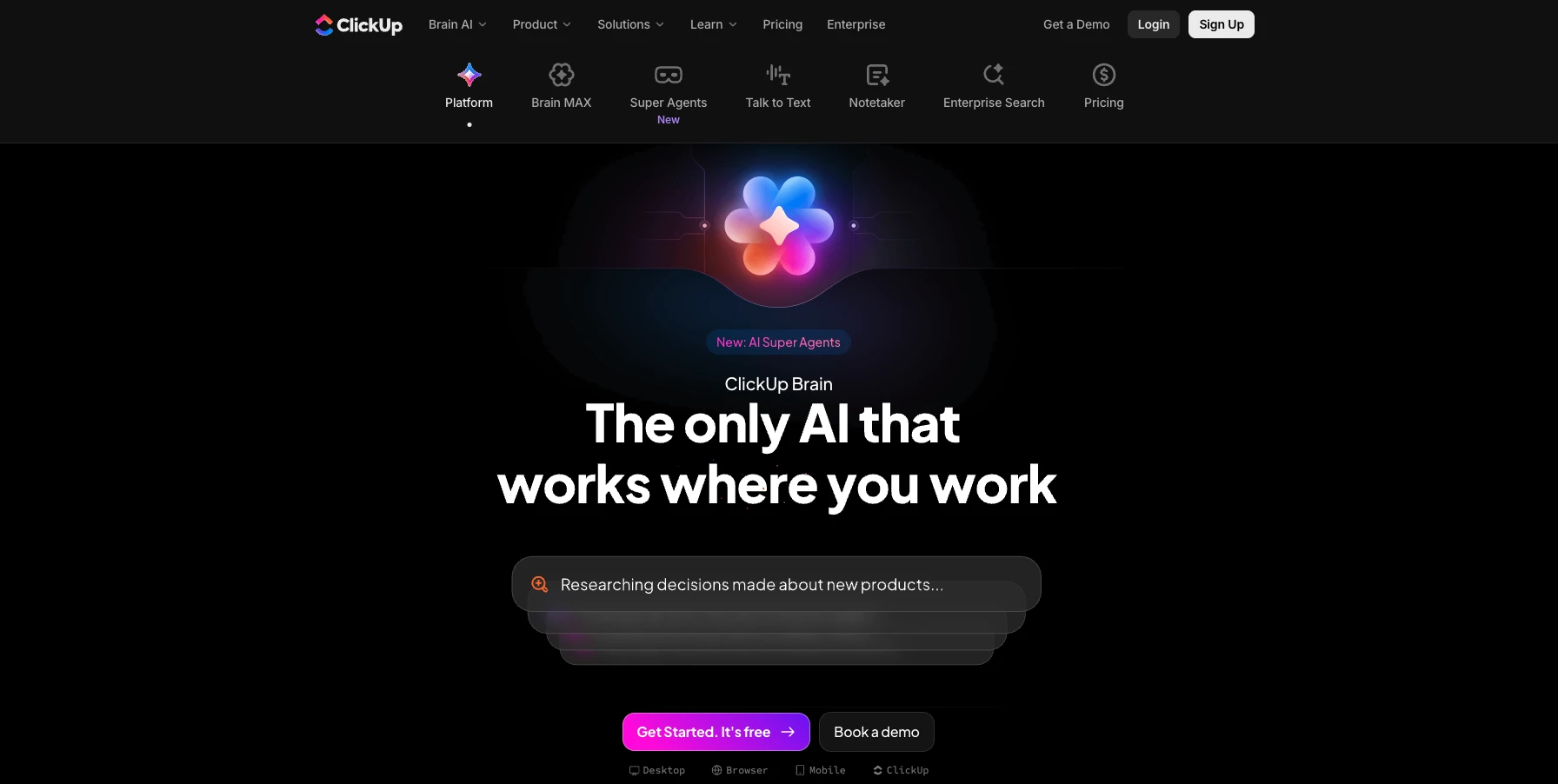
The more I use ClickUp AI, the more I like it. Especially when I’m working with teams juggling multiple deliverables and deadlines.
At its core, it’s a robust project management platform, but the AI layer adds a level of intelligence that goes beyond the typical task tracker.
| Pros | Cons | Pricing |
|
|
|
What makes it stand out is how it reduces the mental overhead of project coordination.
It actively assists with writing task descriptions, summarizing meetings, and even suggesting priorities based on workload and due dates.
That kind of support really helped me to cut through the noise and keep things moving when things get busy.
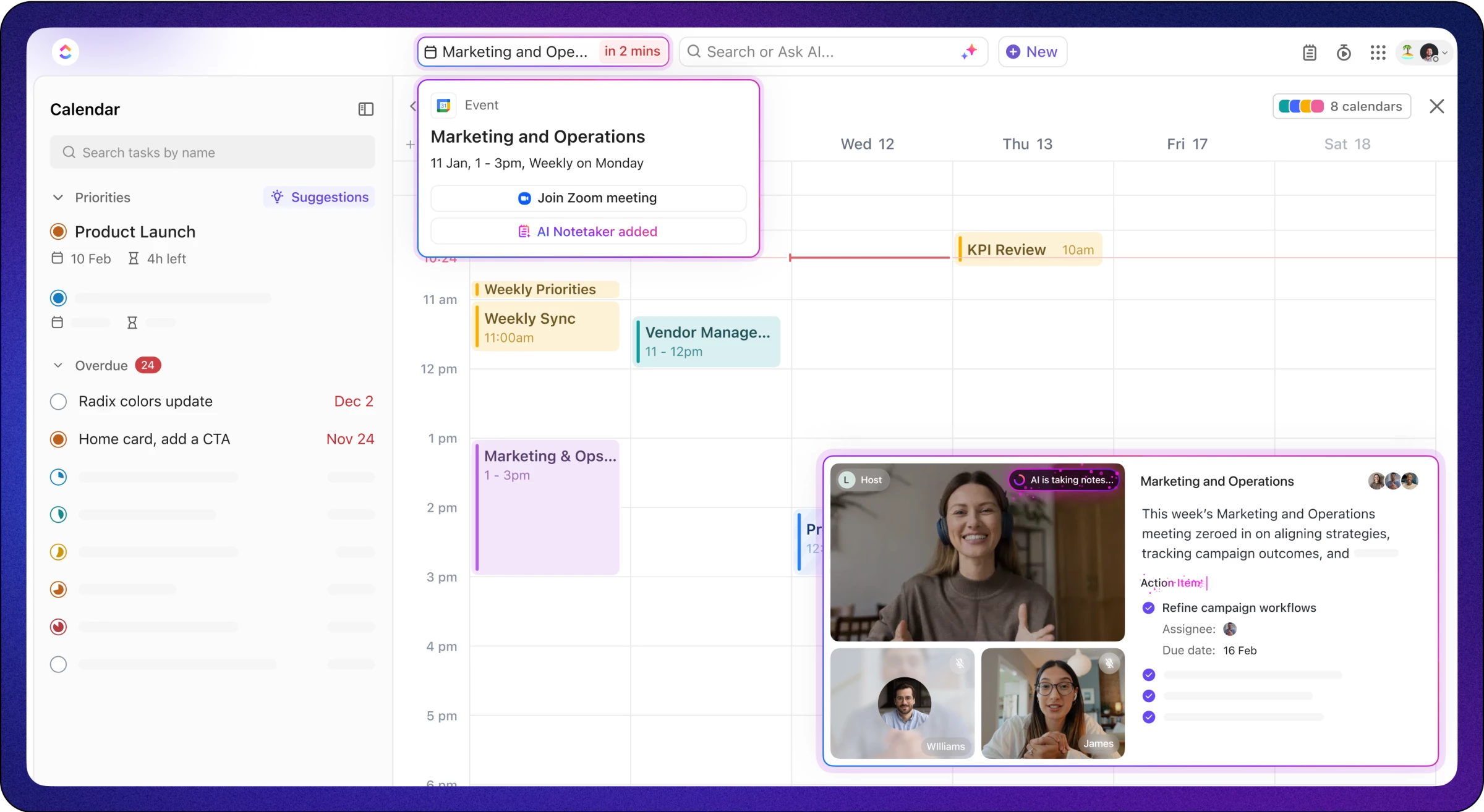
I’ve found the AI-generated meeting notes especially helpful.
Instead of scrambling to remember what was discussed or tracking action items manually, ClickUp logs it all and organizes it in a way that’s actually usable.
And when you’ve got multiple projects running in parallel, the real-time dashboards give you an at-a-glance view of what’s on track, and what needs attention.
Of course, there’s a bit of a learning curve, especially if your team isn’t already using ClickUp. And while the AI features are impressive, they’re gated behind the higher-tier plans.
Still, for teams serious about productivity and looking to automate more of the day-to-day project chaos, it’s a strong contender.
What Users Say
Some users expressed uncertainty about ClickUp Brains’s usefulness, even arguing that it’s overhyped, overly complicated or “clunky”, and that it lacks the context needed to be useful for generating content like emails, but others were firm in their defense of its abilities as project management tool with versatile capabilities.
Who’s It For?
ClickUp Brain is ideal for fast-paced teams that need a centralized workspace to streamline project management, automate routine tasks, and bring more clarity to cross-functional collaboration.
Agencies, product teams, and startups with especially like how it helps them juggle multiple workflows without tool overload.
Other Notable Features
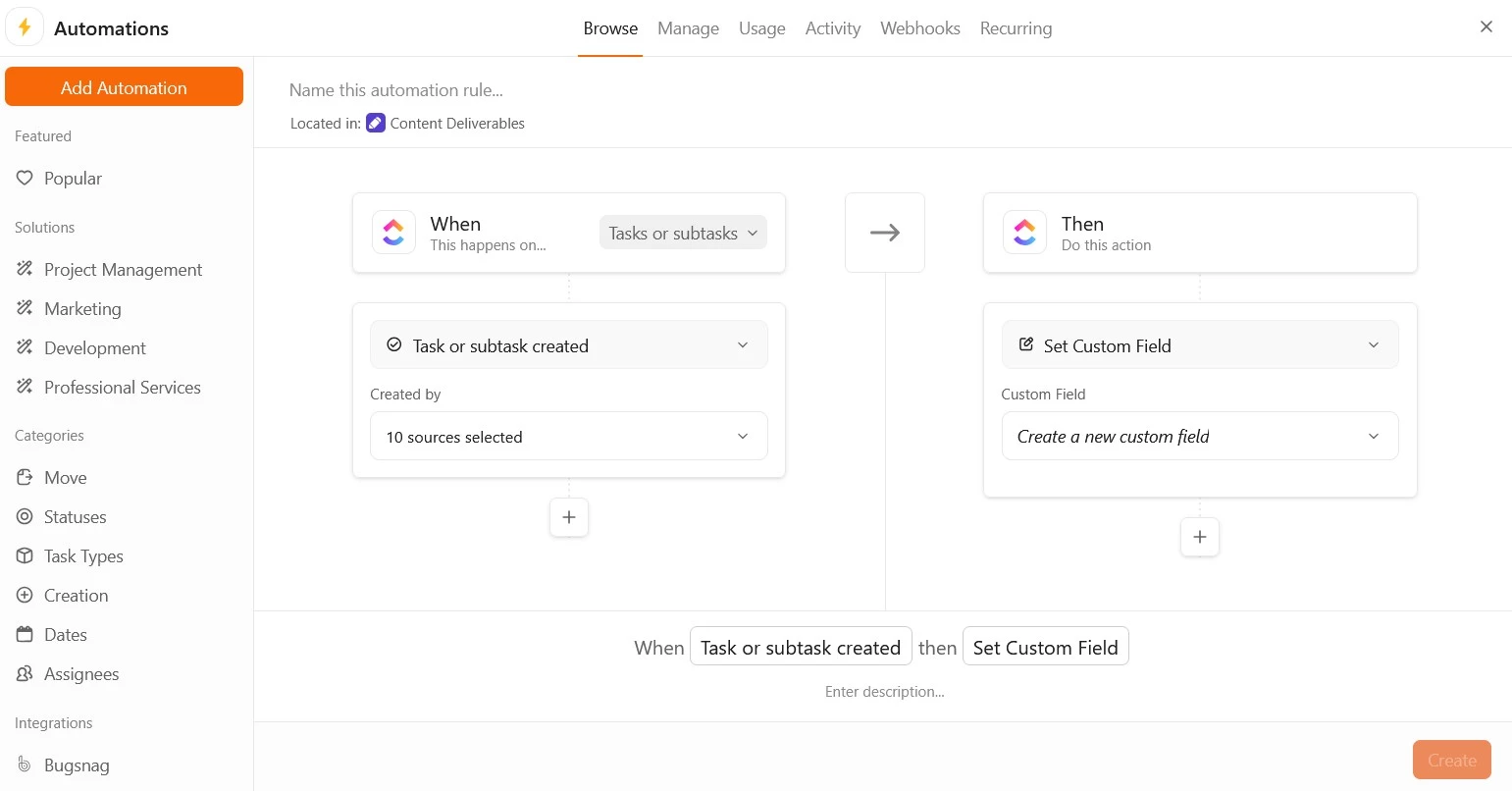
- AI-powered task management automates assignments, scheduling, and progress tracking.
- Integrated AI Notetaker captures and summarizes meeting discussions.
- Customizable dashboards provide real-time project insights.
- Collaborative docs and whiteboards enhance team collaboration.
- Native time tracking and resource management tools.
- Sprint management and agile reporting capabilities.
2. Freshdesk AI – AI-Driven Customer Support Platform
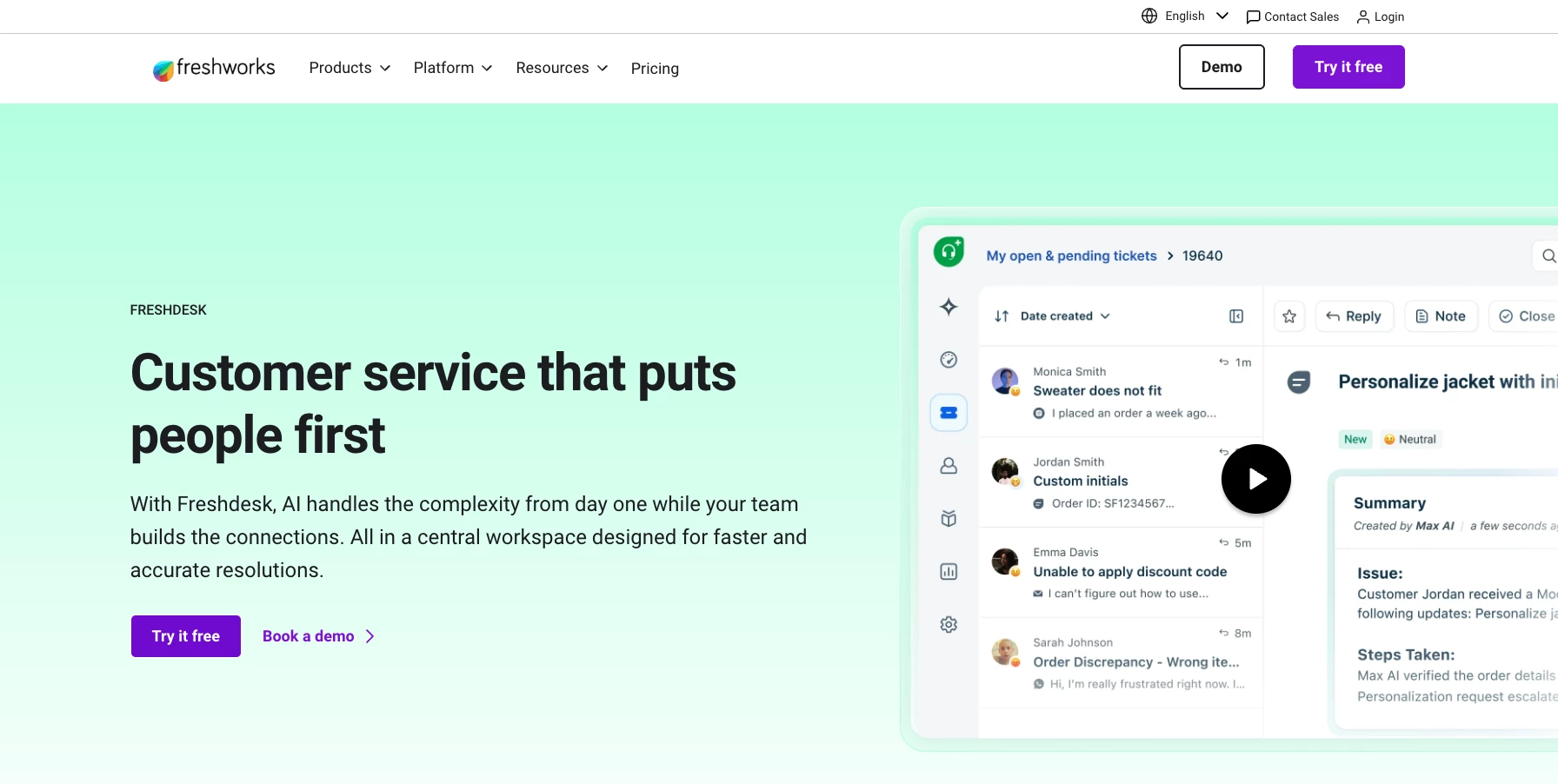
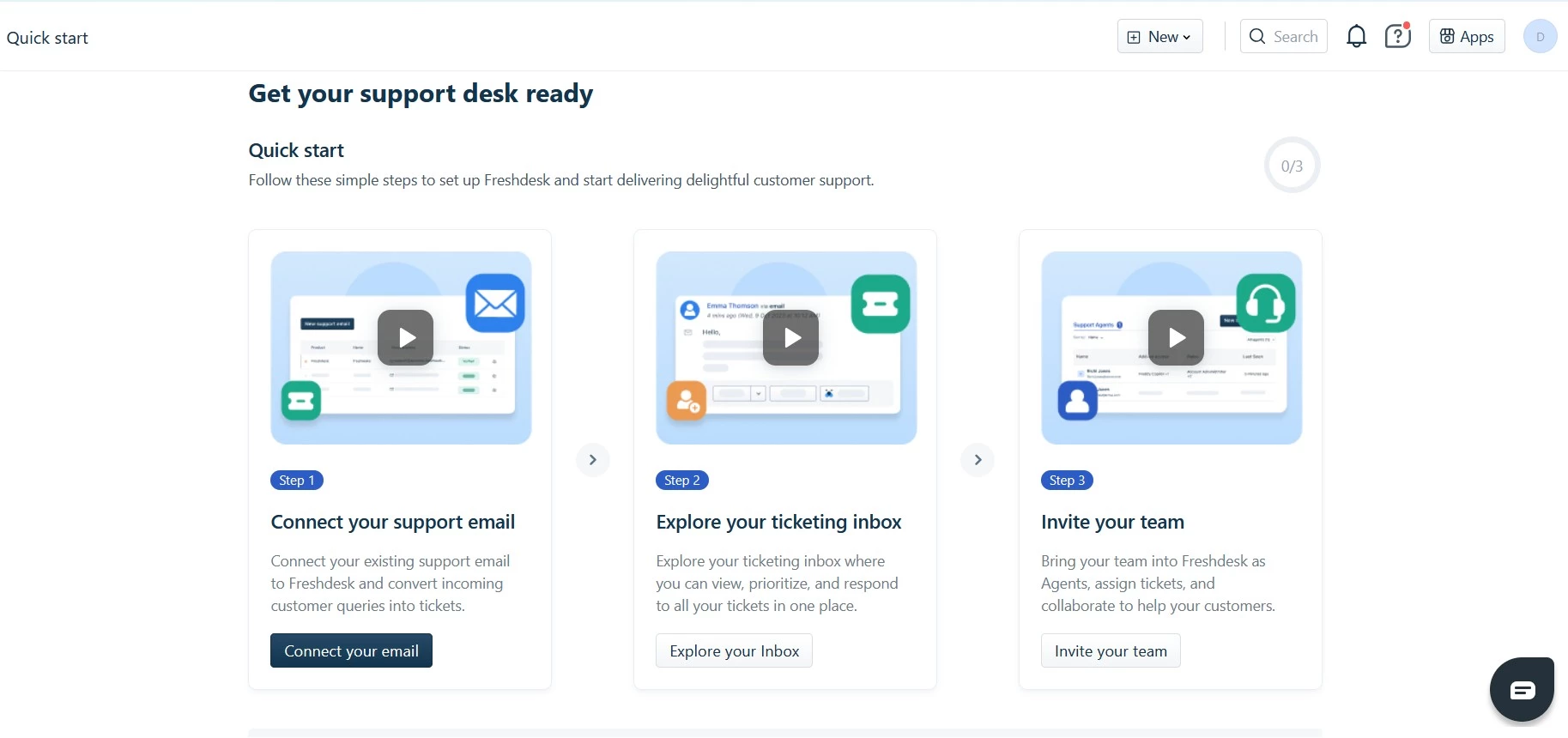
Freshdesk AI, developed by Freshworks, integrates AI to take the capabilities of traditional helpdesk systems to a new level.
I found that with its built-in Freddy AI, I was able to take my helpdesk operations to the next level.
| Pros | Cons | Pricing |
|
|
|
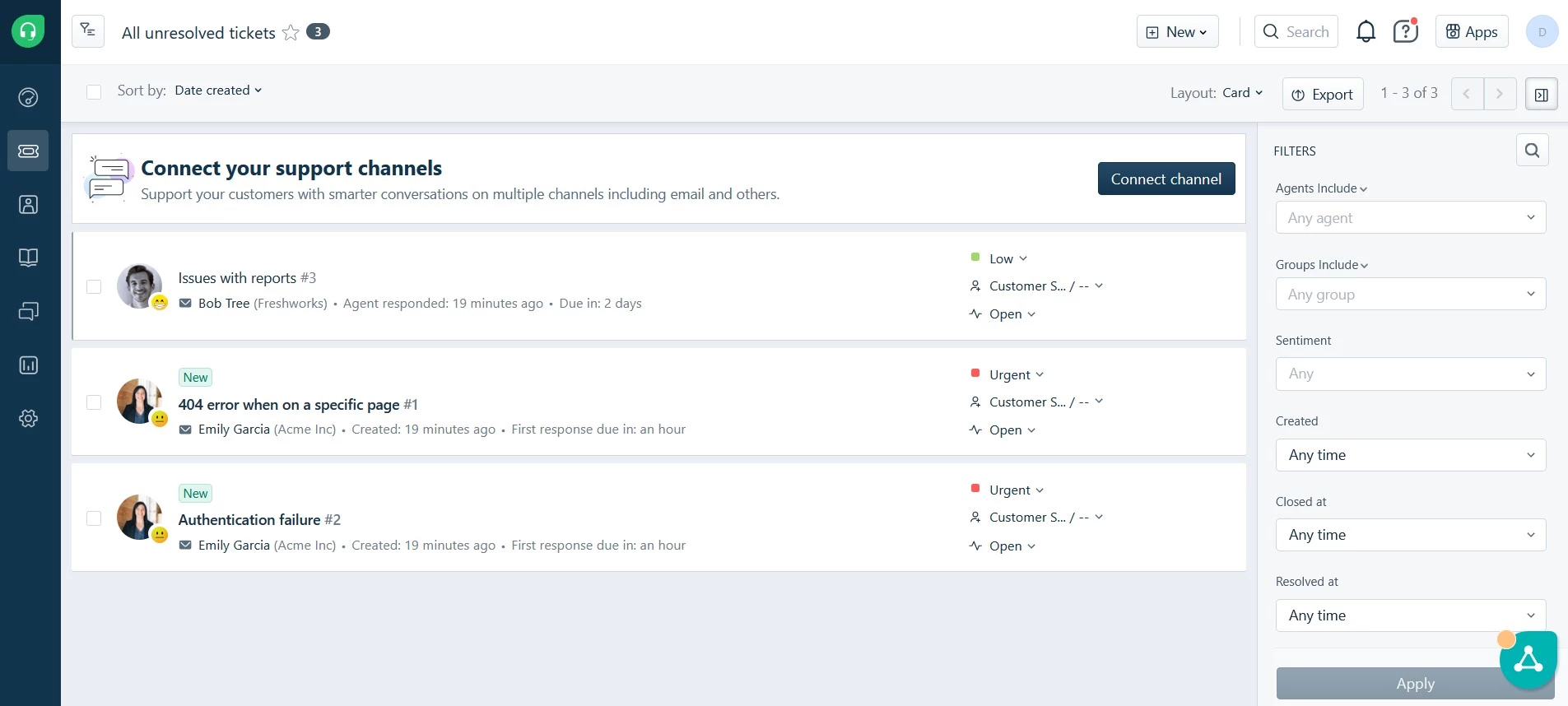
It helped me automatically categorize tickets, analyze customer sentiment, and it even suggests responses, which has made my support workflows way more streamlined and effective.
One thing I really liked about Freddy AI is how it handles incoming tickets: it actually analyzes them and automatically sorts them based on what they’re about and how urgent they seem.
That alone saves me a ton of time I’d usually spend just organizing things.
It also tries to read the customer's mood with sentiment analysis, which gives me a heads-up on how to respond more thoughtfully. And the response suggestions?
Super helpful. They give me a starting point for common questions so I can reply faster without feeling like a robot.
But it's worth noting that while Freshdesk offers a range of features, some users have reported challenges with the platform's stability and integration capabilities.
During trial periods, for instance, the website became unresponsive at times, and certain demo elements didn't work as expected.
Additionally, connecting Freshdesk to platforms like Instagram Direct Messages has posed difficulties for some users, so user feedback on Freshdesk AI is mixed.
Start your 14-day trial with Freshdesk AI — no credit card required.
What Users Say
Many users appreciate Freshdesk's intuitive interface and the productivity boost that comes with Freddy AI Copilot.
One user even shared that they had great success using Freshdesk at a previous company focused on product support and would "100% recommend it" for that purpose.
Another one, though, expresses frustration with Freshwork’s decision to move the CSV export feature and other simple functions to the Pro plan, and numerous others criticize the company for (perhaps somewhat ironically) poor customer service.
Who’s It For?
Freshdesk AI is built for customer support teams that want to resolve tickets faster, boost satisfaction scores, and reduce response times without burning out their agents.
It’s great for growing businesses scaling support operations or those with high ticket volumes looking to improve efficiency.
Other Notable Features
- Freddy AI Agent handles up to 86% of customer queries with instant, human-like responses.
- Freddy AI Copilot helps agents by automating tasks and suggesting replies.
- Omnichannel support unifies email, chat, phone, and social media.
- The knowledge base offers a self-service portal for common questions.
- Customizable workflows automate tasks and adapt to business needs.
3. Salesforce Einstein – AI Integration For Salesforce's CRM System
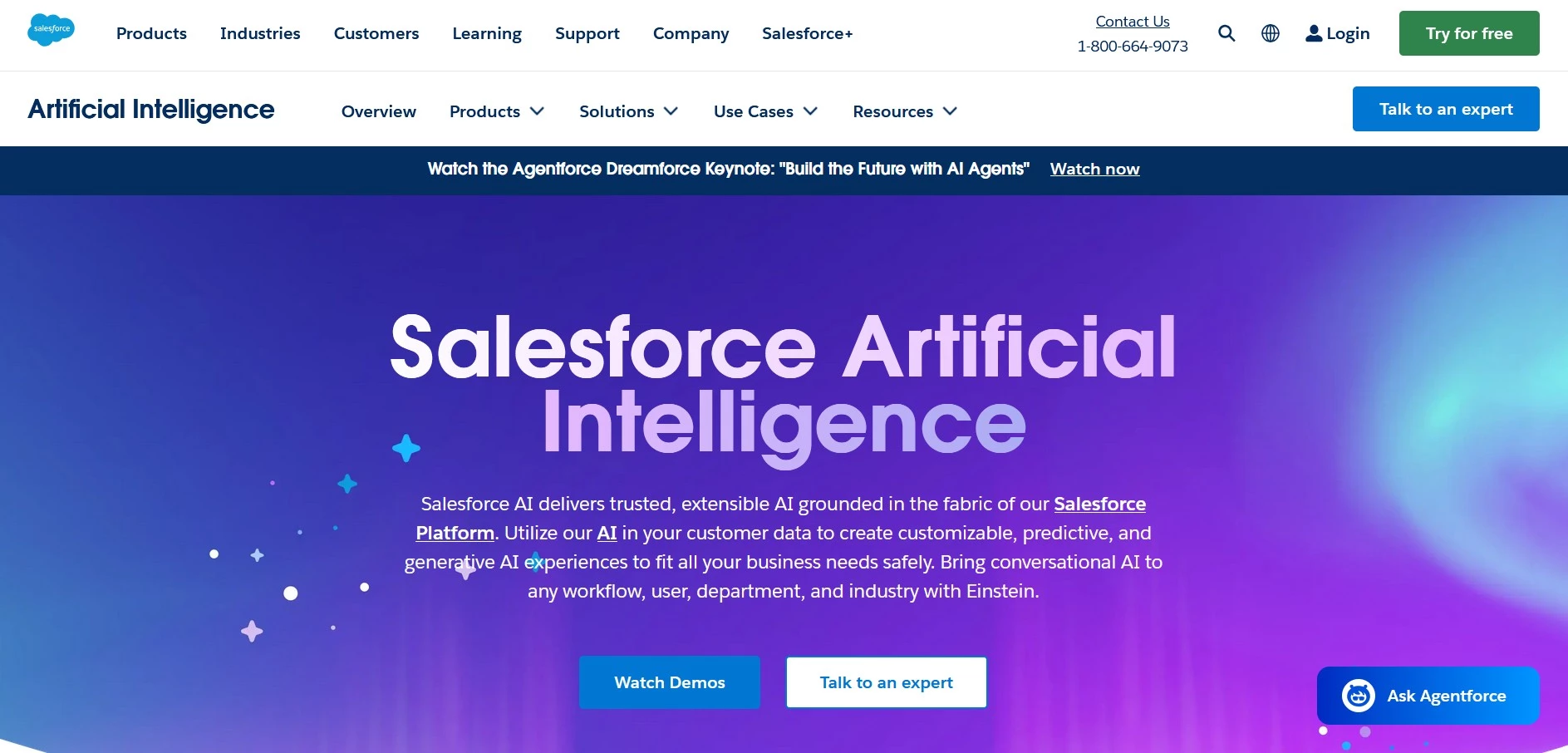
Bringing AI into your sales and customer relationship management can feel a bit like stepping into a maze as there’s a lot of potential, but also a lot of noise.
Salesforce Einstein aims to simplify this journey by embedding AI directly into the Salesforce platform to offer tools designed to enhance sales processes and customer interactions.
| Pros | Cons | Pricing |
|
|
|
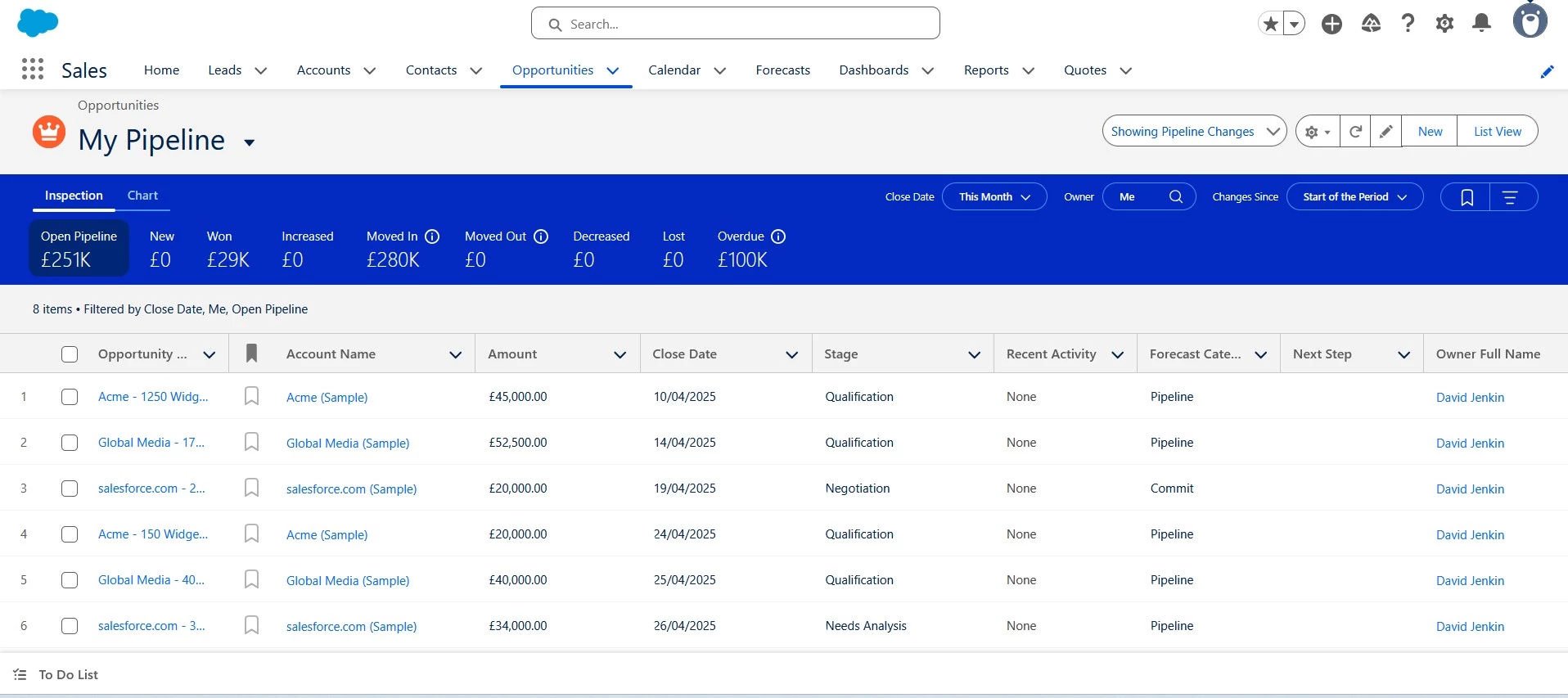
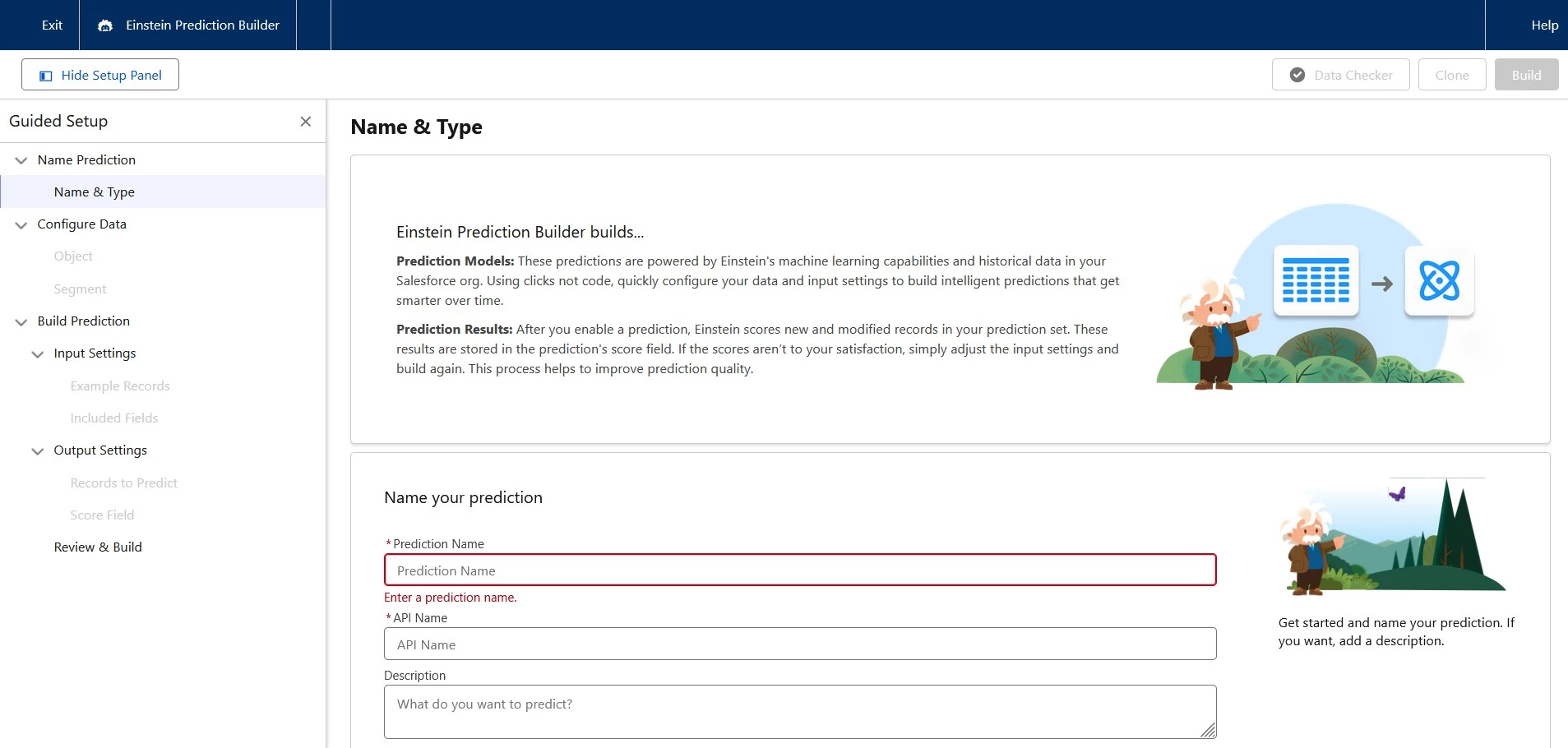
One feature I’ve really come to rely on is predictive lead scoring. Einstein looks at my historical data and assigns scores to leads, so I know which ones are most likely to convert.
It’s been a game changer for prioritizing my efforts and using my time more effectively.
I also love the opportunity insights. Einstein gives me real-time tips and alerts based on how my customers are engaging.
Plus, it automatically logs emails and events, which saves me from having to do all that manual data entry. Everything stays up-to-date without me even thinking about it.
Building upon these features, Salesforce introduced Einstein GPT, a generative AI tool that creates personalized content across every Salesforce cloud CRM.
What’s cool is that it combines Salesforce’s own AI models with real-time data from their Data Cloud.
I can then connect that data with OpenAI’s models (or other generative AI options) to generate content right inside my Salesforce CRM.
That said, I’ve realized that integrating Einstein into my workflows isn’t always a walk in the park. For it to work properly, I need a solid foundation of clean, well-structured data. Without that, the insights I get might not be as reliable as they could be.
And, I’ll admit, there’s a bit of a learning curve when it comes to customizing everything and really unlocking the full potential of the platform.
Start your 30-day trial with Salesforce Einstein.
What Users Say
While some users fail to see its usefulness, describing it as “a giant load of buzzwords but no actual content”, others appreciate the depth of functionality but caution about the steep learning curve and the importance of thoroughly understanding your data model.
Who’s It For?
If your sales, service, or marketing team is already working within the Salesforce ecosystem and you want to make smarter decisions in less time, Salesforce Einstein is perfect for you.
It’s especially useful for enterprise-level organizations that rely heavily on CRM data and need predictive insights to improve lead scoring, customer segmentation, and revenue forecasting.
Other Notable Features
- Einstein Activity Capture syncs emails and calendar events with Salesforce.
- Einstein Forecasting uses AI to predict sales more accurately.
- Einstein Opportunity Scoring scores opportunities by likelihood to close.
- Einstein Email Insights flags action items and suggests next steps from emails.
- Einstein Call Coaching provides insights from sales calls by analyzing conversation trends.
- Deploys AI-powered chatbots to handle routine customer inquiries.
- Einstein Case Classification a automatically classifies and routes customer service cases to the appropriate agents based on historical data.
4. Vic.ai – AI Integration for Salesforce's CRM System
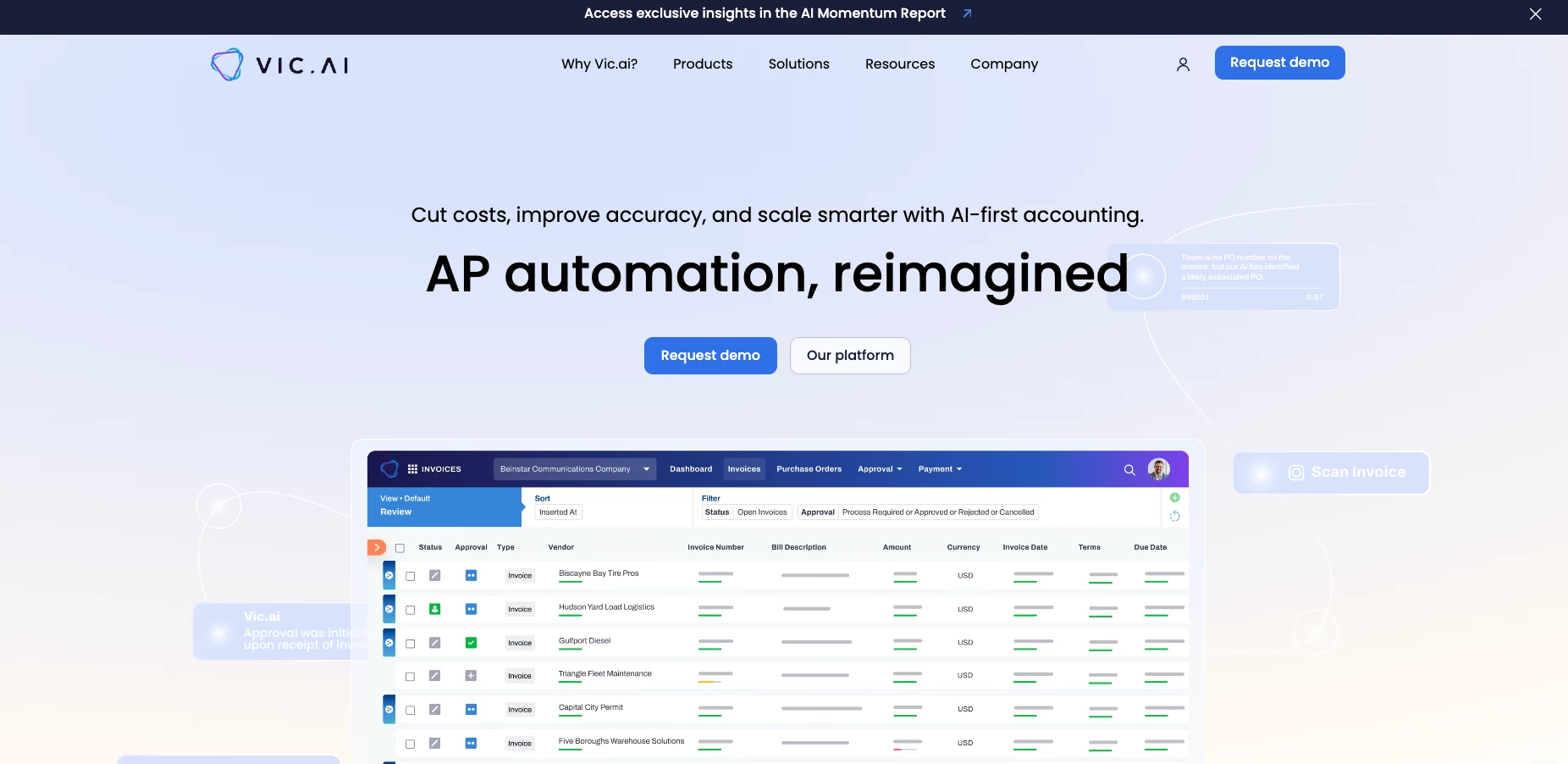
Managing financial operations often involves repetitive tasks that can be both time-consuming and prone to error.
Vic.ai comes to the rescue by introducing AI-driven automation to the accounting domain to enhance efficiency and accuracy in financial workflows.
| Pros | Cons | Pricing |
|
|
|
A feature of Vic.ai that stood out to me is its autonomous invoice processing capability. The platform can automatically extract and process data from various invoice formats without the need for predefined templates.
That’s a time-saver I can see myself loving as a small business owner.
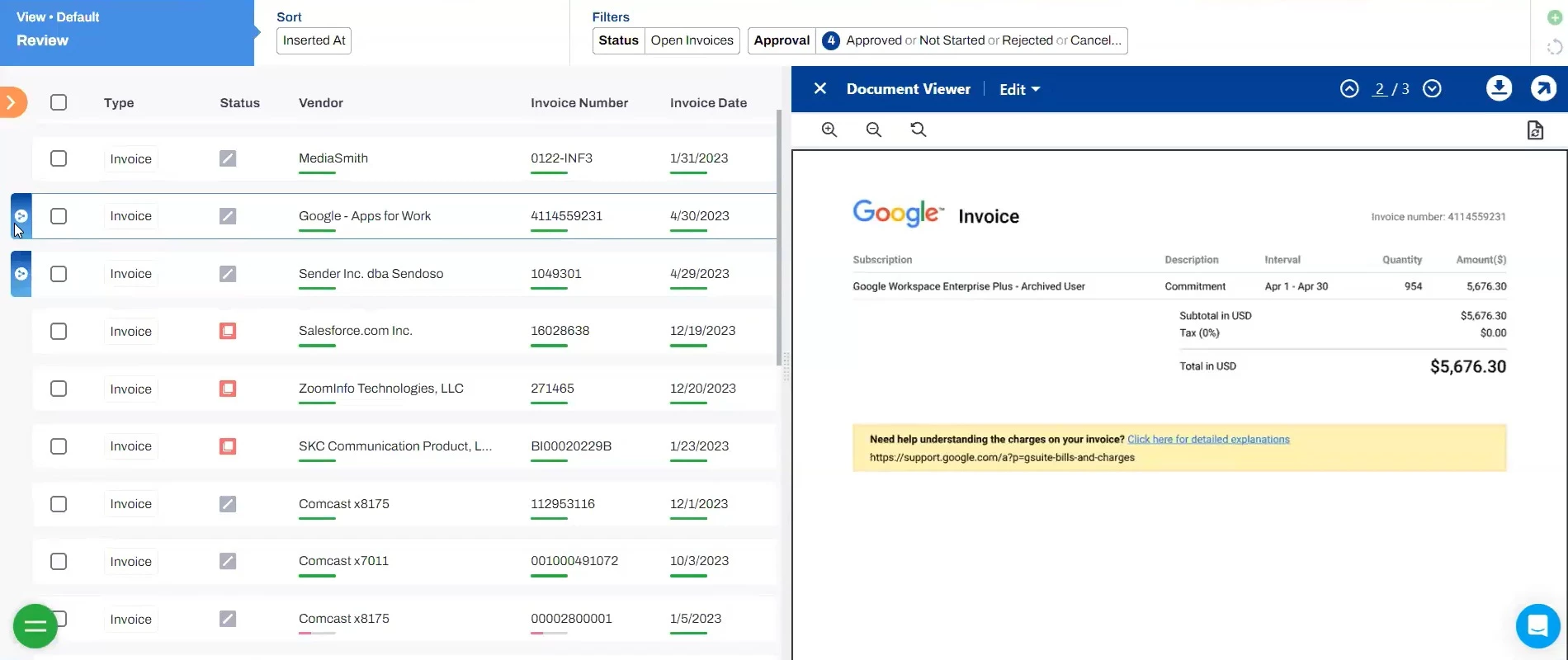
Vic.ai also has this intelligent general ledger (GL) coding feature that I find super helpful.
It automatically assigns line items to the right accounts and dimensions, which makes keeping financial records accurate and consistent a lot easier.
Another thing I love is the real-time analytics through VicAnalytics™. It gives the ability to monitor important metrics like monthly invoice volume, accuracy rates, and automation rates.
Having that kind of insight really helped me make informed decisions and keep optimizing processes over time.
Book a free Vic.ai discovery meeting.
What Users Say
While some Reddit users are skeptical about the very concept of automating accounts payable (AP), the most time-consuming part of an accountant’s job, one user notes: “Vic.AI has worked pretty well for us, although we ran through three other providers first with varying degrees of failure,” adding that it’s still necessary to retain the AP manager and a clerk to finalize payments, of course.
Who’s It For?
Vic.ai is intended for finance teams looking to eliminate manual invoice processing and speed up their accounting workflows with greater accuracy.
It’s a solid choice for mid-size to large companies managing high volumes of financial transactions, especially those aiming to modernize legacy systems and reduce processing costs.
Other Notable Features
- Autonomous invoice processing extracts and processes invoice data without templates.
- Intelligent GL coding auto-assigns line items to the right accounts and dimensions.
- Real-time analytics (VicAnalytics™) provides insights on metrics like invoice volume and accuracy.
- Seamless ERP integration syncs data across major ERP systems.
- Continuous learning AI boosts accuracy by learning from past data and user actions.
- Fraud detection spots anomalies and potential fraud in financial transactions.
5. Reclaim.ai – Intelligent Scheduling Tool
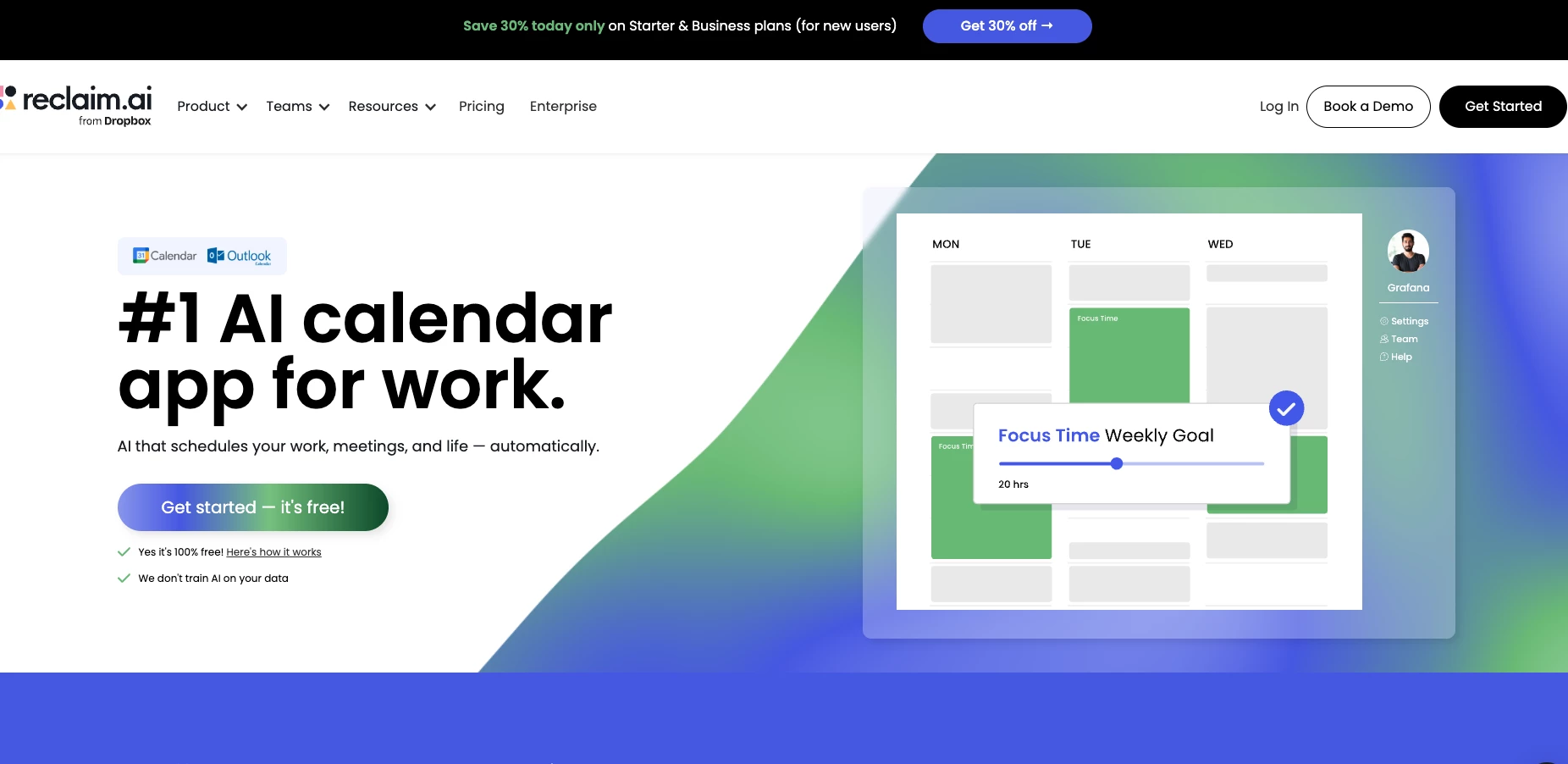
Managing a packed schedule can be stressful, but Reclaim.ai aims to meet the challenge by intelligently automating your calendar.
Since it integrates seamlessly with Google Calendar, I can rely on it to dynamically arrange my tasks, habits, and meetings without me having to micromanage every time block.
| Pros | Cons | Pricing |
|
|
|
One feature that really stood out for me is the ability to sync multiple calendars, like work, personal, and even shared ones, into a single, unified view.
That alone has saved me so much frustration. I no longer have to keep switching between different calendars just to figure out where I have time.
Everything’s in one place, and it actually feels like my calendar is working for me, not against me.
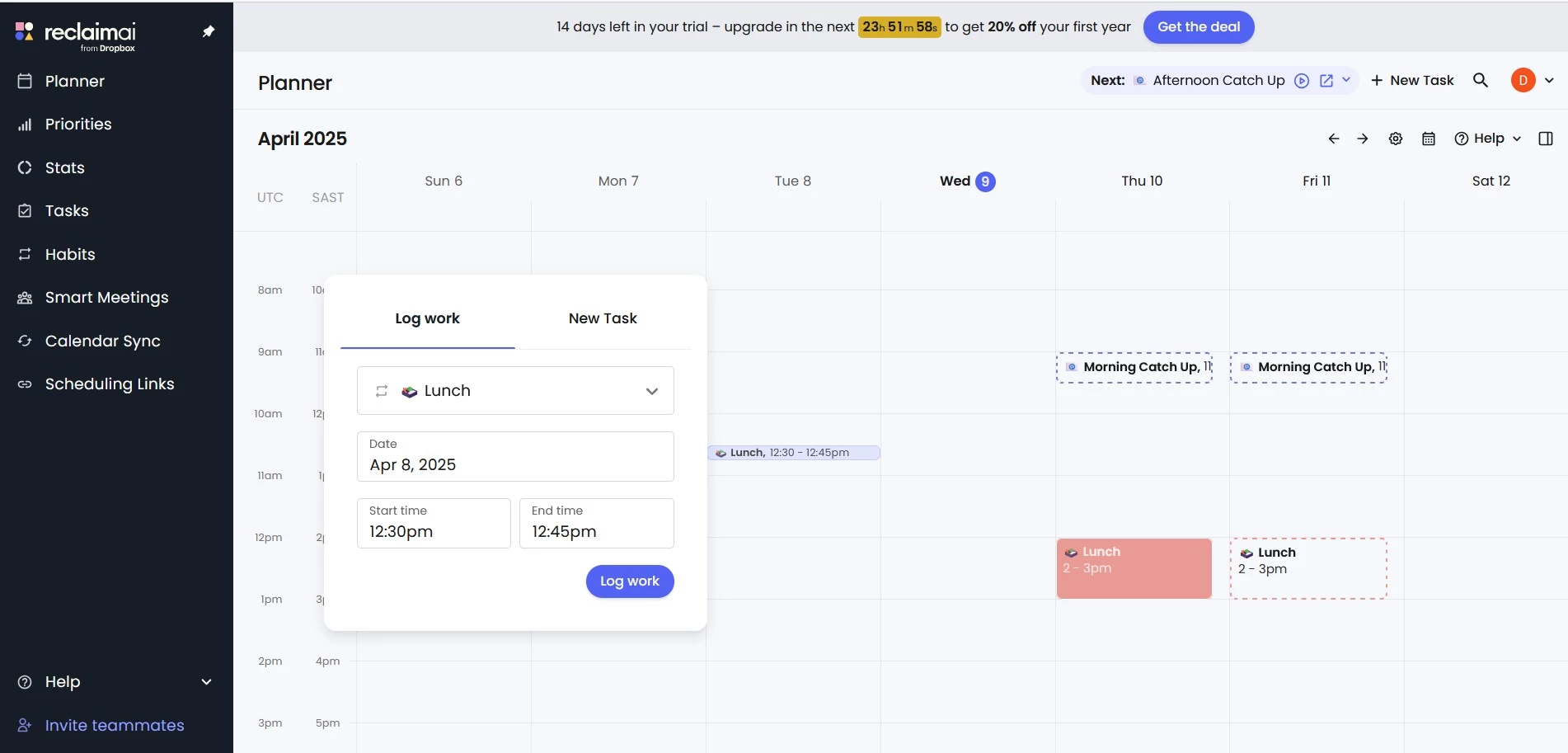
Reclaim.ai also offers smart habit scheduling. This is for allocating time for regular routines like exercise or focused work sessions. You can tell the platform to automatically find the best places in your calendar to slot them in.
This is helpful for keeping up good habits without having to manually schedule them, even as other commitments arise.
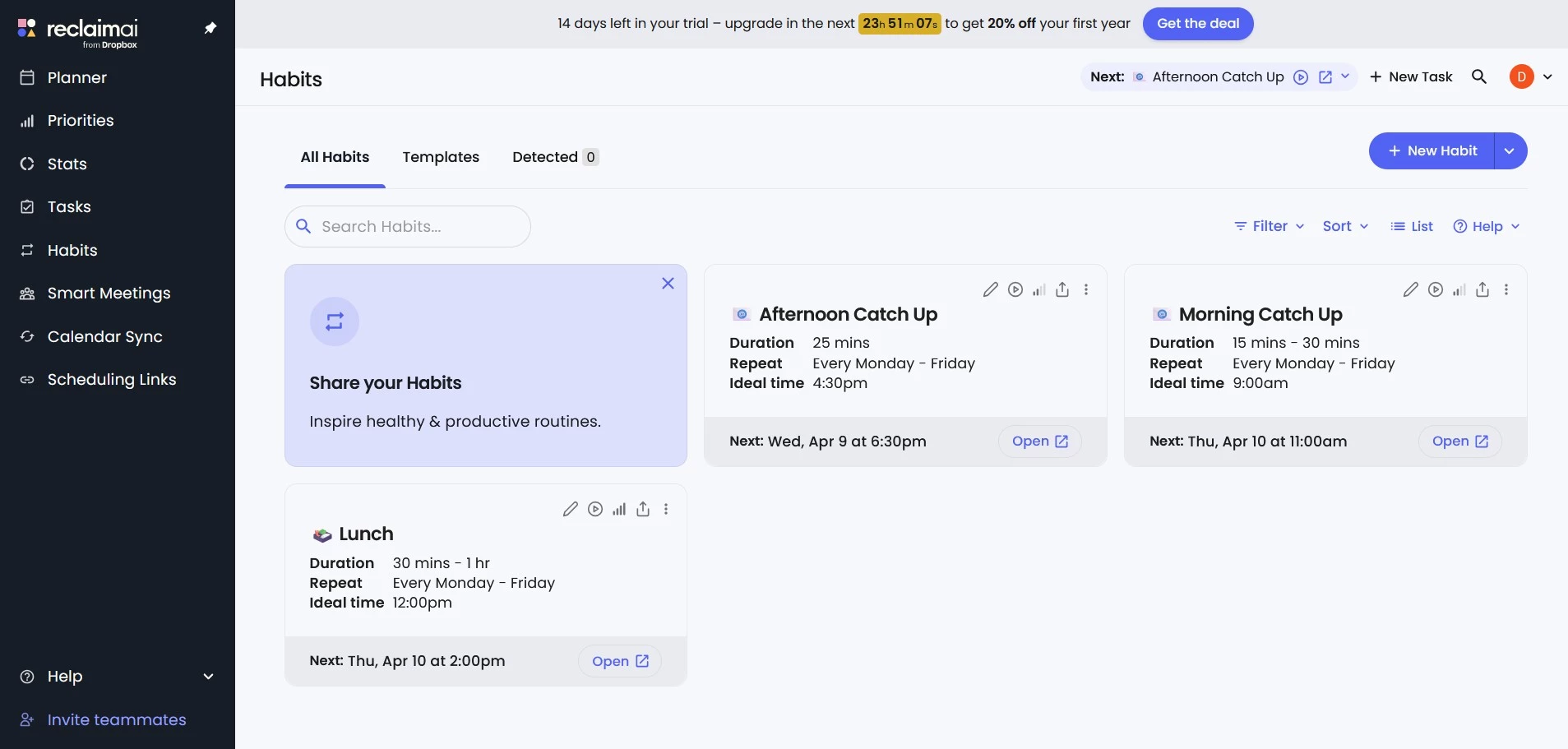
Another thing I really appreciated about Reclaim.ai is the time tracking analytics. It gives you a clear breakdown of how your time is being spent across different activities.
For me, that was super helpful in spotting where I was wasting time or overcommitting, which is definitely a step toward being more intentional and productive with my day.
View this post on Instagram
Overall, I found the user experience to be pretty intuitive. I can definitely see it being a great tool for anyone who struggles to keep a busy schedule under control.
That said, I get why some people might find the automation a bit too rigid, especially if you prefer having full manual control over your own or your team’s calendar.
Also worth mentioning: Reclaim.ai is very dependent on Google Calendar right now, so if you use a different calendar system, it won't be the best fit.
Get started with Reclaim.ai for free.
What Users Say
Users on Reddit mentioned how it was helping them to focus on tasks while others likened it to “inviting a toddler into my study.”
They explain that while it may suit someone disorganized, the automatic scheduling function was a nightmare for someone who wanted more control over planning their time.
Who’s It For?
Reclaim.ai is designed for busy professionals and small teams who need help balancing focused work with back-to-back meetings.
It’s a really great option for hybrid teams looking to automatically protect deep work time, sync calendars, and keep priorities aligned without micromanaging their day.
Other Notable Features
- Smart task scheduling auto-plans tasks by priority and updates with schedule changes.
- Habit creation and maintenance auto-schedules recurring tasks.
- Calendar sync merges multiple calendars into one view.
- Time tracking analytics shows how time is spent across activities.
- Scheduling links create shareable links for booking meetings.
- Buffer time automation adds breaks between meetings to reduce fatigue.
- People analytics gives team insights on productivity and balance.
Other Productivity Tools With Growing AI Capabilities
AI is finding its way into more and more productivity tools, quietly leveling them up in the background.
These additions may not always make headlines, but they’re making a big difference in how teams operate day to day.
- YourSkills.pro: AI-powered talent matching for smarter teams
- Nutshell: Your offline AI meeting assistant
- Belle AI: Real-time retail planning intelligence
- RivalOut: Competitive intelligence with real-time AI alerts
- Hire.inc: Streamlining recruitment with AI-powered efficiency
- Lumi AI: Smart conversational analytics
- Parachute AI: AI-powered legal support
- Pensero: Continuous feedback backed by data
- NexStrat AI: AI management consultant for smart strategies
- Buildly: AI-driven project planning and delivery
- Beacon: AI-powered in-app guidance platform
- Triponic: An AI assistant for smarter business travel
- Voltaire: Where AI meets insurance efficiency
- ContactSwing: Intelligent call management powered by AI
- AI Marketing Partner: All-in-one AI marketing and app development
- Loopholes: AI compliance for smarter marketing
1. YourSkills.pro: AI-Powered Talent Matching for Smarter Teams
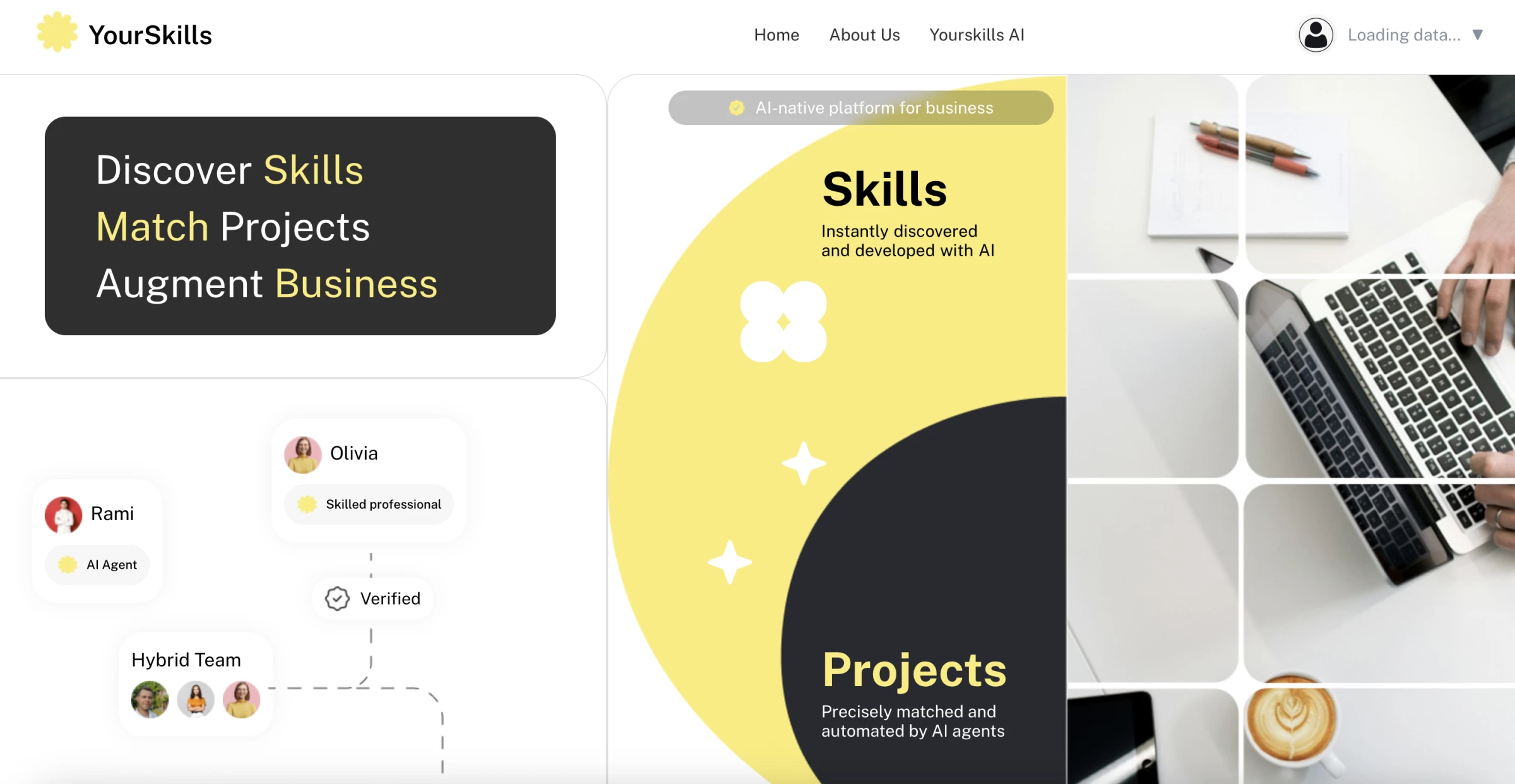
So I land on YourSkills.pro. Right away, I’m offered a way to build a personalized skills database, not just by uploading profiles, but also by integrating with my existing systems.
The process promises to be “easy and precise.”
| Pros | Cons | Pricing |
|
|
|
The standout moment here? The platform uses AI to deeply analyze experience, rate it based on expertise, and organize everything into a dynamic skills database.
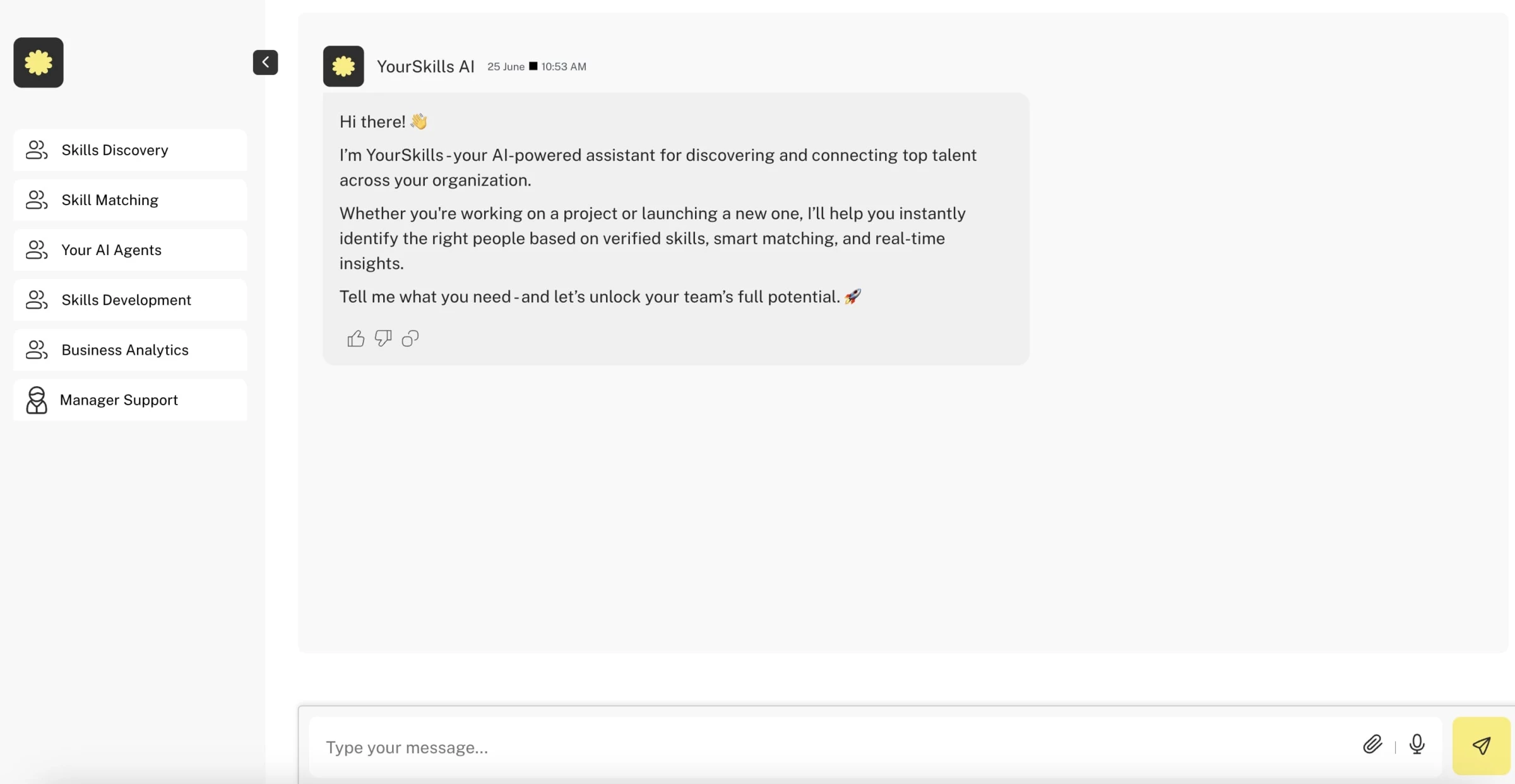
Now I meet the star of the show: my personal AI assistant, fully trained on my company’s workforce, project data, skills, and business needs.
The AI assistant doesn’t just give me a vague list — it evaluates:
- Skills
- Experience
- Location
- Timeline
- Budget
- Even prior project relevance
…and then tells me who in my internal talent pool is the best fit. That’s a huge deal. Most systems require managers to manually dig or filter — this one reasons through requirements.
While YourSkills.pro offers a forward-thinking approach to workforce intelligence, there are several potential drawbacks to consider. One of them is its heavy reliance on high-quality data for accurate AI recommendations.
Without strong integrations or clean inputs, the platform’s effectiveness may be limited.
Having all this in mind, YourSkills.pro looks like a good tool for orgs trying to scale with agility — replacing traditional HR spreadsheets with live, learning AI assistants who understand your people and your projects.
2. Nutshell: Your Offline AI Meeting Assistant
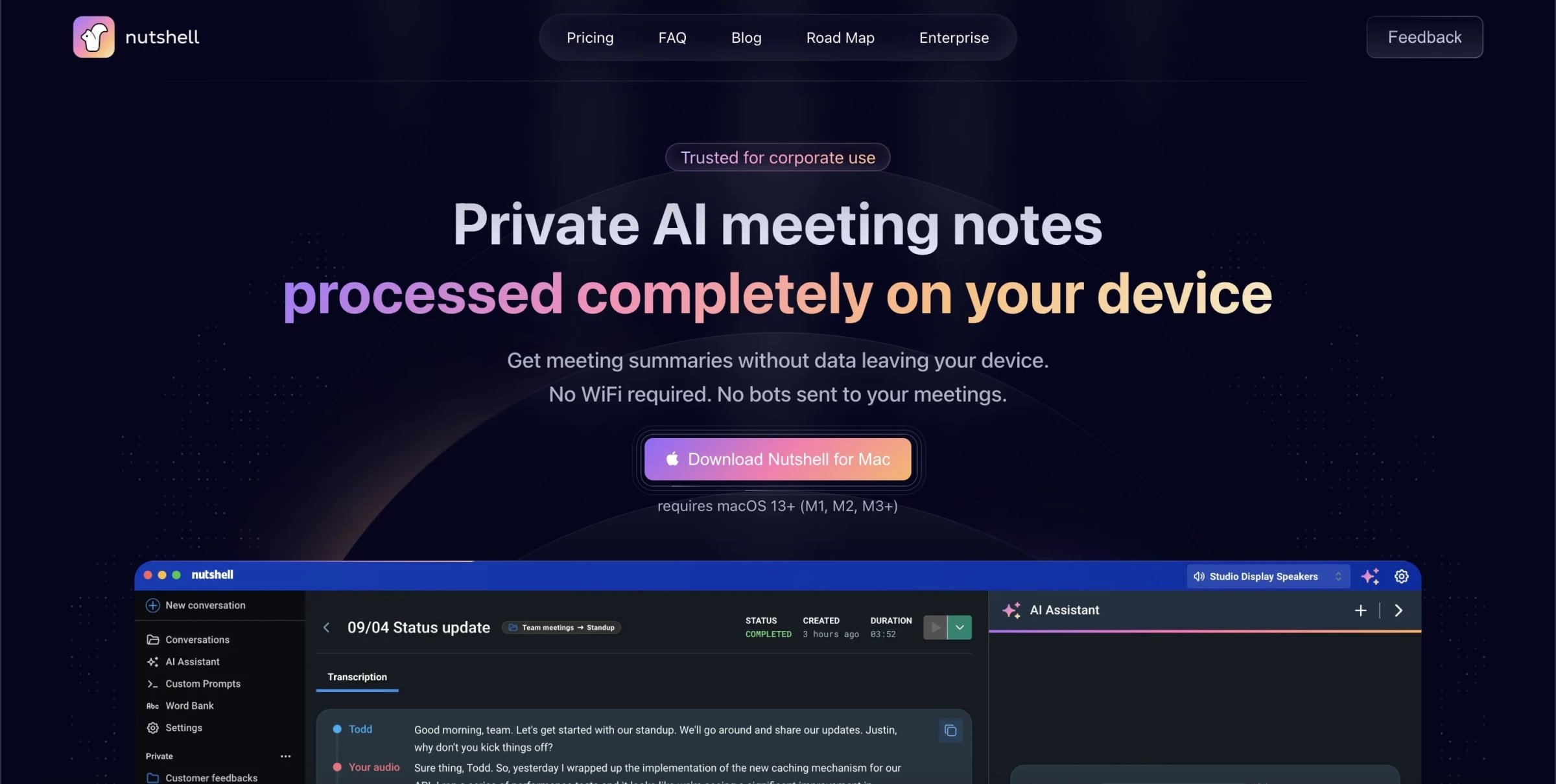
Nutshell AI is an AI-powered meeting assistant for macOS that transcribes, summarizes, and helps you interact with your meeting recordings, entirely on your device. The UI is clean and intuitive: a sidebar with real‑time transcription, an AI chat window, custom prompts, and meeting replay hits.
No account sign‑up required, just open, tap “record,” and you're live. Since everything happens locally, it works offline, and there’s no risk of sensitive data wandering off my machine
| Pros | Cons | Pricing |
|
|
|
The live transcription is impressively accurate, nearly flawless in quiet settings. In a quick 30‑minute mock meeting I hosted, every speaker’s dialogue was captured with timestamps, and pauses and fillers (“um,” “uh”) were trimmed gracefully. There were only a few hiccups:
- Overlaps with multiple speakers sometimes led to minor mistiming.
- Slight errors in jargon-heavy discussion.
These are typical of most transcription tools, but corrections are smooth via the transcript editor.
The Nutshell AI Assistant is on another level. I asked questions like “What were the key takeaways?” and “Who’s responsible for follow‑up?” — and got accurate, context‑aware responses pulled directly from the transcript.
If you’re using macOS and want a quick, secure, on-device solution that delivers accurate transcription, intelligent summaries, and customizable prompts, this is it.
Ideal for solo founders, privacy-conscious teams, or anyone tired of manual meeting notes.
3. Belle AI: Real-Time Retail Planning Intelligence
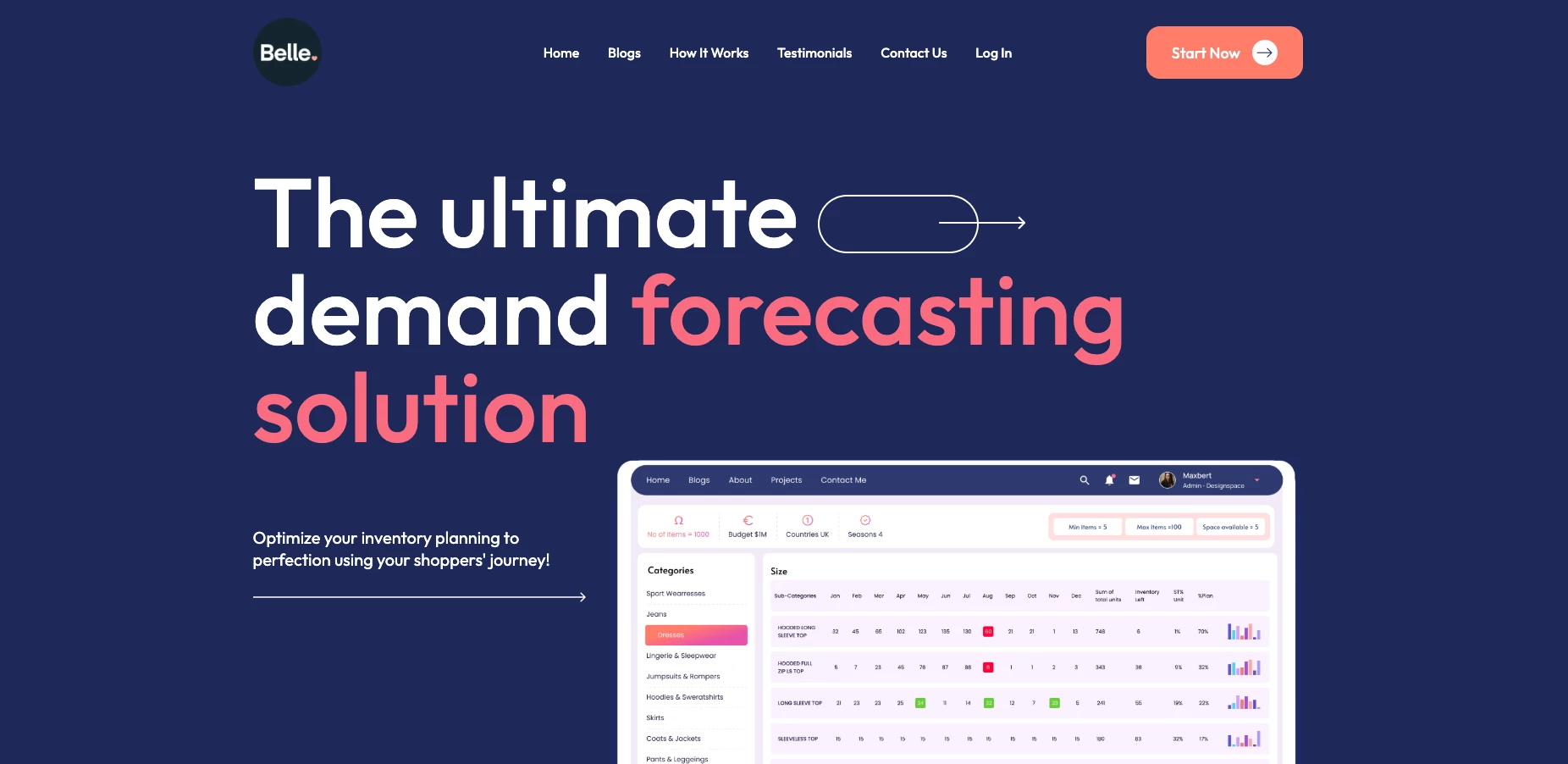
When I tested Belle AI, I wanted to see how it handled real retail complexity rather than clean demo data.
The platform centers on demand forecasting at SKU and store level, paired with automated replenishment recommendations and inventory risk alerts.
| Pros | Cons | Pricing |
|
|
|
What stood out for me is how Belle AI positions forecasting as behavior-aware planning. It explicitly talks about using shopper behavior analysis to improve planning decisions, not just rolling historical sales forward.
I also explored how Belle AI approaches new product forecasting.
For items without deep historical data, the system incorporates behavioral and trend signals to estimate demand distribution. That capability addresses a common retail blind spot during launches.
The tradeoff is that it’s clearly designed as a tailored system rather than a plug-and-play widget. That’s not a negative, but it does mean the real value depends on clean data, strong integrations, and realistic testing against your current baseline.
4. RivalOut: Competitive Intelligence with Real-Time AI Alerts
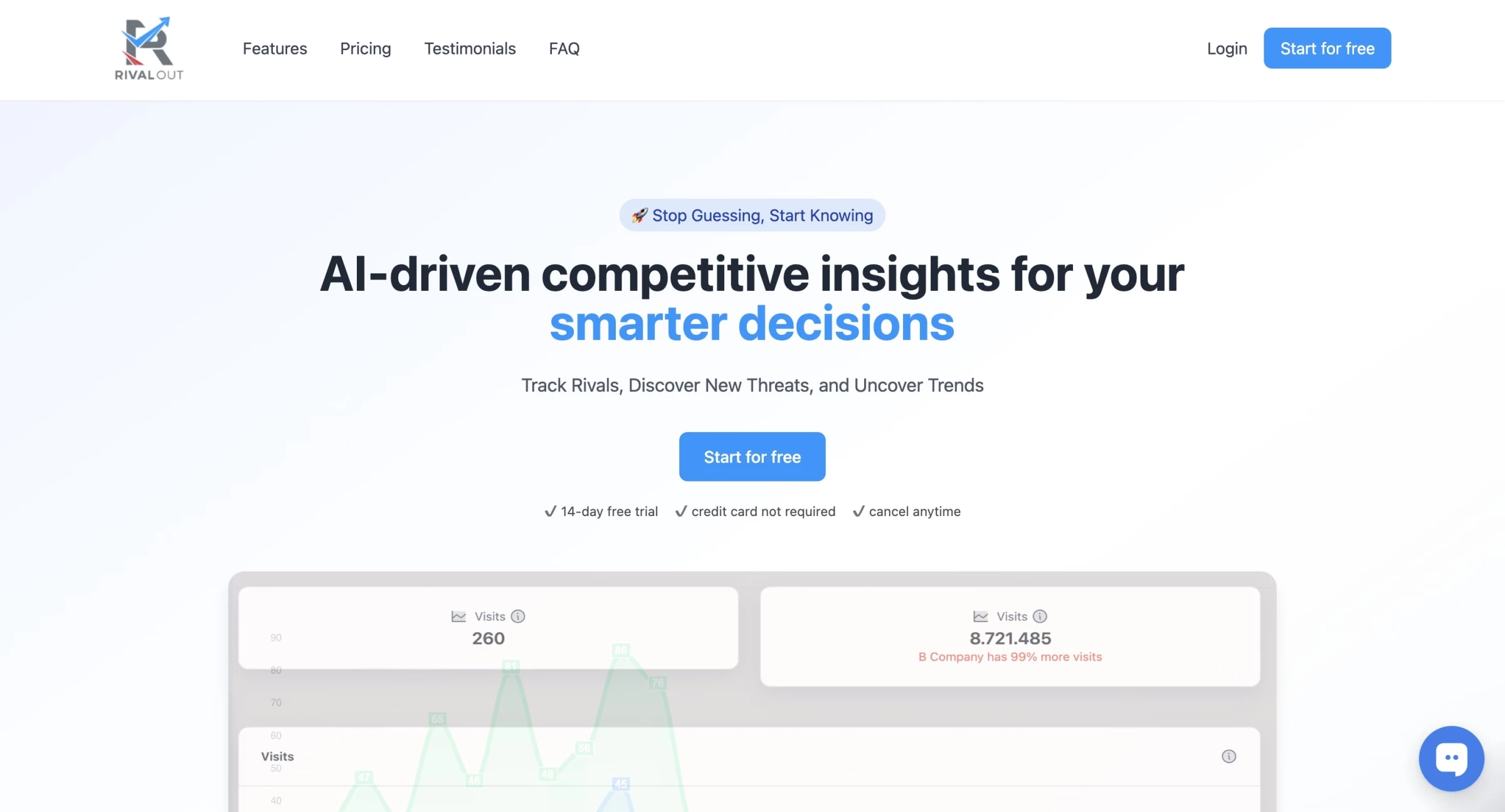
When I tried RivalOut, it felt like having a watchful digital assistant continuously monitoring rival brands. It pulled competitor traffic trends, keyword positions, and alerted me proactively about moves like new keywords or product changes.
| Pros | Cons | Pricing |
|
|
|
I found the insights were timely and helped with quick responses, like tweaking content or reacting to pricing shifts immediately.
The traffic monitoring is useful to spot competitor momentum early, while keyword tracking surfaces search gaps your team might be missing.
Also, the AI-generated SWOT-style analysis helps interpret competitive shifts rather than producing raw data dumps.
Despite the strengths, RivalOut does have limitations. First, data estimates like traffic or keyword rankings are best-effort approximations, not precise stats, so they require cautious use.
Also, because RivalOut leans on predefined competitor lists or discovery suggestions, it may miss more subtle or emerging players unless manually configured.
If you're leading a small marketing team, SaaS startup, or eCommerce brand looking to actively monitor competitors without hiring an analyst, RivalOut delivers great value. But don’t treat the data and insights as gospel, your human expertise remains essential.
5. Hire.inc: Streamlining Recruitment with AI-Powered Efficiency
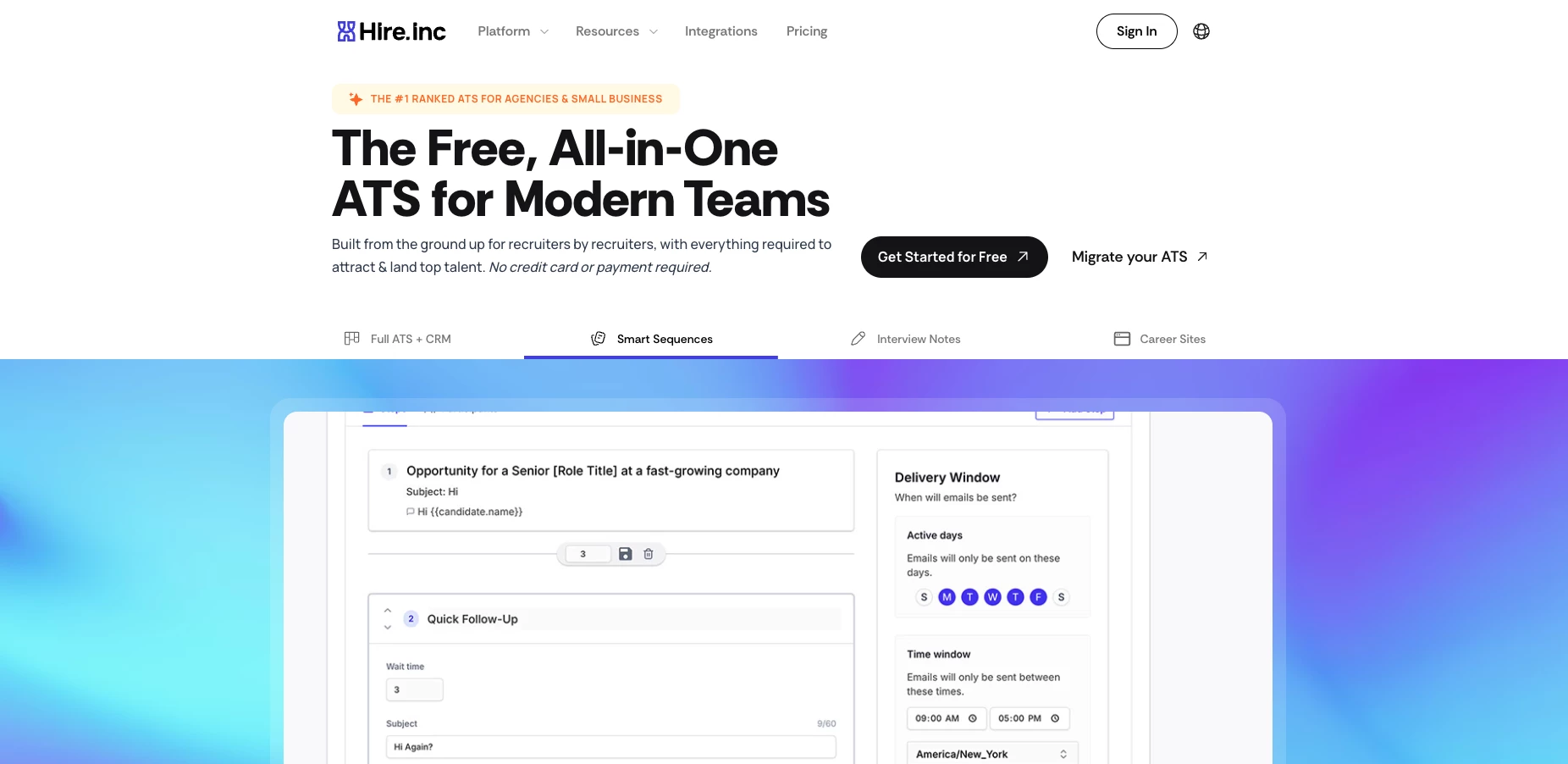
Hire.inc presents itself as a purpose-built, modern recruiting platform, melding AI sourcing, ATS capabilities, candidate and client CRM, and automated intelligence into one seamless tool.
| Pros | Cons | Pricing |
|
|
|
When I first logged into Hire.inc, I appreciated how clean and intuitive the dashboard appeared. Navigating between posting jobs, reviewing applicant pipelines, and scheduling interviews felt straightforward.
The AI‑powered matching was noticeably helpful. When I uploaded several resumes, the system quickly highlighted higher‑fit candidates upfront. This aligns with the platform’s automated screening approach that promises to save recruiters time.
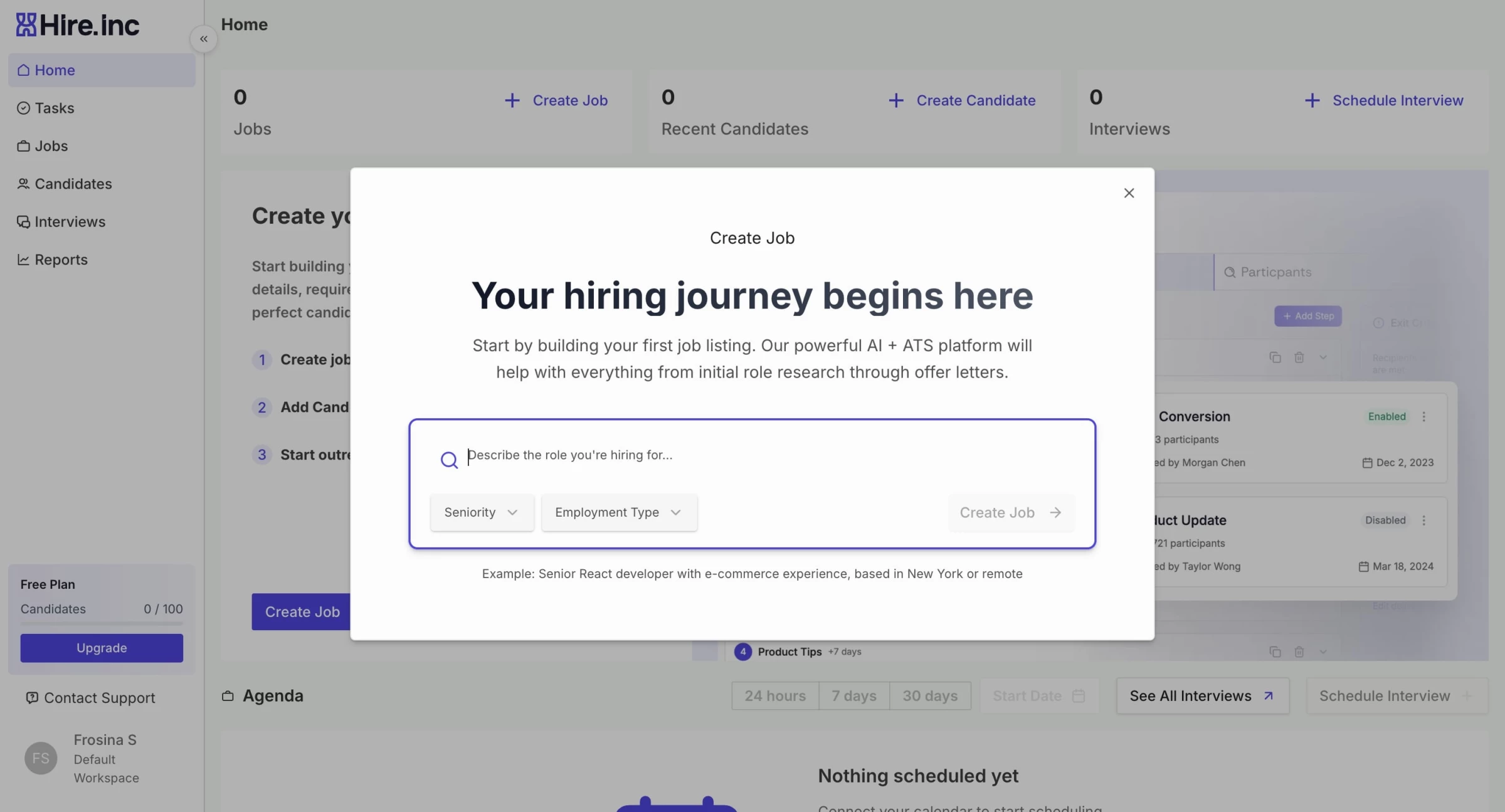
I could tailor job boards, candidate status stages, and email templates to match our processes.
However, if your organization demands deep enterprise reporting, long-term analytics, or complex integrations with legacy systems, imperfections remain — though they do offer migration help and manual workarounds.
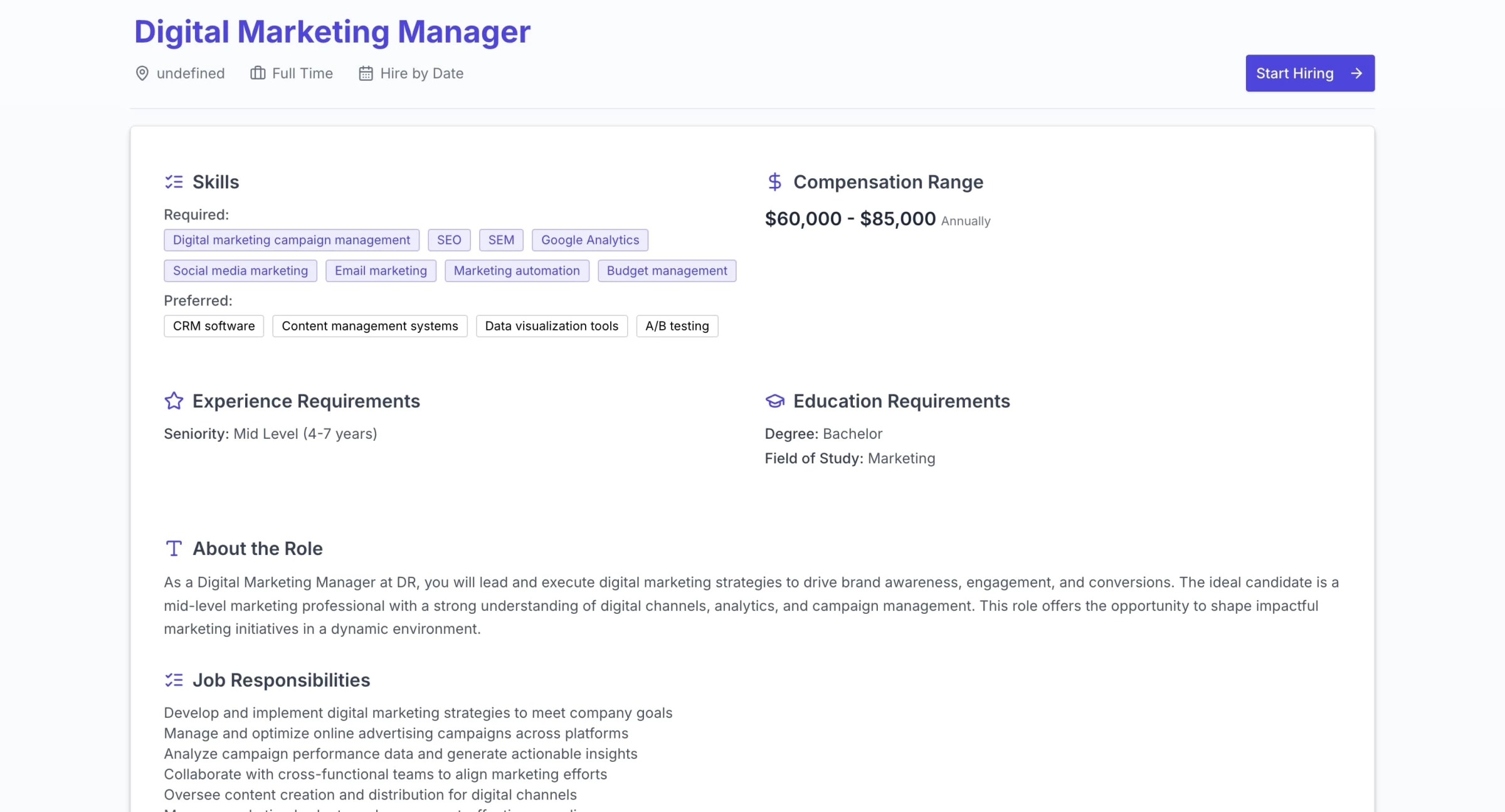
In my mock onboarding, the experience felt smooth overall: modern UI, clear workflows, and high-touch setup.
If you’re looking for a powerful yet friendly recruiting platform, especially at a staffing agency or boutique scale, Hire.inc deserves serious consideration.
6. Lumi AI: Smart Conversational Analytics
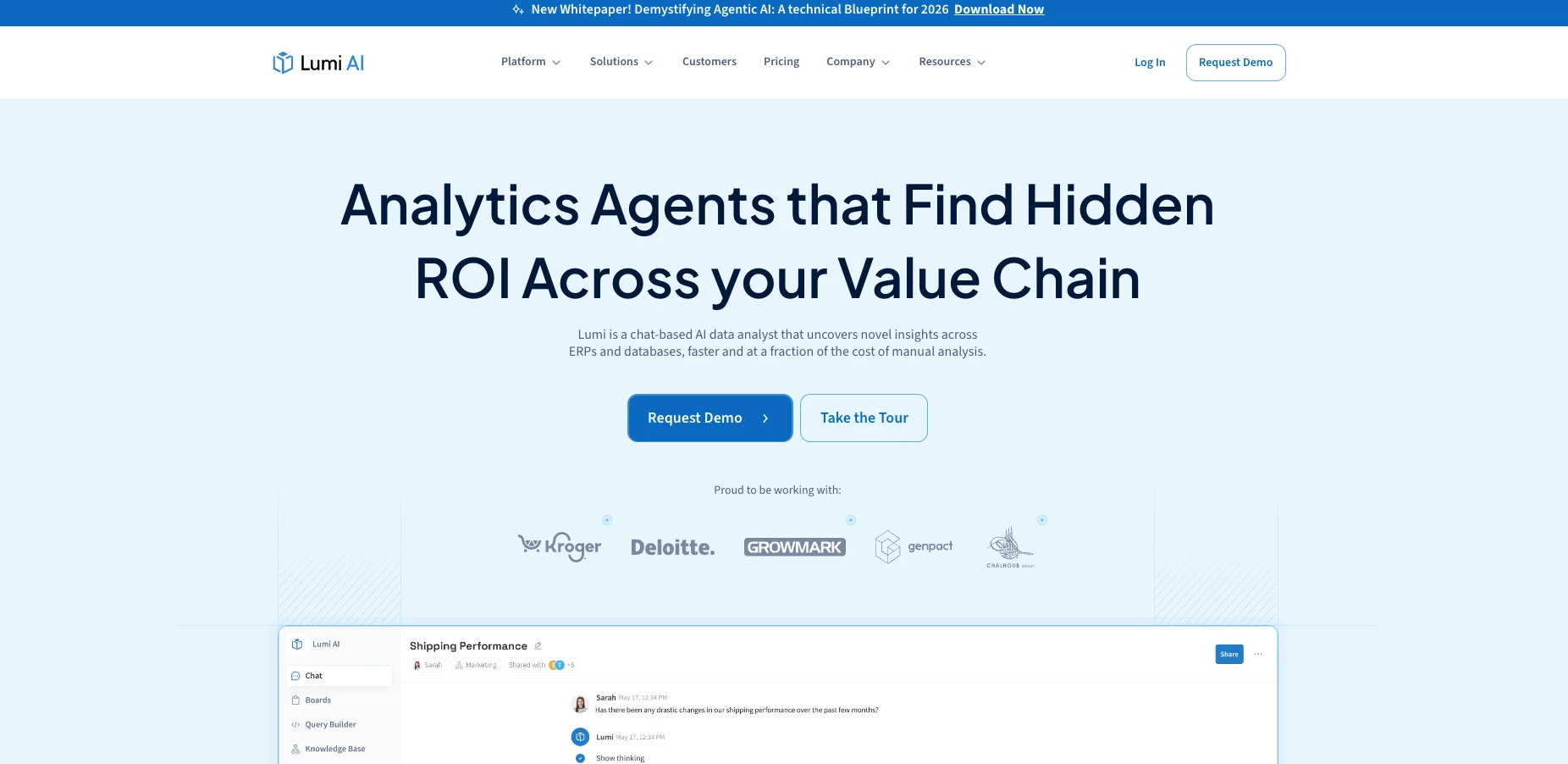
I recently had the opportunity to try out Lumi AI, a conversational analytics platform designed for enterprises looking to make business data more accessible through natural language. Right out of the gate, Lumi makes a strong first impression with a clean UI and a guided onboarding experience.
| Pros | Cons | Pricing |
|
|
|
The setup required me to connect a data warehouse (I used Snowflake), then build a knowledge base of key business terms like "net margin" and "inventory turnover."
You can ask complex, multi-layered questions like, “What were our top 5 SKUs by profit margin over the past 3 months compared to the same period last year?” and get not just a chart, but a full explanation of how it got there, complete with a breakdown of assumptions.
Every answer includes a step-by-step logic trail and an option to ask for clarification or escalate the result to a human analyst. That’s particularly helpful in enterprise settings where auditability matters
That said, the platform isn’t without drawbacks. The initial setup, particularly building out the business glossary, requires time and stakeholder input. While it’s not technically difficult, it’s not a plug-and-play experience either. It also might be overkill for small businesses or teams with minimal analytics needs.
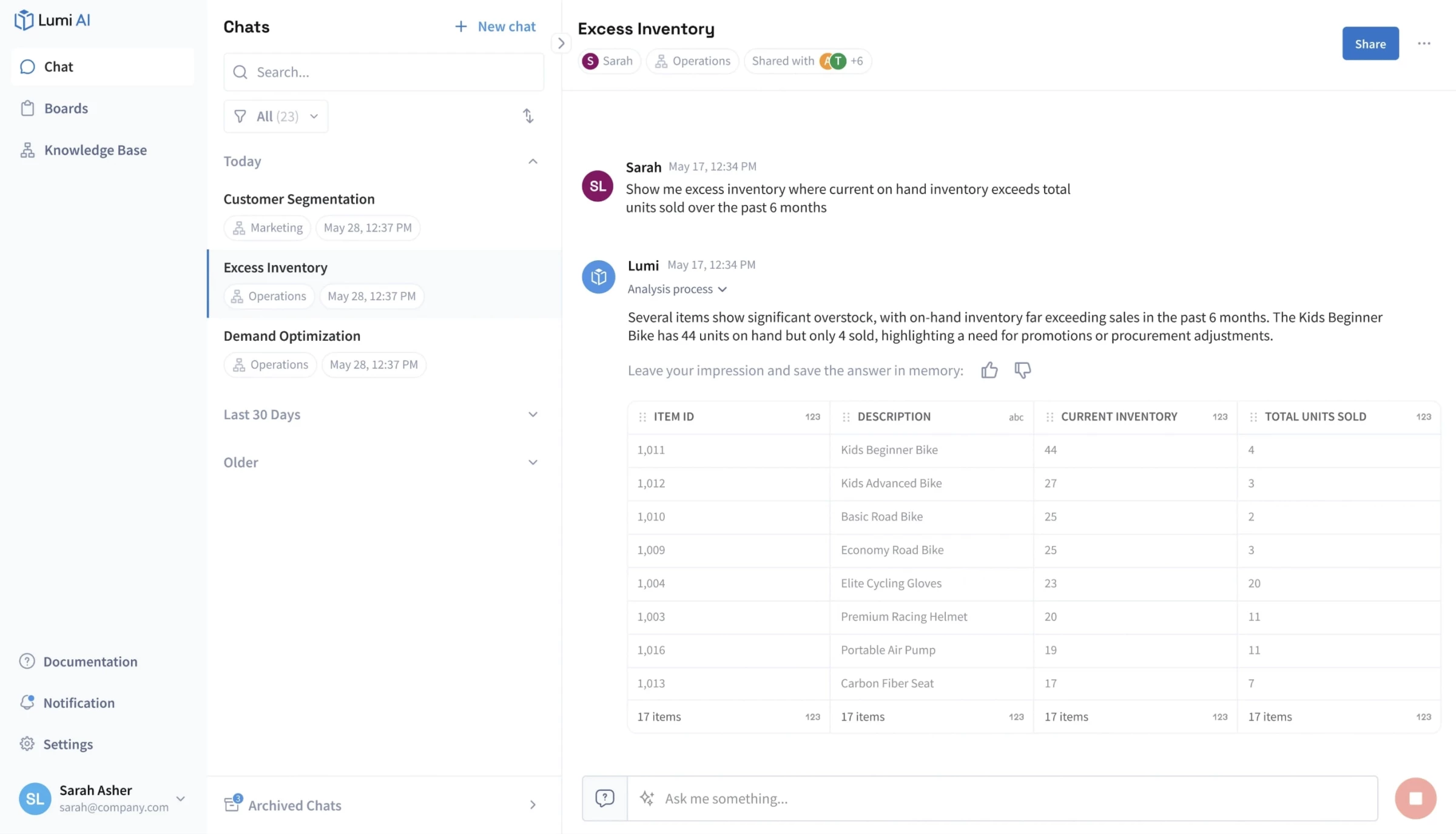
Lumi AI is a powerful tool for organizations that want to democratize data access without sacrificing depth or security.
It's not for everyone as small startups or non-data-heavy teams might find it too robust, but for mid-sized to large enterprises, especially those already swimming in complex datasets, Lumi offers a clear advantage.
7. Parachute AI: AI-Powered Legal Support for Growing Teams

When I explored Parachute AI, what stood out immediately was its positioning as an always-on AI legal teammate rather than just a document reviewer.
The platform is built to support startups, founders, and lean operations teams that need fast legal answers without maintaining a full in-house legal department.
| Pros | Cons | Pricing |
|
|
|
After testing the platform with a standard SaaS agreement, Parachute AI quickly summarized key clauses, flagged liability and indemnification sections, and translated dense legal language into actionable insights.
The summaries were clear enough for a non-legal operator to understand what was at stake.
View this post on Instagram
What I found particularly useful was the ability to ask follow-up questions in plain English. Instead of scanning a 20-page contract manually, I could ask, “Is this termination clause balanced?” and get a direct explanation of potential risks.
The platform appears focused on accessibility and practicality rather than deep enterprise-level customization.
That makes it attractive for founders and operations leads who need clarity fast but may not yet have dedicated legal teams.
That said, like most AI-driven legal platforms, it should not be treated as a full substitute for qualified legal counsel.
High-stakes transactions, regulatory-heavy industries, or international agreements still require professional oversight.
8. Pensero: Continuous Feedback Backed by Data
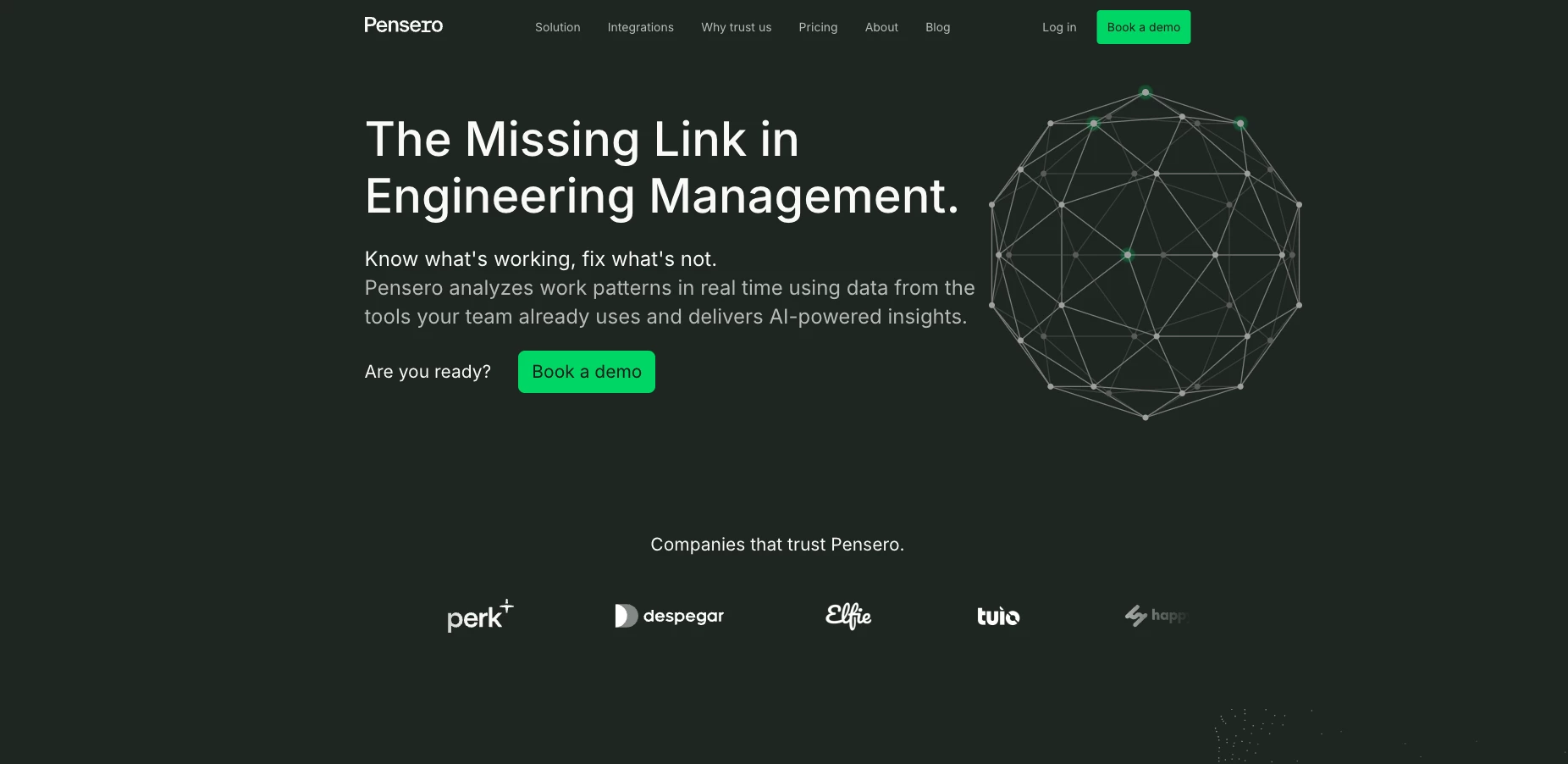
So, I gave Pensero a spin after hearing it pitched as the “daily check-in replacement” for performance management. Naturally, I was curious, because let’s face it, traditional performance reviews? Slow, awkward, and often disconnected from reality.
| Pros | Cons | Pricing |
|
|
|
Pensero promises to flip that on its head by giving you real-time insights into what your engineers are doing, how they’re growing, and where things might be stalling.
I connected our GitHub and Jira accounts, and within a day or two, I had dashboards pulling in activity metrics like commits, pull requests, story points, and deployment frequency.
The system actually gave me smart suggestions for where to give feedback or step in as a coach.
Here’s the kicker: it nudged me as a manager to give feedback regularly — not just when something broke. That kind of prompt makes it easier to reinforce good work without waiting for review season.
While the dashboards were sleek, I noticed that some data still needed my own interpretation. Pensero could tell me someone merged fewer PRs this week, but it didn’t know they were in deep-dive mode on architectural planning.
So, context still matters — the AI’s not running your team for you.
If you're managing a small to mid-sized engineering team and you want something that takes the “ugh” out of performance reviews, Pensero AI is a tool you’ll need to try.
9. NexStrat AI: AI Management Consultant for Smart and Dynamic Strategies
NexStrat AI helps structure complex business problems, automate analysis, run scenarios, and generate board-ready strategies and decks in minutes, not weeks.
What stood out immediately in my use of NexStrat was how methodical everything felt.
I wasn't just generating random strategy slides — the custom trained AI agent approached business issues with tailored methodologies and walked me through recommendations based on frameworks like SWOT, issue trees, risk matrices.
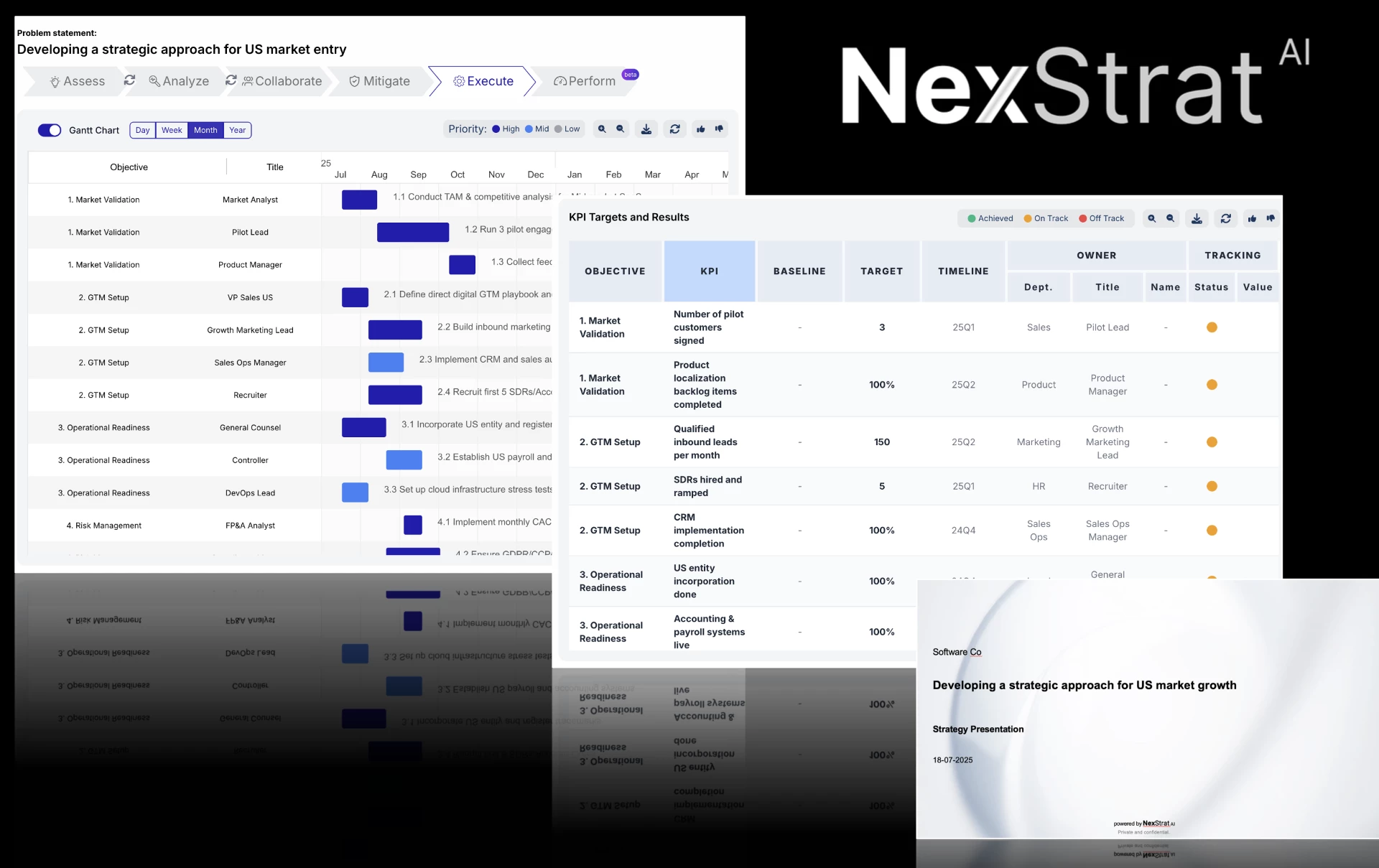
It even built a roadmap with phases, milestones, potential risks and KPIs.
| Pros | Cons | Pricing |
|
|
|
One of the things that stood out for me was the rapid iterations on strategies with new data and scenario testing.
You can plug in real data, say your churn rate, market growth, or projected spend, and the tool builds out alternative outcomes based on different assumptions.
I used it to play out two go-to-market paths for a B2B SaaS launch, and the visual outputs were clean enough to share with stakeholders.
Also, it’s built for collaboration and execution. You can co-create strategies with your team, map stakeholders, run meetings, gather input, and export polished decks with clear next steps — super helpful when you're trying to align a cross-functional group and move quickly from ideas to action.
What’s also great is that the AI can generate KPI/ OKR targets and monitor progress, and adjust strategies based on results.
That said, it’s not a plug-and-play tool. You need to bring your brain to the table. The AI gives you structure and draft content, but you still have to refine, challenge assumptions, and tailor outputs to your specific business.
And there aren’t many independent reviews or community case studies publicly available yet.
It seems like most users are enterprise or consulting teams under NDA, so there’s not a huge pool of off the shelf real-world examples to learn from, but the team offers to provide relevant case studies upon request.
If you’re working on high-stakes decisions like new markets, pricing shifts, restructuring, or just looking for an AI to support you as an always available management consultant on daily business challenges, NexStrat AI feels like a serious tool worth considering.
10. Buildly: AI-Driven Project Planning and Delivery
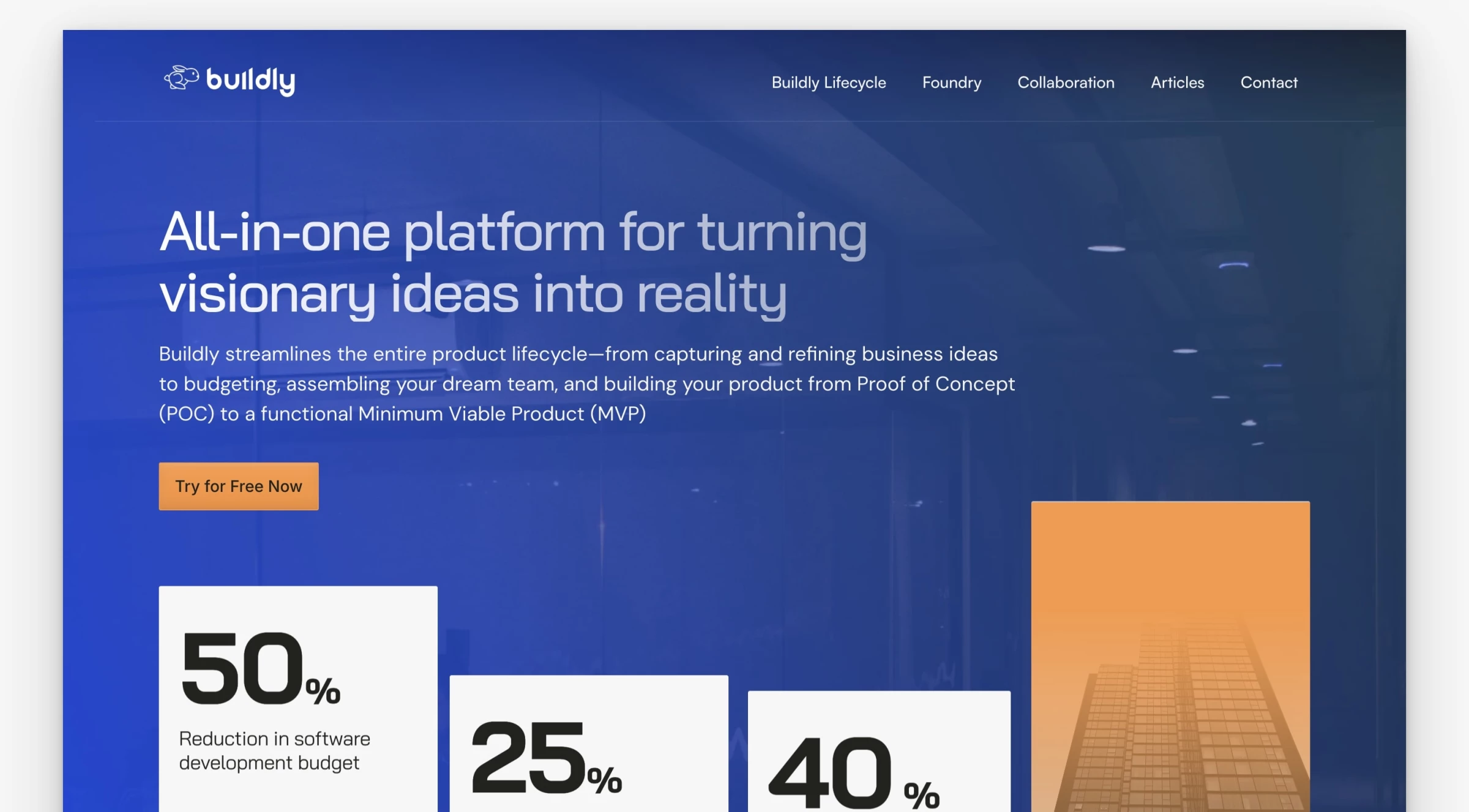
When I first tried Buildly, I was expecting a fairly standard product management tool with a few AI buzzwords sprinkled in. What I found instead was a platform where AI is woven into almost every step of the process.
From day one, it felt like I had a co-pilot helping me plan, document, and execute projects without the usual administrative grind.
| Pros | Cons | Pricing |
|
|
|
One of the most impressive parts was the AI-powered release planning.
Instead of me painstakingly mapping out timelines and dependencies, Buildly’s Product Labs feature suggested structured roadmaps that actually made sense.
The same goes for its auto-generated documentation and user stories. Normally, creating these from scratch can be a time sink, but Buildly’s AI drafts them in a way that gets you 80% of the way there instantly, leaving you to just fine-tune the details.
Even knowledge management gets the AI treatment. Documents, architecture diagrams, and release notes were automatically categorized and tagged in ways that made them easy to find later.
Sure, it wasn’t perfect: occasionally a niche file would end up in the wrong place, but it still saved me from sifting through endless folders.
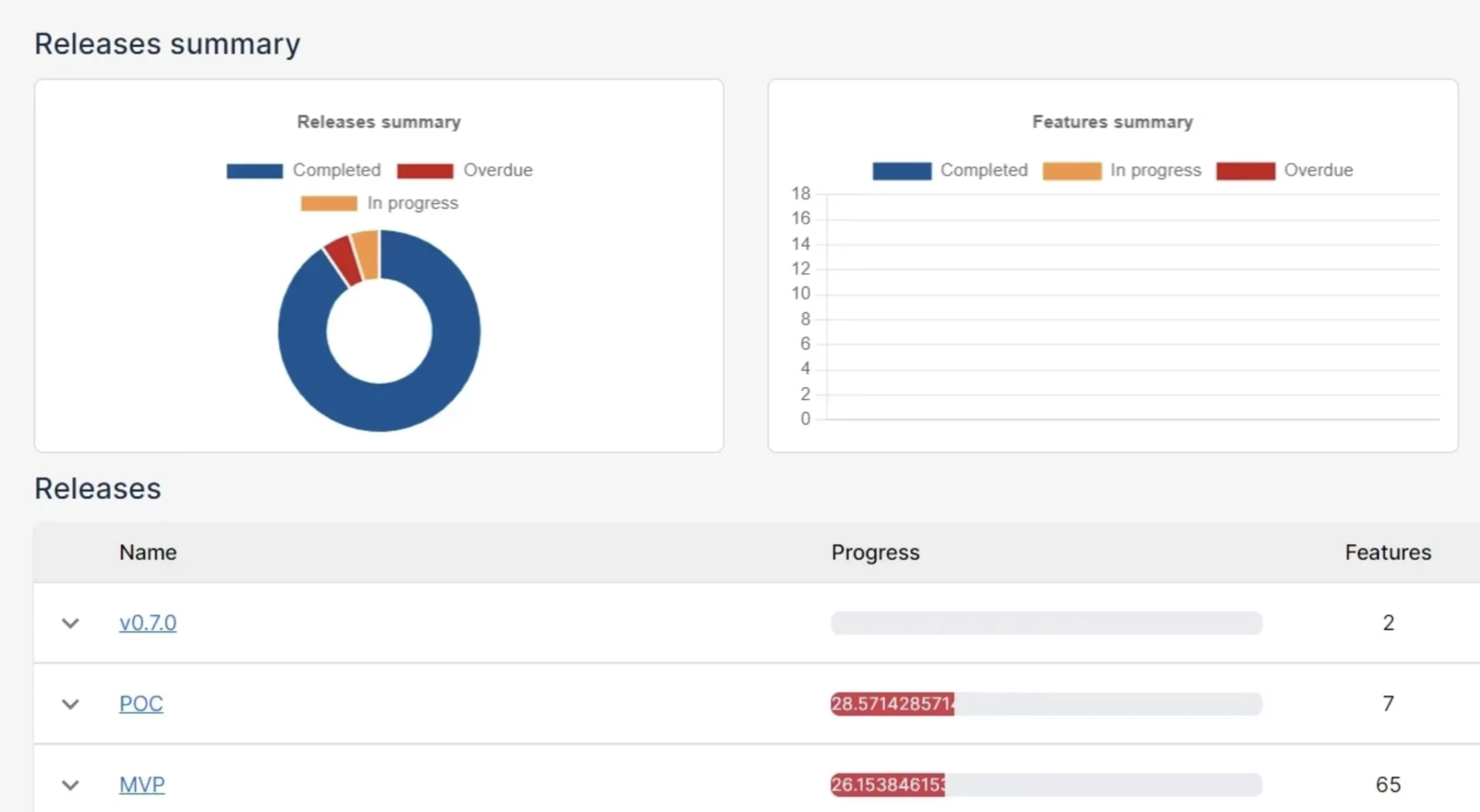
Of course, AI isn’t magic, and Buildly is no exception. Some of its suggestions needed manual tweaking to fit the exact context of our project, and the platform works best if you feed it quality input from the start.
If you’re part of a lean team that needs to move fast, Buildly could be a real game-changer.
11. Beacon: AI-Powered In-App Guidance Platform
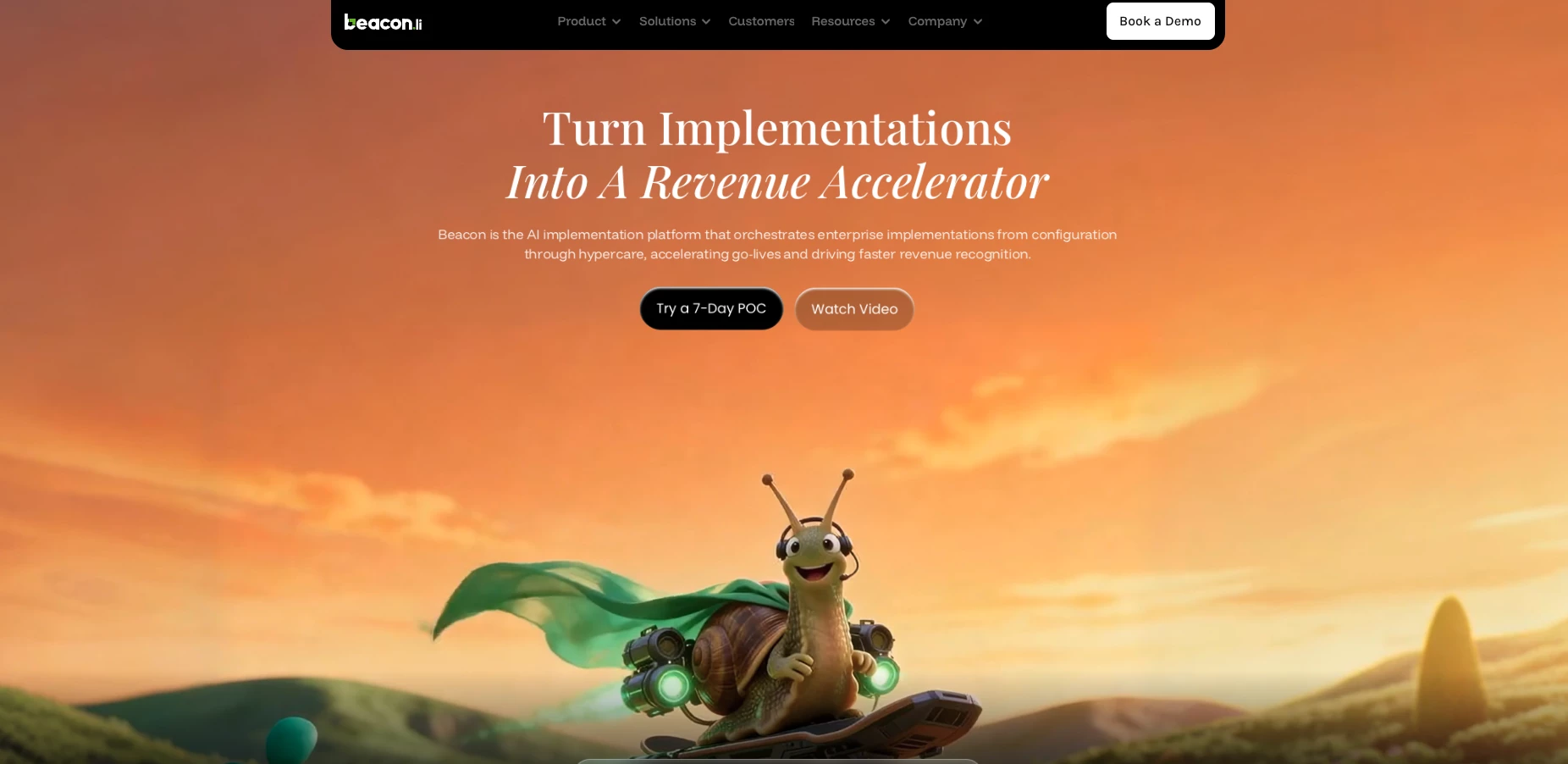
I spent some time exploring Beacon.li, and my first impression is that it’s aiming to be much more than just another digital adoption platform.
It’s pitched as an AI-powered, no-code solution that helps teams onboard users faster, boost feature adoption, automate workflows, and deflect support tickets, all while delivering insights along the way.
| Pros | Cons | Pricing |
|
|
|
Setting up my first in-app guide was straightforward. There’s no heavy integration work because it operates at the UI layer, so you don’t need backend access.
That alone makes it a lot less intimidating than some of the traditional digital adoption tools I’ve used.
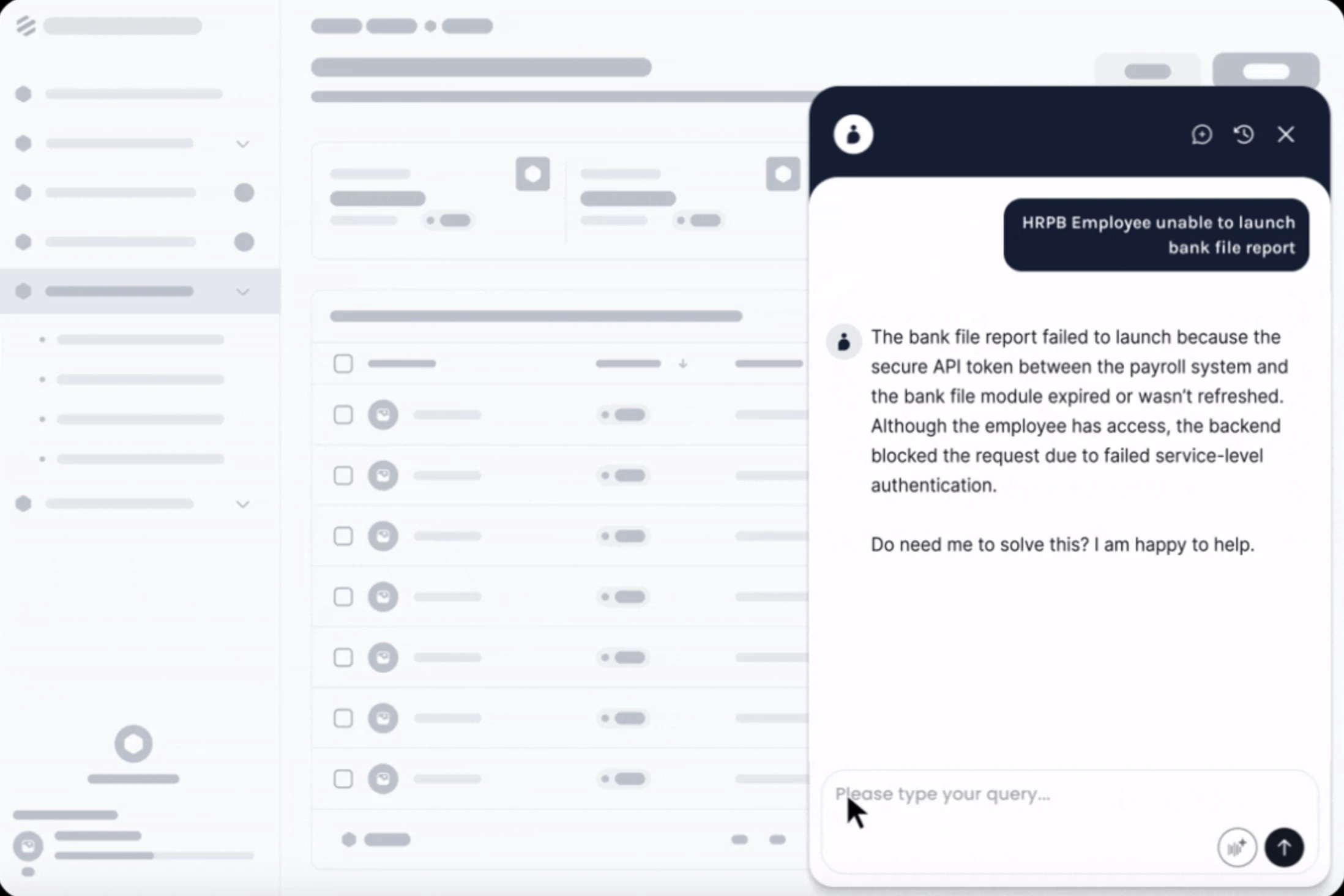
One thing I really liked was how all the features work together. In-app nudges, walkthroughs, dynamic banners, help centers, it’s all part of one package, so I wasn’t switching between different tools just to guide users through different stages.
Also, you get SOC 2 certification, role-based access, and the option for on-prem hosting. It feels built for serious, large-scale deployments rather than just small startup projects.
It’s not perfect, though.
For one, pricing is locked behind a sales call, and I’m not a fan of that as it slows down the evaluation process if you’re just trying to compare options.
Also, while I enjoyed testing it, there’s not a huge amount of independent feedback out there yet.
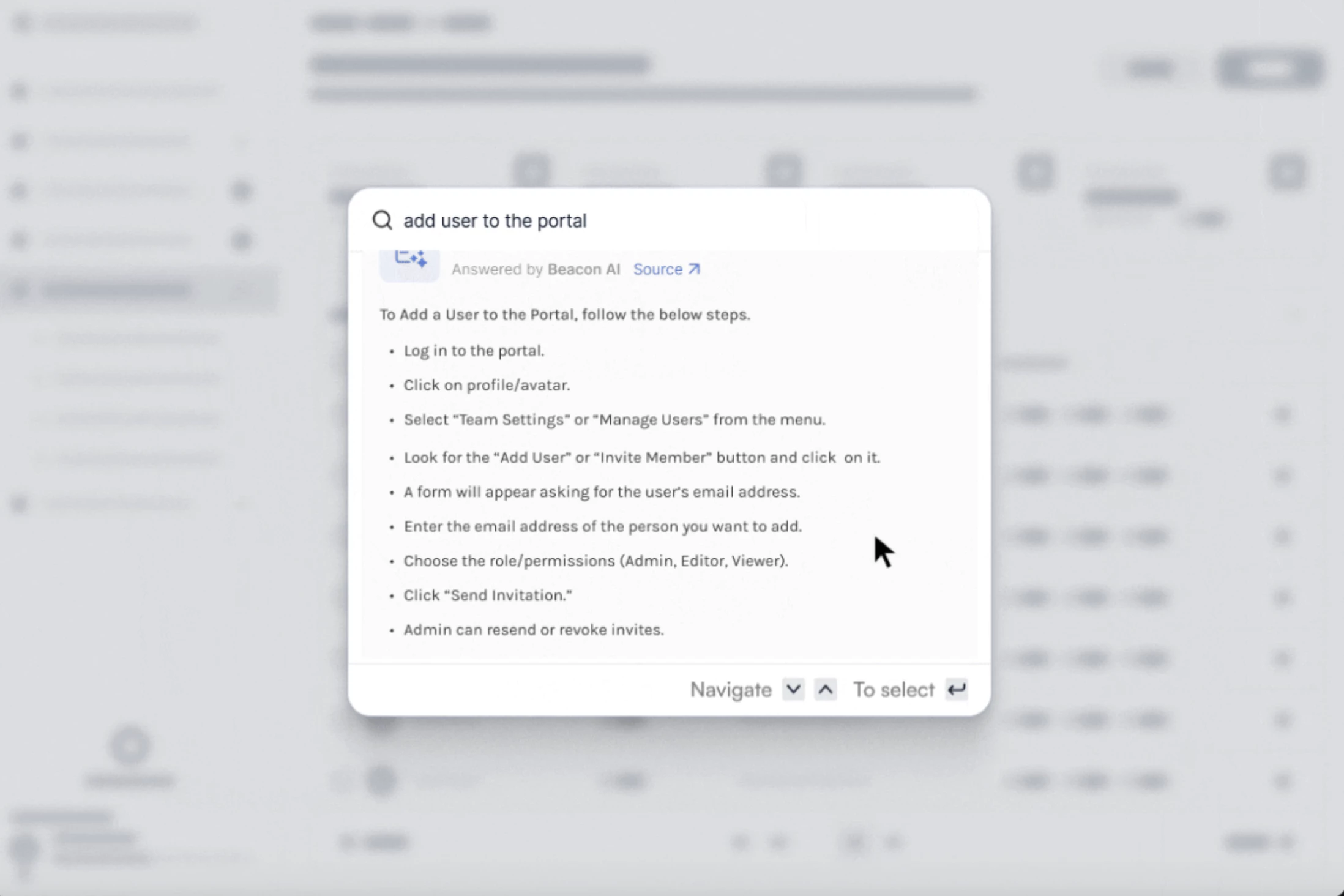
That said, if you’re in SaaS, fintech, HR tech, or retail tech, and especially if you have complex workflows, Beacon could save a lot of time and effort.
It’s built for teams that want to get in-app guidance and automation up and running quickly without leaning on developers.
12. Triponic: An AI Assistant for Smarter Business Travel
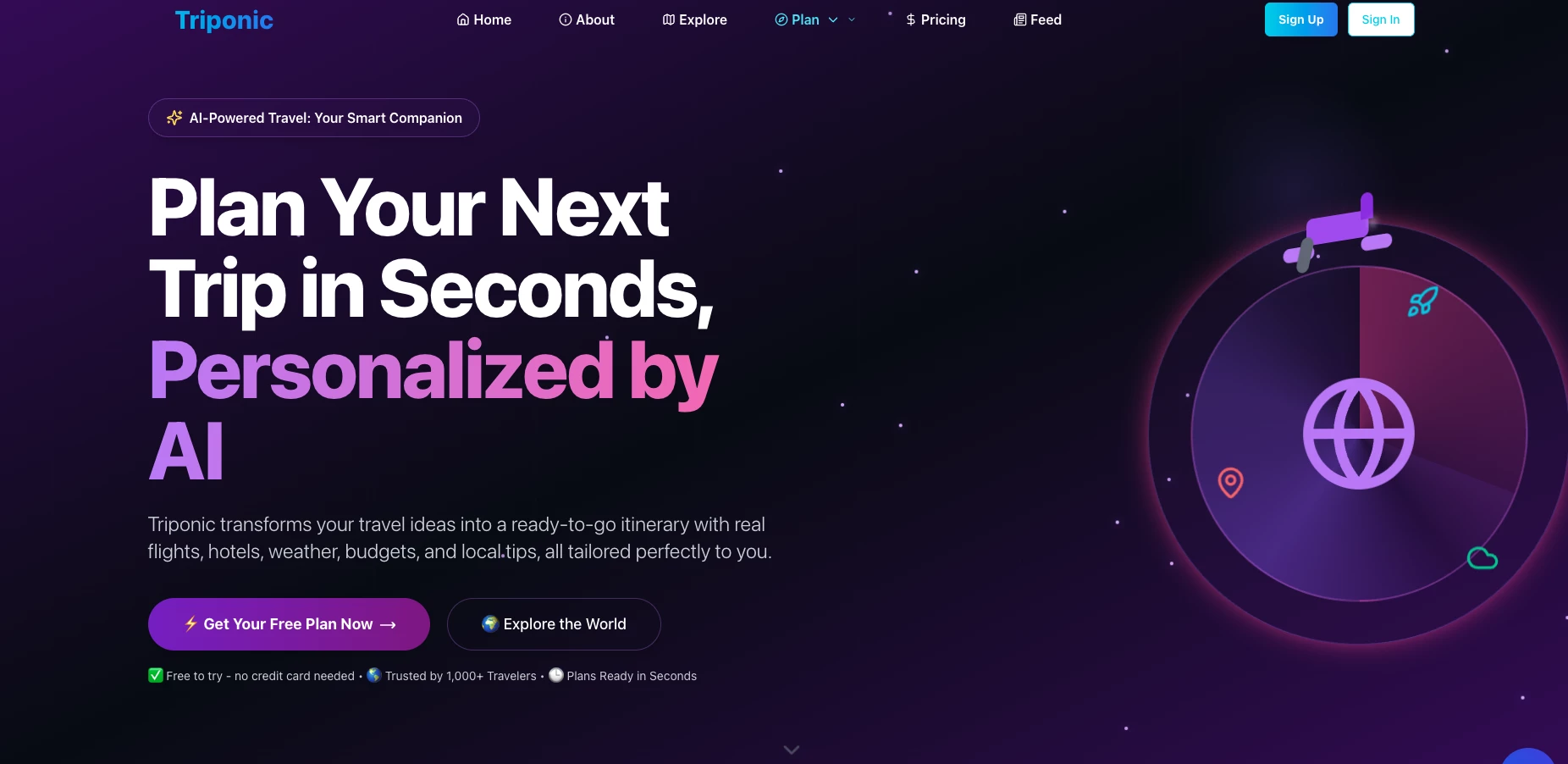
I took a tour of Triponic to see how it handles planning a business trip, specifically, to Paris for a combined flight and hotel stay.
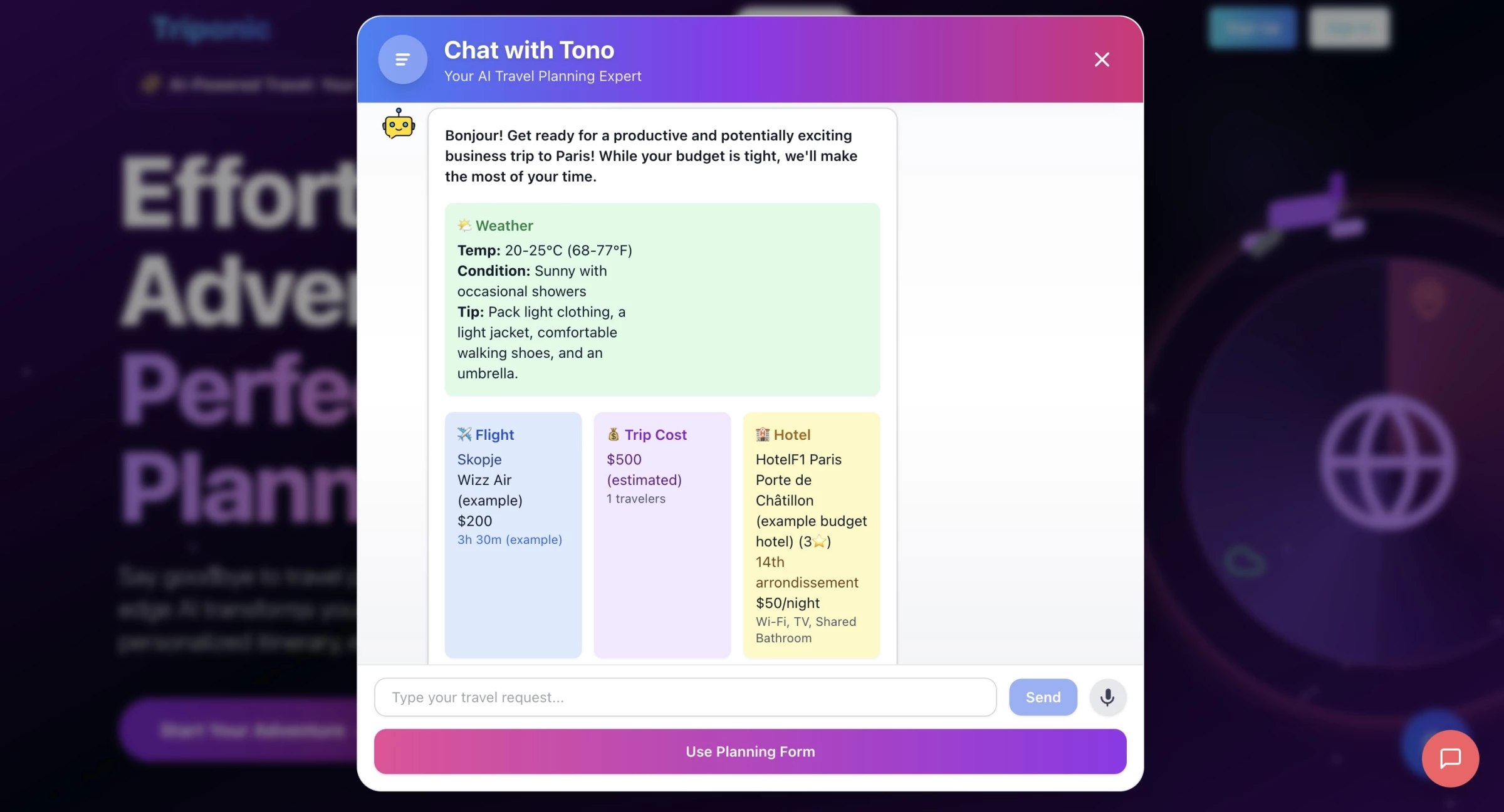
Instead of bouncing between airline sites, hotel platforms, and Google Maps, I just typed in the basics for a Paris business trip and the AI pulled everything together: flights, hotels near the business district, even transfer suggestions.
| Pros | Cons | Pricing |
|
|
|
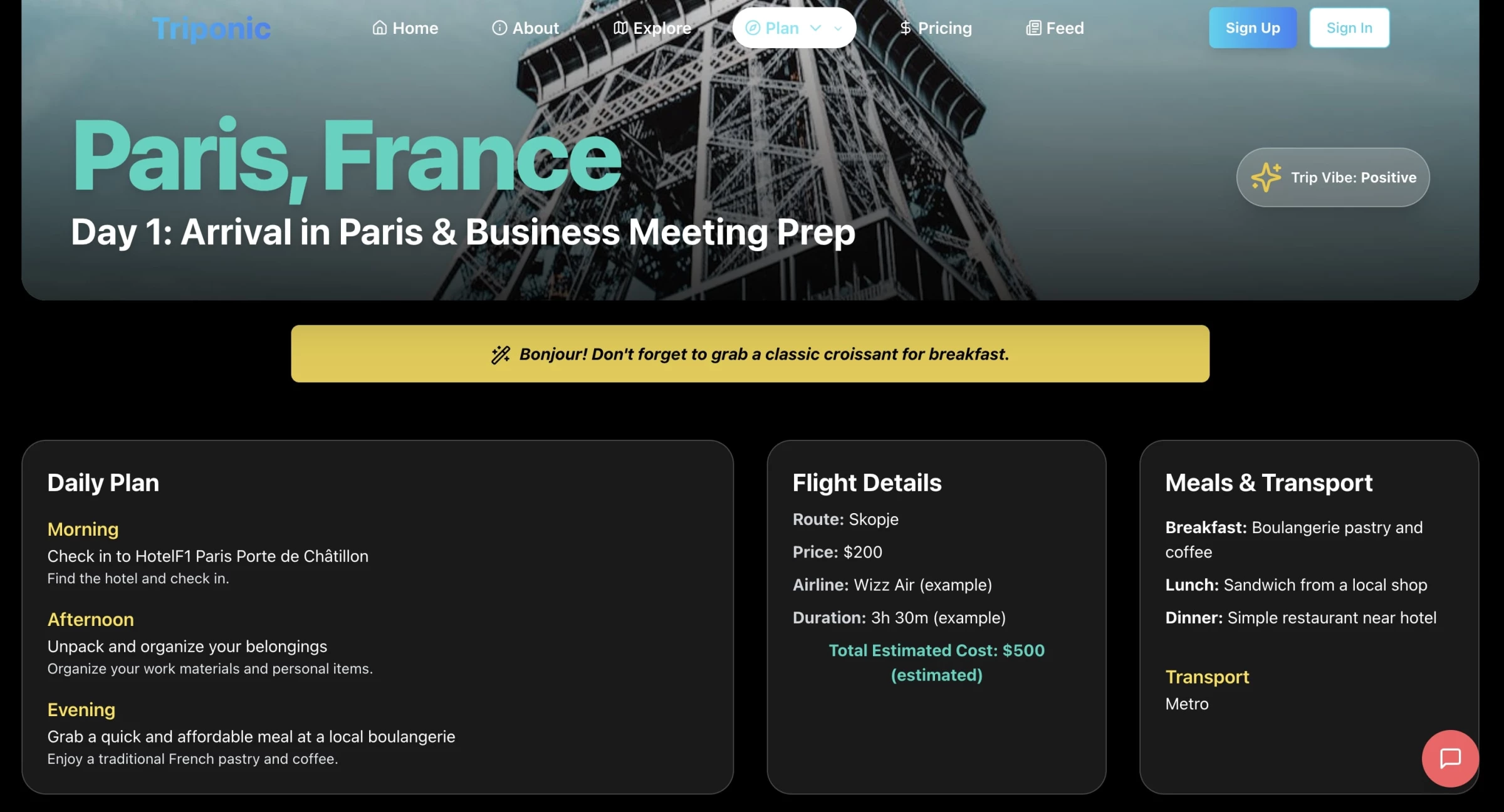
From a productivity angle, it saves hours of research by packaging flights, stays, and logistics into a neat day-by-day plan.
The visual layout makes it easy to share with colleagues, which is a nice bonus if your team needs quick approval before booking.
That said, the tool does have limits.
Right now, Triponic is more of a planning companion than a full travel platform. It gives you the ideas, but you’ll still need to jump to another site to actually book flights or hotels.
Pricing isn’t very detailed either, and there’s no way to check against corporate travel policies or budgets.
Triponic is a great way to get from “where do I start?” to a ready-to-go plan in minutes. It’s not yet the all-in-one solution for business travel, but as a planning sidekick, it can free up a lot of time you’d otherwise spend scrolling through booking sites.
13. Voltaire: Where AI Meets Insurance Efficiency
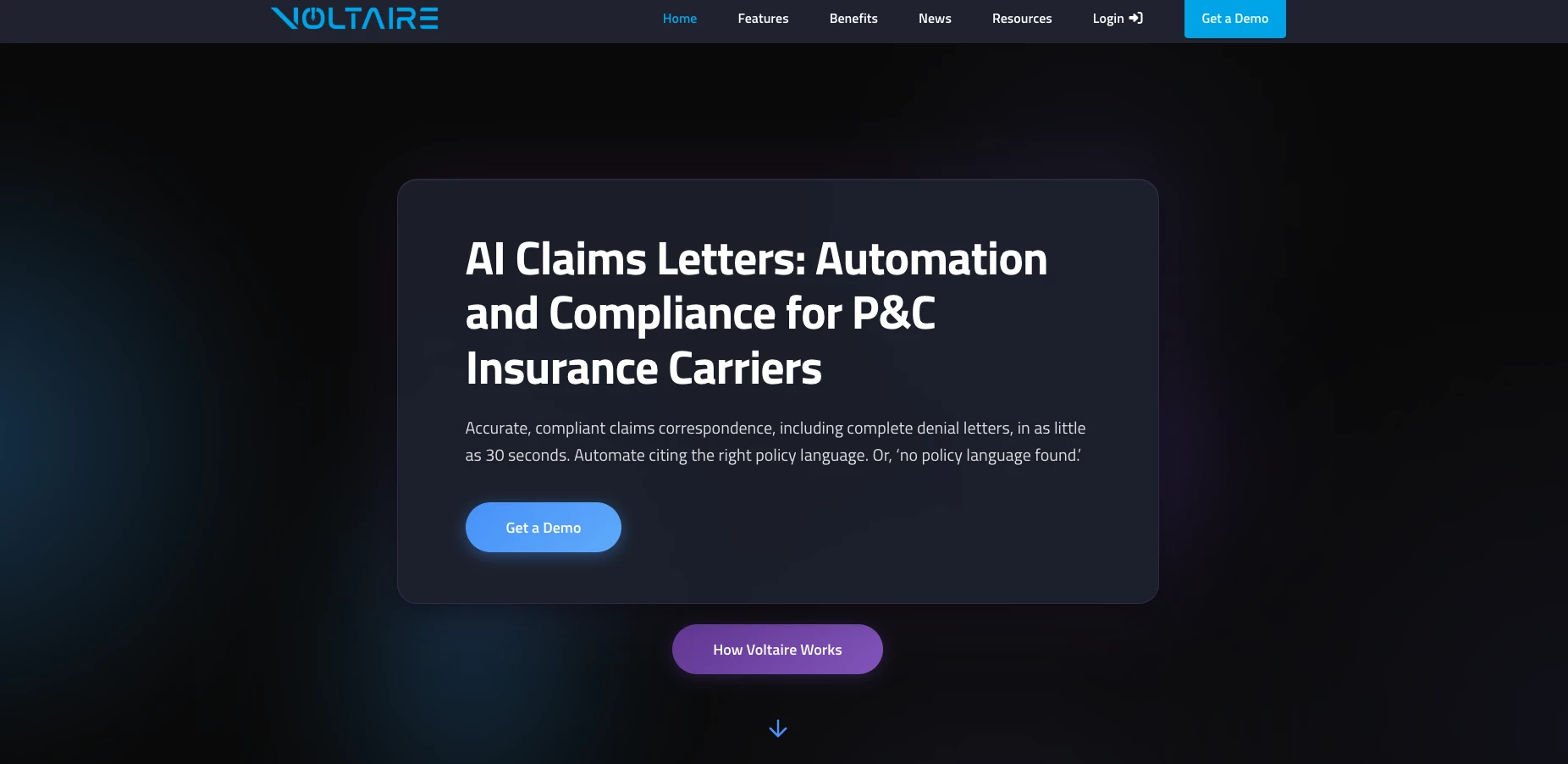
The first thing that struck me when I tried Voltaire was how little “prompting” I had to do.
This isn’t like opening a blank page in a generic AI tool and trying to coax a result out of it. Instead, Voltaire’s AI is pre-wired for claims.
| Pros | Cons | Pricing |
|
|
|
Once I uploaded the loss report, deck sheet, and estimate, the AI handled the basics very well.
It summarized the adjuster’s report into plain language, pulled in the right policy language from the deck sheet, and translated the estimate into a clear payment table.
These are the kinds of repetitive tasks that normally eat up a desk adjuster’s time, and here they’re done in minutes.
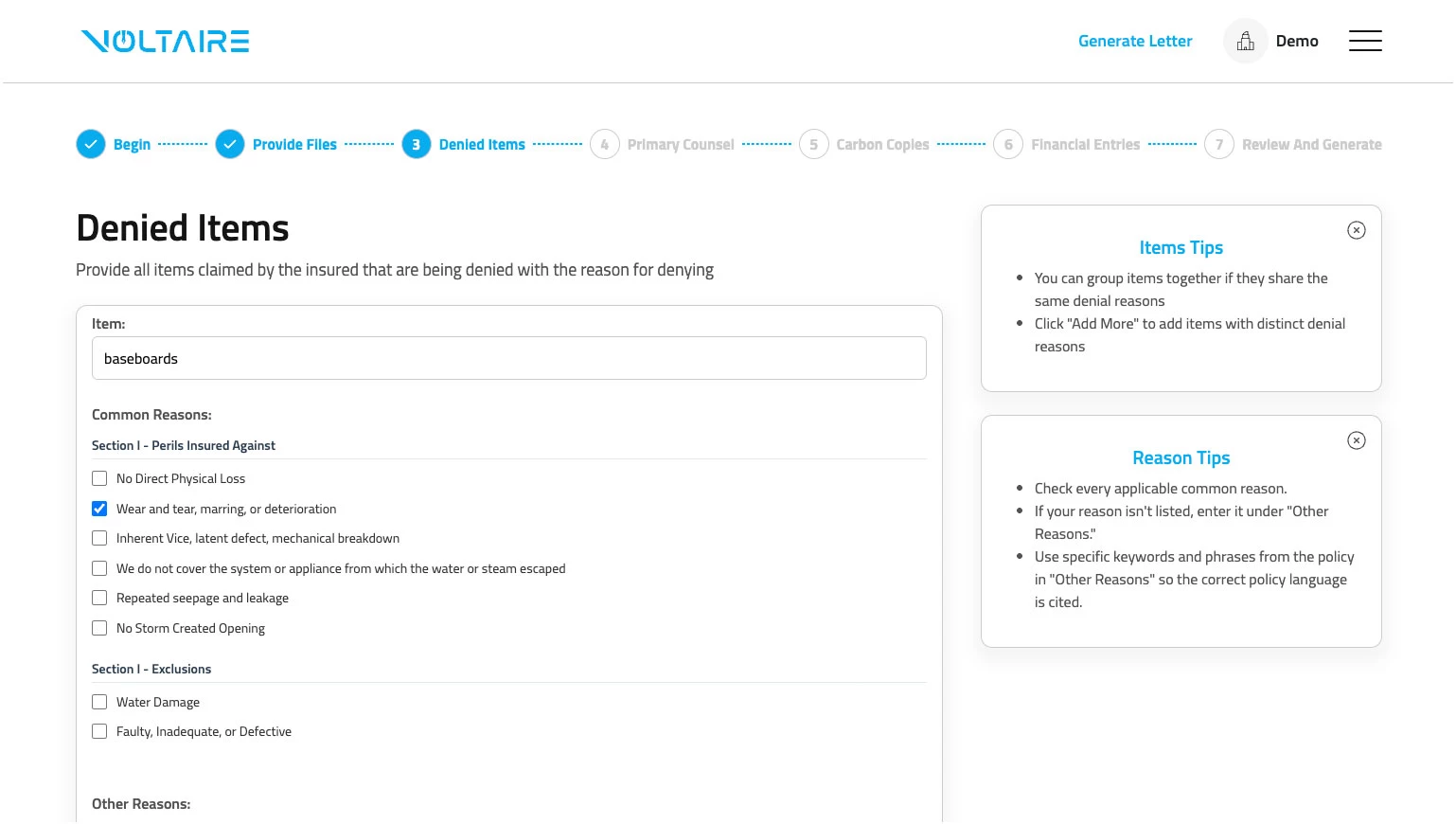
I especially liked the way it handled exclusions. Instead of me manually searching for policy clauses, I could select from common denial reasons and the AI slotted in the correct language automatically.
That made the draft feel less generic and more aligned with the policy wording.
That said, the AI isn’t replacing the adjuster’s judgment. The draft it produced was solid, but I still found myself reading it closely, tweaking tone, and double-checking that the explanations fit the specific claim context.
It’s not a “push button, send letter” experience, it’s more of a 70–80% head start.
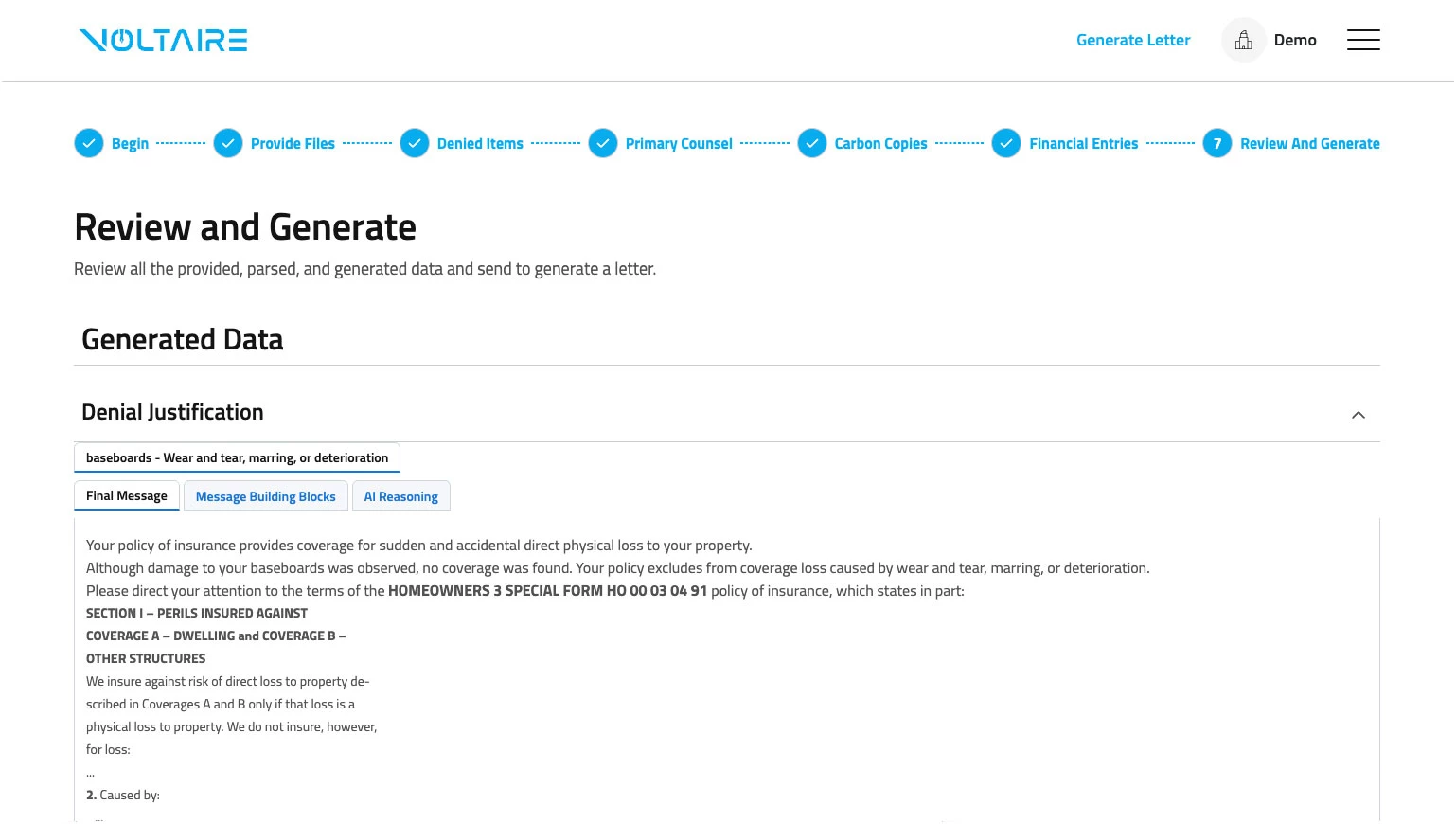
What the tool really offers is reliability and consistency.
Every draft comes back structured the same way, with the right sections in place, and you don’t have to worry about skipping a clause or formatting something wrong.
For a high-volume claims environment, that consistency is probably as valuable as the time savings.
14. ContactSwing: Intelligent Call Management Powered by AI
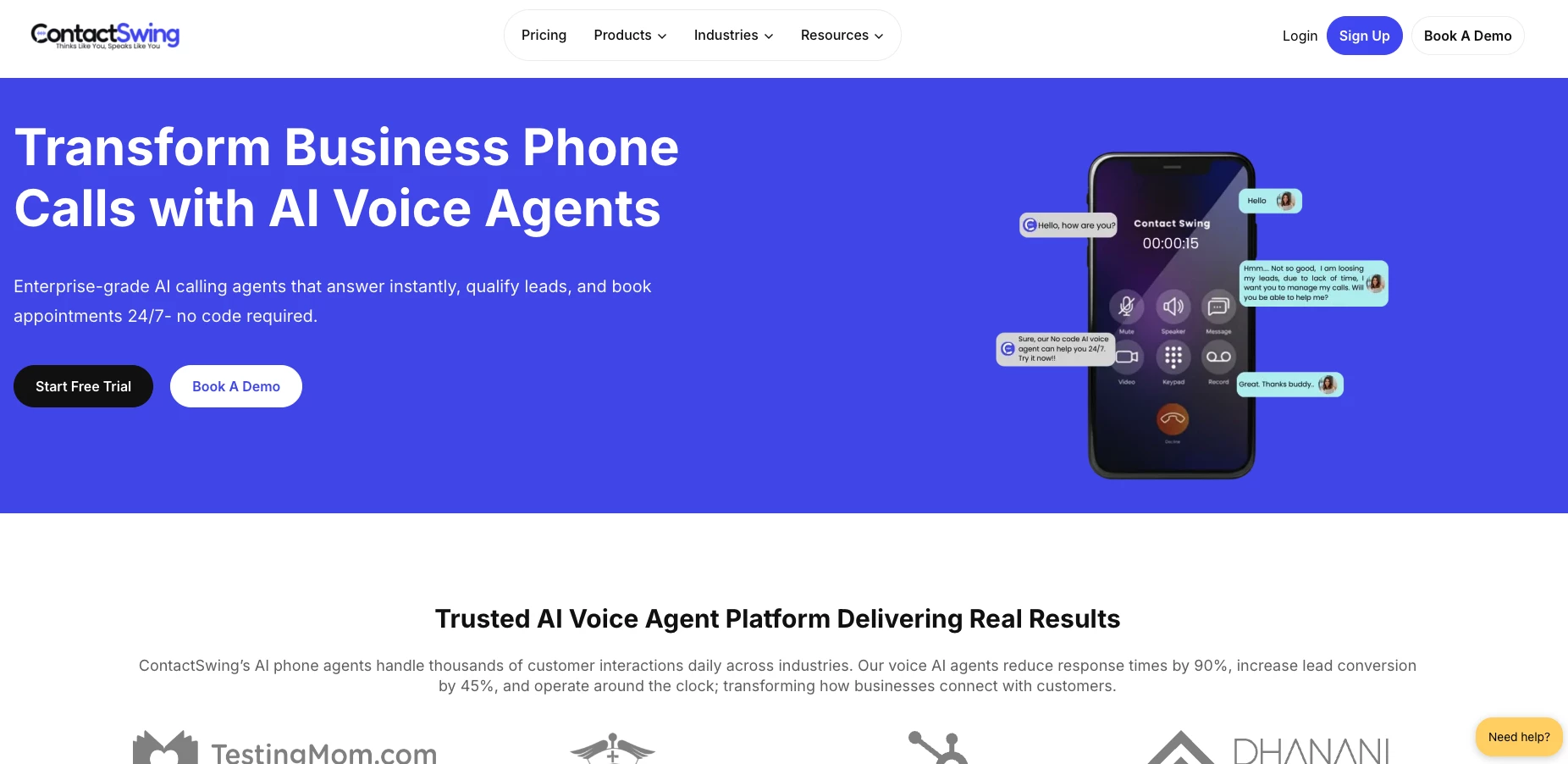
Next, I tried ContactSwing, and what stood out to me immediately was its easy and seamless no-code setup.
I just fed it a knowledge base and a few workflows. Within minutes, the AI was answering calls, qualifying leads, booking viewings, and even sending out confirmation emails — all without me touching the phone.
| Pros | Cons | Pricing |
|
|
|
From a productivity standpoint, the biggest win is that ContactSwing works 24/7.
Once integrated, the system kept call records, transcriptions, and sentiment analysis all in one dashboard, making follow-ups much more data-driven.
That said, the tool isn’t perfect. For nuanced or high-stakes conversations, I still found myself relying on a human agent to take over.
But for teams dealing with high call volumes, whether in real estate, healthcare staffing, or restaurants, ContactSwing can feel like a second team of receptionists working around the clock.
It’s not a total replacement for human agents, but it gets you more than half of the way there and ensures no inquiry slips through the cracks.
15. AI Marketing Partner: All-in-One AI Marketing and App Development
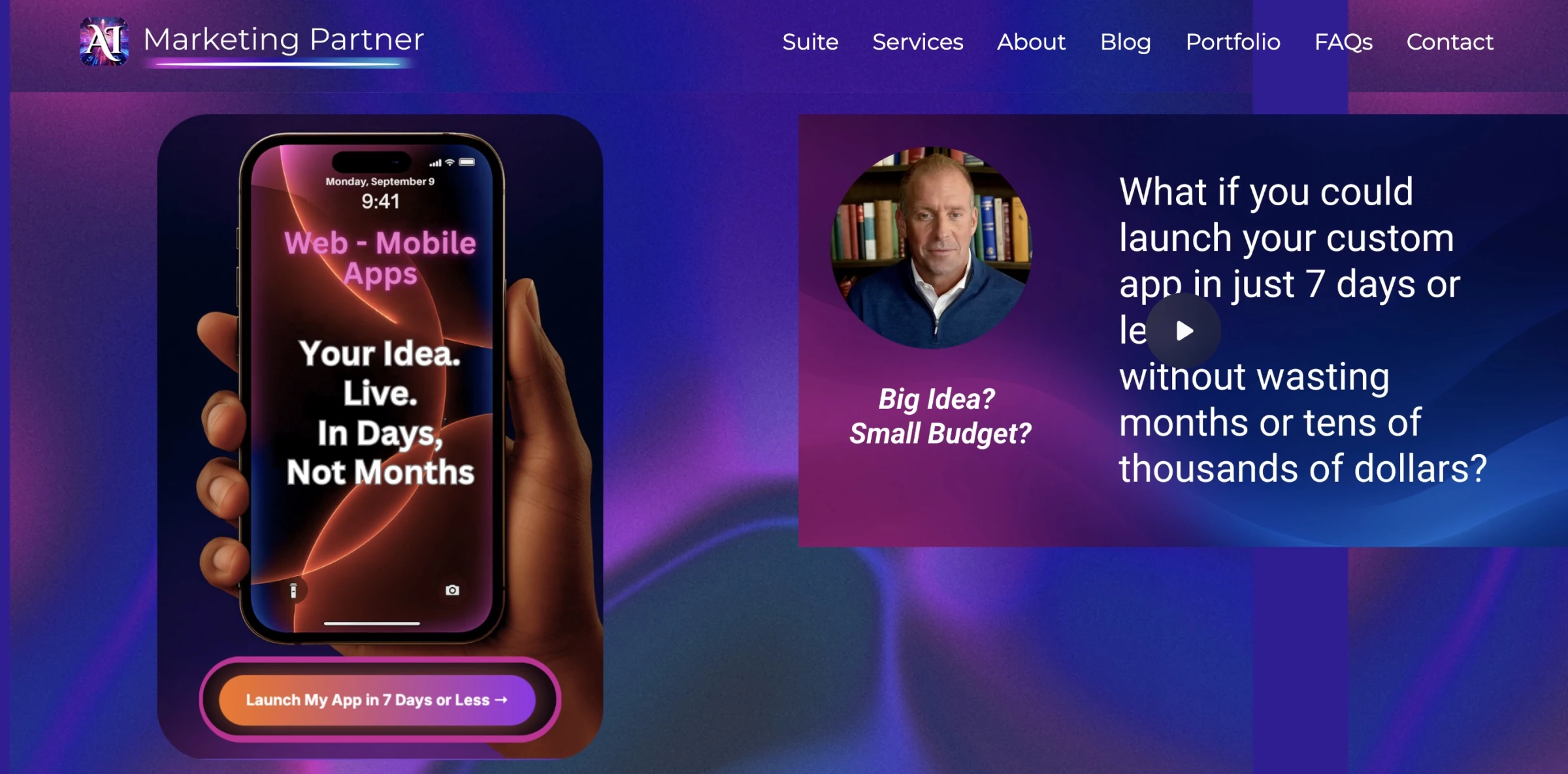
What stood out to me immediately was AI Marketing Partner’s speed of execution. They promise to turn an idea into a fully branded app in days, not months, while also managing AI-driven marketing.
Instead of juggling multiple vendors, you get an integrated suite: AI-generated images and videos, scroll-stopping ads, sales funnels, Answer Engine Optimization (AEO), intelligent chatbots, and full-service social media management.
| Pros | Cons | Pricing |
|
|
|
From a productivity standpoint, the biggest win is consolidation. Instead of buying one tool for design, another for funnels, and a third for social media, AI Marketing Partner brings everything into a single AI-powered ecosystem.
That said, it’s not a simple plug-and-play SaaS, you’re working with a marketing partner that blends automation with strategy.
For startups, agencies, and growing businesses looking to scale quickly without building an in-house marketing team, it can feel like an entire creative department on demand.
16. Loopholes: AI Compliance for Smarter Marketing
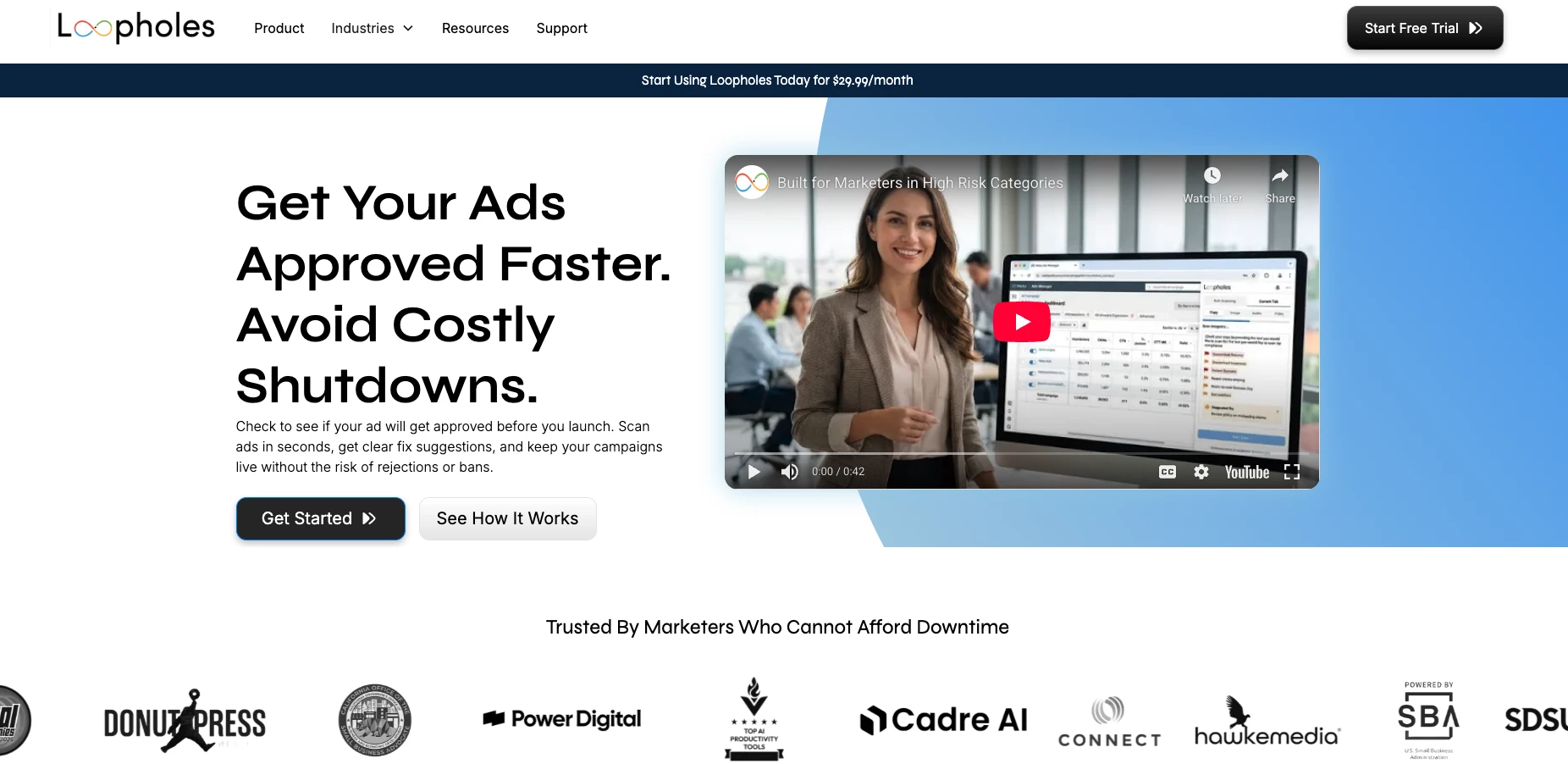
I tested Loopholes, and I was impressed with how it simplifies marketing compliance across industries, from finance and healthcare to gaming and wellness.
Once connected to your channels, it scans live content 24/7, flags potential risks, and gives instant, actionable guidance tailored to your brand voice and industry regulations.
| Pros | Cons | Pricing |
|
|
|
Loopholes acts like an always-on compliance assistant. It reduces manual review cycles, prevents costly mistakes, and frees teams to focus on creating campaigns, not second-guessing policies.
While not a replacement for legal teams, it ensures marketing teams across industries launch campaigns confidently and stay compliant in real time.

Our team ranks agencies worldwide to help you find a qualified partner. Visit our Agency Directory for the top HR outsourcing companies, as well as:
- Top Staffing Firms
- Top HR Consulting Firms
- Top HR Tech Solution Companies
- Top IT Services Staffing Firms
- Top Staff Augmentation Services
Our design experts also recognize the most innovative design projects across the globe. Given the recent uptick in AI tools usage, you'll want to visit our Awards section for the best & latest in AI website designs.
AI Tools For Business: FAQs
1. What are the best AI tools for business overall?
Popular all-purpose AI tools include ChatGPT for content and research, Microsoft Copilot for productivity, Google Gemini for document and data assistance, HubSpot AI for marketing automation, and Salesforce Einstein for CRM intelligence.
2. How can AI tools improve business productivity?
AI tools automate repetitive tasks, generate content, analyze data faster, support customer service through chatbots, and assist with forecasting, which reduces manual workload and speeds up decision-making.
3. Are AI tools expensive for small businesses?
Not necessarily. Many AI tools offer freemium tiers or affordable monthly plans. Small businesses can start with low-cost tools for content creation, CRM automation, and analytics before scaling into enterprise solutions.
4. What business functions benefit most from AI tools?
Marketing, sales, customer support, operations, finance forecasting, and HR recruiting see the fastest ROI from AI adoption due to automation and predictive analytics capabilities.
5. Do AI tools replace employees?
No. AI tools are designed to augment teams, not replace them. They handle repetitive or data-heavy tasks, allowing employees to focus on strategy, creativity, and higher-value decision-making.