
Data integration and ETL tools move data from databases, SaaS applications, files, and event streams into a destination such as a cloud data warehouse or lakehouse, and prepare it for analytics, operations, or AI.
The best ETL tools align with the pipeline pattern you need, how your data changes, and who on your team will manage the ETL software.
In this guide we compare 10 platforms across deployment, pipeline patterns, transformation, governance, pricing, and operating effort.
Data Integration and ETL Tools: Key Findings
- Fivetran leads managed ELT, Hevo Data simplifies no-code pipelines, and Integrate.io offers flat pricing.
- Airbyte provides open-source flexibility, Matillion supports pushdown ELT, and AWS Glue and Azure Data Factory suit their respective cloud ecosystems.
- Informatica emphasizes enterprise governance, Qlik Talend Cloud combines CDC with data quality, and Striim specializes in real-time streaming.
Poor Data Quality Costs More Than the Data Integration Platform
Gartner estimates that poor data quality costs organizations at least $12.9 million annually.
When you compare data integration platforms, you should look beyond connector totals and examine whether each tool detects deleted records, duplicates, delayed updates, and schema changes before they affect your warehouses, dashboards, and operational applications.
You should also test failed pipelines by expiring credentials, changing field types, and interrupting destinations, then reviewing the alerts, logs, lineage, and recovery options.
These controls become increasingly important as data volume, formats, and sources expand, so you should account for broader big data integration challenges before committing.
A low subscription price offers little value if you must absorb the recurring cost of manual backfills, broken reports, and incident response.
Quick Comparison of the Data Integration and ETL Tools
Use this data integration software comparison to identify which products match your pipeline pattern, operating model, and preferred entry option.
| Tool | Best For | Patterns Covered | Free Entry Option |
| Fivetran | Managed ELT into cloud warehouses | ELT, CDC, reverse ETL (Activations) | Free plan; 14-day trial per connection |
| Airbyte | Open source and custom connectors | ELT, CDC | Core (open source) |
| Informatica | Large, governance-heavy enterprises | ETL, ELT, reverse ETL, batch and real time | 30-day trial for most services |
| Matillion | Pushdown ELT on cloud data platforms | ELT, streaming CDC on higher tiers | Free trial |
| Qlik Talend Cloud | Movement, CDC, and data quality together | Batch, CDC, streaming | 14-day free trial |
| Hevo Data | No-code ELT for smaller teams | ELT, CDC; streaming on higher tiers | Free plan (1M events/month) |
| AWS Glue | AWS-native Spark ETL | ETL, streaming jobs | Pay-as-you-go; Data Catalog free tier |
| Azure Data Factory | Microsoft-centric estates | ETL, ELT, CDC | Pay-as-you-go |
| Integrate.io | Ops teams wanting flat pricing | ETL, ELT, CDC, reverse ETL | No |
| Striim | Real-time CDC and stream processing | CDC, streaming | Striim Developer (25M events/month) |
How We Chose the Best ETL Tools and Data Integration Platforms
We tested the features available to us on each platform, focusing on workspace navigation, connection setup, pipeline configuration, sync controls, and accessible monitoring or error details.
We also consulted experts in the field and examined verified user feedback from Gartner Peer Insights instead of relying only on vendor testimonials.
We compared the tools across eight areas:
- Ease of use: How easily you can configure connectors, build and manage pipelines, adjust sync settings, monitor runs, and troubleshoot errors.
- Use-case fit: Whether the tool supports managed ELT, ETL, CDC, streaming, reverse ETL, or several patterns.
- Connector breadth: The available sources and destinations, plus the ability to build custom connectors.
- Deployment: SaaS, self-managed, hybrid, private networking, and data-boundary options.
- Pipeline reliability and recovery: How the platform schedules and monitors pipelines, handles schema changes and failed jobs, and supports alerts, retries, replays, and historical backfils.
- Transformation flexibility: Whether transformations run before or after loading, which visual or code-based methods teams can use, and how the platform supports testing, versioning, and deployment..
- Governance: Access controls, lineage, audit logs, data quality, and security options.
- Cost: The billing unit, free access, public starting price, and additional infrastructure or warehouse charges.
Best Data Integration Tools by Use Case
The following data integration and ETL tools cover managed ingestion, custom connectors, cloud-native processing, enterprise governance, and real-time replication.
1. Fivetran: Best for Low-Maintenance Managed ELT
Choose Fivetran if your team wants the vendor to manage connectors, schema changes, retries, and routine ingestion operations.
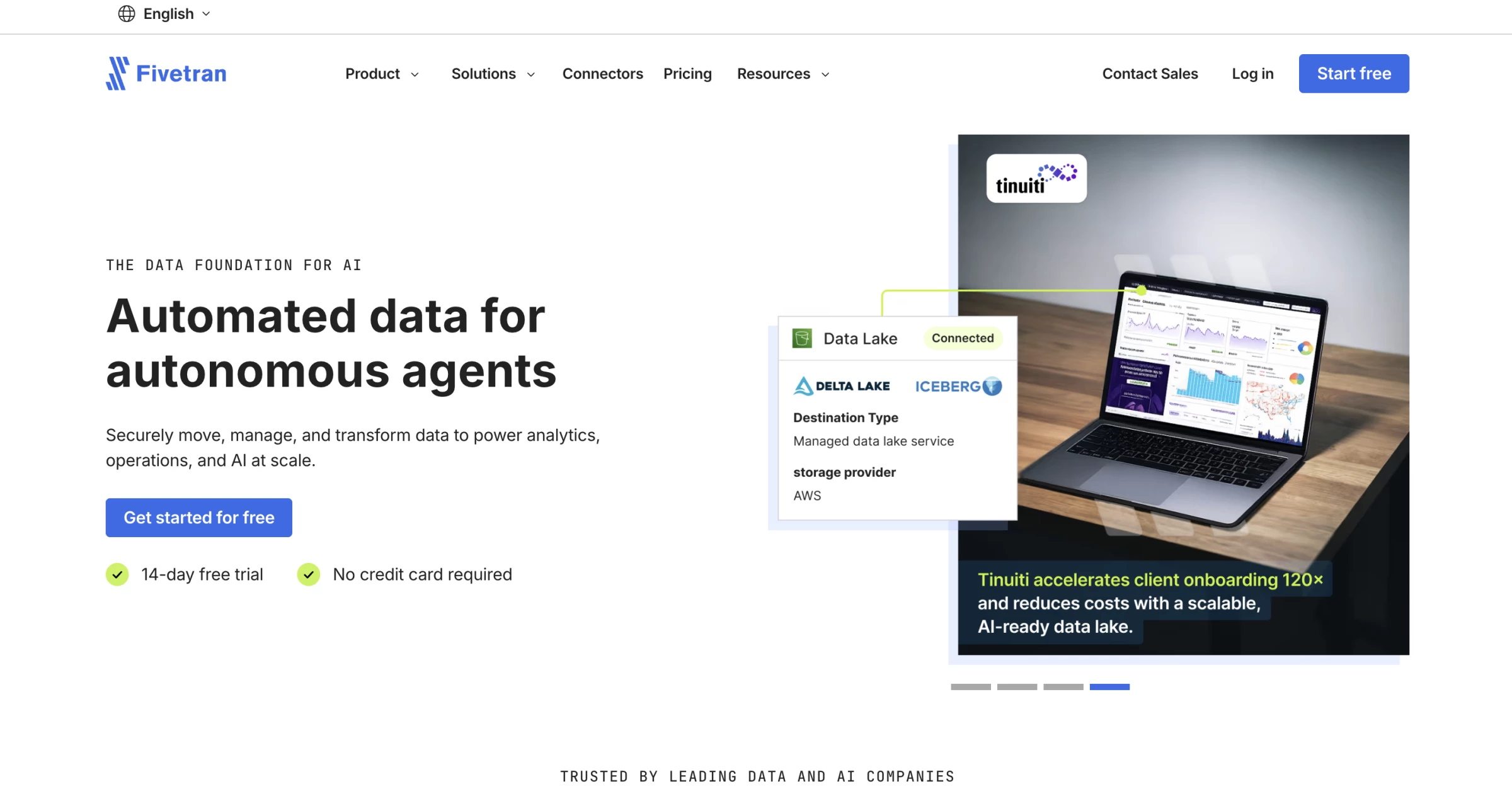
Fivetran is a managed ETL software that moves data from SaaS applications, databases, files, and other sources into warehouses and lakes.
As one of the data warehouse integration tools in this comparison, it reduces the engineering work required to build and maintain recurring pipelines.
Fivetran gave us the most linear setup experience in this group. We selected a source, entered its credentials, connected a destination, and reached the schema-selection stage without having to design a workflow.
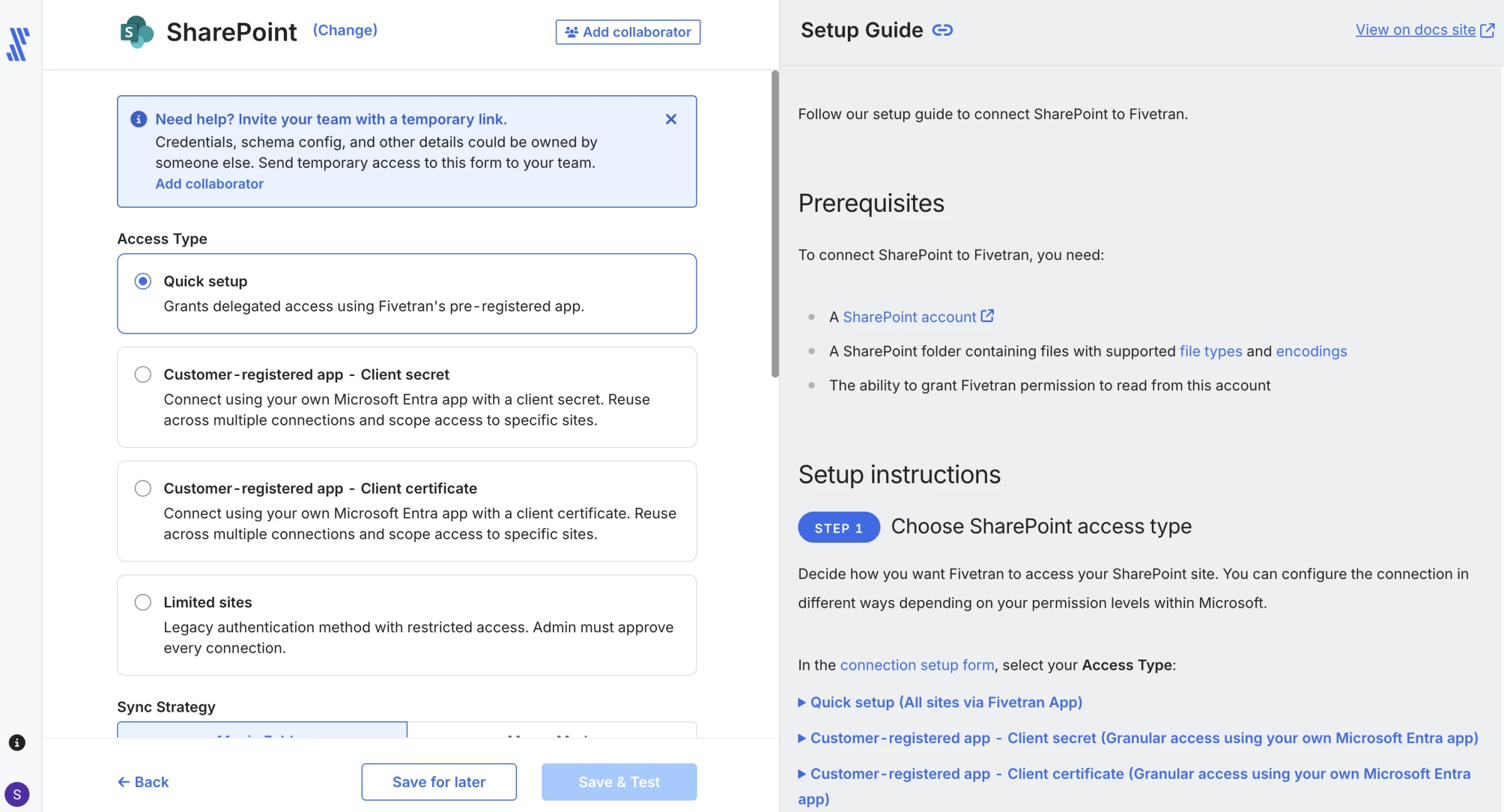
The connection page kept the current sync state, schema, logs, and configuration close together, so it was easy to see whether the pipeline was ready or which setup test had failed.
Fivetran manages much of the connector maintenance, retry logic, and schema handling that a team would otherwise build around the pipeline.
The interface felt closer to configuring a managed service than developing an ETL job.
We would open the usage view after several test syncs, check which tables create the most MAR, and confirm what happens when a connector performs a historical reload.
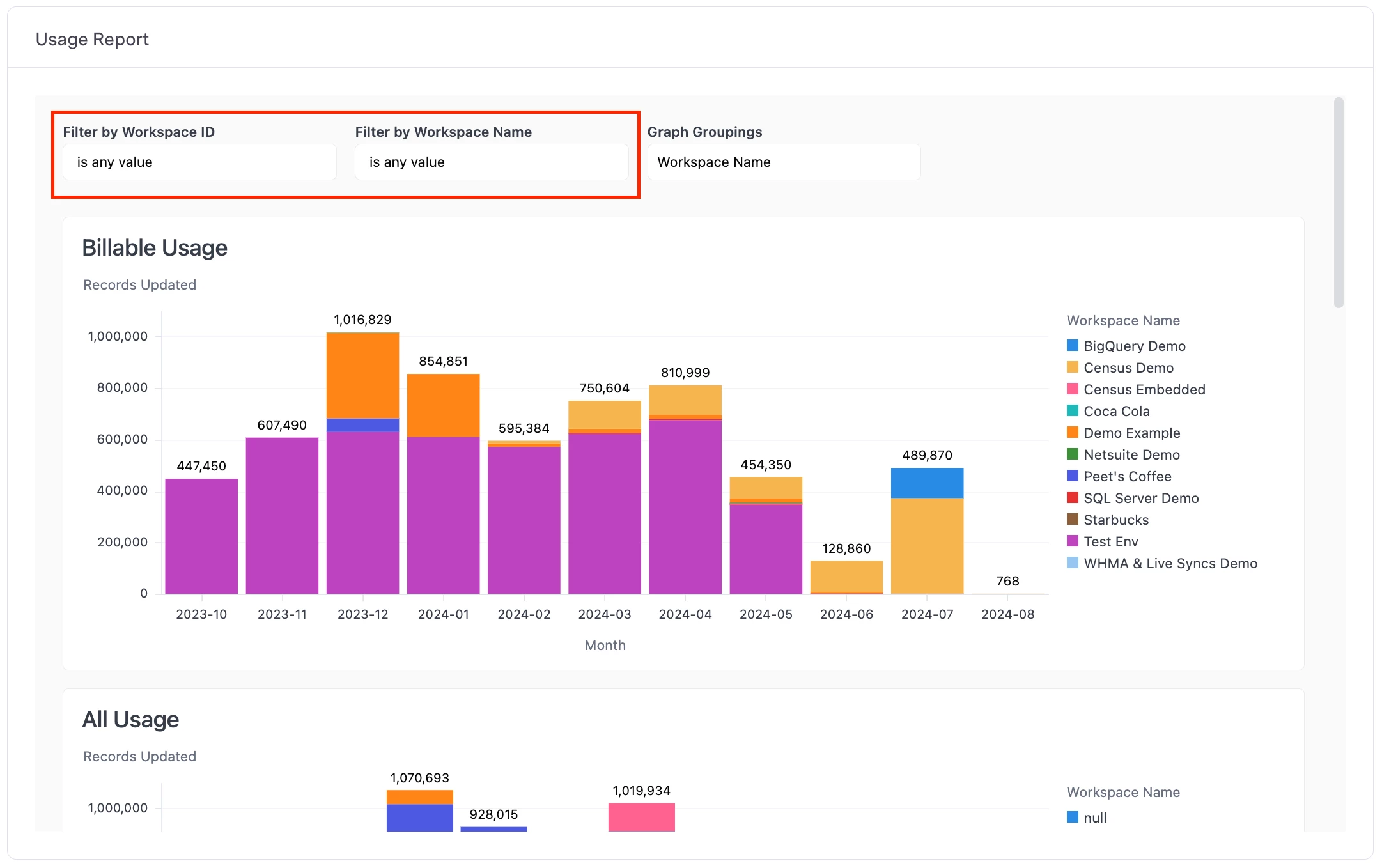
Fivetran also supports transformations and data activation. However, you should treat connector availability, transformation, and activation as separate workload and cost decisions.
Pros:
- Automates connector maintenance, retries, and schema changes
- Covers many SaaS and database sources with dbt Core integration
- Supports hybrid deployment and private networking on higher tiers
Cons:
- MAR pricing and unexpected reloads can increase costs
- The managed model limits control over connector behavior
- Faster syncs and advanced security require higher plans
Pricing
Fivetran offers a free plan with up to 500,000 monthly active rows for connections, 3,500 MAR for activations, and 5,000 monthly model runs.
- Paid connection and activation pricing uses MAR, while transformation pricing uses successful model runs.
- Each new eligible connection includes a 14-day trial.
What Users Say
On Gartner Peer Insights, favorable reviews most often cite stability, connector breadth, and support quality; one reviewer lists those three as the top reasons their team relies on it.
Critical reviews focus on individual connectors: one describes serious issues with a specific SaaS connector and uneven support response while it was being fixed.
Other Notable Features
- Activations for no-code reverse ETL into business apps.
- Hybrid Deployment for running pipelines in the customer's own environment.
- Connector SDK for building custom connectors.
- Database replication and CDC capabilities expanded through its 2021 HVR acquisition.
- dbt Core v2.0 with the Fusion engine, released as open source under Apache 2.0.
2. Airbyte: Best for Open-Source Flexibility and Custom Connectors
Choose Airbyte if you are comparing open-source ETL tools and want self-hosting, custom connectors, or greater control over where the data plane runs.
Among engineering-led ELT tools, Airbyte stands out for combining an open-source connector ecosystem with managed cloud and enterprise deployment options.
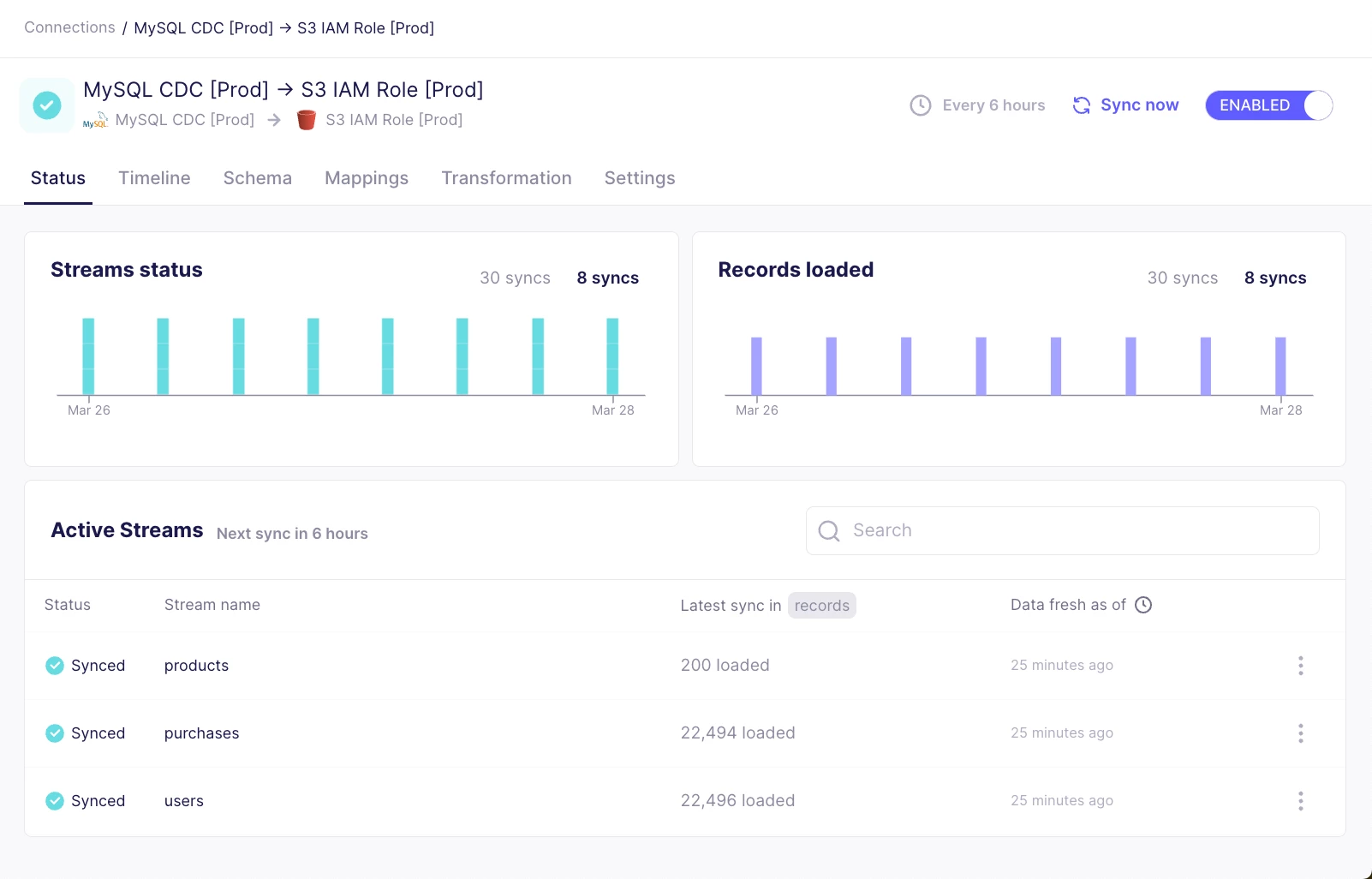
Airbyte made the source-to-destination relationship easy to understand.
After we configured both ends, the connection editor displayed the available streams and let us choose which ones to sync, how they should refresh, and where they should land.
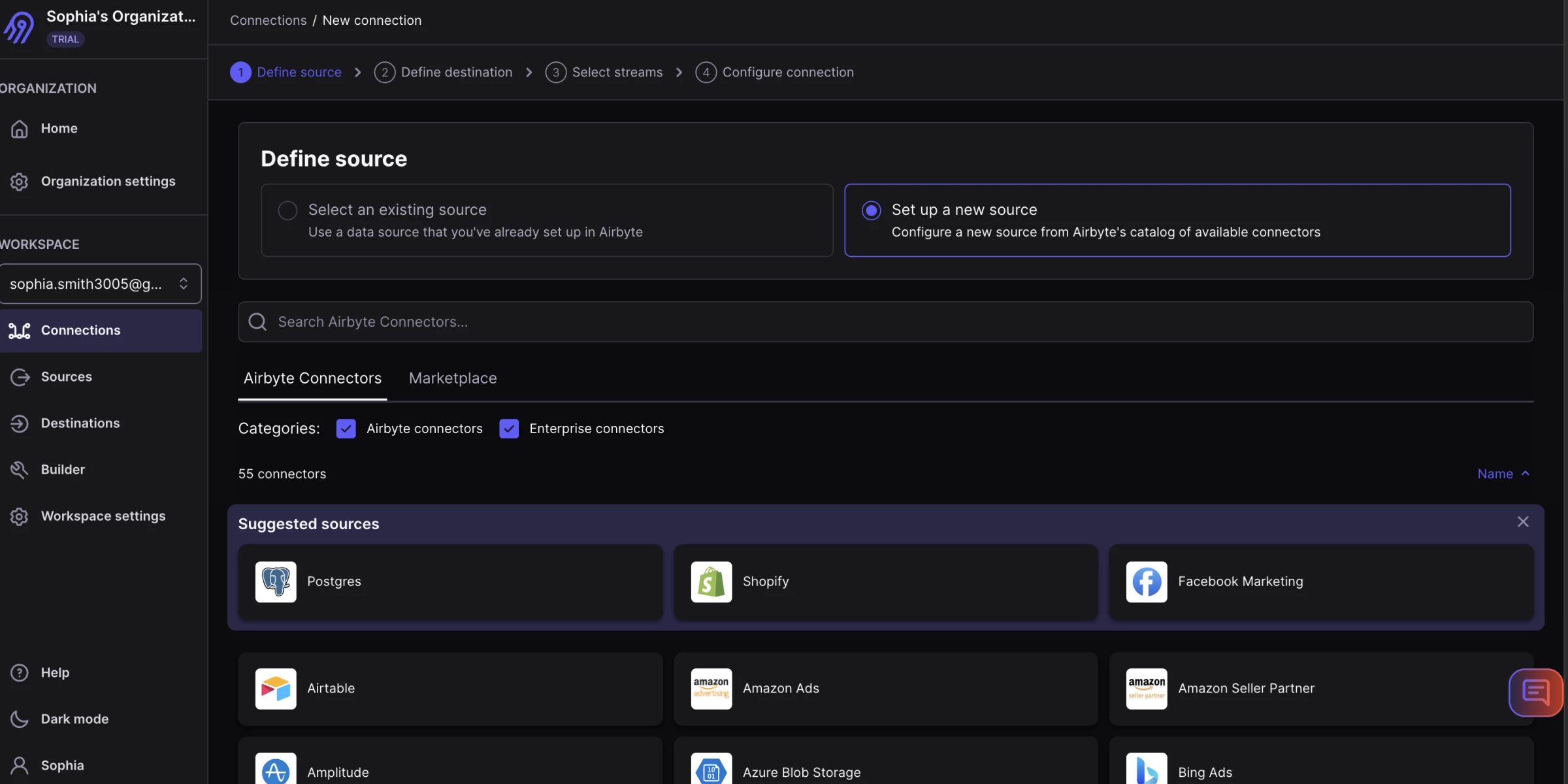
The connector catalog is Airbyte's biggest strength and the first area we would inspect carefully.
The platform labels connectors by release stage and support level, and those labels affect how much confidence a team should place in them.
Connector Builder adds real value when an API is missing. It provides a guided way to define authentication, streams, and records without starting from a blank codebase.
However, custom connectors still require testing for pagination, rate limits, schema changes, and failed records.
Self-hosting can reduce licensing dependence, but it adds infrastructure, upgrade, monitoring, and support work that the cloud editions absorb.
Pros:
- Offers open-source, cloud, hybrid, and in-boundary deployments
- Supports low-code and custom connector development
- Handles batch and CDC replication with orchestration integrations
Cons:
- Connector quality and support vary by maintainer and release stage
- Self-hosting requires infrastructure and operational ownership
- Faster syncs, enterprise controls, and long-tail APIs may require paid plans or custom work
Pricing
Airbyte Core remains open source, though teams pay their own infrastructure and labor costs.
- Standard: $20/month
- Plus: Starting at $189/month for 40 credits
- Pro: Custom
- Enterprise Flex: Custom
What Users Say
Gartner Peer Insights reviewers value Airbyte's connector library and the ability to create pipelines without building every integration from scratch.
The most important caution concerns connector ownership because Airbyte does not directly support every connector in its catalog.
You should verify support level, release stage, recent updates, and issue history for each planned source.
Other Notable Features
- Full-refresh, incremental, and log-based CDC replication.
- Connector Development Kit for building custom connectors.
- Enterprise Flex for sovereign deployments, including on-premises and hybrid with an Airbyte-managed control plane.
- RBAC, row filtering, hashing and encryption, and multiple data regions on Pro.
- Support for structured and unstructured data, including vector-store destinations.
3. Informatica: Best for Complex Enterprise Integration
Choose Informatica if your organization needs data integration alongside data quality, governance, cataloging, and other enterprise data management services.
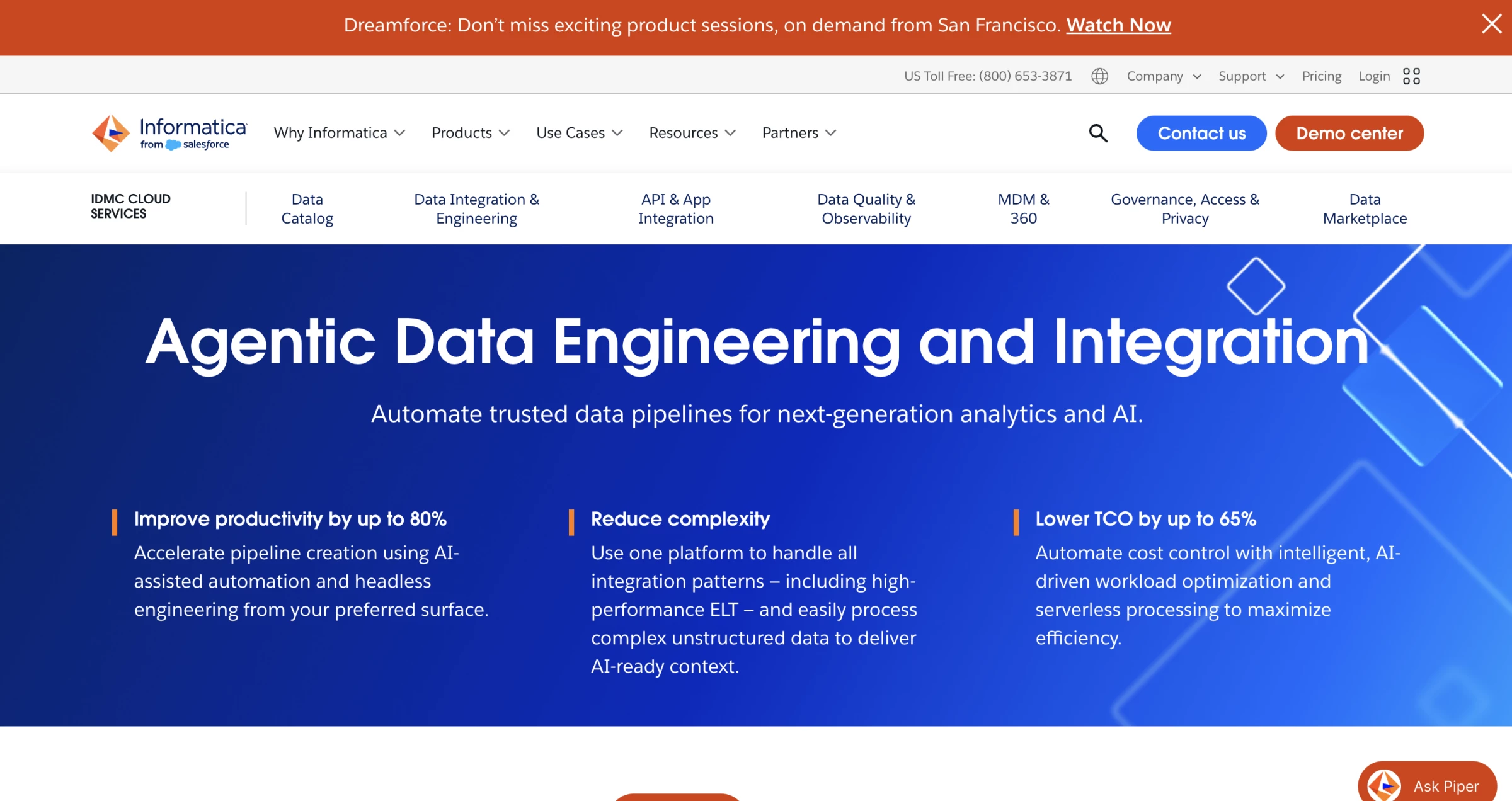
Informatica supports ETL, ELT, replication, and change data capture across cloud and hybrid environments.
Its home experience exposes several services, asset types, and administrative areas, so the first challenge was choosing the right place to work. Once we opened Cloud Data Integration, the mapping designer was more familiar.
We could place sources, transformations, and targets on a canvas, inspect field mappings, and reuse connections and assets across jobs.
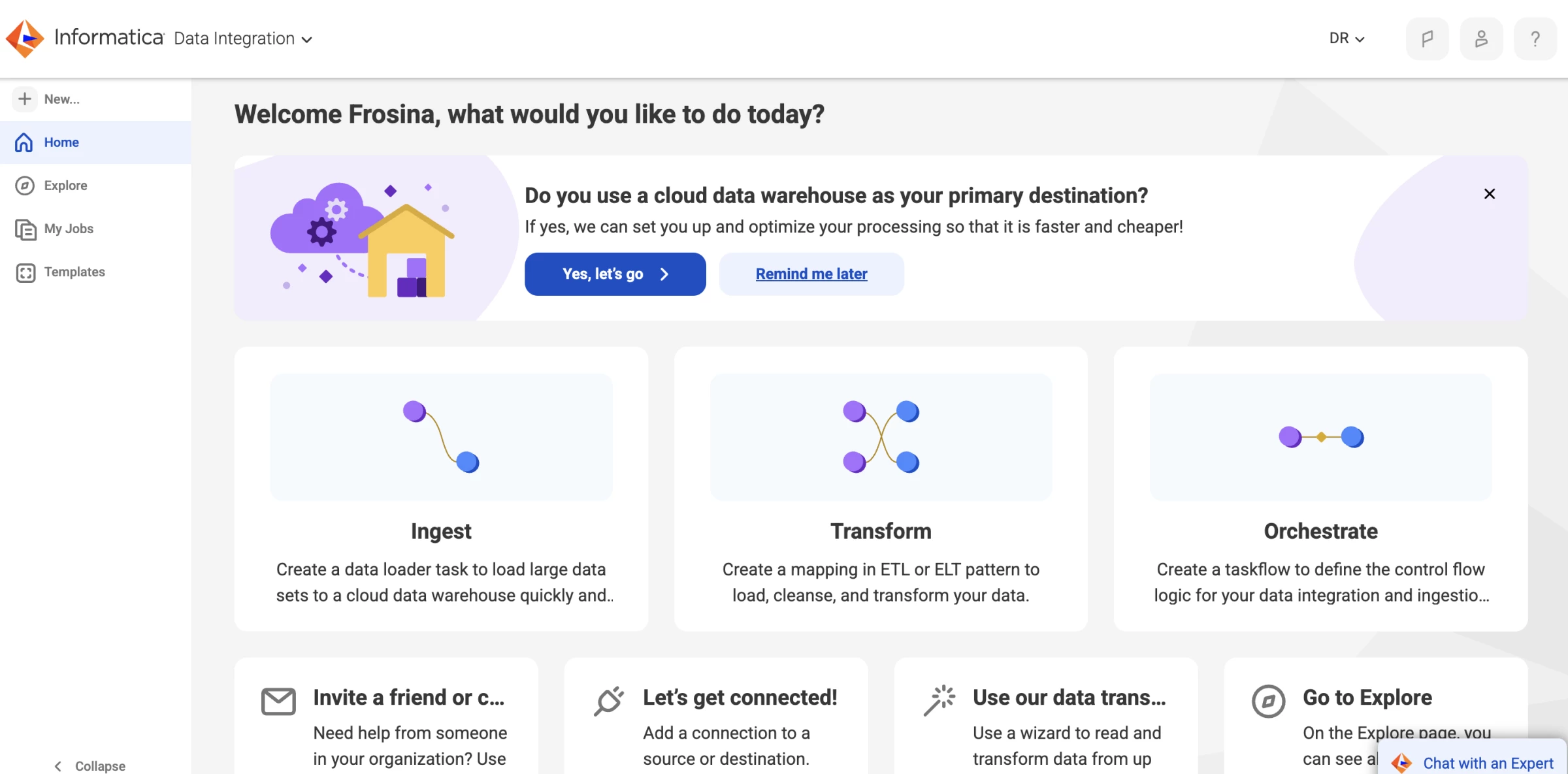
Your team can combine its integration capabilities with data quality, cataloging, governance, application integration, and master data management.
During evaluation, we would test troubleshooting as seriously as development. We found that Gartner reviewers describe the platform as scalable for complex processes but also report difficulty finding root causes and reaching support staff with the right expertise.
Trigger a controlled failure, inspect the run details, and confirm whether the error message identifies the failing object, row, or connection clearly enough for the people who will support it.
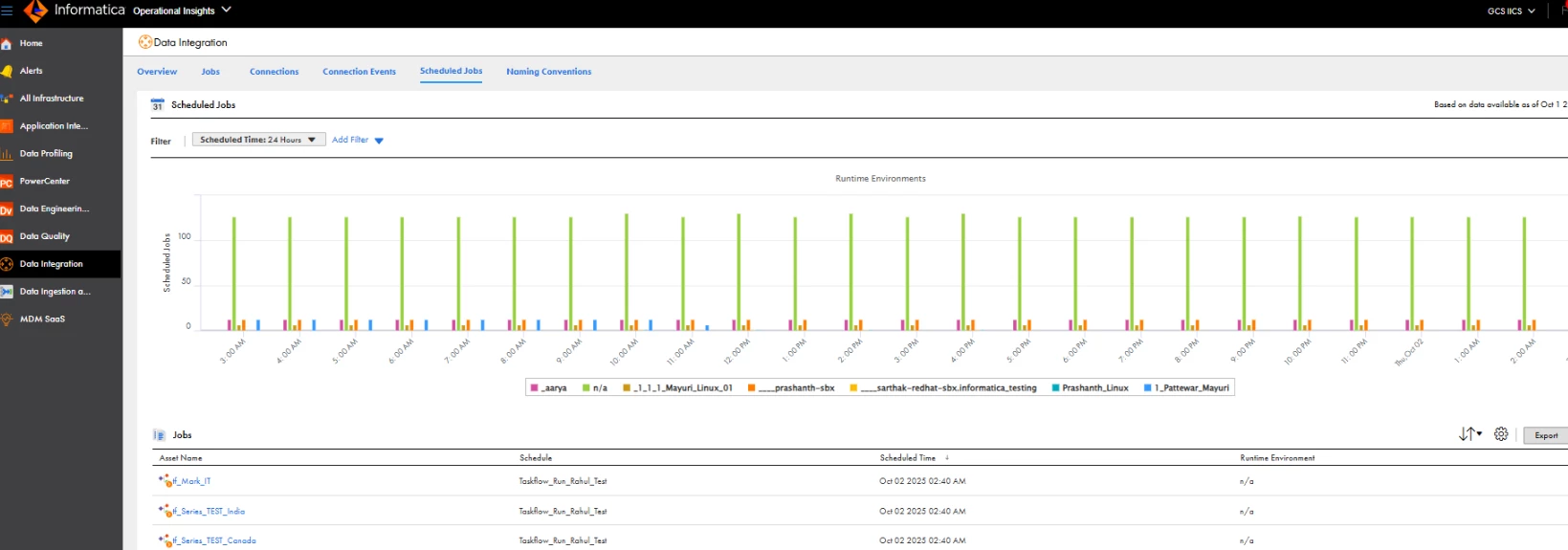
This breadth makes it suitable for large organizations with multiple clouds, legacy systems, regulated data, and centralized control requirements.
The same breadth increases evaluation and implementation complexity. Buyers must confirm which IDMC services, consumption units, connectors, and support levels the proposed contract includes.
Pros:
- Supports ETL, ELT, replication, and CDC across cloud, on-premises, and hybrid environments
- Combines integration with data quality, governance, and catalog services
- Offers low-code assets with enterprise security, monitoring, and workload management
Cons:
- Modular licensing and limited price transparency complicate evaluation
- Advanced workloads may require specialist skills
- Implementation can take longer than with focused ELT tools
Pricing
Informatica uses the Informatica Processing Unit (IPU), a consumption model prepaid annually and usable across supported services.
Informatica also offers Flex IPU and Volume Tier Pricing and a 30-day free trial for most IDMC services.
Ask the vendor to map every workload to the relevant Informatica processing unit, service, connector, environment, and support tier before comparing it with simpler tools.
What Users Say
Gartner Peer Insights reviewers describe Informatica's integration products as sophisticated yet scalable and strong at handling complex processes that span many systems.
Critical feedback points to difficult root-cause analysis and delays in reaching support staff with the right expertise for some platform issues.
Other Notable Features
- CLAIRE AI engine for mapping recommendations, anomaly detection, and task automation.
- Pushdown optimization into the target warehouse.
- End-to-end data lineage
- Batch and real-time integration across on-premises, cloud, and multi-cloud environments.
- Connectors for mainframes as well as Snowflake, Databricks, and BigQuery.



4. Matillion: Best for Pushdown ELT on Snowflake, Databricks, Redshift, and BigQuery
Matillion suits data engineering teams already committed to a cloud data platform that want visual and code-based pipeline building with AI assistance.
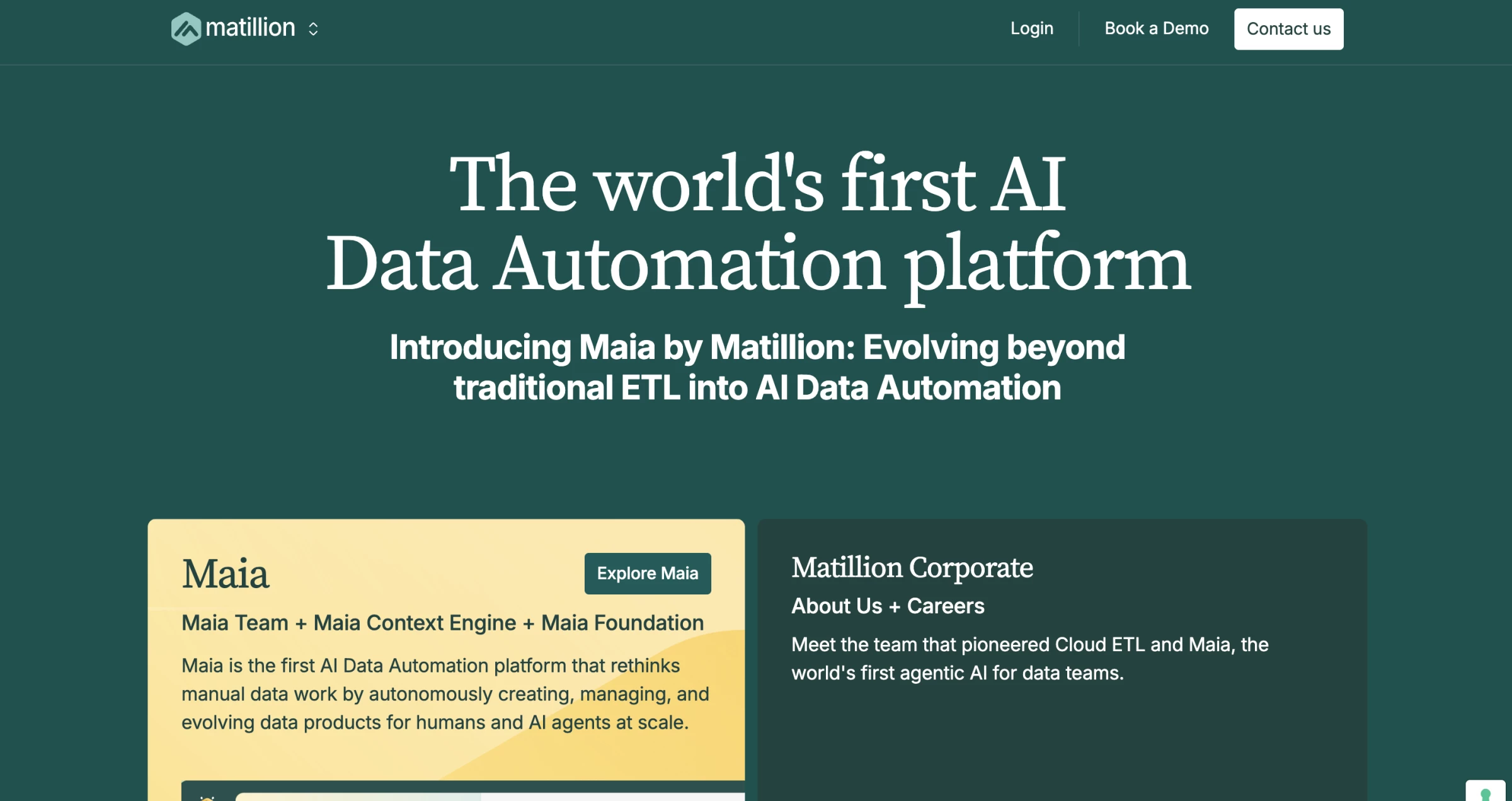
Matillion offered one of the clearest visual building experiences in our test.
We could drag components onto the canvas, connect them in execution order, and edit each component through a properties panel without losing sight of the full pipeline.
The design remains useful for technical users because SQL and Python components can sit beside prebuilt connectors and visual transformations.
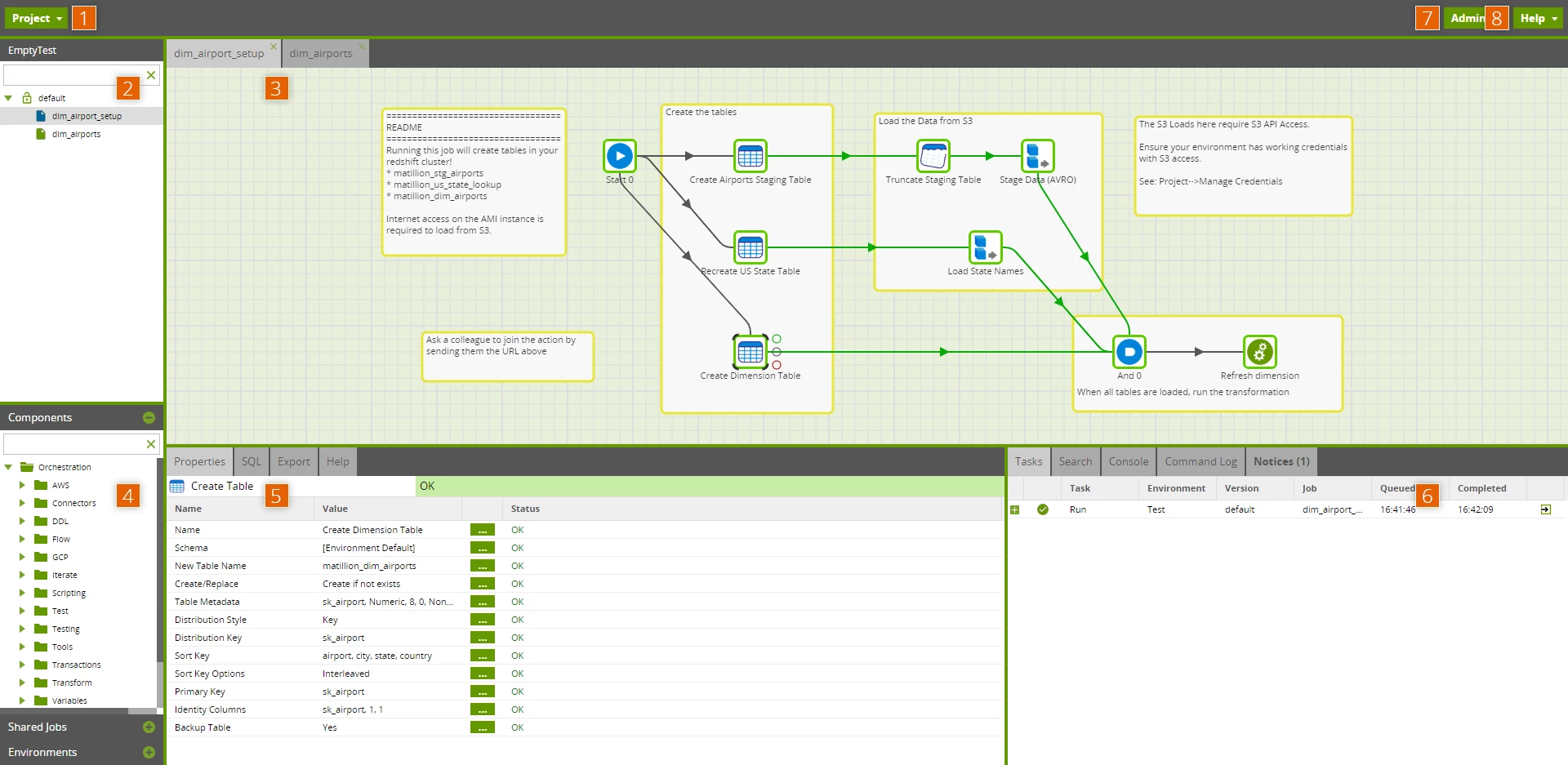
The platform starts to show its value only after it connects to a cloud data platform.
As one of the data warehouse integration tools built around pushdown processing, Matillion runs much of the transformation work in Snowflake, Databricks, Redshift, or BigQuery.
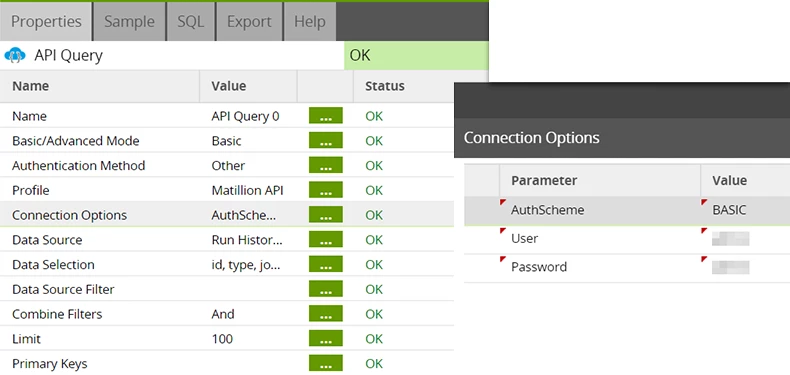
The run history and task details made it possible to follow component execution, but dense pipelines can still require careful naming and organization.
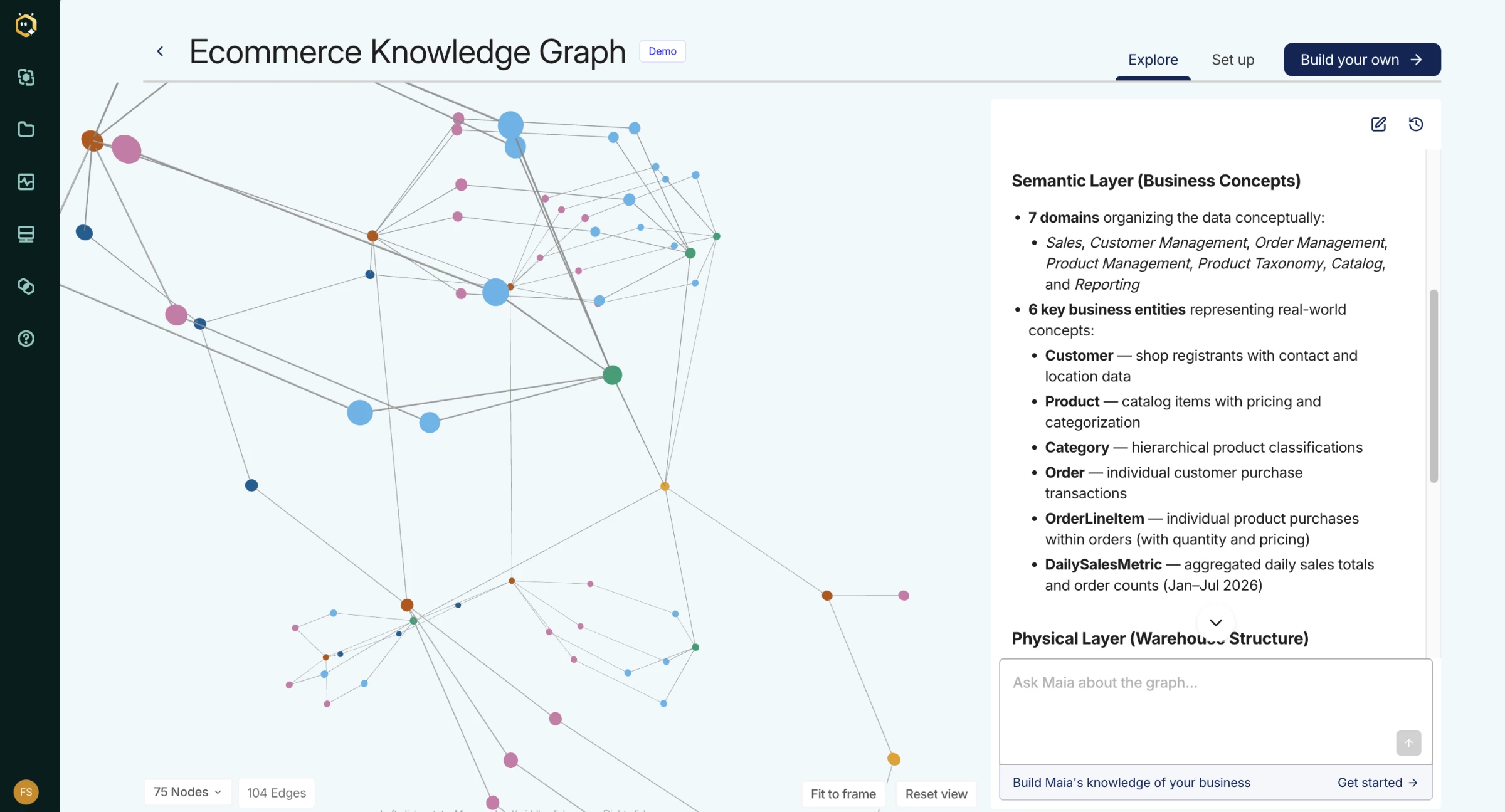
Matillion also sells Maia, which is an agentic AI that designs, optimizes, and maintains pipelines.
Matillion charges for platform activity through credits. Since it also relies on the connected warehouse or cloud platform for compute, you should model both Matillion credits and downstream processing costs.
Pros:
- Combines a visual canvas with SQL and Python for mixed-skill teams
- Supports prebuilt and custom connectors with Git-based development
- Adds lineage, streaming CDC, and hybrid deployment on Scale
Cons:
- Credit usage varies with task execution and developer access
- Warehouse or cloud compute adds separate costs
- Some connectors need extra setup, while advanced features require Scale
Pricing
Matillion offers a Developer tier that users can try for free, plus trials for paid plans. Teams and Scale use sales-led pricing with Matillion Credits.
The platform consumes credits through task hours and additional developer users.
Matillion only charges pipeline task hours while pipelines run, but connected cloud services can add separate compute, storage, and transfer costs.
What Users Say
On Gartner Peer Insights, data productivity cloud reviewers describe it as a strong fit for high-volume enterprise workloads landing in Snowflake and similar warehouses, and one reviewer reports no real dislikes while noting they are a basic user.
PeerSpot reviewers mention using it to replace AWS-native ingestion tools for a client and praise its integrations with Salesforce, RDS, and AWS services.
Other Notable Features
- Maia agentic AI for pipeline design and maintenance.
- Built-in Git repository and unlimited projects.
- Hybrid cloud deployment on higher tiers.
- Streaming CDC on higher tiers.
- Data lineage and extended log retention on higher tiers.
5. Qlik Talend Cloud: Best for Combining Data Movement, CDC, and Data Quality
Qlik Talend Cloud suits enterprises that need replication and CDC alongside data quality and governance, especially teams already using Qlik or Talend Studio.
Qlik Talend Cloud combines Qlik and Talend capabilities across data movement, transformation, quality, governance, and operational integration.
We could create connections and build a data pipeline visually, but the surrounding options for movement, transformation, quality, cataloging, and stewardship made the workspace feel broader and more enterprise-oriented.
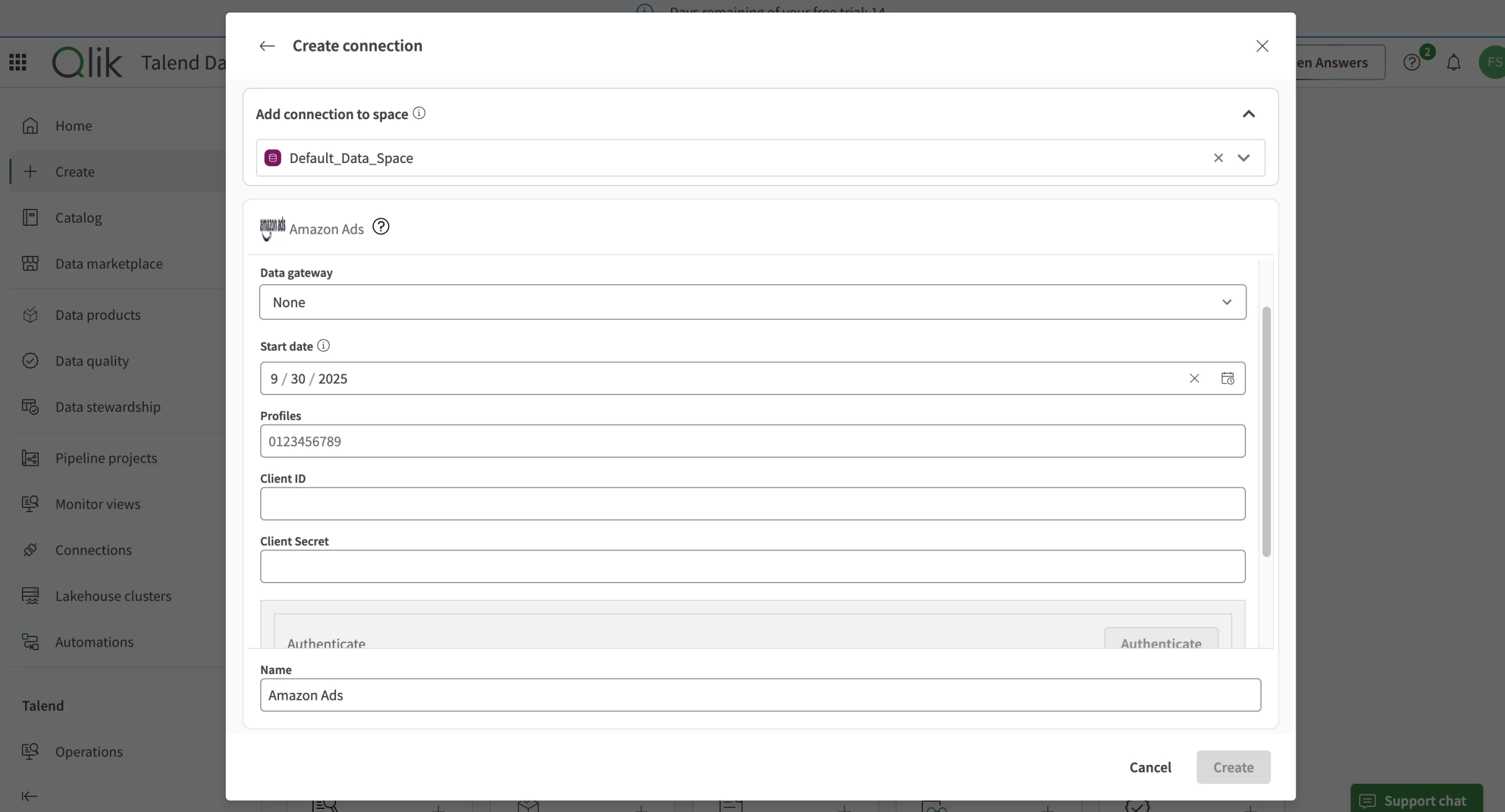
The visual pipeline view was useful because it showed how tasks relate rather than presenting each job in isolation. For CDC work, that context can help your team follow data from the source through landing, transformation, and delivery.
The tradeoff is that edition limits and capacity units are not obvious from the canvas. A feature visible in product material may depend on Standard, Premium, or Enterprise licensing.
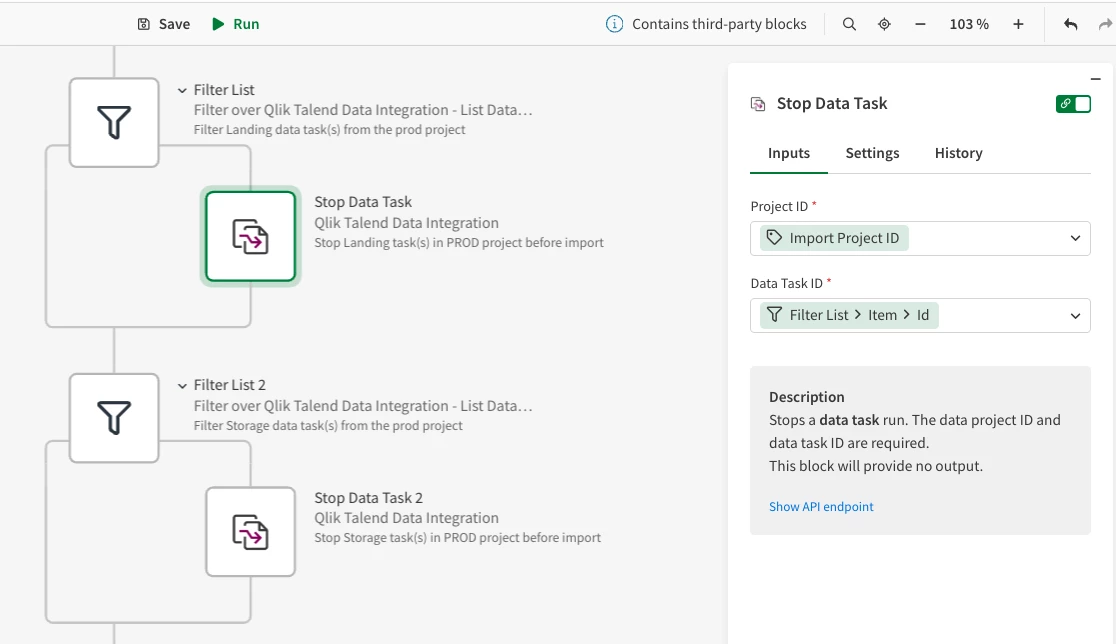
The breadth of the platform helps large organizations consolidate tools, though it also makes plan selection and capacity estimation more involved.
Pros:
- Combines CDC, ETL, ELT, quality, lineage, and governance
- Supports cloud, client-managed, and hybrid data architectures
- Adds log-based CDC and application or API integration on eligible tiers
Cons:
- Quote-based pricing and multiple usage meters complicate cost forecasts
- Advanced transformations have a steeper learning curve
- CI/CD and version control may require more manual work
Pricing
Qlik uses quote-based capacity pricing across Starter, Standard, Premium, and Enterprise.
The company measures usage through data volume moved, job executions, and job duration.
Ask Qlik to estimate all three units with a historical load, normal daily changes, peak periods, and planned transformation jobs.
What Users Say
Gartner Peer Insights shows 569 ratings for Qlik Talend Cloud, with most at four or five stars.
A favorable January 2026 review calls it powerful but says it requires skilled teams and strong governance, while a July 2025 critical review points to a significant learning curve and fragmented integration.
Other Notable Features
- Qlik Data Gateway for on-premises data movement on Standard and higher.
- Talend Studio for code-level job development.
- Streaming workloads on Qlik Open Lakehouse clusters.
- SAP and mainframe source support in higher tiers.
- Migration path for Stitch users, with Starter covering Stitch Premium capabilities.
6. Hevo Data: Best for No-Code Mid-Market Pipelines
Choose Hevo Data if you are comparing no-code ETL tools or ETL tools for small business and need managed ingestion and CDC without maintaining infrastructure.
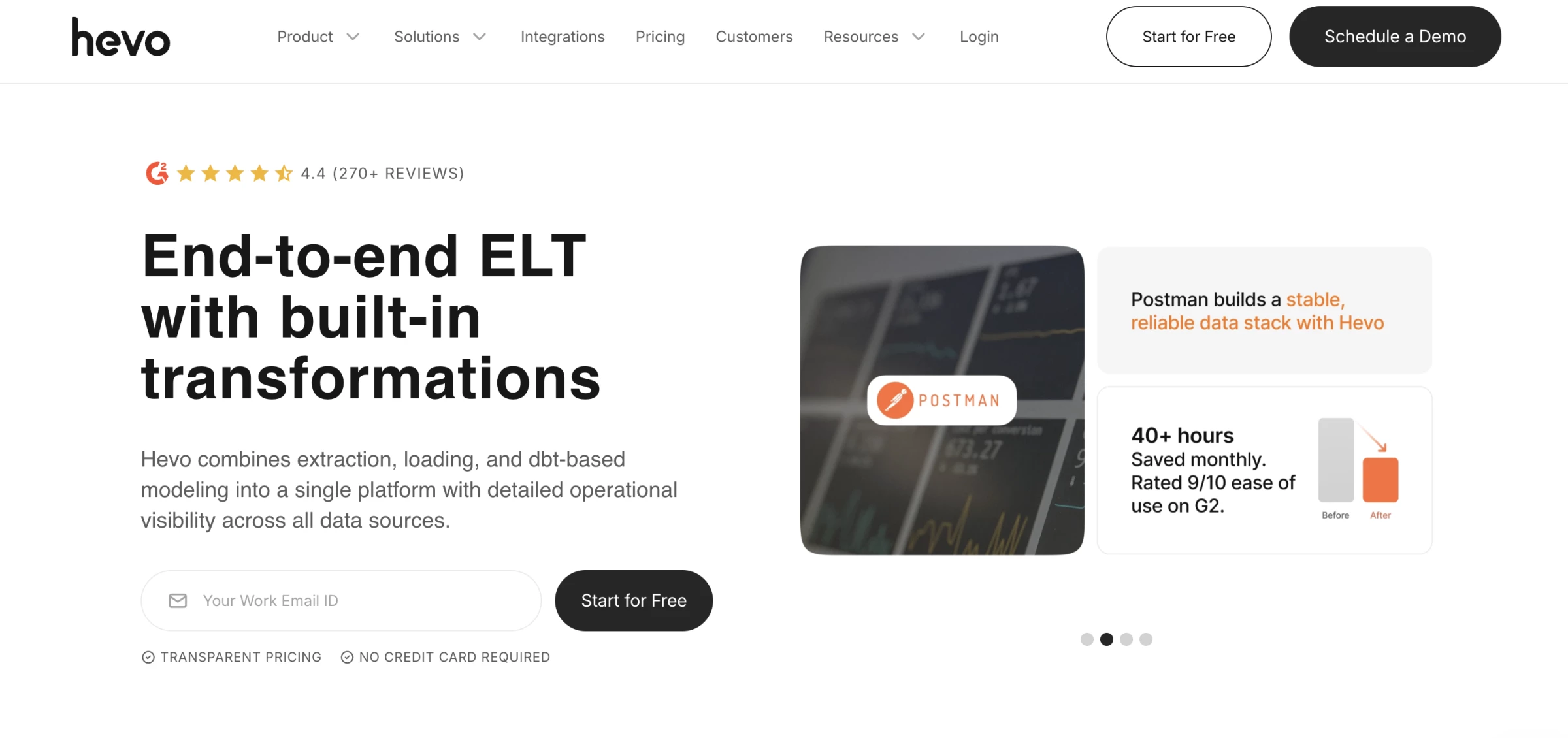
Hevo Data walked us through selecting a source, entering connection details, choosing a destination, and confirming the pipeline configuration.
The main workspace kept pipelines, models, and monitoring easy to find, which makes Hevo approachable for an analytics team without a dedicated data-platform engineer.
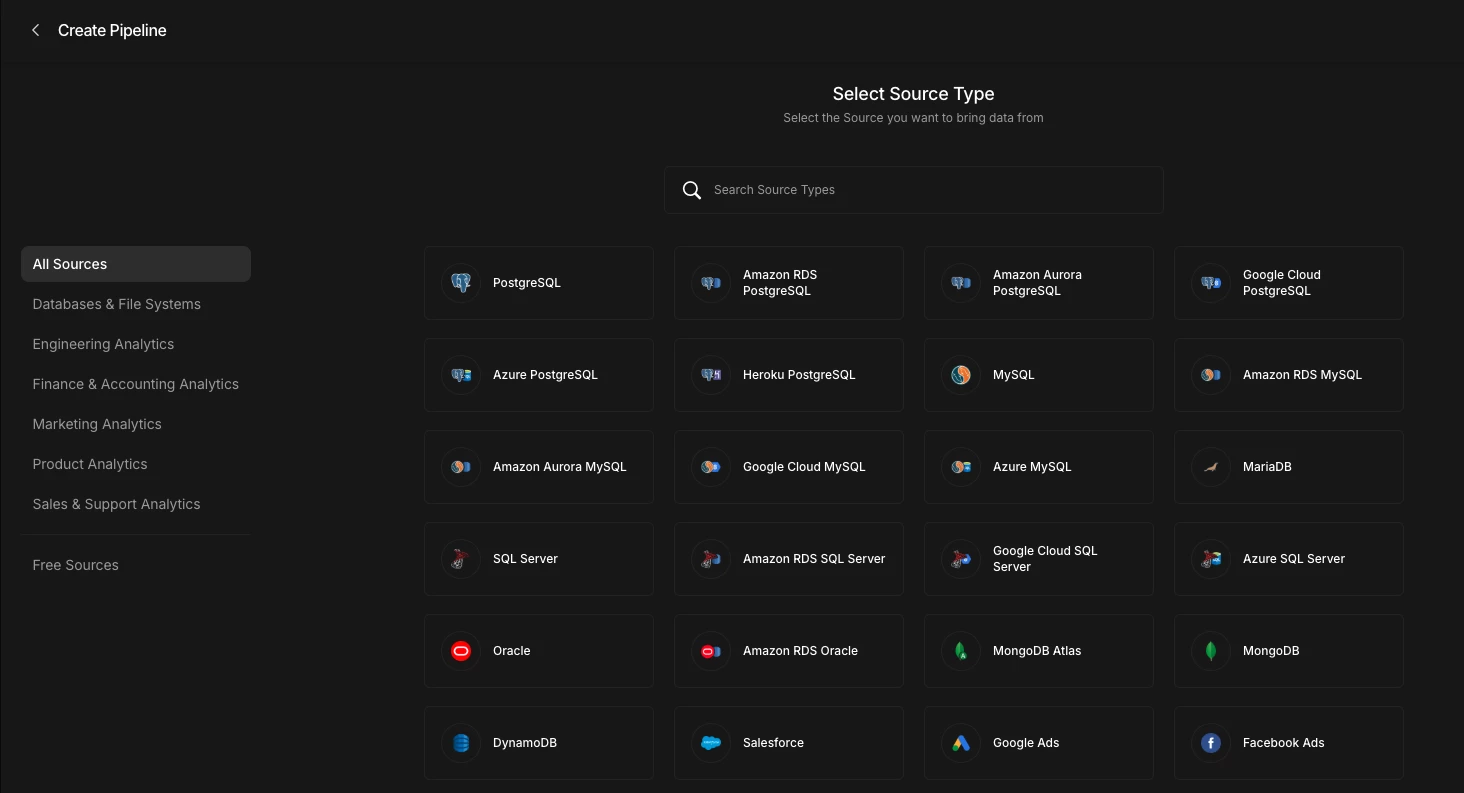
The managed experience reduces the number of infrastructure decisions, but it also gives users fewer low-level controls than a code-first or self-hosted tool.
Hevo can hand downstream transformation work to dbt on eligible plans, which is the better path for complex warehouse logic.
The metric we would watch from the first test is event usage.
Hevo counts inserted, updated, and deleted destination records as events, so a frequently changing table can consume a plan quickly even when the table itself is not large.
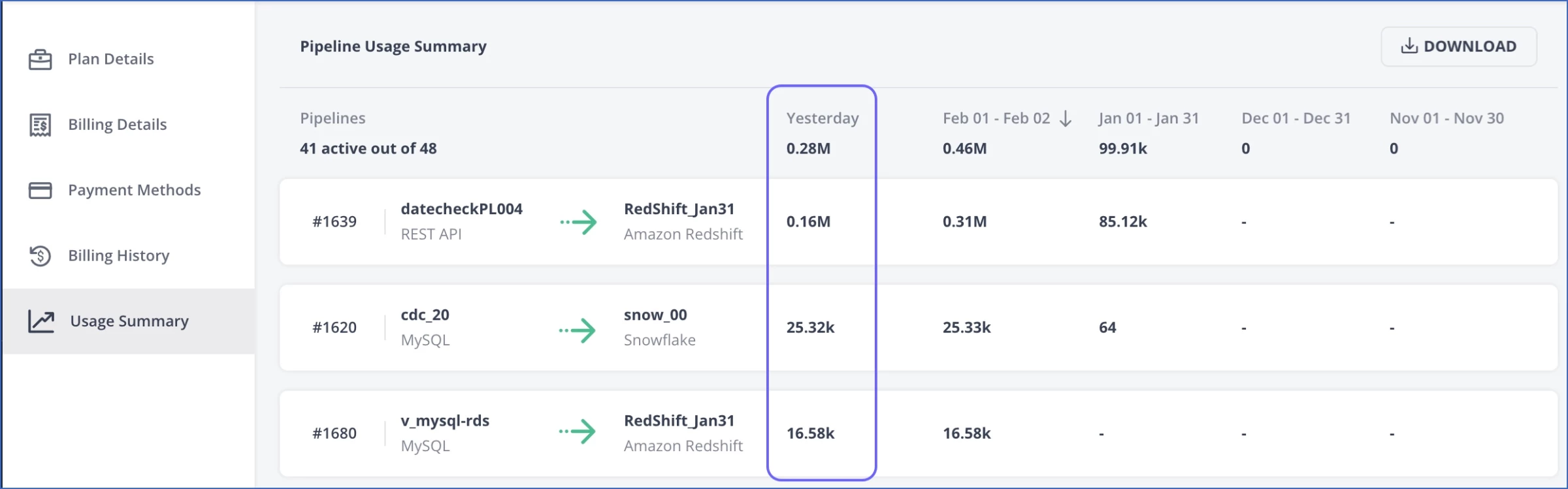
Hevo automates ingestion, schema handling, monitoring, and delivery to cloud warehouses. Your team can also integrate dbt and use platform APIs on eligible plans.
The interface and managed model make Hevo accessible to analytics teams that lack a large platform engineering function.
Pros:
- Combines no-code workflows with managed infrastructure
- Supports dbt integration, streaming pipelines, and CDC on eligible plans
- Provides live chat and email support on paid plans
Cons:
- Event-based costs rise with frequent data changes
- Free and Starter plans limit users and sync frequency
- Connector coverage is smaller, while advanced controls require higher tiers
Pricing
Hevo offers a free plan with limited connectors and hourly syncs.
- Starter: $299/month
- Professional: $849/month
- Business Critical: Custom
What Users Say
Gartner Peer Insights reviewers describe Hevo as easy to set up and use, with useful integrations and responsive support.
Other Notable Features
- Automated schema mapping
- Destination-ready data models
- dbt integration
- Pipeline automation APIs
- Multiple workspaces on Business Critical
7. AWS Glue: Best for AWS-Native Serverless ETL
AWS Glue suits teams whose data already lives in AWS and who need data pipeline tools for batch processing ETL or streaming jobs.
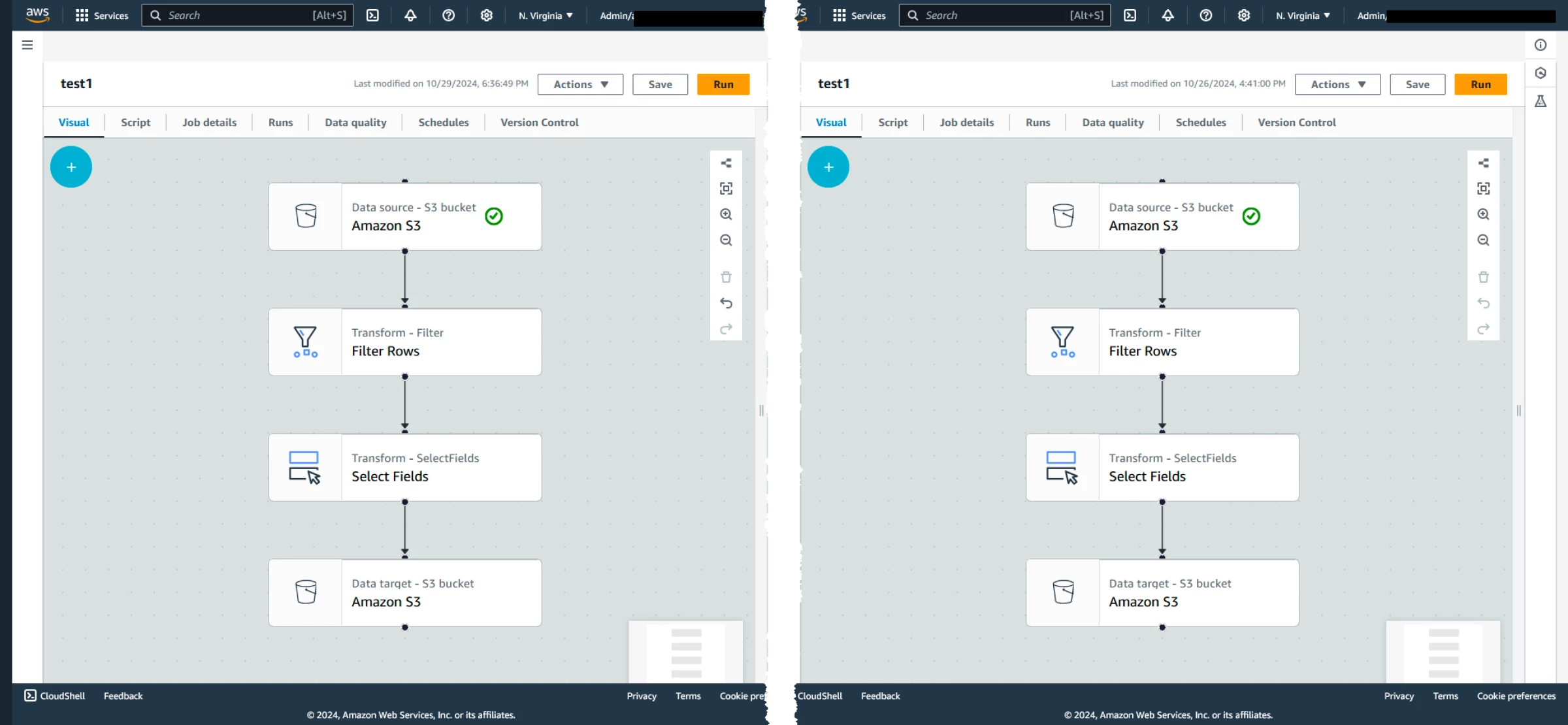
AWS Glue Studio gave us a visual starting point, but the overall experience remained distinctly AWS.
We could add sources, transformations, and targets to a job graph and inspect the generated script, yet setup still depended on IAM roles, S3 locations, catalog tables, network access, and the correct permissions across services.
The canvas lowers the barrier to building a Spark job, but it does not remove the surrounding cloud architecture.
The Data Catalog added practical value because the same table metadata can support Glue, Athena, Redshift, EMR, and other AWS services. This makes Glue more compelling for an AWS data estate than its connector count alone suggests.
It also means errors may originate outside the job itself, including a role policy, VPC route, crawler result, or target configuration.
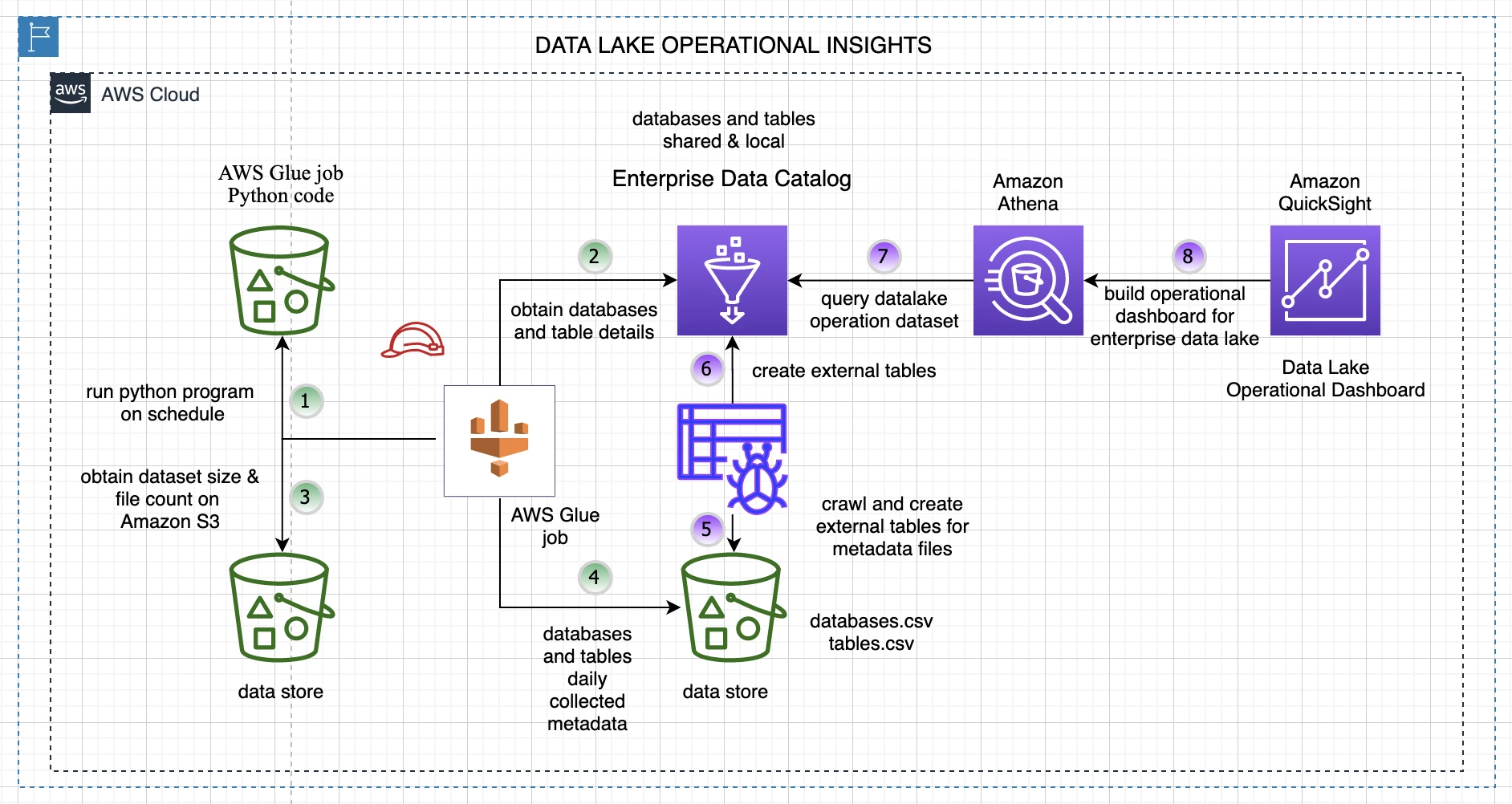
Glue fits AWS-centered architectures, but it differs from a managed SaaS connector platform.
Pros:
- Runs serverless Spark and Ray jobs with on-demand scaling
- Integrates deeply with AWS data and analytics services
- Supports visual and code-based batch or streaming ETL
Cons:
- Works best within AWS and offers fewer turnkey SaaS connectors
- Total costs can span several AWS services
- Complex Spark jobs require technical debugging expertise
Pricing
AWS prices Glue jobs by data processing unit hour. Its public pricing example uses $0.44 per DPU-hour for a Spark ETL job, though rates vary by region and workload type.
Use the AWS Glue pricing page and AWS calculator with the intended region.
What Users Say
Gartner Peer Insights reviewers value managed Spark, integration with Lake Formation and the Glue Data Catalog, and strong automation through AWS APIs and SDKs.
Critical feedback points to setup complexity, AWS dependence, and limited debugging clarity for complex jobs.
Other Notable Features
- Glue Data Catalog shared with Redshift, Athena, EMR, and SageMaker Lakehouse.
- Glue Studio visual job authoring with data previews and notebooks.
- Spark Streaming jobs for continuous ingestion.
- Zero-ETL integrations from applications into S3, Redshift, or SageMaker Lakehouse.
- Data Quality checks within Glue ETL.
8. Azure Data Factory: Best for Azure and Hybrid Orchestration
Choose Azure Data Factory if your organization runs Azure, needs hybrid data movement, or wants to orchestrate transformation services across the Microsoft stack.
Azure Data Factory creates, schedules, and monitors pipelines that move and transform data across cloud and on-premises systems.
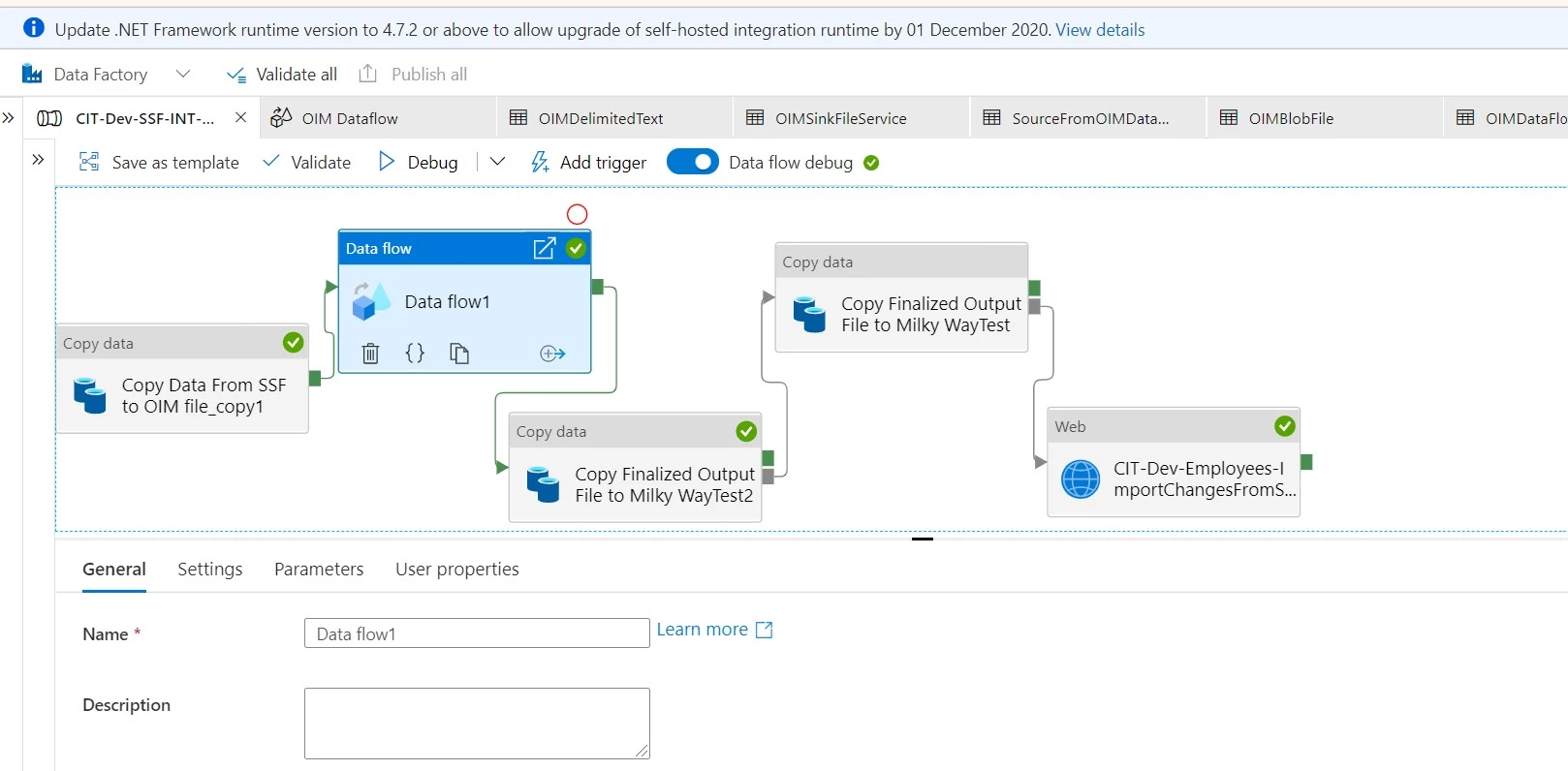
In the Author workspace, we could place activities on a canvas, connect dependencies, edit settings in the lower panel, and test a run without publishing the whole pipeline.
The Copy Data flow helped with a basic source-to-destination task, while the main pipeline editor offered more control over branching, parameters, loops, and orchestration.
The first setup involved more than choosing two connectors. Linked services define the connections, datasets describe the data, and the integration runtime determines how work reaches cloud or on-premises systems.
Those layers support reusable and hybrid designs, but they can confuse a new user because an error may belong to the pipeline, dataset, linked service, runtime, or external service.
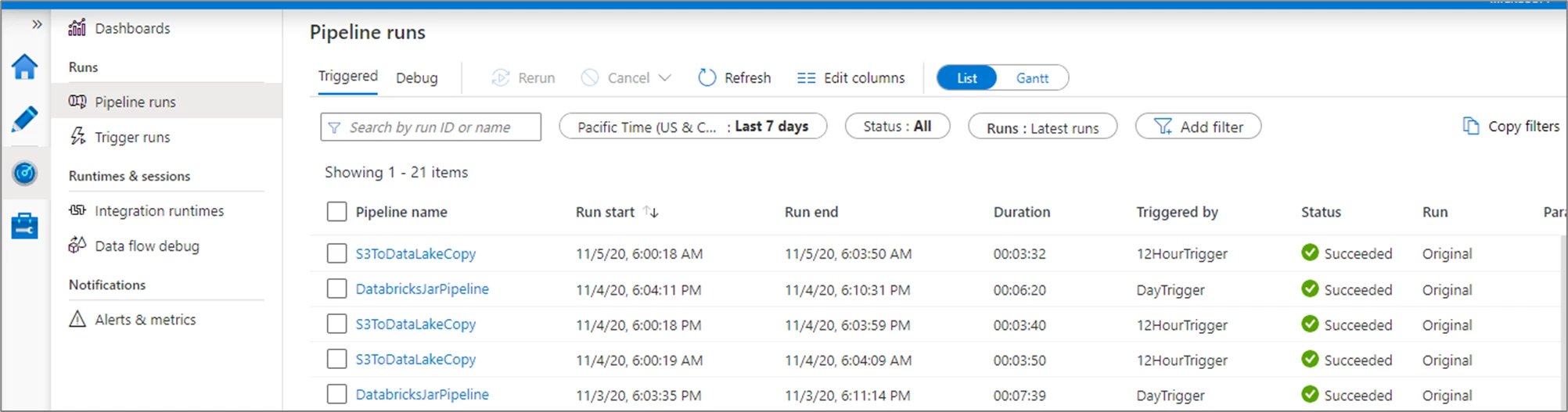
Data Factory can orchestrate Azure Databricks, Azure SQL Database, HDInsight, SSIS, and other services instead of performing every transformation itself.
Pros:
- Integrates with Azure services and supports hybrid data movement
- Provides visual pipelines for scheduling and orchestrating SSIS, Databricks, and SQL
- Uses Microsoft Entra ID and Azure role-based access controls
Cons:
- Pricing spans several activities, runtimes, and usage units
- Complex pipelines and cross-service debugging require Azure expertise
- New buyers must compare Azure Data Factory with Fabric Data Factory
Pricing
ADF is pay-as-you-go. Microsoft charges per 1,000 orchestration runs, per DIU-hour for data movement, per hour for pipeline and external activities, and per vCore-hour for Data Flow execution and debugging, with a minimum Data Flow cluster of 8 vCores.
Rates vary by region and configuration, so Microsoft directs customers to its calculator.
What Users Say
Gartner Peer Insights reviewers value Azure Data Factory for its integration with the broader Azure ecosystem, end-to-end pipeline capabilities, and robust security controls.
However, some users report a steep learning curve for non-engineers and find the platform overly complex for smaller projects.
Other Notable Features
- Mapping Data Flows for visual, Spark-based transformation.
- Change Data Capture resources running on Data Flow compute.
- SSIS integration runtime for lifting existing SQL Server Integration Services packages.
- Workflow orchestration manager for running Airflow DAGs.
- Dataflow Gen2 (Power Query) in Fabric Data Factory.
9. Integrate.io: Best for Fixed-Price Low-Code Integration
Choose Integrate.io if your team wants ETL, ELT, CDC, and reverse ETL under a published flat monthly platform price.
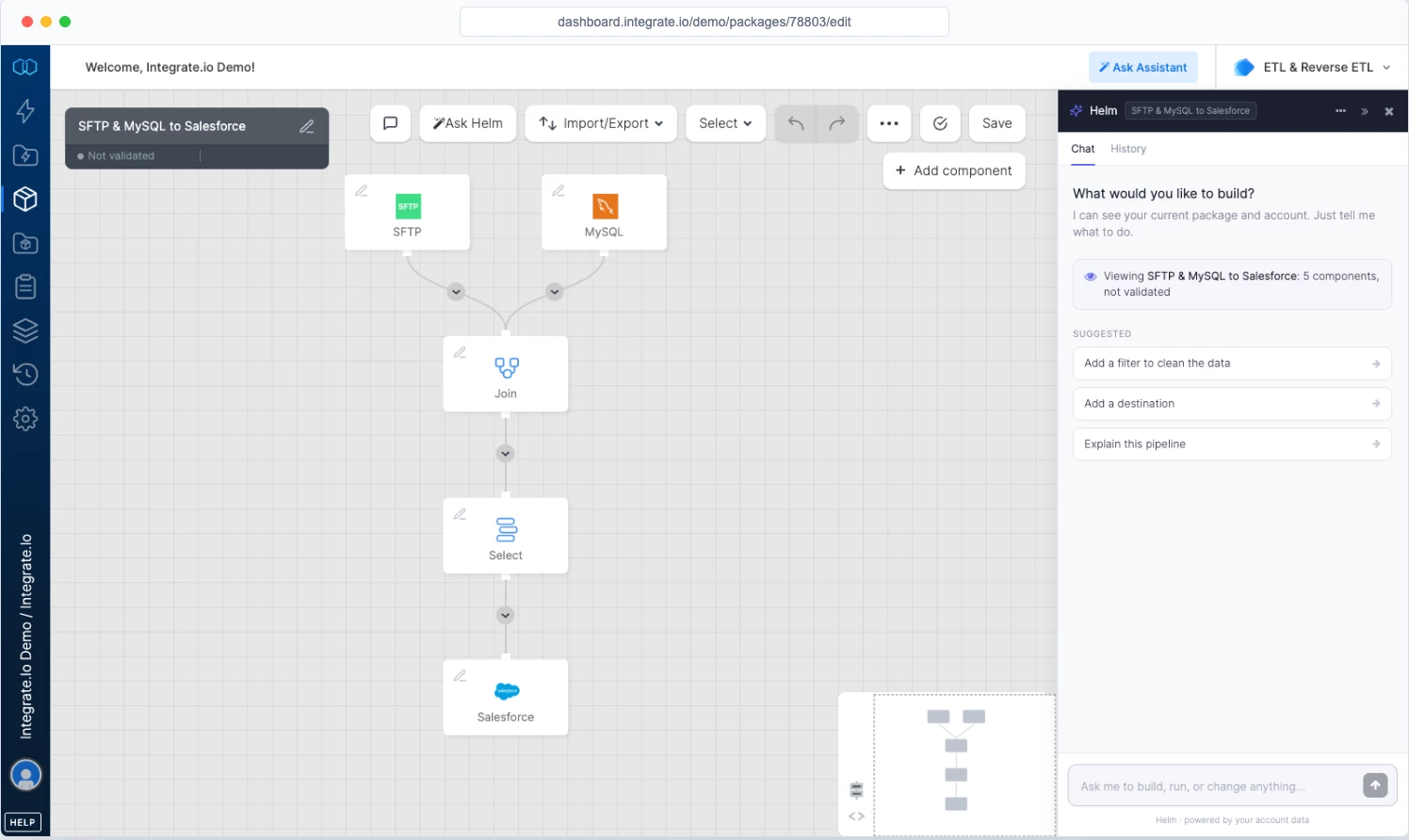
Integrate.io's package designer made a short ETL flow easy to read. We could place source, transformation, and destination components on the canvas, connect them, and configure each step from its settings.
This is useful for operations and analytics teams that want to understand the pipeline visually while keeping SQL and code available for more technical work.
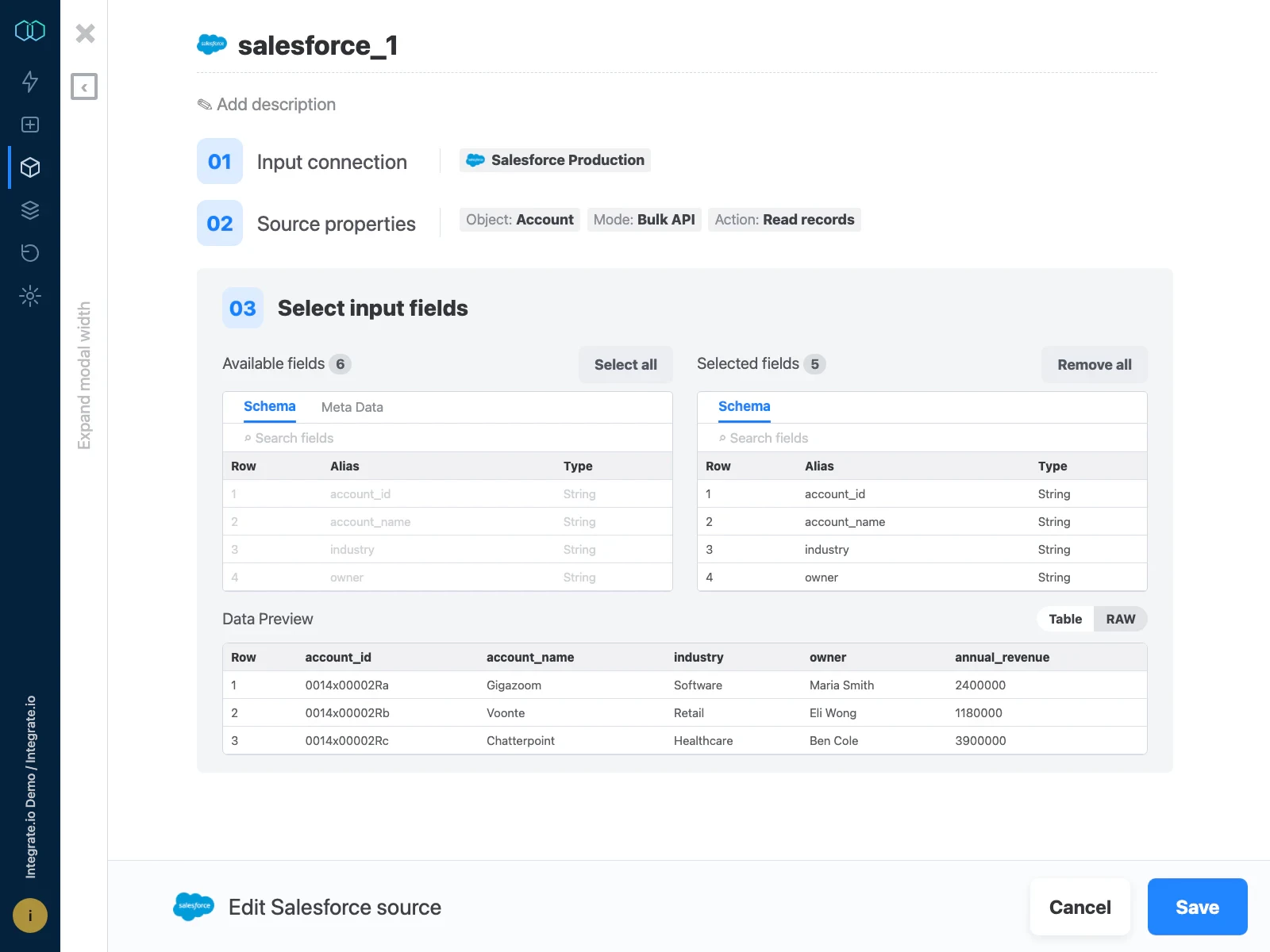
But, the visual approach becomes less effortless as a package grows.
More branches and transformations increase canvas density, and troubleshooting depends on how clearly the run log identifies the failed component and record.
You should still review contract language, workload limits, advanced security, support, and add-on terms.
Integrate.io also offers onboarding and migration support, which can help your team move from a legacy ETL platform or consolidating several point tools.
Pros:
- Publishes flat pricing instead of volume-based metering
- Supports ETL, ELT, CDC, and reverse ETL workloads
- Combines visual pipelines with technical extensibility, onboarding, and 24/7 support
Cons:
- The $1,999 monthly entry price may exceed small-workload needs
- Advanced security and compliance options require a tailored plan
- Complex jobs may slow the builder, while available reviews are older
Pricing
Integrate.io Core costs $1,999 per month and includes unlimited data volumes, pipelines, connectors, users, full platform access, and 60-second pipeline frequency.
Enterprise add-ons such as HIPAA readiness are priced through sales.
What Users Say
Reviewers on Gartner Peer Insights highlight Integrate.io’s range of connectors, straightforward navigation, and user-friendly interface.
However, one reviewer cites slow performance during complex workflows, unclear error logs, repeated job failures, and the effort required to manage node-hour usage.
Other Notable Features
- CDC database replication at 60-second intervals.
- API management and generation.
- Data observability with three free alerts.
- File data preparation and B2B data sharing.
- Managed option in which Integrate.io builds and operates pipelines for the customer.
10. Striim: Best for Real-Time CDC and Streaming
Striim suits enterprises that must replicate transactional databases such as Oracle and SQL Server into cloud platforms with low latency, and transform data while it moves.
Striim focuses on real-time data integration and stream processing. It made the live data path visible in a way batch-oriented tools did not.
The flow designer represented sources, streams, transformations, and targets as connected components, while the monitoring view showed the application as an active system rather than a scheduled job.
This made it easier to reason about where events enter, how they change, and where a slowdown occurs.
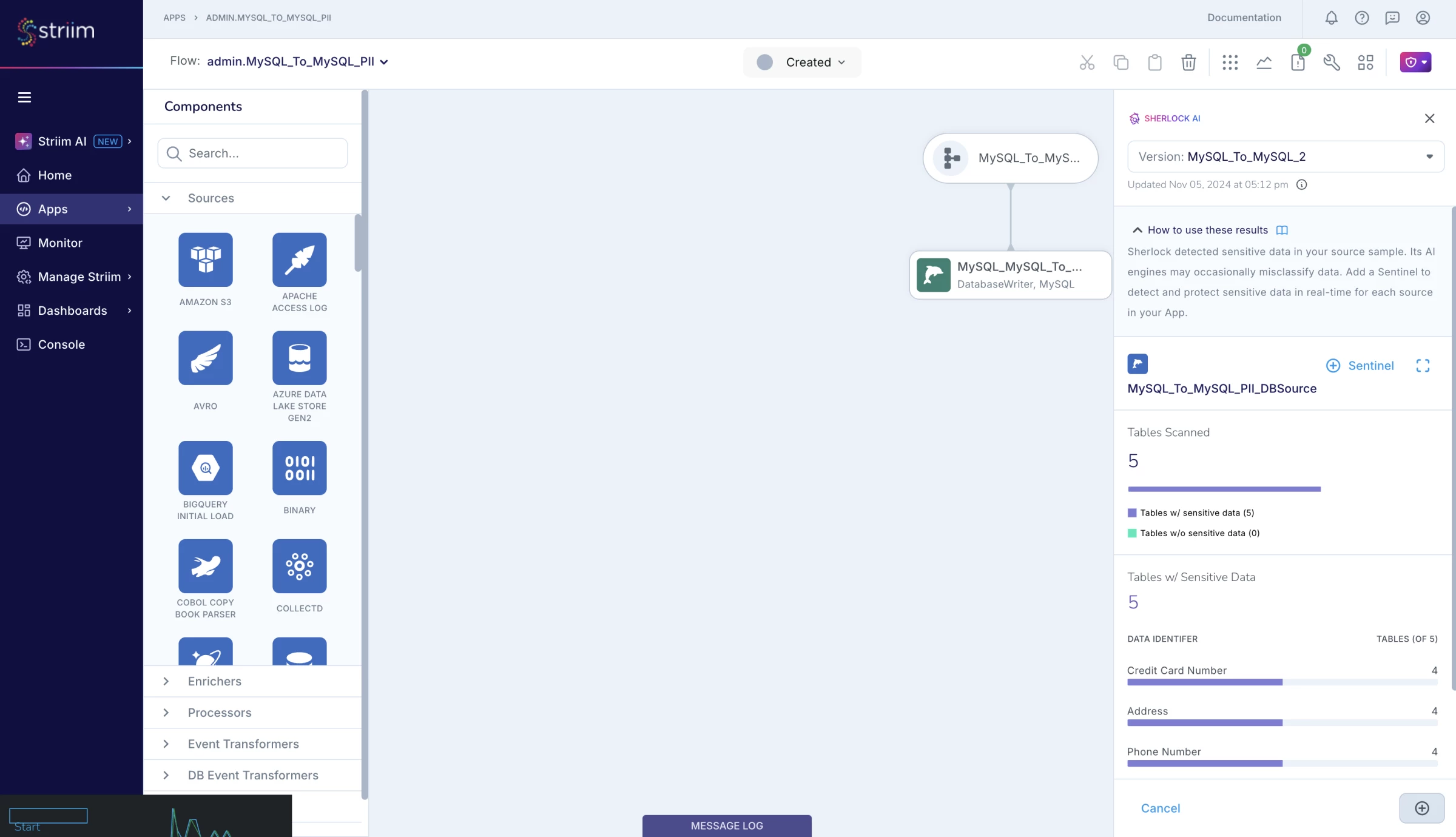
Creating that flow still required database and streaming knowledge. A CDC source needs the correct database privileges, transaction-log settings, checkpoints, and recovery behavior.
The visual designer does not eliminate decisions about ordering, replay, schema evolution, or source impact, and these are the areas that separate a convincing demo from a safe production deployment.
The live dashboard and management console were the strongest parts of our test because they surfaced throughput and component state in one place.
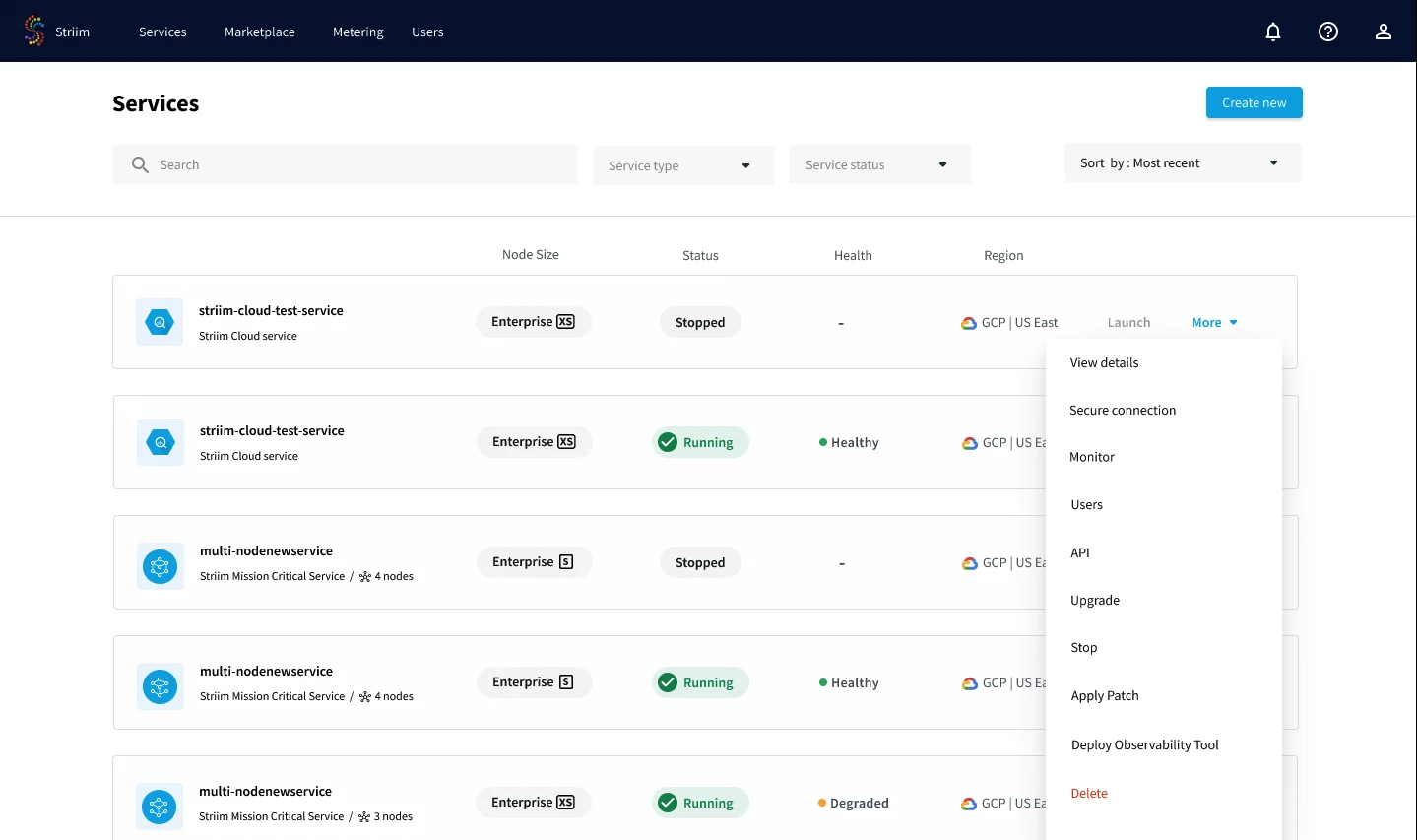
The product suits database modernization, continuous replication, operational analytics, and other workloads that cannot wait for scheduled batches.
Streaming introduces more operational questions than a standard SaaS-to-warehouse sync. Teams should test ordering, replay, schema evolution, source impact, capacity, alerting, and recovery under peak conditions.
Pros:
- Specializes in log-based CDC from databases to cloud data platforms
- Supports managed cloud and self-managed deployments
- Combines streaming SQL with visual pipeline building and monitoring
Cons:
- Production pricing and connector licensing vary by tier
- Streaming workloads require stronger operational expertise
- Limited user feedback reports mixed capacity and stability experiences
Pricing
- Striim Developer: Free
- Striim Cloud: Contact sales
- Striim Platform: Contact sales
What Users Say
Striim earns positive feedback on Gartner Peer Insights for its usability, management console, supporting documentation, and processing performance.
However, the reviews also point to areas that warrant closer testing. A 2025 reviewer encountered capacity constraints for several months and decided against using Striim Cloud for another project because its pricing and trial period could not support the planned proof of concept.
Other Notable Features
- 150+ prebuilt adapters plus custom streaming connectors via Kafka Connect.
- Joins and materialized views that shape data into analytics-ready schemas on arrival.
- In-memory data grid for enriching streams with reference data.
- SOC 2 Type II, HIPAA, and PCI DSS support and customer-managed encryption keys on Striim Cloud.
- Clustered, high-availability deployments on the self-managed Platform.
ETL vs. ELT vs. Reverse ETL
ETL, ELT, and reverse ETL describe where data moves and when transformation occurs. Modern platforms may support more than one pattern, so the label alone cannot describe the full product.
| Pattern | Sequence | Runs in | Best for | Main tradeoff |
| ETL | Extract, transform, load | Integration engine or staging area | Legacy systems and controlled preprocessing | Adds processing before loading |
| ELT | Extract, load, transform | Warehouse or lakehouse | Cloud analytics and scalable modeling | Uses destination compute and stores raw data |
| Reverse ETL | Model, then sync | Warehouse to business applications | Activating data in CRM, marketing, and support tools | Can create conflicting records without governance |
ETL Transforms Data Before Loading
ETL cleans, validates, and formats data before it reaches the destination. It suits legacy systems and regulated workloads that require strict preprocessing, but separate transformation compute can slow large ingestions.
ELT Uses Destination Compute
ELT loads raw data first and transforms it inside a warehouse or lakehouse. It supports faster ingestion, flexible modeling, and access to historical data, but shifts compute costs to the destination and requires strong controls for raw data.
Reverse ETL Sends Data to Operational Systems
Reverse ETL syncs modeled warehouse data to platforms such as Salesforce, Braze, and customer-support tools so business teams can use it directly.
Teams should define field ownership, sync direction, conflict rules, and rollback procedures to prevent stale or overwritten records.
They should also distinguish pipeline platforms from downstream AI analytics tools, which analyze or act on data without replacing the integration layer.
How Data Integration and ETL Tools Are Priced
The billing unit matters more than the starting price, because each unit reacts differently to how your data changes. A tool that is cheap for one workload can be expensive for another.
| Pricing Model | Meter | Main Cost Driver | Examples |
| Row-based | Active rows | Frequent updates, reloads, and base charges | Fivetran |
| Event-based | Destination writes | Repeated record updates | Hevo Data |
| Volume-based | Data moved | Large loads and backfills | Qlik Talend Cloud |
| Capacity-based | Reserved workers | Additional concurrent pipelines | Airbyte |
| Compute-based | Job runtime | Long jobs and billing minimums | AWS Glue, ADF |
| Credits or prepaid units | Tasks, compute, events, or services | Higher workloads and added services | Matillion, Striim, Informatica |
| Flat fee | Monthly subscription | Paying for unused capacity | Integrate.io |
How To Choose a Data Integration Platform
Start with the workload, security requirements, and operating model rather than connector totals or entry prices.
1. Define the Pipeline Patterns You Need
Ivan Burban, head of marketing at Coupler.io, recommends defining your goals, assessing existing data volumes, and assigning ownership before selecting a technology stack. This gives you practical requirements for evaluating each platform instead of allowing connector totals to drive the decision.
“Apart from the ability to collect data from all necessary sources, a solution should have data transformation capabilities,” Burban says.
You should also check where transformations run, which technical skills they require, and how their compute affects your total cost. These details reveal whether the platform will support your workflows after the initial setup.
2. Match the Pricing Model to How Your Data Behaves
Estimate monthly changed rows, event counts, and data volume for your largest sources, then compare them with each platform’s billing unit.
High-churn tables may favor capacity-based or flat-fee models, while small, stable sources often fit usage-based plans with free tiers.
Caleb Bradley, founder and CEO of Bighorn Web Solutions, warns that SaaS costs can become disconnected from the value customers receive as usage increases.
“When a company suddenly pays more simply because it grew, not because it gained new capabilities, that’s a structural problem,” Bradley says.
You should model a normal month, a peak month, and a scenario in which your data volume or sync frequency doubles. This reveals whether the platform can support growth without charging substantially more for the same pipeline functionality.
Repeatable pipelines can help companies scale with data automation, but only when teams assign clear ownership and monitor failures.
3. Decide Between Managed, Self-Hosted, and Cloud-Native
- Managed SaaS tools (Fivetran, Hevo, Integrate.io) minimize maintenance.
- Self-hosted options (Airbyte Core, Striim Platform) give control over data residency at the cost of operating them.
- Cloud-native services (AWS Glue, Azure or Fabric Data Factory) fit best when your data and team already sit on that cloud.
4. Plan for the Next Stage of Growth
RP Singh, CEO of Seasia Group, says technology requirements change as companies move from startup to scale-up and enterprise maturity. Growing businesses typically need stronger integrations and process automation, while enterprises may require advanced analytics, governance, and AI capabilities.
“Mid-sized companies often need robust integrations and process automation to handle increasing user loads,” Singh says.
You should check whether shortlisted data integration and ETL tools can accommodate more sources, users, pipelines, and frequent syncs without requiring a costly migration.
Compare the price of adding CDC, governance, private networking, and higher capacity so an affordable entry plan does not become an expensive path to scale.
5. Verify Security, Compliance, and Deployment Requirements
Confirm SSO, RBAC, encryption, private networking, and certifications such as SOC 2 or HIPAA on the vendor's own trust or security pages.
Several vendors reserve these features for higher tiers, including Airbyte Pro and Hevo Business Critical.
6. Evaluate Reliability and Observability
Test how the platform handles schema changes, expired credentials, API throttling, system outages, duplicate records, partial loads, and late events. Operators should be able to identify the cause, retry or replay the workload, and confirm data completeness without manually checking every system.
Integration platforms move data, while data governance tools help teams classify, secure, and manage it.
Strong monitoring can also reduce dashboard overload by detecting freshness and quality issues before they affect reports.
7. Run a Representative Proof of Concept
Test two common sources and one difficult source using realistic data volumes, security controls, and update rates.
Confirm that the platform can:
- Complete the historical load within the required window
- Meet the incremental-sync target
- Handle schema changes, updates, and deletes
- Surface and recover from failed jobs
- Meet networking and access requirements
- Support the projected 30-day workload cost
- Export pipeline logic if the company later migrates

Next Step: Getting Implementation Help
Our team ranks agencies worldwide to help you find a qualified partner. Visit our Agency Directory for the top IT services companies, as well as: