
Agency rank tracking software should help your team monitor client visibility and turn ranking changes into useful reports. The right choice depends on how many websites you manage, which search results you track, and what clients need to see.
In this guide we compare 10 options, including dedicated trackers, broader SEO suites, a reporting platform, and a local SEO specialist.
Each serves a different agency workflow, with plan restrictions that can change the final cost.
Agency Rank Tracking Software: Key Findings
- SE Ranking combines SEO tasks, AgencyAnalytics brings marketing reports together, and BrightLocalspecializes in local and Google Maps visibility.
- Devices, locations, and update frequency affect keyword usage, while branding, client access, and integrations can require higher plans or add-ons.
- Reports need traffic and conversion data to help clients understand how visibility changes relate to business goals.
Why Your Rank Tracker Matters When Reports Take 4 Hours per Client
A low monthly price loses its appeal when your team spends hours building reports or chasing fresh ranking data.
In a Databox survey, 58% of respondents said preparing for a client reporting meeting took around four hours per client.
At that pace, reporting monthly for 10 clients would mean 40 hours of preparation alone. That covers the full reporting process, but your rank tracker can help reduce the workload.
Meanwhile, Google’s core and spam updates have continued throughout 2026, making fresh ranking data valuable between reporting dates.
When comparing tools, look beyond price to three practical features:
- Frequent updates help you spot ranking changes before clients ask about them.
- Automated, branded reports reduce time spent exporting data and formatting slides.
- Useful integrations bring reporting data together and reduce manual work.
Use the 10-tool comparison below to weigh these capabilities against each platform’s price.
Rank Tracking Tools for Agencies Compared
Entry prices run from $32/month (Nightwatch) to $224/month (AccuRanker), but the keywords you get at that price range from 200 to 7,000.
Monthly prices are shown, with annual prices where published.
| Tool | Best for | Primary function | Free plan | Pricing starts at |
| SE Ranking | Agencies needing a broader SEO suite | Rank tracking, keyword research, and site audits | No | $129/month or $103.20/month billed annually |
| ProRankTracker | Branded client reporting | Dedicated rank tracking and white-label reports | No; free trial | $99/month |
| AccuRanker | Detailed keyword segmentation | Rank monitoring, tagging, and SERP analysis | No | $224/month |
| Nightwatch | Campaigns across multiple locations | Location-specific rankings and AI visibility tracking | No; free trial | €79/month billed annually |
| Advanced Web Ranking | Custom reporting and forecasting | Rank monitoring, client reports, and SEO forecasts | No; free trial | $139/month |
| Mangools | Solo consultants and small teams | Keyword research and SERPWatcher rank tracking | Yes, limited | $37.70/month billed annually |
| AgencyAnalytics | Reporting across marketing channels | Client dashboards with optional rank tracking | No; free trial | $20/client/month, plus $41.67/month per 500 tracked keywords, billed annually |
| BrightLocal | Local businesses and Google Maps visibility | Local rank reports, map grids, and citation monitoring | No; free trial | $41/month for one location |
| Wincher | Focused daily monitoring | Daily keyword tracking and automated reports | No; free trial | Check the live plan selector |
| Keyword.com | Custom dashboards and API workflows | Keyword tracking, shared reports, and API access | No; free trial | $4/month or $3/month billed annually |
How We Selected These Agency Rank Tracking Tools
We researched dedicated rank trackers, broader SEO suites, reporting platforms, and local SEO tools, then narrowed the list to 10 options representing different agency workflows.
We tested the features available to us, focusing on campaign setup, keyword monitoring, and client reporting.
We also consulted SEO experts to understand how agencies organize campaigns, report to different stakeholders, and connect visibility with business results.
We evaluated every platform using the same six criteria:
- Multi-client management: We reviewed project limits, team seats, and client permissions to assess how each plan supports multiple accounts.
- White-label reporting: We checked branding options, report scheduling, and client access, including features that require add-ons or higher plans.
- Local tracking depth: We compared location settings and map-grid capabilities to distinguish city-level monitoring from neighborhood-level visibility.
- Update frequency: We checked daily, weekly, and on-demand options, including how refresh schedules affect tracking allowances.
- AI search tracking: We reviewed supported AI platforms, what each tool measures, and any separate allowances or charges.
- Pricing at scale: We compared billing terms, keyword counting rules, and additional costs to assess pricing across client portfolios.
We verified pricing and feature details against each vendor’s official pricing pages and help documentation.
1. SE Ranking: Best for Managing SEO in One Suite
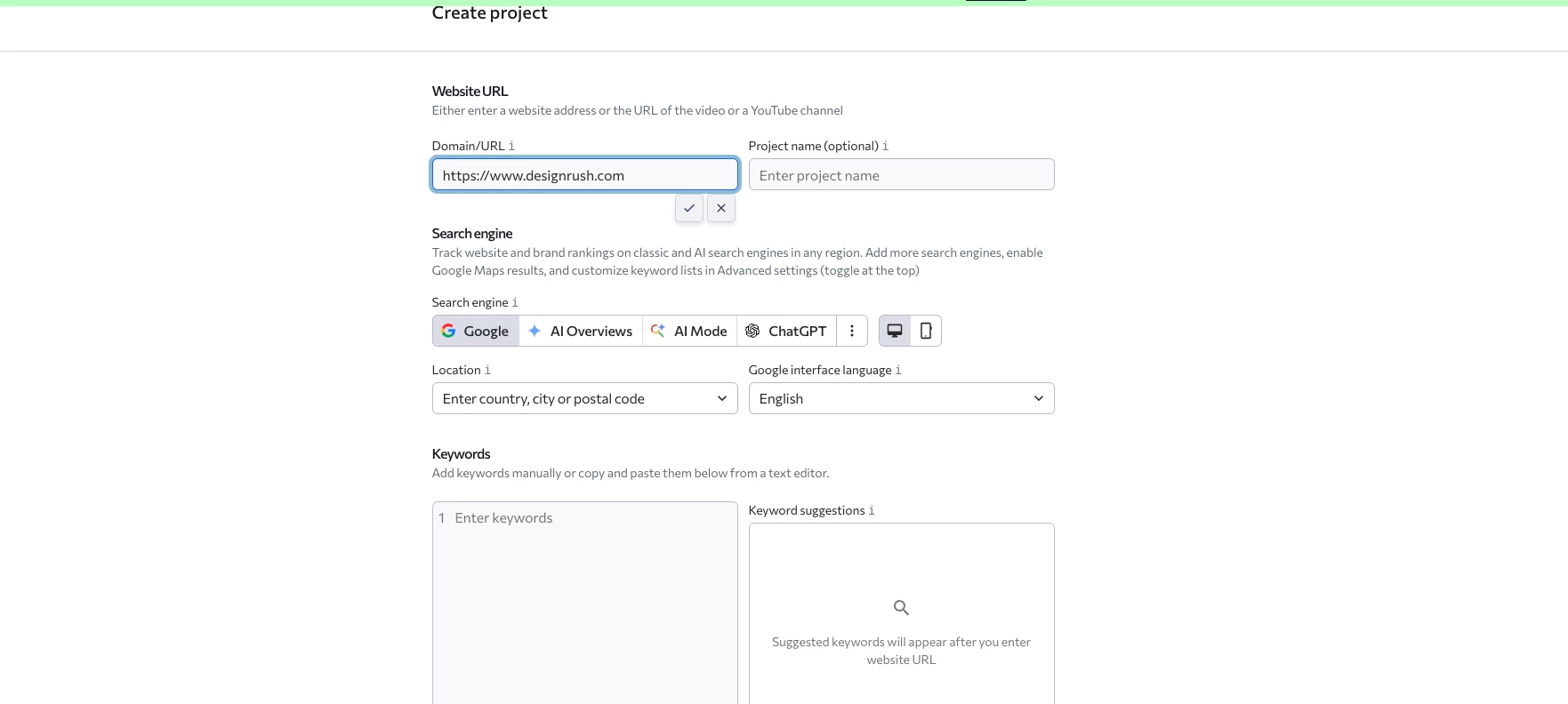
For a small agency handling research, audits, and client reporting, SE Ranking brings those jobs into the same workspace as daily rank tracking.
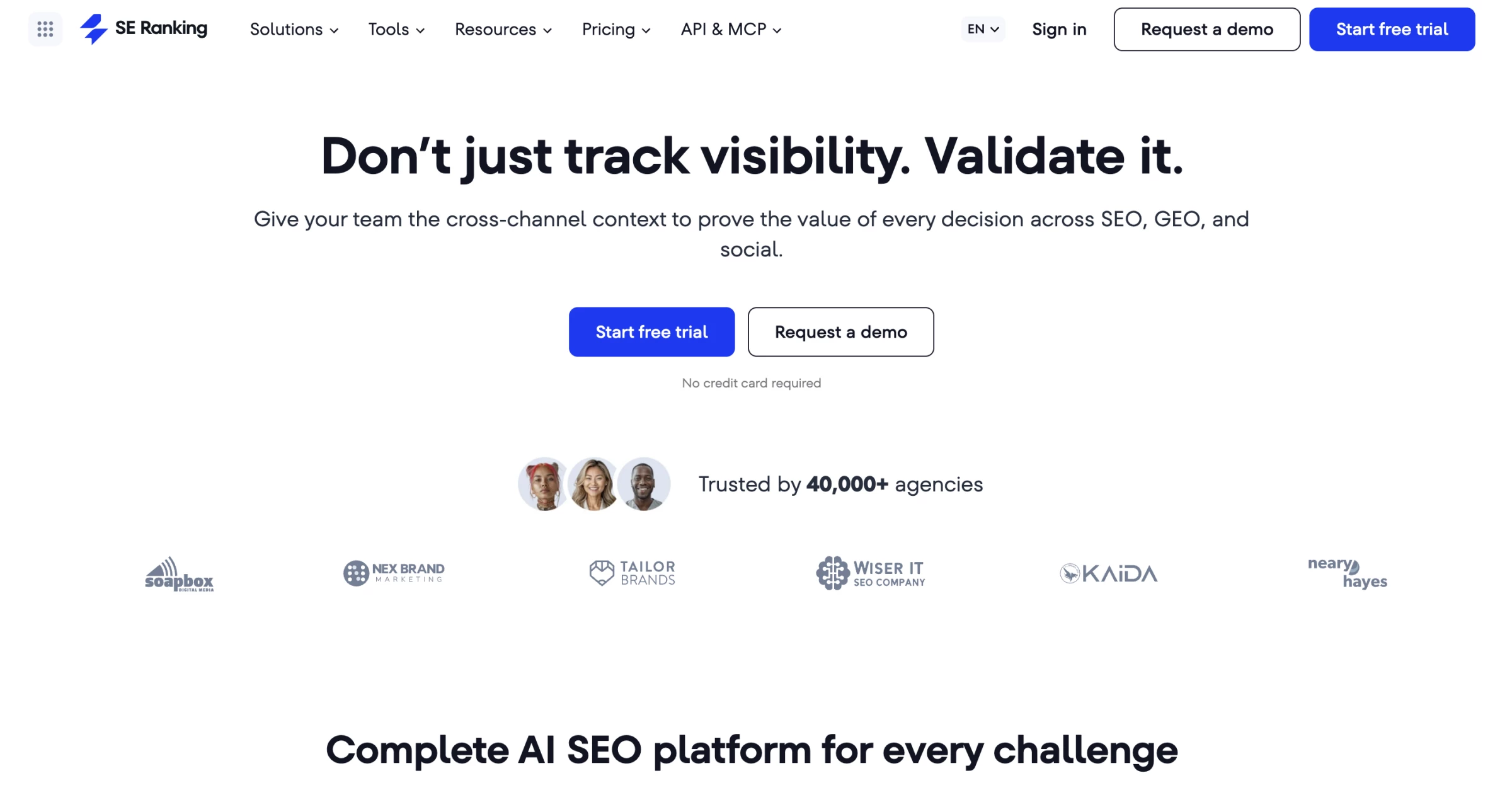
SE Ranking is an SEO platform that combines keyword monitoring with competitor research, backlink analysis, and website audits.
That wider toolkit gives ranking changes some context. If a client's service pages lose visibility, your team can review competing domains and check the website for technical issues before deciding what to investigate further.
The tracker identifies the movement, and the other tools help you explore possible explanations.
For example, an agency managing a regional law firm could monitor practice-area keywords, research competing firms, and use audit findings to prepare its next round of recommendations.
Client delivery needs a separate budget decision. The Agency Pack adds platform branding, client access, and automated white-label reports. It is the relevant option when clients need reports and an interface carrying your agency's identity.
Pricing
- Core: $129/month, or $103.20/month billed annually
- Agency Pack: from an additional $69/month billed annually
- Core plus the entry Agency Pack: $172.20/month equivalent on annual billing.
- Free 14-day trial; no permanent free plan.
Start SE Ranking's trial and build a branded reporting setup for one client.
Pros:
- Research and audits sit alongside daily rank monitoring
- Agency Pack supports branded reports and client access
- One subscription can cover several routine SEO tasks
Cons:
- Agency branding adds to the base subscription
- Agency Pack requires an annual commitment
- Core includes one manager seat, which can limit team access
What Users Say
Capterra reviewers praise the breadth of the toolkit and its usability. Some also mention additional charges and interface changes that take time to adjust to.
The useful trial exercise is a complete client workflow: investigate a ranking change, prepare the report, and check who can access it. That exposes costs a keyword allowance alone will not reveal.
Other Notable Features
- Competitor research identifies competing domains and keywords.
- Website audits flag technical issues for investigation.
- Backlink analysis adds link data to campaign research.
- Core includes an allowance for tracking AI search prompts.
- Scheduled white-label reports are available through Agency Pack.
2. ProRankTracker: Best for Branded Rank Reporting
For agencies with research and audit tools already in place, ProRankTracker provides dedicated monitoring and several ways to deliver results to clients.
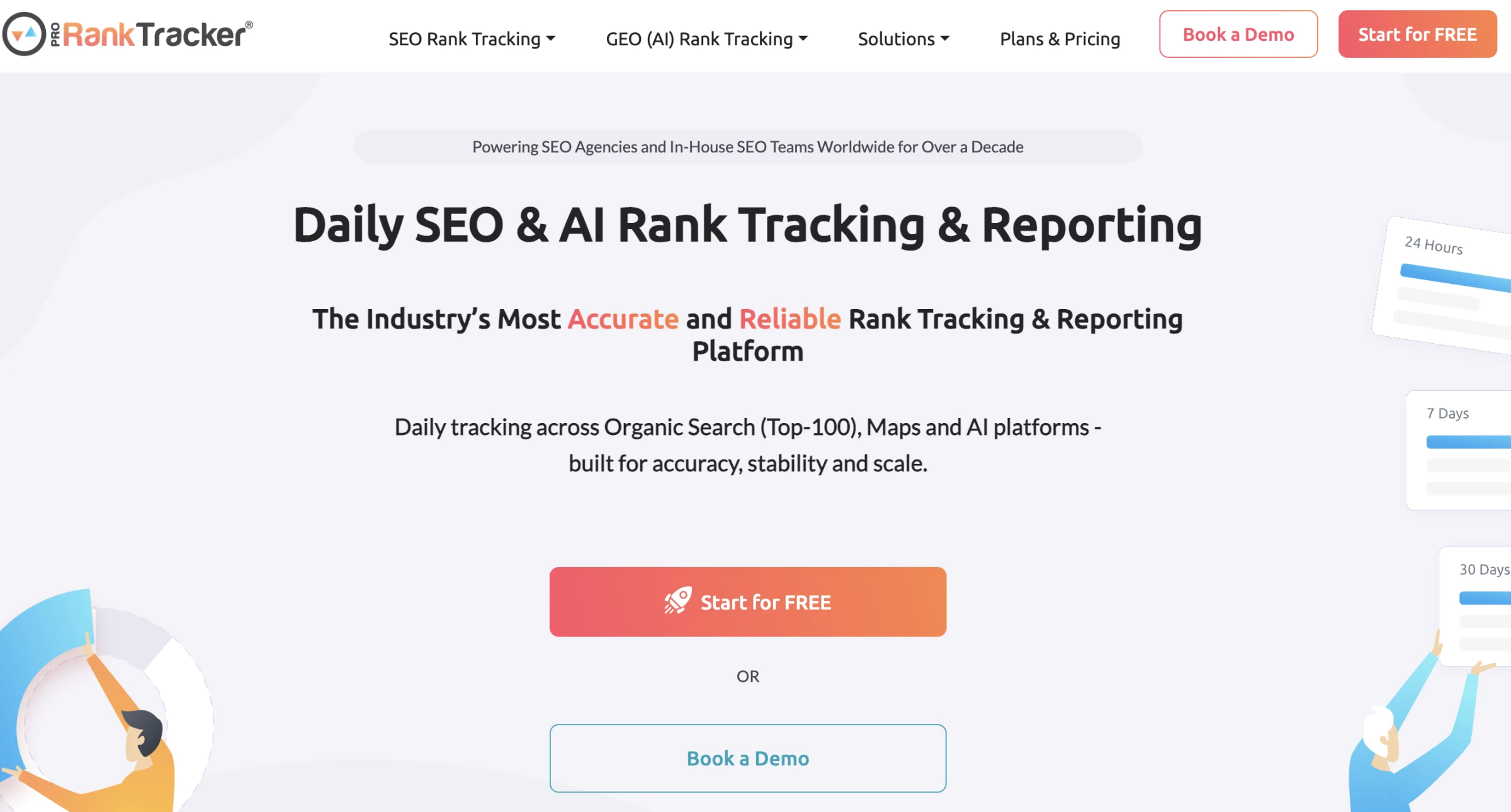
ProRankTracker, or PRT, is a rank tracking platform with daily monitoring, report scheduling, and several ways to share campaign results.
Its reporting options are the main attraction for agencies. Account managers can distribute scheduled files, share live report links, and configure access for different users.
Pro also includes the MyRanks client app, giving clients another way to follow their rankings between meetings.
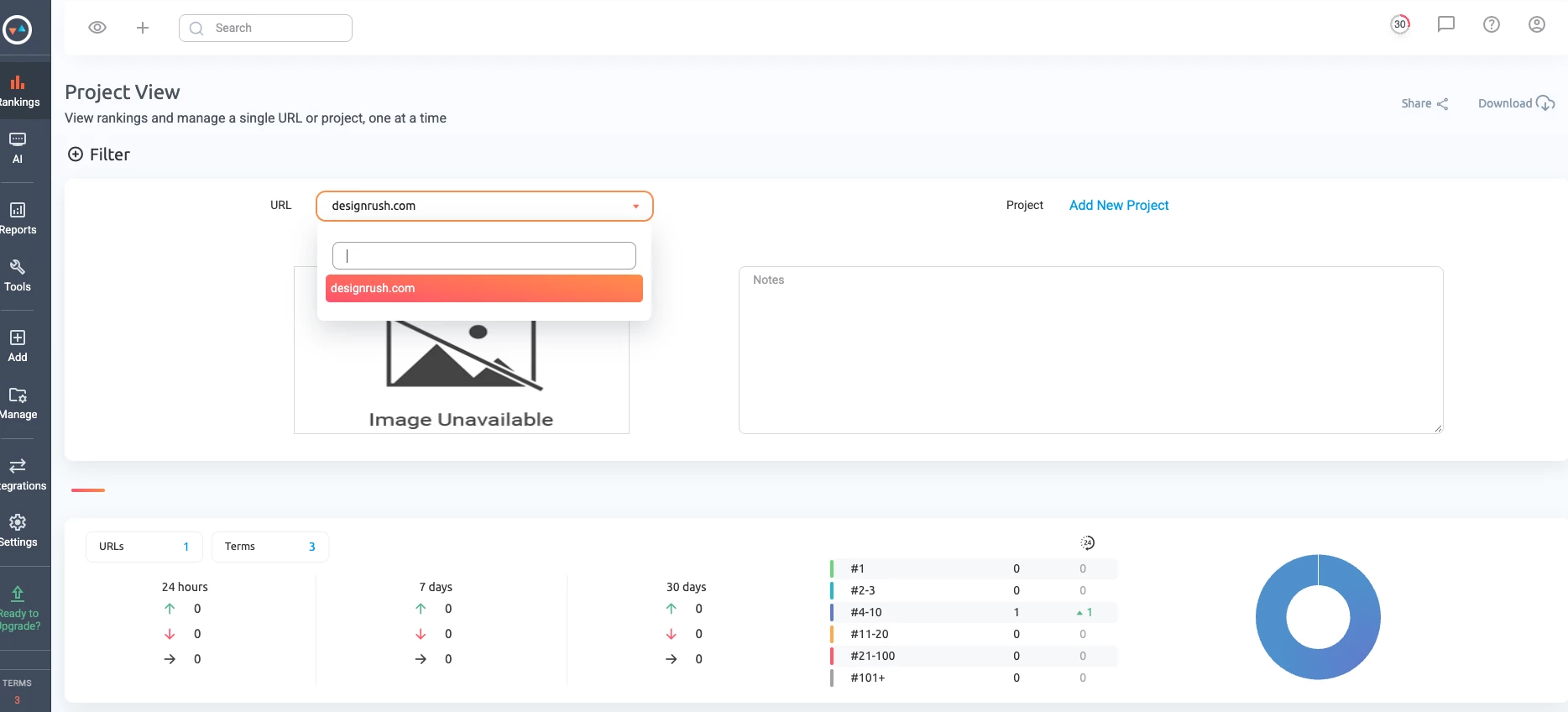
A retailer preparing for a seasonal campaign, for instance, could receive a weekly summary while the account team follows daily changes.
The same tracking data can support both routines without requiring clients to navigate the agency's full research stack.
Watch how PRT counts usage. A term combines a keyword, URL, and search configuration.
Adding locations or devices can consume more terms, so 1,000 terms will not necessarily cover 1,000 distinct phrases across every market.
Pricing
- Starter: $99/month for 1,000 terms.
- Pro: $149/month for 2,000 terms, MyRanks, and 10 users.
- Agency: price depends on the selected term allowance; includes API access and update-on-demand.
- Free seven-day trial with 100 terms; no permanent free plan.
Try ProRankTracker with a real client's keywords, devices, and target locations.
Pros:
- Live links, scheduled files, and a client app offer reporting flexibility
- Daily tracking works alongside an existing SEO toolkit
- User permissions help control access to client information
Cons:
- Multiple search configurations increase term consumption
- MyRanks requires Pro or higher
- API access and update-on-demand require Agency
What Users Say
Feedback on Capterra includes praise for PRT's clean interface and straightforward keyword monitoring.
For agency buyers, the next step is to test report delivery and calculate usage across the full campaign setup. Ease of use matters, but the subscription still needs enough terms for the locations and devices your clients expect.
Other Notable Features
- PDF, XLSX, and CSV report formats.
- Scheduled delivery to supported cloud storage services.
- Google Business Profile and local-result tracking.
- YouTube ranking monitoring.
- Custom branding and email settings for client reports.
3. AccuRanker: Best for Detailed Keyword Segmentation
When an account contains thousands of keywords, AccuRanker's tags and filters help your team focus on the pages, topics, and markets that need attention.
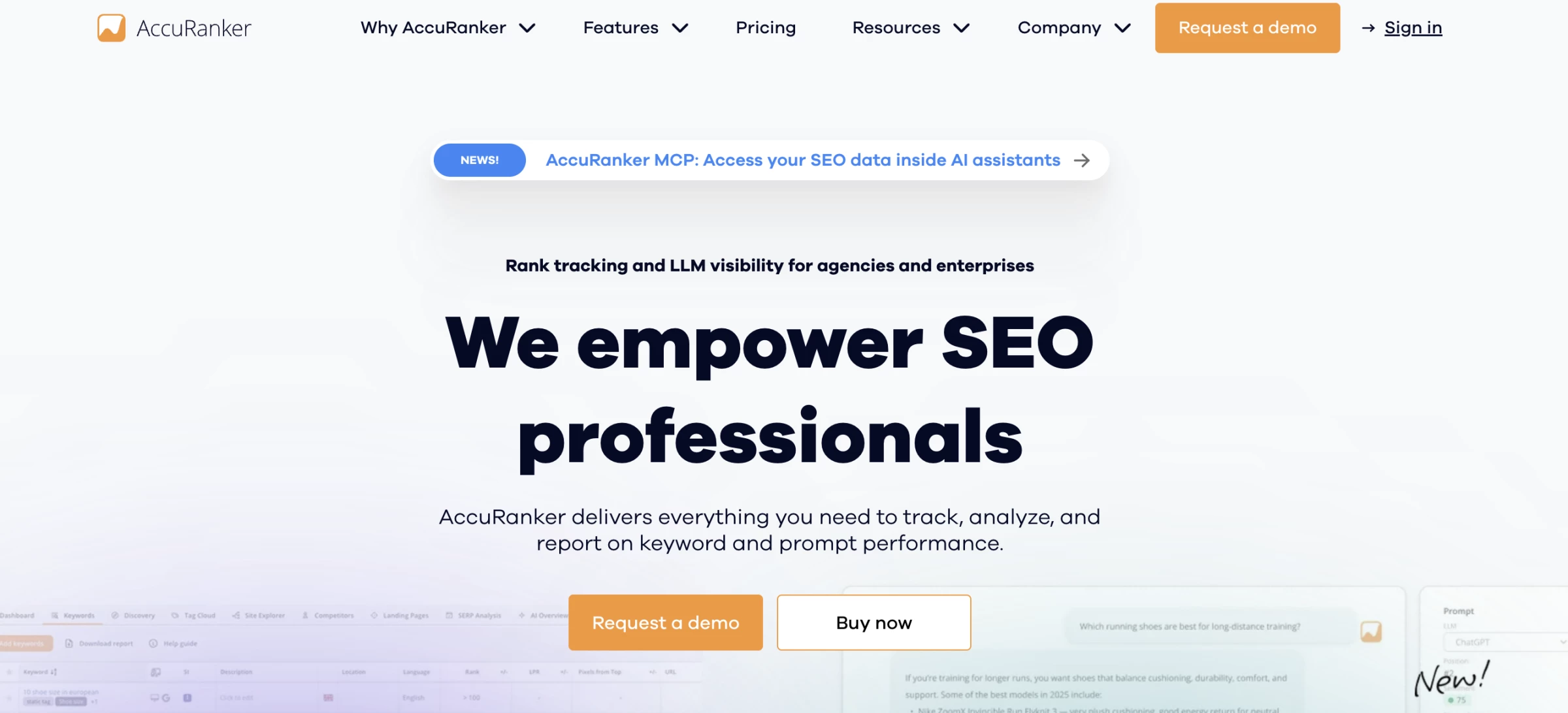
AccuRanker is a dedicated rank monitoring platform built around keyword analysis, segmentation, and reporting.
An overall visibility trend can hide substantial differences within a campaign. Tagging keywords by product category, search intent, or business priority lets an agency examine the relevant group before making recommendations.
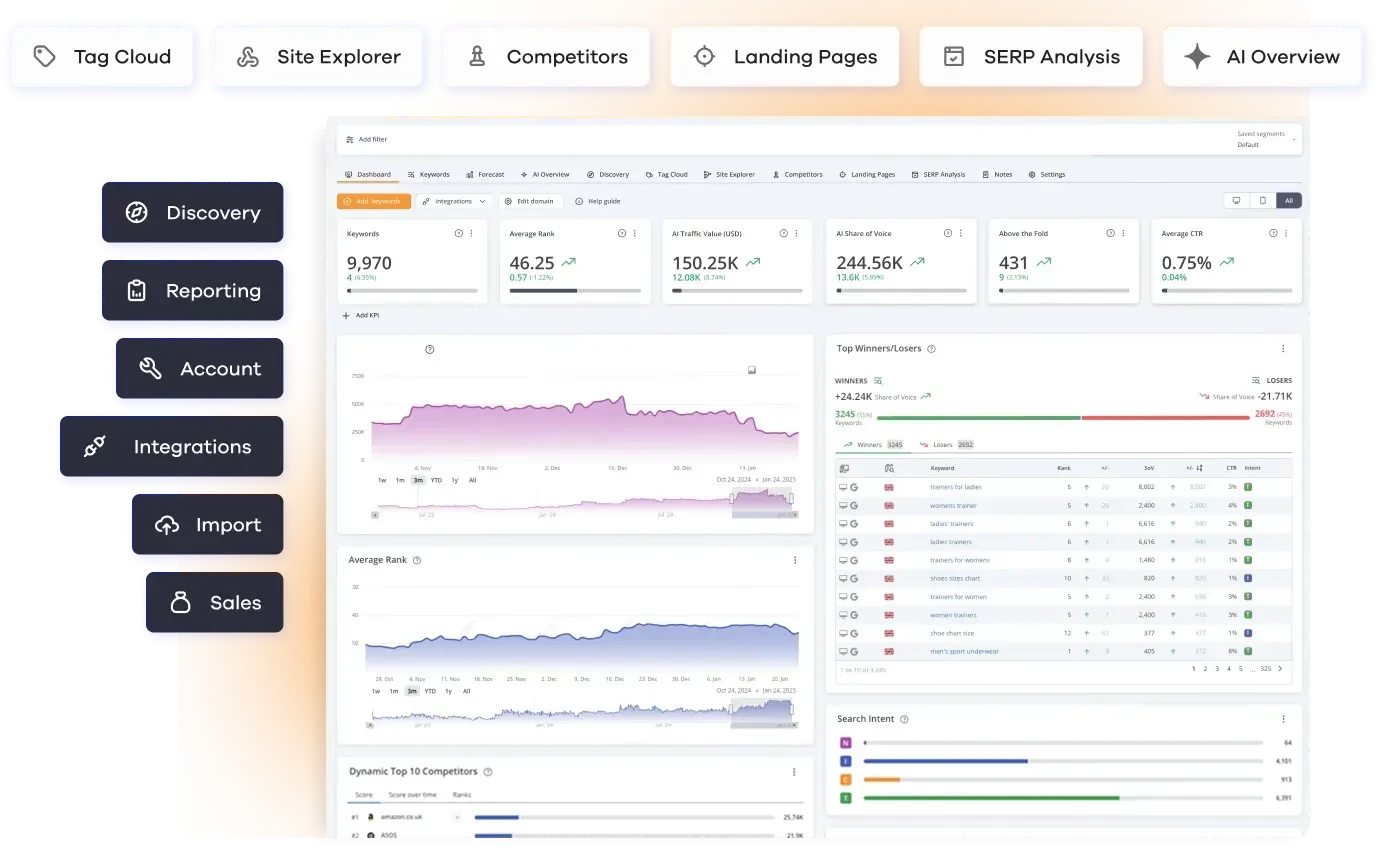
Consider an eCommerce client with separate furniture, lighting, and homeware departments.
If furniture terms decline while the other categories improve, a filtered view helps the account team narrow its investigation. It also gives department stakeholders a more relevant report than an average across the entire store.
The distinction between plans is substantial. Professional covers daily monitoring, filtering, and exports. Expert adds dynamic tagging, AI CTR, AI Search Volume, and read API access. Those additions warrant a higher subscription only if they support work your team will actually do.
Pricing
- Professional: $224/month.
- Expert: $764/month.
- Enterprise: Custom pricing for larger requirements.
Request an AccuRanker demo using your agency's keyword segments and reporting requirements.
Pros:
- Tags and filters support focused analysis of large campaigns
- Daily monitoring and exports are included in Professional
- Advanced tiers add analysis models and data access
Cons:
- Expert represents a substantial increase over the displayed Professional price
- Dynamic tagging and read API access require Expert
- AI visibility requirements need a separate subscription check
What Users Say
Capterra feedback highlights the interface and access to historical ranking data. Other reviewers describe the volume of information as difficult to work through.
That makes the demo especially useful: bring a large keyword set and ask how an account manager would isolate a problem and explain it to a client.
Other Notable Features
- Search intent information adds context to keyword groups.
- Google Analytics and Search Console integrations.
- Dynamic keyword grouping on Expert.
- AI CTR modeling on qualifying plans.
- AccuLLM monitors brand mentions and citations in supported AI answers.
4. Nightwatch: Best for Tracking Multiple Local Markets
Nightwatch is worth considering when clients need separate visibility reports for individual locations, devices, or languages.
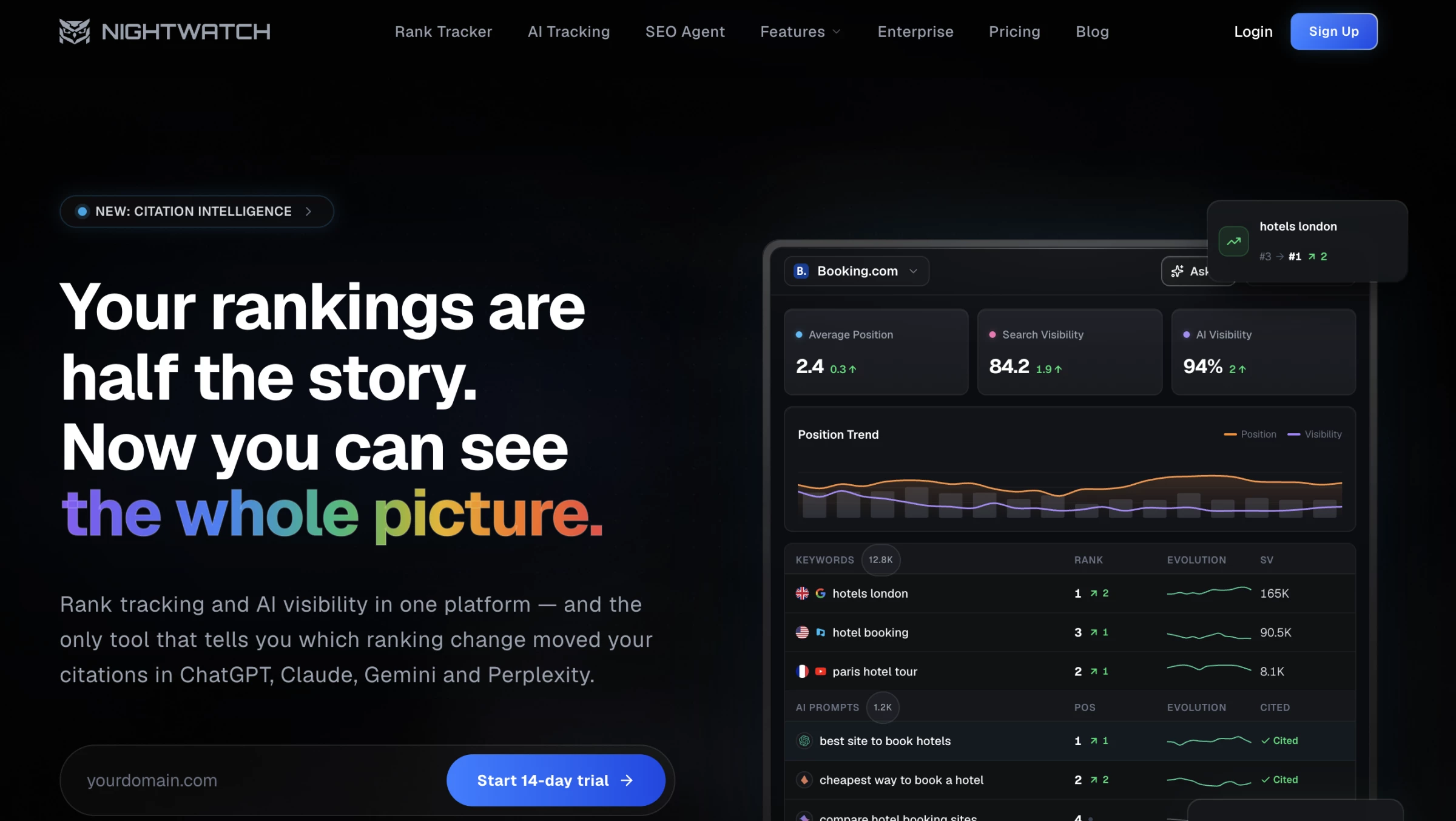
Nightwatch combines location-specific rank tracking with reporting, site auditing, and AI visibility monitoring. Its plans provide separate allowances for keywords and AI prompts.
Its targeting controls are useful for agencies managing campaigns across several service areas.
A plumbing company operating in three cities, for example, may need a different keyword set and report for each market. Keeping those settings explicit makes the resulting comparisons more meaningful.
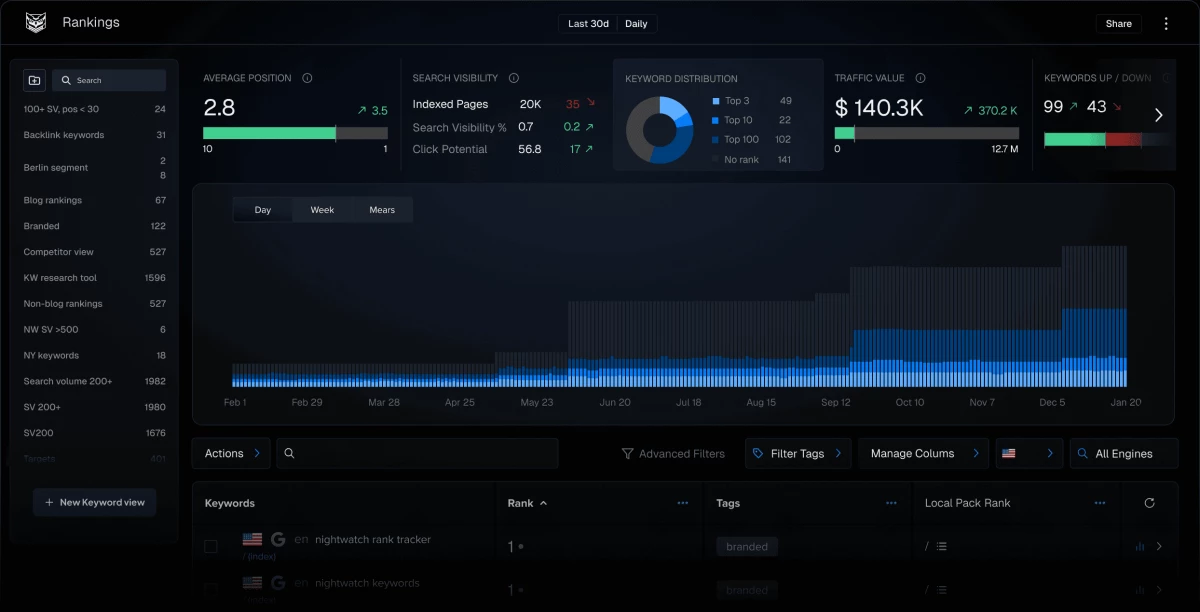
Website capacity may determine the right plan before keyword volume does. Starter covers five websites.
Professional increases that to 25 and adds white-label reporting, Looker Studio, and API access, making it the more relevant starting point for many client portfolios.
Pricing
- Starter: €79/month billed annually
- Professional: €159/month billed annually
- Free 14-day trial; no permanent free plan.
Use Nightwatch's trial to compare results and reporting across your target markets.
Pros:
- Location, device, and language settings suit regional campaigns
- Plans include conventional keyword and AI prompt tracking
- Professional adds branded reports and data integrations
Cons:
- Starter's five-website limit may be restrictive for agencies
- White-label reporting requires Professional
- Keyword and prompt allowances need separate capacity planning
What Users Say
Nightwatch's Capterra reviews include positive comments about the desktop interface and customer service.
Those experiences provide useful context for usability. Your own trial should establish whether the location settings, client website limits, and report layouts match the services you sell.
Other Notable Features
- Monitoring across supported search engines and Google Maps.
- Keyword research tools for expanding tracked campaigns.
- Site auditing alongside position data.
- AI visibility checks across supported answer platforms.
- API and Looker Studio access on Professional.
5. Advanced Web Ranking: Best for Custom Reporting and SEO Forecasting
Advanced Web Ranking gives agencies room to tailor reporting for different stakeholders and connect visibility trends with campaign planning.
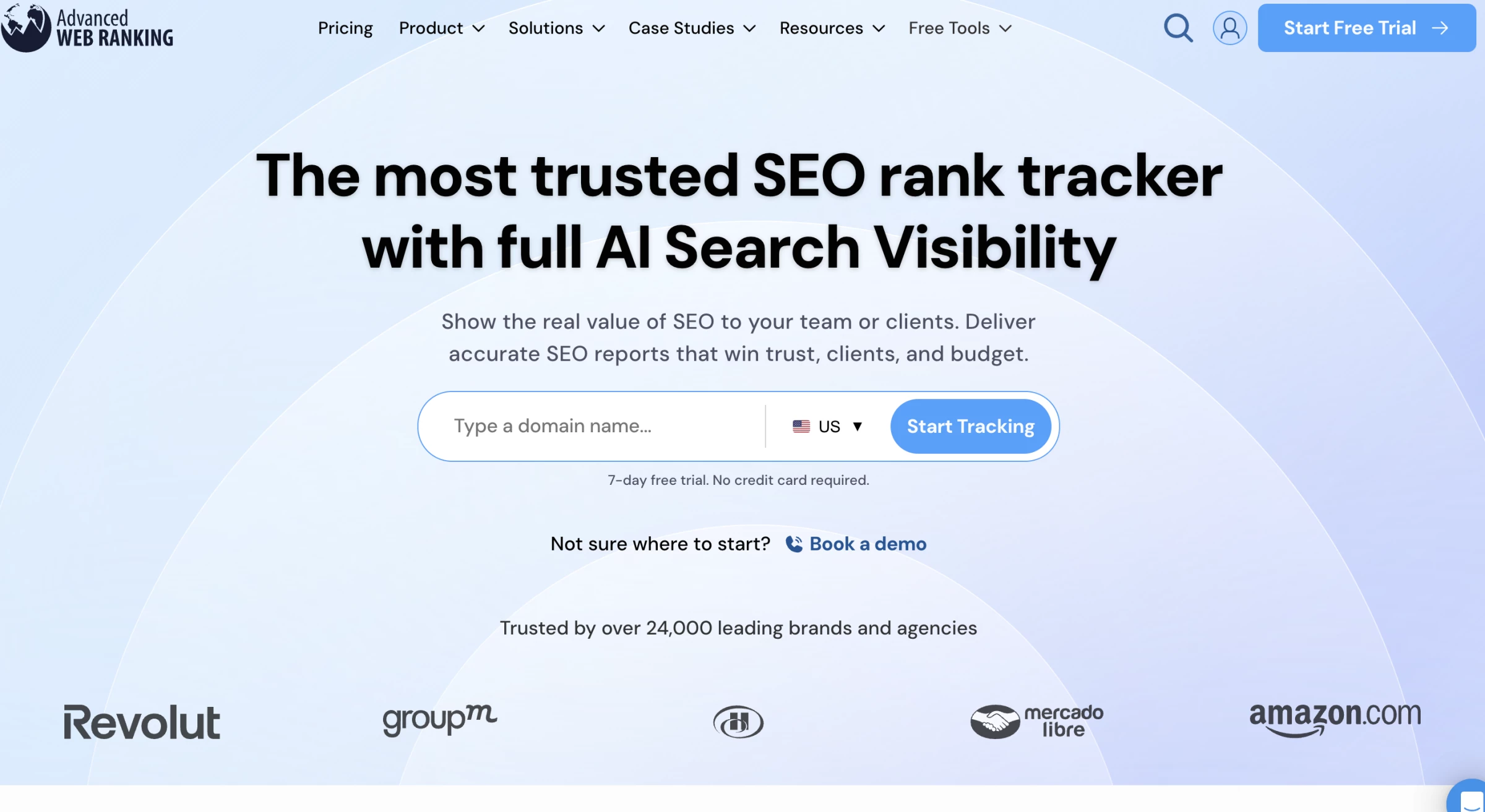
Advanced Web Ranking, or AWR, is a rank monitoring and reporting platform with forecasting, sharing, and integration options.
Report customization is central to its agency appeal. Account managers can add notes, adjust layouts, and share different views of campaign performance.
A marketing director may need an overview, while the SEO team needs the keywords and landing pages behind it.
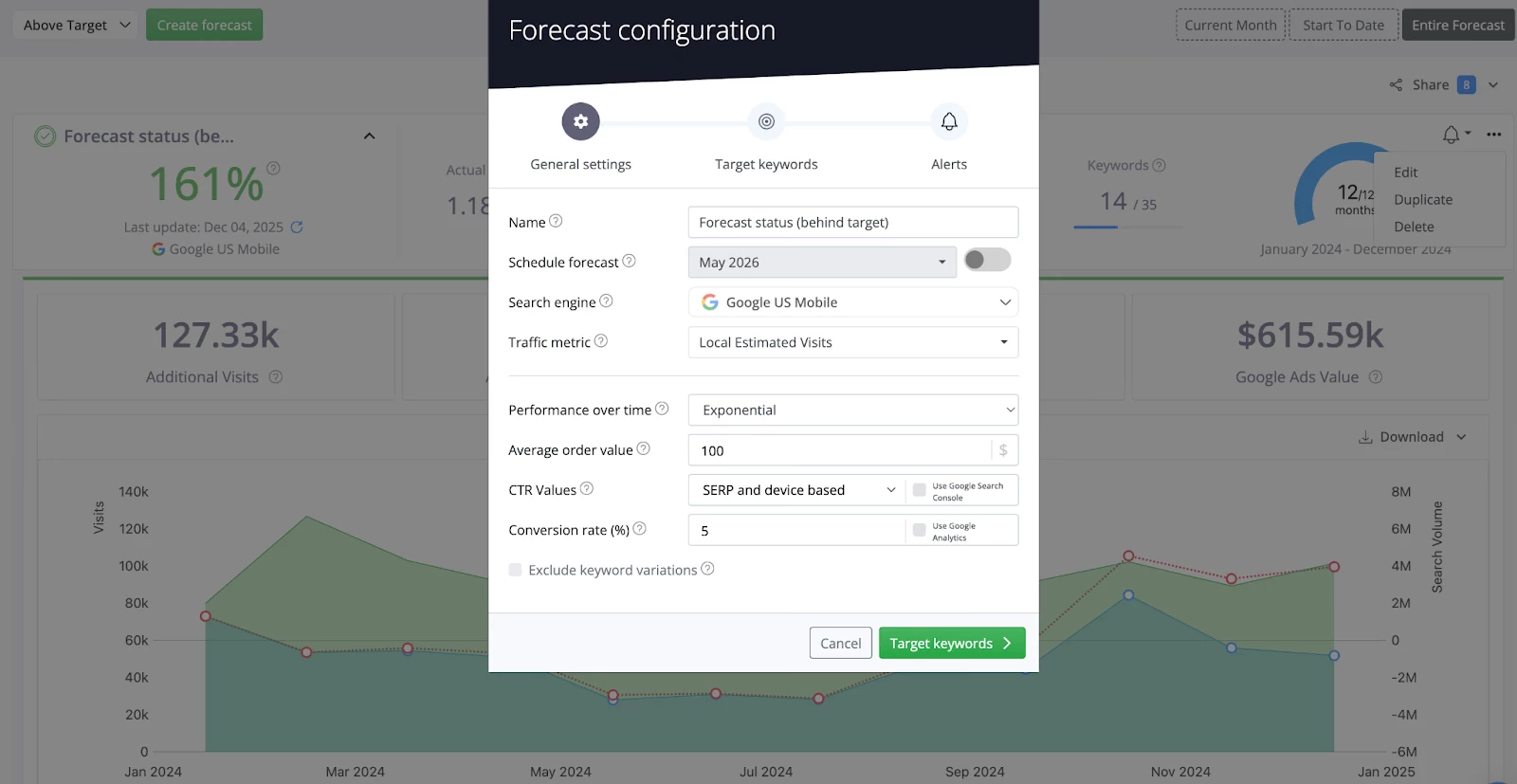
Forecasting adds a planning layer. For a client evaluating a new service category, the agency could use a forecast to discuss potential outcomes and assumptions before agreeing on targets.
A forecast remains a model, so it should not become a guaranteed traffic or revenue commitment.
Check the quota model carefully. AWR's published keyword units assume weekly checks. Daily monitoring uses seven times as many units before other settings affect consumption.
The Pro allowance of 7,000 weekly units would therefore cover 1,000 daily checks under otherwise equivalent settings.
Pricing
- Pro: $139/month for 7,000 weekly keyword units.
- Agency: $279/month for 14,500 weekly units, unlimited forecasts, and additional integrations.
- Enterprise: $699/month for 35,500 weekly units.
- Free trial available; confirm branding eligibility for your chosen subscription.
Try AWR and calculate the units required for your reporting schedule.
Pros:
- Report layouts, notes, and sharing options support varied client needs
- Forecasting helps structure campaign planning discussions
- Pro includes unlimited projects and users
Cons:
- Weekly headline allowances can overstate capacity for daily campaigns
- API access and Looker Studio require Agency
- Pro limits SEO forecasts to one per project
What Users Say
Users on Capterra describe useful client keyword monitoring and Google integrations. One long-term reviewer also notes that the interface and different report types can be awkward to use.
Build two reports during evaluation: a concise client summary and a detailed internal version. That will show how much setup your reporting process requires.
Other Notable Features
- PDF, CSV, and XLSX exports.
- Scheduled reports and read-only sharing links.
- Market share analysis for tracked campaigns.
- One-hour on-demand updates on Agency.
- BigQuery integration and cross-project reports on Enterprise.


6. Mangools: Best for Solo Consultants and Small SEO Teams
Mangools pairs rank monitoring with accessible research tools for agencies that want a compact SEO toolkit.
Mangools is a collection of SEO tools covering keyword research, search results, backlinks, domain metrics, and rank tracking through SERPWatcher.
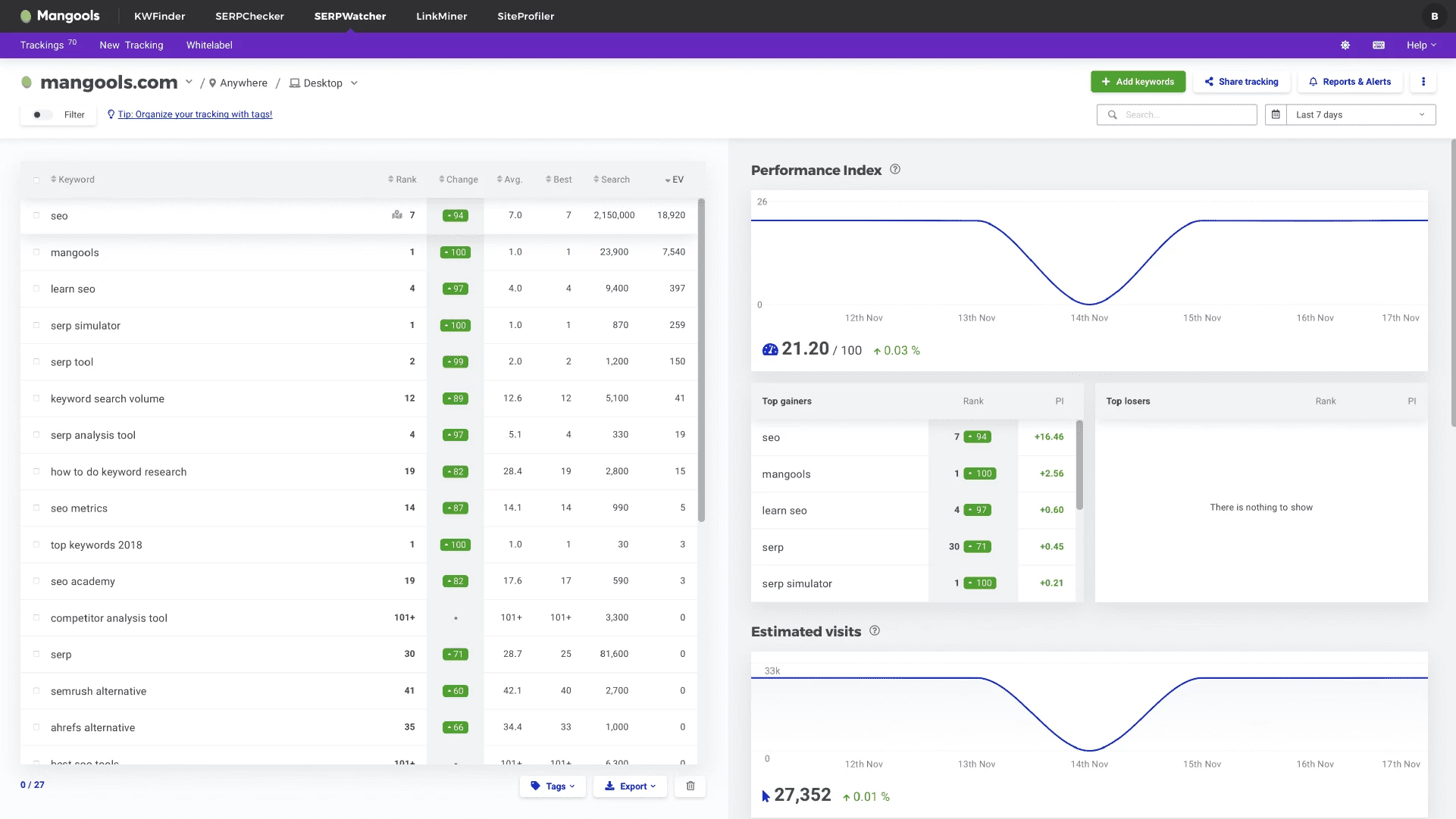
The workflow is straightforward: research opportunities in KWFinder, review the results landscape in SERPChecker, and monitor selected keywords in SERPWatcher.
Interactive report links let clients follow progress without receiving a new presentation every time positions change.
For a consultant working with a small online store, that can cover much of the research and monitoring routine. Technical auditing would still need separate consideration, since this bundle does not replace a dedicated site crawler.
Refresh frequency is the purchasing detail to settle first. Basic and Premium use weekly updates, while Agency provides daily tracking. Even a modest campaign may need Agency if the client agreement promises daily monitoring.
Pricing
- Limited permanent free plan available.
- Basic: $37.70/month billed annually, including 200 tracked keywords with weekly updates.
- Premium: $52.70/month billed annually, including 700 tracked keywords with weekly updates.
- Agency: $97.70/month billed annually, including 1,500 tracked keywords with daily updates.
Compare Mangools plans against your keyword volume and promised update frequency.
Pros:
- Research and tracking tools cover several everyday SEO tasks
- Interactive links simplify sharing progress
- A limited free plan offers an entry point for evaluation
Cons:
- Daily ranking updates require Agency
- Device variations consume separate tracking capacity
- Technical site auditing requires another tool
What Users Say
Capterra feedback includes praise for ease of use and value. In a June 2026 review, one user reported outages, import problems, and a desire for better integration between the tools.
That is an individual experience, but it provides a useful trial checklist: import a real project, move between the tools, and confirm the reporting cadence before paying annually.
Other Notable Features
- Performance Index summarizes tracked visibility using search-volume weighting.
- Desktop and mobile tracking settings.
- Location targeting for regional campaigns.
- Scheduled reports and event-based alerts.
- LinkMiner and SiteProfiler for backlink and domain research.
7. AgencyAnalytics: Best for Reporting Across Marketing Channels
Choose AgencyAnalytics when the client conversation needs rankings, paid media, and other marketing results in one report.
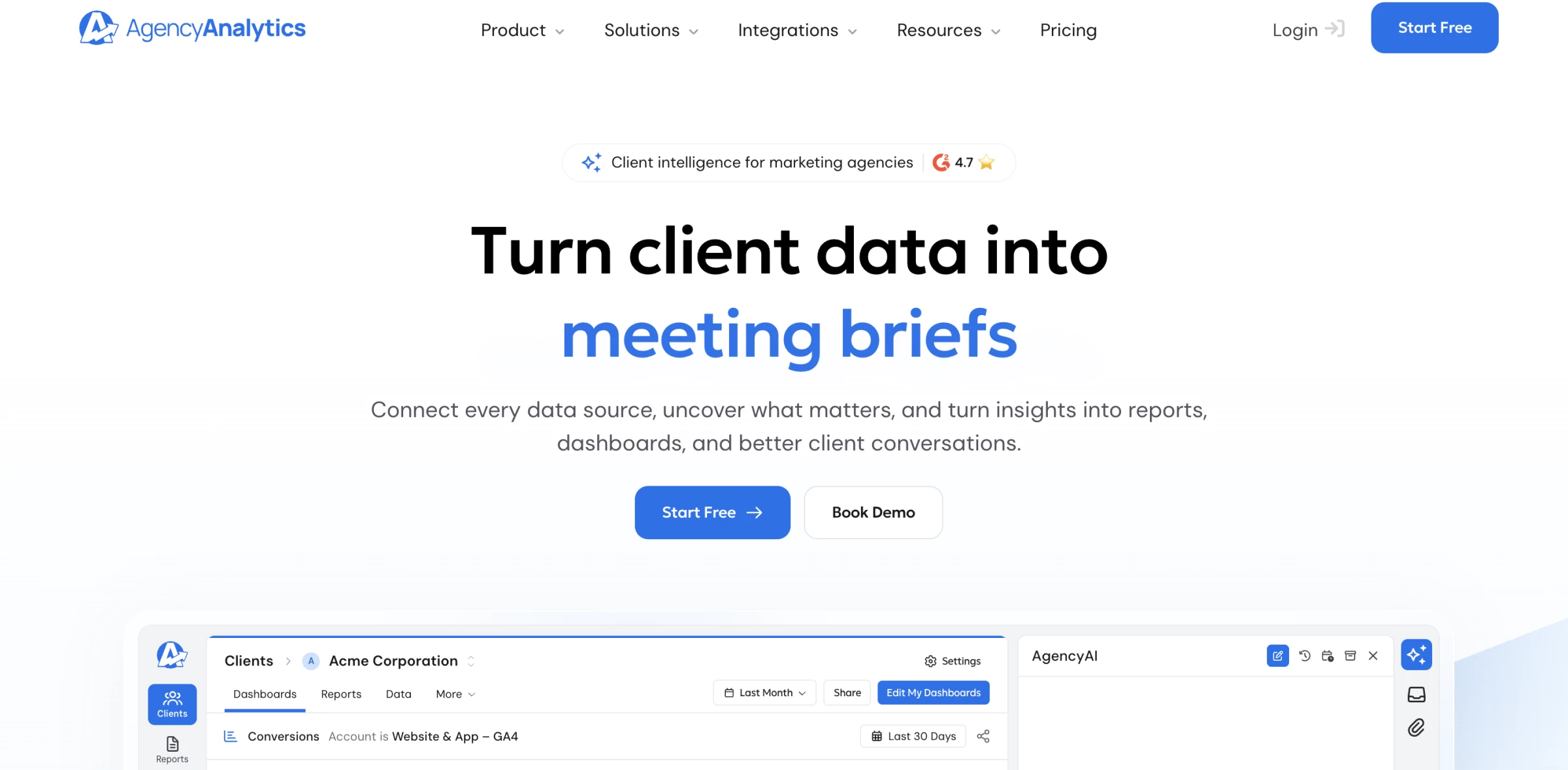
AgencyAnalytics is a client reporting platform with dashboards, automated reports, marketing integrations, and an optional Rank Tracker.
Its role is broader than position monitoring. An agency managing SEO and paid campaigns can bring connected data into one reporting process, giving account managers a common place to prepare the client update.
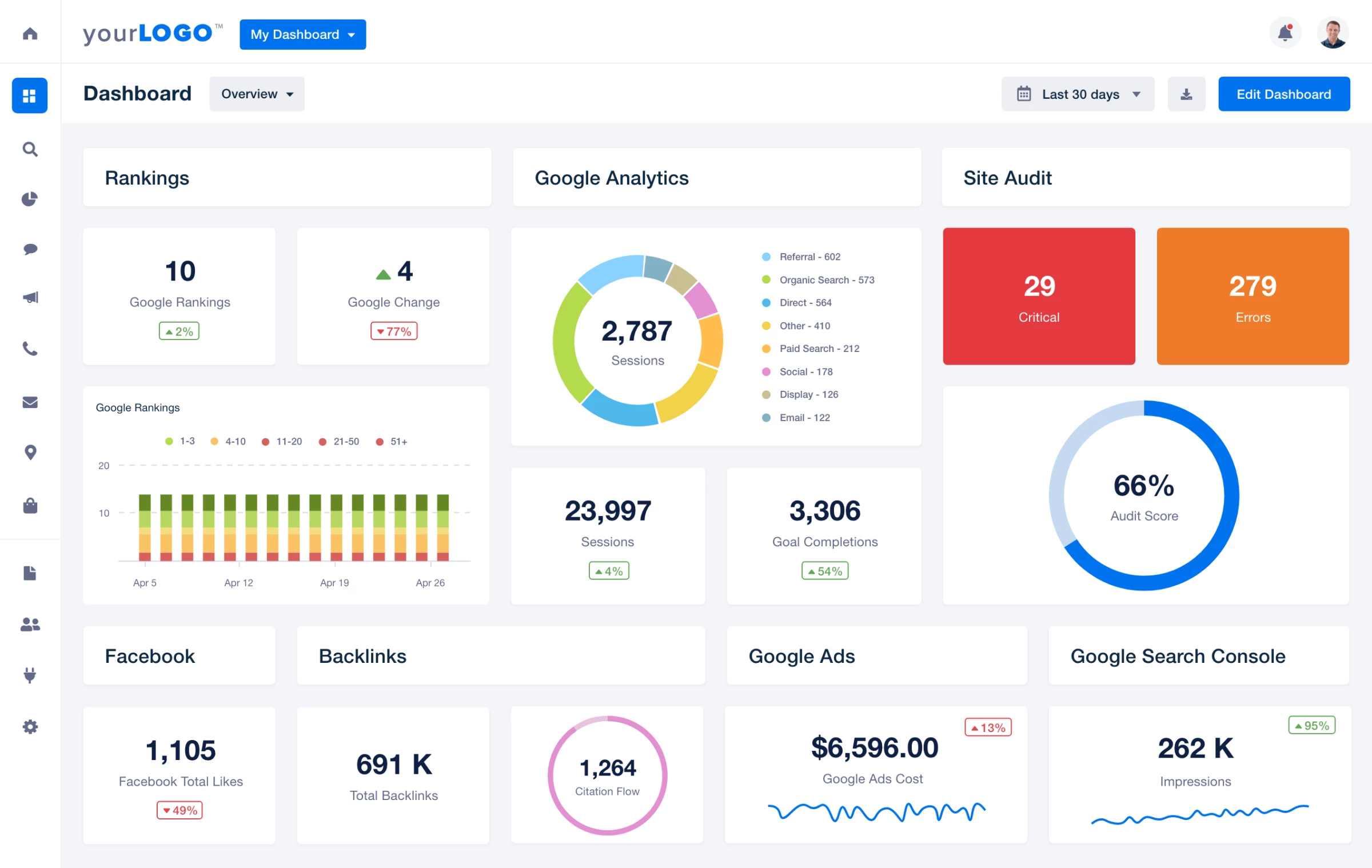
For example, a retailer's monthly report could show keyword movement alongside traffic and advertising results.
An account manager could then explain how visibility and traffic changed during the same reporting period.
Pricing follows the reporting relationship. Core scales with the number of clients, while Rank Tracker adds keyword capacity separately. This makes the product particularly relevant when reporting already consumes a significant part of your team's workload.
Pricing
- Core: $20/client/month billed annually.
- Rank Tracker: an additional $41.67/month per 500 keywords billed annually.
- Ten clients plus one 500-keyword block: $241.67/month equivalent on annual billing.
- Free 14-day trial; AI Tracker is a separate add-on.
Build a trial report combining one client's rankings and connected marketing data.
Pros:
- Rankings can appear beside results from other marketing channels
- Core includes unlimited staff and client users
- Branded portals and automated reports support ongoing client delivery
Cons:
- The platform subscription increases with client count
- Rank tracking adds a separate charge
- AI visibility monitoring requires another add-on
What Users Say
AgencyAnalytics reviewers on Capterra praise dashboards and the ability to bring data together. Some describe live client access as a useful way to make reporting more transparent.
Evaluate it with the integrations your agency actually uses. A polished dashboard is most valuable when the connected data and account structure support your reporting routine.
Other Notable Features
- More than 85 marketing integrations.
- Scheduled reports with approval workflows.
- Custom domain and email branding.
- Configurable client permissions.
- Roll-up dashboards for viewing results across accounts.
8. BrightLocal: Best for Local SEO and Google Maps Visibility
For agencies serving physical businesses, BrightLocal shows how visibility changes around each location and adds tools to investigate local search issues.
BrightLocal is a local SEO platform with rank reports, map-grid tracking, citation monitoring, and Google Business Profile auditing.
Its Local Search Grid is especially useful when a single city-level position leaves too much unexplained.
The grid checks rankings at multiple coordinates, showing where a business appears prominently and where visibility weakens.
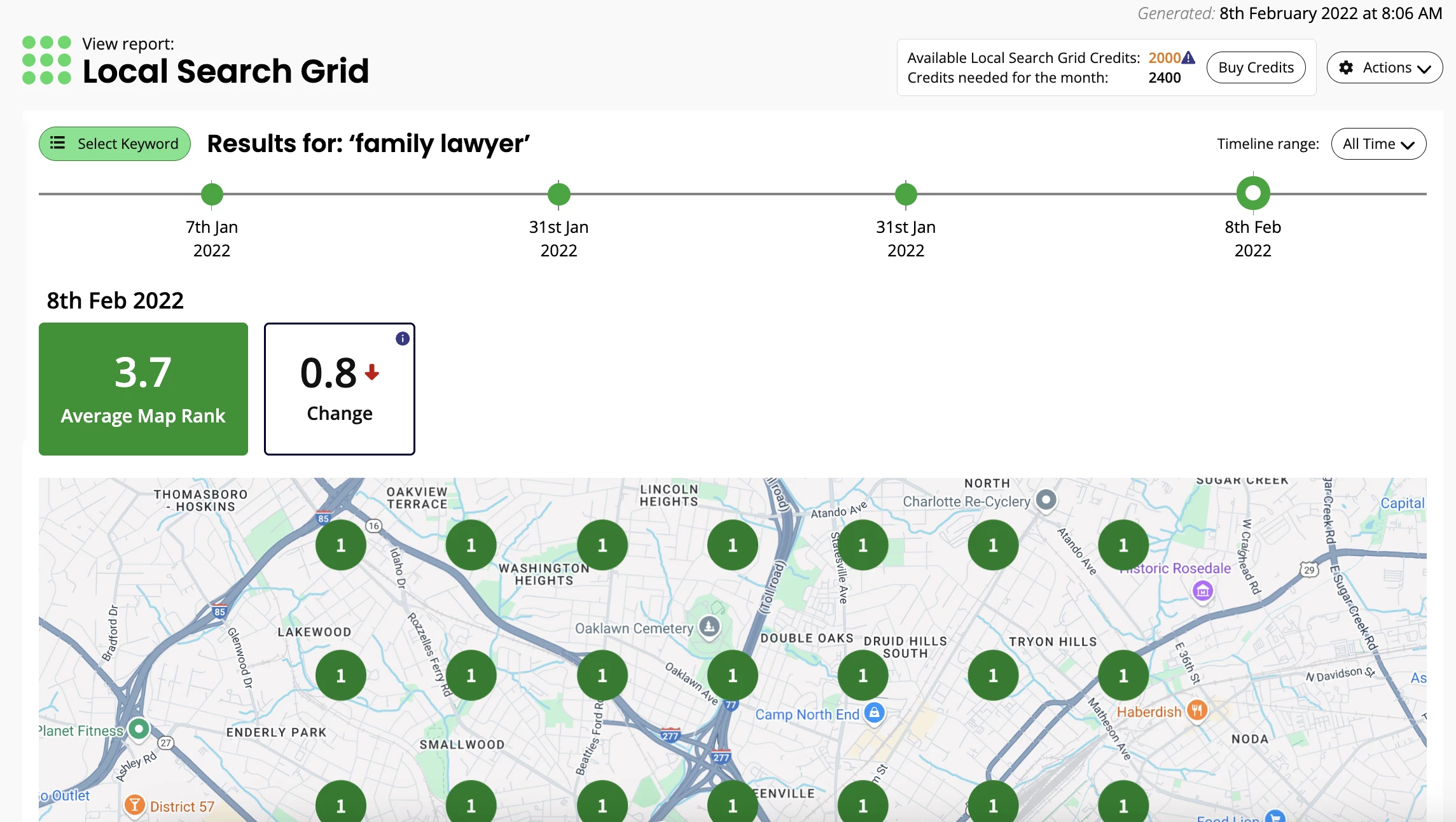
A lawyer’s practice might rank well near its office yet perform less strongly in a neighboring area.
That geographic pattern gives the agency a more specific starting point for investigating competitors, profile information, and the local campaign. The team can then decide which areas need closer review.
The broader toolkit supports that investigation. Citation checks and profile audits add context to rank reports, while branded reporting helps communicate the findings. Agencies serving many branches should price the full location portfolio and its grid requirements together.
Pricing
- Track: $41/month for one location, or $369/year.
- The published 6–10-location Track tier costs $83/month.
- Free 14-day trial; no permanent platform free plan.
Try BrightLocal with a client location and inspect the surrounding map results.
Pros:
- Map grids reveal geographic differences within a service area
- Citation and profile checks complement rank monitoring
- Branded reports support local SEO client updates
Cons:
- The entry price covers one location
- Grid keyword allowances can constrain broader monitoring
- Listings management and review tools require higher plans or separate services
What Users Say
Capterra reviewers highlight reporting and the usefulness of grid views. Other feedback describes initial uncertainty about which features belong to the subscription and which cost extra.
Before choosing a tier, map each promised service to its included tool. Rank tracking, listings work, and review management do not have identical requirements.
Other Notable Features
- Competitor comparisons in local rank reports.
- Citation accuracy monitoring.
- Google Business Profile audits.
- Shared location dashboards.
- White-label reporting for agency presentation.
9. Wincher: Best for Focused Daily Rank Monitoring
Wincher offers a focused tracking workflow for teams that want daily keyword updates without adopting a broader research suite.
Wincher is a rank tracking platform with daily updates, competitor monitoring, keyword grouping, and automated reports.
A small agency can use it to organize the terms that matter to each client and follow their movement over time.
Grouping helps keep separate service lines or campaign priorities visible when an overall average would conceal them.
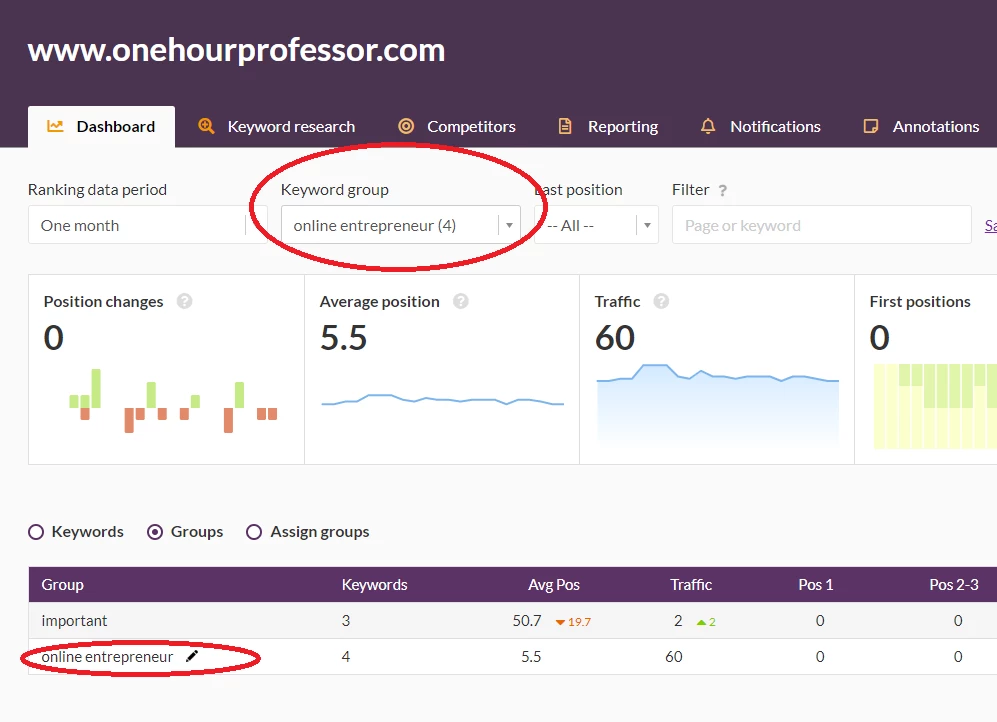
For example, a home services client could have separate groups for boiler repairs and bathroom installations.
The account manager could review each group before preparing the scheduled update, then investigate unusual movement using the agency's other SEO tools.
Plan selection goes beyond keyword count. Higher configurations add on-demand updates, white-label reporting, Looker Studio, and API access. Agencies that need external users or project permissions should also check the relevant access tier before subscribing.
Pricing
- Use the live pricing selector for the current amount and billing period.
- A free trial is available; confirm its current terms and any free-plan restrictions.
Configure Wincher for your client portfolio and test a scheduled report.
Pros:
- Daily updates support routine monitoring
- Keyword groups keep campaign priorities organized
- Automated reports reduce repeated export work
Cons:
- Entry-level access is limited to one user
- White-label reports and API access require higher configurations
- Tracking desktop and mobile increases keyword usage
What Users Say
Capterra feedback includes praise for straightforward tracking and onboarding. A February 2026 reviewer specifically flagged the extra keyword consumption when monitoring desktop and mobile.
Price a sample project with both devices enabled if your clients need them. That gives a more realistic capacity estimate than counting unique phrases alone.
Other Notable Features
- Location and device settings.
- Competitor tracking by website.
- Ranking annotations and notifications.
- Historical data import on qualifying plans.
- Looker Studio connectivity on higher configurations.
10. Keyword.com: Best for Custom Dashboards and API Workflows
Keyword.com is a practical option for agencies that want ranking data in their own reporting process, with shared dashboards for clients who need direct access.
Keyword.com is a rank tracking platform with API access, shared reporting, scheduled exports, and configurable tracking packages.
Its reporting options cover several client preferences. A Shared Project provides a live, read-only dashboard.
Scheduled reports send recurring files, while exports and the API support workflows built around other reporting tools.
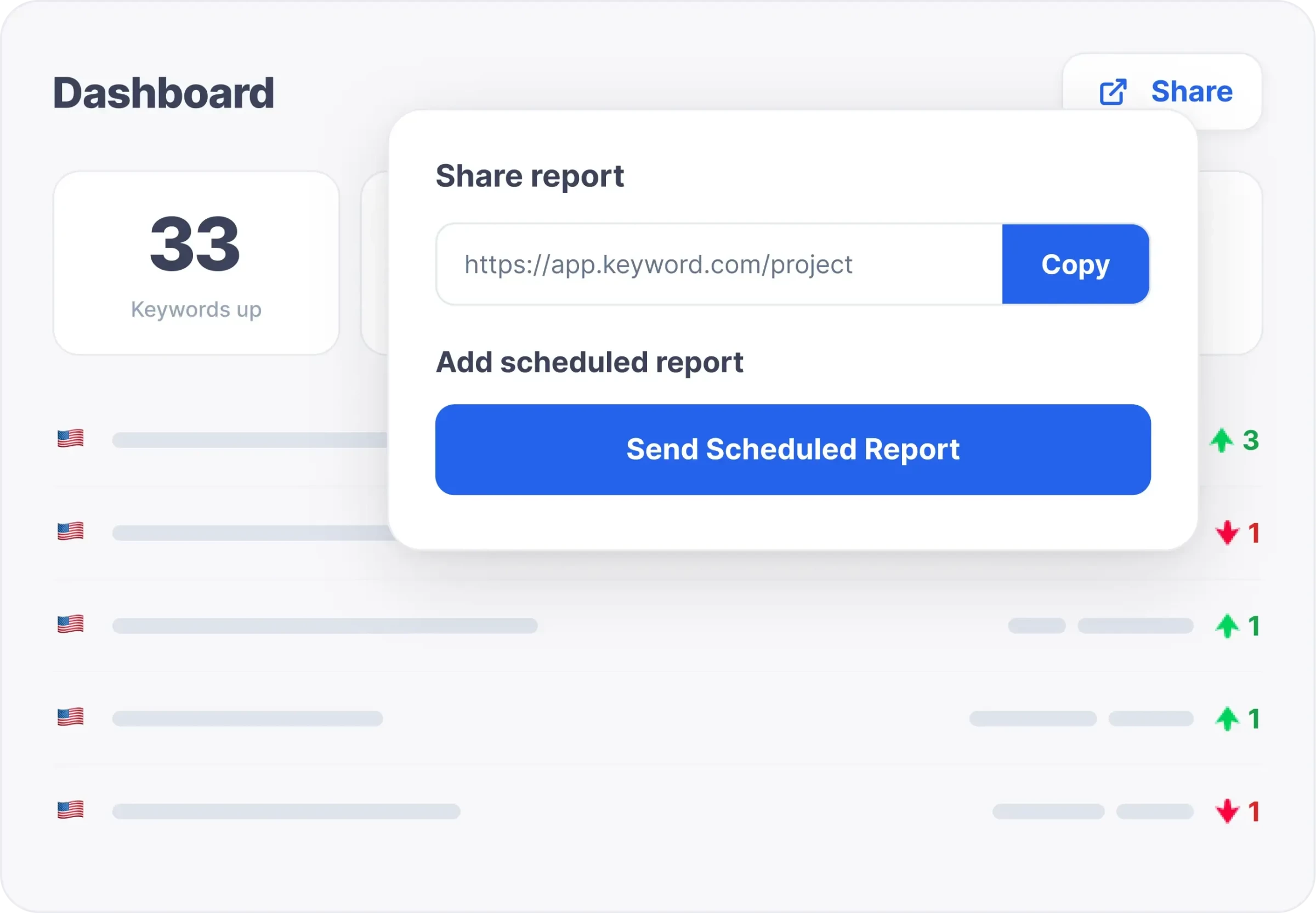
An agency with an existing client portal, for instance, could use the API to bring ranking data into that system. A smaller account might only need a shared link and a monthly PDF. The appropriate setup depends on how clients consume the results.
The low entry price covers a small allowance. Larger portfolios need a calculation based on keyword volume, update frequency, and search depth.
White-label branding is an additional charge, and desktop and mobile variants consume separate keyword capacity.
Pricing
- Search Visibility: from $4/month, or $3/month billed annually, for the entry 50-keyword tier.
- White-label add-on: $29/month or $278/year.
- Free 14-day trial; no permanent free plan listed.
Try Keyword.com with a shared client dashboard or your existing reporting integration.
Pros:
- API access supports custom reporting workflows
- Shared dashboards and scheduled files accommodate different client preferences
- Small entry packages suit limited monitoring requirements
Cons:
- White-label branding costs extra
- The starting allowance is too small for most agency portfolios
- Device variants and tracking settings affect required capacity
What Users Say
Capterra feedback includes positive comments about ease of use and clear ranking data. The review sample is small, so it offers limited evidence about performance across different agency setups.
Test the integration or report your team will actually rely on, including permissions, scheduled delivery, and the fields available through the API.
Other Notable Features
- Shared Projects provide read-only client views.
- Scheduled PDF and CSV email reports.
- Embedded dashboards for agency websites or portals.
- Looker Studio integration.
- Custom domains and password protection through white-label settings.
How To Choose a Rank Tracker for Your Agency
The right rank tracker should fit your client portfolio, reporting commitments, and existing SEO tools.
Compare platforms against the work your team needs to deliver, including the cost of client access, branding, and integrations.
Match the Tool to Your Existing Workflow
Start with the services your agency delivers. If your team needs research, audits, and tracking, SE Ranking combines those functions. Agencies with an established research stack may prefer a dedicated tracker.
If account managers spend hours combining marketing data, consider AgencyAnalytics. For clients who need neighborhood-level Google Maps visibility, include BrightLocal.
Check What Clients Can See
Inspect a sample report and the client view before subscribing. Check whether you can control the logo, domain, sender address, visible projects, and access permissions.
A shared report link may suit one client, while another needs a secure portal. Choose a delivery method your team can maintain across accounts.
Reports may also need to serve different audiences within the same client organization.
In his interview with DesignRush, Spec Digital founder Nick Trueman describes coordinating content, PR, web, and eCommerce teams alongside “reporting directly to senior management.”
Apply that to your trial: check whether you can give senior stakeholders a concise visibility summary while providing SEO and content teams with the keyword and landing-page detail they need to plan improvements.
Match Local Tracking to the Search Result
A city-specific organic ranking and a map-grid result answer different questions. The first shows a position under a selected location setting. The second samples visibility across multiple points around a business.
For agencies extending their services beyond tracking, our AI local SEO tools guide covers related optimization workflows.
Test the Full Reporting Task
Use a trial to import a representative keyword set, configure locations and devices, organize the results, and produce a client report. Include access permissions and exports in the same exercise.
In his interview with DesignRush, AdLift CEO Prashant Puri explains his approach to Shopify’s SEO: “We mapped keywords to specific URLs on their site.” He also emphasizes monitoring high-intent, long-tail keywords.
Bring that approach into your trial. Add priority keywords and their intended landing pages, then check whether the tracker identifies which URL actually ranks.
This helps your team investigate cases where another page appears instead of the one your campaign targets.
Record the settings and timestamps when comparing results. Location, device, timing, and personalization can affect manual searches, so a single mismatch does not establish tracker accuracy.
Connect Visibility With Business Results
Chris Raulf, founder of Boulder SEO Marketing, recommends looking beyond positions when measuring SEO success.
In his interview with DesignRush, he explains: “Keyword rankings for target terms indicate visibility. Lead generation from organic search shows a direct impact. Conversion rates from organic traffic assess website effectiveness.”
Apply that distinction when comparing reporting options. Check whether you can review rankings alongside traffic and conversion data, through integrations or your existing reporting setup.
This gives your team the context to explain which visibility gains accompany more inquiries, purchases, or other client goals.
Rank Tracker for Agencies: Final Notes
Each of these tools offers something different. Some are better suited for large teams, others for leaner agency setups.
Pick the one that matches your current workflow, client volume, and reporting needs. As your agency grows, you can switch or upgrade.
If your team’s stretched thin or scaling fast, it might be time to bring in support. Hiring an SEO agency can free up your internal resources while ensuring your clients get results.
Our team ranks agencies worldwide to help you find a qualified partner. Visit our Agency Directory for the best SEO companies, as well as: