
I tested the top five social media AI tools to find out what worked and what didn’t. From where they really shine to where they fall short, here’s a breakdown of the highlights and lowlights of each tool.
Social Media AI Tools: Key Findings
- Ocoya helps small teams create, design, and schedule content in one platform, with strong eCommerce and multilingual support.
- Predis.ai generates full social posts from a single prompt and uses predictive analytics to boost performance.
- FeedHive improves engagement with AI-driven post scoring, smart automation, and contextual writing suggestions.
- SocialBee organizes content by category and repurposes blog posts into multi-platform social media updates.
- SocialPilot supports high-volume scheduling, client approvals, and multi-brand management at an affordable price.
Top Social Media AI Tools Reviewed
AI-driven social marketing platforms are rapidly transforming how businesses create content, schedule posts, engage audiences, and measure ROI.
Leading solutions now integrate generative AI, predictive analytics, and multi-channel publishing in one platform. Let's see how.
| Tool | Best For | Smart Scheduling | Content Generation | Visual Design | Pricing (Starting At) |
| Ocoya | Small teams and eCommerce brands | ✅ | ✅ | ✅ | $19/month |
| Predis.ai | Solopreneurs and fast content creators | ✅ | ✅ | ❌ (Limited) | Free / $39/month+ |
| FeedHive | Solopreneurs and startups | ✅ | ✅ | ❌ | $22/month |
| SocialBee | Coaches and small agencies | ✅ | ✅ | ✅ | $29/month |
| SocialPilot | Agencies and multi-brand teams | ✅ | ✅ | ❌ (Limited) | $30/month |
According to Dimi Baitanciuc, Co-Founder and CEO of Brizy, AI isn’t just transforming how marketers work — it’s accelerating how fast they can learn what works.
He explained that “AI is also making dynamic content generation and automated A/B testing more accessible,” which ultimately leads to “faster optimization cycles.”
In other words, AI isn’t just helping teams move faster — it’s helping them get smarter as they go.
1. Ocoya: All‑in‑One AI Social Media Marketing
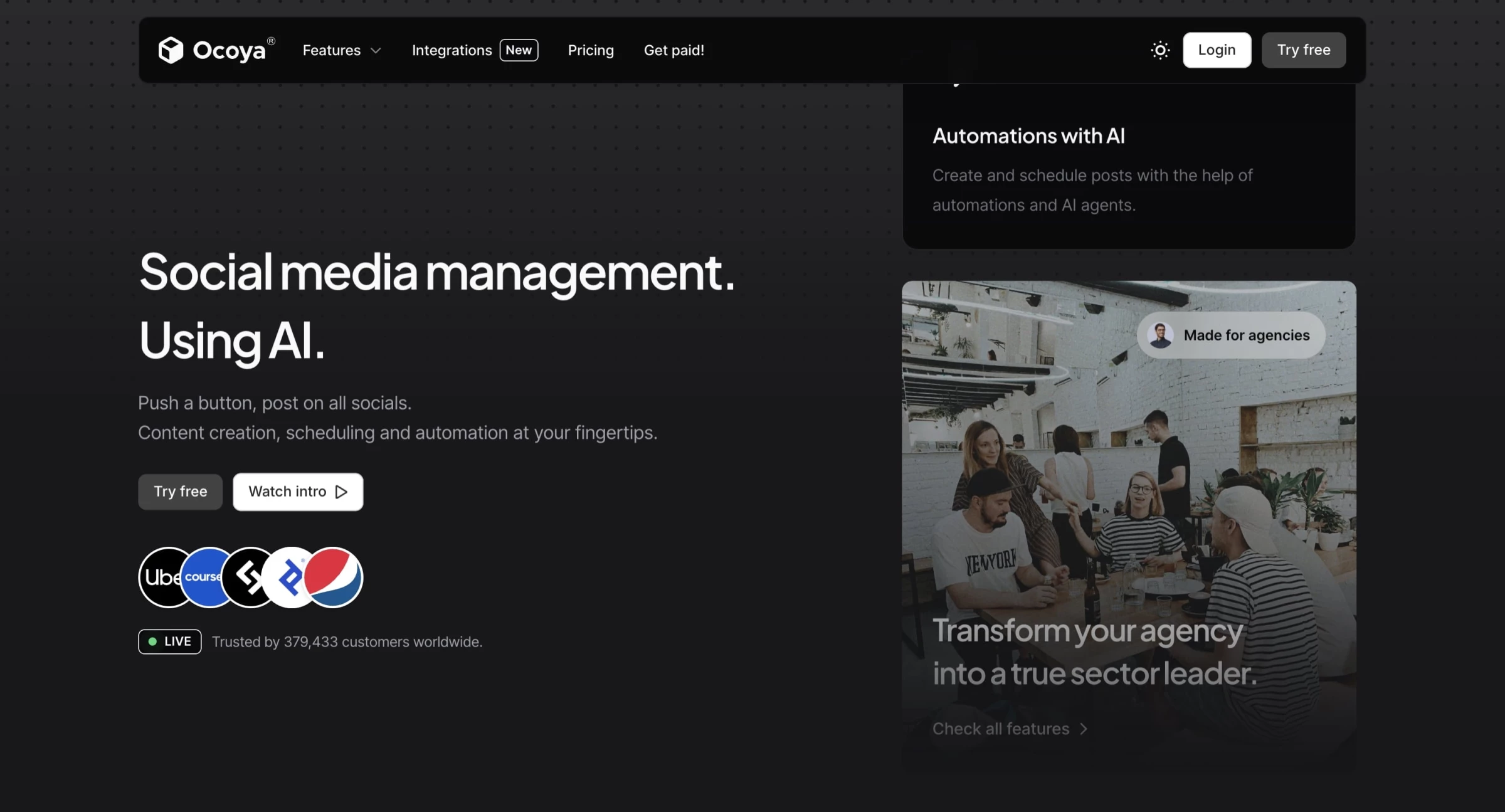
So, I decided to give Ocoya a proper test run after hearing it tossed around as an “AI content creator meets social media manager” kind of tool.
I wanted to see if it could actually save me time or if it was just another shiny platform with too many buttons and not enough power.
| Pros | Cons | Pricing |
|
|
|
Signing up was smooth — I used my Google account, and boom, I was in. No credit card required at first, which I appreciated.
The dashboard looked modern, not cluttered, and it greeted me with a little onboarding checklist: connect socials, generate content, schedule posts. Super straightforward.
First thing I did was head to Socials. I connected Instagram (through Facebook), LinkedIn, and X. The authentication process was painless. Ocoya asked for the usual permissions, and once granted, my accounts showed up instantly in the dashboard.
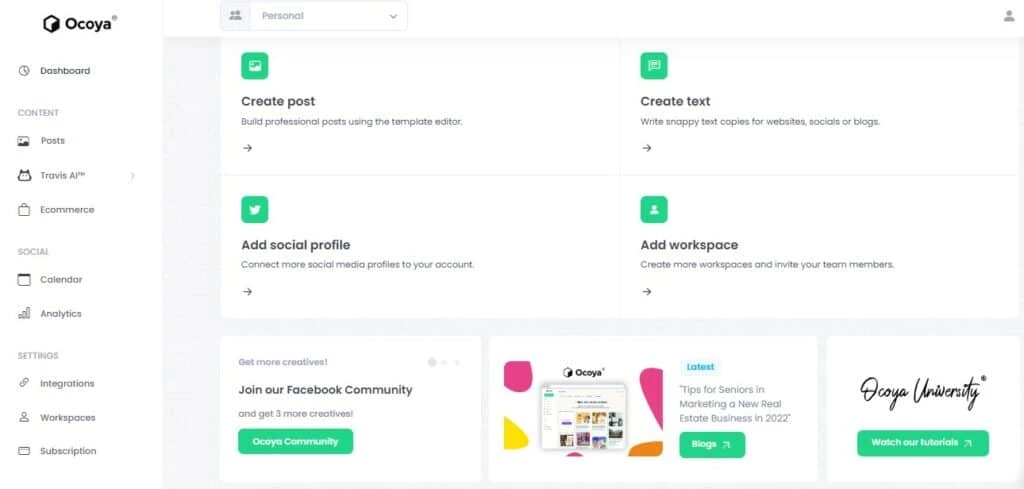
Next, I wanted to test its AI assistant called Travis. I picked the Instagram Caption template and typed in something simple like: “New skincare product launch — vegan, cruelty-free, and hydrating.” Travis returned three caption options almost instantly.
One of them was... surprisingly good. It wasn’t Shakespeare, but it felt usable: short, punchy, and even had the right emojis and hashtags. I tweaked one line, added my brand voice, and saved it.
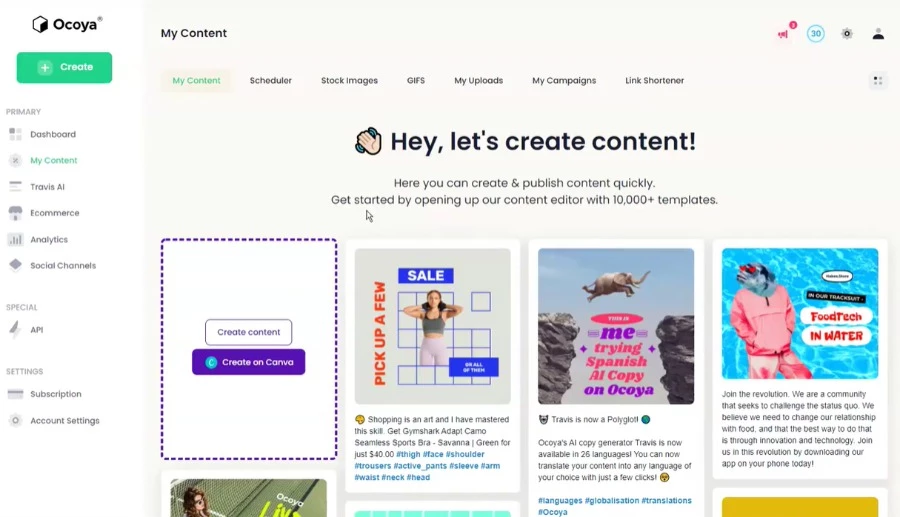
Now for visuals. Ocoya has a content creation tab that looks a lot like a light version of Canva.
I chose a sleek promotional layout, swapped the stock image for my product shot, added a brand logo, and adjusted the colors to match my palette. All drag-and-drop. No tutorial needed.
I also tested their AI image generation by typing in "minimalist skincare flat lay on marble background."
The result? Not bad at all. It looked a bit like a Shutterstock mockup but felt surprisingly polished and usable.
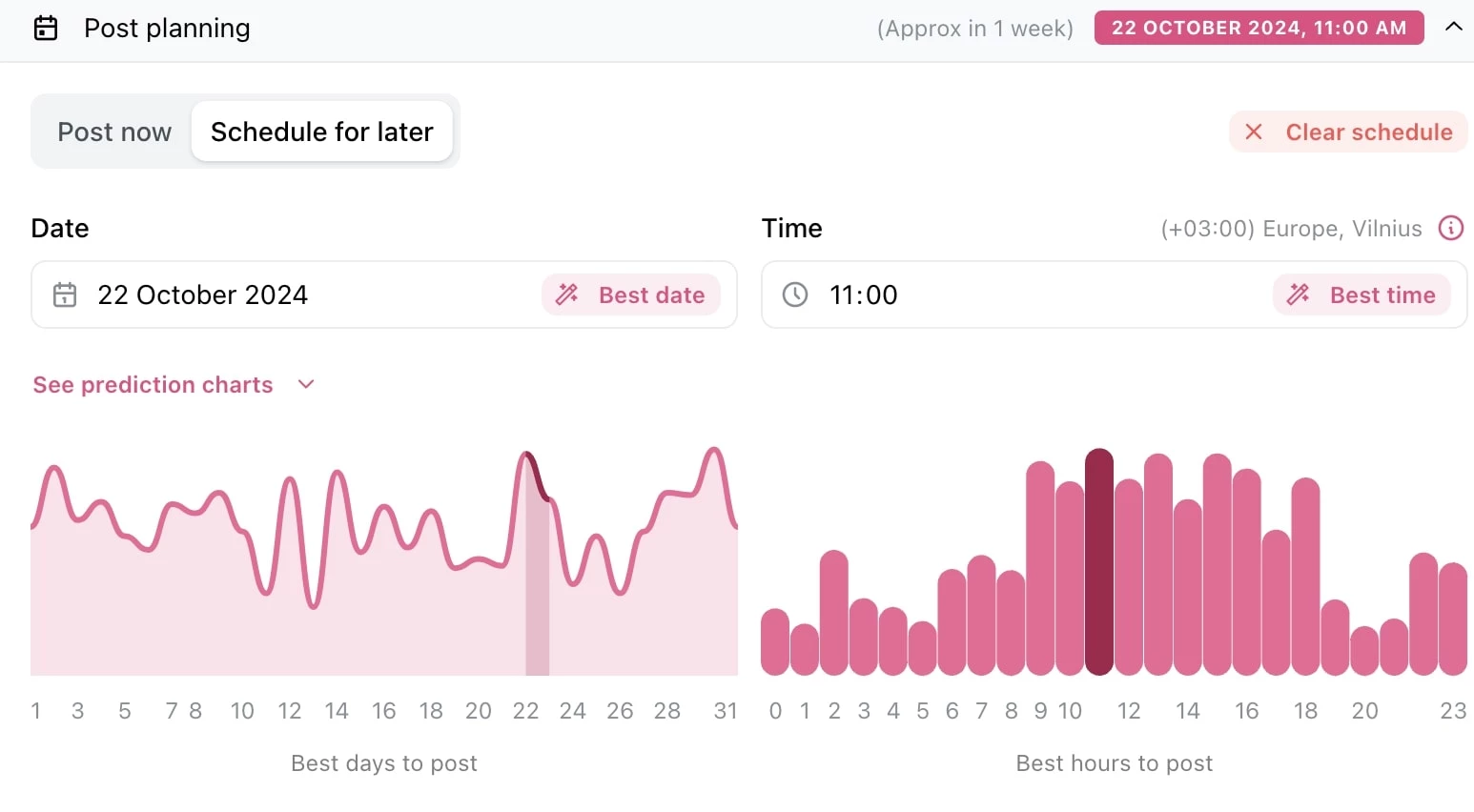
I moved into the Planner, where you can drop posts directly into a visual calendar. I scheduled my post for Instagram at 10 AM the next day.
You can choose to post immediately, schedule, or save as a draft. It even gives you optimal timing suggestions (though I didn’t test the data behind those).
What Users Say
Users often highlight Ocoya’s ease of use and intuitive interface, making it accessible even for those who aren’t tech-savvy. Many appreciate how quickly they can get started and create polished content using the ready-made templates, which some consider worth the investment.
On the other hand, recent months have seen some negative feedback around customer service and billing practices. Several users report being charged unexpectedly after canceling free trials, facing difficulties reaching support, and dealing with automatic renewals that were hard to stop.
Who’s It For?
Ocoya is ideal for small businesses, startups, and social media managers who don’t want to juggle five different tools. If you're tired of using ChatGPT, Canva, Buffer, and Google Docs separately — it bundles those into one efficient workspace.
But if you're a large agency or enterprise with heavy analytics, paid ad integration, or enterprise-level workflows? You might hit some limitations.
Other Notable Features
- Intuitive calendar view for scheduling posts across multiple platforms, with options for bulk scheduling and optimal posting time suggestions.
- Invite team members with different roles, request content approvals, and manage feedback within the platform to streamline content review.
- Sync with Shopify, WooCommerce, Etsy, BigCommerce, and other stores to auto-generate product posts with images, descriptions, and hashtags.
- Connect with Zapier, RSS feeds, Airtable, Google Sheets, and other tools to automate content creation and publishing workflows.
- Store and organize images, videos, brand assets, and post drafts in one place for easy reuse.
- AI content generation in over 25 languages, suitable for global or multilingual brands.


2. Predis.ai: Predictive Content Ideation and Branding
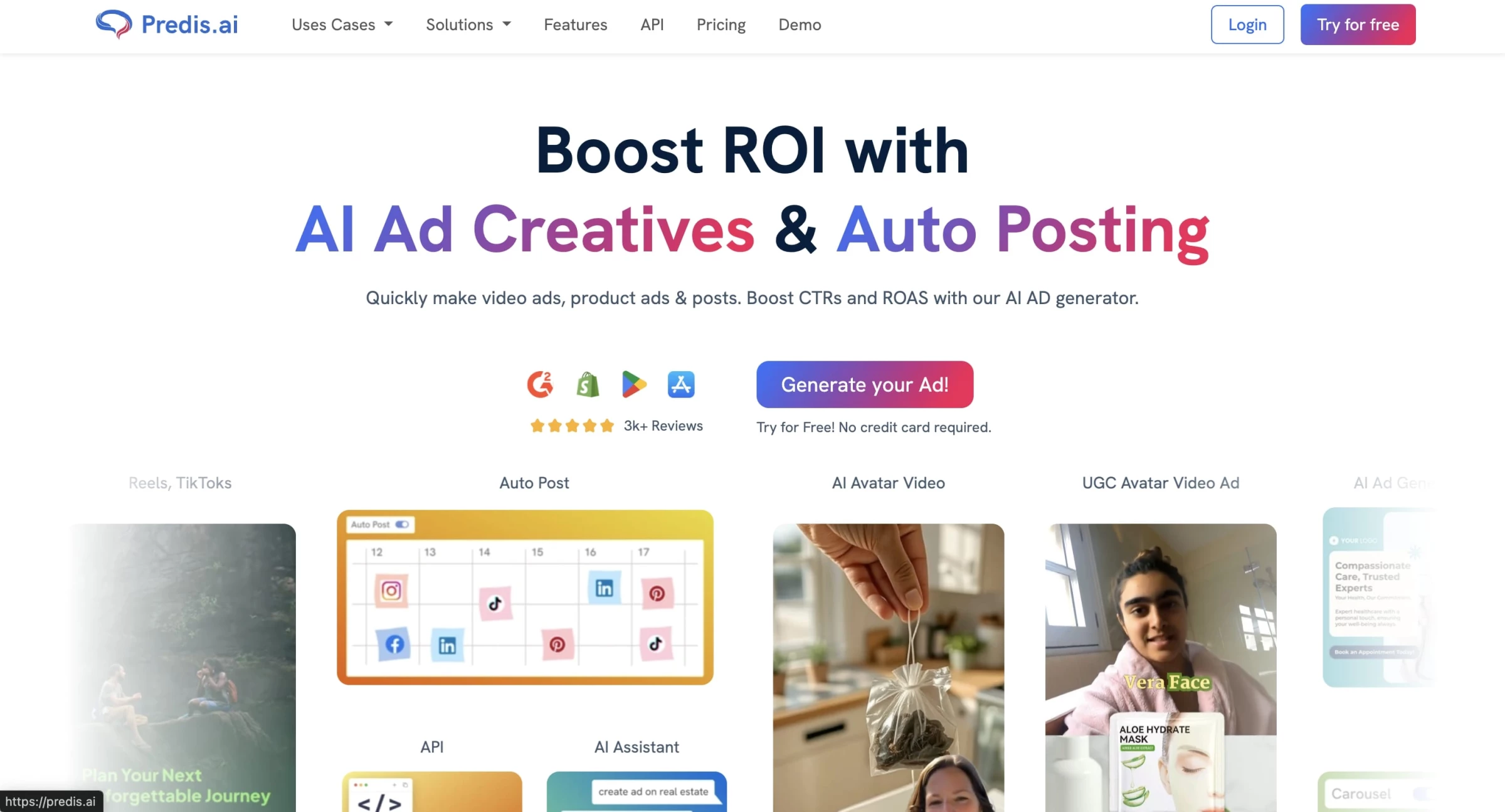
If you’ve ever stared blankly at a social media scheduler thinking, “I have no idea what to post today” — welcome to the club.
That’s where I decided to give Predis.ai a try after seeing it pop up in a few AI tools roundups, and honestly, it’s surprisingly competent for a tool that generates videos, carousels, and captions from nothing but a prompt.
| Pros | Cons | Pricing |
|
|
|
The onboarding is quick: you log in, pick your brand colors, upload your logo, and describe your business in a sentence or two. From that moment, Predis starts shaping everything around your brand tone and visuals.
You can pick whether you want a static post, a video reel, a carousel, or even an ad.
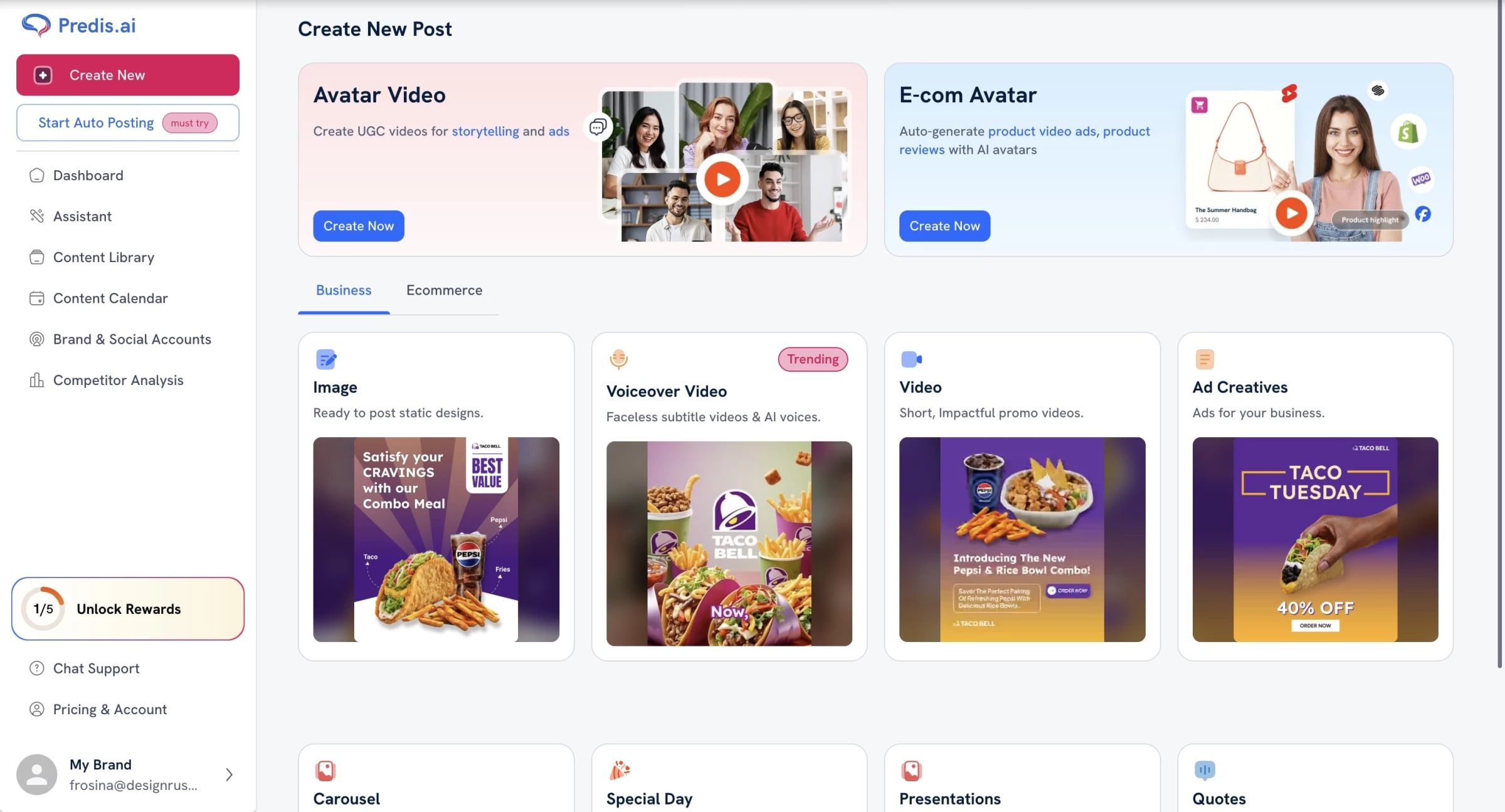
Let’s talk about the real star of the show: the AI engine. Predis.ai combines multiple layers of generative AI to create content that’s not only visually aligned with your brand, but also algorithmically optimized.
That means the captions it writes are short and catchy, the hashtags are on-point for discoverability, and the designs are sized correctly for each platform.
It understands tone quite well — I asked for “humorous” and it nailed the vibe without sounding like a robot pretending to be cool.
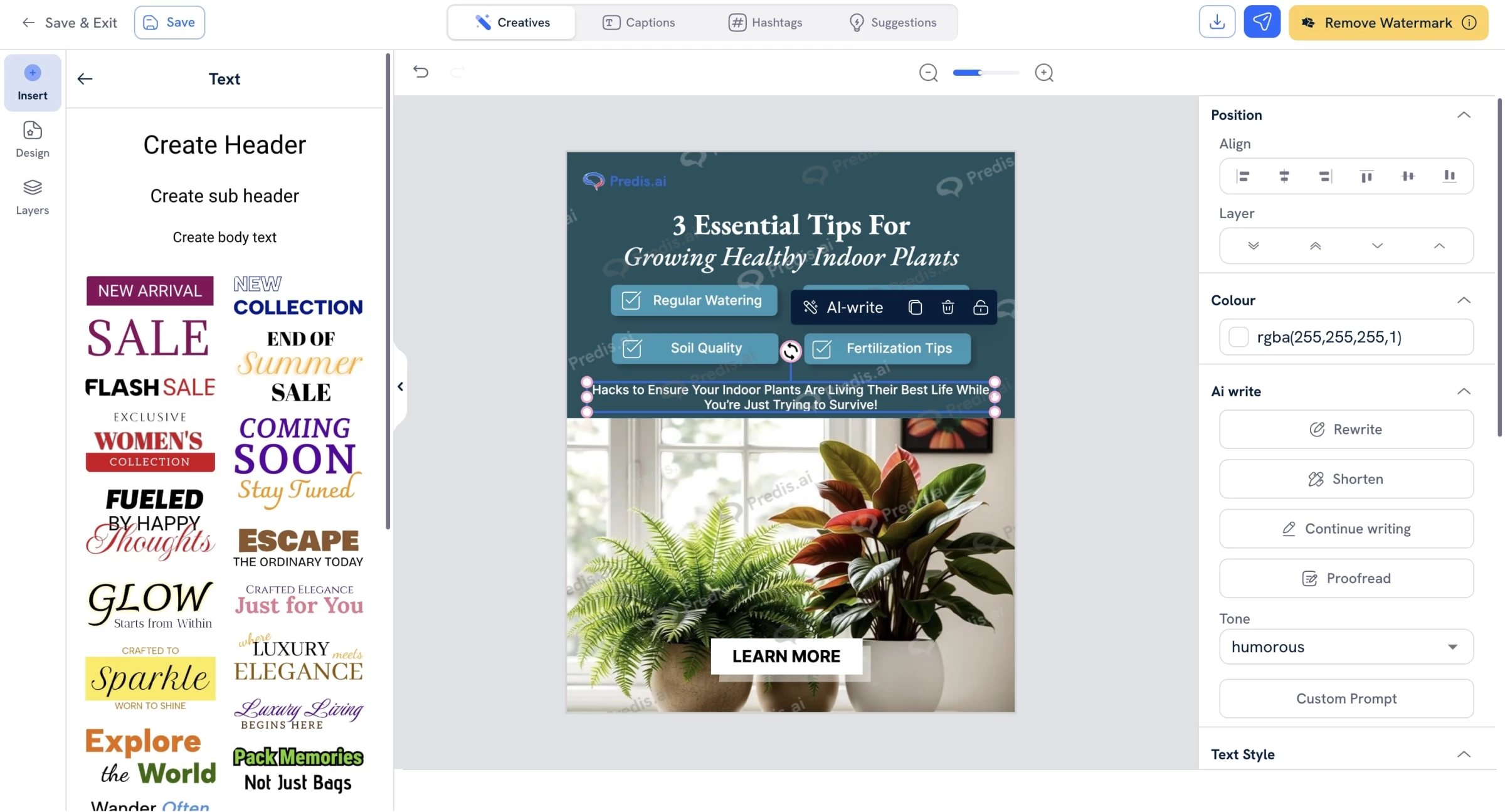
Predis also leverages predictive analytics. For example, it can tell you the best time to post based on your audience engagement, and it gives content scores so you can see whether your carousel or ad is likely to perform well.
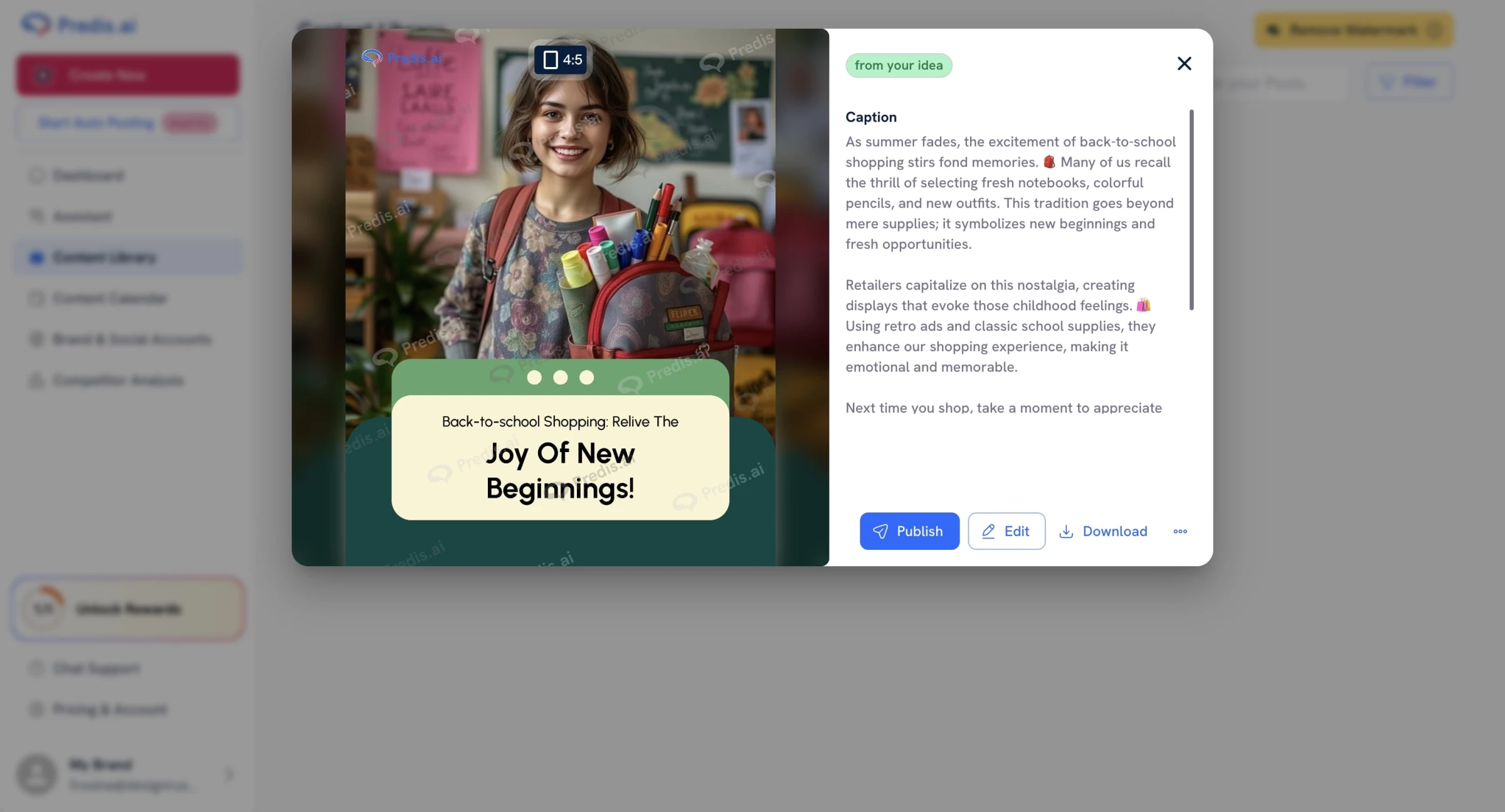
Where the AI does falter a bit is nuance. Posts with emotional depth or very specific brand voice often need a little human tweaking.
And when I tried something more abstract like “a nostalgic feel for back-to-school shopping,” the visual choices were a bit generic, like textbook stock imagery.
So, if you’re working with more layered storytelling, you’ll want to edit a bit manually.
Once your content is generated, you can schedule posts directly within Predis. It currently supports Instagram, Facebook, LinkedIn, TikTok, Pinterest, YouTube, and even Google My Business.
Analytics-wise, it pulls engagement data and shows AI-driven recommendations like best posting times, top-performing formats, and caption-length heatmaps.
Is it as robust as a full-on analytics platform like Sprout or Later? No. But for an all-in-one content machine, it covers the essentials.
What Users Say
Most users love how fast it is and how complete the content feels. On Shopify, small business owners say it “removes the mental block of daily posting” and “makes professional-looking content feel DIY.”
On SoftwareAdvice, users are praising the multi-language support, drag-and-drop flexibility, and time-saving value. Some common critiques included confusion around branding setup and limitations in ultra-custom visuals — especially if you're picky about design.
Who’s It For?
Predis.ai is best suited for small businesses, solopreneurs, eCommerce stores, and marketing agencies who need to generate high volumes of social content without hiring a full creative team.
It’s especially valuable if you don’t have design or copywriting skills but still want to produce quality posts across platforms.
That said, if you’re a larger brand with a dedicated in-house team, or someone obsessed with hyper-custom branding, Predis might not give you the creative depth you need.
Other Notable Features
- Analyze competitors’ social content strategies, posting frequency, and engagement.
- Plan and auto-publish content across Instagram, Facebook, LinkedIn, TikTok, X (Twitter), and more.
- Generate short-form videos with voiceovers, transitions, music, and subtitles.
- Build branded multi-slide Instagram/Facebook carousels with messaging tailored by AI.
- Choose from multiple voices and languages to narrate your video content.
- Invite team members or clients to edit, approve, or leave feedback.
3. FeedHive: Audience‑Centered AI and Engagement Automation
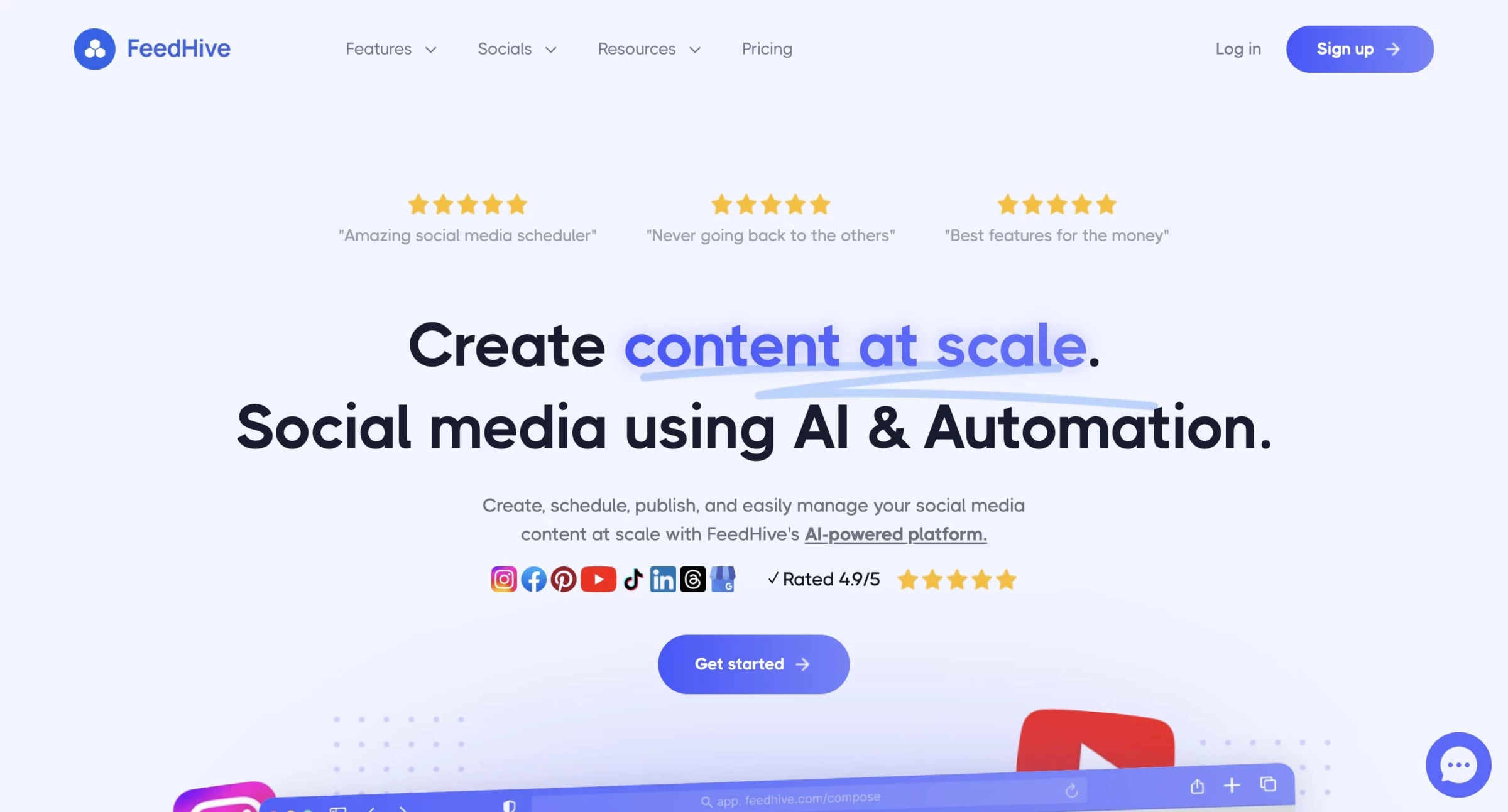
I’ve used a fair share of social media management platforms, but FeedHive hit me differently — in a good way.
It’s built with creators, solopreneurs, and lean teams in mind, and it actually tries to make the process of content creation feel fun.
Where others felt like administrative tools, FeedHive leans into creativity and consistency, powered by some pretty smart AI under the hood.
| Pros | Cons | Pricing |
|
|
|
After signing up, the setup was breezy. It walks you through connecting social profiles and then drops you into this minimalistic dashboard that doesn’t overwhelm.
What really sets FeedHive apart is its integrated AI, and I don’t mean just a ChatGPT-style prompt box slapped onto a post editor. The AI is baked into the experience in a contextual way.
Start typing your post, and FeedHive’s AI gives real-time suggestions: smarter hashtags, tone improvements, even content rephrasing for engagement.
It’s trained on 100,000+ social media posts, and you can tell it doesn’t just generate generic marketing fluff.
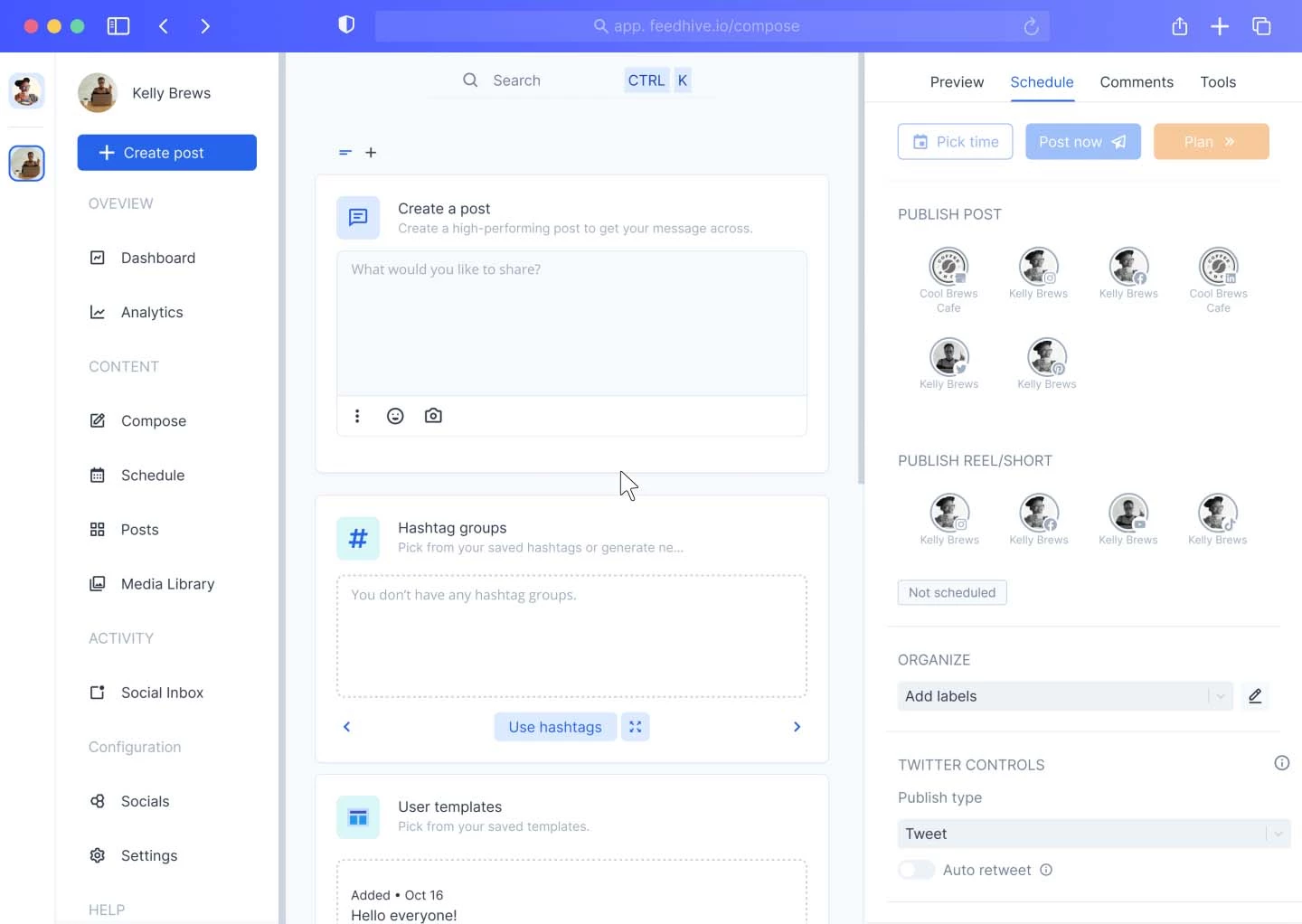
One standout feature is the engagement prediction. After writing a post, FeedHive gives you a score on how well it might perform, based on historical data patterns.
I was skeptical at first, but it actually nudged me toward writing clearer, more call-to-action-driven posts.
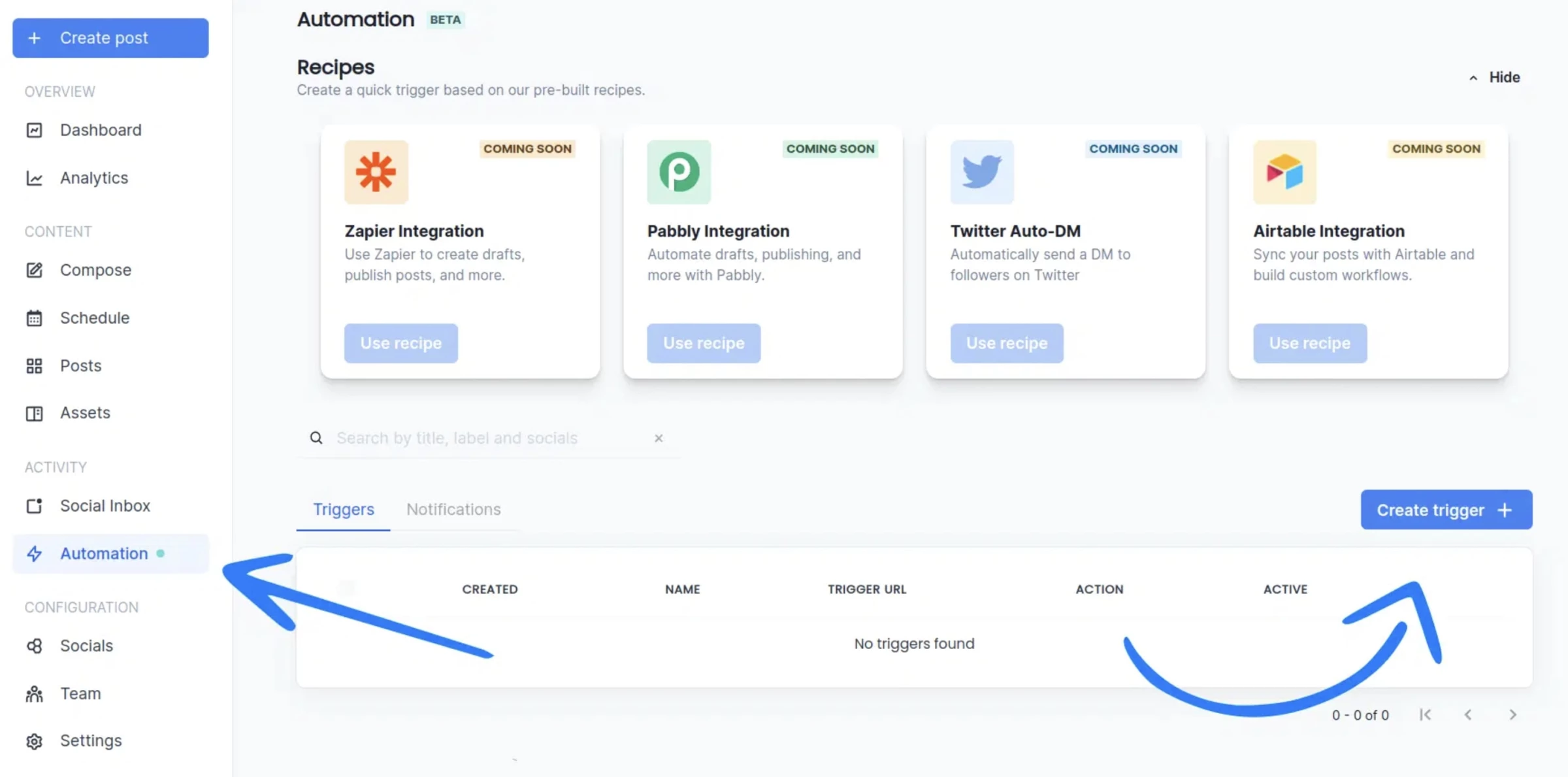
Another area where the AI flexes is in automation logic.
For example, you can set up conditional posts, say, if a tweet gets over 100 likes, automatically recycle it again in 30 days. Or you can build workflows to repost evergreen content every 60 days on LinkedIn, but only if it hasn’t been posted that month.
I also tested the auto-reply feature, which uses AI to draft responses to comments on your posts.
While it’s still better to personalize these before sending, it’s a fantastic starting point — especially if you manage a high-volume page and want to keep up with community interaction.
Now, it’s not perfect. While the AI post suggestions are strong, they’re still hit-or-miss depending on your niche. I write in a tech-forward, slightly snarky tone, and sometimes the suggestions leaned too corporate or generic. You’ll need to refine them to keep your brand voice intact.
Also, Instagram posting can be a bit glitchy, particularly with carousels or reels. A few of my tests ended up posting only partial content or got stuck in the pipeline.
What Users Say
Across the board, FeedHive users rave about its clean design, intuitive scheduling features, and time-saving automation, but also point out areas where it’s still maturing.
One of the most frequently praised aspects is the AI functionality. Users have said that the AI-powered suggestions helped them improve the quality of their posts, with some noting that the engagement prediction feature pushed them to write more action-driven content.
However, not all feedback is glowing. A handful of users, especially those who rely heavily on Instagram, have expressed frustration with occasional posting glitches. Some reported issues with carousels or reels not publishing correctly, and there were a few mentions of Instagram posts failing to publish at all.
Who’s It For?
If you’re a solopreneur, content manager, startup, or marketing lead for a small brand, FeedHive is built for you. It balances automation and creativity in a way few tools do — especially at this price. You’ll get more done, faster, and with more polish than using native schedulers or clunky enterprise tools.
However, if you're part of a larger team with deep reporting needs, a strong Instagram-first strategy, or require enterprise-level integrations, you might want to complement FeedHive with additional analytics or CRM tools.
Start with FeedHive for only $22 a month.
Other Notable Features
- Easily plan and rearrange posts with a clear, color-coded calendar.
- Get real-time insights on how likely a post is to perform well.
- Organize content by topic (e.g., quotes, tips) and assign specific days/times for each.
- View and reply to comments from multiple platforms in one place.
- Invite teammates, assign roles, and manage content approvals.
- Schedule content for global audiences with accurate timing.
4. SocialBee: AI‑Powered All‑In‑One Social Media Assistant
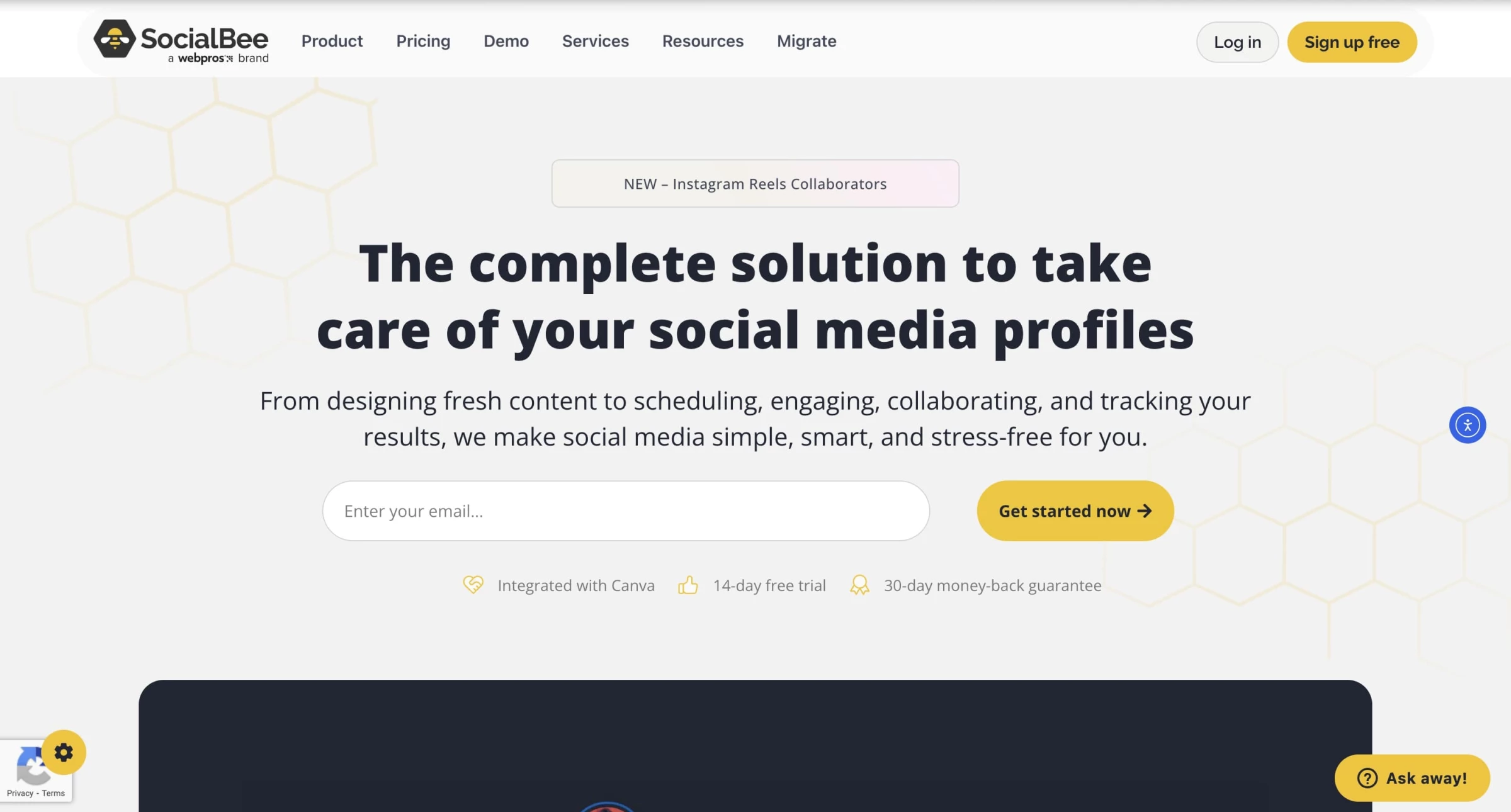
At first glance, SocialBee is your average scheduling tool.
But after really spending time with it, I realized it's more like a personal social publishing command center, especially with its AI enhancements that genuinely make your life easier instead of just adding another layer of tech fluff.
| Pros | Cons | Pricing |
|
|
|
The first thing that stood out to me was SocialBee’s category-based scheduling system. Instead of dumping all your posts into a single endless queue, you actually sort your content by intent, for example “Educational,” “Promotional,” “Curated,” “Quotes,” and so on.
This sounds basic, but in practice, it’s a game-changer.
It makes your content feed feel more balanced and intentional, without you needing to micromanage every single post.
Once I set up my categories and assigned a few recurring time slots to each, my content pipeline practically ran itself.
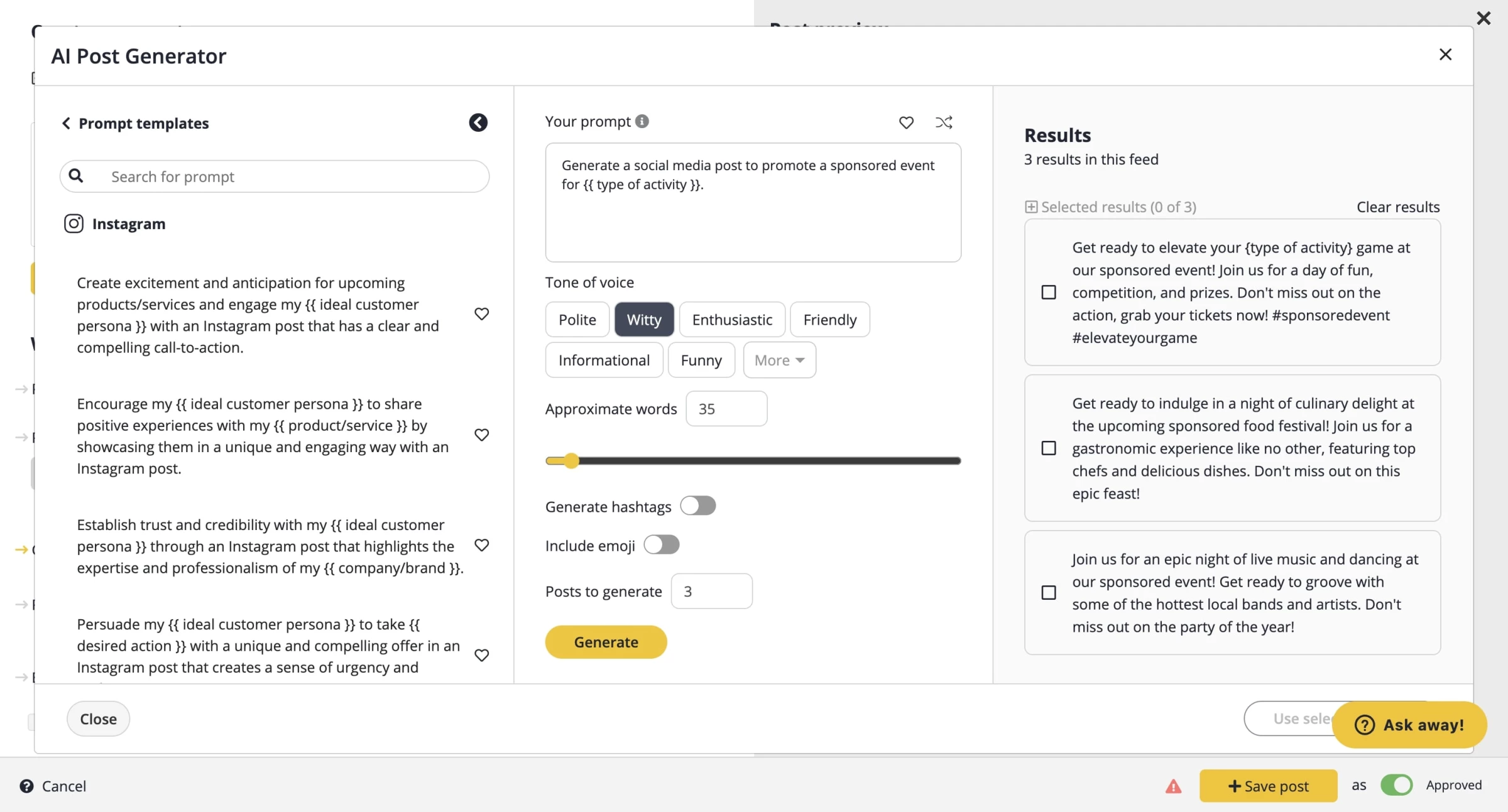
Now let’s talk about the real MVP: SocialBee’s AI Copilot. You start by giving it a prompt, say, “Promote this blog post about sustainable fashion trends” — and choose a tone (friendly, professional, witty, etc.).
Within seconds, it spits out multiple versions of your post, complete with hashtags, emojis, and platform-specific tweaks.
It even recognizes when to keep things short for X (formerly Twitter) or more visual for Instagram.
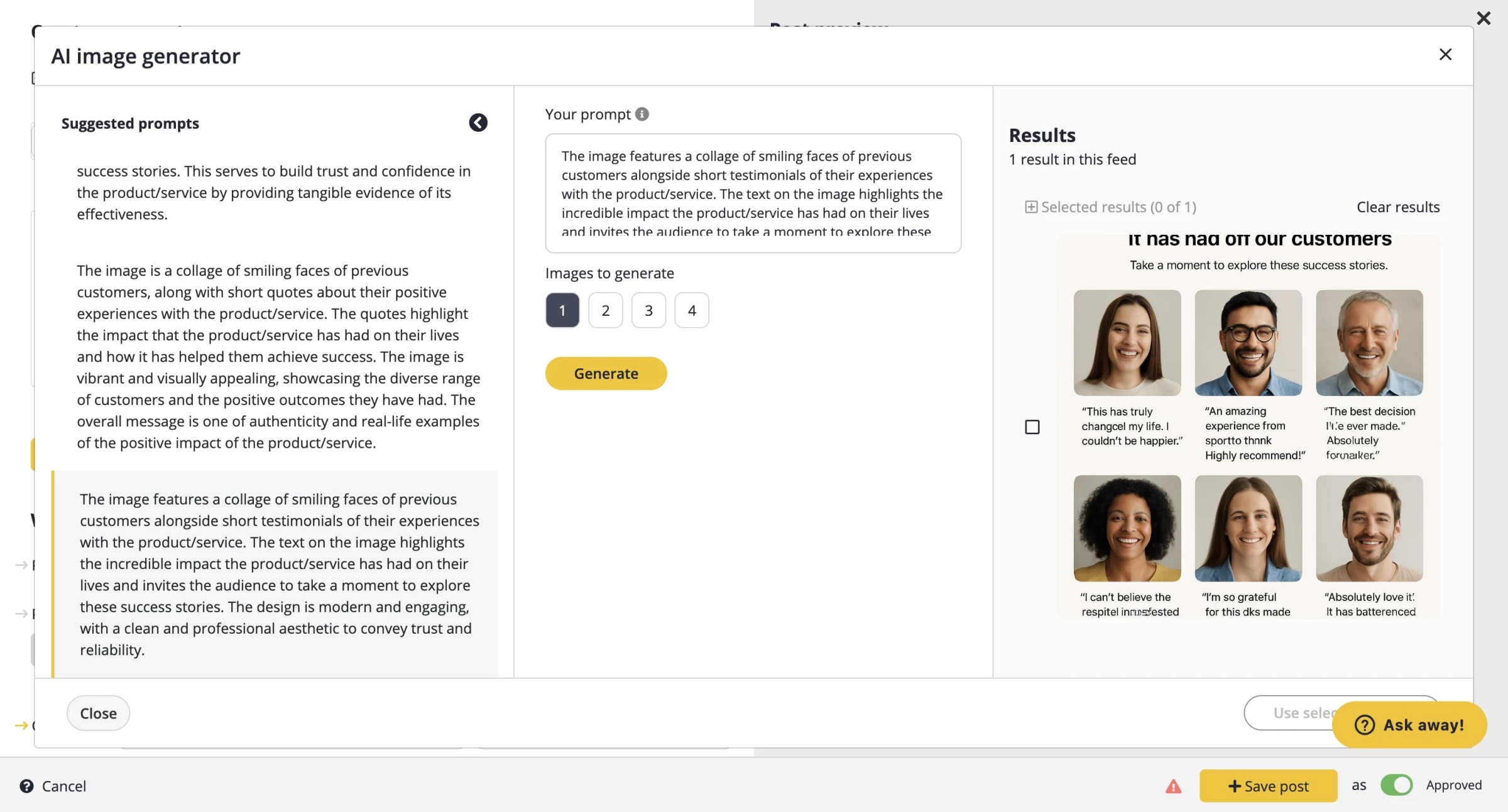
And yes, it can also pull images via integrations with Canva, Unsplash, and GIPHY without you leaving the dashboard.
One of the coolest things I tried? I ran a test where I uploaded a blog article, and the Copilot auto-summarized it into a series of posts tailored for different platforms.
I also tested the “Best time to post” suggestions, which the AI generates based on engagement patterns per platform.
While it doesn’t yet go as deep as enterprise-level analytics platforms, it’s surprisingly insightful.
What Users Say
Across most platforms, users describe SocialBee as a reliable and feature-rich tool.
Long-time users often commented that SocialBee improved steadily over time and became a central part of their marketing workflow. They frequently praised the support team, saying that they found them highly responsive, knowledgeable, and willing to go beyond scripted replies to resolve issues.
Marketers typically described SocialBee as more advanced than beginner-focused tools like Buffer. They felt that while it required some upfront investment in learning the system, especially around content categories and automation rules, it offered more control and flexibility in return.
Who’s It For?
If you’re a solo entrepreneur, coach, or small business owner, SocialBee hits a sweet spot. It’s powerful enough to automate like an agency, but intuitive enough that you don’t need a marketing degree to run it.
I’d also recommend it for agencies or consultants managing multiple client accounts as it has robust workspace separation and category-level controls that let you run campaigns in parallel without chaos.
It’s not built for enterprise-level teams with custom APIs or massive reporting needs, but for 90% of users? It’s more than enough.
Sign up for a 14-day SocialBee free trial.
Other Notable Features
- Automatically repost evergreen content from your categories to keep your feed active.
- Drag-and-drop scheduling with a full calendar view for easier planning.
- Create or pull visuals directly inside the platform without leaving your workflow.
- Respond to messages and comments from multiple social platforms in one place.
- Track engagement, follower growth, post performance, and export reports.
- Automate workflows with other apps and tools.
5. SocialPilot: Enterprise‑Grade Scheduling, Collaboration and Analytics
When I first logged into SocialPilot, I wasn’t bombarded with a complicated onboarding flow or endless tutorial videos. It was more like a friendly tap on the shoulder: “Hey, connect your accounts, let’s get started.”
The interface is clean and unfussy, which I appreciate.
| Pros | Cons | Pricing |
|
|
|
Let’s talk about the AI, because this is where things got interesting. SocialPilot’s AI Assistant is subtly embedded in the post composer — it doesn’t take over your workflow, but rather sits there ready to help when you’re stuck staring at a blank caption box.
It can generate different versions tailored to platform-specific vibes.
In my experience, it’s more helpful for jumpstarting ideas than producing copy you can use without tweaking.
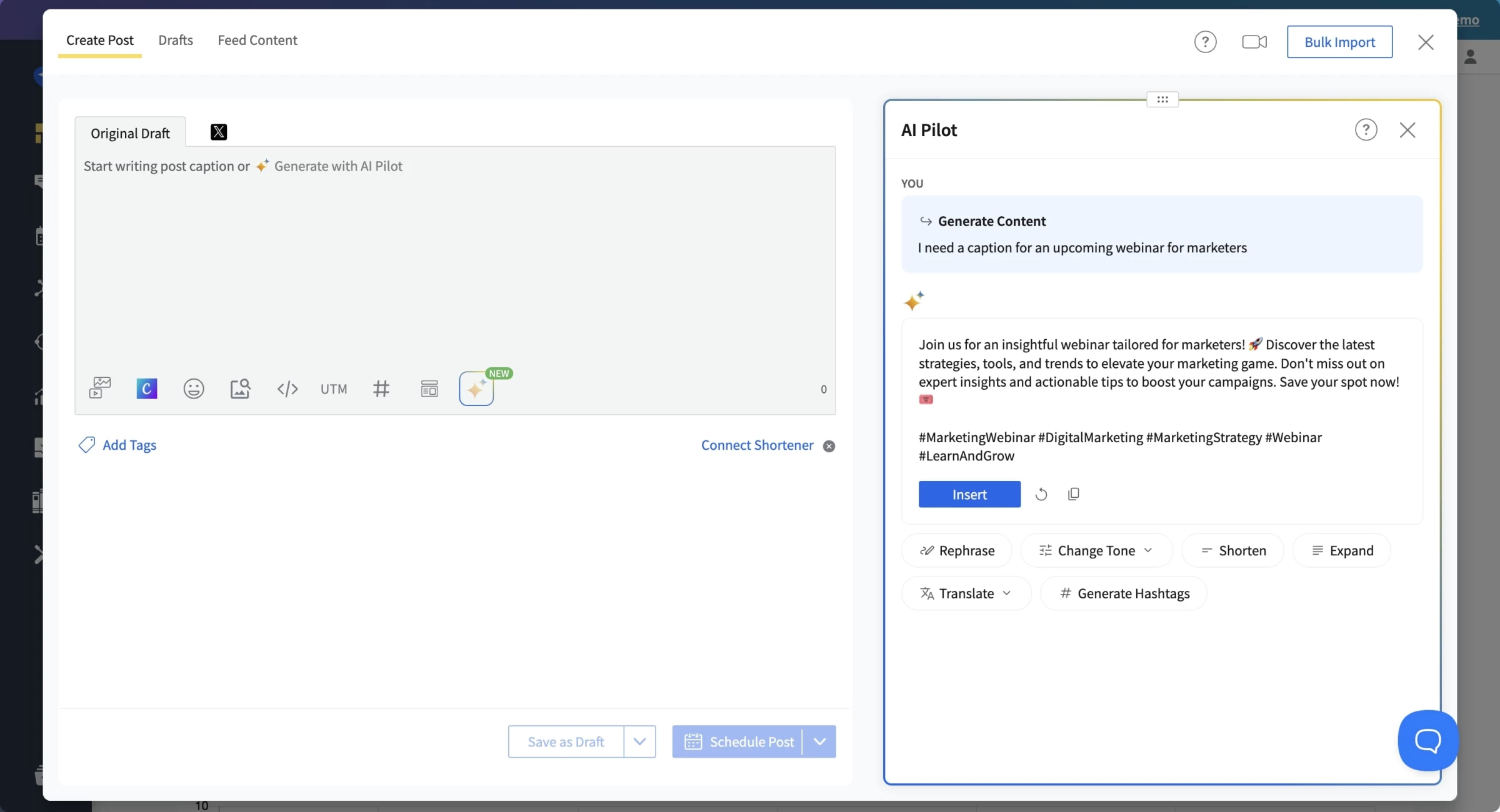
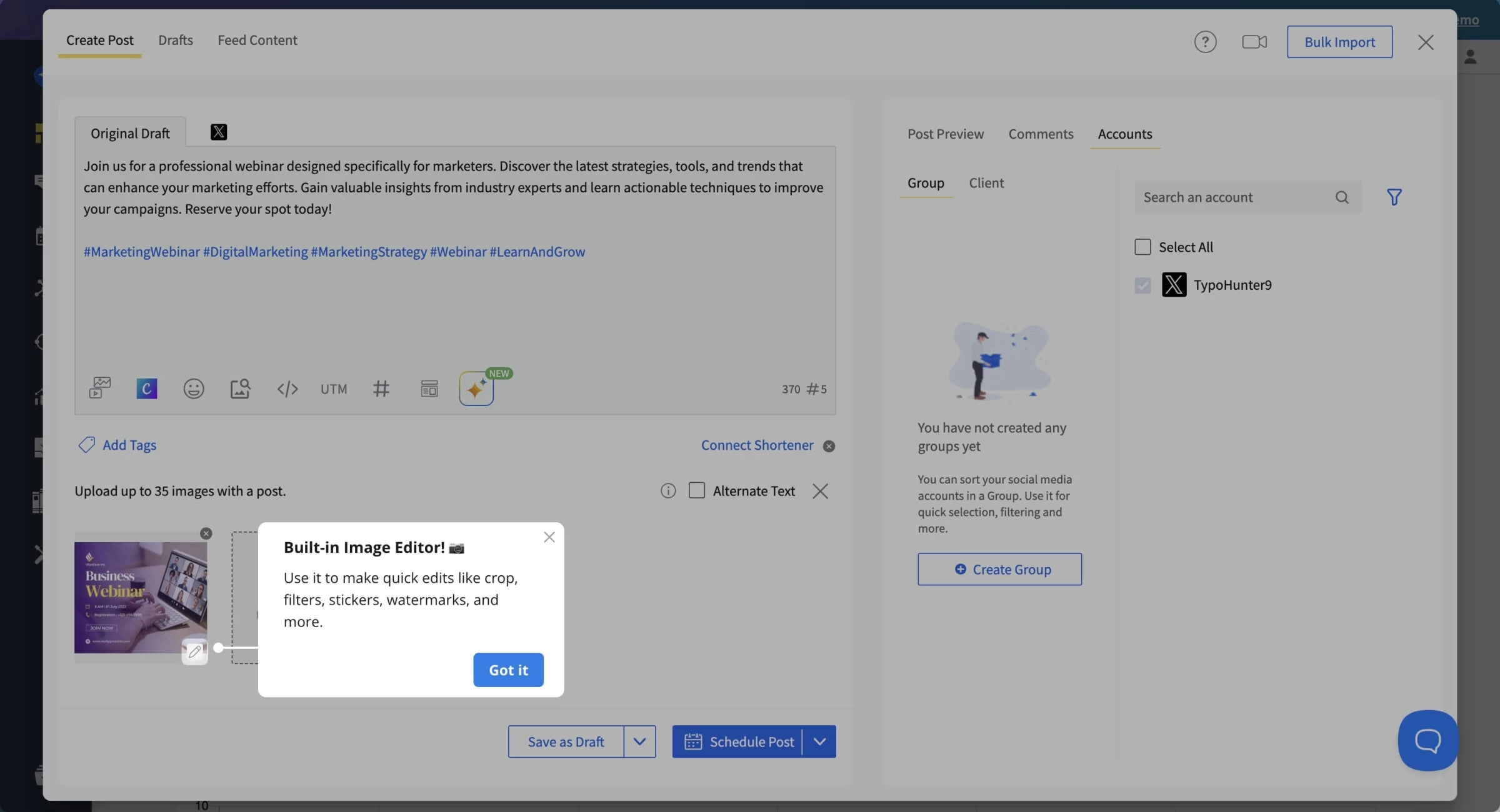
For instance, I had it generate a caption for an upcoming webinar.
The result was clear, on-topic, and even included relevant hashtags. It wasn't genius-level content, but it gave me a solid starting point — something to punch up rather than build from scratch.
I particularly liked the ability to adjust tone. Switching from a professional announcement to a conversational tweet was quick, and the AI understood basic intent without me needing to write long prompts.
That said, it sometimes struggled with nuance, like industry-specific jargon or promotional CTAs that need a hard sell.
I wouldn't trust it to fully write a high-stakes campaign launch post, but for 80% of day-to-day social content? It’s a time-saver.
The built-in analytics are…fine. You get a digestible overview: post engagement, audience growth, top-performing content, and best time to post. But if you’re a data junkie or need deeper competitive analysis, you’ll feel the ceiling.
What Users Say
Most users echo the same vibe: SocialPilot is a stable, no-nonsense scheduling tool with solid bones. People love its affordability compared to Hootsuite or Sprout Social, and the ease of managing 10, 20, even 50 accounts under one roof.
Some do note hiccups, like occasional publishing delays, especially on Instagram, or limited analytics for non-Facebook platforms. But overall, the tone is positive, especially among agencies and content managers.
Who’s It For?
If you’re a small business, multi-brand content manager, or a lean digital agency, SocialPilot might be your dream assistant. It helps you save hours weekly, delivers polished posts across platforms, and doesn't bloat your workflow with fluff.
You get key automation features without the enterprise pricing.
However, if you're managing real-time customer service on social or need advanced tools like sentiment analysis, social listening, or ad integration, this may not be your forever home.
Start your free trial with SocialPilot.
Other Notable Features
- Supports native media uploads for all major platforms.
- Store and reuse top-performing or branded posts.
- Invite clients to approve content without giving full access.
- Assign admins, managers, and content creators with custom permissions.
- Edit, reorder, or delete upcoming posts from one place.

Our team ranks agencies worldwide to help you find a qualified partner. Visit our Agency Directory for the top social media marketing companies, as well as:
- Top Digital Marketing Agencies
- Top AI Marketing Companies
- Top AI Market Research Companies
- Top Content Marketing Agencies
- Top Direct Marketing Companies
Our design experts also recognize the most innovative design projects across the globe. Given the recent uptick in video in social media, you'll want to visit our Awards section for the best & latest in social media videography designs.
Top Social Media AI Tools FAQs
1. Are there risks in using AI for social media?
Yes. Over-automation can lead to generic content or errors if not monitored. Always review AI-generated content for tone, accuracy, and brand alignment.
2. What’s the difference between basic scheduling tools and AI-driven platforms?
While basic schedulers focus on timing and queueing, AI platforms go further by suggesting content, predicting performance, optimizing tone, and analyzing results in real time.
3. Is AI content compliant with platform algorithms?
AI aims to align with platform best practices, generating content formats and structures more likely to be favored by algorithms, but staying updated manually is still important.