-details-webp.webp)

A mobile services app is software designed to help businesses efficiently deliver services via mobile devices. These apps handle essential tasks like scheduling, dispatching, payments, and customer communication directly from smartphones or tablets.
They have become essential tools across industries, streamlining operations, improving customer experiences, and enabling real-time service coordination. However, many businesses struggle to navigate the complexities of selecting the right features and platform.
With the help of our experts, we’ll offer a comprehensive overview of mobile services apps, covering their types, key features, development process, costs, and security considerations to help you make informed decisions.
Mobile Services App vs. Other Mobile App Types
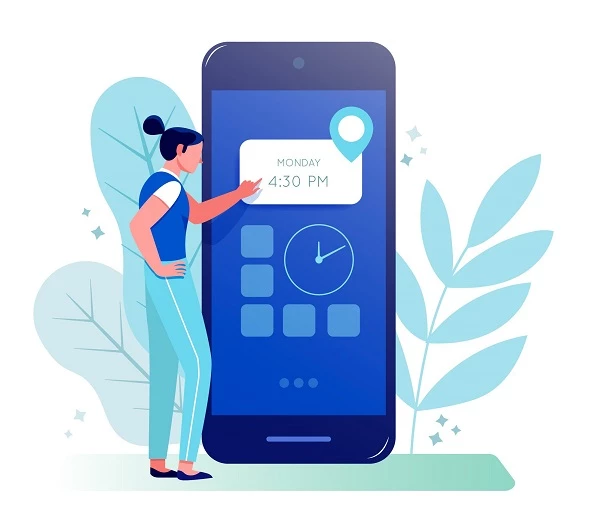
Mobile service apps primarily serve industries like field service, healthcare, logistics, and on-demand services. Whether connecting customers with service providers or managing internal operations, these apps make business processes faster and more accessible.
Mobile services apps differ from other types of mobile applications in several key ways:
- Utility apps: Primarily serve entertainment or informational purposes, while mobile services apps focus on facilitating business operations or providing services.
- eCommerce apps: Center on buying and selling products, whereas service apps specialize in delivering on-demand services or managing fieldwork.
- Game apps: Designed for interactive entertainment, while service apps help businesses manage customer-facing tasks and operations.
- Enterprise apps: Typically used internally to streamline business operations, while mobile services apps are customer-facing and provide external service delivery.



Types of Mobile Services Apps
Mobile services apps serve a variety of purposes, from field service management to eCommerce, each tailored to meet the unique demands of different industries.
- Field service management apps
- On-demand services apps
- Healthcare service apps
- Ecommerce service apps
- Logistics and delivery apps
1. Field Service Management Apps
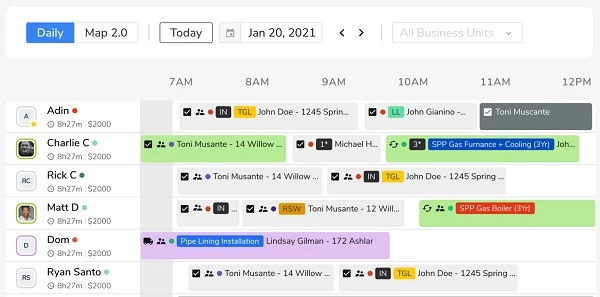
Field service management apps are widely used by companies that need to coordinate on-site services. These businesses include HVAC companies, electricians, and plumbing services.
Apps like Jobber or ServiceTitan allow businesses to schedule and dispatch technicians, track service delivery, and maintain customer records. These apps help businesses increase operational efficiency by automating fieldwork, minimizing human error, and reducing downtime.
Key features of field service management apps include:
- Scheduling
- Dispatch
- Location tracking
- Customer management
- Invoicing
2. On-Demand Services Apps
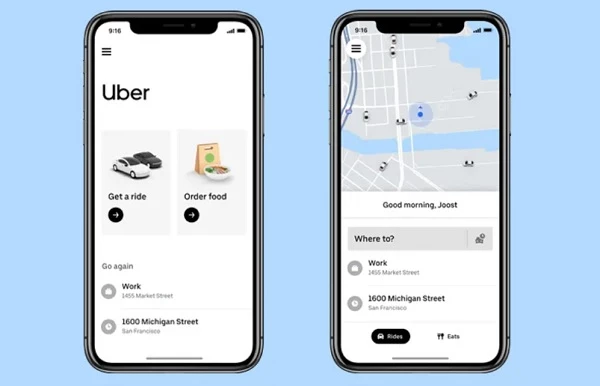
On-demand service apps have revolutionized industries by connecting users with service providers in real time. Companies like Uber have set the standard for this type of app, allowing customers to book rides or order food instantly.
These apps help businesses provide customers with convenience, flexibility, and fast response times — essential in today’s competitive on-demand economy.
Key features of on-demand service apps include:
- Live tracking
- Instant booking
- Payment integration
- Ratings and reviews
- Push notifications
3. Healthcare Service Apps
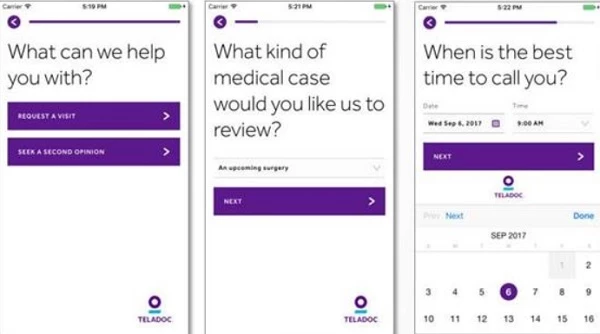
Healthcare service apps enable medical providers to offer virtual consultations and manage patient care remotely. Telemedicine apps like Doctor on Demand or Teladoc are used by physicians and healthcare systems to provide access to medical advice without in-person visits.
These apps have become popular thanks to their ability to expand healthcare access and provide immediate care in urgent situations, especially in remote areas.
Key features of healthcare service apps include:
- Virtual consultations
- Prescription management
- Appointment scheduling
- Patient history
- Health tracking
4. eCommerce Service Apps

eCommerce service apps help businesses manage online stores and facilitate direct sales through mobile platforms. Companies like Etsy and Amazon have developed robust mobile applications that let users browse products, make purchases, and track deliveries. These apps serve as an essential sales channel for businesses, providing customers with a seamless shopping experience and direct access to products and services.
Key features of eCommerce service apps include:
- Product catalog
- Shopping cart
- Order tracking
- Payment gateway integration
- Customer support
5. Logistics and Delivery Apps
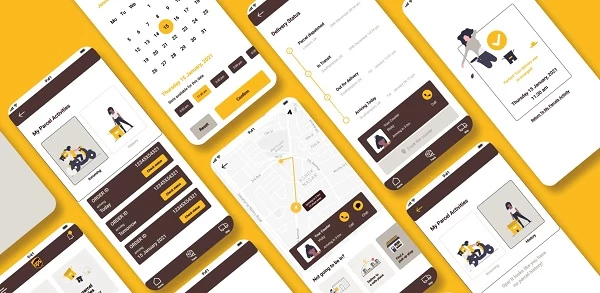
Logistics and delivery apps are crucial for companies that need to manage shipping, deliveries, or fleet operations. Apps like FedEx and UPS allow businesses to track packages, manage routes, and optimize deliveries. These apps improve operational efficiency by reducing delays and errors in logistics, which is vital for companies that depend on timely deliveries.
Key features of logistics and delivery apps include:
- Route optimization
- Package tracking
- Inventory management
- Driver management
- Alerts and notifications
Common Features and Functions of Mobile Services Apps

Mobile services apps are designed with several key features that make them efficient and user-friendly. Each of these capabilities plays a vital role for improving user experience and ensuring smooth operations.
Here are the most common features and functions of mobile services apps:
- Scheduling
- Dispatching
- Location tracking
- Payment processing
- Communication tools
- Reporting and analytics
- Push notifications
- Customer feedback and ratings
1. Scheduling
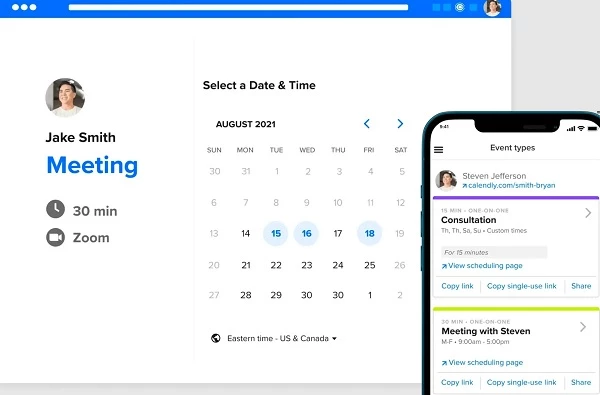
Scheduling is a vital aspect in mobile services apps. It allows businesses to manage appointments, set time slots for services, and avoid scheduling conflicts. Without this, businesses would struggle to keep things organized, and customers would end up frustrated with long wait times or missed appointments.
Think of a plumbing app where customers can book a service at a time that fits their schedule. It’s not just about convenience — it ensures a smooth flow of work with no double-booking or last-minute surprises.
2. Dispatching
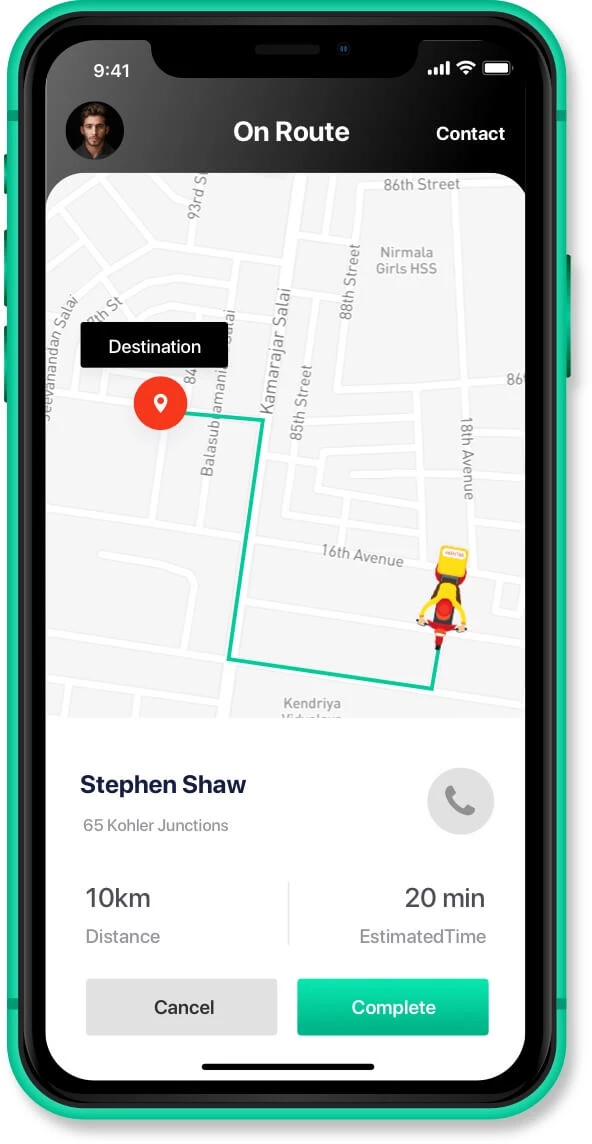
When you think of mobile services apps, dispatching is essential for assigning jobs to the right people. Whether it’s sending a technician to fix a leak or a delivery driver to fulfill an order, dispatching ensures that the right person is in the right place at the right time. This feature helps businesses operate efficiently and keeps service times as short as possible.
A great example of this in action is an on-demand delivery service like Postmates. As soon as an order is placed, the app dispatches the nearest available driver, ensuring that delivery times are minimized, and customers get their orders faster.
3. Location Tracking
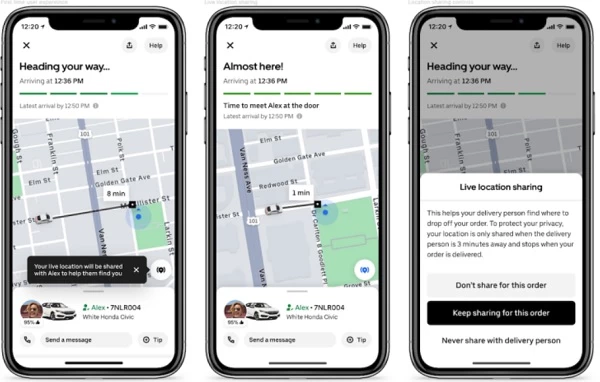
Location tracking is all about knowing where things (and people) are in real time. This feature is beneficial for businesses with mobile teams or deliveries. Not only does it allow businesses to optimize routes and avoid delays, but it also gives customers the ability to track their service or delivery in real time, which boosts trust and satisfaction.
Take Uber, for instance. As a passenger, you can see exactly where your driver is and how long it will take them to arrive. It’s reassuring to know exactly when to expect them, making the entire experience feel more controlled and predictable.
4. Payment Processing
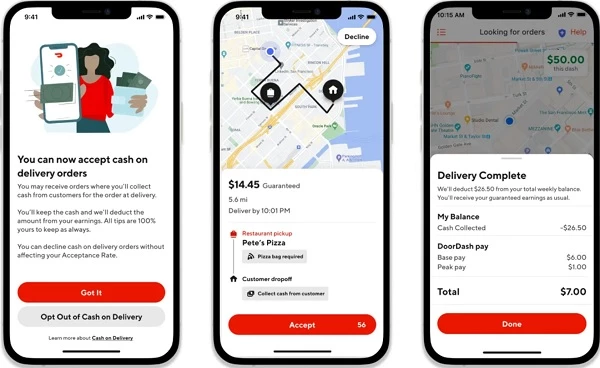
Today, every app needs a reliable payment system, and mobile services apps are no exception. Having the ability to process payments directly within the app makes transactions quick, easy, and secure. Whether it’s paying for a service, ordering a product, or tipping a driver, this feature saves time and removes the hassle of handling payments in person.
One example is with a food delivery app like DoorDash, where customers can pay right away by using the app and their credit cards. With just a few taps, the payment is processed, and the transaction is complete.
5. Communication Tools
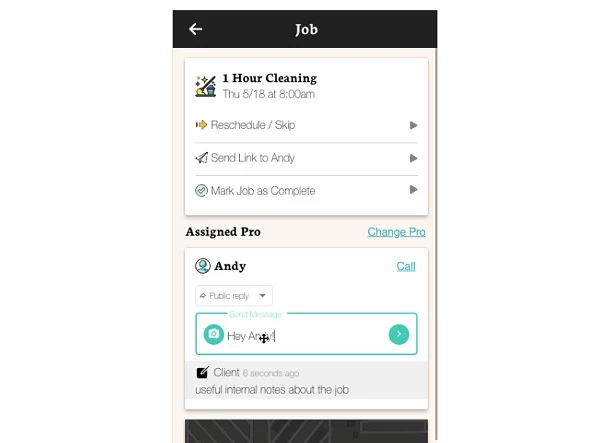
Clear communication between customers and service providers is key to any mobile services app. Whether it’s a quick question about a delivery, a special request for a service, or simply confirming an appointment, communication tools like in-app chat or calls are crucial. They help eliminate confusion and ensure that both parties are on the same page.
Imagine a home cleaning service app where users can message cleaners directly through the app to discuss specific preferences or confirm details before the appointment. This feature makes the process more transparent, improving customer satisfaction and reducing the likelihood of misunderstandings.
6. Reporting and Analytics
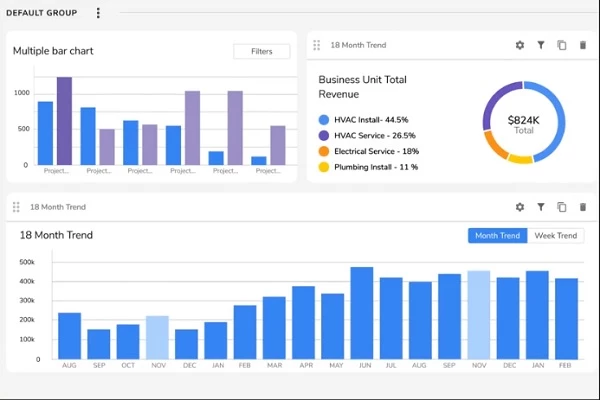
For businesses, reporting and analytics are the backbone of decision-making. This feature helps companies track key metrics, from job completion rates to customer feedback. It provides valuable insights that help business owners optimize operations, improve service delivery, and boost customer satisfaction.
For example, a field service app might track how long technicians spend on each job, highlighting areas where efficiency can be improved. These reports not only help businesses make data-driven decisions but also provide a clear picture of overall performance.
7. Push Notifications
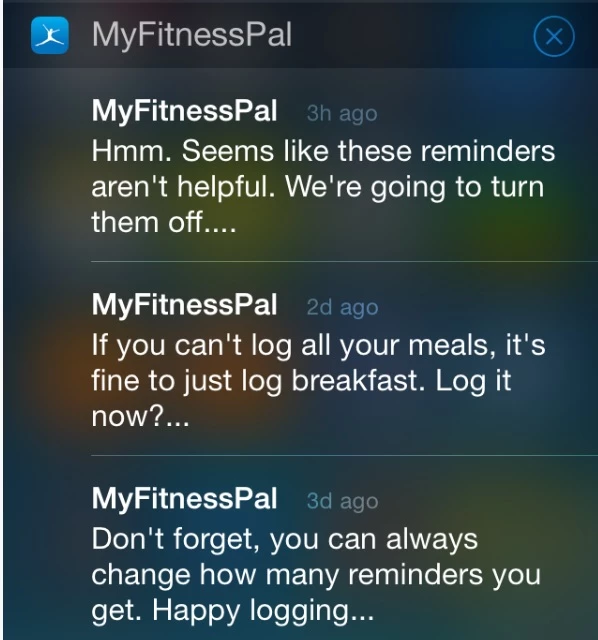
Push notifications are an excellent feature to keep users engaged and informed. They allow businesses to send timely updates, reminders, or promotional offers directly to a user’s phone. If used wisely, push notifications can keep users coming back and encourage them to take action, whether it’s booking a service or making a payment.
A fitness app like MyFitnessPal might send a push notification reminding users about a workout class they signed up for or offering a discount on gear. These small nudges keep users connected and make sure the app stays at the top of their minds.
8. Customer Feedback and Ratings
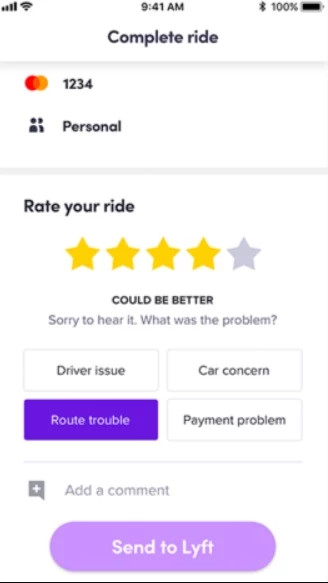
Customer feedback is invaluable in any service-based industry, and ratings are essential in mobile services apps. Not only do they help businesses gauge user satisfaction, but they also provide valuable insights into areas for improvement. For new users, these ratings offer a sense of trust and reliability before they make a purchase or book a service.
A taxi app like Lyft lets passengers rate their drivers after each ride. These ratings ensure drivers maintain high standards and allow the company to address any recurring issues.
Mobile App Development Process in 6 Steps
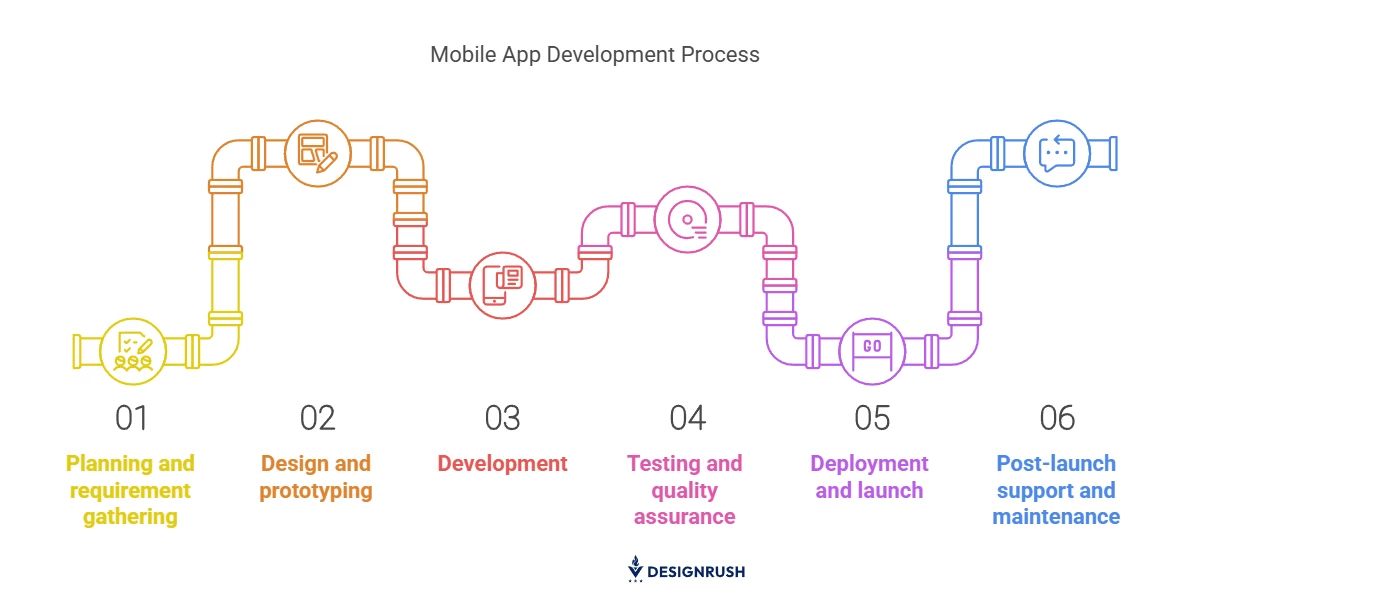
Developing a mobile services app involves a clear and structured process to ensure its success. From planning to testing, each phase is crucial in delivering an app that meets business goals and provides value to users.
Here are the steps to develop a mobile app successfully:
- Planning and requirement gathering
- Design and prototyping
- Development
- Testing and quality assurance
- Deployment and launch
- Post-launch support and maintenance
1. Planning and Requirement Gathering
The first step in any successful app development is to define your objectives while getting to know your target audience. Identify the core features your app needs to solve real problems, and engage with key stakeholders — customers, service providers, and team members — to gather valuable insights that shape your app’s purpose.
Once you’ve collected the necessary information, create a detailed roadmap outlining timelines, budget estimates, and required resources. Additionally, set clear milestones and success metrics to guide the entire development process. Milestones track key phases from wireframing to final deployment, while success metrics like engagement, performance measure effectiveness.
2. Design and Prototyping
The design phase is where the UX and UI take shape. Sketch wireframes or use design tools to create basic layouts that represent the flow of the app. Focus on simplicity and usability, ensuring your design reflects both functionality and ease of navigation.
In creating a successful mobile services app, it’s crucial to focus on user experience and interface design. “We believe that winning over users demands the same things; you must create mobile apps that have easy user experiences and effective user interfaces,” said Daniel Kodam, founder and CEO of D-Kode Tech. This philosophy highlights the need for intuitive, user-friendly designs that make navigation simple and interactions smooth.
Once the wireframes are ready, move on to prototyping. This is where you can bring your app’s design to life in an interactive form that allows stakeholders to test it. Based on feedback, iterate and refine the design until it aligns with your goals and user expectations.
3. Development
In the development phase, your app begins to take form. Choose the right technologies for both front-end and back-end development, depending on your platform choices (iOS, Android, or cross-platform). Start by building a strong back-end system that can support the app’s features and ensure seamless integration with third-party tools if needed.
Once the back-end is set, move on to the front-end development. This is where the design turns into functional components, including interactive screens and buttons. Ensure that the app’s interface is responsive and operates on all screen sizes and devices.
4. Testing and Quality Assurance
Testing is crucial to ensuring your app functions correctly and meets user expectations. Perform functional, usability, performance, and security tests using both manual and automated methods to detect bugs, glitches, and areas for improvement.
Here are a few key tests to conduct before launch:
- Functional testing: This type of testing guarantees that all features work as expected.
- Usability testing: This test ensures that the app is intuitive and easy to navigate.
- Security testing: This testing type lets you verify that user data is protected, and that the app complies with privacy regulations.
- Performance testing: This allows you to assess the app’s speed, responsiveness, and scalability under different conditions.
After resolving any issues, test the app across different devices and systems to ensure compatibility. Incorporate feedback from beta testers to refine the user experience, aiming for a seamless, error-free performance in all conditions.
5. Deployment and Launch
After successful testing, prepare for the launch by creating a marketing plan and app store listings. Work on your app’s visibility in the App Store or Google Play by using relevant keywords, engaging descriptions, and high-quality screenshots.
Make sure the app is ready for public use by performing final checks on performance, functionality, and security. Once everything is set, submit your app for review to the relevant app stores. Ensure you comply with store guidelines to avoid rejection.
After approval, announce the launch and promote your app to encourage users to download and provide feedback.
6. Post-Launch Support and Maintenance
Launching your app is just the beginning. It’s important to perform continuous monitoring to ensure that everything runs smoothly and that users are satisfied. Be sure to track performance metrics such as app crashes, slow loading times, or usage patterns to identify areas that need improvement.
Provide regular updates and new features based on user feedback and app market trends. Address any issues promptly, fix bugs, and make sure that the app is compatible with the latest operating systems. Regular maintenance helps keep the app relevant, functional, and user-friendly over time.
Factors Affecting Mobile Services App Development Costs
The price of building an app isn’t a one-size-fits-all scenario, as various elements come into play, with development costs typically ranging from $10,000 to $150,000 depending on the app’s complexity, features, and platform requirements.
The following are the main points that affect the cost the most:
- Features and functionality: The more features you want, the higher the cost. Complex features like payment integration, real-time tracking, and analytics increase development time and expenses.
- Design complexity: A simple, clean design is usually less expensive, but if you want custom graphics or intricate animations, it will cost more. The design needs to be intuitive, which requires skilled designers.
- Platform choice: Developing for iOS, Android, or both affects the total cost. Cross-platform apps are generally cheaper, but they might not offer the same level of customization as platform-specific apps.
- Development team: Your development team’s size and experience play a huge role. Hiring an app development team with more expertise may come at a premium, but it ensures better quality and fewer issues down the line.
- App complexity: A straightforward app will be cheaper to develop than one with complicated features. For example, the cost will rise significantly if you need third-party integrations or advanced databases.
- Maintenance and updates: An app isn’t done once it’s launched. Regular maintenance and updates are necessary for compatibility with new devices, operating systems, and features, which adds to the overall cost.
Why Security Matters in Mobile Services Apps
Security isn't optional in the mobile app development world. Customers need to feel confident that their information is safe, and businesses must ensure their apps meet security standards.
Here’s why it’s crucial:
- Data encryption: Encryption protects sensitive user data by making it unreadable to anyone but authorized parties. It’s vital to prevent data breaches and keep customer trust intact.
- Authentication protocols: Strong user authentication helps prevent unauthorized access. Multi-factor authentication, for example, adds another layer of security by verifying users through multiple methods.
- Compliance regulations: Apps must adhere to data protection laws, such as GDPR or CCPA, depending on the region. Compliance ensures businesses avoid hefty fines and protects users’ privacy.
- Secure payment processing: Any mobile service app handling payments must implement secure systems. Using trusted payment gateways and encryption keeps transactions safe from fraud.
- Regular security updates: Security is an ongoing effort, and apps must be regularly updated to address vulnerabilities. These updates ensure the app stays protected against new threats and potential exploits.
- User education: Users must be informed about safe practices when using the app. Providing tips on password management or recognizing phishing attempts can help users protect themselves.
Ongoing Maintenance: Costs and Importance
Ongoing maintenance is a crucial part of keeping the app functional updated. Without regular updates and monitoring, apps can become outdated, buggy, or even vulnerable to security threats.
The costs of maintenance can vary depending on several factors like app complexity and size of user base. On average, app maintenance can cost between 15 to 20% of the initial development cost per year. So, if your app development costs $100,000, you should expect maintenance to cost anywhere from $15,000 to $20,000 annually.
Here are the key components of app maintenance costs:
- Bug fixes and performance optimization: Fixing these issues, optimizing the app for better performance, and addressing compatibility problems with newer operating systems or devices will cost around $5,000 to $10,000 each year, depending on app complexity.
- App updates: Mobile operating systems like iOS and Android frequently release updates that may require your app to adapt. Typically, these updates can cost anywhere from $2,000 to $5,000 per update.
- Security and compliance: As regulations evolve, especially around data protection (e.g., GDPR, CCPA), apps must be updated to stay compliant. These updates usually involve tightening security measures and can range between $3,000 to $8,000 annually.
- UI and UX enhancements: Over time, you may need to refresh the app’s design to stay competitive and improve user experience. UI/UX improvements often cost between $5,000 and $15,000, which normally depends on the scale of changes.
- Server and hosting maintenance: If your app relies on a back-end server, you will need to cover server costs and any necessary upgrades. Expect to dish out around $500 to $2,000 per month on server maintenance and hosting.
- New features and functionality: You may decide to add new features or integrations as your app grows. Depending on complexity, each new feature or integration can cost anywhere from $3,000 to $10,000.
- Analytics and monitoring: Constantly tracking performance metrics, app usage, and crash reports is key to maintaining a good user experience. Analytics tools and monitoring services can cost approximately $1,000 to $3,000 per year.
| Maintenance Task | Estimated Cost |
| Bug fixes & performance optimization | $5,000–$10,000 per year |
| App updates | $2,000–$5,000 per update |
| Security & compliance | $3,000–$8,000 per year |
| UI & UX enhancements | $5,000–$15,000 (varies by scope) |
| Server & hosting maintenance | $500–$2,000 per month |
| New features & functionality | $3,000–$10,000 per feature |
| Analytics & monitoring | $1,000–$3,000 per year |
Mobile Services App Takeaways
Building a mobile services app is more than just a tech upgrade — it’s a game-changer for your business. From streamlining operations to providing real-time updates and seamless payments, the right app can transform how you deliver services and engage with customers.
A reliable mobile services app is no longer optional but a must if you want to stay competitive. With the right approach, your business can offer a smooth experience for customers while maintaining efficient operations.

Our team ranks agencies worldwide to help you find a qualified partner. Visit our Agency Directory for the top app development companies, as well as:
- Top Cross-Platform App Development Companies
- Top Enterprise Mobile App Development Companies
- Top Android App Development Companies
- Top AI App Development Companies
- Top App Developers In San Francisco
Our team also highlights award-winning work on the Design Awards page, so be sure to check it out for the best and latest in app design.