

An app can make it easier for customers to book, buy, or get support, and help your team spend less time on manual work. Free app builders give you a way to explore those opportunities with a smaller upfront commitment.
This guide compares 10 free app builders by what their free plans actually include, what launching costs, and what users report, so you can pick one before you invest the time.
Best Free App Builders: Key Findings
- Softr, FlutterFlow Studio, and Jotform Apps all let users open a live app through a link on their free plans.
- You can share an Android app directly for free. MIT App Inventor and Kodular let you export an APK that users can install without a Google Play listing.
- Adalo, Thunkable, and Bubblerequire paid plans for store publishing. Apple’s standard developer membership costs $99 a year, and Google Play charges a one-time $25 registration fee.
AI Coding May Cost More Than a Developer’s Salary by 2028, but These 10 Builders Start at $0
Building software with AI coding agents is getting expensive fast. In June 2026, Gartner predicted that AI coding costs will overtake the average developer's salary by 2028, driven by rising token use and the move to pay-per-use pricing.
The costs are already showing up:
- 23% of software engineering leaders report AI token costs of $200 to $500 per developer per month, according to Gartner Peer Insights data.
- 40% of software engineering leaders say more than half their teams already use AI tools to build software.
- Fewer than 1 in 3 engineering organizations have formal AI governance policies.
No-code builders work on a different model. Every builder in this guide starts at $0, and every first paid plan we could confirm starts at $65 a month or less, from Kodular at €3.99 to Adalo at $65, with AppSheet charging $5 per user.
Before you commit to any route, compare the full cost with our guide to building a practical budget for mobile app development.
The 10 Best Free App Builders at a Glance
Use the table below to see how far each free tier will take you and what it costs to get your app into users’ hands.
The cheapest publishing plan depends on whether you need a web link, a direct Android download, or an app store listing.
| App builder | Best for | Free tier at a glance | Cheapest plan that publishes |
| Softr | Small web portals | Up to 5 signed-in users | Free for a web app on a Softr subdomain. |
| Thunkable | Testing native mobile apps | 3 public projects, 5 screens each | Builder, $37/mo billed annually for web or app stores. |
| Adalo | Database-driven mobile apps | Unlimited test apps, 500 records per app | Builder, $52/mo billed annually for web or app stores. |
| Glide | Data-driven internal tools | 1 editor, up to 10 personal users | Explorer, $19/mo billed annually for 1 web app. |
| MIT App Inventor | Learning and simple Android apps | Visual blocks, live testing, and Android exports | Free for direct Android sharing. Store submission requires a developer account. |
| FlutterFlow Studio | Visual builds with a path to code export | 2 projects, up to 2 free web subdomains | Free for web. Basic, $351/yr for app stores. |
| Google AppSheet | Spreadsheet-based team apps | Up to 10 prototype testers, including the creator | Free for personal use with up to 3 users. Starter, $5/user/mo for teams. |
| Bubble | Complex web apps and SaaS | Web and mobile testing, 50,000 workload units/mo | Starter Web, $32/mo or Starter Mobile, $42/mo, billed annually |
| Jotform Apps | Form-based portals and simple stores | 5 active forms, 100 submissions/mo | Starter, free for a web app shared by link. |
| Kodular | Android apps built with visual blocks | 10 projects, 10 MB of assets, 5 extensions per project | Free for direct Android sharing or Android App Bundle export for Google Play submission. |
How We Evaluated These Free App Builders
We included builders with a free tier that supports a usable workflow. A trial could qualify if it gives you enough time and access to build the workflow and test it with relevant users. All 10 picks offer a free builder or an ongoing free option for building and testing.
We tested the platforms directly. For prompt-based builders, we used the same Weekend Guide brief: create a mobile-friendly events app with three fictional events, day and category filters, event details, saved favorites and an event-submission form.
We reviewed the generated layouts, explored the editors, and checked preview and sharing options.
- In MIT App Inventor and Kodular, we explored manual screen assembly and visual logic.
- In AppSheet, we examined a travel-approval template and its customization settings. The individual write-ups explain what each test produced and which functions still needed verification.
We compared four things using official plan pages and product documentation.
- Free build capacity. Can you build a working flow with forms, records or interactions? We checked limits on projects, screens, users and AI credits where they could affect the build.
- Distribution. Can someone open a live web link, use an on-device preview, install an APK or find the app in a store? We checked the free tier’s actual output and who can access it.
- Upgrade cost. We recorded the first plan that unlocks the relevant next step and identified annual billing, per-user fees and usage-based limits where they affect the budget.
- Handoff. We checked what readers can take with them, such as an installable app, project file or source code, and whether an upgrade is required.
This is a comparison of published terms. The user sections draw on individual Trustpilot and Captera reviews, and community posts. They illustrate specific experiences, with current plan details sourced separately.
For a wider look at tools beyond their free plans, see our comparison of no-code app builders.
1. Softr: Best for Small Web Portals
Best for agencies and small business teams building client portals.
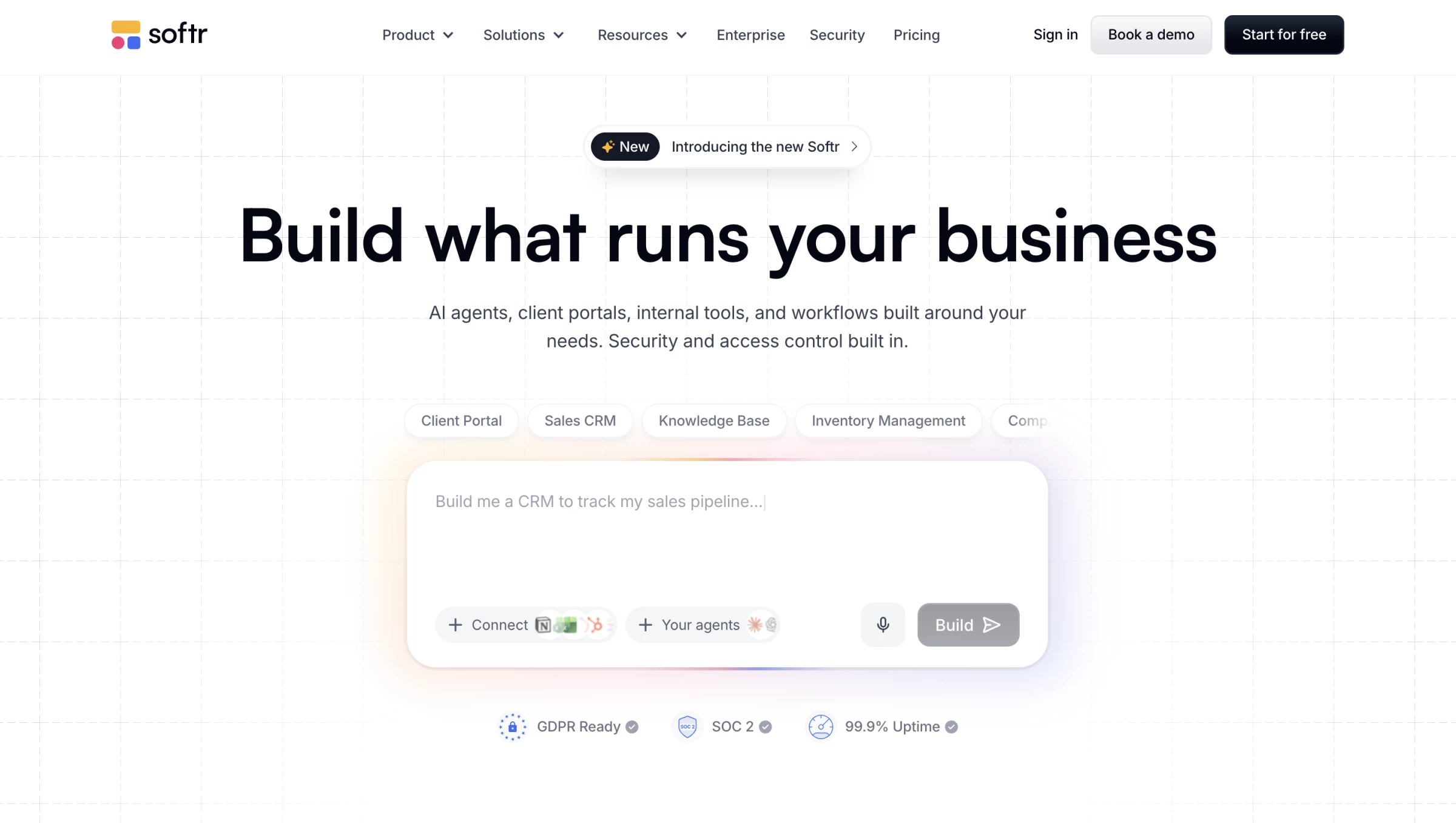
Softr is an AI app builder for web-based business software such as client portals, CRMs, intranets, and internal tools. It is best known for record-level permissions, so clients, vendors and staff can each see different data in one app.
Unlike most builders here, Softr lets you publish a working app for a small group of users on its free plan.
It’s a practical choice when the first version needs a login, a form and a page where users can check a record. A small agency, for example, could use it to pilot a client request portal.
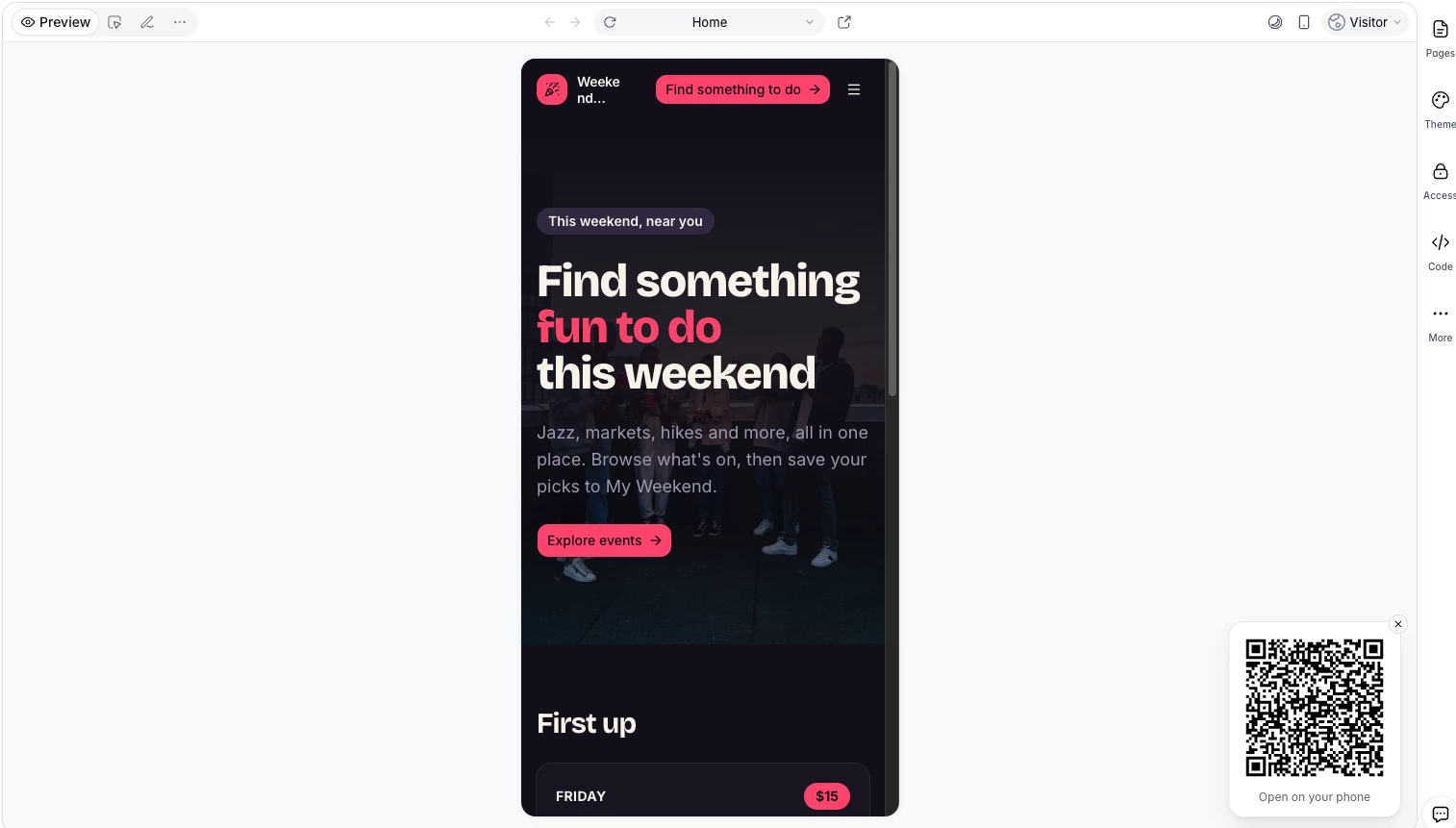
We used Softr’s AI builder to create Weekend Guide and checked its desktop and phone previews. It produced an image-led homepage with event sections and a prominent Explore button.
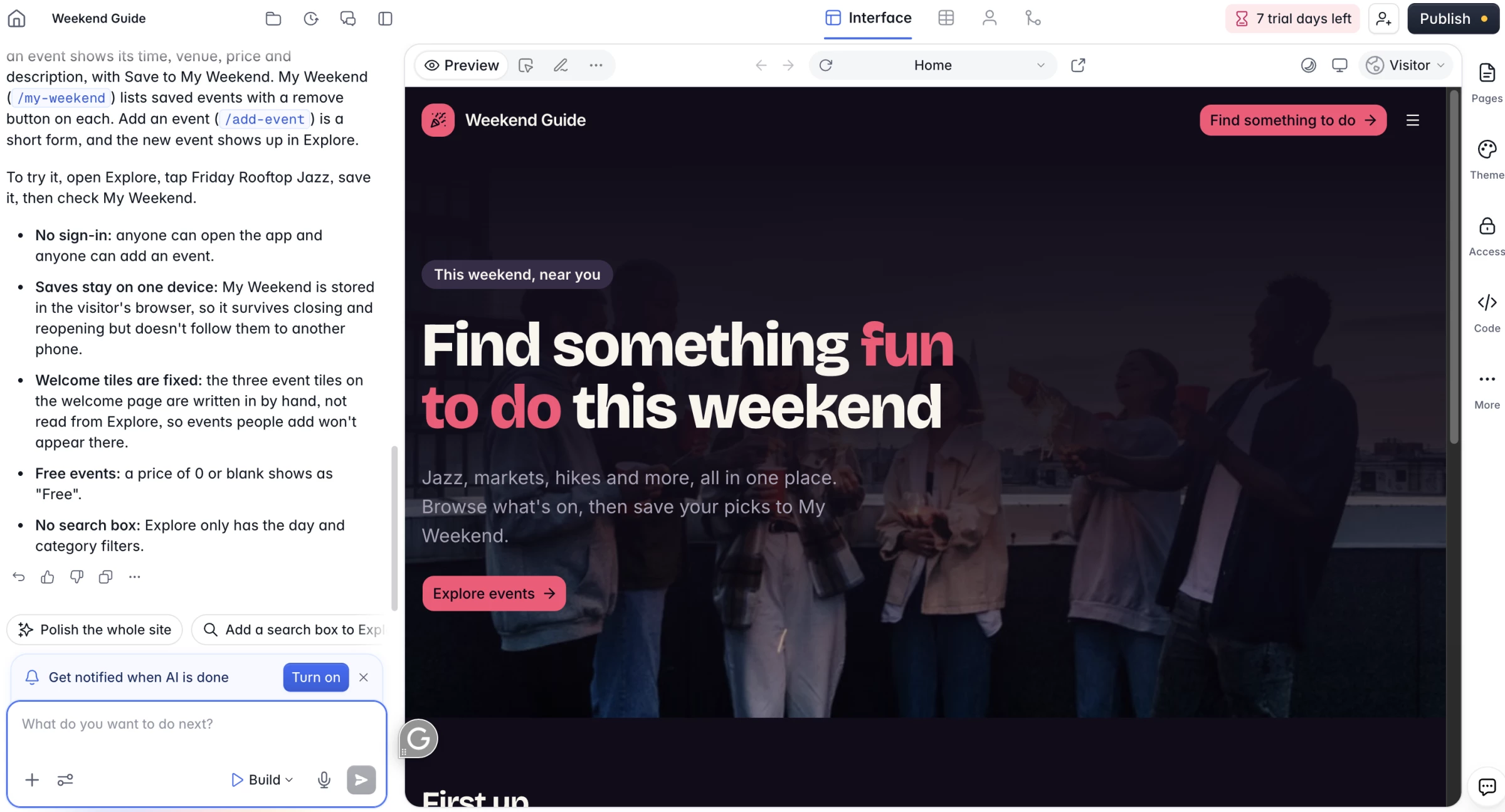
The mobile layout stacked the content, although the app name was truncated in the header. This gave us a presentable starting point for a mobile web app, with some layout cleanup needed.
What Softr’s Free Plan Includes
The free plan includes unlimited apps, 5 app users, 5,000 database records, 5 AI credits, and 500 workflow actions a month.
The free plan connects to Airtable, so you can build and share a working app on top of an existing base at no cost. A custom domain starts on the Basic plan.
Pricing (billed annually)
- Basic: $19/month
- Pro: $99/month
- Business: $329/month
Key Features
- AI Co-Builder: Describe an app, and Softr generates the database, pages and logic, which you then refine visually.
- Softr Databases: A built-in relational database with linked records, lookups and rollups.
- Outside data sources: Connects to Airtable, HubSpot, Google Sheets, Notion and SQL databases.
- Workflows and permissions: Built-in automations and user groups with record-level access control.
- Mobile access: Apps can be installed as progressive web apps.
Pros
- The free plan can publish a live app for up to 5 users.
- Record-level permissions suit client portals and multi-role tools.
- Works with data you already keep in Airtable, Google Sheets or Notion.
Cons
- Built for web apps and portals, not native App Store apps.
- Costs rise with the number of people who log in.
- Softr itself says it is not built for consumer apps or marketplaces.
What Users Say
Softr has a 4.4 out of 5 TrustScore from 73 Trustpilot reviews, with 84% at 5 stars and 12% at 1 star. Recent reviewers describe building working portals and CRMs within days without developers, and several praise fast support.
A software engineer who reviewed it in 2026 called the learning curve real for non-technical users and noted costs rise as a user base grows.
2. Thunkable: Best for Testing Interactive Mobile Apps
Best for founders and marketers testing mobile app ideas.
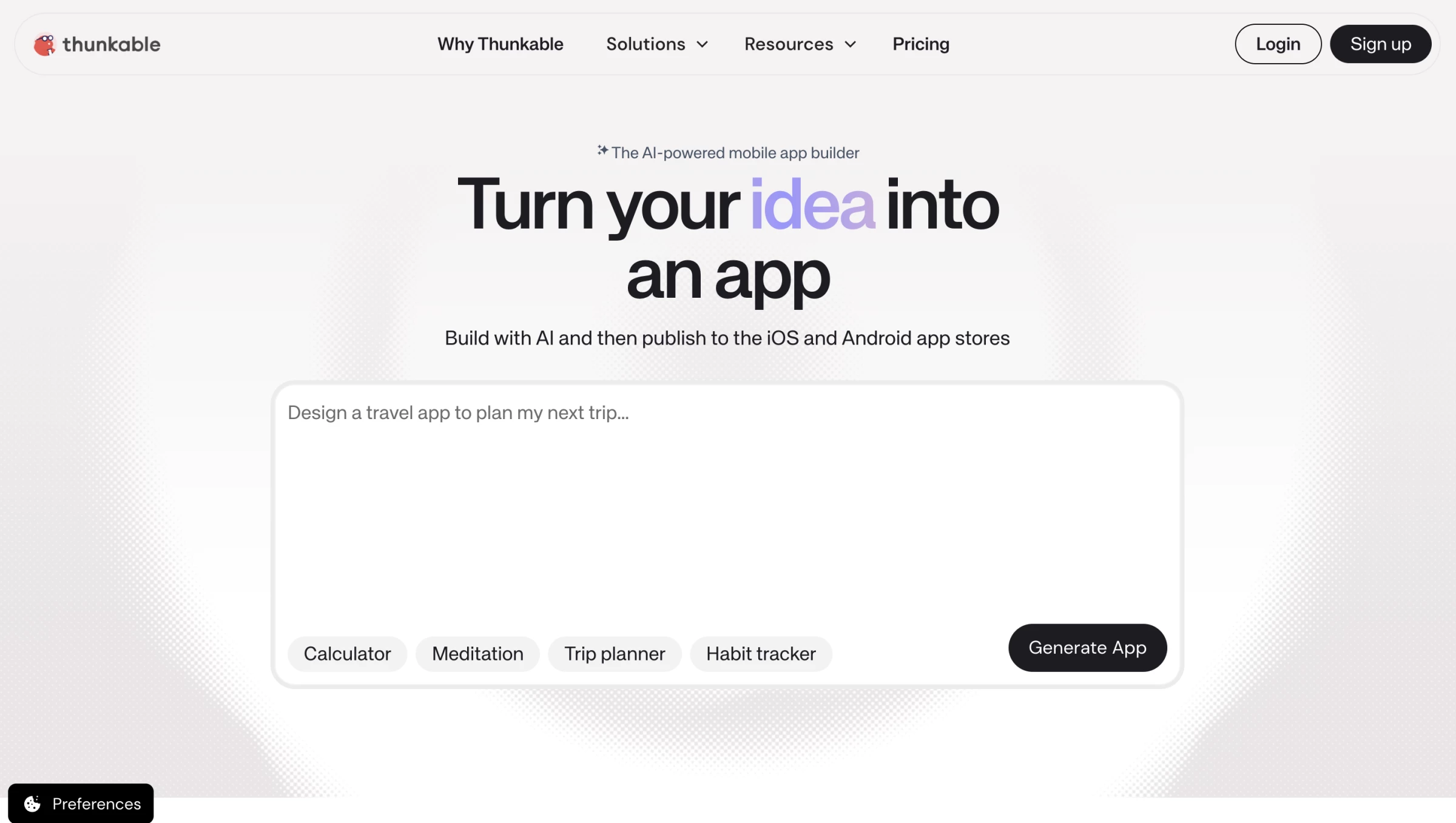
Thunkable is a drag-and-drop builder for iOS and Android apps that uses color-coded logic blocks instead of code. It is best known for live testing, which lets you run an app on your own phone while you build it, and it has long been used in classrooms.
Consider it when your biggest question is how the app feels on a phone. It works for an onboarding flow or a prototype you want to try on both platforms before committing to a store release.
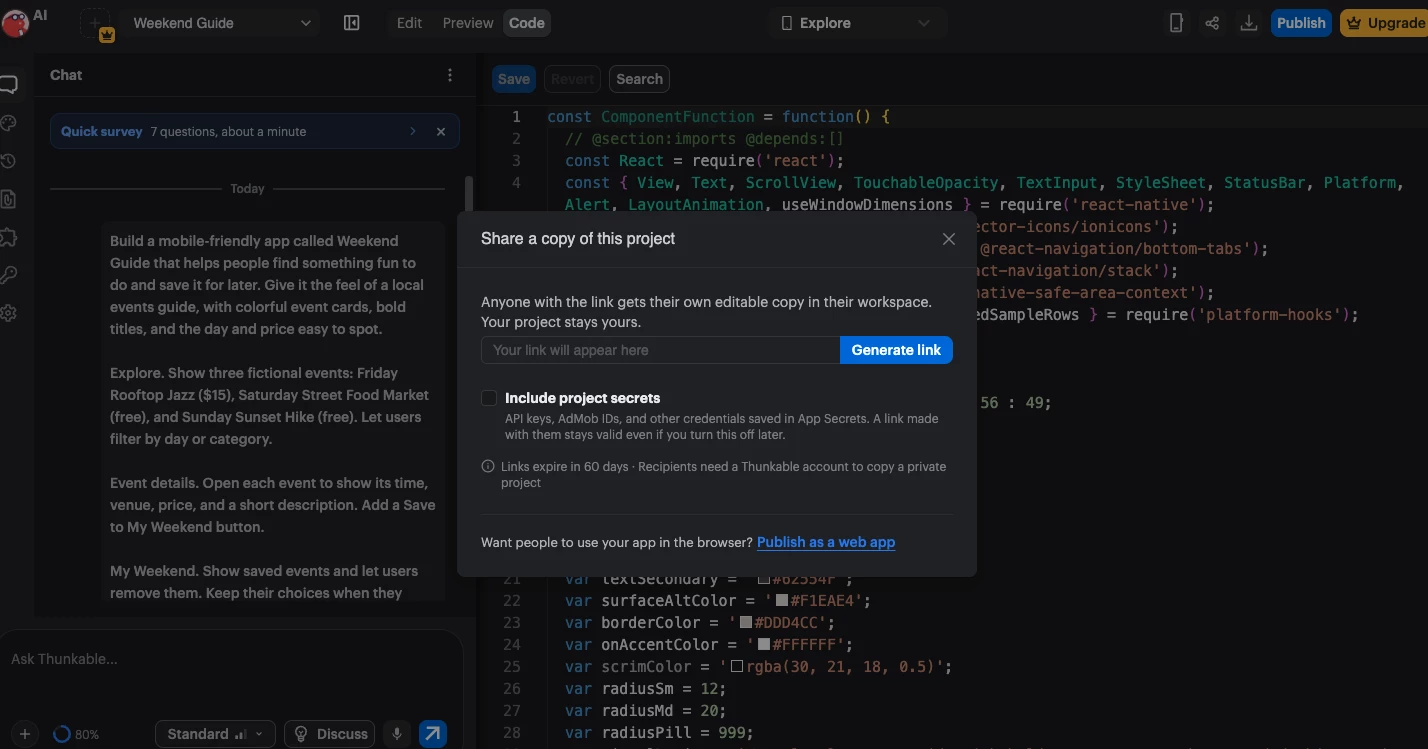
We tried Thunkable’s AI builder with the Weekend Guide brief. It generated mobile screens with event cards, day filters, a My Weekend page and an event-entry form, giving us a visual prototype to review.
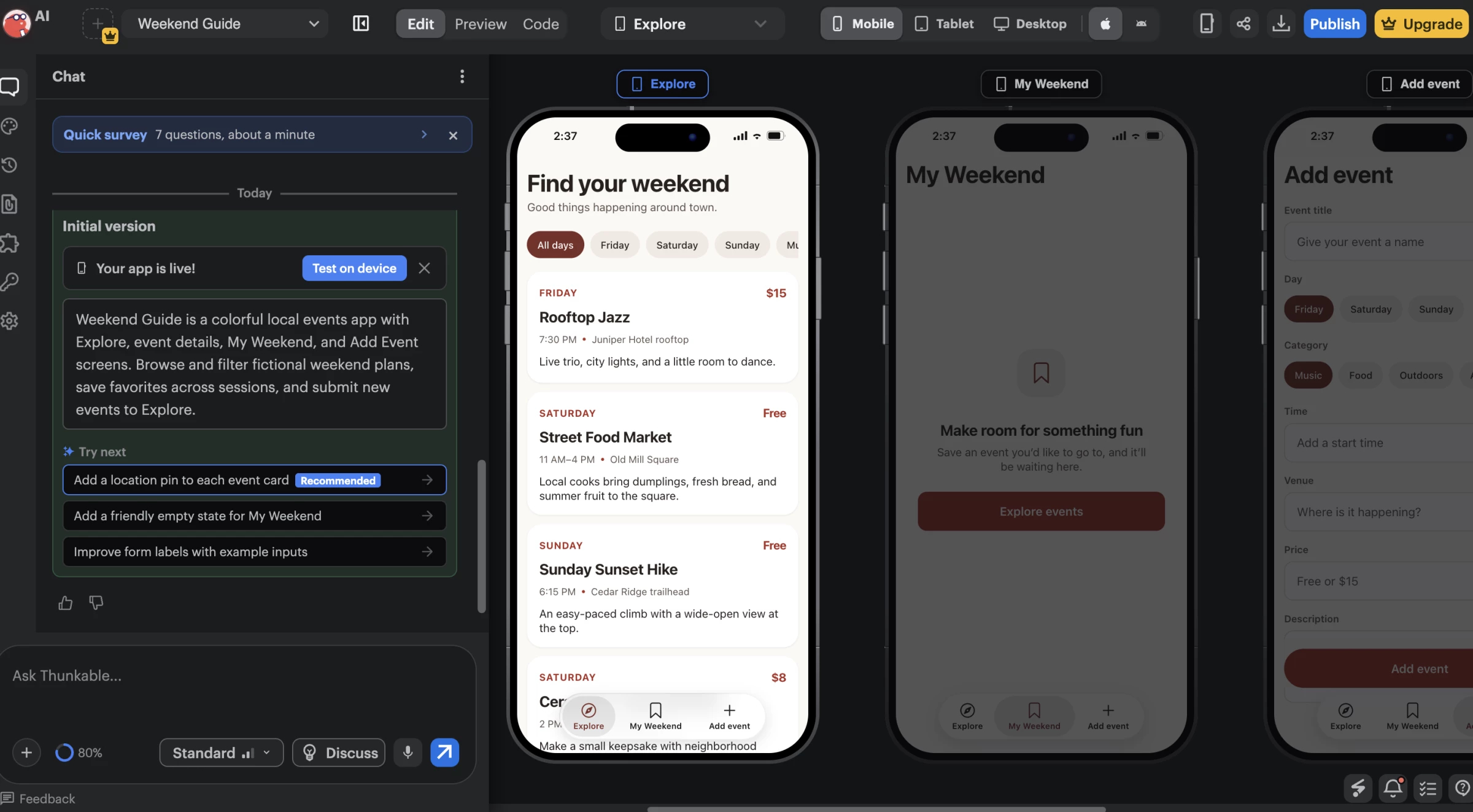
We also inspected sharing options. The dialog offered recipients an editable project copy, with web publishing listed separately. That distinction is useful when deciding whether you need a collaborator to edit the prototype or a customer to use it.
What Thunkable’s Free Plan Includes
The free plan includes 3 public projects, 5 screens per project and 2,000 AI tokens. Projects on the free plan are public, because private projects require a paid plan.
Testing downloads expire after 72 hours, and you cannot publish a live app.
Pricing (billed annually)
- Accelerator: $18/month
- Builder: $37/month
- Advanced: $99/month
Key Features
- Block-based logic: Drag logic blocks together rather than writing code.
- Live testing: Preview changes on your device as you work.
- Data sources: Google Sheets, Airtable, Webflow and local tables.
- Firebase support: Tutorials cover user sign-in and realtime databases.
- AI tokens: Every plan includes an AI allowance, starting at 2,000 tokens on Free.
Pros
- Live testing on a real phone shortens the build-and-check cycle.
- Block logic is approachable for beginners and students.
- Connects to common data sources such as Google Sheets and Airtable.
Cons
- The free plan is small: 3 projects of 5 screens each, all public.
- Publishing starts at $37 a month on yearly billing.
- Published apps stop working for users if the paid subscription expires.
What Users Say
A September 2026 Capterra reviewer liked the drag-and-drop editor and the ability to build for iOS and Android together.
They found it better suited to simple apps than to projects that needed advanced customization.
3. Adalo: Best for Database-Driven Native Mobile Apps
Best for nontechnical founders prototyping apps with user accounts and databases.
Adalo is a visual app builder for web apps and native iOS and Android apps, with a built-in relational database and an AI assistant called Ada.
Nontechnical founders can use Adalo to build their app and submit it to the App Store from the same project. Adalo says it generates native builds in IPA format for iOS and AAB format for Android.
It suits prototypes where people need to create an account and save related records. In a booking app, for example, you can connect a customer to an appointment and show that booking in the customer’s account.
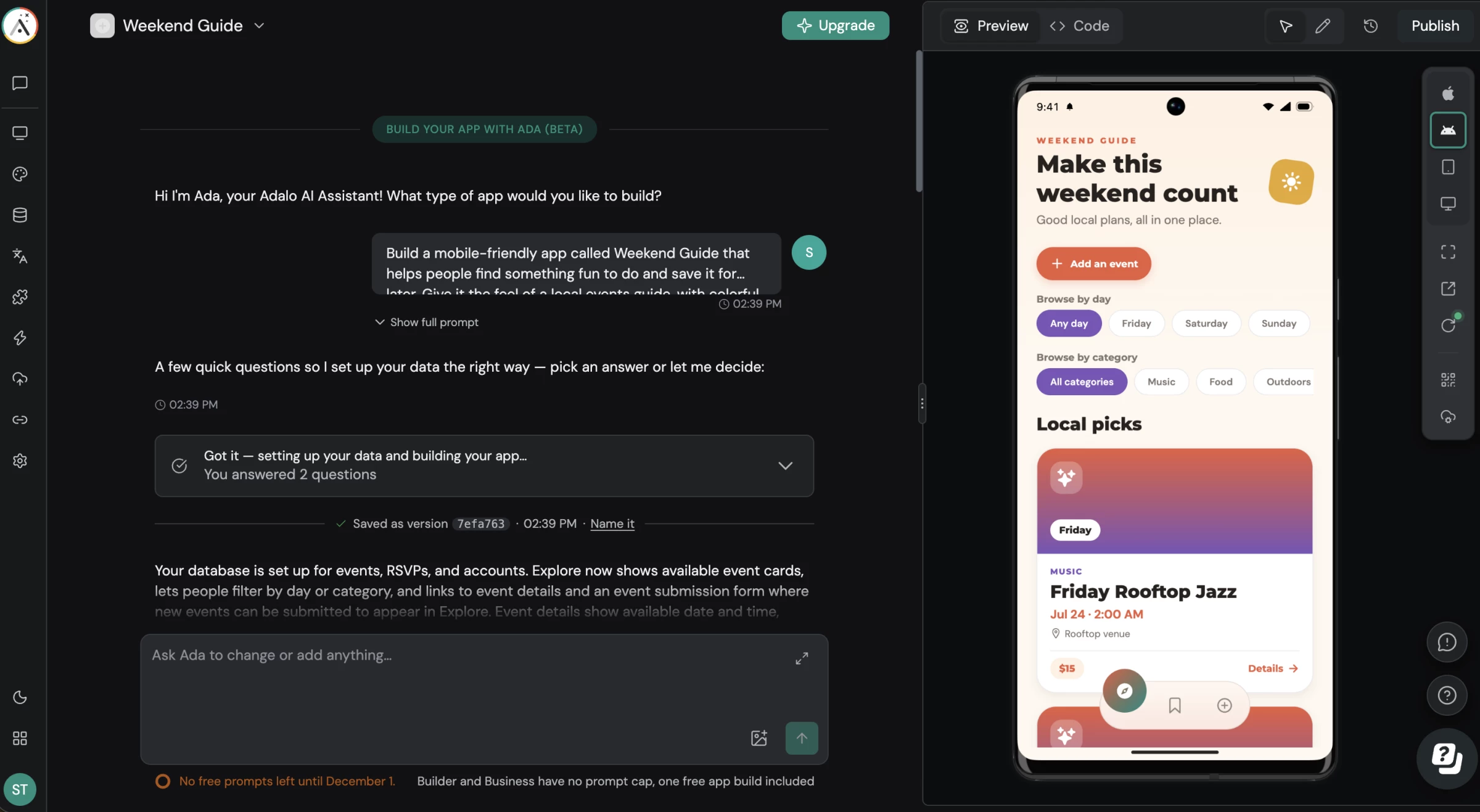
We asked Ada to build Weekend Guide and answered two setup questions. The resulting phone preview included day and category filters, event cards and bottom navigation.
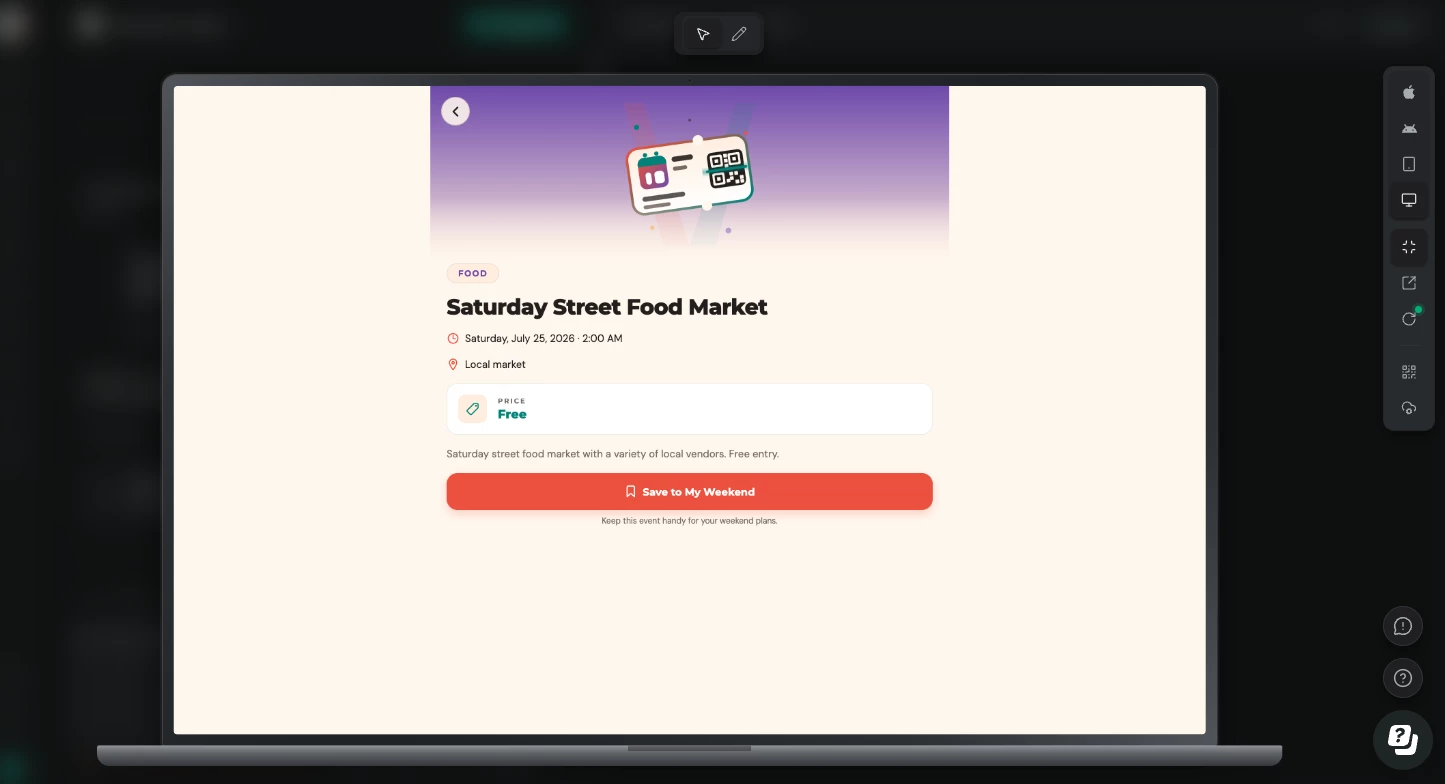
We also opened the Street Food Market detail view, which displayed its venue, price, description and Save to My Weekend button.
This gave us a useful starting point for an events app, but the editor showed that our free prompts were exhausted. Further AI-led refinement would require waiting for the allowance to reset or upgrading.
What Adalo’s Free Plan Includes
The free plan is a full build-and-test environment with no time limit and no credit card required. It includes unlimited test apps, 500 records per app, one app editor, and 5 Ada prompts a month.
It does not include publishing to the App Store, Google Play, or the web.
Pricing (billed annually)
- Builder: $52/month
- Business: $160/month
Key Features
- Ada AI assistant: Describe an app in plain language, then refine it by prompt or in the visual editor.
- Built-in relational database: Included on every plan, so you do not need a separate backend to start.
- One project, three platforms: Publishes as a web app and as native iOS and Android apps.
- Paid-plan integrations: Stripe payments, maps, push notifications and custom actions start on the Builder plan.
Pros
- One project covers web, iOS and Android.
- A database is built in, so beginners can skip backend setup.
- The free plan has no time limit, so you can build the whole app before paying.
Cons
- Publishing, payments and push notifications all require a paid plan.
- The 500-record cap limits how realistic free-plan testing can be.
- Analytics is a paid add-on on Builder.
What Users Say
Adalo has a 3.2 out of 5 TrustScore from 28 Trustpilot reviews, and opinion is split: 35% of reviews give 5 stars, and 46% give 1 star.
Positive reviews from 2026 single out fast, friendly help from named support staff and an editor that non-technical builders can use.
Negative reviews focus on billing and refund disputes, reliability problems on paid plans, and one reviewer's warning that a published app stops working if you cancel the subscription.
4. Glide: Best for Internal Tools Built on Business Data
Best for operations teams managing inventory, requests, and business records.
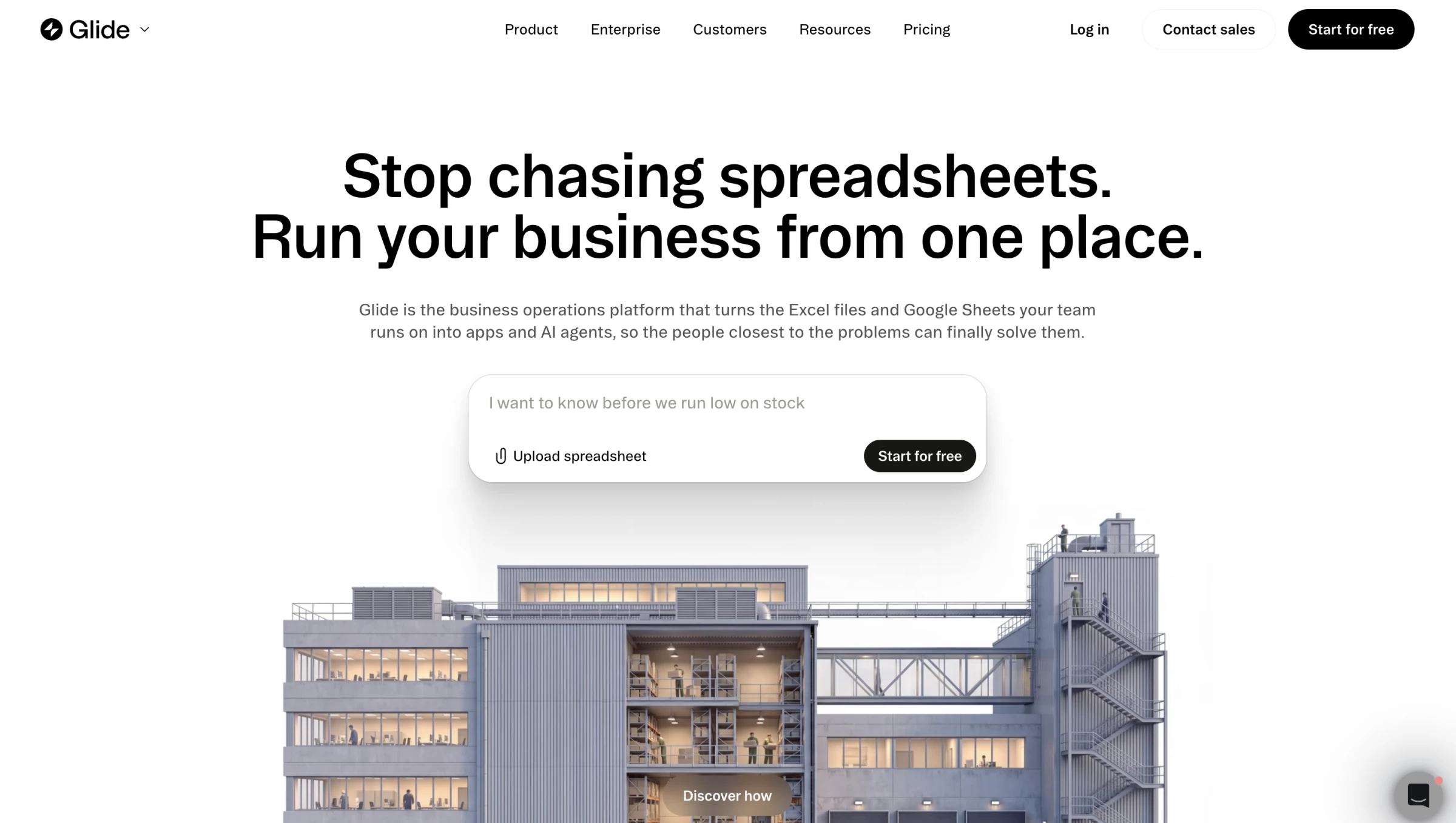
Glide builds data-driven apps that run in the browser as progressive web apps, shared by link rather than through an app store. It turns spreadsheet-style data into internal tools like inventory trackers, CRMs, and staff directories.
It fits cases where the app’s main job is to give people a clearer way to work with records.
Glide now sells two products: Glide Classic, covered here, and the newer GlideOS, which has separate plans.
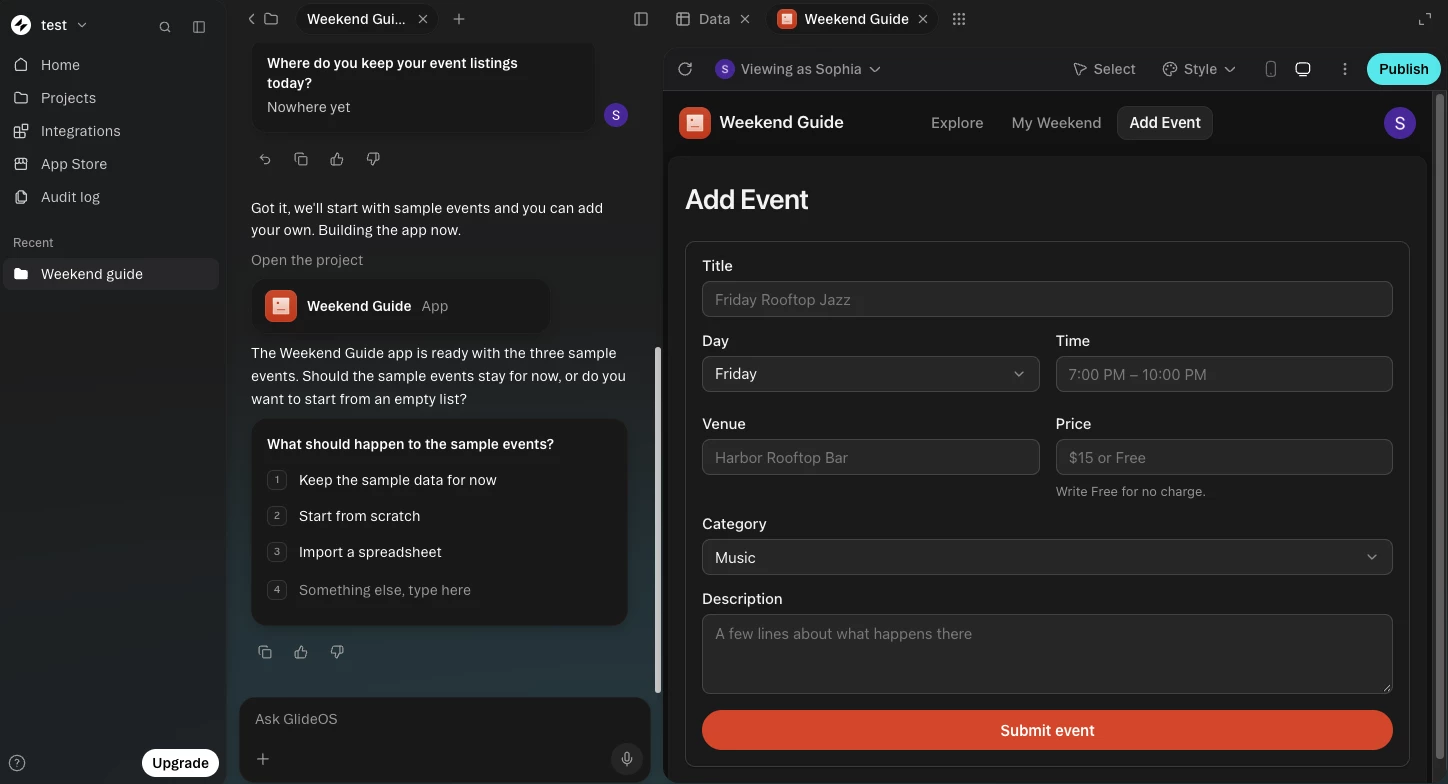
We started Glide without an event database and let the builder create sample content. It gave us enough structure to review event discovery and open an event-submission form without preparing a spreadsheet first.
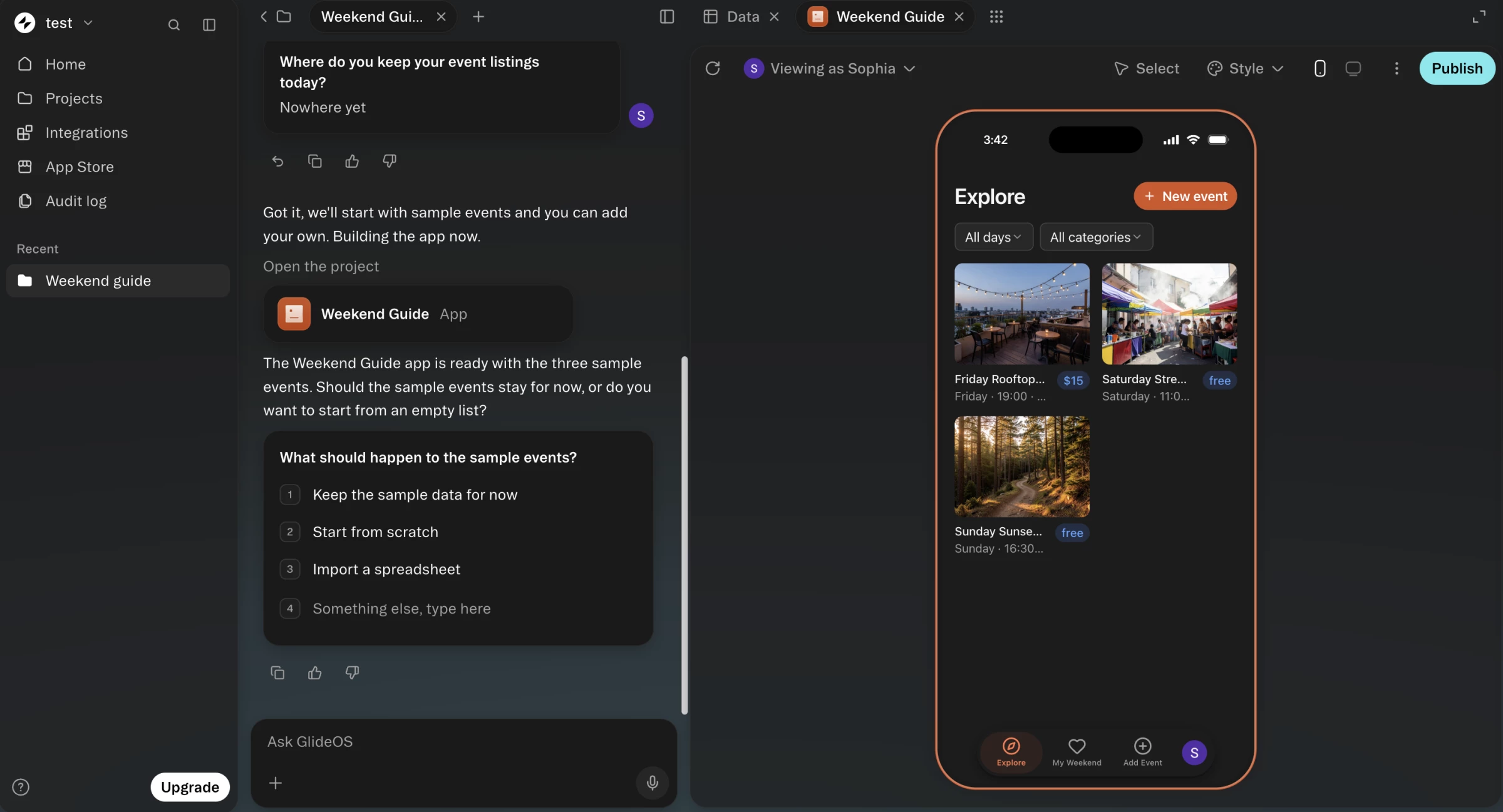
The phone layout needed attention because longer event names were cut off. For a listings app, our experience suggests checking your longest titles and form fields early, before adding the full dataset.
What Glide's Free Plan Covers
The Classic free plan includes 1 editor, up to 10 personal users, up to 25,000 rows in Glide Tables or Big Tables and 40+ UI components, with community support only.
Google Sheets is not available on the free plan, and the first published app comes with the paid Explorer plan. GlideOS has its own free plan with 2 team members, 10 projects and limited credits.
Pricing (billed monthly)
- Basic: $25/month
- Plus: $50/month
- Pro: $125/month
- Enterprise: Custom
Key Features
- Data-first building: Apps are built on Glide Tables or Big Tables, with spreadsheet sources on paid plans.
- 40+ UI components: Pre-built components on every plan, including Free.
- Workflows and Glide AI: Automation and AI features start on the Explorer plan.
- Link-based sharing: Users open the app in a browser, with no app store review.
Pros
- Fast path to a working internal tool for teams with structured data.
- No app store review, so updates reach users right away.
- The free plan allows up to 25,000 rows for testing.
Cons
- Apps cannot be published to the App Store or Google Play.
- The free plan cannot publish an app or connect Google Sheets.
- Two product lines with separate plans make pricing harder to compare.
What Users Say
Glide has a 2.4 out of 5 TrustScore from 416 Trustpilot reviews. Most of its all-time reviews are positive, with 56% at 5 stars, but only 19 arrived in the last 12 months and most recent ones are critical.
Several 2026 reviewers say they built an app on the free plan and only learned at the publish step that sharing it required payment. Others cite slow support routed through AI chatbots and the lack of an undo or version history.
5. MIT App Inventor: Best for Learning, Teaching, and Simple Prototypes
Best for students, educators, and first-time app builders.
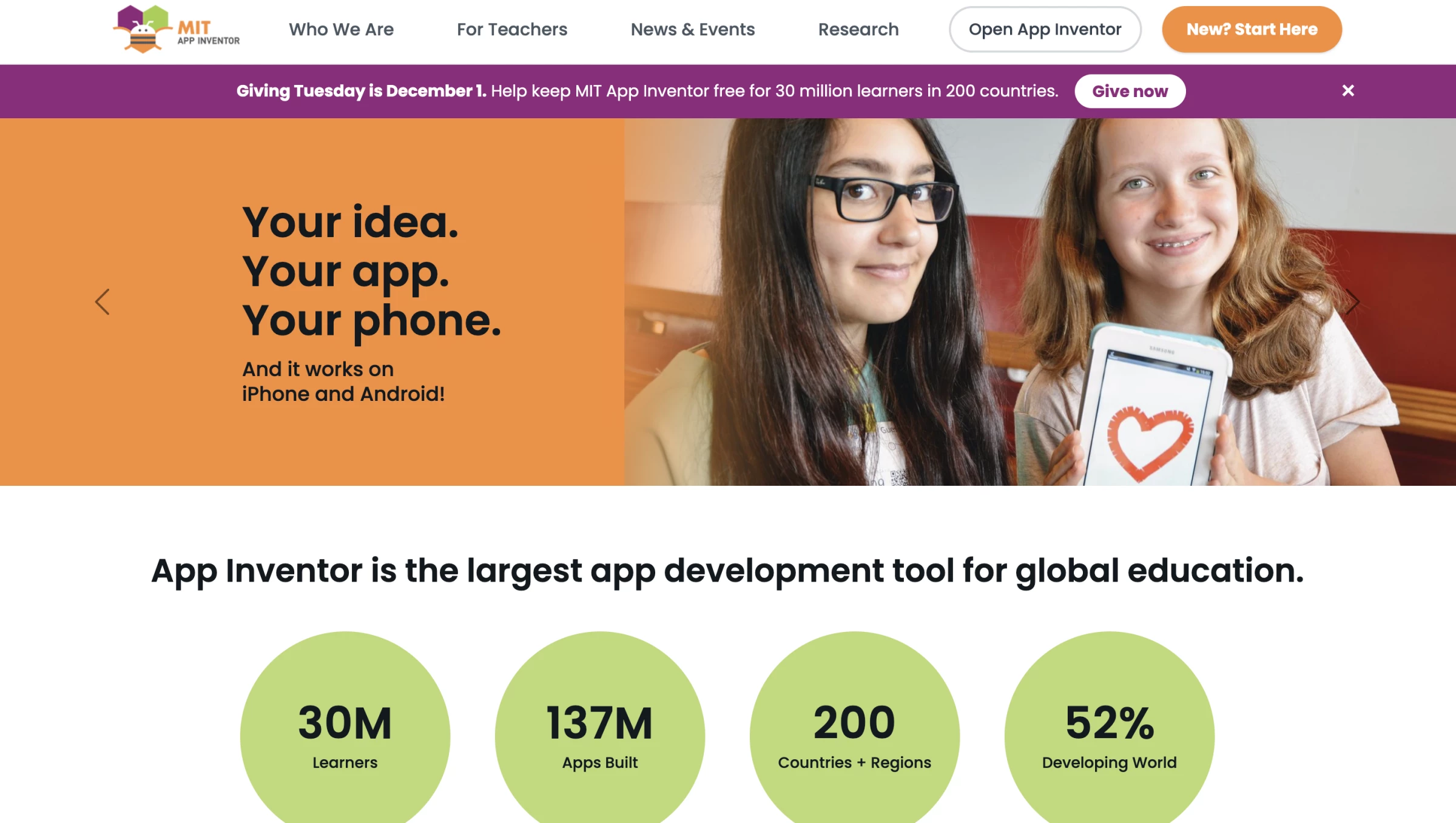
MIT App Inventor is a free, open-source visual programming environment from MIT for building Android and iOS apps with color-coded logic blocks. MIT reports 30 million learners and 137 million apps built on the platform.
It suits classes, beginner projects, and simple Android apps that people can install directly. A class can build a quiz, try it on a phone, and share an installable file.
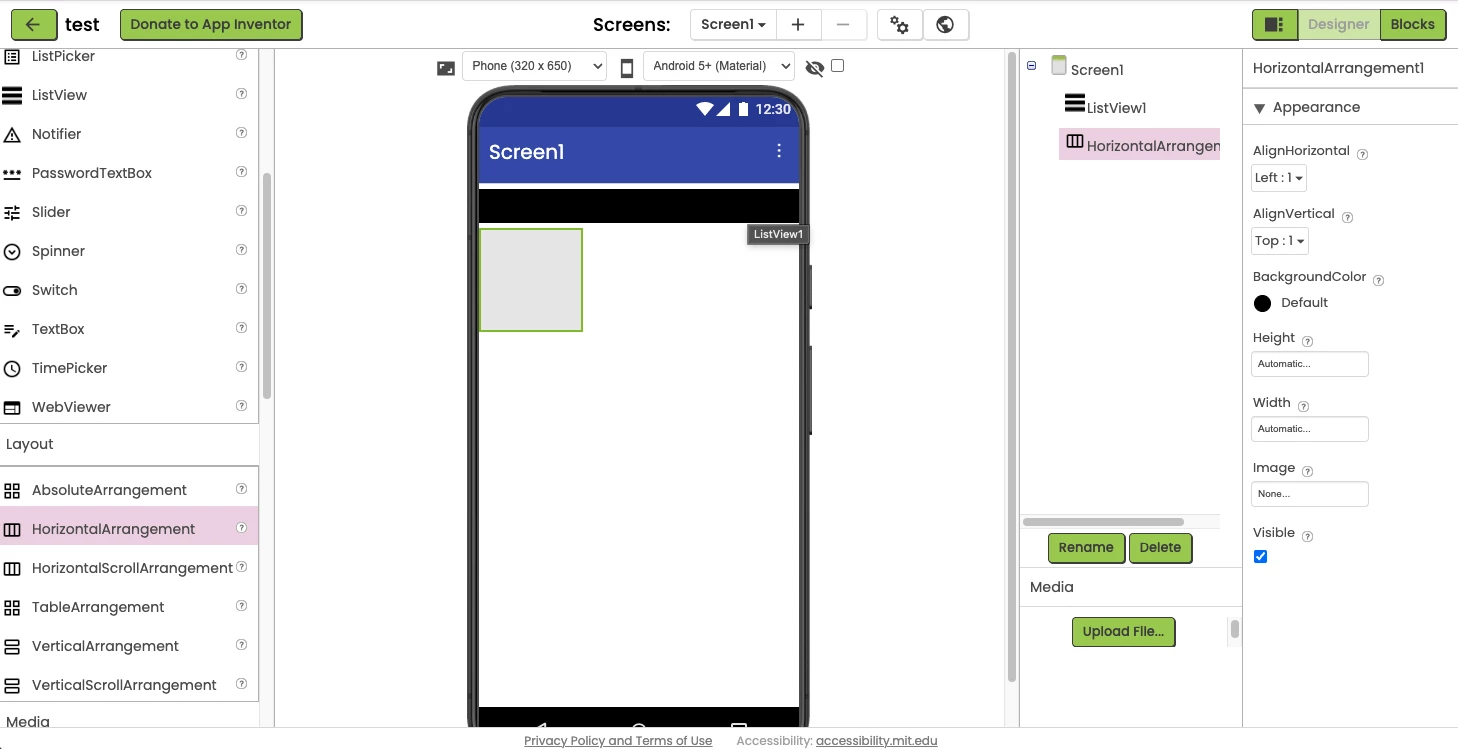
Building with MIT App Inventor involved choosing and arranging components ourselves. We added a list and a horizontal layout, then explored the Blocks workspace for the logic behind the interface.
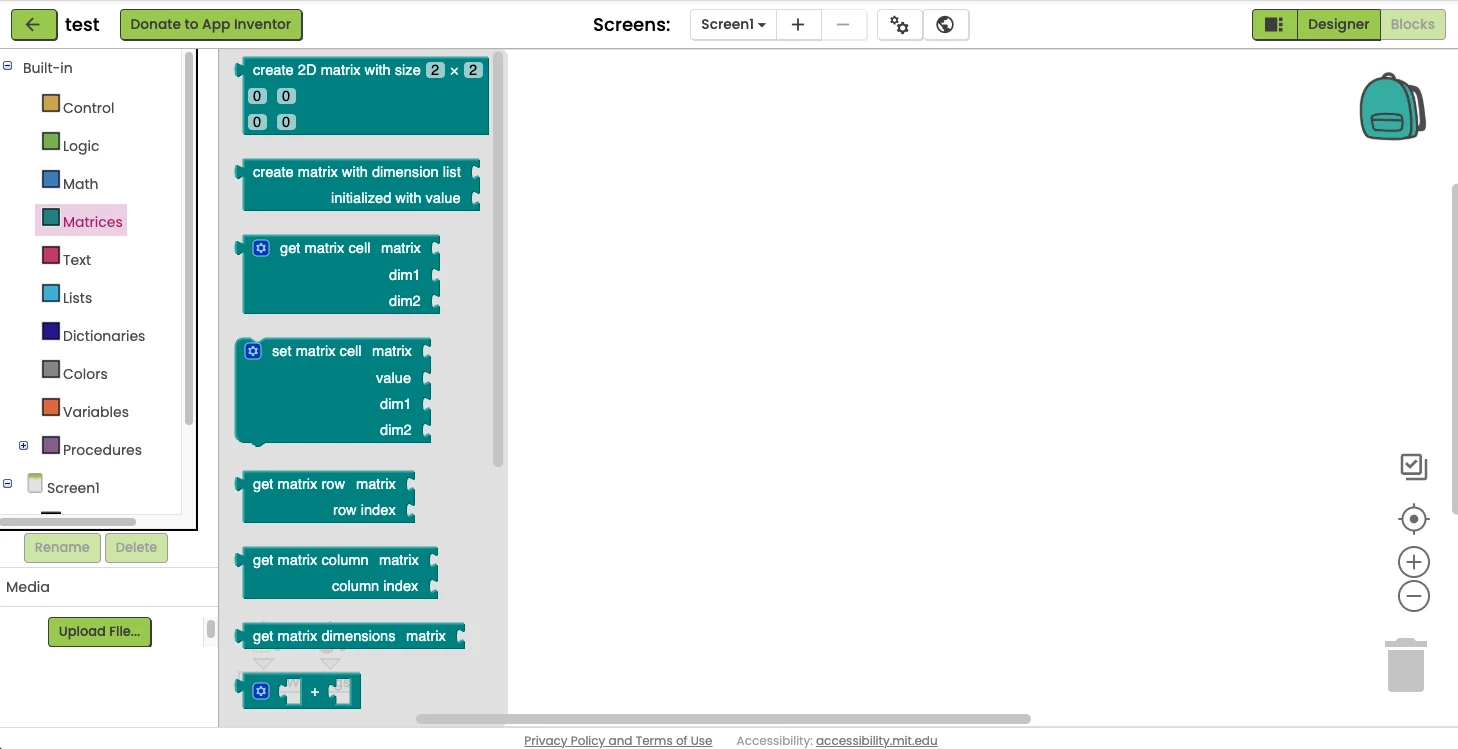
We finished this part of the test with a basic screen that still needed development. The process offers a hands-on introduction to app building, but teams should account for that assembly work when planning a prototype.
What's Free in MIT App Inventor
Everything. You can build and test apps for Android and iOS for free and export an Android APK for direct installation.
Publishing on Google Play requires a one-time $25 registration fee for a Google Play Console account. Packaging a standalone iOS app or publishing it on the App Store requires an Apple Developer Program membership, which costs $99 per year. Eligible nonprofits and accredited schools can request an Apple fee waiver.
Key Features
- Block-based logic: Snap blocks together in a browser-based editor instead of writing code.
- Android and iOS output: Build apps for phones and tablets on both platforms.
- iOS builds: Create ad hoc builds for test devices or upload to the App Store from the Build menu, with an Apple Developer account.
- Room to grow: MIT says the same blocks scale to apps that use AI, sensors, maps and data.
- Teaching resources: Tutorials, curriculum and teacher programs run by MIT and the appinventor.org nonprofit.
Pros
- Completely free, with no plan limits to outgrow.
- Block logic is approachable for beginners and young learners.
- Backed by MIT, with a large library of teaching material.
Cons
- Extensions do not work in compiled iOS apps, according to forum moderators.
- iOS builds need a paid Apple account even for testing on your own devices.
- Help comes mainly through the community forum rather than a paid support desk.
What Users Say
MIT App Inventor's community forum, where MIT's own engineers post, shows both enthusiasm and friction around iOS. When App Store builds opened for beta testing in September 2023, users welcomed being able to publish to both Google Play and the App Store.
Early testers also reported that some components behaved differently in compiled iOS apps than in testing, and some were surprised that an Apple developer account was required just to build an iOS file.
6. FlutterFlow: Best for Developer-Friendly Apps With Code Export
Best for agencies and product teams planning a developer handoff.
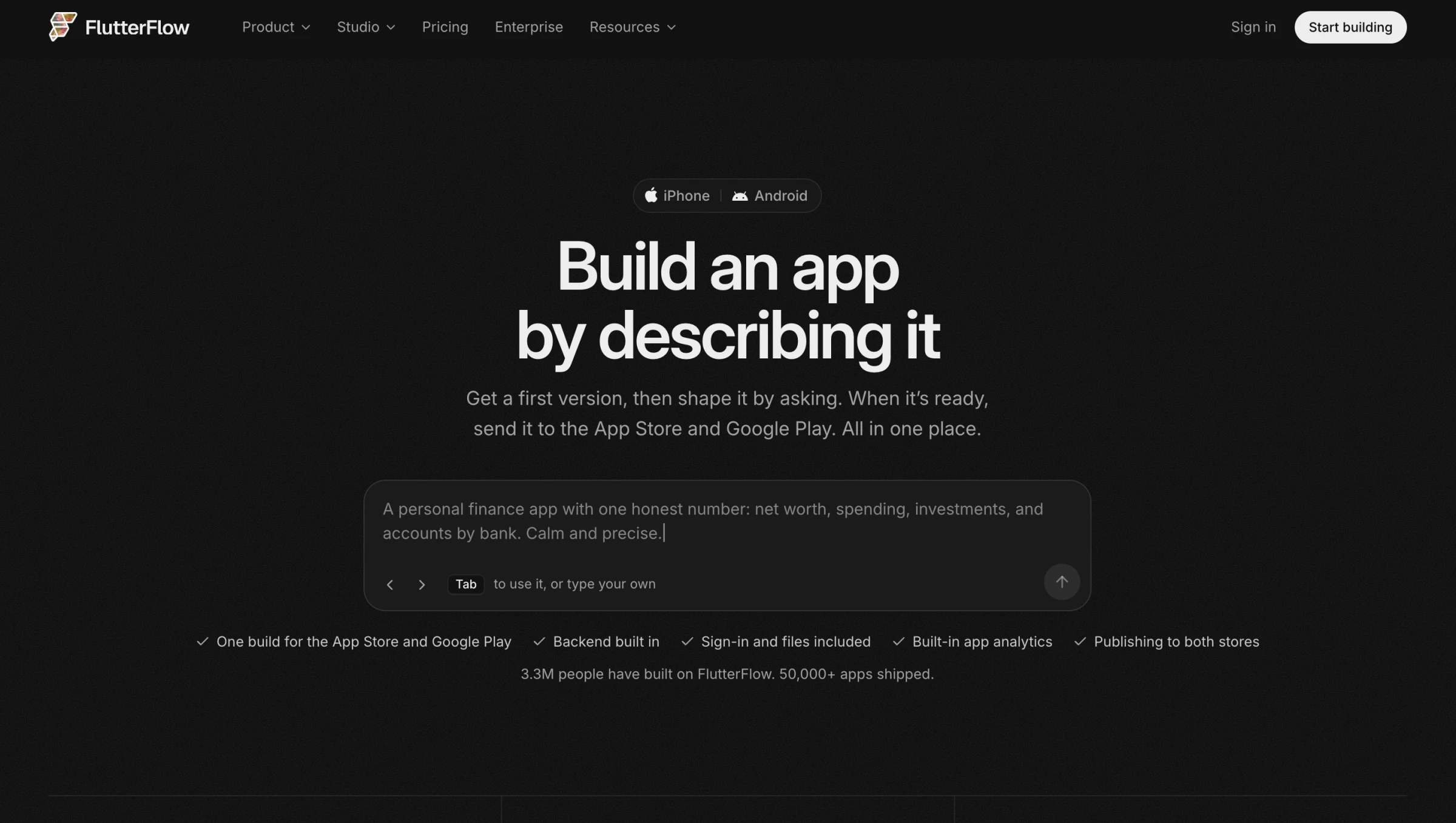
FlutterFlow is a visual builder for mobile, web and desktop apps that generates code on Google's Flutter framework. Teams can export the generated Flutter source code and continue developing their app outside FlutterFlow.
The visual builder is now called FlutterFlow Studio and shares one subscription with FlutterFlow's newer prompt-based builder
Put it on your shortlist if you want to design a prototype visually and may later need a developer to work with the source.
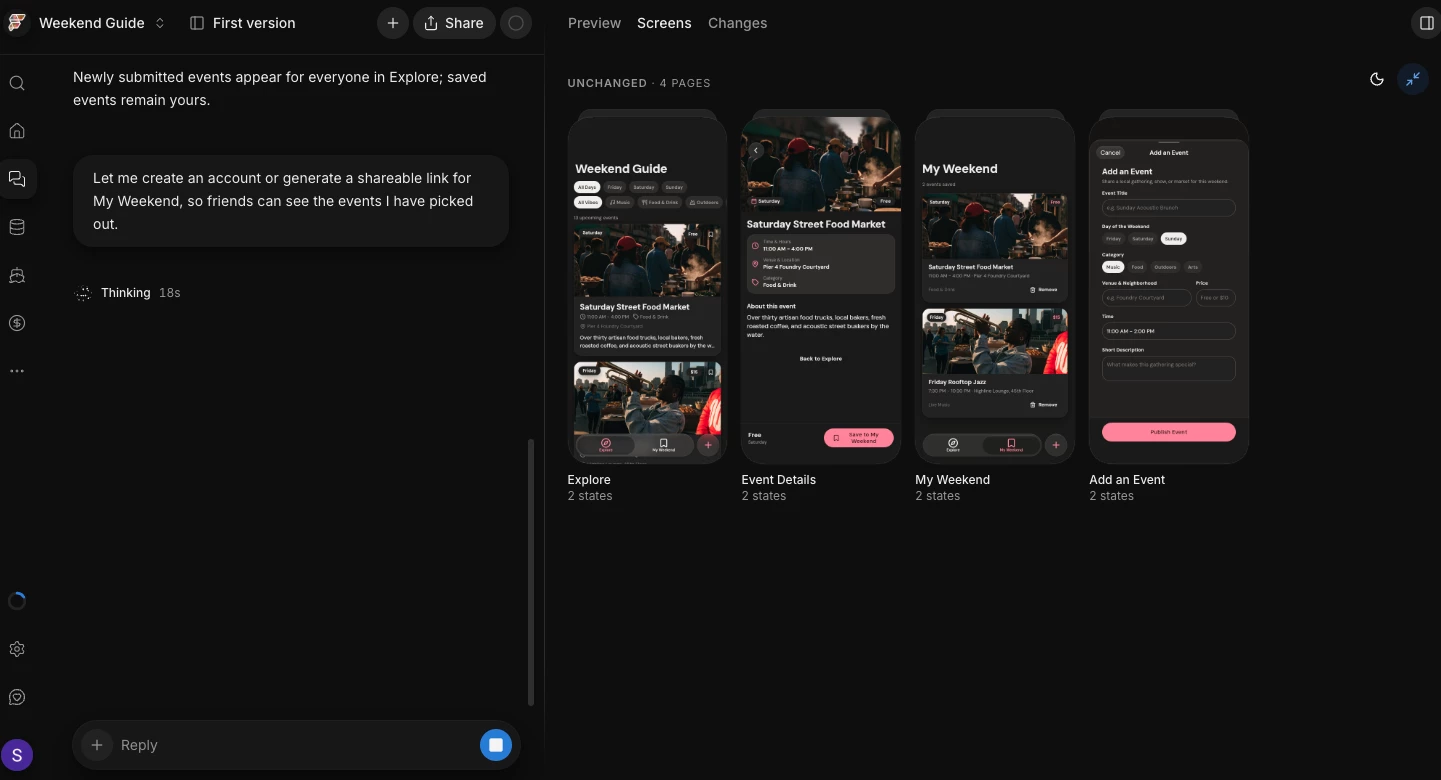
FlutterFlow’s prompt-based builder translated our brief into all four core screen layouts, giving us a connected design to review across discovery, event details, saved plans and event submission. That helped us assess the proposed user journey before refining individual screens.
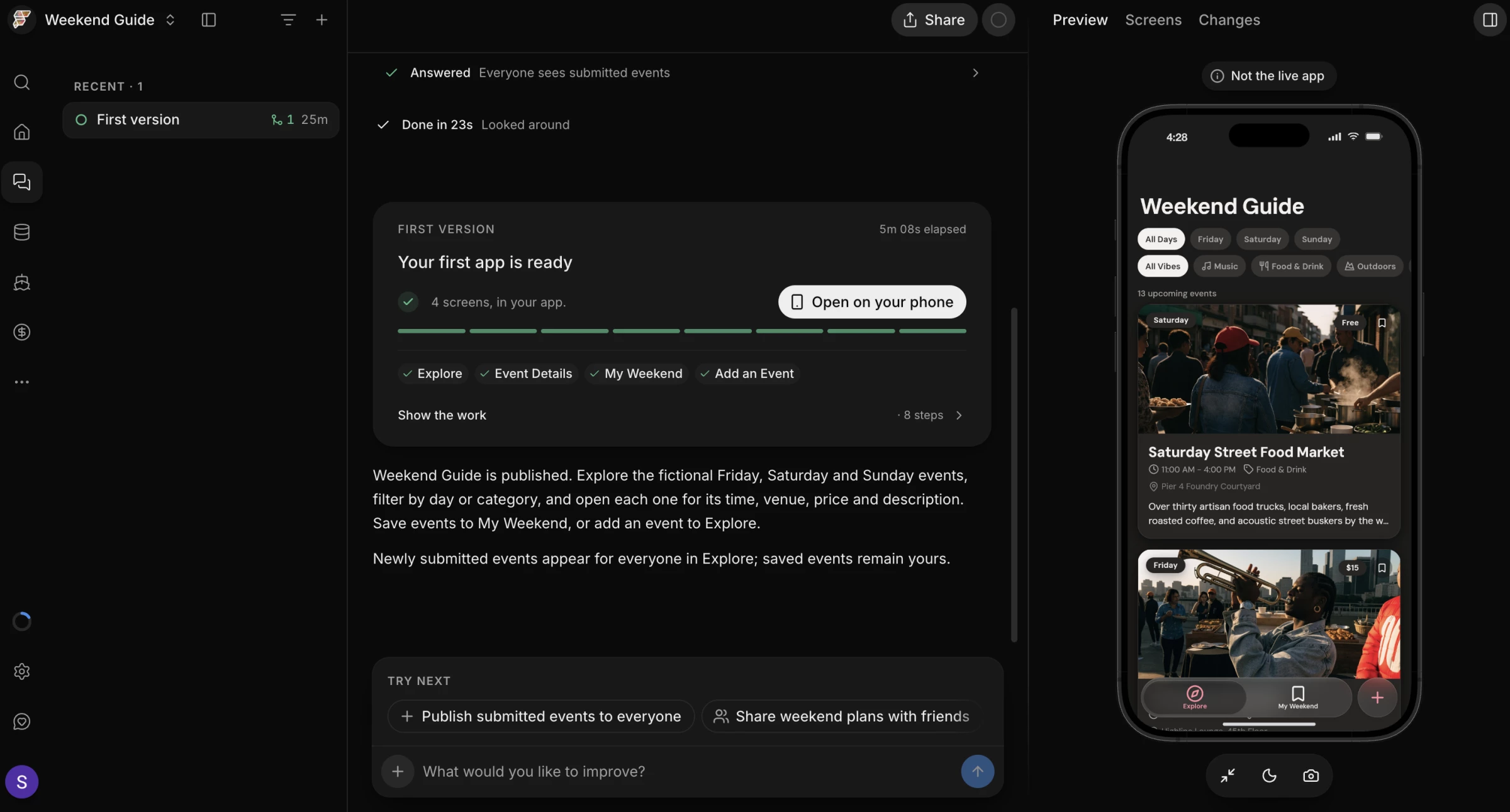
We then requested account creation or a shareable weekend list. That follow-up remained unverified, so the strongest result from this test was the initial four-screen prototype.
What FlutterFlow Studio’s Free Plan Includes
The free plan includes the full visual builder, 2 projects, 1 editor, a free AI allowance, Firebase and Supabase integration, up to 2 API endpoints and web deployment to up to 2 free subdomains.
It does not include code download, APK download, one-click store deployment, push notifications, payments or watermark removal. Test Mode sessions expire after 20 minutes.
Pricing (billed annually)
- Basic: $29/month
- Pro: $60/month
- Max: $113/month
Key Features
- Visual builder with 1,000+ templates: Drag-and-drop screens, a visual logic builder and state management.
- Firebase and Supabase integration: Connect a database and sign-in on every plan, including Free.
- Code export and GitHub: Download source code from Basic; push to GitHub from Pro.
- Custom code: Add your own code to extend what the builder offers.
Pros
- Code export reduces lock-in compared with most no-code tools.
- Firebase and Supabase are available even on the free plan.
- One project can target mobile, web and desktop.
Cons
- The free plan cannot publish to app stores or download code.
- Per-seat pricing raises costs as a team grows.
- It expects more technical comfort than beginner-focused builders.
What Users Say
FlutterFlow has a 2.5 out of 5 TrustScore from 23 Trustpilot reviews, with 35% at 5 stars and 39% at 1 star.
Fans praise how much development time the visual builder saves and the ability to export code, which one reviewer said means no vendor lock-in.
Critics, including several paying users in 2025 and 2026, describe slow support on blocking bugs and painful branch merging.
Product Hunt users rate it higher, at 4.4 out of 5 from 44 reviews.
7. Google AppSheet: Best for Spreadsheet-Based Team Pilots
Best for Google Workspace users and field teams replacing spreadsheet workflows.
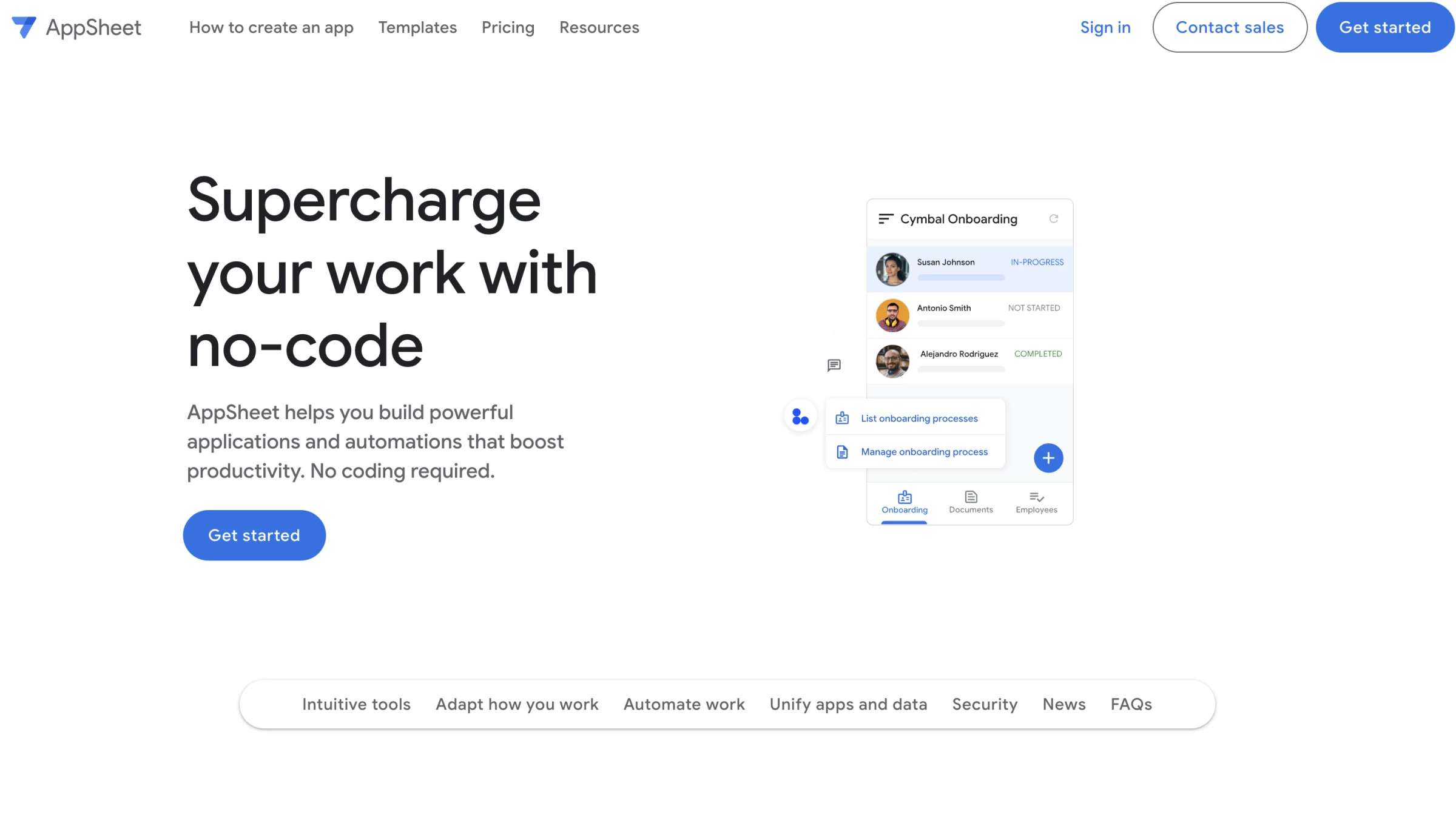
Google AppSheet is Google's no-code platform for building data-capture and workflow apps on top of spreadsheets, cloud storage, and its own AppSheet database.
Most paid Google Workspace plans include AppSheet Core, so teams on those plans can start building apps with their existing subscription.
Apps can capture photos, signatures, and locations and keep working offline.
It’s a good fit for a field checklist, inventory count, or approval process that currently lives in a spreadsheet and needs an interface people can use on a phone.
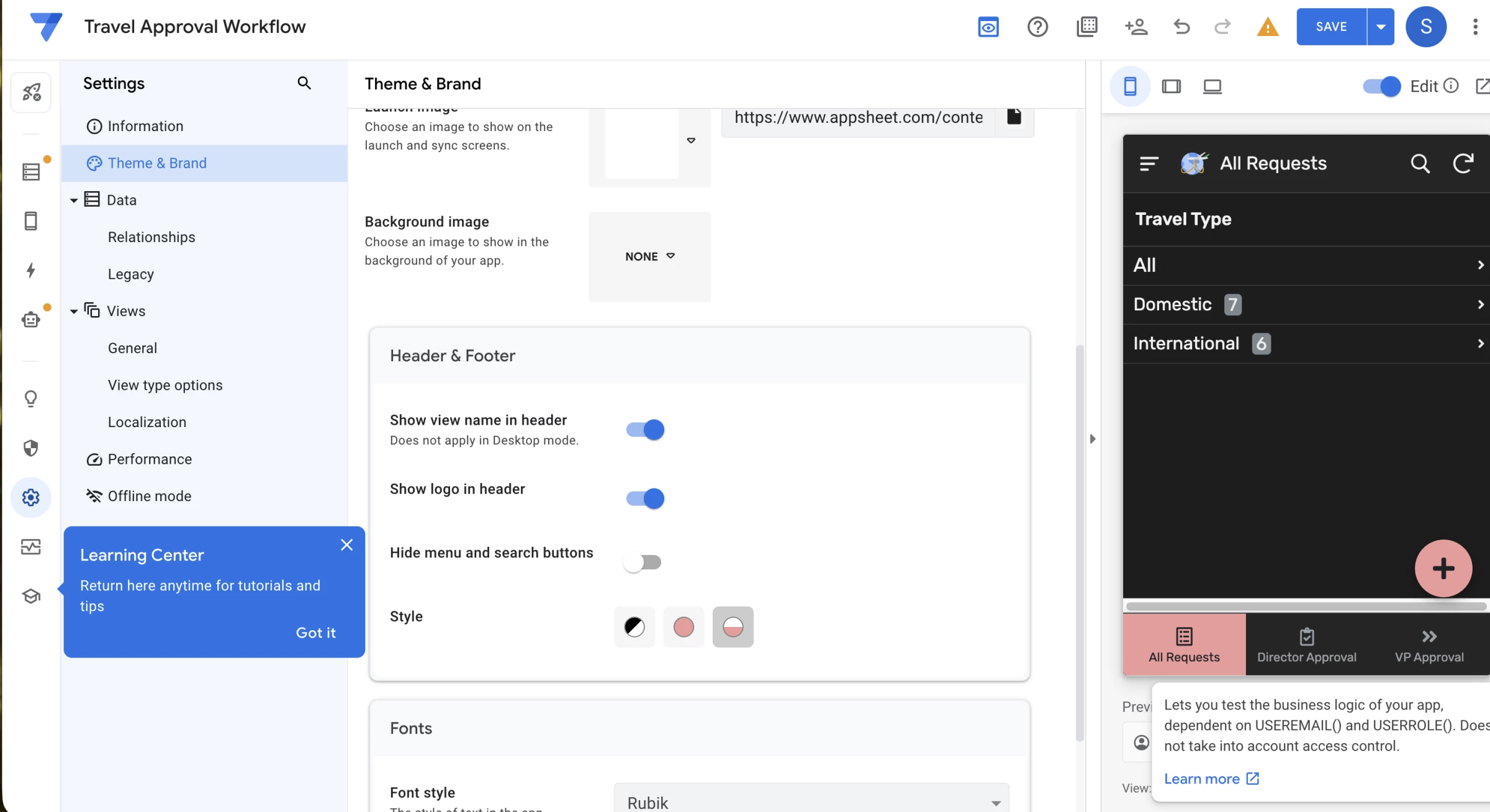
For AppSheet, we explored a travel-approval template rather than building Weekend Guide. Starting with an existing workflow gave us request categories and separate approval views to work from.
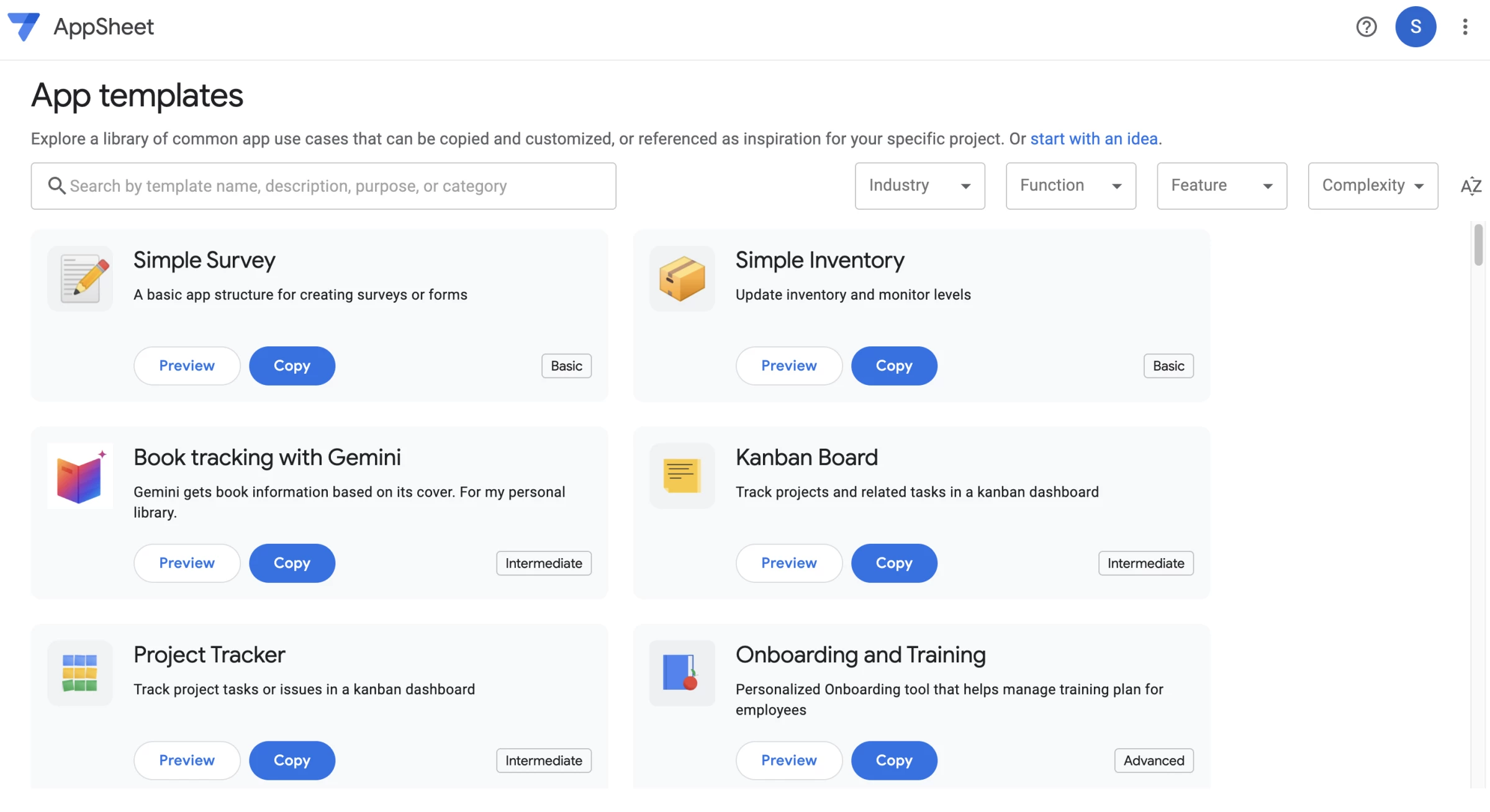
We could then inspect branding and layout settings around that structure. This approach felt relevant to an internal business tool with a defined process, although we would still need to test approval routing and permissions before putting it into team use.
What AppSheet's Free Use Covers
AppSheet has no separate free plan, as every account is free until you subscribe. You can build as many prototypes as you like and test each with up to 10 users, with no time limit.
Google's help center says some features, such as sending emails through automation, can be set up but will not run until you subscribe. A personal-use mode lets up to 3 people use an app without licenses.
Pricing (billed monthly)
- Starter: $5/user/month
- Core: $10/user/month
- Enterprise Plus: $20/user/month
Key Features
- Spreadsheet and storage connectors: Google Sheets, Forms, Drive, Calendar and Docs, plus Excel, Airtable and Smartsheet.
- Rich data capture: Forms, checklists, locations, signatures, and photos.
- Offline use: Apps run offline and sync in the background.
- Automation: Email, SMS and push notification automations, with scheduled and webhook automations on Core.
Pros
- Many Google Workspace customers already have Core at no extra cost.
- Offline use and photo, signature and location capture suit field teams.
- Prototyping is free with no time limit.
Cons
- Per-user pricing gets expensive for apps with large audiences.
- Deploying to a team beyond 10 test users requires a subscription.
- Some automations, such as email, only run on paid plans.
What Users Say
AppSheet's official community, now hosted on the Google Developer forums, shows the issues users raise most.
In November 2026, the latest threads included several reports of apps blocked with a plan-update notice after passing the user limit, and multiple reports of Google Sheets sync failures.
Volunteer and nonprofit builders also ask whether their apps qualify for free personal use, which suggests the free-use rules are not always clear to new users.
8. Bubble: Best for Complex Web Apps and SaaS Products
Best for startup founders building SaaS products and marketplaces.
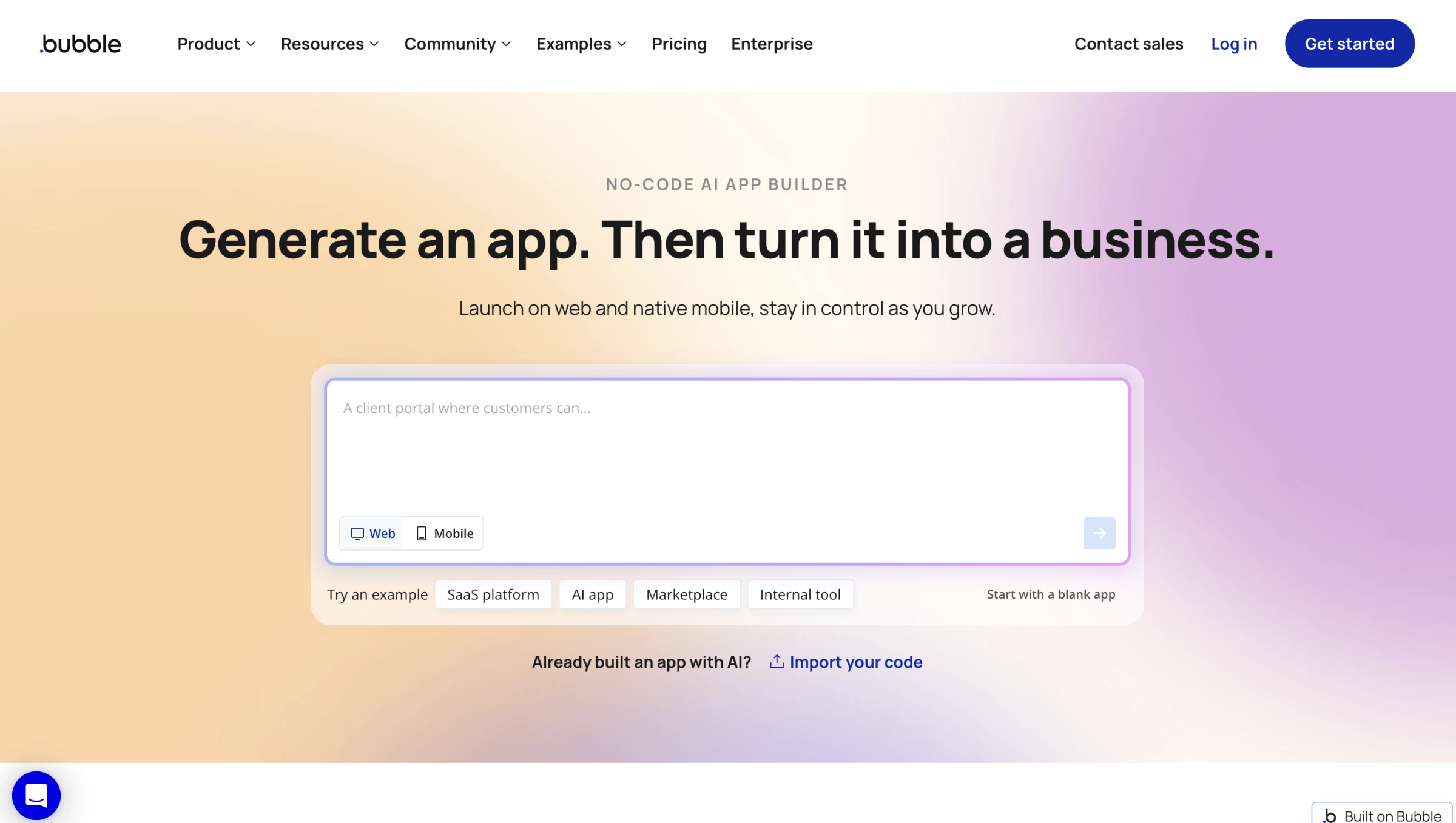
Bubble is a full-stack no-code platform for building web apps and native iOS and Android apps. It includes a database, a workflow engine, and hosting.
Founders can use Bubble to build SaaS products and marketplaces that need custom workflows. For example, a marketplace can let sellers create accounts, submit listings, and send those listings through multiple approval steps before they go live.
Bubble measures usage in workload units, which track the server resources an app uses.
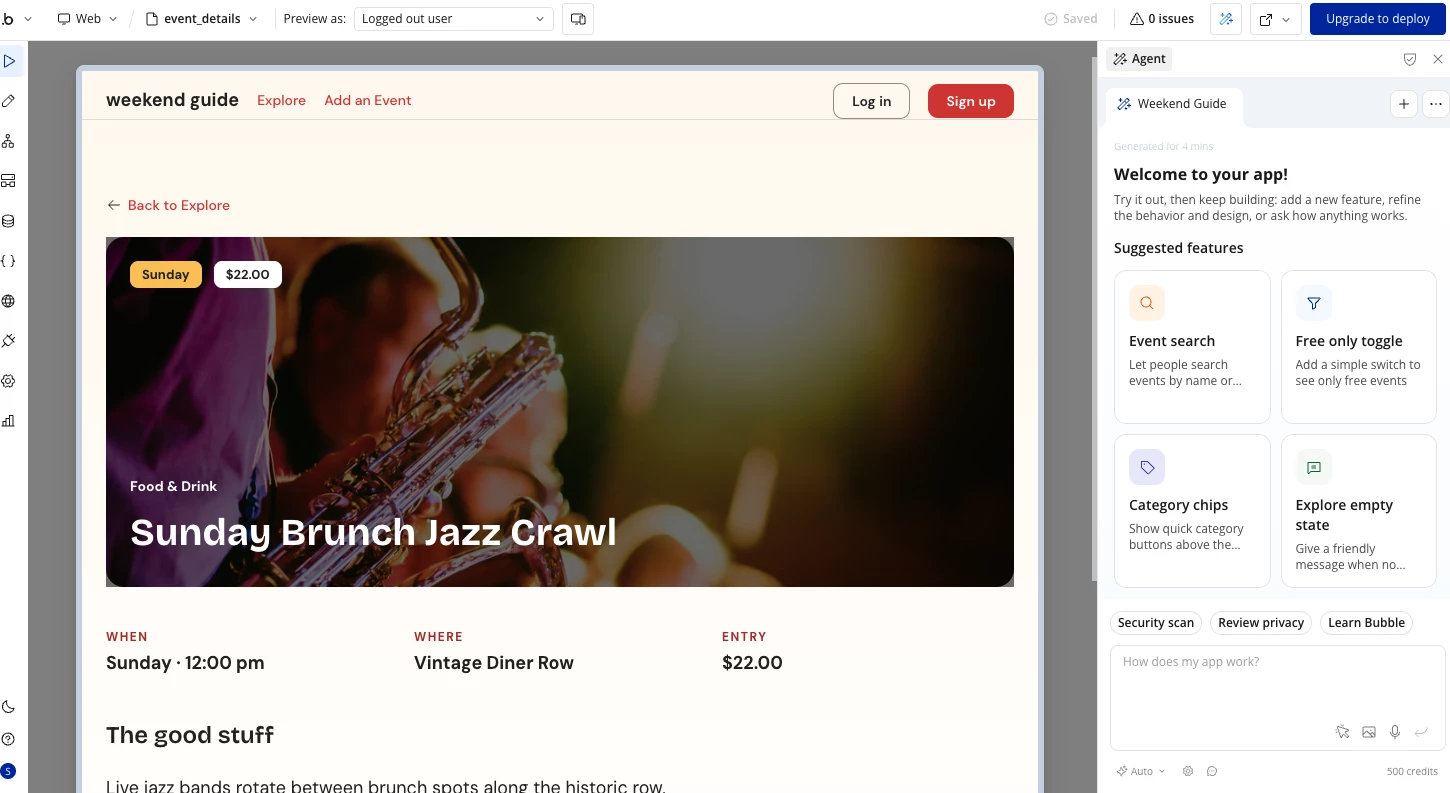
Bubble gave us a substantial first draft of Weekend Guide, including event listings, detail pages and account-entry options.
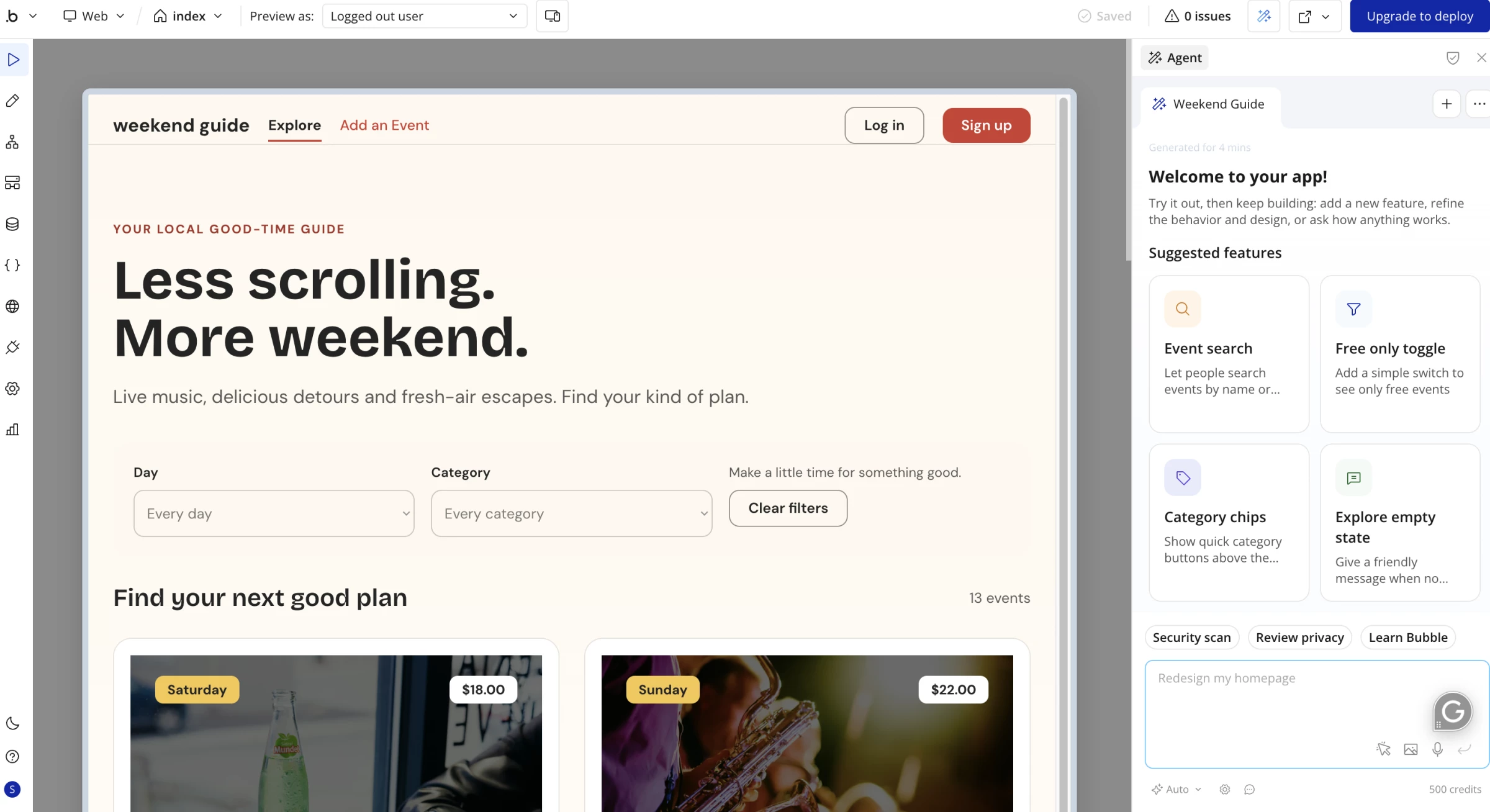
It also expanded our three-event brief into 13 events, which added content we would need to review and trim before a client presentation.
We could assess the concept inside the editor, while the Upgrade to deploy button made the next spending point clear.
What Bubble’s Free Plan Includes
The free plan is a development environment for projects under construction. It includes 50,000 workload units a month, 500 AI credits, the API Connector, one editor, 0.5 GB of file storage and up to 200 database records.
You can test mobile apps on your own device. You cannot run a live version, use a custom domain or remove Bubble branding, and a paid plan is required for TestFlight, Google Play testing and store publishing.
Pricing (billed annually)
- Starter: $32/month
- Growth: $119/month
- Team: $349/month
- Enterprise: Custom
Key Features
- Visual editor for web and native mobile: Build web, iOS and Android apps in one project; native apps run on React Native.
- Built-in database and workflows: Data, logic and hosting live in one platform.
- API Connector: Connect outside services on every plan, including Free.
- AI agent and credits: AI features such as the AI agent and page generation use monthly AI credits.
Pros
- Handles complex logic, user roles and data that simpler builders cannot.
- Web and native mobile apps can share one backend and database.
- The free plan includes the full editor, so you can learn the platform before paying.
Cons
- The free plan cannot go live, even for a simple web app.
- Workload-based pricing makes monthly costs harder to predict.
- The learning curve is steeper than template-driven builders.
What Users Say
Bubble has a 3.1 out of 5 TrustScore from 173 Trustpilot reviews, with 28% at 5 stars and 59% at 1 star.
Trustpilot's AI summary of recent reviews says many users find the platform intuitive and helpful for building web apps without advanced coding.
The same summary flags complaints about confusing subscription and cancellation practices, billing surprises, and bugs. Several October 2026 reviewers praised Bubble's new AI agent, while one long-time customer reported repeated production outages.
9. Jotform Apps: Best for Form-Based Apps, Portals, and Simple Stores
Best for marketing, HR, and events teams collecting forms and payments.
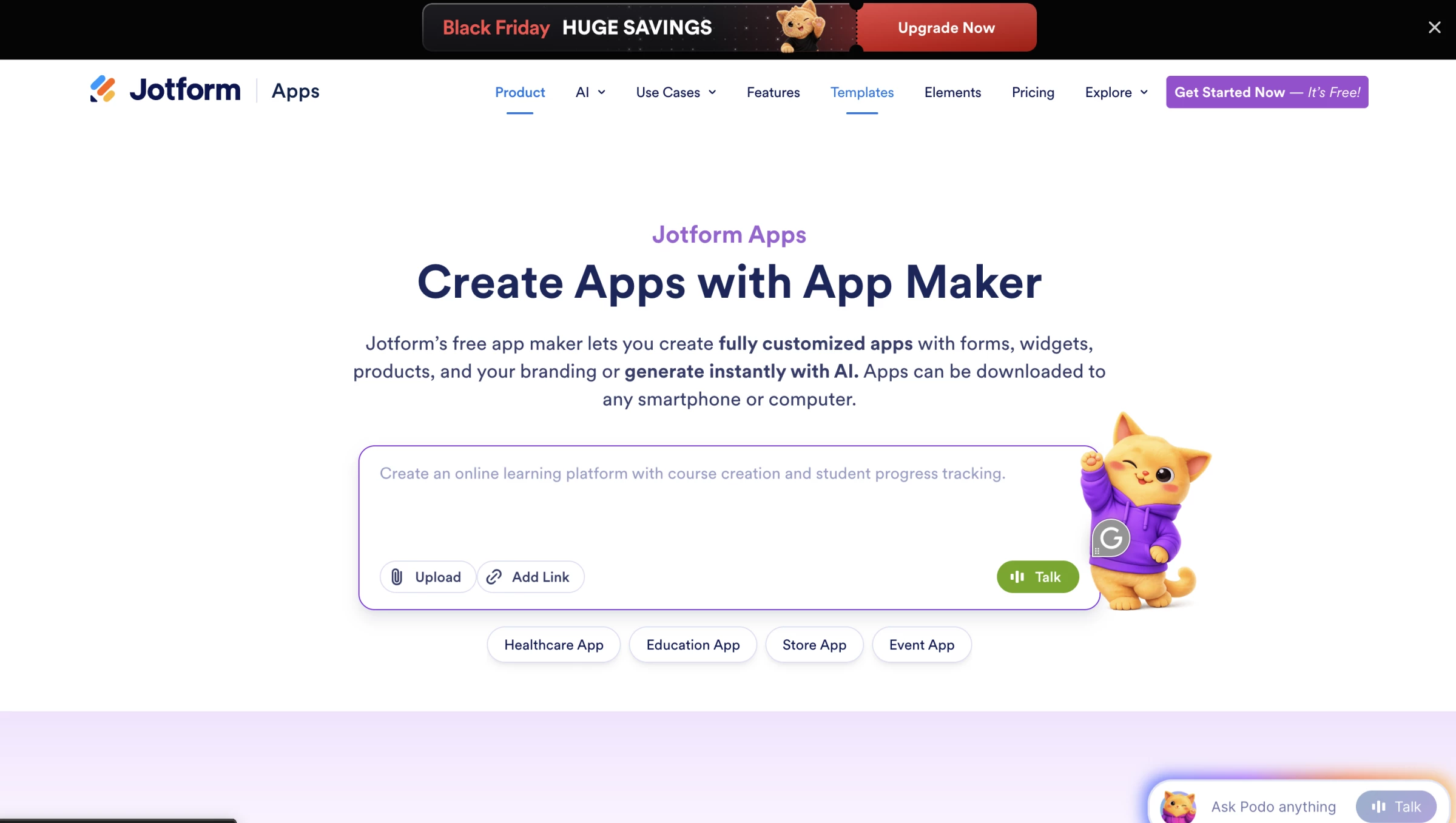
Jotform Apps is a drag-and-drop builder that turns existing Jotform forms into branded apps, such as HR portals, booking apps, and donation hubs.
You can add widgets, links, and products alongside your forms. Users can open the app from a link and save it to their phone’s home screen.
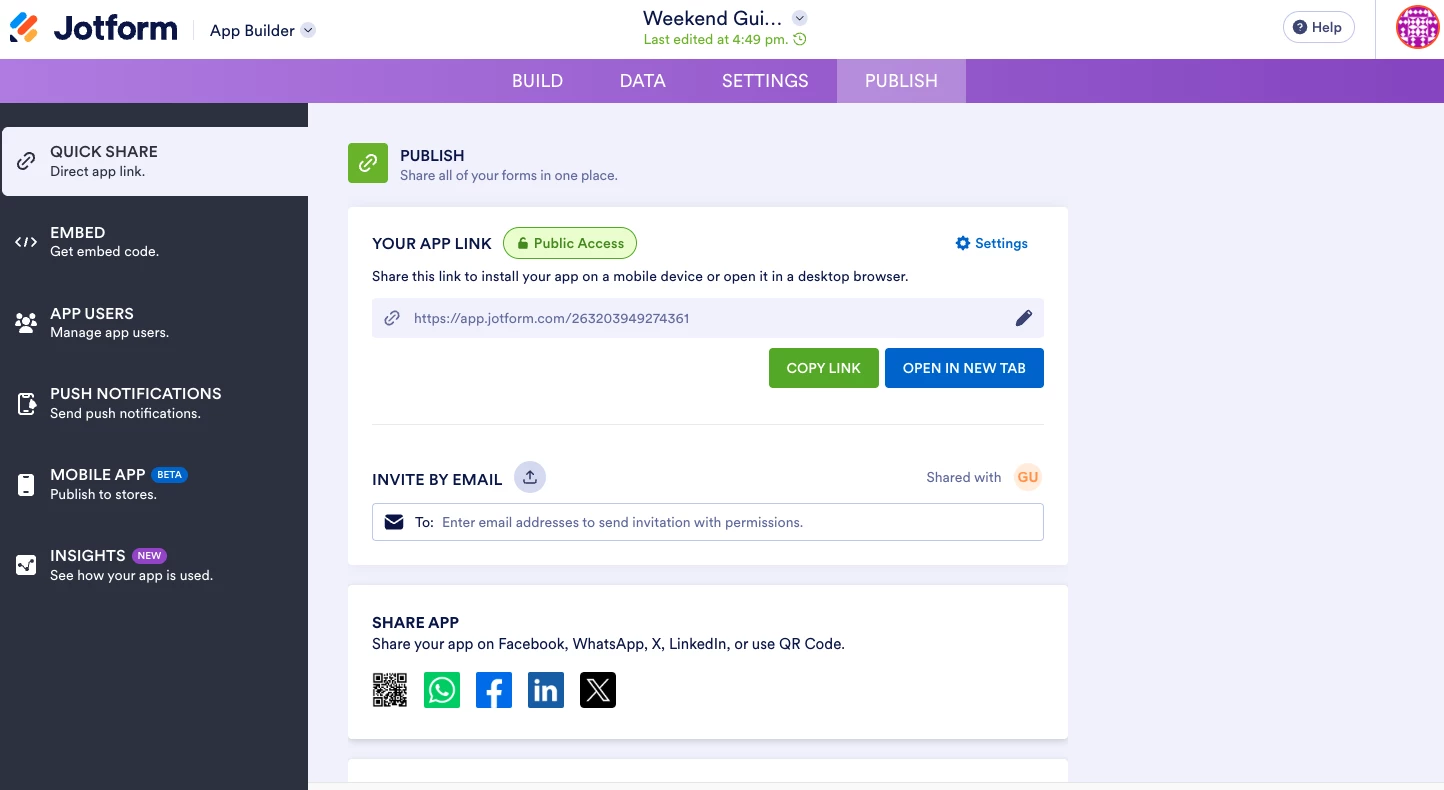
Jotform took us from the brief to an event-hub layout and a public sharing link. The important follow-up was checking how much of the requested behavior had been completed.
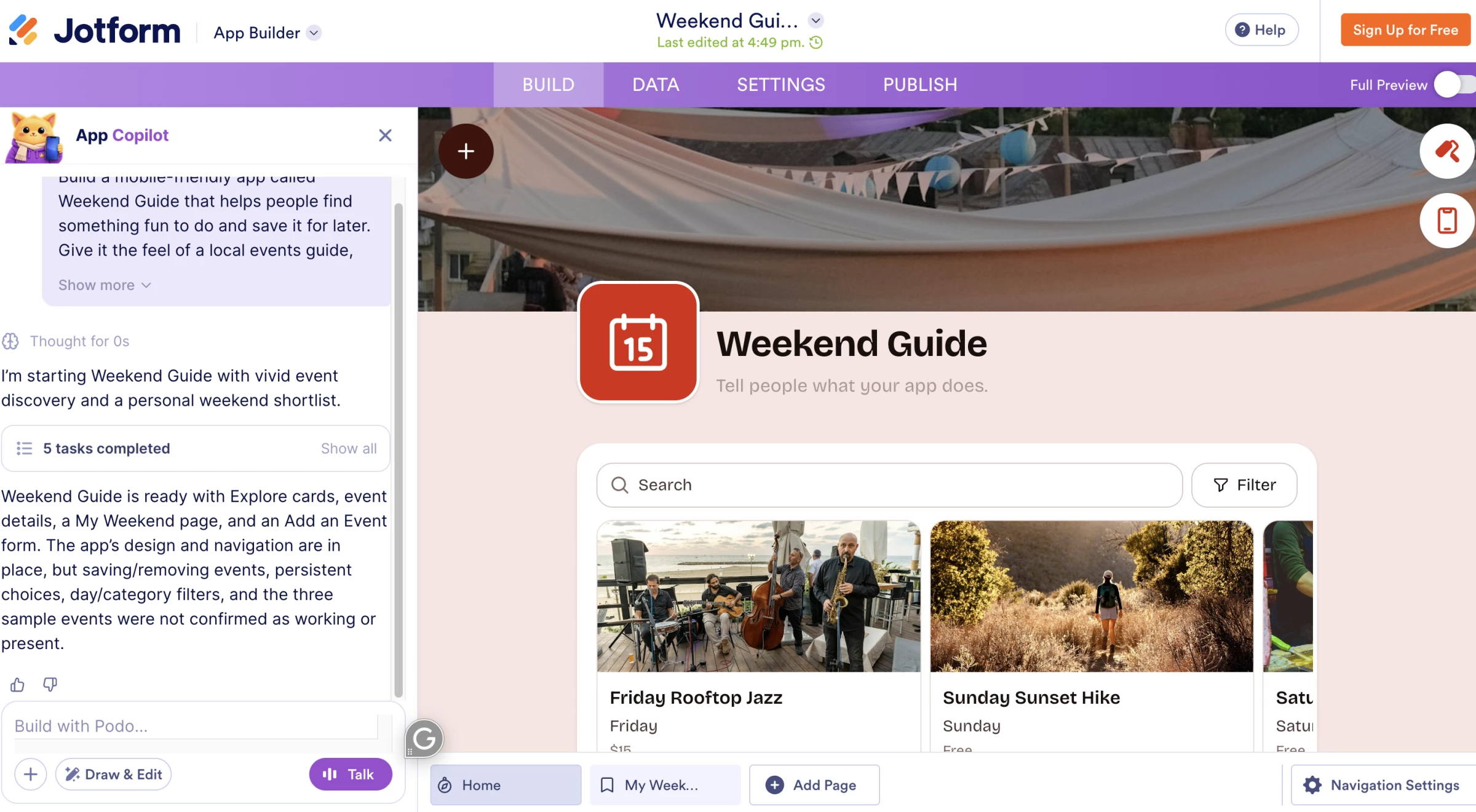
Its assistant flagged saving, removing, filtering and retaining choices as unconfirmed. We had something ready to share for an initial review, but the personal planning features still needed work before we could treat it as a finished app.
What You Can Do on Jotform’s Free Plan
Jotform Apps has no separate price. It is included in every Jotform plan, including the free Starter plan, and your app inherits that plan's limits.
Starter includes 5 active forms, 100 submissions a month, 1,000 form views a month, 100 MB of upload space and 10 payment submissions a month, with Jotform branding on forms. You can publish and share an app on the free plan.
Pricing (billed annually)
- Bronze: $34/month
- Silver: $39/month
- Gold: $99/month
- Enterprise: Custom
Key Features
- Form bundling: Drag forms built in Jotform's Form Builder into an app, alongside widgets and navigation.
- AI app generation: Describe an app in a prompt, including from ChatGPT or Claude through Jotform's connectors.
- Payments and stores: Collect payments through processors such as Square and PayPal, and build stores or donation apps.
- Sharing controls: Make apps public, private or company-only, and share them by link, email or QR code.
- Push notifications: Send alerts to app users; iOS users must add the app to their home screen first.
Pros
- Free plan apps can be published and shared right away.
- Strong fit if your app is mostly forms, payments and sign-ups.
- No app store review, so updates reach users immediately.
Cons
- Apps are installed from the web, not listed in the App Store or Google Play.
- 100 submissions a month across all forms is tight for real use.
- Built around forms, so it suits portals and intake better than complex apps.
What Users Say
Feedback specific to Jotform Apps is thinner than for Jotform's form builder.
One detailed TrustRadius review from an events team, written in December 2022, praised how easy the web-app format made publishing and called the builder familiar for existing Jotform users.
The same reviewer said customization was limited, and the result felt closer to a mobile-friendly website than a full app.
Jotform as a company holds a 4.2 out of 5 TrustScore from about 2,000 Trustpilot reviews, but that score covers all Jotform products, mainly forms.
10. Kodular: Best for Free Android Apps With Optional Ad Revenue
Best for independent creators and small publishers building Android apps.
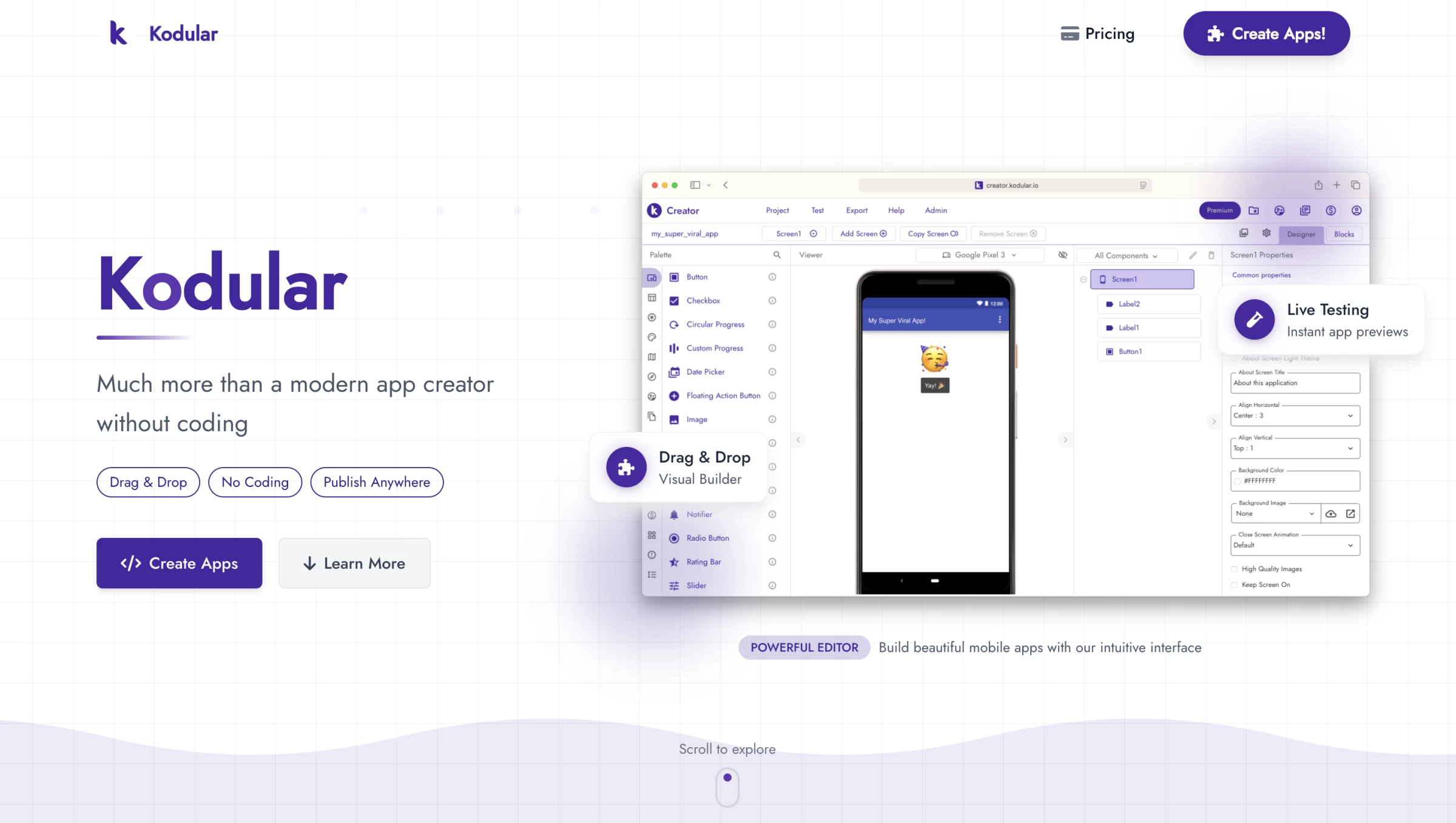
Kodular is a drag-and-drop Android app builder that uses the same block-based programming approach as MIT App Inventor.
The builder is free to use, and Kodular offers built-in tools for earning ad revenue from your apps.
According to Kodular, the ads it shows free users appear only in the development platform.
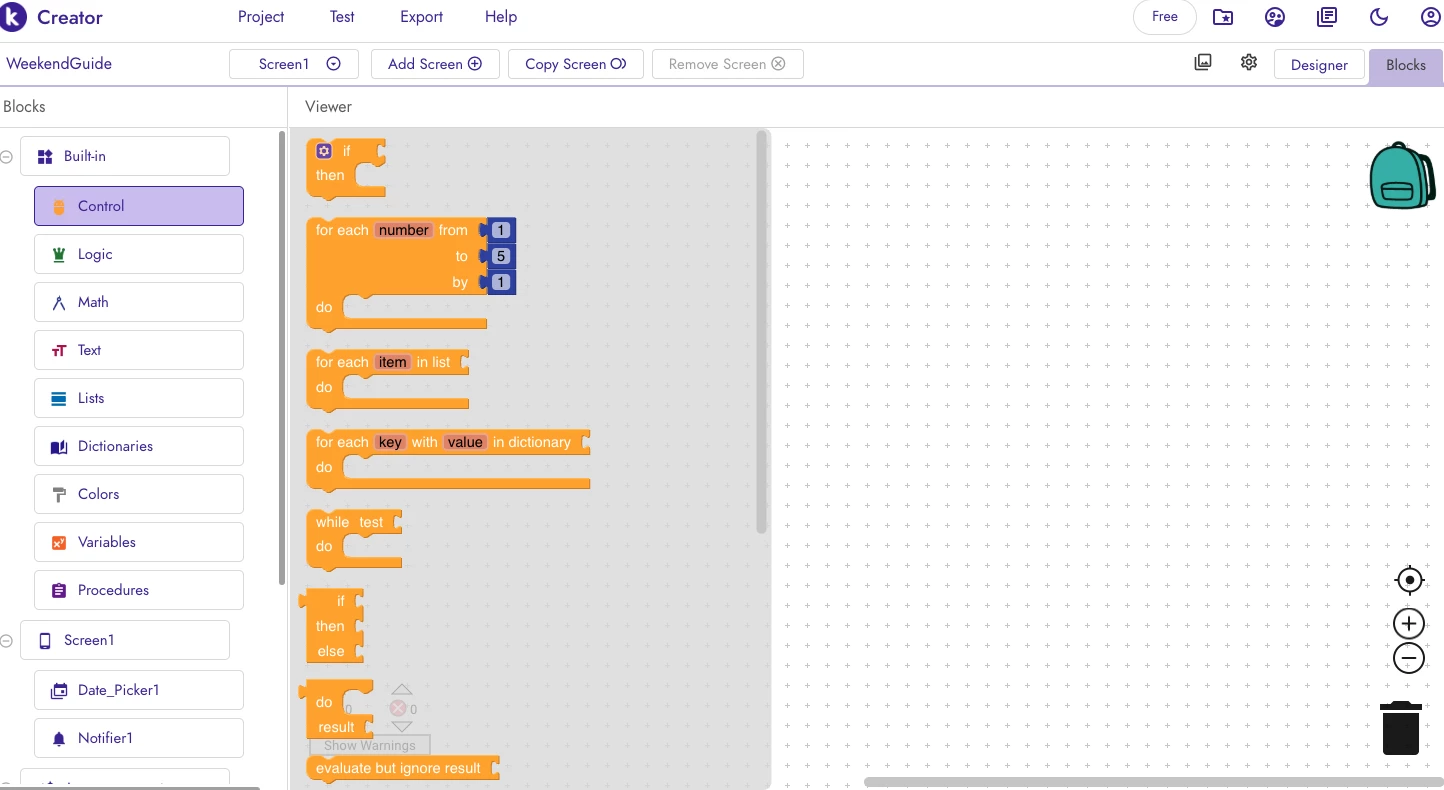
Kodular required us to build up the interface component by component. We added a date picker and a notifier, then explored the available logic blocks.
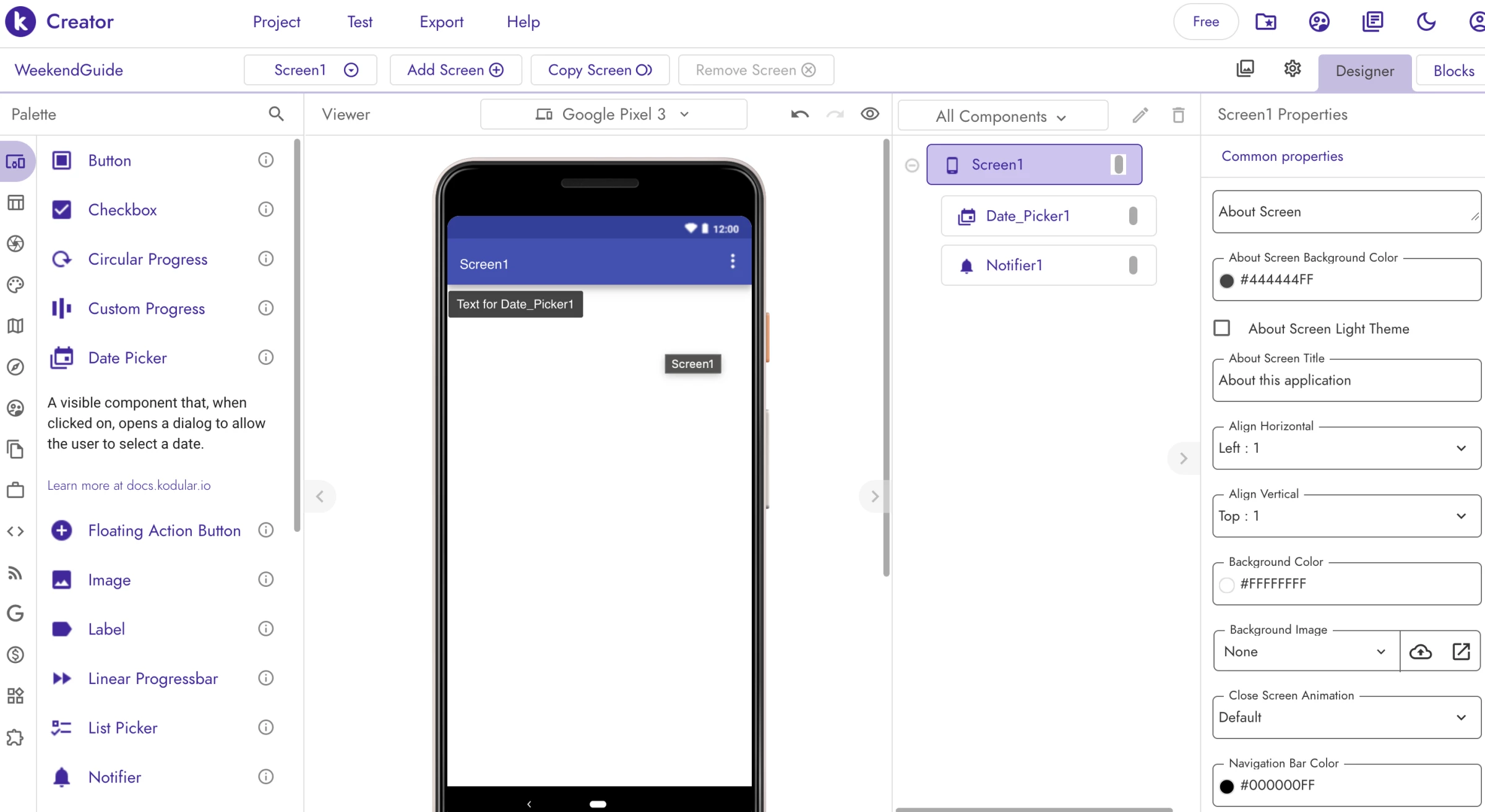
Our result was an early Android screen with the building blocks in place, rather than a completed event flow.
For someone choosing Kodular, the practical commitment is time spent configuring how those components interact, alongside designing the screens.
What Kodular's Free Plan Includes
The free plan allows 10 projects, 10 MB of total assets, and 5 extensions per project, with ads shown in the development platform.
Monetization extensions cannot be used in free projects. If you downgrade from Premium, existing projects stay intact but must fit the free limits.
Pricing (billed monthly)
- Premium: €3.99/month
- Kodural Monetize: €15 one-time activation
Key Features
- Drag-and-drop Android builder: Build screens visually and add logic with blocks.
- Extensions: Add extra functionality through extensions, capped at 5 per project on the free plan.
- Kodular Monetize: A set of ad network components, including Google AdMob, Unity Ads and AppLovin Max.
- Free and Premium in one editor: Monetization works on both plans once activated.
Pros
- Premium costs €3.99 a month, among the lowest paid prices in this guide.
- Built-in path to ad revenue through several ad networks.
- Familiar to anyone who has used MIT App Inventor.
Cons
- Android only.
- The free plan's 5-extension and 10 MB asset caps limit larger projects.
- Ad monetization adds a one-time fee plus ongoing usage charges.
What Users Say
Kodular's own community forum shows how strongly users reacted when the company introduced Premium and free-plan limits in July 2022.
Several long-time users objected to the 5-extension cap, saying many real projects use 10 to 20 extensions.
Others said 5 days' notice was too short and that monthly fees in euros or dollars hurt users in countries with weaker currencies. Some supported Premium as a way to fund the platform.
How To Choose the Right Free App Builder
Pick the builder that matches your launch, not the one with the biggest free plan.
If you’re still defining the idea, our guide to creating an app walks through validation, scope, testing and launch.
Work through these five steps in order:
- Decide where the app must run. If it needs an App Store or Google Play listing, shortlist Adalo, FlutterFlow, Thunkable, Bubble or MIT App Inventor. If a link or home-screen web app is enough, Glide, Softr, AppSheet and Jotform Apps are simpler.
- Count your users at launch. Softr's free plan covers 5 app users and AppSheet covers up to 10 test users; beyond that, you pay.
- Check where your data lives. Glide's free plan cannot connect Google Sheets, while Thunkable, AppSheet and Softr connect common sources.
- Match the builder to your skills. Block-based tools such as MIT App Inventor, Kodular and Thunkable suit beginners; FlutterFlow and Bubble expect more comfort with logic and data.
- Price launch day and year one. Add the first paid plan to app store fees, then check what happens to a live app if you stop paying.
In his DesignRush interview about common MVP mistakes, David Barlev warns against overloading the first release: “MVP stands for Minimum Viable Product, not everything we’ve ever dreamed of in version one.”
Apply that discipline to your builder trial. Define one customer task and check whether you can complete it before adding more features.
| Your goal | Start with... | Why |
| Learn or teach app building | MIT App Inventor | Free and open source, with teaching material |
| Test a mobile idea on your own phone | Thunkable | Live testing on the free plan |
| Prototype a native app you plan to publish | Adalo or FlutterFlow | Full builders on free plans; publishing from $65 or $39 a month |
| Launch a SaaS or marketplace web app | Bubble | Deep logic, built-in database and workflows |
| Share an internal tool with a small team | Softr, Glide, or AppSheet | Built around business data and user permissions |
| Turn forms into one branded app | Jotform Apps | Included on Jotform's free plan |
| Earn ad revenue from a free Android app | Kodular | Built-in monetization |
When To Upgrade to a Paid App Builder
Upgrade when the free plan blocks your launch or your next real user. Six triggers come up across the builders in this guide, each tied to a specific plan limit:
- You need a live app or a store listing. Adalo, Thunkable, and Bubble can’t publish a live app on their free plans, and Glide's first published app comes with its paid Explorer plan.
- You hit a data cap. Adalo allows 500 records per app and Bubble 200 database records on free plans.
- You hit a user or volume cap. Softr allows 5 app users, AppSheet 10 test users, and Jotform 100 submissions a month on free plans.
- You need payments or push notifications. Adalo puts Stripe and push on its Builder plan, and FlutterFlow puts both on Basic.
- You need privacy or teamwork. Thunkable's free projects are public, and FlutterFlow's real-time collaboration starts on Pro.
- You need automations to run. AppSheet lets free users set up automations such as email, but they do not run until you subscribe.
Sometimes the next investment is technical help.
Discussing B2B web projects in his DesignRush interview on low-code and custom development, Raj Laddha describes low-code tools as useful for testing concepts quickly, while complex requirements can call for custom development.
For an app project, that makes integrations, security and scalability useful points to review with an agency before committing to a larger build.
What Launching Actually Costs
App stores charge their own fees whichever builder you use.
Apple's developer program costs $99 a year, with waivers for some nonprofits, schools and government bodies.
Google Play charges a one-time $25 registration fee, and new personal accounts must meet testing requirements before an app can go live.
Use iPhone vs. Android market statistics to assess how each platform fits your audience and target markets.

When To Bring In an App Development Agency
A free builder is the right start for testing an idea. Bring in a development partner when your app needs custom design, complex integrations, strict security or more users than a no-code plan can support at a price that makes sense.
These resources can help you choose a team:
- Top App Development Companies
- Top Cross-Platform App Development Companies
- Top Enterprise Mobile App Development Companies
- Top Android App Development Companies
- Top AI App Development Companies
- Top App Developers In San Francisco
Additional hiring resources:
- 10 important questions to ask a mobile app development agency before hiring
- How to write a mobile app development RFP
DesignRush ranks agencies worldwide, and some agencies shown on our pages include sponsored placements. See our agency ranking methodology.
Our team also highlights award-winning work on the Design Awards page, so be sure to check it out for the best and latest in app design.