
Clients pay for your thinking, but routine work eats into the time you have for it. You can reclaim that time... if you have the right tools.
From automation to analytics, these 10 marketing agency tools can transform how your team works and how your clients succeed. We break down the pros, cons, and pricing so you can choose confidently.
Marketing Agency Tool: Key Findings
- Omnisend streamlines email, SMS, and web push campaigns for multi-channel eCommerce marketing, while WebinarGeek supports live, automated, and on-demand webinars for lead generation.
- Specialized tools like Ahrefs, Sprout Social, Descript and Canva help agencies optimize SEO, social, and design workflows.
- Automation and integration with Zapier and Zoho CRMboost collaboration and efficiency.
The Value of Marketing Agency Tools in 2026
Talent alone isn’t enough these days. Agencies that want to stay ahead, deliver stronger results, and scale profitably must invest in the right tools, including AI-powered platforms that now form the backbone of a modern tech stack.
Ran Avrahamy, CMO of AppsFlyer, tells us that the future of marketing belongs to those who embrace collaboration, which is a reality today’s integrated tools are designed to support.
“By integrating creative, performance, and analytics teams, brands can harness AI to optimize spend, reduce risk, and amplify results,” he says.
The value they bring:
- Unlock efficiency and scale: Automation cuts out manual data wrangling so teams can concentrate on strategy and scale faster without increasing headcount.
- Unified, real-time analytics turn fragmented data into actionable insights that improve decision-making, media optimization, and overall ROI.
- Clear KPIs and reliable reporting help agencies show clients what’s working, explain what needs to change, and make a stronger case for their recommendations.
- Differentiate in a crowded market: A modern tool-stack enables faster, smarter, more personalized services, with AI and machine learning driving the next wave of high-value agency performance.
- Reduce risk and manage complexity: Integrated tools cut through channel fragmentation, data overload, and inconsistent analytics, ensuring governance, clarity, and operational stability as ecosystems grow more complex.
McKinsey's 2026 State of AI survey found that revenue gains from AI are reported more often in marketing and sales than in any other business function, and that 80% of respondents say AI has improved their own productivity.
Top 10 Marketing Agency Tools to Compare in 2026
Whether improving team efficiency or boosting campaign performance, these marketing platforms are changing how modern agencies function.
Each platform offers distinct strengths that help teams work smarter, collaborate better, and deliver high-impact campaigns with greater efficiency.
Marketing Agency Tool | Best For | Key Features | Starting Price |
| Omnisend | Multi-Channel eCommerce Marketing | Email, SMS, web push, drag-and-drop builder, pre-built automation templates, segmentation, personalized product suggestions | Free plan; Standard: from $16/month |
| Descript | AI-powered video & audio editing | Transcription-based editing, screen & webcam recording, auto captions, filler-word removal, AI generation tools, and collaboration features | Free plan; Hobbyist: $16/person/month, billed annually |
| WebinarGeek | Webinars & virtual events | Live, automated, on-demand and paid webinars, branded registration pages, viewer analytics, multi-brand profiles, CRM integrations | 14-day free trial; ~$57/month, billed annually |
| Ahrefs | SEO Software | Keyword research, content ideation, competitor analysis, and rank tracking | Starter: $29/month |
| Sprout Social | Social Media Management | Social account management, scheduling, analytics, and paid ads tracking | Free trial 30 days; Essentials: $79/seat/month |
| Brandwatch | Social Listening | Social media monitoring, trend analysis, sentiment tracking | Available by request |
| Canva | Graphic Design | Templates, drag-and-drop editor, stock images, and collaboration | Free plan; Pro: $15/month, billed annually |
| Google Analytics | Website Analytics | Traffic tracking, user behavior analysis, and Google Ads integration | Free |
| Zapier | Web Automation | App integration, workflow automation, custom triggers | Free plan; Professional: $19.99/month |
| Zoho CRM | CRM Platform | Customer management, AI insights, integration with Zoho suite | Standard: $20/user/month |
How We Reviewed These Marketing Agency Tools
We reviewed product information and official pricing to assess how each tool fits agency work, what it costs and which limitations matter when choosing a plan. For variable or custom pricing, we link to the provider for details.
Our review is research-based, with no hands-on testing. Each “best for” label highlights a specific use case; the order does not indicate an overall ranking.
1. Omnisend: Best for Multi-Channel eCommerce Marketing
A good fit for agencies managing email and SMS campaigns for eCommerce clients.
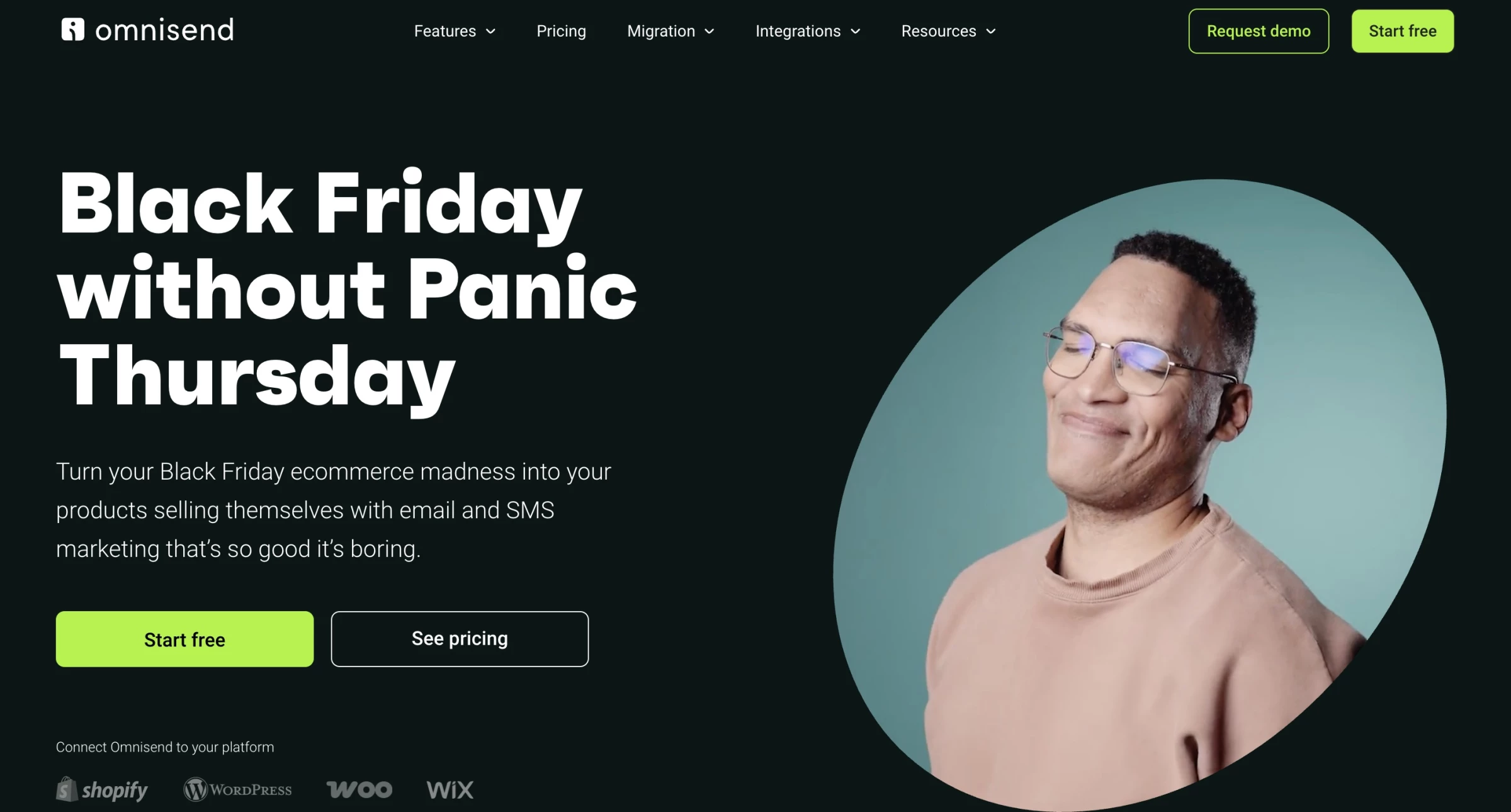
Omnisend stands out as a marketing platform built for online stores. It brings email, SMS, and web push notifications into a single dashboard, so you don’t have to bounce between multiple tools to manage campaigns.
Its drag-and-drop builder, pre-built automation templates, and audience segmentation make it easy to create campaigns quickly while staying consistent across channels.
Omnisend helps small to mid-sized eCommerce businesses save time, engage customers, and boost sales through simple, multi-channel automation.
Pricing:
- Free: $0
- Standard: From $16/month
- Pro: From $59/month
Pros:
- Email, SMS, and web push in one platform
- Drag-and-drop builder
- Pre-built automation templates
- Audience segmentation and scheduling
- Personalized product suggestions
Cons:
- AI suggestions sometimes need refining
- Advanced marketers may find reporting and automation limited
- Form creation can be tricky
- Limited customization for larger businesses
2. Descript: All-In-One Video Editor for Modern Content Teams
Ideal for content teams turning interviews, recordings and webinars into polished videos.
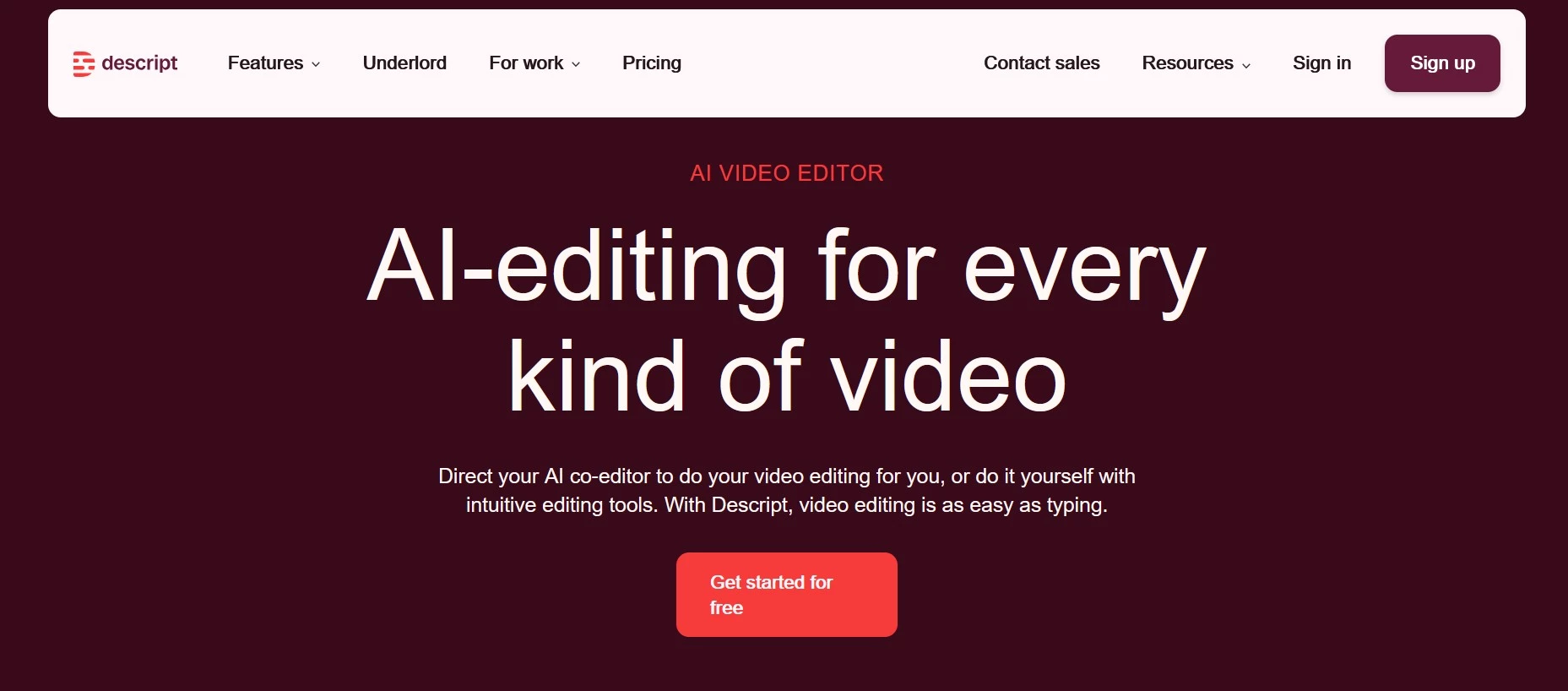
Traditional editing tools can be tricky and time-consuming to use, but Descript steps up as an all-in-one video editor designed for modern content teams, especially marketers and creators who need a streamlined, easy-to-use production workflow.
It’s now possible for a product marketing team with no specialized video editors to record, refine, and publish a feature walkthrough the same day it’s announced, thanks to Descript.
Descript stands out for its transcription-based editing: it generates a transcript of your video that you can edit like a document. Deleting a line removes it from the video, so non-experts can avoid intimidating timelines and complex slicing.
No need for a full production team (or tool switching) since it combines recording, editing, AI-powered cleanup (like filler word removal, background noise removal, overdub, and auto captions), and publishing into a single workflow.
The filler word removal feature alone can save hours by automatically cleaning up “ums,” “uhs,” and repeated phrases.
Descript also helps to reduce stakeholder review friction through shareable feedback links, built-in commenting workflows, and fast versioning for rapid iteration.
Pricing:
- Free: $0
- Hobbyist: $16/person/month
- Creator: $24/person/month
- Business: $50/person/month
- Enterprise: Custom
Pros:
- Edit video like a document
- All-in-one recording + editing
- Time-saving AI tools
- Team-friendly collaboration
- Faster speed to publish
Cons:
- Not built for advanced cinematic editing
- AI features require review
3. WebinarGeek: Best for Webinars and Virtual Events
Best suited for agencies running webinar programs for client brands.
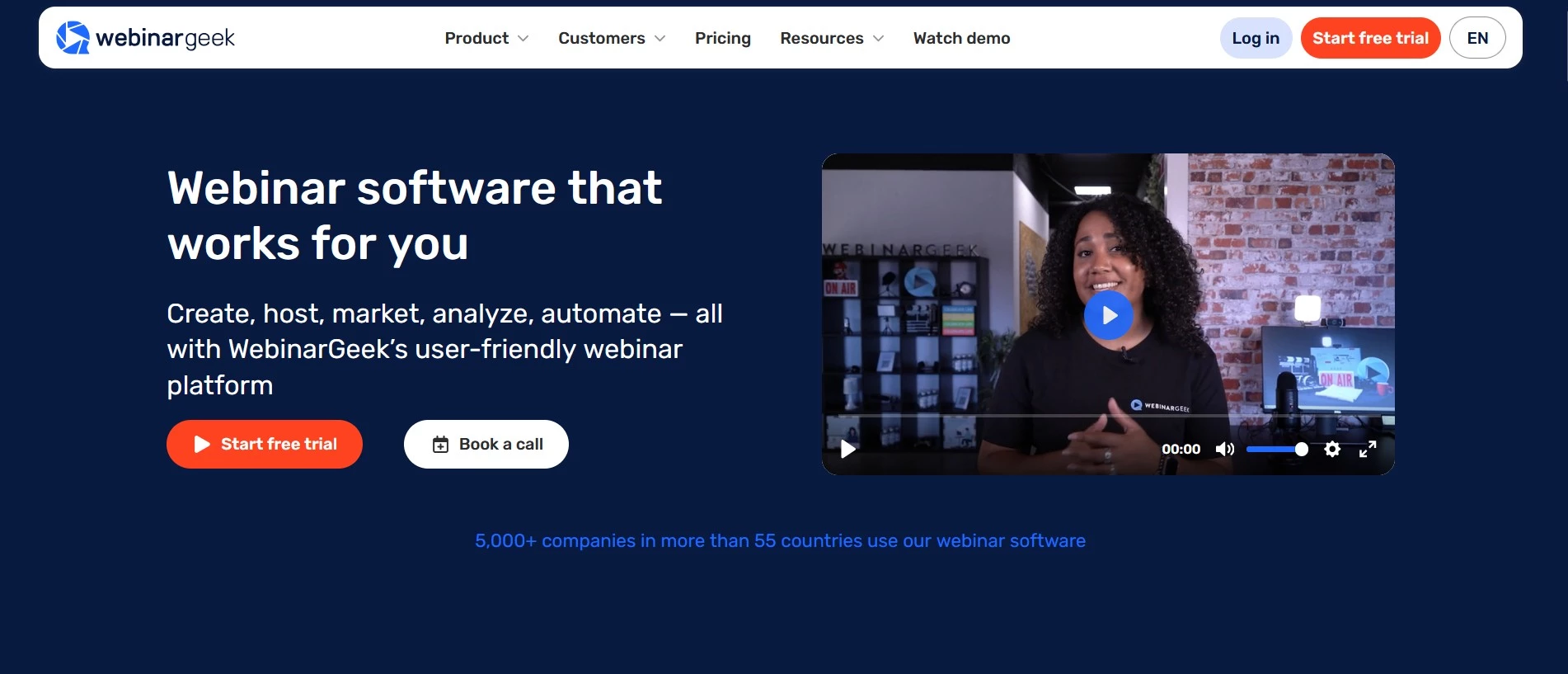
WebinarGeek is a browser-based webinar platform built around the full journey rather than the broadcast alone. Organizers get branded registration pages, automated reminders and follow-up emails, live audience interaction, viewer-level analytics, and CRM sync.
WebinarGeek also supports automated, on-demand, paid, and hybrid webinars, so one production keeps generating registrations after the broadcast.
Reporting covers watch time, drop-off, poll answers and CTA clicks, while native HubSpot, Salesforce, Pipedrive and ActiveCampaign integrations push that into the systems a client already runs.
View this post on Instagram
For agencies, branding profiles give each client its own visual identity and workspaces keep projects separate. WebinarGeek also acknowledges that integrations can be a sticking point for agencies managing different client setups:
“The first real point of friction is more likely to be integrations, especially when different clients use different CRM systems or have unique configurations. Even then, this can usually be solved through native integrations, Zapier, webhooks, or the API...
In WebinarGeek, [agencies can] use separate workspaces to keep customer projects and teams organized, while reports can be bundled to provide a clear overview of results.”
Pricing:
- Free trial: 14 days, all Premium features, no credit card needed
- Basic: €49/month, billed annually
- Premium: From €69/month, billed annually
- Enterprise: From €349/month, billed annually
Premium add-ons available for HubSpot, Salesforce, localization, branding profiles, RTMP, AI Assistant, and extra users
Pros:
- Live, automated, on-demand and paid webinars
- Browser-based with no software to install
- Strong CRM integrations and API support
- Fast live-chat support
Cons:
- Viewer limits vary by plan
- Some key features and CRM integrations require paid add-ons
4. Ahrefs: Best SEO Software
For SEO teams researching competitors, finding content opportunities and tracking client rankings.
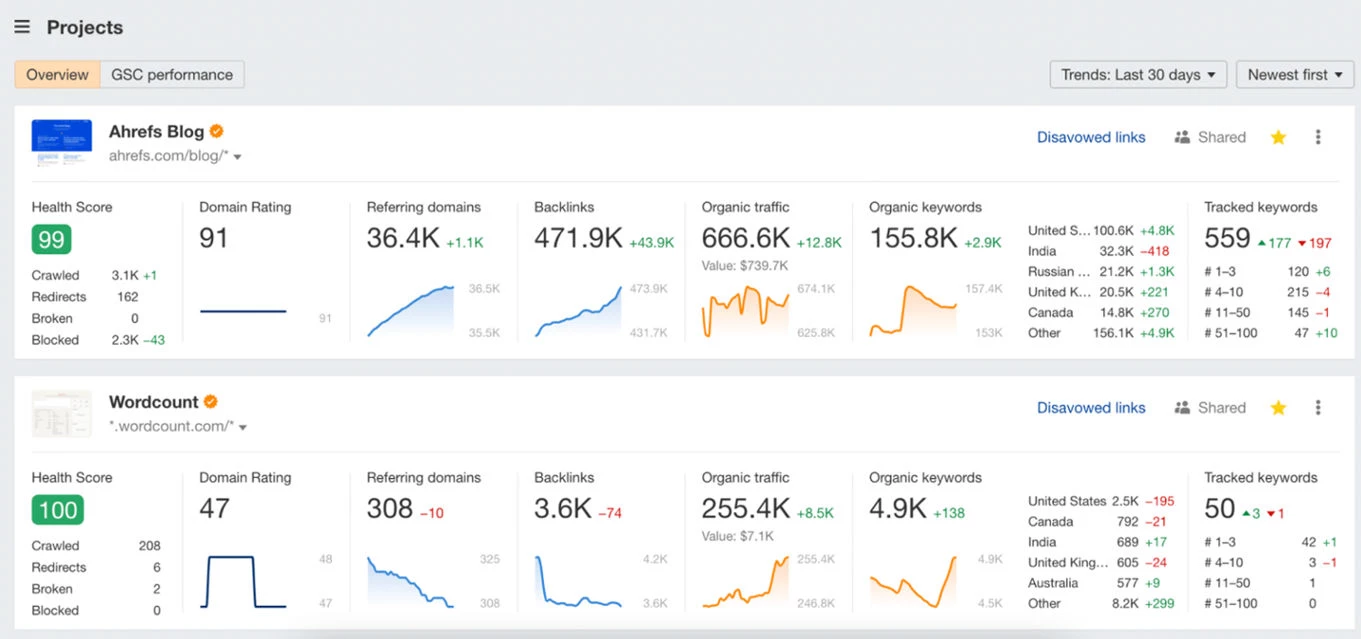
Ahrefs is a comprehensive search engine optimization (SEO) suite that does everything from keyword research and content ideation to scanning competitor websites and identifying linking opportunities.
At its core, Ahrefs aims to simplify the overall SEO process by providing insights into competitors’ rankings, allowing users to follow the same path while tailoring it to their business.
Agencies using this SEO tool can improve their organic ranking and visibility on search engine results pages (SERPs).
Pricing:
- Starter: $29/month
- Lite: $129/month (billed monthly) or $108/month (billed annually)
- Standard: $249/month (billed monthly) or $208/month (billed annually)
- Advanced: $449/month (billed monthly) or $374/month (billed annually)
- Enterprise: $1,499/month (annual contract only)
Pros:
- Free access to tools like keyword generator and rank checker
- Free video courses to learn about Ahrefs
- All-in-one SEO toolkit
- Simple to use
Cons:
- Pricey for small businesses
- Lite limits rank tracking to 750 keywords and historical data to six months
5. Sprout Social: Powerful Solution for Social Media Management
Well suited to agencies coordinating publishing, engagement and reporting across client social accounts.
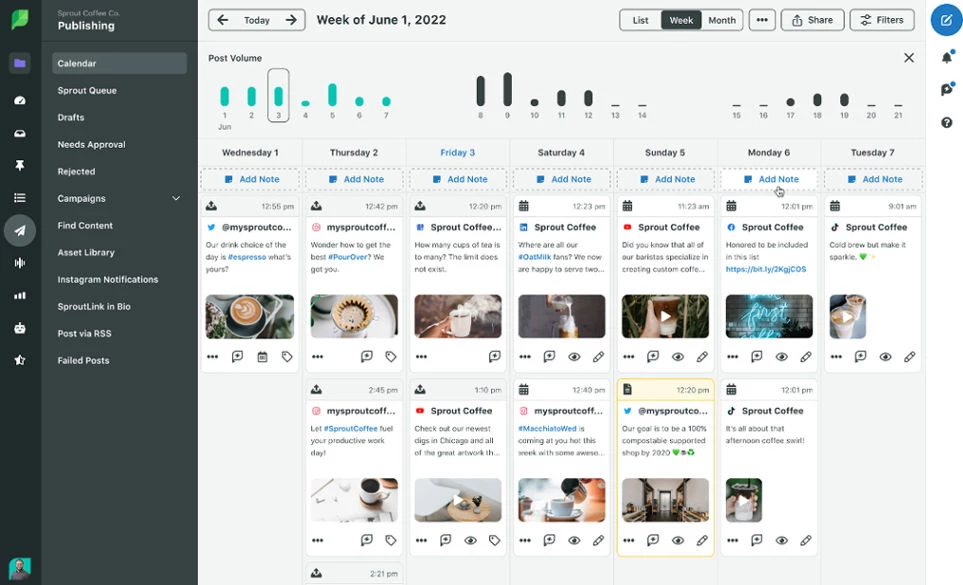
Sprout Social empowers agencies to master social media management across multiple platforms.
Teams can efficiently manage multiple social accounts, track trends, streamline scheduling, monitor analytics, and respond to customers in real time.
Its intuitive interface and comprehensive tools make it a top choice for agencies and businesses seeking to optimize their social media strategies.
Pricing:
- Free trial for 30 days to test the platform
- Essentials: $79/seat/month (billed annually)
- Standard: $199/seat/month (billed annually)
- Professional: $299/seat/month (billed annually)
- Advanced: $399/seat/month (billed annually)
- Enterprise: Custom
Pros:
- Performance tracking across social platforms
- Unified inbox for messages
- Paid ad campaign support
- Best-time-to-post insights
- Intuitive user interface
Cons:
- Occasional hitches due to varying platform rules
- Lacks integration with some less-popular social platforms
6. Brandwatch: Best Tool for Social Listening
A strong fit for research teams tracking brand conversations, audience sentiment and emerging trends.
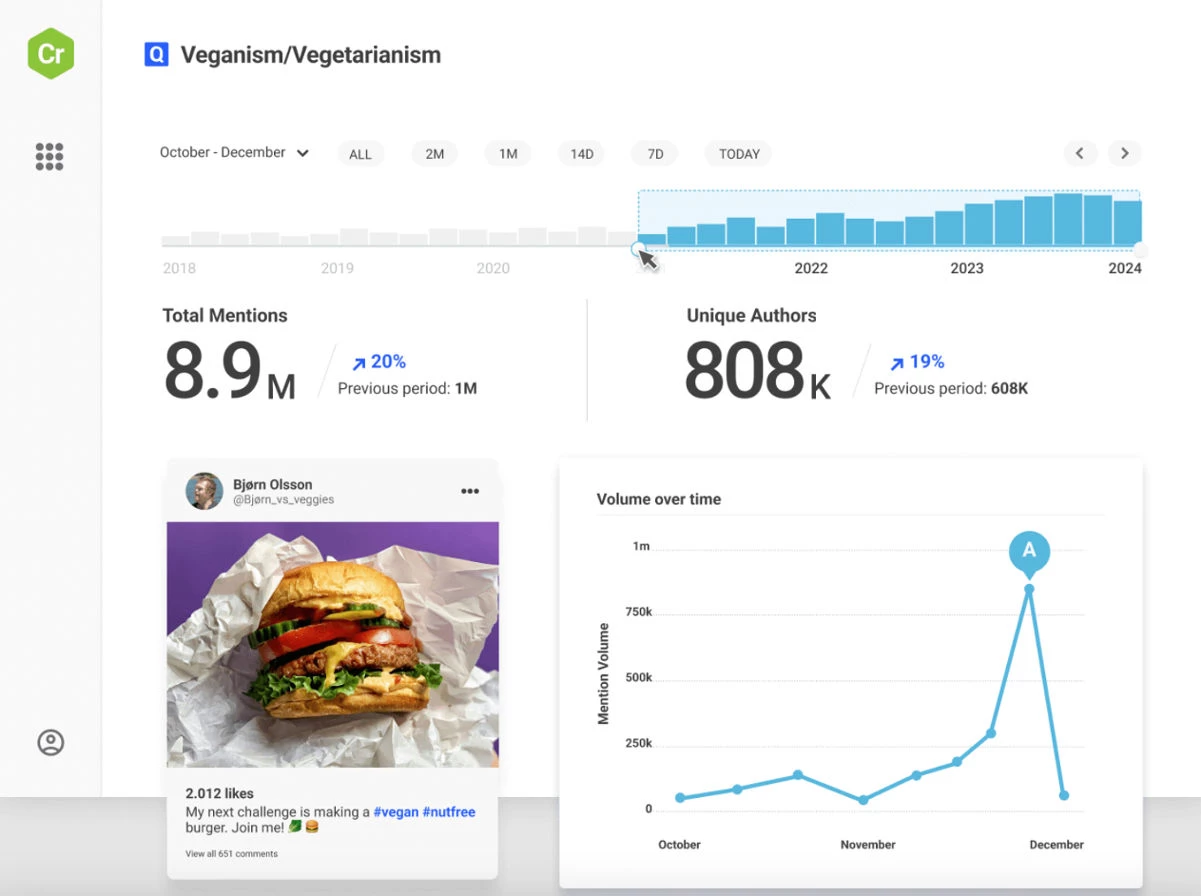
Brandwatch is a leading social listening and analytics tool that helps businesses and agencies monitor online conversations and trends around a brand, industry, and competitors.
It collects data from various social media platforms, blogs, forums, and news sites, offering insights into customer sentiment, brand mentions, and emerging trends.
Social media monitoring is crucial for brands to understand how they are perceived in real time and address concerns promptly. It supports proactive reputation management and enhances customer relationships by staying attuned to online conversations.
Pricing:
- Custom plans: Contact sales
Pros:
- Extensive data from multiple online sources
- Powerful analytics with customizable dashboards
- AI-driven insights for trend forecasting
- Real-time, advanced sentiment analysis
- Competitor performance and industry trend insights
- Alerts for key mentions or sentiment shifts
Cons:
- Steep learning curve for beginners
- High pricing
7. Canva: Best Graphic Design Tool
For agencies producing everyday branded content with input from teammates and clients.
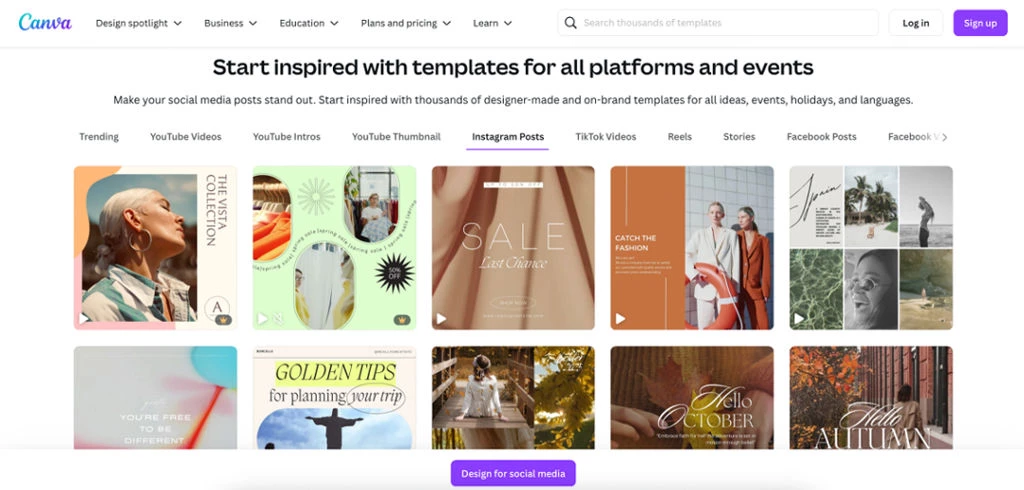
With Canva, agencies can create designs for various social media channels, websites, and other marketing platforms, without needing advanced graphic design skills.
With a rich repository of stock images, customizable templates, and a simple drag-and-drop interface, Canva is a go-to tool for many businesses and professionals.
Its features cater to various design needs, from basic photo enhancements to complex infographics. It also streamlines collaboration, enabling teams to work together seamlessly while allowing for client involvement.
Pricing:
- Free plan
- Pro: $15/month, billed annually
- Business: $250/person/year
- Enterprise: Inquire
Pros:
- Easy to use, even for non-designers
- Extensive template library
- Collaborative features allow teams to work on designs
- Direct social media posting
Cons:
- Limited free version
- Restricted export options
8. Google Analytics: Industry Standard for Website Analytics
Useful for teams connecting website activity with campaign performance and client goals.
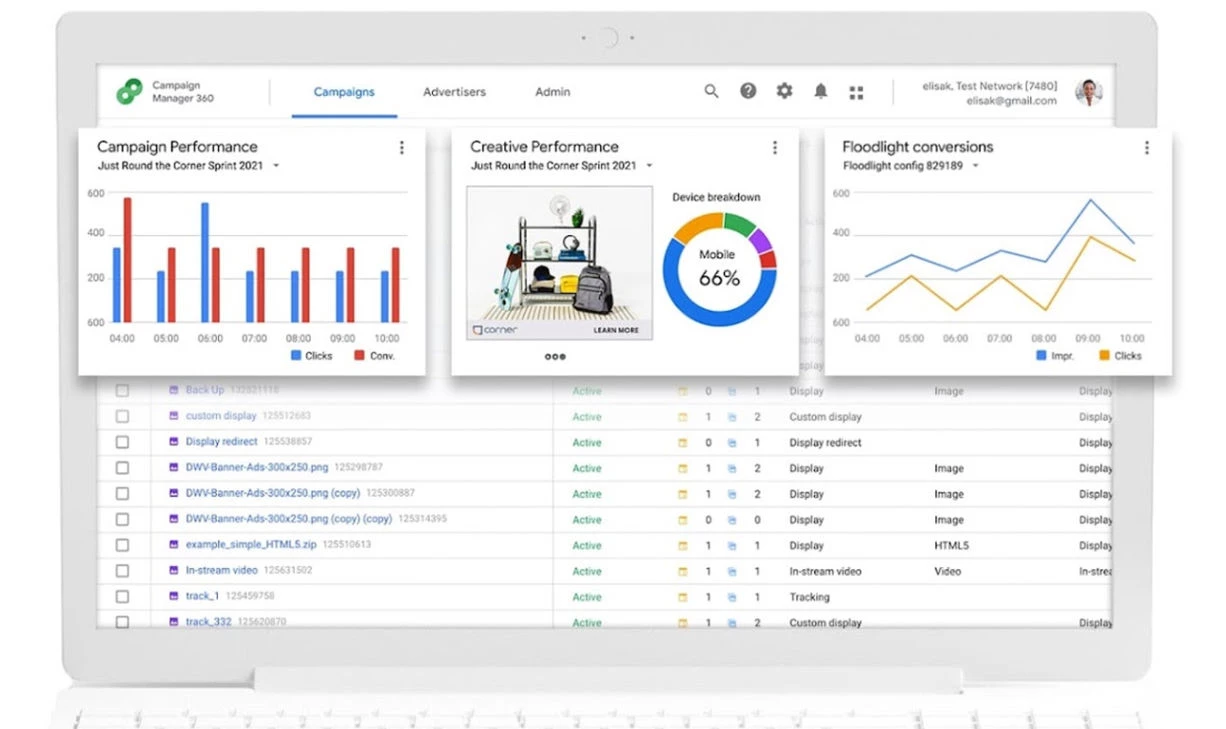
Google Analytics is one of the top tools for marketing agencies, as it provides deep insights into website traffic and user behavior.
Its simple interface provides many reports detailing everything from user demographics to metrics for paid marketing campaigns.
Especially significant for agencies, Google Analytics helps track website performance, offering invaluable data on inbound marketing efforts.
A standout feature is its Google Ads reports, allowing users to measure the efficacy of paid campaigns, compare performance across different channels, and determine the revenue generated.
Pricing:
- Standard: Free
- Analytics 360: Contact sales
Pros:
- Insights into nearly every data point from audience behavior to conversions
- Integration with Google Ads for paid search performance tracking
- ROI measurement and cross-channel comparison
- Tailored reports for specific metrics
- Data segmentation by country, device, engagement duration, and more
Cons:
- Tracking requires a complex setup
- Data gaps can arise from consent settings, tracking blockers, or incorrect setup
9. Zapier: Ultimate Tool for Web Automation
A practical choice for agencies automating repetitive handoffs between apps.
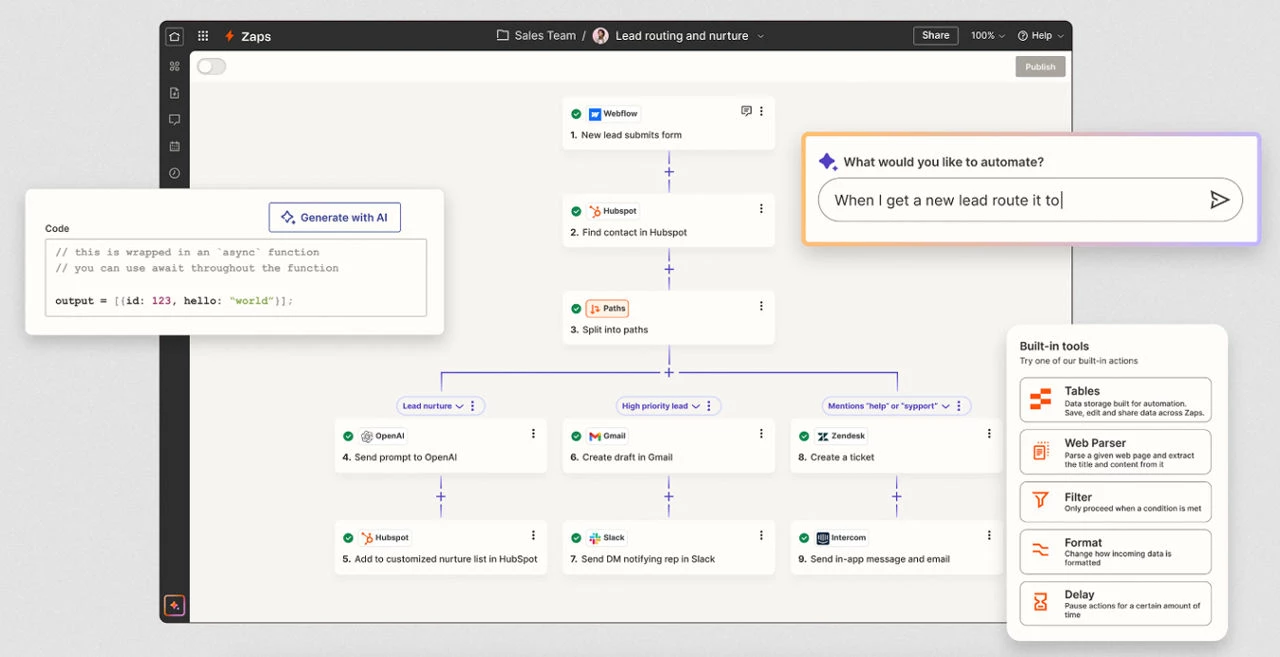
Zapier is an excellent solution for marketing agencies that use many different apps and tools. It serves as a bridge between many different tools and apps, connecting them and making them work together to streamline workflows.
Its automation features reduce the need for redundant tasks that would otherwise take up too much time.
For example, when a lead fills out a form on a client's website, this information automatically gets added to email marketing software, which triggers a welcome email and the subsequent relevant campaign.
Pricing:
- Free: $0
- Professional: From $19.99/month (billed annually)
- Team: From $69/month (billed annually)
- Enterprise: Custom
Pros:
- Connects over 8,000 apps and tools
- Automates repetitive tasks
- Reduces manual data entry and transfers
- Creates custom workflows with “if X happens, do Y” logic
Cons:
- Steep learning curve
- Advanced features and integrations can quickly increase the cost
10. Zoho: Best CRM Platform
Best suited to agencies organizing their sales pipeline and managing prospective client relationships.
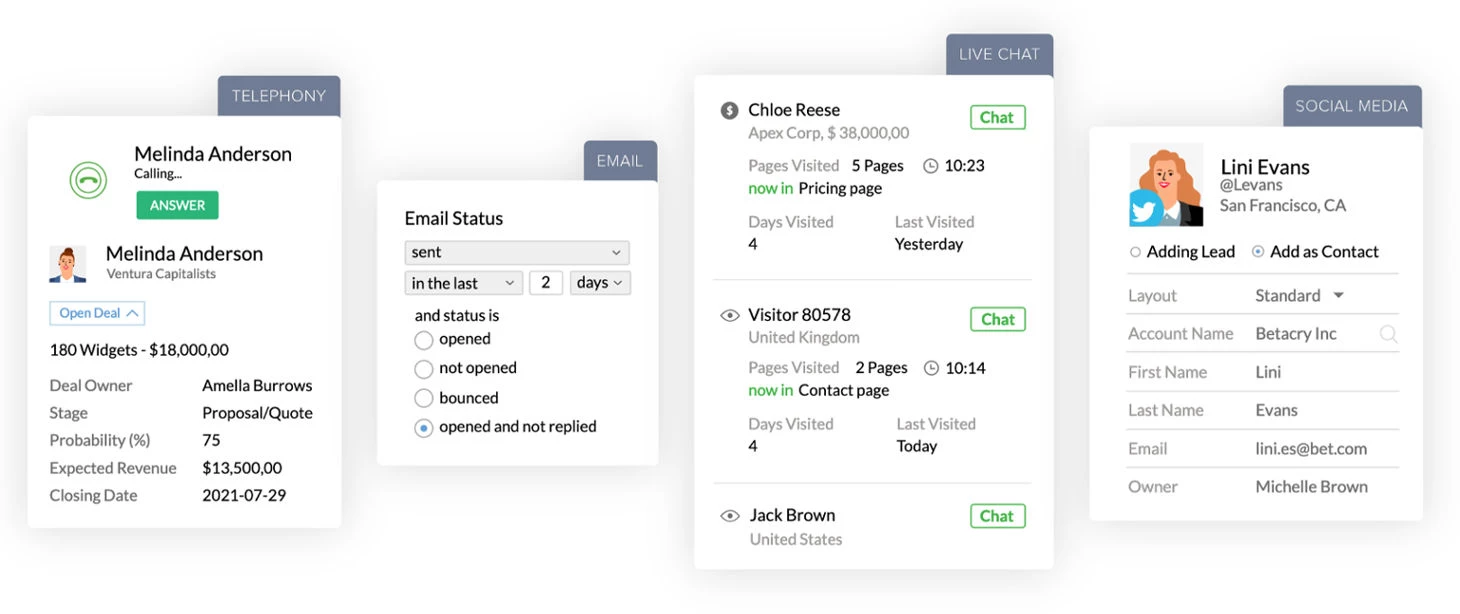
A customer relationship management platform manages and analyzes customer interactions, streamlines sales, and improves customer service.
Zoho CRM is an excellent option for marketing agency software as it manages sales, marketing, and customer support in one dashboard.
It integrates seamlessly with other Zoho applications and third-party software, making it a versatile CRM solution.
Pricing:
- Standard: $20/user/month (billed monthly) or $14/user/month (billed yearly)
- Professional: $35/user/month (billed monthly) or $23/user/month (billed yearly)
- Enterprise: $50/user/month (billed monthly) or $40/user/month (billed yearly)
- Ultimate: $65/user/month (billed monthly) or $52/user/month (billed yearly)
Pros:
- Customization options tailored to unique needs
- Integrates with Zoho suite and many third-party apps
- Delivers AI-driven analytics and insights
- Scalable for growing businesses
Cons:
- Integrations require additional setup
- AI churn prediction requires an Enterprise or Ultimate plan with at least 20 user licenses
Future Trends & Challenges for Agency Tools
Agency tools are advancing quickly, but each new capability brings its own set of operational and strategic challenges. Understanding both sides of the equation will help you to prepare for what’s ahead.
Here’s how the agency tech stack is changing:
- AI and automation across the workflow
- Unified data platforms & the “single source of truth”
- Personalization at scale
- Niche specialization and verticalization
1. AI & Automation Across the Workflow
AI-enhanced tools for campaign optimization, reporting, content generation and predictive analytics are becoming standard.
Related challenges:
- Balancing automation with creativity: As more tasks become automated, agencies need to be careful not to let strategic thinking and creativity (the core of their value) become diluted.
- Skill gaps: AI-centric workflows require new competencies in data, automation, and prompt engineering. Many agencies cite talent and change-management as ongoing challenges.
- Over-promising tech: Not all AI tools deliver what they promise. Steep learning curves, inconsistent outputs, and poor workflow fit are common issues.
2. Unified Data Platforms & the “Single Source of Truth”
Agencies are moving toward unified ecosystems that integrate CRM, analytics, media platforms, help-desk data and more. These platforms create a central hub for performance, attribution and profitability insights.
Related challenges:
- Fragmentation and data silos: Most agencies still operate across dozens of unconnected tools, creating reconciliation headaches, inconsistent metrics and inefficient reporting.
- Integration burden: Even when “unified” tools exist, stitching them into the agency’s existing environment without disrupting operations remains far from trivial.
- ROI pressure: With tighter budgets (84% say they’re under pressure), agencies must show that their data infrastructure investments produce measurable returns (B2B Marketing).
3. Personalization at Scale
With better data and better tools, agencies are shifting from generic content to highly targeted, dynamic, personalized experiences.
Related challenges:
- Data governance: Personalization relies on data access, but that must be balanced with tightening privacy regulations and rising client expectations around data ethics.
- Creative-production bottlenecks: Even with automation, creating variations at scale requires strong processes, DAM systems and cross-team alignment.
- Attribution complexity: More granular targeting means more granular measurement, something many agencies still struggle to deliver accurately.
Josh Koenig, Pantheon.io co-founder and chief strategy officer, points out:
“Because personalization is now driven by opt-in solutions, brands must demonstrate that consumer data will be both protected and utilized in a way that makes consumers' lives easier."
4. Niche Specialization & Verticalization
As mainstream services become commoditized, agencies are turning to specialized toolsets that support specific industries, channels or service models.
Related challenges:
- Tool overload: Specialized niches often mean specialized tools, which risks “tool bloat” if agencies aren’t selective or thoughtful about integration.
- Hiring for niche skills: Verticalization requires expertise not just in marketing, but in the industry itself. That increases hiring complexity and training demands.
- Standing out: Specialization helps differentiation, but only if tools actually enable measurable, unique value.
How to Choose Marketing Agency Tools
It's best to start with the work that causes the most delays, rework or reporting problems. It's worth adding to your stack if it solves a specific problem and fits the way your team serves clients.
Use these checks to narrow your shortlist:
| Decision point | What to check |
| Fit with your services | Identify the task you need to improve, like producing client videos, managing social accounts or tracking website conversions. Prioritize the capabilities your team will use most. |
| Managing multiple clients | Check whether you can separate client assets, accounts and permissions. Confirm how many brands, websites or projects the plan supports. |
| Reviews and approvals | Walk through how work moves from your team to the client and back. Check whether reviewers need paid seats and whether feedback stays attached to the work. |
| Integration with existing tools | Confirm that the integration supports the actions and data you need. A listed CRM connection might not include every field, trigger or reporting requirement. |
| Cost as you grow | Price the tool for your expected users, clients and usage and include any extra charges for contacts, tasks, reporting, integrations or AI features. |
| Reporting and handover | Make sure you can produce the reports clients need and export their data or assets should the relationship end. Establish who will own each account. |
Test one sample workflow during a trial or ask the vendor to demonstrate it. If you want to be sure, follow a real task from setup through approval and reporting, recording the time required and any manual workarounds.
Choose the tool that makes that process easier at a sustainable cost. If it overlaps with an existing subscription, decide which one you will keep before adding another recurring expense.
Marketing Agency Tools: Final Thoughts
These tools cover the essential areas agencies rely on, from design and analytics to content production and automation.
To choose the right mix, prioritize integration, focus on tools that create real strategic value, plan for proper adoption, and measure what truly drives performance, including ROI, retention, time-to-insight, and efficiency.
Our team ranks agencies worldwide to help you find a qualified partner. Visit our Agency Directory to find top-rated digital marketing companies, as well as: