
Graphic Design Portfolio: Key Points
- Your portfolio platform impacts visibility and access. Popular options like Squarespace offer templates, while Behance provides community exposure.
- Including detailed case studies and showcasing your problem-solving process, from research to the final solution, helps you build credibility.
- Showcasing a variety of work across different design types and industries ensures a well-rounded presentation for a broader client base.
Your portfolio is one of the most powerful tools to showcase your skills and make a lasting impression. We’ll walk you through how to create a graphic design portfolio that wins over clients and employers.



Why You Need a Graphic Design Portfolio?
Graphic design is one of the fastest-growing industries, and thanks to remote work, you’re competing with talent from all over the world. That's why having a strong portfolio is a must.
Your portfolio:
- Showcases your skills and style
- Builds trust with potential clients or employers
- Helps you express your personal brand
Showcases Your Skills and Style
Your portfolio is often the first thing potential employers or clients look at when deciding whether to work with you. It’s your chance to showcase your best work and past designs, highlight your unique style, and demonstrate your skills.
Builds Trust With Potential Clients or Employers
Having a portfolio isn’t just about showing what you did in the past. It’s about building confidence in your abilities. When potential clients see your high-quality work backed by recommendations and testimonials, it reassures them that you can deliver results.
Helps You Express Your Personal Brand
Your portfolio is a part of your personal brand. From specific designs you choose to include in your portfolio to the skills and capabilities you choose to highlight, every element contributes to how you position yourself in the market.
For example, if you want to specialize in UX design, you can showcase relevant projects and list the specific skills needed for that field to attract potential clients who are looking for a skilled UX designer.
3 Types of Graphic Design Portfolios
There are several types of graphic design portfolios to choose from — each offering its unique advantages depending on your goals and audience.
1. Website
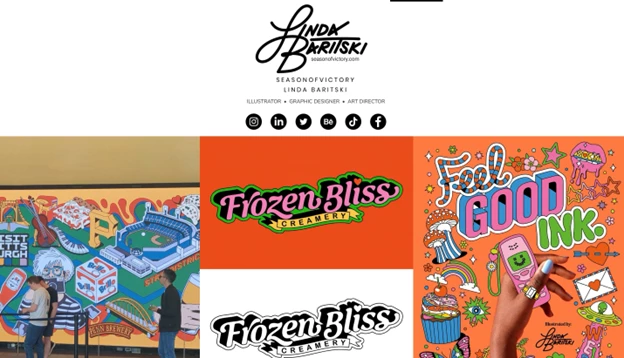
Portfolio websites are the most popular type of portfolio, and they’re virtually a must-have for graphic designers today. It is exactly what it sounds like: a dedicated site built specifically to showcase your talents, skills, and personality.
While building a portfolio website is time-consuming and can be costly if you hire a developer or opt for paid hosting, it gives you full creative control over how your work is presented.
With a website portfolio, sharing your work is also easy. You can simply send a link when applying for jobs or pitching to clients. Plus, you can customize your site with helpful sections like “About Me” or “Contact Me.”
2. PDF
A PDF portfolio is like a digital brochure that includes examples of your work along with brief descriptions of each project. It’s a quick and cost-effective option, especially for those just starting.
Unlike a portfolio website, a PDF portfolio doesn’t require you to pay for hosting, and it can be easily shared via email or downloaded for offline viewing. Some of the best graphic design tools when creating a PDF portfolio include Adobe Acrobat and Behance.
While it’s faster to create, a PDF portfolio is less interactive and may not be ideal for showcasing motion or web-based design work.
3. Classic Portfolio
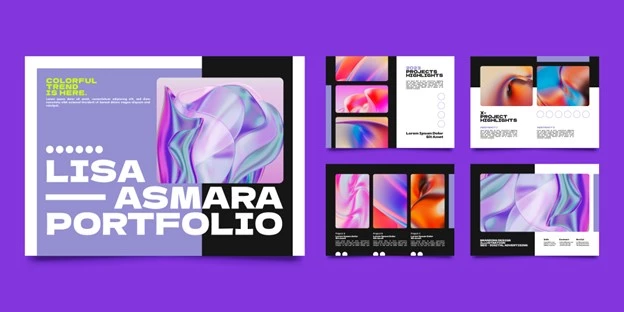
A classic portfolio is an actual book with printed examples of your work. Even though they’re not as popular in the digital age, classic portfolios are still used by graphic designers today.
This is a good option for when you’re attending interviews and meetings in person, as you can bring your book with you and don’t have to rely on a computer to show your designs.
The biggest drawback of this type of portfolio is that you can only deliver it in person or by mail, so it’s much slower compared to the other two types.
Preparing Your Work for Presentation
If your portfolio includes physical prints, sketches, or hand-drawn designs, capturing and optimizing them properly ensures they look their best both in print and online.
Follow these steps to achieve professional, high-quality visuals.
Optimizing Images for Web Use
Resizing and optimizing your images for web display ensures faster loading times without sacrificing clarity.
- Resize images: Large files slow down websites, so resize images to 1200-2000px width while maintaining aspect ratios.
- Compress without losing quality: Use tools like:
- TinyPNG – Reduces PNG/JPEG size while preserving clarity.
- Squoosh – Provides advanced control over compression and quality.
- Adobe Photoshop's ‘Save for Web’ – Adjusts size and compression manually.
- Convert to web-friendly formats: Modern formats like WebP offer high quality with smaller file sizes.
Photographing Your Work
- Use natural light: Soft, even daylight (such as near a window) reduces glare and preserves color accuracy better than artificial lighting.
- Stabilize your camera: A tripod or stable surface prevents blur and ensures sharp, consistent images.
- Shoot from a straight-on angle: Position your camera parallel to your work to avoid distortion. If photographing a book-style portfolio, lay it flat and ensure even lighting.
- Edit for accuracy: Use software like Adobe Lightroom or Snapseed to adjust brightness, contrast, and color balance to match the original work.
Scanning Your Work
- Use a high-resolution scanner: Scan at 300 DPI or higher for sharp, detailed images.
- Avoid shadows and glare: Keep the scanner lid fully closed to eliminate unwanted lighting effects.
- Clean your scanner bed: Dust or smudges can reduce image clarity, so wipe the glass before scanning.
- Save in the right format: Use TIFF or PNG for lossless quality, or JPEG with minimal compression to balance quality and file size.
How To Make a Portfolio for Graphic Design
It’s clear that having a portfolio is a must for any graphic designer, so next, we’ll walk you through the step-by-step process of creating one that effectively shows off your skills and talents.
- Select your best work
- Showcase your work strategically
- Choose a platform for your portfolio
- Include case studies and testimonials
- Share your graphic design process
- Include high-quality images
- Add a personal touch
1. Select Your Best Work
The first step is to sort through your previous projects and select the work you feel showcases your skills in the best way.
Here are some useful criteria to evaluate your work:
- Technical skill: Look for projects that demonstrate mastery of design fundamentals — color theory, typography, layout, and composition.
- Creativity: Include pieces that showcase originality and unique approaches. Ask yourself if the project offers something fresh or innovative.
- Problem-solving: Choose projects where you clearly tackle challenges, whether it’s meeting a client’s brief or overcoming creative blocks. Detail how your design addressed specific problems.
- Client satisfaction: If applicable, select work that received positive client feedback or achieved measurable outcomes (e.g., increased engagement or sales).
2. Showcase Your Work Strategically
Once you've selected your strongest pieces, showcase them in a way that tells a compelling story and highlights your versatility.
Here are some tips to make your portfolio even stronger:
- Diverse range: Curate a collection that spans different media (illustrations, animations, branding) to highlight your versatility.
- Contextual presentation: For each project, add a brief overview — state the goal, your role, and the challenges you overcame.
- Visual storytelling: Use before-and-after images or process snapshots to demonstrate the evolution of your work.
3. Choose a Platform for Your Portfolio
Now, choose a platform for your portfolio website. Some of the most popular platforms for this purpose are Squarespace and WordPress, but there are a ton of other options such as Wix and Strikingly.
3.1 Website Builders
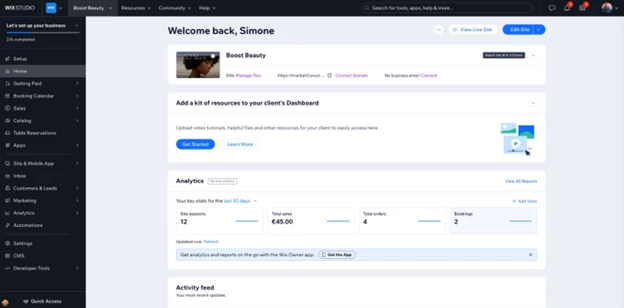
- Pros: Drag-and-drop interface, numerous templates, and integrated tools that simplify customization.
- Cons: May have limitations in SEO customization compared to more advanced platforms.
- Best for: Designers who want a quick setup with creative freedom and minimal coding.
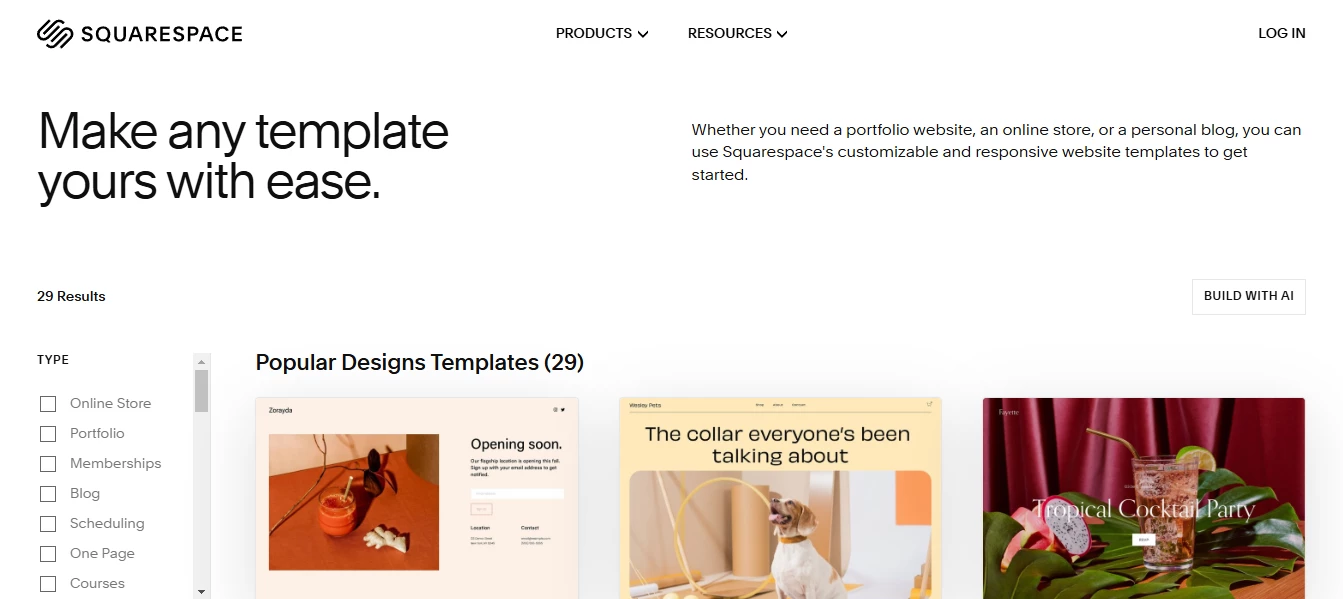
- Pros: Sleek, professional templates, built-in analytics, and robust support for high-quality visuals.
- Cons: Slightly higher cost and less flexibility in third-party integrations.
- Best for: Creatives looking for a polished, professional look with a strong emphasis on visuals.
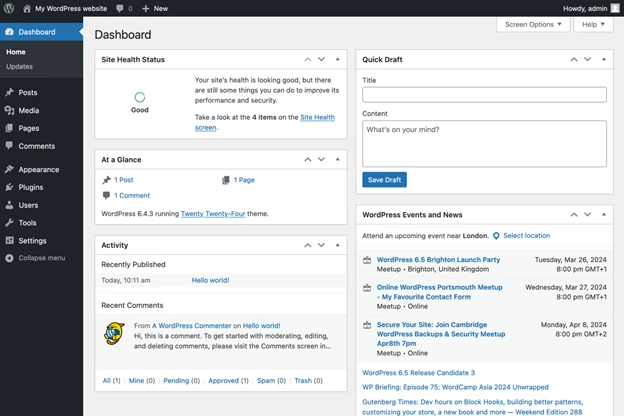
- Pros: Highly customizable with thousands of themes and plugins, excellent for scalability and SEO.
- Cons: Steeper learning curve and may require maintenance or developer support for advanced customization.
- Best for: Those who need full control over their website design and functionality.
3.2. Online Portfolio Sites
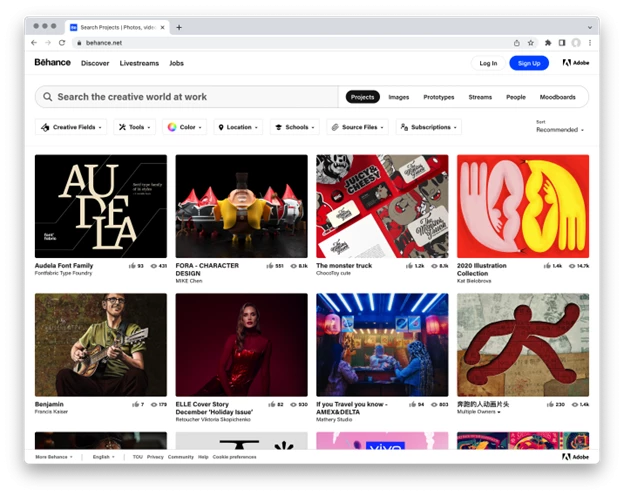
- Pros: Large creative community, easy to get feedback, and discoverability among potential employers and clients.
- Cons: Limited customization options for your portfolio's look and feel.
- Best for: Designers seeking community engagement and inspiration.
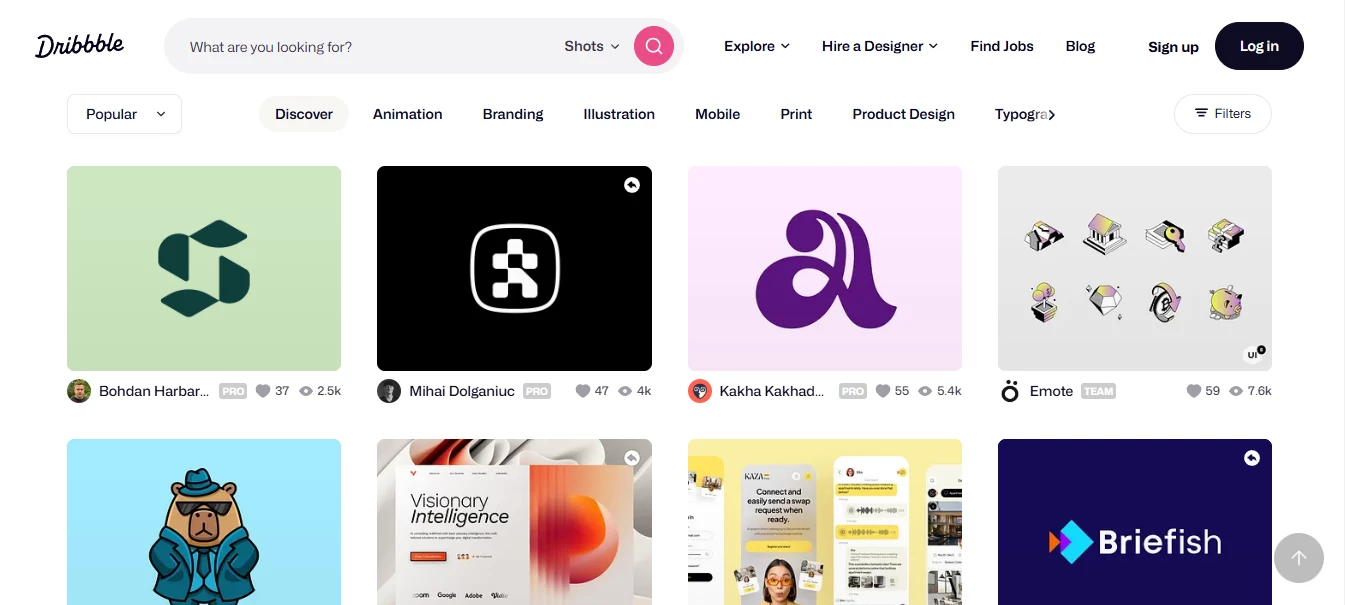
- Pros: Focused on design, excellent for sharing small snippets of work or projects, and networking opportunities.
- Cons: Primarily suited for showcasing visual snippets rather than comprehensive case studies.
- Best for: Designers who want to share creative concepts and gain exposure within the design community.
3.3. Social Media Platforms

- Pros: Visually driven, ideal for showcasing high-quality images and short videos; great for building a following and engaging with audiences.
- Cons: Requires regular content updates and can be challenging to organize extensive portfolios.
- Best for: Designers who want to leverage social media to build a personal brand and interact with a broader audience.
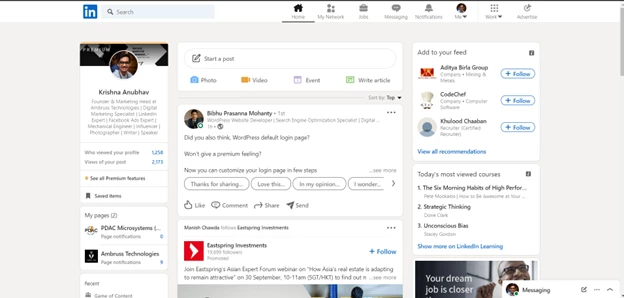
- Pros: Professional network with opportunities for sharing case studies, receiving endorsements, and networking with industry professionals.
- Cons: Less visual focus compared to platforms like Instagram or Behance.
- Best for: Establishing a professional presence, especially if you’re targeting corporate or client-based opportunities.
4. Include Case Studies and Testimonials
Now that you have chosen a platform for your portfolio website, it’s time to start thinking about the case studies you will include.
A case study should complement your visuals featured in your portfolio and explain the process behind the project. Include several well-written case studies to show potential clients how you think and what your approach to graphic design is.
For each featured project, provide a clear narrative that covers:
- The brief: What was the client's objective or the project goal?
- The process: Outline your brainstorming, research, and initial sketches.
- The solution: Describe how your design solved the problem.
- The outcome: Include measurable results if possible (e.g., increased conversion rates, improved brand recognition).
For example, if you’re showcasing a logo you created, explain the process of brainstorming ideas for the logo, what specific problem you were trying to solve, wireframing details, research, etc.
If you have recommendations or client testimonials, include these too, as they are your social proof and can help potential clients make their decision.
5. Share Your Graphic Design Process
Your graphic design process is unique to you, even though it may share some steps with standard best practices. Your creative process shows potential clients or employers how you think, approach work and handle challenges.
Here’s what you should include:
- Step-by-step workflow: Break down your process — from initial research and ideation to sketches, iterations, and final design.
- Visual documentation: Use mood boards, wireframes, and iterative drafts to illustrate your approach.
- Problem-solving approach: Emphasize how you handle revisions, feedback, and unexpected challenges.
- Narrative style: Write a brief explanation for each step, focusing on how each phase contributes to the final design.
- Highlight uniqueness: Explain what makes your process unique and how it benefits clients by ensuring high-quality, thoughtful design solutions.
Visual Tools To Illustrate Your Process
You can also use a visual timeline, diagrams, or flowchart to help clients understand the progression of your work. Here are some handy tools you can incorporate:
Diagrams
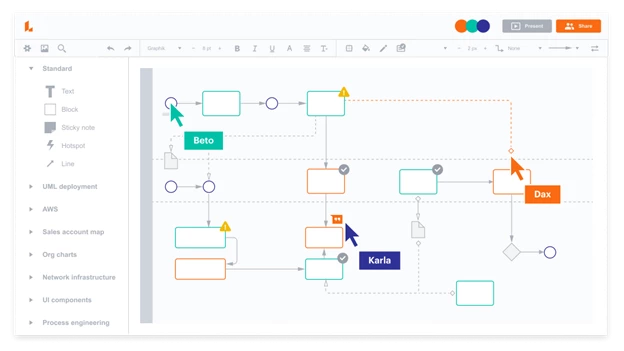
Create a diagram that maps out your project phases — research, ideation, sketching, iteration, and finalization. Use icons and color coding to differentiate each stage. Tools like Lucidchart or Adobe Illustrator can help you design custom diagrams.
Flowcharts
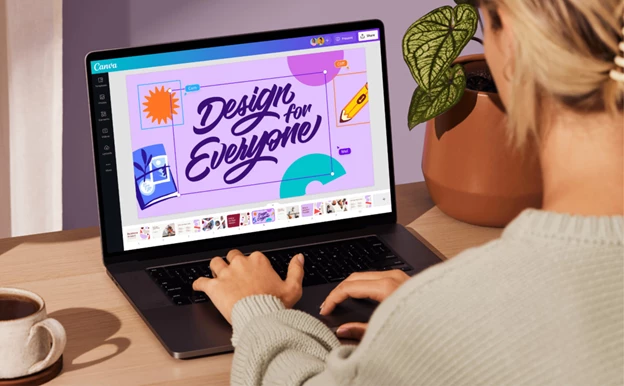
Develop a flowchart that starts with the client brief and flows through decision points such as brainstorming, feedback loops, and final approval. This can visually communicate how you handle project iterations and incorporate feedback. Consider using Canva or Microsoft Visio for simple, clean flowcharts.
Timelines
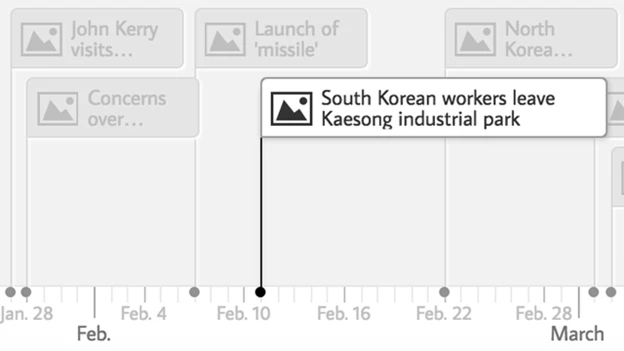
Construct a visual timeline for a case study, detailing each step from initial concept to project delivery. Highlight key milestones and any challenges overcome along the way. Tools like TimelineJS or even PowerPoint can help you create visually appealing timelines.
6. Include High-Quality Images
When including images in your graphic design portfolio, focus on large, high-quality images that are easy to view.
Here’s what you should consider while choosing images:
- Resolution: Use high-resolution images to ensure clarity, especially on retina displays.
- Consistency: Maintain a consistent style and color scheme across images to create a cohesive look.
- Focus: Select a few powerful images rather than overwhelming the viewer with too many visuals.
- Optimized layout: Use a clean, minimalist layout that emphasizes your designs. White space can help draw attention to the work itself.
7. Add a Personal Touch
The next step is to personalize your portfolio. This can help showcase your unique personal style and be used to further personal branding.
Some personal branding elements that can help you build a unique identity include:
- Color palette: Choose a color scheme that reflects your personal style and the emotions you want to evoke. Use online tools like Adobe Color or Coolors to experiment with harmonious palettes.
- Typography: Select fonts that complement your design style. Consider pairing a distinctive header font with a more readable body font to maintain balance.
- Logo design: Develop a personal logo that encapsulates your style. Sketch several concepts, then refine your favorite digitally using tools like Adobe Illustrator or Affinity Designer.
- Consistent visual elements: Incorporate consistent design elements (like icons, textures, or graphic motifs) throughout your portfolio. This consistency reinforces your personal brand.
- About me page: Create a dedicated section where you tell your story, outline your design philosophy, and share professional background details.
- Unique style: Highlight any niche areas or graphic design trends you excel in (e.g., 90s nostalgia, minimalism, gradients).
- Professional headshot: Include a professional photo to add a human element to your portfolio, making it easier for clients to relate to you.
Tailoring Your Portfolio for Specific Graphic Design Niches
Below are tailored tips for presenting various types of graphic design work, along with strategies:
- Logo design, brand identity, and marketing collateral
- Website designs
- Illustrations, sketches, digital paintings, and animations
- Motion graphics and multimedia projects
1. Logo Design, Brand Identity, and Marketing Collateral
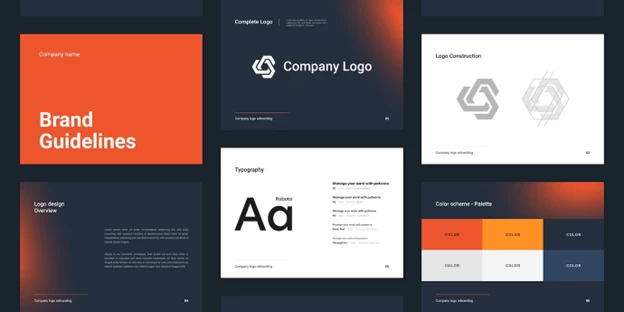
- Tell a cohesive story: Create a dedicated section that not only features your final logo designs but also includes comprehensive brand identity guidelines. Detail the chosen color palettes, typography, and usage rules. This narrative shows clients how your designs create a consistent and memorable brand.
- Display the process: Include sketches, mood boards, and iterations that led to the final product. This not only adds depth to your portfolio but also highlights your creative problem-solving skills.
- Contextual application: Present examples of your logo in real-world contexts — such as business cards, social media profiles, packaging, or marketing materials — to demonstrate versatility and practical application.
2. Website Designs
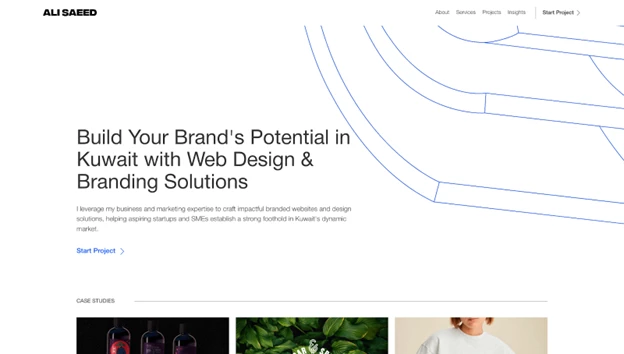
- Use high-quality screenshots and mockups: Feature clear, high-resolution screenshots of the live websites along with polished mockups. Consider displaying your designs on various devices (desktop, tablet, mobile) to emphasize responsive design capabilities.
- Interactive elements: Whenever possible, include links to live sites or interactive prototypes. This allows potential clients to explore your work firsthand.
- Project breakdown: Supplement visuals with case studies that outline the design challenges, your approach, and the measurable results. Explain your design decisions and how they improved user experience or brand engagement.
3. Illustrations, Sketches, Digital Paintings, and Animations
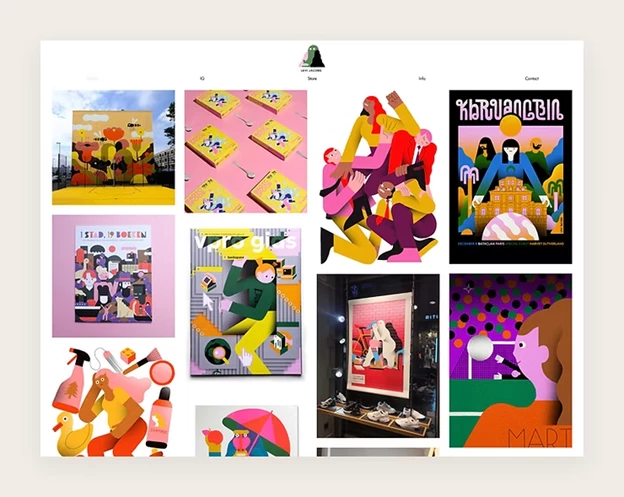
- Diverse presentation: Organize your work to display a full spectrum — from initial hand-drawn sketches to refined digital paintings and animated pieces. This progression illustrates your technical skills and evolution as an artist.
- Technique and style: Use captions or short descriptions to explain the techniques behind each piece. Highlight any unique approaches or tools you used, which can help potential clients appreciate the craft behind the work.
- Engage with movement: For animated pieces, include video clips or GIFs that capture the motion. Ensure these files are optimized for fast loading without compromising quality.
4. Motion Graphics and Multimedia Projects
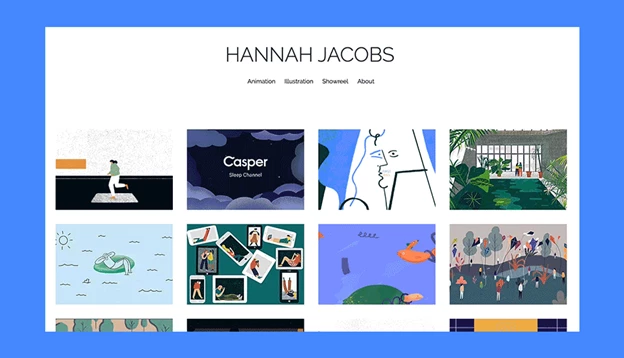
- Visual and audio integration: For motion graphics, incorporate video clips, short loops, or GIFs that demonstrate dynamic storytelling. If sound plays a role, include subtle audio cues or links to sound-enabled versions of your work.
- Contextual insights: Explain the purpose of the project — whether it’s for a commercial campaign, explainer video, or digital advertisement — and outline your role in its creation. Providing a brief technical breakdown (software used, animation techniques) can add credibility.
- Interactive demonstrations: Use interactive elements like before-and-after sliders or embedded video players that allow viewers to control playback.
5 Examples of Graphic Design Portfolios
Wondering what the best graphic design portfolios look like? We’ve selected five of our favorite examples to show you!
1. Aries Moross
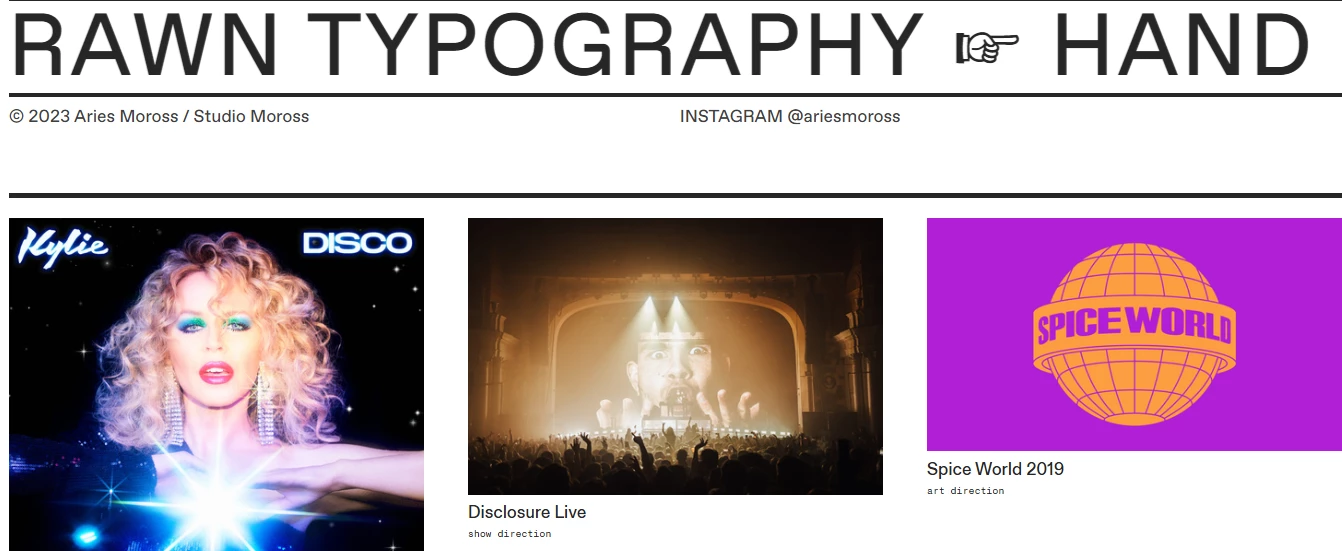
The portfolio website of Aries Moross showcases the English designer’s unique style. It highlights both recent works as well as a full archive of previous designs, but it doesn’t feel overwhelming or cluttered.
2. Mindy Nguyen
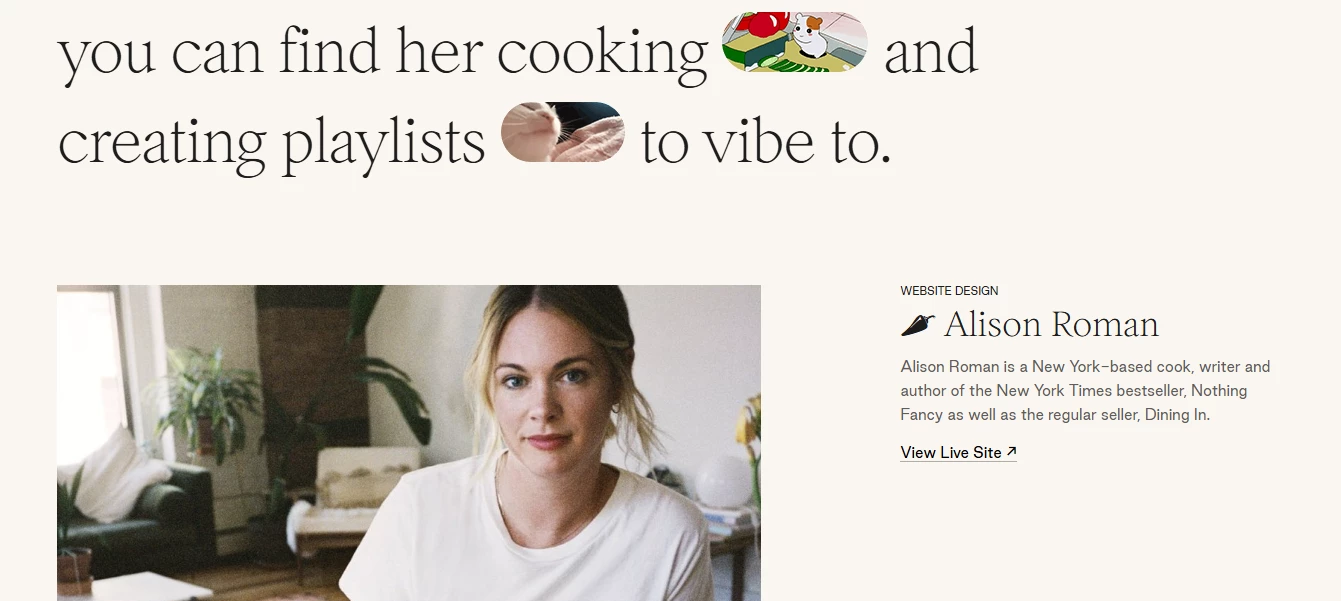
A perfect example of a creative portfolio is Mindy Nguyen’s website, a designer from Los Angeles. She used a large font to present some personal information, enriched with animated GIFs followed by a selection of her design projects.
3. Sarah Scott
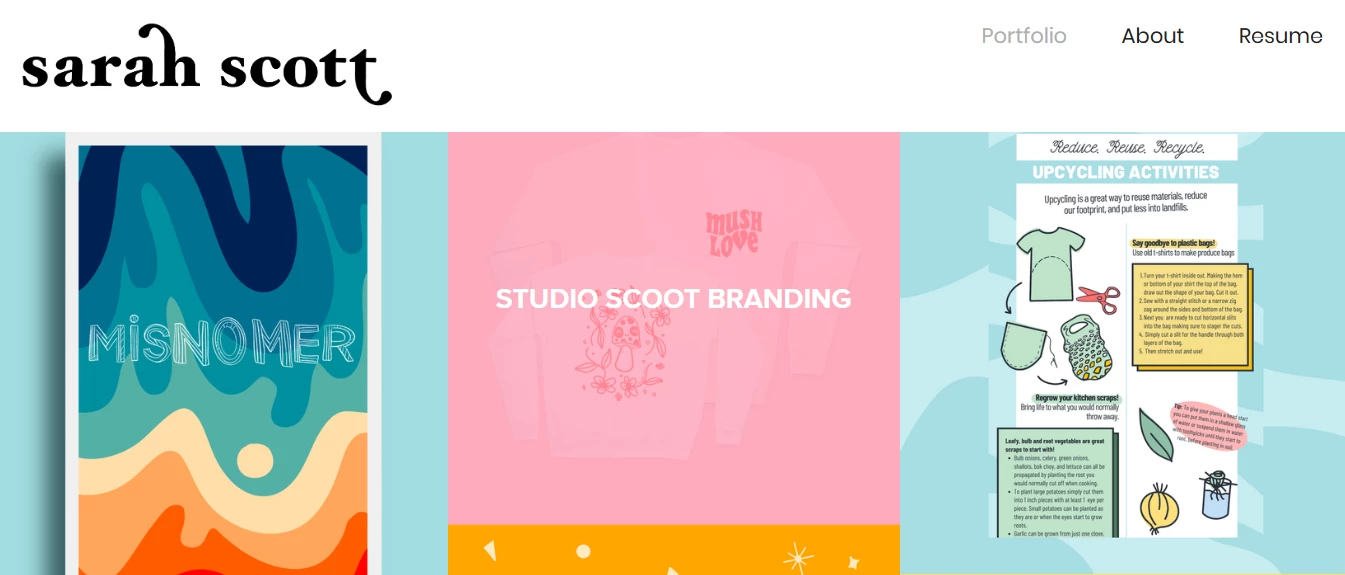
Sarah Scott, a designer from Atlanta, Georgia, showcases her talents and previous works in a simple and interactive way. All types of designs are featured on the homepage, so viewers can simply hover over the design they’d like to explore, and a button appears to take them to see more.
4. Versal Graphic Design
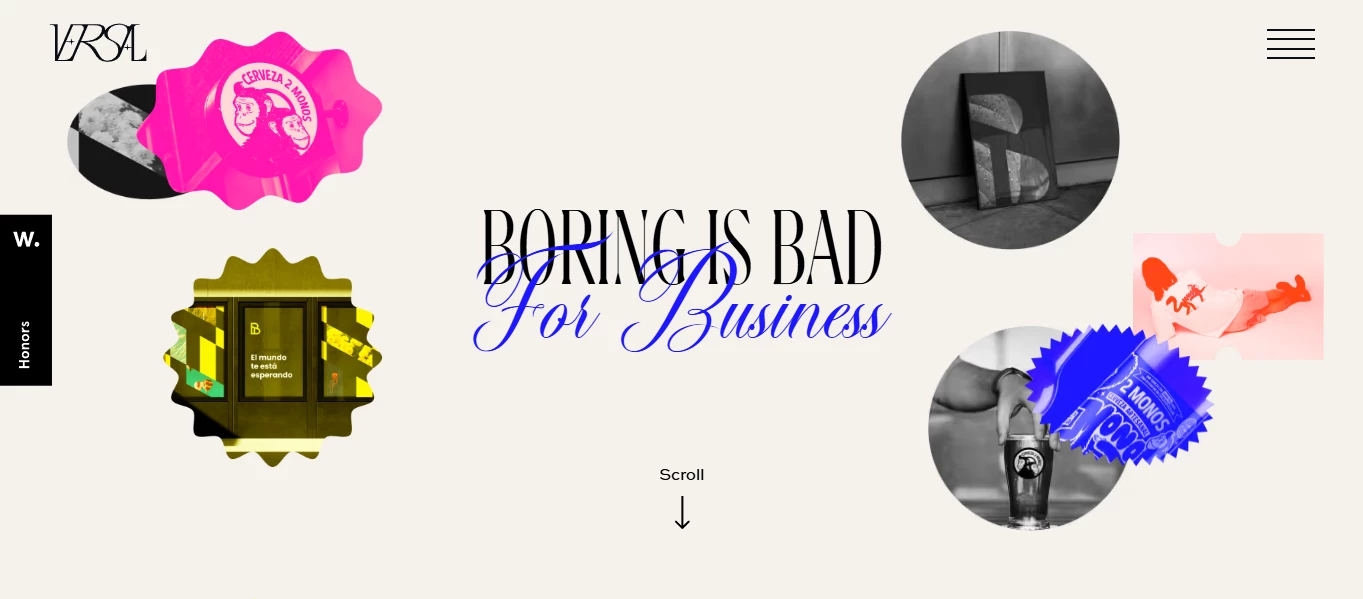
Versal Graphic Design portfolio bursts with energy — bold serif headlines meet flowing script, neon yellow and pink accents, and playful hover wiggles with “Discover more” prompts. Every interactive detail reinforces the studio’s “Boring is bad for business” mantra.
5. Alex Fisher
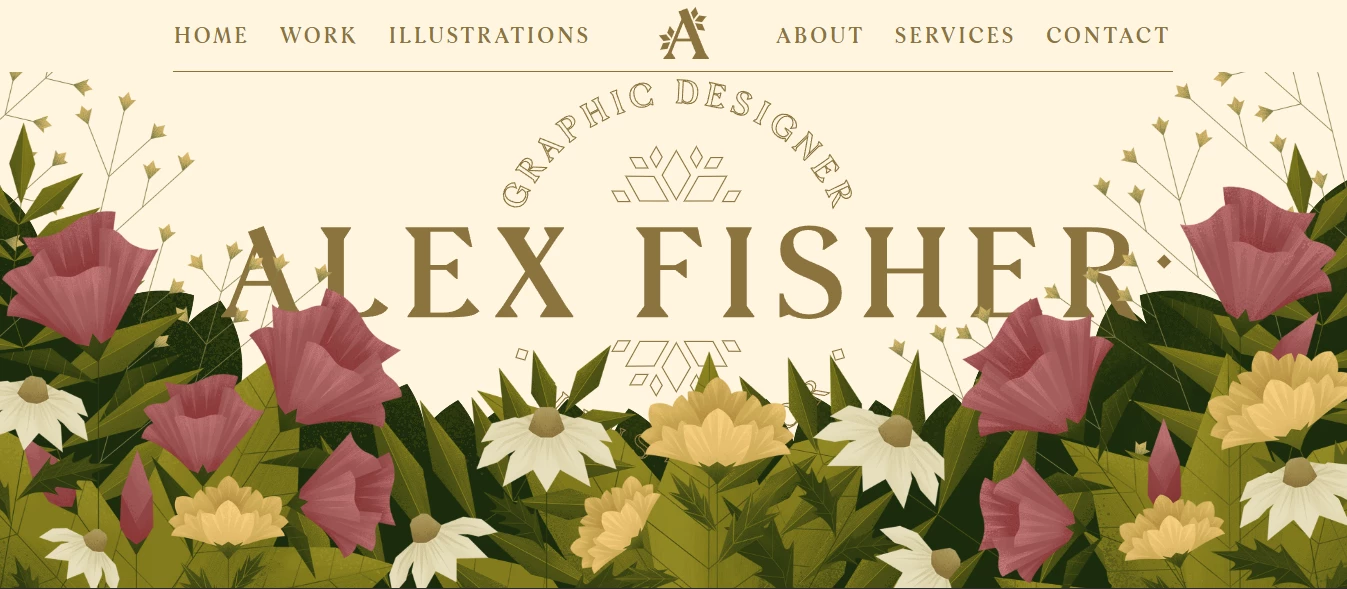
Alex Fisher’s portfolio spotlights her illustrations with a lush hero scene — textured blooms and foliage layered in parallax fade as you scroll, teasing her dual talents. Repeating those floral motifs sitewide and ending with a “Let’s work together” contact invite, it’s a seamless showcase of her signature style.
Wrapping Up on Graphic Design Portfolio
A graphic design portfolio, whether it’s a website, a PDF file or a classic portfolio, helps showcase your work, build trust and help you establish a personal brand.
To create a graphic design portfolio step-by-step:
- Select your best work
- Showcase your work strategically
- Choose a platform for your portfolio
- Include case studies and testimonials
- Share your graphic design process
- Include high-quality images
- Add a personal touch

Our team ranks agencies worldwide to help you find a qualified partner. Visit our Agency Directory for the Top Graphic Design Companies, as well as:
- Best Graphic Design Companies in Dallas
- Top Illustration Agencies
- Top Design Agencies
- Top Digital Design Agencies
- Top Web Design Companies
Our design experts also recognize the most innovative design projects across the globe. Visit our Awards section to see the best & latest in design.