
Artificial intelligence (AI) is now part of everyday financial analysis. What once required hours of manual work — spotting risks, detecting fraud, and more — is now done in minutes with machine learning and smart tools.
AI Financial Analysis: Key Findings
- Portfolio modeling and investment analysis tools, such as FinanceGPT, focus on risk metrics, valuation models, and scenario simulations throughout capital markets workflows.
- Enterprise finance platforms such as Oracle Fusion and Cube strengthen operational control and forecast precision by centralizing accounting data and strengthening planning processes.
- Simulation and GRC platforms, including AnyLogic and Quantivate, support long-range system modeling, audit management, and regulatory oversight in complex environments.
AI’s Growing Role in Financial Analysis
About 70% of financial executives believe AI will drive revenue growth in the next few years, prompting 59% of companies to adopt it in their finance functions.
Recent Cambridge Centre for Alternative Finance (CCAF) research suggests the biggest gains may come from more specialized use cases.
While only 11% of financial institutions have fully deployed AI in Finance & FP&A workflows, organizations using AI in areas like forecasting, treasury, and financial analysis reported some of the strongest profitability improvements tied to AI adoption.
That gap matters suggests that financial analysis continues to be an underdeveloped AI category despite measurable business upside, especially for teams using purpose-built tools rather than general-purpose automation platforms.
What tools are helping them get there? I’ve tried and compared leading AI tools for financial analysis, and these five gave the most practical, real-world value.
| Feature | Finance GPT | Oracle Fusion | Cube | AnyLogic | Quantivate |
| Core Financial Analysis | ✅ | ❌ | ✅ | ❌ | ❌ |
| Forecasting & Scenario Planning | ✅ | ✅ | ✅ | ✅ | ❌ |
| Enterprise Workflow Automation | ❌ | ✅ | ✅ | ❌ | ❌ |
| Risk & Compliance Oversight | ❌ | ✅ | ❌ | ❌ | ✅ |
Saddam Husen, CTO of Comfygen, emphasized that AI is transforming the way CFOs approach strategic planning.
According to him, “AI shifts forecasting from reactive to predictive,” allowing finance leaders to go beyond static historical data. He explained that today’s AI-driven models are dynamic, constantly adjusting projections based on real-time inputs.
“These tools can simulate various economic scenarios, optimize resource allocation, and even suggest budget changes before problems arise,” Husen noted.
1. Finance GPT: Best for Portfolio Modeling and Risk Metrics
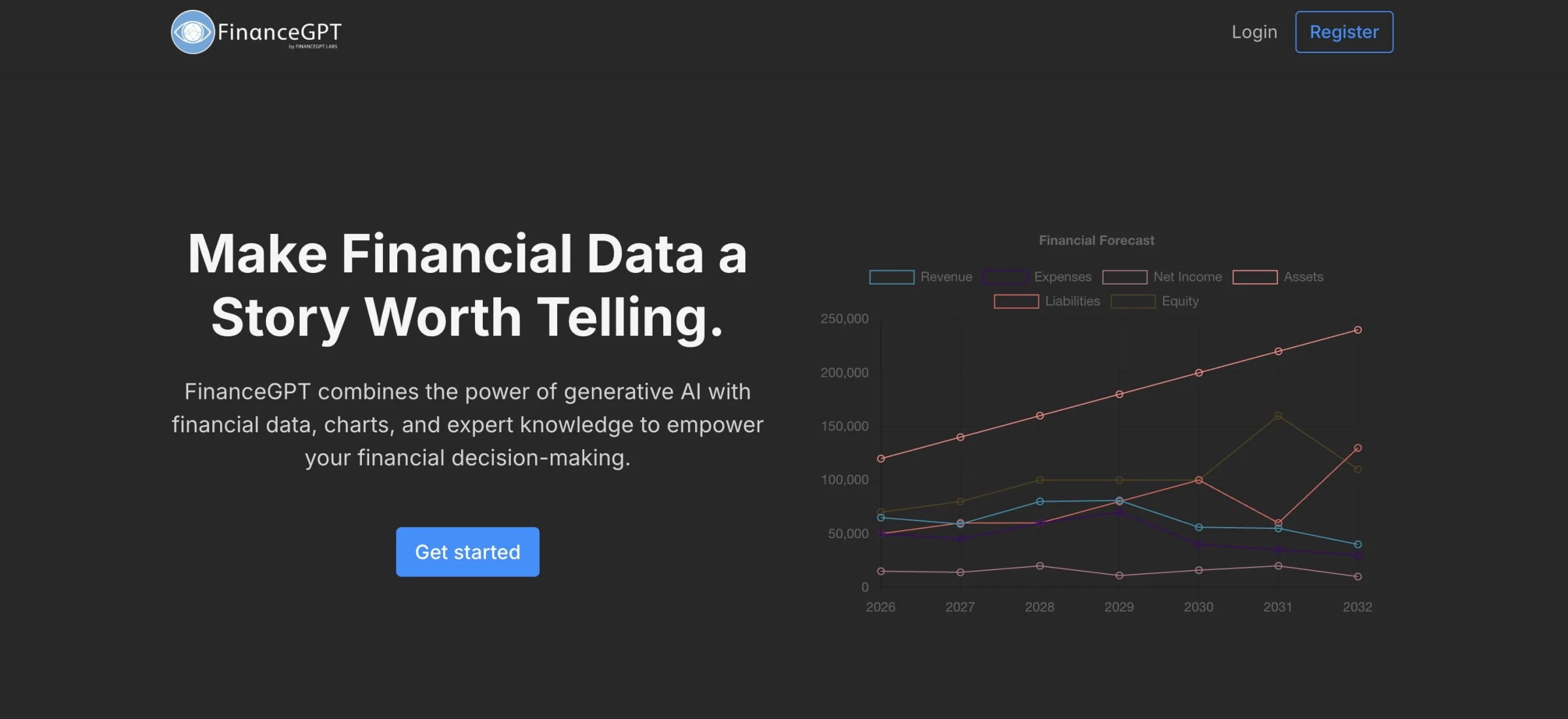
FinanceGPT is an AI-powered tool that streamlines complex financial analysis into structured models and visual outputs. You can use it for forecasting, portfolio optimization, valuation modeling, and scenario testing throughout different finance workflows.
Once you upload your data, it generates performance metrics, risk simulations, and clean visualizations you can actually work with.
You’ll still need to provide your own files, but it offers a broad range of financial formats and delivers results quickly.
Pricing
- Generative AI features: Free
- Research, consulting, and quality assurance (review by certified professionals such as CA, CFA, FRM): Premium account required
- Premium pricing: Custom quote based on client size, location, and scope
- FinanceGPT Cloud:
- Explorer: $299.99/month (10 seats)
- Navigator: $599.99/month (25 seats)
- Pioneer: $999.99/month (50 seats)
Pros
- Monte Carlo simulations and advanced risk modeling
- Sharpe ratio, drawdown, and valuation metric automation
- Automated DCF modeling and term sheet extraction
- Real-time variance and portfolio performance analysis
- Over 40 integrations and quantitative tool library
- Custom quantitative model building using proprietary LQMs
Cons
- Manual file uploads required
- Output quality depends on data completeness
- Requires financial literacy to interpret results
- Forecast accuracy tied to market condition changes
What Users Say
Users generally appreciate what FinanceGPT brings to the table — especially those who know their way around financial concepts but want a faster, more visual way to work through them.
It’s frequently praised for handling key metrics like Sharpe ratios, max drawdowns, and scenario-based modeling with ease. Some even say it makes analysis feel addictive.
But it's not without friction.
A few noted that you still need to upload your data manually, which slows things down if you're working with large datasets.
Others flagged issues with formatting — like misaligned numbers or buggy exports — particularly in dense reports. And while it offers smart insights, you’ll still need to know what those insights mean to act on them.
Who’s It For?
So, while not entirely plug-and-play, Finance GPT is a strong pick if you want depth and flexibility and can tolerate the occasional hiccup.
It’s a great fit for business owners, finance leads, or anyone who works with financial data often but doesn’t want to wrestle with heavyweight platforms. It delivers serious analysis without getting in your way.
Other Notable Features
- Continuous auditing agent with immediate anomaly detection
- Zero-Day Close monitoring protocol
- Automated SaaS metrics verification
- Cash flow forecasting and FX risk modeling
- AI-driven investment memo drafting
- GAAP and IFRS compliance support



2. Oracle Fusion Cloud Financials: Best for Large-Scale Financial Operations
-content-large-webp.webp "Oracle")
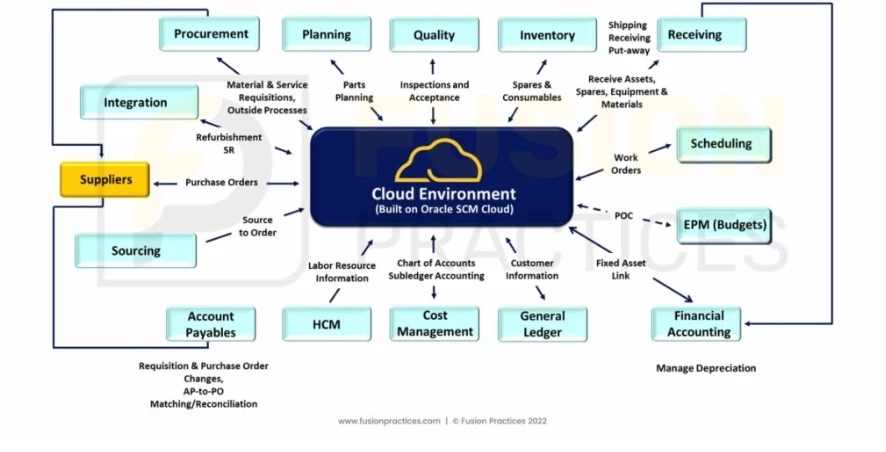
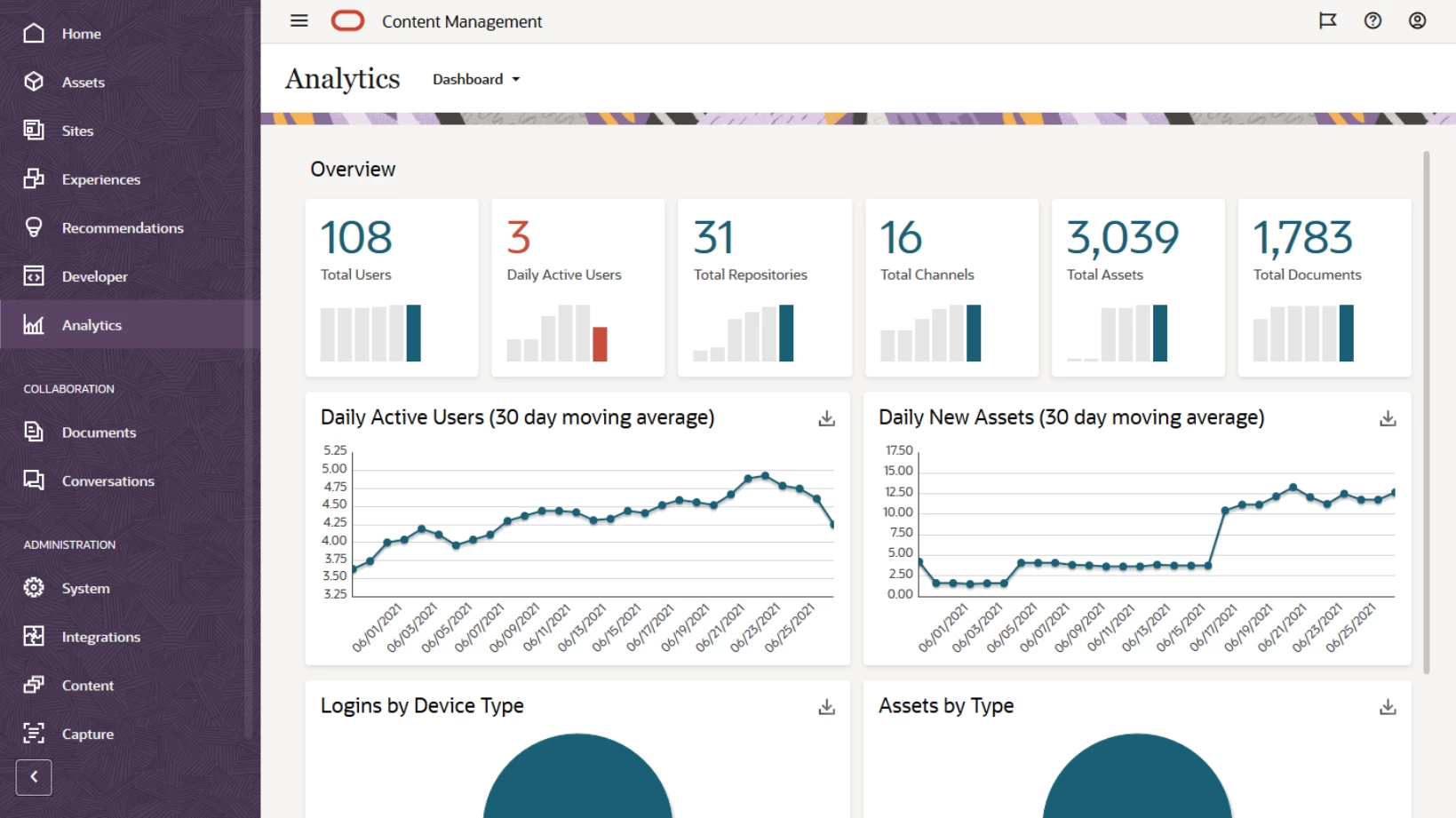
Oracle Fusion Cloud Financials is a cloud-based finance platform that centralizes accounting, payables, receivables, assets, revenue recognition, and reporting into a single system.
It connects financial processes across entities and currencies while automating high-volume transaction workflows. You can use it to standardize controls, manage global operations, and reduce manual processing within finance teams.
Pricing
- Custom pricing based on modules, scale, and deployment scope
Pros
- Automates up to 80% of financial processes, including intercompany accounting
- Built-in support for multi-currency, multi-entity, and global compliance standards
- Integrated accounting hub for harmonizing data across ERP systems
- Automated revenue recognition aligned with IFRS 15 and ASC 606
- Predictive cash forecasting and automated invoice matching
- Centralized controls for joint ventures, leases, and fixed assets
Cons
- Steep learning curve during implementation
- Interface can feel complex and click-heavy
- High total cost of ownership for smaller organizations
- Configuration requires structured governance and IT involvement
What Users Say
Users often praise Oracle Fusion Cloud Financials for its depth of automation, centralized controls, and real-time reporting dashboards.
Many emphasize improvements in invoice processing, expense management, and consolidated financial visibility once the system is fully configured.
Some reviewers note a learning curve during setup, particularly in navigation and workflow configuration. Cost is also mentioned as a consideration for mid-sized organizations.
In Reddit discussions between finance and IT consultants, professionals commonly note that the shift to Oracle’s SaaS configuration model requires adjustment, especially around integrations, security roles, and quarterly updates.
However, many agree that once teams adapt to the structure, the platform offers sustained stability and scalability.
Who’s It For?
Oracle Fusion Cloud Financials serves large enterprises that manage complex accounting structures across multiple entities, regions, and regulatory environments.
It suits finance teams handling high transaction volumes, global tax requirements, subscription billing, or intercompany accounting.
Organizations with dedicated IT and finance transformation resources will get the most value from the platform.
Other Notable Features
- Automated intercompany balancing
- Enterprise-wide chart of accounts standardization
- Touchless invoicing and smart auditing
Contact ERP Sales to get pricing details.
3. Cube: Best for AI-Driven FP&A and Forecast Accuracy
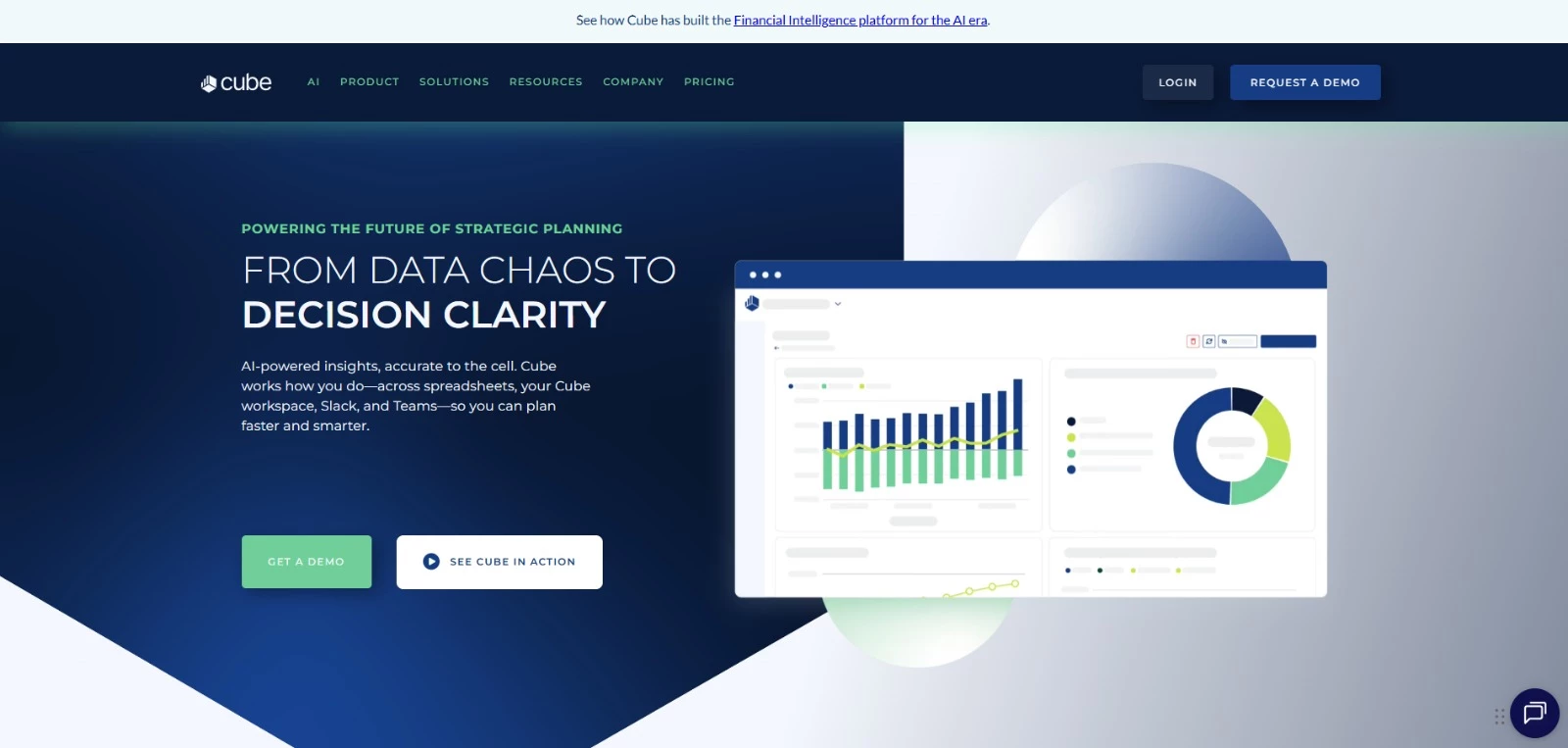
Cube is a financial intelligence platform built specifically for FP&A teams working inside spreadsheets.
It connects data from ERPs, CRMs, HRIS systems, and existing Excel or Google Sheets models into one governed source of truth.
What stood out to me is that you don’t have to leave spreadsheets to use it. You keep building forecasts and reports where you already work, while Cube manages data refreshes, access controls, and model logic behind the scenes.
Pricing
- Custom pricing tailored to company size and integration scope
- Starts at $32,000 annually
Pros
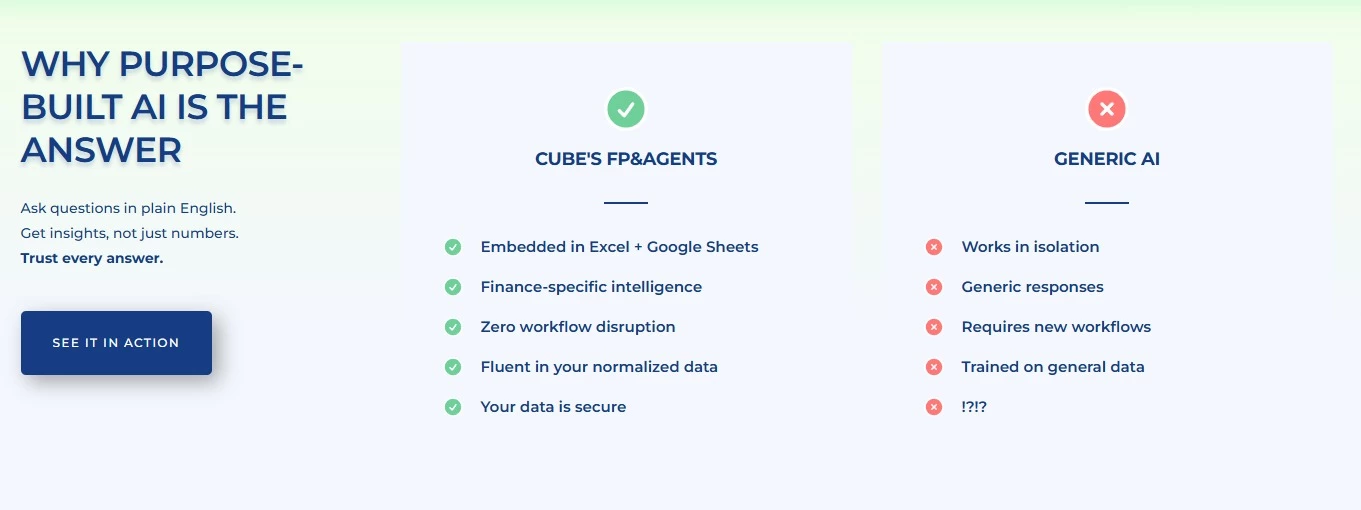
- Works natively in Excel and Google Sheets
- Unified and governed data across source systems and spreadsheets
- AI-powered forecasting and smart variance analysis
- Strong auditability, lineage tracking, and cell-level security
- Minimal disruption to existing FP&A workflows
Cons
- Not a replacement for a full ERP or accounting system
- Best suited for mid-sized and enterprise finance teams
- Implementation requires coordination across data sources
What Users Say
On G2, users frequently mention faster forecasting cycles and fewer reconciliation issues as early improvements. Many point out that Cube works naturally in Excel and Google Sheets, and that responsive customer support is available during and after implementation.
At Figment, forecast variance reportedly dropped from 15–20% to 2–3%, while onboarding time for new finance hires fell from over a month to less than a day. Teams gained greater confidence in budgeting, forecasting, and reporting across multiple dimensions.
That said, some users mention room for improvement in dashboard customization and data visualization.
A number of reviews reference implementation misalignment in earlier deployments, though Cube has publicly responded to those concerns and noted changes to its onboarding process.
Who’s It For?
Cube fits FP&A teams running frequent forecasts, multi-scenario planning, and board-level reporting.
It works well for companies that depend heavily on spreadsheets but need stronger data governance and more accurate forecasting.
If your team spends significant time reconciling data across systems before analysis even begins, Cube helps centralize that foundation so forecasting and variance review move faster.
Other Notable Features
- Smart variance and root cause analysis
- Conversational finance assistant for ad hoc questions
- Scenario planning and what-if modeling
- Full audit trails with transaction-level lineage
4. AnyLogic: Best for Multi-Method Financial Simulation
-content-large-webp.webp "AnyLogic")
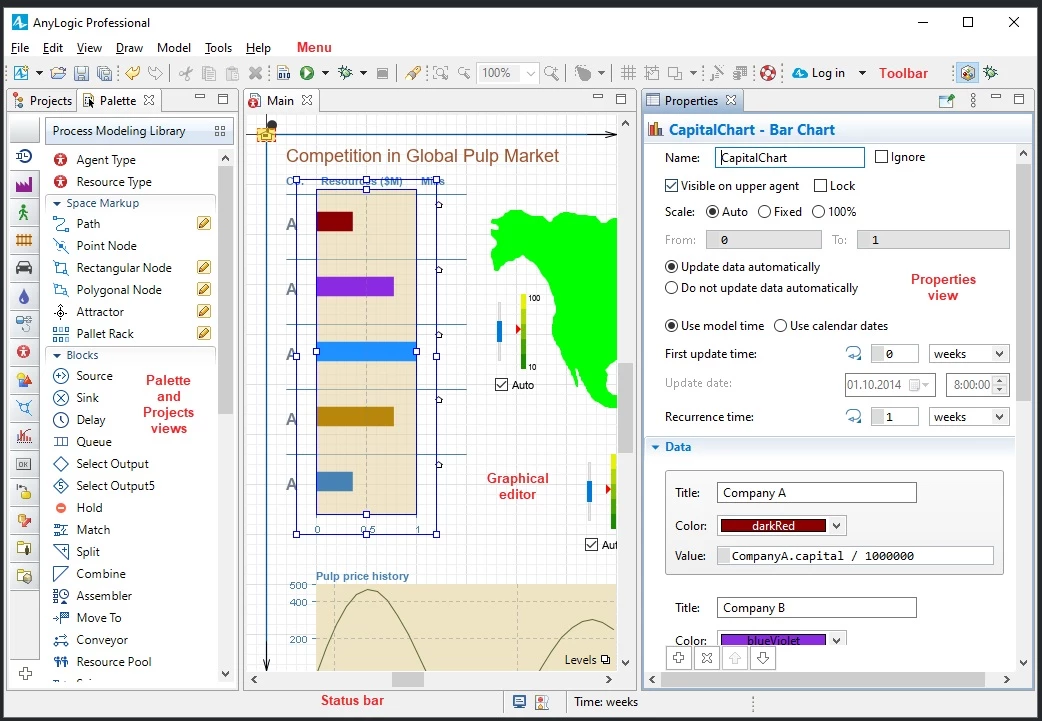
AnyLogic lets you map out different financial scenarios and see how decisions could play out before they happen. That includes big-picture moves — like shifting pricing models or adjusting investment strategies — and more operational choices, such as cost allocations or resource planning.
Unlike most planning tools, it combines multiple simulation methods in one model. That makes it especially strong for layered, real-world problems where factors are constantly changing.
It’s used by finance teams and analysts who need to build long-range plans and test strategies with fewer assumptions.
Pricing
- Personal Learning Edition: Free
- Commercial license: Custom pricing
Pros
- Supports agent-based, discrete event, and system dynamics modeling in one platform
- Suitable for long-range planning and complex scenario testing
- 2D and 3D model visualization
- Cloud simulation capabilities
- Extensive modeling libraries across logistics, manufacturing, and operations
- Java customization for advanced modeling control
Cons
- Learning curve for new users
- Advanced use often requires familiarity with Java
- Some features are restricted to paid licenses
- Limited beginner-focused tutorials compared to lighter tools
What Users Say
On Capterra, users talk about the flexibility of combining multiple modeling paradigms within one system.
Reviewers describe it as powerful for research and thesis work, especially when running hybrid agent-based and system dynamics models together.
Ease-of-use scores average around 4.0, with customer support slightly higher. Several users mention that the breadth of libraries can feel overwhelming at first, and training resources can be limited depending on your use case.
Still, many describe it as one of the strongest simulation tools available once you get comfortable with it.
Who’s It For?
AnyLogic fits analysts, researchers, and strategy teams working on complex systems rather than standard budgeting workflows. It’s well-suited for long-term planning, operational modeling, capacity analysis, and risk simulations that involve uncertainty.
If you need to test how variables interact over time instead of generating a financial report, this tool provides depth that spreadsheet-based models can’t replicate.
Other Notable Features
- Multi-method simulation engine
- Risk modeling under uncertainty
- Real-time model visualization
- GIS integration
- Scenario experimentation in a risk-free digital environment
5. Quantivate: Best for Centralized Risk and Compliance Tracking
-content-large-webp.webp "Quantivate")
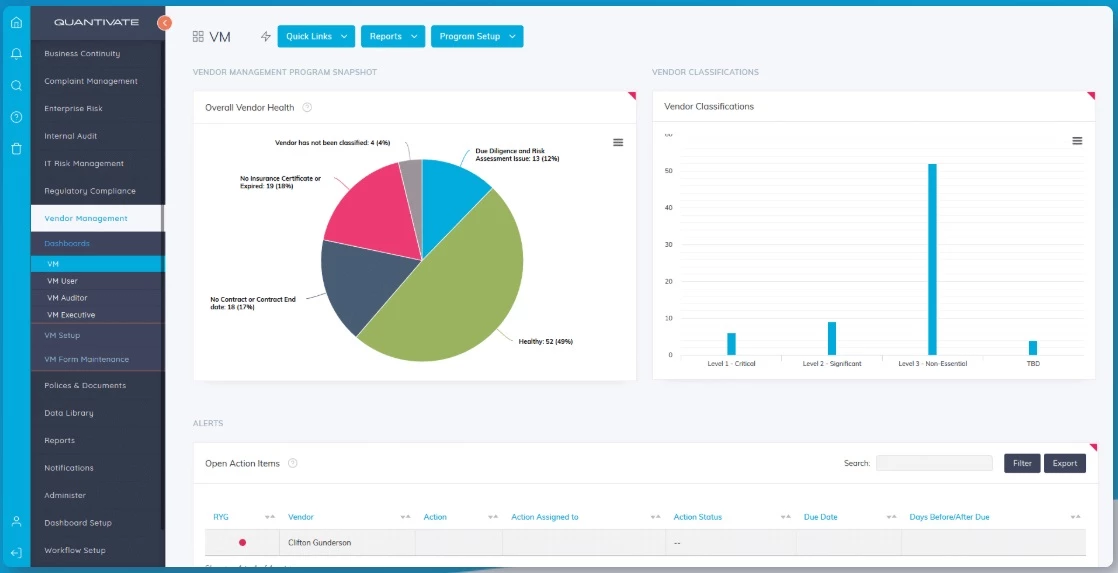
Quantivate is a governance, risk, and compliance platform built primarily for financial institutions.
It integrates enterprise risk, regulatory compliance, vendor oversight, IT risk, and audit into a single centralized system.
When I explored it, what stood out was how flexible the structure felt.
The platform uses configurable templates and modular components, so you can adapt workflows to match your organization’s policies rather than forcing everything into a fixed structure.
Pricing
- Custom pricing based on modules, organization size, and scope
Pros
- Customizable templates and workflows
- Centralized system for risk, audit, and compliance tracking
- Modular setup across ERM, IT risk, audit, and vendor management
- SOC 2 Type 2 compliant SaaS platform
- Flexible data architecture that adapts to organizational structure
Cons
- Occasional reporting or export limitations noted by users
- No on-premise deployment option
- Configuration may require coordination among departments
What Users Say
Many users recognize Quantivate’s flexibility and customization functions.
Reviewers often point to the templated structure and modular design, which allow organizations to tailor risk and compliance processes to their particular requirements.
Ease of use is also frequently mentioned, particularly during implementation.
Users report that the platform supports streamlining audit cycles, vendor oversight, and regulatory tracking, even in complex organizational environments.
Who’s It For?
Quantivate is a good fit for mid-sized to large financial institutions that need centralized oversight across multiple risk areas.
It works well for teams managing enterprise risk, compliance, vendor governance, and audit workflows in one system.
If your organization operates under strict regulation criteria and needs documented processes with clear audit trails, Quantivate provides structure without requiring a full custom build.
Other Notable Features
- Enterprise risk management module
- Regulatory compliance management
- Vendor and procurement risk oversight
- Internal audit lifecycle management
- Centralized document repository with access controls
Request a demo to see Quantivate in action.
Final Thoughts on the Use of AI for Financial Analysis
AI in financial analysis is no longer a single-category tool. Some platforms focus on portfolio modeling, others on ERP automation, FP&A forecasting, system simulation, or regulatory oversight.
The right choice depends on where your bottleneck sits. If it’s data consolidation, simulation depth, audit control, or forecast accuracy, each of these tools approaches the problem from a different angle.
If you’re evaluating external support to guide implementation, vendor selection, or beyond, we can help you narrow your search.

Our team ranks agencies worldwide to help you find a qualified partner. Visit our Agency Directory for the top accounting companies, as well as:
Our design experts also recognize the most innovative design projects across the globe. Given the recent uptick in AI tools usage, you'll want to visit our Awards section for the best & latest in AI website designs.
FAQs: AI in Financial Analysis
1. How is AI currently used in financial analysis?
AI automates processes such as invoice matching and reconciliations, improves forecasting using machine learning models, detects anomalies in real time, and generates financial reports using natural language processing.
It can cut manual workload while improving speed and consistency.
2. Where should companies start with AI in finance?
Start with one high-impact process such as forecasting, month-end close, or cash flow monitoring. Validate results, measure time savings, then expand into adjacent workflows.
3. Is AI adoption realistic for smaller companies or lean teams?
Yes. Many AI finance tools are cloud-based and modular, allowing smaller teams to execute targeted automation without large infrastructure investments.
4. What’s the difference between AI forecasting and simulation modeling?
AI forecasting analyzes historical data to predict future outcomes. Simulation modeling tests how multiple variables interact over time under different conditions, often used for operational or strategic planning.
5. How important is data governance when using AI in finance?
Data governance directly affects accuracy and auditability. Without standardized definitions and controlled access, AI outputs can become inconsistent or difficult to validate.