

I tested the best AI image generator tools to see which ones actually deliver for agencies and brand decision-makers. Let’s break down what worked and which platforms can meet your project’s needs.
Top AI Image Generators 2026: Key Findings
- Choose Midjourney when you need standout visuals fast. Its consistently high-quality outputs make it the strongest for creative direction and mood boards.
- Use DALL-E or Adobe Firefly for production-ready assets. Both deliver consistent results and faster iteration, reducing rework in real campaigns.
- Pick Stable Diffusion for speed or Gemini for early ideation. Both are useful for exploration, but require more refinement before final use.
What To Look for in an AI Image Generator
1. Best Text-to-Image AI Tools
2. Top AI Art Generators
3. 20 Most Popular AI Tools
4. AI Stats: Impact & Trends
Many of the tools I tested offer helpful features such as palette suggestions, auto-generated layouts, and style-consistent assets.
But the real difference comes down to workflow fit. Here are the key factors that stood out during testing:
- Style vs. precision: Creative tools like Midjourney interpret mood and aesthetics, while DALL·E tends toward more literal, accurate outputs.
- Consistency across outputs: For brand work, stable results matter. Adobe Firefly is more predictable, while Stable Diffusion can vary with prompts.
- Ease of iteration: Tools like DALL·E make edits feel conversational, whereas Gemini may require more prompt tweaking.
- Text and layout handling: Most generators still struggle with clean typography, so expect to refine text-heavy visuals manually.
- Customization and control: If you want flexibility, Stable Diffusion offers deeper control. Simpler tools prioritize ease over customization.
- Workflow integration: Look for tools that fit your stack. Adobe Firefly (Adobe apps), DALL·E (ChatGPT), or Midjourney (collaborative workflows).
- Speed vs. quality: Some tools generate faster but need refinement, while others deliver more polished results upfront.
I ran the same prompts through Midjourney, DALL·E, Adobe Firefly, Gemini, and Stable Diffusion to see which one actually turns an idea into a usable image.
I mixed the prompts, from a detailed product shot, a text-heavy poster, and an abstract concept. That contrast made the differences obvious, as each tool had its moment and its own kind of frustration.
To make that clearer, let’s compare the best AI tools for image generation side by side:
Tool | Best For | Consistent Output | Advanced Editing | Free Plan | Pricing |
Artistic visuals | ✅ | ❌ | ❌ | Starts at $10/month | |
Realistic mockups | ✅ | ✅ | ✅ | Free (limited) / Paid from $8/month | |
Production visuals | ✅ | ✅ | ✅ | Free / Paid from $9.99/month | |
Concept exploration | ❌ | ⚠️ | ✅ | Free / Enterprise pricing | |
Customization | ❌ | ✅ | ✅ | Free / Paid from $20/month |
1. Midjourney: Best for Creative Exploration and High-Impact Visuals
Ideal for creative agencies, brand teams, and designers developing mood boards or concepts
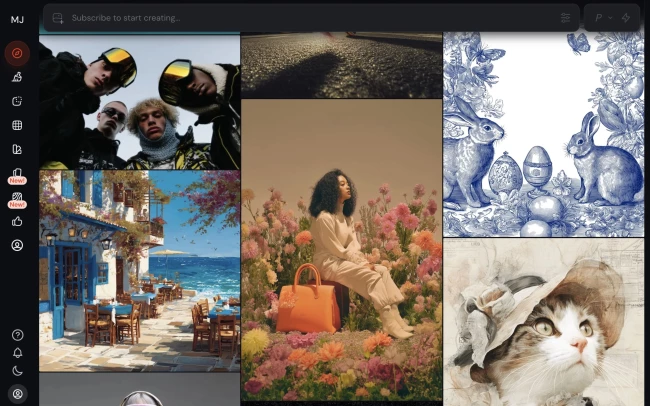
Midjourney’s AI-based, predictive model interpreted my instructions with an almost uncanny creative intuition. It felt like the most imaginative tool in the group.
Instead of hyper-literal renderings, Midjourney leans into stylized suggestions.
When I gave it abstract or brand-led prompts, it seemed to understand the mood behind the words rather than just the literal objects in them.
| Pros | Cons |
|
|
For the first prompt, I tried a hyper-detailed product-style still life.
It gave me a highly stylized editorial scene, with cinematic lighting, balanced composition, and rich and intentional textures like the metallic glove.
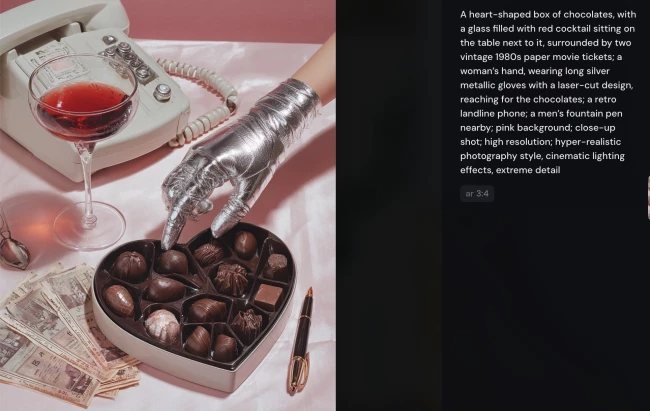
But it wasn’t always literal. Some props shifted slightly, or the layout felt art-directed rather than faithfully reproduced.
The next output was interesting. Midjourney nailed the mood of the concept better than the literal structure.
The deer, forest texture, and earthy tone all felt unified, and the image had a strong poster-like presence.
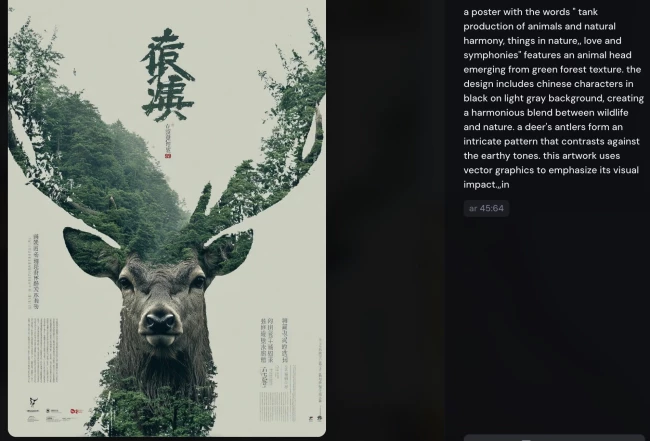
The weakness was text. Midjourney tended to treat wording as part of the visual texture, which made it less reliable for design work that depends on exact copy.
Midjourney wins in concept exploration, especially if you want multiple visual directions fast. That makes it really useful for mood boards, campaign ideas, and early-stage creative pitching.
Because Midjourney runs in the cloud via Discord or web, teams can collaborate in real time. For agencies, it’s both a productivity boost and a space to experiment.
Pricing
- Basic plan – $10/month
- Standard plan – $30/month
- Pro plan – $60/month
- Mega plan – $120/month
What Users Say
Across the community, Midjourney is seen as a creative partner that can turn rough ideas into shareable images in seconds. Users often praise its intuitive prompts and originality.
Criticism usually points to occasional over-filtering, a learning curve for precise styles, and some billing or support issues.
Overall, though, it’s a strong collaborative tool that keeps improving with each iteration.
Who’s It For?
Midjourney is an ideal AI tool for creative agencies that need to generate mood boards, character concepts, or environmental visuals fast.
When you’re sketching out campaign directions or pitching bold ideas, being able to conjure multiple stylistic iterations helps your teams align with a creative vision before you start spending resources.
It also shines in brainstorming. When you hit a block, a few prompts can spark fresh visual directions and often unlock ideas you wouldn’t have reached otherwise.
Other Notable Features
- Generates visuals from text, images, or both
- Upscales images and refines selected variations
- Lets you control generation speed and GPU usage
- Works seamlessly across Discord and web rooms
2. DALL-E: Best for Photorealistic Outputs
Ideal for marketers, content teams, and small agencies that need polished visuals quickly
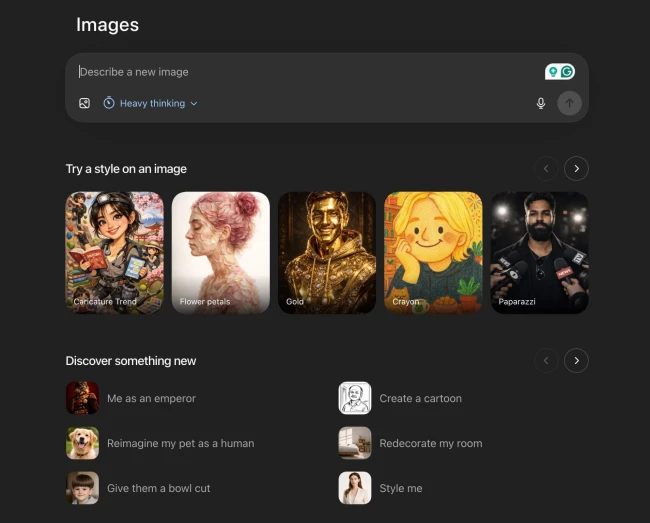
DALL·E did a strong job turning dense prompts into coherent visuals, especially product-style prompts. It did not always feel the most artistically adventurous, but it often felt the most controlled.
The ChatGPT integration made it easy to iterate in plain language, which made the process feel less like trial and error and more like a conversation.
| Pros | Cons |
|
|
DALL·E handled the product still life prompt with the most direct realism. The chocolates, cocktail, tickets, glove, and pen all feel deliberately placed rather than loosely interpreted.

The output looked close to a studio product photo.
For the next prompt, DALL·E handled layout better than expected.
The deer, forest textures, and overall structure were coherent, but its tendency to merge elements into a single visual made it look distinctly AI-generated.
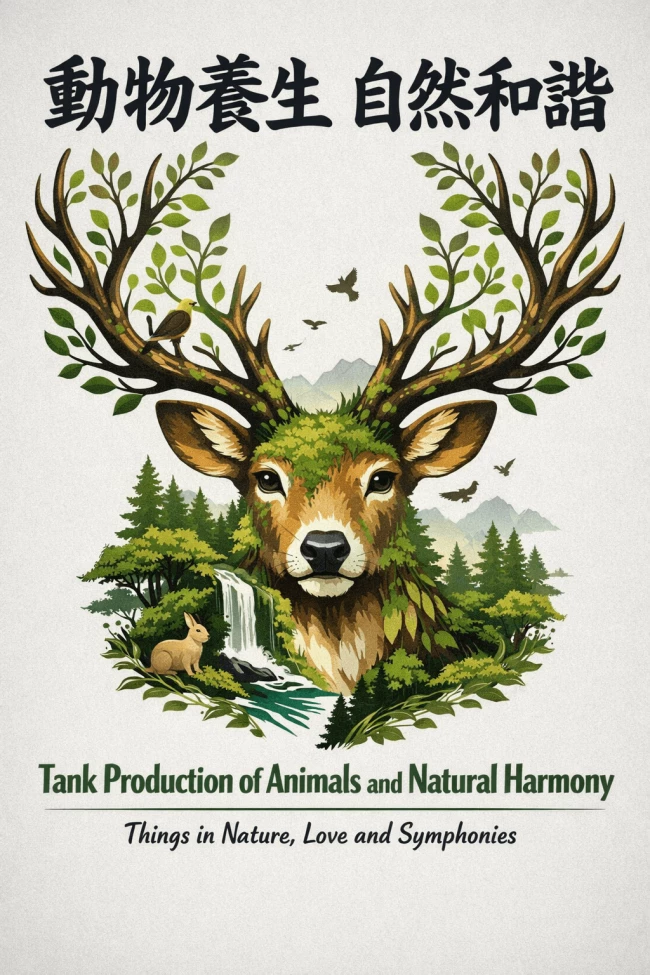
And like most image generators, it still struggled with exact text rendering, so the typography was more suggestive than dependable.
DALL·E also struggles with vague prompts and abstract concepts.
For my next prompt, it took a more literal path to depict nostalgia. Instead of emotional abstraction, it created scenes with nostalgic elements like retro or vintage objects.
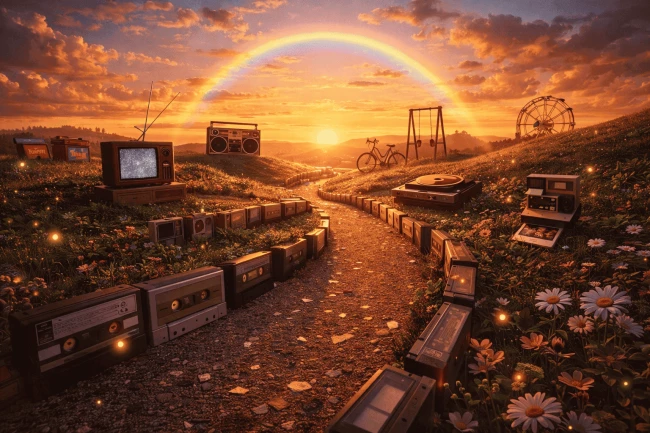
As you can see, it’s definitely more literal than imaginative. That’s the flaw with DALL·E. Without guardrails and clear prompts, it can venture into the absurd and unrealistic.
Pricing
- Free version available (limited credits)
- Go plan – $8/month
- Plus plan – $20/month
- Pro plan – $200/month
- Business plan – $25/user/month
- Enterprise plan – Custom
What Users Say
Users agree that DALL-E is a leap forward in AI-driven image creation and praise its realism and knack for nailing complex instructions.
Many highlight how the integration with ChatGPT makes prompt refinement feel intuitive.
@newbornnoise DALL•E is an AI Generated Software which takes text descriptions and turns them into images. I personally think this will great for a lot of artists/creator. What are your thoughts on DALL•E? 💬 #dalle#coverart#musicmakers#musiccreators#albumart#coverart#dalleai#aigeneratedart♬ original sound - Prod. NewBorn Noise
Constructive notes surface around occasional “irrational errors” and generation speed, but the overall vibe is optimistic as users see DALL-E 3 as a fast-evolving resource.
Who’s It For?
DALL-E is suited for marketers, content creators, and educators who need quick yet polished visuals without deep design expertise.
It works well for campaign assets or training visuals, with its intuitive interface and ChatGPT integration making iteration easy.
For small agencies, it’s also cost-effective. Image-to-image helps turn rough ideas into usable assets, while the built-in gallery keeps everything organized.
Other Notable Features
- Powered by OpenAI (DALL·E 2 & 3)
- Supports image-to-image and upscaling
- Editable outputs with iterative prompt refinement
- Automatically stores generated images in a user-accessible gallery
3. Adobe Firefly: Best for Production-Ready and Consistent Visuals
Ideal for designers and marketing teams working within Adobe workflows who need reliable, commercially usable assets
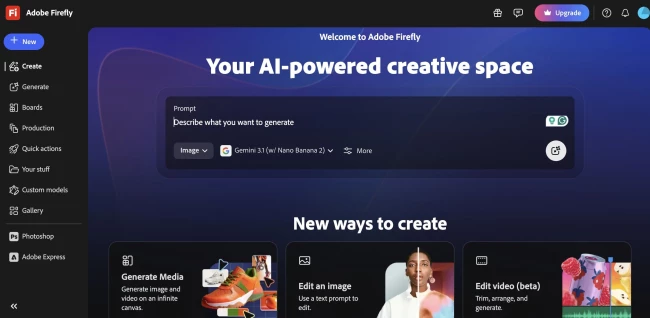
Firefly was probably the easiest tool to trust when I wanted something polished without much drama. It was fast, accurate, and easy to make revisions.
This makes Firefly valuable, as it’s built for practical creative workflows rather than just experimentation.
| Pros | Cons |
|
|
Firefly produced one of the cleanest versions of the prompt. It gave me a balanced composition with strong spacing, good object placement, and a polished finish.
It was reliable and commercially usable, which is exactly what many teams need from a tool like this.

Firefly was notably strong in the poster prompt because it respected layout logic better than some of the others.
The poster output felt more intentional, and Firefly came closer to a designer’s workflow than most of the other tools in the comparison.
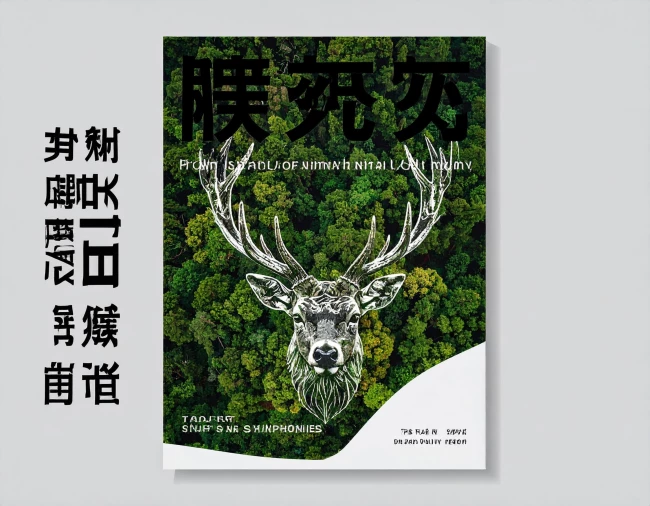
However, the text was unintelligible, some even devolving into random squiggles. In textual rendering, sadly, Firefly performed the worst.
But when it comes to artistic visuals, it’s on par with Midjourney, as the next example shows.
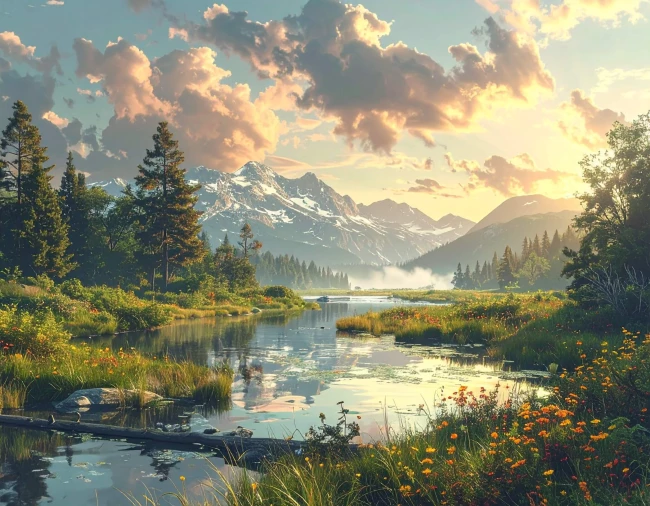
Adobe Firefly created a beautiful, balanced landscape that was aesthetically pleasing and immediately usable.
But its take on nostalgia felt safe. After all, a pretty landscape doesn’t necessarily evoke nostalgia.
While it may not be as imaginative as Midjourney, Adobe Firefly felt professional, steady, and efficient, making it suitable for teams that need structure and continuity.
Pricing
- Free
- Firefly Standard – $9.99/month
- Firefly Pro – Starts at $19.99/month
What Users Say
Users generally describe Adobe Firefly as fast, intuitive, and easy to integrate into existing workflows. Many also appreciate how seamlessly it connects with other Adobe tools.
At the same time, feedback points to some inconsistency in output quality.
Results can miss the mark without detailed prompts, and users often need to refine or manually edit images to get them production-ready.
Who’s It For?
Adobe Firefly is the best AI image generator for designers, marketers, and teams who need clean and reliable visuals.
It fits especially well if you’re already using Adobe Photoshop or Adobe Illustrator, since it blends naturally into existing workflows.
It’s a strong choice for commercial work where consistency and usability matter more than experimentation.
Other Notable Features
- Outputs are commercially safe to use
- Access to premium features like Text to Video
- Unlimited generations on select models (e.g., Nano Banana, Flux. 2 Pro)
- Available on web and mobile
4. Gemini: Best for Early-Stage Concept Exploration
Ideal for teams and individuals exploring ideas or directions before refining outputs in more specialized tools
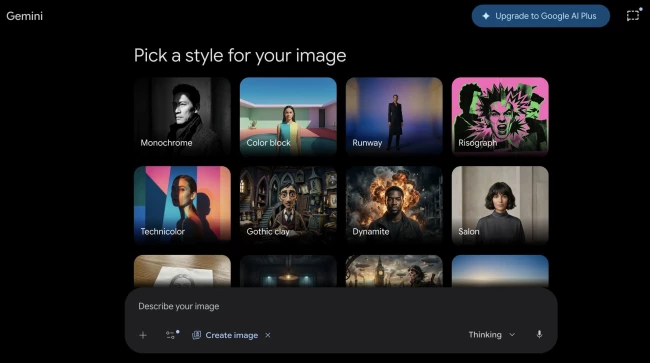
Gemini can produce interesting results, but it clearly needs much more prompt engineering than the other tools. Style consistency varies from prompt to prompt, and editing was a struggle.
At the start, it definitely needed careful handling before it gave back anything solid.
| Pros | Cons |
|
|
Gemini produced an image that captured the broad idea, but with less precision than the other tools.
The objects were there, but the arrangement felt looser, and the details less refined, like the table and wall having the same color and texture.

The poster concept came through fairly clearly, and the deer-and-forest motif was understandable at a glance.
But the result still felt generic compared with the more design-savvy tools.
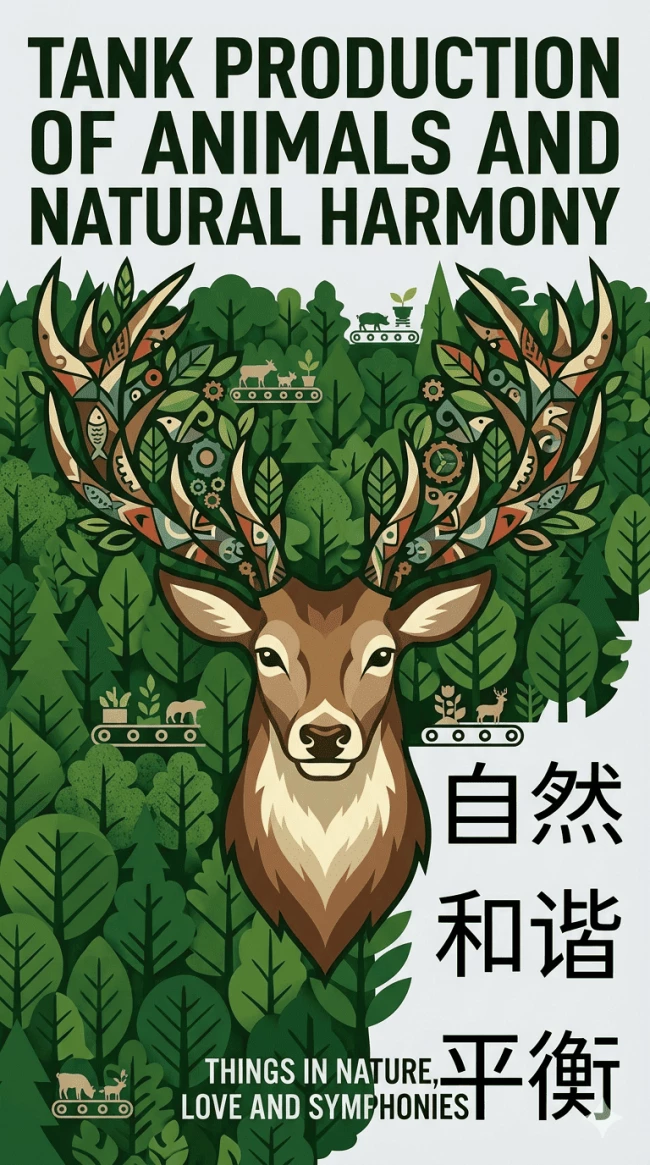
It was capable enough to suggest a direction, yet not distinctive enough to feel production-ready without further cleanup.
The biggest issue with Gemini was that it never felt as stable as the others.
When a tool changes direction too much from one prompt to the next, it becomes difficult to use for brand work or client-facing visuals.
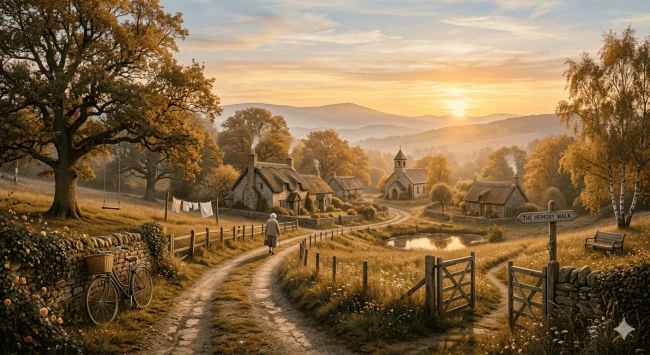
Gemini may improve with better prompting, but in this test, it was the least predictable option.
Pricing
- Free
- Paid & Enterprise – Contact sales
What Users Say
User feedback on Gemini’s image generation is generally optimistic, with many noting clear improvements in realism and overall quality compared to earlier iterations.
It performs well on common subjects like faces and environments, and users feel it’s getting closer to producing believable, photorealistic outputs, though not quite there yet.
That said, more complex prompts still expose limitations. Users often notice logical inconsistencies in detailed scenes that require spatial or functional accuracy.
Who’s It For?
Gemini is best suited for early-stage concepting rather than final production work.
If you’re comfortable experimenting with prompts and refining results manually, it can help you explore ideas and directions before polishing them elsewhere.
Other Notable Features
- Stronger image quality and more reliable outputs
- Multi-image editing (merge, insert, remix)
- One-click resizing for any format
- Integrates with Google Gemini for multimodal use
5. Stable Diffusion: Best for Fast Generation and Quick Iteration
Ideal for users who prioritize speed and rapid testing, especially when generating multiple variations quickly
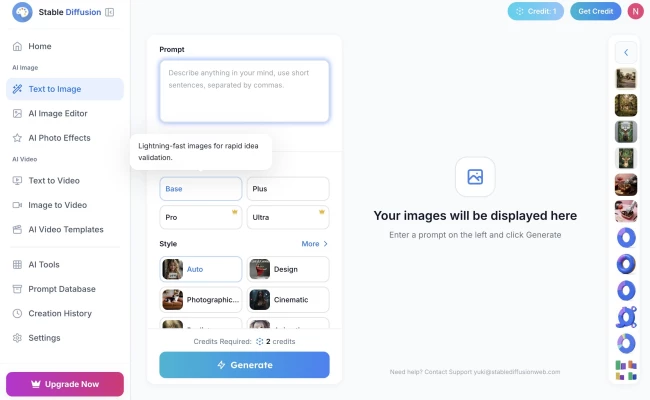
Stable Diffusion was the most interesting tool for experimentation. From my experience, it was the strongest option for customization, open-source freedom, and rapid iteration.
At the same time, it was not the easiest tool to get consistently accurate results from. It needed a bit of prompt tuning to get the required quality, and contextual understanding can be poor.
| Pros | Cons |
|
|
Stable Diffusion produced strong visuals, but with inconsistencies like slight color shifts and occasional extra or altered elements like the scattered chocolates just outside the frame, for example.
That makes it powerful, but not always predictable. It can absolutely create sharp visuals, but it expects more user intervention.

The poster style was one of its weaker areas. While the deer illustration looked good, text handling and layout were inconsistent.
Accuracy could drift into extra charts or color changes, which is a problem when you need controlled design output. It felt more suited to visual exploration than polished poster execution.
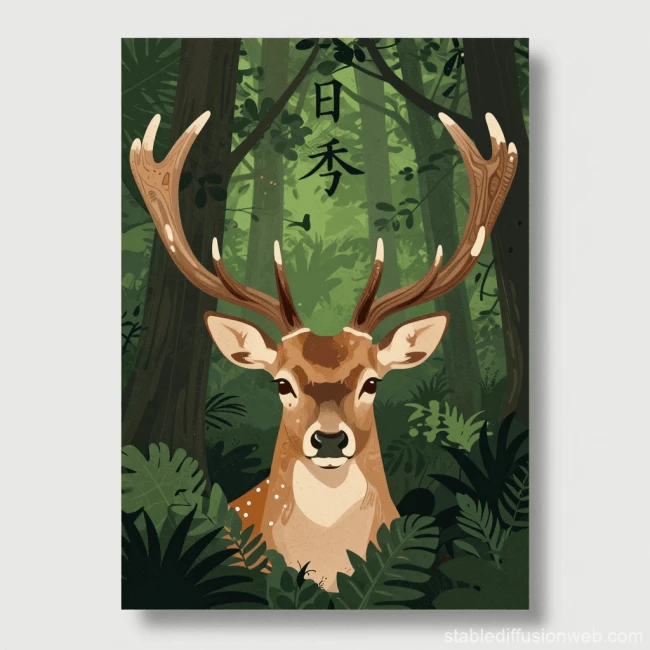
With Stable Diffusion, generation was fastest amongst the tools I tried and decent for the amount it took, but the catch is that quality depended heavily on prompt tuning.
When guided well, it could look excellent; when not, the result could wander.
Pricing
- Limited daily free credits available
- Pro plan – $20/month
- Max plan – $40/month
What Users Say
Communities celebrate Stable Diffusion's open-source nature and the creative autonomy it grants. making it one of the best AI image generators for marketing visuals and illustration.
@aisavvy I tried out Stable Diffusion XL 1.0, the AI image generator that is the best free alternative to Midjourney. I tested it out by generating portraits, animals, food, and more. Overall, I'm impressed! The images look incredibly realistic at first glance. When you zoom in, you can see they lack some fine details compared to Midjourney creations. But the Stable Diffusion team is rapidly improving the technology. I think before long it will be generating images on par with Midjourney. Pretty wild considering it's free! I'd say Stable Diffusion is absolutely worth trying out if you want to play with AI image generation without paying. #ai#aiimages#aiphoto#aiart#midjourney#stablediffusion#stabilityai#sdxl#aiartcommunity#aiartist♬ original sound - Victor C
However, some feel results vary dramatically without precise prompts.
Still, the overall tone is enthusiastic, with many viewing it as an indispensable tool for pushing visual creativity in bold new directions.
Who’s It For?
Stable Diffusion is tailor-made for creatives who want complete control over their visual content.
It’s a favorite among illustrators and indie game developers to experiment with stylized outputs or prototype scenes and characters with unique flair.
Creative marketing teams and content writers also benefit from quickly generating visuals that align with brand tone or keywords, eliminating reliance on generic stock images.
Other Notable Features
- Fast, GPU-powered generation for quick iterations and testing
- Supports inpainting and outpainting, so you can edit or expand images easily
- Includes a massive prompt database
Which AI Image Generator Should You Use? (By Use Case)
The best tool depends on what you're actually making. Here's a quick breakdown by use case:
Use Case | Best Tool(s) | Why |
Blog hero images | Midjourney, Adobe Firefly |
|
Social media visuals | DALL·E, Adobe Firefly |
|
Slide decks | Adobe Firefly | Layout awareness and polished compositions make it the most reliable for presentation-ready visuals. |
Storyboards | Midjourney | Excels at rapid concept generation and conveying mood and atmosphere across multiple frames. |
Marketing assets | DALL·E, Stable Diffusion | Both offer consistent outputs, advanced editing, and faster iteration. |
Personalized visuals | Stable Diffusion | Allows precise tailoring to a specific style or brand identity. |
Legal Considerations When Using AI Image Generators
AI-generated images are powerful, but they come with real legal and ethical questions worth understanding before you publish or profit from them:
1. Copyright Ownership
AI-generated images aren't automatically protected by copyright. Rights vary by platform, so check each tool's terms. Some grant full commercial rights, others retain licenses over your outputs.
2. Training Data Concerns
Most models train on web-scraped data, raising consent and attribution issues. If provenance matters, choose tools like Adobe Firefly, which uses licensed and public domain content.
3. Bias in Generated Images
Outputs can reflect stereotypes from training data. Review images critically before using them in brand or public-facing campaigns.
4. Commercial Usage Risks
Not all outputs are cleared for commercial use by default. Confirm licensing terms before using images in ads, packaging, or client work, and consult legal counsel for high-stakes projects.
Best AI Image Generator Comparison: Final Words
The right AI image generator comes down to your workflow, not just output quality.
For creative exploration, Midjourney leads. For production-ready assets, DALL·E and Adobe Firefly deliver. For speed and customization, Stable Diffusion gives you the most control.
Whichever tool you choose, the best results still come from combining AI with human creative judgment.
Our team ranks agencies worldwide to help you find a qualified partner. Visit our Agency Directory for the top AI creative agencies, as well as:
- Top Creative Agencies
- Top Design Agencies
- Top AI Design Companies
- Top AI UI/UX Design Agencies
- Top Creative Agencies in Chicago
Our team also highlights exceptional creative work on the Design Awards page, so if you want to see how leading brands and agencies bring great design to life, it is worth a look.
Best AI Image Generators FAQs
1. What makes the best AI image generator?
The best AI image generators stand out based on output quality, prompt understanding, and workflow fit.
Key factors include style vs. precision, consistency across outputs, ease of iteration, text and layout handling, customization, workflow integration, and speed vs. quality tradeoffs.
2. How do I maintain brand consistency across multiple AI-generated assets?
Leverage features like custom model fine-tuning or batch prompt spreadsheets to lock in your brand’s color palettes, typography, and style guidelines.
Iterative prompt refinement, ideally via AI chat integrations like ChatGPT with DALL-E, also helps ensure each output stays on-brand.
3. How do AI image generators work?
Most image models prioritize visual composition, treating text as part of the image rather than structured content. At their core, they learn from vast datasets of images and text to generate visuals from prompts.
You describe what you want, the model interprets the language, and iteratively constructs an image that matches.
4. Which AI image generator is best for beginners?
Tools like DALL·E and Adobe Firefly are the easiest to start with. They require minimal prompt engineering, offer intuitive interfaces, and make iteration feel more conversational compared to more complex tools.
5. Why do AI image generators struggle with text?
Most image models prioritize visual composition over typography, which is why text often appears distorted or unreadable.
Even the most advanced tools still treat text as part of the image rather than structured content, so manual refinement is usually needed for text-heavy designs.
6. Can AI image generators replace designers?
Not entirely. These tools are best used for ideation, prototyping, and asset generation, but they still lack the precision, consistency, and strategic thinking required for final design work.
In most workflows, they enhance productivity rather than replace creative professionals.
