
We’ll review the top ERP software solutions across manufacturing, distribution, retail, food and beverage, aerospace, supply chain, open-source, and SMB use cases.
ERP Software Solutions: Key Findings
- Choose cloud ERPs like Odoo or Acumatica for faster updates and built-in disaster recovery. ~65% of companies prefer the cloud for these benefits.
- Use AI-enabled ERPs such as SAP S/4HANA to gain real-time insights and predictive analytics, capabilities missing in 82% of companies.
- In regulated industries, select ERPs like NetSuite with audit trails, e-signatures, and automated compliance to reduce risk.
What Is ERP Software?
1. ERP Strategy Essentials
2. ERP RFP Guide
3. Best CRM for Small Businesses
4. What Is Software Development?
Enterprise resource planning (ERP) is the operating backbone of a company.
It’s a unified system that includes inventory, manufacturing (MRP), financials, purchasing, sales orders, CRM, and reporting.
ERP systems also vary by architecture:
- Newer modular ERPs are built in parts, so you can turn features on or off and update the system without breaking it.
- Older all-in-one systems are harder to change. Ask vendors to show a real upgrade; if they can’t, future changes will likely be painful.
- Cloud ERPs are most common today as they offer faster updates and built-in backups.
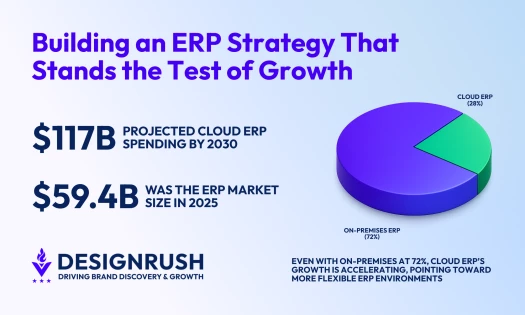
- On-site or private setups can still make sense if you have strict data rules or older systems. However, ~65% of organizations choose cloud over on-premises.
ERP Software for Manufacturing
Manufacturing-focused ERPs are built to manage complex production and quality requirements.
Software | Price (Starting At) | Who It’s For |
Inquire | Mid-sized to enterprise manufacturers needing deep production control and shop floor visibility | |
Inquire | Large, global manufacturers with complex, multi-site operations | |
$8/user/month | Small to mid-sized manufacturers needing a flexible, low-cost ERP |
1. Epicor Kinetic: Best for Smart Manufacturing and Production Control
Epicor Kinetic is a cloud-first ERP solution purpose-built for manufacturers.
Designed specifically for discrete, process, and make-to-order manufacturing, Kinetic integrates production management, supply chain, financials, and project oversight into a single platform.
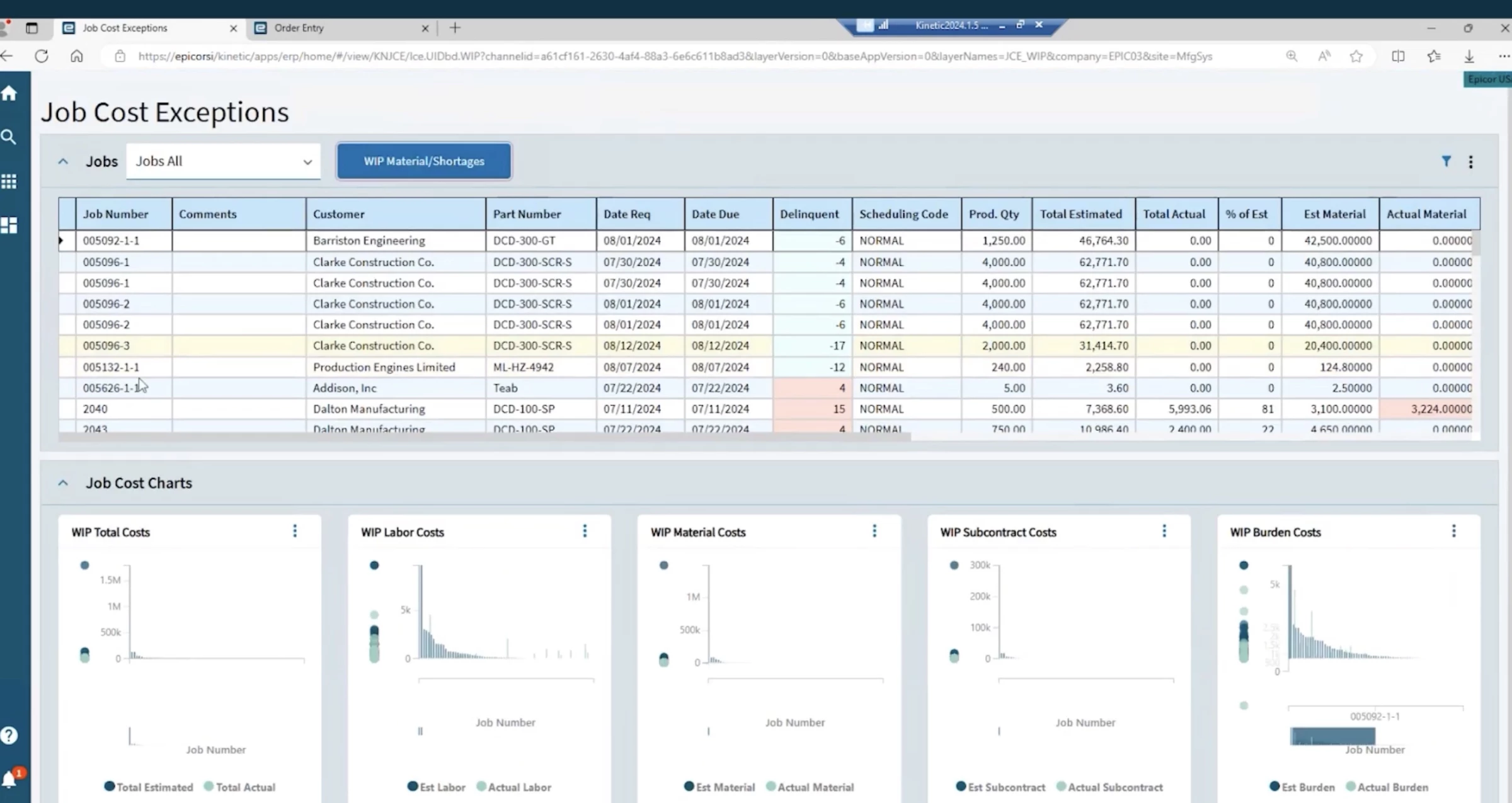
IoT connectivity and smart factory features allow you to monitor equipment, track efficiency, and maintain quality control in real time.
Kinetic also supports global operations with multi-site, multi-currency, and compliance packs, making it a strong fit for manufacturers looking to grow internationally.
Pros:
- Tailored for discrete, process, and make-to-order manufacturing
- Supports multi-site, multi-currency, and compliance requirements
- Strong scalability for growing manufacturing businesses
Cons:
- Primarily suited for manufacturing; not ideal for service-based or non-production businesses
- Pricing requires a custom quote; not publicly listed
Pricing: Custom pricing
Reach out to Epicor Kinetic to get started.
Key Features:
- Cloud-first with flexible on-premise and hybrid options
- Real-time IoT-enabled monitoring of plant floor operations
- AI-driven insights for predictive maintenance and optimization
- Integrated PLM, CPQ, eCommerce, and project management
2. SAP S/4HANA: Best for Enterprise-Scale Manufacturing
SAP S/4HANA is an enterprise-grade ERP built for global manufacturers. It integrates production planning, execution, and analytics within a unified environment.
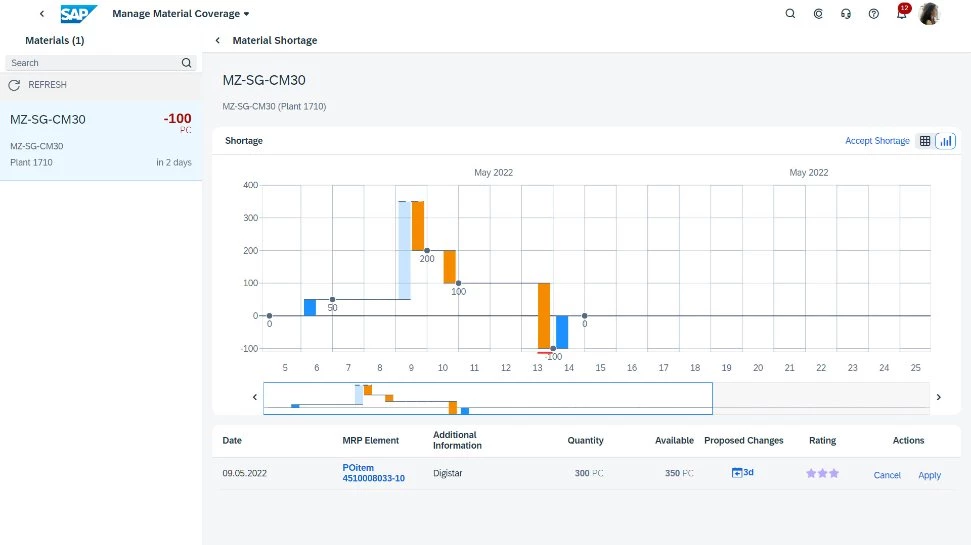
SAP S/4HANA supports flexible production setups, digital collaboration for engineering and production teams, and end-to-end visibility across the value chain.
Its AI and predictive analytics help manufacturers act on real-time data, a capability only 23% of companies have, while 82% work with stale info.
Pros:
- Advanced planning, scheduling, and capacity management
- Supports discrete, process, and mixed-mode manufacturing
- Flexible deployment: cloud, on-premise, or hybrid
Cons:
- Very complex and expensive; best suited for large manufacturers
- Implementation can be lengthy and resource-intensive
- Requires experienced IT or SAP consultants for optimal setup
Pricing: Custom pricing
Request a quote or demo with SAP to get started.
Key Features:
- Enterprise-grade scalability for global manufacturing operations
- Real-time analytics and embedded AI for smarter decision-making
- Integrated quality management and compliance capabilities
- Digital collaboration for engineering, production, and change management
- Additional ERP CRM software built-in features
3. Zoho: Best for Small Manufacturers Needing Customization
Zoho ERP, powered by Zoho Creator, offers a low-code, highly customizable platform for manufacturers.
Unlike traditional ERP systems, Zoho allows your business to build tailored applications that match your unique workflows without relying on extensive IT resources.
Zoho ERP offers end-to-end manufacturing capabilities, such as multi-level bills of materials (BoMs), production routing, and predictive material resource planning (MRP).
Pros:
- Highly customizable with a low-code platform for rapid deployment
- Real-time visibility into operations and quality control
- Integrates seamlessly with other Zoho apps and third-party software
Cons:
- May require initial setup and customization expertise
- Less suited for extremely large, multi-national manufacturing enterprises
- Advanced analytics and features may require add-on modules or integrations
Pricing (billed annually):
- Standard: $8/user/mo up
- Premium: $20/organization/mo
- Enterprise: $25/organization/mo
Try Zoho for free for 15 days.
Key Features:
- Built-in ERP CRM software features
- End-to-end manufacturing management (production, inventory, procurement, logistics)
- Cloud-based with 99.9% uptime and strong data security
- Predictive analytics and workflow automation
Distribution ERP Software
Distribution-focused ERPs handle high-volume sales orders, multiple warehouses, and complex pricing like rebates or chargebacks.
Software | Price (Starting at) | Who It’s For |
Inquire | Mid-size distributors with multi-warehouse/omnichannel needs | |
Inquire | Product-focused distributors | |
Inquire | Large distributors in niche verticals |
1. Acumatica: Best for Growing Distributors With Multi-Warehouse Operations
Acumatica Distribution ERP is purpose-built for distributors that need real-time control over inventory, warehouses, and omnichannel order flows, while still supporting manufacturing workflows.
It has an embedded warehouse management system (WMS) that makes it well-suited for complex inventory environments across multiple warehouses or channels.
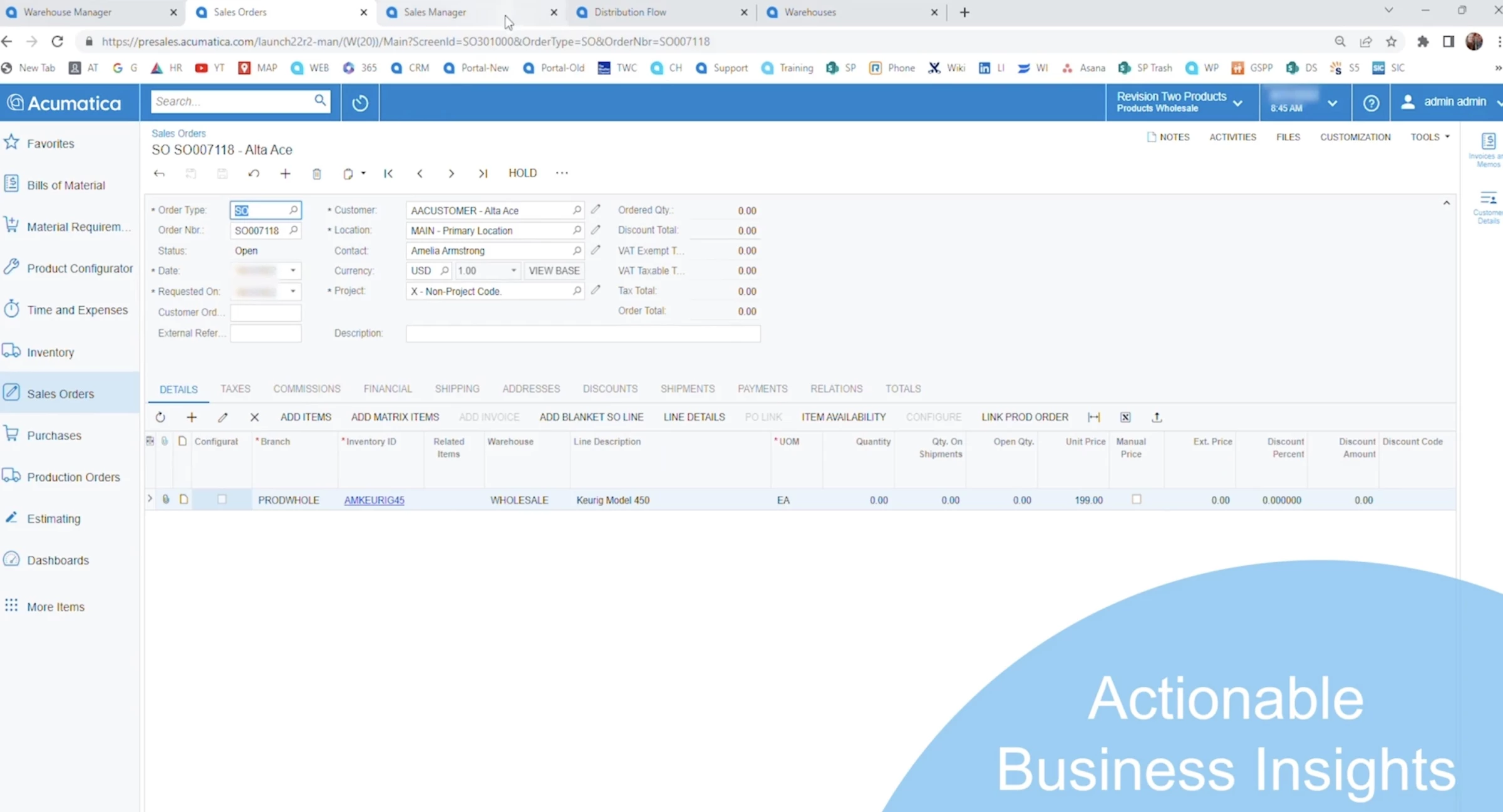
Acumatica is ideal for mid-sized to upper-mid-market distributors looking to grow across locations, warehouses, or international markets without paying per-user fees.
Pros:
- Strong DRP and demand planning for multi-warehouse environments
- Highly scalable for multi-entity, multi-location distribution
- Large marketplace with EDI, shipping, and ecommerce integrations
Cons:
- Pricing is not transparent and requires a custom quote
- Implementation can be complex without an experienced partner
- Not ideal for heavy discrete or process manufacturing (better as a distribution-first ERP)
Pricing: Custom pricing
Reach out to Acumatica to get started.
Key Features:
- Distribution Requirements Planning (DRP)
- Embedded WMS with barcoding, lot/serial tracking, and pick-pack-ship workflows
- Kitting and disassembly for assemble-to-order workflows
- Omnichannel sales support (EDI, marketplaces, ecommerce)
- Native integrations with shipping, ERP CRM software, and third-party supply chain tools
2. Epicor Prophet 21: Best for High-Volume, Product-Centric Distribution
Epicor Prophet 21 offers deep functionality for product-centric businesses operating on tight margins and complex supply chains.
It manages high-volume inventory, fast-moving SKUs, multi-warehouse operations, and intricate pricing structures.
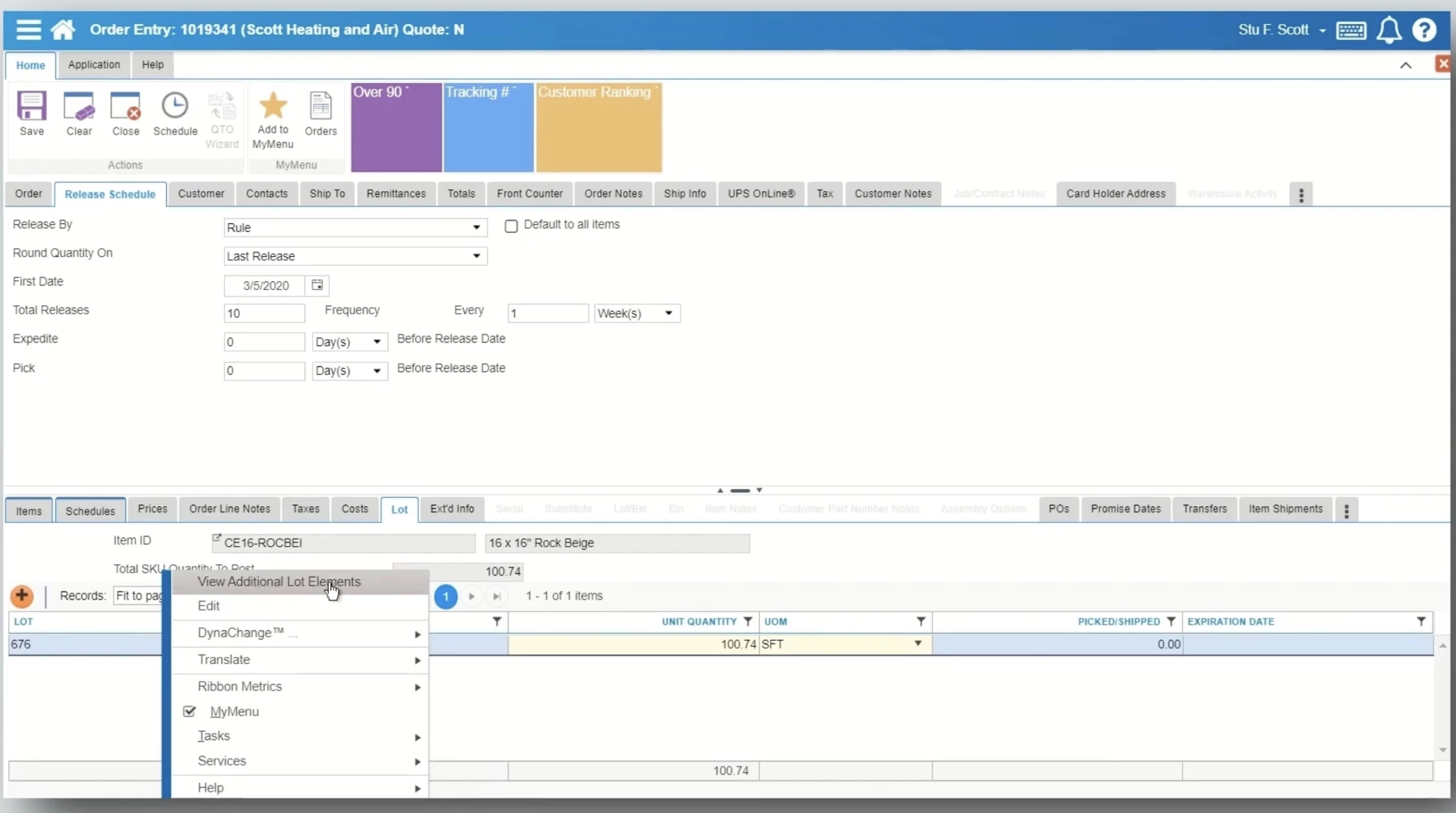
Its AI demand forecasting automatically selects the best forecasting models to reduce overstock and stockouts, while its WMS is built specifically for distributor workflows like cross-docking and cycle counting.
Prophet 21 supports manufacturers distributing spare parts, components, or finished goods at scale.
Pros:
- Built specifically for distributors, not retrofitted from manufacturing ERP
- Strong financials with a real-time general ledger and reporting
- Industry-specific workflows for industrial and wholesale distribution
Cons:
- Less suitable for complex, discrete, or process manufacturing
- UI and feature depth may feel heavy for smaller distributors
Pricing: Custom pricing
Request a quote to get started with Epicor Prophet 21.
Key Features:
- AI-driven demand forecasting and inventory optimization
- Distributor-optimized Warehouse Management System (WMS)
- Inventory management with real-time visibility
- Business intelligence and AI-infused analytics (Epicor Grow)
3. InforCloudSuite Distribution: Best for Vertical-Specific Distribution
What differentiates Infor CloudSuite Distribution is its micro-vertical focus: it comes with preconfigured workflows for industries like electrical, industrial supply, building materials, HVAC, auto parts, and food distribution.
This means distributors get software that already understands complex pricing models, rebates, high-volume order processing, and value-added services from day one.
Infor also has embedded AI capabilities. It’s built directly into pricing, demand planning, product matching, inventory optimization, and customer recommendations.
Pros:
- Excellent support for complex pricing, rebates, rentals, and value-added services
- Scales well for multi-site, multi-country, multi-currency operations
- Automatic upgrades with a modern, role-based user experience
Cons:
- An enterprise-grade platform may be overkill for very small distributors
- Less flexibility for extreme customization compared to low-code ERPs
Pricing: Custom pricing
Reach out to Infor Cloudsuite to get started.
Key Features:
- Omnichannel sales order management (EDI, ecommerce, marketplaces)
- Global supply chain management with lot traceability
- Role-based user experience with embedded analytics
- Multi-site, multi-company, multi-currency, and multi-language support
Retail ERP Software
Retail ERPs integrate POS, e-commerce, and back office. The key is event-driven inventory so that in-store, online, and marketplace orders all draw from real-time stock.
Software | Price (Starting at) | Who It’s For |
$80/user/month | Growing retailers needing Microsoft integrations | |
Inquire | Retailers focused on inventory, fulfillment, and accounting |
1. Microsoft Dynamics 365 Business Central: Best for Retailers Using the Microsoft Ecosystem
While it’s not a retail-only system out of the box, Business Central becomes a powerful retail ERP when paired with Microsoft’s extensions, such as the Shopify Connector and POS integrations from AppSource.
This allows retailers to unify in-store, ecommerce, and back-office operations in a single system, eliminating data silos between sales, inventory, and finance.
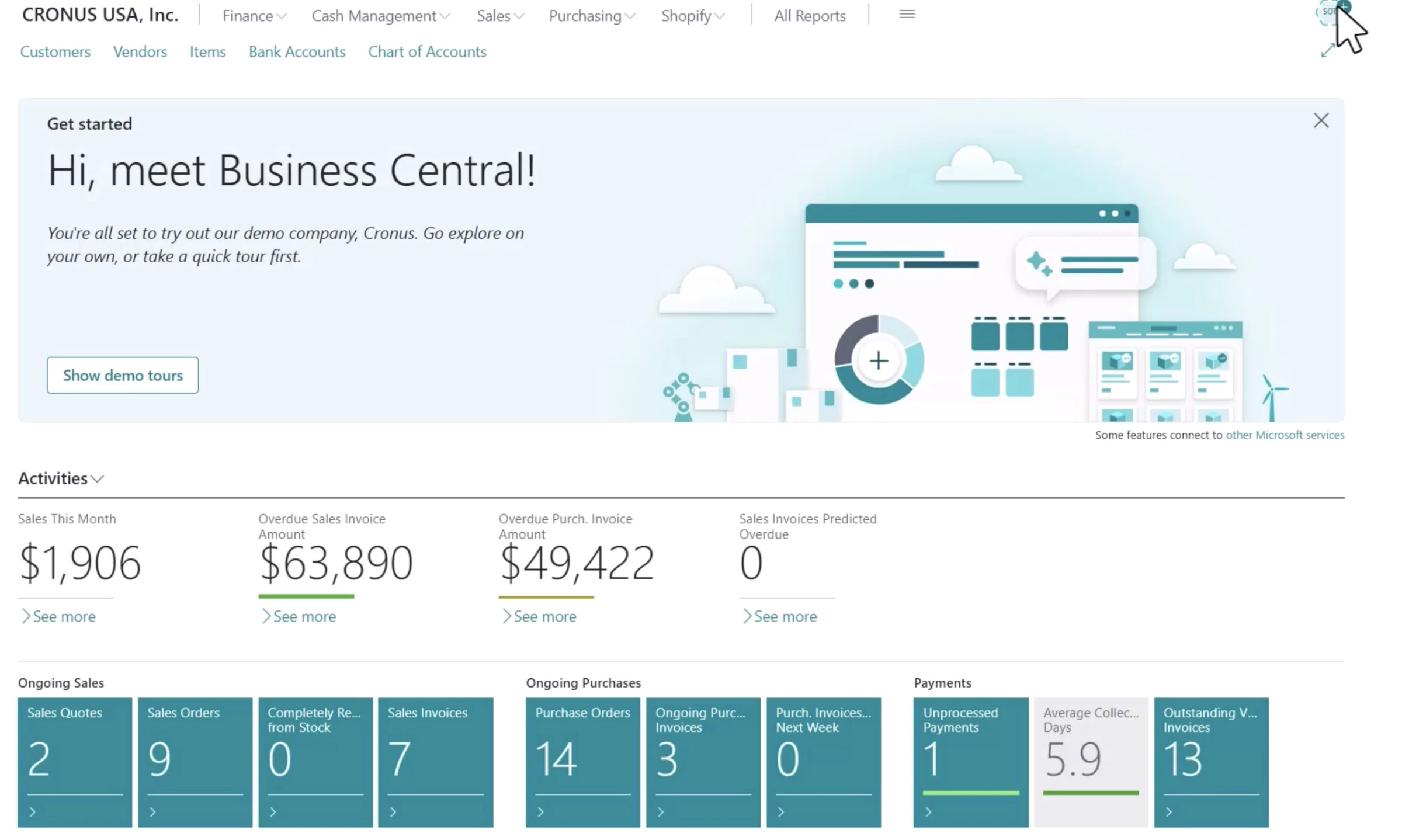
It also offers deep integration with Microsoft Copilot, Power BI, Teams, and the broader Microsoft ecosystem.
Pros:
- Scales well across locations, currencies, and regions
- Large ecosystem of retail POS, ecommerce, and industry-specific extensions
- Cloud-based with high reliability and security from Microsoft Azure
Cons:
- Native POS functionality requires third-party add-ons
- Retail-specific features depend heavily on AppSource extensions
Pricing (billed annually):
- Business Central Essentials: $80 per user/month
- Business Central Premium: $110 per user/month
- Team Members License: $8 per user/month
Try Microsoft Dynamics 365 Business Central for free.
Key Features:
- Built-in ERP CRM software capabilities
- AI-powered insights and automation with Microsoft Copilot
- Role-based dashboards and Power BI reporting
- Multi-location, multi-currency, and multi-language support
2. Brightpearl: Best for Omnichannel Retail Operations
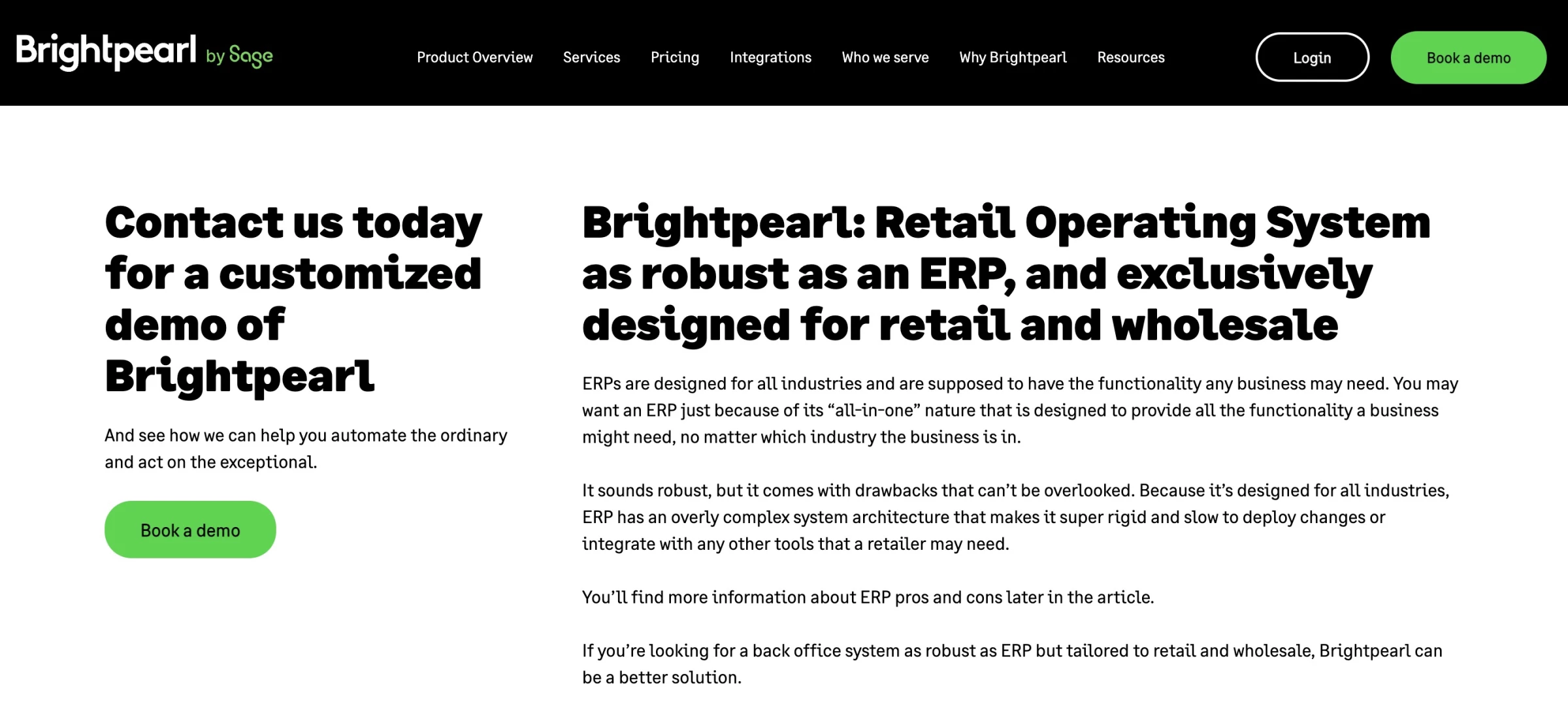
Brightpearl is purpose-built for omnichannel retailers and wholesalers that have outgrown spreadsheets, accounting tools, or patchwork systems.
It focuses squarely on post-purchase operations, such as inventory orders, warehousing, shipping, and accounting, all connected in a single Retail Operating System (ROS).
Its smart demand forecasting, real-time inventory sync across online and offline channels, and plug-and-play integrations for ecommerce, POS, shipping, and marketing tools help you move faster with better accuracy.
Pros:
- Built exclusively for retail and wholesale
- Fast implementation compared to traditional ERP systems
- Deep, pre-built integrations with Shopify, Amazon, POS, shipping, and 3PLs
Cons:
- Pricing is higher than entry-level retail software
- Not ideal for manufacturers or service-based businesses
- Requires onboarding and implementation (not self-serve)
Pricing: Custom pricing
Book a demo with Brightpearl to get started.
Key Features:
- Retail-focused Automation Engine for orders, fulfillment, shipping, and accounting
- Omnichannel order management (ecommerce, POS, marketplaces, wholesale)
- Built-in retail accounting with FIFO, landed costs, and reconciliation
- Integrated POS with offline mode and real-time sync
Supply Management ERP Software
These solutions focus on supply-chain planning and collaboration. They include supplier portals, multi-echelon inventory, and demand forecasting features:
Software | Price (Starting at) | Who It’s For |
Inquire | Large enterprises managing complex, global supply chains | |
Inquire | Mid-market manufacturers and distributors needing strong supply control |
1. SAP Business Suite for Supply Chain Management: Best for Global, Enterprise-Scale Supply Chains
@erickimberling0 Is SAP S/4HANA Right For Your Global Supply Chain? Is SAP S/4HANA right for your complex global supply chain? We break down its strengths as a robust, global solution. Discover if it's the right fit for your organization and avoid costly overkill. Learn about the key considerations for implementation! #SAPS4HANA#SupplyChainManagement#SAP#EnterpriseSoftware#GlobalSupplyChain#BusinessSolutions#DigitalTransformation#SAPConsulting#SupplyChainOptimization#BusinessIntelligence♬ original sound - Digital Transformation w/ Eric
SAP Business Suite for Supply Chain Management is an enterprise-grade ERP suite for global supply chains using real-time data and agentic AI.
SAP focuses on end-to-end supply chain orchestration, digitally connecting sourcing, procurement, planning, manufacturing, logistics, and external trading partners.
This allows your organization to move from reactive supply chain management to predictive, autonomous decision-making.
Pros:
- Real-time visibility across internal operations and external trading partners
- Strong support for retail-scale complexity (omnichannel, global sourcing, high SKU volumes)
- Built-in sustainability, compliance, and traceability capabilities
Cons
- High cost of ownership compared to mid-market SCM solutions
- Implementation can be complex and time-intensive
- Requires experienced SAP partners and internal change management
Pricing: Custom, enterprise pricing model
Contact SAP to know more about this product.
Key Features:
- AI-driven demand sensing, forecasting, and scenario simulation
- Real-time operational visibility using unified enterprise and external data
- Multi-tier supplier network discovery and collaboration
- Seamless integration with SAP ERP, finance, and analytics solutions
2. SYSPRO ERP: Best for Mid-Market Supply Chain Management
SYSPRO ERP Supply Chain Management provides tighter control over supply management, from sourcing and procurement through production, inventory, and delivery.
It offers a modular, fit-for-purpose design and deep visibility across supplier interactions. With over 50 ERP modules, you can deploy only what you need, such as procurement, inventory management, or logistics.
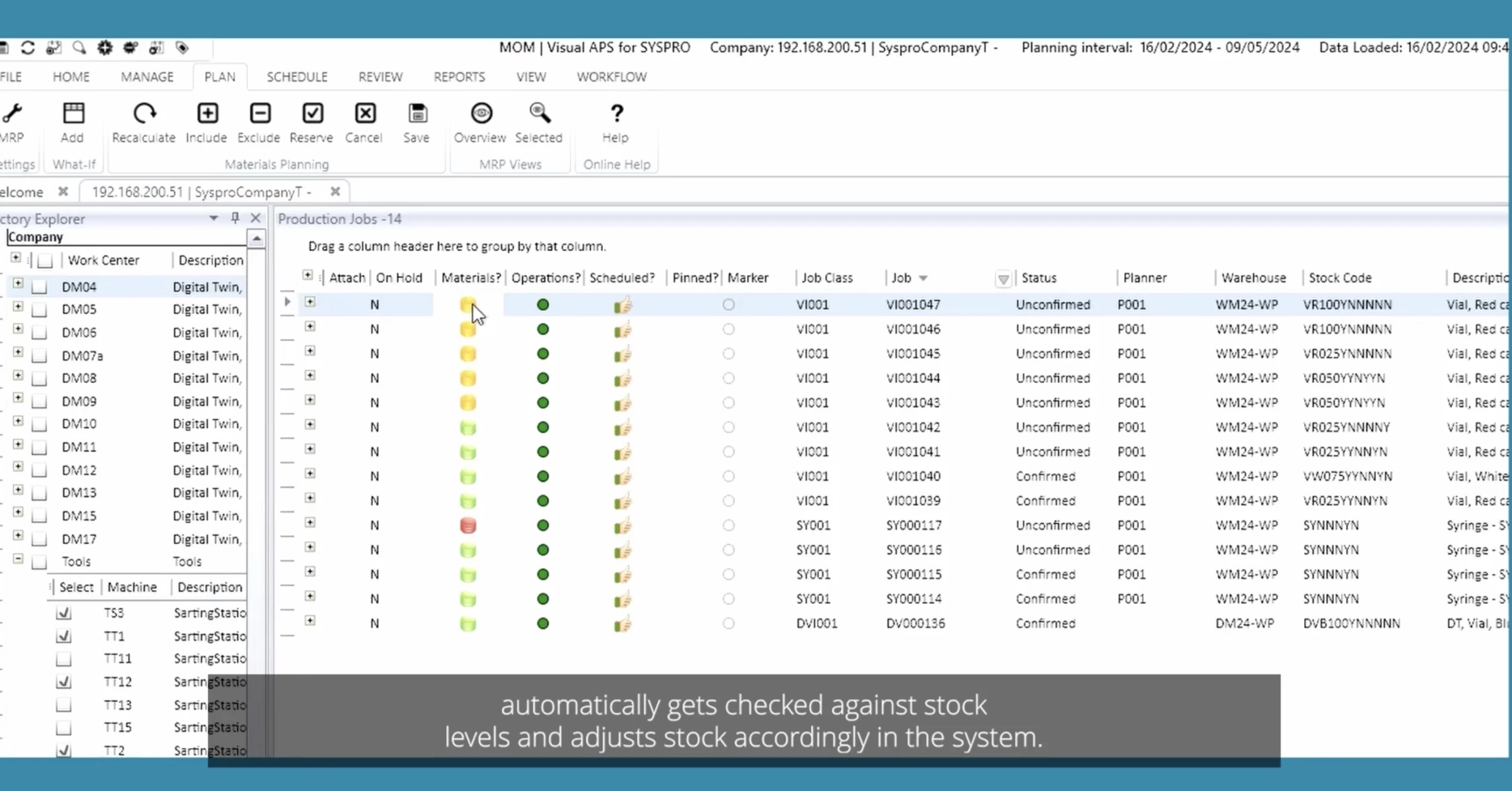
The Supply Chain Portal, in particular, helps with supplier governance by automating transactions and minimizing document handling.
Pros:
- Strong focus on supply management for manufacturing and distribution
- Proven track record with mid-market companies
- Faster implementation compared to large enterprise ERP systems
Cons:
- Less suited for very large, global enterprises with extreme complexity
- UI is functional but less modern than some newer cloud-native ERPs
- Advanced AI capabilities are more limited than top-tier enterprise suites
Pricing: Custom pricing
Request a demo with SYSPRO to find out more.
Key Features:
- End-to-end supply chain visibility from procurement to delivery
- Modular ERP architecture with 50+ integrated modules
- Supply Chain Portal for supplier collaboration and transparency
Food ERP Software
ERPs for food and beverage help track every batch, manage inventory by shelf life, check regulatory rules automatically, and streamline quality control.
Software | Price (Starting at) | Who It’s For |
Inquire | Recipe-driven food manufacturers in regulated environments | |
Inquire | Food processors needing micro-vertical, segment-specific workflows | |
Inquire | Growing or enterprise food brands with compliance-heavy operations |
1.BatchMaster Manufacturing ERP: Best for Recipe-Driven Food Manufacturing
BatchMaster Manufacturing is designed specifically for food and beverage manufacturers in highly regulated, recipe-driven environments.
It supports the full food lifecycle: from R&D and recipe development to production, quality assurance, inventory, and recall readiness.
Its food-specific intelligence allows you to automatically calculate nutritional values, track allergens and claims, and adjust formulations when ingredient costs or availability fluctuate.
Pros:
- Purpose-built for food & beverage manufacturing
- Available both cloud-based and on-premises
- In-house implementation and support (no third-party consultants)
Cons:
- Not designed for discrete manufacturing industries
- Pricing is not transparent and requires a custom quote
- May be over-featured for very small or early-stage food businesses
Pricing: Custom pricing
Get in touch with BatchMaster to know more.
Key Features:
- Recipe & formula management with version control and batch scaling
- Nutritional labeling, allergen tracking, and claims management
- Batch processing and electronic batch records (EBR/MBR)
- Shelf-life, expiration, and potency-based inventory management
2. inectaFood ERP: Best for Food Micro-Vertical Workflows on Microsoft
Powered by Microsoft Dynamics 365 Business Central, inecta delivers food-specific workflows out of the box, covering lot traceability, shelf life, catch weight, multi-currency trading, and real-time inventory visibility.
Its micro-vertical approach is its key differentiator. Inecta is tailored by food segment, such as meat, bakery, dairy, and packaged foods, each with pre-configured logic that reflects real-world processing.
Pros:
- Built exclusively for food & beverage (not a generic ERP)
- True cloud hosting with mobile access
- Multi-currency and global trade support
Cons:
- Not ideal for non-food industries
- Requires Microsoft ecosystem familiarity
- Custom pricing can make cost forecasting harder upfront
Pricing: Custom pricing
Book a call with inecta to get started.
Key Features:
- Food-specific ERP built on Microsoft Dynamics 365 Business Central
- End-to-end lot and batch traceability
- Real-time inventory and warehouse management
- Compliance and audit readiness for food regulations
3. NetSuite Food and Beverage: Best for Compliance-Heavy Food Operations
NetSuite Food and Beverage ERP is designed to manage the full complexity of modern food and beverage operations.
Built on NetSuite’s unified cloud platform, it connects accounting, lot-level inventory, production, quality, order management, and supply chain data in one database.
It also offers deep, native support for freshness-driven operations with features like FEFO (first-expired, first-out) and inventory allocation.
Pros:
- Supports FDA, FSMA, HACCP, USDA, and international compliance
- AI-powered forecasting and demand-driven MRP
- Scales easily across brands, facilities, and countries
- Strong omnichannel order management (DTC, wholesale, EDI, marketplaces)
Cons:
- Higher total cost compared to niche or SMB food ERPs
- Implementation can be complex without experienced partners
- Some food-specific capabilities may require partner integrations
Pricing: Custom pricing
Reach to Oracle Netsuite today to get started.
Key Features:
- Recipe, batch, and production cost tracking
- End-to-end traceability and rapid recall management
- Multi-entity, multi-currency, and global compliance support
- Real-time financial reporting and enterprise performance management
Aerospace ERP Software
ERPs for aerospace and defense help ensure certifications, track every component, and manage complex, multi-level projects.
Software | Price (Starting at) | Who It’s For |
Inquire | Mid-to-large aerospace and defense firms | |
Inquire | Global aerospace enterprises with complex supply chains | |
Inquire | Aerospace manufacturers needing strong production and quality control |
1. IFS Cloud: Best for Project- and Asset-Centric Aerospace Operations
@erickimberling0 IFS is a commonly chosen #erpsoftware - especially in the #aerospace#defense and #construction industries. It has particular strength in #fieldservice and #projectmanagement capabilities. #ifs#digitaltransformation#digitalstrategy#informationtechnology#fyp#fypシ♬ Ready to Play - Alun Tala
IFS Cloud Aerospace ERP helps the aerospace and defense sector manage highly complex, regulated, and secure assets.
The platform allows companies to plan, produce, deliver, and maintain aircraft, spacecraft, and defense equipment efficiently while meeting stringent regulatory standards.
Built on a single centralized platform, IFS Cloud integrates enterprise resource planning, enterprise asset management, and service management capabilities for project-centric, asset-heavy organizations.
Pros:
- Single, unified cloud platform combining ERP, asset, and service management
- Supports regulatory compliance with full traceability and audit readiness
- Scalable for multi-site and global operations
Cons:
- Higher upfront and subscription costs, suitable for mid-to-large enterprises
- May require specialized training for aerospace-specific modules
Pricing: Custom pricing
Book a demo to know more about IFS Cloud.
Key Features:
- Project management and scheduling for aerospace programs
- Enterprise asset management with maintenance planning and repair tracking
- Financial management with project costing and resource allocation
- Real-time reporting and analytics for operational and financial performance
2. SAP Aerospace andDefence Software: Best for Large, Global Aerospace Ecosystems
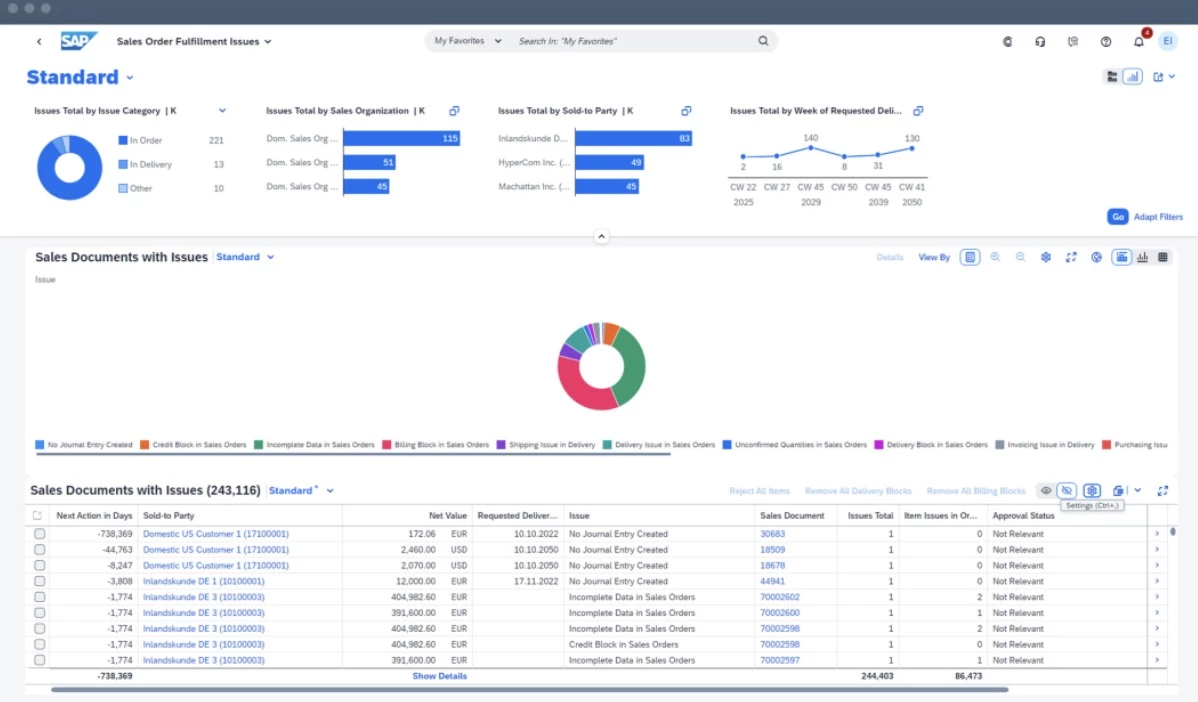
SAP Aerospace and Defense ERP, powered by SAP S/4HANA Cloud, manages design and engineering to production, supply chain, and aftermarket services.
SAP helps aerospace manufacturers, suppliers, and space start-ups respond to supply chain disruptions and optimize production schedules.
Its solutions focus on sustainability, helping aerospace organizations achieve environmental targets such as net-zero operations while maintaining efficiency.
Pros:
- Real-time visibility across global supply networks
- Enables sustainability initiatives and net-zero targets
- Scalable for large, multi-site, multinational operations
Cons:
- High implementation and subscription costs, suitable for enterprise-level organizations
- Complexity may require specialized training and change management
- Customization for niche workflows can extend deployment timelines
Pricing: Custom pricing
Request a demo with SAP to learn more.
Key Features:
- End-to-end digital continuity from design to aftermarket services
- Aftermarket service management for maintenance, repair, and parts planning
- Compliance and risk management tools tailored to regulated aerospace environments
- Embedded AI for production planning, demand forecasting, and operational efficiency
3. DELMIAWorks: Best for Lean Aerospace Manufacturing and Quality Control
DELMIAWorks (formerly IQMS) addresses complex global supply chains, strict regulatory compliance, aggressive production schedules, and cyclical demand patterns in aerospace and defense manufacturing.
It allows aerospace companies to stay lean while maintaining control by combining MRP, demand planning, flexible scheduling, and quality management.
Pros:
- Flexible scheduling for complex aerospace production
- Supplier management with EDI and 24/7 web portals
- Single-source data platform connecting design, production, and distribution
Cons:
- High initial setup and training requirements
- Cloud deployment options may be limited compared to competitors
Pricing: Custom pricing
Reach out to DELMIAWorks to get started.
Key Features:
- Integrated quality management system (QMS) for AS9100 compliance
- End-to-end manufacturing traceability and reporting
- Detailed MRP, demand planning, and part cost analysis
- Supports ITAR and export compliance requirements
Open-Source ERP Software
Open-source ERPs cut licensing costs but need dedicated in-house IT support. “Free” covers only the license; setup and support still cost.
Free (self-hosted) | Companies needing a fully customizable ERP with low-code/no-code tools | |
Free (self-hosted) | Small to mid-sized businesses wanting a modular, easy-to-use ERP and CRM |
1. ERPNext: Best for Fully Customizable, Open-Source ERP
Unlike traditional ERP platforms, ERPNext allows companies to access, modify, and customize all features to fit unique business needs.
Its extensive suite covers accounting, sales, procurement, inventory, manufacturing, HR, payroll, projects, and more, all built on the flexible Frappe Framework with low-code/no-code customization tools.
As an open-source platform, you can benefit from community collaborations, allowing continuous improvement from other users and developers.
Pros:
- Fully open-source with no feature paywalls
- Highly customizable via low-code/no-code tools
- Flexible deployment: cloud, self-hosted, or local
Cons:
- Requires technical expertise for self-hosting or advanced customizations
- Community support may be slower compared to enterprise proprietary ERP vendors
- Some advanced industry-specific features may require third-party development
Pricing: Free (self-hosted, fully functional)
Key Features:
- Covers all major ERP modules (Accounting, Manufacturing, HR, CRM, Inventory, Projects, etc.)
- API-first design for easy third-party integration
- Strong global accounting support with multi-subsidiary and multi-currency management
- Mobile-friendly with modern, intuitive UI
2. Dolibarr: Best for Modular ERP and CRM for Small Businesses
Dolibarr is an open-source ERP and CRM solution designed as an all-in-one web-based business suite.
Its modular architecture allows you to enable only the features you need, from CRM and sales to finance, inventory, manufacturing, and HR.
Dolibarr can be deployed on-premise, via Docker, or through cloud/SaaS solutions, ensuring flexible access for remote teams.
Its lightweight PHP/JavaScript codebase, combined with REST and SOAP APIs, also makes customization and integration easy.
Pros:
- Fully open-source and free to use
- Modular system: enable only the features you need
- User-friendly with customizable dashboards and interfaces
Cons:
- Advanced features like payroll or task dependencies require additional customization
- Limited native webmail integration
- Community support can vary by module or region
Pricing:
Free (self-hosted, full access to all core modules)
Try Dolibarr ERP CRM software now.
Key Features:
- Large ecosystem of add-ons and marketplace (DoliStore)
- Multi-language, multi-currency, and multi-company support
- Flexible deployment: on-premise, cloud, or Docker
- Strong CRM tools for prospects, customers, and opportunities
Small Business ERP software
Small and mid-size businesses should prioritize cloud-based, modular systems that let them start small and add capabilities when needed.
Below is a comparison of leading ERP options for SMBs:
Software | Price (Starting at) | Who It’s For |
$0–$17/user/month | Small businesses wanting modular, open‑source ERP | |
$50/user/month | Small businesses needing discrete manufacturing ERP |
1. Odoo: Best for Modular, Customizable SMBs
Odoo ERP is a highly modular, open-source suite that allows businesses to start with essential apps like accounting and gradually add CRM, eCommerce, and manufacturing modules as their needs grow.
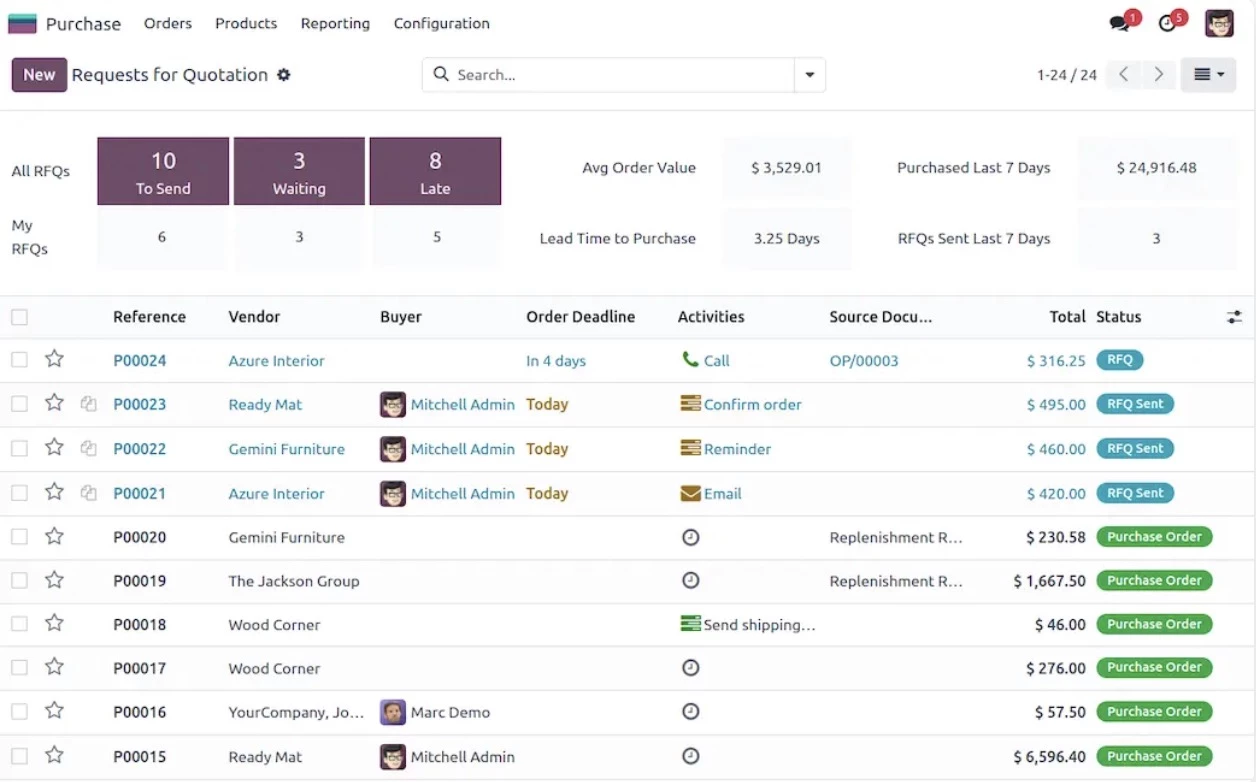
This modularity makes Odoo particularly attractive to small businesses as they don’t need to pay for unnecessary features.
They gain a fully integrated platform to manage finance, sales, inventory, and operations while maintaining scalability.
The open-source nature also allows businesses to customize workflows, reports, and dashboards to fit their exact needs.
As Ivan Burban, Head of Marketing at Coupler.io, points out:
“Given the complexity and cost of building custom integrations internally, a platform with stable access to hundreds of data sources and transparent pricing provides more value in the long run.”
Pros:
- Cloud, on-premise, and hybrid deployment options
- Localization for over 70 countries, including tax compliance
- Integration with hundreds of third-party apps
- Real-time access to financial and operational data
- Unlimited support and hosting included in subscription
Cons:
- User interface can feel less polished than some competitors
- Some advanced features require Odoo Enterprise or developer work
- Initial setup may require technical expertise for optimal customization
Pricing (billed annually):
- One App Free: $0; 1 app, unlimited users
- Odoo Online Standard: ~$11.20; access to all apps
- Odoo Online Custom: ~$17.00; access to all apps with multi-company support and Odoo Studio
Key Features:
- Built-in ERP CRM software features
- Open-source: full customization and flexibility
- Cloud, on-premise, and hybrid deployment options
- Built-in accounting, invoicing, inventory, and project management
- Odoo Studio for workflow automation and tailored dashboards
2. Cetec ERP: Best for Small Manufacturers and Discrete Production
Cetec ERP is a web-based ERP solution specifically designed for small manufacturers, distributors, and assemblers.
It combines work orders, inventory management, and financials into a single, unified system.
Notably, it’s built for discrete manufacturing but can support a variety of industries, from aerospace components to medical devices and high-mix, low-volume production.
Cetec ERP also allows businesses to customize fields and forms independently, giving small teams enterprise-grade flexibility without heavy IT overhead.
Pros:
- Easy to use with minimal learning curve
- Transparent pricing, no hidden fees
- No IT infrastructure, backups, or disaster recovery required
Cons:
- Primarily focused on discrete manufacturing (MRP)
- May require integrations for CRM, POS, or other specialized modules
Pricing (per user/month):
- Lite plan: $50/user/month + $0 company fee; 5-user minimum
- Standard plan: $50/user/month + $650 company fee
- Enterprise plan: $50/user/month + $3,200 company fee
Get started with Cetec ERP with a free 30-day trial.
Key Features:
- Work order and production management
- Inventory and warehouse tracking
- Financial accounting and reporting
- Quality management and traceability
Best ERP Software Solutions: Final Words
Small firms often succeed with cloud SMB ERPs (Acumatica, Odoo, Business Central) plus a tight integration partner, whereas large enterprises rely on SAP, Oracle, or a hybrid.
Always map your business workflows first and pilot with real data in a test instance.
Finally, choose an experienced consultant who can guide you through data migration, user adoption, and upgrades.
Our team ranks agencies worldwide to help you find a qualified partner to implement the latest ERP solutions. Visit our Agency Directory for the Top ERP Consultants as well as:
- Top IT Services Companies
- Top CRM Consultants
- Top Big Data Companies
- Top ECM Consultants
- Top Cloud Consulting Companies
Best ERP Software Solutions: FAQs
1. Cloud vs on‑prem ERP: Which is better?
Cloud ERP (SaaS) usually offers faster deployment, built-in DR, and subscription Opex.
On-premises/Private Cloud gives more control (e.g., air-gapped compliance) and often fixed upgrade schedules.
Weigh regulatory needs, latency to your shop floor, and cost model when deciding.
2. What are common ERP implementation red flags?
Watch out for proposals with minimal user testing, no mock data load, or <5% budget for training.
Also, beware if the demo avoids showing your actual data model or custom objects. Ask for reference customers and upgrade histories.
3. What are the key ERP differences in regulated industries?
Heavily regulated sectors require built-in audit trails, e-signatures, and validation documentation (IQ/OQ/PQ).
Their ERPs often include CFR Part 11 compliance, batch record automation, and serialization. You should expect these as non-negotiable features.