
If you’re managing accounts on platforms like Facebook, there’s a hidden layer of signals that can quietly tie accounts together and trigger suspensions.
We'll show how you can stay compliant and scalable, without the trial-and-error risk that usually comes with multi-account strategies.
Multi-Account Management: Key Findings
- Managing multiple accounts safely requires 1 account = 1 isolated environment; separation of IPs and browser profiles reduces linkage risks.
- Providers like Bright Data offer infrastructure for compliant multi-account setups when paired with proper operational discipline.
- Proxies help identity separation, but compliance also depends on behavior and documentation. Tools alone cannot prevent platform flags.
Why Multi-Account Management Gets Risky
1. Best Residential Proxy Providers
2. Best ISP Proxy Providers
3. Best Datacenter Proxy Providers
4. Best Rotating Proxies
Managing multiple online accounts enables access to different audiences and markets without relying on a single channel.
However, it can become risky if setup and behavior aren’t handled carefully.
Important: This guide is about managing multiple accounts responsibly. We don’t encourage users to violate any platform’s terms of service. Always confirm that your account setup is permitted under the platform’s policies.
Platforms like Facebook, Amazon, and TikTok actively look for technical links between accounts. And if accounts get linked and suspended together, marketing channels and sales can stop all at once.
For instance:
Businesses can lose access to customers, and the suspension itself may make your brand appear unreliable.
Use Cases Where Multi-Account Management Makes Sense
Multi-account use is fine when it serves a clear business function and is technically separated. This kind of setup is often legitimate and necessary for the following use cases:
- Digital marketing agencies – Agencies manage client accounts on platforms like Facebook for advertising and engagement.
- E-commerce and marketplace sellers – Multiple storefronts on platforms such as Amazon are common for regions or product lines.
- Brand and regional operations – Global brands localize accounts for languages and markets.
- Compliance and testing – Teams auditing features or regional behavior may use multiple accounts when isolated in test environments
- Customer support and community management – Separate accounts for support or public relations improve responsiveness without mixing roles.



What Platforms Actually Track
Platforms analyze multiple layers of identity and behavior to detect linked accounts.
We explain each layer so you can see how detection works and how separation reduces risk.
1. IP Address and Network
Platforms can easily detect when multiple logins come from the same IP address. If ten accounts log in from one IP simultaneously, it often triggers suspicion.
Changing IPs using VPNs or proxies can help, but that alone is not enough. Each account should have a unique and stable IP address.
Residential proxies (IPs from real ISPs) are generally more trusted than datacenter proxies because the traffic appears to come from a real home user.
2. Browser and Device Fingerprints
Websites collect technical details about your device and browser to create something called a browser fingerprint. This can include:
- Your browser type and version, like Chrome or Safari
- Your operating system, such as Windows, macOS, etc.
- Your screen resolution
- Installed fonts and browser plugins
- Hardware details, such as your graphics card or audio setup
All of this creates a unique signature for your device. In fact, research finds that browser fingerprints are often highly unique.
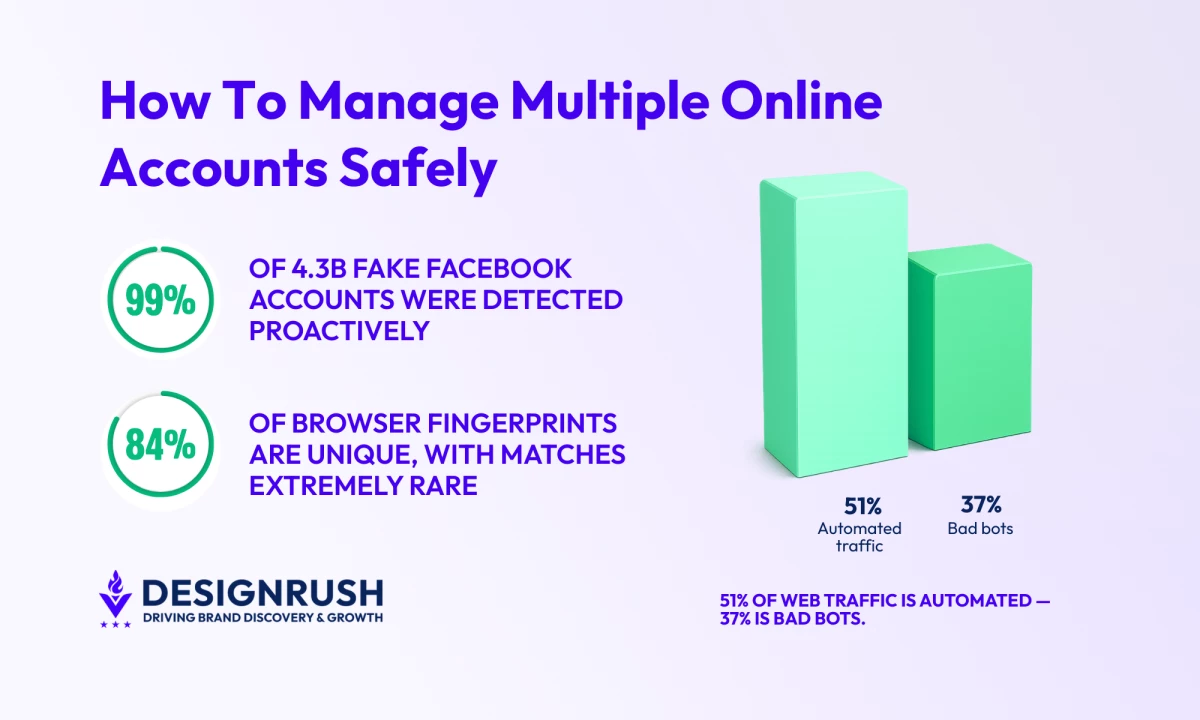
In one study, 83.6% of browsers had unique fingerprints, with only about 1 in 286,777 matching another device.
In simple terms, if you log into multiple accounts using the same browser setup, even on different IPs, platforms can detect the pattern and flag those accounts as linked.
3. Behavior Patterns
Platforms track activity rhythms. For example, it can look suspicious if you:
- Log in to several accounts at the same time from different time zones
- Show the exact same pattern of likes, comments, or follows
- Post on perfectly synchronized schedules
These rapid, repetitive actions make accounts look connected.
Using automated scripts that send out the same content or behave like bots is especially risky. Even if your IPs and devices are separated, spam-like behavior can trigger flags.
Automated traffic now makes up 51% of all web traffic, and bad bots account for 37%.
Because large portions of online activity are automated or malicious, platforms invest heavily in detecting patterns that resemble inauthentic behavior.
To stay safer, each account must behave like a separate human user. Randomize timing, vary frequency, and avoid perfectly synchronized bursts.
What’s Allowed vs. What’s Not
Having multiple accounts is not automatically forbidden if there is a legitimate reason. It is allowed in many business scenarios, except when abusing it.
In general:
| Usually Allowed | Strictly Prohibited |
|
|
For the permitted cases above, many platforms even offer official tools like Facebook Business Manager or Amazon Seller Central for multiple stores to help.
How To Build a Clean Multi-Account System Using Proxies
The goal is to structure accounts properly, so they comply with platform rules and avoid accidental linkage.
To build a compliant system:
1. Audit Existing Accounts
Start with an inventory. Create a spreadsheet listing every account and its purpose. Each account should have a clear, legitimate business reason. For example: Facebook Page – Product Support, Amazon Seller – ClientX.
For each, note the assigned proxy, browser profile, or device, and target region. Document who owns or manages it. This step often reveals forgotten test accounts or misallocated resources.
2. Assign Dedicated Environments
For each important account, provision a single proxy, a separate browser profile, and distinct cookies and session storage.
The key rule here is to keep a 1:1 mapping: 1 account = 1 IP = 1 browser profile. Here are the three layers you must separate:
Network Layer (IP or Proxy)
Use a unique, stable IP for each account. In practice, this means one quality proxy or dedicated IP per profile, so each account appears to originate from a distinct user environment.
For high-value accounts, choose stable residential or mobile proxies from reputable providers like Bright Data, as these look like real home connections and are far less likely to be blacklisted.
Browser or Device Layer
Run each account in its own isolated browser profile or device. You can use anti-detect browsers or containerized profiles to prevent cookie and fingerprint overlap between accounts.
The goal is that one account’s browser should leave no trace on another. In practice, don’t log into two accounts in the same browser window or profile.
Logging into multiple accounts from the same browser profile can leak identifying signals. Even using profiles in Chrome can be risky unless totally separated.
Behavioral Layer
Finally, manage the human side. Train your team or automation scripts to mimic normal and realistic usage on each account by staggering schedules.
Avoid rapidly jumping between accounts. For example, posting on Account A at 10:00 and Account B at 10:01 looks like bot-switching. Your activity on each account should be gradual and organic.
Be cautious with automation: test scripts on low-priority accounts first, add random pauses (e.g., 5–10 seconds) between actions, and throttle request rate.
3. Match Geography and Settings
Keep the proxy’s geographic location consistent with the account’s target region. If the account represents a UK brand, use a UK IP and set the browser’s time zone and language accordingly.
Mismatched countries or time zones will look suspicious and trigger checks.
Geo-targeted proxies from providers like Bright Data, Oxylabs, or NodeMaven allow you to select country- or city-level IPs so account activity appears locally authentic.
Sticky sessions and dedicated IPs from proxies are also valuable here:
- Sticky sessions maintain the same IP for extended periods, which is useful for accounts requiring stable identities
- Dedicated or residential IPs further improve trust by appearing like real user connections rather than shared or datacenter addresses.
Also, separate login credentials. Each account needs its own email and phone number for recovery.
4. Monitor and Adjust
Regularly check for trouble signs. If a proxy IP starts failing or your login encounters CAPTCHA, replace it immediately.
Watch platform notifications for warnings like “suspicious login attempt” and address them. In short, good organization and monitoring are your best defenses against accidental flags.
Common Multi-Account Mistakes That Cause Bans
Each of the following mistakes can turn even a legitimate multi-account strategy into a violation or flag:
- Sharing proxies: Never route two accounts through the same IP, even at different times. This one mistake instantly links them.
- Cheap or recycled IPs: Free or black-market proxies often carry a bad reputation. Sites may block known shared IPs en masse.
- Mixing high-risk with high-value: Testing questionable tactics on your main accounts is risky. Keep a safe sandbox for experiments, separate from revenue-generating profiles.
- Ignoring platform updates: TOS and anti-fraud systems evolve. What flew last year might be banned today, so always check for policy changes.
- Poor documentation: If you or a colleague forget why an account exists or how it’s set up, accidental errors follow. Always document each account’s owner and purpose.
5 Best Proxy Providers for Managing Multiple Accounts
Problems with shared IPs and low-quality proxies show that multi-account compliance depends on quality infrastructure as much as process.
The best providers offer clean residential, ISP, and mobile IP pools that help keep accounts separate and compliant.
Here are the leading options for multi-account management:
- Bright Data – Large-scale multi-account setups
- Oxylabs – Reliable enterprise proxy infrastructure
- Decodo – Identity separation with anti-detection
- NodeMaven – Stable residential proxies & long sessions
- IPRoyal – Flexible proxy traffic & sub-user management
1. Bright Data – Best for Large-Scale Multi-Account Setups
Bright Data is one of the most established proxy networks for teams that manage multiple online accounts at scale.
With 150M+ residential IPs across 195 countries, plus ISP, mobile, and datacenter options, it makes it possible to assign a unique, stable IP to each account.
That 1:1 account-to-IP structure is important if you want to reduce the risk of accounts being linked together.
| Pros | Cons |
|
|
For multi-account setups specifically, Bright Data’s ISP proxies provide a permanent static residential IP you can hold indefinitely, matching the 1:1 account-to-IP discipline.
Bright Data also offers multi-account management integrations for anti-detect browsers like Multilogin, MuLogin, and AdsPower, allowing you to pair clean IPs with isolated browser fingerprints.
Combined with user permission controls, API access, Proxy Manager, and session-based IP persistence, you get a structured system where each account can be provisioned, monitored, and maintained independently.
Pricing
- Residential proxies: Starts from $8/GB (pay-as-you-go), with a current promotional rate of $4/GB available via code RESIGB50
- ISP proxies: Starts from $18/month for 10 IPs
- Datacenter proxies: Starts from $14/month for 10 IPs
- Mobile proxies: Starts from $8/GB (pay-as-you-go)
Start your free trial with Bright Data now.
Notable Features for Managing Multiple Accounts
- Session-based IP control using username parameters
- Direct integration with Multilogin, AdsPower, MuLogin, Kameleo, GoLogin and 65+ tools
- Granular team permissions for structured access control
- Proxy Manager dashboard for monitoring, rotation, and IP replacement
- Full API access for automated infrastructure setup
2. Oxylabs – Best for Reliable Enterprise Proxy Infrastructure
Oxylabs is designed for teams that need clean, structured separation across many accounts without slowing things down.
With over 100 million residential, mobile, ISP, and datacenter IPs in 188+ countries, it gives you the infrastructure to assign a unique IP to each account, just like Bright Data.
| Pros | Cons |
|
|
Using simple username parameters, you can define country, state, city, ASN, postal code, and even how long a session should stay active.
That means each account can maintain a stable, regionally consistent identity instead of appearing to jump around networks.
When paired with anti-detect browsers like Multilogin, MoreLogin, MuLogin, or Lalicat, Oxylabs helps create fully isolated environments where the IP and browser fingerprint align naturally.
Pricing
- Residential proxies: Starts from $4/GB
- ISP proxies: Starts from $1.6/IP
- Datacenter proxies: Starts from $1.2/IP
- Mobile proxies: Starts from $5.4/GB (pay as you go)
Notable Features for Managing Multiple Accounts
- Sticky sessions for consistent IP per account
- Pay-per-IP option for predictable 1:1 infrastructure planning
- Integration with Multilogin, MoreLogin, MuLogin, and Lalicat
- Session ID and session time control via username parameters
3. Decodo – Best for Identity Separation With Anti-Detection
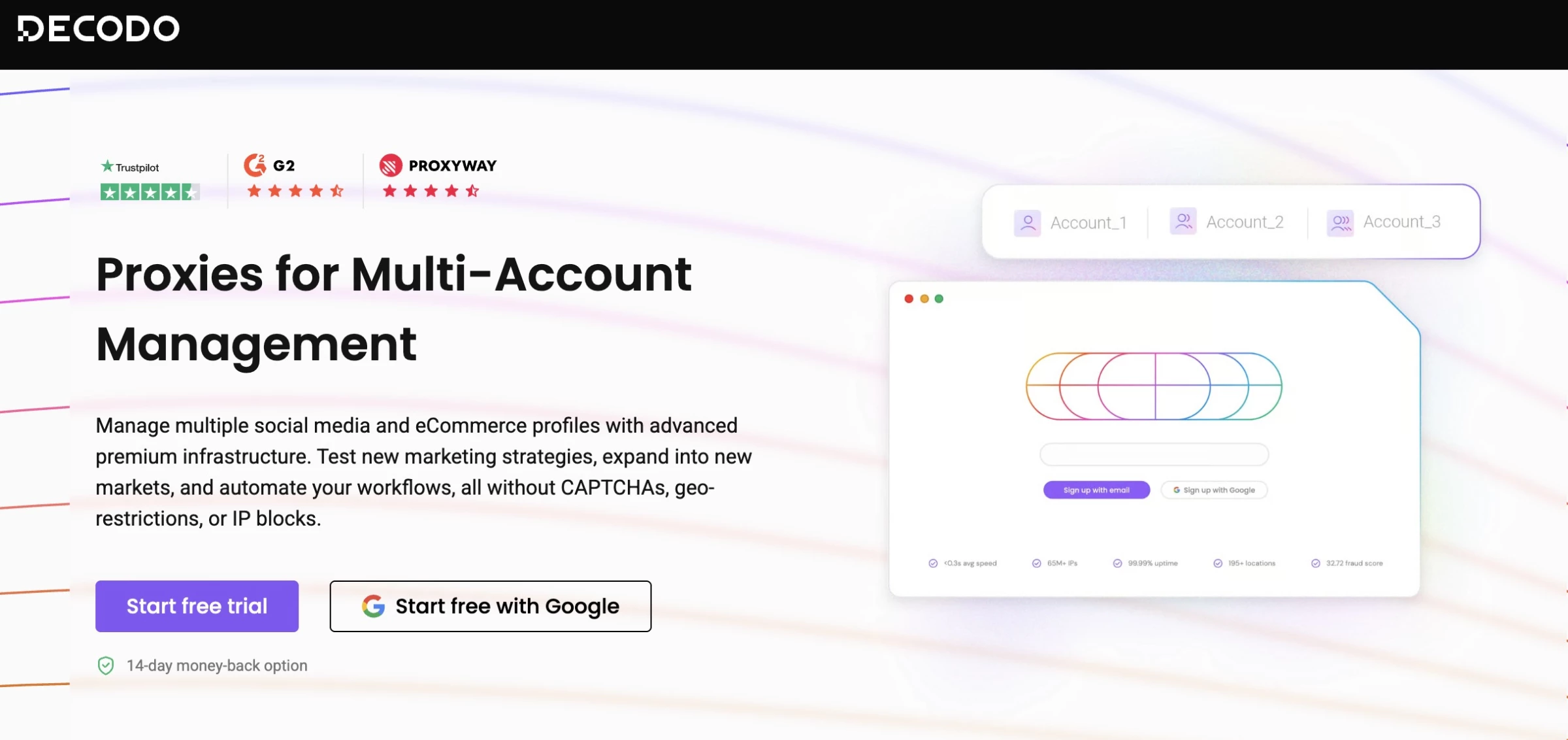
Decodo is built for marketers and multi-account operators who need reliable separation between identities without overcomplicated setups.
It offers over 55 million residential IPs and a broader network of 125 million addresses across 195+ locations.
| Pros | Cons |
|
|
Decodo’s X Browser also includes anti-detection features out of the box, which reduces the amount of manual configuration required.
It also works well with anti-detect environments, integrating with tools like Multilogin, MoreLogin, MuLogin, and AdsPower so you can pair isolated browser fingerprints with dedicated IPs.
Pricing
- Pay/GB: Starts from $30 + VAT/month for 50 GB
- Residential proxies: Starts from $6+ VAT/month for 2 GB
- ISP proxies: Starts from $6.5 + VAT/month for 1 GB
- Datacenter proxies: Starts from $28.5 + VAT/month for 50 GB
- Mobile proxies: Starts from $7.5 + VAT/month for 2 GB
Start your free trial today with Decodo.
Notable Features for Managing Multiple Accounts
- X Browser with anti-detection capabilities
- Integrations with major anti-detect browsers
- Usage dashboard for monitoring team activity
4. NodeMaven – Best for Stable Residential Proxies & Long Sessions
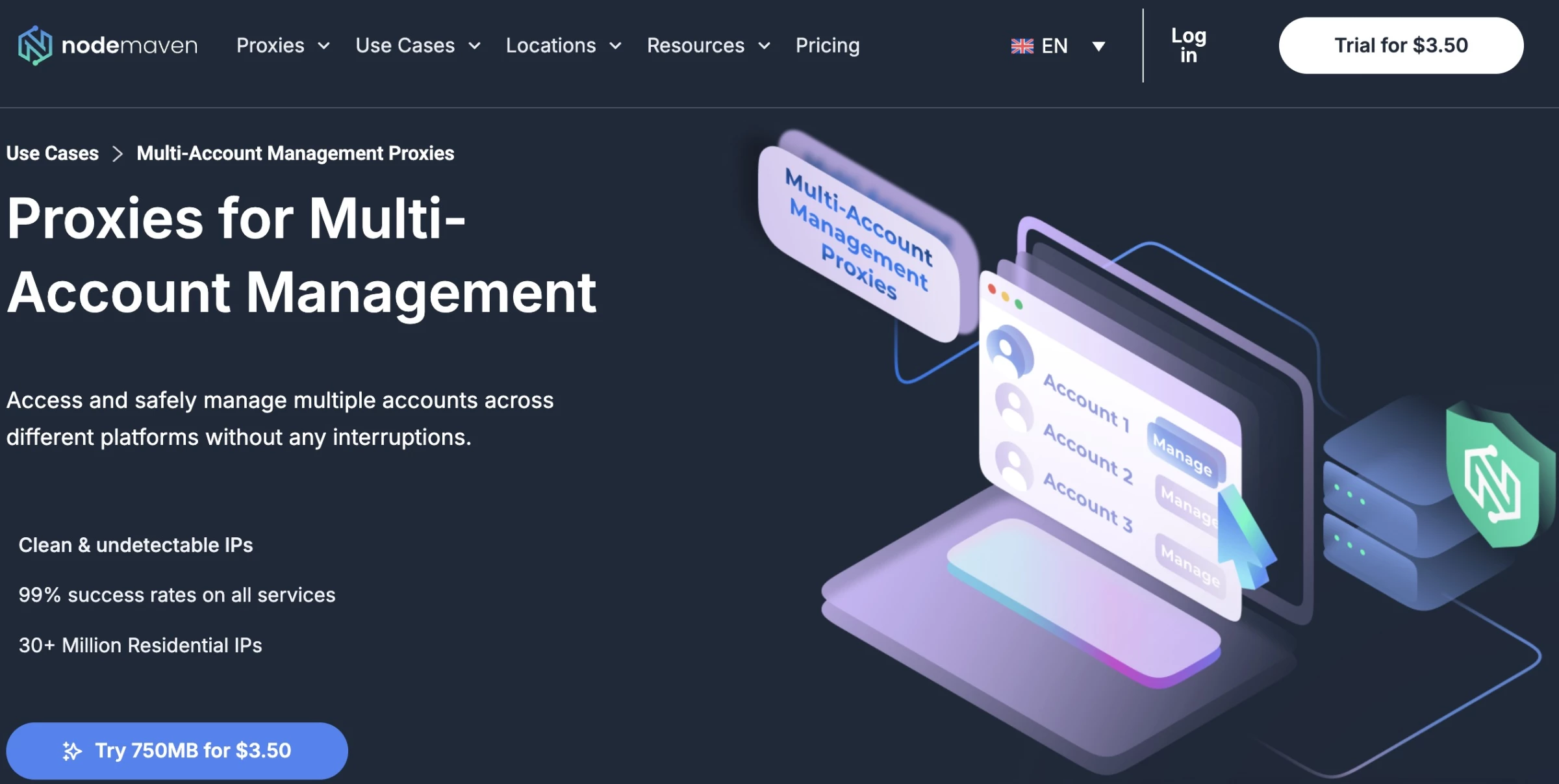
NodeMaven focuses on residential and mobile proxy infrastructure built for multi-account operations.
Its residential proxies come with clean IPs and long sticky sessions (up to 24 hours), so accounts can maintain consistent network identities without frequent IP changes.
That stability is useful on platforms that monitor IP switching or behavioral patterns.
| Pros | Cons |
|
|
NodeMaven’s residential pool is also pre-filtered to reduce exposure to low-reputation addresses that might trigger automated security checks.
Teams can further refine identity alignment through city and ISP targeting, which helps accounts appear locally credible and consistent.
Pricing
- Monthly plans: Starts from $8/mo
- Pay as you go: Starts from $8.99 for 2 GB
- Per IP: Starts from $4.99/IP for 30 days
Try NodeMaven now for only $3.50.
Notable Features for Managing Multiple Accounts
- 24-hour sticky sessions for stable identities
- City and ISP targeting for local credibility
- Easy integration with anti-detect browsers
5. IPRoyal – Best for Flexible Proxy Traffic & Sub-User Management
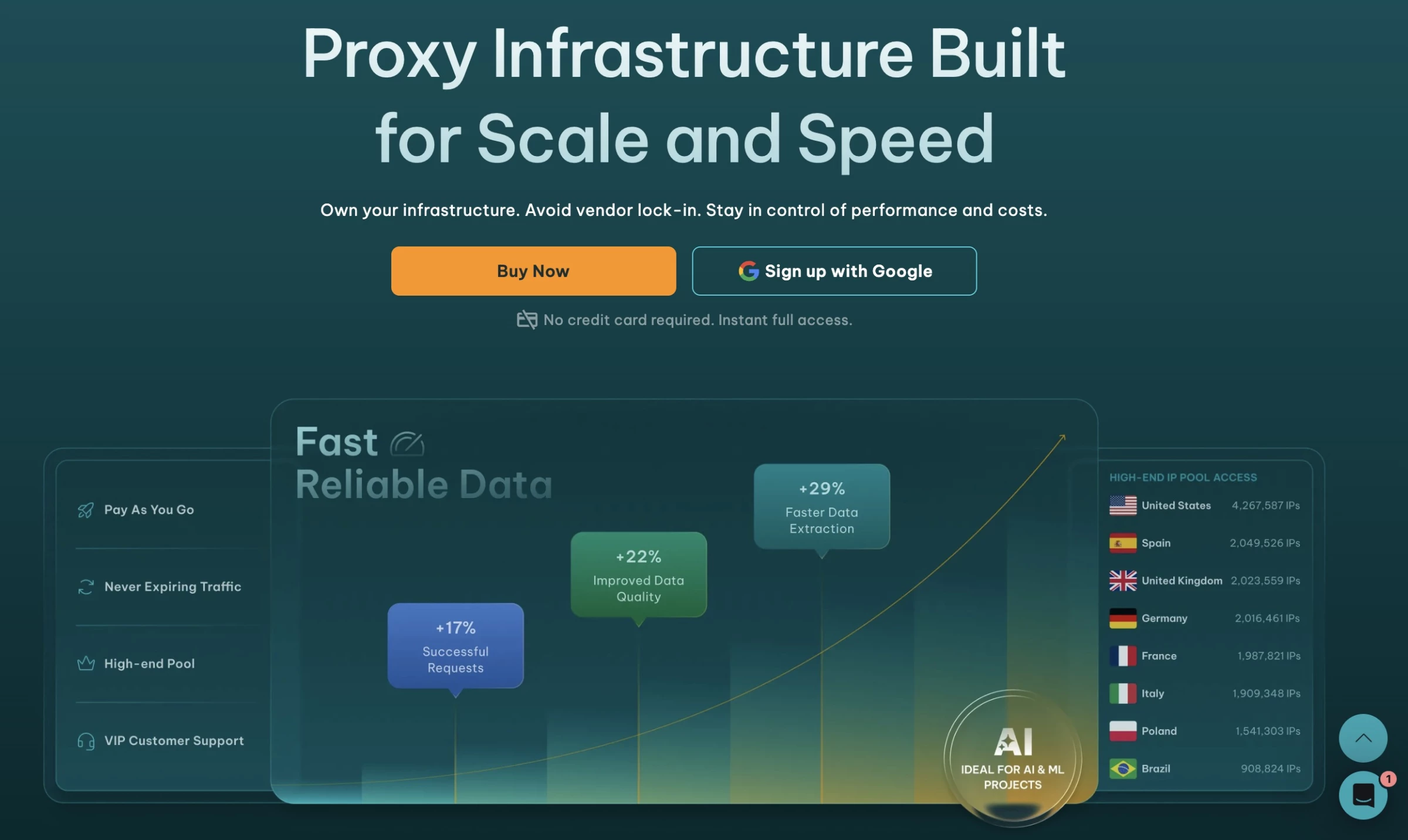
IPRoyal offers residential, ISP, and mobile proxies that help teams separate identities across platforms.
Its dashboard lets you create sub-users and allocate traffic from a main account, so agencies can distribute resources and permissions without sharing credentials.
| Pros | Cons |
|
|
For multi-account workflows, IPRoyal’s ISP proxies are especially helpful.
They provide residential-grade IPs with good stability and support multi-device access, which means several accounts can run simultaneously without obvious network conflicts.
Pairing these proxies with anti-detect browsers like AdsPower, MuLogin, or Multilogin allows teams to combine unique IPs with isolated browser fingerprints to reduce linkage risk on platforms.
Pricing
- Residential proxies: Starts from $1.75/GB
- ISP proxies: Starts from $2/proxy
- Datacenter proxies: Starts from $1.39/proxy
- Mobile proxies: Starts from $10.11/day
- Enterprise proxies: Custom pricing
Try IPRoyal for free – no credit card required.
Notable Features for Managing Multiple Accounts
- Sub-user creation for traffic and permission separation
- ISP proxies enable stable, multi-device account access
- Residential and ISP options for diverse workflows
- Integration with anti-detect browsers
How To Manage Multiple Online Accounts: Final Words
Looking ahead, the safest multi-account strategy is simple discipline. Treat each one like a separate user with its own environment, its own browser profile, credentials, and proxy connection.
Start small and build gradually. It’s better to add accounts one at a time and confirm they’re stable before scaling.
And in choosing the best proxy or tools, Jordan Brown, Founder of Omnie, advises:
"As the business grows, smaller brands should prioritize tools that integrate seamlessly with their existing systems, ensuring scalability.”

Our team ranks agencies worldwide to help you find a qualified partner to implement the latest IT solutions. Visit our Agency Directory for the Top IT Services Companies, as well as:
- Top Managed IT Service Providers
- Top IT Consulting Companies
- Top IT Outsourcing Companies
- Top IT Services for Startups
- Top IT Services Companies in Dallas
Managing Multiple Accounts Online FAQs
1. Who needs to worry about these multi-account strategies?
Anyone running more than one online profile for business or marketing should take these tips to heart.
This includes digital agencies managing clients’ pages, e-commerce sellers with multiple marketplace accounts, and social media managers handling brand pages.
2. Do these best practices apply to small companies and solo entrepreneurs, too?
Absolutely. While large enterprises have the volume to worry about, even a small startup or consultant juggling a few accounts can run into issues if those accounts inadvertently overlap.
The principles are the same at any scale: separate IPs, separate logins, and human-like behavior. In fact, smaller teams can implement these clean structures more easily from the start.
3. Is managing multiple accounts on platforms like Facebook allowed?
Yes, when there is a legitimate business purpose (clients, regions, or separate brands) and accounts are structured with proper separation.
Violations occur when accounts are used to evade bans, manipulate engagement, or disguise identity.
4. Can I use VPNs or proxies for multi-account management?
Proxies and VPNs help separate network identity, but do not guarantee compliance.
Shared or low-quality IPs can create linkage risks, so only use dedicated, reputable proxies and avoid mixing them across accounts.
5. What is the safest setup for managing multiple accounts?
One account per isolated environment: dedicated IP, separate browser profile, and consistent behavioral patterns. Treat each account like an independent user.