
I tested five leading AI software development agents to see which ones effectively accelerate development cycles and improve coding performance. Here are my top five choices:
AI Agents Software Development: Key Points
- CodeGPT and GitHub integrate into your IDEs and project management tools, allowing seamless automation workflows and cross-team collaboration.
- Fine AI and Flatlogic help teams kickstart their projects by creating codebases and app wireframes within a few minutes.
- Devin is useful for quickly resolving backlogs, as it can simultaneously run and automate multiple tasks.
5 Best AI Software Development Agents in 2026
AI software development agents have rewritten the development cycle, providingend-to-end assistance and significantly decreasing deployment time. But are they worth your tech stack? I've tried five of the leading agents to find out.
| Tool | Best For | Integrates with IDE | Integrates with project management | Complex problem-solving | Pricing Starting At |
| CodeGPT | Code refinement | ✅ | ✅ | ✅ | $15 per month |
| Fine AI | Rapid MVP prodcution | ❌ | ✅ | ✅ | $19 per month |
| Devin | Minor issue resolution | ✅ | ✅ | ❌ | $500 per month |
| GitHub Copilot | All-in-one coding assistant | ✅ | ✅ | ✅ | $4 per month |
| Flatlogic | Basic web app dev | ✅ | ❌ | ❌ | $39.90 per month |
1. CodeGPT: Best for Code Refinement
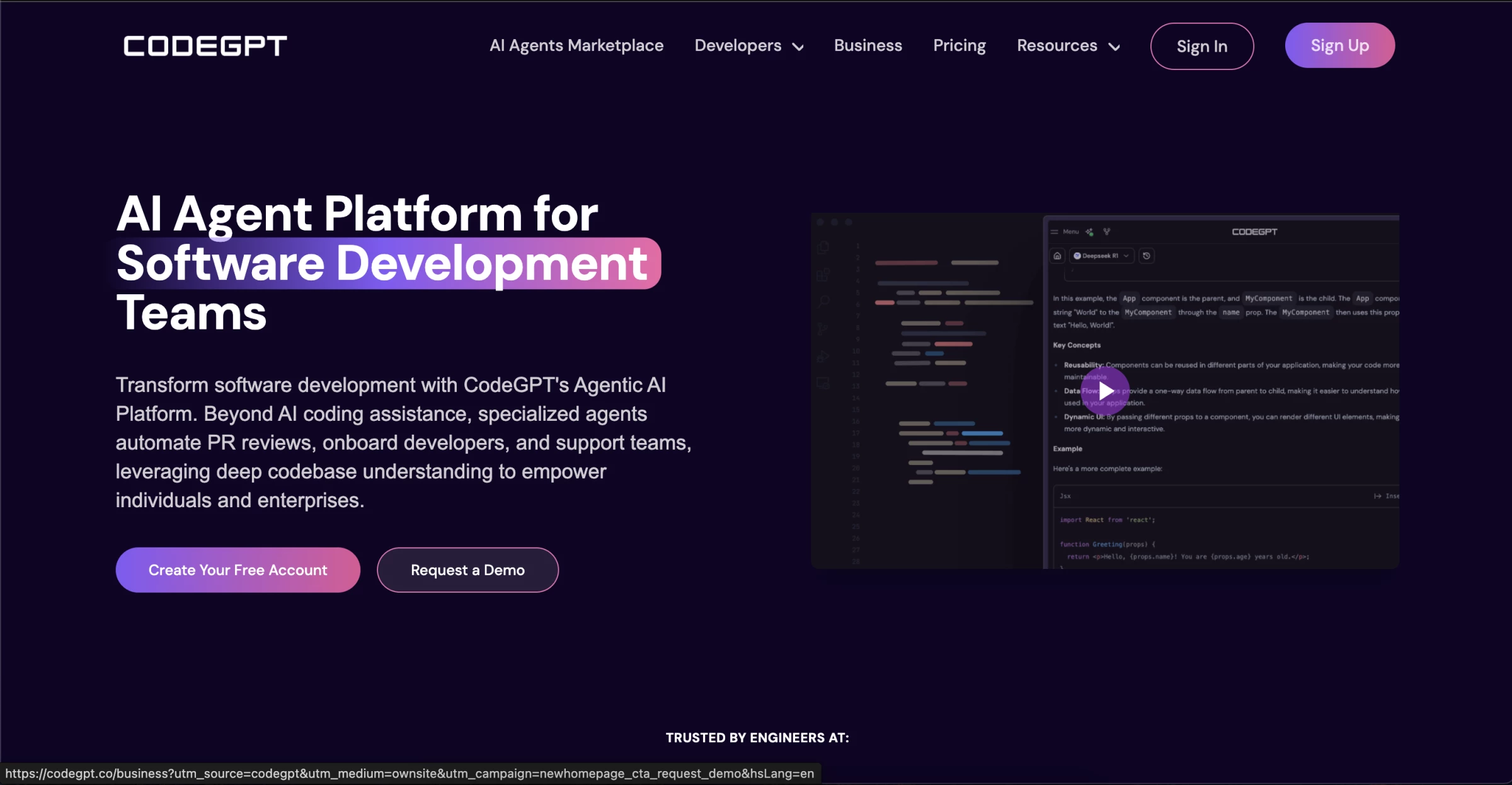
CodeGPT is a comprehensive AI agent platform that streamlines the development process. Its features include specialized agents to automate pull request (PR) reviews, provide coding assistance, and increase cross-team collaboration.
View this post on Instagram
It ensures privacy and security by keeping your produced code private and implements Enforced Privacy Mode and Zero Data Retention features.
| Pros | Cons | Pricing |
|
|
|
I am impressed by CodeGPT’s expansive capabilities. It’s learning-language-model (LLM) agnostic, which means I can choose from various AI models to write, explain, and review my code. Its options include ChatGPT, DeepSeek, QwQ, and Gemini Pro.
In addition to LLMs, this AI software development agent offers over 160 specialized AI agents for every platform, app, and industry. For instance, I can install Shopify and Stripe APIs to have an integrated eCommerce store or use the Unreal Engine framework to add 3D elements to my front-end design.
Explore CodeGPT’s functions for free now.
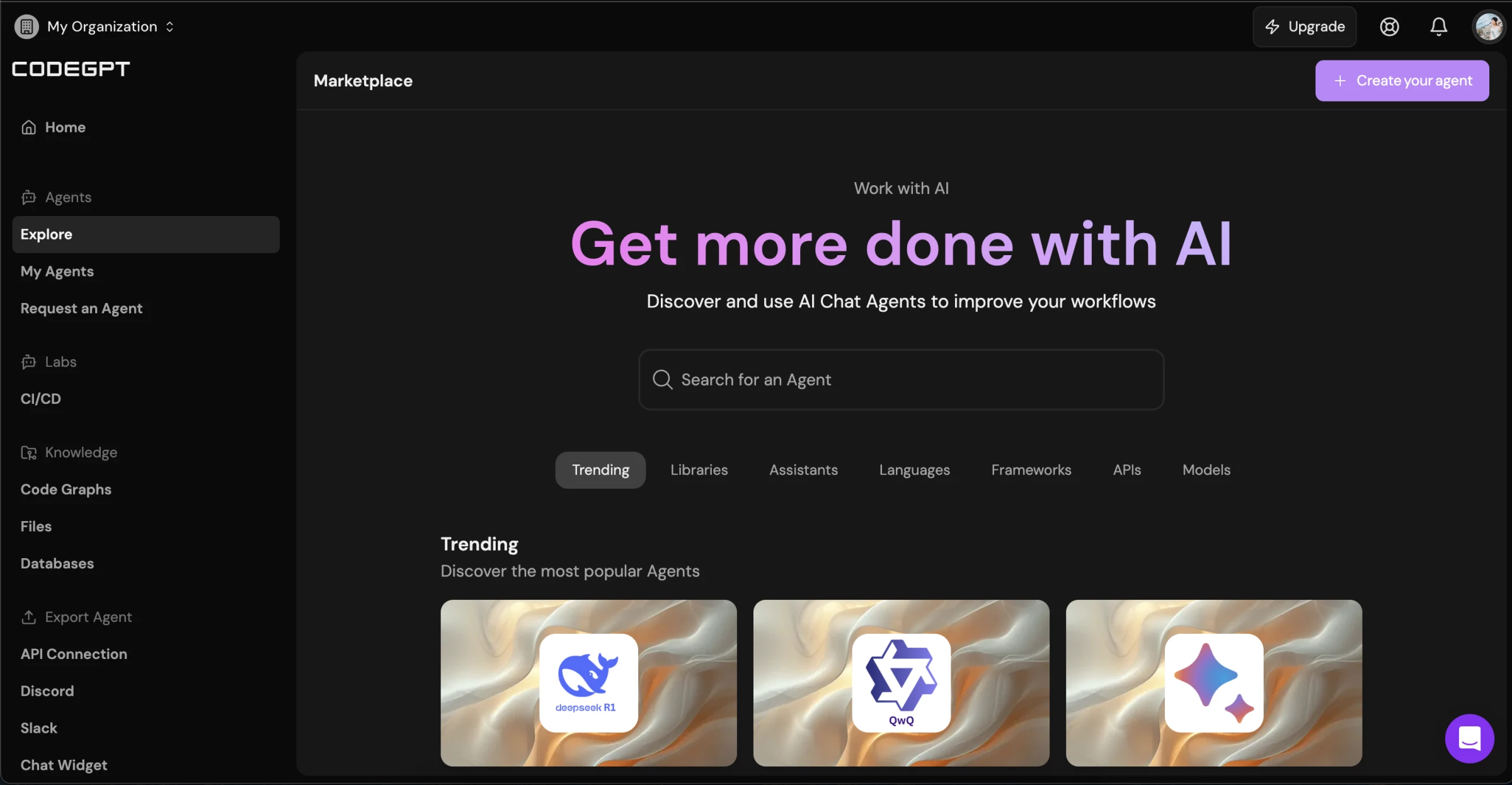
I can customize my AI agent by adding specific knowledge or context about my business. I can upload files, documents, and graphs and add conversation starters. The AI model will generate output that more accurately aligns with my needs and requests.
However, where CodeGPT shines is optimizing my software code.
The AI software development agent provides plugins for integrated development environments (IDEs), Visual Studio Code, JetBrains, and Cursor. It can add, review, and optimize code directly on my chosen platform.
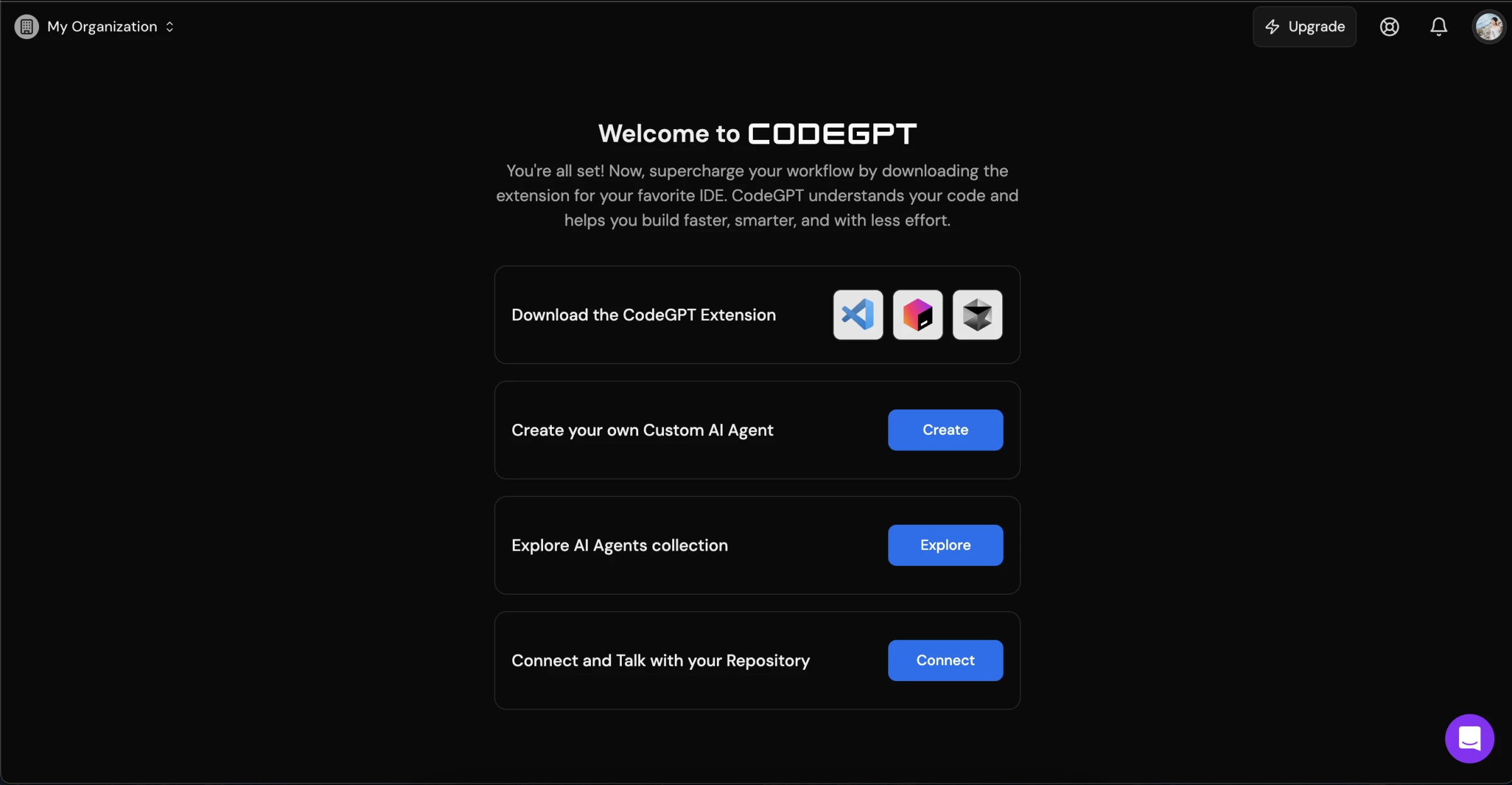
It can also refactor code, automatically document my entire process, find bugs and issues, and conduct unit tests. Moreover, I can instruct it to autocomplete code. Thus, I reduce manual tasks, improve my software’s performance, and accelerate my product's time-to-market launch.
What Users Say
Users praise CodeGPT for its ease of use, flexibility, and security. A ChatGPT interface allows users to create and edit programs without writing a line of code. At the same time, the more technical users can leverage the coding panel to directly instruct the AI model on what to do.
However, users note that CodeGPT’s support team is slow, reporting that they rarely get responses from its community forums. When users encounter bugs in recent updates or require assistance understanding the platform, they often turn to unofficial channels or consider switching to another platform.
Who’s It For?
CodeGPT is ideal for developers who want to reduce manual processes in their workflow, securely produce rapid prototypes, and improve time-to-market deployment. It’s also useful for development companies to facilitate team collaboration, enhance CI/CD pipelines, onboard new engineers, and gain a comprehensive view of their entire codebase.
Other Notable Features
- Text-to-code generation
- AI coding assistant provides real-time code suggestions, autocompletion, and natural language to code translation within IDEs
- Supports over 200 AI models, plugins, frameworks, languages, and platforms
- Context-aware, large-scale indexing
- Use analytics to measure developer productivity
- Self-hosted option to deploy your program and gain full control of infrastructure and data
- Knowledge graphs to understand the relationships of all your functions and features
- Customizable AI agents with templates to guide users
2. Fine AI: Best for Rapid MVP Production
Fine AI is an AI software development agent that promises to do it all — from transforming text-based prompts into high-performing applications to deploying them with a single click. It can edit existing code, run tests, resolve bugs, review and summarize pull requests, and revise them.
| Pros | Cons | Pricing |
|
|
|
And I have to say, it delivers exactly as advertised — and even more.
As a non-programmer, I find the interface intuitive and easy to use. All I need to do is describe my app in as much detail as possible, including the function of each page and the overall objectives of my project.
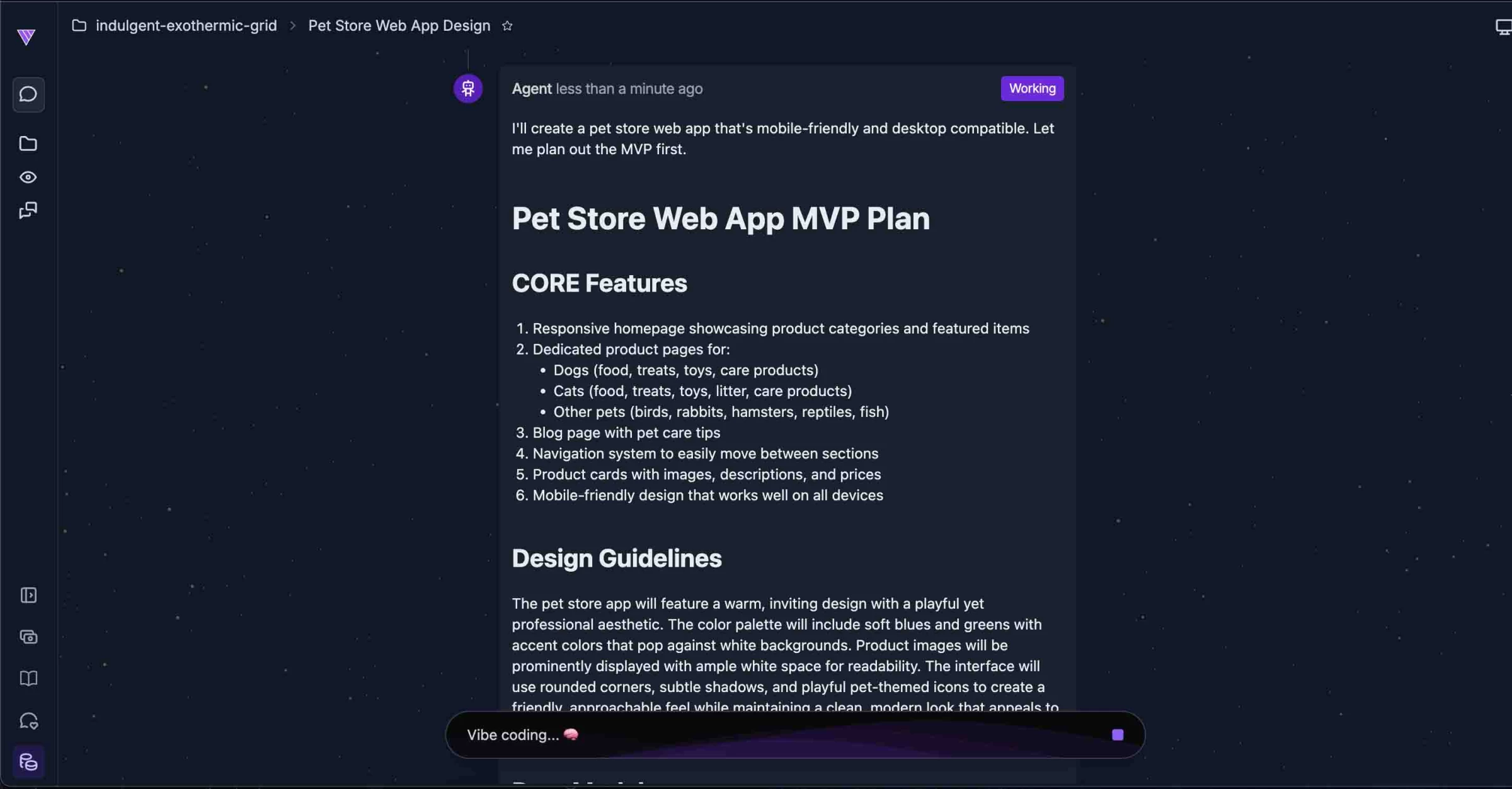
Within minutes, Fine AI generates a complete code stack for my project. The list of files includes foundational elements like index.html and an SQL database, app components such as product cards, headers, and footers, as well as all individual pages, each properly labeled and organized.
Beyond providing the code, it generated a full minimum viable product (MVP) plan. This includes core features, design guidelines, data models, front-end structure, and more suggestions to improve the app experience.
The entire plan is written in plain English, allowing me to understand exactly what will be built before any code is written. This means I can refine my instructions, and Fine AI will automatically apply the necessary updates across the project.
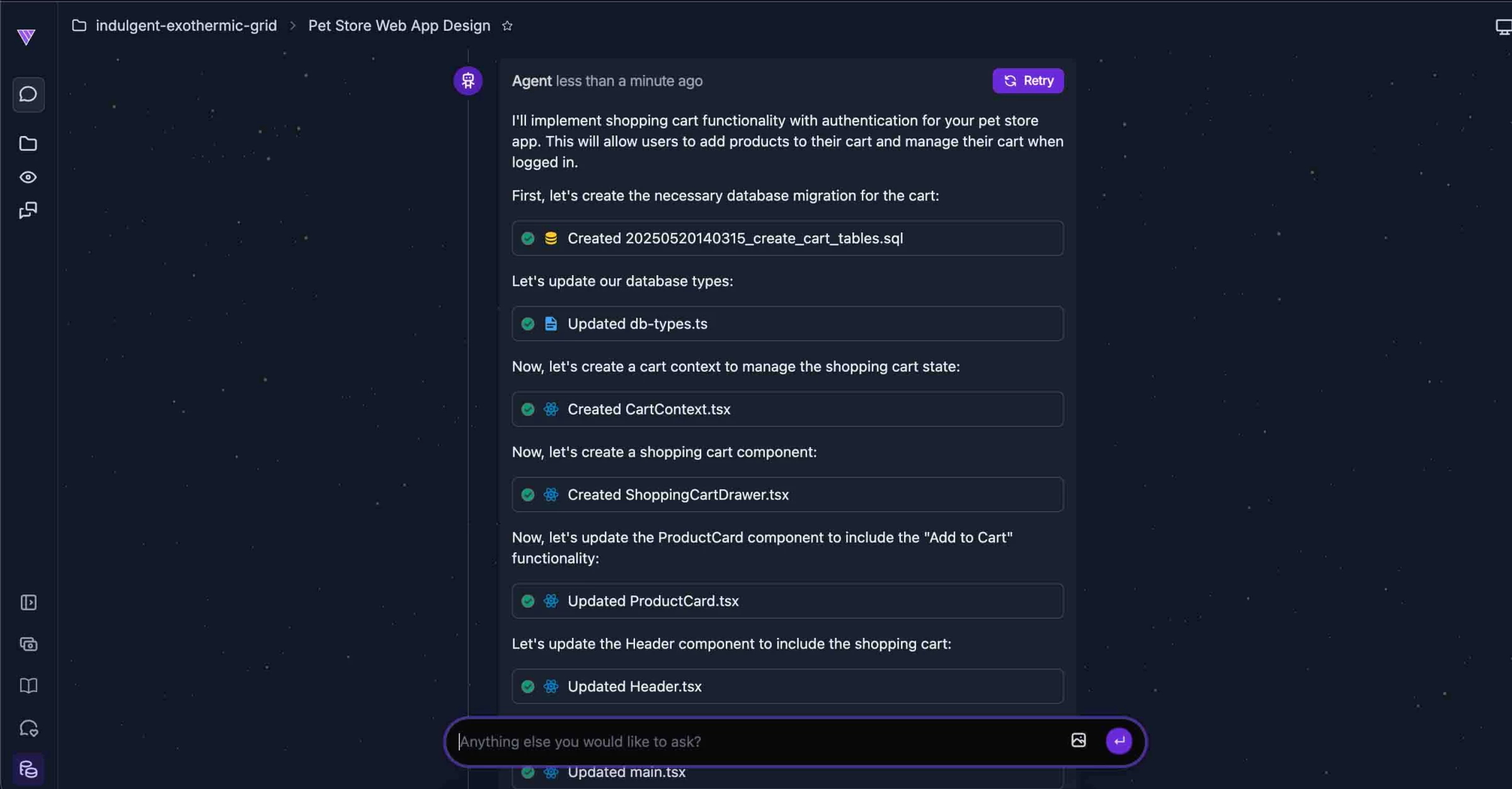
For example, I asked it to add a shopping cart to my eCommerce store. Fine AI integrated the feature seamlessly, updating the necessary components and placing it in the relevant sections — including the footer and header.
I can also connect my GitHub repository to the project, ensuring the AI's output aligns with my specific requirements and overall vision.
What Users Say
Overall, users are impressed by Fine AI’s capabilities. Many report building web apps in a single day — typically taking months. They also praise its ability to streamline workflows and solve complex coding problems efficiently.
That said, some technical knowledge is still helpful, particularly when fine-tuning specific aspects of the code.
Who’s It For?
Fine AI is ideal for development teams looking to improve CI/CD pipelines, accelerate prototyping, and enhance programming efficiency through automation. Integrating tools like Jira and Slack further supports user experience and customer support workflows.
Entrepreneurs will also find value in Fine AI, enabling them to turn their vision into deployable products using simple text-based prompts.
Other Notable Features
- Sandbox environment to test the product in a local hosting site before launch
- Built-in user management, which includes integrated authentication systems, supporting sign-ins via Google, GitHub, and email
- Ready-to-launch software and integrated hosting capabilities, eliminating the need for third-party integrations to deploy your final product in a live environment
- Ready-to-use PostgreSQL database with a simple API, enabling efficient data management
- Serverless backend functionality, so users don’t have to worry about managing server infrastructure
- Rollback function, allowing users to go back to a previous version of the app
- Provides app development templates for AI agents, internal tools and dashboards, lifestyle apps, productivity apps, and chat applications
- Document tagging, where users can specify the GitHub document or line of code that they want the AI model to use
- Testing, debugging, and CI/CD setup automation
- Available as a mobile app, allowing users to create on-the-go
3. Devin: Best for Minor Issue Resolution
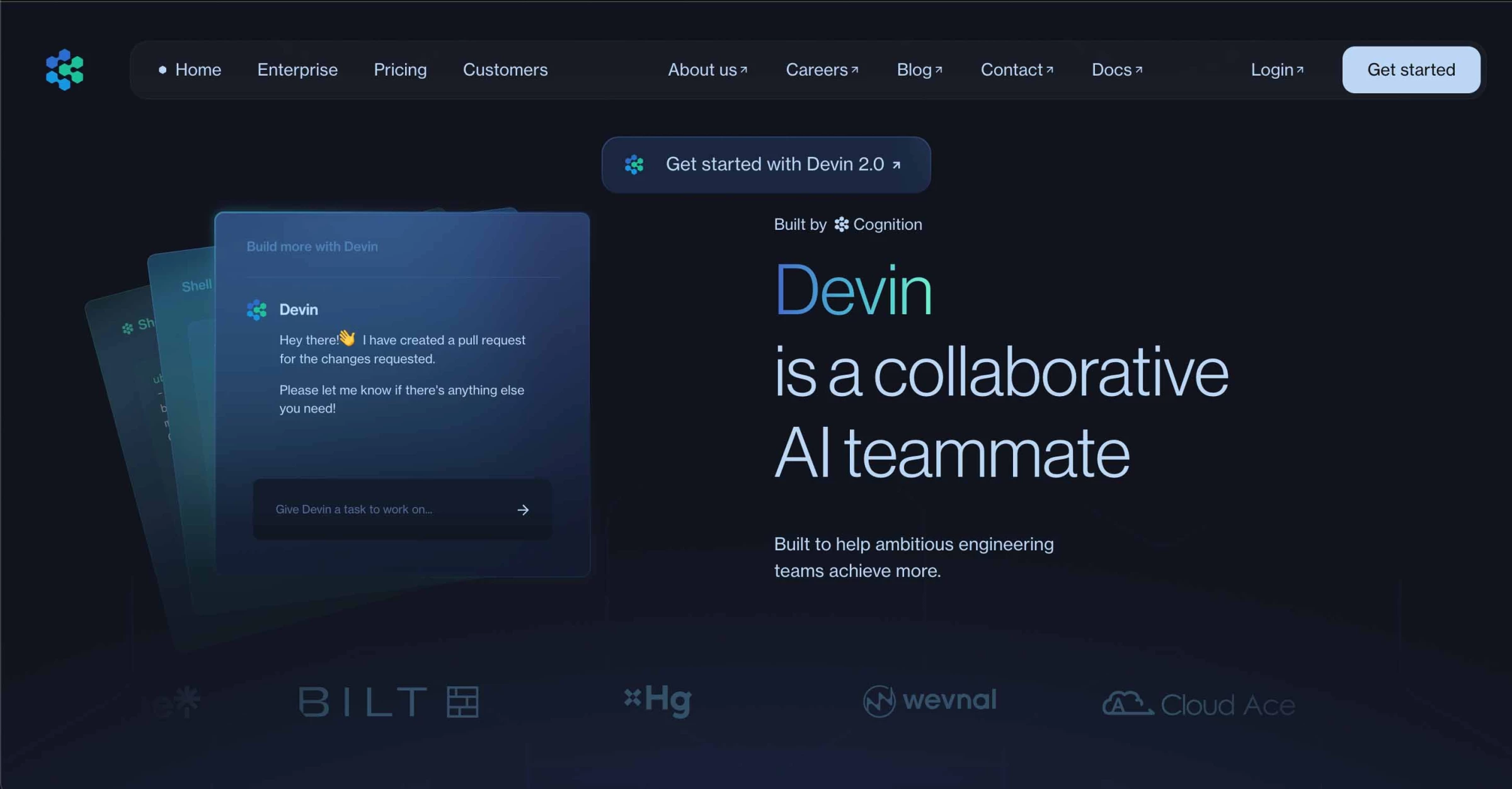
Unlike many AI software development agents that claim to do it all, the creators of Devin position it more realistically — as a junior developer. This means it’s designed to handle smaller programming tasks rather than replace an entire development team. I find this honesty refreshing, as it sets clear expectations about what the AI can and cannot do.
View this post on Instagram
That said, don’t underestimate Devin. Despite its modest description, it’s a powerful companion for software development. It helps teams reduce technical debt, optimize performance, modernize legacy codebases, and maintain clear, up-to-date documentation.
| Pros | Cons | Pricing |
|
|
|
Upon accessing Devin, I found it lives up to its description — it truly feels like having a teammate transformed into an AI model.
Like a human developer, Devin operates with its own command line, code editor, and browser, all running simultaneously. It also searches the web to gather information, learn from online sources, and retrieve API documentation.
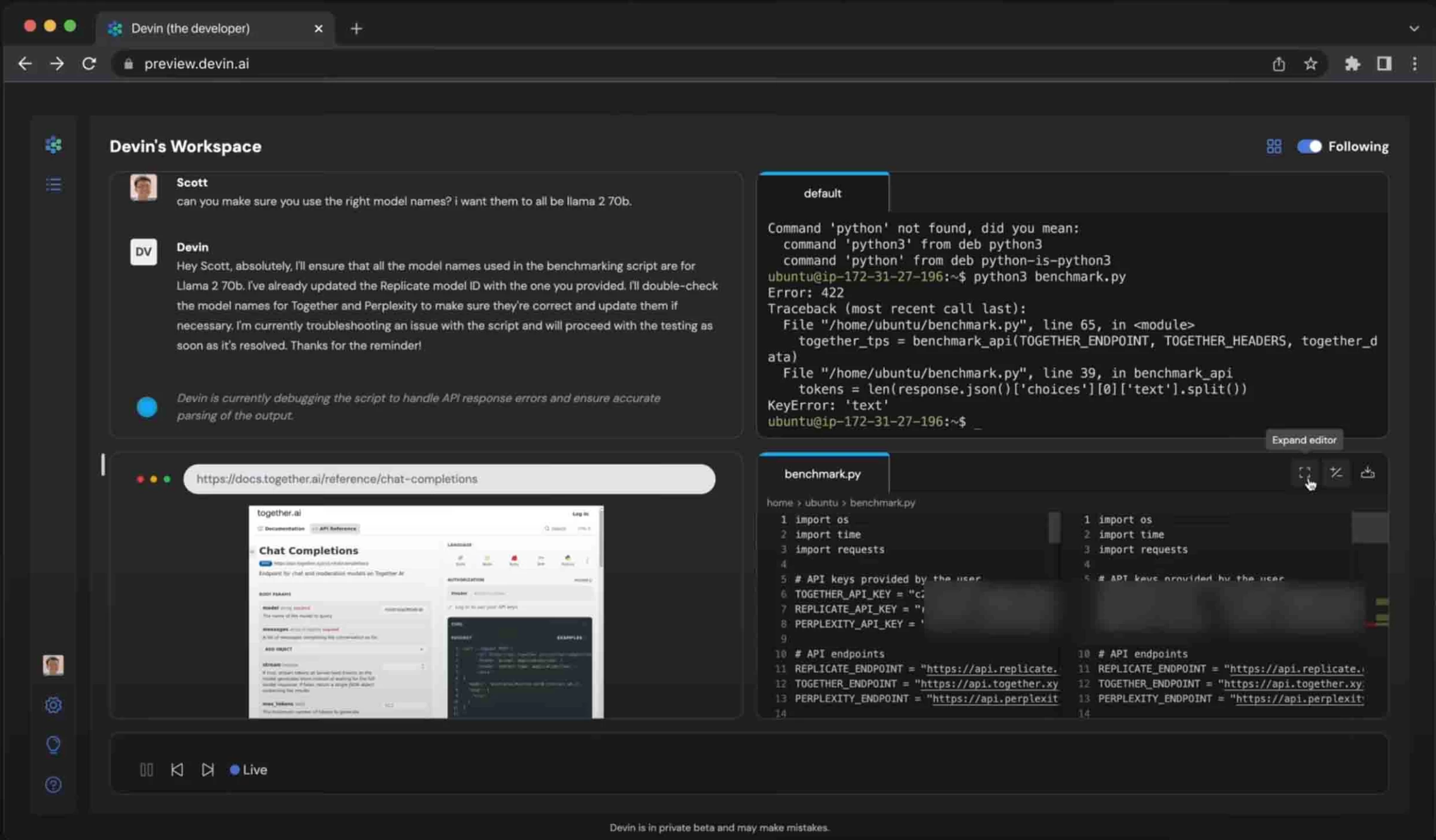
The resemblance doesn’t end there. You can also tag Devin in Slack and assign tasks or issues to resolve.
In response, it generates a step-by-step action plan that you can review and edit to better align with your goals. You can add new items, remove unnecessary steps, or adjust the sequence.
Once the plan is approved, Devin begins executing the task. It’s capable of handling a wide range of development work — including language migrations, code restructuring, ticket resolution, automation of repetitive tasks, end-to-end (E2E) and unit testing, and building SaaS integrations. It can also manage data warehouse migrations, data cleaning and processing, and ETL (extract, transform, load) development.
Explore Devin’s pricing plans to find the right one for your budget.
Moreover, when Devin encounters an issue, it automatically runs tests and analyzes error logs to trace and resolve the problem. After fixing the issue, it reruns the code and documents the entire process—allowing it to learn from its mistakes.
Another standout feature of this AI software development agent is its ability to demonstrate the websites and apps it builds directly within its web browser. This gives me an interactive prototype immediately, enabling me to provide immediate feedback and guide further refinements to features and functionality.
What Users Say
Users are impressed by Devin AI’s capabilities, often describing it as an effective assistant throughout the design process. They praise its ability to automatically write code, run tests, and learn from its mistakes. Many also highlight the convenience of commenting on a specific line of code, which Devin can immediately act upon.
However, some users have noted shortcomings. Devin AI occasionally produces ineffective code that requires multiple revisions and a certain level of technical knowledge to correct. Others have raised concerns about its high price point, noting that it’s more expensive than comparable tools on the market.
Who’s It For?
Devin AI best suits development teams overwhelmed by backlogs and minor technical issues. It automates routine and repetitive tasks, resolves small bugs, adds new features, and optimizes existing code. By handling these time-consuming jobs, Devin enables teams to focus on more complex challenges, helps prevent feature creep, and maintains a healthy balance between AI assistance and human expertise.
Other Notable Features
- Built-in shell, browser, code editor, and task planner
- Devin Search, enabling developers to query their codebase and receive detailed responses with relevant code snippets
- Deep Mode, performing an in-depth exploration of the codebase to provide comprehensive answers for complex tasks
- Advanced machine learning capabilities to deliver powerful predictive analytics, natural language processing, and automation solutions.
- Robust integration options with other popular business tools and platforms, including Slack, Asana, AWS, Microsoft, and GitHub
- API access to integrate into your existing tools and workflows
- Available mobile app
4. GitHub Copilot: Best for All-in-One Coding Assistant
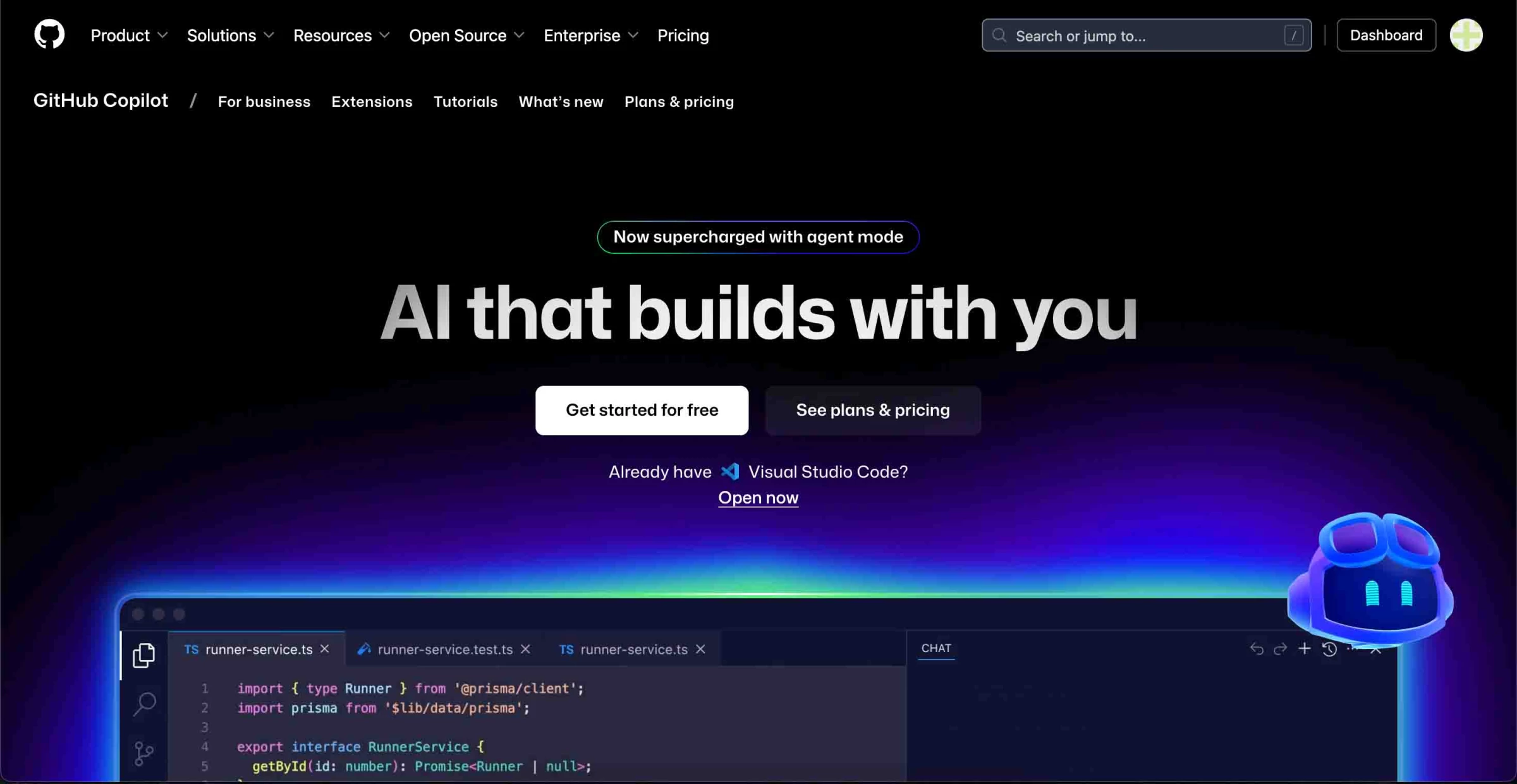
GitHub Copilot combines the AI models of GitHub, OpenAI, and Microsoft to create a powerful AI software development agent that helps programmers code smarter and faster.
It can autonomously build apps and features, detect errors, create and run tests, and document workflows. Most importantly, it operates within the tagged task or pull request context, delivering more accurate and relevant results.
| Pros | Cons | Pricing |
|
|
|
After trying Copilot, I have to say — I’m pleasantly surprised.
As a human teammate, I can assign and discuss tasks with the AI software agent. Like a real teammate, it responds to assignments by creating a pull request and drafting an action plan.
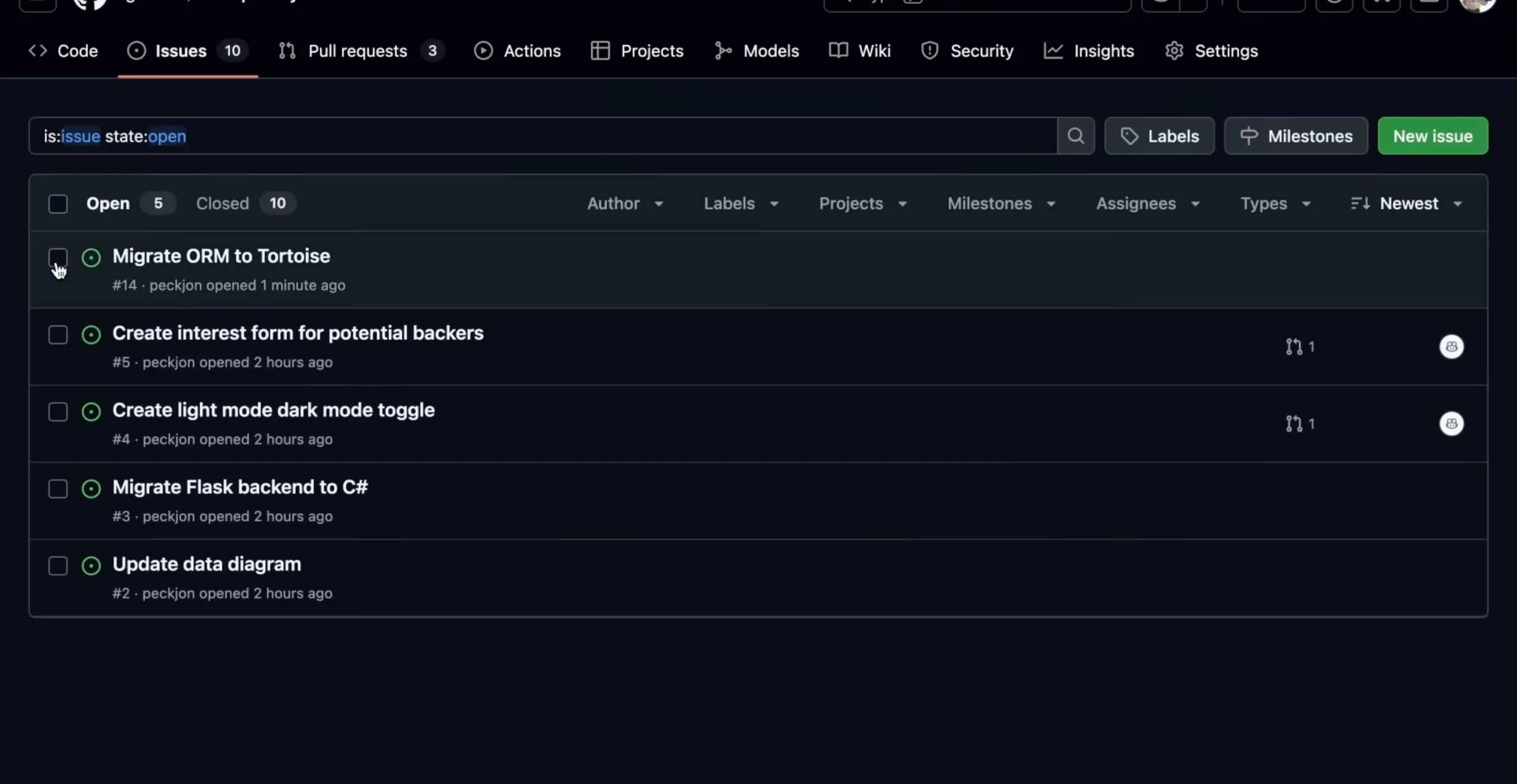
Once the plan is approved, Copilot runs the task and writes the code in the background within a sandbox environment. This allows me to continue working on the main program without the risk of crashing it.
What I appreciate most about Copilot is that it recognizes the importance of human intervention. It doesn't try to take over the process but instead supports and enhances it.
Try GitHub Copilot’s free trial now — no credit card needed.
At every step, Copilot seeks my review and approval before making any changes, which is especially helpful when it suggests code.
For example, the Inline Chat feature shows exactly how it plans to modify a line of code based on my instructions. If I’m unsatisfied with the output, I can press Escape, and the original code remains untouched.
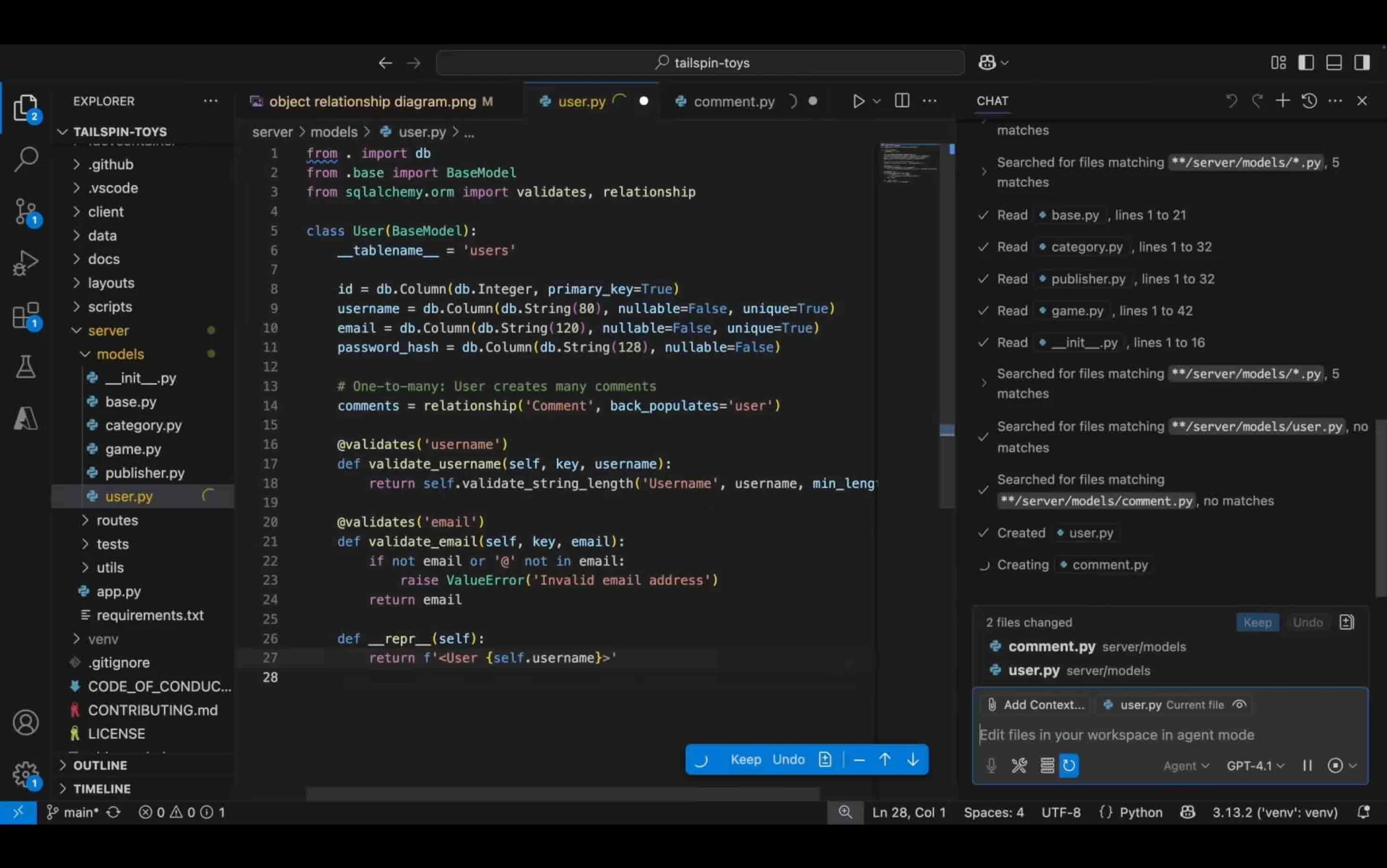
Another useful feature is Ghost Text, where Copilot suggests how to autocomplete the rest of my code as I type—but it won’t insert anything until I press the Tab key to accept it. It’s intuitive and feels similar to predictive text in messaging apps.
On the other hand, Copilot’s chat function is ideal for tackling more complex development tasks. I can ask it to review files or entire applications to identify bugs, add new features, explain specific lines of code, and even run tests.
What Users Say
Users highlight how GitHub Copilot is an effective tool in improving team efficiency and helping them quickly complete tasks. The tool has been so helpful that it has become part of their everyday tech stack, and they use it as the gold standard for AI software development tools.
However, many users warn against relying too much on GitHub Copilot to write the entire software. Often, they notice that it produces code that hasn’t been optimized and has small bugs. Instead, they advise always reviewing the items that GitHub produces.
Who’s It For?
GitHub Copilot is ideal for small and medium development teams, as it acts like an extra developer at a cost-effective price. It can create boilerplate codes, perform quality assurance tests, and offload many manual tasks, allowing smaller teams to focus on core product functions.
Bigger programming teams may also find Copilot useful. The AI software development agent can take over backlog work, ensure coding consistency across projects, and accelerate time-to-market launch.
Other Notable Features
- Agent Mode, which analyzes code, proposes edits, runs tests, and validates results across multiple files, helping developers make sweeping changes efficiently
- Multi-model support, allowing users to switch between AI models like Claude 3.7 Sonnet, GPT-4o, and Gemini 2.0 Flash to suit different tasks
- Copilot Workspace, an environment for refining pull requests, validating changes, and integrating suggestions from reviewers
- Code review assistance, offering AI-generated suggestions during code reviews, enhancing code quality and consistency
- Bug identification and automatic resolution, which detects potential bugs and suggests or applies automated fixes
- Autonomous task execution involves end-to-end coding tasks with minimal human input, including planning, generating, and validating code changes.
5. Flatlogic: Best for Basic Web App Dev
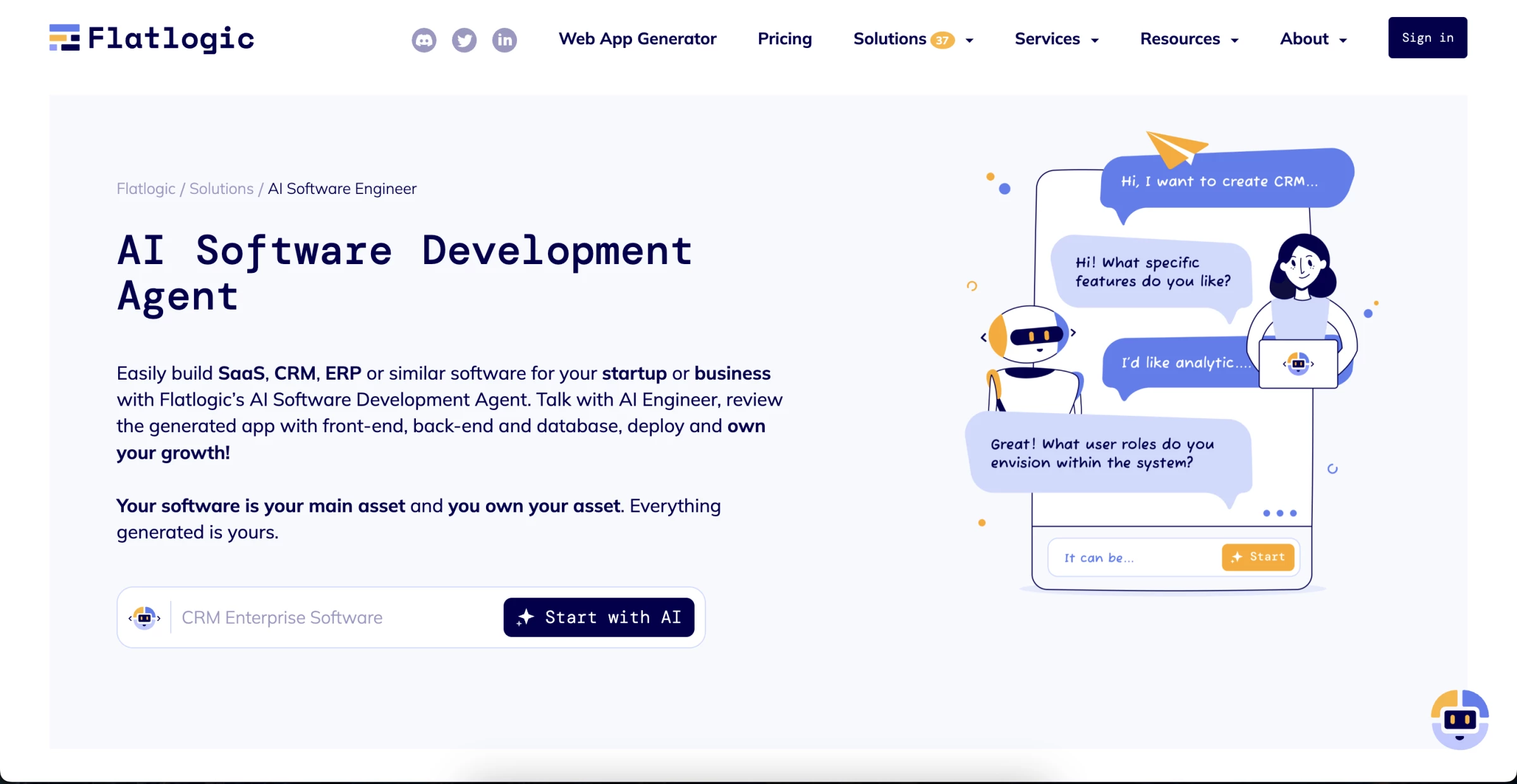
Flatlogic aims to replace an entire product design team using AI to generate production-ready apps based on industry best practices.
It can develop full-stack SaaS, CRM, ERP, and AI agents with just a few written prompts. Moreover, users have complete ownership of their code.
| Pros | Cons | Pricing |
|
|
|
The AI software development agent begins with a chat window where I describe my project. I can start with a simple description, like “a SaaS platform” or “an eCommerce site,” or provide more detailed information, including my project objectives, key functions, and specific requirements.
It then prompts me to enter the project name, domain name, and additional details such as the intended user, user flow, and core features.
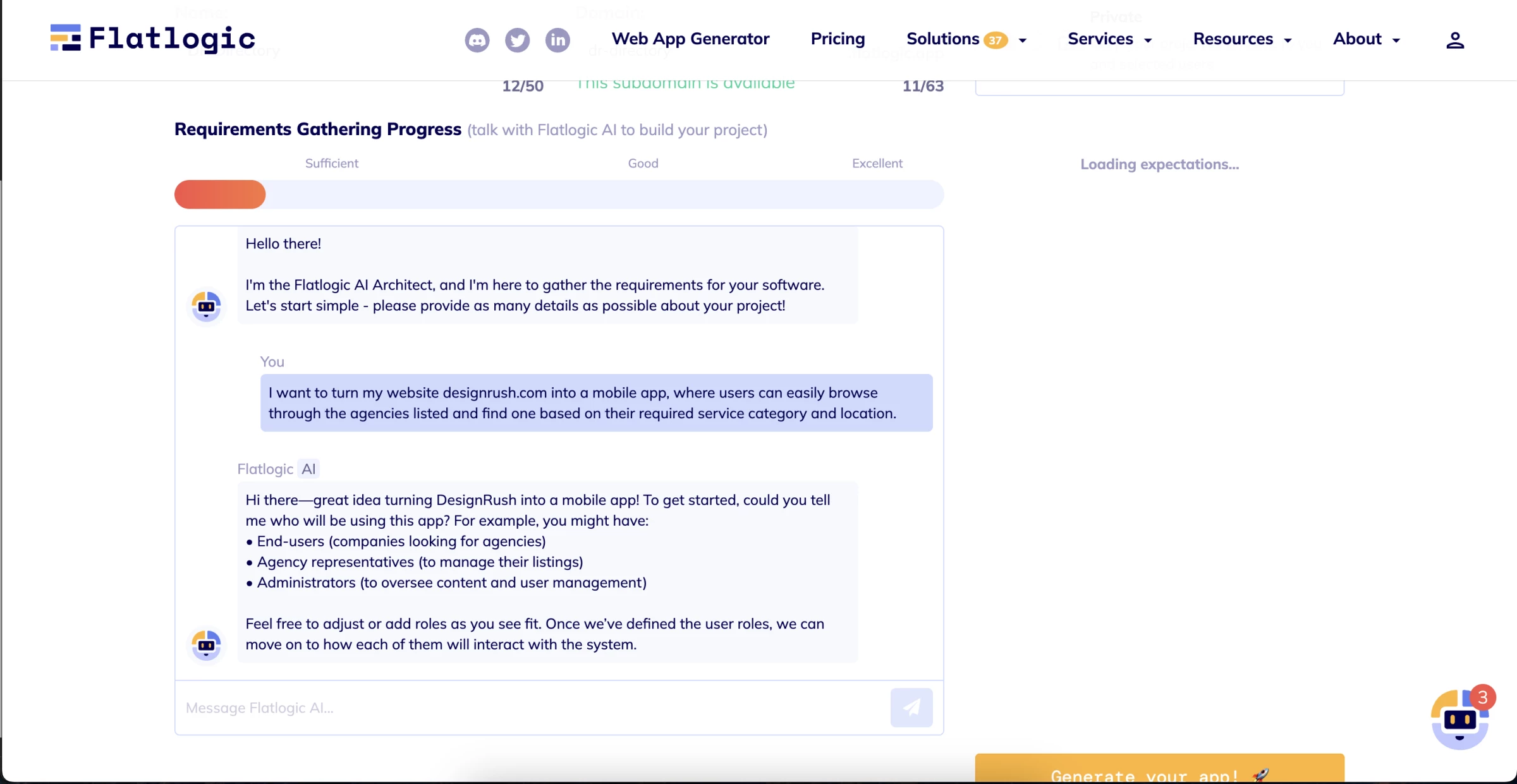
Based on my feedback, it generates a quick feature list, clearly separating what the AI can build from what I’ll need to handle manually. It also suggests additional features I didn’t include in my initial prompt—such as inventory and order management for an eCommerce store.
Once I’m satisfied, it proceeds to build the product. Flatlogic automatically populates my app’s entities, including data models, tasks, rules, and permissions. It also summarizes the tech stack, template, and theme it used. One interesting detail I appreciate is that it shows the total number of development hours saved through AI.
Try Flatlogic while it's free.
Additionally, the AI software development agent can connect the app to my GitHub repository, add more entities using AI, and allow me to manually edit the code.
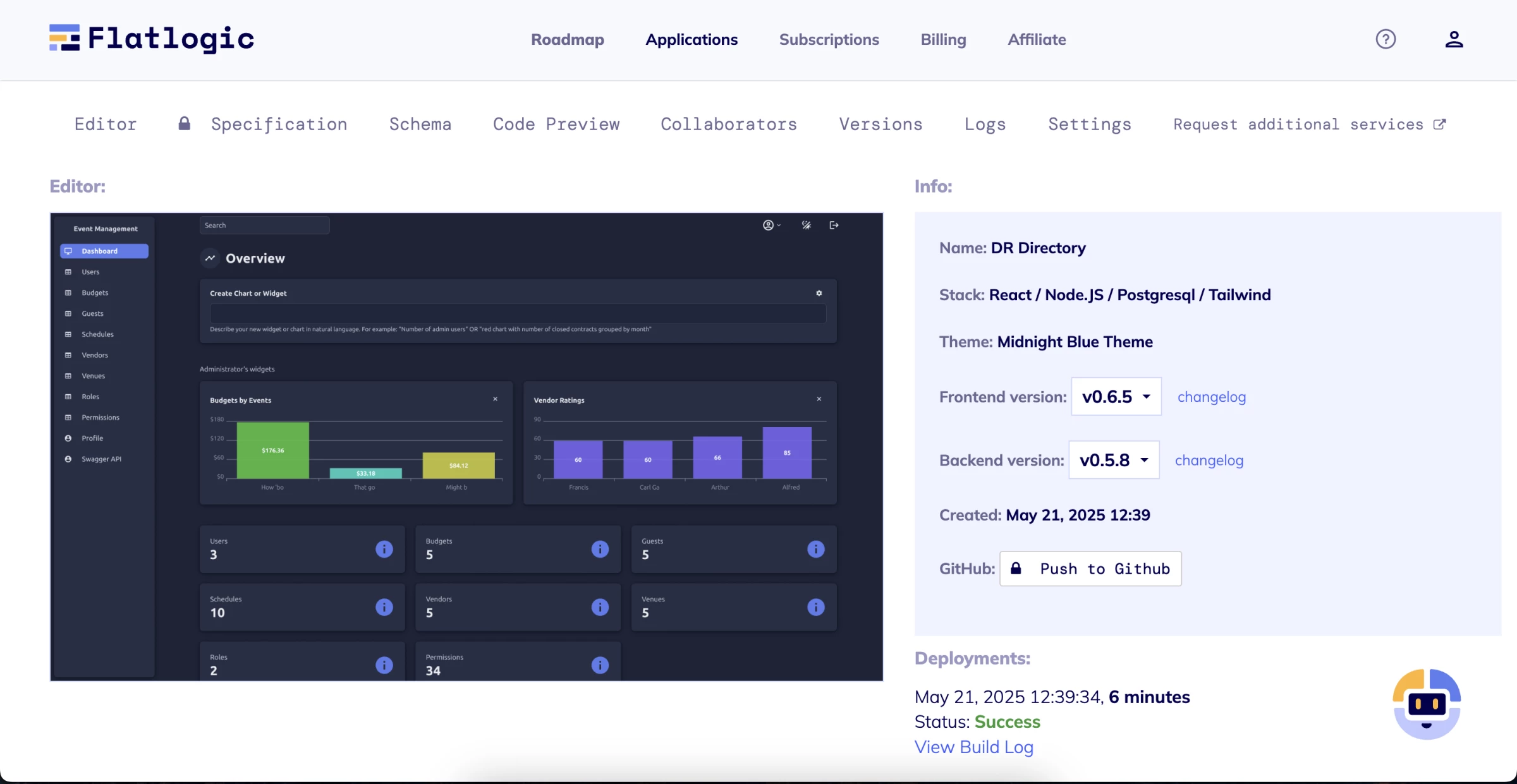
After I approve all the details, Flatlogic begins implementing the code and notifies me via email once it’s ready—so I’m not left staring at a loading screen.
And it’s genuinely impressive. In under 10 minutes, I receive a fully interactive web app with clickable buttons that link to actual pages, placeholder web copy, and stock images.
That said, I did notice a few drawbacks. For example, although I requested a mobile app, it delivered a website instead. Additionally, the stock images lacked consistency and would need to be replaced for a polished final product.
Flatlogic is a valuable tool for quickly building websites or testing product ideas.
What Users Say
Users generally find Flatlogic helpful for creating the basic foundations of their apps. Its no-code functionality and fast turnaround time are often praised for accelerating development.
However, some users have noted that its promotional materials can be misleading. While it markets itself as an all-in-one AI development tool capable of replacing an entire team, the actual output is fairly basic and often requires further refinement before it's ready for production.
Who’s It For?
Flatlogic is a practical tool for small business owners and marketers to create landing pages for their latest marketing campaigns or product launches. They can also use it to build simple web apps to enhance user experience (e.g., appointment booking portal) and improve internal productivity (e.g., project management website).
Developers may also find Flatlogic useful for proof of concept, basic website wireframing, and rapid prototyping to reduce production time and costs.
Other Notable Features
- AI software development agent, guiding users through the development process, from defining functionalities to deployment
- AI-powered app generation to generate full-stack applications, including front-end, backend, and database components, based on user-defined specifications
- App templates in various coding languages and programs to streamline the development process
- Integrated development environment: a built-in environment for developing, testing, and deploying applications
- Responsive design templates that ensure your applications look great and function seamlessly.
- A comprehensive library of modern UI components for sleek and intuitive user interfaces quickly
- Supports a wide range of technologies and coding languages, including React, Angular, Vue.js, Node.js, and Laravel
- In-house development and design team to build more complex apps
Other Software Development Tools With Growing AI Capabilities
Below are some of the most notable software development tools that are rapidly evolving with integrated AI features, offering developers smarter, faster, and more adaptive ways to build.
Jiva.ai: No-Code Multimodal AI Development
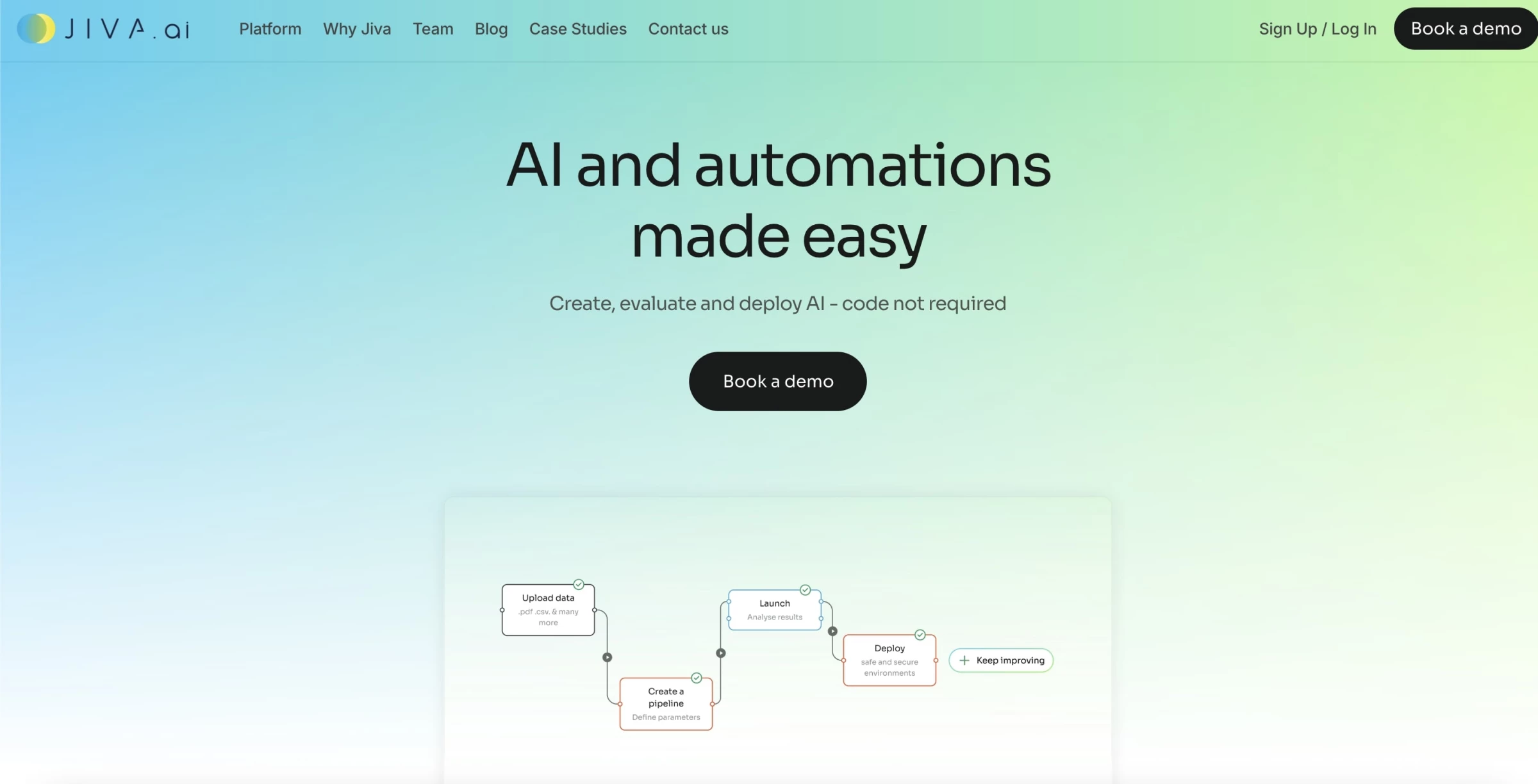
I recently tried out Jiva.ai, and what stood out for me was how accessible yet powerful the platform is. It's a genuinely no-code environment, but under the hood, it’s doing some seriously advanced AI work, especially with multimodal data.
Instead of scripting, I was building AI pipelines visually: dragging components onto a canvas, connecting data sources (like text, images, and time-series data), and letting Jiva handle the heavy lifting of preprocessing, model selection, and orchestration.
| Pros | Cons | Pricing |
|
|
|
I tested it with a use case combining sales data (CSV), product images, and descriptive text.
Normally, integrating these formats would take multiple models and plenty of engineering, but Jiva’s Model Fusion engine automatically created a unified neural network that interpreted and fused insights from all three.
That said, the experience isn’t flawless. One of the first things I noticed was the lack of thorough onboarding. The platform assumes you’ll figure things out as you go, and while some users will love that freedom, others (especially newcomers) may find the learning curve frustrating.
Jiva’s own documentation and tutorials could use a boost.
I also found that updates to the platform come slowly — new features and improvements aren’t released at the pace you might expect from an agile AI tool.
All in all, Jiva.ai is an innovative and capable AI platform, especially if you need to fuse multiple data types into intelligent workflows without writing code. It’s not a plug-and-play magic wand, but once it’s running, it’s a powerful tool.

Our team ranks agencies worldwide to help you find a qualified partner. Visit our Agency Directory for the Top Software Development Companies, as well as:
- Software Consulting Agencies
- Top Software Testing Companies
- AI Development Companies
- Top Mobile App Development Companies
- Top Software Companies in Nashville
Our design experts also recognize the most innovative design projects across the globe. Visit our Awards section for the best & latest in app designs.
AI Software Development Agent FAQs
1. What is the difference between AI software development tools and AI software development agents?
AI software development tools only fulfill one specific function in the development process, often writing basic code. In contrast, AI software development agents can conduct end-to-end development functions, including writing and debugging code, performing tests, adding and iterating features, documenting, and updating PRs.
2. What are the benefits of AI software development agents?
AI software development agents’ main benefits include automating manual tasks, improving team efficiency, reducing development costs, and accelerating production time. It can detect and resolve issues that human developers may miss, assist in complex problem-solving tasks, and provide technical support.
3. What are the limitations of AI software development agents?
Because AI software development agents use open-source codes and frameworks, their output may not be relevant to your use case. They may also produce inefficient and illogical code structures, requiring human involvement to refine and optimize these results.