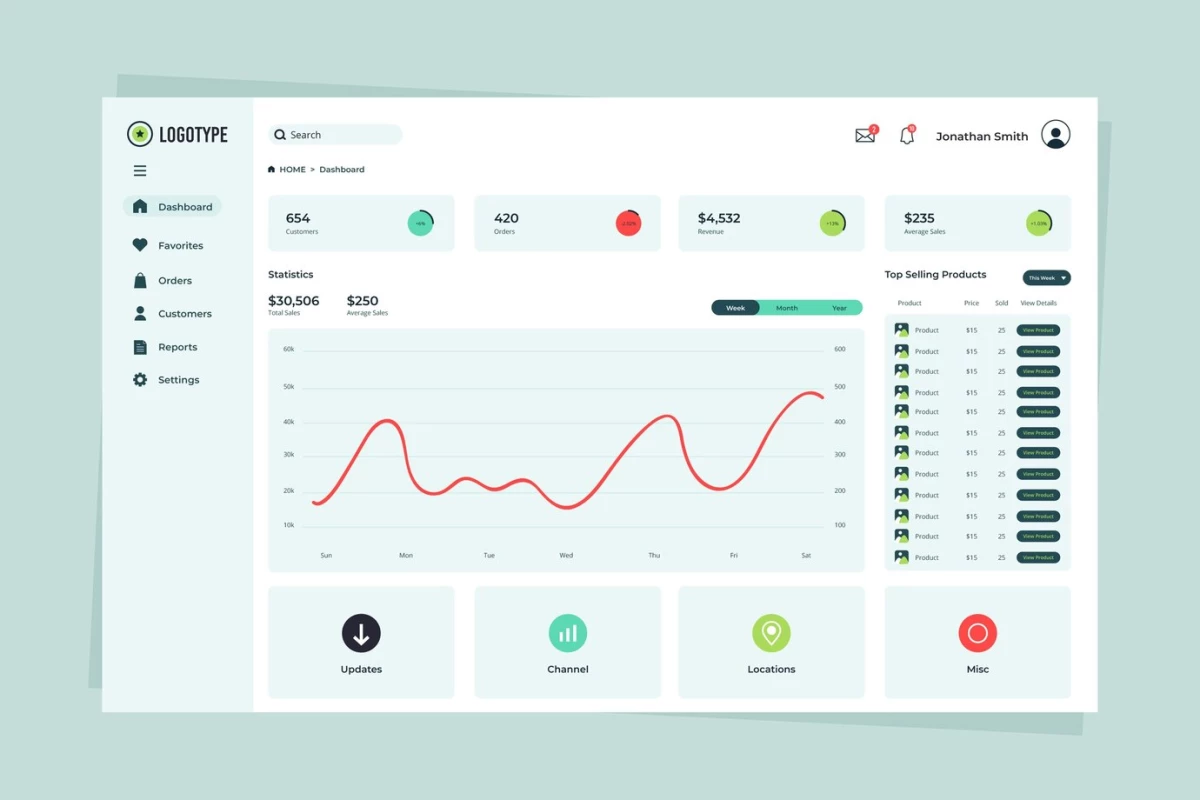

In a world brimming with data, dashboards are the ones that help us slice, dice, and visualize complex information with just a glance — if designed well, that is. Think of a dashboard like the control panel of a spaceship. You don’t want to be searching for the warp speed button when you’re hurtling toward a black hole.
So how do you create dashboards that users would actually enjoy using? Let’s dive into the key characteristics, principles, and aspects of dashboard design that can make a difference to the whole experience.
Key Characteristics of a Good Dashboard Design
A well-designed dashboard is like a well-made espresso — it’s strong, concentrated, and gets the job done quickly. A strong user experience (UX) strategy is the foundation of effective dashboard design.
Below are some of the essential features that any great dashboard must have.
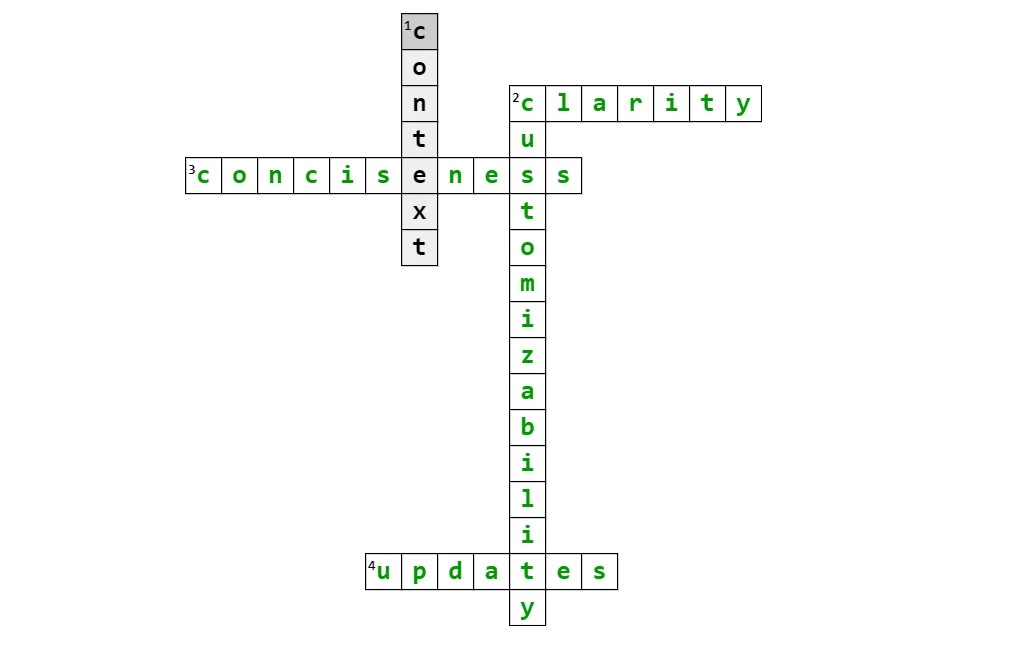
- Clarity: Forget flashy cards and complex graphs. A dashboard should communicate key information as clearly as possible.
- Conciseness: Ever heard the phrase less is more? This is Dashboard 101. Only show the most important data — users are here for answers, not a treasure hunt.
- Contextual insights: The best dashboards don’t just show numbers; they tell a story. Good design provides context, showing whether metrics are improving, declining, or stagnating. Without context, data is just noise.
- Customizability: No two users are the same, and no two dashboards should be either. A well-designed dashboard allows users to tailor their experience by selecting the data most relevant to them.
- Real-time updates: Dashboards must provide up-to-the-minute insights to be truly effective. Whether you’re tracking website analytics or stock prices, real-time updates make all the difference.



The Importance of Dashboard Design
You might be wondering, why fuss over dashboard design? Isn’t it just a collection of charts and graphs? Absolutely not. A poorly designed dashboard is more than just an eyesore; it’s a productivity killer. Here’s why a good dashboard design matters:
- Enhances decision making: A well-structured dashboard empowers users to make quicker, more informed decisions. Clear visualizations help users identify trends, spot anomalies, and act promptly.
- Reduces cognitive load: We only have so much brainpower to spare. A cluttered dashboard forces users to work harder to interpret data, which leads to cognitive load. Incorporating effective web design elements into your dashboard is crucial for presenting information in a way that’s easy to process.
- Saves time: If users need to dig through layers of menus to find key metrics, the dashboard has failed. Simplicity is the key to time-saving design. Users should be able to extract the information they need in just a few seconds.
- Encourages user engagement: When designed effectively, dashboards make users want to engage with the data. Intuitive layouts and eye-catching visualizations can transform dry statistics into something people look forward to exploring.
9 Dashboard Design Principles
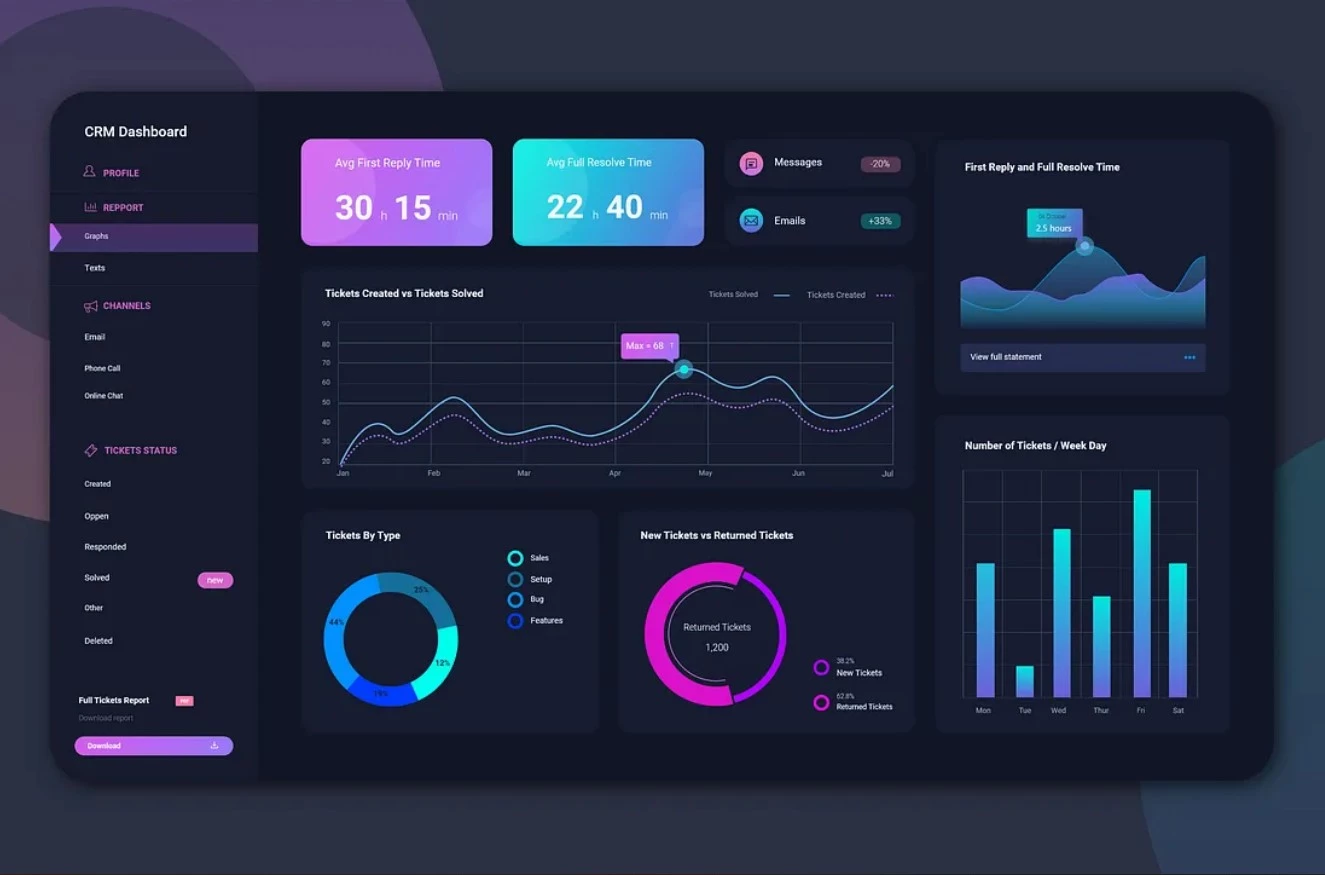
What makes a dashboard not just good, but great? Below are the design principles that can elevate your dashboard from merely functional to phenomenal.
- Prioritize user experience
- Establish data hierarchy and organization
- Enable responsive design for all devices
- Emphasize actionable insights
- Use alerts and notifications wisely
- Avoid overcomplicating with excessive widgets
- Ensure accessibility
- Iterative design and user feedback
- Ensure data consistency
1. Prioritize User Experience
A dashboard is only as good as its usability. UX design is a deal breaker here. If users struggle to find the information they need or interpret the data, the dashboard has failed its purpose. Prioritizing dashboard UX means ensuring that navigation is simple and intuitive, so users can easily access key metrics.
Consistency across the dashboard’s layout, colors, and fonts helps to create a familiar experience, reducing cognitive load and enhancing efficiency. Incorporating UX patterns ensures a seamless user experience across different dashboards. Intuitive controls like dropdowns and filters, should be easily recognizable, avoiding guesswork.
Including guided actions, such as tooltips, can offer helpful explanations, allowing users to interact with more complex features like drilldowns or filters with confidence.
2. Establish Data Hierarchy and Organization
Effective dashboard design starts with understanding the hierarchy of the information being presented. The most critical insights should appear at the top or in the most prominent area, as these will be the first things users look at.
Structuring your dashboard according to a logical flow ensures that users can seamlessly move from high-level overviews to more detailed data. Employing the S.M.A.R.T framework for goal setting puts the focus on specific, measurable, actionable, realistic, and time-based objectives in structuring the data.
For example, key performance indicators (KPIs) and summary statistics should be front and center, while granular data and secondary metrics can be placed lower or withing expandable sections.
Clear labeling and grouping of related metrics also enhance data comprehension, making it easy for users to digest large amounts of information.
3. Enable Responsive Design for All Devices
As more users access dashboards on mobile devices, responsive design is no longer optional. A responsive dashboard adjusts seamlessly to different screen sizes without losing functionality or clarity.
Whether a user is on a large desktop monitor or a small smartphone screen, they should be able to interact with the same data. This means optimizing layout and visualization sizes to ensure readability on smaller devices while preserving the integrity of the data.
Consider touch-friendly controls for mobile users and ensure that charts and tables remain legible, with the ability to zoom in or out as needed.
4. Emphasize Actionable Insights
A dashboard should do more than just display data — it should highlight insights that drive decision-making. This means focusing on the most relevant, actionable metrics rather than overwhelming users with every possible data point.
Dashboards that provide context, such as targets, thresholds, or comparisons to previous performance, help users immediately understand what the data means and what actions they should consider. Instead of leaving users to interpret raw numbers, actionable insights distill data into key takeaways that support informed decisions.
For example, a sales dashboard might show current figures alongside targets, alerting users to underperformance in specific areas and prompting immediate corrective actions.
5. Use Alerts and Notifications Wisely
Alerts and notifications can be highly effective tools for dashboard users, but they must be used judiciously. Overloading users with too many alerts can lead to fatigue, causing them to ignore important notifications.
Instead, alerts should be reserved for critical events, such as major changes in KPIs, significant anomalies, or key thresholds being met. They can be visual, such as color-coded warnings, or they can be delivered as push notifications or emails.
By focusing on key events that require immediate attention, alerts keep users informed without overwhelming them. The goal is to strike a balance, ensuring they stay aware of critical changes without becoming desensitized to constant notifications.
6. Avoid Overcomplicating With Excessive Widgets
While it may be tempting to cram as many widgets and visual elements as possible into a dashboard, this often does more harm than good. Progressive disclosure is a technique used to maintain a user’s attention by reducing clutter. A cluttered interface confuses users, dilutes the focus, and makes it harder to locate vital information.
Dashboards should prioritize quality over quantity by focusing on the most relevant data visualizations. It’s important to avoid overloading the user with too many charts, graphs, and data tables. Simplicity enhances usability, allowing users to quickly grasp the key insights without being distracted by unnecessary elements.
Every widget should serve a clear purpose, adding value to the dashboard rather than filling up space. By keeping the design lean, you provide a more focused, efficient user experience.
7. Ensure Accessibility
Your dashboard’s user interface (UI) should be designed with clarity and accessibility in mind. This means accounting for users with visual impairments by offering high-contrast color schemes and ensuring text and icons are large and clear enough to be readable.
Dashboards should also support keyboard navigation and be compatible with screen readers for users with disabilities. Additionally, color should never be the sole means of conveying information, as colorblind users may struggle to interpret it.
For example, using symbols or textures in conjunction with color allows everyone to easily distinguish between data points. Ensuring accessibility is not only a principle and best practice — it widens your dashboard’s user base, allowing more people to derive value from the insights it offers.
8. Iterative Design and User Feedback
Dashboard design is an ongoing process, not a one-time effort. Gathering user feedback and iterating based on their experiences is crucial to creating a dashboard that meets their needs. Early versions of a dashboard may reveal pain points or areas for improvement that weren't anticipated during initial development.
By conducting usability tests and collecting feedback from real users, you can continuously improve the dashboard’s performance. Whether it’s adjusting the layout, changing the visualizations, or refining the navigation, user input is invaluable in creating a highly functional, user-friendly dashboard.
9. Ensure Data Consistency
One of the main goals of a dashboard is effective visual communication through data consistency. If different metrics use varying scales, time intervals, or units of measurement, it becomes difficult for users to make meaningful comparisons.
Consistency in how data is visualized is crucial for clarity and ease of use. For example, all financial data should use the same currency and formatting, and time-based data should follow a uniform time frame. Dashboards should maintain standardization in labeling, axis scaling, and color schemes to ensure a cohesive experience.
Inconsistent data presentation leads to confusion and errors in interpretation, making consistency a fundamental principle of good dashboard design.
Dashboard Design Principles: Bottom Line
Dashboard design is an art and science. It’s about more than just arranging data on a screen; it’s about crafting an intuitive, informative experience that helps users make better decisions faster.
While you can tackle this yourself, working with a dashboard design agency can elevate the entire process. These experts understand the nuances of turning raw data into engaging, actionable insights that align with user needs.
From knowing your audience to choosing the right visualizations, every design choice you make can enhance — or diminish — the user experience.
Stick to these principles, and you’ll create dashboards that are not only functional but also a joy to use.

Our team ranks agencies worldwide to help you find a qualified partner. Visit our Agency Directory for the Top UI/UX Design Agencies as well as:
- Top UX Designers in Chicago
- Top AI UI/UX Design Agencies
- Top Design Agencies
- Top Web Design Companies
- Top Product Design Companies
Our design experts also recognize the most innovative design projects across the globe. Visit our Awards section to see the best & latest in design.
Dashboard Design Principles FAQs
1. What is the primary goal of dashboard design?
The main objective of dashboard design is to present key data in a clear, concise, and easily understandable way that helps users make informed decisions quickly.
2. What are the most common mistakes in dashboard design?
Some common mistakes include overloading the dashboard with data, poor use of color, lack of scalability, and slow loading times.
3. How can I balance aesthetics and functionality in my dashboard?
Focus on clean, uncluttered design elements that enhance readability and usability. A beautiful dashboard that confuses users with excessive design elements can undermine its purpose.