
When I turned to AI for media buying, I wasn’t just chasing speed. I was after smarter decisions, deeper insights, and better outcomes. After testing the top tools, these five didn’t just automate the process; they actively improved performance.
Top Media Buying AI Tools: Key Points
- The Trade Desk and Albert AI optimize media buying through predictive models, real-time data, and autonomous execution.
- Quantcast and Adobe Advertising Cloud offer enterprise-grade tools for cross-channel targeting and predictive audience modeling.
- Birch simplifies media buying for lean teams, automating ad management and boosting performance with minimal effort.
AI Media Buying Tools Overview
As programmatic ad spend climbs toward $725 billion by 2026, agencies can’t rely on human intuition alone.
AI is redefining media buying by infusing every decision with data and intelligence.
Tool | Best For | AI Autonomy | Forecasting & Predictive Modeling | Audience Targeting & Optimizatio | Pricing |
The Trade Desk | Omnichannel enterprise performance | ✅ | ✅ | ✅ | Custom quote |
Albert AI | Fully autonomous campaign execution | ✅ | ✅ | ✅ | Estimate required |
Birch (Revealbot) | Rule-based automation for lean teams | ⚠️ | ❌ | ⚠️ | Starts at $45/mo |
Adobe Advertising Cloud | Cross-channel teams already using Adobe | ⚠️ | ✅ | ✅ | Custom pricing |
Quantcast Platform | Cookieless, performance-driven buying | ✅ | ✅ | ✅ | Demo/book consult |
1. The Trade Desk – Best for Omnichannel Enterprise-Grade Media Buying
The Trade Desk (TTD) genuinely stands out when it comes to AI-assisted precision in omnichannel media buying.
From the first login, the interface felt tailored for performance marketers; it’s slick, modular, and rich with real-time insights. But what really won me over was how The Trade Desk’s AI, Koa, handles audience targeting and optimization.
| Pros | Cons | Pricing |
|
|
|
Koa works almost like a co-pilot. When I set up a campaign, it didn’t just crunch historical data; it gave me actionable forecasts on how different bid strategies would perform before I even pushed them live.
I input a seed audience, layered in some bid factors (like viewability, device type, and inventory source), and within seconds, Koa generated projections that were scarily accurate.
Over the course of the campaign, I watched Koa trim out underperforming segments and auto-optimize in real-time, something that saved me hours in manual tweaking.
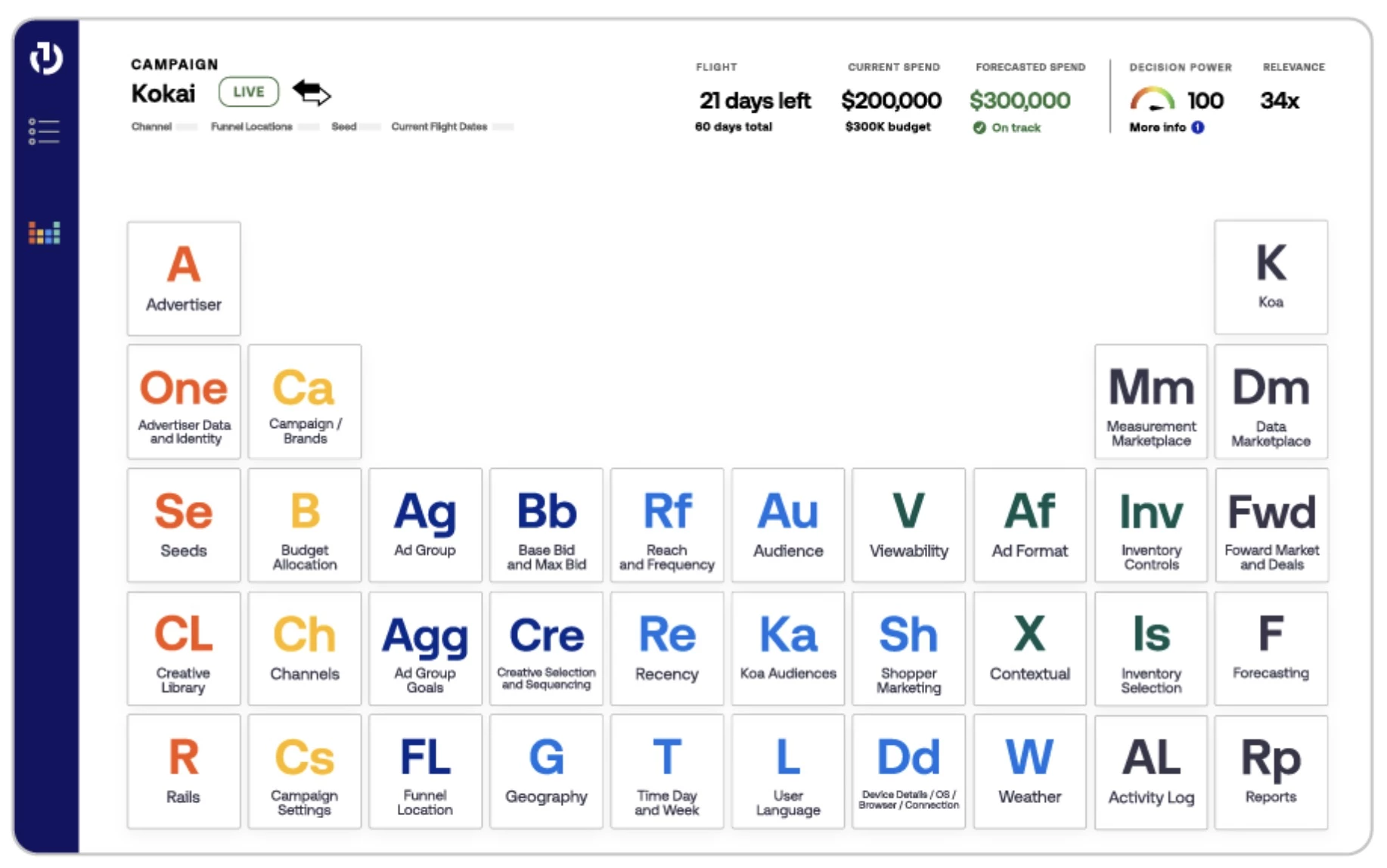
The Kokai UI is also laid out like a periodic table, and honestly, that visual language helped me understand campaign components better.
I could quickly find what was working — whether it was Connected TV, audio, or DOOH — and reallocate spend accordingly.
TTD even integrates retail sales data through partners like Walmart and Mastercard, which let me tie upper-funnel awareness to in-store conversions.
One thing I did notice is that while the platform is feature-rich, there’s a slight learning curve if you're new to programmatic.
However, once you're in, you gain access to a seriously powerful ecosystem.
Contact The Trade Desk to get started today.
What Users Say
Marketers using The Trade Desk rave about its incredibly user-friendly UI and advanced AI targeting features. It’s often the number one choice when running cross-channel campaigns on CTV, audio, and display.
That said, it’s not the easiest platform to get into. Some find the interface complex, and smaller teams mention that the cost can be steep.
But if you’ve got the budget and experience, it’s a powerful tool that delivers.
Who’s It For?
The Trade Desk is ideal for enterprise advertisers, agencies, and data-driven performance marketers who manage omnichannel campaigns at scale.
If you're looking to maximize ROI across video, display, audio, and even in-store and want granular control backed by powerful AI, this is the tool for you.
Other Notable Features
- Koa audiences: Auto-prune underperforming segments, add high-performing ones
- Premium inventory: Top-tier placements across the open internet
- Forecasting tools: Predict performance before campaigns go live
- Omnichannel reach: Access to CTV, audio, DOOH, native, mobile, and more
- Galileo: Activate first-party data across the open web
- Creative intelligence: Measure creative impact across touchpoints


2. Albert AI – Best for Fully Autonomous Campaign Execution
When I first tested Albert AI, I expected yet another “smart assistant” that would make a few recommendations and then ask for approvals. But I found that this tool didn’t just advise; it actually thinks, acts, and optimizes like a media strategist on autopilot.
Once integrated into my Google Ads and Meta accounts, Albert started analyzing every campaign, ad set, and audience cluster like it had years of experience in performance marketing.
| Pros | Cons | Pricing |
|
|
|
What made Albert feel different from other AI tools I’ve used was its ability to autonomously restructure campaigns.
It can regroup underperforming ad sets, add missing keyword variations, and automatically pause budget-wasting placements.
Albert also uses performance signals to identify which creative is starting to fatigue. Without me lifting a finger, it swaps in alternate headlines and adjusts placements, prioritizing conversions over impressions.
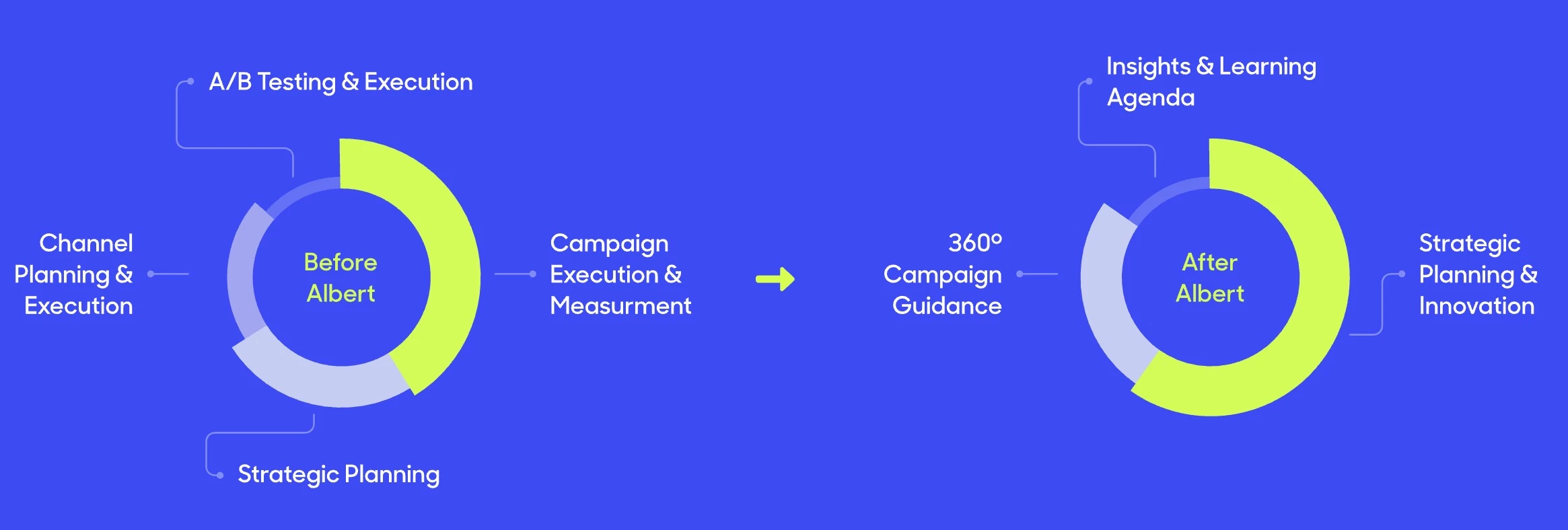
What I appreciated most is the hands-off intelligence. I didn’t have to approve every single tweak.
Albert handled bid changes, budget shifts, audience rotations, and even long-tail keyword expansion without pinging me for feedback every five minutes.
That let me focus on strategy, while Albert handled the grind. For me, that’s the real magic: it’s not just automation; it’s autonomy.
Request a custom estimate from Albert AI to get started.
What Users Say
Albert AI gets a lot of praise for being one of the few platforms that truly automates cross-channel media buying, from search and social to display and YouTube.
Marketers like that it can handle budget allocation, bid adjustments, and audience targeting.
However, it’s best suited for larger ad budgets. Some users felt the platform had a steep learning curve. There are also occasional complaints about limited integrations with certain tools.
Who’s It For?
Albert is built for performance-driven marketing teams, particularly in eCommerce, SaaS, and DTC, who run multi-platform ad campaigns.
If you manage more than 5 figures in ad spend monthly and want to scale intelligently without building a massive internal team, Albert will feel like adding a full-time media expert to your stack, minus the salary.
Other Notable Features
- Real-time budget shifting: Allocates budget dynamically based on performance and opportunity
- Long-tail keyword expansion: Identifies and boosts undervalued search terms others miss
- Self-learning intelligence: Improves over time by learning from historic campaign outcomes
- Real-time reporting: Actionable dashboards for creative, audience, and budget insights
- CRM data integration: Enhances targeting by connecting with first-party data
3. Birch (Formerly Revealbot) – Best for Rule-Based Automation for Lean Teams
[Source: Birch]
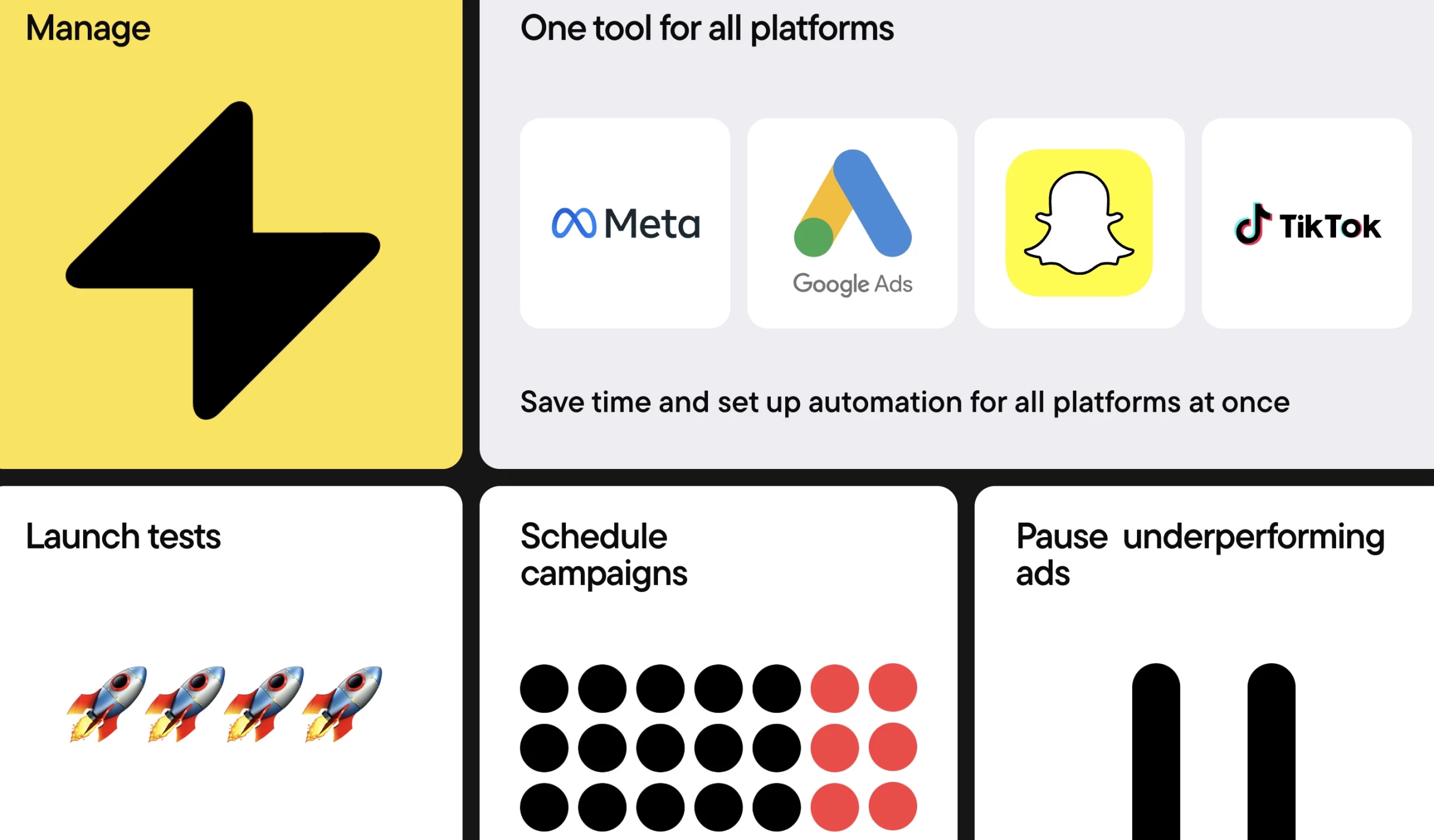
As someone juggling multiple paid social accounts across Facebook, Instagram, Google, and TikTok, Birch quickly became my secret weapon for automating tedious, repetitive tasks that were eating into my team’s day.
The real power came when I built custom rules to automate bid changes, budget shifts, and even creative rotation.
For instance, I set a rule to pause any ad set that spent over $75 without hitting at least a 0.9 ROAS, and it checked performance every 30 minutes.
| Pros | Cons | Pricing |
|
|
|
Instead of manually babysitting ads or waking up to wasted spend, I had Birch acting faster than any human could.
The Slack alert integration was a game-changer, too. I’d get a ping if a campaign spiked or tanked, so I could take action without logging in constantly.
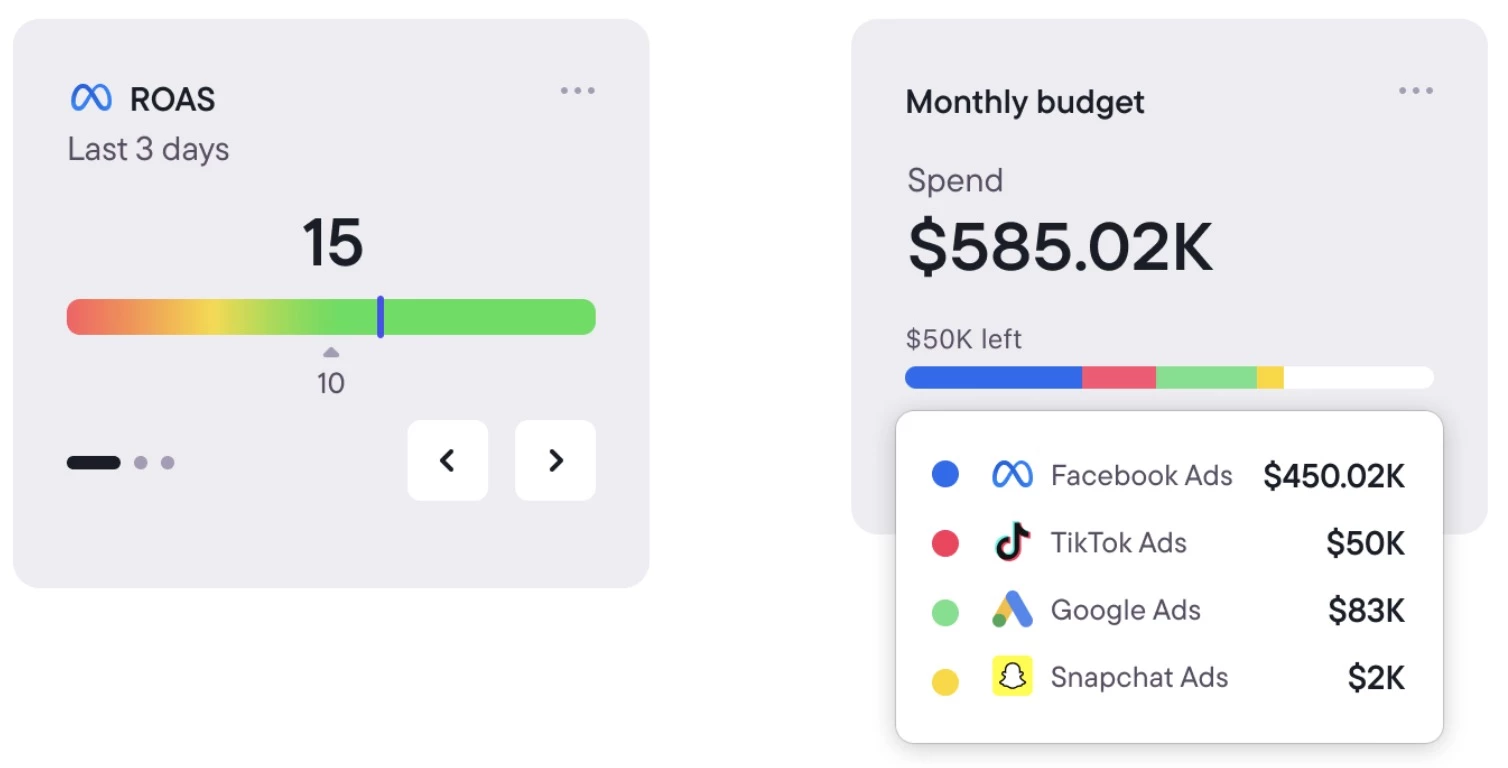
I also liked that I could blend in data from Google Sheets or attribution platforms like Wicked Reports to create custom metrics, so decisions weren’t just based on ad platform data but also real customer behavior.
For a team of our size, Birch scaled with us. Whether we were spending $1K a day or ramping up to $30K, it handled it all without missing a beat. It didn't just free up our time; it amplified our media buying capabilities without needing to grow headcount.
Try Birch for 14 days for free – no credit card required.
What Users Say
Users really appreciate how Birch simplifies media buying by automating repetitive tasks, like adjusting budgets, boosting top-performing ads, and pausing poor ones. The dashboard is clean, reporting is solid, and support gets good reviews.
However, some users note drawbacks, like occasional bugs with automation rules, limited bulk editing across multiple accounts, and pricing that can get steep as ad spend increases.
Who’s It For?
Birch is a great fit for growth teams and performance marketers at eCommerce brands, especially those juggling large SKU counts or running frequent creative tests.
Ran Avrahamy, CMO of AppsFlyer, explains the shift in creative strategy:
“Creative strategy must evolve to uncover the ‘why’ behind ad performance, not just the ‘what.’ The traditional reliance on instinct and experience worked when there were no better options, but now AI enables precision and scale.”
For media buyers who want real-time, granular control without being glued to dashboards, Birch offers a smarter, more streamlined way to manage campaigns.
Other Notable Features
- Smart rule filters based on ad names, statuses, and metrics
- Automatic post boosting from organic content
- Server-side tracking setup via Signals Gateway
- Best vs. worst performing creative tracking
- Metrics comparison (e.g., ROAS today vs. 7-day avg)
4. Adobe Advertising Cloud – Best for Cross-Channel Optimization Within Adobe’s Ecosystem
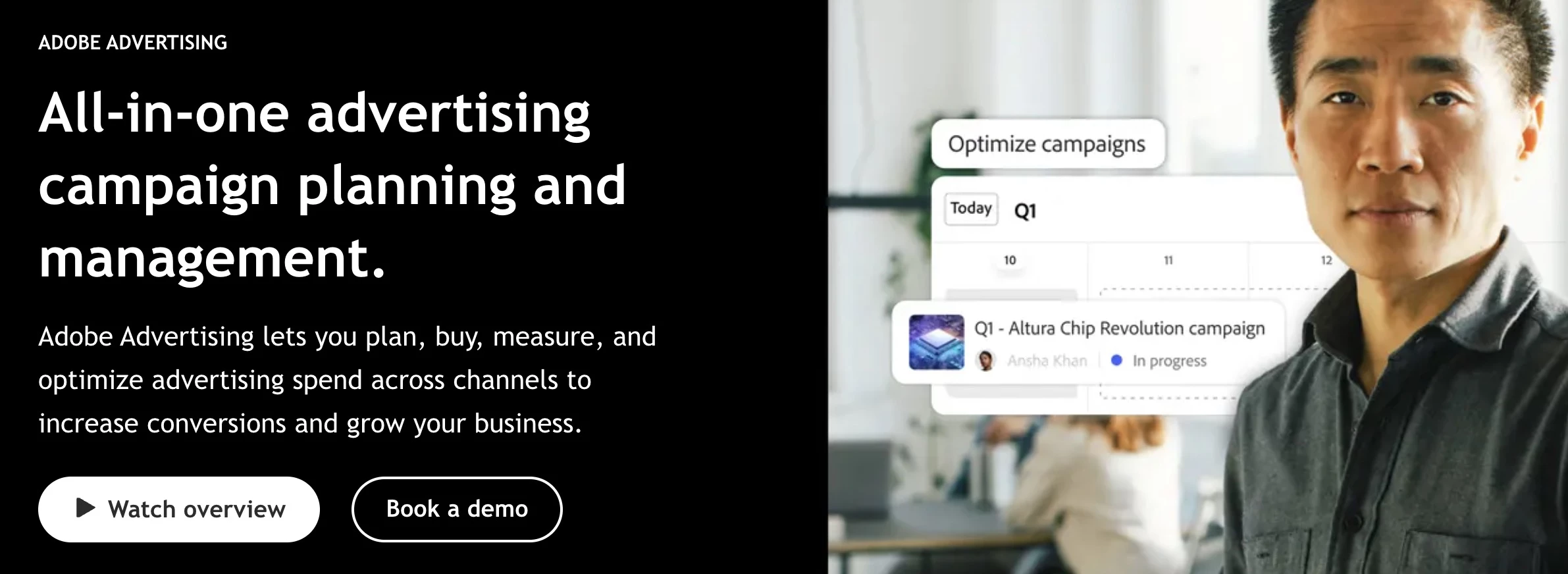
If your media strategy spans search, social, display, and connected TV — and you’re already in the Adobe ecosystem — Adobe Advertising Cloud elevates everything.
I used it on a retail campaign that ran across Meta, Google, and Amazon Ads, with Connected TV layered in. What surprised me most wasn’t the breadth of channel access (which you'd expect from an enterprise DSP), but how smart the AI forecasting was.
| Pros | Cons | Pricing |
|
|
|
Adobe Sensei could simulate different budget scenarios before I even launched a campaign, like telling me, “If you reallocate $10K from Meta to YouTube midweek, you’re projected to get 18% more conversions.”
It felt like predictive media planning with a built-in analyst, minus the spreadsheets.
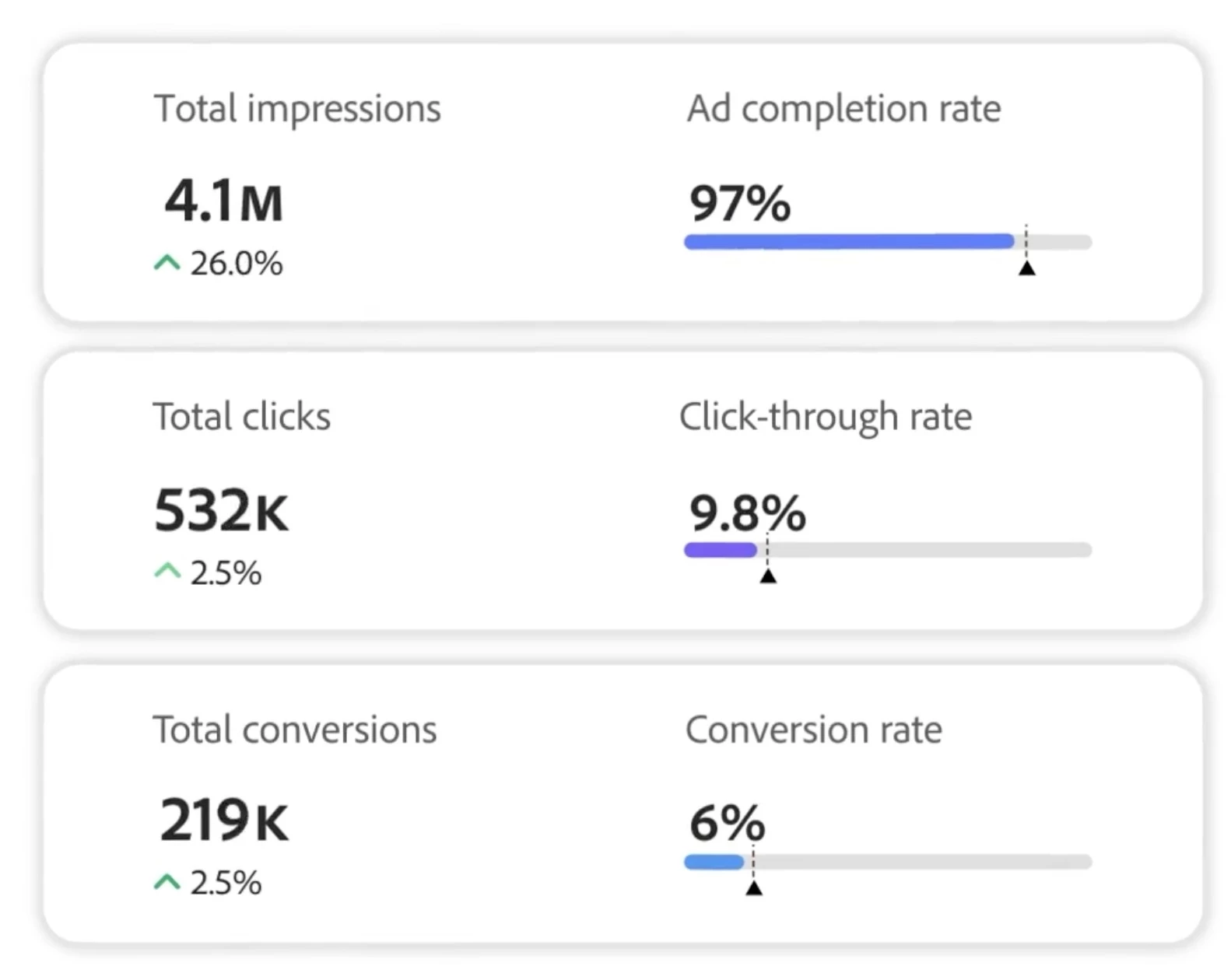
Where Adobe really shines is in mid-flight optimization across all channels simultaneously. It uses your own Adobe Analytics and site behavior data (like add-to-cart rates or scroll depth) to adjust bids and creative rotations in real time.
This tight feedback loop gave us ROAS improvements without waiting for the next reporting cycle.
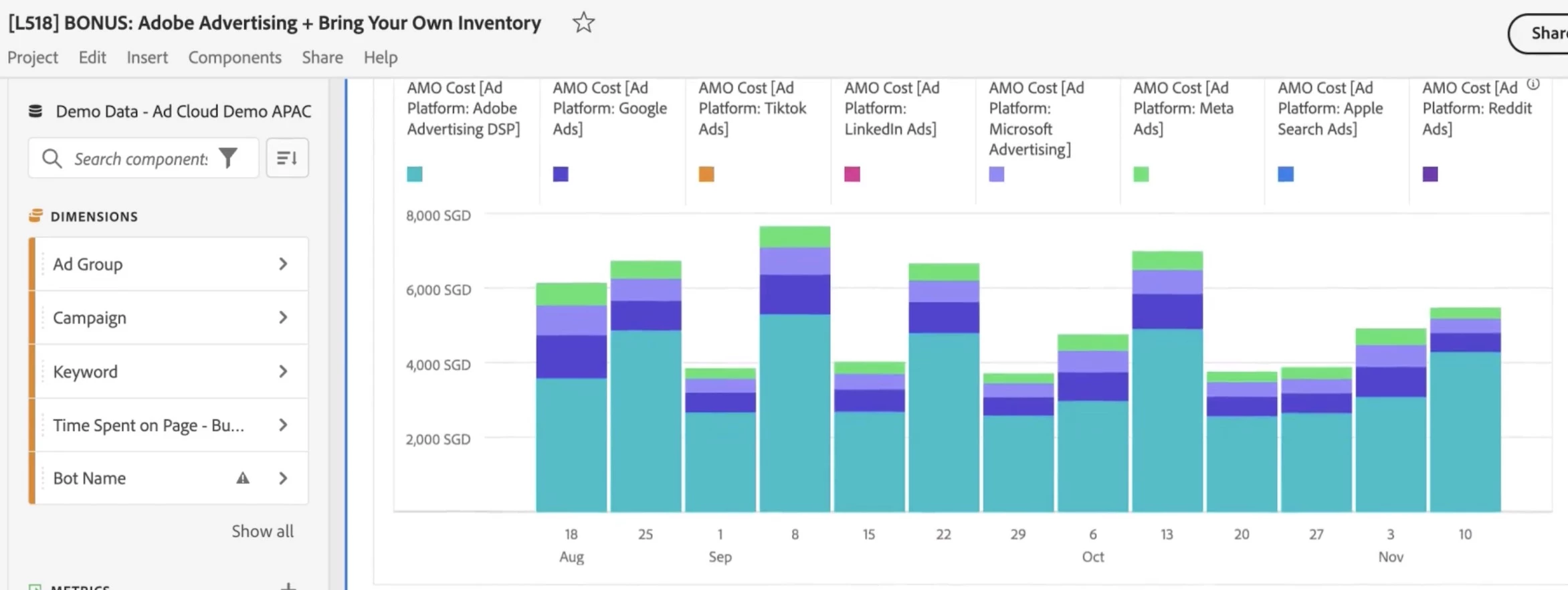
Creative execution was also smoother than I expected. With Adobe Experience Manager, we were able to dynamically assemble and swap out ad variants by audience segment.
That made rapid creative testing possible even during big promotions.
What Users Say
Adobe Advertising Cloud earns praise for its centralized media buying capabilities, especially when paired with other Adobe tools.
Users like how it brings campaign management, real-time analytics, and audience segmentation into one place.
However, users frequently call out its slow customer support, high learning curve, and cost, saying it’s really built for enterprise-level teams with the resources to fully commit to the Adobe ecosystem.
Who’s It For?
Adobe Sensei is best suited for enterprise media teams managing complex, high-volume campaigns across multiple platforms.
It’s especially valuable for brands already using Adobe Analytics or Experience Cloud, since it integrates seamlessly with those ecosystems.
If your organization needs to generate custom creative at scale and deliver it based on real-time data, Sensei can automate and optimize that process.
Book a consultation with Adobe Advertising Cloud to get started.
Other Notable Features
- AI-powered budget allocation and bid adjustments via Adobe Sensei
- Predictive simulation tools for spend planning and performance forecasting
- Custom rules and triggers based on site engagement metrics
- Unified DSP for real-time inventory optimization
- Dynamic creative personalization using Creative Cloud and Adobe Assets
5. Quantcast Platform – Best for Cookieless, Performance-Driven Media Buying
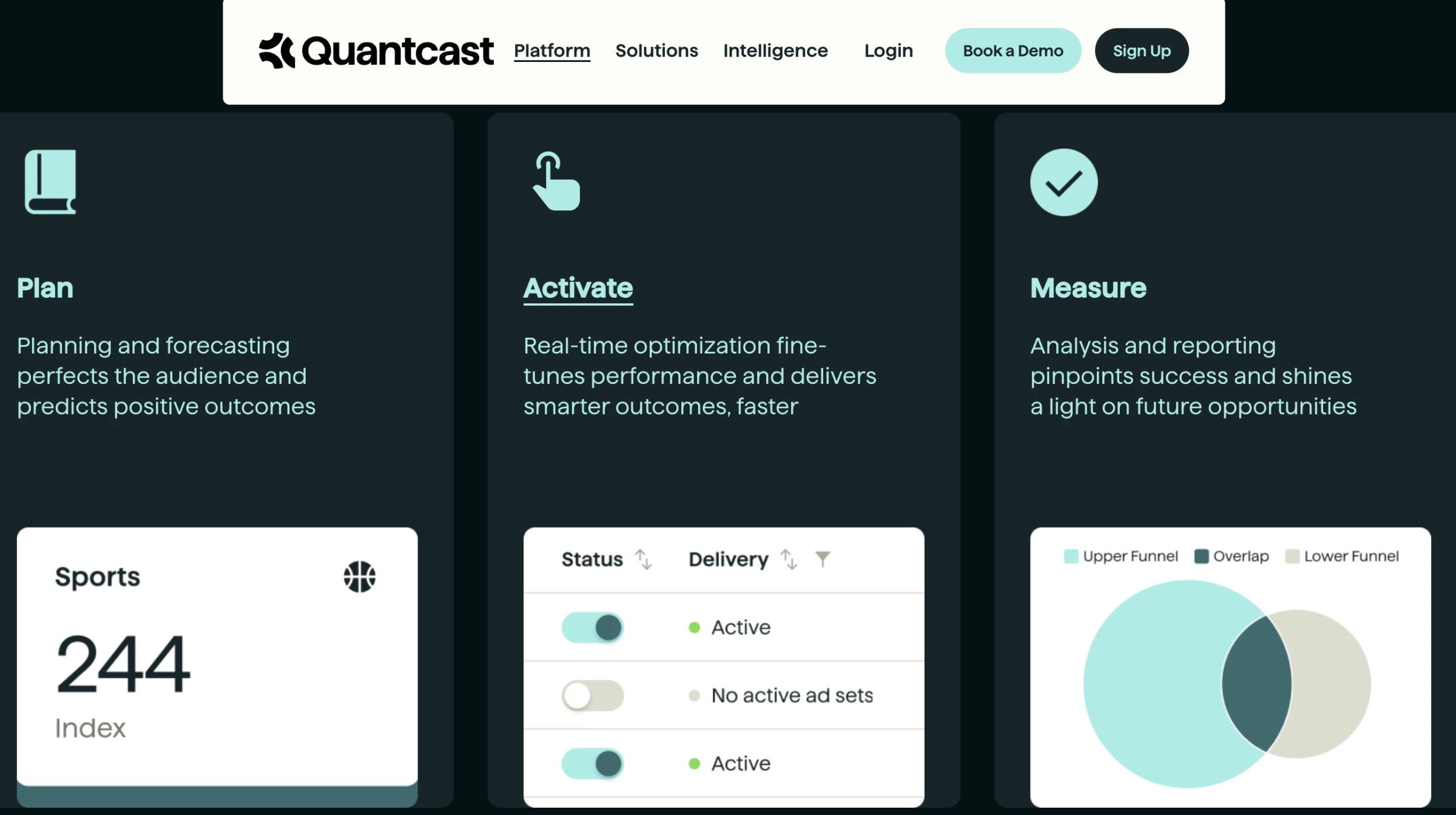
Most DSPs talk about AI, but with Quantcast, the machine learning actually guides your media strategy instead of just reacting to it.
Within minutes of launching my first campaign, it was already recalibrating impressions based on evolving audience behavior.
The most impressive thing? Its ability to plan, activate, and measure within the same interface, without feeling bloated.
I ran a cross-platform campaign (video + display + CTV), and the system pulled in live behavioral data from the open internet to forecast who was most likely to convert.
| Pros | Cons | Pricing |
|
|
|
What I found particularly useful was the cookieless optimization engine. With other platforms, you get a sense that performance takes a hit without third-party cookies. With Quantcast, I barely noticed a difference.
Their modeling system still found qualified users based on signals I didn’t even know were being analyzed. I tested it by pausing cookie-reliant segments and saw performance remain stable.
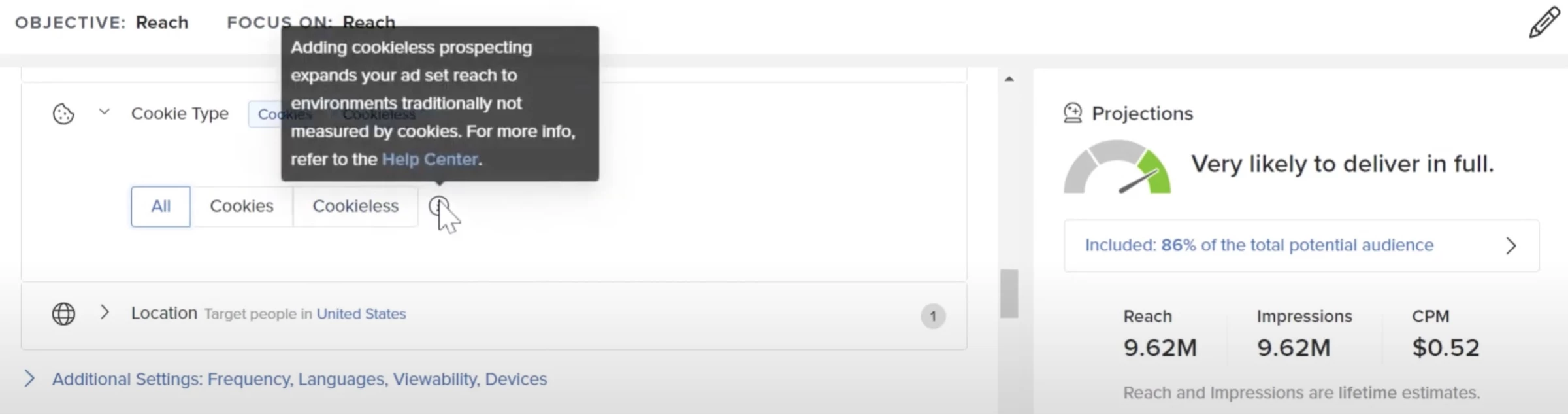
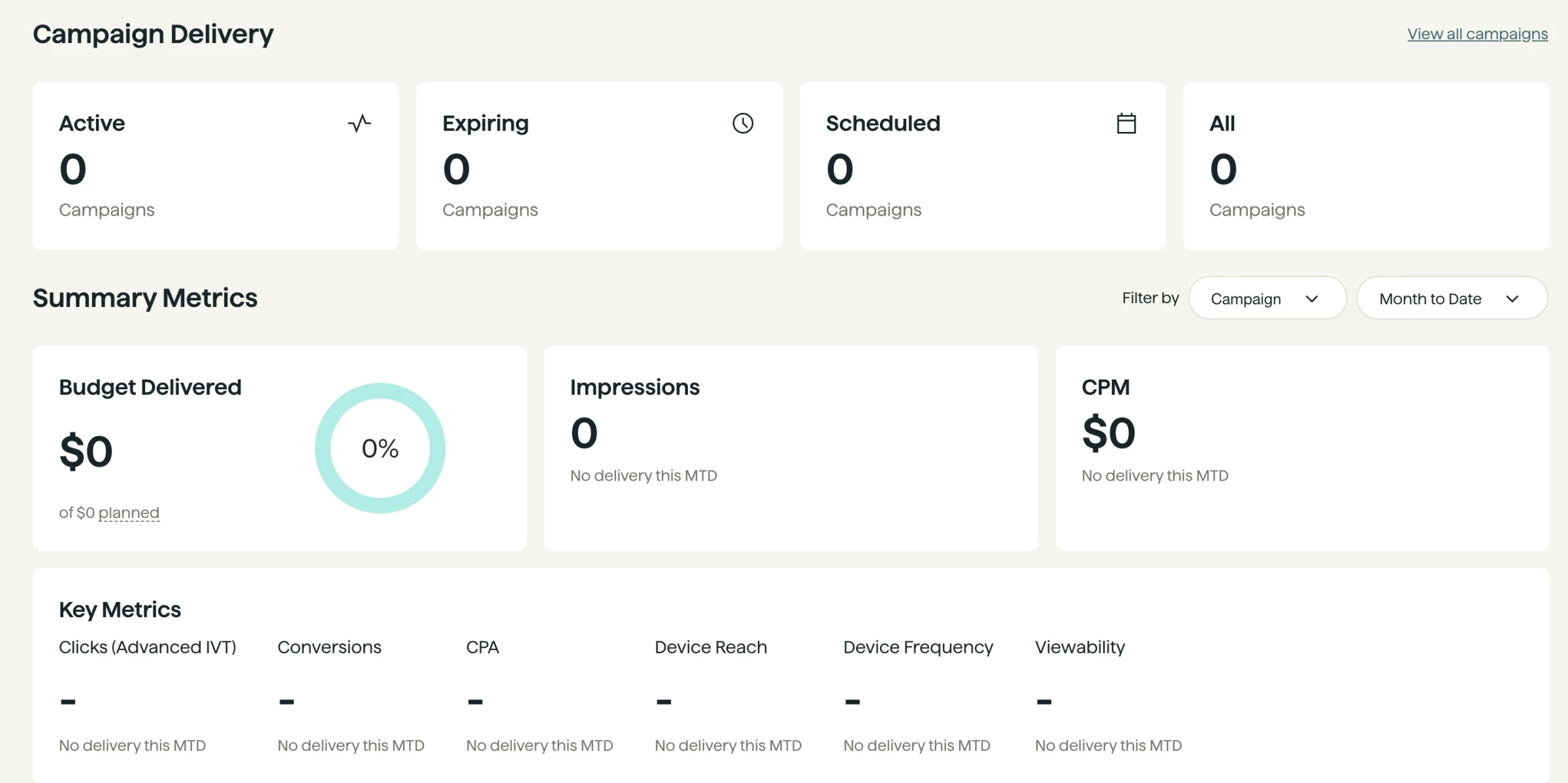
And if you're the kind of media buyer who dreads messy dashboards or unclear metrics, you’ll appreciate Quantcast’s clean UX.
The platform actually visualizes where your budget is going and explains why decisions are being made.
What Users Say
Quantcast earns praise for its strong AI-driven targeting, especially in conversion-focused campaigns. Users appreciate its intuitive interface, powerful lookalike modeling, and helpful customer support.
However, some users say the platform feels limited compared to bigger DSPs like The Trade Desk, calling out a lack of transparency, basic inventory options, and less flexible setup for technical teams.
Who’s It For?
Quantcast is a strong fit for performance-focused advertisers who want AI to actively drive results.
It’s especially useful for agencies managing campaigns across video, display, and CTV, offering one unified platform with real-time insights and controls.
If your brand is preparing for a cookieless future, Quantcast’s predictive modeling stands out as a forward-thinking solution.
And for media buyers who prioritize transparency, granular control, and fast execution, it provides the flexibility and visibility that most black-box DSPs can’t.
Book a demo to get started with Quantcast.
Other Notable Features
- Audience insights from over 100M+ online sources
- Visualized attribution paths to understand ROI
- Instant performance forecasting before launch
- Built for both direct and programmatic buying tactics
- Intuitive drag-and-drop media planning interface
Best AI Tools for Media Buying: Final Words
Adopting AI can elevate your performance (through better targeting and efficiency), reduce friction in execution (through automation of tedious tasks), and free your talent to focus on strategy and creative work.
It positions you for long-term growth by making your operations more scalable and data-driven. The key is to choose the right tool for your needs, invest in the skills to use it effectively, and craft services around it that clients will pay for.
If you do that, you won’t just survive the AI wave; you’ll ride it to greater success.

Our team ranks agencies worldwide to help you find a qualified partner to implement the latest AI solutions. Visit our Agency Directory for the Top Media Buying Agencies, as well as:
- Top AI Media Buying Agencies
- Top Programmatic Advertising Agencies
- Top Digital Advertising Agencies
- Top PPC Agencies
- Top AI Consulting Agencies
Media Buying AI Tools FAQs
1. What is the most scalable AI media buying platform for agencies?
If you’re running large-scale, multi-channel campaigns, The Trade Desk is a top pick. It’s built for enterprise use, offers deep customization through APIs, and even lets you tweak bidding algorithms or white-label the platform.
Agencies love it for the flexibility and control it gives over complex programmatic campaigns.
2. Can small agencies compete using these tools?
Absolutely. AI is a huge equalizer. For example, a solo consultant using Revealbot cut 80% of his ad management time just by automating routine tasks. Platforms like Quantcast are also beginner-friendly and don’t require massive ad spend.
The key is starting with tools that match your current scale, then grow into more advanced platforms as your results and client base grow.
3. Is AI automation better than manual media buying?
In most cases, yes. AI can react to data instantly, optimize bids, run A/B tests, and pace budgets way faster than humans.
But the sweet spot is a hybrid approach: let AI handle the number crunching, while humans focus on strategy, creativity, and brand context. It’s not about replacing humans; it’s about freeing them up to do what they do best.