
Success on YouTube isn’t just about hitting “upload,” crossing your fingers, and hoping for the best. The right timing is essential for maximizing engagement, especially when your goal is to boost brand visibility.
Best Time to Post on YouTube: Key Findings
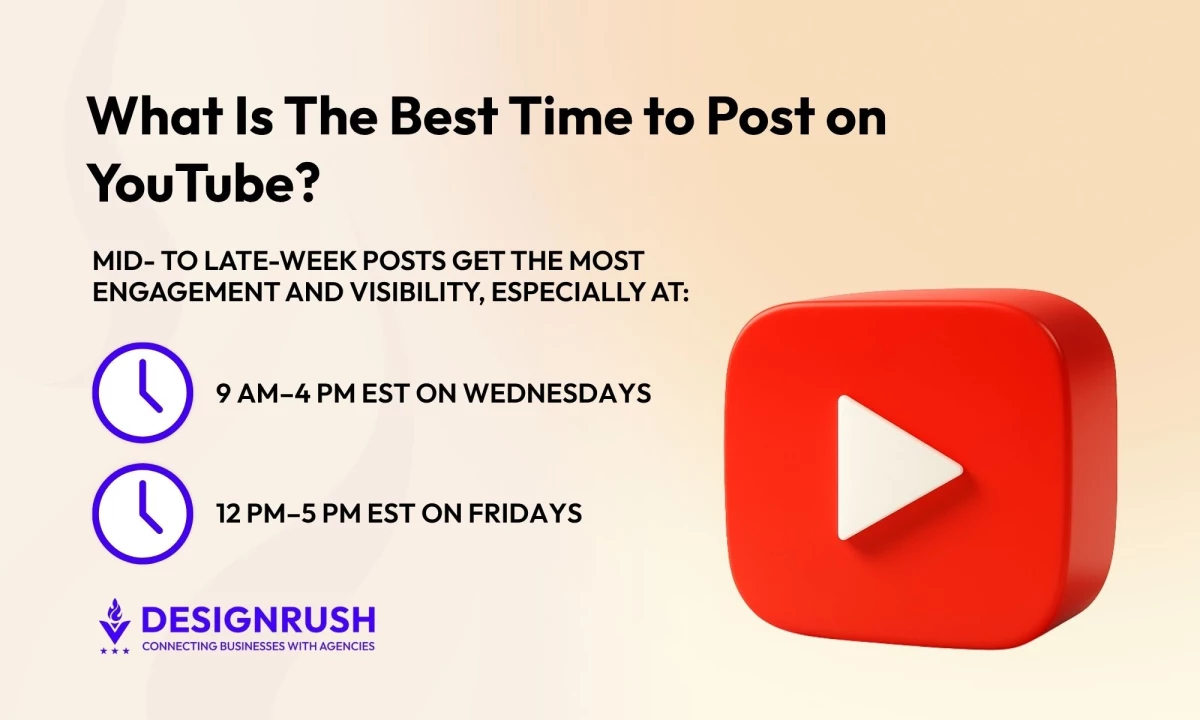
- Posting on Wednesdays between 9 AM and 4 PM EST and Fridays from 12 PM to 5 PM EST consistently yields the highest engagement across YouTube.
- YouTube Shorts achieve the best results on weekdays between 2 PM and 4 PM and weekend mornings from 9 AM to 11 AM, reflecting peak mobile activity times.
- The 2024 average engagement rate sits at 3.87%, while videos exceeding 6% tend to see a substantial lift in organic visibility within 48 hours.
Best Time to Post on YouTube Overview
We’ve analyzed the latest data and insights and uncovered key insights to help you make timing a powerful element of your YouTube strategy.
Why Consider the Best Time to Post on YouTube
As engagement on YouTube grows increasingly competitive, timing your uploads to align with when your audience is most active has never been more important. Posting at the right moment gives your content the best chance to capture early engagement and algorithmic traction.
A Statista analysis of 10 million YouTube videos puts the 2024 average engagement rate at 3.87%, dipping slightly from 3.97% in 2023.
However, videos that surpass the 6% engagement threshold signal strong audience response — a key factor that prompts YouTube’s algorithm to boost visibility and expand organic reach within the first 48 hours.
Early engagement plays a critical role in determining whether your video appears in “Suggested” feeds and search results, driving further visibility and momentum.



When Are the Best Times to Post on YouTube?
While the below benchmarks provide valuable direction, audience behavior varies so consistent testing and data analysis remain essential to refining your posting strategy.
Across most regions, data shows a clear pattern:
- Weekdays: 12 PM–4 PM EST – Midday to mid-afternoon posts perform well as people check their feeds during lunch or before wrapping up work.
- Weekends: 9 AM–11 AM EST – Morning hours tend to be prime time for viewers in a relaxed, “scroll and watch” mindset.
Within the week, a few days stand out:
- Wednesday (9 AM–4 PM EST)
- Thursday (3 PM & 6 PM EST)
- Friday (12 PM–5 PM EST)
These windows align with consistent engagement peaks found across multiple studies.
Day-specific recommendations:
- Wednesday, 9 AM to 4 PM (EST): Midweek engagement stays strong from morning through early afternoon, a reliable window for consistent views.
- Thursday, 3 PM and 6 PM (EST): Afternoon and early evening posts perform well as viewers wind down for the day.
- Friday, 3 PM to 4 PM (EST): The week’s top engagement period, ideal for reaching audiences as they shift into weekend mode.
- Saturday, 3 PM to 5 PM (EST): Unlike weekdays, engagement on Saturdays peaks in the late afternoon, making it a perfect time for leisure-oriented content.
- Sunday, 11 AM to 3 PM (EST): Sunday mornings and early afternoons are great for capturing viewers during their downtime before the week starts.
These are general trends, of course, and your ideal posting time depends on your audience. If your viewers span multiple time zones, aim for overlapping active hours (for example, mid-afternoon EST works well for both coasts in the U.S.).
Content type also matters. Gaming and entertainment videos often perform better later in the evening, while educational or tutorial content may see stronger engagement earlier in the day.
Best Times for YouTube Shorts
Short-form content plays by different rules. Shorts thrive on spontaneity and mobile-driven engagement, those quick hits when people are between tasks or casually scrolling.
Here’s what the data suggests:
- Weekdays: 2 PM–4 PM EST – The mid-afternoon window catches mobile viewers during breaks or downtime.
- Weekends: 9 AM–11 AM EST – Mornings remain a sweet spot for relaxed, high-volume scrolling.
Because Shorts gain traction fast, posting slightly before these peaks can help the algorithm surface your video right as audience activity climbs. Even a 30-minute head start can make a measurable difference.
How to Find Your Channel’s Ideal Posting Time
Now that you know the general posting windows, let’s look at how to tailor these to your channel’s data. Here's how you can use YouTube Analytics to discover your optimal posting times:
- Access the “When Your Viewers Are on YouTube” tab
- Interpret viewer trends
- Leverage real-time analytics
- Experiment and optimize
1. Access the “When Your Viewers Are on YouTube” Tab
This feature helps you identify when your audience is most active, allowing you to schedule uploads to get the best visibility and engagement.
To find the feature on the desktop:
- Sign in to YouTube Studio.
- Select Analytics from the left-hand menu.
- Navigate to the Audience tab within Analytics.
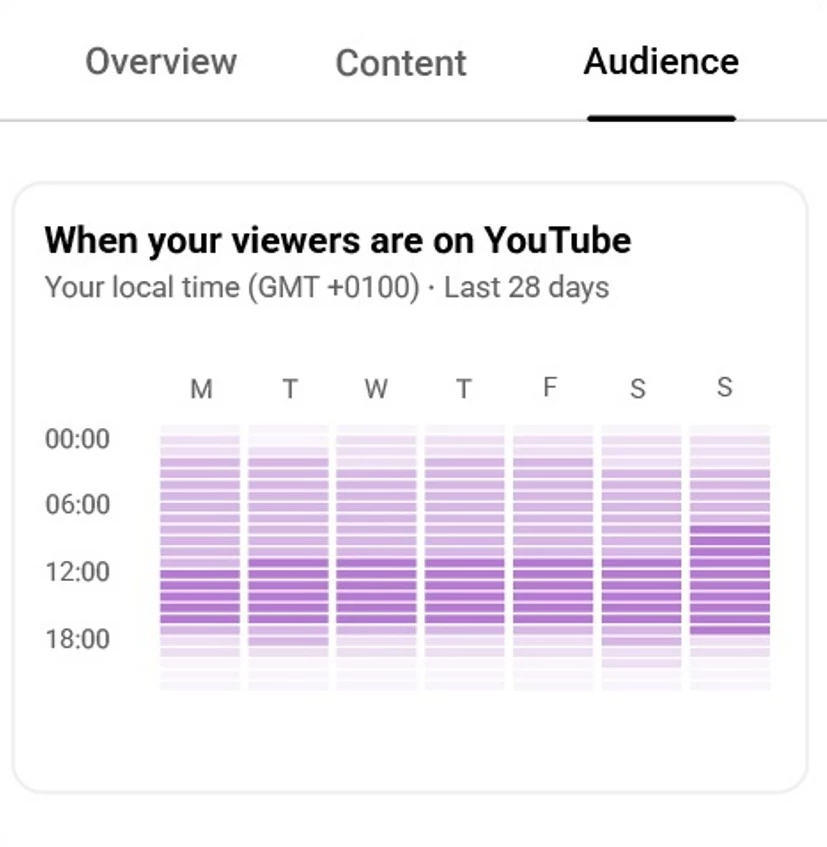
- Scroll down to find the When your viewers are on YouTube report. This heatmap highlights peak activity hours with darker shades.
To find the feature on mobile (YouTube Studio app):
- Open the YouTube Studio app on your mobile device.
- Tap on Analytics from the bottom navigation menu.
- Go to the Audience tab.
- Scroll to locate the When your viewers are on YouTube section, which displays the same heatmap as the desktop version.
2. Interpret Viewer Trends
Understanding your audience’s habits can help refine your posting strategy to boost engagement.
Here are three key metrics to focus on:
- Peak activity hours: Focus on times when engagement is highest to maximize immediate interaction.
- Demographic insights: Consider time zones and regional behaviors to ensure your content resonates globally. Tools like TubeBuddy simplify this process.
- Returning viewers vs. new viewers: Cater your posting schedule to encourage loyalty among returning viewers while attracting new subscribers.
3. Leverage Real-Time Analytics
Use YouTube Studio’s Real-Time Report to monitor how your videos perform in the first 48 hours after posting. Tracking early views, likes, and comments reveals when your audience is most active to helps you fine-tune upload timing for future videos.
To use it:
- Go to YouTube Studio → Analytics → Overview and open the Real-Time Report.
- Watch for hourly engagement spikes to identify strong viewing periods.
- Compare results across videos to pinpoint the timeframes that consistently perform best.
This feedback loop helps you refine your schedule using real viewer behavior instead of broad averages.
4. Experiment and Optimize
Every audience behaves differently, so don’t be afraid to test and refine your strategy. Start with the recommended posting windows, then adjust based on your data. If midweek afternoons outperform morning uploads, shift your schedule accordingly.
It's all about consistency. Once you find your channel’s sweet spot, stick to it so your audience (and YouTube’s algorithm) know when to expect new content.
More Tips for Maximizing YouTube Engagement
Strong engagement is key to growing your YouTube presence. Try these practical strategies to keep viewers watching and interacting:
- Craft compelling thumbnails and titles: First impressions count. Use eye-catching visuals and honest, engaging titles that draw clicks while building trust.
- Hook viewers early: Grab attention in the first few seconds with a question, benefit, or visual that clearly sets up the video’s value.
- Encourage interaction: Prompt viewers to like, comment, and subscribe and respond when they do. Engagement builds community and drives repeat views.
- Stay consistent: Post on a regular schedule so your audience knows when to expect new content. Consistency builds reliability and momentum.
- Leverage playlists and end screens: Group related videos and use end screens to guide viewers to more content, increasing total watch time.
- Add captions: Improve accessibility and retention by including subtitles for global or on-the-go audiences.
Of course strong engagement doesn’t come from algorithms alone or perfect timing alone. It’s the result of intentional, audience-first storytelling. As Kelly Jura, VP of Brand and UX at Qwoted, explains:
“It’s about crafting focused, interactive content that respects viewers’ time while providing value — this is the formula we’ve learned for generating engagement with video content.”
Best Time To Post on YouYube: Final Words
Timing isn’t everything, but it is hugely important. Posting when your audience is most active gives content the best shot at early traction and algorithmic boost.
Combine timing with consistent scheduling, strong creative execution, and analytics-driven refinement to turn good videos into real-world growth. Start testing, monitor your metrics, and let data guide your upload strategy.

Our team ranks agencies worldwide to help you find a qualified partner. Visit our Agency Directory for the top PPC agencies, as well as:
- Top Video Production Companies
- Top Creative Agencies
- Top Video Marketing Agencies
- Best Google Ads Agencies
- Top Social Media Marketing Agencies
Best Time To Post on YouTube FAQs
1. How can I adapt my posting schedule for audiences in different time zones?
Focus on overlapping active hours, like posting mid-afternoon EST reaches both U.S. coasts and parts of Europe.
Use YouTube Analytics → Geography Report to identify where your views originate, then schedule uploads when the majority of your global audience is online. For international brands, consider testing regional release times.
2. How often should I post on YouTube?
Consistency matters more than frequency. For long-form videos, aim for once or twice a week. For Shorts, posting daily or a few times a week can boost visibility while keeping your audience engaged.
3. Should I upload videos at the same time every week?
Yes! Posting at a consistent time helps your audience know when to expect new content. Plus, YouTube’s algorithm favors regular posting schedules, which can improve your reach.