
Team Behind the Design
App Design Analysis
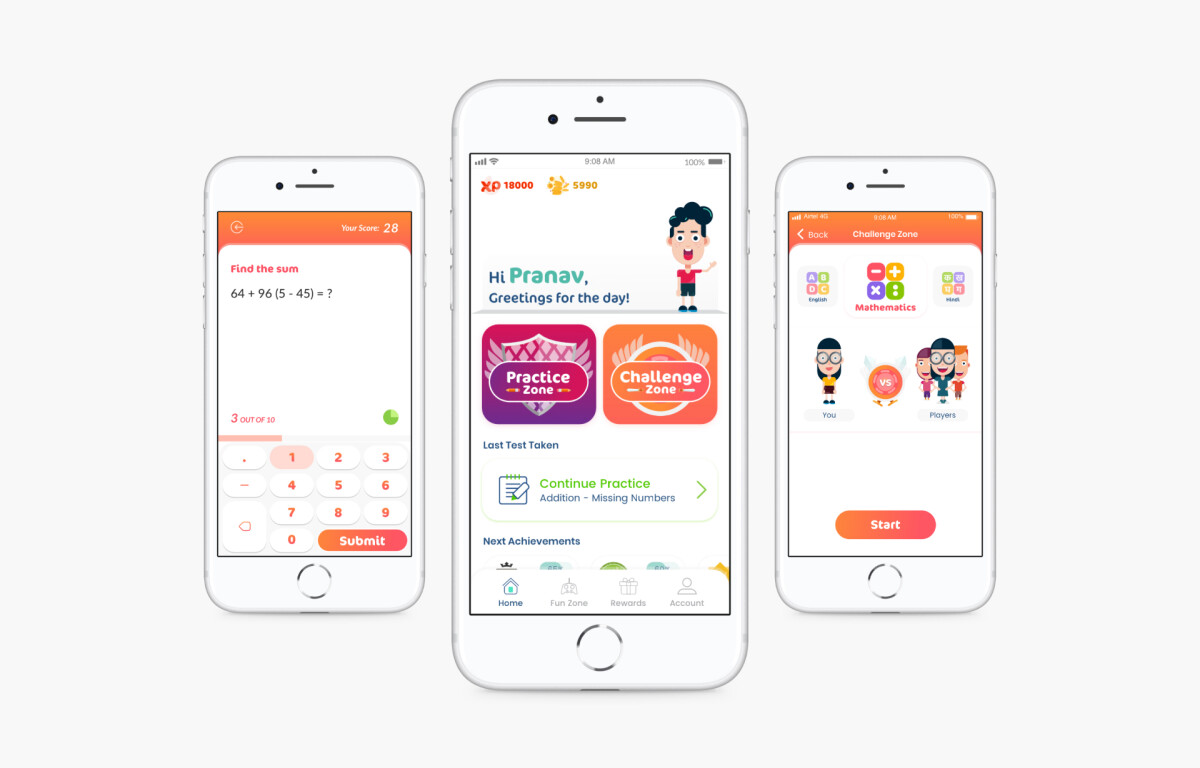
When I evaluate an android and iOS app, When evaluating an educational app for children, I look at playfulness, accessibility, motivation, and ease of navigation.
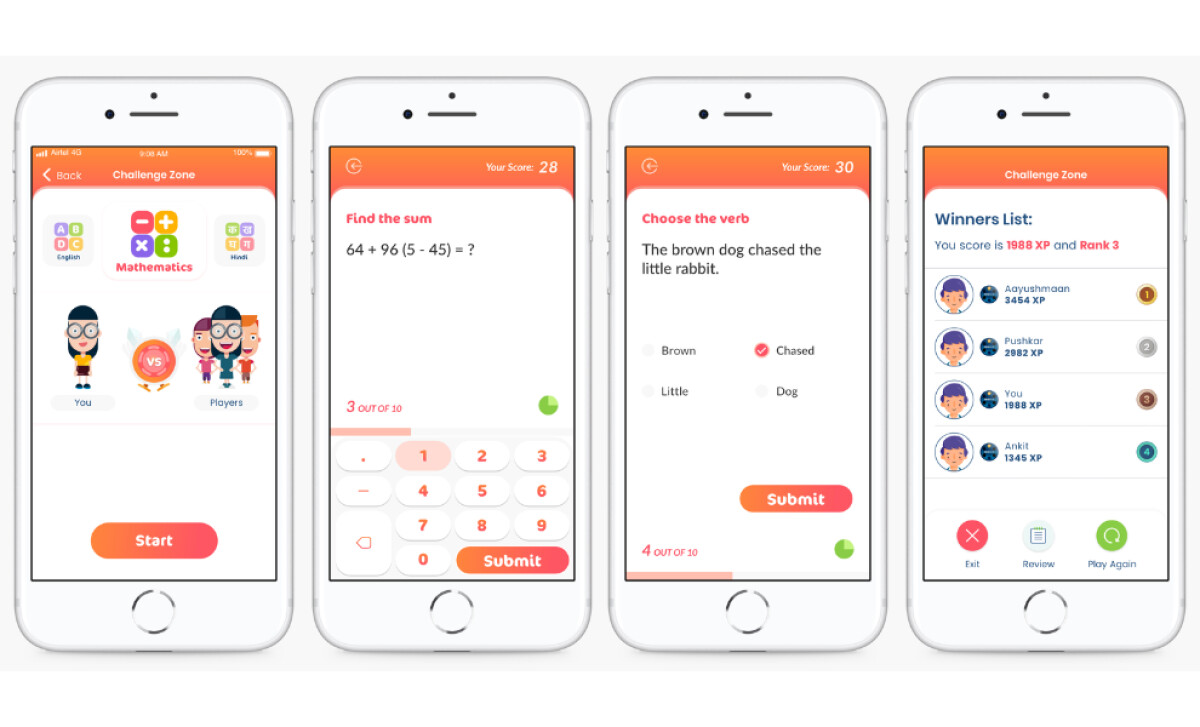
Himanshu Barbaria’s iChamp design checks all the boxes, making learning feel like a game while retaining academic focus.
- Color Palette: I find the app’s bright color system creates a high level of energy. A wise design choice was to assign distinct background colors to different zones, which helps children navigate and associates learning with play.
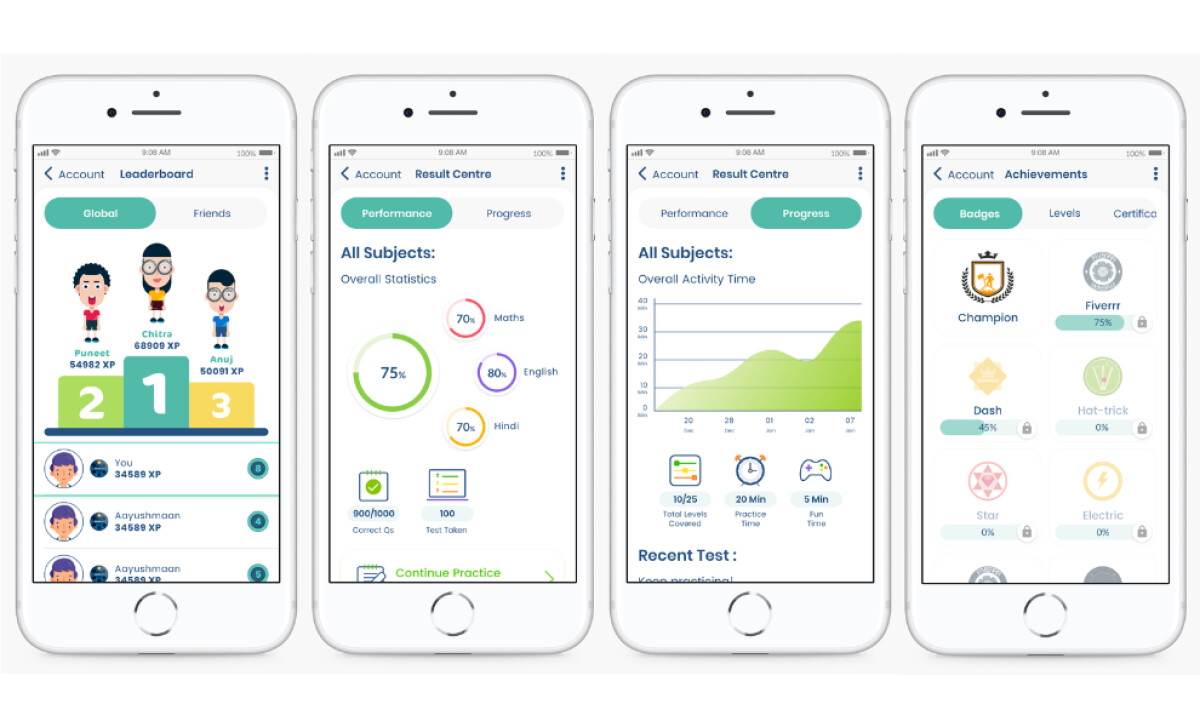
- Custom Avatars & Illustrative Graphics: Custom characters give students a strong element of personalization. Progress is made tangible through playful graphics like medals and badges. This is a powerful way to motivate students and build positive habits.
- Clear Typographic Hierarchy: The typographic structure is a crucial element for accessibility, balancing a friendly look with the clarity needed for children and parents to understand results instantly.
What Brands & Agencies Can Learn from iChamp
Here are a few key lessons from the iChamp app design:
1. Color-Code Your Interface
Assigning distinct colors to different functional areas of your app is a powerful way to improve navigation. This makes the user experience feel intuitive and is effective in any application with multiple distinct sections.
2. Personalize the User Journey
Features that allow users to create a custom identity, like an avatar, forge a deeper connection to the platform. This makes tracking personal progress feel more meaningful and encourages long-term engagement.
3. Design for Multiple User Roles
When your product serves different types of users, the design must be effective for everyone. A clear information hierarchy is essential to ensure a primary user can engage easily, while a secondary user can oversee progress without friction.
About DesignRush Featured Designs
We review creative projects worldwide to spotlight those that raise the bar. The designs we feature represent the best of contemporary execution, vision, and storytelling.
Many of them later become recognized as Monthly Design Awards winners.
See more standout projects across categories:
- Best App Designs
- Best Website Designs
- Best Logo Designs
- Best Print Designs
- Best Packaging Designs
- Best Video Designs
For a full list of design agencies and related services, see our Agency Directory.