
I explored several leading AR/VR AI platforms to evaluate how effectively they enhance immersive experiences, optimize user interaction, and scale real-world applications. Here's what I discovered.
AR/VR AI Tools: Key Points
- Unity AR and Unreal Engine leverage AI to optimize real-time rendering, object recognition, and spatial mapping, making them excellent choices for interactive, dynamic environments in gaming, education, and retail.
- Zapworks and EON Reality enable businesses to quickly deploy AR/VR content across platforms, reducing infrastructure overhead and providing flexibility for rapid scaling.
- Vuforia is great for retail and industrial applications.
AR/VR AI Tools: An Overview
My goal was to see how today’s top AR/VR AI tools streamline key tasks like environment rendering, real-time interaction, personalization, and performance optimization.
| Tool | Best For | Advanced physics engine | Multi-user collaboration | Cloud-based deployment | Pricing |
| Unity AR | Cross-platform AR/VR game and app development | ✅ | ❌ | ✅ | Free plan; Pro plan starts at $200/month |
| Vuforia | AI-powered object recognition and AR tracking | ❌ | ❌ | ✅ | Free plan; Premium pricing available upon request |
| Unreal Engine | High-fidelity, real-time AR/VR gaming | ✅ | ✅ | ❌ | Free |
| Zapworks | Interactive AR content creation and deployment | ❌ | ❌ | ✅ | Starts at $12.99/month |
| EON Reality | Immersive AR/VR training and simulation | ✅ | ✅ | ✅ | Free |
1. Unity AR: Best for Cross-Platform AR/VR Game and App Development
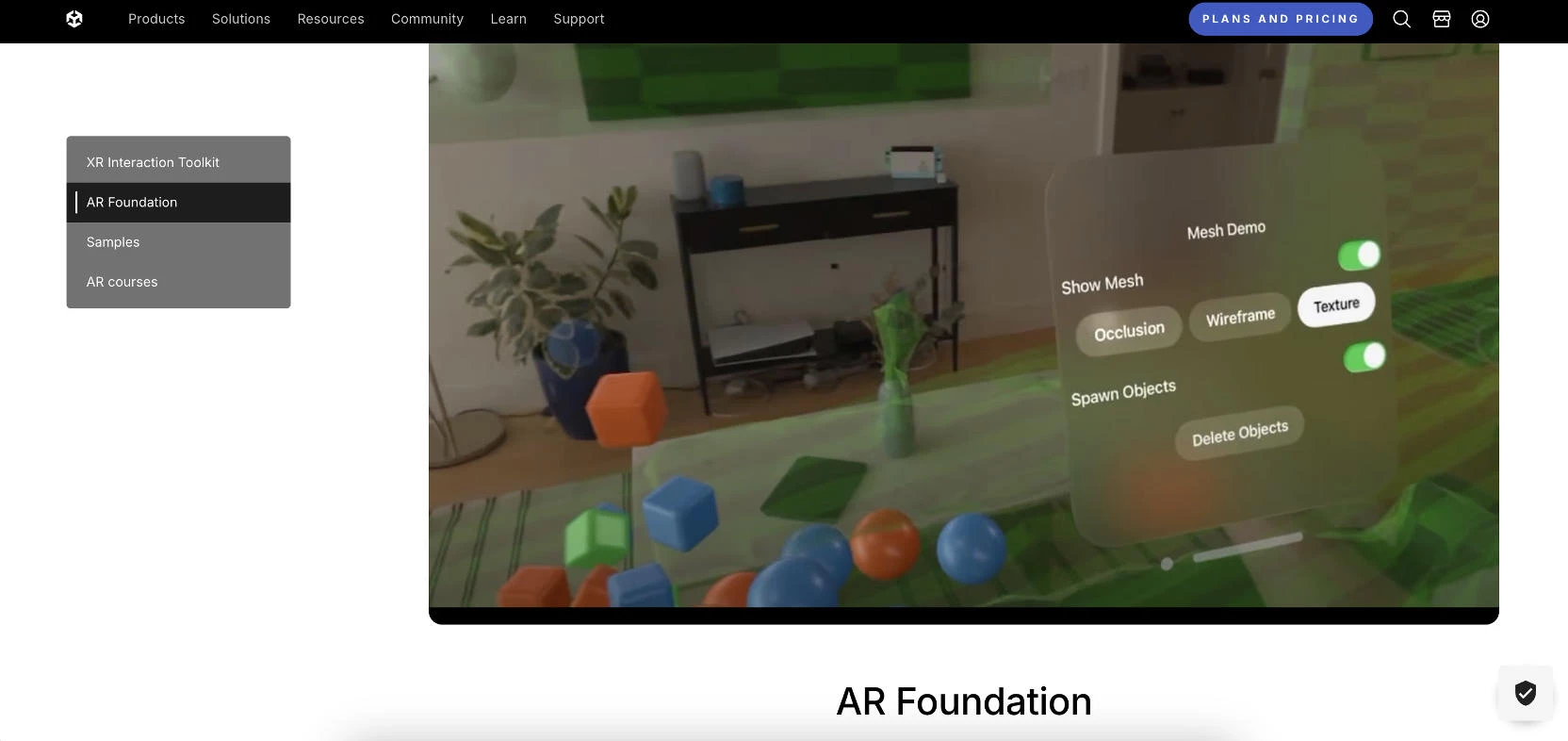
Unity AR is one of the most popular platforms for AR/VR development, and after using it, I can see why. I was particularly interested in how well it could handle cross-platform AR/VR applications.
| Pros | Cons | Pricing |
|
|
|
The ability to reach multiple platforms efficiently is a game-changer, and Unity AR delivers on this promise with ease. It leverages advanced AI to power real-time 3D rendering, environment tracking, and object recognition.
When I used it to create an interactive AR experience, Unity's AI-driven features like spatial mapping allowed me to seamlessly blend virtual objects with the real world. It made my development process smooth and intuitive, from concept to execution.
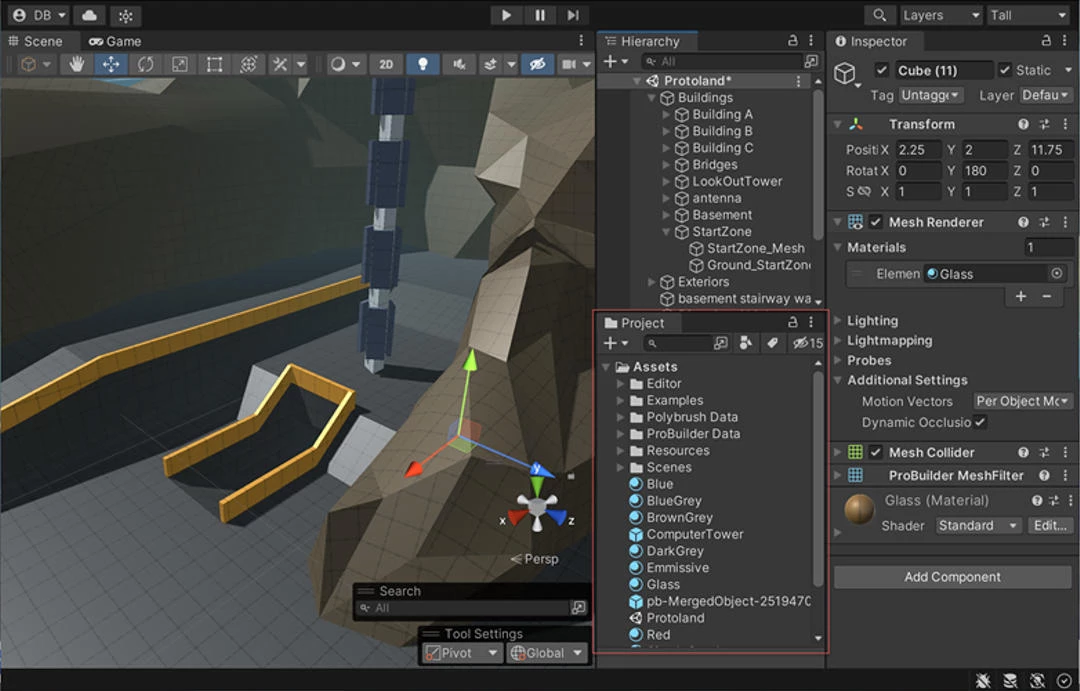
Using Unity AR, I was able to rapidly develop highly immersive environments, seamlessly integrating interactive elements with real-time spatial mapping.
This versatility makes it an excellent choice for applications ranging from complex gaming ecosystems to detailed product visualizations, where both interactivity and visual fidelity are paramount.
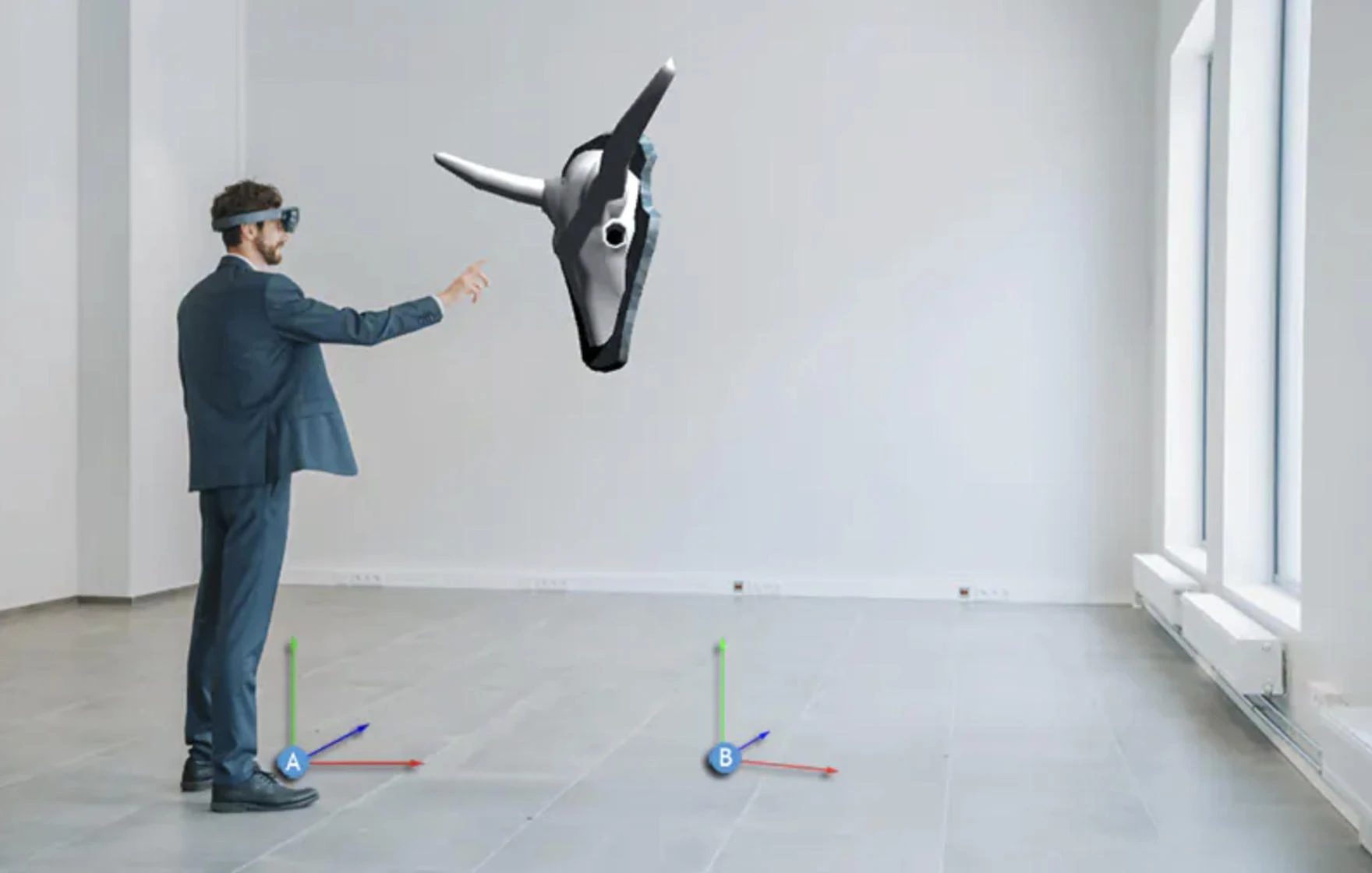
Its AI-driven tools for environmental mapping, object recognition, and spatial tracking make it an ideal platform for building scalable AR solutions across industries like gaming, automotive, healthcare, and retail.
Get started with Unity for free.
What Users Say
Many users praise Unity's flexibility and cross-platform capabilities. Developers and businesses alike appreciate how quickly they can create immersive experiences for a wide range of devices.
The AI features also receive positive feedback, though a few users wish there were more out-of-the-box AI-driven templates to speed up the process further.
Who’s It For?
Unity AR is perfect for game developers, immersive marketing campaigns, or companies in industries like real estate, healthcare, and retail looking to bring their products to life.
Unity AR works well for both large enterprises and small startups, especially if you're looking to integrate AR/VR into your business without investing in a highly specialized team of developers.
Other Notable Features
- AI-powered environment mapping: Automatically detects and maps real-world environments for realistic AR/VR interaction.
- Real-time rendering: High-quality, real-time 3D rendering that makes AR/VR experiences immersive.
- Pre-built assets and models: Wide range of customizable models and templates to kickstart development.
- Advanced physics and lighting: Realistic object interactions and lighting for high-fidelity AR/VR experiences.
- Extensive community and support: Access to a large, active community of developers and continuous updates.
- Analytics and performance metrics: Integrated tools to track performance and optimize the user experience.



2. Vuforia: Best for AI-Powered Object Recognition and AR Tracking
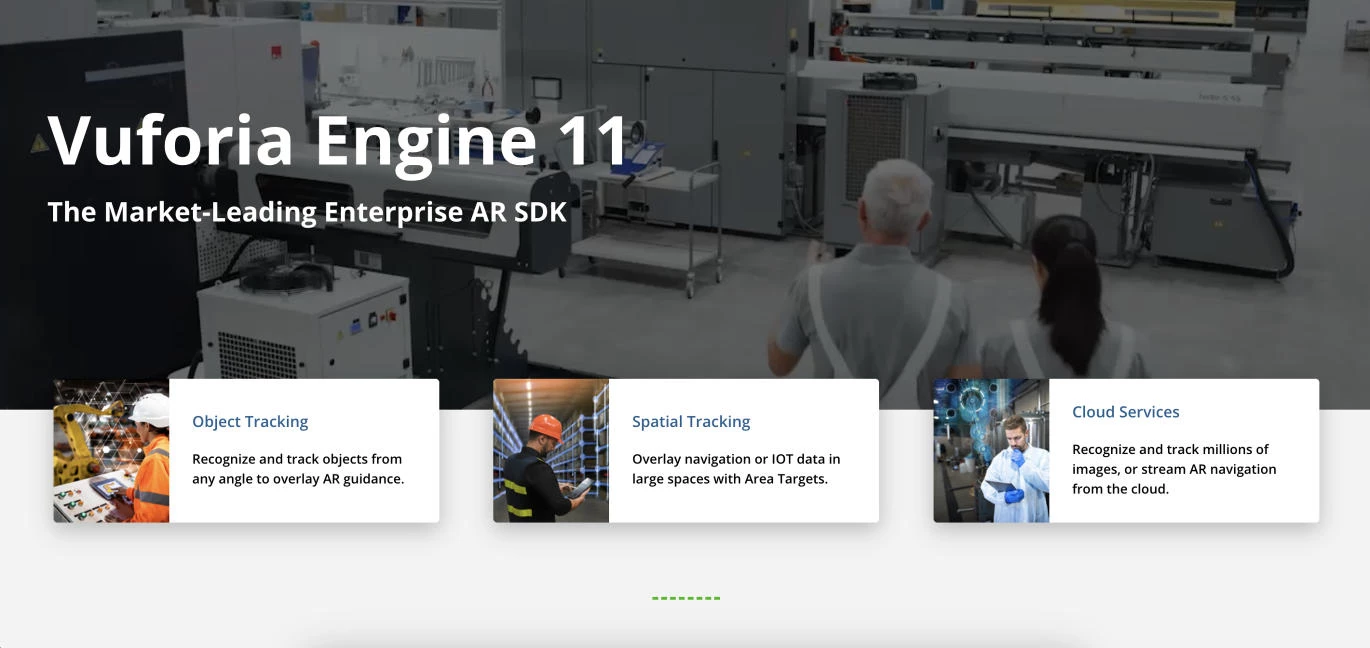
After using it for a recent AR project, I was impressed with how easily Vuforia could handle complex environments and deliver seamless interactions between virtual objects and the real world.
| Pros | Cons | Pricing |
|
|
|
Vuforia is one of the most renowned AR development platforms, widely recognized for its powerful object recognition and AR tracking capabilities. It can detect and track objects in real time with high precision, even in challenging environments.
I was able to upload custom objects and see them automatically recognized and placed into the AR environment with minimal setup.
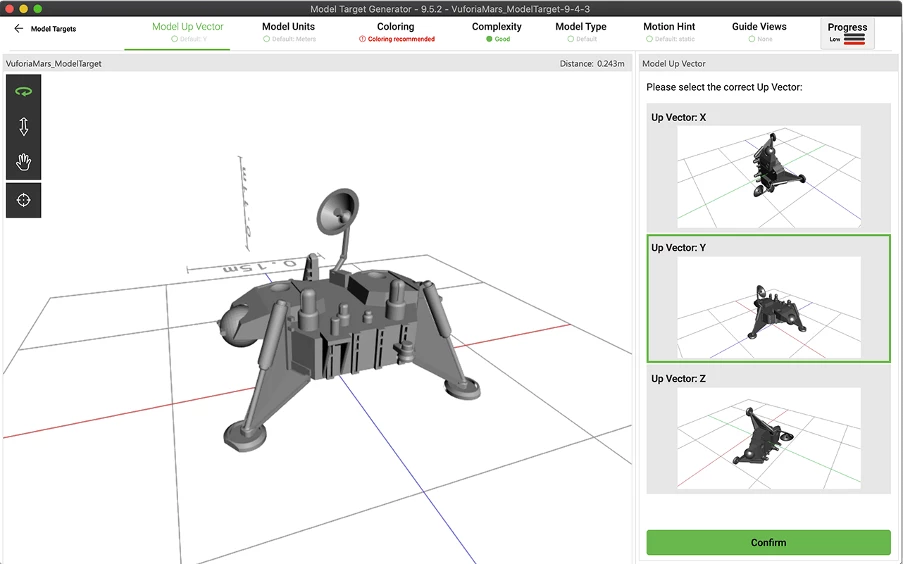
The AI algorithms behind Vuforia adapt seamlessly, whether you're using it for simple object recognition or more advanced multi-target tracking in industrial or commercial applications.
Vuforia shines when it comes to AR tracking. Whether I was testing a product visualization for a retail app or an industrial training tool, the AI's ability to maintain consistent tracking of objects regardless of the user's movement or angle was impressive.
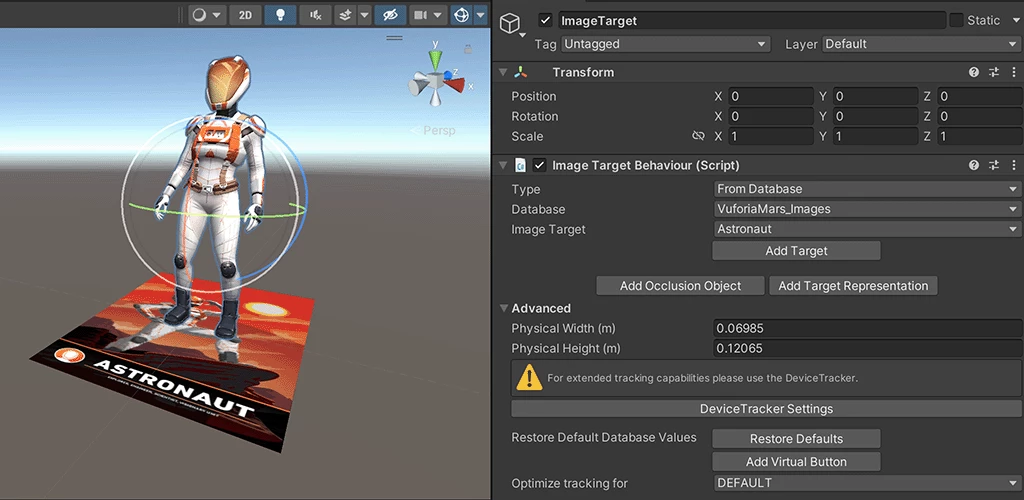
Vuforia's integration with other development tools, like Unity, made the entire process even smoother, as it allowed for easy customization and more advanced visual effects without compromising on performance.
What Users Say
Users in the manufacturing and retail sectors particularly appreciate the tool’s accuracy in tracking real-world products and its ability to integrate seamlessly with other tools.
However, some users mention that while Vuforia offers robust features, it requires a steep learning curve, especially for beginners. Some also note that performance can be inconsistent when working with highly complex or dynamically changing environments.
Who’s It For?
Vuforia is perfect for developers or agencies working on AR applications that need a reliable platform for creating interactive experiences with accurate tracking.
Whether you're in the business of showcasing products or training employees in complex tasks, Vuforia provides the tools to make it happen efficiently.
Other Notable Features
- Indoor and outdoor tracking: Vuforia excels in both indoor and outdoor environments, making it versatile for a variety of industries.
- Image recognition: Detect and track images, which is useful for interactive marketing and product displays.
- Support for wearables: Easily integrate AR features with smart glasses like Microsoft HoloLens.
- Unity integration: Seamlessly integrates with Unity, enabling advanced AR game and app development.
- Cloud recognition: Recognize objects from a cloud-based database, ideal for scalable AR solutions.
3. Unreal Engine: Best for High-Fidelity, Real-Time AR/VR Gaming
Unreal Engine is one of the most powerful tools for creating high-fidelity, real-time AR/VR applications, particularly for gaming. After testing it for a gaming project, I quickly realized why it's a go-to solution for developers who prioritize immersive experiences.
| Pros | Cons | Pricing |
|
|
|
One of the standout features of Unreal Engine is its advanced AI integration, which enhances its AR/VR capabilities. I used it to create dynamic, interactive worlds, where AI-driven characters adapted to player actions in real-time.
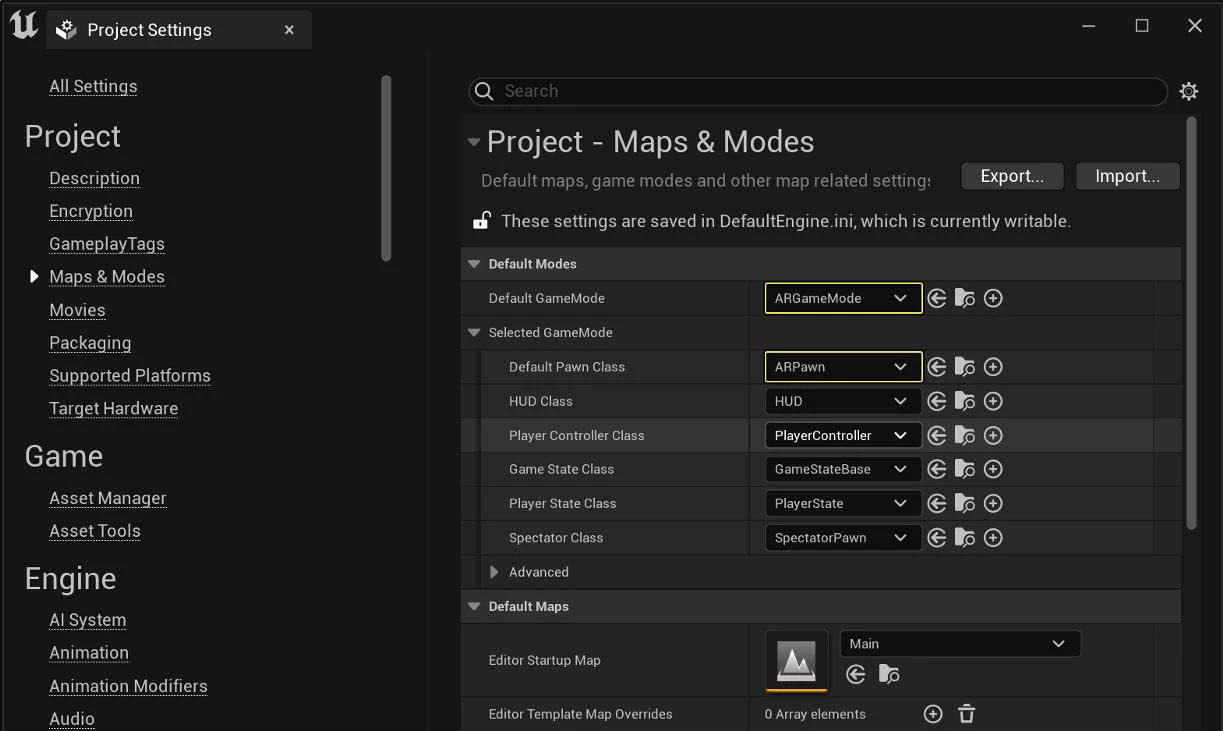
Unreal Engine excels in real-time rendering, which is crucial for creating high-fidelity AR/VR experiences. The AI-powered features optimize everything from lighting and textures to object interactions, ensuring that the graphics are not only lifelike but responsive.
This makes it particularly valuable in industries like gaming, where the realism of the environment and the interactivity of characters are key to user engagement.
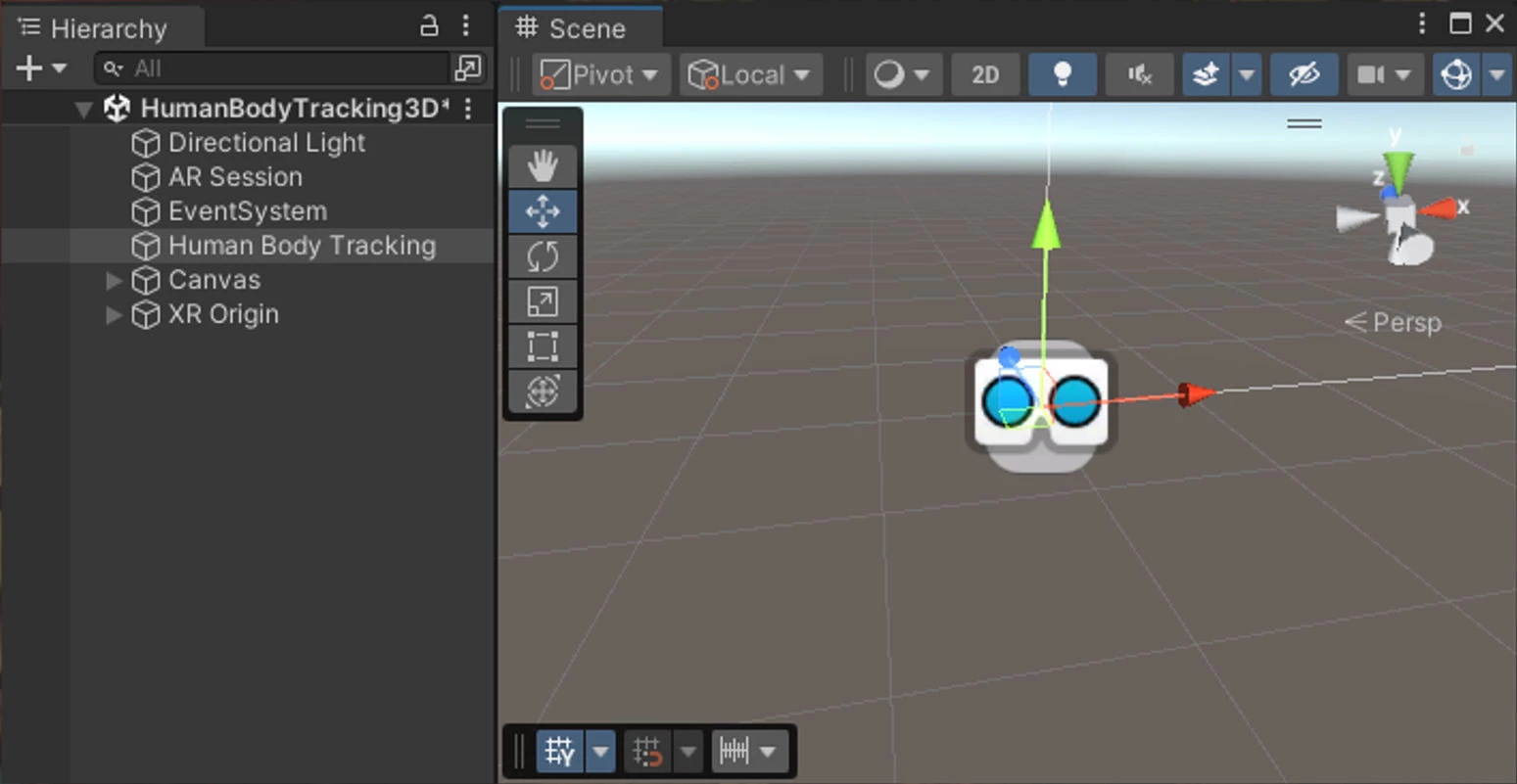
Additionally, Unreal's integration with virtual reality systems, such as Oculus and HTC Vive, enhances the fluidity and immersion of the experience.
What Users Say
Overall, Unreal Engine receives high praise for its ability to deliver top-tier visual quality and immersive, interactive environments. Many users commend its powerful rendering capabilities and the flexibility it offers developers, allowing them to create complex, realistic AR/VR worlds.
Some users also mention that while Unreal Engine is great for high-end performance, it can be demanding on hardware, requiring powerful systems to run smoothly.
Who’s It For?
Unreal Engine is best suited for larger teams with experience in game development or interactive simulations, as the complexity of the engine requires a more technical background.
It’s an excellent tool for businesses that need to create immersive environments and detailed simulations for industries like gaming, automotive, and architectural visualization.
Other Notable Features
- AI-driven pathfinding and NPC behavior: Enables complex interactions and behavior patterns for non-player characters (NPCs) and environments.
- Blueprint visual scripting: Allows developers to build game logic and interactions without writing complex code, making it more accessible to non-programmers.
- Cross-platform development: Supports deployment on various platforms, including PC, consoles, VR headsets, and mobile devices.
- Marketplace for assets: Access to a large marketplace for pre-built assets, which speeds up development and allows for rapid prototyping.
- Advanced physics engine: Realistic object interactions and collision detection for both AR and VR environments.
- Multi-user collaboration: Real-time collaboration tools for teams working on complex projects, enhancing workflow and productivity.
4. Zapworks: Best for Interactive AR Content Creation and Deployment
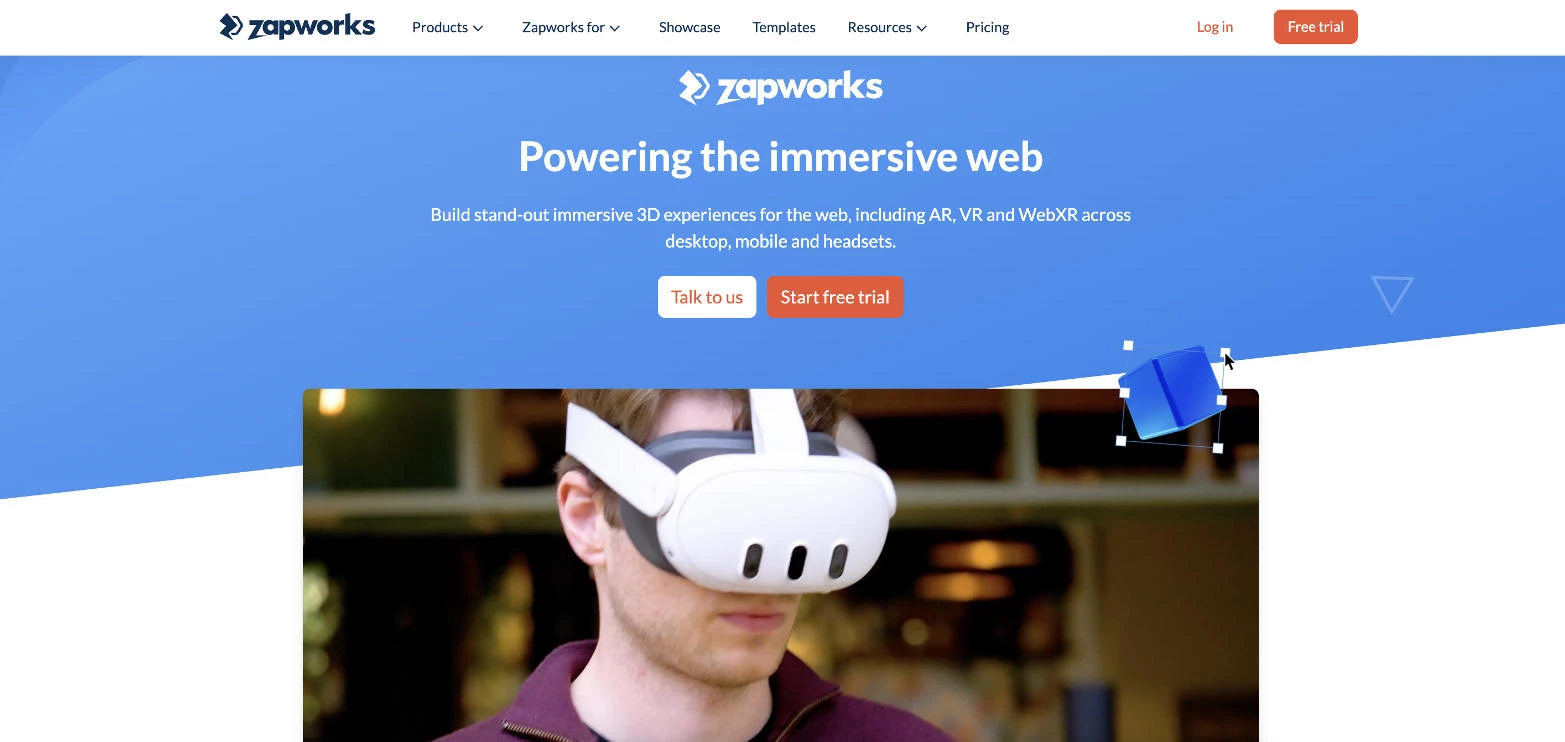
Zapworks is a powerful AR development platform that allows businesses to create interactive, customized AR experiences for both mobile and web. When I first used it, I was particularly impressed by how intuitive it is to design AR content without needing extensive technical expertise.
| Pros | Cons | Pricing |
|
|
|
The platform’s AI tools support features like real-time object tracking, face recognition, and spatial mapping. These features allow for immersive, highly engaging experiences where users can interact with virtual content in dynamic ways.
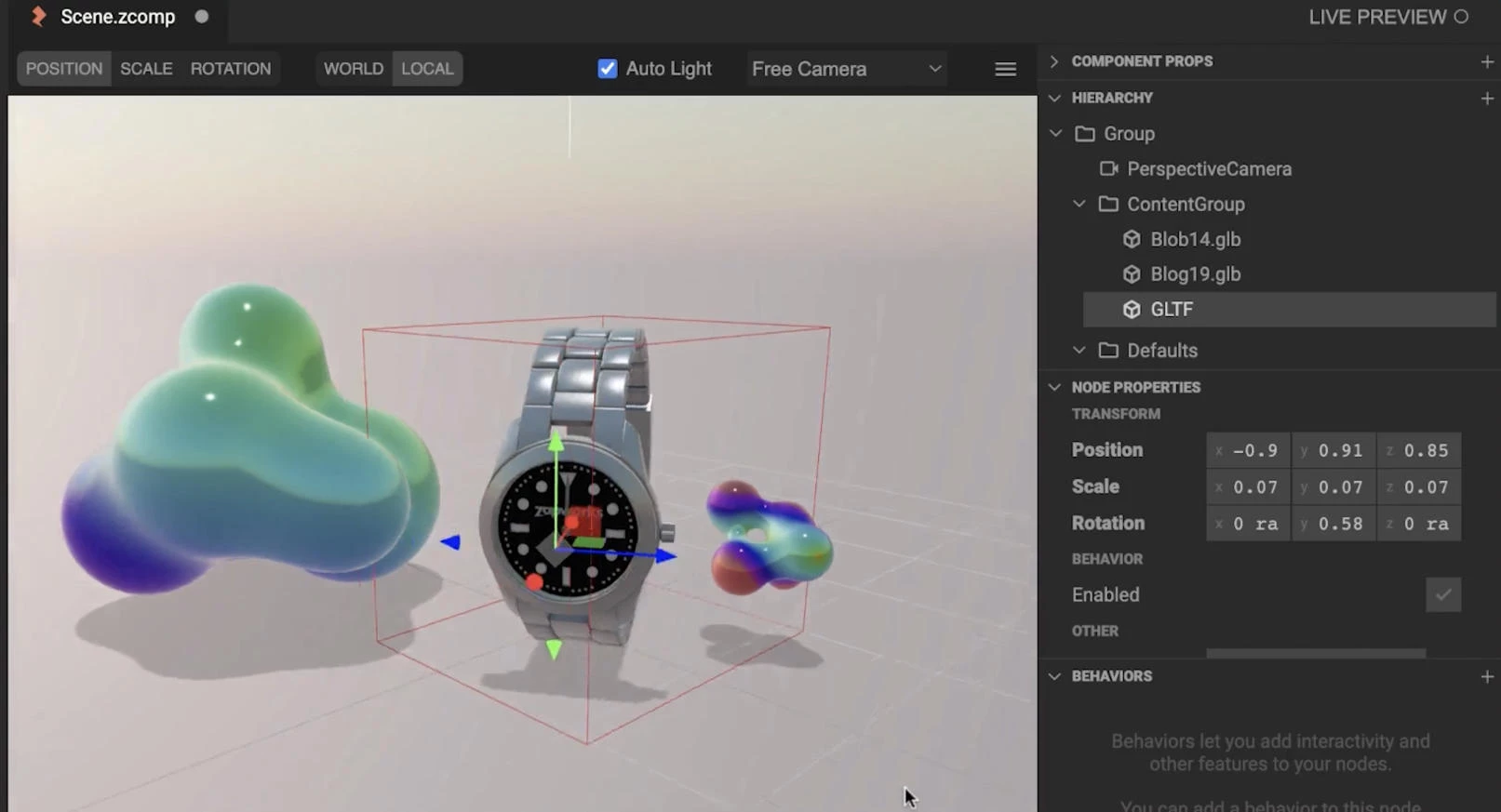
Another standout feature is Zapworks' ability to quickly deploy AR content across multiple platforms, including iOS, Android, and web-based applications. Its cloud-based AR deployment makes it an ideal solution for businesses that need to scale quickly without heavy infrastructure overhead.
Additionally, Zapworks’ cloud infrastructure allows for real-time updates and analytics, enabling businesses to tweak and optimize their AR experiences based on user feedback and engagement data.
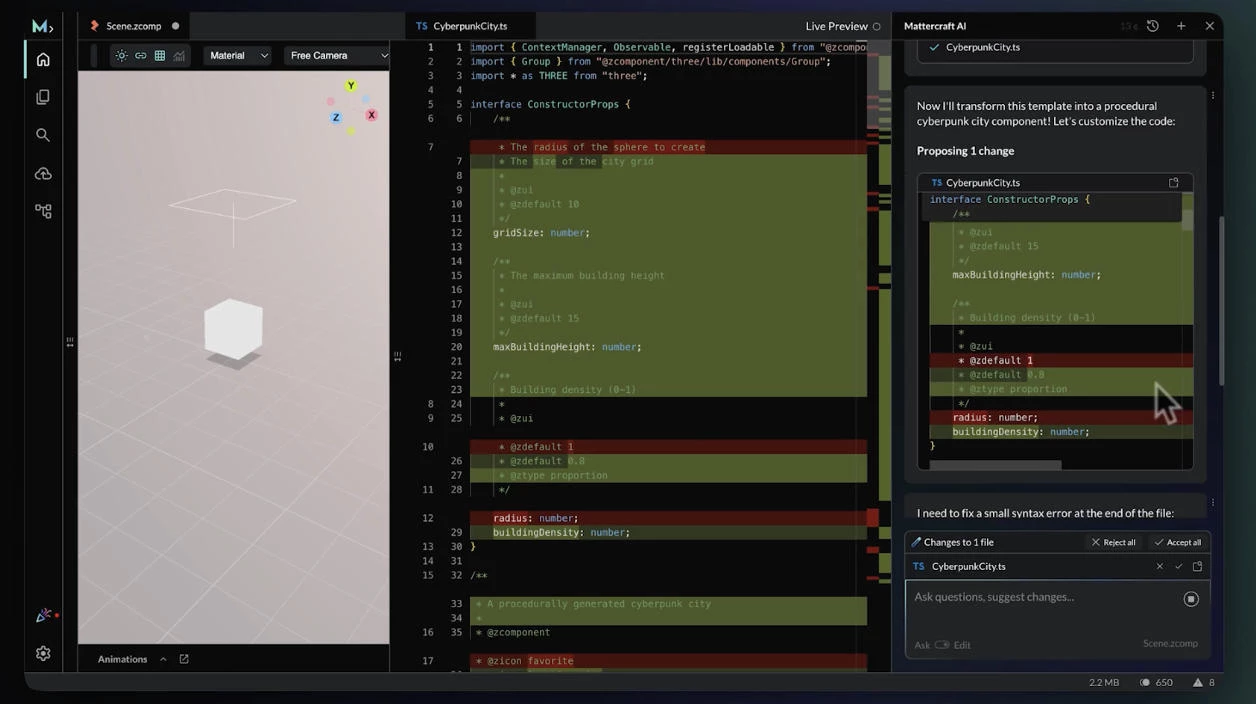
This flexibility is critical for companies that need to respond quickly to market trends and customer behavior, making it a powerful tool for ongoing optimization and continuous engagement.
Sign up for a Zapworks free trial here.
What Users Say
Many users in the marketing and retail sectors appreciate the ability to quickly develop and deploy interactive AR content to engage consumers in new and innovative ways.
A few also mention that performance can be inconsistent across different devices, with larger AR experiences sometimes facing lag on lower-end smartphones.
Who’s It For?
If you’re a marketing team looking to add an AR element to your campaigns or a small business aiming to enhance your product demos, Zapworks offers the tools to do so efficiently. It’s a great fit for those seeking to create compelling AR content quickly.
Other Notable Features
- Cloud-based deployment: Streamlines the process of publishing AR content across platforms without needing additional infrastructure.
- Real-time tracking: Ensures that virtual objects stay aligned with physical surroundings during user interaction.
- Built-in analytics: Provides insights into user engagement, helping businesses optimize their AR content for better performance.
- User-friendly interface: Makes it easy for non-technical users to design and deploy high-quality AR content.
- Customizable templates: Provides pre-built templates that can be tailored to meet specific business needs, speeding up content creation.
5. EON Reality: Best for Immersive AR/VR Training and Simulation

EON Reality is a leading AR/VR tool specifically designed for creating immersive training and simulation experiences. When I tested this platform, I was particularly impressed by its ability to deliver highly interactive and realistic environments.
| Pros | Cons | Pricing |
|
|
|
AI tracked user actions and provided instant corrective feedback, ensuring the learner could refine their techniques in real-time.
This kind of feedback loop is essential for efficient and scalable training solutions, making it an ideal tool for businesses looking to improve training efficiency and effectiveness.
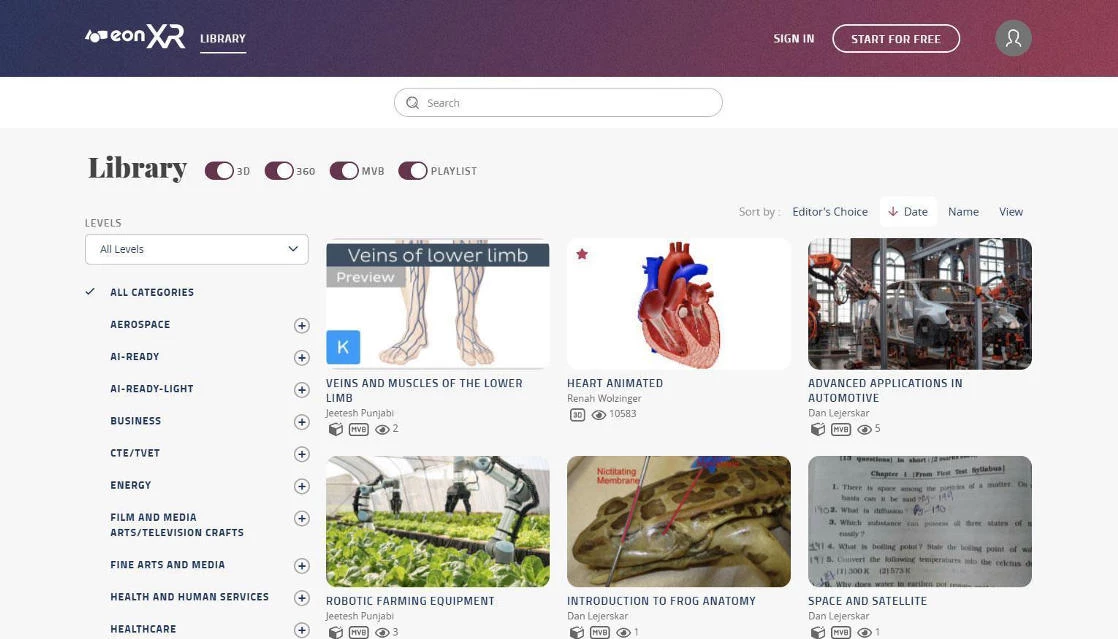
EON Reality also offers an extensive asset library, which includes a wide range of pre-built 3D models, environments, and interactive elements.
Whether you're designing a complex industrial environment or a detailed healthcare training scenario, the library provides a solid foundation to build upon and customize to your specific needs.
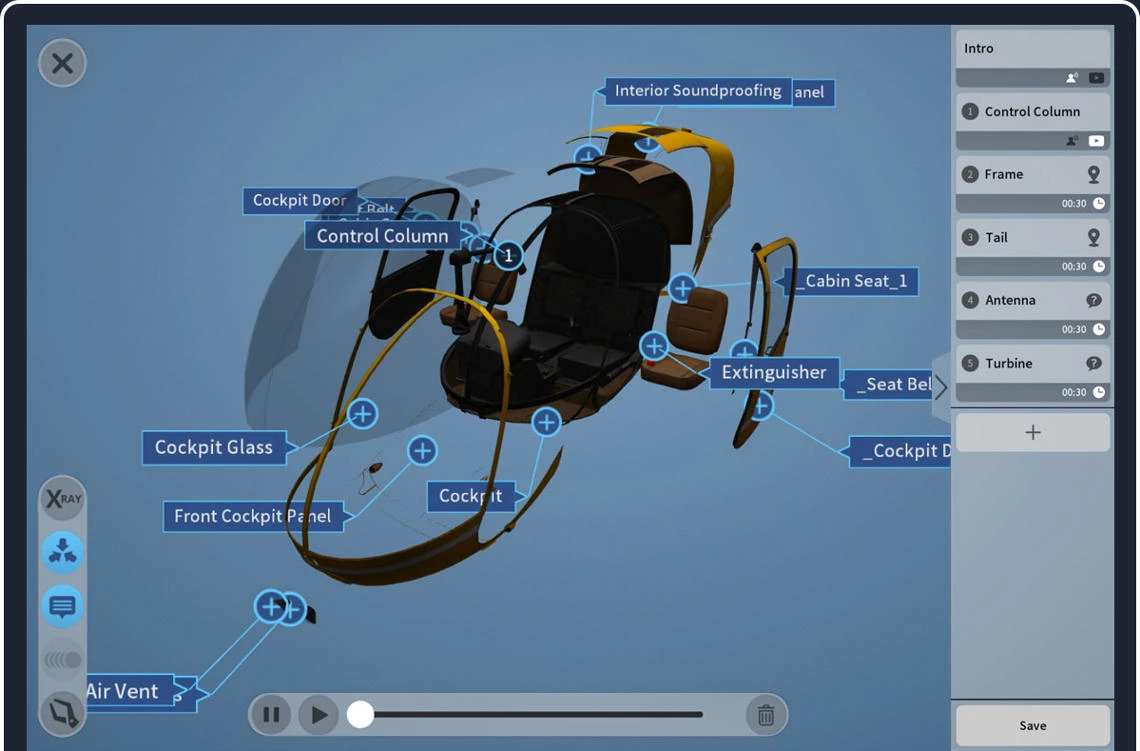
AI is integrated throughout the system, optimizing not just the visual fidelity of the simulations but also the behavior of objects and characters in the training environment.
This makes the training process highly dynamic, allowing users to experience and react to various scenarios as if they were in a real-world setting.
What Users Say
Overall, users appreciate the depth and quality of simulations that EON Reality offers. Many highlight the platform’s ability to create detailed and accurate virtual environments, which is especially valuable in sectors like healthcare and industrial training.
Some users have noted occasional performance issues with more complex simulations that require high-end hardware to run smoothly.
Who’s It For?
EON Reality is ideal for businesses in industries such as healthcare, manufacturing, and education that require high-quality, immersive AR/VR simulations for training purposes.
It is especially suited for enterprises with large-scale training needs and those who want to provide their employees with real-world practice in a safe, controlled virtual environment.
Other Notable Features
- Cloud-based deployment: Makes it easier to scale training programs across multiple locations and teams.
- High-quality visual fidelity: Offers highly detailed 3D models and environments that enhance realism.
- Scenario customization: Lets users build tailored training simulations with specific variables and conditions to suit particular needs.
- Multi-user collaboration: Facilitates collaborative training sessions, allowing multiple users to interact in the same virtual environment for group-based learning.
- Cross-platform support: Works across various AR/VR hardware, including VR headsets and AR glasses, ensuring flexibility in deployment.
AR/VR AI Tools: Final Thoughts
Choosing the right AR/VR AI tool depends on your industry and specific needs. Whether it’s for gaming, interactive marketing, or high-fidelity simulations, there’s a tool tailored to provide businesses with the immersive, scalable solutions they need.

Our team ranks agencies worldwide to help you find a qualified partner. Visit our Agency Directory for the top AR/VR companies, as well as:
- Top AI Consulting Companies
- Top Custom Software Development Companies
- Top Mobile App Development Companies
- Top IT Services Companies
- Top Software Testing Companies
Our design experts also recognize the most innovative design projects across the globe. Visit our Awards section to see the best in VR website design.
AR/VR AI Tools FAQs
1. What role does AI play in performance optimization for AR/VR tools?
AI helps optimize the rendering process by automatically adjusting the complexity of objects, textures, and environments in real-time, ensuring smooth performance and minimal latency even on lower-end devices.
2. How does AI-powered real-time tracking enhance AR/VR experiences?
AI-powered real-time tracking ensures that virtual objects align seamlessly with the physical world as users move or interact with them, making the AR/VR experience more immersive and realistic, especially in dynamic environments.
3. How do AI-driven AR/VR tools improve training and educational outcomes?
AI-driven AR/VR tools create adaptive learning environments, offering personalized feedback, real-time performance tracking, and immersive simulations, which help learners engage more effectively and accelerate skill acquisition.