
A well-executed onboarding process ensures clients feel valued and sets the stage for a long-term, fruitful partnership — scroll down to discover how to refine your onboarding experience.
Agency Client Onboarding: Key Points
- 86% of customers say that helpful onboarding encourages long-term retention. Customizing onboarding materials and adapting to client preferences fosters trust.
- Regular check-ins and clearly defined roles prevent miscommunication and delays.
- Reducing the time it takes for clients to see tangible results leads to higher satisfaction and retention.
Agency Client Onboarding: Overview
- The Complete Guide to Scaling Your Agency
- Agency Prospecting Playbook
- 8 Proven Strategies To Get More Digital Marketing Clients
A structured onboarding process sets expectations and establishes the framework for a stable, durable partnership.
By implementing the right steps, tools, and best practices, you can ensure that your partnerships start off strong and remain on track for success.
Key Steps to Effectively Onboard Clients in an Agency Setting
Over 60% of customers say they factor the onboarding experience into their buying decision, and a poor onboarding is a top churn driver. Follow these steps to get client onboarding right for your agency:
- Realign on project foundations
- Provide clear communication channels
- Host kickoff meeting & provide ongoing support
- Complete the technical setup
1. Realign on Project Foundations
After the contract is signed, it's crucial to realign on the foundational aspects of your partnership. This phase focuses on confirming project goals and ensuring that both parties are clear on expectations and responsibilities moving forward.
Key steps for realignment:
- Set priorities: Focus on the most important tasks first to maintain momentum and avoid distractions that could derail the timeline.
- Define success metrics: Set clear agency KPIs for tracking progress. Identify specific, measurable outcomes that will guide decision-making, so you can easily assess success at each milestone.
- Clarify service terms: Be transparent about services, pricing, billing schedules, and change-order processes.
Continuously check in with the client to refine goals as needed. This ensures that shifting business priorities or market conditions are reflected in the project’s direction and keeps both sides aligned.
2. Provide Clear Communication Channels
Establishing clear and open lines of communication early in the onboarding process will prevent confusion down the line.
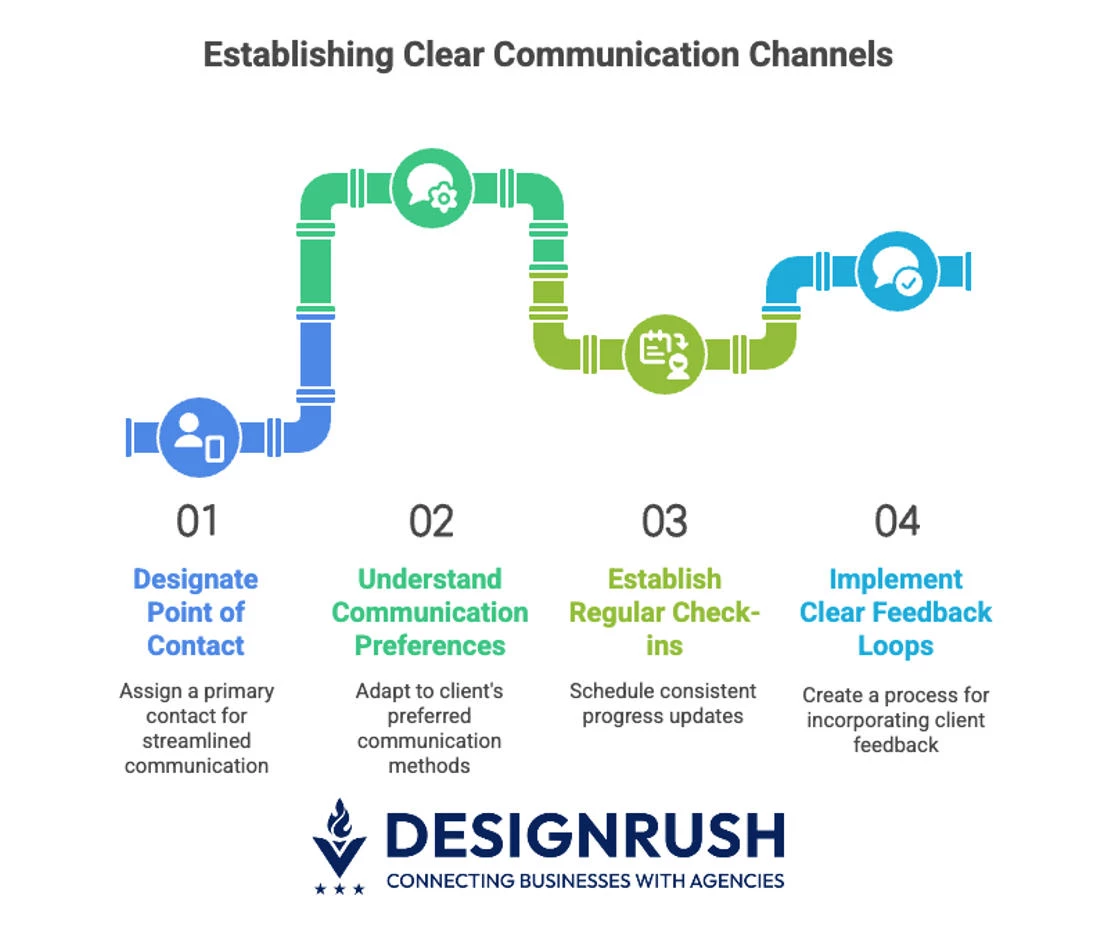
Some best practices include:
- Point of contact: Designate a primary point of contact for the client, and vice versa. This streamlines communication and prevents messages from getting lost in the shuffle.
- Communication preferences: Some clients prefer emails; others may favor instant messaging or video calls. Understand and adapt to these preferences for more efficient communication.
- Regular check-ins: Establish the frequency of progress updates, whether it's weekly meetings, bi-weekly emails, or another method.
- Clear feedback loops: Clients should be able to share their thoughts, concerns, or ideas quickly, with an agreed-upon process for incorporating feedback into the project.
3. Host Kickoff Meeting & Provide Ongoing Support
The kickoff meeting marks the official start of the project, ensuring all stakeholders are aligned before execution begins. It’s also an opportunity to provide essential resources and establish ongoing support for a smooth collaboration.
What to cover during the meeting:
- Introduce the team: Share roles and responsibilities of key team members to build rapport and ensure the client knows who to contact for specific needs.
- Confirm next steps: Define immediate actions and set expectations for the next phase, ensuring that no time is lost in the transition.
- Provide a welcome packet: Offer a comprehensive guide outlining processes, timelines, and key contacts to ensure the client knows what to expect.
- Share training materials: If using specific tools or platforms, provide easy-to-follow tutorials to help clients navigate your systems with ease.
- Ensure ongoing support: Clearly communicate support channels for questions or urgent needs, ensuring the client knows where to go for assistance throughout the project.



4. Complete the Technical Setup
The technical setup is a critical part of the agency onboarding process, as it lays the foundation for the project’s success. Ensuring that all necessary tools, systems, and platforms are integrated smoothly will help streamline operations.
Steps for a smooth technical onboarding:
- Collect access details: Gather all login credentials and access permissions required for the client’s systems, platforms, and software. This may involve setting up user accounts or ensuring your team has the appropriate access levels.
- Integrate systems and tools: Collaborate with the client to integrate their systems with your reporting software, analytics platforms, and other tools used for project management or communication.
- Review existing technical infrastructure: Request a walkthrough of the client's existing tech stack, including their website setup, content management system, and analytics tools. This will help you avoid technical hiccups down the line.
- Set up project management systems: Organize the project within your project management platform. Set key milestones and define tasks so all team members are on the same page from the start.
10-Step Client Onboarding Checklist for Agencies
Use this checklist to ensure every client receives a consistent, white-glove onboarding experience and set up a long and fruitful client relationship.
1. Pre-Onboarding: Internal Prep
2. Schedule & Conduct Kickoff Call
3. Send Welcome Package
4. Execute Legal and Administrative Tasks
5. Collect Essential Client Inputs
6. Set Up Project Management & Tracking
7. Configure Client Tools & Integrations
8. Conduct Internal Kickoff / Handoff
9. Begin Project Execution
10. Gather Feedback & Refine
|
Tools & Software for Streamlining Client Onboarding
By utilizing the right tools and software, you can simplify workflows and provide a seamless experience from day one.
- CRM systems for client information and communication
- Onboarding platforms for a smooth client experience
- Project management tools for task tracking
1. CRM Systems for Client Information and Communication
About 91% of companies with more than 10 employees use CRM software. This is because implementing a CRM properly can boost conversion rates by up to 300% and yield over 245% ROI.
In practice, this means faster client handoffs, fewer manual errors, and better accountability. Many CRMs also offer workflows (e.g. auto-scheduling tasks, sending form reminders) that save time on routine onboarding activities.
- Salesforce, HubSpot, Zoho: These CRMs allow you to manage client data, track communications, and automate follow-ups, saving time and preventing errors.
- Time-saving automation: Automate repetitive tasks, such as follow-ups, document management, and client communications, so your team can focus on higher-value tasks.
2. Onboarding Platforms for a Smooth Client Experience
For a more guided experience, you can use onboarding software or portals that automate multiple steps: sending engagement contracts, collecting intake forms, processing initial invoices, and emailing welcome messages.
Because clients can upload details directly (e.g. project requirements, logos, brand assets) into the portal, you reduce back-and-forth and data entry errors. These tools lay the groundwork for consistent, personalized engagement through the client lifecycle.
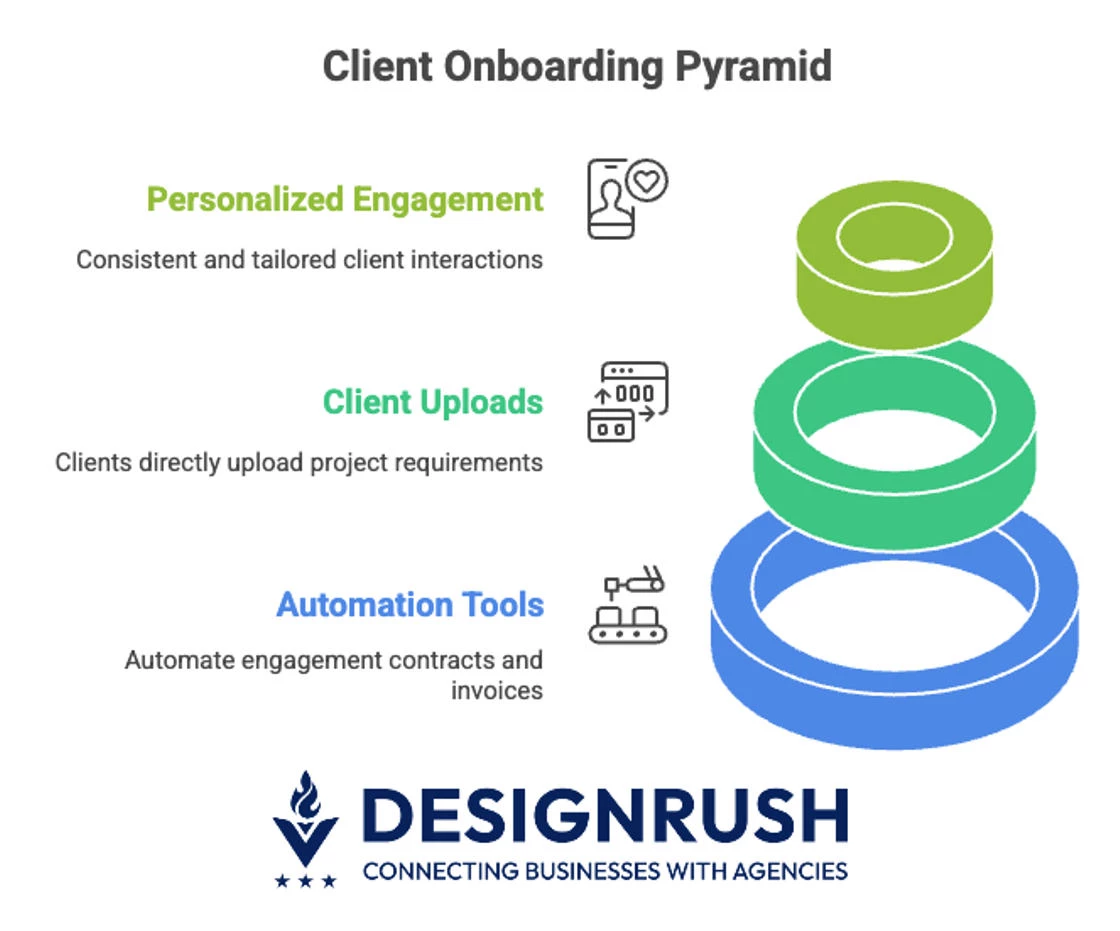
- Dubsado, ClientFlow: These platforms manage the entire onboarding process, from sending contracts and invoicing to collecting client information and sending welcome emails.
- Simplified data entry: Clients can enter their details directly into these platforms, reducing the administrative burden and ensuring accuracy.
3. Project Management Tools for Task Tracking
Over 80% of companies use project management software to drive efficiency. For example, you might set up a “Client Onboarding” board with lists like “To Do,” “In Progress,” and “Done,” and invite the client to glance at it.
Shared boards and documents also centralize communication (instead of scattered emails), so you and your clients are literally on the same page throughout the onboarding process.
- Trello, Asana, Monday.com: You can organize tasks, set deadlines, and track the progress of each project. They provide much-needed visibility into project status and reduce the need for constant updates.
- Seamless collaboration: Enable teams to share documents, assign tasks, and communicate directly within the platform, ensuring that everyone is aligned and up to date.
Best Practices to Maintain Client Satisfaction Throughout Onboarding
By getting onboarding right, you can improve satisfaction and loyalty. Remember, repeat customers not only spend more (up to 67% more in one study), they also cost far less to serve than new ones.
Some best practices during client onboarding include:
- Transparent communication and regular updates
- Personalization for enhanced client experience
- Continuous feedback and iteration
- Tracking onboarding success
1. Transparent Communication and Regular Updates
One study found that if the purchasing or onboarding process feels too hard, 74% of customers say they’ll go elsewhere. By proactively clearing hurdles and clarifying the next steps, you demonstrate respect for the client’s time and avoid frustration.
- Use Slack, email, or project management tools: Depending on client preferences, use these tools to maintain a steady flow of communication, keeping clients updated on progress and next steps.
- Build trust with transparency: Be upfront about potential delays, challenges, or any issues that may arise. Open communication fosters trust and demonstrates your commitment to client success.
- Encourage two-way dialogue: Ask clients if they prefer status calls or written updates and invite questions. This client-centric approach prevents small issues from becoming big problems.
2. Personalization for Enhanced Client Experience
About 58% of customers say a personalized experience is crucial when interacting with a company. So, tailor the onboarding to each client’s needs. Don’t just send the same boilerplate materials; customize them.
Over time, clients who feel known and valued are more likely to stay loyal. For instance, a study reports that 86% of customers would be more loyal if provided helpful onboarding and educational content.
- Custom onboarding packages: Create onboarding materials tailored to each client’s industry, goals, and preferences. This attention to detail builds trust and rapport.
- Tech stack alignment: Not every client is comfortable with complex or high-tech onboarding tools. Offer flexibility in your tech stack and adapt to the tools your client is familiar with for a more comfortable experience.
- Client-first approach: Always go above and beyond to address clients’ unique needs, ensuring they feel valued and heard.
3. Continuous Feedback and Iteration
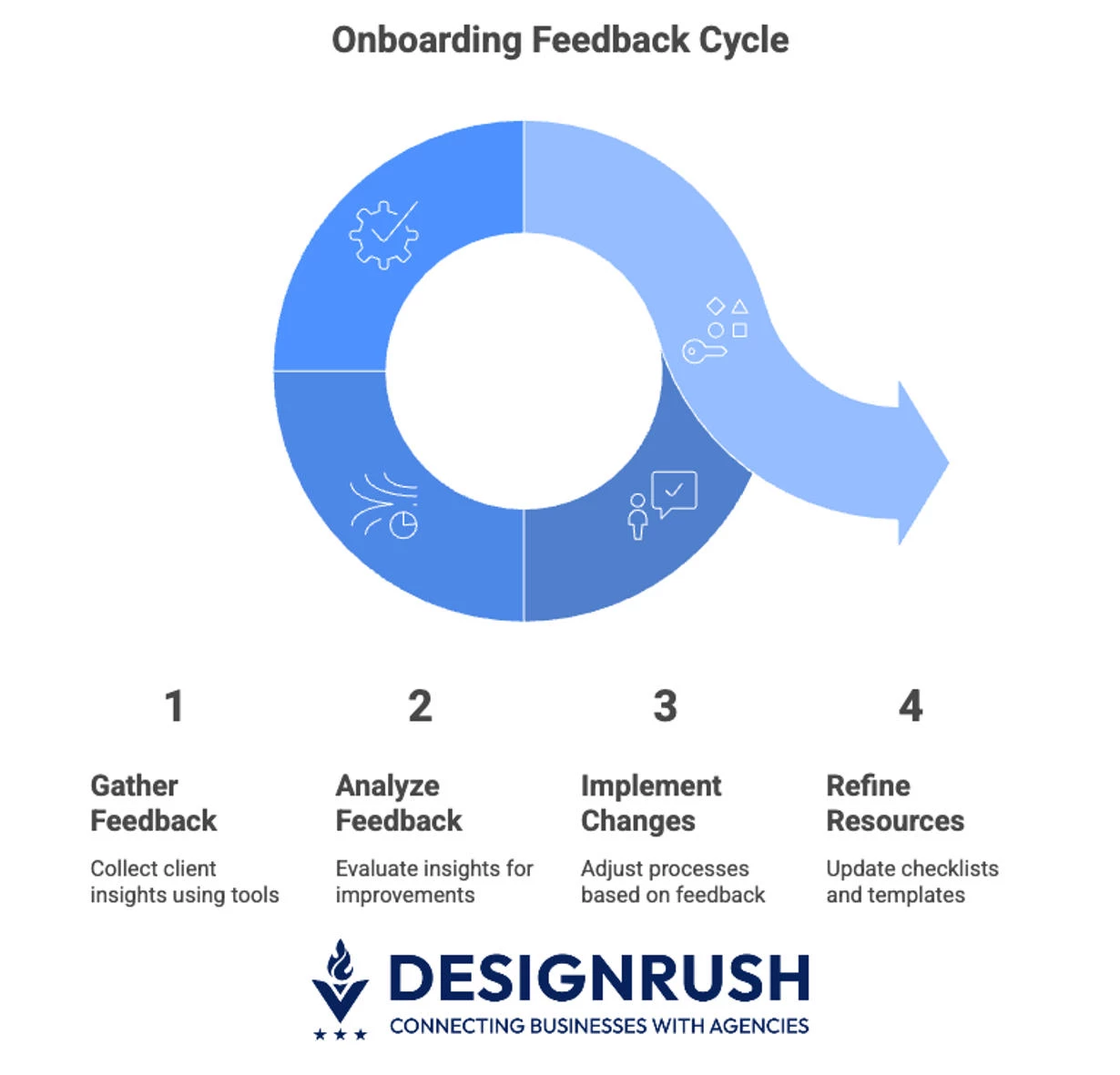
View onboarding as an evolving process. Early on, invite feedback about how it’s going. You can use simple tools to ask clients whether the pace is good, if they need more resources, etc. Analyze this feedback and make quick adjustments.
Use feedback to refine checklists, templates, and handoff notes so that future clients benefit from past learnings. The goal is a dynamic process that learns and improves, rather than a static checklist that never changes.
- Use feedback tools like Google Forms or SurveyMonkey: Gather insights on how clients perceive the onboarding process. This allows you to adjust in real time.
- Act on feedback: Use the insights gained to make improvements, address concerns, and refine your processes for future clients.
- Deploy a structured feedback system: Surveys at different stages of onboarding and direct client interviews will highlight areas of improvement and lead to higher satisfaction in the future.
4. Tracking Onboarding Success
Tracking key metrics during client onboarding is essential to identifying friction points, optimizing the process, and proving ROI to leadership. By closely monitoring these metrics, you can continuously improve your onboarding strategies:
- Time to First Value (TTFV): Measure how long it takes for clients to see tangible benefits from your services. Reducing TTFV helps increase client satisfaction and retention.
- Onboarding completion rate: Track how many clients successfully complete every stage of the onboarding process. As you monitor progress on tasks and client milestones, you can pinpoint where clients may be stuck or disengaged.
- Client Satisfaction Score (CSAT): After key onboarding interactions, send out brief CSAT surveys to assess how satisfied clients are with their experience. Use this data to immediately adjust processes or provide additional support where necessary.
- Net Promoter Score (NPS): To gauge overall satisfaction, send out NPS surveys at various stages of the onboarding process. Tools like Delighted or Promoter.io can automate these surveys, allowing you to track client loyalty and identify areas for improvement.
- Client retention after 90 days: Strong onboarding often correlates with long-term retention. Use your CRM system to track retention and compare clients who had strong onboarding experiences with those who didn’t.
Build a centralized dashboard to track these metrics in real time. Tools like Google Data Studio, Tableau, or Power BI can integrate data from various platforms, so you can continuously monitor onboarding success and identify areas that need attention.
Common Pitfalls to Avoid during Client Onboarding
Client onboarding can be a delicate process, and even small mistakes can lead to frustration or delays. By identifying and addressing common pitfalls early on, you can ensure a smooth and efficient transition from contract signing to project execution.
- Overcomplicating the process: Avoid overwhelming clients with too many tools or overly complex procedures. Streamline the onboarding process and tailor it to the client’s comfort level.
- Underestimating client involvement: Clearly outline the client's responsibilities and the required level of involvement. Failing to do so may lead to missed deadlines or delays in providing the necessary materials.
- Neglecting to follow up regularly: Don’t assume everything is on track once the onboarding is complete. Schedule regular check-ins so the client feels supported and address concerns early in the process.
- Not personalizing the experience: Avoid using a one-size-fits-all approach. Customize onboarding materials and communication to show that you truly understand and care about their business.
Agency Client Onboarding: Final Thoughts
By following the strategies outlined in this guide, you can reduce friction, improve client satisfaction, and drive better business outcomes.
Implementing the right tools, communication strategies, and best practices ensures that your agency delivers a seamless onboarding experience, setting the stage for growth and client retention.

Our team ranks agencies worldwide to help you find a qualified partner. Visit our Agency Directory for the top business consulting companies, as well as:
- Top Small Business Consulting Firms
- Top Startup Consulting Firms
- Top HR Consulting Firms
- Top Software Consulting Companies
- Top Consulting Firms in Columbus
Our design experts also recognize the most innovative design projects across the globe. With a growing wave of fresh branding, be sure to explore our Awards section.
Agency Client Onboarding FAQs
1. How long should the client onboarding process take?
The client onboarding process typically takes 1 to 2 weeks, though it can vary depending on the project’s complexity and scope. Simple projects may be onboarded faster, while more intricate services — like digital marketing campaigns or complex design projects — could require additional time to ensure all foundations are properly set.
2. How do I ensure my clients are fully engaged in the onboarding process?
To ensure full client engagement, set clear expectations about their responsibilities and involvement from the start. Maintain regular follow-ups, provide easy-to-follow instructions, and ensure the process is user-friendly. Simplify the steps, offer support when needed, and make sure the client feels heard and valued throughout the journey.