
The email inbox is one of the only digital surfaces still largely frozen in 2010 design patterns. Not because the technology isn't there, but because most practitioners haven't touched what is.
We’ll break down what’s now possible inside the inbox and what’s still holding it back.
Interactive Design in Email Marketing: Key Findings
- Check your last 90 days of opens by email client first; if Outlook isn’t dominant, you can confidently roll out CSS interactivity to most of your list.
- Prioritize mobile-first execution, ensuring all interactive elements meet the 44px tap target rule, since 43% of opens happen on mobile.
- Start simple with countdown timers or live content. They work almost everywhere and give you quick, measurable wins without heavy dev work.
Why Interactive Email Is Still Underused Despite 91% Consumer Demand
1. AI in Email Marketing
2. Interactive Email Examples
3. Email Marketing Ideas
4. Email Campaign Design Examples
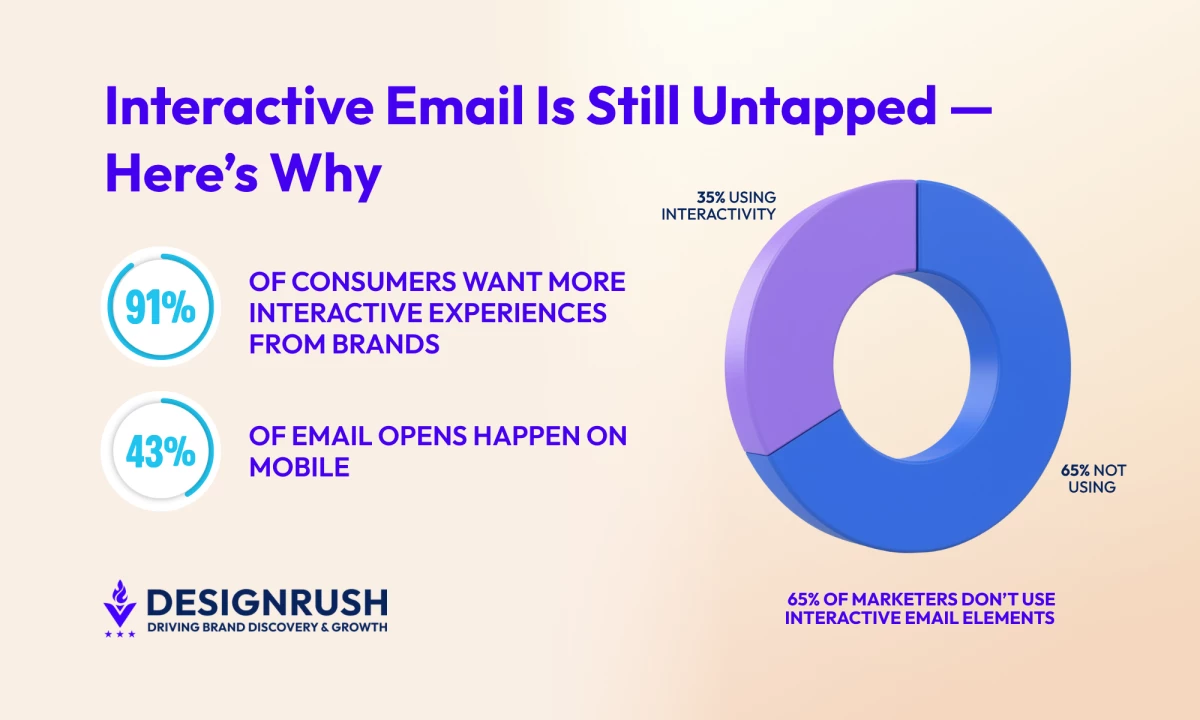
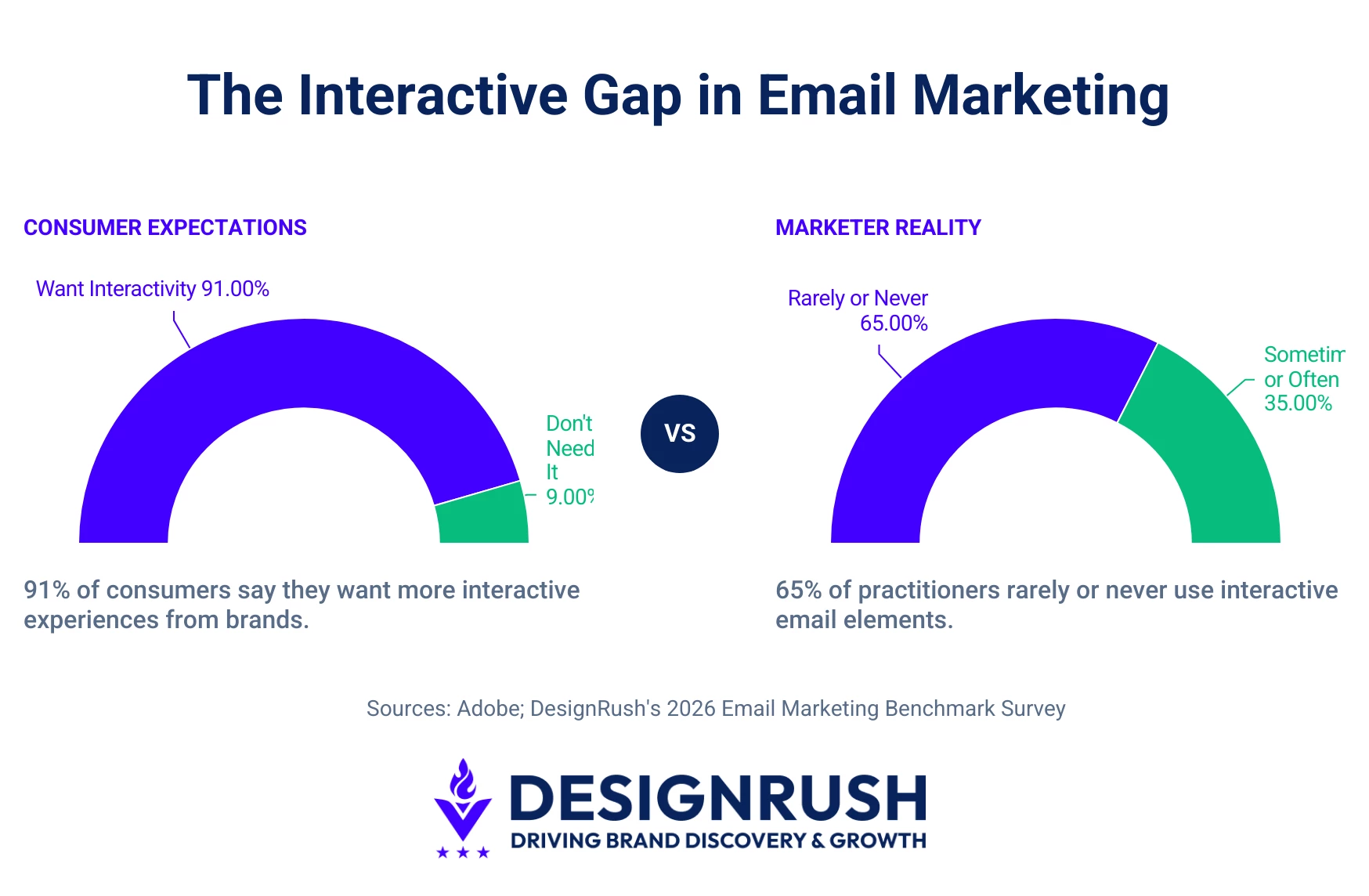
According to DesignRush's 2026 Email Marketing Benchmark Survey, 65% of practitioners rarely or never use interactive email elements.
91% of consumers say they want more interactive experiences from brands.
 So why the gap? It's because interactive email sits at an uncomfortable intersection of three real, legitimate challenges:
- Technical compatibility that's still inconsistent across clients
- A production burden that multiplies testing overhead
- An attribution model that makes it hard to prove ROI through conventional reporting.
Conflating them is how marketers end up either overestimating what they can pull off or dismissing the whole category because it feels too complex.
The goal of this guide is to help you distinguish between what you can't do and what you simply haven't tried yet.
What "Interactive Email" Actually Means in 2026
Interactive email goes beyond static images or GIFs: it invites subscribers to act inside the message itself. In practice, this breaks down into three categories.
Understanding them as distinct tools helps you choose which form of interactivity matches your audience's inbox environment and your team's production capacity.
Here’s how they break down:
1. Structural Interactivity: CSS That Already Works for Most of Your List
This is the oldest and most widely supported category. It’s where CSS and HTML are doing the heavy lifting through:
- In-email carousels
- Click-to-reveal sections like accordions or tabs that expand to reveal content
- Image hover effects that swap photography
- Content that conditionally shows or hides without JavaScript
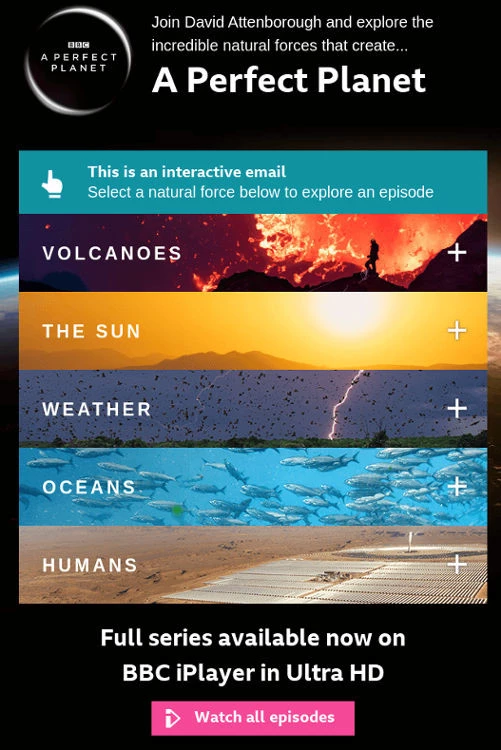
Because these elements rely on native rendering, they work in any client that supports CSS-based interactivity well, such as Apple Mail and the Gmail app, and gracefully degrade for unsupported clients, where they display all content expanded instead.
Outlook is the persistent problem child here, but if, for example, 43% of your opens are happening on mobile and another 25% on desktop, a meaningful chunk of those readers is already in environments where structural interactivity works.
2. Dynamic Content: The Middle Ground Between Static and Interactive
This sits in the middle of the spectrum. These are elements that update or behave dynamically when the email is opened, like:
- Live countdown timers that pull real-time data at open
- Real-time inventory or pricing updates based on current stock levels
- Personalized content blocks that change based on when or where the email is opened
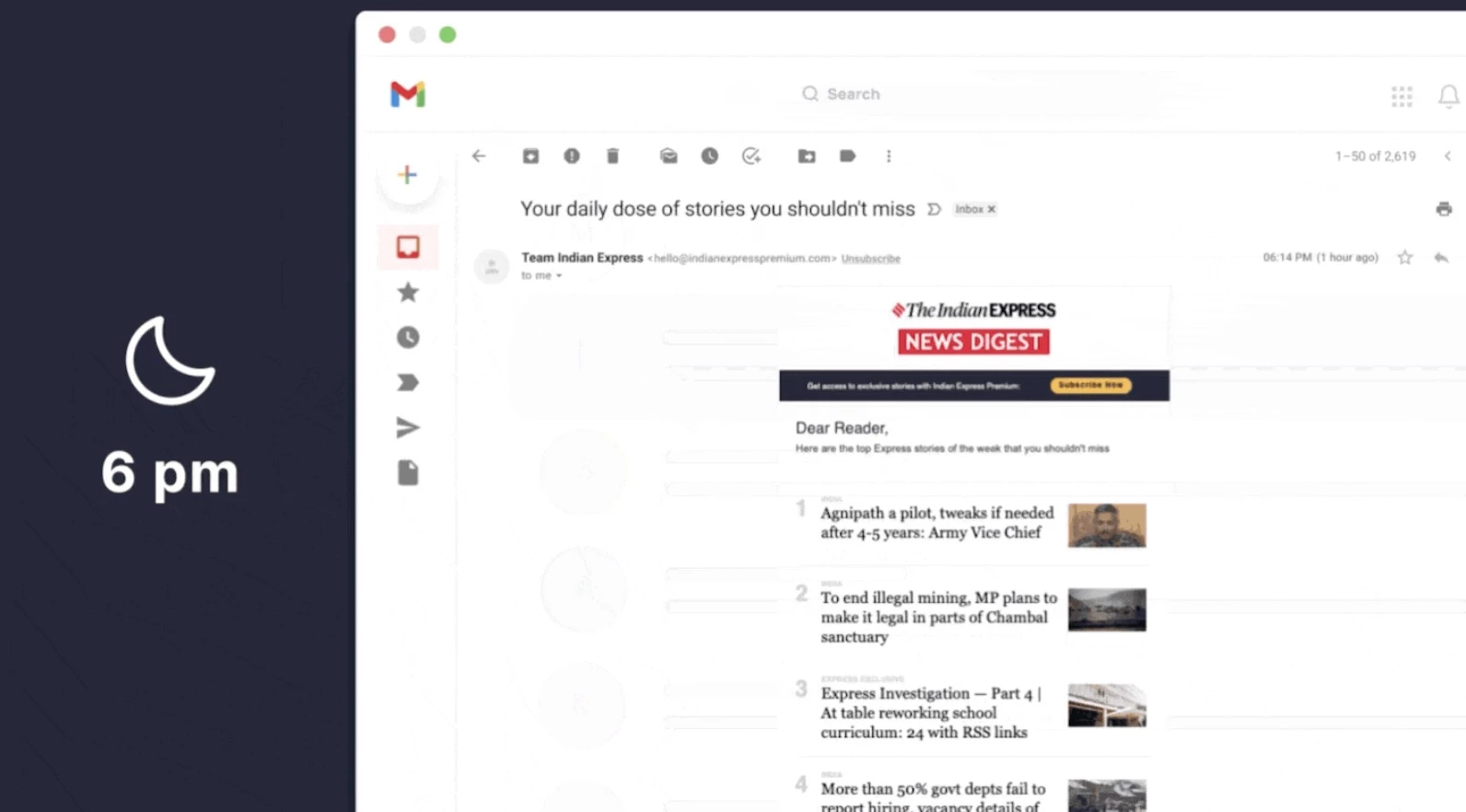
They often rely on “moment of open” services or slight looping animations, but importantly, they feel live.
These work through server-side rendering rather than in-email code, which means client compatibility is less of an issue.
The email is technically static HTML, but the content it contains is current. Most modern email service providers (ESPs) can support this with some level of template scripting or third-party integration.
3. AMP-Powered Interactivity: When Users Can Act Without Leaving the Inbox
This is where things get genuinely ambitious and complicated.
Accelerated Mobile Pages (AMP) for Email is based on the same idea as AMP for Web, which was originally built to make mobile pages load faster by stripping down scripts and keeping things lightweight.
In email, though, the goal shifts away from speed and toward interaction inside the inbox itself.
AMP for Email enables true two-way interactivity. Instead of clicking out to a landing page, users can complete actions right there:
- Fill out a surveys and forms
- Browse a product catalog
- Submit a support request
- Respond to an NPS prompt without leaving the email client
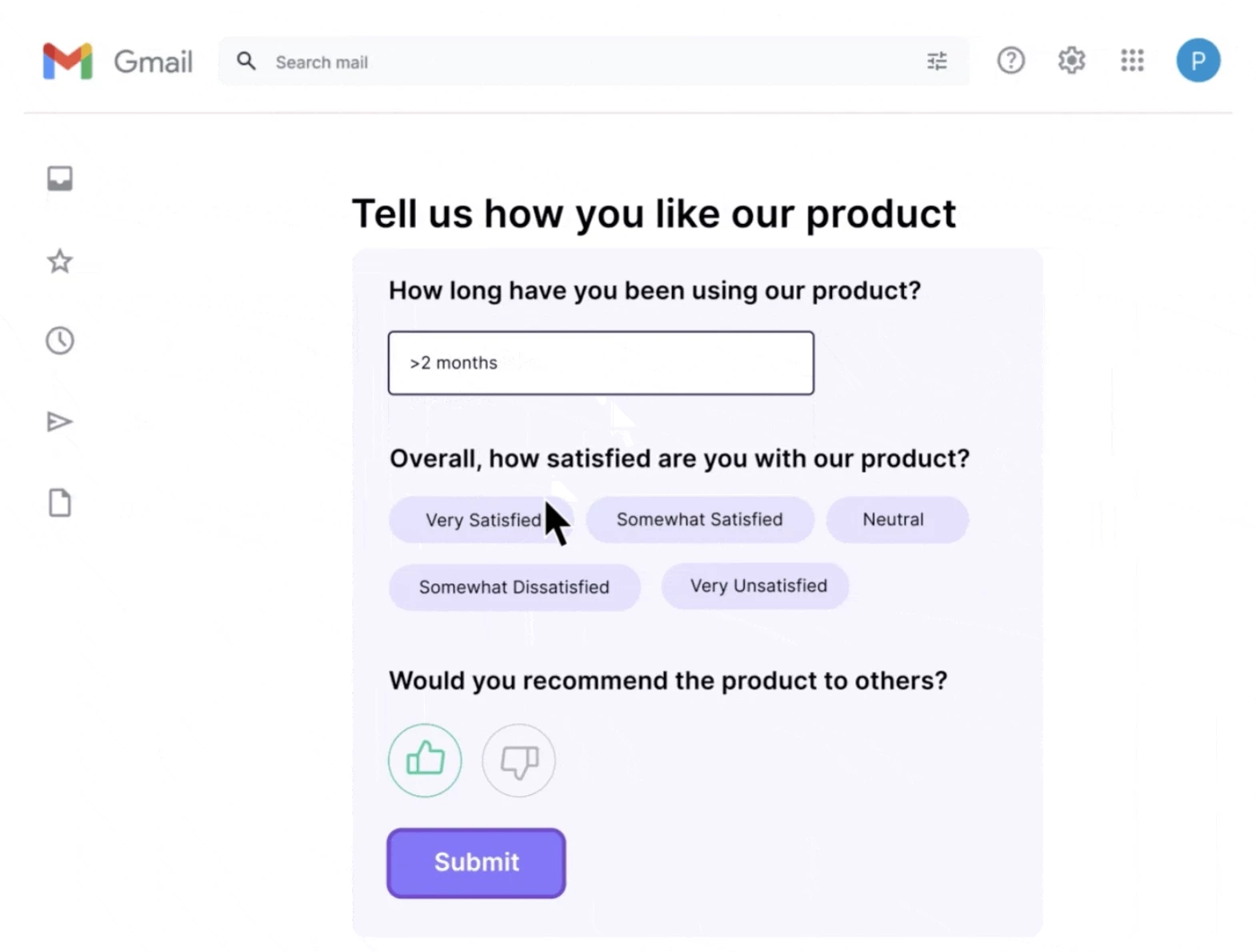
It's as close as email has come to functioning like a lightweight web app.
But it requires special setup: verified sender authentication (SPF, DKIM, DMARC all properly configured), the sender domain must be whitelisted with each supporting client.
As of 2026, it is still limited to Gmail, Yahoo Mail, and a handful of others.
Why Marketers Stay Cautious: 3 Barriers Slowing Adoption (and Fixes)
Given how consumers crave interaction, why are most marketers still on the sidelines?
Experts find the barriers are rational trade-offs:
1. Client Compatibility Fragmentation: Check 90 Days of Opens Before Building
Compatibility is a real problem. Not all email clients support advanced features like carousels or AMP.
This forces marketers to build at least two versions: you build the richest interactive experience for Gmail/Yahoo, and a clean, complete HTML fallback for everyone else.
For CSS-only interactivity, Outlook-specific conditional comments let you swap in a simplified layout for Microsoft.
How to curve this issue:
Make this a data-driven decision, especially since you already have the data to quantify your compatibility exposure. So, pull your last 90 days of email opens by client from your ESP.
If Outlook represents 15% of your opens, you're designing fallbacks for only 15% of your audience. But if it represents 60%, that changes your strategy significantly.
2. Production and QA Burden: Standardize Components to Reduce Testing
Interactive email unquestionably multiplies design, coding, and testing overhead.
Writing complex CSS or embedding AMP scripts needs specialized skills, and every interactive element must be tested across dozens of inboxes, with additional checks to verify that fallbacks render correctly.
For example, adding an accordion means testing on Apple Mail, Gmail, Yahoo, iOS Mail, and Outlook (web and app). Each client might need a different tweak.
How to curve this issue:
- Use purpose-built testing infrastructure.
Tools like Litmus offer live previews across hundreds of client and device combinations without requiring you to actually send emails to test accounts.
The cost of a testing subscription is almost always lower than the cost of a broken email reaching your list.
For the broader budget picture, here's what email marketing typically costs in 2026. - Standardize your interactive components rather than rebuilding them from scratch for each campaign.
An accordion module that's been tested and signed off on once becomes a template asset you can reuse without re-testing the underlying mechanics, so you only validate the content inside it.
The teams doing this well treat interactive elements the same way a front-end engineering team treats UI components: build it once, test it thoroughly, then deploy it repeatedly.
The first accordion you build might cost three hours of QA time. But the tenth costs twenty minutes of content substitution.
3. Measurement Blind Spots: Use Webhooks and UTMs to Track In-Email Actions
This is the least discussed barrier and arguably the most damaging to adoption.
Standard email analytics often break when you add in-email interactivity.
Traditional KPIs like opens, clicks, and click-to-open rate were designed for emails where all meaningful action happens after the subscriber clicks out to a landing page.
When the interaction happens inside the email itself, that action typically doesn't register in your ESP's standard reporting. This makes it hard to prove ROI.
For instance, someone might book a demo via an in-email form, and the metrics would only show they clicked once to the email, and not that they converted.
How to curve this issue:
The fix is intentional instrumentation before you launch:
- For AMP form submissions, configure webhook endpoints that log responses to your CRM or data warehouse immediately.
- For carousel interactions, use click tracking on each product tile with distinct UTM parameters so you can identify which items drove downstream conversions.
- For poll responses, build a triggered follow-up sequence tied to each vote.
For example, subscribers who voted for Category A get a follow-up featuring Category A products, which creates a traceable relationship between in-email behavior and subsequent revenue.
Which Email Clients Providers Support What for Interactive Features
Support varies widely across clients, and clear answers are hard to find. The table below shows the state of play as of 2026. Check it before you design.
Feature | Gmail | Outlook | Apple Mail | Yahoo Mail | Thunderbird |
CSS toggles or accordions | ✅ | ❌ | ✅ | ✅ | ✅ |
CSS carousels | ✅ | ❌ | ✅ | ⚠️ | ✅ |
AMP (forms, polls, carousel) | ✅ | ❌ | ❌ | ✅ | ❌ |
Dynamic timers (images/GIFs) | ✅ | ✅ | ✅ | ✅ | ✅ |
Image hover effects | ⚠️ | ❌ | ✅ | ❌ | ✅ |
Conditional content (show/hide) | ✅ | ❌ | ✅ | ✅ | ✅ |
4 Interactive Email Use Cases Driving Measurable Results
When done right, AMP can remove friction from conversions. But the brands making interactive email work don’t do it uniformly across every campaign.
Instead, they're applying it selectively to specific use cases where the format has genuine leverage:
- Retail: Gamified offers
- eCommerce: Carousels
- SaaS companies: In-email surveys
- Event emails: One-step RSVPs
1. Retail: Gamified Offers - Spin-to-Win Lifted CTR to 6.6%
Retail and DTC brands have been the earliest and most consistent adopters.
Scratch-card mechanics and spin-to-win promotions tap into human curiosity and urgency, which is difficult to achieve with a static promotional email. The interaction alone already creates a sense of earned reward.
The novelty drives opens and opens the door to the sale, even if one in three spins nets a small coupon. Holidays and promotions are especially ripe for this.
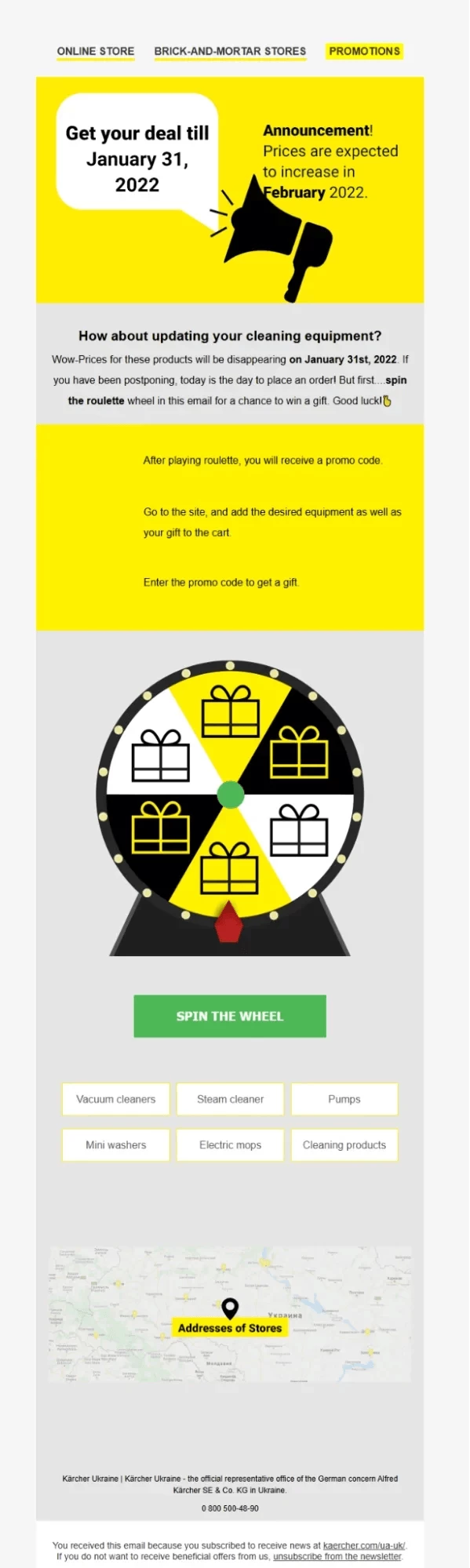
Kärcher, a global cleaning equipment brand, invited subscribers to spin a wheel directly within the email to win seasonal prizes and discounts. The aim was to encourage customers to use discounts before a certain date.
The result: open rate increased from 27% to 38%, and CTR climbed from 2.9% to 6.6%.
2. eCommerce: Carousels Drove 82% Cart Recovery
Many retailers pack carousels into newsletters so customers can browse multiple products in one scrollable experience.
A carousel replaces a series of static product image blocks, saving inbox space and simplifying the journey.
In practice, a smartphone user can swipe through several best-sellers without leaving the message. Merchants cite higher click rates on these features since readers can compare products in context.
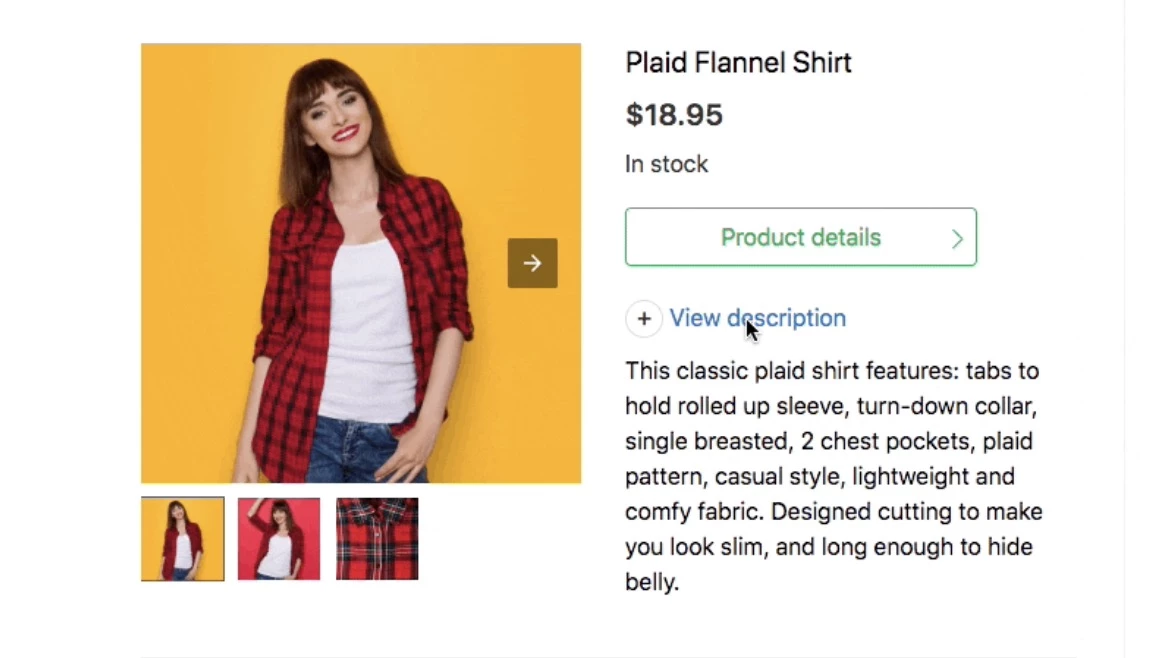
Ecwid, an eCommerce platform powering 1M+ small businesses, used AMP for Email in cart abandonment campaigns, adding in-email product image carousels so customers can view items without leaving their inbox.
After analyzing ~171,000 emails, abandoned cart sales increased by 82%, with some merchants seeing 300%+ recovery.
3. SaaS Companies: In-Email Survey Responses Increased 257%
SaaS companies have found a quieter but highly valuable application: in-email NPS surveys and product feedback forms powered by AMP to cut friction in feedback and research.
The traditional approach to NPS collection is a redirect: click the score in the email, land on a survey page, and complete the form. Every step in that chain is a drop-off point.
AMP collapses this entirely. Embedding a one-question NPS or poll directly in the email increases response rates compared to linking out.
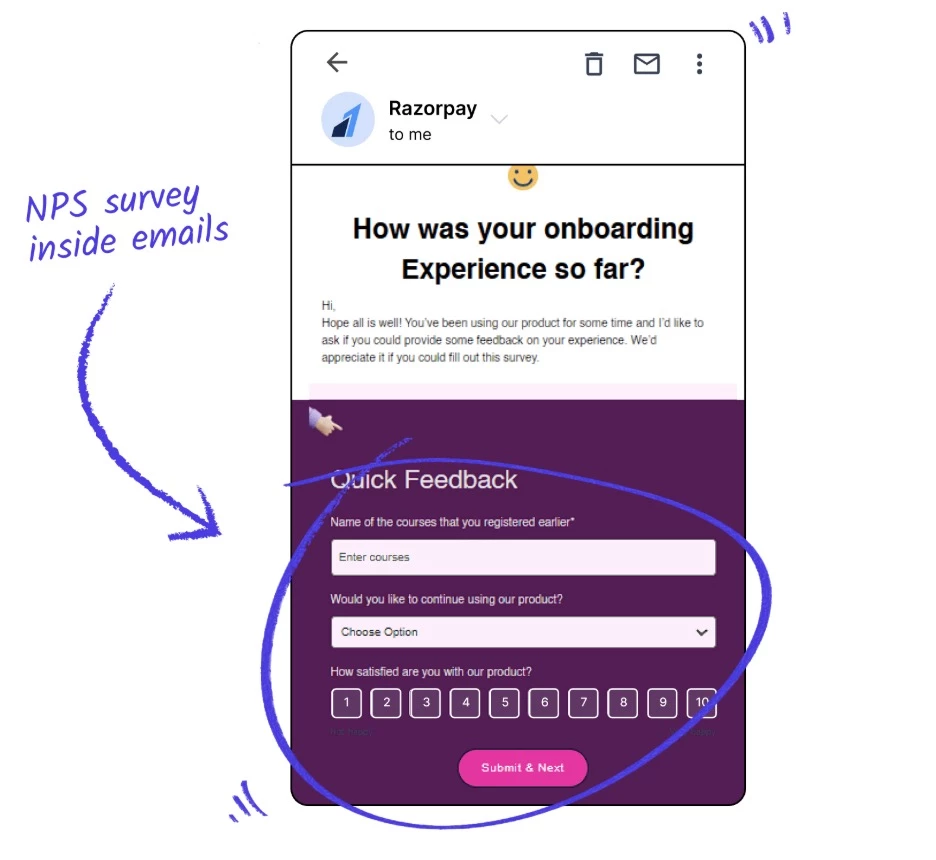
Razorpay, India's leading fintech/payment gateway platform, used AMP emails through Mailmodo to embed interactive NPS surveys directly in the inbox.
Users could fill out the form within the email without going to a different window, reducing drop-offs and redirections. This led to a 257% increase in survey form completions.
4. Event Emails: One-Step RSVP Boosted Signups 280%
Events benefit for similar reasons. A reader who's interested enough to open your event invitation but not motivated enough to click through to a registration page is a common audience segment.
One-step RSVP inside the inbox captures that middle tier of intent that traditional email missed.
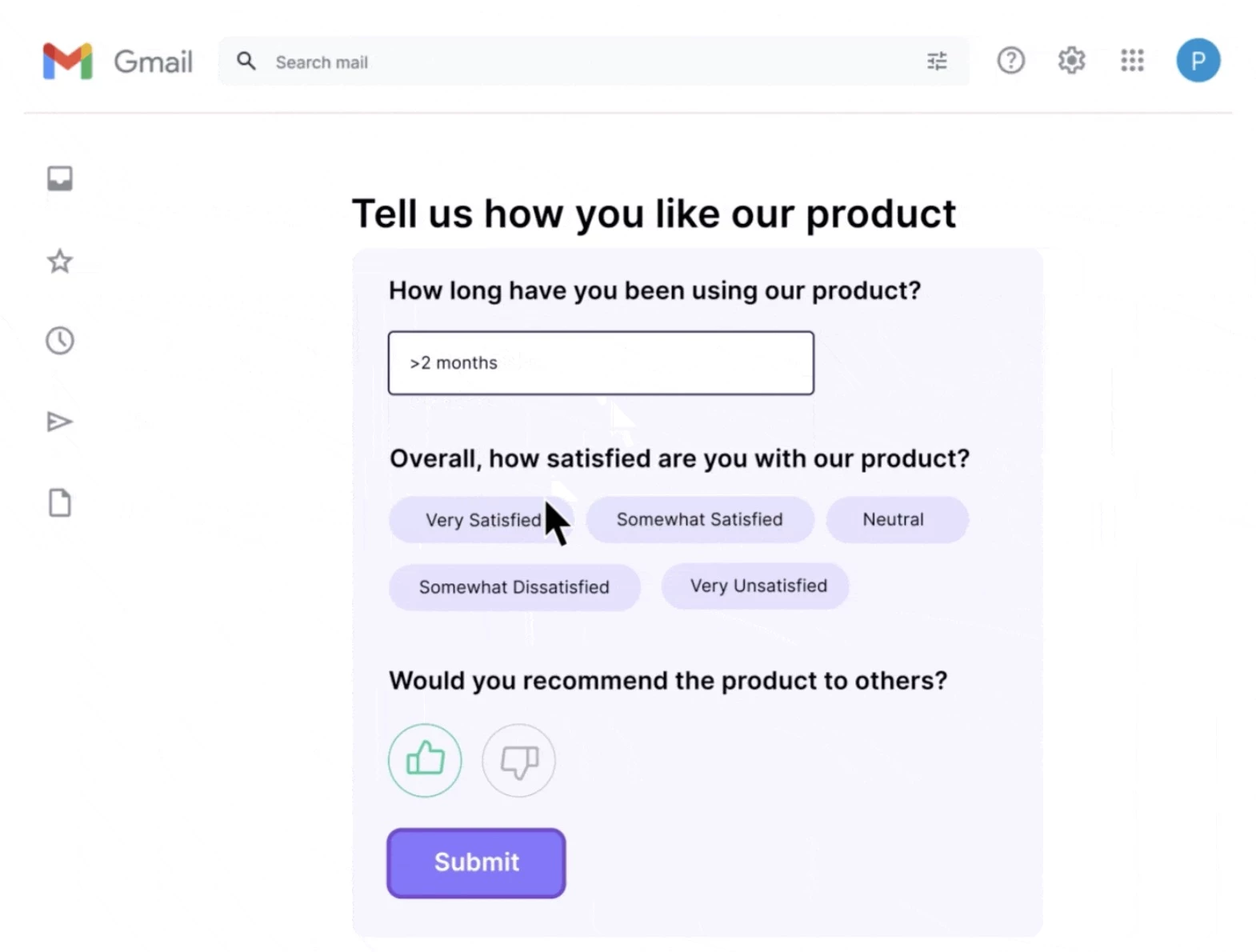
Mudrex, an automated crypto asset management platform, achieved a 280% increase in webinar signups using Mailmodo's AMP event registration email.
AMP emails reduced the registration process friction, so more users could sign up without redirects or landing pages.
5 Low-Risk Interactive Email Design Tests You Can Launch Fast
If you want to experiment with interactive email but fear the complexity, here are four sensible pilots:
- Live countdown timers
- Collapsible content via accordions
- Poll or one-click survey
- AMP mini-pilots
- Animated GIF for micro-interactivity
1. Start Here: Countdown Timers Work Almost Everywhere
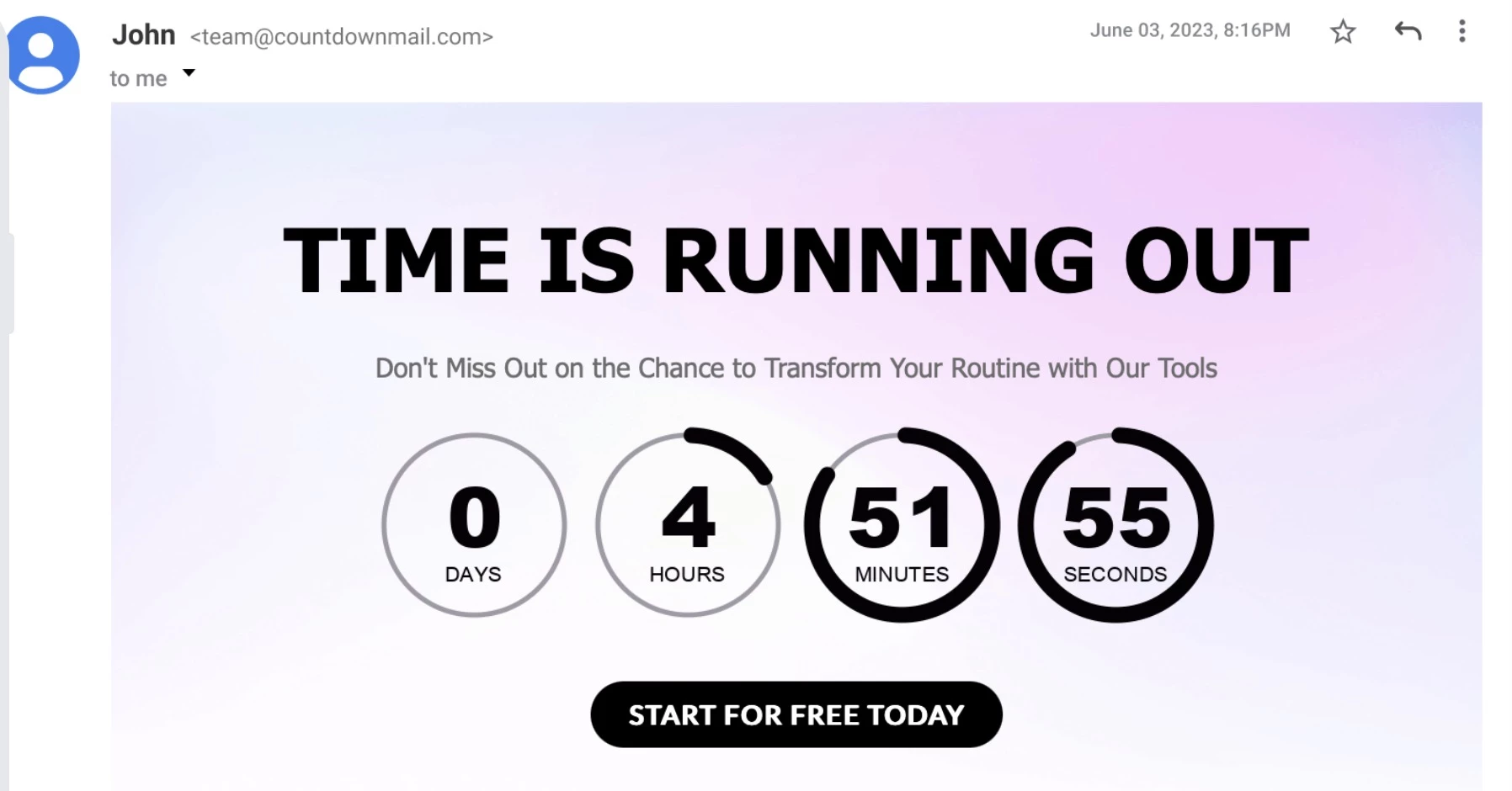
If you're running any time-sensitive campaign, a sale, an event, or a limited-edition launch, a live countdown timer is the lowest-friction entry point to dynamic content.
No heavy code required, most clients display it, and the fallback is clean (a static version of the end date).
This is not exciting from a technology standpoint, but it works, it's easy to attribute, and it gives your team experience with the production and testing workflow before you move to more complex elements.
Tools: Sendtric and MotionMail create simple embeddable timers, while NiftyImages enables more advanced personalization
2. Collapsible Content: Accordions Have Zero Downside
For long emails or FAQs, use accordions or collapsible blocks. These let you include extra content without overwhelming readers, and subscribers click to expand only the sections that interest them.
Accordions can be coded with a simple checkbox hack in HTML/CSS; there are many templates online.
The beauty is, on clients that don’t support it, all answers simply stay visible, which is what static emails already do. This makes the downside essentially zero.
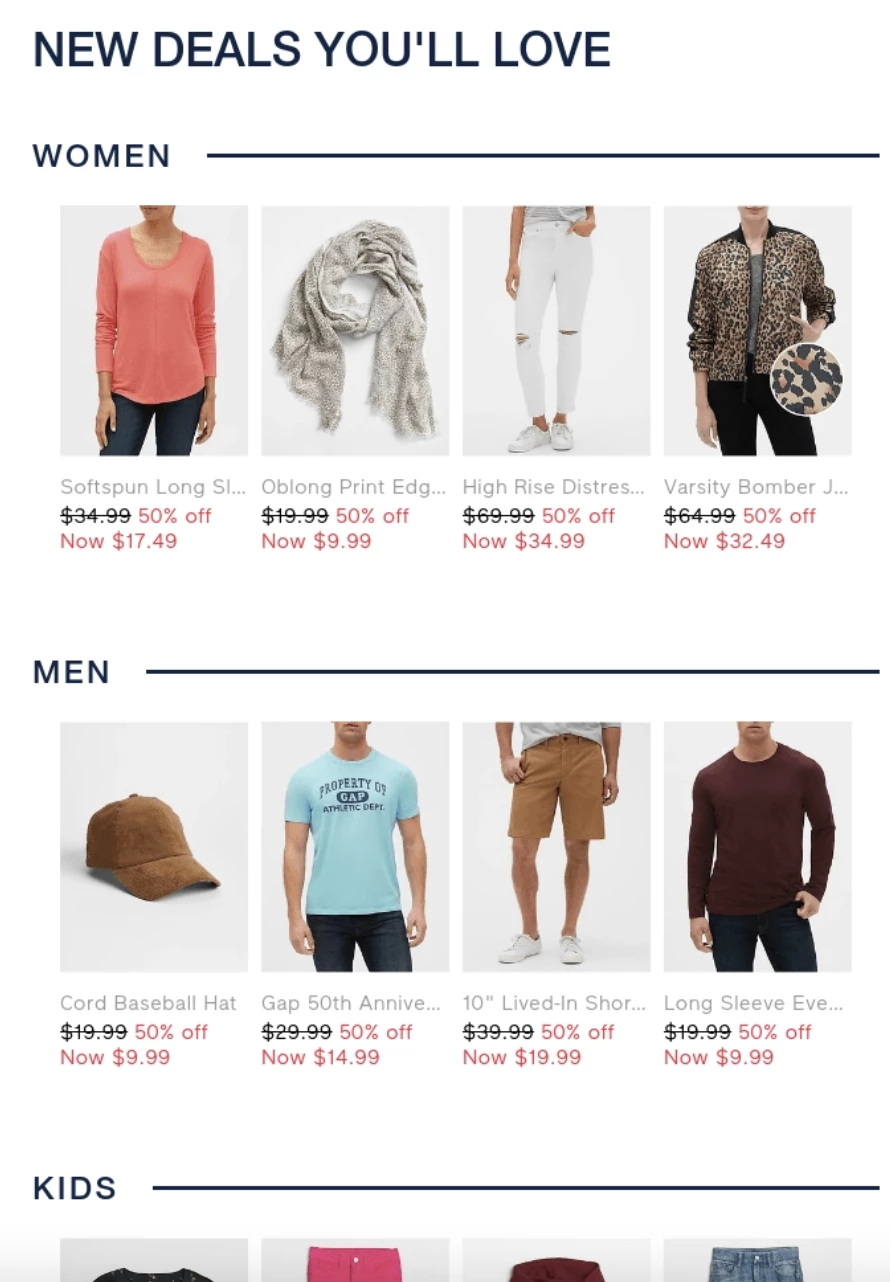
This test is low-risk because even the fallback is just plain text. You also learn, through click data, which sections are actually valuable.
Tools: Stripo and BeeFree offer no-code accordion blocks, while MJML supports custom-coded versions
3. Poll or One-Click Survey: Validate Fast Before Building AMP
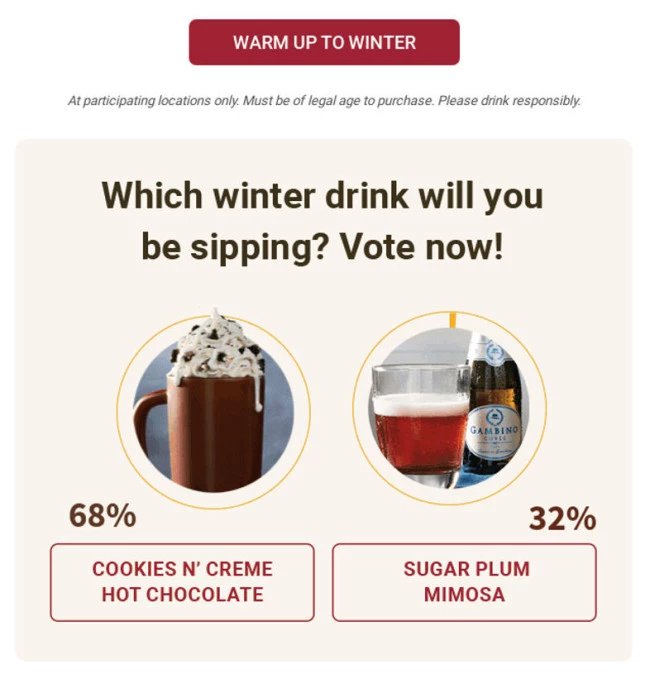
Embedding a basic poll, survey, or one-click response is a practical first step.
Using either a lightweight AMP form or even a cleverly linked button image, you can record answers seamlessly. This reduces friction compared to sending them to a web form.
It also works across virtually every client without AMP. This is the version you can build and deploy in a week without new infrastructure.
Then, you can upgrade to AMP form submission once you've validated the concept and have your backend logging configured.
Tools: Gmail AMP Playground for building and validation, Litmus for fallback testing, and Twilio SendGrid for AMP-supported sending
4. AMP Mini-Pilots: When It’s Worth It
Following interactive email design best practices, AMP is the right investment when three conditions are met:
- Your audience is predominantly on Gmail or Yahoo
- Your production team has or can access email development expertise
- You have the backend instrumentation to capture and act on in-email form data.
For starters, try a single AMP-enhanced send like a “one-question quiz”. Maybe a segmented campaign for your most engaged subscribers. Good candidates are re-engagement or survey campaigns where you can measure results.
Implement strong authentication and test thoroughly with Google’s AMP playground or Litmus.
Remember, AMP must always come with a plain-HTML fallback part, and ensure to test that fallback rigorously, since any rendering bug can break the entire email in unsupportive clients.
5. Animated GIF: Micro-Interactivity Without Dev Work
One consistently undervalued starting point is GIFs. They're technically the most basic form of "interactive", and they’re supported nearly everywhere.
While they're not interactive at all, they create an impression of motion and activity.
The mechanism isn't novel, but it is a motion that signals "there's something here to look at," which is what you want to trigger during the two seconds a subscriber is deciding whether to engage.
For teams with no capacity for interactive development, a well-placed animated GIF in a static email is often the highest-ROI change they can make right now.
Tools: Canva for quick creation, Adobe Photoshop for advanced control, and Ezgif for compression and optimization
3 Production Pitfalls That Break Interactive Emails
These are the issues that actually break interactive email in production:
- Mobile-first performance: Most failures happen on mobile
- Animations and carousels: Accessibility risks
- BIMI and authentication
1. Mobile-First Performance: 43% of Opens Are on Mobile, But Elements Fail There First
Based on our research, 43% of email opens happen on mobile, 25% on desktop, and 25% of recipients split their opens roughly evenly across both environments.
That means if an interactive element fails on mobile, it fails for most of your audience.
The two most common mobile failures in interactive email are file weight and tap target sizing:
1.1. Email Weight: Stay Under ~100KB or Lose Visibility
Interactive emails with GIFs, animations, and dynamic elements can exceed ~100KB, at which point Gmail clips it with a "View entire message" prompt that hides everything below.
The fix: compress assets, limit GIF frame counts, and avoid embedding dynamic data directly in HTML.
1.2. Tap Targets: Anything Under 44px Breaks on Mobile
A button or interactive element designed for desktop resolution becomes impossible to reliably tap on a 375px mobile screen if it's smaller than roughly 44 by 44 pixels.
Accordions and carousel navigation controls are particularly prone to this. They're often styled as small icons that work with a cursor but not a thumb.
The fix: Use a minimum 44px tap target, leave sufficient padding between adjacent interactive elements, and test on real mobile devices before sending.
2. Animations and Carousels Create Real Accessibility Risks
Micro-animations, hover effects, auto-playing carousels, and gamified elements all create accessibility challenges for subscribers with vestibular disorders, epilepsy, or cognitive differences.
The relevant standard is:
- WCAG 2.1 Success Criterion 2.3.3, which requires that motion triggered by interaction can be disabled
- SC 2.3.1, which prohibits content that flashes more than three times per second
- Contrast consistency, requiring a 4.5:1 contrast ratio for text and 3:1 for UI components across all states (default, hover, and active)
- Clear state communication, where elements must not rely solely on visual changes. Use ARIA roles and labels for AMP/custom components, and meaningful alt text for animated elements
3. BIMI: AMP Won't Render Without This Authentication Stack
Another common pitfall: teams spend weeks building AMP emails or interactive experiences, only to hit a wall at deployment because the authentication groundwork isn’t in place.
BIMI sits on top of a properly configured SPF, DKIM and DMARC stack, and if any of those isn't right, BIMI won't render.
See how to improve email deliverability for the full authentication walk-through.
BIMI (Brand Indicators for Message Identification) sits on top of that stack. While it's not what enables AMP, it signals that everything underneath is properly configured.
But BIMI isn’t a switch you turn on. It’s the final layer of an authentication stack built from the ground up:
- SPF (Sender Policy Framework) confirms that the server sending your email is actually authorized to send on your domain's behalf.
- DKIM (DomainKeys Identified Mail) attaches a cryptographic signature to each email so receiving servers can verify it wasn't tampered with in transit.
- DMARC (Domain-based Message Authentication, Reporting & Conformance) ties the two together and tells inbox providers what to do with mail that fails those checks.
BIMI is the final layer. Once enforcement is in place, it lets you attach your verified logo to authenticated mail so subscribers know it's legitimately from you.
Interactive Design in Email Marketing: Final Words
In 2026, no-code interactive email builders like Mailmodo, Stripo, and Beefree have reduced the production barrier substantially. The best tools for interactive email design now lower the bar for teams without dedicated email developers.
The frame that tends to unlock real progress is shifting from "how do we make this email more engaging?" to "where can we reduce friction, capture intent, or create a meaningful micro-action?" This helps you treat interactivity as a function, rather than decoration.
| DesignRush Email Marketing Benchmark Survey, conducted Apr 2026. Respondents include agency professionals (53%), small business owners (18%), enterprise marketers (11%), and in-house teams (10%). Annual email send volumes range from under 10,000 to over 1 million. |

Our team ranks agencies worldwide to help you find a qualified partner. Visit our Agency Directory for the Top Email Marketing Companies, as well as:
- Best Digital Marketing Agency in Los Angeles
- Top Content Marketing Agencies
- Top Media Buying Agencies
- Top Affiliate Marketing Companies
- Top Direct Marketing Companies
And don’t miss our Awards section, where we celebrate the most innovative projects in design — from logo and app design to print and packaging.
Interactive Design in Email Marketing FAQs
1. What are the most common interactive email types?
These are the formats that show up most frequently across interactive email design examples and campaigns:
- Carousels - Swipeable image or product sliders that let readers browse without scrolling
- Accordions - Expandable sections that reveal content on click, ideal for FAQs or long-form emails
- Polls and surveys - One-tap or in-email form responses that capture feedback instantly
- Countdown timers - Live clocks tied to sale deadlines or event start times, updating at open
- Spin-to-win and gamified reveals - Scratch-card or wheel mechanics that deliver personalized offers
2. Why do interactive emails work?
Interactive emails perform better because they activate three key behavioral triggers: curiosity, reduced friction, and a sense of control.
- Gamified elements (like spin-to-win) spark anticipation and make rewards feel earned, increasing engagement.
- Allowing users to take actions directly within the email removes extra steps where interest typically drops off.
- Interactive features like carousels or polls capture attention and give users control over their experience, turning passive reading into active participation that’s more memorable.
3. My email service provider doesn’t explicitly mention AMP or CSS tricks. Can I still do interactivity?
Yes. Many ESPs let you add custom HTML/CSS. You can write the necessary code for accordions or AMP components and paste it in.
Alternatively, use a specialized builder like Mailmodo or Stripo that outputs the right code. For CSS-only tricks like accordions or carousels, you just need to be able to edit the HTML/CSS of your template.
For AMP, you’ll need an ESP that allows AMP MIME parts, or you’ll paste the full MIME code. Klaviyo, for instance, allows AMP emails manually.
4. Is AMP safe for email deliverability?
Yes, if done correctly. AMP emails require strict email authentication (SPF/DKIM/DMARC) and a whitelisted sender domain.
Major ESPs like Gmail and Yahoo check these before showing AMP content. As long as you comply, AMP emails deliver just like HTML emails. Always test deliverability just as you would any campaign.
5. What if I build an interactive email and it “breaks” in Outlook?
That’s exactly why you add fallbacks. For Outlook and other clients that don’t support your interactive code, you must include alternate content.
For example, if an accordion won’t expand, ensure all answers are already visible in plain text for Outlook.
In practice, code up two versions: one wrapped in conditional comments and one simple HTML visible to Outlook. That way, no reader sees a blank or broken message
6. Are there any downsides or risks to interactivity in emails?
The main downsides are development and testing effort. Interactive code is more complex and must be tested on many clients.
There’s also the risk of tracking gaps (in-email actions may not show up in your ESP reports). However, tools like Litmus can automate much of the QA.
Just keep fallbacks simple and remember: even if a client doesn’t support the fancy bits, it should still render the essential message correctly.
7. Where can I learn more or get templates?
Check AMP for Email’s official docs for the latest on supported components. Litmus and Email on Acid blogs have interactive email tips and example templates.
Some ESP blogs, like Mailmodo, publish samples covering a range of interactive email design examples.
For more complex patterns, look at community resources such as Stripo’s website or open-source GitHub repos for email templates.