
DesignRush’s 2026 Email Marketing Benchmark Survey found that 36% of email programs still struggle with authentication failures, even after Gmail and Yahoo made their protocols mandatory for bulk senders.
That puts more than one in three email programs at risk of losing revenue before a campaign ever reaches the customer. Weak infrastructure can turn approved creative, qualified subscribers, and high-intent offers into missed conversions.
In this guide, we'll explain how to improve email deliverability in 2026 by fixing the technical and operational issues that keep revenue-driving emails out of the inbox.
Improving Email Deliverability: Key Findings
- 62% of email professionals cite spam filtering as a major issue, showing that inbox providers now judge senders by behavior, complaints, engagement, and technical setup.
- 51% of email professionals report engagement decay as a deliverability challenge, which means inactive subscribers can quietly reduce inbox placement over time.
- 43% of email professionals are dealing with list decay, including invalid addresses, hard bounces, spam traps, and outdated contacts that can hurt sender reputation.
Poor Inbox Placement Is Costing You Thousands Before You Even See the Drop
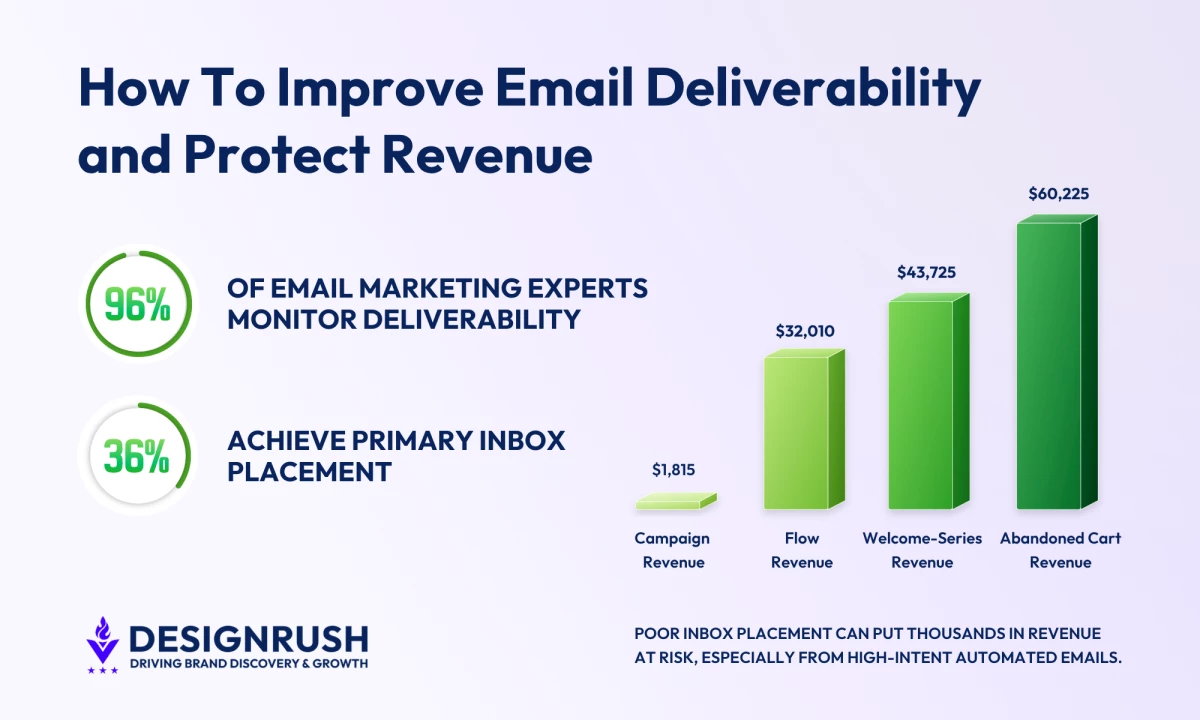
Our email marketing benchmarks survey finds that 96% of marketing professionals actively monitor deliverability metrics, a number that suggests near-universal awareness of the problem.
Yet only 36% of those same respondents achieve inbox placement rates between 86% and 95%, and 1% report landing below the 50% threshold, a performance gap that may widen further as inbox providers continue tightening their filtering criteria through 2027.
The revenue impact becomes much clearer when that gap is applied to real send volume.
Based on Klaviyo benchmarks, a 100,000-email send exposed to the global average inbox-placement shortfall puts roughly $1,815 in campaign revenue, $32,010 in flow revenue, $43,725 in welcome-series revenue, and $60,225 in abandoned-cart revenue at risk.
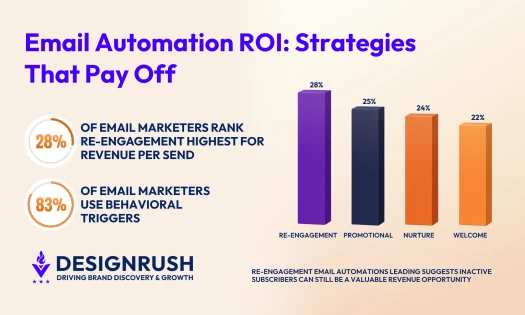
Those flow-revenue figures are the same numbers that show up in how email automation ROI is actually measured, as deliverability and automation share the same denominator.
Addressing these email deliverability problems requires a shared vocabulary, because the terms are frequently used imprecisely and the distinctions between them carry strategic weight.
What You Need To Know Before Addressing the Email Deliverability Problems
Email deliverability is easy to misread because sending success is not the same as inbox visibility.
An email can leave your platform, get accepted by the receiving server, and still miss the place where it has the best chance to drive attention or revenue.
| Term | What It Means | Why It Matters |
| Email deliverability | The overall ability to get emails accepted by inbox providers and sent to recipients. | It shows whether your email program is healthy enough to pass provider checks, including authentication, sender setup, list quality, engagement, bounces, complaints, and content. |
| Delivery rate | The share of emails accepted by the receiving server. | A high delivery rate does not mean emails reached the inbox. They can still land in spam, promotions, or another low-visibility folder. |
| Inbox placement | Where delivered emails actually land. | It shows whether accepted emails appear somewhere people are likely to see them, rather than being buried or filtered away. |
| Primary inbox placement | The share of emails that land in the main inbox instead of spam, promotions, social, or other filtered tabs. | It matters most for urgent, transactional, or high-intent messages because it gives the email the best chance of being seen quickly. |
| Sender reputation | The trust level inbox providers assign to your sending domain and IP address. | Complaints, bounces, low engagement, missing authentication, and sudden send spikes can damage it, making future emails harder to place in the inbox. |
With these terms established, the email deliverability problems shaping 2026 become much easier to diagnose and fix.
How To Improve Email Deliverability and Which Problems To Fix First
Before changing tools, start with the email deliverability best practices that fix the problems hurting inbox placement the fastest.
The fastest way to increase email deliverability is to start with the issues inbox providers can measure directly, such as authentication gaps, spam complaints, weak engagement, list decay, broken HTML, and poor sending setup.
The sections below break down which deliverability problems to prioritize first and what to do about each one.
- One in three email programs still has an authentication problem
- 62% of deliverability issues trace back to spam filtering
- 51% of email campaigns are losing engagement signals
- 43% of email lists are showing signs of decay
- Poor HTML can make emails 25% more likely to land in spam
1. One in Three Email Programs Still Has an Authentication Problem
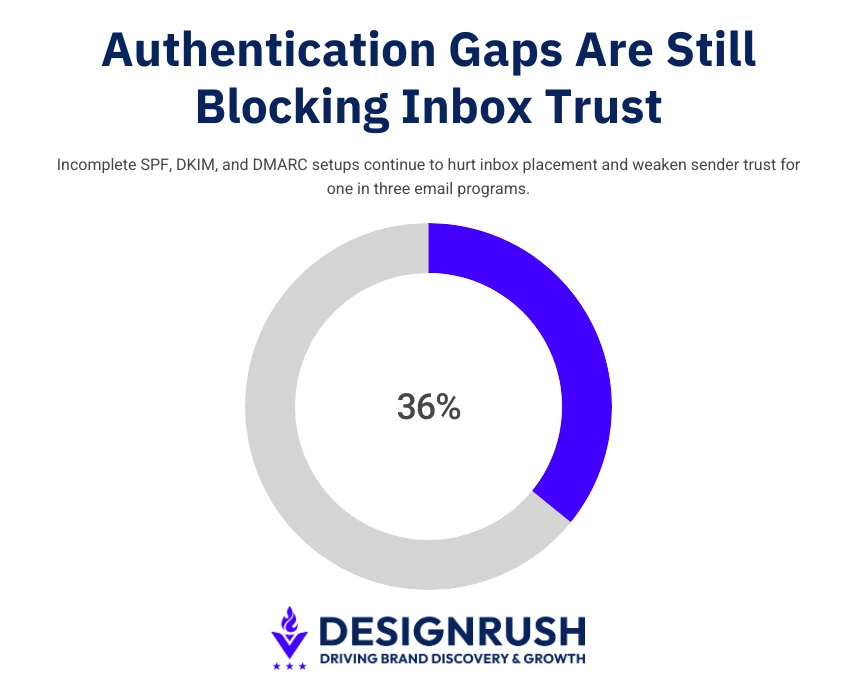 One of the first email deliverability tips for 2026 is to check whether your authentication setup is complete, because the most common problem is usually a missing or outdated record.
Most companies use more than one tool to send email. They may have an email service provider, a transactional email platform, a marketing automation tool, a CRM, and other third-party systems sending messages on behalf of the brand.
Vladislav Podolyako, Founder and CEO of Folderly, says authentication is one of the first places brands should look when deliverability starts slipping.
“Without proper authentication protocols like SPF, DKIM, BIMI, and DMARC, email service providers can’t verify your identity, increasing the likelihood of emails being marked as spam,” he explains.
Each of your tools needs to be properly approved in the domain’s authentication records:
- SPF, or Sender Policy Framework, tells inbox providers which services are allowed to send email from your domain.
- DKIM, or DomainKeys Identified Mail, adds a digital signature that proves the message belongs to the sender and has not been changed along the way.
- DMARC, or Domain-based Message Authentication, Reporting, and Conformance, tells inbox providers what to do when an email fails SPF or DKIM checks.
Problems start when a new tool is added, and these records are not updated. The emails may still be sent so nothing looks broken at first.
But some messages can fail authentication, and over time, those failures can weaken sender reputation.
DKIM can also fail when companies keep using old or weak keys, even though inbox providers increasingly prefer stronger keys.
Rotating DKIM keys from time to time helps protect the domain and keeps the email setup cleaner.
DMARC creates another common gap. Many businesses have a DMARC record, but leave it set to “none.” That setting only monitors authentication failures, but it does not tell inbox providers to block or quarantine suspicious messages, and it does not protect the brand from spoofing.
The Step-by-Step Email Authentication Fix That Moves Inbox Placement
The fix starts with a full audit of every domain that can send email for your brand, which is one of the most important email deliverability best practices for teams using multiple tools.
This includes main domains, subdomains, and old or unused domains that still have sending access.
Tools like MXToolbox, dmarcian, and Google Postmaster Tools can show whether SPF, DKIM, and DMARC are set up correctly and flag issues your team may miss manually.
- For SPF, list every tool allowed to send email from your domain. Then compare that list with the current SPF record. Every approved sender should be included, but the record must stay under the 10 DNS lookup limit. If it goes over that limit, SPF can fail even when the right tools are listed.
- For DKIM, make sure every active sending domain has a valid DKIM key of at least 2048 bits. If you use several email platforms, each one needs its own DKIM selector and key pair. DKIM keys should also be rotated at least once a year.
- For DMARC, start with a “none” policy while reviewing reports and finding legitimate senders that fail authentication. Then move to “quarantine” once the setup is cleaner, and finally to “reject” when all approved senders are passing SPF and DKIM.
A reject policy is the strongest DMARC setting. It tells inbox providers to block emails that fail authentication, and it's also required before setting up BIMI, which we cover at the end of this article.
2. 62% of Deliverability Issues Trace Back to Spam Filtering
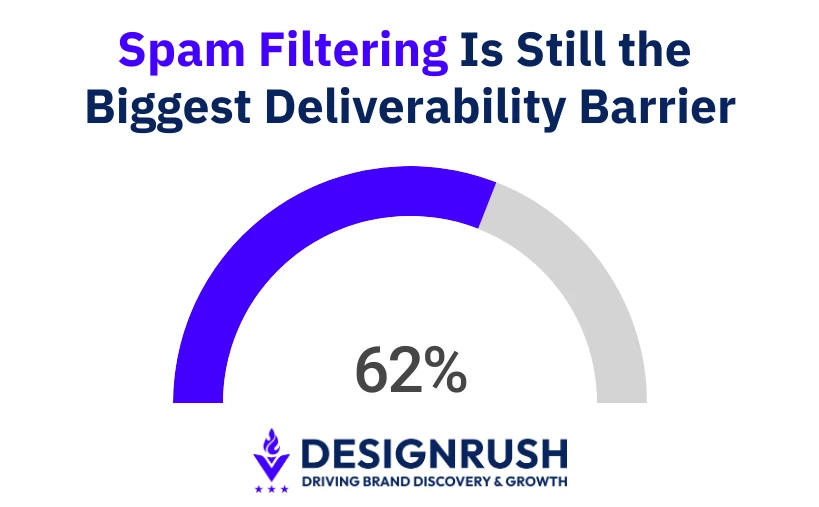 Spam filteringis the top email deliverability problem in 2026, cited by 62% of professionals in the DesignRush dataset, because inbox providers now judge senders by behavior as well as email content.
Jonathan Herrick, CEO of Benchmark Email, BenchmarkONE, and Contacts+, explains that filters are becoming more intelligent over time, which makes it harder for brands to reach the inbox unless they follow the right protocols.
He adds that emails can be flagged when they look suspicious, use risky formatting, or rely on wording that spam filters commonly associate with low-quality campaigns.
@getresponseofficial The Gmail and Yahoo updates can literally change your whole email marketing game in 2024 😱 Here’s everything you need to know - don’t miss out or save it for later 💙 #emailmarketing#emailmarketingtips#yahoo#gmail#digitalmarketing#digitalmarketingtips#emaildeliverability#getresponse♬ original sound - GetResponse | Email Marketing
How To Stay on the Right Side of Gmail and Yahoo's Filters
To improve spam filter outcomes, start with the basics Gmail and Yahoo now expect from bulk senders:
- Send only to subscribers who actually opted in. Permission collapse is the single biggest driver of complaint rates.
- Make sure every marketing email has one-click unsubscribe through the proper List-Unsubscribe and List-Unsubscribe-Post headers. Keep spam complaints below 0.3% in Google Postmaster Tools, and make sure SPF, DKIM, and DMARC are fully set up.
- Next, clean up who receives each campaign. Send full campaigns to recently active subscribers first, then limit or suppress contacts who have not opened, clicked, or engaged within the last 90 to 180 days. This keeps inactive subscribers from dragging down the engagement signals created by people who actually want your emails.
- Finally, make unsubscribing easy. Hiding the unsubscribe link to protect list size usually backfires because frustrated subscribers are more likely to mark the email as spam. An unsubscribe removes one contact. A spam complaint can damage sender reputation.
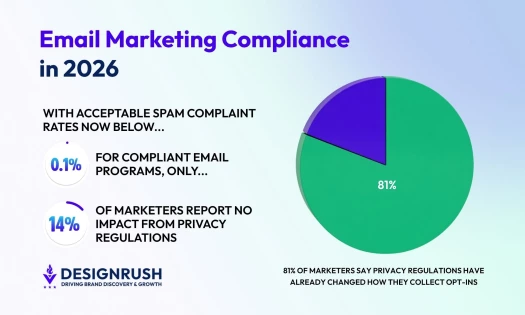
Note that these rules don't replace consent and disclosure obligations that GDPR, CCPA and CAN-SPAM already require.
Compliance also needs regular review because inbox provider rules keep changing.
“Almost every quarter, there is an update of Gmail or Outlook, so you want to be 100% sure you are compliant,” Podolyako says.
He recommends watching for sudden performance changes as early warning signs.
A sudden drop in open rates can suggest that emails are missing the inbox, frequent bounces can point to list or reputation issues, and rising complaints can quickly damage deliverability.
3. 51% of Email Campaigns Are Losing Engagement Signals
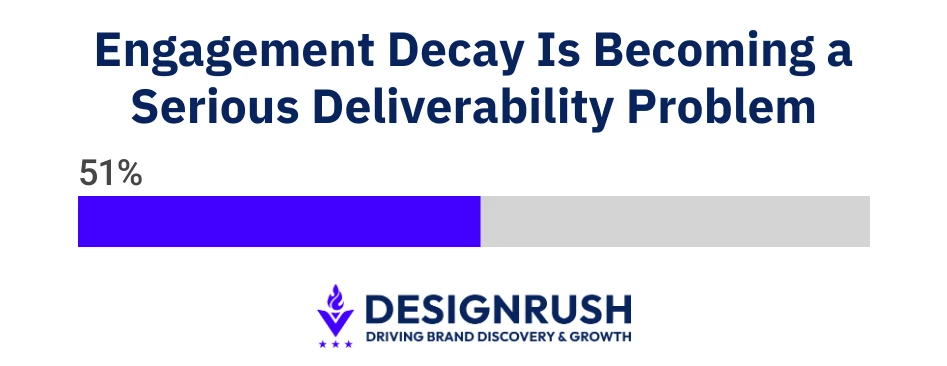 Engagement decay happens when fewer subscribers open, click, reply to, or interact with your emails over time.
It is one of the harder deliverability problems to catch early because campaigns may still send normally while inbox placement slowly gets worse.
DesignRush found that 51% of email professionals now see engagement decay as a meaningful deliverability challenge.
If inactive contacts stay on the list, they pull down overall engagement. Inbox providers like Gmail use those engagement signals to decide where future emails should go.
- A sender with strong open rates, clicks, and replies is more likely to reach the inbox.
- A sender whose emails are often ignored is more likely to be filtered or pushed into lower-visibility folders.
Herrick also points out that inbox competition has become part of the problem. Most subscribers already receive a constant stream of marketing emails, which makes it harder for any single campaign to earn attention.
How To Rebuild Engagement Signals Before the Damage Becomes Irreversible
If you want to know how to increase email deliverability when engagement is falling, start by splitting your list into three groups based on recent activity:
| Subscriber Group | What It Means | What To Do |
| Active subscribers | Opened or clicked in the last 90 days | Send your regular campaign calendar |
| Lapsed subscribers | No opens or clicks in 90 to 180 days | Send a short re-engagement sequence |
| Dormant subscribers | No engagement beyond 180 days | Suppress from regular campaigns |
Active subscribers can keep receiving your usual campaigns because they are still showing interest.
Lapsed subscribers need a different approach:
- Send two to three re-engagement emails at a lower frequency, with a clear reason to stay subscribed. This could be a useful resource, a preference update, a special offer, or a direct question asking whether they still want to hear from you.
- Use clear subject lines for these campaigns. A direct message like “Do you still want emails from us?” often works better than a standard promotional subject line because it matches the situation.
- If subscribers do not respond within two to three weeks, suppress them from regular sending. Suppression is better than deletion because it keeps a record of the address and prevents it from being re-added later through an upload or form submission.
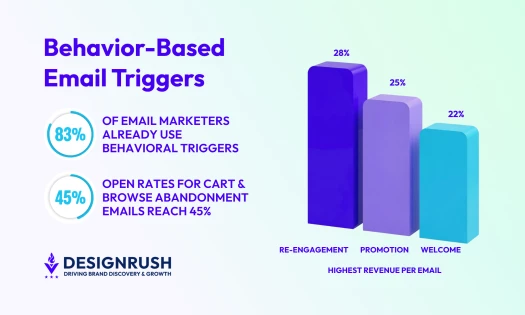
This is where a well-built re-engagement behavioral trigger earns its keep.
Graymail Is the Hidden Engagement Problem Hurting Deliverability
Graymail refers to emails that technically reach valid subscribers but sit unopened over time.
These contacts may have signed up willingly, but their lack of activity tells inbox providers that the messages are no longer relevant.
When brands keep sending to these users, every ignored email can weaken engagement signals and make future campaigns harder to place in the inbox.
After a clear re-engagement sequence, contacts who still do not open or click should be removed from regular campaigns so inactive users do not drag down sender reputation.
4. 43% of Email Lists Are Showing Signs of Decay
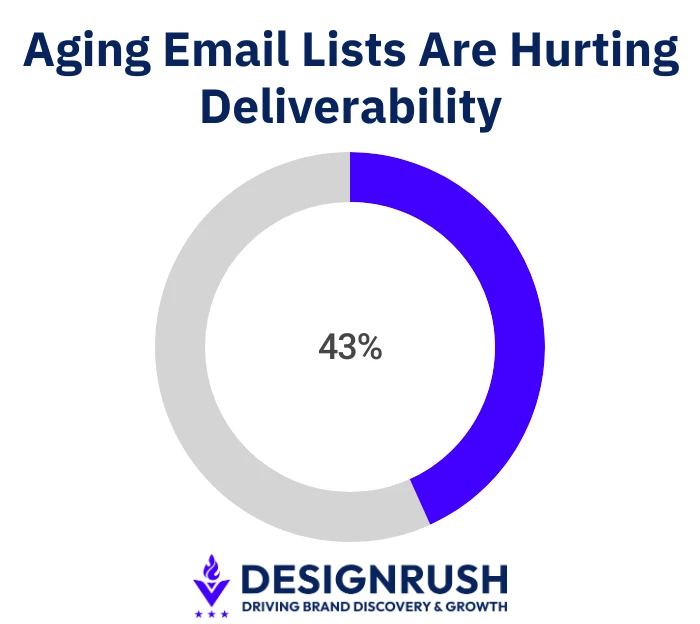 List decay happens when email addresses on your list become unsafe or unusable. Some addresses are no longer valid, some turn into spam traps, and some should never have been on the list in the first place.
This is different from engagement decay. Engagement decay means the person may still have a valid email address, but they no longer open, click, or reply. List decay means the address itself is the problem.
Herrick says list quality is one of the clearest deliverability risks brands need to manage. Sending to outdated or poorly maintained lists can raise bounce rates, lower deliverability, and damage sender reputation.
DesignRush data shows that 43% of email professionals are dealing with list decay.
It is especially common in B2B email lists because people change jobs, companies merge, and old domains expire.
Consumer lists usually decay more slowly, but they can collect spam traps over time if brands use purchased lists, co-registration, or weak signup forms.
Here’s how you can check if list decay is your problem:
- Hard bounces are the easiest warning sign to spot. A hard bounce means the email address no longer exists or cannot receive mail permanently. That address should be removed from active sending right away.
- Spam traps are harder to spot and more damaging. Some spam traps are fake addresses created to catch poor list practices. Others were once real addresses but became inactive and were later turned into traps.
Sending to either type tells inbox providers that the list is not being managed carefully, which can hurt sender reputation quickly.
The List Management Stack That Stops Decay at the Source
List decay is easier to prevent than repair, so one of the most practical email deliverability tips is to clean up the problem before an address enters your database:
- Validate every email at signup. Use real-time validation on all forms to check formatting, confirm the domain can receive email, and catch typos like gmial.com instead of gmail.com. Tools like ZeroBounce and NeverBounce can do this during form submission.
- Clean existing lists regularly. Run validation at least once per quarter and before sending to any segment that has not been contacted in a while. This catches addresses that became invalid after joining.
- Use one suppression list across all platforms. Add invalid, risky, and hard-bounced addresses to a suppression list that syncs with your ESP, CRM, automation tool, and transactional email system.
- Prevent bad addresses from re-entering. A bad address removed in one platform can return through another if your systems are not synced, which can restart the same bounce or spam-trap problem.
- Set a clear sunset policy. Suppress addresses that never engage within 12 months of joining and contacts that have not engaged in more than 18 months.
This helps improve email deliverability rates by lowering the risk of spam traps and keeping active campaigns focused on people who are still reachable and interested.
5. Poor HTML Can Make Emails 25% More Likely To Land in Spam
Unspam’s 2025 Email Deliverability Report found that emails with poor HTML structure were 18% to 25% more likely to land in spam than structurally compliant emails.
Inbox providers also look at how cleanly the email is built, whether it renders properly, and whether it follows sender requirements.
What Pre-Send HTML Validation Should Actually Cover to Protect Inbox Placement
Tools like Litmus and Email on Acid are useful for previewing emails across inboxes, but teams also need to check the technical issues that can affect inbox placement.
View this post on Instagram
Before sending, check for:
- Broken or unclosed HTML tags: These can cause rendering issues and make the email look poorly built to inbox providers.
- Large email files: Gmail clips emails larger than 102KB and hides the rest behind a “View entire message” link, which can cut off content and interfere with open tracking.
- Image-only layouts: Emails built as one large image with little text are harder for filters to read and can be treated as suspicious.
- Image-to-text balance: Avoid emails that are mostly images with very little readable text. A practical rule is to keep enough live text in the email so filters can understand the message without depending on the images.
- Alt text: Add alt text to every image so the email remains understandable when images are blocked and accessible to people using screen readers.
- External stylesheets: Many inbox clients strip linked stylesheets, so emails should use inline CSS to avoid broken layouts.
- Missing one-click unsubscribe headers: Google requires bulk senders to include both List-Unsubscribe and List-Unsubscribe-Post headers for one-click unsubscribe, while Yahoo also requires support for one-click unsubscribe and tells senders to keep spam complaints below 0.3%.
How To Set Up Email Infrastructure Before Your List Outgrows It
Your sending setup can work well when your list is small and still cause problems once volume grows.
The ESP plan, IP setup, sending domain, and warmup process all affect how inbox providers judge your emails over time.
Shared vs. Dedicated IPs
A shared IP means your emails are sent from the same IP pool as other senders. This is common on entry-level and mid-tier ESP plans.
A shared IP can work well for smaller senders, especially when the ESP manages the pool carefully. The drawback is control. Your IP reputation can be affected by other senders in the same pool, even if your own campaigns are clean.
A dedicated IP gives you more control because your sending reputation belongs to your program alone.
It usually makes sense when you send around 50,000 to 100,000 emails per month and have strong list quality, steady volume, and enough engagement to build a reputation inbox providers can measure.
Below that volume, a good shared IP pool is often safer than a dedicated IP with too little sending history.
Root Domain vs. Sending Subdomain
Avoid sending marketing emails from your root domain, such as company.com.
Use a sending subdomain instead, such as mail.company.com or send.company.com. This keeps email reputation separate from your main website domain and reduces the risk that email issues affect your broader brand domain.
The sending subdomain still needs its own SPF, DKIM, and DMARC records, and its DMARC reports should be monitored separately.
New IPs and Domains Need Warmup
A new IP address or sending domain has no reputation history. Inbox providers do not know whether to trust it yet, so large campaigns from a cold setup can quickly trigger filtering.
Warm up new infrastructure over four to six weeks.
Start with your most active subscribers, then increase volume gradually as long as bounce rates, spam complaints, and inbox placement stay healthy.
A simple warmup approach:
| Week | What To Send |
| Week 1 | Small sends to your most engaged subscribers |
| Week 2 | Increase volume if complaints and bounces stay low |
| Week 3 to 4 | Add more active segments gradually |
| Week 5 to 6 | Move toward normal volume if performance is stable |
BIMI Is the Final Step in Email Authentication
BIMI, short for Brand Indicators for Message Identification, lets verified senders show their brand logo next to the sender name in supported inboxes, including Gmail, Yahoo, and Apple Mail.
It gives recipients a clear visual trust signal before they open the email. It also tells inbox providers that the sender has completed the core authentication work behind a healthy deliverability program.
BIMI Requires Strong Authentication First
BIMI only works when your domain has a DMARC policy set to quarantine or reject. A DMARC policy set to none is not enough.
For brands that have already fixed SPF, DKIM, and DMARC, BIMI is a logical next step in how to improve email deliverability and build visible inbox trust.
For brands that have not, BIMI quickly exposes the gaps.
BIMI Can Support Trust and Engagement
BIMI is often treated as a branding feature, but its value goes beyond the logo. A verified logo can make the sender easier to recognize in the inbox, which can help improve trust, opens, and engagement.
That engagement matters because inbox providers use recipient behavior to help decide future inbox placement. When more people recognize and open your emails, those signals can support sender reputation over time.
Podolyako says sender reputation has a direct effect on both deliverability and scaling. “Maintaining a high sender reputation leads to improved deliverability,” he says, because emails are more likely to reach the inbox instead of being filtered as spam.
He adds that a strong reputation also makes it safer to increase sending volume. Reliable delivery gives teams cleaner performance data, so open rates, clicks, and conversions are easier to interpret.
Once the technical foundation is in place, the next question is how your emails look, render, and build trust before and after the open, which is the focus of our companion piece: How Interactive Email Design Affects Deliverability.

Our team ranks agencies worldwide to help you find the right fit. Visit our Agency Directory for the top email marketing agencies, as well as:
- Top AI Email Marketing Agencies
- Top B2B Email Marketing Agencies
- Top eCommerce Email Marketing Agencies
- Top UI/UX Design Agencies
- Top Email Marketing Companies In Houston
Our design experts also recognize the most innovative design projects across the globe. Visit our Awards section for the best & latest.
| DesignRush Email Marketing Benchmark Survey, conducted Apr 2026. Respondents include agency professionals (53%), small business owners (18%), enterprise marketers (11%), and in-house teams (10%). Annual email send volumes range from under 10,000 to over 1 million. |
FAQs About Email Deliverability
1. What is email deliverability?
Email deliverability is the ability to get your emails accepted by inbox providers and placed where recipients are likely to see them. It depends on authentication, sender reputation, list quality, engagement, and the technical setup of each email.
2. How can I improve email deliverability?
Start by setting up SPF, DKIM, and DMARC correctly. Then clean your list regularly, remove inactive or risky contacts, keep spam complaints low, avoid sudden volume spikes, test emails before sending, and make unsubscribing easy.
3. What hurts email deliverability the most?
The biggest deliverability problems usually come from poor authentication, high spam complaints, old or unverified lists, low engagement, spam traps, broken email code, and sending from infrastructure that has not been properly warmed up.
4. What is a good email deliverability rate?
A strong delivery rate is usually above 95%, but delivery rate alone does not show whether emails reached the inbox. Inbox placement is more useful because it shows whether emails landed in the primary inbox, promotions tab, or spam folder.
5. Does email design affect deliverability?
Yes. Broken HTML, image-only emails, oversized files, missing plain-text versions, suspicious links, and poor rendering can all affect deliverability. Clean, accessible, well-tested email design helps inbox providers read and trust the message.