
I tested the top AI tools for IT support to see which ones truly make helpdesks faster and smarter, not just more automated. These five stood out for how they improve efficiency, streamline maintenance, and deliver real results.
AI Tools for IT Professionals: Key Points
- Freshdesk AI Assistant and Aisera automate ticket triage and routine IT requests, handling up to 70–75% of issues.
- Resolve.ai and Atera automate incident resolution and endpoint management, saving hours on troubleshooting and updates.
- Datadog provides predictive monitoring and intelligent alerting through ML-driven anomaly detection, helping teams catch problems early.
AI IT Support Tools Overview
1. Agentic AI Transforms Customer Support
2. IT Help Desk Services & Benefits
3. What Is IT Support?
4. Top 5 Customer Support AI Tools
Firms that adopt these tools can scale support teams more easily, improve client satisfaction with faster, more reliable service, and even create new AI-driven offerings.
Tool | Best For | Ticket Automation | Incident Resolution | Predictive Monitoring | Pricing |
Freshdesk AI Assistant | Scalable Helpdesk Automation | ✅ | ⚠️ | ❌ | Starts at $15/agent/month |
Resolve.ai | Autonomous Incident Resolution | ❌ | ✅ | ✅ | Custom pricing |
Aisera | Intelligent IT Ticketing | ✅ | ✅ | ⚠️ | Custom pricing |
Atera | Hands-Off Endpoint Management | ✅ | ✅ | ⚠️ | Starts at $149/month/technician |
Datadog | Predictive Monitoring & Alerting | ❌ | ✅ | ✅ | Starts at $15/host/month |
1. Freshdesk AI Assistant – Best for Scalable Helpdesk Automation
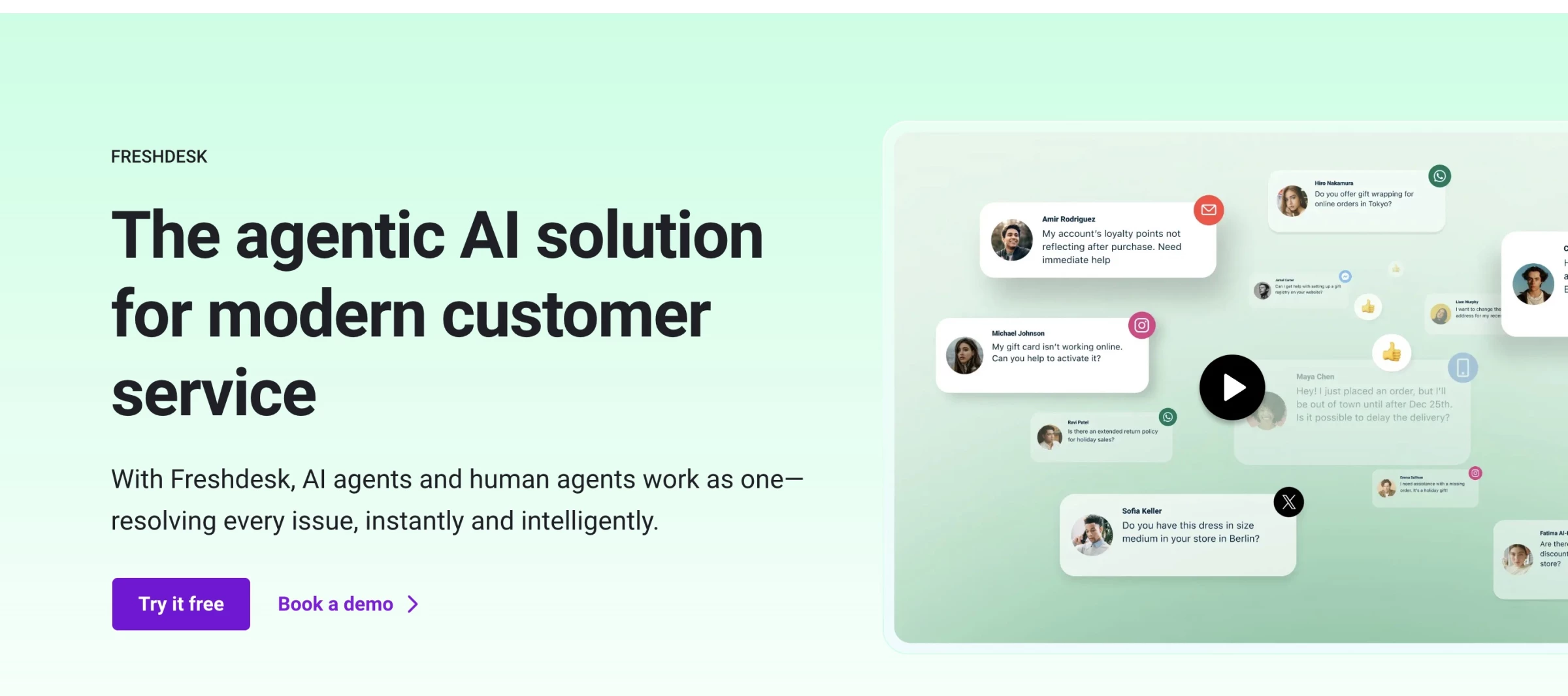
Freshdesk’s Freddy AI is an AI assistant that not only keeps up with ticket volume but gets smarter the more you use it. Right out of the gate, it impressed me with how seamlessly it integrated into the existing Freshdesk interface.
Pros | Cons | Pricing |
|
|
|
One of my favorite things to test was the Auto Triage feature. I routed a batch of real support tickets into Freshdesk and watched Freddy automatically fill in fields like status, priority, and even which team members should handle each ticket, all based on historical patterns.
I didn’t have to manually classify anything. That alone shaved hours off what would have been a repetitive slog for the support team.
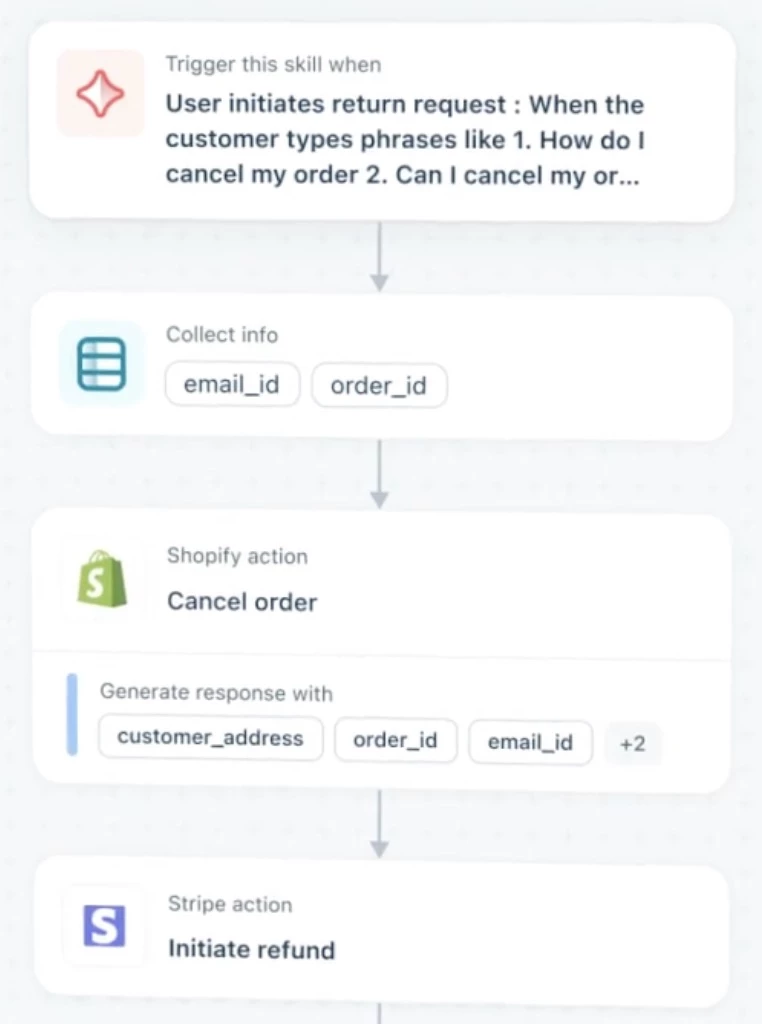
Then, there’s the email bot. I sent in common queries like “I can’t access my dashboard” or “How do I reset my password?” and the AI agent answered accurately, with zero human input.
If Freddy AI resolved the issue, it automatically closed the ticket. If it didn’t, it handed things off to a human agent with all the context preserved.
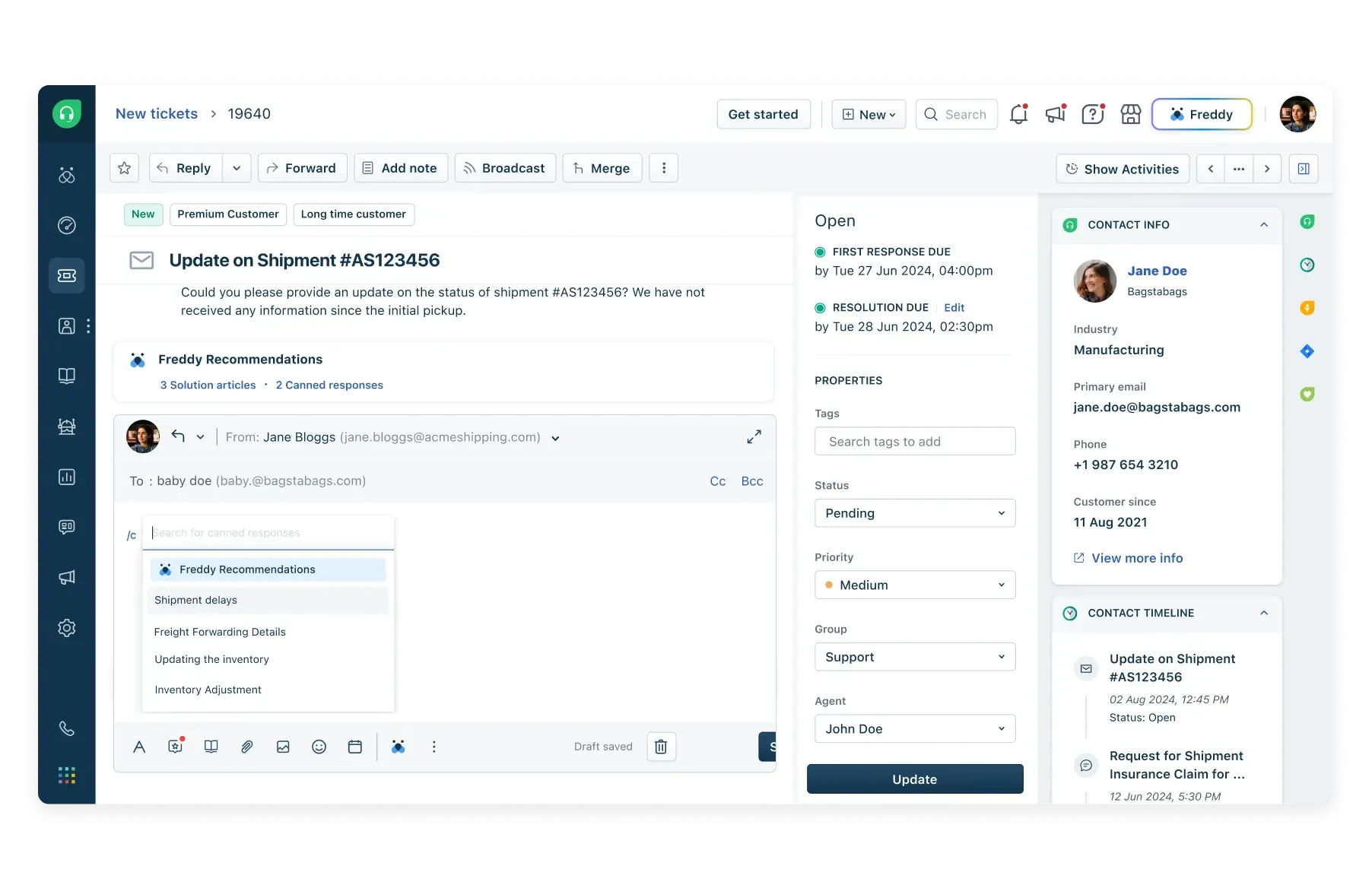
Lastly, I was particularly impressed by how the AI supports human agents, too. When testing chat support, I saw Freddy suggest replies based on internal knowledge base content.
This kind of contextual assistance helps agents reply faster and more accurately, especially when dealing with complex or technical questions. And because everything lives in one unified workspace (voice, chat, email, ticketing), nothing gets lost in transition.
Try Freshdesk for free – no credit card required.
What Users Say
Freddy, Freshdesk’s AI Assistant, has been a big help for many IT support teams. Users love how it takes care of repetitive tasks like ticket sorting, summarizing issues, and even suggesting replies; some say it handles up to 70% of routine queries, which really lightens the load.
Of course, it’s not perfect. A few folks mention limited integrations and customer support challenges, along with strict cancellation policies.
And while the price can be a sticking point for smaller teams, most agree it’s a solid tool if you’re looking to speed up support and keep things running smoothly.
Who’s It For?
Freshdesk AI Assistant is ideal for any agency wanting to improve helpdesk efficiency and customer communication. It is excellent for teams overwhelmed by ticket volume, as it boosts response speed and consistency while reducing manual effort.
If your team is bogged down with password resets, repetitive questions, and basic troubleshooting, Freddy is your 24/7 frontline worker.
Other Notable Features
- AI ticket triage for fast categorization and prioritization.
- Smart routing matches tickets to the best agents.
- Real-time suggestions offer replies and knowledge articles.
- Built-in CSAT and sentiment tracking
- Supports scaling across email, chat, voice, and social media channels.



2. Resolve.ai – Best for Autonomous Incident Resolution
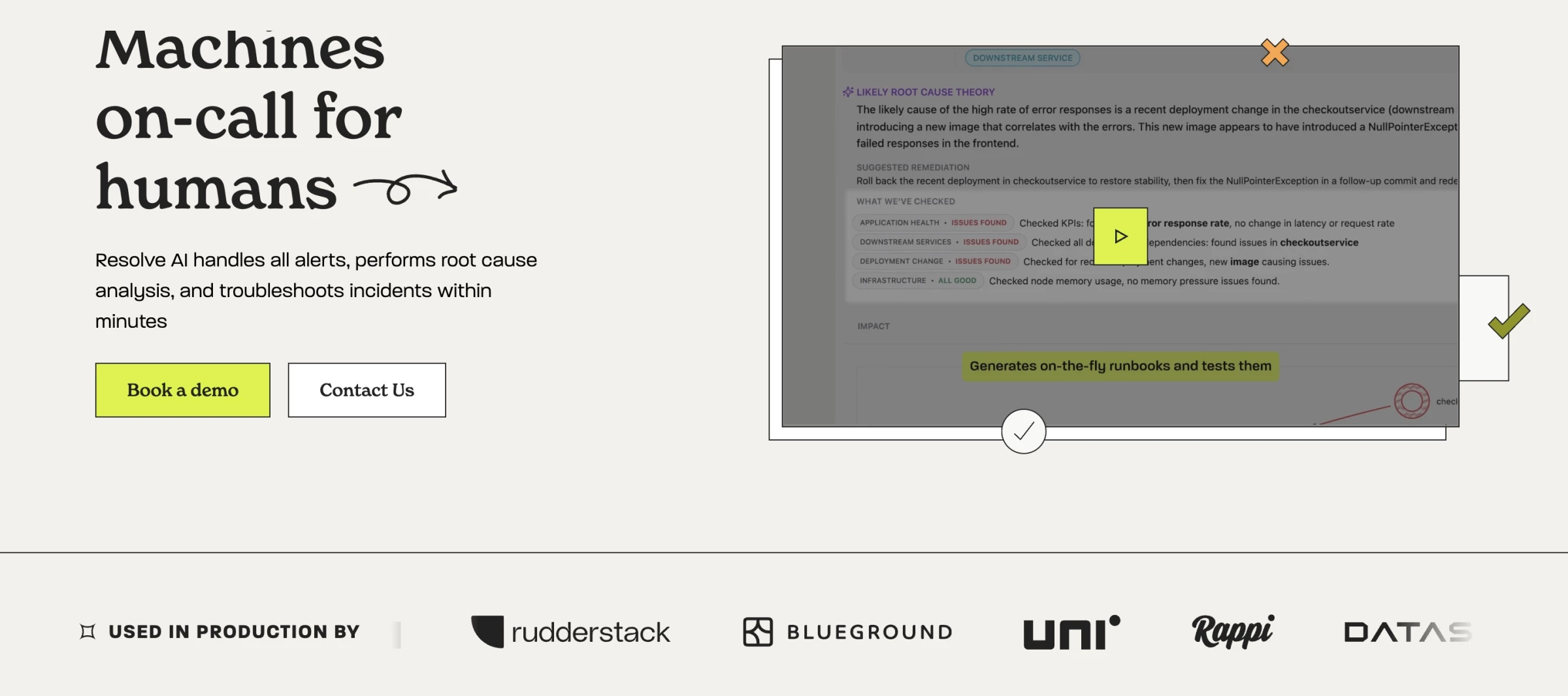
I didn’t expect to trust an AI with real production issues — not right away. But Resolve.ai felt different from the outset. It didn’t just notify me that something was wrong; it reasoned through incidents like a seasoned professional would.
Pros | Cons | Pricing |
|
|
|
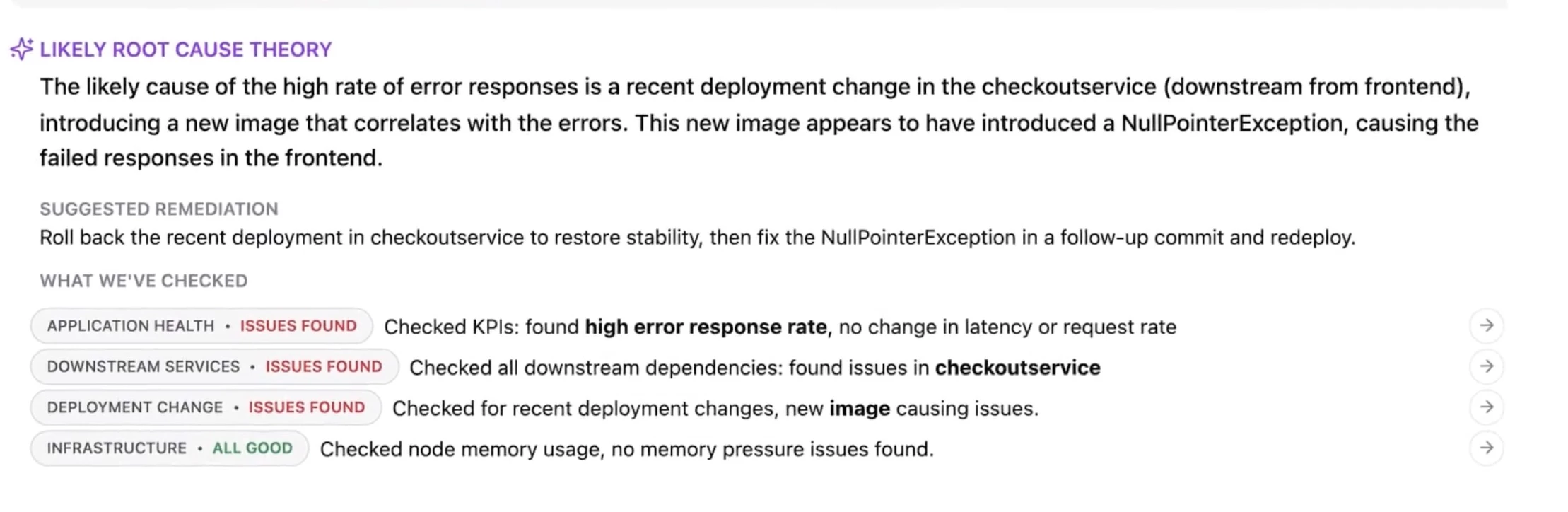
What impressed me most was Resolve’s agentic AI. The system doesn’t flood you with noise. It investigates, building hypotheses, testing them, and narrowing in on causality using real-time system data.
Instead of needing to nudge a human engineer, Resolve.ai would autonomously trace back issues, collect logs, suggest a fix, and even draft a post-mortem.
That level of support would’ve taken a person an hour or two on-call. Resolve.ai did it in minutes.
I also appreciated how secure and production-ready Resolve.ai is. Unlike many other AI platforms, it doesn’t ingest raw data or write directly to your systems. It only pulls metadata, and you stay in full control, which earned our security team’s confidence pretty quickly.
Even better, it integrates with our existing DevOps tools — AWS, GitHub, Datadog — and builds a knowledge graph of our infrastructure to reason more effectively.
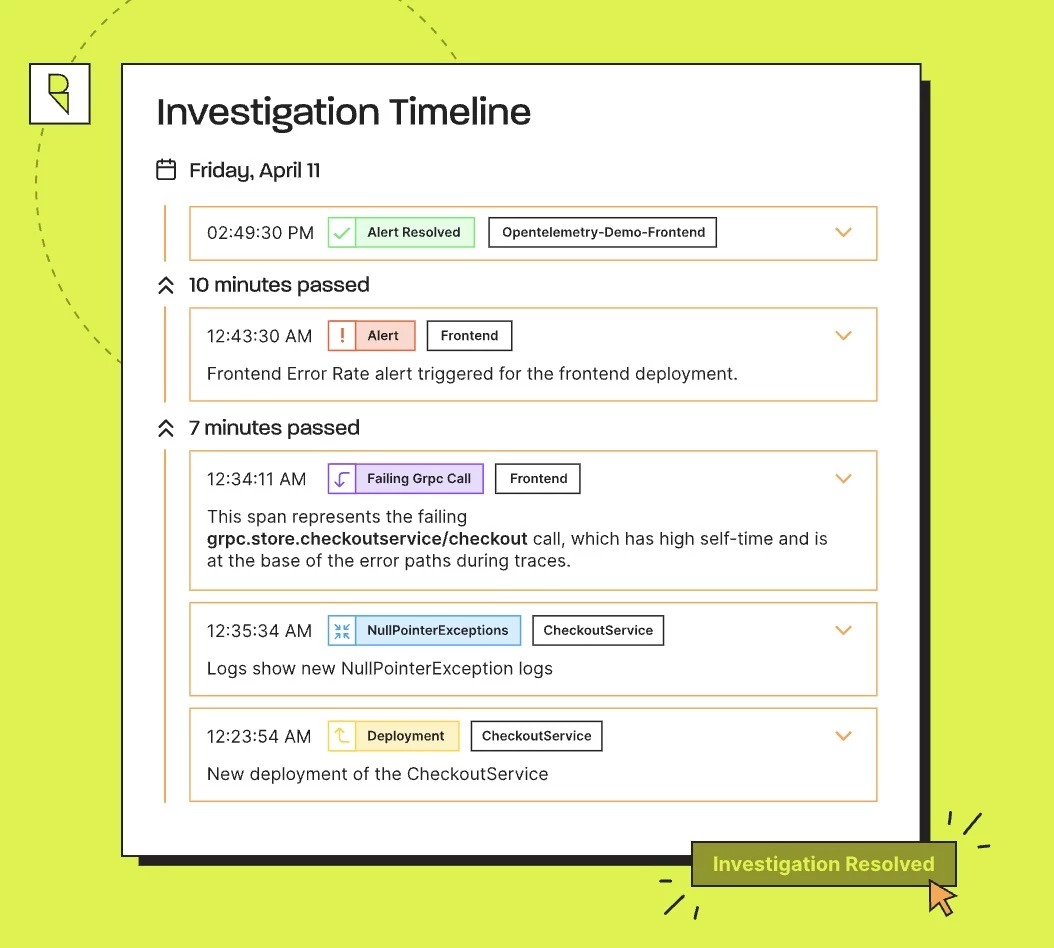
Resolve.ai handles the kinds of repeat incidents that clog up your queues autonomously. For fast-moving teams managing complex systems, Resolve doesn’t just help; it feels like adding a digital SRE that never sleeps.
Book a 1:1 demo with Resolve.ai to get started.
What Users Say
User sentiment around Resolve.ai is generally positive but cautiously optimistic. Several users expressed intrigue about its AI-powered incident management capabilities, especially in automating RCA tasks.
However, many noted that the tool is still evolving and best used as an assistant rather than a full replacement for human judgment. Overall, it’s seen as a promising and helpful tool with room to mature.
Who’s It For?
Resolve.ai is ideal for high-growth tech teams, MSPs, and enterprise IT departments that handle large volumes of production alerts and incidents.
If your engineers are drowning in noisy alerts or burning out from on-call duties, Resolve.ai can diagnose, summarize, and resolve incidents around the clock. It frees up human staff from routine incident management while delivering consistent, rapid issue resolution.
Other Notable Features
- No raw data ingestion, no write access, SOC 2 Type II certified
- Learns from incident history to improve over time
- Automatically suppresses known false positives
- Drafts detailed incident reports for auditing or reviews
- Offers custom redaction and access controls for security compliance
3. Aisera – Best for Intelligent IT Ticketing
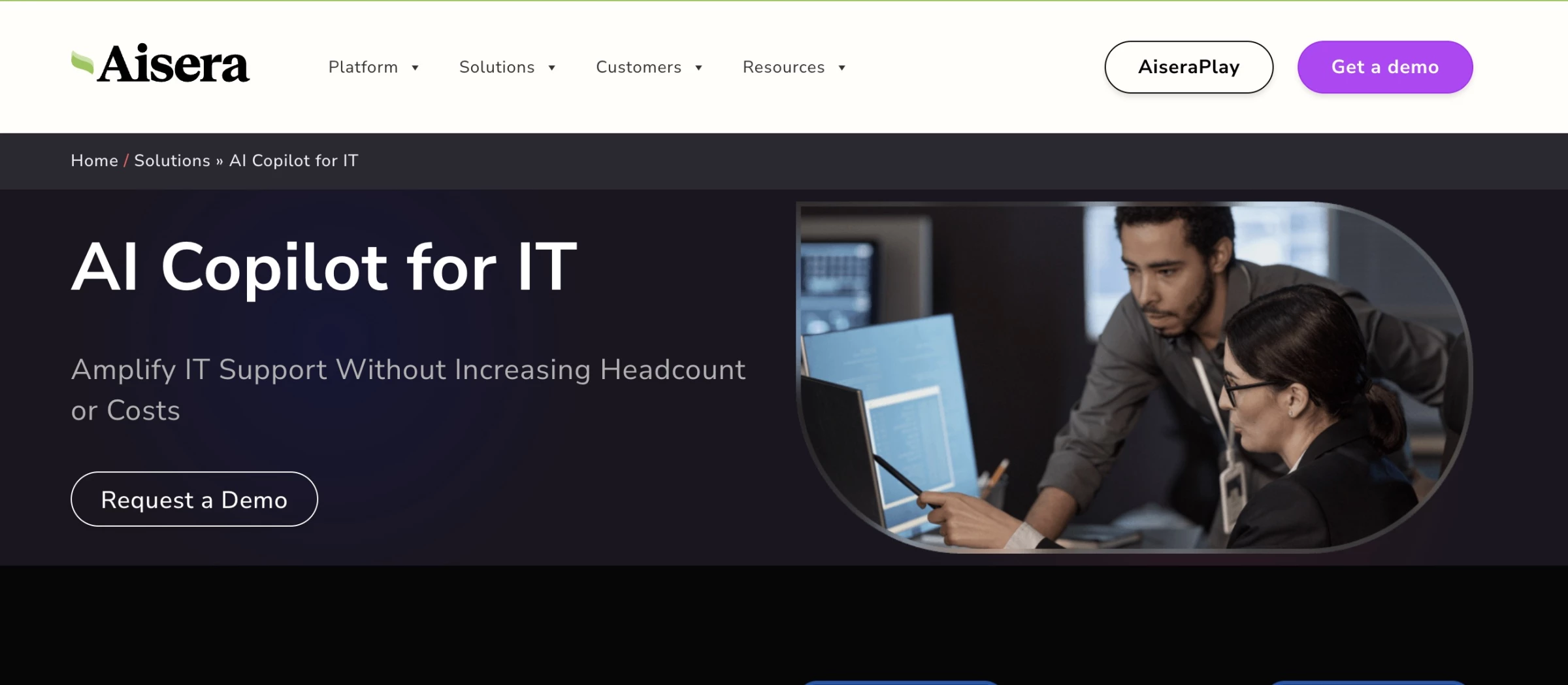
Before trying Aisera, I assumed it would be similar to other AI assistants — helpful for basic tasks but limited in scope. It didn’t take long to see it was operating on a different level. What stood out early on was how much Aisera could do on its own.
For example, when a user was locked out of their account, Aisera handled the entire reset process without needing a human agent.
Pros | Cons | Pricing |
|
|
|
Aisera proved to be particularly effective at understanding unclear requests. Even something as simple as “I can’t log in” prompted it to check access logs, verify identity, and initiate the appropriate workflow.
I also tested it with more involved processes like software provisioning and license renewals. Using its Hyperflows and built-in integrations, Aisera could complete multi-step tasks end-to-end, validating users, deploying tools, and even logging approvals.
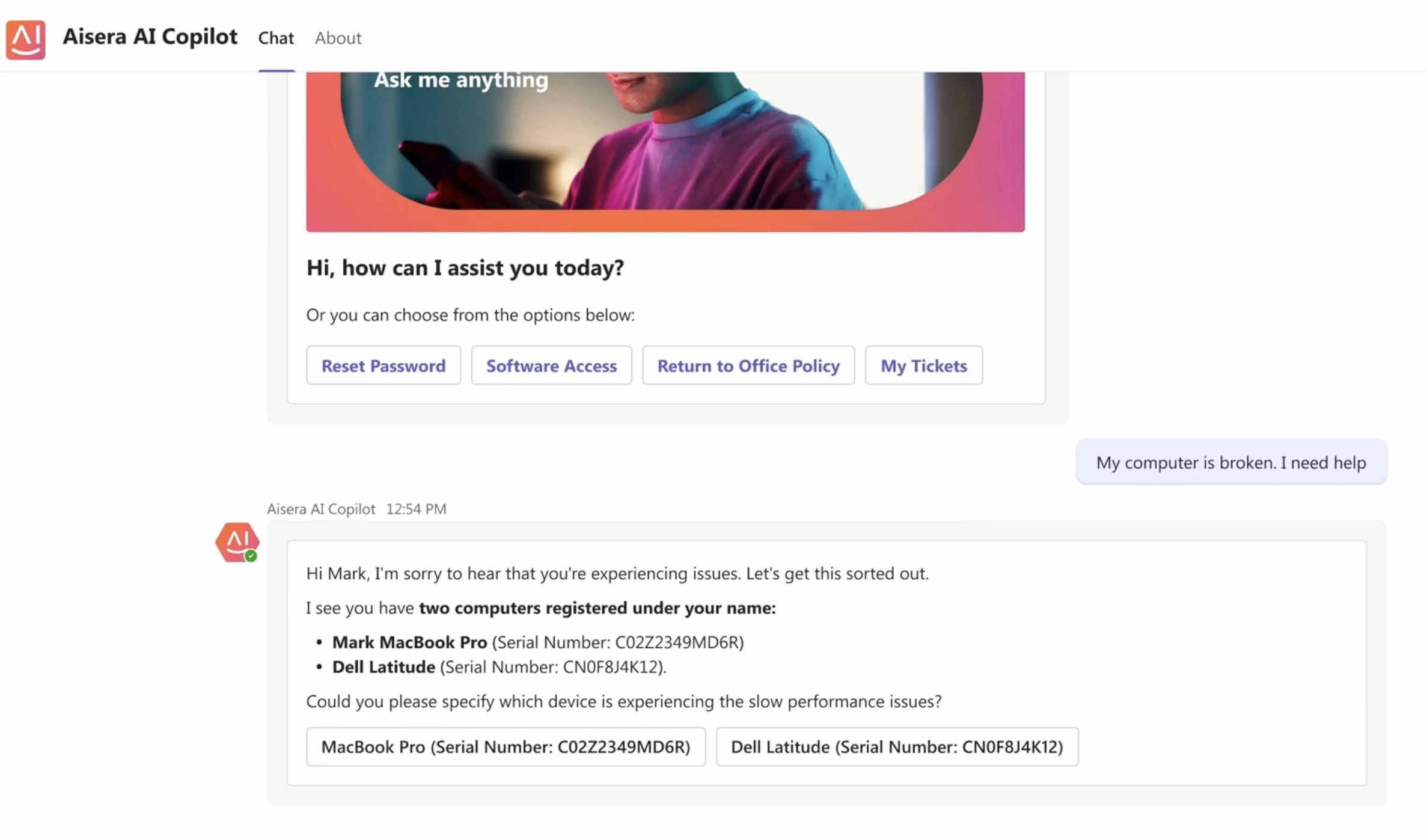
What I appreciated most was its ability to reduce repetitive workload. Over time, Aisera handled around 70% of routine IT tickets, things like password resets or account access issues.
That deflection had a noticeable impact on our support team’s capacity, allowing them to focus on larger infrastructure and security priorities.
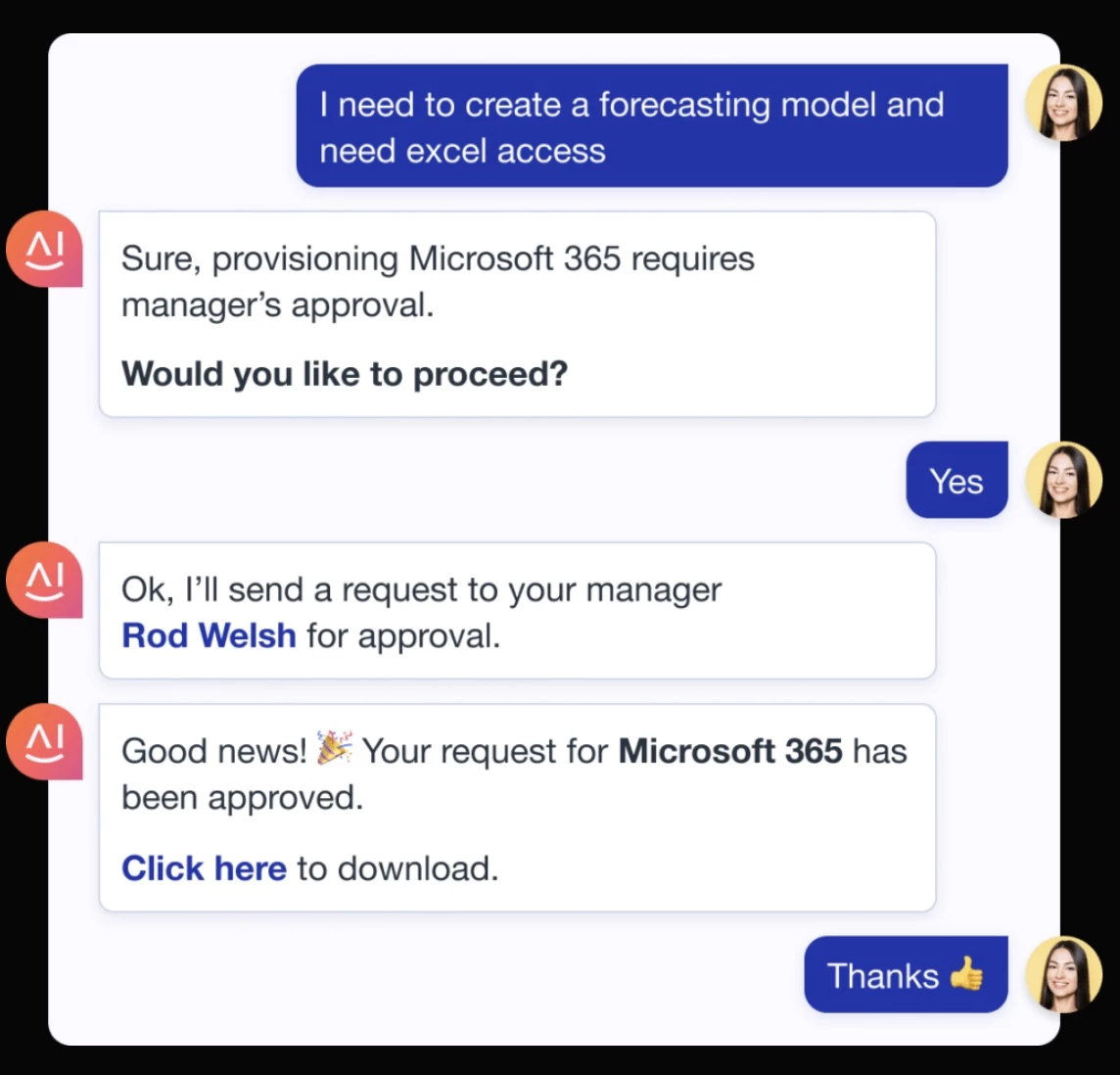
Overall, Aisera is a strong addition to your IT support stack. It combines conversational AI with automation in a way that feels reliable, not experimental, and that makes a real difference in day-to-day operations.
Book a custom demo with Aisera to get started.
What Users Say
Aisera gets a lot of praise from users for how well it streamlines IT support. Many say it really helps cut down on ticket volume and handles repetitive requests with ease.
That said, some users mention that the AI sometimes needs fine-tuning to understand more complex requests, and getting everything set up can take some work. Still, most agree it’s a solid tool if you’re looking to lighten your IT team’s load.
Who’s It For?
Aisera is for enterprise IT departments, MSPs, and fast-scaling teams that need to handle high volumes of support tickets without scaling headcount.
Aisera can act as a virtual team that works 24/7, resolving tickets, triggering workflows, and learning over time, freeing your current helpdesk from routine tasks.
Other Notable Features
- Self-service portal: Employees resolve issues directly through chat-based interfaces
- Sends alerts and reminders about renewals, outages, and scheduled maintenance
- Uses private and public knowledge articles for fast and accurate answers
- Built with SOC 2 compliance and privacy safeguards
- Actionable analytics and insights are built into the admin dashboard
4. Atera – Best for Hands-Off Endpoint Management
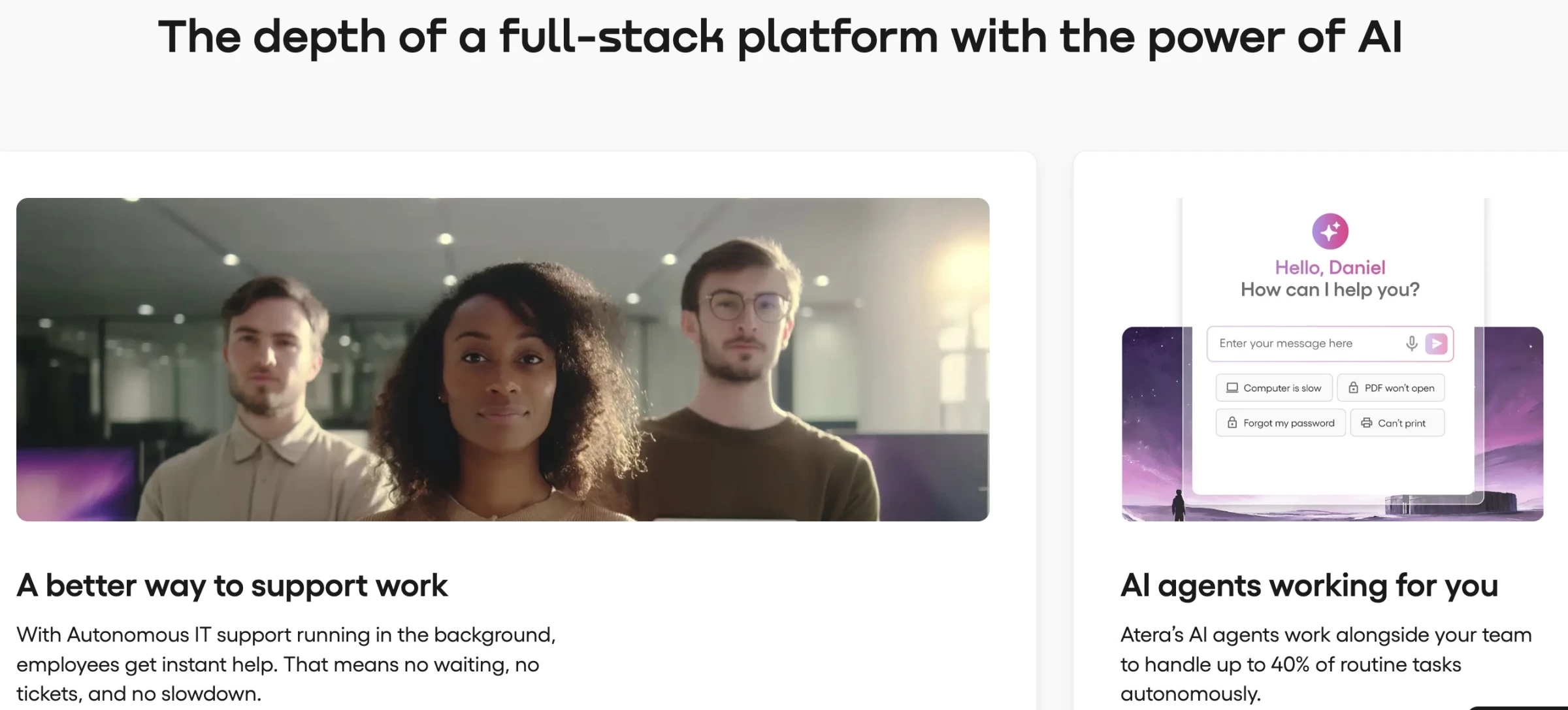
There’s a point in IT where the daily grind becomes background noise: patching machines, chasing failed updates, sorting tickets that could’ve resolved themselves. I didn’t realize how much of that noise I’d been tolerating until I started using Atera.
The first week with its AI Autopilot felt like I had hired a full-time IT technician who worked 24/7 and never got tired.
Pros | Cons | Pricing |
|
|
|
I set up patching policies for Windows and Mac machines across multiple clients, and Atera took it from there, scheduling updates, installing third-party software, and even alerting me if something fell out of compliance.
I didn’t have to manually check endpoints or follow up with users. It just worked, and I could track everything in one dashboard.
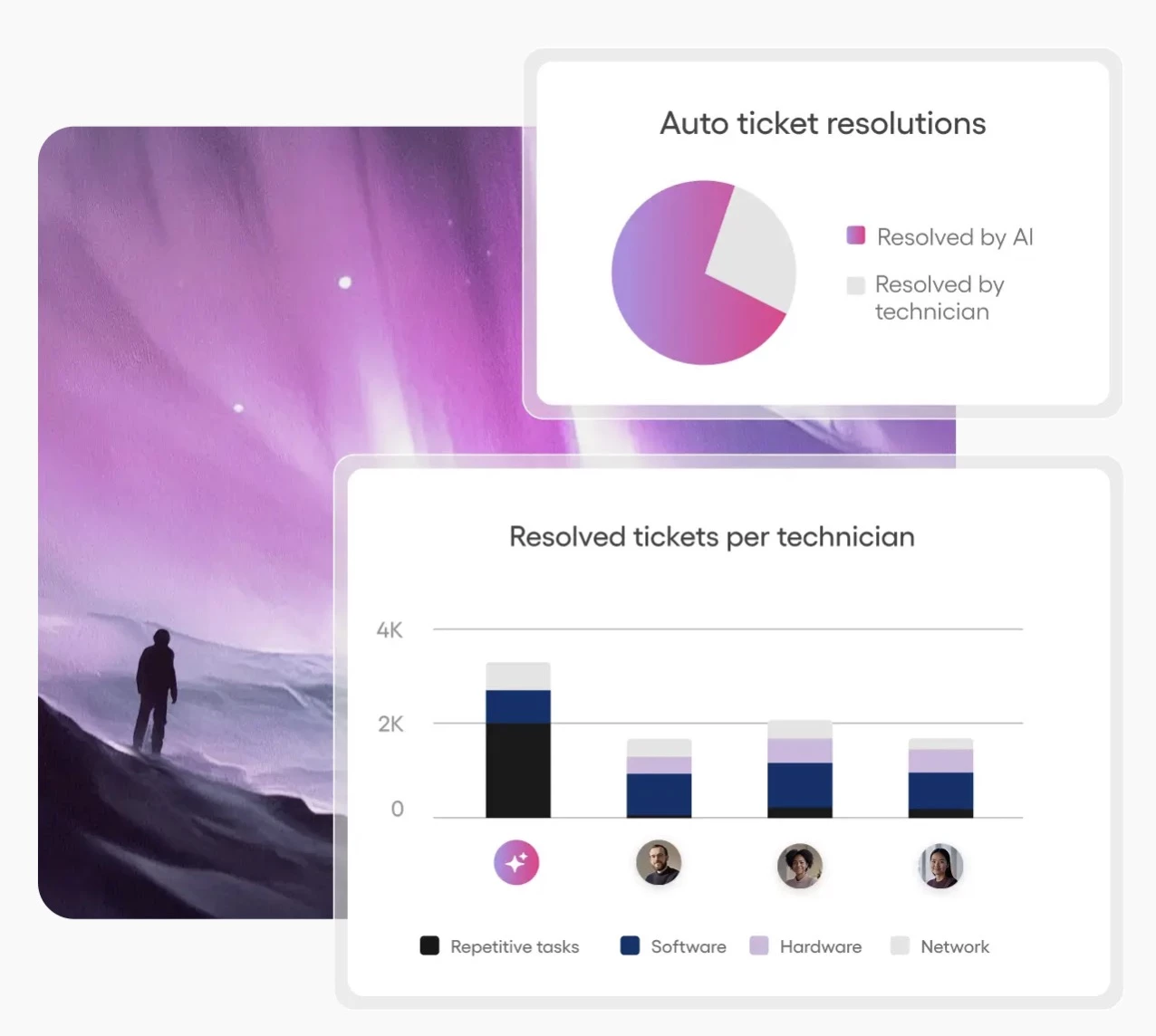
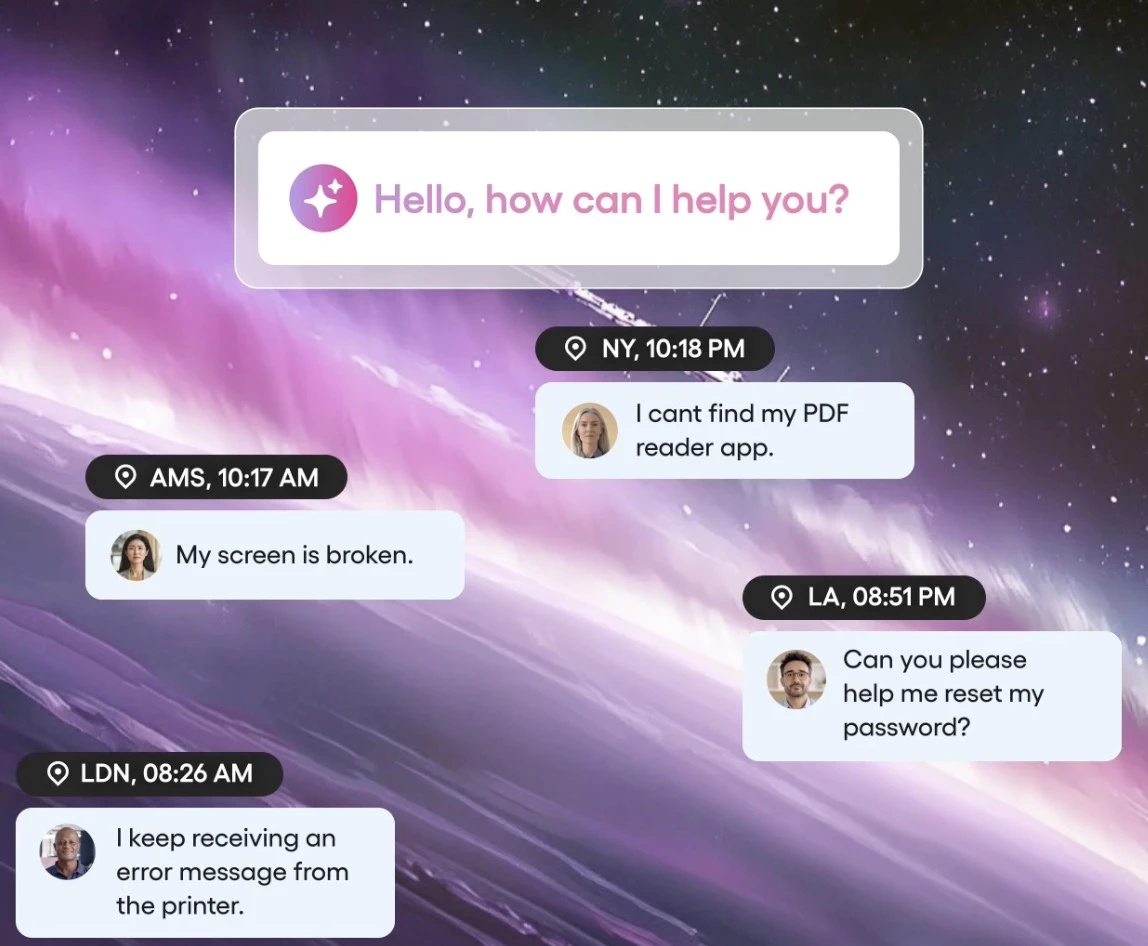
But it wasn’t the automation alone that sold me. It was how fluid the conversational AI felt. A ticket submitted through Teams about a slow laptop? Resolved within minutes, not by a person, but by Autopilot pulling diagnostics, applying fixes, and closing the loop without human input.
When something did need hands-on help, the system escalated it correctly, with all the logs, context, and priority baked in. Our response time dropped dramatically, and more importantly, our interruptions did, too.
In practice, I saved around 3 hours per day thanks to Atera’s automation. For a lean team, that shift is huge. It doesn’t just make your work easier. It changes what you have the capacity to work on.
Atera isn’t flashy. It just quietly takes care of the things you didn’t realize were slowing you down and does it with a level of reliability that’s rare in AI-first platforms.
Start your free trial with Atera. No credit card required.
What Users Say
Atera gets a lot of love for being an easy-to-use, all-in-one platform that really helps IT teams work faster and smarter with its AI-powered tools like Copilot scripting.
People like that it’s affordable and that the support team is usually quick to help.
On the flip side, some users find the AI features a bit hit-or-miss and say the mobile app can feel a little clunky or intrusive at times. There are also some complaints about occasional bugs and recent pricing changes that make AI tools harder to access.
Overall, Atera’s a solid pick for growing IT teams, but it might take a bit of patience as their AI tools continue to improve.
Who’s It For?
Atera is a perfect fit for MSPs and agencies focusing on maintenance and security automation. It excels when you need to keep many endpoints reliably updated and secure with minimal manual effort.
Other Notable Features
- End-to-end service desk automation with AI Copilot
- Custom workflows and ticket field automation
- In-depth reporting and analytics for issue trends
- ISO 27001 and SOC 2 certified for enterprise-grade compliance
- Self-service portal and knowledge base for users
5. Datadog – Best for Predictive Monitoring and Intelligent Alerting
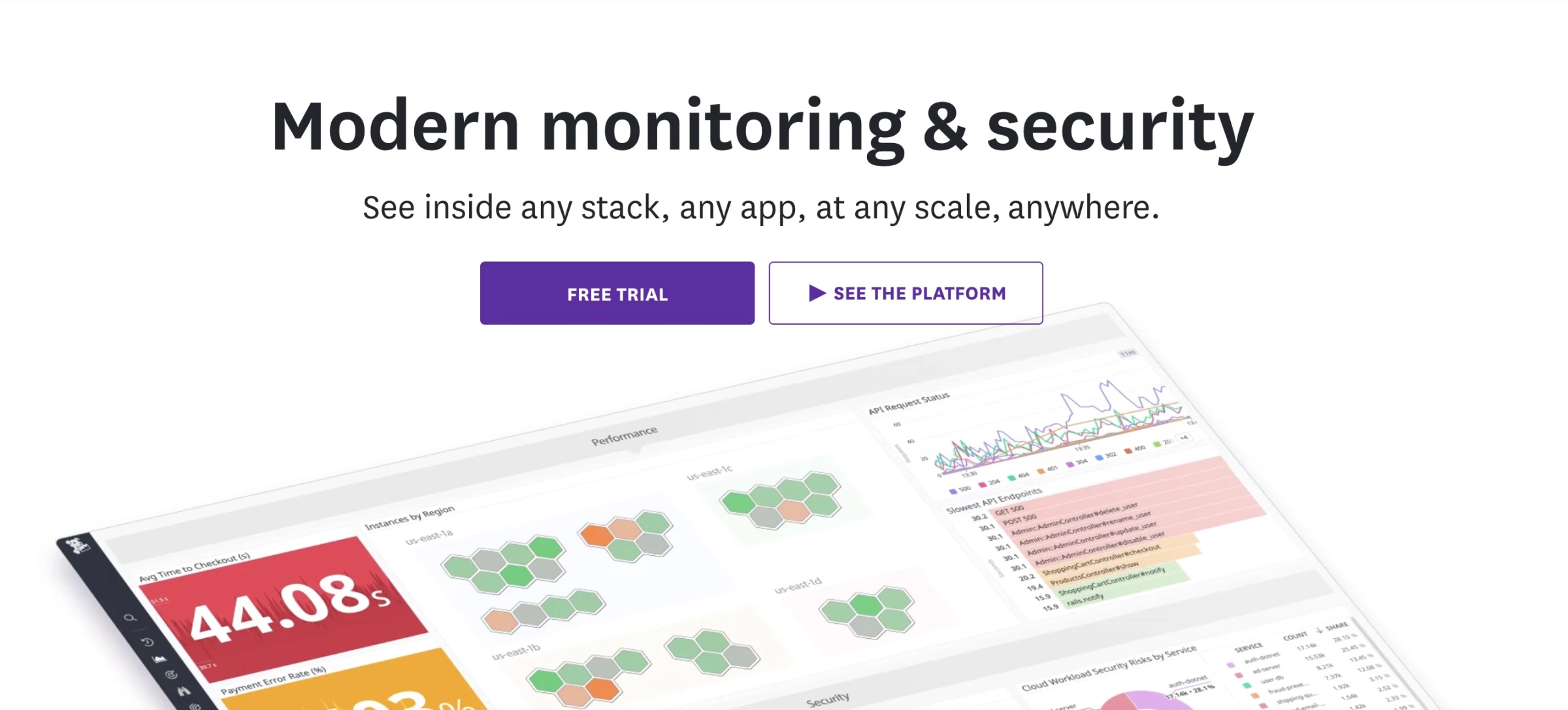
There’s a big difference between monitoring and actually understanding what’s going on in your systems. When I added Datadog to our IT support stack, I wasn’t just after dashboards or uptime graphs.
I needed early warnings — something that could surface real problems before they hit users. That’s where Datadog’s Watchdog engine proved its value.
Pros | Cons | Pricing |
|
|
|
Within the first few days, the Watchdog engine had already learned what “normal” looked like for our services and adjusted its anomaly detection accordingly.
It focused on real outliers, such as a sudden surge in errors on a service that’s normally stable. This meant I could actually trust the alerts I received.
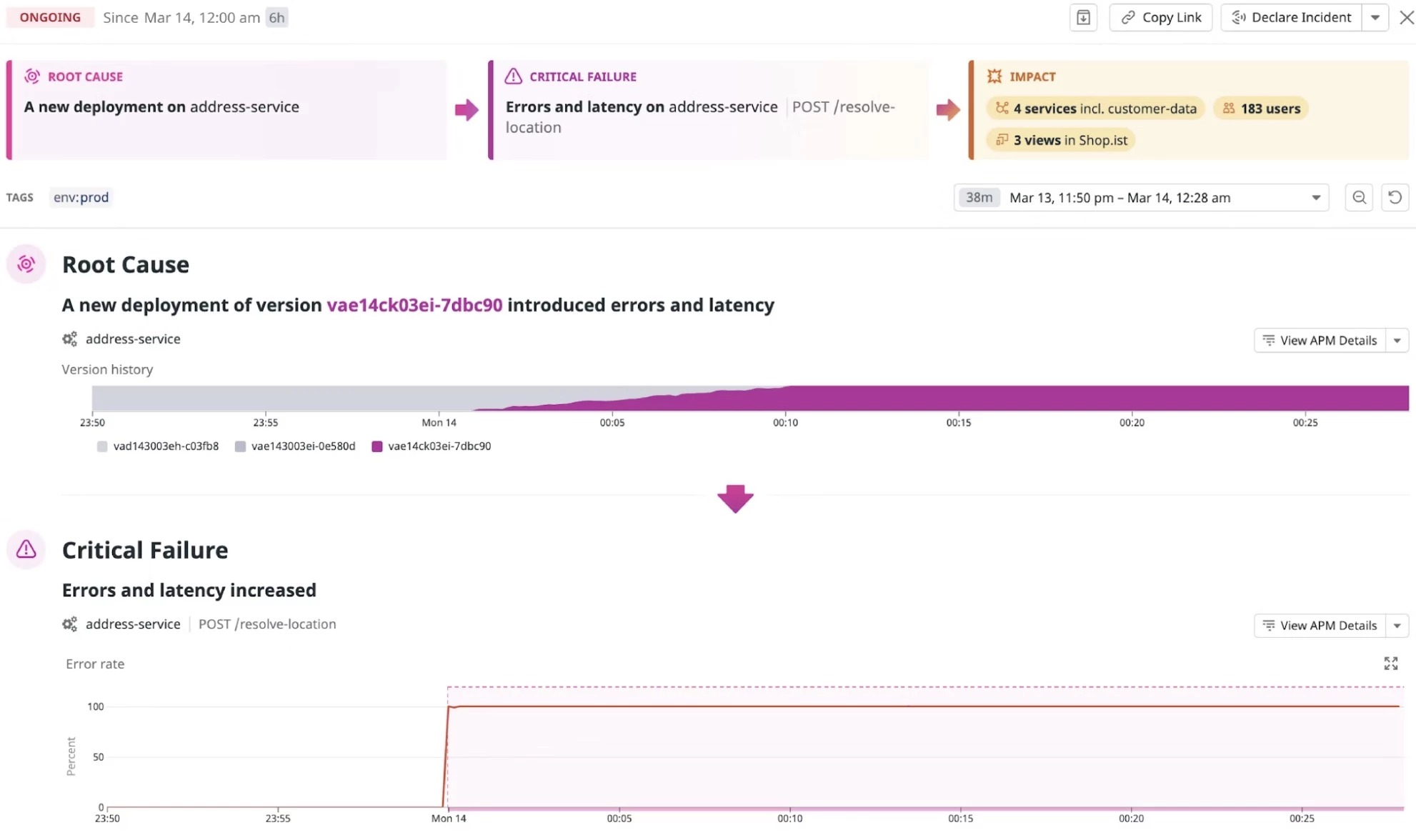
Root-cause analysis is another area where Datadog saved me serious time. After a midday slowdown, I didn’t have to sift through logs or second-guess the issue.
It highlighted a clear spike in database query latency that matched our performance dip to the second. That one insight saved hours of troubleshooting and probably a few customer complaints.
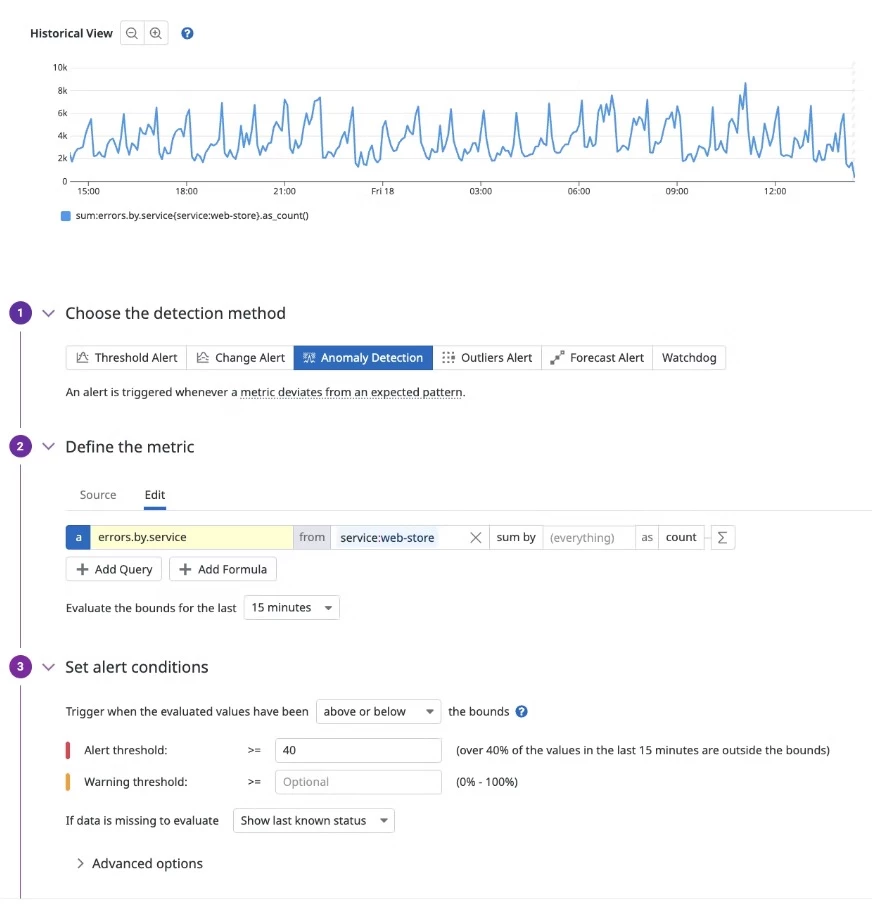
Beyond incidents, Datadog became a kind of guardrail for our entire pipeline. I used it to track performance across builds and releases, catching regressions early and making sure production stayed clean.
If you care about reliability, Datadog doesn’t just help you respond faster; it helps you stay out in front of problems entirely.
Try Datadog for 14 days for free. No credit card required.
What Users Say
People really like how Datadog’s AI helps catch issues before they turn into big problems, making IT support feel less stressful. It’s great at keeping an eye on complicated systems and giving useful insights that save a ton of time when troubleshooting.
Some folks say it takes a bit of effort to learn at first, and support can be hit or miss sometimes, but overall, it’s a solid choice if you want smart, AI-powered monitoring that actually helps your team work smarter, not harder.
Who’s It For?
Datadog is for agencies that manage high-stakes, always-on infrastructure. It is especially useful in environments where constant uptime and quick incident response are critical, such as finance, healthcare, or large-scale cloud services.
Other Notable Features
- Session replay and UX monitoring to improve front-end performance
- Code-free web recorder for monitoring critical user journeys
- Vulnerability detection in live production environments
- Attack flow tracing for security incidents
- Integration with over 600+ tools and platforms
- Cost control and data usage monitoring
AI Tools for IT Support: Final Words
AI tools are quickly becoming indispensable in IT operations, from automated ticket routing to self-healing networks. They help attract customers with 24/7 intelligent support and improve retention through proactive maintenance.
The future of IT support is not some distant vision; AI-driven tools are already here, enabling smarter, more efficient operations.

Our team ranks agencies worldwide to help you find a qualified partner to implement the latest AI solutions. Visit our Agency Directory for the Top IT Services Companies, as well as:
- Top IT Consulting Companies
- Top IT Outsourcing Companies
- Top IT Services for Startups
- Top IT Services for Financial Industry
- Top Healthcare IT Services
AI Tools for IT Service Management FAQs
1. What are the benefits of using AI tools in IT support?
AI tools automate tasks like ticket triage and patching, predict system issues, and deliver actionable insights. This speeds up resolution, reduces errors, lowers costs, and boosts service quality, leading to higher client satisfaction and greater team efficiency.
2. How does AI help with IT ticket management?
AI categorizes, prioritizes, and routes tickets automatically. Tools like Freshdesk’s AI auto-fill ticket fields based on past cases, while chatbots handle common queries instantly.
Together, these features ensure tickets reach the right support team faster and allow free agents to focus on complex issues.
3. Are AI-powered IT tools expensive?
Costs vary by product, but many vendors offer scalable pricing models (per user, per device, or SaaS subscriptions). Importantly, the ROI often justifies the expense. For agencies, the efficiency and new revenue potential from AI typically offset the investment.