
Finding great talent is hard but retaining it is even harder. Between resume reviews, endless interview scheduling, and managing disengaged employees, HR teams are stretched thin trying to do it all.
That’s where AI-powered HR tools come in, helping organizations streamline these processes and scale more effectively.
HR AI Tools: Key Findings
- Textio is used by a third of Fortune 1000 companies to remove bias from job descriptions and improve inclusion across communication.
- SeekOut’s AI can surface qualified candidates in seconds using resume parsing and Boolean filters, which is ideal for high-volume hiring.
- Workday Adaptive Planning aligns workforce planning with financials using “what-if” modeling and predictive AI, scalable for large organizations.
- Alternative tools like Instawork, ServiceNow HR Service Delivery, and Gloat show how AI in HR is expanding into specialized areas like staffing, internal mobility, and workflow automation.
How AI Is Transforming HR Workflows
Modern AI tools for HR, including advanced AI recruitment tools and HR automation platforms, are helping teams streamline hiring, improve performance tracking, and reduce manual workload.
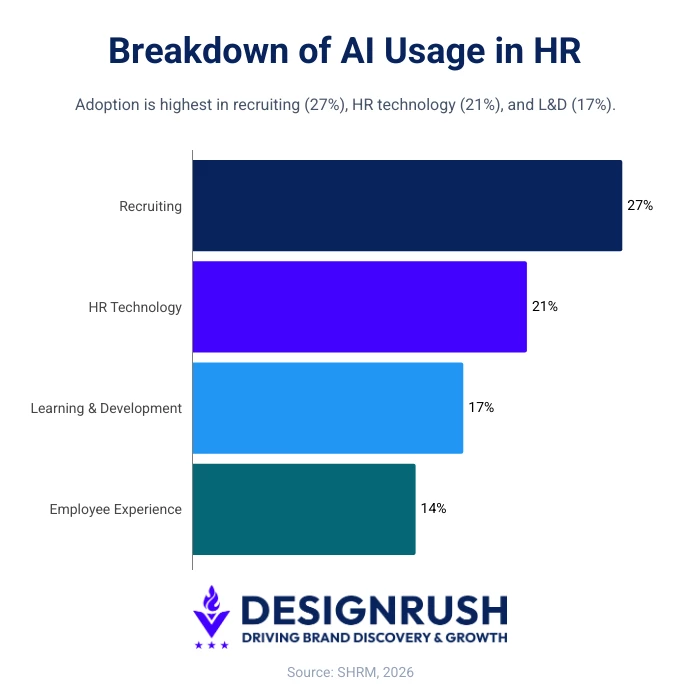
AI adoption in HR remains uneven, with about 39% of organizations currently using it. Most usage is concentrated in high-impact areas like recruiting (27%), HR technology (21%), and learning and development (17%), according to a report from the Society for Human Resource Management (SHRM).
Of HR professionals at organizations already using AI, 87% report improved efficiency and 75% improved work quality.
Examples of AI Capabilities in HR
AI in HR is powered by a few core technologies that do the heavy lifting, namely:
- Natural Language Processing (NLP): Analyzes resumes, job descriptions, and employee feedback to improve matching, communication, and sentiment analysis.
- Predictive Analytics: Uses historical data to forecast outcomes like candidate success, employee turnover, and hiring needs.
- Automation: Handles repetitive tasks such as interview scheduling, onboarding workflows, and candidate screening, freeing up HR teams for strategic work.
10 Top AI Tools for HR
Each HR AI tool below has been assessed based on key criteria including functionality, use cases, scalability, and overall value, to help you identify the right AI tools for HR based on your organization’s needs.
Tool | Talent | DEI | Interview | Performance L&D | Strategic |
✅ | ✅ | ❌ | ❌ | ❌ | |
❌ | ✅ | ❌ | ✅ | ❌ | |
✅ | ❌ | ✅ | ✅ | ❌ | |
✅ | ✅ | ✅ | ✅ | ✅ | |
✅ | ❌ | ✅ | ✅ | ❌ | |
✅ | ❌ | ✅ | ✅ | ❌ | |
❌ | ✅ | ❌ | ✅ | ✅ | |
❌ | ❌ | ❌ | ✅ | ✅ | |
❌ | ❌ | ❌ | ✅ | ✅ | |
❌ | ❌ | ❌ | ✅ | ✅ |
1. SeekOut: Best for Resume Parsing
Designed for enterprise HR teams focused on scaling hiring and improving diversity pipelines.
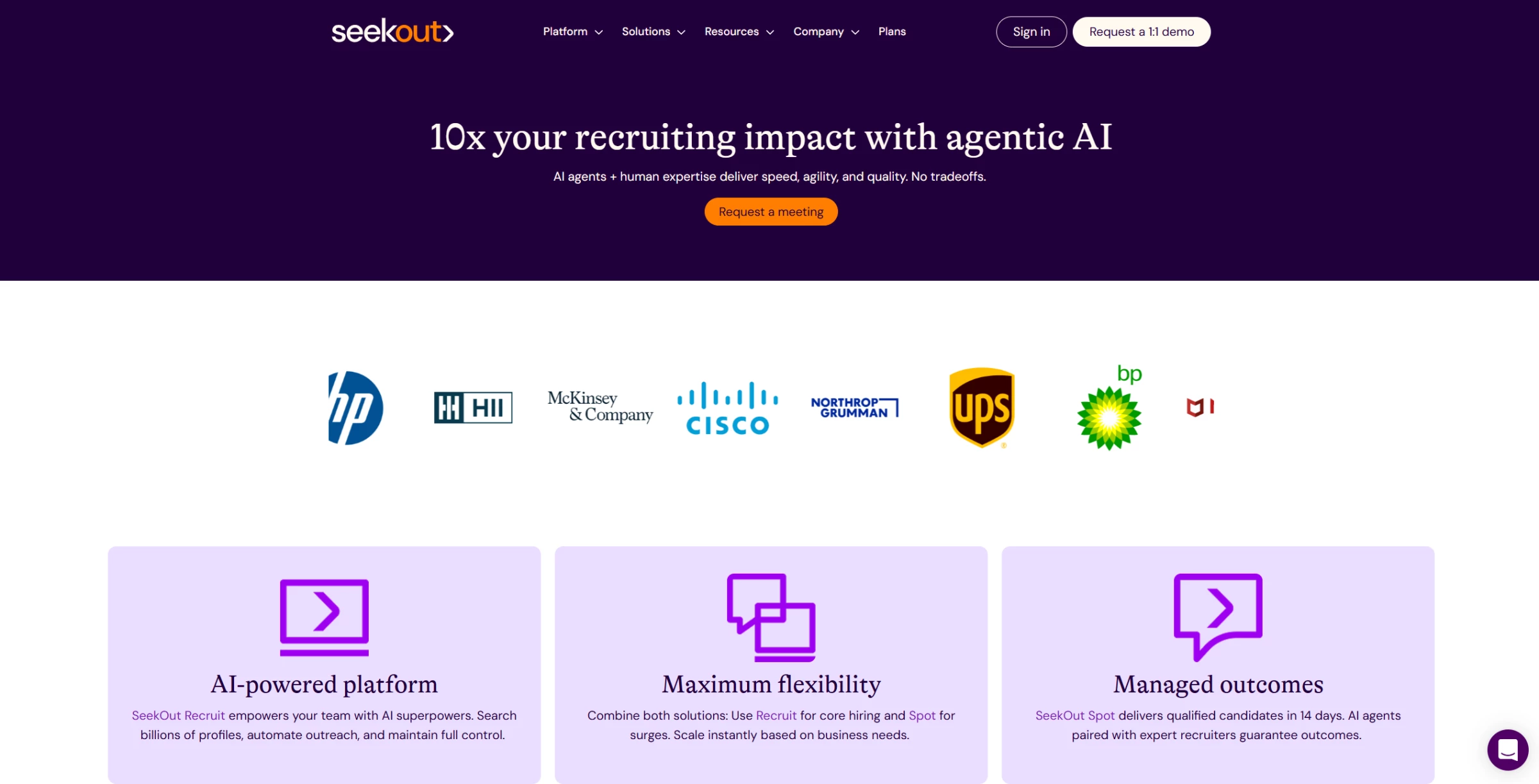
Why manually scan hundreds of resumes when you can surface qualified candidates in seconds?
SeekOut uses AI to extract skills, roles, and experience from hundreds of resumes and profiles so you can instantly search and filter candidates based on what you’re looking for.
The Boolean search feature (using operators like AND, OR, and NOT to narrow or expand search results) is truly powerful because it allows you to quickly refine resume matches.
Itcan also automate candidate sourcing and outreach, all in minutes.
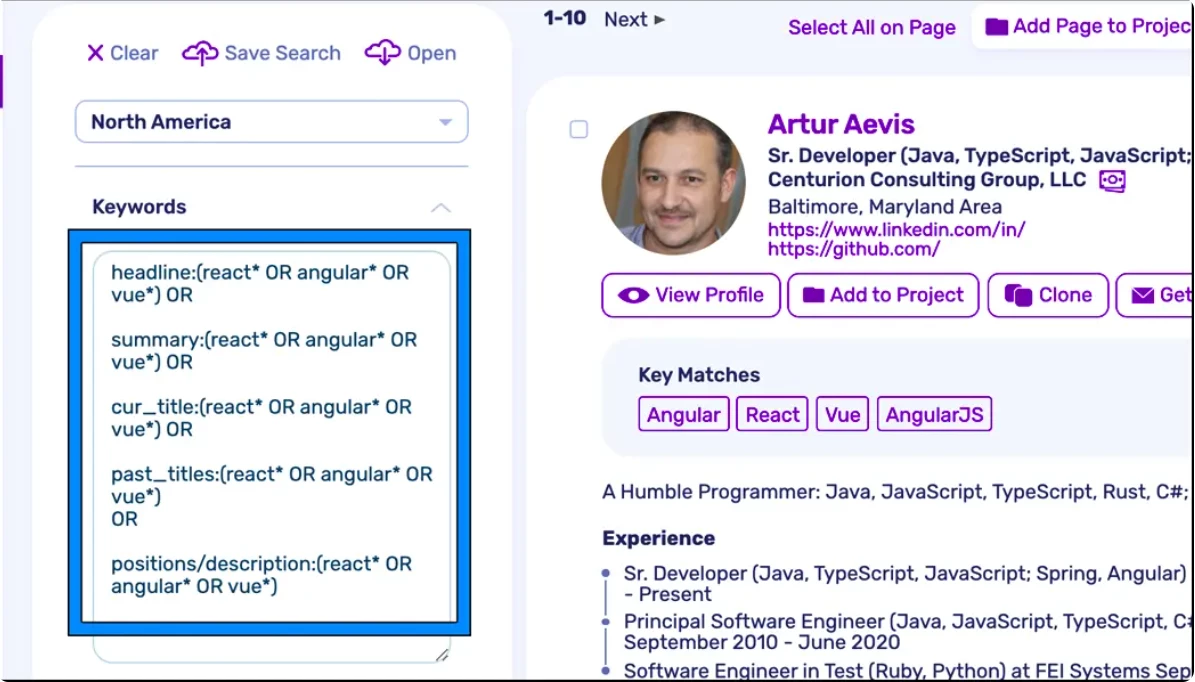
In general, CV screening automation is proving to be a high-impact upgrade in many HR workflows.
Alex Benedychuk, CEO of Regis Team shares:
“Automation of CV screening is working very well now… helping to filter CVs and immediately show those that contain key queries.”
He adds that this not only shortens recruiter response time but also enhances the candidate experience eliminates the need to track applicants manually by centralizing records in one system.
What Users Say
A few users mention that candidate contact details in SeekOut can sometimes be incomplete which requires follow-up verification. But overall, satisfaction remains high.
Many praise SeekOut for its ease of use and powerful filters, allowing recruiters to find a “wider net of possible candidates” which they couldn’t do with other tools.
Pros
- AI-powered resume and profile parsing
- Advanced Boolean search and filters
- Blind Hiring Mode and DEI filters
- AI assistant automates sourcing and outreach
- Integrates with ATS and job boards
Cons
- Contact info may be outdated or incomplete
Other Notable Features:
- API integration
- Social recruiting
- Jobs board integration
- Collaboration tools
- Filtered views
- Self-service portal
- Reporting and statistics
- Performance reports
2. Textio: Best for Bias Mitigation
Designed for enterprise and mid-market HR teams focused on improving hiring quality and reducing bias in recruiting and performance communication.
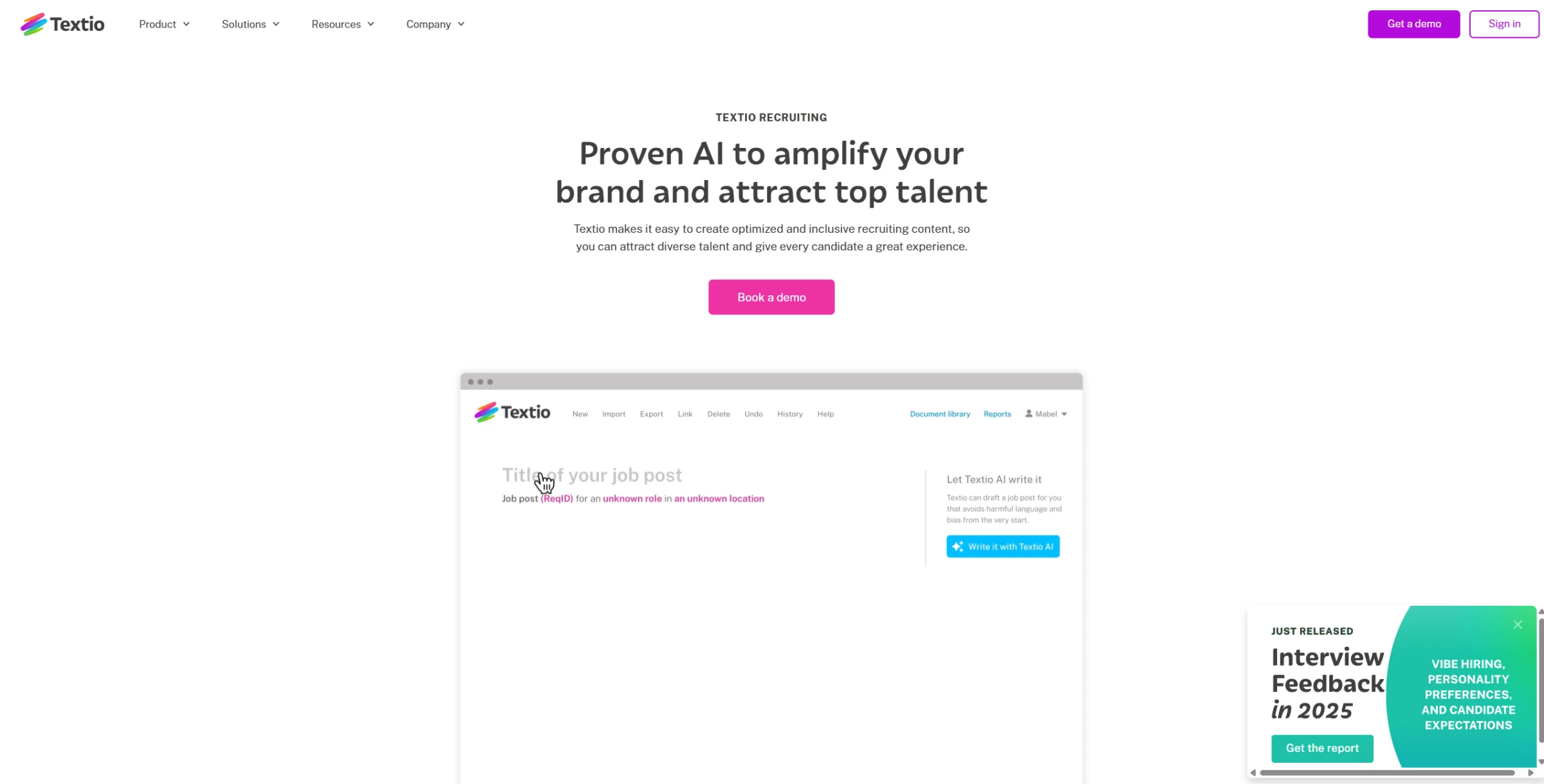
While tools like SeekOut include diversity, equity, and inclusion (DEI) filters, Textio is built entirely around eliminating bias in workplace communication.
It’s the only AI platform designed specifically to help companies hire and retain diverse teams, used by a third of Fortune 1000 organizations.
In many cases, job descriptions can unintentionally discourage top talent, not because of the role, but because of the language.
Textio uses AI to flag biased or non-inclusive wording in real time and suggests edits that improve clarity, tone, and appeal.
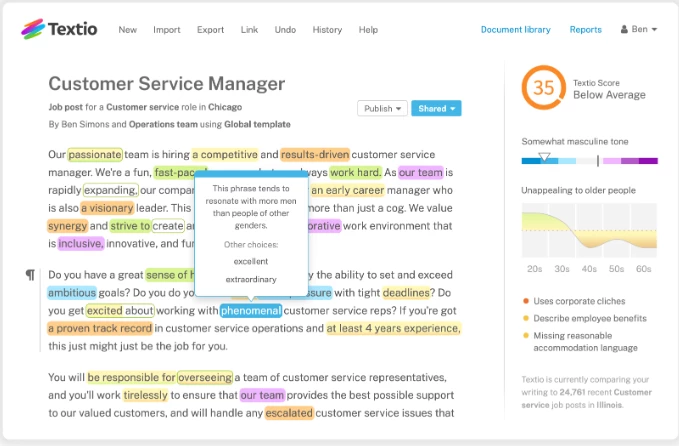
It also works across recruiting emails and manager feedback to help teams communicate more inclusively throughout the hiring and employee experience.
What Users Say
Users highlight its ability to improve job description clarity, increase the diversity of applicant pools, and significantly reduce language-related bias in hiring communications.
On the downside, some mention there’s a learning curve and interface limitations, and customization options can feel restrictive for teams with specific branding needs.
Pros
- AI-powered inclusive writing and bias detection
- Real-time language suggestions and tone analysis
- Predictive insights on job post performance
- Improves consistency in recruiting and performance reviews
- Centralized content library and templates
Cons
- Pricing is not publicly transparent
- Requires adoption across teams to see full value
- Primarily focused on writing optimization (limited broader HR automation)
Other Notable Features:
- Textio Score
- Age Graph
- Gender Meter
- Custom Brand Guidance
- Job Post Repository
- Textio AI Drafting
Start your two-week free trial with Textio.
3. HireVue: Best for Candidate Scoring via Video Interviews
Designed for enterprise and high-volume recruiting teams looking to standardize interviews and evaluate candidates at scale.
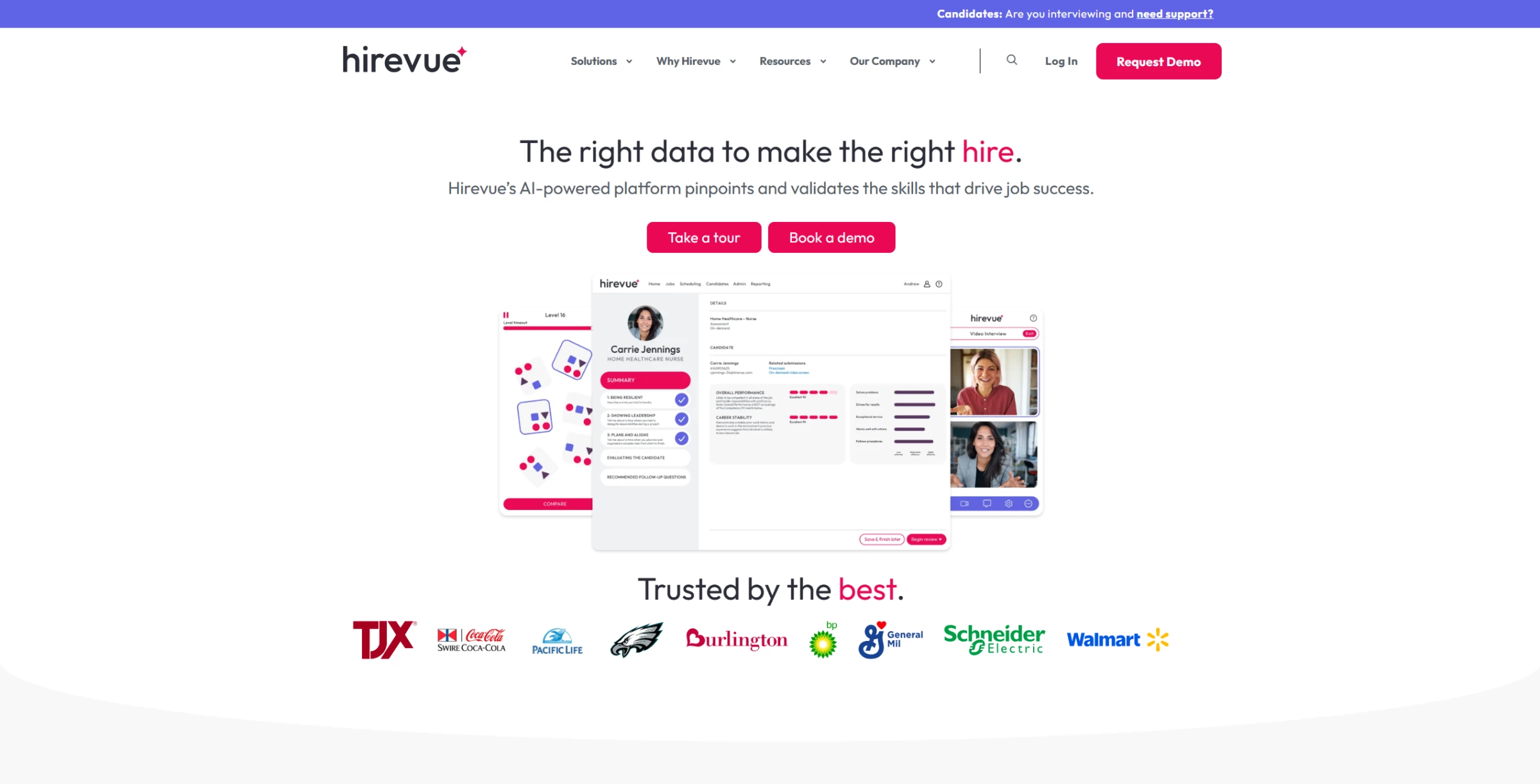
Interviewing candidates is standard. But how can you be sure you’re scoring everyone fairly and consistently?
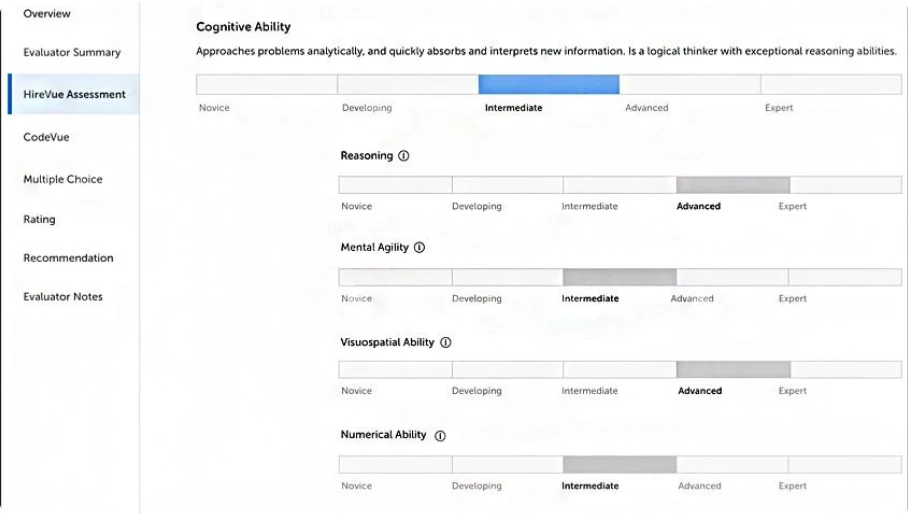
HireVue adds structured video interviews equipped with AI-powered scoring to help you surface high-potential talent efficiently.
Its AI analyzes how candidates respond (evaluating content, communication, and pace) and scores them against job-relevant benchmarks to highlight those most likely to succeed.
What Users Say
Users highlight how easy it is to use, not just for the recruiters but for the candidates too.
However, scheduling flexibility can be limited, especially when syncing with calendars or managing back-to-back interviews.
Pros
- AI-powered video interviews with automated candidate scoring
- Asynchronous interviews reduce scheduling bottlenecks
- Structured assessments improve consistency in hiring decisions
- Integrates with major ATS and HR systems
Cons
- Less flexibility for niche or highly specialized roles
- Video-first format may not suit all candidates
Other Notable Features:
- Game-based assessments
- Virtual Job Tryout®
- AI-assisted interview insights and structured scoring
- Technical and role-specific assessments (including coding)
- Multilingual interview support and candidate evaluation
4. Eightfold AI: Best for Smart Candidate Matching
Designed for enterprise HR and talent acquisition teams focused on skills-based hiring and large-scale workforce planning.
A resume tells you what a candidate has done, but Eightfold AI helps you see what they’re capable of doing next.
Its deep-learning model analyzes millions of career paths to match candidates not just to open roles, but to where they’re most likely to succeed and grow.
That same intelligence powers a full suite of tools for talent acquisition, internal mobility, and workforce planning, all on one platform.
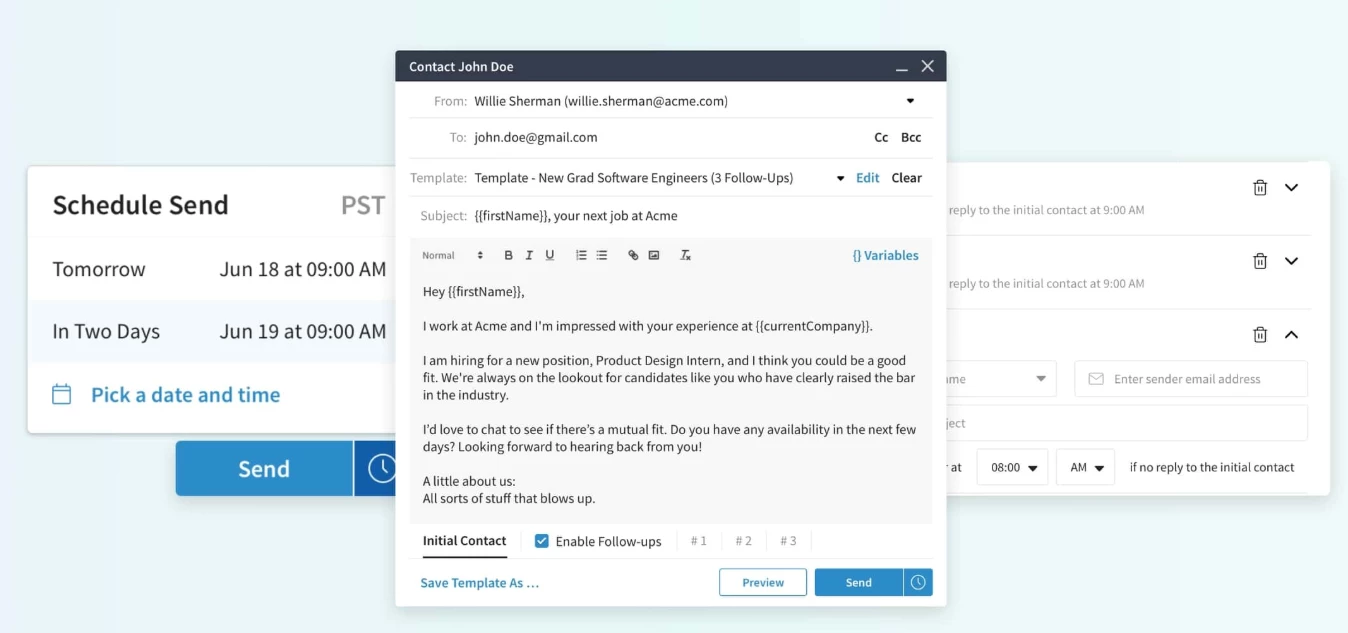
One of its key advantages is ease of use. You can easily message, update, set up phone calls, reschedule, or cancel a meeting in the same place.
What Users Say
Not everyone agrees, though. Some note the UI isn’t intuitive and that integration with ATS or CRMs can lag.
I noticed the same thing. The platform can sometimes be slow to load or respond, especially during integrations or high-volume usage.
Pros
- AI-powered candidate matching based on skills and career data
- Supports both external recruiting and internal talent mobility
- Helps identify hidden or non-obvious candidate matches
- Enables skills-based hiring and workforce planning
- Designed for enterprise-scale hiring environments
Cons
- Implementation can be complex and resource-intensive
- AI-inferred skills may require manual verification
- May require significant data integration to deliver full value
Other Notable Features:
- Personalized career sites for tailored candidate experiences
- Microsite support for unpublished job roles
- Workflow automation for interview scheduling and recruiting processes
- AI-driven upskilling and career path planning
- Skills-based talent matching and inference
5. Paradox: Best for Interview Scheduling and Compliance
Best suited to enterprise HR teams looking to automate onboarding, employee support, and high-volume HR service delivery.
Interview scheduling is one of the biggest time drains in high-volume recruiting.
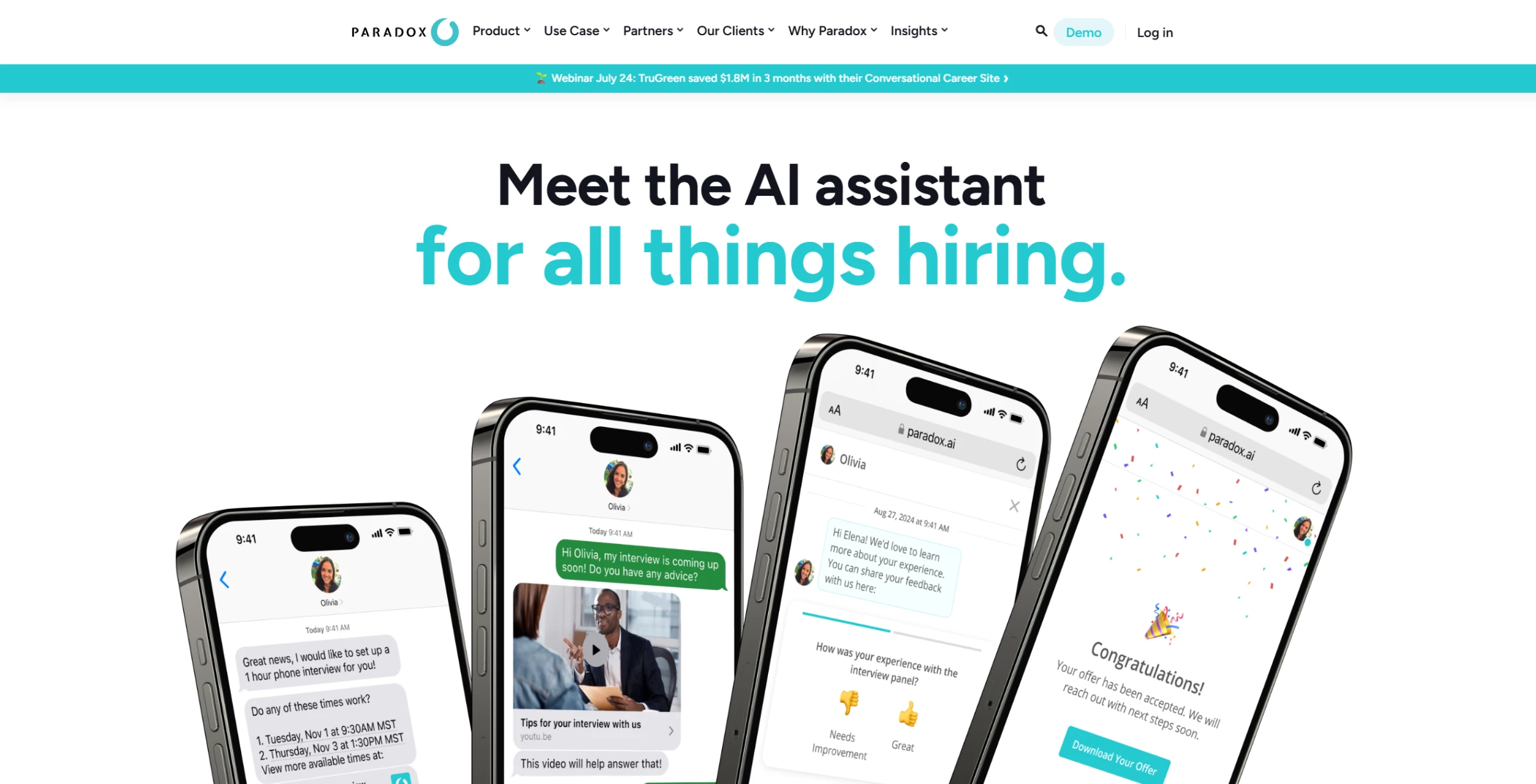
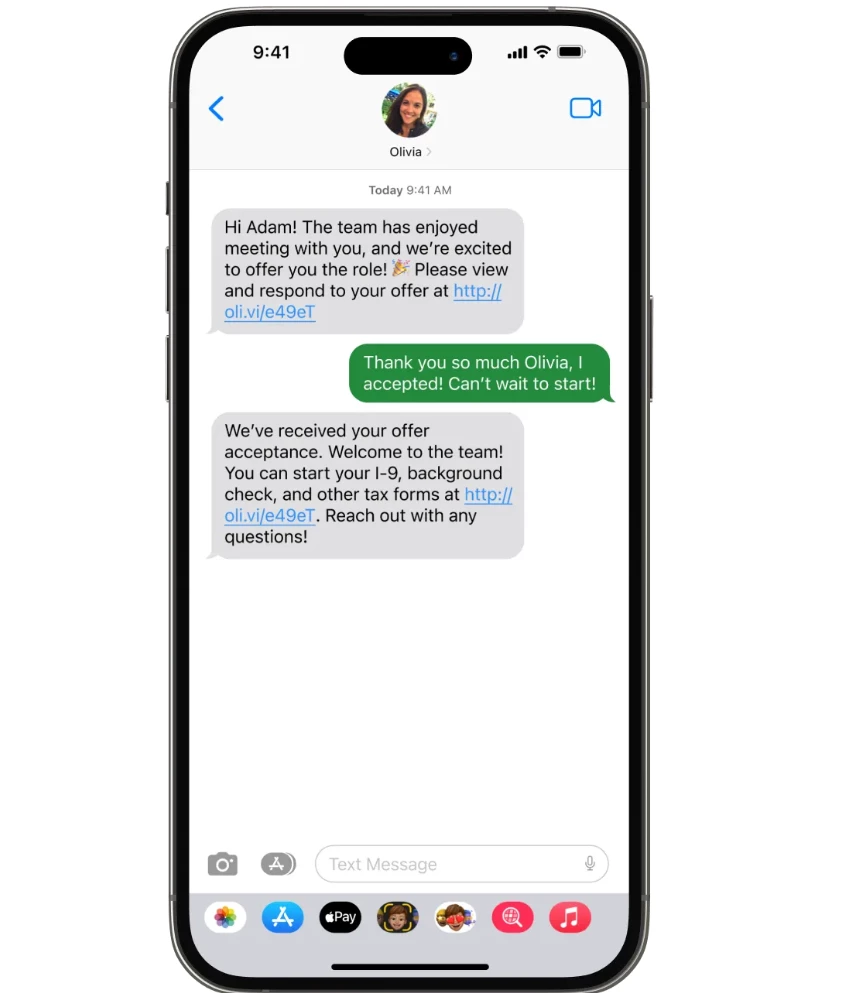
Paradox uses a conversational AI assistant named Olivia to automate scheduling, send reminders, and answer candidate questions in real time.
It’s especially useful for hourly roles, campus hiring, and any pipeline that requires fast, consistent candidate engagement.
Paradox also automates FAQs, sends reminders, and handles basic screening, reducing recruiter workload while keeping candidates engaged.
Reporting and analytics are somewhat limited, and customization options can feel restricted for complex hiring needs.
What Users Say
Many users praise Paradox for automating routine tasks — such as scheduling interviews, screening applicants, and candidate communication — which frees up recruitment teams to focus on higher‑value work.
But some describe the AI bot experience as 'broken' or unreliable. For instance, one applicant had scheduled interviews repeatedly despite stores having no open positions.
Pros
- Conversational AI automates scheduling, screening, and candidate communication
- Real-time interview scheduling reduces manual coordination
- Improves candidate engagement with instant responses
- Standardizes workflows and communication for consistency
- Integrates with major ATS and calendar systems
Cons
- Pricing is not publicly transparent
- Initial setup and workflow configuration can be complex
- May require ongoing optimization for nuanced hiring processes
- Less suited for highly specialized or low-volume hiring
Other Notable Features:
- Text recruiting via SMS and chat
- Automated interview scheduling
- ATS integrations with major HR systems
- Screening automation and candidate qualification
- Pre-hire and onboarding workflow support
- Video interview coordination and support
- Workflow automation for recruiting processes
6. Leena AI: Best for New-Hire Onboarding Automation
Designed for enterprise HR teams focused on automating onboarding, employee support, and high-volume HR service delivery.
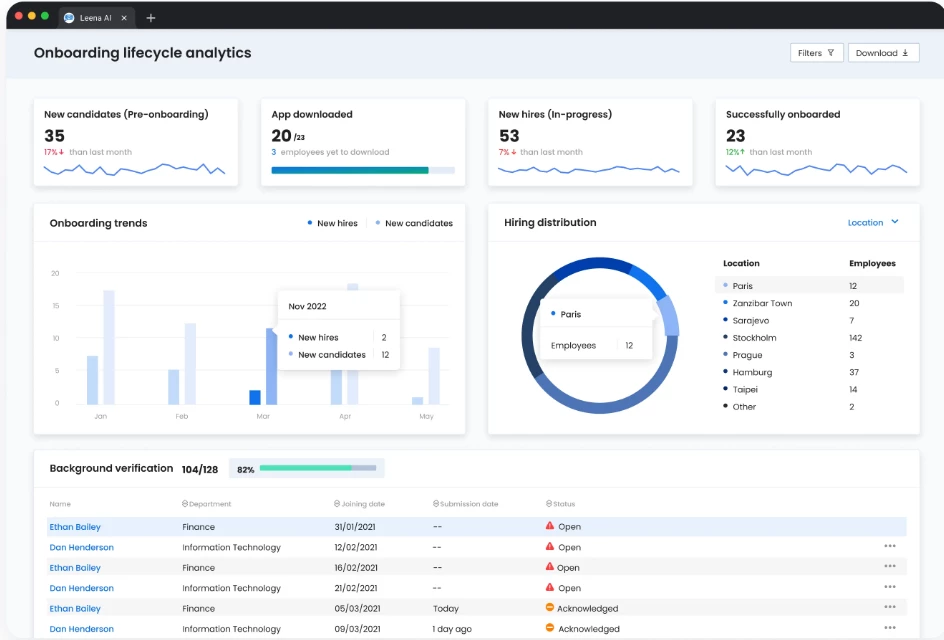
Leena AI is an agentic AI platform that automates HR workflows through conversational interfaces, acting as a virtual assistant for employees across onboarding, support, and HR operations.
It enables new hires to complete tasks, access information, and receive guidance through a single interface, reducing reliance on manual HR coordination.
A key strength is its ability to automate onboarding end-to-end. New employees can receive personalized onboarding journeys, complete documentation, schedule meetings, and get real-time answers to questions without switching systems.
Leena AI is particularly well-suited for large organizations looking to centralize HR service delivery and improve employee experience through automation at scale.
One limitation of Leena AI is that it doesn’t share a clear product roadmap, and common feature requests may require custom builds at an additional cost.
What Users Say
Users praise Leena AI for providing instant, smooth chatbot support for HR policy questions and delivering seamless employee self-service that speeds up query resolution.
Others note that while the platform integrates well with existing HR systems, some conversational flows can feel scripted or limited for more complex inquiries.
Pros
- Conversational AI automates onboarding, queries, and HR workflows
- Reduces manual HR workload through automation of repetitive tasks
- Centralizes employee support across HR systems
- Supports high-volume HR service delivery in enterprise environments
- Integrates with major enterprise systems (HRIS, IT, payroll)
Cons
- Pricing is not publicly transparent
- Implementation can be complex and resource-intensive
- Requires strong data and system integration to deliver full value
- Less focused on recruiting-specific workflows
Other Notable Features:
- AI-powered HR chatbot for onboarding and employee support
- Automated onboarding workflows and task orchestration
- Personalized onboarding journeys and preboarding support
- HR case management and knowledge base automation
- Multi-channel support (web, mobile, Slack, Teams, etc.)
- Integration with enterprise HR, IT, and payroll systems
7. Lattice: Best for Talent Retention and Continuous Feedback
Ideal for mid-market and enterprise HR teams focused on performance management, employee engagement, and retention.
Keeping top performers starts with keeping them engaged.
Lattice helps organizations build a culture of continuous performance through real-time feedback, structured 1:1s, goal alignment, and engagement surveys in one integrated platform.
It’s built to help managers and HR teams drive employee development and retention with tools that make feedback frequent, relevant, and measurable.
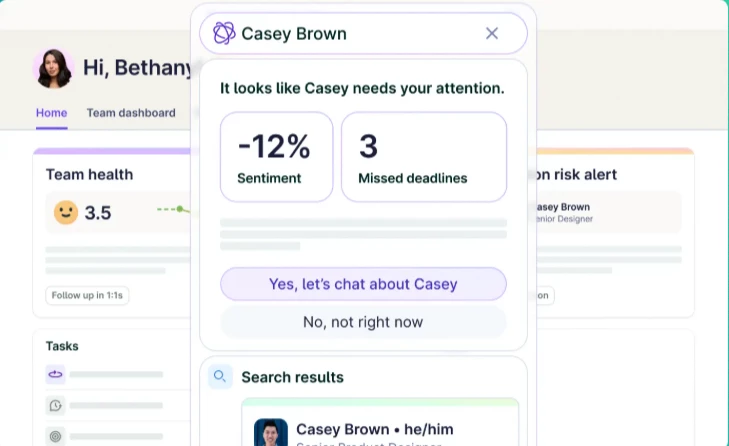
Lattice’s AI helps you act faster by summarizing employee feedback, flagging engagement trends, and suggesting timely next steps — like how to follow up or coach more effectively.
What Users Say
Users love Lattice’s structured 1:1 agendas, peer feedback tools, and Slack integration.
However, some find it difficult to perform basic tasks, especially when linking calendars or accessing specific notes.
The tool is robust but it does lean on the pricier side. Small companies with tighter budgets or simpler HR needs may find it more than they’re looking for.
Pros
- Continuous feedback and performance management tools
- Goal setting (OKRs) and progress tracking
- Employee engagement surveys and analytics
- AI-driven insights into performance and retention trends
- Centralized platform for reviews, feedback, and development
Cons
- Pricing may be high for smaller teams
- Limited customization in certain workflows
- Reporting capabilities may not meet advanced analytics needs
- Requires consistent usage across teams to deliver full value
Other Notable Features:
- Continuous performance reviews
- Objective and Key Results (OKRS) and goal tracking
- Real-time 1:1s and feedback
- Engagement and pulse surveys
- Compensation and career growth tracking
- AI coaching, writing assist, and bias detection
- Analytics and insights dashboard
- Integration with Slack, MS Teams, and HRIS tools
8. Workday Adaptive Planning: Best for Workforce Planning and Succession Modeling
For enterprise finance and HR teams aligning workforce plans with business strategy and long-term talent needs.
Need help planning how many people to hire or how staffing changes could impact your budget?
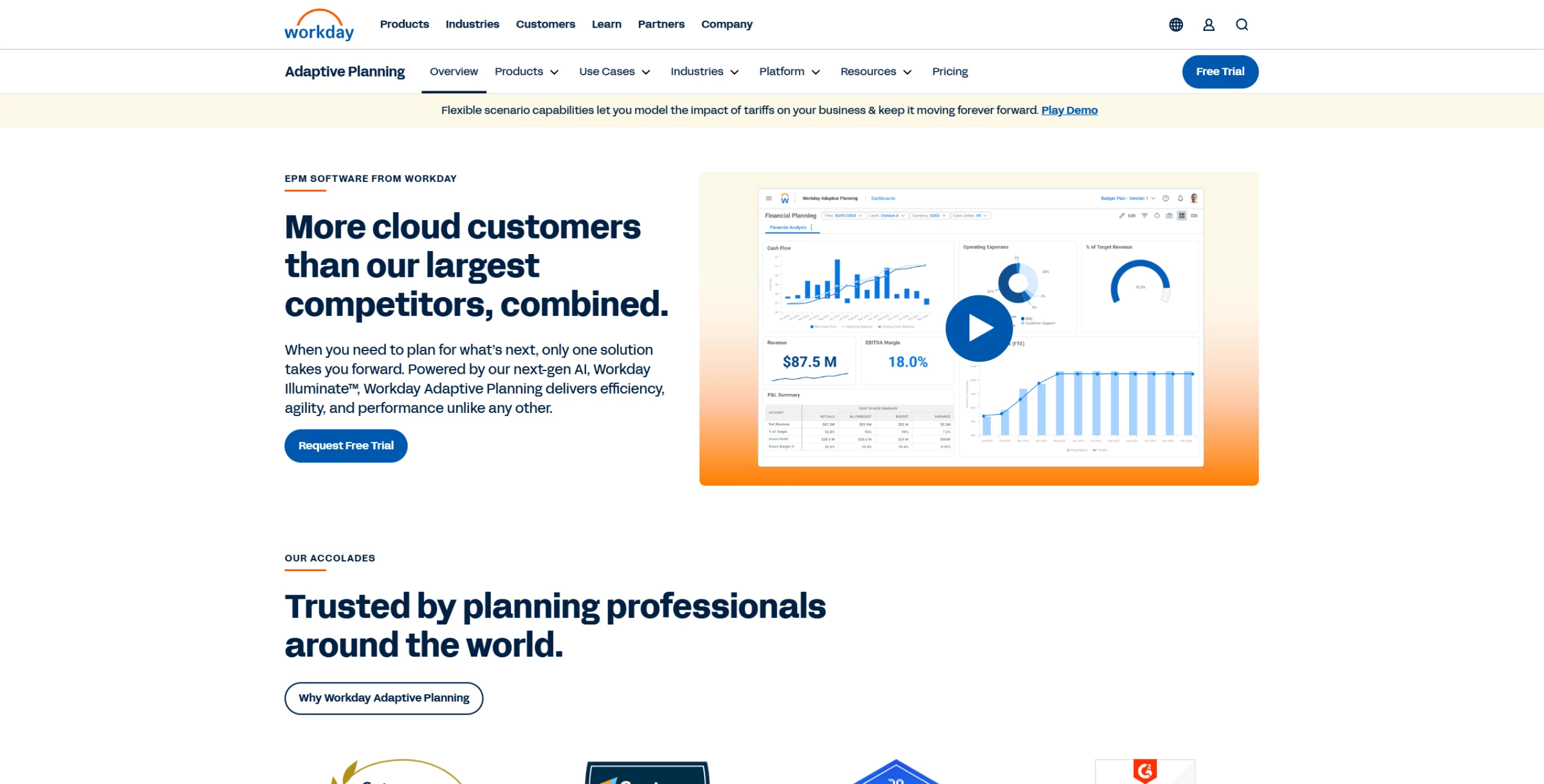
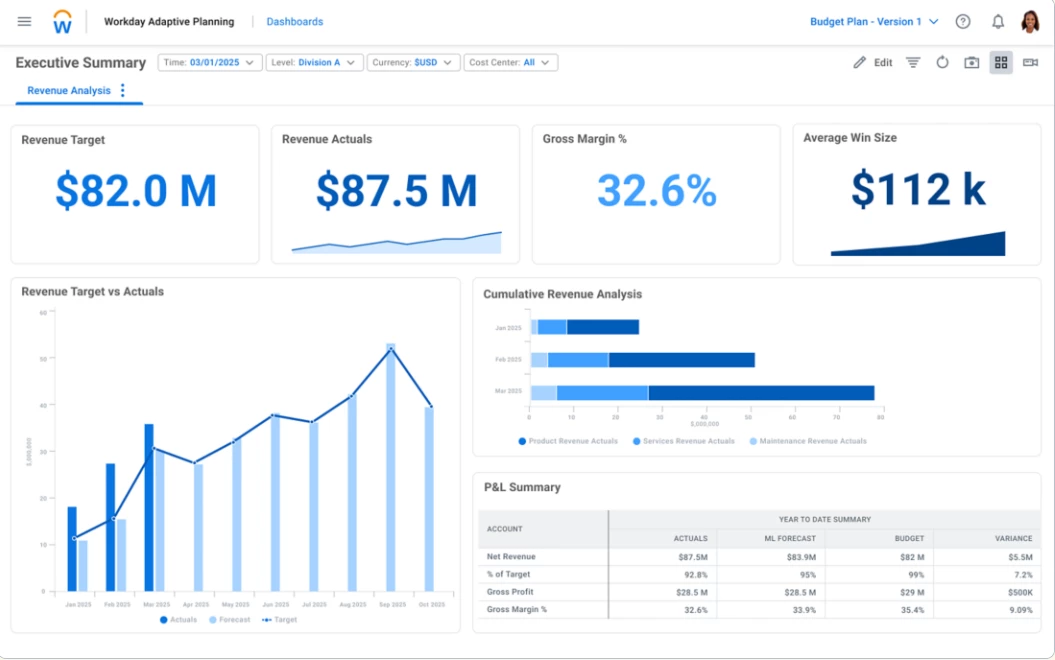
Workday Adaptive Planning (formerly Adaptive Insights) offers a unified platform combining AI‑powered forecasting, budgeting, and scenario modeling — designed to help HR and finance teams plan future workforce needs with precision and agility.
It connects your workforce plans with financial data, so you can make smarter decisions about hiring, budgeting, and team structure.
Built on Workday’s Illuminate™ AI, it offers conversational data insights and anomaly detection to support proactive decision-making.
What Users Say
Customers appreciate its intuitive interface, fast adoption, and robust forecasting capabilities calling it “easy to navigate” with “strong flexibility while adhering to specific parameters.”
However, some report the platform has lacked recent innovation and say reliance on consultants for fixes remains high.
And like Lattice, it comes at a higher cost compared to other tools.
Pros
- Advanced workforce and financial planning in a single platform
- Scenario modeling with “what-if” analysis
- Aligns headcount planning with business and financial goals
- Supports succession planning and long-term workforce strategy
- Integrates with Workday and other enterprise systems
Cons
- Pricing is not publicly transparent
- Implementation can be complex and time-intensive
- Requires clean, integrated data for accurate forecasting
- Less relevant for day-to-day recruiting workflows
Other Notable Features:
- Flexible budgeting, forecasting & reporting
- Unlimited "what‑if" scenario planning
- Anomaly detection & predictive forecasting
- Workforce & headcount planning
- Operational & cross-functional planning
- Scalable, cloud-native analytics platform
9. Degreed: Best for Personalized Learning and Development
Geared toward enterprise HR and L&D teams focused on upskilling employees and building a more agile, skills-driven workforce.
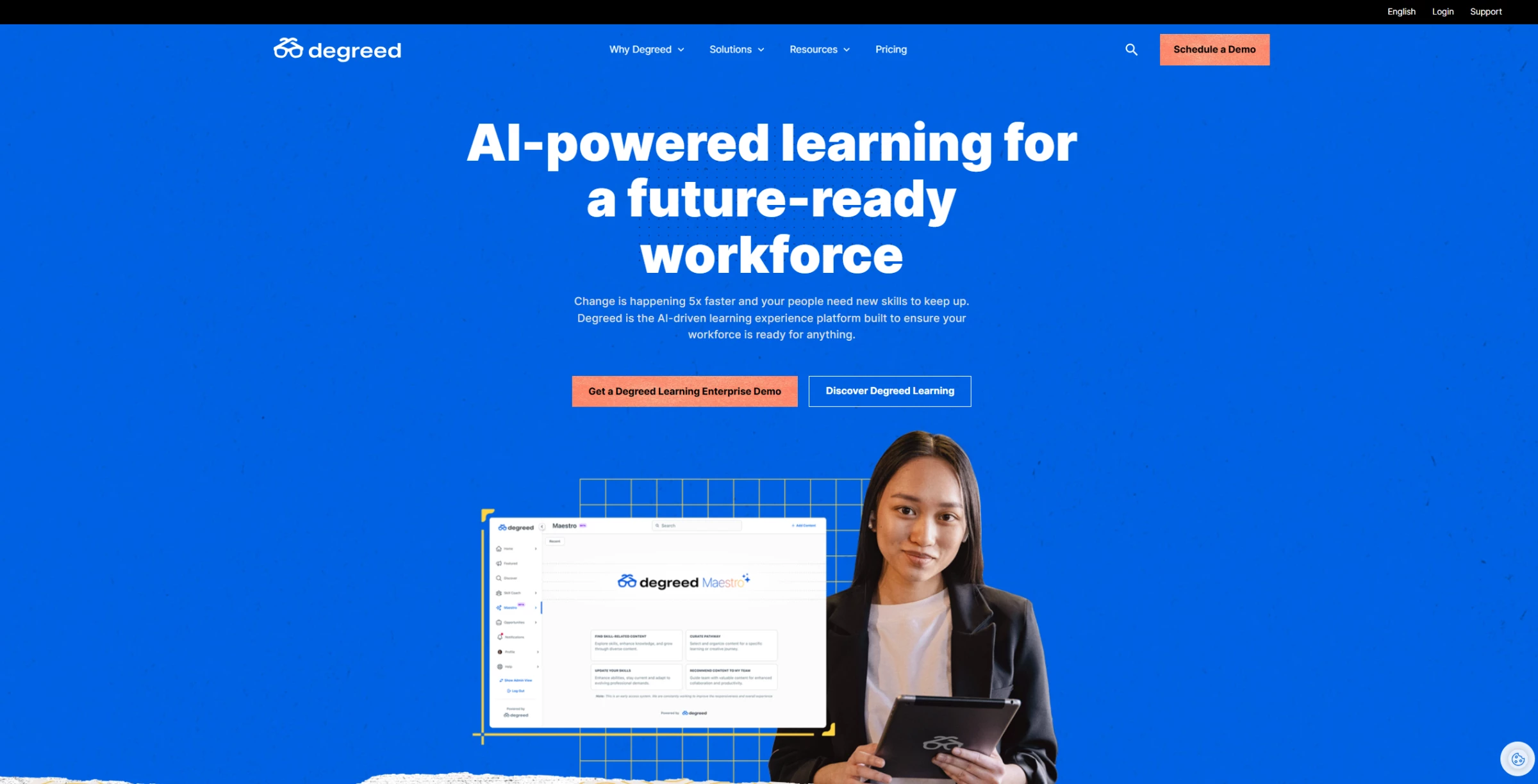
Degreed is a learning experience platform (LXP) that helps organizations deliver personalized learning and development at scale.
It aggregates content from multiple sources (courses, videos, articles, and internal materials) and uses AI to recommend learning paths based on each employee’s role, skills, and career goals.
It consolidates formal and informal learning, such as courses, articles, videos, and social learning, into a unified platform.
This makes it easier for individuals to own their development and for HR teams to build skill-driven programs.
It also automatically recommends relevant content, infers user skill gaps, and tracks progress toward personal and organizational goals.
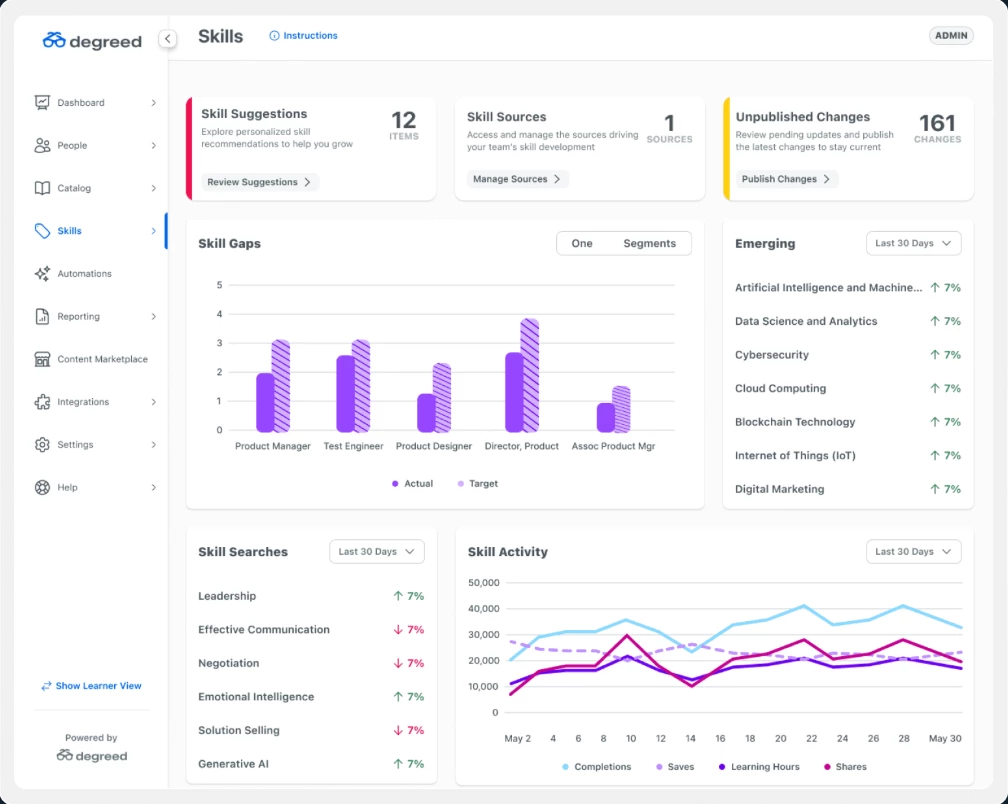
Degreed sometimes requires configuration or integrations to unlock its full capabilities. So, if you’re not equipped to manage setup or third-party connections, the platform may feel overwhelming at first.
Still, it’s a strong choice for companies focused on continuous upskilling, especially those with established learning and development (L&D) teams or skill-based workforce strategies.
What Users Say
Users praise Degreed for its intuitive interface and seamless progress tracking, making it easy to navigate learning paths and access events and resources.
However, some users wish for deeper real-time LMS integration and more technical skill training in the content library.
Pros
- AI-driven personalized learning recommendations
- Centralizes internal and external learning content
- Supports skills mapping and gap analysis
- Enables continuous learning and employee development
- Integrates with major learning providers and HR systems
Cons
- Pricing is not publicly transparent
- Requires ongoing content curation and management
- Implementation can be complex for large organizations
- Less focused on recruiting or performance management workflows
Other Notable Features:
- Skills tracking and proficiency mapping
- Personalized learning pathways and recommendations
- Integration with third-party content providers like LinkedIn Learning or Coursera
- Learning analytics and progress tracking
- Internal mobility and career development support
- Content curation and knowledge-sharing tools
10. Betterworks: Best for Performance Management via OKRs
Well-suited to mid-market and enterprise organizations implementing OKRs to drive alignment, performance, and continuous feedback.
Betterworks helps organizations replace annual reviews with continuous, goal-based performance management. It’s built around OKRs — a proven framework that aligns employee goals with business outcomes.
With Betterworks, managers and employees can set clear goals, share ongoing feedback, and track progress in real time.
The platform also supports structured check-ins and performance conversations to keep everyone aligned and accountable.
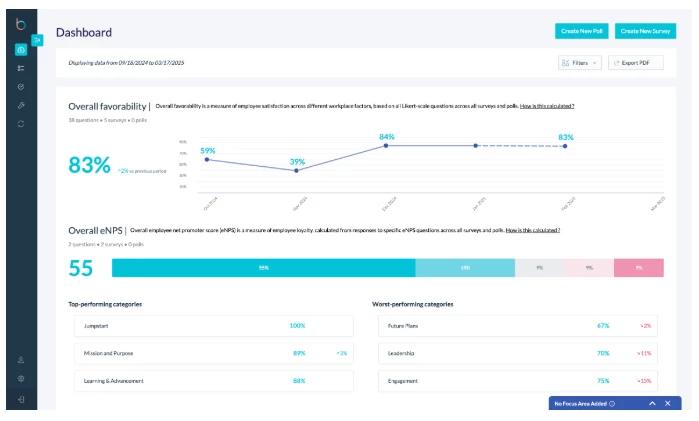
The platform is intuitive once set up, but there can be a learning curve during onboarding, especially for teams new to structured goal setting like OKRs.
What Users Say
Users appreciate its clarity in setting and tracking OKRs across teams, with one noting it’s a “valuable user-friendly goal alignment tool.”
They also highlight its intuitive interface and strong performance analytics capabilities.
On the downside, several users report limitations in the mobile app experience and feel the pricing may be high compared to competitors or open-source OKR tools.
Pros
- Strong OKR framework for goal setting and alignment
- Continuous feedback and performance check-ins
- Real-time visibility into team and individual performance
- AI-driven insights into performance trends
- Integrates with HRIS and collaboration tools
Cons
- Pricing is not publicly transparent
- Requires organization-wide adoption to deliver full value
- Can involve a learning curve for teams new to OKRs
- Less focused on recruiting or talent acquisition workflows
Other Notable Features:
- OKR tracking and goal alignment dashboards
- Continuous performance check-ins and feedback tools
- Performance reviews and calibration workflows
- Employee engagement insights and analytics
- Integration with HR systems and collaboration tools (e.g., Slack, Teams)
- Reporting and dashboards for performance visibility
HR Tool Alternatives
While the tools above cover a wide range of HR workflows, some organizations may need more specialized solutions. That’s particularly true for hourly staffing, HR service delivery, or employee experience at scale.
The alternative HR AI tools below offer different approaches depending on your hiring model and operational needs.
1. Instawork: Best for On-Demand Hourly Staffing
Ideal for operations teams and HR leaders managing high-volume, shift-based, or seasonal workforces.
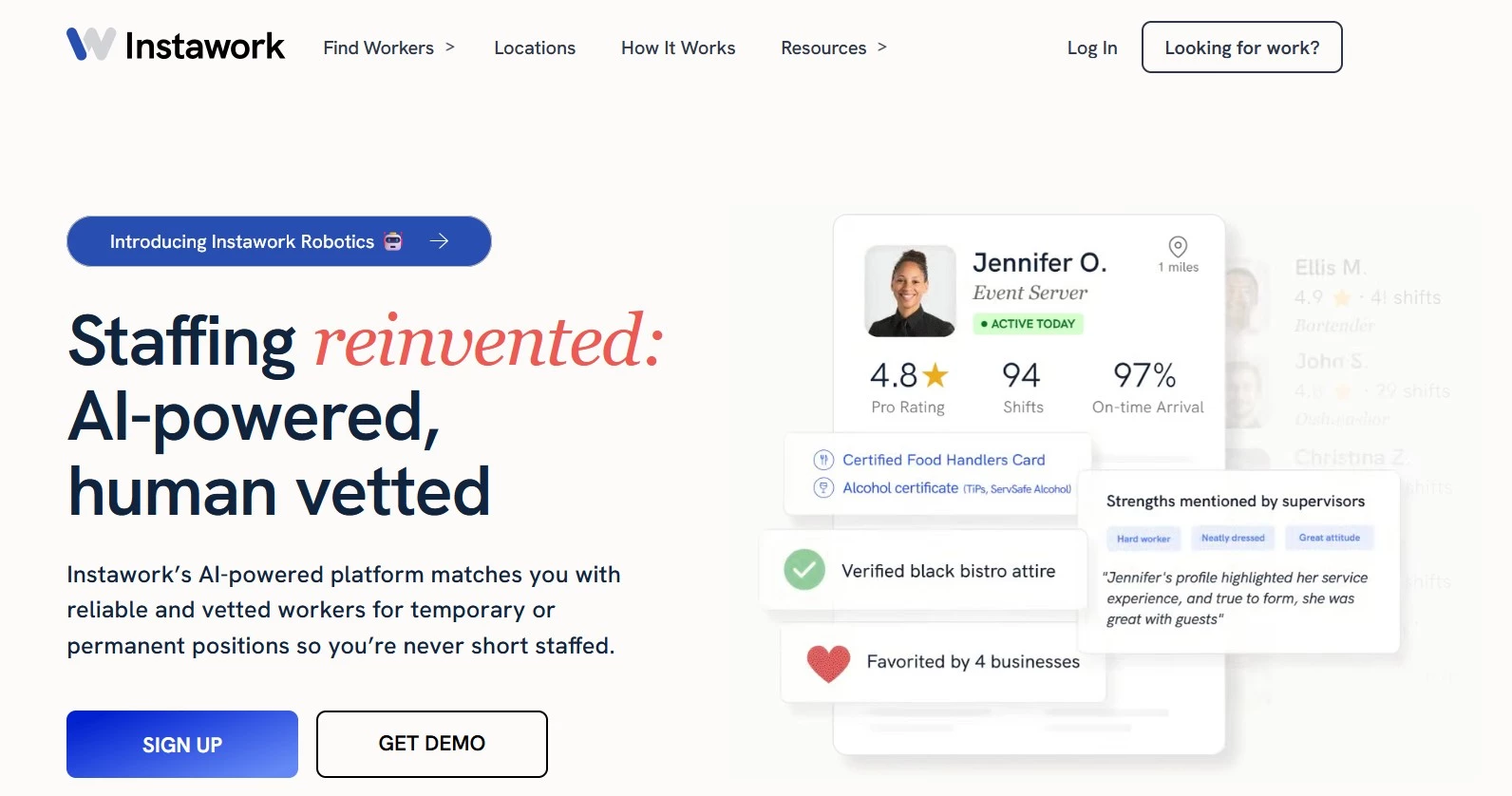
Instawork is an AI-powered staffing marketplace that connects businesses with vetted hourly workers for temporary, seasonal, or permanent roles. It’s widely used in industries like hospitality, retail, and warehousing, where staffing needs fluctuate and speed is critical.
The platform uses AI to match businesses with qualified workers based on skills, availability, and past performance, enabling teams to fill shifts in hours instead of days.
Key Features
- AI-powered matching of businesses with pre-vetted hourly workers
- On-demand shift fulfillment and scheduling
- Worker performance ratings and reliability tracking
- Mobile-first platform for managing shifts and communication
- Coverage for temporary, seasonal, and temp-to-hire roles
2. ServiceNow HR Service Delivery: Best for Enterprise HR Automation
Best suited to large organizations centralizing HR operations and employee service workflows.
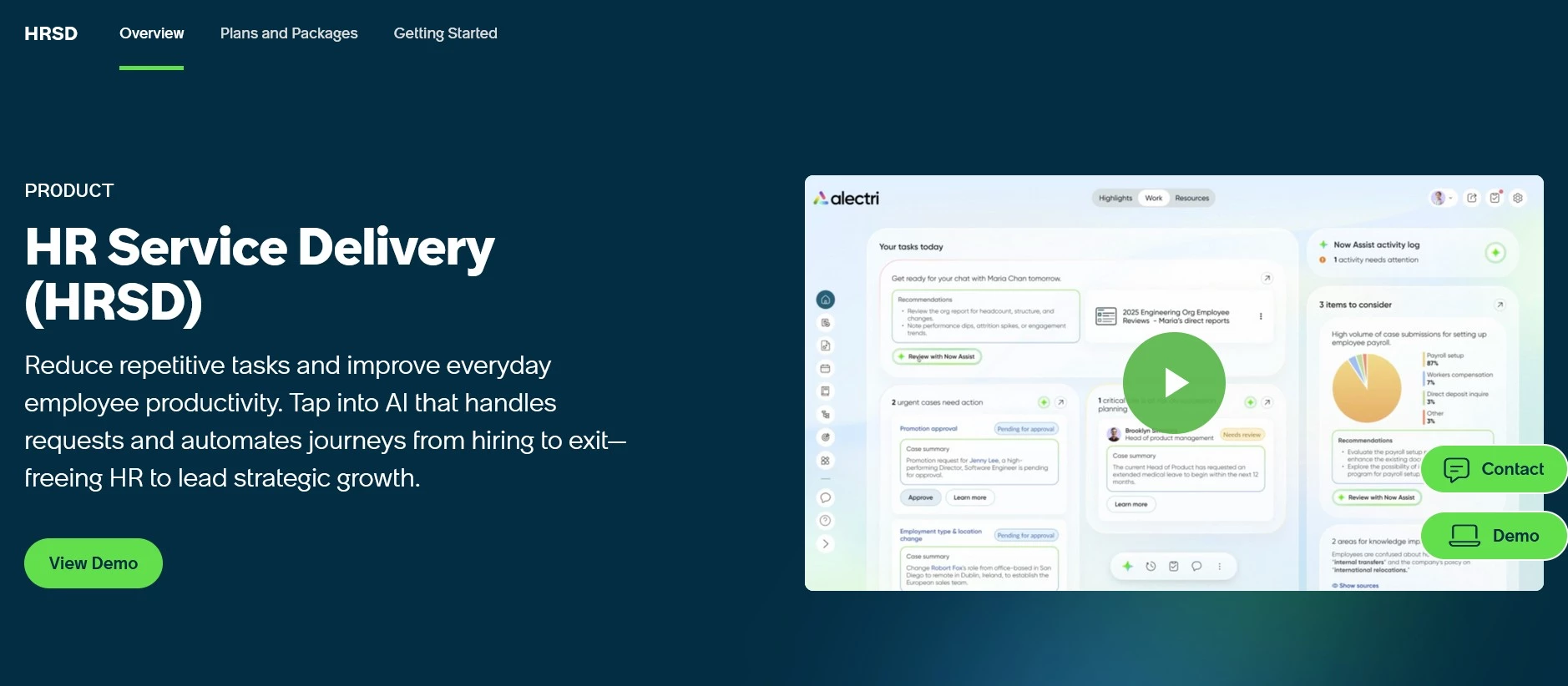
ServiceNow HR Service Delivery focuses on automating internal HR processes such as employee requests, case management, and knowledge access. It acts as a centralized hub for HR services to help organizations standardize workflows and improve employee support at scale.
Its strength lies in workflow orchestration: automating approvals, routing requests, and integrating HR systems into a single service layer.
Key Features
- HR case management and employee request automation
- Workflow orchestration across HR processes
- Knowledge base and employee self-service portals
- Integration with HRIS, IT, and enterprise systems
- Audit trails and compliance support
3. Gloat: Best for Internal Talent Mobility
Well-suited to enterprises building skills-based organizations and internal talent marketplaces.
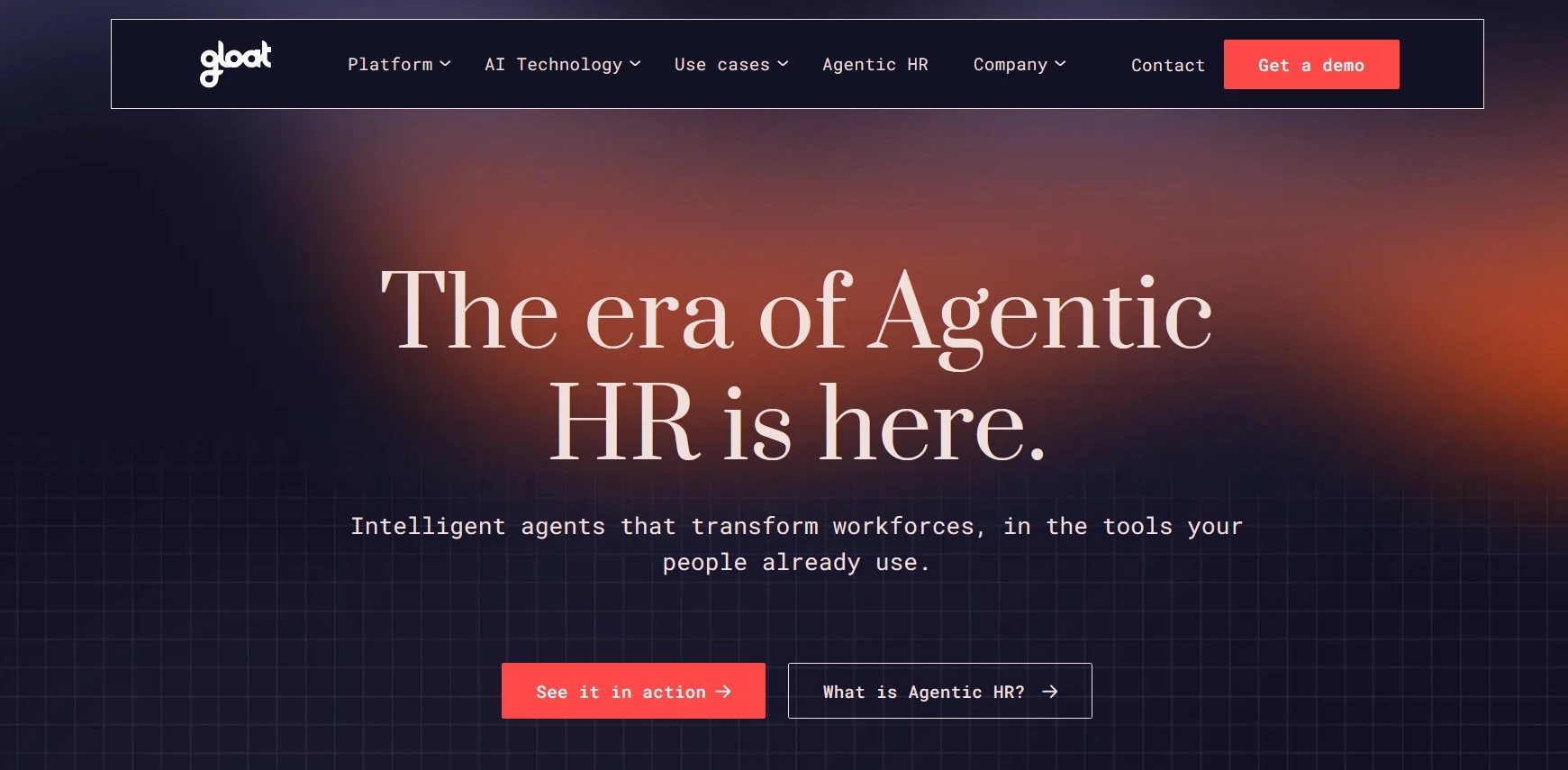
Gloat is a talent marketplace platform that helps organizations match employees to internal opportunities based on skills, interests, and career goals. It’s designed to improve retention by making internal mobility more accessible and data-driven.
Using AI, Gloat identifies skill gaps, recommends projects or roles, and helps organizations redeploy talent more effectively instead of hiring externally.
Key Features
- AI-driven internal talent marketplace
- Skills mapping and gap analysis
- Personalized career and project recommendations
- Workforce agility and redeployment tools
- Integration with HR and learning systems
How To Choose an AI Tool for HR
Choosing the right AI tool for HR starts with understanding what problem needs solving. From recruitment and onboarding to workforce planning and employee engagement, different tools are designed for very different use cases.
- Define the core use case
- Evaluate integration capabilities
- Assess data quality and readiness
- Consider scalability and company size
- Review compliance and risk controls
1. Define the Core Use Case
Start by identifying the primary challenge:
- High-volume hiring: AI recruitment tools are best for teams managing large applicant pools, automating screening, matching, and scheduling to reduce time-to-hire.
- Onboarding and employee support: HR automation platforms help streamline onboarding and handle repetitive queries through chatbots and workflow automation.
- Retention and engagement: Performance management tools improve employee experience with continuous feedback, goal tracking, and engagement insights.
- Workforce planning: Forecasting and analytics platforms support headcount planning, scenario modeling, and alignment with business goals.
2. Evaluate Integration Capabilities
AI tools are most effective when connected to existing systems to enable seamless data flow. It means better automation, and more accurate insights.
Look for:
- Integration with ATS, HRIS, and payroll platforms
- API access or prebuilt connectors
- Data synchronization across systems
3. Assess Data Quality and Readiness
AI performance depends heavily on data quality. Incomplete or inconsistent HR data limits accuracy and reduces the effectiveness of even the most advanced AI HR tools.
Consider:
- Whether existing HR data is complete and structured
- How the tool handles missing or inconsistent data
- Transparency in how AI models generate recommendations
4. Consider Scalability and Company Size
Not all tools are designed for the same scale, so choose one that aligns with your company size and hiring complexity. Remember that:
- Enterprise platforms often require more setup but support complex workflows
- Mid-market tools offer faster deployment with fewer customization options
- SMB solutions prioritize ease of use and affordability
5. Review Compliance and Risk Controls
AI in HR introduces legal and ethical considerations, particularly around bias in hiring decisions, data privacy, and transparency in how decisions are made.
Carefully evaluate:
- Bias mitigation features in hiring tools
- Data privacy and security standards
- Audit trails and compliance reporting
Tools should support (not complicate) regulatory requirements and fair hiring practices.
HR AI Tools: Final Word
The right AI tools allow leaders to spot gaps faster, make smarter calls on talent, and scale processes that used to slow them down.
The question now is: are your current tools helping you lead, or just keeping you afloat?
Our team ranks agencies worldwide to help you find a qualified partner. Visit our Agency Directory for the best HR outsourcing companies, as well as:
- Top HR Consulting Firms
- Outsourced Customer Support Companies
- Staff Augmentation Services
- Top Los Angeles HR Outsourcing Services
HR AI Tools: FAQs
1. What Are AI Tools for HR?
AI tools for HR are software solutions that use technologies like machine learning and natural language processing to automate and improve HR tasks such as hiring, onboarding, and performance management.
They analyze HR data to deliver faster processes and smarter, data-driven decisions.
2. What qualifies as an AI HR tool vs traditional HR software?
AI HR tools use data and machine learning to analyze, predict, and optimize HR processes, while traditional HR software relies on fixed rules and manual input. In short, traditional tools execute tasks, whereas AI tools learn from data and improve outcomes over time.
3. Can AI tools in HR help with compliance and regulations?
Yes. Many AI HR tools include built-in compliance features (like automated audit trails, policy enforcement, and data privacy safeguards) to help organizations meet labor laws and data protection standards.
4. How do AI tools integrate with existing HR systems like an ATS or HRIS?
Most top HR AI tools are designed to integrate with popular platforms like Workday, SAP, BambooHR, and Greenhouse. Integration is typically API-based or available through prebuilt connectors.
5. How long does it take to implement an AI tool in HR?
Implementation timelines vary depending on the tool and organization size, but most AI HR platforms take anywhere from a few weeks to several months to fully deploy.
Factors like system integrations, data readiness, and internal adoption play a major role, so starting with a focused use case or pilot program can help accelerate time to value.
6. What can go wrong with AI tools in HR?
AI tools in HR can introduce risks such as biased hiring decisions, data privacy issues, and over-reliance on automation.
Without proper oversight, AI systems may reinforce existing biases in training data or make decisions that lack human context, which is why human review and compliance checks are essential.
7. Will AI replace HR jobs?
AI will not replace HR professionals, but it will transform their roles. Instead of handling repetitive administrative tasks, HR teams can focus more on strategic initiatives like employee experience, culture, and decision-making supported by AI insights.
8. What is the difference between AI-powered vs AI-assisted tools?
AI-powered tools use artificial intelligence to analyze data, make decisions, and automate tasks with minimal human input (e.g., ranking candidates or predicting turnover).
In contrast, AI-assisted tools support humans by offering suggestions or insights, like drafting job descriptions or highlighting trends, but still require human action. The key difference is autonomy: AI-powered tools act, while AI-assisted tools assist.