
Data teams are trying to shorten the gap between data and decisions, but most companies are still stuck between static dashboards, manual reports, and disconnected tools.
I tested the AI data analytics tools that stood out and selected the ones that performed well beyond basic demos. These are the tools I would shortlist by use case.
AI Data Analytics Tools: Key Findings
- ThoughtSpot and Databricks fit big-data analytics teams, but in a different way: ThoughtSpot supports conversational BI, while Databricks works best inside a governed lakehouse setup.
- DataRobot and Altair RapidMiner are stronger for predictive modeling, with DataRobot leaning toward model governance and RapidMiner toward low-code data science.
- Brandi AI and Zuko.io are the specialist picks: Brandi tracks AI answer visibility, while Zuko pinpoints form and checkout abandonment.
What Are AI Data Analytics Tools?
AI data analytics tools help teams question, clean, model, and interpret business data with less manual work.
Some focus on dashboards, others on predictive models, and others on governed AI workflows inside enterprise data systems.
46% of companies already use AI for predictive analytics (Nielsen), and those who do save an average of 12.5 hours per week on data-related tasks (HubSpot).
The wrong tool usually fails for one of three reasons: it cannot connect to the data, the team cannot use it without technical help, or it solves reporting when the real need is forecasting.
To choose well, focus on what fits your workflow.A marketing team reviewing campaign data needs different AI support than a data team deploying churn models.
Then check the practical constraints: integrations, permission controls, data volume, user skill level, and whether the tool supports real-time analysis or scheduled reporting.
Types of AI Data Analytics Tools and What Each One Does Best
The best AI data analytics tools are easier to choose when you start with the job you need them to do, whether that is building dashboards, predicting outcomes, automating analysis, or making spreadsheet work faster.
- BI tools are best for reporting and dashboards. They help teams track KPIs, monitor business performance, and turn data from different systems into charts, reports, and executive views.
- Big data analytics tools are best for analyzing large, complex datasets across cloud warehouses, lakehouses, and enterprise data environments. They help teams ask questions across governed data, investigate trends, and support self-service analysis at scale.
- ML tools are best for prediction and modeling. They help teams forecast demand, predict churn, detect anomalies, score leads, assess risk, and build models that support repeatable business decisions.
- Data workflow automation tools are best for cleaning, blending, preparing, and moving data between systems. They help teams reduce manual spreadsheet work, standardize recurring processes, and automate reporting workflows.
- Automated analytics tools are best for quick insights. They use AI to find patterns, summarize changes, suggest next steps, and reduce the manual work behind analysis.
- Warehouse-native AI tools are best for teams that already store data in platforms like Snowflake. They help analyze structured and unstructured data, run natural-language queries, and build AI workflows close to governed enterprise data.
- AI visibility analytics tools are best for GEO and brand visibility tracking. They help teams see how their brand appears in AI-generated answers, compare visibility against competitors, and identify content gaps.
- Form and checkout analytics tools are best for conversion optimization. They show where users hesitate, make errors, abandon forms, or drop out of checkout flows so teams can fix friction points.
- Spreadsheet tools are best for lightweight analysis. They help users clean data, generate formulas, build charts, and analyze smaller datasets without needing a full BI or machine learning platform.
Here is how each tool performed by use case.
Tool | Best For | Predictive Analytics | Conversational Analytics | Workflow Automation | Price (Starting At) |
AI-powered big data BI | No | Yes | Limited | $25/user/month | |
| Domo | Executive dashboards and real-time reporting | Limited | Yes | Yes | Free trial |
AI visibility analytics | No | No | Yes | Custom | |
Predictive modeling | Yes | Limited | Yes | Custom pricing | |
End-to-end data processing | Yes | Limited | Yes | $250/user/month | |
Form and checkout analytics | No | Limited | Limited | Free trial | |
Enterprise big data AI analytics | Limited | Yes | Yes | Free trial | |
AI analytics on governed enterprise data | Limited | Yes | Yes | $2/credit | |
AI-assisted BI and predictive analytics | Yes | Yes | Yes | $300/month | |
Predictive AI and model governance | Yes | Limited | Yes | Custom |
1. ThoughtSpot: Best for AI-Powered Big Data BI
For enterprise teams that need conversational analytics across large cloud data environments.
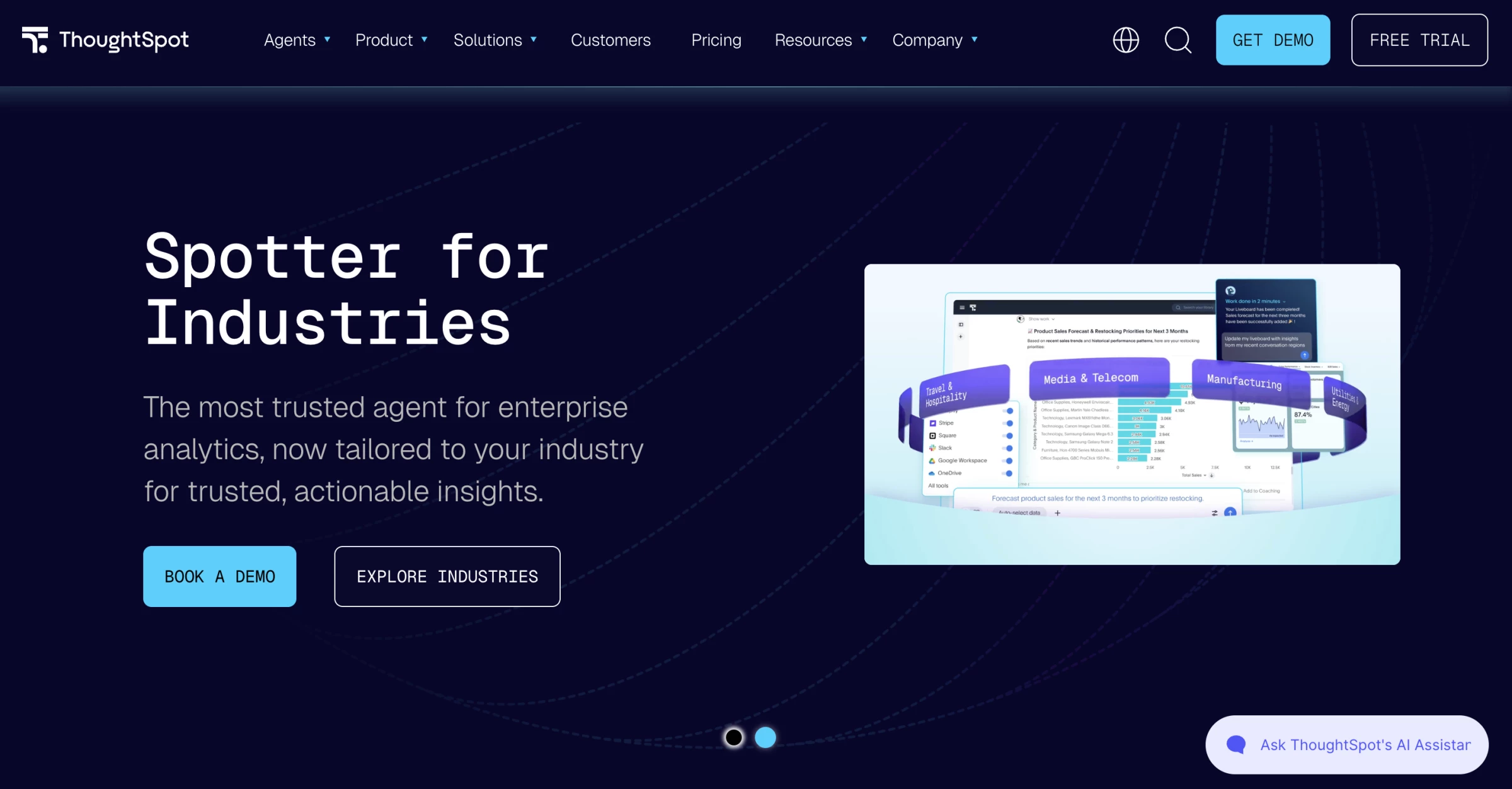
I would shortlist ThoughtSpot for enterprise teams that already have a strong cloud data setup and want business users to ask plain-English questions across trusted data.
Instead of building another static dashboard, I could ask questions in plain English through Spotter, ThoughtSpot’s AI agent, and use it to explore trends, drill into metrics, and surface answers from connected business data.
Pros:
- Strong natural-language analytics with Spotter
- Built for large cloud data environments
- Connects with major data warehouses
- Useful for self-service BI
- Supports embedded analytics
Cons:
- Needs clean, well-modeled data to work well
- Not ideal for quick spreadsheet-only analysis
- Setup may require data team support
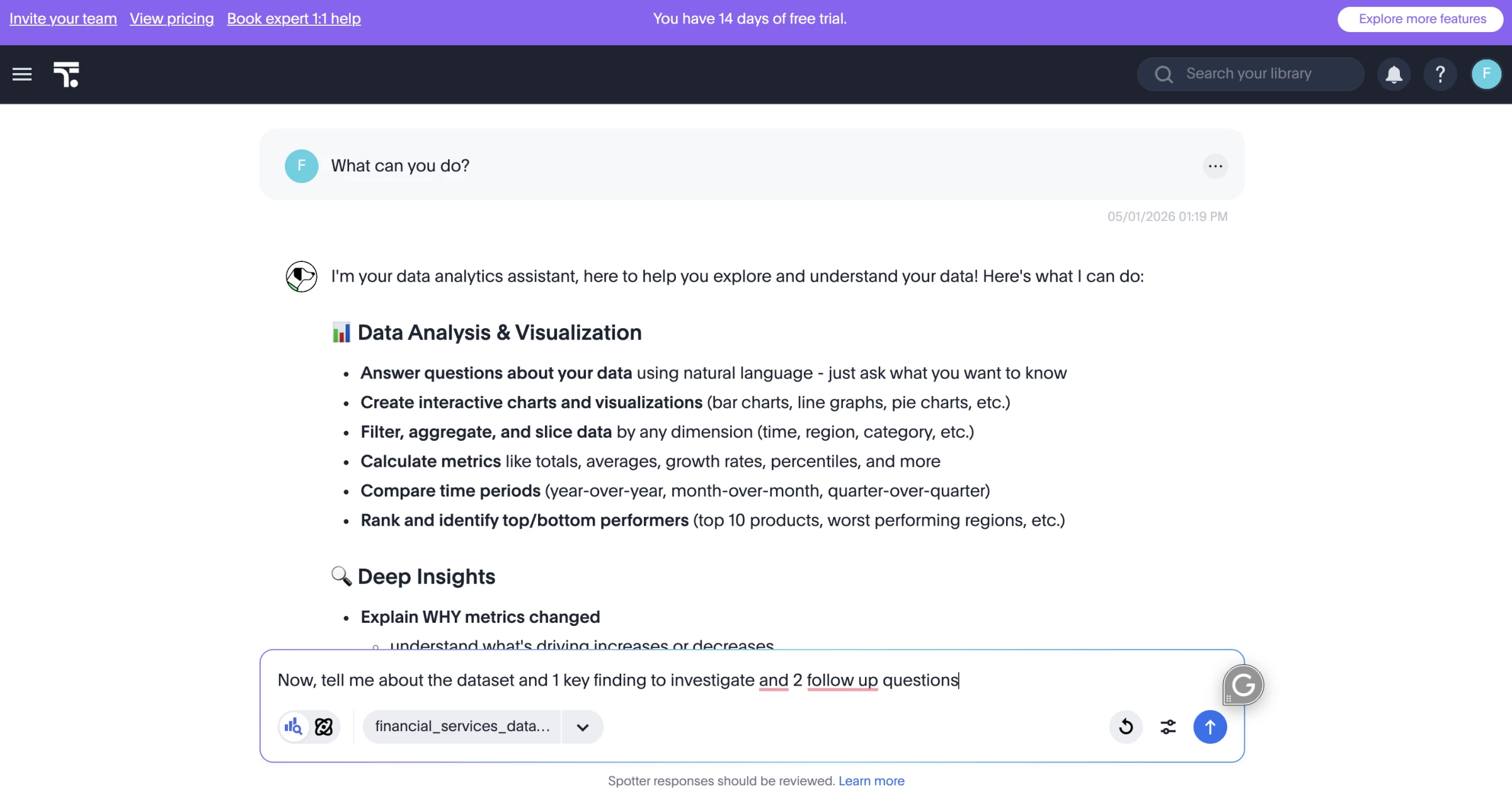
The AI capabilities felt most useful when I needed to ask follow-up questions after the first chart around performance, outliers, and trends. Spotter makes that process feel closer to a analyst-style follow-up workflow than a traditional BI workflow.
ThoughtSpot can connect directly to external databases, which helps teams avoid moving data into the platform for analysis and keep governance centralized in the original database.
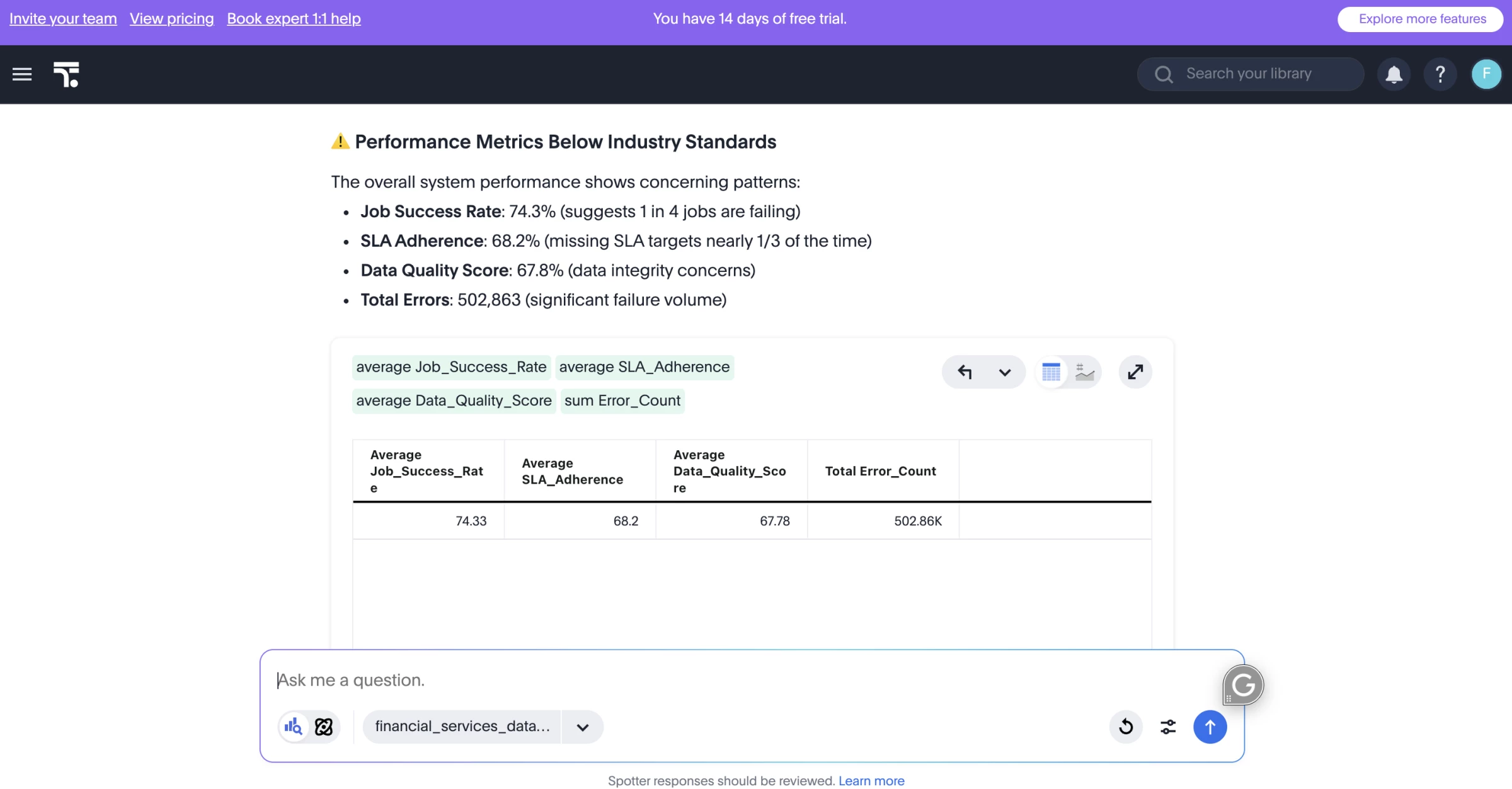
That said, ThoughtSpot depends heavily on clean models and agreed metric definitions. If the data model is messy or metrics are not clearly defined, the AI output will reflect those gaps.
ThoughtSpot works best when the data model is already clean and the business needs faster follow-up analysis, not just another dashboard.
I would recommend it for companies with clearly defined metrics, modeled warehouse data, and business teams that keep sending one-off requests to analysts.
Pricing
- Essentials: Starts at $25/user/month, billed annually
- Pro: Starts at $50/user/month, billed annually
- Enterprise: Custom pricing
What Users Say
Users say ThoughtSpot is strongest when they can use search-style analytics to explore data quickly instead of building reports from scratch.
The main criticism is that ThoughtSpot needs a mature data setup to perform well. Gartner Peer Insights notes that users may need extensive data modeling and NLP coaching to get the most out of it, and a learning curve for advanced functions and some limits around visualization customization.
Other Notable Features
- Spotter AI agent answers plain-English data questions.
- AI-assisted dashboards create charts and summaries faster.
- Liveboards track real-time business metrics.
- Embedded analytics adds insights inside apps or portals.
- Warehouse connections pull from Snowflake, BigQuery, Redshift, and more.
- Self-service BI reduces analyst requests.
- Governance controls manage data access and permissions.
2. Domo: Best for AI-Powered Executive Dashboards
For companies that need to unify large business datasets, monitor KPIs in real time, and make analytics easier for business teams to use.
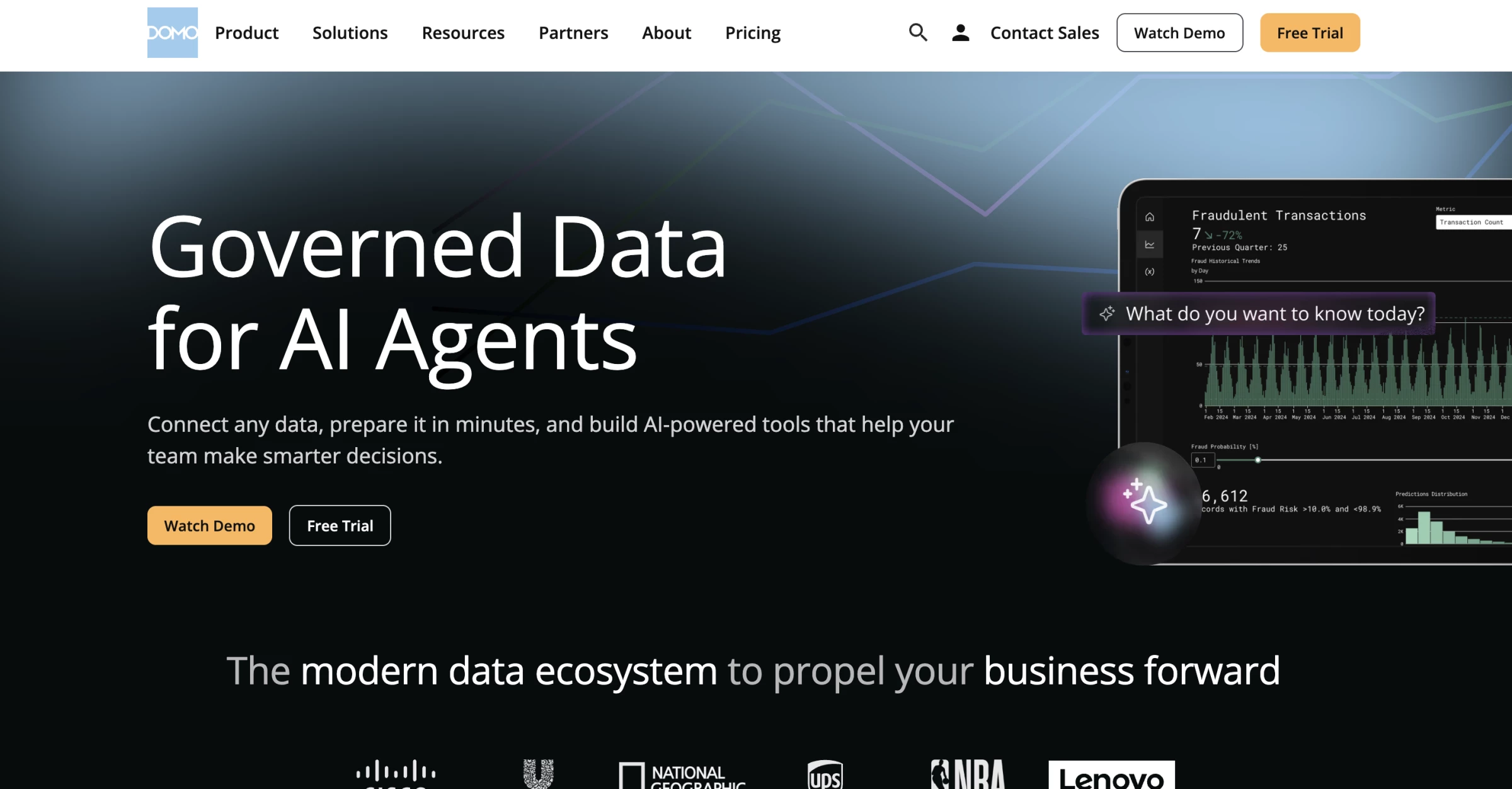
Domo felt strongest as an all-in-one BI environment. I would use it when a team needs to connect data from several business systems, keep executive dashboards current, and add AI-assisted analysis on top of live reporting.
It is not as purely conversational as ThoughtSpot, and it is not as data-science-heavy as Altair RapidMiner.
Domo’s strength is combining sales, finance, marketing, and operations data, and adding AI chat, summaries, and guided analysis, so teams can ask questions, spot KPI changes without waiting for another report.
Pros:
- Strong real-time BI and dashboarding
- Connects data from many business systems
- Useful for executive KPI monitoring
- Includes AI Chat for conversational analysis
- Magic ETL supports data prep and transformation
- Good fit for embedded analytics and apps
Cons:
- Can feel complex during setup
- Pricing is custom and usage-based
- May be too much for small teams
- Needs clean, governed datasets
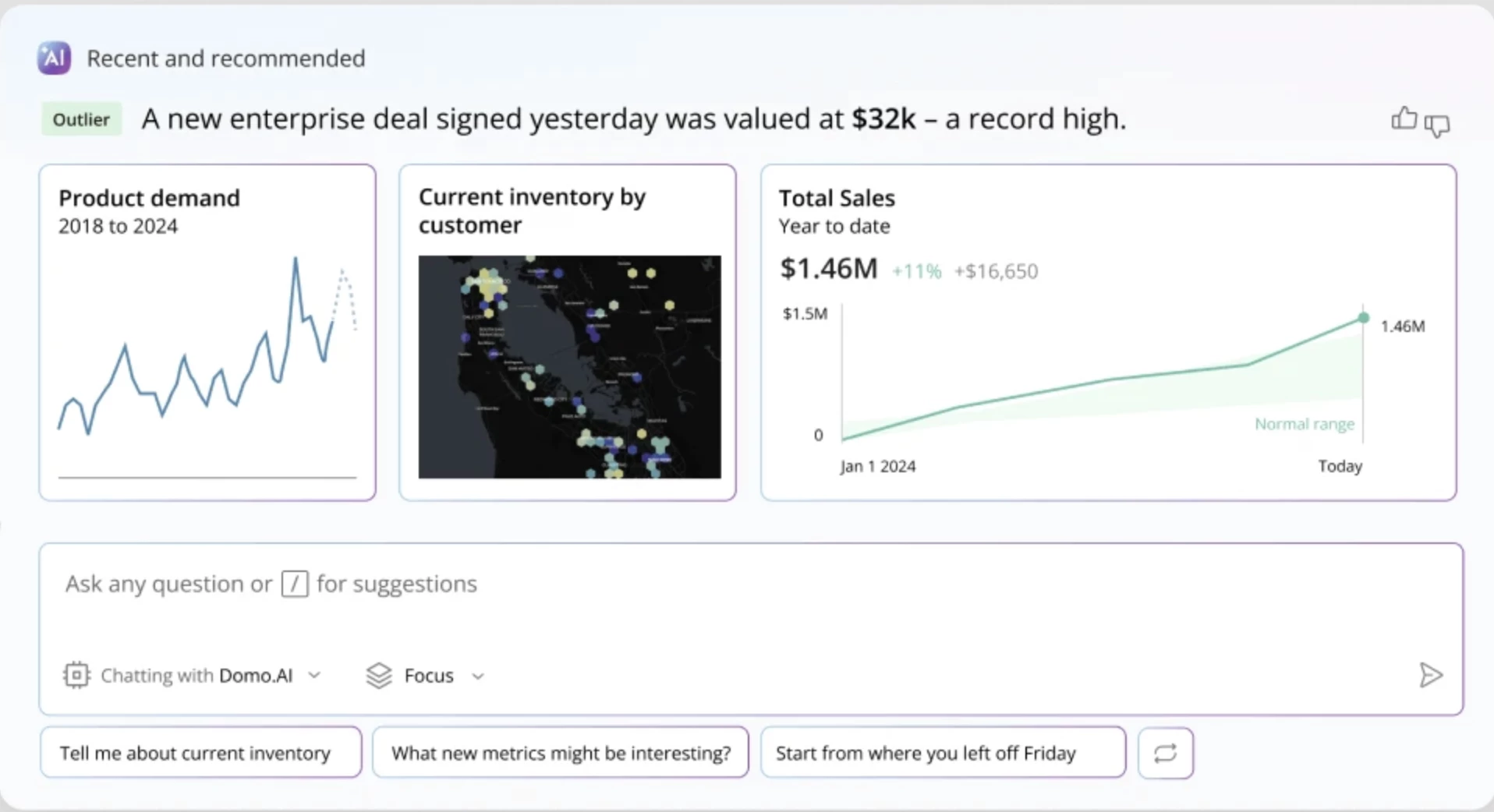
Domo AI Chat lets users talk with data inside dashboards and apps, while referencing datasets and cards already hosted in Domo.
It can also show a breakdown of how it answered a question and suggest follow-up questions, which makes it more useful for guided analysis than a basic dashboard filter.
I especially liked Domo for executive reporting and operational dashboards. It works well when a company needs to bring marketing, sales, finance, product, and operations data into one place and keep those metrics visible across teams.
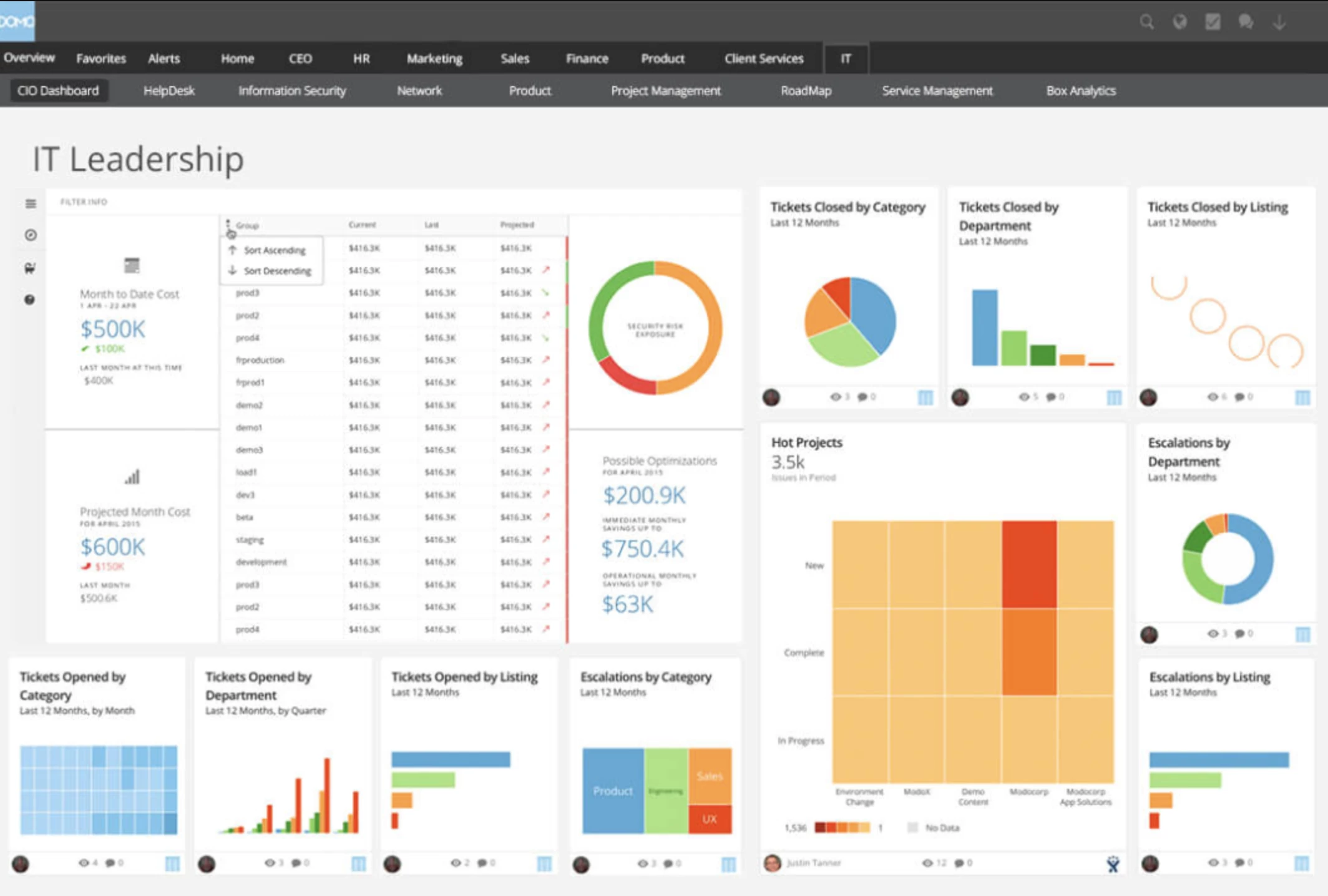
The catch is that Domo needs setup work before the AI features become useful. To get value from it, the data needs to be properly connected, cleaned, modeled, and governed.
Domo’s Magic ETL helps with that by letting teams transform integrated data into trusted datasets for analytics and workflows, and its newer AI-guided updates are meant to make data preparation easier while keeping security policies in place.
I would recommend Domo for companies that want AI-enhanced BI across large, messy, cross-functional datasets.
It’s best for real-time visibility, executive dashboards, embedded analytics, and operational reporting across departments.
Pricing
- 30-day free trial available
- Custom pricing
What Users Say
Users say Domo is strongest when teams need to unify data from multiple sources and turn it into dashboards that business users can actually use.
The main complaints are pricing complexity, setup effort, and the learning curve around more advanced workflows.
Other Notable Features
- AI Chat answers questions from Domo data.
- Real-time dashboards track live business KPIs.
- Magic ETL cleans and transforms data without code.
- Data integrations connect sales, finance, marketing, and operations tools.
- Embedded analytics adds dashboards inside apps or portals.
- Domo Apps turn data into custom workflows.
- Alerts notify teams when metrics change.
- Governance controls manage access, permissions, and data security.
3. Brandi AI: Best for AI Visibility Analytics
For CMOs and SEO leaders who need to track and improve brand visibility across AI-generated answers.
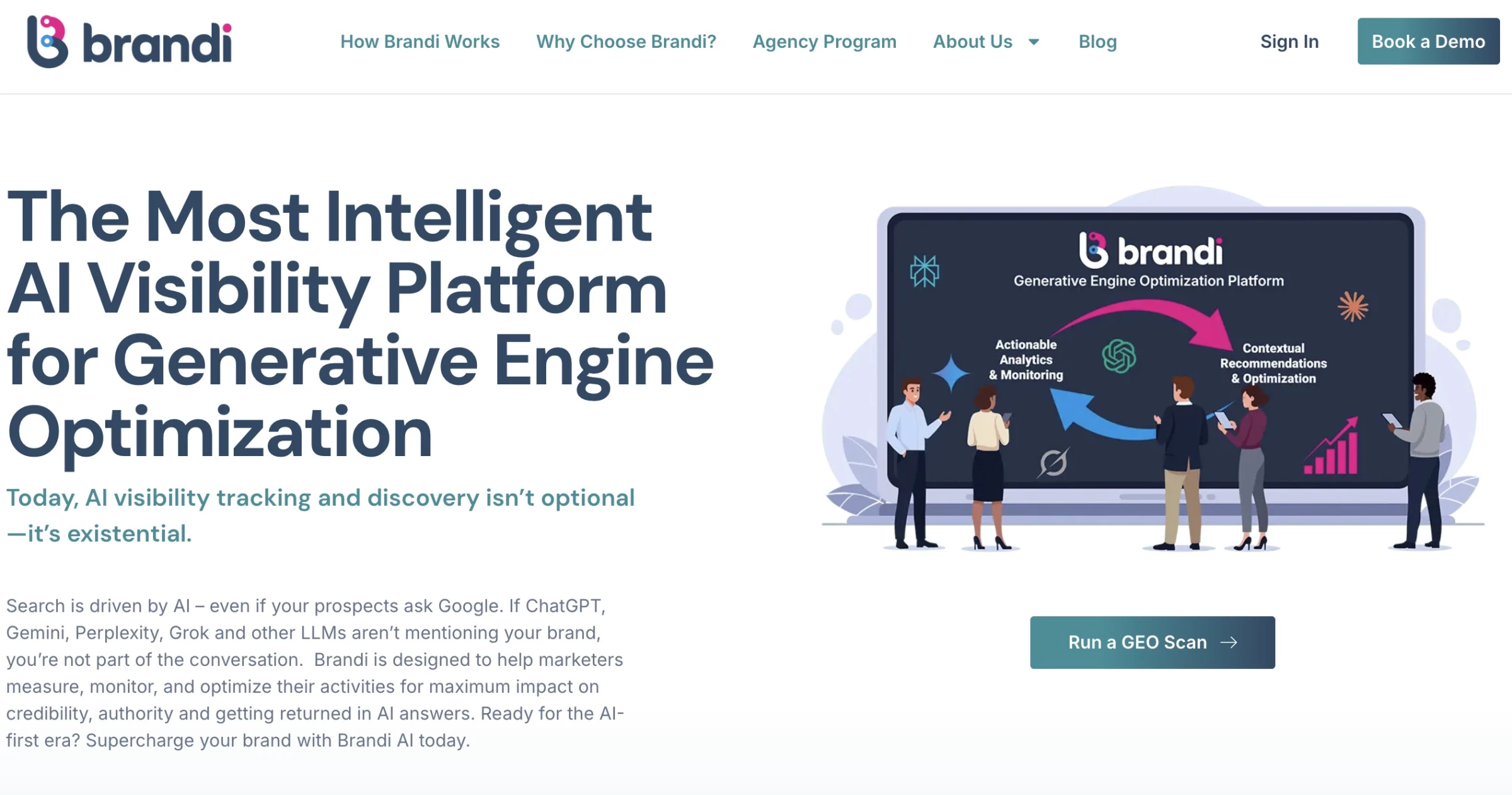
Brandi AI focuses on a problem most AI analytics tools still overlook: how your brand actually shows up inside AI-generated answers.
Instead of tracking clicks or rankings, I could see whether we were actually being mentioned in answers across platforms like ChatGPT and Google AI Overviews, and in what context.
Pros:
- Built around real buyer questions, not just keywords
- Competitive benchmarking reveals share of voice in AI responses
- Provides actionable GEO recommendations
- Supports multi-language and global visibility analysis
Cons:
- May feel niche for teams not focused on AI-driven discovery
- Requires content and SEO alignment to fully maximize value
The strongest feature for me was how it starts with the questions buyers ask AI tools.
Brandi tracks the exact questions people are asking AI and shows how your content performs against competitors in those responses.
That made it much easier to prioritize updates, especially when refining existing pages to improve citation rates and visibility in AI-generated answers.
I also liked the global view. Seeing how answers change across regions and languages adds a layer you don’t usually get with standard AI analytics tools.
It’s especially useful if you’re managing multiple markets and want to avoid a one-size-fits-all content strategy.
Pricing
- Custom pricing (demo required)
Book a demo with Brandi AI to know more.
What Users Say
From what users share, Brandi AI serves more as a strategy tool for AI visibility than a simple tracker.
People especially like that it goes beyond monitoring and actually gives clear direction on how to improve content for AI visibility.
The trade-off is that it’s not the most lightweight tool. Some users say it can feel a bit much if you’re just experimenting, since it’s built more for teams taking GEO seriously.
Overall, it’s seen as powerful and insight-driven, but best suited for teams ready to act on the data, not just track it.
Other Notable Features
- Tracks and benchmarks AI visibility using the Brandi Competitive Market Universe™
- Identifies messaging gaps and recommends updates using an intent-driven GEO framework
- Analyzes AI-generated answers across 15+ languages and regional contexts
4. Altair RapidMiner: Best for Predictive Modelling
Best suited for data teams building and deploying predictive models with low-code workflows.
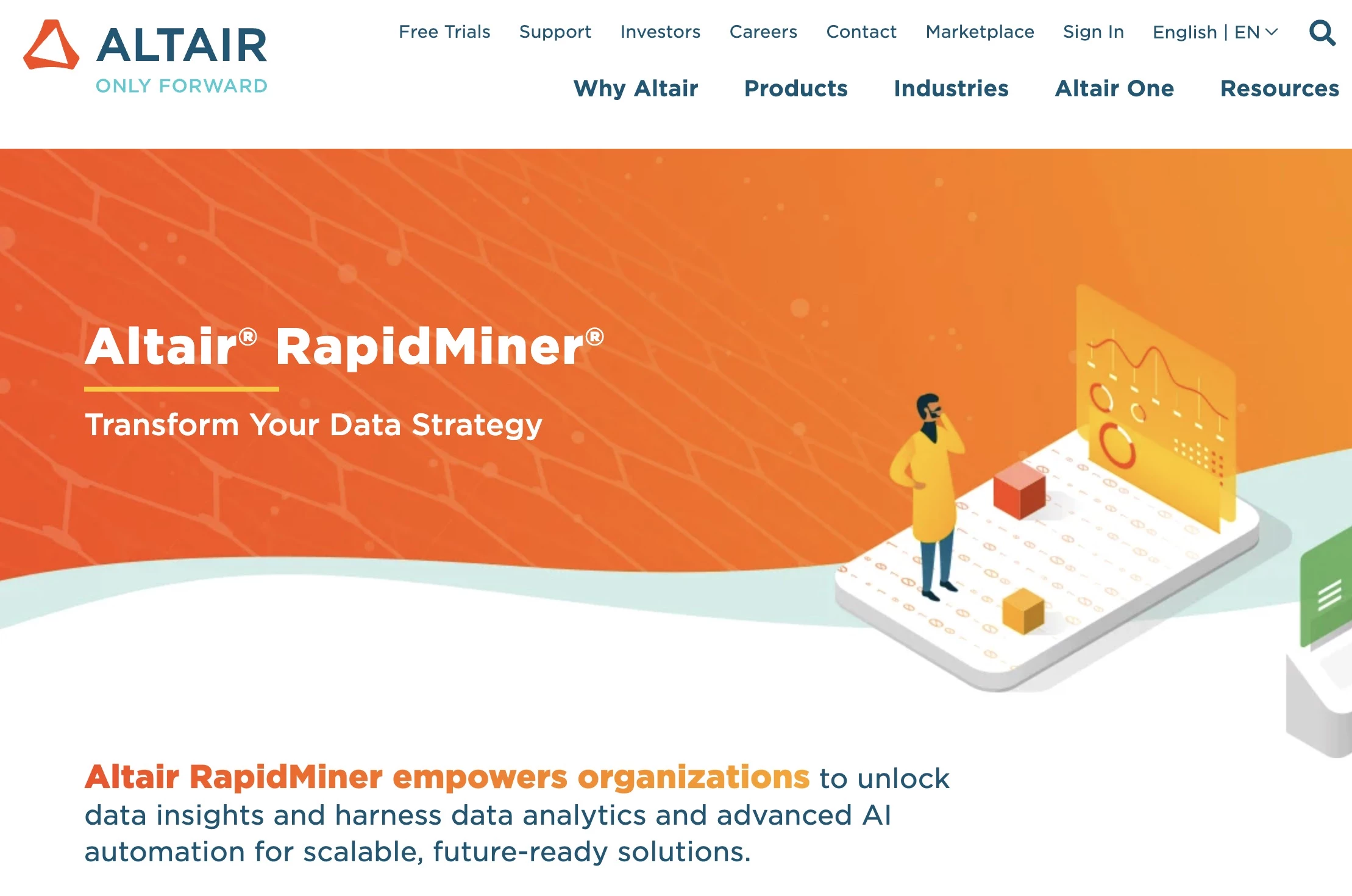
Altair RapidMiner, previously known as RapidMiner AI Studio, has gained attention as a user-friendly AI analytics software, particularly for building machine learning models without extensive coding.
I find this accessibility a major advantage because it allows me to quickly test ideas before moving them into production.
Pros:
- Modernizes systems without full replacement
- Integrates structured and unstructured data
- Optimized for high-performance and supercomputing workloads
- Uses graph databases for context-aware AI
Cons:
- May be overkill for small teams without data science resources
- Requires time, training, and data-science support to AI adoption
- Advanced features need specialized expertise
For me, the tool’s real strength lies in its predictive modeling capabilities. With a wide range of machine learning algorithms, it can handle different types of prediction tasks without much friction.
The pre-built modules also make a big difference. They simplify data prep, model building, and visualization, all within one interface, so you’re not constantly jumping between tools.
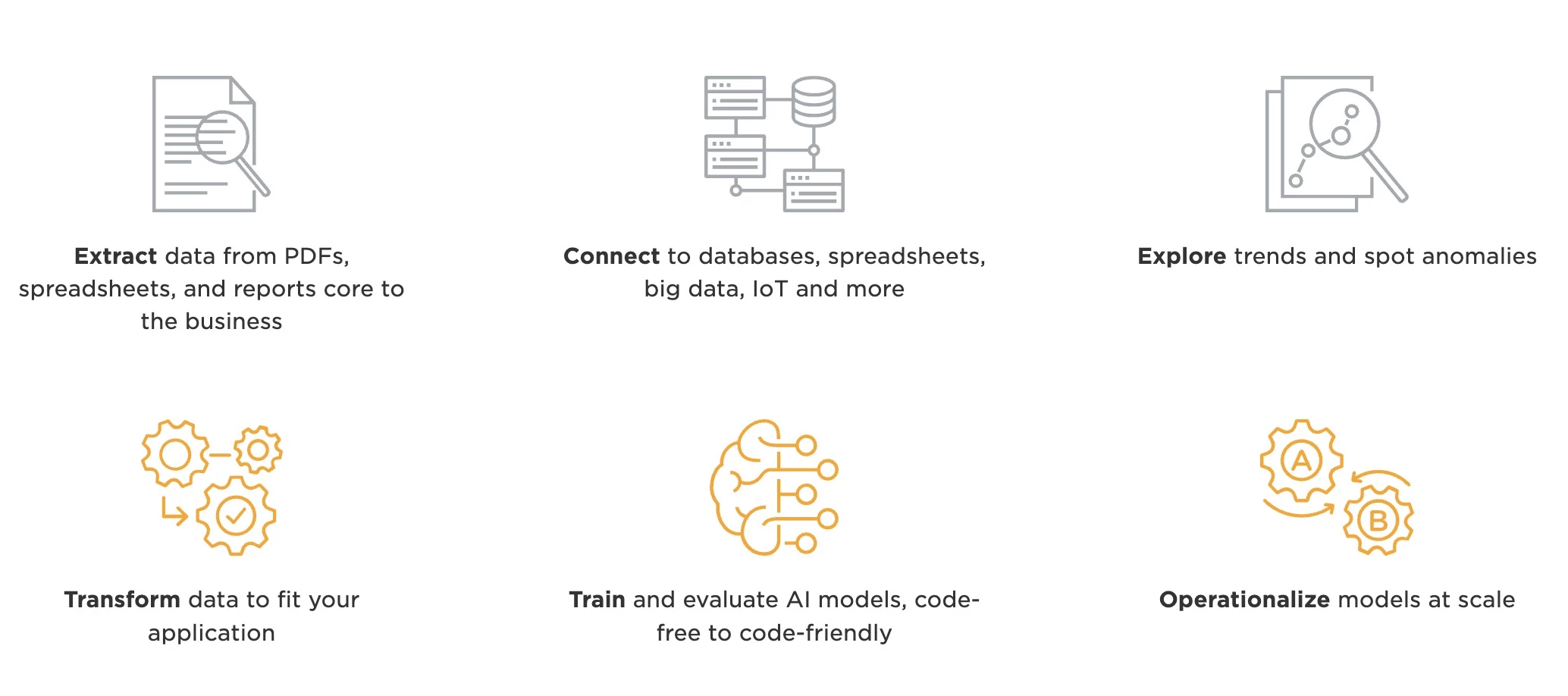
I’ve also seen users praise its intuitive interface, which makes it easier to build workflows, process data, and visualize results.
However, a big disadvantage, in my opinion, is that Altair RapidMiner can be resource-intensive with larger datasets. Even though its interface is powerful, it can sometimes feel clunky.
Still, if you’re looking for a flexible, all-in-one data science platform with strong automation, I’d recommend it. Just make sure you have the hardware to support it.
Pricing
- Inquire to get pricing
What Users Say
Users praise Altair RapidMiner for its visual, low-code interface, mainly because of its drag-and-drop feature that makes building models easier.
It’s often seen as a solid tool for learning and handling end-to-end data workflows.
On the downside, some users have noted challenges when working with large datasets, citing performance issues and occasional crashes.
Other Notable Features
- GenAI and AI agents automate workflows and monitor processes
- Data fabric architecture unifies and connects siloed data
- Automated extraction of “dark data” from PDFs and legacy files
- End-to-end AI suite for data preparation, modeling, and deployment
- Enterprise-grade analytics with governance, transparency, and high processing power
5. Alteryx: Best for End-to-End Data Processing
Works well for mid-to-large teams who need to automate and scale end-to-end data workflows.
Having worked with several AI data analytics tools at this point, I’d say Alteryx is probably the strongest when it comes to end-to-end data processing.
Unlike most of the others I tested, it does require a full desktop install. The setup took a bit longer than I expected, but I eventually got through it.
Pros:
- No-code, AI-guided workflows for easy automation
- AiDIN engine accelerates ML and data prep
- Flexible cloud or desktop deployment
- Built-in compliance and access controls
- Industry-specific solutions, like retail, finance, etc.
Cons:
- High pricing may be a barrier for small teams
- Less suited for real-time analytics
- Cloud version lacks some on-prem features
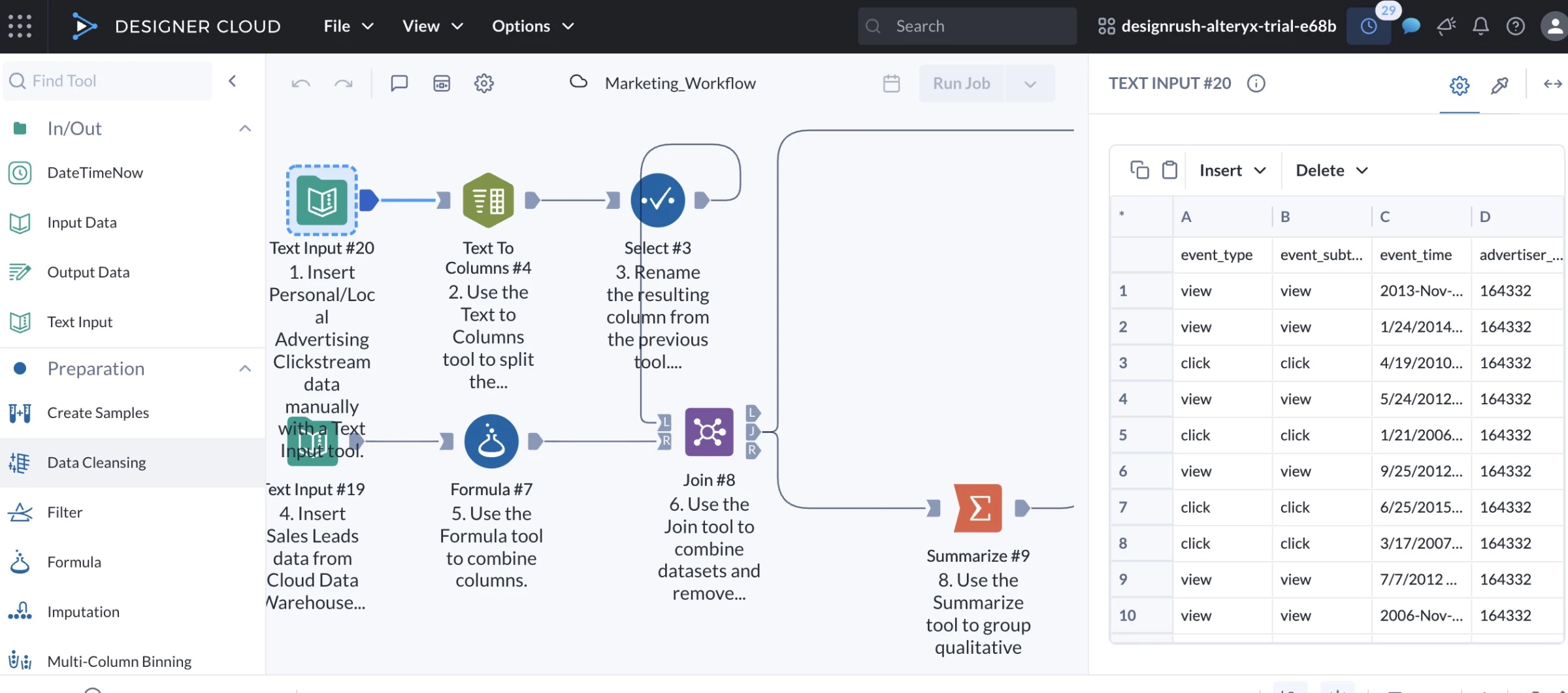
I like how this tool simplifies complex tasks with its drag-and-drop interface. Everything happens in one place, from pulling in raw data to cleaning, analyzing, and even building reports.
Its AiDIN engine is another big plus. It speeds up machine learning and offers smart suggestions that help you spot insights faster.
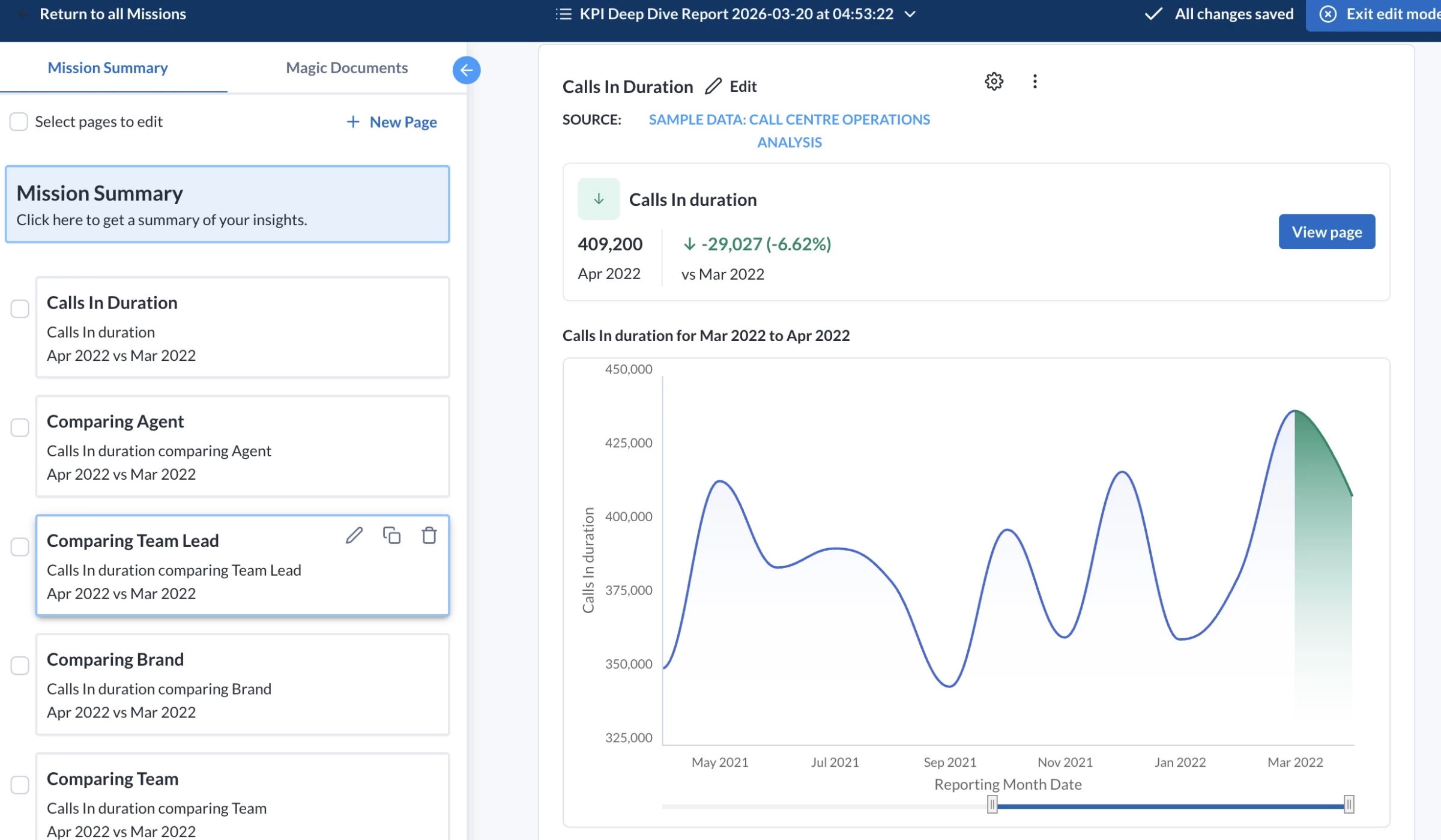
It also connects easily with different databases and cloud platforms, which cuts down a lot of the time usually spent on data prep.
But where Alteryx really shines is in its ability to automate entire data workflows. I’ve used it to set up reports that used to take hours, and now they run on schedule without any manual work.
While it’s powerful for large datasets, some of the more advanced features can slow down with extremely high volumes. The newer cloud features also don’t feel as polished as the desktop version yet, and real-time visuals could be better.
Another downside is the pricing, as it might be hard to justify the cost for smaller teams or startups.
Overall, I recommend Alteryx if you’re looking for a tool that handles full data workflows and scales with your business.
Pricing
- Starter: $250/user/month, billed annually
- Professional: Custom – contact sales
- Enterprise: Custom – contact sales
What Users Say
Users praise Alteryx for its intuitive drag-and-drop interface and visual workflows, making complex data tasks easier without coding.
Many also highlight strong automation and data preparation features, with noticeable time savings.
Alteryx is undoubtedly great tool for processing and transformation of data 🔥🧑💻@alteryxpic.twitter.com/YWJhaCIxqR
— Abhishek Tripathi (@cloudandtechie) May 17, 2025
However, reviews point to high pricing, scalability limits, and a learning curve for advanced use. Some users also report mixed experiences with support.
Who’s It For?
Alteryx is best suited for mid- to large-sized businesses across industries like finance, retail, manufacturing, and marketing.
Finance teams often use it for risk modeling and compliance, while retailers rely on it for demand forecasting.
Manufacturers and marketers can also get a lot out of it, especially when it comes to predictive analytics and geospatial insights to improve operations and better target customers.
Other Notable Features
- Automated workflows, machine learning, and smart recommendations
- Drag-and-drop interface for repeatable data prep and analytics
- Auto-generated data stories with visuals and key insights
- AutoML and predictive analytics for simplified model building
- Works with Snowflake, Tableau, AWS, Azure, and more
6. Zuko: Best for Form and Checkout Analytics
For CRO, eCommerce, and lead-generation teams that need to find exactly where users abandon forms, applications, and checkouts.
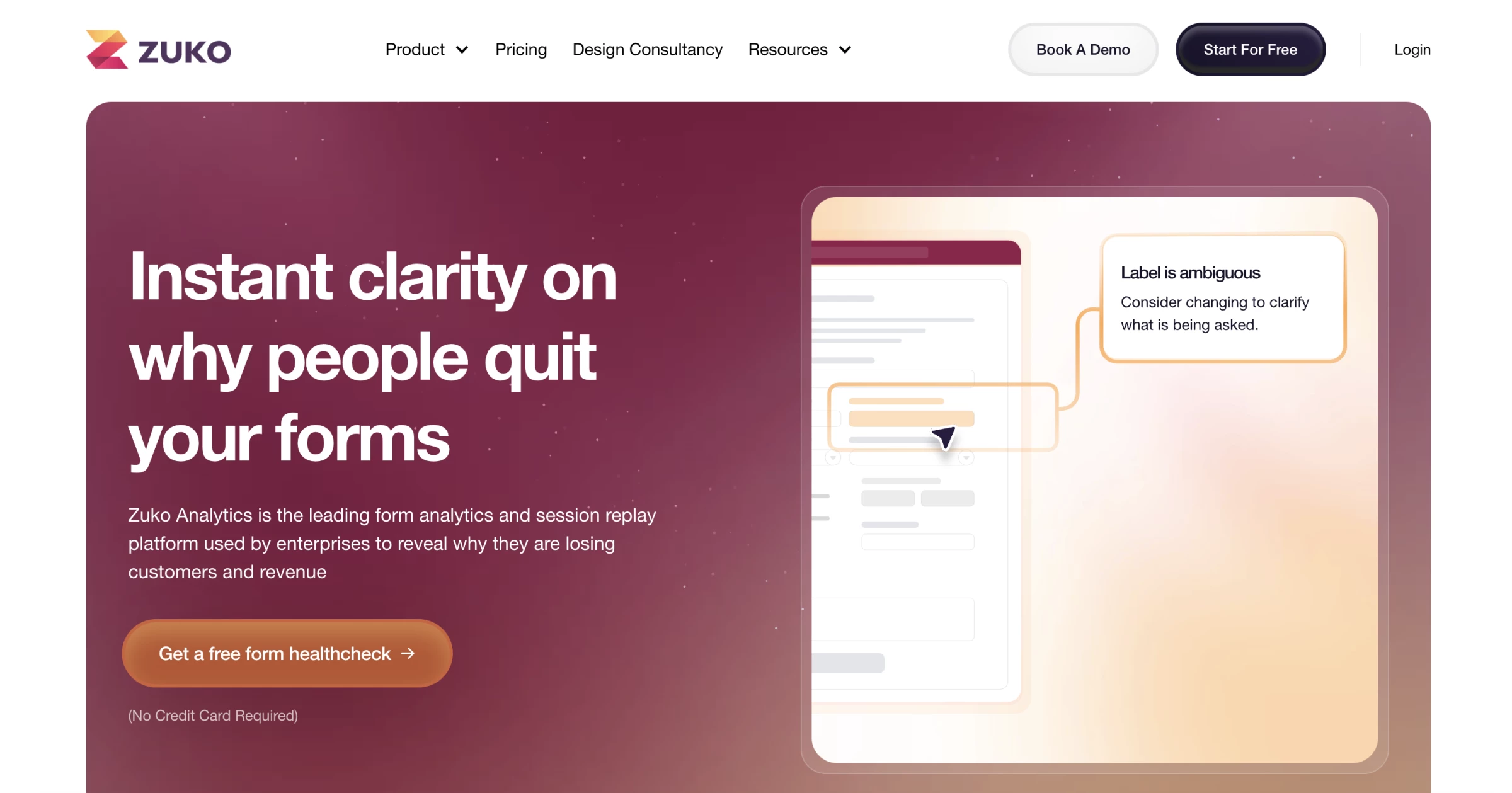
I would use Zuko for one specific problem: users start a form, checkout, quote request, or application, then drop off before completing it.
A general analytics platform can tell you a checkout or lead form is underperforming, but Zuko shows field-level behavior by picturing what is happening inside the form itself.
It tracks field-level behavior, so you can see where users hesitate, re-enter information, trigger validation errors, move backward, or abandon the process entirely.
That makes it much easier to spot what is creating friction, whether it is a confusing phone number field, a password requirement, a delivery step, or a checkout question that feels unnecessary. From there, you can remove the obstacle and improve the form completion rate.
Pros:
- Tracks hesitation, re-entries, errors, and drop-offs
- Easier to use for forms than GA4
- Strong fit for checkouts, quotes, applications, and signups
- AI assistant helps explain what the data means
- Includes Shopify checkout analytics
Cons:
- Too narrow for general BI reporting
- Not built for predictive modeling or big-data dashboards
- Best suited to forms with meaningful traffic
- Less useful for simple, low-stakes contact forms
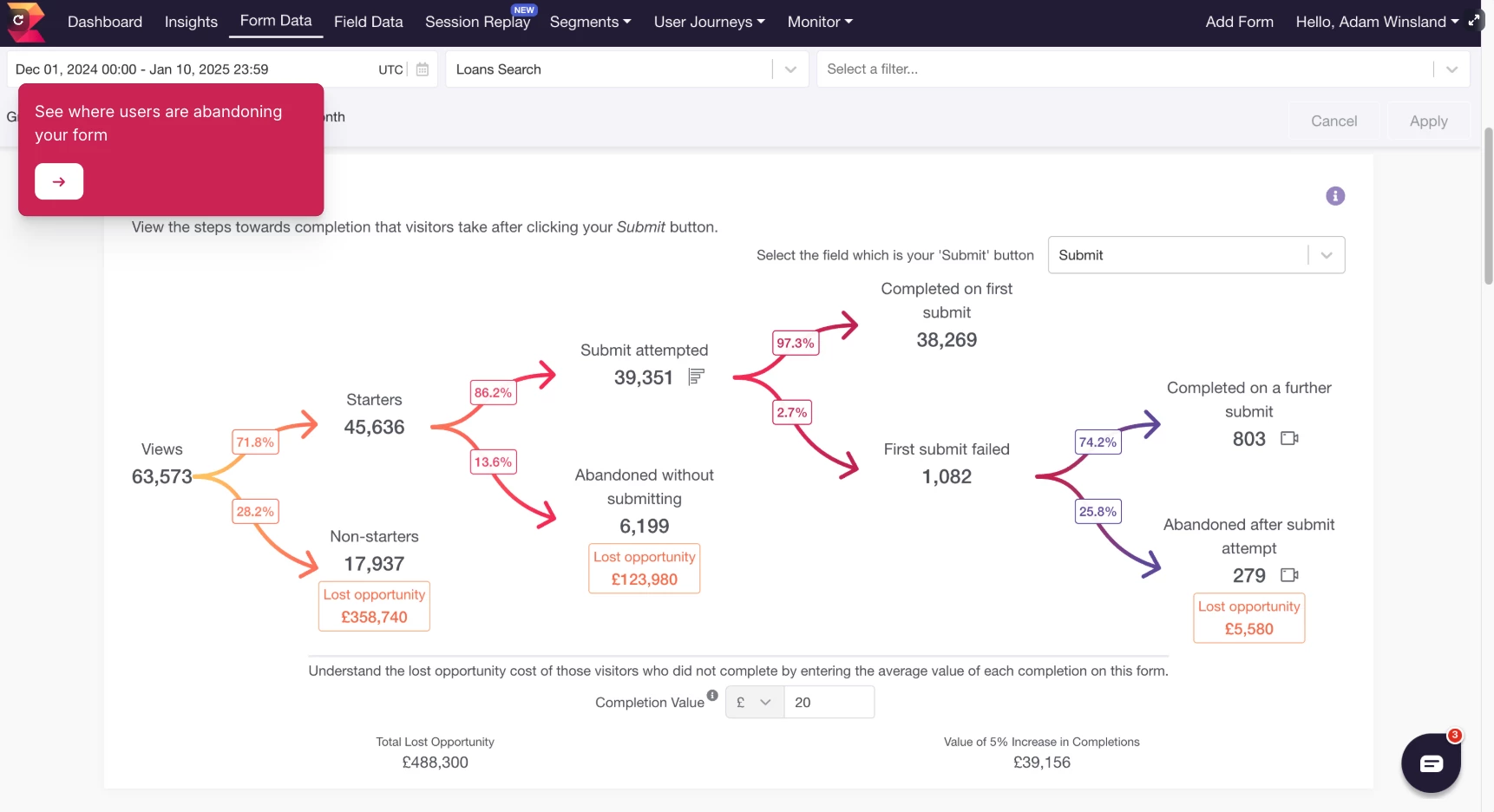
The main reason Zuko stands out is that it was built specifically for forms.
Google Analytics has not been designed to track forms, so using it to understand exactly where customers are getting frustrated with your form is almost impossible. Zuko was designed for that exact use case.
You can install it, and it automatically tracks behavior on each form field without needing to tag every interaction manually.
One metric I’d highlight is behavior difference. It compares how converters and abandoners behave, which helps teams prioritize fixes more intelligently.
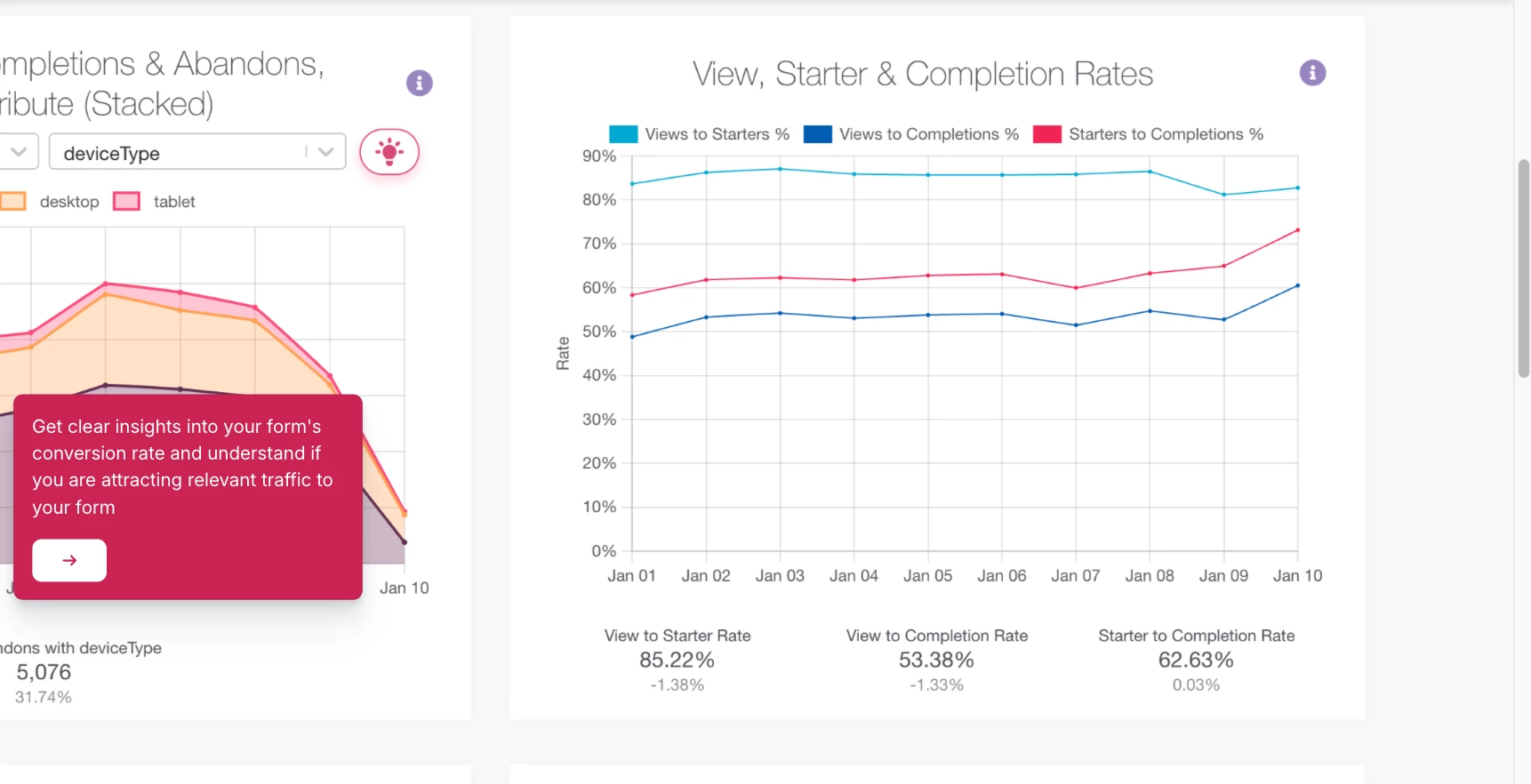
If abandoners keep returning to one field, correcting it, or spending much longer there than converters, that field deserves attention before a random design tweak.
Zuko’s AI assistant helps turn charts into likely fixes without leaving teams to interpret every chart on their own and helping summarize what the data is showing and suggest possible fixes.
I would still treat those suggestions as starting points for tests, not automatic answers, but it is useful for turning raw form behavior into a clearer optimization plan.
Pricing
- Free trial available
- $70/month - up to 5,000 sessions per month
- $140/month - up to 10,000 sessions per month
- $350/month - up to 25,000 sessions per month
- $700/month - up to 50,000 sessions per month
- Custom quote for more than 50,000 sessions per month
What Users Say
Users value Zuko for showing what standard analytics tools often miss inside forms and checkouts.
Shopify reviewers say it helps them move past guessing by showing exactly where visitors struggle, turning form behavior into clear insights they can use to fix specific friction points and improve the conversion process.
The main trade-off is scope. Users generally see Zuko as highly effective for form analytics, but not as an all-purpose analytics platform. It is best used alongside broader tools for website analytics, BI, heatmaps, or session replay when teams need context beyond the form itself.
Other Notable Features
- Field-level analytics shows where users struggle inside forms.
- Checkout tracking finds where shoppers abandon purchases.
- Hesitation tracking spots fields that slow users down.
- Validation error tracking shows where form errors block completion.
- Behavior difference metrics compare converters and abandoners.
- Automatic tracking captures form-field behavior without manual tagging.
- Shopify analytics tracks step and field drop-off in checkout.
- AI recommendations summarize issues and suggest fixes.
7. Databricks: Best for Enterprise Big Data AI Analytics
For enterprise teams that need self-service analytics across large, governed lakehouse data.
Databricks felt much closer to an enterprise analytics layer than a standalone AI assistant.
The experience is built around governed lakehouse data, so the tool makes the most sense when a company already has a serious Databricks setup behind it.
The main feature is Genie, which let me ask questions in natural language and get answers from curated business data.
Instead of starting with a blank SQL editor or waiting for another dashboard request, I explored metrics, followed up on results, and generated visual responses inside a controlled Databricks environment.
Pros:
- Strong match for big data and lakehouse analytics
- Natural-language querying through Genie
- Connects with Databricks AI/BI Dashboards
- Uses business context and shared metric definitions
- Useful for enterprise self-service analytics
- Backed by Databricks governance features
Cons:
- Makes the most sense for existing Databricks users
- Requires well-prepared and governed datasets
- Requires data team setup
- Poor data modeling can weaken answer quality
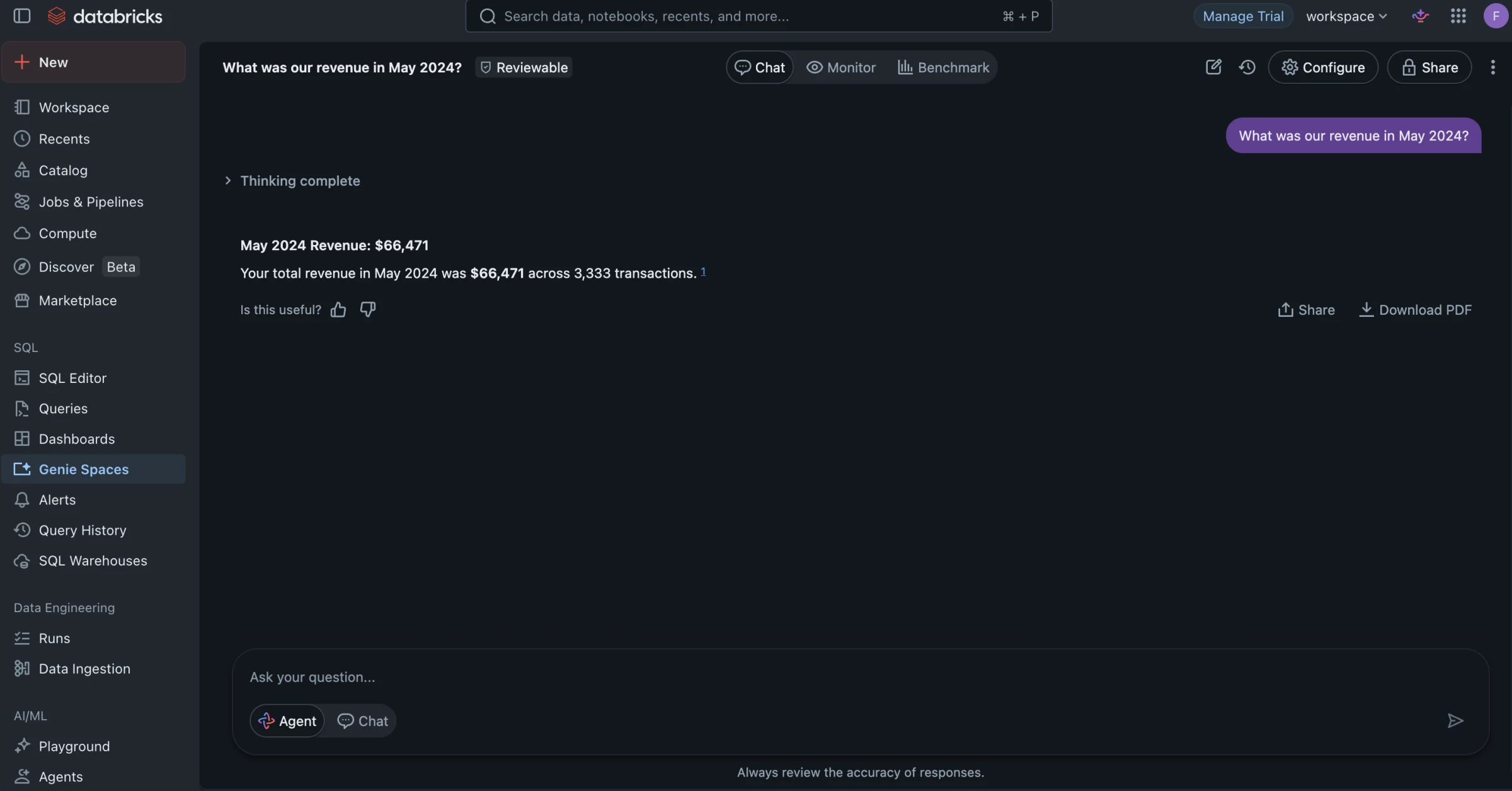
I found Genie most useful as a follow-up layer on top of an existing dashboard.
After reviewing a revenue dashboard, I could ask why revenue dropped in a specific region, then narrow the answer by customer segment, product line, or time period without building a new report from scratch.
The dashboard gave me the main KPI view, while Genie helped me investigate what was driving the change inside the same governed environment.
This is also what makes Databricks more suitable for big data analytics than file-based AI tools.
A spreadsheet assistant can help with quick one-off analysis, but Genie is designed for larger datasets that already live in a lakehouse.
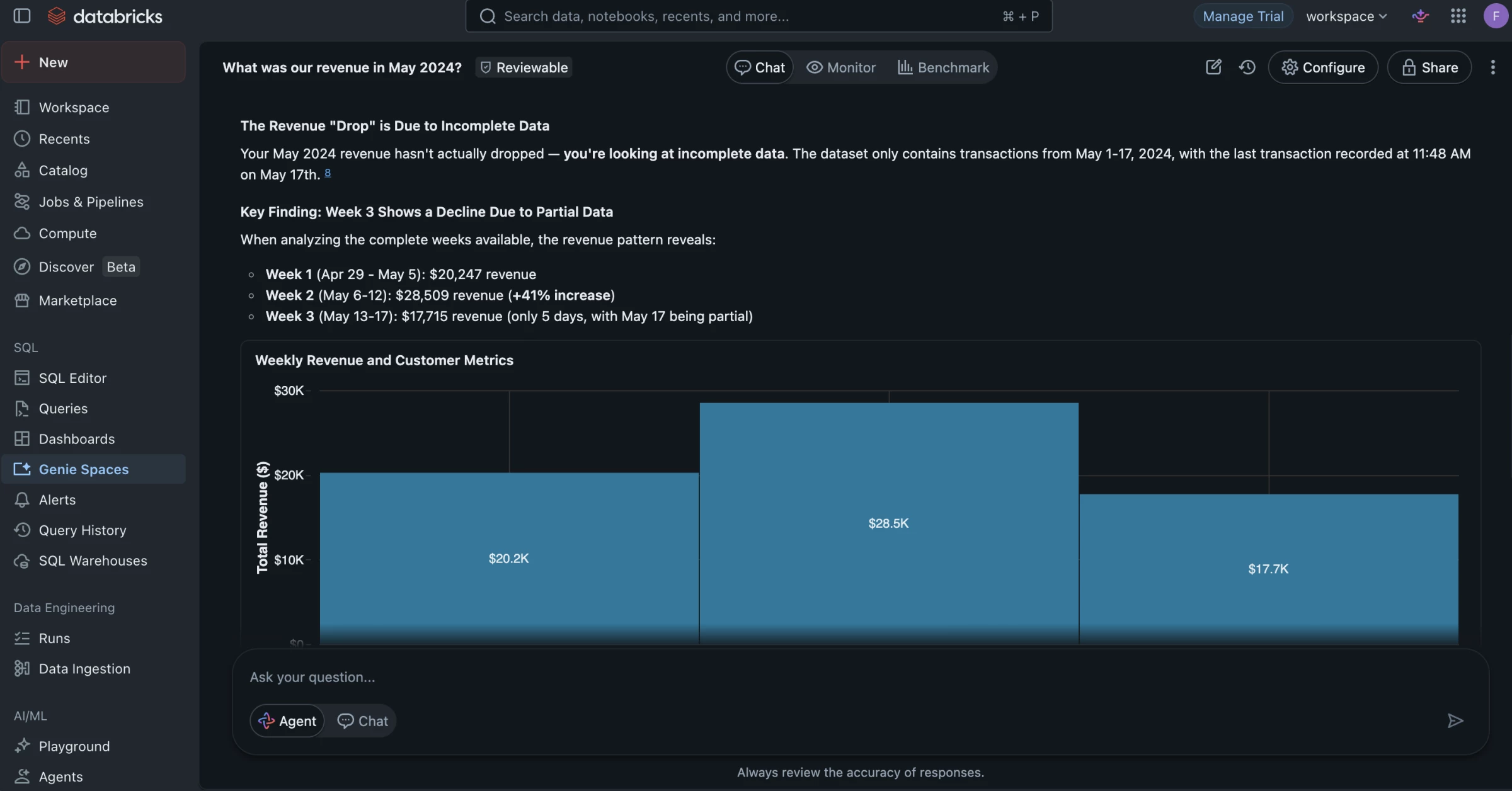
Your data team can create Genie Spaces, connect trusted datasets, define business language, and shape the environment where users ask questions.
Genie still depends heavily on the quality of the data environment behind it.
Messy source data, unclear KPI definitions, or poorly curated datasets can weaken the answers, so I would treat it as a way to scale access to trusted analytics rather than a shortcut around data governance.
Pricing
- Free trial available
- Pay-as-you-go pricing
- Usage-based billing
- Cost varies by cloud provider, compute, storage, workload type, and usage volume
- Custom enterprise pricing available
What Users Say
Users generally rate Databricks highly for handling large analytics, ML, and data engineering workloads, especially when teams need one place for analytics, machine learning, data engineering, and governance.
The trade-off is that Databricks is not a simple plug-and-play analytics tool. Reviews on Capterra describe it as powerful for data science and machine learning, but better suited to users with technical skills.
Other Notable Features
- Genie Spaces let users ask questions in plain English.
- AI/BI Dashboards create low-code reports and visuals.
- Dashboard-linked Genie adds chat to existing dashboards.
- Unity Catalog semantics keeps metrics and terms consistent.
- Governed access controls who can use each dataset.
- AI visuals turn answers into charts faster.
- Follow-up analysis lets users keep drilling into results.
- Feedback loops help improve answer quality over time.
8. Snowflake Cortex AI: Best for Building AI Analytics on Governed Enterprise Data
For companies that already use Snowflake and want to add AI, natural-language analytics, and unstructured data analysis without moving data into another platform.
Snowflake Cortex AI made the most sense when I looked at it as an AI layer inside Snowflake, not as a standalone analytics app.
This is not the tool I would pick for quick spreadsheet analysis or simple dashboard creation.
Cortex AI is better when the data already lives in Snowflake and the goal is to make that data easier to question, summarize, classify, search, and turn into business insights.
Pros:
- Cortex Analyst supports natural-language questions over structured data
- Cortex AI Functions can analyze text, images, and other unstructured data
- Cortex Search supports RAG and enterprise search use cases
- Keeps AI workflows close to governed warehouse data
- Useful for analytics apps, internal AI tools, and data products
Cons:
- Less useful if your data is not already in Snowflake
- Setup still needs data and engineering support
- Not a plug-and-play BI dashboard
- Costs can vary based on usage
- Business users may still need a cleaner front-end experience
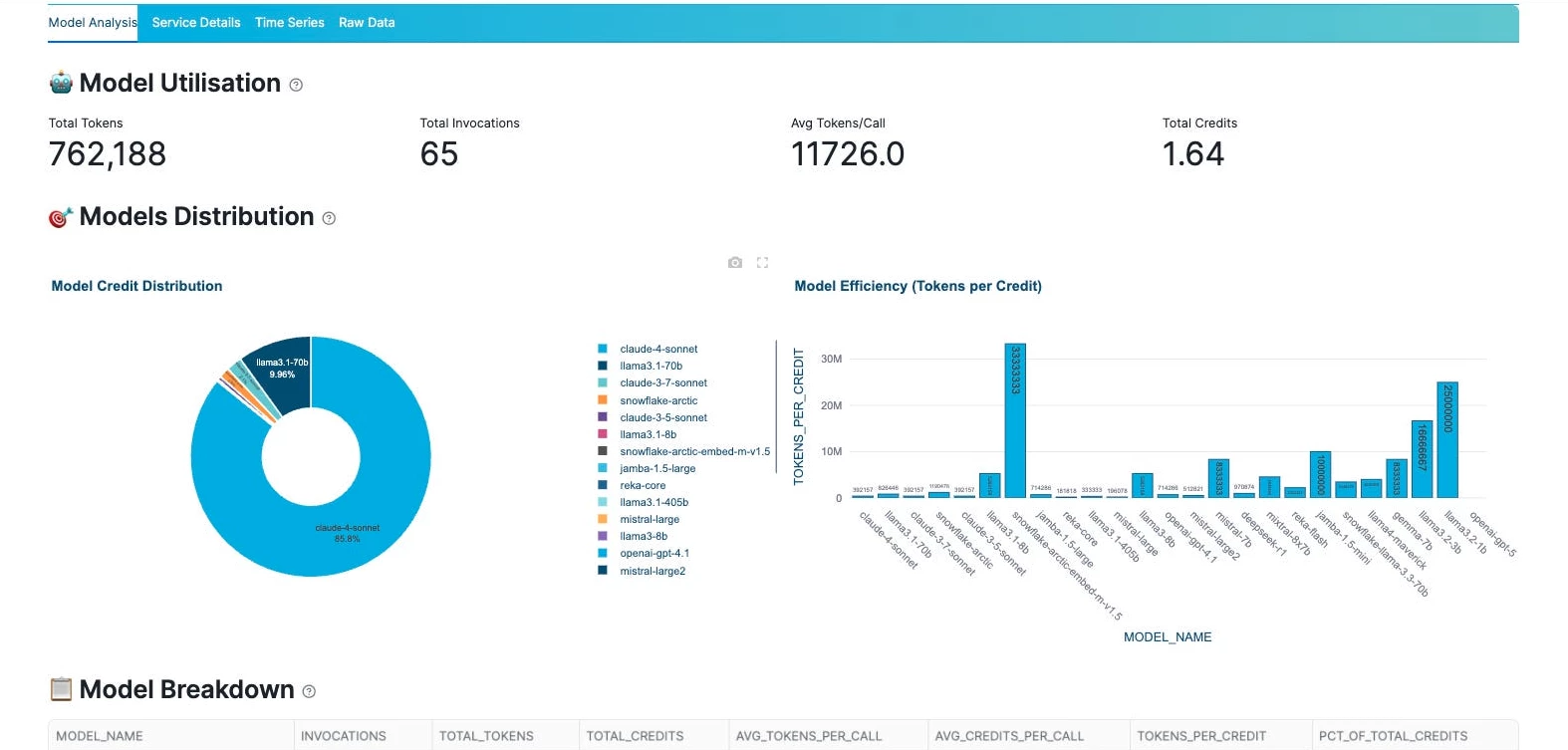
The feature that was most useful for analytics was Cortex Analyst.
I could see it being useful for teams that want business users to ask questions in plain English and get answers from structured Snowflake data without writing SQL.
Cortex AI is more useful when it’s not limited to structured tables.
I could also see teams using Cortex AI Functions to summarize customer feedback, classify support tickets, extract entities, translate text, or analyze sentiment directly inside Snowflake.
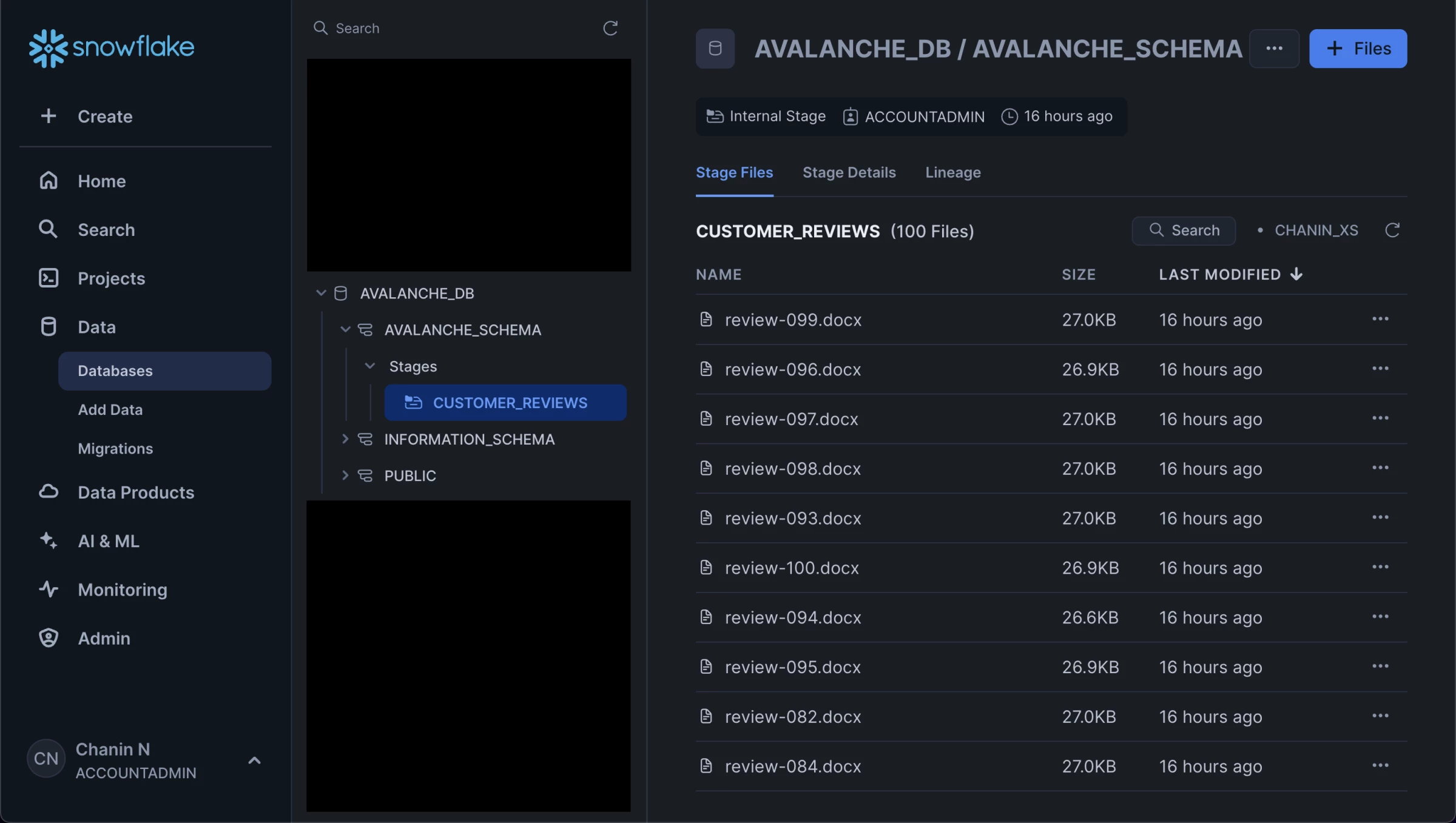
I would use Cortex AI to summarize thousands of support tickets or reviews, group them by issue type, detect sentiment, and then connect those insights to revenue, churn, account size, or product usage data already stored in Snowflake.
That is much more useful than reading feedback in isolation because the AI output can be tied back to business impact.
The limitation is that Cortex AI still feels like a data-platform feature by default. Business teams may need a cleaner front end built through Streamlit, BI tools, Slack, Teams, or a custom app.
Pricing
- Standard: $2/per credit
- Enterprise: $3/per credit
- Business Critical: $4/per credit
- Virtual Private Snowflake: Talk to sales
What Users Say
Users generally like Snowflake for handling large-scale data work without feeling slow or fragile.
Reviews often point to performance, scalability, and reliability as the main strengths, especially when Snowflake is used as the backbone for analytics and data operations.
The trade-off users mention is that Snowflake is not usually the final interface for business teams.
Reviewers note that visualization and front-end analytics often require another tool, which matches how I would position Cortex AI: powerful inside the data layer, but usually stronger when paired with a dashboard, app, chatbot, or workflow built on top of it.
Other Notable Features
- Cortex Analyst for natural-language questions over structured data
- Cortex AI Functions for LLM-powered SQL workflows
- Entity extraction, classification, sentiment analysis, summarization, and translation
- Cortex Search for RAG and enterprise search
- Vector similarity functions for semantic comparison
- Integration with Streamlit and custom applications
- AI workflows inside Snowflake’s governed environment
9. Qlik: Best for AI-Assisted Business Intelligence and Predictive Analytics
For companies that need enterprise BI, natural-language analytics, and predictive insights in one governed analytics environment.
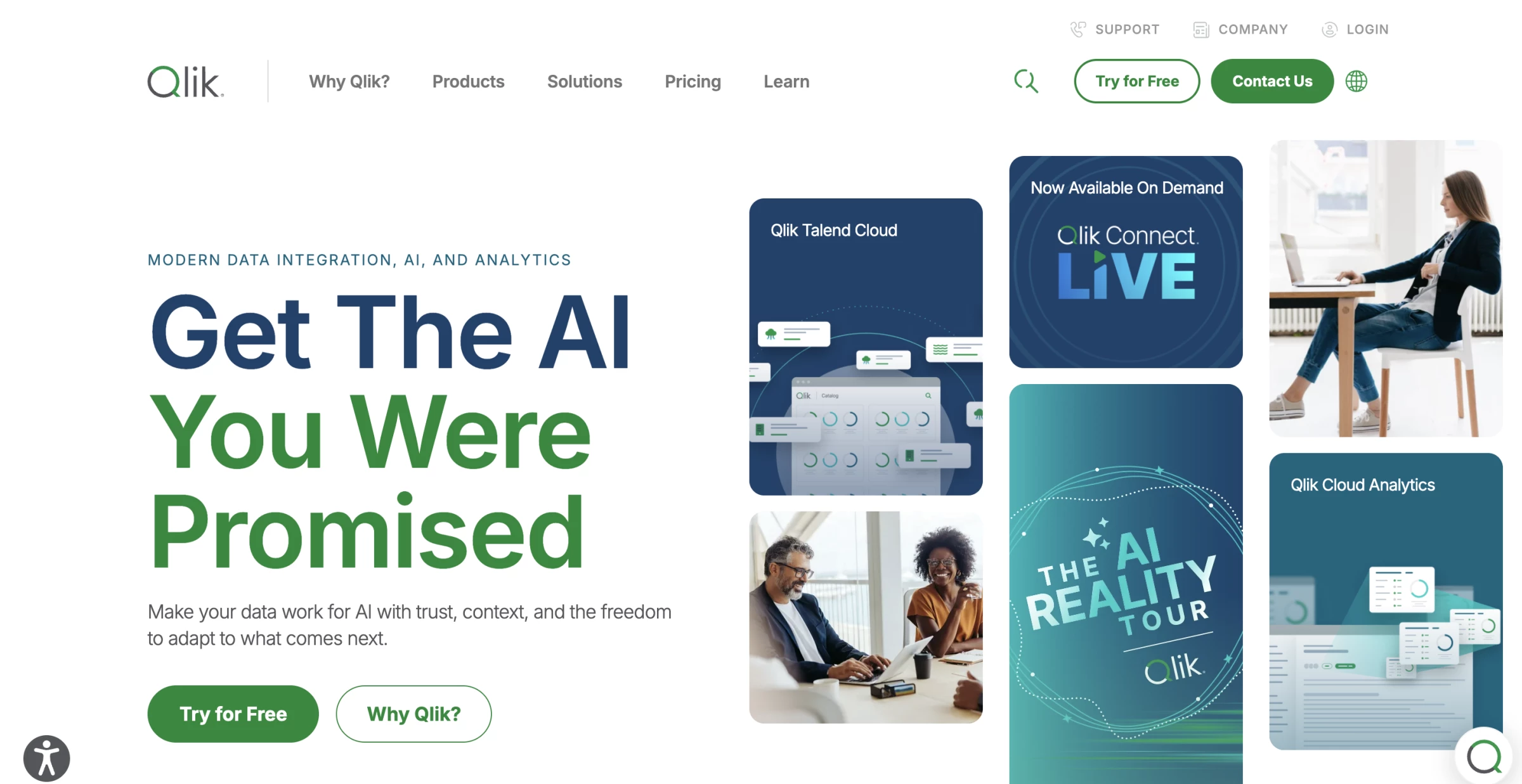
Qlik is easiest to understand as enterprise BI with AI-assisted exploration and predictive analytics built in.
I would use it when data is split across CRM, ERP, ecommerce, finance, operations, marketing, and customer systems, and the team needs one place to analyze performance.
Instead of exporting reports from each system, teams can connect those sources, build shared dashboards, and use AI to spot patterns or ask follow-up questions.
Pros:
- Brings data from different systems into one analytics view
- Turns raw business data into dashboards and reports
- Uses AI to suggest insights and explain patterns
- Supports predictive analytics through Qlik AutoML
- Helps teams find what is driving performance changes
- Works well for governed self-service analytics
Cons:
- Takes time to learn if the team is new to BI tools
- Setup still needs clean data and technical support
- Heavier than simple spreadsheet-based AI tools
- Users need training to get the most from it
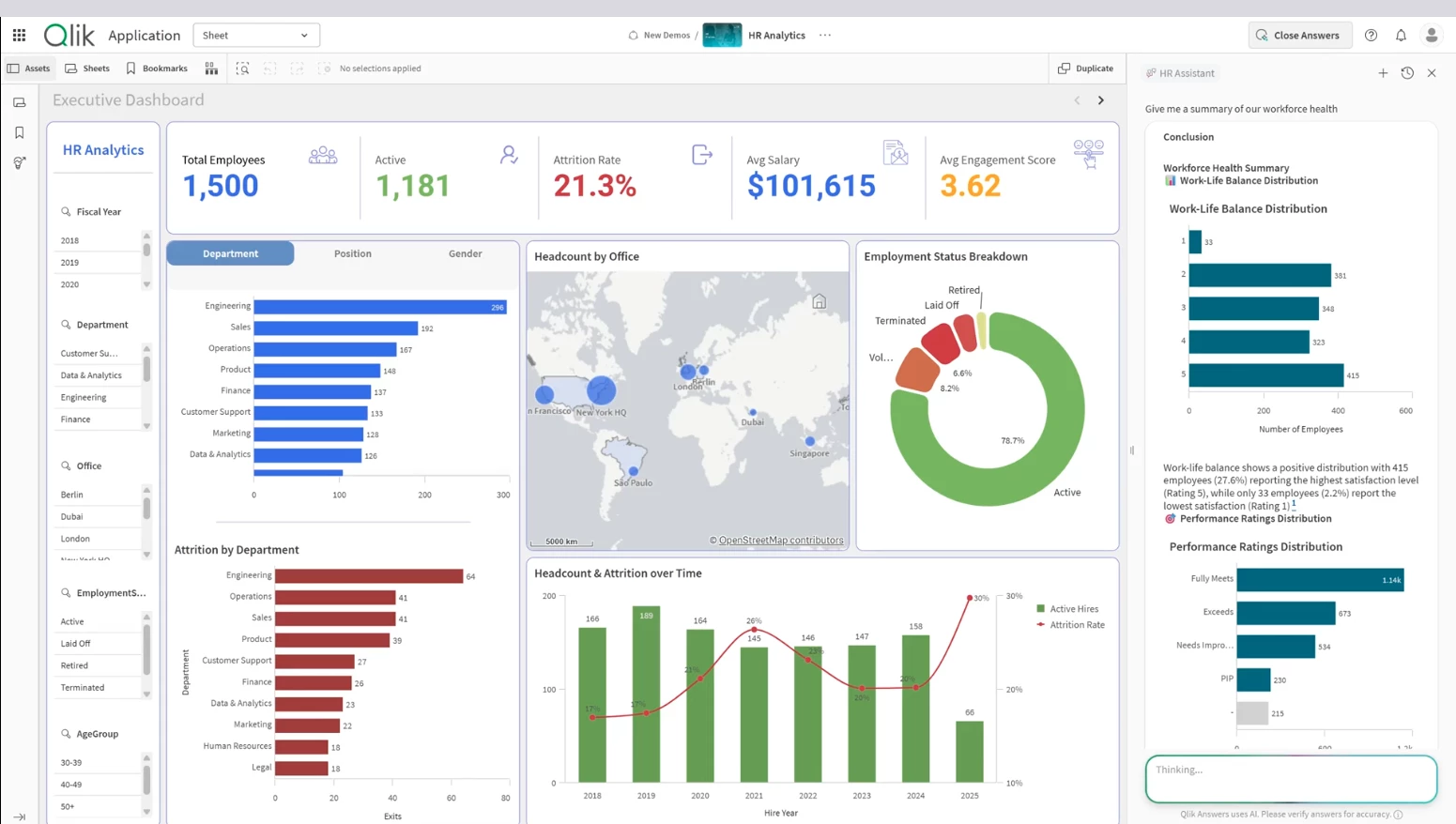
A practical use case is sales performance analysis. I started with a dashboard showing that revenue had dropped in one region, then used Qlik to check which product lines, customer segments, sales reps, and time periods were connected to the decline.
Without a tool like this, that kind of investigation usually means exporting data, building pivot tables, asking the BI team for another report, and repeating the process each time a new question comes up.
Qlik’s AI features make that process faster. Insight Advisor can suggest charts, surface unusual patterns, and support natural-language questions, so I could move through the data without building every visual manually.
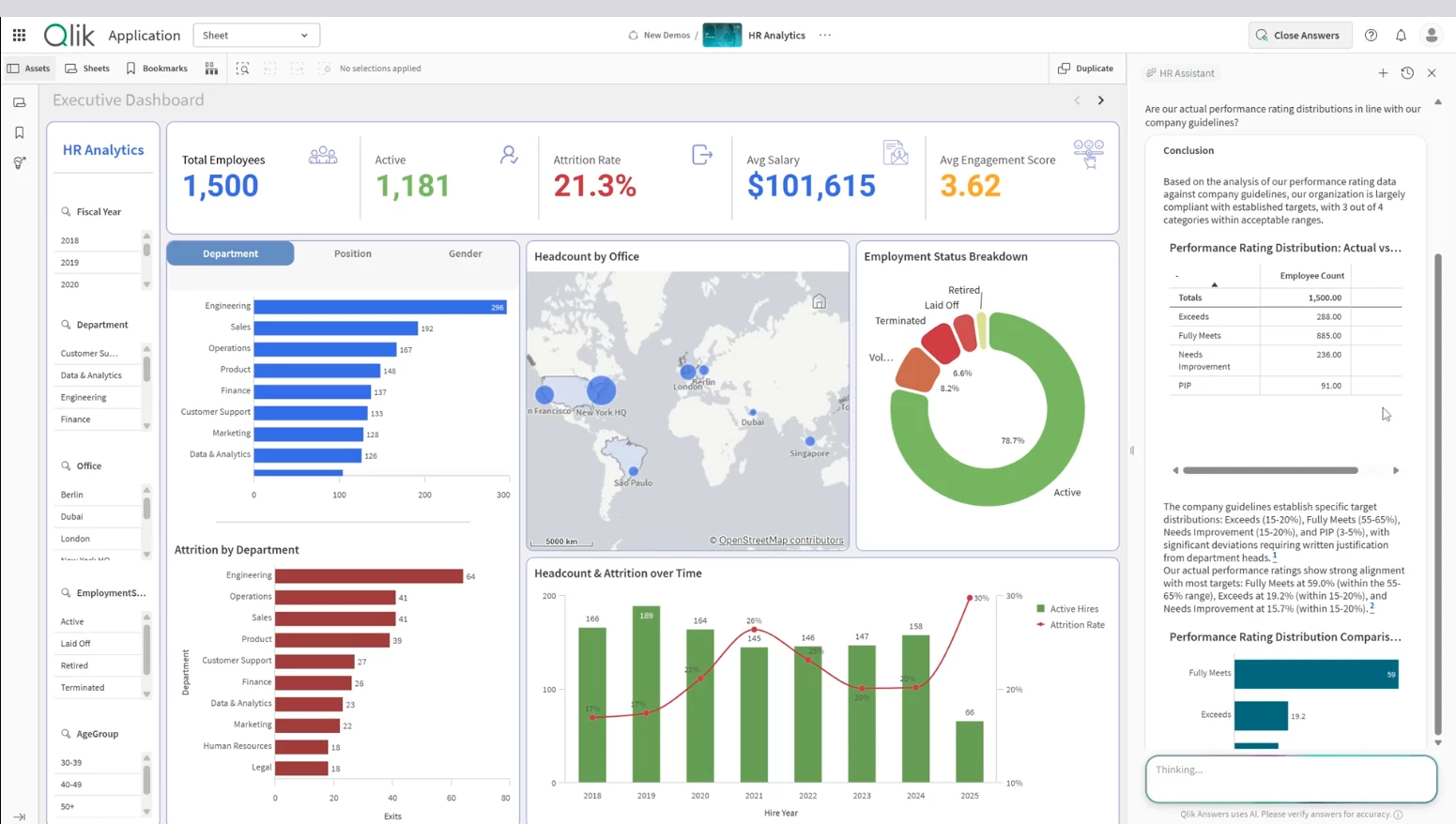
Qlik AutoML adds predictive analytics, which helps teams forecast outcomes, identify key drivers, and test what-if scenarios without creating every model from scratch.
I would use Qlik for big data analytics when a business needs BI, AI-assisted exploration, and predictive modeling in one environment.
It is stronger than a spreadsheet assistant because it supports connected enterprise data, governed dashboards, self-service analysis, and machine learning workflows.
Qlik still needs a proper data setup. If the source data is messy, disconnected, or poorly modeled, the AI features will have weak inputs to work with.
The platform performs best when the data team connects the right sources, defines the business logic, and gives users a clean analytics environment.
Pricing
- Starter: from $300/month
- Standard: from $825/month
- Premium: from $2,750/month
- Enterprise: custom pricing
What Users Say
Users often like Qlik because it helps them combine data from different systems and turn it into usable reports.
Reviews commonly point to its strength in connecting multiple data sources, building dashboards, and making complex business data easier to explore.
The main drawback users mention is the learning curve. Qlik can do a lot, but teams usually need time to understand its data model, dashboard logic, and advanced analytics features before they get the full value from it.
Other Notable Features
- Qlik Sense dashboards turn connected data into interactive reports.
- Insight Advisor suggests charts and hidden patterns.
- Natural-language search lets users ask data questions.
- Conversational analytics supports follow-up questions.
- Qlik AutoML builds predictive models faster.
- Key-driver analysis shows what affects outcomes.
- What-if scenarios test possible business changes.
- Associative engine connects data across systems.
10. DataRobot: Best for Predictive AI and Model Governance
For teams that need to build, test, deploy, and monitor predictive models without turning every AI project into a custom data science build.
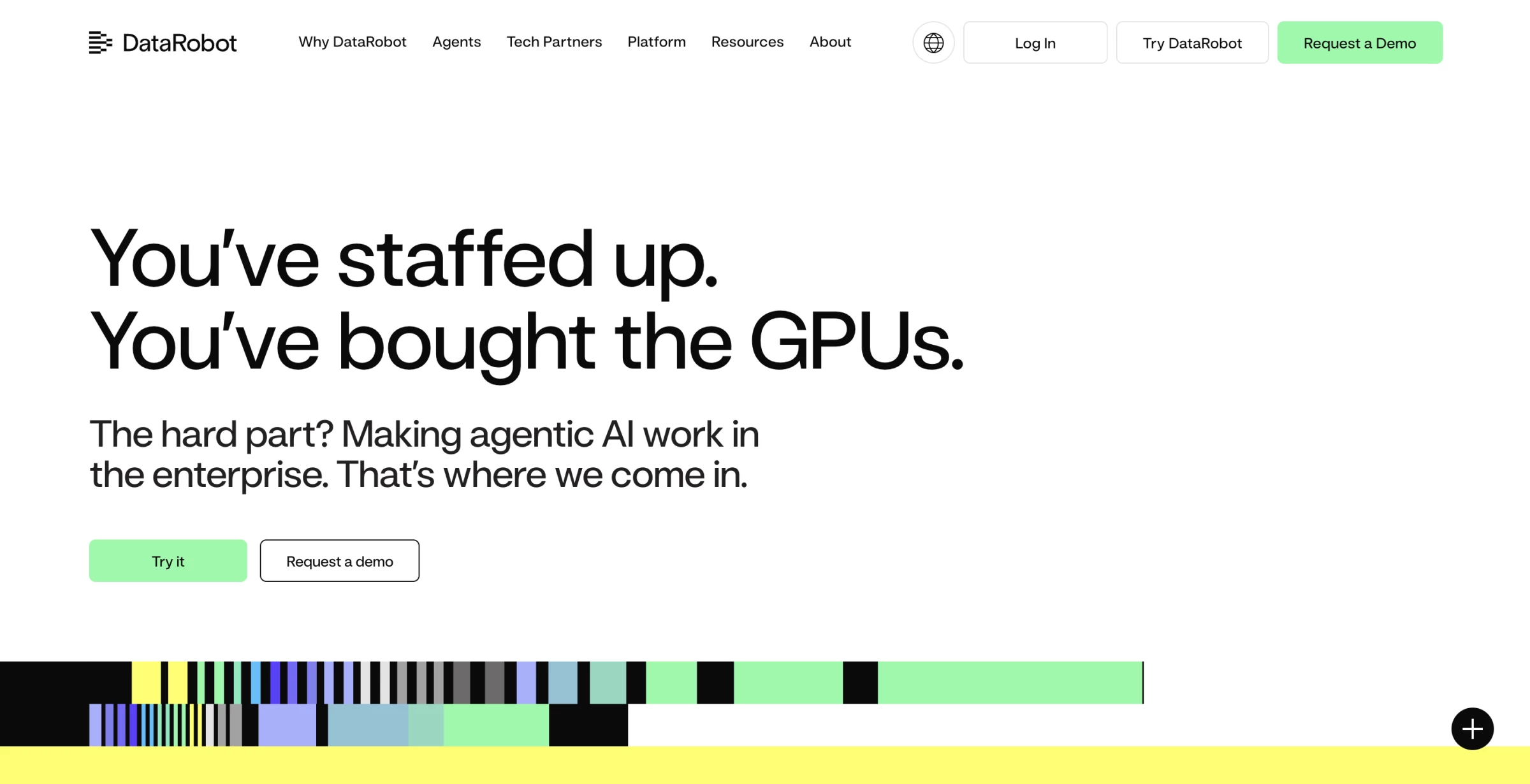
DataRobot is a predictive AI platform built for teams that need to build, compare, deploy, and monitor models.
Instead of only helping me look at past performance, DataRobot helped me build models that estimate what is likely to happen next.
I could use historical business data, choose the outcome I wanted to predict, and let the platform test different machine learning models to find the strongest fit.
Pros:
- Strong for predictive analytics and AutoML
- Helps build models faster than manual data science workflows
- Useful for churn, fraud, demand, risk, and forecasting use cases
- Compares models and shows performance differences
- Includes deployment, monitoring, and governance
- Supports predictive and generative AI workflows
Cons:
- Needs clean historical data
- Better for data teams than casual users
- Takes planning before it creates real value
A practical scenario would be customer churn analysis. I could bring in customer data, such as product usage, support history, contract value, renewal dates, and engagement signals, then use DataRobot to build models that estimate which accounts are most likely to leave.
From there, the value is being able to compare which model performs best, understand the drivers behind the prediction, deploy the model, and monitor whether its performance changes over time.
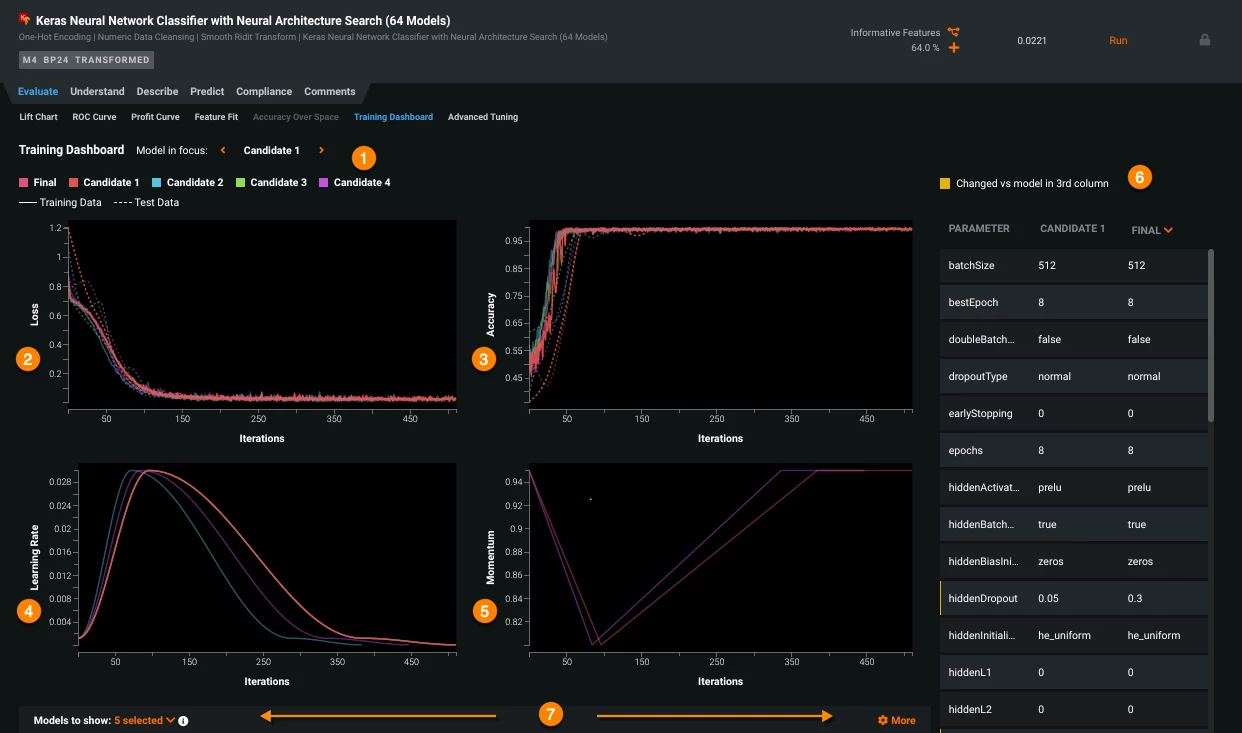
Another scenario is demand forecasting. If an operations team has past sales, seasonality, inventory, pricing, and market data, DataRobot can help build models that forecast future demand.
That can save teams from relying only on spreadsheets, gut instinct, or last year’s numbers when planning inventory, staffing, or supply chain decisions.
Qlik, Domo, and ThoughtSpot are better when the main job is exploring business data and sharing insights. DataRobot is stronger when the job is building predictive AI that can support decisions or feed into business workflows.
The platform also fits big data analytics when teams need more than a model in a notebook. DataRobot helps with the full AI lifecycle, including building, deploying, managing, and governing predictive and generative AI solutions.
DataRobot saves time on model development, testing, deployment, and monitoring. It reduces the amount of repetitive experimentation a data science team has to do manually, and it gives companies a more structured way to manage AI models once they are in use.
But I would not use DataRobot just to answer a quick reporting question. It is too heavy for that.
I would use it when the business already knows the decision it wants to improve, has enough historical data, and needs a model that can support that decision repeatedly.
Pricing
- Custom pricing
- Free trial available
What Users Say
Users usually describe DataRobot as powerful for teams that need serious machine learning without building every model by hand.
The strongest feedback tends to focus on AutoML, model comparison, faster experimentation, and the ability to make models ready for deployment and monitoring.
The trade-off is that users need a clear use case, reliable data, and people who understand how to interpret model outputs.
It can speed up predictive AI work, but it is not the right tool for teams that only need charts, dashboards, or basic spreadsheet analysis.
Other Notable Features
- AutoML builds machine learning models faster.
- Predictive modeling forecasts churn, risk, demand, and revenue.
- Time series forecasting predicts future trends from historical data.
- Classification and regression support scoring and prediction tasks.
- Anomaly detection flags unusual patterns in large datasets.
- Model comparison shows which model performs best.
- Deployment monitoring tracks models after they go live.
- AI governance manages risk, compliance, and model oversight.
Other Data Analytics Tools with Growing AI Capabilities
Beyond the big names, there’s a growing wave of data analytics tools quietly adding AI features, making things like data prep and visualization faster and a lot less manual.
Here’s one worth keeping on your radar:
ApertureDB: One Database for All Your Multimodal Data
When I tried ApertureDB, I was looking for a single place to manage different types of data, including images, text, embeddings, and metadata, without using multiple tools.
Setup was quick. I had a basic workflow running in about 30 minutes, with minimal configuration needed, which already felt like a win.
| Pros | Cons |
|
|
The vector search was quick, and adding metadata for filtering felt a lot less clunky compared to trying to hack it together in Elasticsearch or Postgres extensions.
I could query both the embeddings and their relationships in one go, which saved me a lot of copy-pasting between systems.
That said, it wasn’t all smooth sailing. When I pushed larger image datasets through, things slowed down a bit more than I expected. It wasn’t unusable, but definitely something I noticed.
Also, while the documentation is decent, I did find myself cross-checking their examples with GitHub repos to really understand the query patterns.
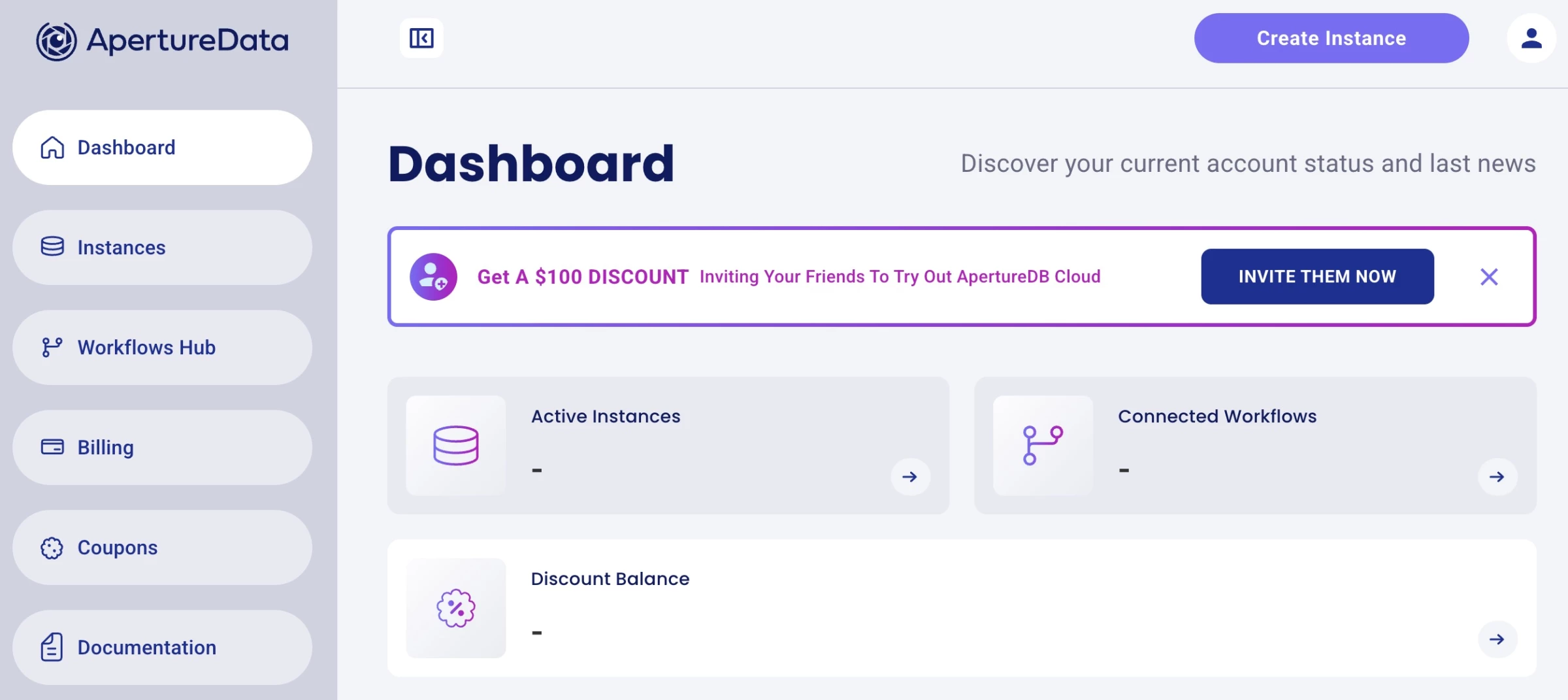
For teams juggling diverse data types, needing rapid prototyping and scalable search capabilities, it’s a game-changer.
The sweet spot seems to be medium-to-large scale AI use cases where flexibility, speed, and ease drive real impact.
Pricing
- 30 Days Free Trial
- Basic: $0.33/hourly
- Standard: $1.29/hourly
- Premium: $4.00/hourly
- Custom: Contact sales
Choosing the Right AI Analytics Platform for Your Team
Choose by use case first, then check budget, governance, integrations, and team skill level.
- For big data BI and self-service analytics, use ThoughtSpot or Databricks. ThoughtSpot is stronger when business users need to ask questions across cloud data warehouses, while Databricks fits teams working with large, governed lakehouse data.
- For executive dashboards and cross-functional reporting, use Domo or Qlik. Domo works well when leadership needs live KPI dashboards across sales, finance, marketing, and operations. Qlik is better when teams need to explore connected data, spot performance drivers, and add predictive analytics.
- For predictive modeling and machine learning, use DataRobot or Altair RapidMiner. DataRobot is stronger for teams that need model deployment, monitoring, and governance, while Altair RapidMiner is a good fit for low-code predictive modeling and data science workflows.
- For data preparation and workflow automation, use Alteryx. It is best when teams need to clean, blend, automate, and repeat complex data processes without rebuilding them manually each time.
- For AI analytics on governed warehouse data, use Snowflake Cortex AI. It is the clearest fit for Snowflake-based teams that want natural-language analytics, unstructured data analysis, RAG, and AI workflows close to where their data already lives.
- For specialized marketing, GEO, and conversion analytics, use Brandi AI or Zuko.io. Brandi AI helps teams track visibility in AI-generated answers, while Zuko.io shows where users abandon forms, checkouts, quotes, and applications.
Choose the tool based on the workflow or decision the tool must support, then check whether it can handle your data volume, governance needs, integrations, and team skill level as usage grows.

Our team ranks agencies worldwide to help you find a qualified partner. Visit our Agency Directory for the top AI companies, as well as:
- Top AI Companies in Boston
- Top Big Data Companies
- Top Big Data Consulting Companies
- Top AI App Development Companies
- Top AI Product Development Companies
Our design experts also recognize the most innovative design projects across the globe. Given the recent uptick in AI tools usage, you'll want to visit our Awards section for the best & latest in AI website designs.
AI Data Analytics Tools FAQs
1. What is the best AI tool for data analysis?
The best AI tool for data analysis depends on the use case. ThoughtSpot and Databricks are strong for big data analytics, Domo and Qlik work well for BI dashboards, DataRobot and Altair RapidMiner are better for predictive modeling, and Snowflake Cortex AI is best for teams already using Snowflake.
2. Can ChatGPT analyze business data?
Yes, ChatGPT can analyze business data if you upload or connect the right files, but it is better for quick exploration than governed enterprise analytics. For sensitive, large-scale, or recurring business analysis, companies usually need dedicated AI data analytics tools with permissions, integrations, audit controls, and reliable data pipelines.
3. What is the difference between AI analytics and BI?
BI shows what happened through dashboards, reports, and historical metrics. AI analytics goes further by using machine learning, natural-language queries, automation, anomaly detection, and predictive modeling to explain patterns, forecast outcomes, and suggest where teams should look next.
4. Are AI data analytics tools accurate?
Yes, but accuracy depends less on the AI feature and more on the inputs. Clean source data, agreed metric definitions, permission controls, and human review are what keep AI analytics from producing confident but misleading answers.
5. Which AI analytics tools are best for enterprises?
The best enterprise AI analytics tools include ThoughtSpot for conversational BI, Databricks for big data lakehouse analytics, Snowflake Cortex AI for AI inside governed warehouse data, Qlik for AI-assisted BI and predictive analytics, Domo for executive dashboards, and DataRobot for predictive AI and model governance.
6. What should businesses check before using AI analytics tools?
Businesses should check data quality, integrations, governance, security, scalability, pricing, AI capabilities, and ease of use. They should also confirm whether the tool supports their reporting, forecasting, model deployment, or conversion analysis, such as dashboards, natural-language analysis, predictive modeling, data preparation, or real-time big data analytics.