
I tried six standout B2B-focused AI agents, designed to enhance how teams sell, support, market, manage spend, and coordinate meetings. Here’s what I found.
B2B AI Agents: Key Points
- AI agents streamline entire B2B operational workflows through smart automation.
- Regie.ai automates outbound sales, Forethought accelerates customer support, and Mutiny enables no-code website personalization.
- Ramp handles expense management with ease, while Calendly simplifies scheduling — letting teams spend less time on busy work and more on big-picture strategy.
- Newo.ai builds AI receptionists that can handle conversations across channels, qualify leads, reference internal knowledge, and assist with scheduling.
B2B AI Agents Reviewed
Modern B2B teams are under pressure to do more with less — shorter cycles, leaner teams, higher expectations. That’s where purpose-built AI agents can truly shine. Below, I break down six tools that are transforming how sales, support, marketing, finance, and ops get done in a B2B world.
Related Articles:
1. AI is the Next Ally in B2B Sales Transformation
2. Generative AI in B2B
3. Best AI Lead Generation Tools
4. How To Use AI in Business Today
| Best For | CRM Integration | Multi-Channel Support | Real-Time Analytics | Pricing (Starting At) | |
| Newo.ai | Creating AI-powered voice and text receptionists | ✅ | ✅ | ✅ | Free |
| Regie.ai | Automated outbound prospecting | ✅ | ✅ | ✅ | $35,000 per year |
| Forethought | AI-driven customer support | ✅ | ❌ | ✅ | Inquire |
| Mutiny | B2B website personalization | ✅ | ❌ | ✅ | $300–$650/month |
| Ramp | Finance automation and spend management | ✅ | ❌ | ✅ | Free |
| Calendly | Scheduling and meeting coordination | ✅ | ❌ | ✅ | Free |
As Tim Montgomery, President of TIMIT SOLUTIONS, explains, "B2B AI agents are built to handle more depth, complexity, and collaboration," tackling the intricate needs of businesses rather than just catering to individual users.
While consumer AI focuses on speed, simplicity, and personalization, Montgomery points out that B2B AI is far more transformative, driving systemic change at the organizational level instead of merely enhancing convenience.
1. Newo.ai – Voice Automation
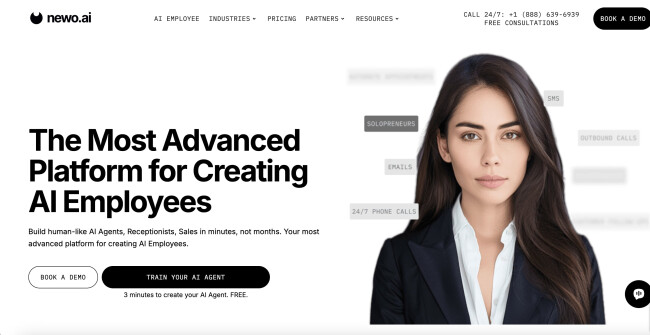
When evaluating AI agents for B2B use, I always look for tools that go beyond chat automation and actually feel like they could step into a team and start contributing. That’s exactly what Newo.ai promises — AI “employees” that don’t just answer questions, but actually do the work.
Naturally, I had to put it to the test.
| Pros | Cons | Pricing |
|
|
|
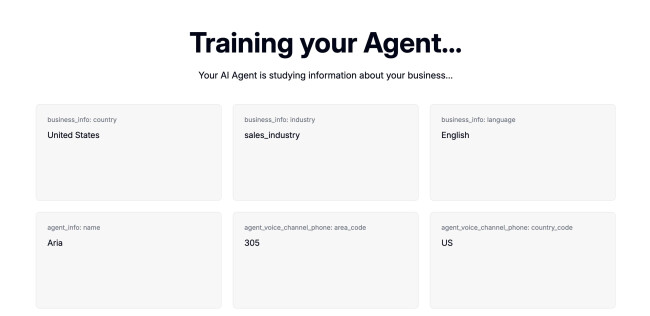
Newo advertises that you can deploy a working AI agent in under three minutes. I was skeptical, but to my surprise, it actually delivered.
I pasted a business website URL, and Newo instantly created a conversational agent trained on the site’s content. No coding, no configuration headaches — just a ready-to-go assistant that could answer questions, qualify leads, and even schedule meetings.
It felt refreshingly simple, especially for teams that don’t have technical staff managing workflows.
One of the most impressive things about Newo.ai is how consistently its agent performs across multiple channels.
I tested it on live chat, email, and SMS, and it maintained a unified tone and logic throughout, which is a big advantage for teams aiming to centralize customer support or lead generation without having to juggle different tools.
The agent can also be configured to follow structured qualification frameworks like BANT, and in my experience, it handled lead triaging surprisingly well. It quickly spotted who was genuinely interested versus who was just browsing.
What adds another layer of depth is its ability to reference internal documents and resources in real time. You can upload company materials, and the agent draws from them like a seasoned team member, making the interactions feel more informed than your typical scripted chatbot.
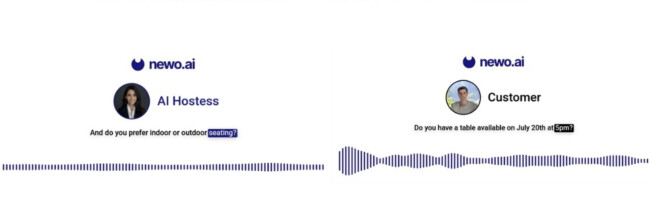
I also tested its ability to schedule meetings, and thanks to what Newo calls a “Magic Browser,” it can navigate third-party booking systems like a human — clicking, filling out forms, and submitting requests. It's not perfect, but it’s functional.
The real win, though, is that all of this happens within a single agent that works across chat, email, SMS, and even voice, making it a great solution for growing teams that want to scale intelligently without multiplying headcount.
What Users Say
Users report real results with Newo.ai — we’re talking about some serious ROI.
One restaurant owner shared that they made an extra $6,800 in July 2024 from large group bookings, all while spending just $530 on the platform. With the AI Hostess answering calls 24/7, especially during off-hours and busy periods, they captured bookings they would’ve otherwise missed.
That said, it’s not flawless. The same user noted the AI occasionally miscommunicated their business hours. Still, the overall sentiment was positive, and the recommendation clear: for businesses that rely on responsiveness, Newo.ai delivers.
Who’s It For?
Newo.ai is best suited for small to mid-sized B2B teams that need to handle customer inquiries, bookings, or lead qualification across multiple channels without adding to headcount. It’s particularly useful for businesses that operate outside of standard hours or struggle to respond quickly during peak times.
If you're in sales, support, or service-based industries and looking for a simple way to stay more responsive, Newo can help fill the gaps. It's not built for deep technical customization, but for teams that want quick setup and practical automation, it gets the job done.
Other Notable Features
- You can upload internal documents, FAQs, or product info, allowing the AI to provide accurate, up-to-date answers based on your specific business content.
- Magic Browser automation lets the AI interact with external websites, like booking systems or CRMs, by mimicking human clicks and form submissions.
- Newo provides insights into conversation volume, lead quality, and agent performance to help teams monitor and improve their AI’s effectiveness over time.
- Designed for ease of use, Newo allows non-technical users to create and deploy AI agents quickly without writing any code.
2. Regie.ai – Outbound & Conversational Sales
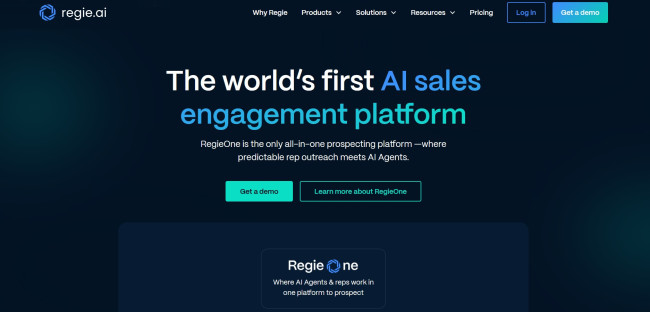
Outbound sales is a beast of its own in the B2B world. Personalization really matters, sequencing is key, and without good systems in place, it’s easy to burn hours writing emails that never get opened. Regie.ai is the first tool I’ve used that actually feels like it was built to solve the content challenges facing sales or marketing team members.
| Pros | Cons | Pricing |
|
|
|
I ran a few experiments building out sales sequences targeting mid-sized tech companies. Regie prompted me to select a persona (e.g., Head of IT, VP of Marketing), a tone (consultative, direct, casual), and even a goal for the sequence (book a meeting, get a reply, drive a click).
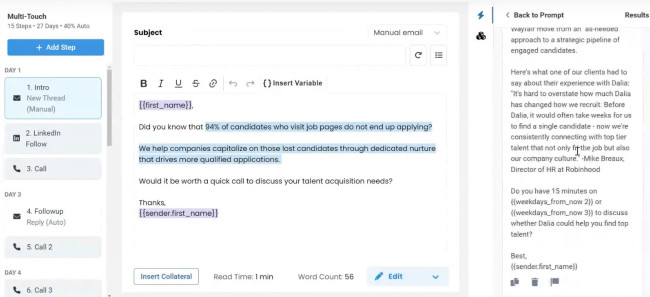
Within seconds, it generated a full multi-step sequence tailored to those inputs. While not perfect, it didn’t feel too robotic, and that’s important. It pulled from company data in my CRM to add real context and even suggested custom icebreakers using LinkedIn data. Each touchpoint felt like it was written by someone who understood both the audience and the sales context.
I was particularly impressed by the iteration phase. Once I pushed a sequence live, Regie automatically tracked engagement metrics and made suggestions for improvement. One underperforming subject line was flagged within days, with three stronger alternatives surfaced based on similar high-performing campaigns.
It integrates natively with Outreach, Salesloft, HubSpot, and Salesforce, which means you’re not adding extra friction to your existing workflow. So, if you’re running outbound at scale, Regie can save you a lot of time and help you avoid the kind of generic outreach messaging that gets ignored.
What Users Say
Regie is consistently praised by users for the quality of the content it produces, although it receives criticism for its limitations, specifically in that it doesn’t have the extensive automation capabilities for lead sourcing that some other tools on the market offer.
“Regie.ai gave me brilliant email templates, but the actual lead generation was still on me,” wrote one user. Another praised it for its A/B testing capabilities but noted that it fell short of the definition of an “all-in-one" system.
@aptitude_8 Regie is the AI tool shifting sales strategies with its advanced sequence generation capabilities. From creating high-performing outbound content to simplifying sales sequences, learn how Regie is reshaping sales and marketing. #AI #SalesStrategy #ContentGeneration #MarketingTools #Regie #BusinessInnovation
♬ original sound - Aptitude 8 - Aptitude8
Who’s It For?
Regie.ai is a good fit for B2B sales teams that need to scale outbound outreach without sacrificing personalization. It’s especially valuable for sales development reps, sales enablement leads, and marketing teams managing multichannel prospecting at mid-to-enterprise companies.
Other Notable Features
- Persona-based sequence generation tailored to roles, industries, and sales goals.
- LinkedIn enrichment for personalization using public profile data and job history.
- Campaign performance optimization suggestions based on engagement metrics like opens and replies.
- Support for email, InMail, and phone call steps across multi-touch outbound campaigns.
3. Forethought – Customer Support
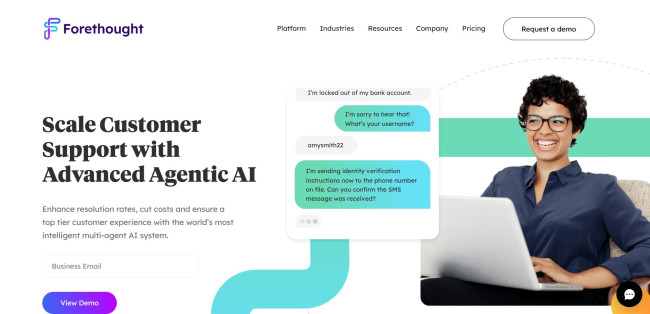
Speed alone won’t cut it when it comes to B2B support. You also need accuracy and empathy to give customers the level of service they expect and deserve. I tested Forethought in a mock Zendesk setup, and I have to say, it impressed me when it came to handling some real enterprise support scenarios.
| Pros | Cons | Pricing |
|
|
|
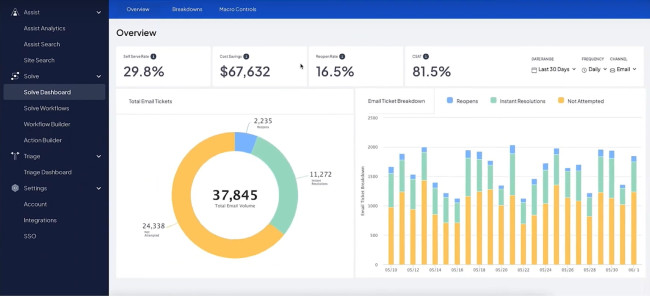
Forethought uses AI across three layers: Resolve, Triage, and Assist. Once enabled, the system started handling tickets automatically based on a set of knowledge base documents I uploaded (including past support replies and internal wikis).
Based on a case study of a similar business, Fetch, I would expect it to auto-resolve about 30% of basic inquiries without human involvement. Of course these would be the simplest questions, concerning on-boarding steps, permission requests, or simple integration issues.
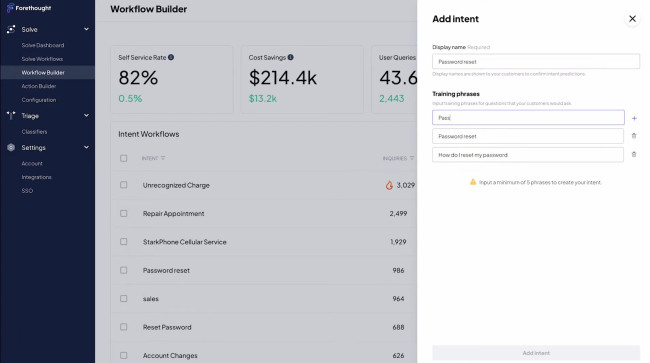
Triage kicks in on the more technical cases. This feature looks at incoming tickets and assigns them to the right team based on perceived intent, past behavior, and urgency.
Compared to manual routing, I could see it substantially reducing the number of misrouted tickets. How often it misreads the tone or context only extensive usage could reveal.
The Assist feature impressed me the most. When I played the role of a support agent, it served up relevant answers, past ticket references, and next-best actions. Instead of digging through multiple tabs, I had what I needed in the same window in real-time, which would cut any agent’s response time dramatically.
In my view, Forethought is well-suited to high-volume, high-stakes support environments. It’s not cheap, but the efficiency gains would make sense at the right scale.
What Users Say
Reviews are generally positive, as users appreciate Forethought's intuitive interface and seamless integration with existing systems. Its extensive features and versatility also get a mention, as well as its world-class support.
The main issue people have would seem to be accuracy. A number of users mention that it recommends information that doesn’t pertain to a ticket, and sorting through the incorrect information can be time-consuming. The time required for setup and training is also mentioned more than once.
The easiest way to avoid losing your mind at work Using Forethought AI 😎 You can thank me later!The easiest way to avoid losing your mind at work Using Forethought AI 😎 You can thank me later! . . . . .#customerservice #workfromhome #workfrom
Posted by Farbsy on Tuesday, March 18, 2025
Who’s It for?
Forethought is designed for B2B companies with large, complex support operations and a high volume of repeatable support inquiries. It's sure to be appreciated by customer success leaders and support managers who want to deflect tickets and empower agents with faster resolution tools.
Other Notable Features
- Knowledge base ingestion and auto-training from past tickets, help docs, and internal wikis.
- Sentiment and urgency analysis to prioritize support cases in real-time and detect escalations early.
- Agent coaching and feedback loops based on AI-evaluated interactions and resolution effectiveness.
- API access for deeper support system integration, custom workflows, and enterprise-grade extensibility.
4. Mutiny – B2B Marketing Personalization
The idea behind Mutiny is to have a growth marketer embedded on your website. Unlike your run-of-the-mill personalization tools, this one is specifically built for B2B companies who want to convert more of their existing traffic through personalized experiences.
| Pros | Cons | Pricing |
|
|
|
I implemented Mutiny on a B2B SaaS landing page targeting mid-market financial services. Leveraging data from Cognism and our CRM, I created three variants tailored for fintech startups, enterprise buyers, and returning visitors. Mutiny was able to dynamically adjust headlines, calls-to-action, and social proof elements in real-time based on the profile of a visitor.
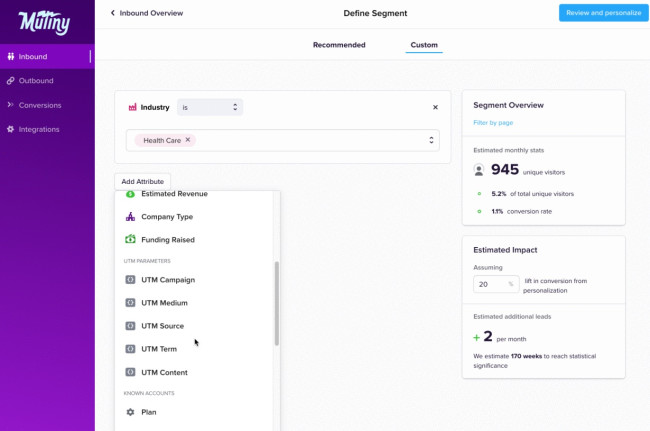
No dev work needed. I could create, preview, and publish variants all within Mutiny’s interface. The editor flagged any layout or copy conflicts before publishing. What's more, Mutiny's AI-generated base pages carried the look and feel of my brand, so no technical expertise was needed there.
One thing I didn’t expect was how helpful the experiment analysis was. Instead of just showing conversion rates, it broke down which audience segments responded best to what changes. That’s insight I can actually use.
For ABM-focused teams, Mutiny is potentially a powerhouse. It works in harmony with tools like Segment, 6sense, and Marketo, and it pulls directly from Salesforce to prioritize and personalize high-value accounts.
My view is that if your website gets meaningful traffic and your sales cycle is complex, Mutiny could prove a valuable tool for helping you squeeze more out of your visits.
What Users Say
Mutiny gets plenty of glowing reviews, with many users praising its ease-of-use, in particular, as well as its usefulness for B2B website optimization. One user wrote: “The best part about Mutiny is that it makes it super simple to launch personalization activities and A/B tests on your website.”
The only points of criticism mentioned include some limitations in the reporting feature compared to other tools, some minor teething problems and the occasional bug (which is mitigated by excellent support).
Yesterday @JHTScherck showed me the best example of a prescriptive, "Go-and-do-this" customer success story I've ever seen.
— Joel Klettke (@JoelKlettke) March 16, 2023
The company? @mutinycorp.
Let's take a look at what makes these so exceptional: pic.twitter.com/fP6vb8pkuM
Who’s It For?
Mutiny is ideal for growth marketers, demand generation teams, and ABM-focused B2B companies looking to increase website conversions. It’s best suited for companies that already drive solid traffic from multiple industries or segments.
Other Notable Features
- Real-time audience segmentation using firmographic and behavioral data.
- Pre-built personalization templates for use cases like ABM, demo requests, or industry targeting.
- A/B testing across page variants with performance breakdowns by segment.
- Deep integration for dynamic content and account targeting.
Book a demo to see Mutiny in action.
5. Ramp – Finance Automation & Spend Management
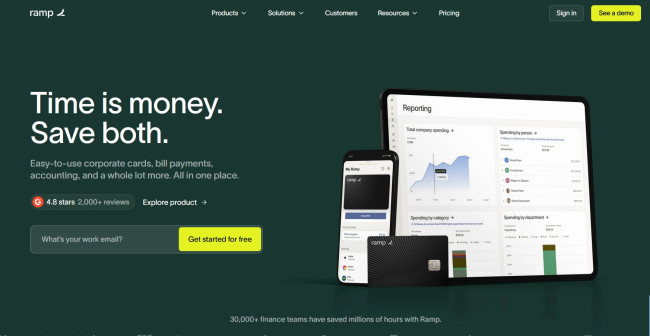
Ramp is way more than a corporate card. I went in expecting basic expense tracking and came out with a full-blown finance assistant. For a B2B environment with lots of vendors, multiple cost centers, and distributed teams, Ramp is extremely handy.
| Pros | Cons | Pricing |
|
|
|
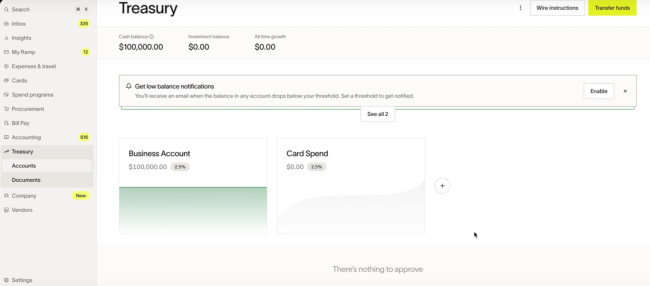
The platform will automatically categorize expenses, flag unusual spend patterns, and suggest cost-saving opportunities. I uploaded a batch of historical transactions, and it gave me insights into duplicate tools, vendor overlap, and even subscription renewals I had forgotten about.
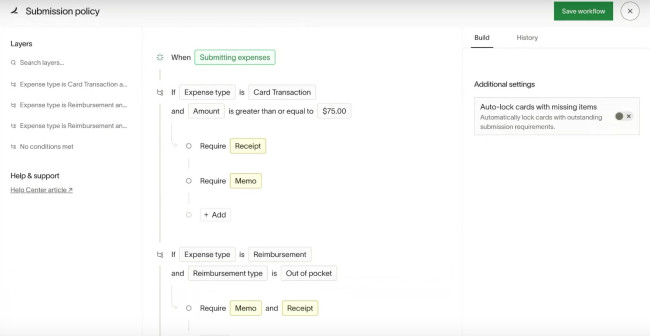
I particularly liked the Bill Pay automation element, because that serves to address a multi-step headache. You can use it to schedule payments to vendors, and it will handle approvals, categorize the expense in real-time, and sync everything to QuickBooks. That’s super useful.
Ramp also offers proactive alerts. You’ll get a ping when one team goes over their monthly budget, for instance, or when a new user tries to expense software that was already available through another license.
Ramp goes beyond helping finance teams stay organized to help them operate strategically. If you want AI that finds savings instead of just tracking spend, this is your tool.
What Users Say
Ramp gets praise from users for offering great value with a free tier that could support a small business with no “catch”, other than a revenue model that relies on transaction fees. It’s frequently hailed as a game-changer for small businesses, saving a great deal of time.
However, a consistent criticism seems to be the company’s aggressive approach to sales, which some go as far as describing as harassment.
Stay ahead of the game with RampDon’t let expense reports slow your team down. Ramp makes them effortless, so you can keep driving forward.
Posted by Ramp on Thursday, February 6, 2025
Who’s It For?
Ramp is designed for B2B finance teams, operations leaders, and startup CFOs who want to automate expense management, tighten controls, and find cost-saving opportunities. It would be especially useful for high-growth companies scaling quickly.
Other Notable Features
- Corporate cards with spend controls.
- Automated receipt matching.
- Finance team approval workflows.
- Real-time budget tracking and alerts.
Get started with Ramp for free.
6. Calendly – Scheduling & Meeting Coordination
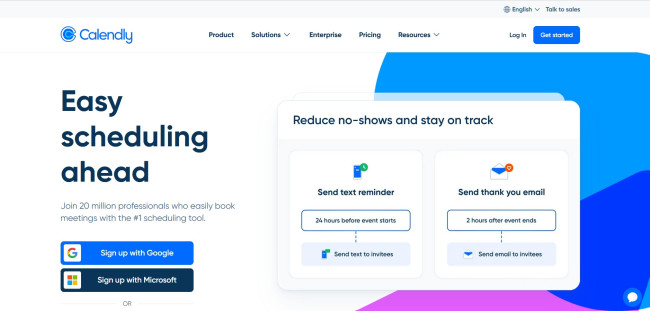
Calendly stands out as a popular tool for automating meeting scheduling. It eliminates the back-and-forth of coordinating availability, which is why it has been so widely adopted across various industries. The fact that it’s also easy to use and feature-rich certainly helps.
| Pros | Cons | Pricing |
|
|
|
Calendly has long been a go-to for simplifying meeting scheduling, but its recent AI enhancements have transformed it into a proactive assistant. The intent is to streamline the entire meeting lifecycle.
Calendly's AI features learn from your preferences and behaviors to optimize your calendar, reduce scheduling conflicts, and ensure that your time is used effectively.
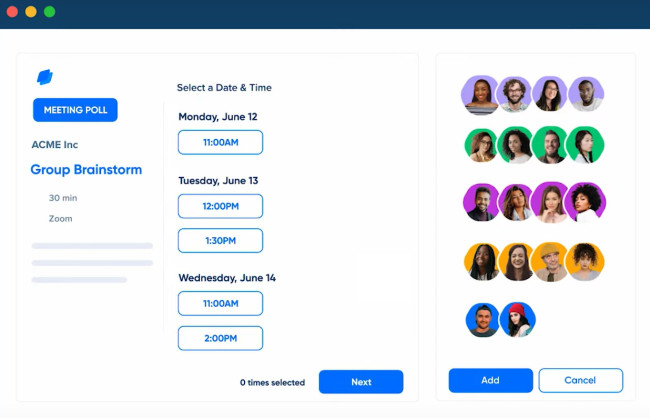
A feature that I really like is its ability to automatically adjust time for participants' time zones to minimize scheduling errors for global teams. I know what a nightmare that can be for businesses operating across different regions, so a tool that ensures meetings are scheduled at appropriate times for all attendees is a major win.
What’s more, Calendly offers customizable availability settings that let you define specific time slots, set buffer times between meetings, and limit the number of meetings per day for better workload management.
For team scheduling, Calendly's AI provides options like round-robin, collective, or pooled availability scheduling. These features make it easier to coordinate group meetings by selecting times that work for everyone, reducing the back-and-forth typically associated with scheduling.
It also sends automated email or SMS reminders to participants to reduce no-shows and last-minute cancellations.
I love that when a prospect books a meeting through Calendly, the system automatically generates a Google Meet link and adds the event to the company's Google Calendar. If this calendar is synchronized with their CRM platform, it enriches the prospect's email information and records pertinent details such as call notes and qualification fields.
What Users Say
Users generally have positive things to say about Calendly, stating how useful it can be to save time setting up appointments. “All the back-and-forth emails about when/where are gone,” says one user.
One person cautions that it's not as robust for filtering meeting requests as a dedicated tool and it's best for prospects to first go through an intake form.
Another user was more critical, saying that apps like Calendly may be more efficient, but they can be disrespectful by putting “the work onto the receiver”, when the sender is usually the one looking to set up the meeting in the first place.
Who’s It For?
Calendly is suitable for professionals and teams looking for streamlined scheduling processes. It's especially beneficial for sales, marketing, customer success, and recruiting teams that need to coordinate with clients and candidates efficiently.
Other Notable Features
- AI-powered smart availability that adjusts based on user behavior and preferences.
- Automated reminders and follow-ups to reduce no-shows.
- Integration with payment platforms like Stripe and PayPal for paid appointments.
- Analytics and reporting to track meeting metrics and team performance.
Other B2B Tools With Growing AI Capabilities
Several other platforms are also tapping into the power of AI to streamline operations, boost efficiency, and provide valuable insights for growth.
1. PARTNER2B: Streamlining B2B Partnerships with AI-Driven Insights
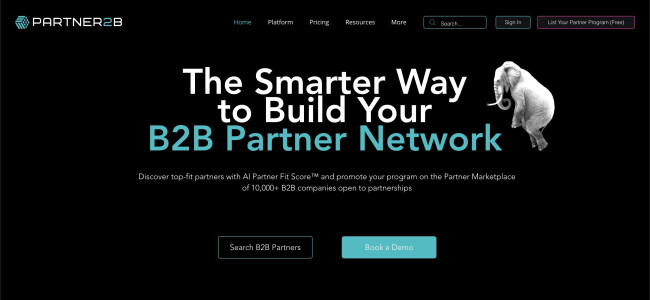
I recently explored PARTNER2B, and I must say, it's really useful for businesses looking to build or scale their B2B partner ecosystems. The platform is a comprehensive partner discovery and management system designed to streamline the entire partnership journey.
| Pros | Cons | Pricing |
|
|
|
Signing up was straightforward. I created a company profile and listed our partner program, making it visible to potential partners.
What stood out for me was the AI-powered Partner Fit Score. After entering my business details, the platform quickly suggested partners that were a solid match based on shared goals and market alignment.
This was a huge time-saver since I didn’t have to manually sift through countless partners. The AI did all the heavy lifting, and I could focus on those with the most potential.
The marketplace itself is huge: over 10,000 businesses listed, which made me feel like I was getting access to a broad pool of potential partners.
While the marketplace is great, I did feel that the partner search could be more customizable. For example, it would have been useful to have more detailed filters or advanced analytics to dig even deeper into potential partner profiles
Overall, my experience with PARTNER2B has been positive. It’s a solid platform for businesses looking to expand through partnerships, especially with its AI-powered matchmaking and user-friendly interface.
2. InfraHive: From Chaos to Clarity with AI
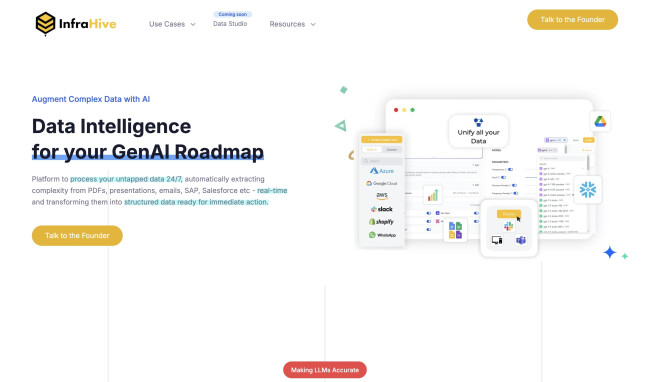
InfraHive bills itself as a data AI infrastructure layer that processes all your messy, scattered business data and turns it into something your LLMs can actually use.
It’s built to automate the hard part: ingestion, structuring, embedding, and even AI agent-triggered actions.
| Pros | Cons | Pricing |
|
|
|
Setup is pretty smooth. InfraHive provides connectors to major data sources like Gmail, SAP, Salesforce, SharePoint, etc. You can also upload data manually — PDFs, PowerPoints, Excel sheets, even scans. Once uploaded, their AI kicks in to parse, classify, and structure the data.
One thing I appreciated is that you don’t need to babysit the process. You get progress tracking and explanations for what the AI extracted and why, which builds trust.
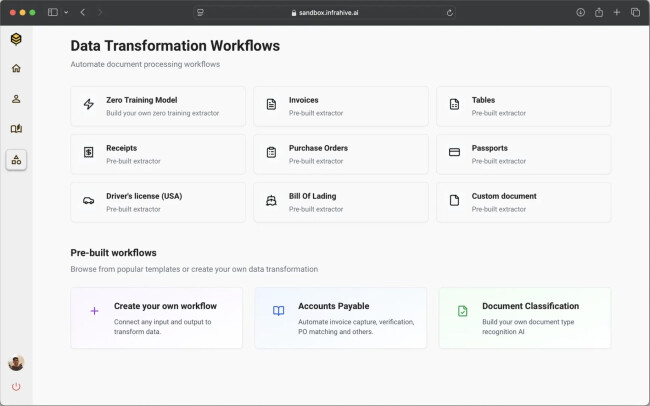
I also tested their retrieval system by asking natural language questions like “What are our Q1 payment terms with Vendor X?” or “Show me the latest renewal clause from any Acme contract.” The results were accurate, even across large datasets.
That said, it’s still evolving. The interface could use refinement, and more advanced use cases may require technical support.
InfraHive is a practical, behind-the-scenes tool for companies that are buried in unstructured data and want to bring AI agents into their workflows. If you're in finance, legal, compliance, or ops and need to automate high-volume document tasks, this tool really delivers.

Our team ranks agencies worldwide to help you find a qualified partner. Visit our Agency Directory for the top AI companies, as well as:
- Top AI App Development Companies
- Top AI Product Development Companies
- Top AI Web Design Companies
- Top AI Marketing Companies
- Top AI Market Research Companies
Our design experts also recognize the most innovative design projects across the globe. Given the recent uptick in AI tools usage, you'll want to visit our Awards section for the best & latest in AI website designs.
Best B2B AI Agents FAQs
1. How can AI enhance personalization in B2B marketing strategies?
AI can analyze vast amounts of customer data to spot patterns and preferences, then enable businesses to deliver highly personalized content and recommendations. This kind of personalization can lead to more engagement and higher conversion rates by addressing the specific needs and interests of each client.
2. How can a business determine which AI tool best aligns with its specific needs?
To choose the right AI tool, a business should clearly define its goals, ensure the tool integrates with existing data sources and supports required data types, assess whether it works with current systems and scales with growth, and review the vendor’s reputation, support, and ongoing development.
3. In what ways does AI contribute to improving B2B customer support services?
AI-powered tools can automate routine inquiries, provide instant responses through chatbots, and assist human agents with real-time information. This can dramatically improve response times and, ultimately, customer satisfaction. AI can even analyze customer interactions to identify areas for service improvement.