
I’ve worked with IT partners at every level, from scrappy local providers to global giants. The gap between the ones who protect your business and the ones who quietly drain it? It doesn’t start at onboarding.
It starts with the questions you ask before you sign.
Vetting IT Services Agencies: Key Findings
- Industry experience leads to fewer implementation issues and faster ROI. Always ask for measurable outcomes and industry-specific case studies.
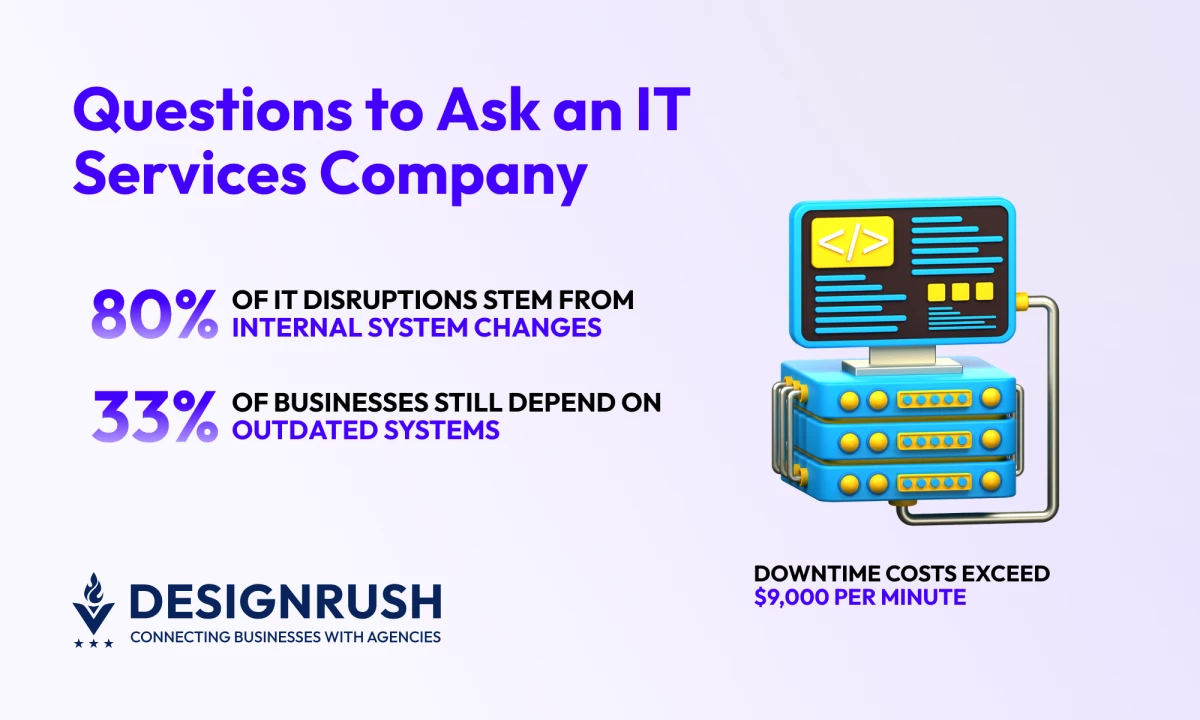
- With average software downtime now costing $9,000 per minute, insist on proven recovery metrics and quarterly drills, not vague backup plans.
- Legacy systems eat up to 80% of IT budgets; demand modernization roadmaps and post-launch hypercare that sustain performance beyond delivery.
Every IT partner looks capable during a pitch — that’s their job. The challenge is separating an agency's confidence from day-to-day reality.
I’ve learned that asking the right questions early is the only way to find out how potential agencies will handle change, protect uptime, and keep you in control of your own data.
1. How Deep Is Your Industry Experience, and What Results Have You Delivered?
I’ve seen IT vendors claim “cross-industry versatility” as if it’s a badge of competence. It’s not.
In fact, research shows that roughly seven in ten businesses encounter project delays because their vendors lack the right expertise for the job.
When I vet IT partners, I always ask for live examples of past work in my industry, not generic case studies or sanitized decks.
For instance, a healthcare client should expect HIPAA-compliant deployment experience. A retailer should hear about multi-location POS integration or endpoint management under PCI DSS.
If the agency can’t explain how they solved an industry-specific problem, they’ll be learning on your dime.
Ideal answer:
“We’ve delivered endpoint security and network automation for three retail chains with 100+ locations. Our last project cut manual patching time by 60% and achieved full PCI DSS compliance within six weeks.
We can walk you through the deployment stack, performance metrics, and lessons learned.”
That’s what credibility sounds like: quantifiable outcomes, clear methodology, and familiarity with compliance obligations.
Red flag: “We’ve worked with clients in various sectors and always adapt to each industry’s needs. Every business is unique, so we don’t like to generalize.”
That’s consultant-speak for “we haven’t actually done this before.” You’re not hiring an agency to learn your industry; you’re hiring them to help you avoid its known pitfalls.



2. Who Will Actually Manage Our Systems Day-to-Day?
I can’t count how many times I’ve walked into an account review and realized the senior engineer who sold the deal hadn’t touched the system in months. Unseen staffing swaps usually cause the biggest problems.
That’s why I ask this question every single time: Who, specifically, will manage our systems day-to-day, and what’s their seniority? I want names, certifications, and escalation paths.
Ideal answer:
“Your environment will be overseen by a dedicated systems engineer (10+ years experience) certified in Microsoft, Cisco, and AWS. You’ll have visibility into our org chart: who handles patching, security, and escalation.
Our NOC operates 24/7, and if your primary contact is unavailable, our tier-two engineer takes over with full access logs and handover notes. We’ll provide weekly performance summaries and monthly reports.”
Defined accountability, redundancy, and visibility into who touches your business infrastructure are signposts of operational maturity.
Red flag: “Our team handles everything collectively, so you’ll always be supported. Whoever’s on shift will take care of your requests.”
I’ve seen enterprise clients approve six-figure retainers, only to later discover that junior technicians were running mission-critical environments without oversight.
Conversely, the best vendors I’ve worked with document their staffing structure upfront: a senior systems engineer as the point of accountability, a clear escalation ladder, and named backups for continuity.
3. How Will You Integrate With Our Existing Systems and Remote Workforce?
I once worked with a mid-sized SaaS company that rolled out a simple cloud migration across 300 remote employees. No one asked how VPN access or endpoint monitoring would adapt.
Within two weeks, support tickets tripled and half the remote workforce couldn’t log in. That’s what happens when integration is treated as an afterthought.
Industry reviews of IT incident reports reveal a consistent pattern: around 80% of disruptions stem from internal system changes. The root causes are usually familiar: poor testing, weak deployment and change-control discipline, and misconfigured production environments.
Integration is where most IT projects stumble. Cutting-edge software tools won’t do much if your people, data, and systems don't actually work together.
Ideal answer:
“We start every engagement with a full systems audit, including legacy servers, SaaS licenses, VPN access, device management, and user groups. For remote teams, we design zero-trust access and single sign-on policies, so users can work securely from any location.
We’ve handled hybrid setups across 12 countries and 1,000+ endpoints. You’ll get a clear migration roadmap, rollback plan, and documentation of every integration touchpoint.”
That’s an agency that’s done the hard work before. Its team knows integration isn’t just about technology, but about continuity for every employee who depends on it.
Red flag: “We’ll assess compatibility as we go and adjust during deployment. Integration usually isn’t a big issue.”
That kind of answer means they haven’t faced the pain of retrofitting systems mid-rollout. “As we go” usually translates to as things break.
4. How Do You Handle Licensing and Third-Party Tools?
I’ve reviewed contracts where the “all-inclusive” IT service fee quietly excluded essentials like antivirus, endpoint monitoring, or cloud storage licenses, adding 20% to the actual cost.
Ideal answer:
“We’ll map every third-party dependency: software, security, monitoring, and productivity tools. Wherever possible, you’ll hold the licenses in your company’s name to maintain ownership and portability.
We include required tools as separate line items in your proposal, with transparent pricing and renewal schedules. If we supply the license, you’ll see the vendor cost and our management markup clearly stated.”
That’s operational transparency, and it shows the agency understands that hidden costs erode trust faster than technical failures.
Red flag: “We handle most of the tools on your behalf and include them in our service bundle. If anything extra comes up, we’ll let you know.”
That’s exactly how double billing and vendor lock-in happen. “Bundled” often means you’ll never see where your money actually goes until you try to switch providers.
5. What Security Frameworks and Compliance Standards Do You Follow?
I’ve seen an agency deploy cloud infrastructure for a financial client without MFA enforcement simply because “the client didn’t request it.”
That oversight triggered a breach two months later — a costly mistake, considering the global average cost of a data breach now exceeds $4.4 million.
Compliance isn’t something you react to; it’s something you embed in your daily operations.
Ideal answer:
“We align with ISO 27001 and NIST CSF frameworks across all clients. Every engineer completes annual security certification training, and we perform quarterly penetration tests through a third-party auditor. We maintain SOC 2 compliance and adhere to GDPR standards for data handling.
Our incident response service level agreement (SLA) guarantees acknowledgement within one hour and full remediation planning within 24. You’ll receive audit logs and compliance reports as part of your monthly deliverables.”
That’s an organization where security discipline is an established system. They’ve built process, governance, and accountability around every control.
Red flag: “We take security very seriously and follow best practices. Our team keeps up with the latest standards, even if we’re not formally certified.”
In contrast, this is corporate wallpaper. “Best practices” without frameworks means there’s no measurable baseline, and no way to prove they’re doing what they claim.
6. How Do You Guarantee Business Continuity During Outages or Breaches?
Industry research shows that over 90% of mid-sized and large organizations now face downtime costs exceeding $9,000 per minute. This figure excludes potential legal or compliance fallout.
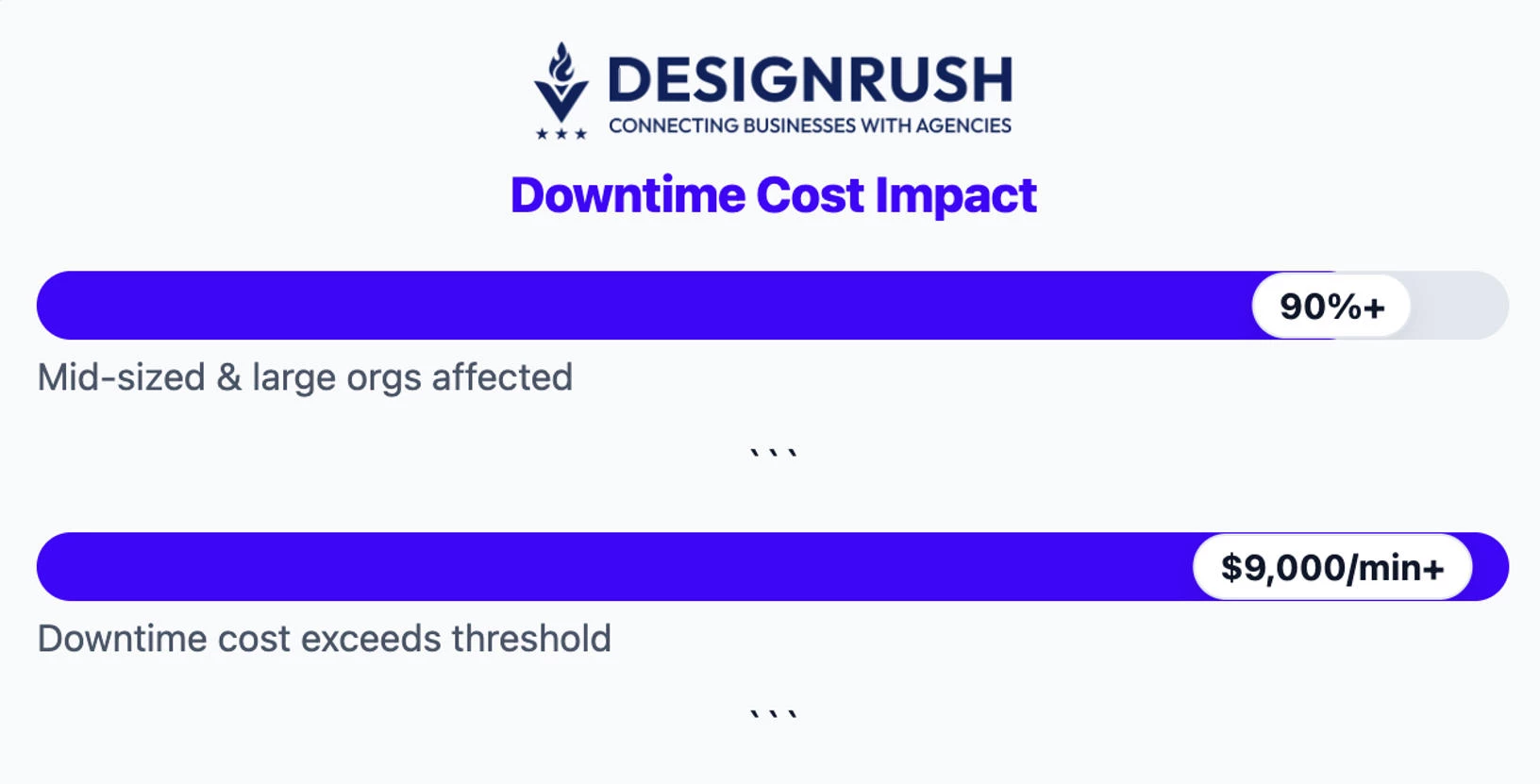
Downtime isn’t just inconvenient; it’s financially catastrophic.
This is why I never ask if vendors have a recovery plan. Instead, I ask how often they test it, who owns it, and whether their RTO (Recovery Time Objective) and RPO (Recovery Point Objective) are proven.
Ideal answer:
“We maintain a tiered business continuity framework aligned with ISO 22301. Every client environment has defined RTO and RPO targets, typically 4 hours for critical systems, 24 for secondary workloads. Backups are encrypted, stored in two geolocations, and tested quarterly via full recovery simulations.
Our incident response plan activates within 30 minutes of detection, and clients receive hourly status updates until systems are stable. We’ll share documentation and post-mortem reports after each event.”
Every company eventually faces downtime, whether from cyberattacks, provider outages, or human error. The difference between a brief disruption and a week-long shutdown is how well your partner plans for failure.
Red flag: “We perform regular backups and have recovery tools in place. If anything happens, we’ll work to get you back online as quickly as possible.”
That answer sounds comforting, until you realize “regular” could mean “whenever someone remembers,” and “as quickly as possible” means there’s no measurable recovery target. Without tested contingencies, you’re gambling with your uptime.
7. How Do You Handle Pricing Transparency, Scope Changes, and Budget Overruns?
Nearly a third of projects exceed their budgets due to poor scope management, and I want to know my vendor has a proven way to keep us out of that statistic.
When I evaluate agencies, I want to know how they track scope, who approves deviations, and how budget forecasts evolve as requirements shift. Mature vendors can explain this clearly; immature ones hide behind jargon and optimism.
Ideal answer:
“We define scope and pricing in modular units, where each deliverable is tied to a milestone with transparent hours, costs, and dependencies. Change requests follow a documented path: we assess impact, re-estimate, and secure written approval before work begins.
Budget performance is reviewed biweekly with burn-rate reports shared to your dashboard. Our goal is no financial surprises.”
This response signals operational maturity. It shows financial discipline, client visibility, and a proactive process for managing the inevitable friction between project scope and business needs.
Red flag: “We’re flexible with changes and adjust the pricing as needed once we understand the new requirements.”
“Flexible” often means “undefined,” and “as needed” usually translates to “after you’re committed.” If pricing clarity depends on goodwill, expect overruns and tense conversations halfway through delivery.
8. How Do You Scale Infrastructure as We Grow?
A retail client I worked with hit a breaking point during a holiday surge, and their cloud environment collapsed under traffic it wasn’t built to handle.
The IT provider’s response? “We didn’t anticipate that level of demand.” That outage cost them thousands of dollars in missed sales and shaken investor confidence.
Ask potential IT partners how they plan capacity, what triggers expansion, and how they prevent scale from inflating costs faster than revenue.
Ideal answer:
“We design infrastructure with elasticity from day one using autoscaling groups, load balancers, and cost-optimized cloud tiers. We track utilization thresholds and trigger scale events automatically before performance dips.
Every quarter, we run capacity planning sessions aligned with your business forecasts, so infrastructure evolves with your growth.”
That’s the answer of a partner who understands that scalability is both a technical and financial discipline. They plan ahead, automate wisely, and treat performance as a leading indicator of growth readiness.
Red flag: “We’ll upgrade your servers or increase cloud capacity as needed when usage grows.”
A vendor that doesn’t plan for scaling or control costs will always be playing catch-up. When your business grows, you’ll end up paying extra.
9. How Do You Help Clients Adopt New Technologies or Retire Legacy Systems?
I once audited a manufacturer still running on a dusty Windows Server 2008 buried in storage. One missed patch brought production down for two days.
They’re far from alone: around one in three businesses still depend on legacy systems, and maintaining those outdated platforms can consume as much as 60% to 80% of the IT budget. This operational risk compounds over time.
The best IT partners know what systems to retire, what to replace, and how they help teams adopt the change.
Ideal answer:
“We start every modernization project with a full application and dependency audit to assess risk, cost, and ROI. From there, we design a phased migration plan, prioritizing critical systems first and retiring legacy components gradually.
Our change management includes staff training, sandbox testing, and rollback contingencies to minimize disruption. For legacy systems that can’t be replaced immediately, we isolate and harden them until transition is complete.”
That’s what a true partner sounds like: structured, strategic, and pragmatic. They don’t chase shiny tech; they balance modernization with business continuity and workforce readiness.
Red flag: “We’ll update or replace your old systems as needed once we assess your setup.”
That’s the kind of vague answer that hides chaos behind confidence. If a vendor can’t explain how they manage transition risk, expect resistance from your team and a half-modernized stack that still costs you like a legacy one.
10. What Kind of Post-Launch Support Do You Offer?
Post-launch support decides whether your system improves or erodes. I ask vendors for precise details like who’s on call, how fast they respond, and what’s guaranteed in writing.
Ideal answer:
“We offer tiered post-launch support: 30 days of hypercare followed by ongoing maintenance SLAs. During hypercare, clients get direct access to senior engineers with a 2-hour response target.
After that, we transition to managed support with defined uptime, monitoring, and escalation paths. Every incident is logged, reviewed monthly, and tied to continuous improvement goals.”
That’s a partner who understands the operational lifecycle. They plan for what happens after launch, when user behavior, integrations, and updates start testing the system’s resilience.
Red flag: “We’ll help fix any major issues that come up after launch, just reach out if something breaks.”
That sounds friendly until it isn’t. It means you’re now the project manager, the QA team, and the escalation point. Without defined SLAs, your uptime depends on someone’s availability, and not your business needs.
Questions to Ask IT Services Agencies: Final Thoughts
The smartest CEOs don’t just ask what a partner can do; they ask how and who will do it. It’s a mindset that transforms every contract into a roadmap for accountability, innovation, and measurable results.
Find More Agency Hiring Resources:
- WordPress vs. Custom CMS Web Development Agency: Choosing the Right Platform for Your Business
- In-House vs. Outsourcing Software Development: What to Choose for Your Company
- Building a Practical Budget for Mobile App Development
Use these ten questions to separate teams that sell IT from those that actually safeguard it. The answers reveal character, accountability, and the kind of partnership your business deserves.
Our team ranks agencies worldwide to help you find a qualified partner. Visit our Agency Directory for the top IT services companies, as well as:
Questions to Ask IT Services Agencies FAQs
1. What’s the biggest red flag in IT vendor contracts?
Vague language around “support” or “scope flexibility.” It gives vendors leeway to charge extra or delay fixes. Insist on defined SLAs and change-control procedures.
2. How do I compare multiple IT vendor proposals effectively?
Standardize evaluation criteria: include scope clarity, security certifications, RTO/RPO targets, and named resources. This levels the field and exposes inflated pricing.
3. How can I tell if an IT partner is overpromising during the pitch?
Ask for proof in numbers. If they claim “99.99% uptime,” request evidence from monitoring reports or client references. Experienced vendors speak in tested benchmarks and can explain the trade-offs behind every claim.