
A privacy policy can disclose every tracker on your site and still leave you exposed the moment the page loads.
In 2026, privacy compliance for websites also depends on when your trackers fire. Under emerging CIPA theories, plaintiffs argue that tags loading before consent can support claims for $5,000 in statutory damages per violation.
Unlike the CCPA, CIPA has no revenue or traffic threshold, so even a 15-page site can face a claim. The good news is that much of the practical risk comes down to configuration, and a ten-minute audit can reveal the most obvious gaps.
Website Privacy Compliance in the US: Key Findings
- California regulators secured more than $19 million across five recent CCPA enforcement actions involving failed opt-outs, GPC handling, vendor controls, and data minimization.
- CCPA compliance doesn’t prevent CIPA claims when third-party tools transmit data before consent; plaintiffs may seek $5,000 per violation.
- Twelve states require covered businesses to honor browser-based opt-out signals, and California now requires visible confirmation.
- Lower-risk setups initialize consent before dependent tags, block nonessential scripts, and preserve timestamped records; CMPs help maintain those controls as tags, teams, and jurisdictions multiply.
What US Privacy Law Requires in 2026
Five years ago, website privacy compliance in the US meant California. The patchwork of US website privacy regulations now extends across more than twenty states; four more passed privacy laws in 2026, and thresholds keep dropping.
There is no comprehensive federal consumer privacy law or general federal cookie-consent law, although congress keeps trying. The current attempt, the SECURE Data Act (H.R. 8413), was introduced in April 2026 and is given a tiny chance of passing. So, plan around the states.
Privacy compliance requirements for websites vary widely by state, but the controls that affect your site make for a short list.
The State Rules That Change What You Build
Nearly every state law gives residents the same core rights: access, deletion, correction, portability, opt-out, and freedom from discrimination for exercising them.
For a website, that translates into four things:
- A privacy notice that describes what you collect and why, updated at least annually
- A working opt-out mechanism for sale, sharing, and targeted advertising, reachable from every page
- Opt-in consent before processing sensitive data, and before processing data from minors
- Recognition of browser-level opt-out signals in the states that require it
A few states break the pattern:
- Texas has no numerical threshold but generally exempts small businesses, except when they sell sensitive data
- Montana and Rhode Island have the lowest thresholds in the country. Montana starts at 25,000 consumers; Rhode Island reaches businesses handling 10,000 residents' data (if more than 20% of revenue comes from selling it)
- Maryland bans the sale of sensitive personal information outright rather than requiring consent for it
- Florida's law reaches only very large technology companies, so most sites can set it aside
California added new regulations on top of this in January 2026 covering automated decision-making, risk assessments, and cybersecurity audits, which has a big impact on hiring or lending algorithms. They have almost nothing to do with your consent banner, and the compliance dates run out to 2030.
Global Privacy Control: Twelve States Where a Browser Signal Is Legally Binding
Global Privacy Control is a header a browser sends on every request, readable as Sec-GPC: 1. Brave enables GPC by default, while Firefox users can turn it on in their privacy settings, so your site might already be receiving the signal even if it doesn’t respond.
Twelve states now require you to treat that signal as a valid opt-out:
- California, since 2023 under the CPRA regulations
- Colorado, since July 2024
- Connecticut, Montana, and Texas, since January 2025
- Delaware and Oregon, since January 2026
- Maryland, Minnesota, Nebraska, New Hampshire, and New Jersey, phased in across 2025 and 2026
Colorado runs the only formal approval process for these signals, and GPC is the sole mechanism on its list. That has made it the default everywhere else.
One change landed in January 2026 that many implementations have yet to catch up with. California now requires a visible acknowledgment that an opt-out signal was processed, so handling GPC silently no longer satisfies the regulation. California already makes clear that closing a banner or continuing to browse doesn’t amount to affirmative consent.
Will Newmark, Senior Legal Counsel at Usercentrics, says the only workable approach is a single setup that adapts by location.
"One configuration, applied differently by geolocation — that's the only version of this that holds.” He says you need a consent layer that detects where the visitor is and applies the right model, with framework updates maintained for you rather than re-implemented by your dev team each time a state moves.
“California is the baseline, not a special case,” he adds.
Who Is Getting Fined, and What They Got Wrong
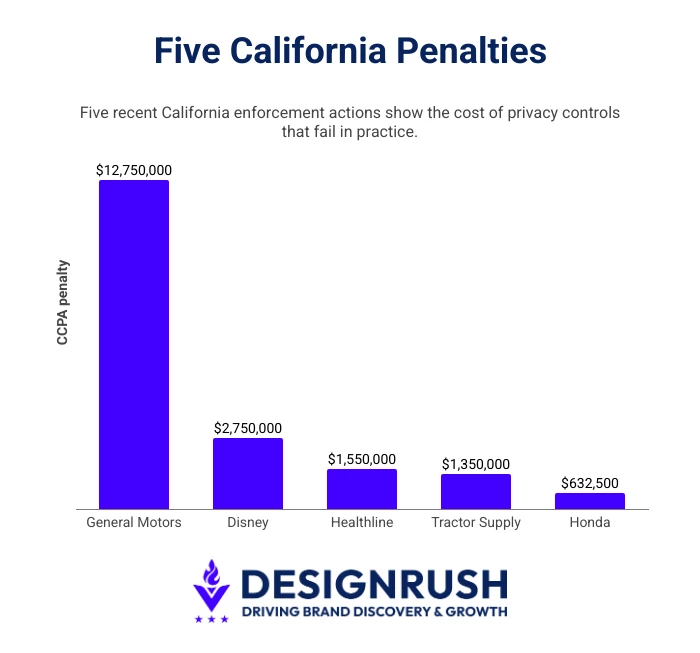 California can impose CCPA penalties of up to $2,663 per violation, rising to $7,988 for intentional violations or those involving consumers known to be under 16.
The total can escalate quickly across a large customer base:
- Healthline, $1.55M: Opt-outs including GPC signals didn't work, and trackers kept sending data to advertising partners after consumers opted out.
- Tractor Supply, $1.35M: Broken opt-out mechanism, no opt-out preference signal handling, missing service provider contract terms, privacy notice that omitted job applicants.
- Honda, $632,500: Cookie banner let visitors accept in one click but required several to decline, plus oververification on opt-out requests and missing ad tech contracts.
- Disney, $2.75M: Opt-outs applied only to the device that submitted them, and opt-out preference signals weren't treated as valid requests.
- General Motors, $12.75M: Sale of connected-car location and driving data to data brokers, the largest CCPA penalty to date and the first data minimization case.
Several had privacy notices and opt-out mechanisms in place, but those controls did not work as required. But Healthline's trackers kept transmitting after the banner logged a rejection, and Tractor Supply's opt-out mechanism didn't work at all. The tools were there, but the verification wasn't.
Why a CCPA-Compliant Website Can Still Face a CIPA Claim
Everything in the previous section started with a regulator. An agency opened an investigation, the business responded, and a settlement landed months or years later.
CIPA skips all of that because there is no agency, no investigation, and no chance to fix the problem before the claim arrives. A California resident visits your site, records which third-party tools load before any interaction, and could use that evidence as the basis for a CIPA demand or claim.
CCPA vs CIPA: What Each Law Governs
CCPA and CIPA get discussed together because both involve tracking. They regulate different conduct and fire on different conditions.
The CCPA (California Consumer Privacy Act), enforced by a regulator:
- Governs the sale and sharing of personal information
- Enforced by the California Attorney General and CalPrivacy
- Triggered by inadequate notice or an opt-out that doesn't work
- Civil penalties of $2,663 or $7,988 per violation, assessed by a regulator
- No private right of action outside certain data breach claims
CIPA (California Invasion of Privacy Act), enforced through private lawsuits:
- Governs interception of communications, written in 1967 for telephone wiretapping
- Enforced by private plaintiffs, not a regulator
- Triggered when a plaintiff alleges a third-party tool intercepted communication contents (§ 631) or captured routing data as a pen register (§ 638.51) without prior consent
- Statutory damages of $5,000 per violation are available, though courts have divided on what counts as a violation
- Private right of action, no cure period
A CCPA-compliant site gives clear notice, offers a working opt-out, and honors GPC signals. It can do every one of those things while analytics, advertising pixels, and a chat widget load on page one. Under CIPA, that sequence is what plaintiffs point to.
A site can pass a regulator's audit and receive a demand letter the following week.
How the Letters Work
The letters read as though someone studied your business but, almost always, nobody did.
"Most of these letters aren't the product of anyone reviewing your business," Newmark says. "They're templated and produced at volume." He describes a largely paralegal-driven process: capture network traffic, spot a tracking script, send a near-identical letter citing CIPA Section 631 or 638.51, with a settlement demand and 20 to 30 days to respond.
What makes it work, he explains, is that CIPA carries a private right of action with no regulator, no cure period, and no requirement to show harm. "At $5,000 per violation, the demand is priced against your cost of defense, not the merits."
You don't need customers or an office in California, just having a publicly accessible site can draw a claim, though jurisdiction and California contacts still matter.
Courts have yet to resolve whether a statute written for telephone wiretapping reaches website software. Rulings have gone in both directions, appeals are pending in California, and a definitive answer is unlikely to arrive soon.
The letters keep coming in the meantime, because the economics hold up whichever way the law lands.
For a quick first look at the trackers running on your site, use Cookiebot’s free cookie checker to receive a full report in under two minutes.
Two things worth checking before you need them:
- Your arbitration clause and class action waiver: Class certification is what turns individual $5,000 claims into eight-figure exposure, so an enforceable waiver changes settlement leverage considerably.
- How users actually accept your terms: A weak assent process cuts the other way. An agreement nobody meaningfully accepted can make your consent defense worse rather than better.
What to Do If One Arrives
The first 72 hours are the most critical. Here’s what you can do:
- Preserve the letter and relevant evidence. Ask counsel whether to issue a formal litigation hold and suspend routine deletion of logs, tag configurations, and consent records.
- Avoid contacting the claimant or their firm until qualified counsel has reviewed the demand. Once retained, counsel can handle further communication.
- Do not respond to or pay the demand before counsel has evaluated the allegations, available defenses, and settlement position.
- Preserve evidence of the banner and tag configuration before changing it. Counsel can advise what to document and when to begin remediation.
- Capture a non-destructive audit of the current configuration, listing third-party requests made on page load, the consent state at the time, and any data transmitted before consent.
- Identify the sending firm. Counsel familiar with it may understand its strategy, track record, and likely posture.
- Review whether your cyber liability or general liability policy may cover the claim, and notify your insurer or broker within any required timeframe. Late notice can affect coverage.
- Check what the claimant actually did on your site. A page visit presents different facts from submitting a form, running a search, or opening a chat. Section 631 claims generally depend on the alleged interception of communication contents, while §638.51 claims concern routing, addressing, or signaling data.
Fixing the site afterward isn’t an admission that the earlier configuration was unlawful. Businesses update compliance practices constantly as laws, technology, and risk tolerance evolve.
What that fix involves is mostly a question of load order.
A Lower-Risk Website Configuration
A consent banner can display the right language and record what a visitor clicks without controlling every tracker behind it. On a poorly configured site, GA4, the Meta Pixel, or a chat widget might connect to a third party before the visitor makes a choice.
That gap between page load and consent is central to many CIPA demands. Reducing it requires coordinated consent logic, tag controls, and testing (not merely adding a banner).
- Technical requirements for a lower-risk setup
- How consent mode affects Google Ads measurement
- The 10-Minute audit: See your site the way a plaintiff's firm does
- Six ways website privacy compliance breaks down
Technical Requirements for a Lower-Risk Setup
Meeting privacy compliance requirements for websites cannot guarantee protection from a CIPA claim, but a conservative technical setup should include the following:
- The CMP or consent logic initializes early enough to set the correct state before dependent tags can transmit data.
- For a conservative pre-consent posture, nonessential third-party tags remain blocked until the visitor affirmatively consents. Closing the banner or continuing to browse does not grant affirmative consent.
- Google tags follow the Basic or Advanced Consent Mode configuration the business has deliberately selected.
- The CMP detects GPC during initialization, applies the relevant opt-out state, and displays confirmation where required.
- Consent preferences are stored with an appropriate expiry period and tested across browsers, including Safari. No first-party storage should be assumed to survive Intelligent Tracking Prevention indefinitely.
- Consent choices are written to timestamped, exportable records that identify the banner version and categories accepted or rejected.
- The site is rescanned and retested whenever tags, templates, plugins, or campaign tools change.
Loading the GTM container doesn’t mean every tag inside it fires. GTM can load while consent defaults and tag-level checks determine how individual tags behave. The risk arises when consent initializes too late, tags lack the necessary checks, or third-party scripts bypass the consent setup entirely.
An EU configuration also doesn’t automatically cover the US because GDPR implementations tend to begin from an opt-in model, while most US state laws use opt-out rights and require additional handling for signals such as GPC. Separate regional rules have to be configured and tested, even when one CMP manages both.
How Consent Mode Affects Google Ads Measurement
Consent Mode v2 is often described as mandatory when its actual role is more specific. Google requires a certified CMP for publishers using AdSense, Ad Manager, or AdMob to serve personalized ads in the EEA, UK, and Switzerland. That requirement doesn't apply merely because a site advertises to US visitors.
Consent Mode can still help advertisers communicate user choices to Google and limit the measurement lost when tracking is restricted. It doesn’t obtain consent, provide a legal basis for tracking, or make every unobserved conversion reappear.
When Google tags are hard-blocked without Consent Mode:
- Conversions from non-consenting sessions are not directly recorded by those tags
- Remarketing audiences contain fewer eligible users and may shrink
- Reported attribution can favor channels whose visitors consent at higher rates, making performance comparisons less reliable
Google provides two Consent Mode implementations, and the distinction matters:
- Basic Consent Mode blocks Google tags until the visitor interacts with the banner. If consent is denied, no data is sent to Google. This is more consistent with a hard-blocking approach but provides less detailed modeling.
- Advanced Consent Mode loads Google tags with consent set to denied and sends measurements without cookies until consent is granted. This supports more detailed modeling, but it's not the same as preventing all pre-consent requests.
The 10-Minute Audit: See Your Site the Way a Plaintiff's Firm Does
Demand letters don't follow a careful reading of your privacy policy, but an automated scan checking one thing: whether your site sends data to third parties before the visitor agrees to anything.
You can run the same check yourself.
- Open your site in a fresh incognito window so no prior consent is stored.
- Open DevTools and switch to the Network tab.
- Reload the page. Don't touch the banner.
- Filter the request list for "facebook," "google-analytics," "googletagmanager," "tiktok," "hotjar," and "clarity."
- Anything returning a request before you click Accept is worth investigating.
Not every pre-consent request is a problem. Your CMP itself, your CDN, and security tooling all load early by necessity. What you're looking for is advertising, analytics, session replay, and chat traffic firing before anyone agreed to it.
Run it on the homepage, then on a form page and a checkout or contact page. Tags often differ by template, and the pages carrying the most sensitive input are the ones showing up in complaints.
This catches the obvious cases, but not trackers proxied through your own domain, renamed endpoints, or server-side tagging, and those are exactly what a plaintiff's automated scan is built to find.
What that scan usually turns up is consistent enough that practitioners can predict it.
Newmark says the consistent pattern is advertising pixels, session replay tools, third-party chat widgets, and analytics scripts all loading the moment the page renders. Owners are usually surprised, and the reason is almost always the same.
"Tags were added through a tag manager months after anyone last looked at the consent setup, so the banner is decorative rather than functional." Those four categories, he adds, are exactly what the demand letters name.
Six Ways Website Privacy Compliance Breaks Down
The same failures repeat across enforcement actions and demand letters.
- Treating California as the whole job: Twelve states require covered businesses to recognize universal opt-out signals, although applicability rules vary. Honoring GPC for every visitor can be simpler than maintaining separate state logic.
- A banner that displays but doesn't block: Load the site fresh, decline, and watch the network tab. If requests keep going out, the banner is documenting an intent your site isn't meeting.
- Filing marketing tools under "strictly necessary": Necessary means the site breaks without it. Analytics, advertising, and personalization don't qualify.
- Leaving session replay, heatmaps, and chat ungated: These capture what a visitor types and clicks, which is why they show up in demand letters so often. Gate them like advertising pixels.
- Cookie disclosures that don't match the site: Name the tools actually running, and update the list when the stack changes.
- Setting it up once and never checking again: Re-scan on a schedule. The CPPA's Tractor Supply order required quarterly scans of every digital property.
Five of these are setup problems you can fix in an afternoon, but the sixth is why they come back. A configuration that passes today drifts the moment someone adds a campaign pixel, a vendor updates a script, or a state changes its rules.
3 CMPs Evaluated for US Privacy Risk
Every platform here can help manage privacy compliance for websites, and each can block a tracker before consent. The difference comes over the following year as tags get added, states change their rules, and nobody re-checks.
That maintenance is what's worth paying for, so rather than feature counts, these three tools are judged on five things:
- Does it enforce consent at the script level, or only record what the visitor clicked
- Does it load and initialize before the tag manager
- Does it detect GPC at initialization and display the confirmation California now requires
- Does it produce timestamped, exportable consent records
- Does it apply different rules by state without a developer rebuilding the logic each time
None of these covers core US website compliance on its own. US setups default to opt-out, so trackers can still fire before a visitor decides. If CIPA is your concern, you'll need to configure stricter blocking and then test that it actually worked.
The decision to build or buy a CMP for US website privacy compliance comes down to whether one owner can reliably manage the tags, jurisdictions, and contributors involved.
| Factor | Build and Maintain In-House | Buy a CMP |
| Tracking stack | Few, stable tags | Tags change frequently |
| Ownership | One technical owner | Marketing, developers, and agencies share access |
| Regional rules | One conservative rule for every visitor | Different state or regional configurations |
| Consent records | Your team can maintain exportable records | Records need to be standardized and readily available |
| Testing | Every change can be manually audited | Automated scans and ongoing monitoring are needed |
If most of the right-hand column sounds familiar, the value of a CMP is not the banner. It's keeping consent logic, records, and maintenance in one system.
On that basis, three platforms are worth a look:
- Cookiebot: Best for automated blocking and regional consent rules
- Osano: Best for rights requests and vendor risk management
- Termly: Best for affordable consent controls on a single site
1. Cookiebot: Best for Automated Blocking and Regional Consent Rules
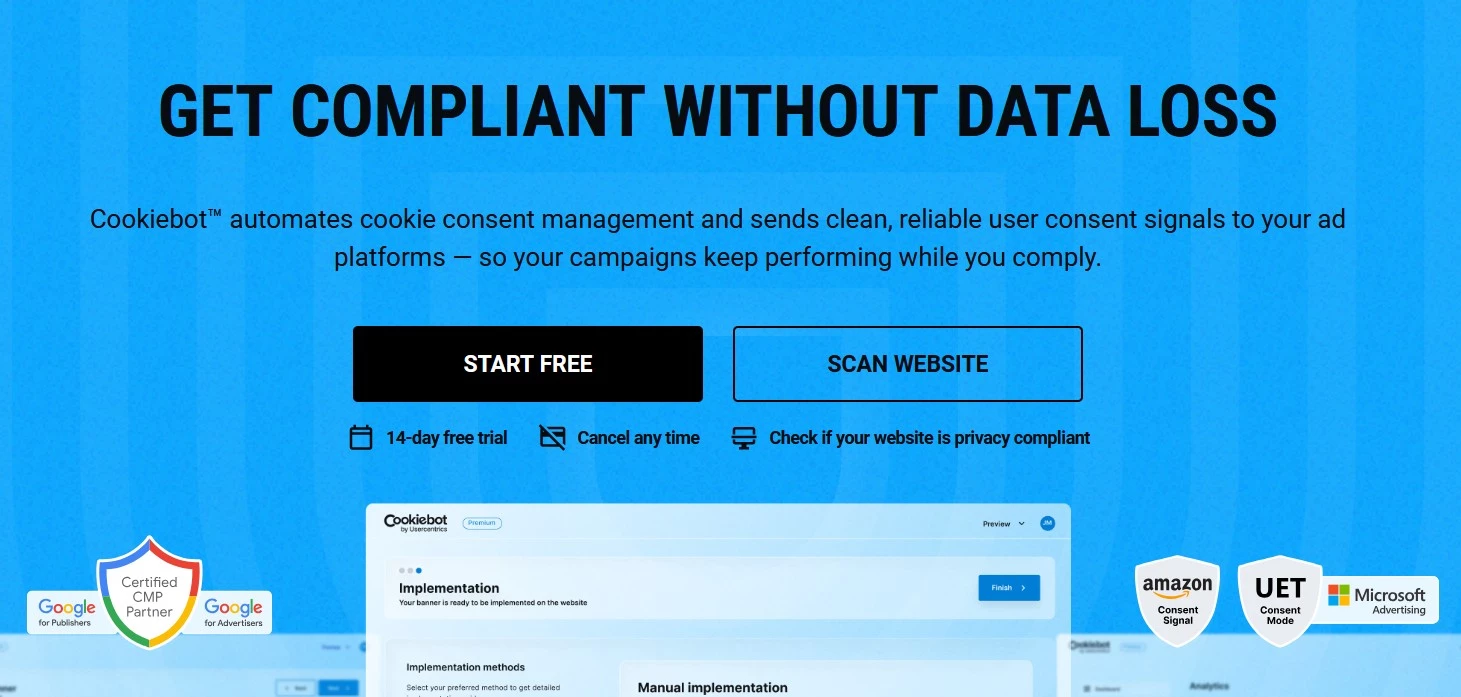
Cookiebot addresses several common gaps in privacy compliance for websites. When properly configured, it controls pre-consent scripts, responds to GPC, confirms California opt-outs, and records each consent decision.
Monthly scans help identify configuration drift as teams add new tags, but the protection still depends on implementation. Cookiebot should load early in the page source, outside the tag manager, to ensure pre-consent blocking works as intended. Unclassified trackers also require manual review.
Its main value for US privacy compliance is consistency: one consent layer can manage tag timing, state-specific rules, GPC, and evidence as the website and regulatory landscape change.
Pros
- Monthly scans on Premium plans flag newly detected and unclassified trackers for review
- Honors GPC automatically and shows the on-banner confirmation California has required since January 2026
- Runs EU opt-in and US opt-out experiences from one deployment through geotargeted configurations
Cons
- Pricing is based on each domain or subdomain and its subpage count, so costs can rise across a large website portfolio
Pricing
- Free: One domain, up to 50 subpages
- Premium: Starts from $8 to $96 per domain per month, by subpage count
- 14-day Premium trial
See how it compares on price and features in our comprehensive guide to the best consent management platforms.
2. Osano: Best for Rights Requests and Vendor Risk Management
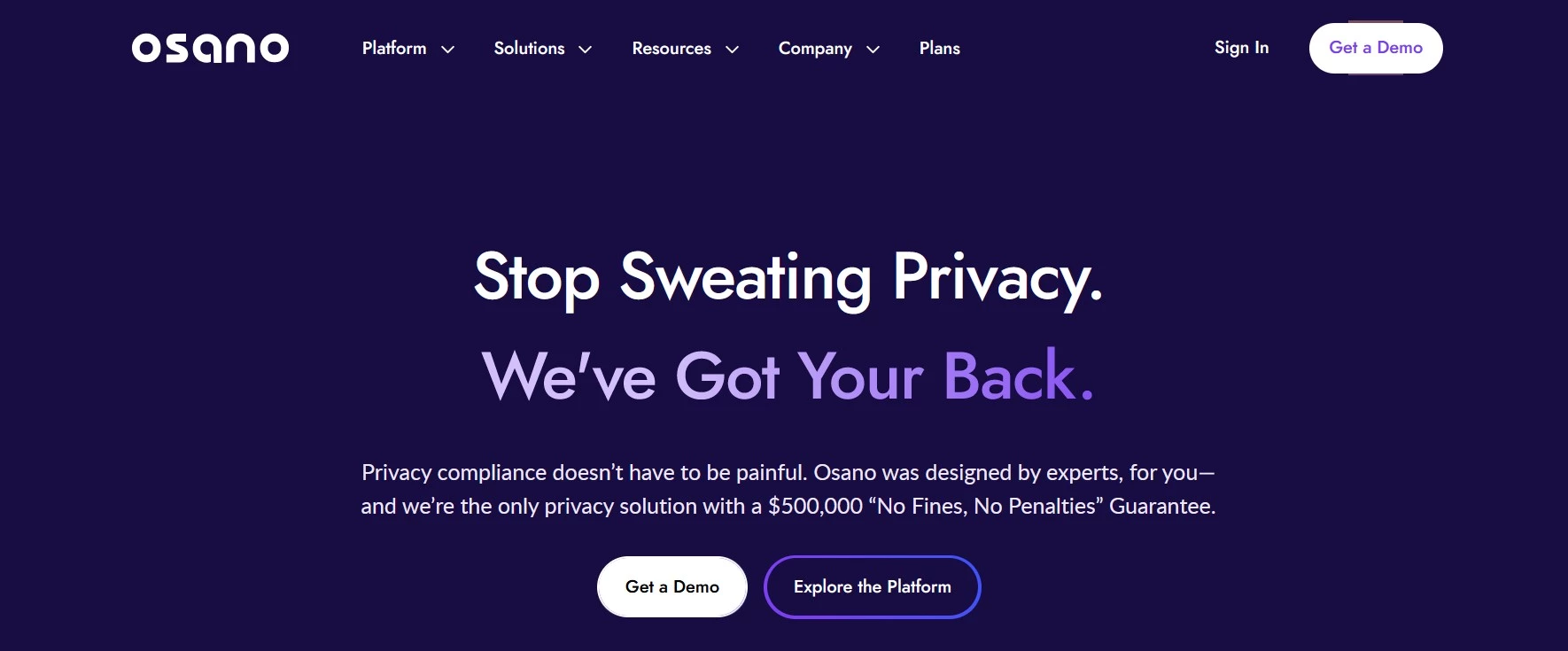
Osano is the stronger fit when website consent forms part of a wider US privacy program. Its higher tiers combine consent records with rights-request workflows and vendor scoring, helping teams manage both visitor choices and the third parties receiving their data.
That oversight is important because CCPA enforcement often reaches third-party arrangements. Honda was cited in part for sharing personal information with ad tech companies without contracts containing the required privacy protections, and Tractor Supply for the same failure with service providers.
Osano also offers up to $500,000 in coverage for qualifying regulatory fines. The guarantee applies only to eligible plans, depends on meeting its terms, and doesn't cover private CIPA demands.
Pros
- Manages rights-request intake, verification, deadlines, and fulfillment workflows, with some actions automated where connected systems support them
- Scores and monitors vendors, with alerts covering breaches, litigation, and privacy-policy changes
- Offers eligible customers up to $500,000 in coverage for qualifying regulatory fines
Cons
- Free and Plus are primarily consent-management plans; full rights-request, data-mapping, and vendor-risk capabilities require custom pricing
- The guarantee is unavailable on Free and Plus, depends on meeting its terms, and does not cover private CIPA claims
Pricing
- Free: One domain and 5,000 monthly visitors
- Plus: $199 per month; three domains and 30,000 monthly visitors
- Basic Privacy and advanced modules: Custom pricing
3. Termly: Best for Affordable Consent Controls on a Single Site
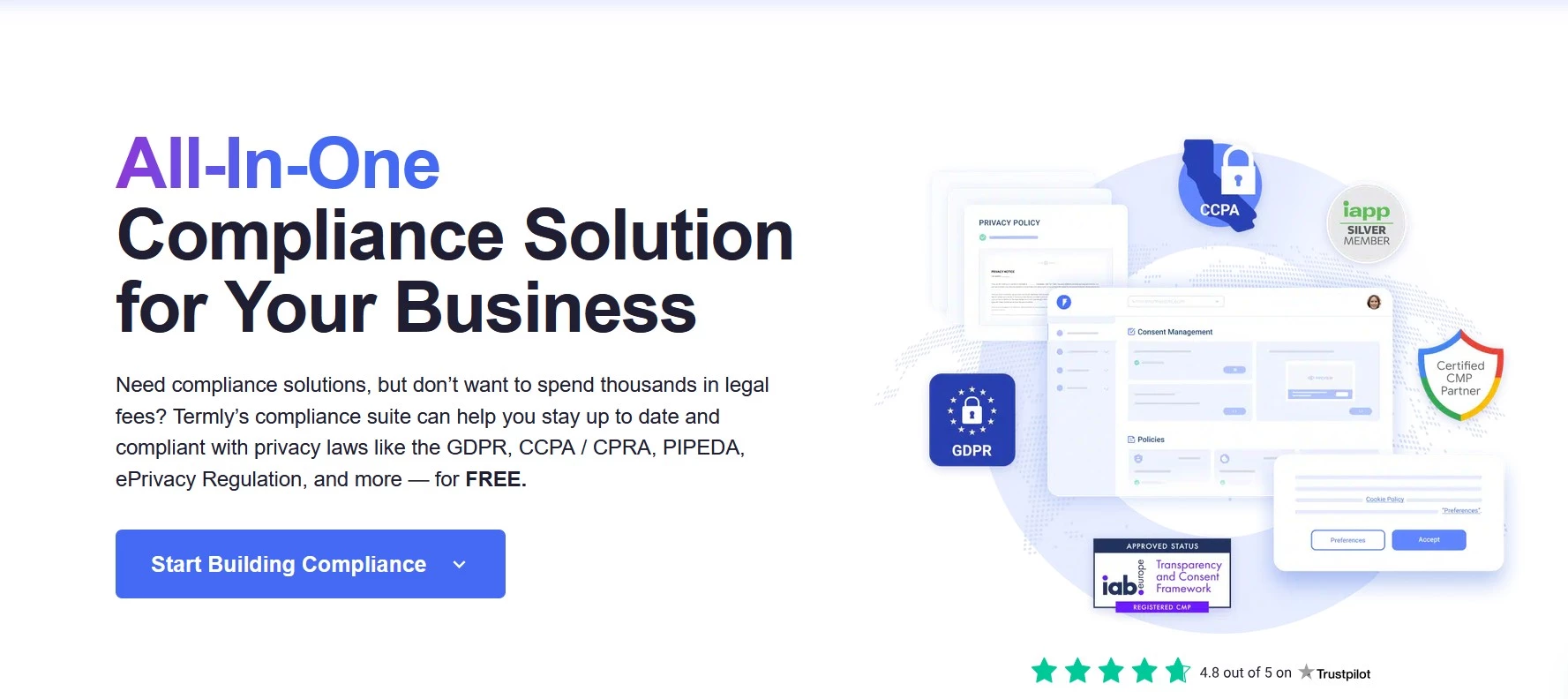
Termly is a lower-cost option for a single website. When configured for prior consent, its Auto Blocker holds detected nonessential scripts until the visitor opts in. Scripts it can't categorize are assigned to “Unclassified” and blocked by default, although this can disrupt site functions until required scripts are reviewed.
Termly is sensitive to implementation: it must load before other scripts, and GTM tags require separate consent settings. Pro+ adds regional rules, Google Consent Mode v2, consent logs, and weekly scans. GPC must also be enabled for the relevant regions; once enabled, Termly applies the opt-out and displays California’s required confirmation.
Pros
- Blocks detected, unclassified scripts by default
- Free tier includes a banner, Auto Blocker, and quarterly scans
- Pro+ adds weekly scans, regional rules, Consent Mode v2, and consent logs
Cons
- Auto Blocker does not automatically control tags injected through GTM
- Plans are licensed per website, and blocking can disrupt functionality until scripts are reviewed
Pricing
- Free: 10,000 monthly banner views
- Starter: $10 per month; 50,000 views
- Pro+: $15 per month; unlimited views
What US Website Privacy Compliance Comes Down To
Every month you leave trackers ungated adds another month of visits a plaintiff could point to, while US website privacy regulations keep multiplying. Fixing it now costs an afternoon and a subscription. Fixing it after a letter costs whatever the letter says, plus the afternoon.
Disclaimer: This article does not contain the equivalent of legal advice and is only for general educational purposes only. For any legal questions or actions, readers need to consult with their legal counsels.

Our team ranks agencies worldwide to help you find a qualified partner. Visit our Agency Directory for the top IT services companies, as well as:
- Top Web Development Companies
- Top IT Services for Startups
- Top Cybersecurity Companies
- Top Managed IT Service Providers
- Top Web Development Company in Chicago
Our design experts also recognize the most innovative digital projects across the globe. Given the rapid evolution of web development, you’ll want to visit our Awards section for the best & latest in website designs.