
Hybrid app development is the creation of mobile software that works on different platforms while using a single codebase. Many businesses choose this approach because it saves time, cuts costs, and makes updates easier. However, executives often struggle to weigh the benefits against potential drawbacks, especially when considering performance and user experience.
With the help of our experts, we’ll discuss the basics while breaking down strategic advantages, potential trade-offs, and key steps to help business leaders determine if hybrid apps align with their goals.
How Does Hybrid App Development Work?
Hybrid app development works by using a single codebase to create applications that run on multiple platforms, such as iOS and Android. Instead of building separate apps for each system, developers write one set of code and use frameworks to adapt it. This allows businesses to streamline development while ensuring a consistent experience across devices.
Hybrid apps can leverage features like push notifications, GPS, and cameras through plugins and APIs. These tools bridge the app and the device’s hardware to enable key functionalities without requiring fully native development.
Some common technologies used in hybrid apps include:
- WebView: Displays web-based content within the app interface.
- Cordova: Enable access to device features using JavaScript.
Unlike web apps, which run in a browser, hybrid apps install directly onto a device, making them feel more like native applications. They combine web and mobile technology elements that allow updates to be deployed faster without requiring users to download a new version.
Hybrid Mobile App Development Pros and Cons
![[Pros and cons of hybrid apps]](https://media.designrush.com/tinymce_images/790546/conversions/Pros-and-Cons-of-Hybrid-App-Development-content-large-webp.webp)
Businesses exploring hybrid app development often weigh the advantages against possible drawbacks before making a decision. A single codebase reduces development effort, but performance limitations and compatibility issues can impact user experience.
Understanding these trade-offs helps determine whether this approach aligns with the company’s goals. Now, let’s take a look at the pros and cons of hybrid mobile app development.
Pros
Hybrid app development offers several advantages, including the following:
1. Lower Development Costs
It can be more cost-effective to develop a hybrid app compared to building separate native apps for iOS and Android. A company that might spend $50,000 to $250,000 per platform for native development could complete a hybrid app for as little as $20,000 to $100,000.
Ivan Pylypchuk, CEO of SoftBlues, highlights these cost savings, stating, “Our experience in creating solutions for enterprises in business automation, eCommerce, automotive, fleet management, and AgriTech shows that hybrid development perfectly replaces native development with significant savings in production time while maintaining all the benefits of native apps.”
2. Faster Time To Market
Hybrid apps shorten development timelines by reducing the need for separate coding efforts across platforms. A company that would typically spend six months developing two platform-specific apps could complete a hybrid app in closer to four months.
Such time savings allow businesses to enter the market sooner, respond to customer demand faster, and start generating revenue earlier. Faster releases also help companies test features and iterate based on user feedback without lengthy development cycles.
3. Easier Maintenance and Updates
A single codebase simplifies ongoing maintenance, allowing businesses to roll out fixes and new features across platforms at the same time. Companies managing native apps often spend approximately twice as much on updates, with costs ranging from $10,000 to $50,000 per platform, depending on the complexity of the app and the number of features being updated.
With hybrid development, technical teams can allocate resources more efficiently, potentially reducing maintenance costs to around $5,000 to $25,000 for updates across both platforms. A streamlined update process also reduces downtime, keeping the app experience consistent for users.
4. Wider Market Reach
A hybrid app enables businesses to serve both iOS and Android users without separate development efforts. If a company plans to target one million potential users, releasing a hybrid app ensures accessibility to nearly the entire audience from day one.
This approach removes the barrier of choosing between platforms and maximizes customer engagement from the start.
Cons
Despite its benefits, hybrid development comes with certain limitations, such as the following:
1. Potential Performance Limitations
Hybrid apps may be no match performance-wise against native apps, particularly when handling graphics-intensive tasks. Running within a WebView adds an extra processing layer, which can slow download times by a significant margin.
Nazar Kvartalnyi, COO at InoXoft, reinforces this point, stating, “Hybrid apps are cross-platform and easier and faster to develop, however, they lack in performance because they need a user browser to perform fast.” This dependency can introduce delays, especially for applications requiring high-speed processing or real-time interactions.
2. Limited Access to Advanced Device Capabilities
Although hybrid apps can utilize various device features via plugins, their integration may not be as seamless or comprehensive as that of native apps. Advanced functions such as real-time GPS tracking, high-speed camera processing, and motion sensors may not work as smoothly.
Plugins help bridge the gap but rely on third-party updates and may not always support the latest hardware improvements. Businesses that depend on cutting-edge device capabilities may face restrictions that impact the app’s overall functionality.
3. Potential Long-Term Costs
While initial development costs for hybrid apps are typically lower — often ranging from $20,000 to $80,000 depending on complexity — long-term expenses can rise significantly with extensive customization. Adding platform-specific optimizations, such as enhancing performance for iOS or Android individually, can increase costs by an additional 30-50% over time.
Businesses that start with hybrid development may eventually need to transition to native solutions, requiring additional investment. Weighing upfront savings against future costs is crucial for companies planning long-term mobile strategies.
Hybrid App Development Steps
![[Hybrid app development steps]](https://media.designrush.com/tinymce_images/790547/conversions/Hybrid-App-Development-Steps-content-large-webp.webp)
Follow these essential steps to create a hybrid app that performs well across multiple platforms.
- Define clear goals and understand users
- Choose the right framework
- Plan the app’s features and design
- Develop and optimize the code
- Test for speed, compatibility, and security
- Deploy to app stores
- Monitor, improve, and update regularly
1. Define Clear Goals and Understand Users
A successful app starts with a clear purpose and a well-defined audience. Businesses that skip this step often struggle with low engagement because their app fails to meet real user needs. Researching customer behavior, common pain points, and industry trends helps shape an app that people actually want to use.
Studying competitors also reveals what’s missing in the market, making it easier to offer something unique. Prioritizing clear goals from the beginning ensures the app provides real value instead of becoming just another unused download.
2. Choose the Right Framework
Not all hybrid frameworks are created equal, and the wrong choice can slow down development or limit app performance. React Native balances speed and flexibility, Flutter offers rich customizations, and Ionic simplifies web-based development. Each framework comes with trade-offs, so businesses must consider scalability, ease of maintenance, and long-term costs before deciding.
Teams should also factor in their existing technical expertise to avoid unnecessary delays from steep learning curves. Picking the right framework from the start prevents future roadblocks and ensures a smoother development process.
3. Plan the App’s Features and Design
An app packed with unnecessary features feels cluttered and frustrating to use. Prioritizing core functions keeps the interface intuitive and prevents users from feeling overwhelmed. Wireframing the layout before development starts helps refine navigation, ensuring a seamless experience across platforms.
A consistent design across iOS and Android also builds familiarity and trust with users. Thoughtful planning at this stage prevents costly redesigns and improves overall usability.
4. Develop and Optimize the Code
Writing a single, efficient codebase makes hybrid development appealing, but poorly optimized code can lead to sluggish performance. Developers should focus on streamlining functionality rather than cramming in too many third-party plugins.
Plugins provide useful integrations but can slow down the app if overused, so selecting essential ones is key. Regular testing throughout the development phase helps catch potential issues before they become major roadblocks. A well-structured codebase improves performance, reduces future maintenance, and ensures the app runs smoothly across devices.
5. Test for Speed, Compatibility, and Security
No app should launch without rigorous testing, yet many businesses overlook this step and suffer later. AI-powered testing tools can automate performance checks, detect vulnerabilities, and simulate real-world conditions across multiple devices, ensuring stability before release. Addressing these issues early on prevents costly fixes and ensures a smoother rollout.
Performance tests help identify lag, loading delays, or glitches that could frustrate users. Security evaluations protect user data by exposing potential vulnerabilities before hackers do. Addressing these issues early prevents costly fixes and ensures a smoother rollout.
6. Deploy to App Stores
An app’s success doesn’t just depend on development, but it also hinges on a smooth launch. App store guidelines must be followed carefully to avoid rejections and delays.
Well-optimized listings with clear descriptions, engaging visuals, and relevant keywords improve visibility and attract more downloads. Monitoring the approval process ensures that any compliance issues can be resolved quickly. A strong promotion strategy sets the stage for user adoption and long-term success.
7. Monitor, Improve, and Update Regularly
Releasing an app is just the beginning — ongoing improvements determine its long-term success. You can use AI-driven analytics tools to track user behavior, identify performance issues, and predict trends so you can make data-driven updates that enhance user experience.
Customer feedback highlights pain points, guiding future updates and enhancements. Security patches, performance tweaks, and new features keep the app relevant and competitive. Consistently refining the app ensures users stay engaged and continue finding value in it.
Common Hybrid App Development Frameworks
Choosing the right framework plays a critical role in hybrid app performance, scalability, and user experience. Below are three widely used frameworks that help businesses create high-quality hybrid applications.
- React Native – Best for cross-platform apps
- Flutter – Best for customizable UIs
- Ionic – Best for rapid development
1. React Native - Best for Cross-Platform Apps
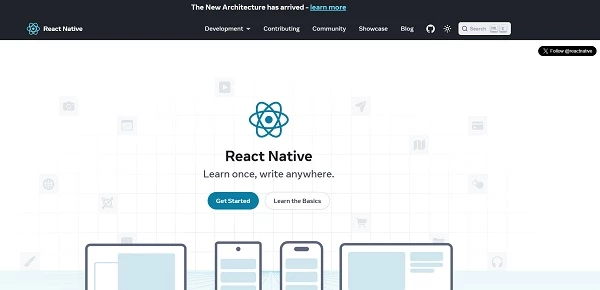
Facebook developed React Native to enable cross-platform app development with a single codebase. Applications built with this framework offer near-native performance while maintaining code efficiency across multiple devices. Many global brands use it due to its strong community support and extensive library of reusable components.
Popular apps like Facebook and Instagram use React Native to deliver smooth performance while maintaining a consistent user experience across devices.
Key Features:
- Fast refresh: Instantly updates UI changes without rebuilding the entire app.
- Reusable components: Reduces development effort by leveraging prebuilt elements.
- Third-party plugin support: Expands functionality with external integrations.
- Strong community: Provides access to extensive documentation and developer resources.
- Optimized performance: Uses native components for a smoother experience.
Pricing: Free
2. Flutter - Best for Customizable UIs
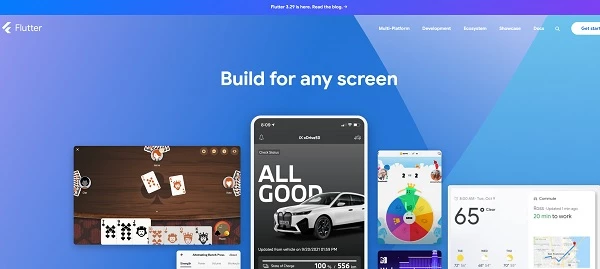
Google introduced Flutter as a solution for building visually rich applications with a single codebase. The framework uses its own rendering engine, eliminating dependency on platform-specific UI components. Businesses looking for high-performance apps with customized designs benefit from its flexibility and speed.
Well-known apps like Google Ads and Alibaba leverage Flutter for their dynamic designs and seamless user experiences.
Key Features:
Dart programming language: Offers strong performance with minimal latency.
- Customizable UI: Enables detailed animations and unique visual elements.
- Hot reload: Speeds up development by instantly reflecting code changes.
- Standalone rendering engine: Delivers a consistent experience across platforms.
- Strong Google support: Receives regular updates and performance enhancements.
Pricing: Free
3. Ionic - Best for Rapid Development
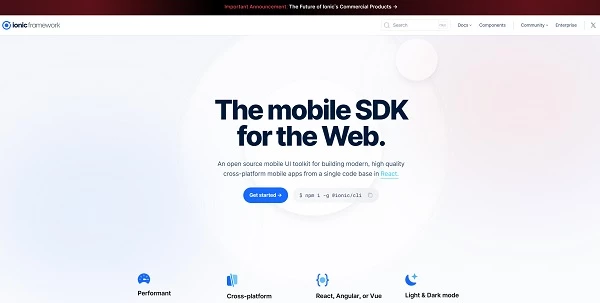
Web developers favor Ionic because it allows mobile applications to be built using familiar technologies like HTML, CSS, and JavaScript. The framework integrates with various front-end libraries, which makes it a flexible option for companies with existing web development expertise. Hybrid applications created with Ionic prioritize fast development cycles and broad device compatibility.
Applications such as Sworkit and JustWatch utilize Ionic for their speed in development and easy integration with web-based frameworks.
Key Features:
- Web-based development: Uses standard web technologies for cross-platform compatibility.
- Prebuilt UI components: Simplifies development with ready-to-use design elements.
- Capacitor plugin system: Enhances functionality with native API access.
- Progressive web app support: Extends usability beyond traditional mobile platforms.
- Extensive community resources: Provides tutorials, documentation, and technical support.
Pricing: Free
How AI Is Transforming Hybrid App Development
![[How AI transforms hybrid app development]](https://media.designrush.com/tinymce_images/790555/conversions/How-AI-Is-Transforming-Hybrid-App-Development-content-large-webp.webp)
AI is fast becoming a game-changer in hybrid app development, offering businesses smarter ways to enhance functionality and user engagement. By leveraging AI, developers can create more intuitive, efficient, and personalized applications that cater to user preferences in real time.
Here are some of the most impactful ways AI is transforming hybrid app development:
- AI-driven personalization: AI algorithms analyze user behavior to deliver tailored content, recommendations, and app experiences, increasing user retention and engagement.
- Automated testing: AI-powered testing tools can automatically detect bugs, optimize performance across platforms, and reduce manual testing efforts, speeding up the development process.
- Chatbots and virtual assistants: Integrated AI-driven chatbots improve customer support by providing instant responses and resolving common issues without human intervention.
- Predictive analytics: AI enables businesses to forecast user behavior and preferences through data analysis, helping refine marketing strategies and app features.
- Enhanced security: Machine learning algorithms detect unusual activity patterns and potential threats, offering real-time security alerts to protect user data and ensure compliance.
Hybrid Mobile App Development Takeaways
Hybrid app development provides a cost-effective way to reach users on multiple platforms without managing separate codebases. Choosing the right framework, optimizing performance, and ensuring a smooth user experience make the difference between success and failure. A well-planned approach reduces development time, lowers expenses, and keeps applications competitive.
Businesses looking to scale efficiently should consider hybrid solutions as a strategic advantage. Investing in strong development practices ensures a balance between functionality and affordability.
The demand for flexible mobile applications continues to grow — start building a hybrid app today and stay ahead in an increasingly mobile-driven market.

Our team ranks agencies worldwide to help you find a qualified partner. Visit our Agency Directory for the top app development companies, as well as:
- Top Hybrid App Development Companies
- Top Cross-Platform App Development Companies
- Top Android App Development Companies
- Top AI App Development Companies
- Top App Developers In San Francisco
Our team also highlights award-winning work on the Design Awards page, so be sure to check it out for the best and latest in app design.
Hybrid App Development FAQs
1. Is hybrid app development better than native development?
Hybrid development is a cost-effective option that allows businesses to build a single app for both iOS and Android. Native apps offer better performance, but hybrid apps provide faster deployment and lower maintenance costs, making them ideal for many businesses.
2. How much does it cost to develop a hybrid app?
Development costs vary based on features, complexity, and framework choice, but hybrid apps generally cost 30% to 50% less than separate native applications. Businesses can expect to spend anywhere from $20,000 to $100,000 for a functional hybrid app.