
I put five of the top AI tools for consultants to the test to save you time finding out which ones are good enough for your stack.
Best AI Tools for Consultants: Key Findings
- Levity and Notion AI show where consultants get the most practical value from AI, and that is making messy information easier to work with.
- Qwilr cuts down the time it takes to build proposal drafts, while Junior reduces the manual burden of transcripts, summaries, and interview synthesis.
- Validator AI offers instant, AI-powered feedback on business ideas, helping early-stage entrepreneurs and consultants quickly assess the viability of new concepts.
Top AI Tools for Consultants Overview
From automating expert call notes to generating client-ready decks in minutes, today’s AI tools are helping consultants work smarter, faster, and with greater precision.
Whether you're in strategy, private equity, operations, or research-heavy roles, the right AI stack can drastically cut manual work and enhance your insight delivery.
| Tool | Best For | Data Handling | Insight Generation | Team-Friendly | Pricing (Starting At) |
| Notion AI | Consultants managing project knowledge, meeting notes, and research. | ✅ | ✅ | ✅ | $20/member/month |
| Levity | Ops teams handling unstructured data | ✅ | ✅ | ✅ | Contact |
| Qwilr | Proposal-heavy consultants in sales, marketing, customer success | ✅ | ✅ | ✅ | $39/month |
| Validator AI | Early-stage founders and consultants validating business ideas quickly | ❌ | ✅ | ❌ | Free |
| Junior | Consultants managing expert interviews, transcripts, and insight synthesis | ✅ | ✅ | ✅ | Contact |
Alex Banks, founder of The Signal and creator of GrowHub, emphasized that the game has fundamentally changed. He explained that decision-making is no longer driven by gut feeling or trial and error.
“Predictive AI is literally analyzing patterns in ways we’ve never really seen before,” he said. “It’s telling you where the market’s going, not just where it is today. So that’s a massive, massive shift.”
1. Notion AI: Turn Scattered Client Work Into a Searchable System
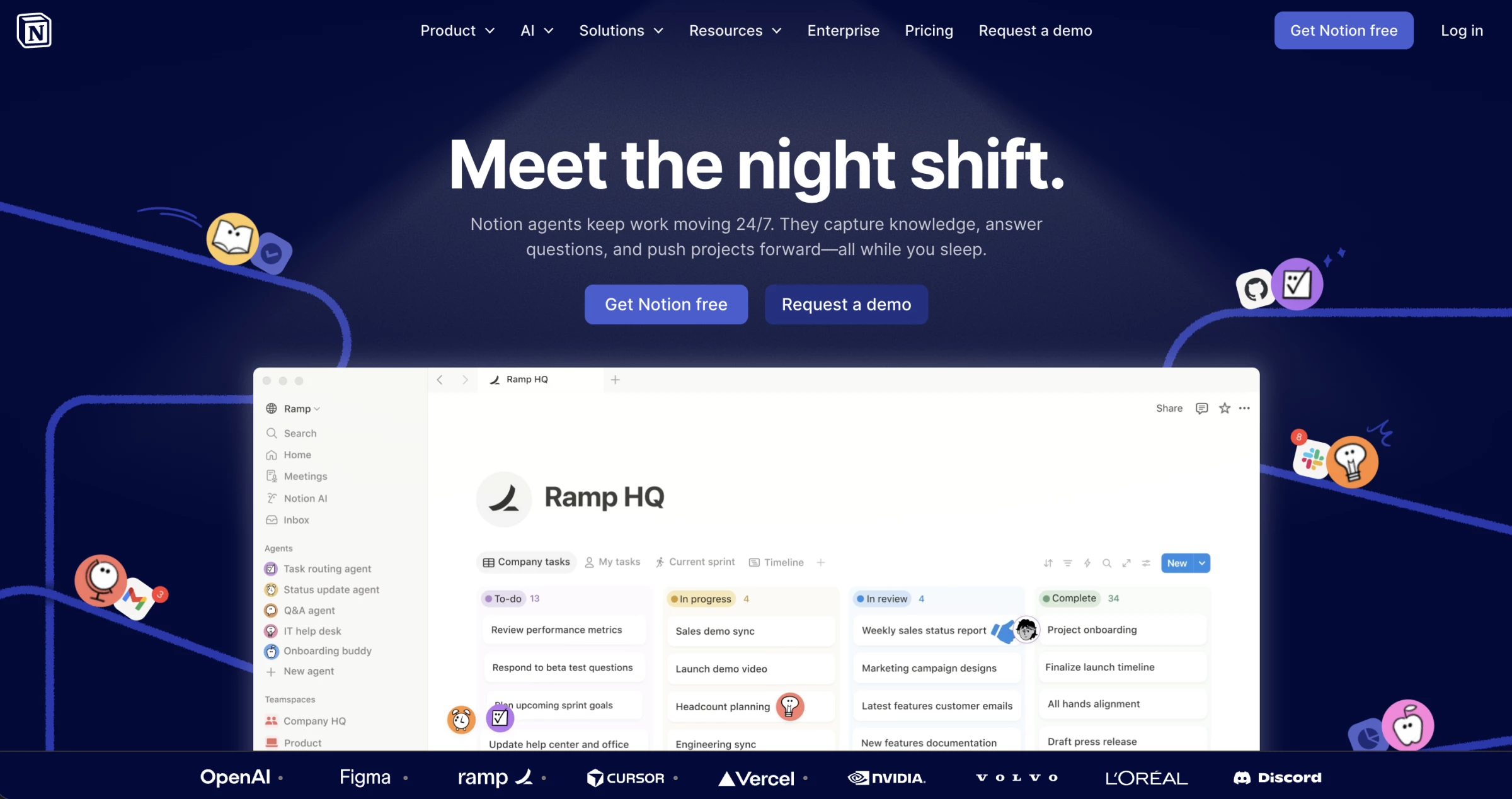
I spent some time looking at Notion AI, and the thing I kept coming back to most is how useful it is once a project gets crowded with moving pieces.
Not in a dramatic way but in the very normal, very annoying way where meeting notes pile up, decisions are buried in project pages, somebody shared an important file in Slack three days ago, and now you need a clean answer before the next client call.
| Pros | Cons | Pricing |
|
|
|
It can search across your Notion workspace, databases, uploaded PDFs, and connected apps like Slack, Google Drive, Jira, GitHub, Teams, Outlook, and more, which makes it feel more like a layer that helps you get control of scattered project context again.
That is where Research Mode sounds especially useful.
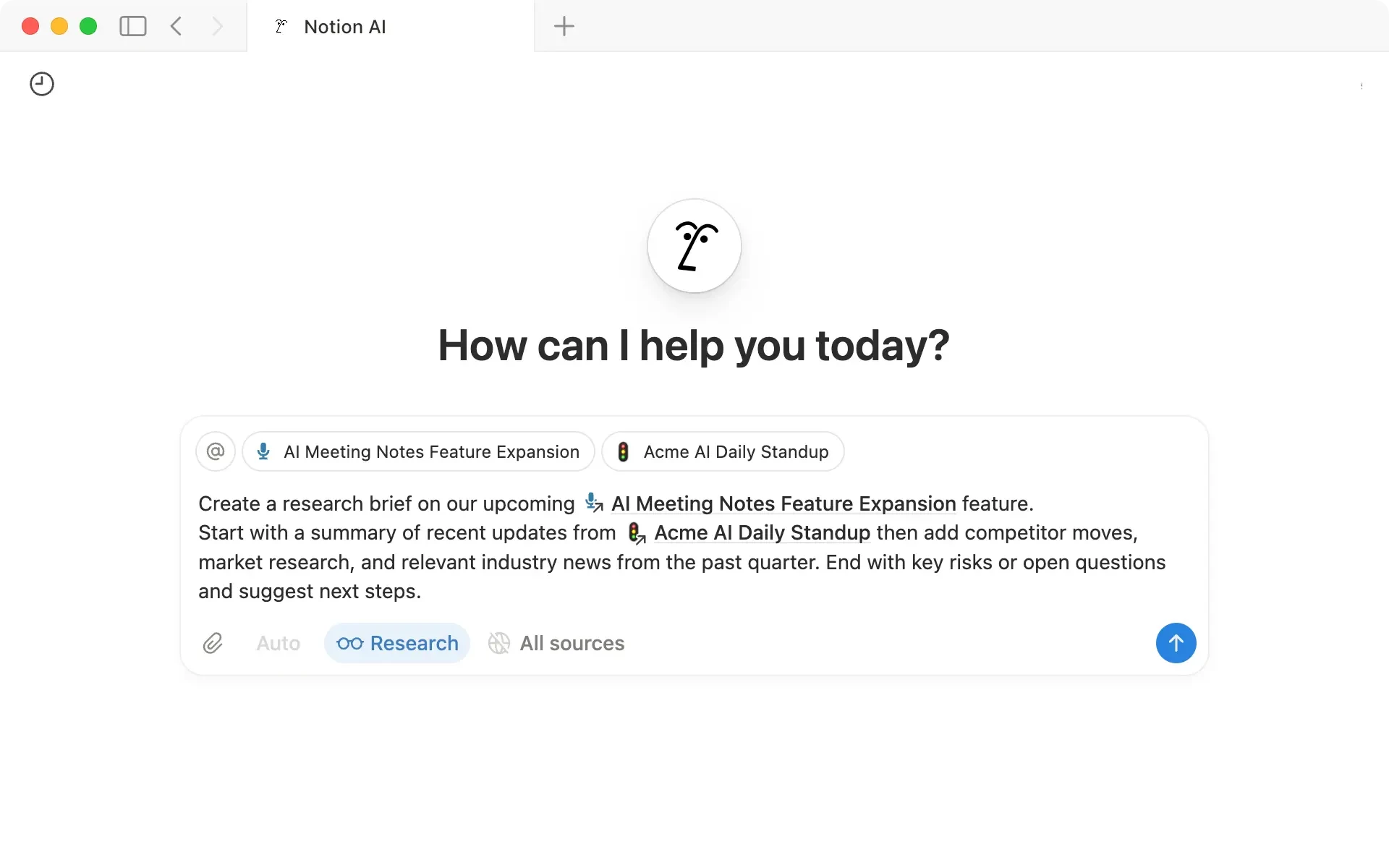
It also works with databases, which matters more than it sounds, because a lot of the consulting work now is sitting in trackers, action lists, meeting logs, and client databases, rather than docs.
The meeting-notes part is probably where I’d be most tempted to use it, but also where I’d be most careful.
Notion’s AI Meeting Notes can transcribe meetings, pull out key points and action items, and attach citations back to the transcript, which is great in theory and genuinely useful for fast-moving project work.
But I still would not treat the summary as final without checking it.
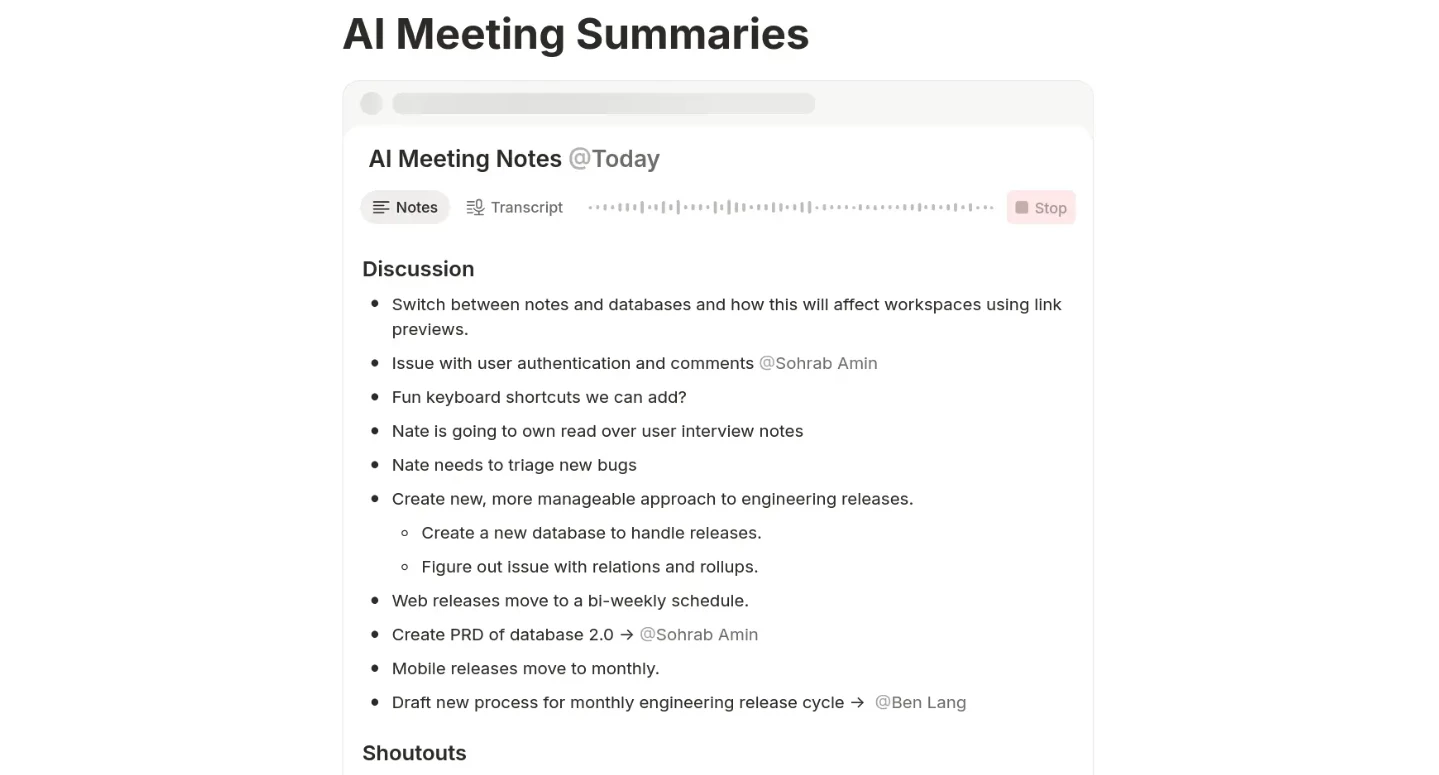
The notes feature is still in beta, and while it can detect when the speaker changes, Notion says speakers are not actually identified or labeled by name.
For anything client-facing, I would still want a human pass before I trust the wording.
So, my two cents is this: Notion AI looks most valuable for consultants who are already working inside Notion, or are willing to make it the place where project knowledge actually lives.
If the workspace is chaotic, it will not magically fix the chaos.
But if the bones are good, this looks like one of the more practical AI tools for consulting teams because it is tied to the work itself, not just the output.
What Users Say
User feedback lines up with that mixed but generally positive picture.
Reviewers describe Notion as a flexible all-in-one workspace that works well for project and client management, with one review explicitly saying the Q&A AI helps them find information quickly during hectic days.
The most common downside is also consistent across review platforms: Notion is powerful, but it can feel clunky at times and it definitely asks users to learn its logic before the payoff becomes obvious.
Who’s It For?
I would put Notion AI in front of strategy consultants, operations consultants, digital transformation teams, and boutique firms that already live in documents, trackers, and internal knowledge.
I would be less enthusiastic about it for someone who wants a pure research assistant with no setup, or for a solo consultant who hates building systems.
Other Notable Features
- Notion Agent can create and edit pages and databases using workspace and connected-app context.
- Custom Agents can run automatically on triggers or schedules for recurring work like weekly reports or triaging feedback.
- Skills let you save repeatable prompts such as proofreading, explaining, or reformatting.
- AI Connectors support Slack, Google Drive, Jira, Gmail, GitHub, Outlook, Teams, SharePoint, Linear, and more.
- Verified pages can carry a badge showing they are up to date, and that badge appears in search results and AI citations.
2. Levity: No-Code Workflow Automation for Consultants
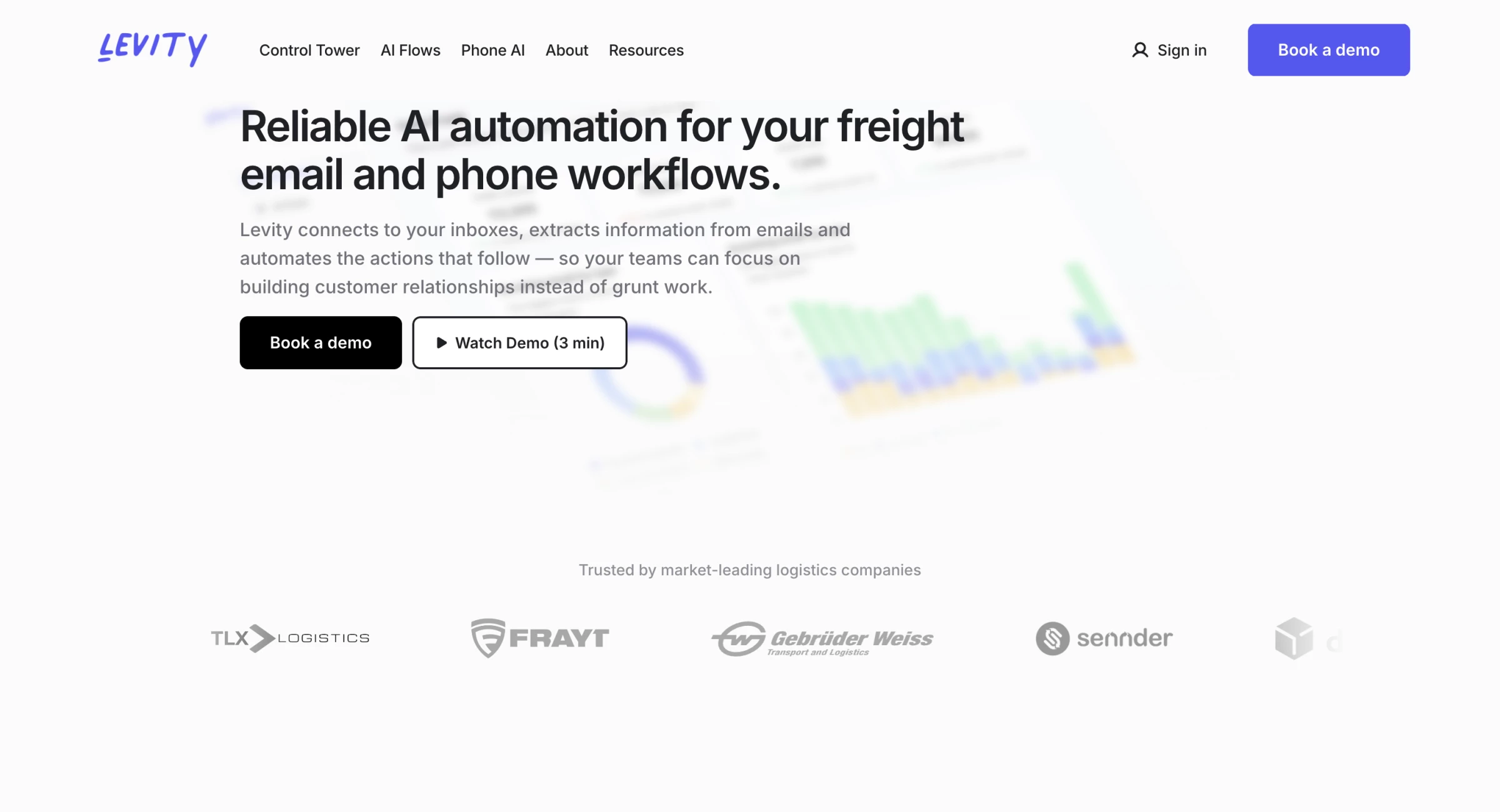
I stumbled upon Levity while looking for smarter ways to automate repetitive email tasks that were eating up hours each week.
At first glance, it pitched itself as a no-code AI platform that lets you classify and extract data from emails, PDFs, images, and all sorts of messy, unstructured inputs.
It sounded a bit too slick, like every other “AI-powered automation tool” out there.
| Pros | Cons | Pricing |
|
|
|
After giving it a try, I quickly realized that Levity does something most automation tools don’t: it helps non-technical teams teach their own AI models to handle complex, context-driven decisions that would normally require human judgment.
The heart of Levity is what they call “AI Blocks.” You create one by uploading your own data, say, a set of customer support emails, and then labeling a handful of them.
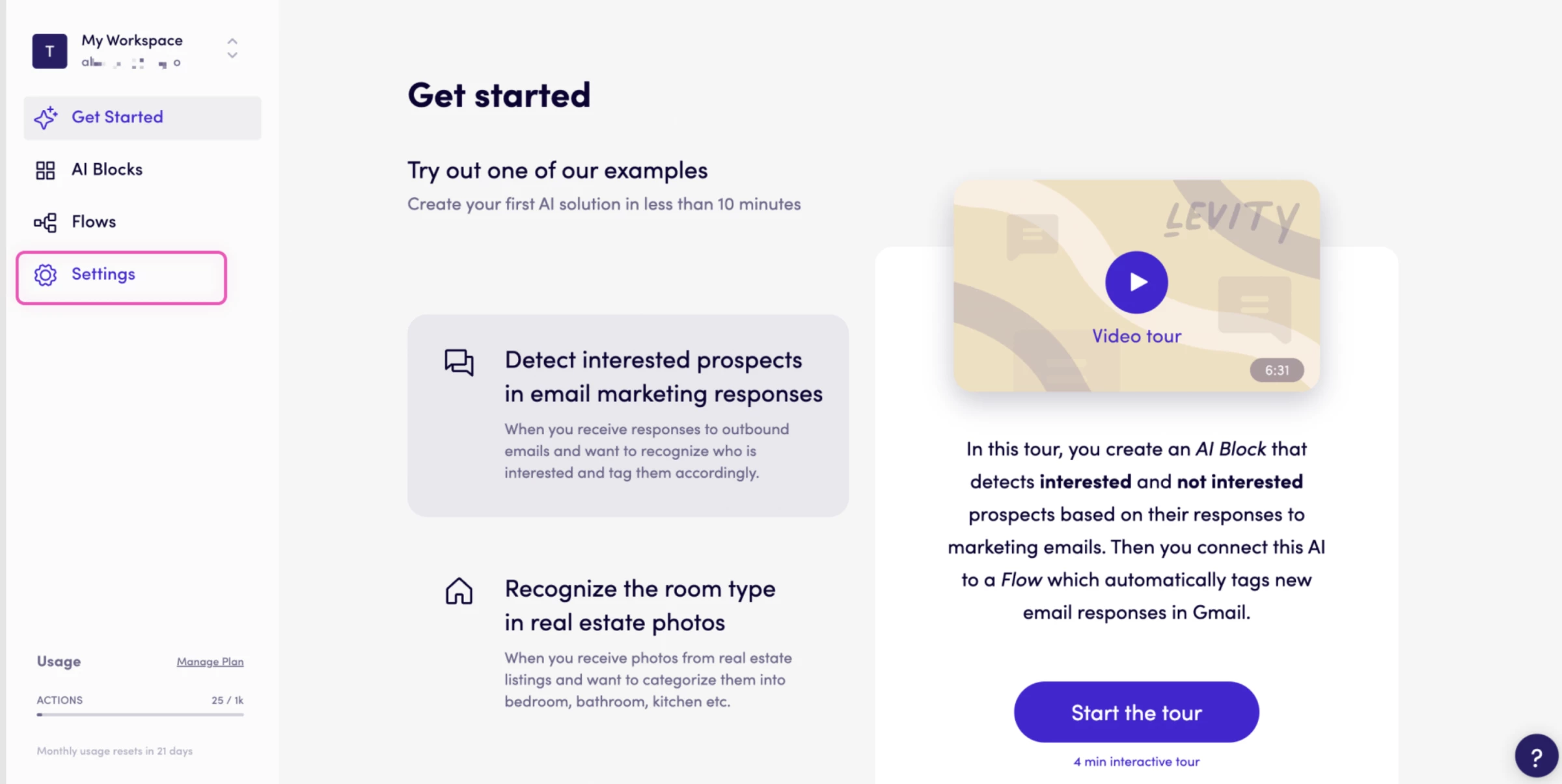
For example, I fed it 50 emails and marked them as “Request,” “Complaint,” “Positive Feedback,” or “Spam.” Levity used that to train a custom model that could then automatically sort incoming emails based on those categories.
It’s not instant magic — you do need to teach it with a decent sample size, but the UI makes that process feel surprisingly approachable.
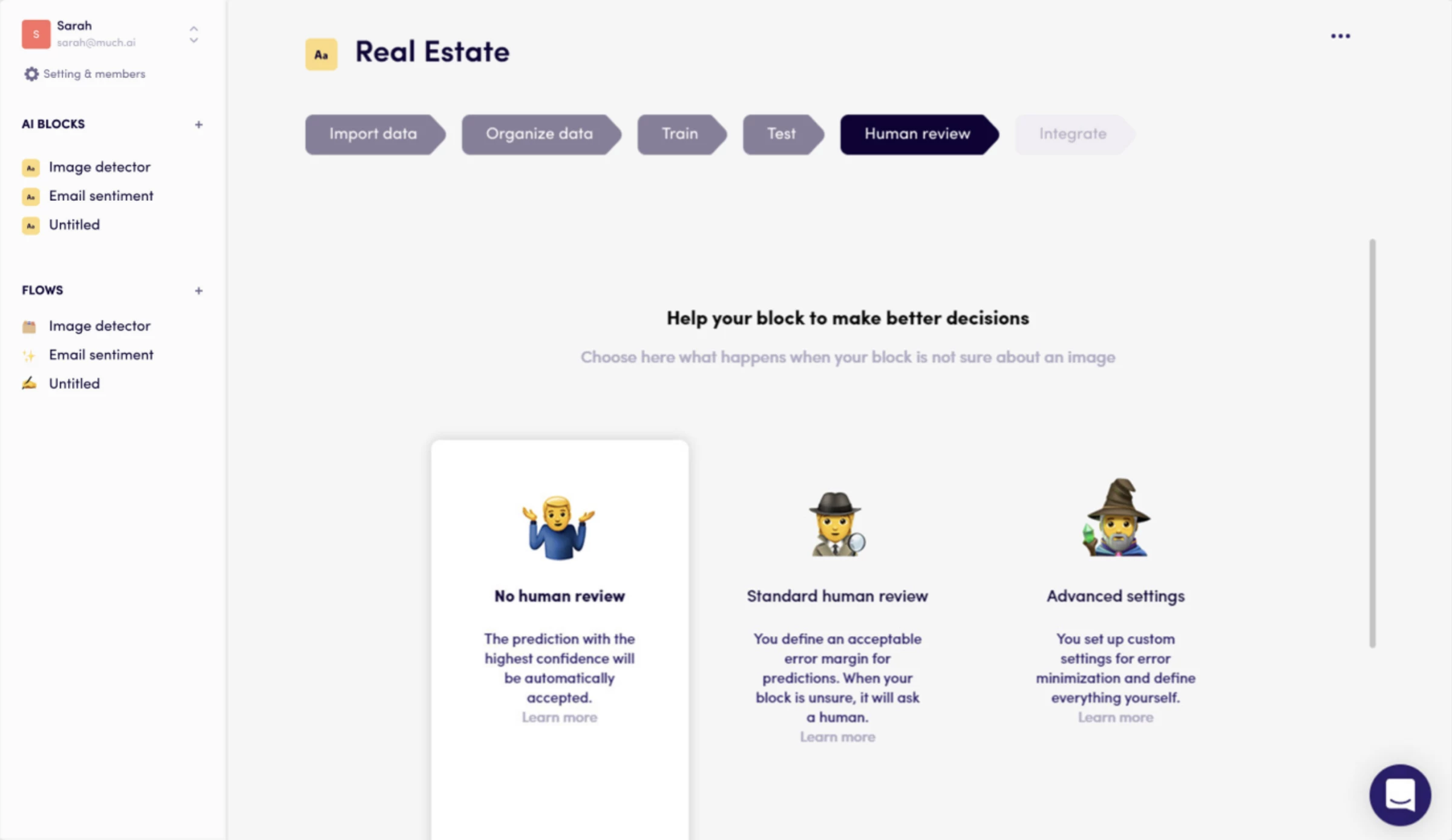
Another area where the AI shines is document processing. I tested it with a bunch of quote requests and purchase orders in PDF format.
I was able to build an AI Block that extracted key fields, company name, product type, quantity, then passed that data into a CRM via Zapier.
Now, it’s not all roses. If your data is messy or inconsistently labeled, the AI will struggle. You definitely need to invest time upfront in labeling a representative sample.
It’s not the kind of tool where you upload a few items and expect a miracle.
And while the platform is intuitive, there’s still a learning curve around how to structure your data for training.
What Users Say
Users frequently praise Levity for making AI-powered automation accessible to non-technical teams.
On LinkedIn, Max Mirho rated it highly for its intuitive setup and effectiveness in managing high-volume email workflows, particularly praising its UI. He did note that pricing could be a concern, especially for smaller teams, but found it worthwhile for operations-heavy businesses.
Not every experience is flawless, however. Some users acknowledge that although Levity automates a large chunk of repetitive tasks, it might struggle with more complex or very niche use cases unless it's been trained thoroughly.
Who’s It For?
I’d say Levity is best for operations teams, support desks, logistics companies, sales ops, or anyone buried in unstructured content like emails, PDFs, or customer feedback.
It’s a huge win for small and mid-sized teams that don’t have data science or dev resources, but want AI-level automation without hiring an ML engineer.
Book a demo to see Levity in action.
Other Notable Features
- Handles text, images, PDFs, emails, and documents.
- Connects smoothly with Gmail, Slack, Zapier, Make, Airtable, and many more.
- Build custom workflows that trigger actions based on AI classification.
- Track AI model accuracy, volume, and confidence scores visually.
- Share models and workflows across teams for consistency and efficiency.
3. Qwilr: Proposals That Impress and Convert
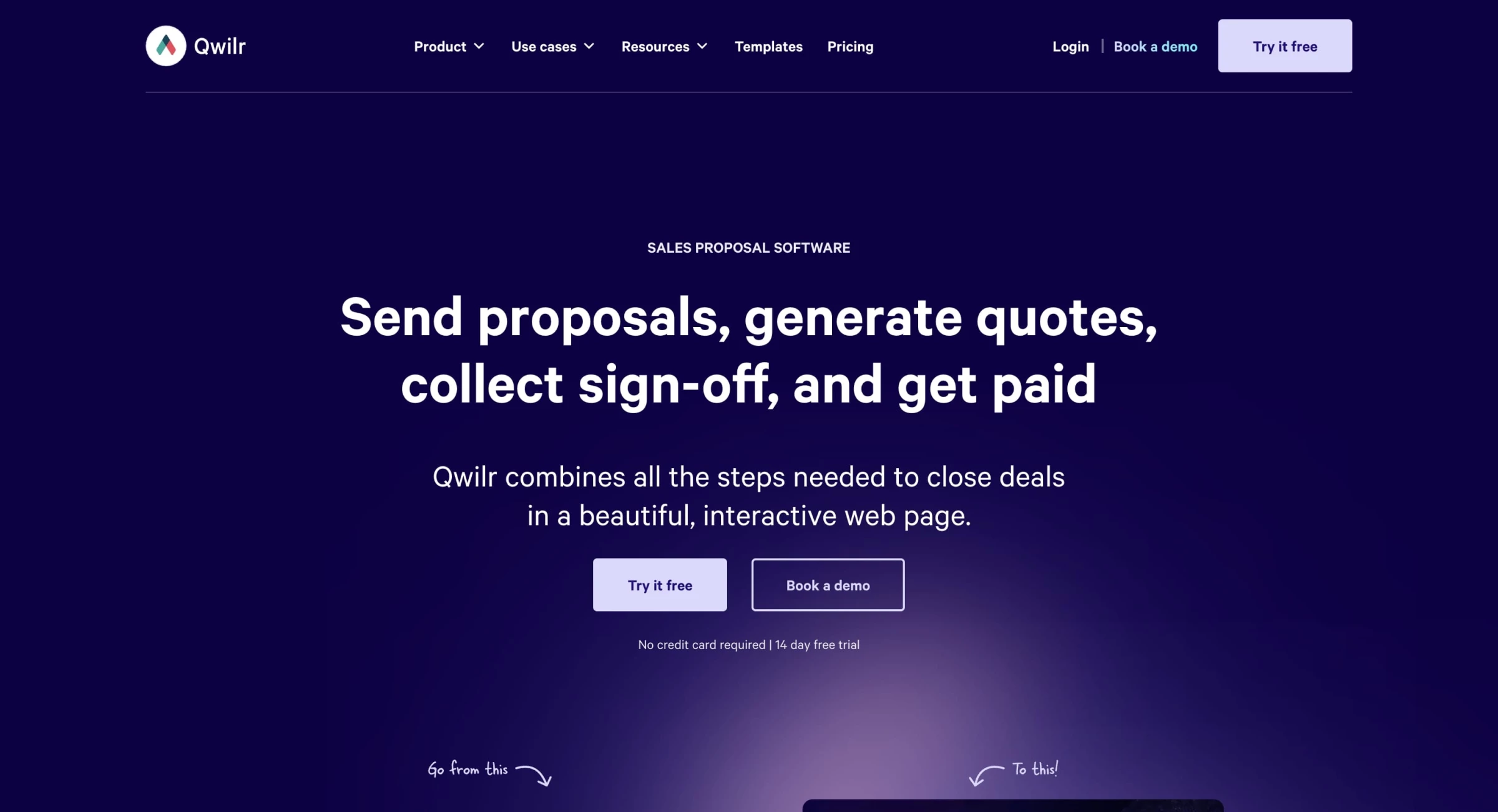
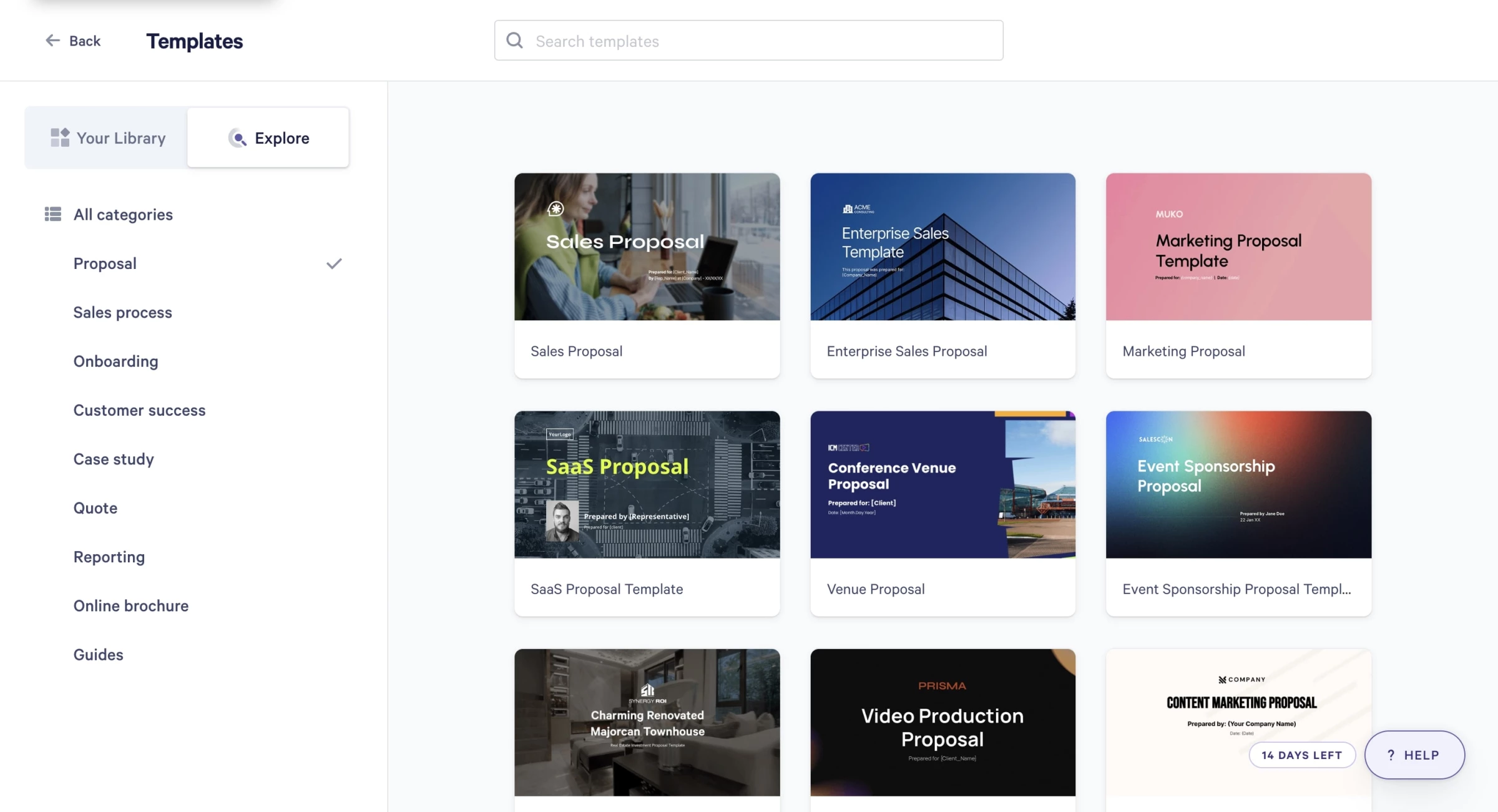
When I first landed on Qwilr’s dashboard, it didn’t feel like your typical document builder. Everything was sleek, minimal, and, dare I say, kind of fun to navigate.
I’d heard about its AI-powered proposal builder and was eager to see if it lived up to the pitch: a tool that doesn’t just help format proposals, but one that can actually write them.
| Pros | Cons | Pricing |
|
|
|
So I tested it in a real-world scenario: a digital marketing proposal for a hypothetical SaaS client.
I started by selecting the “AI Proposal Builder” from the creation options. It immediately asked a few helpful prompts, nothing too technical.
It wanted to know the type of service, my client’s name, key objectives, and what kind of deliverables I was including.
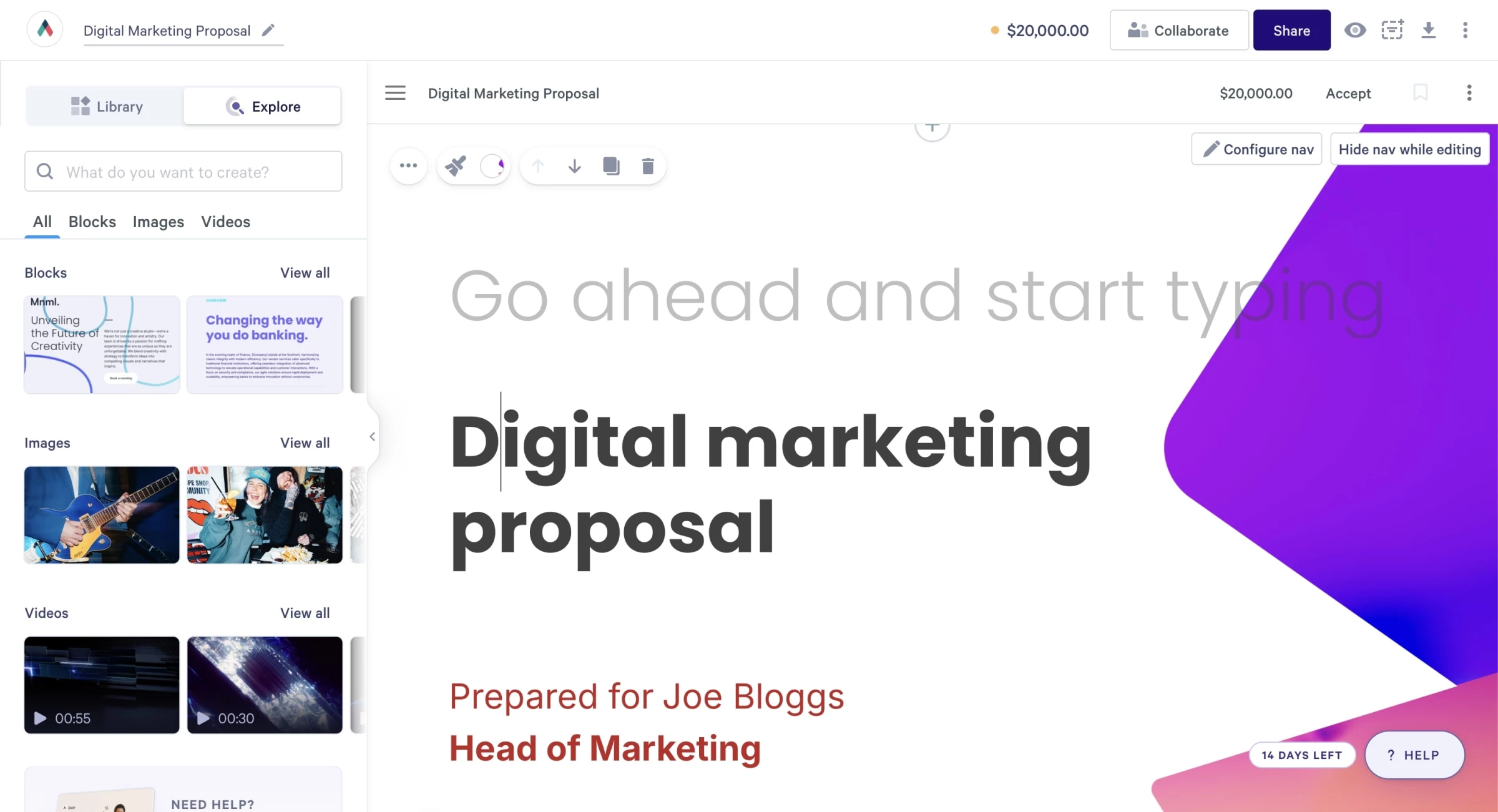
I typed in: “growth marketing,” “SaaS startup,” and “paid media, SEO, content strategy.” After that, it generated a full proposal draft — sections and all.
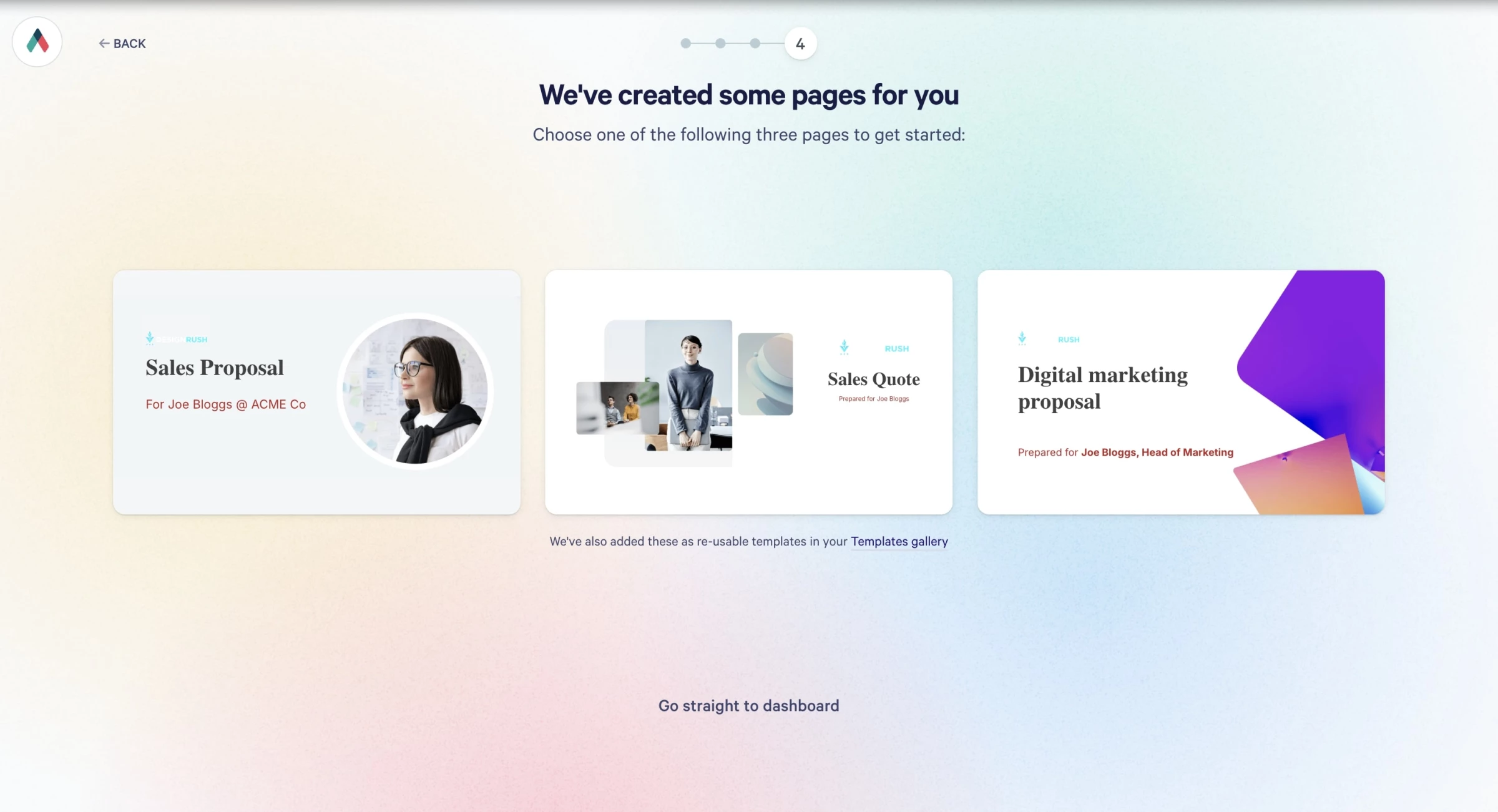
It felt like a solid draft from a junior copywriter — ready for my polish, but 80% of the heavy lifting done.
Editing the AI output was relatively easy. I could click into sections, tweak phrasing, change layouts, drop in visuals and pricing blocks, and embed a Loom video.
The AI even pulled my brand colors and typography from the theme I’d set up earlier, so everything stayed on-brand without any fiddling.
But here’s where it got really interesting: I had connected Qwilr to my HubSpot CRM. The AI pulled in the actual client name, industry vertical, and even a contact note from the CRM field.
And because Qwilr proposals are web-based, I didn’t need to export or attach anything. I just sent the link.
Now, the AI wasn’t flawless. I noticed it defaulted to a formal tone that felt too stiff for some clients. And while it structured the proposal brilliantly, it didn’t always get the nuance right, like including too much detail in deliverables or using industry buzzwords that I wouldn’t normally use.
I had to massage the content to sound more like me.
Also, if you’re hoping to export to PDF with pixel-perfect layout, you might be disappointed. The exported version isn’t nearly as clean as the web version, which is kind of the whole point, they want you to keep things online.
What Users Say
Many users highlight how Qwilr’s AI-generated content has cut proposal time dramatically. One Capterra reviewer noted, “The AI tool gives me a clean draft in seconds that I can refine, instead of starting from scratch each time.”
A few users wish for more control over layout and text formatting within the editor. “Some block elements feel locked in, which limits customization unless you use workarounds,” mentioned a SoftwareAdvice reviewer.
Who’s It For?
Qwilr is best suited for sales, marketing, and customer success consultants that regularly send proposals, quotes, onboarding documents, or account reviews, and want those materials to look modern, interactive, and data-rich.
If your team lives in HubSpot or Salesforce and values proposal speed, personalization, and buyer engagement insights, Qwilr delivers serious ROI.
That said, Qwilr isn’t ideal for everyone. Freelancers or early-stage startups may find the pricing steep unless they consistently pitch high-ticket work.
Other Notable Features
- Clients can sign directly within the proposal, no extra tools needed.
- Accept payments via Stripe or QwilrPay right from the proposal page.
- Save sections you reuse often (like testimonials, case studies, or pricing).
- Easily add videos, calendars, images, and even ROI calculators.
4. Validator AI: Instant Feedback on Business Ideas
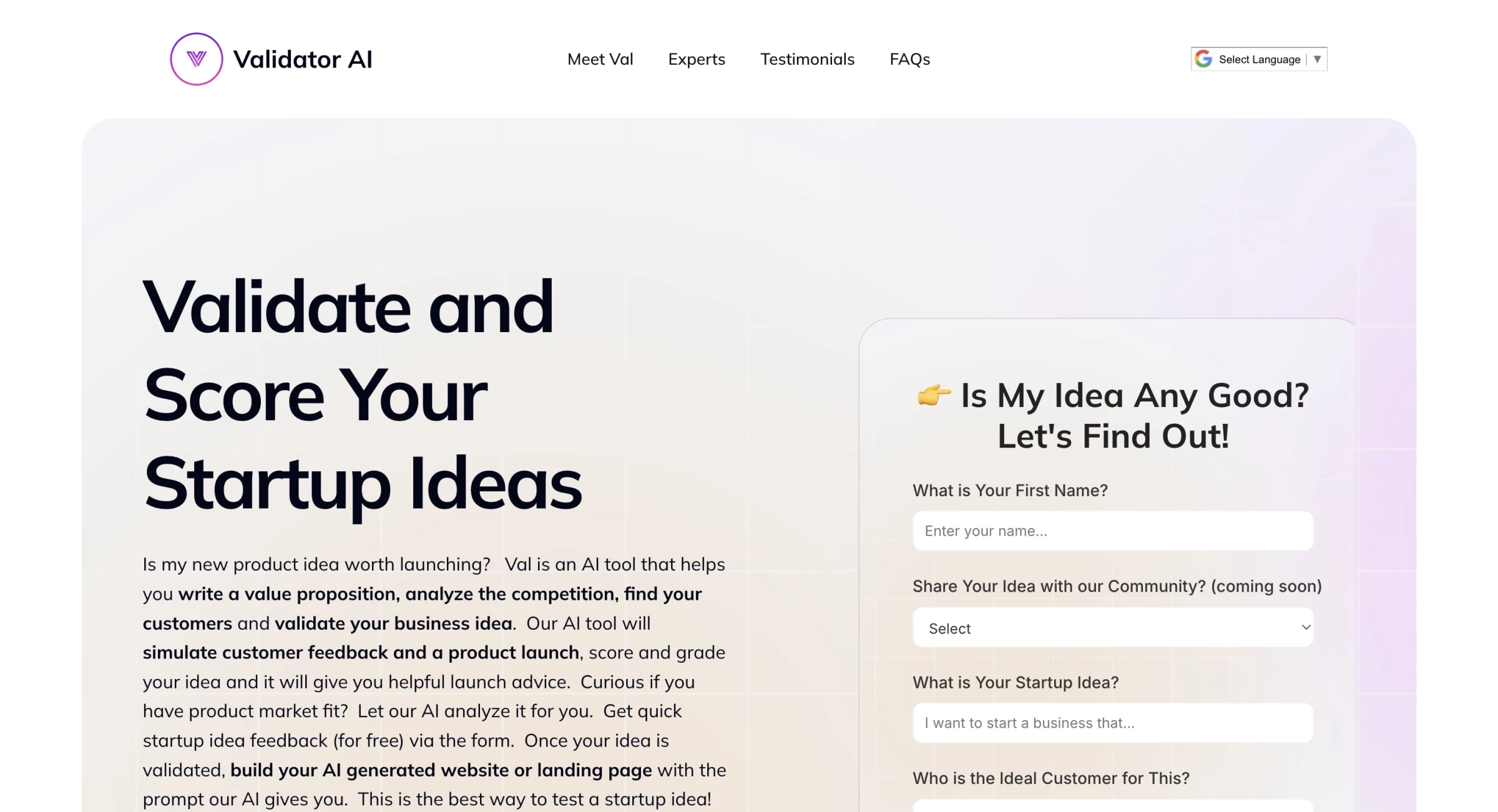
Validator AI is an AI‑powered idea validation platform — an online mentor (dubbed “Val”) that lets consultants and entrepreneurs submit a business or product concept and receive real‑time feedback.
| Pros | Cons | Pricing |
|
|
|
I decided to test it with an idea that’s been buzzing in my head: building a company that designs agriculture drones specifically for spraying bug repellents on large-scale crop fields.
It felt ambitious, niche, and technical — perfect to see if this AI tool could handle more than just basic SaaS or eCommerce ideas.
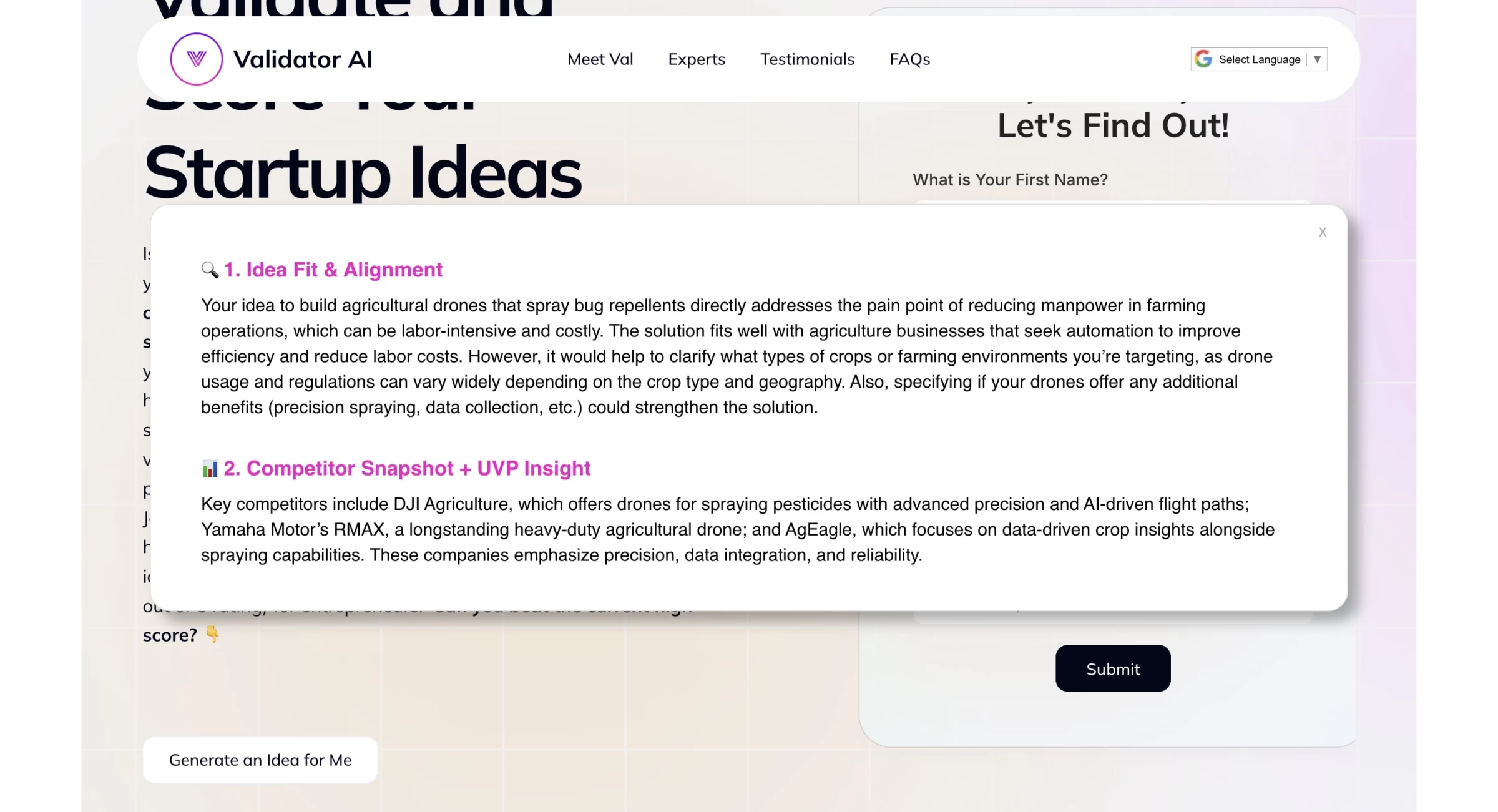
Right away, I typed in a rough pitch: “I want to start a business that makes drones for farmers to autonomously spray organic or synthetic bug repellents over their crops to improve yield and reduce manual labor.” Validator AI responded with surprising depth.
It immediately forced me to think deeper about segmentation, compliance, and technical feasibility. It also flagged the need for testing across different crop types, climate zones, and repellent formulations. And it raised concerns about price sensitivity among farmers, something I hadn’t considered enough.
The AI pointed out strong potential in the market due to the growing demand for automation in agriculture, especially amid labor shortages. It even referenced data around sustainable pest control trends and climate-resilient farming.
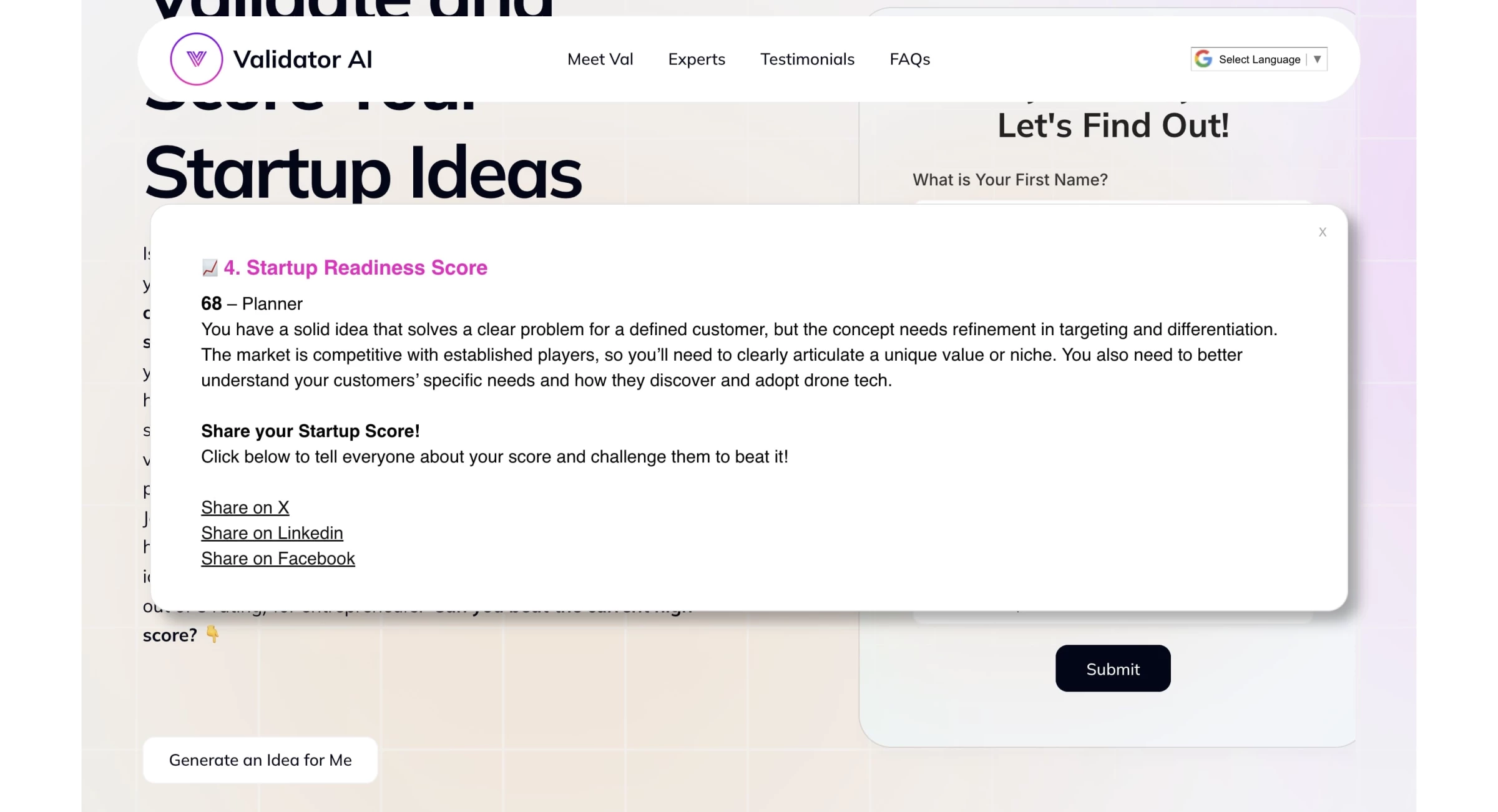
It all looks great but it’s not without its drawbacks. The viability score you receive feels satisfying, but there's no real breakdown of how it's calculated or what benchmarks it's using.
It’s not clear if that “68/100” is based on market demand, team strength, or just how well your idea was written in plain English.
And Val gives good prompts, but it’s ultimately still a chatbot — it doesn’t follow up, it doesn’t remember context between sessions, and it doesn’t challenge your assumptions the way a tough investor or advisor would.
It’s a spark plug, not a co-founder.
What Users Say
Users generally praise Validator AI for being a fast, free, and thought-provoking tool for early-stage founders. Many describe it as a “startup sanity check” — a way to get unbiased feedback before embarrassing yourself in front of a real investor or mentor.
However, not everyone found it deep enough. A few users noted that the AI sometimes offers “generic feedback” or “repeats standard startup advice” if your idea is either highly technical or too vague.
Who’s It For?
Validator AI is best suited for first-time founders who need structured, no-fluff guidance to evaluate whether their business idea has real potential. It’s also a valuable tool for serial entrepreneurs looking to quickly vet multiple concepts before investing serious time or money.
Even small-business coaches, consultants, and startup advisors use it to add data-driven clarity to their consultations, making it a versatile companion for anyone shaping a new business idea.
Try Validator AI now, it’s free.
Other Notable Features
- Get instant, structured validation of your business idea from an AI trained on startup principles.
- Generate a simple landing page based on your idea to test interest or collect leads.
- It comes with an idea generator if you’re not sure where to start.
- Highlights potential red-tape or compliance issues early on.
- You can start validating without creating an account.
5. Junior: AI Co-Pilot for Consultants

So, I’ve been playing around with Junior AI, and I’ll be honest, it’s the kind of tool that makes you wonder, “Wait, why were we ever doing this manually?”
At its core, Junior is like an AI-powered analyst that sits in on your expert calls, takes notes, highlights key points, pulls out quant data, organizes it all, and then — get this — helps you synthesize insights across multiple interviews.
| Pros | Cons | Pricing |
|
|
|
What really stands out is how much of the “grunt work” it removes. You finish a call and within minutes you’ve got a transcript, and not just a messy dump of every “um” and overlap, but a cleaned, speaker-tagged, intelligently formatted version.
The AI even trims filler, flags key statements, and organizes the dialogue into themes. And unlike generic transcription tools, Junior doesn’t stop at just converting speech to text, it actually understands the context.
That’s where it gets interesting.
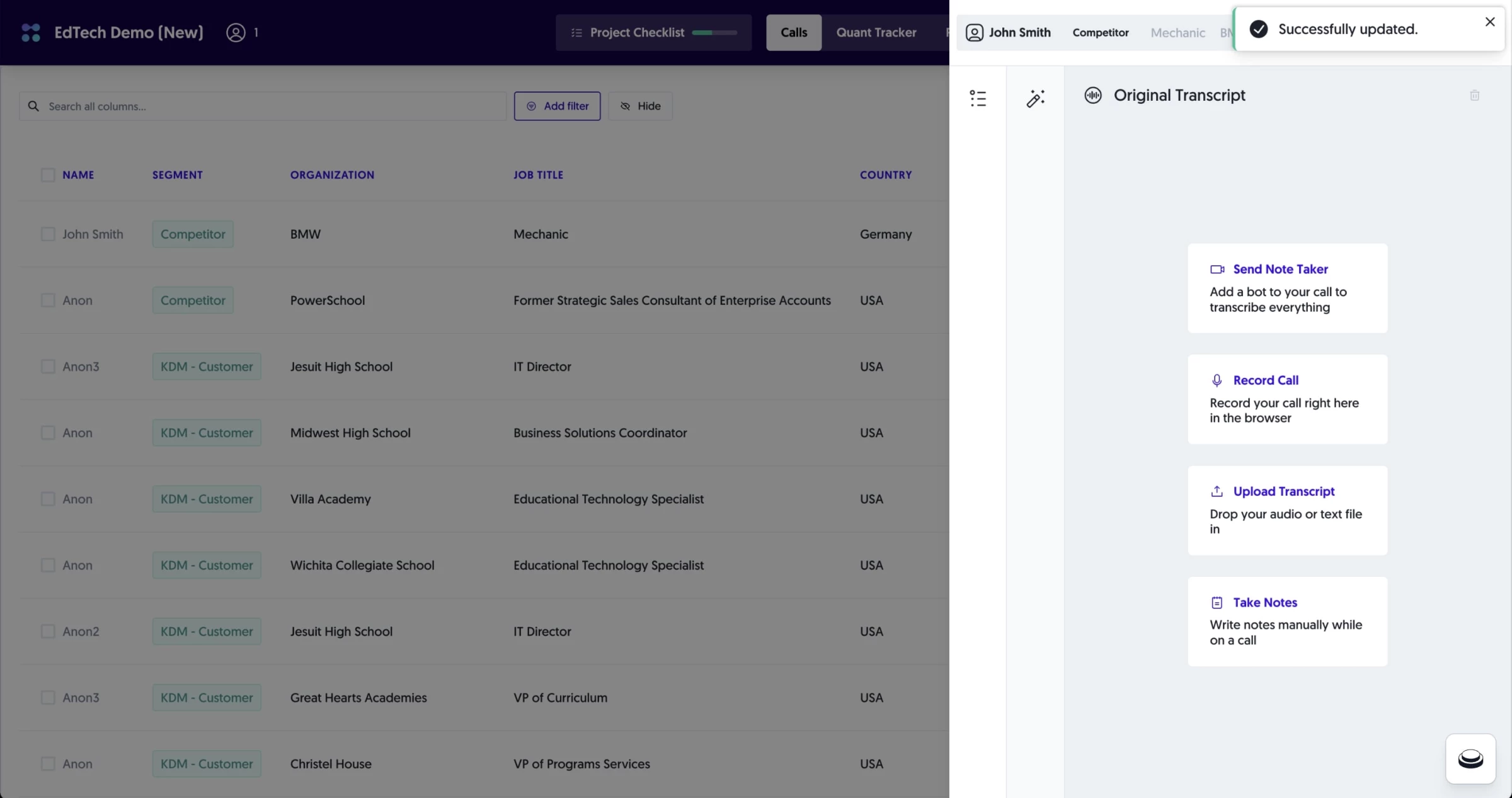
Now the fun part: you can ask Junior to summarize.
If you’ve done three interviews with healthcare operators, and you say “Summarize trends around patient acquisition,” it will comb through your transcripts and spit out a thematic brief, pulling in quotes, context, and even quant figures that were mentioned on the calls.
And for the search, you don’t have to remember the exact phrasing — type in a concept or question, and it semantically understands what you mean.
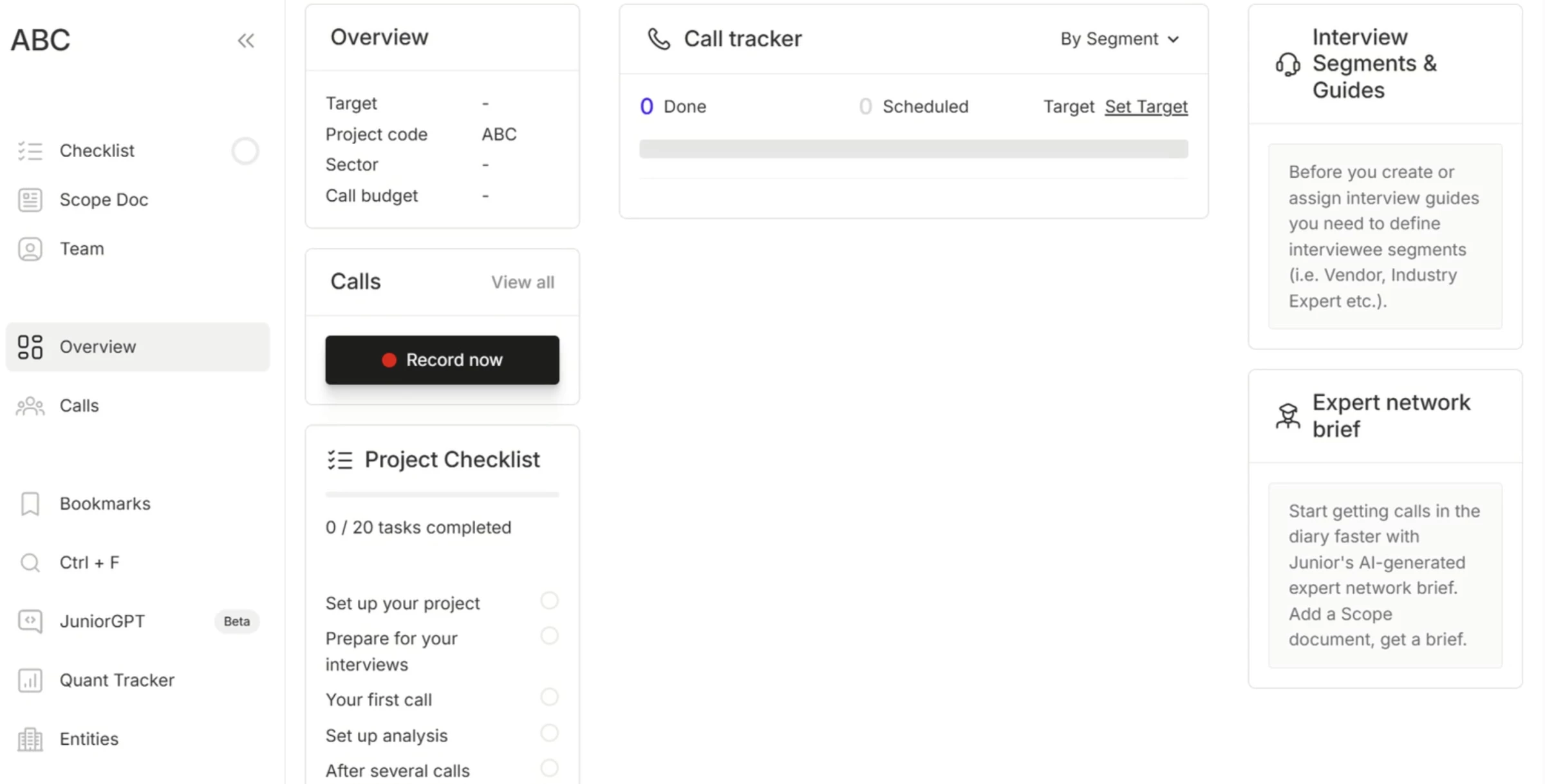
But let’s be clear, Junior isn’t magic. You still need to review what it outputs, especially if you're building a client-facing deck or relying on quotes.
Occasionally, it’ll make a stretch in its summary or flag a quote that’s... fine, but not gold.
The AI is smart, but it benefits from a human filter.
What Users Say
A number of consultants and investors have started talking about MyJunior.ai on peer platforms, and the sentiment is largely glowing, especially around its AI capabilities.
On Fishbowl, several users mentioned that Junior completely changed how their firms handle expert calls.
One user said their team stopped taking manual notes altogether after adopting Junior, describing the transcription and summarization as "instant and incredibly clean."
Another noted that transcripts are typically ready within 5–10 minutes, and that the quote bank feature helped them prep client updates “in half the usual time.”
Who’s It For?
Junior is purpose-built for professionals in high-stakes, insight-heavy environments, like boutique consulting firms, PE and hedge fund teams, and research groups juggling multiple expert calls.
If your workflow depends on structured outputs, clean formatting, and quick turnarounds from raw interviews to actionable insights, Junior delivers.
Other Notable Features
- Removes filler words and formats conversations for easy reading.
- Extracts key statements and organizes them by theme.
- Pulls numbers from calls and logs them in a tracker.
- Summarizes interviews or entire projects with AI, linked to source quotes.
- Everything is traceable back to the original speaker and timestamp.

Our team ranks agencies worldwide to help you find a qualified partner. Visit our Agency Directory for the top business consulting companies, as well as:
- Top Small Business Consulting Firms
- Top Startup Consulting Firms
- Top HR Consulting Firms
- Top Software Consulting Companies
- Top Consulting Firms in Columbus
Our design experts also recognize the most innovative design projects across the globe. With a growing wave of fresh branding from small businesses, be sure to explore our Awards section to see the latest standout logo designs.
AI Tools for Consultants FAQs
1. Can AI actually understand business strategy?
AI can’t replace strategic thinking, but it can summarize trends, extract insights from interviews, and support faster decision-making by analyzing vast amounts of information.
2. Can AI tools replace junior analysts or associates?
Not entirely, but they can handle repetitive tasks like formatting, summarizing, and basic research, freeing up juniors to focus on higher-level work.
3. What risks should consultants watch out for?
Main concerns include data privacy, hallucinated insights, over-reliance, and client skepticism, so validation and transparency are key.