
Email is still one of the highest-ROI marketing channels you have, but manually sending every campaign, follow-up, and reminder just doesn’t scale. That’s where email automation comes in.
Email Automation: Key Findings
- Omnisend and ActiveCampaign drive revenue through high-impact workflows like welcome and cart abandonment.
- Mailchimp and Constant Contact simplify adoption with intuitive, small-business-friendly automation.
- Nutshell connects email automation directly to CRM and pipeline activity, aligning marketing with sales.
Why Email Automation Matters More Than Ever
Email automation is the use of software to send emails automatically based on predefined rules, triggers, and timing instead of sending every message manually.
Once your rules are set, the platform runs in the background, scaling timely communication to thousands of people without adding the same load to your team.
Omnisend puts open rates for automated emails at 42.1% with a 5.4% click rate and 1.9% conversion rate, compared to 25.1% opens, 1.5% clicks, and 0.7% conversions for regular campaigns.
What’s more, Klaviyo benchmarks show automated workflows generating ~30x higher returns per recipient than one-off campaigns ($1.94 vs $0.11 RPR on average, with abandoned cart flows going up to $3.65 per recipient).

How To Build Email Automation That Runs on Its Own and Pays for Itself
According to DesignRush's 2026 survey of 99 verified email marketing professionals, automation is generating considerable revenue:
- 43% said automated flows account for 50% to 75% of total email revenue
- 14% reported that automation contributes more than 75%
That level of contribution is exactly why more businesses are treating automation as a core revenue system rather than a side marketing tactic.
The challenge now is building workflows that stay relevant, convert consistently, and scale without creating more manual work.
- Step 1: Set the outcome before you build anything
- Step 2: Identify the moments that trigger action
- Step 3: Segment your audience so automation feels personal
- Step 4: Turn journeys into workflows that react and exit
- Step 5: Optimize the emails that actually generate revenue
- Step 6: Protect deliverability before you scale
Step 1: Set the Outcome Before You Build Anything
Before touching a workflow builder, decide what you want from automating.
It could include:
- Onboarding: Help new subscribers or users “get it”.
- Revenue: Recover carts, increase average order value, and drive repeat purchases.
- Retention: Keep customers active and engaged.
- Reactivation: Win back lapsed subscribers or buyers.
Then pick clear metrics per goal:
- Welcome series → open rate, click rate, time-to-first-purchase
- Cart recovery → recovered revenue, revenue per recipient
- Win-back → reactivation rate, unsubscribe rate
It helps to benchmark as a sanity check. GetResponse’s 2024 report shows average open rates around 39-42% and CTR around 3–5%, but triggered emails and welcome emails perform much higher (welcome emails hit ~83.6% open rate in their data).
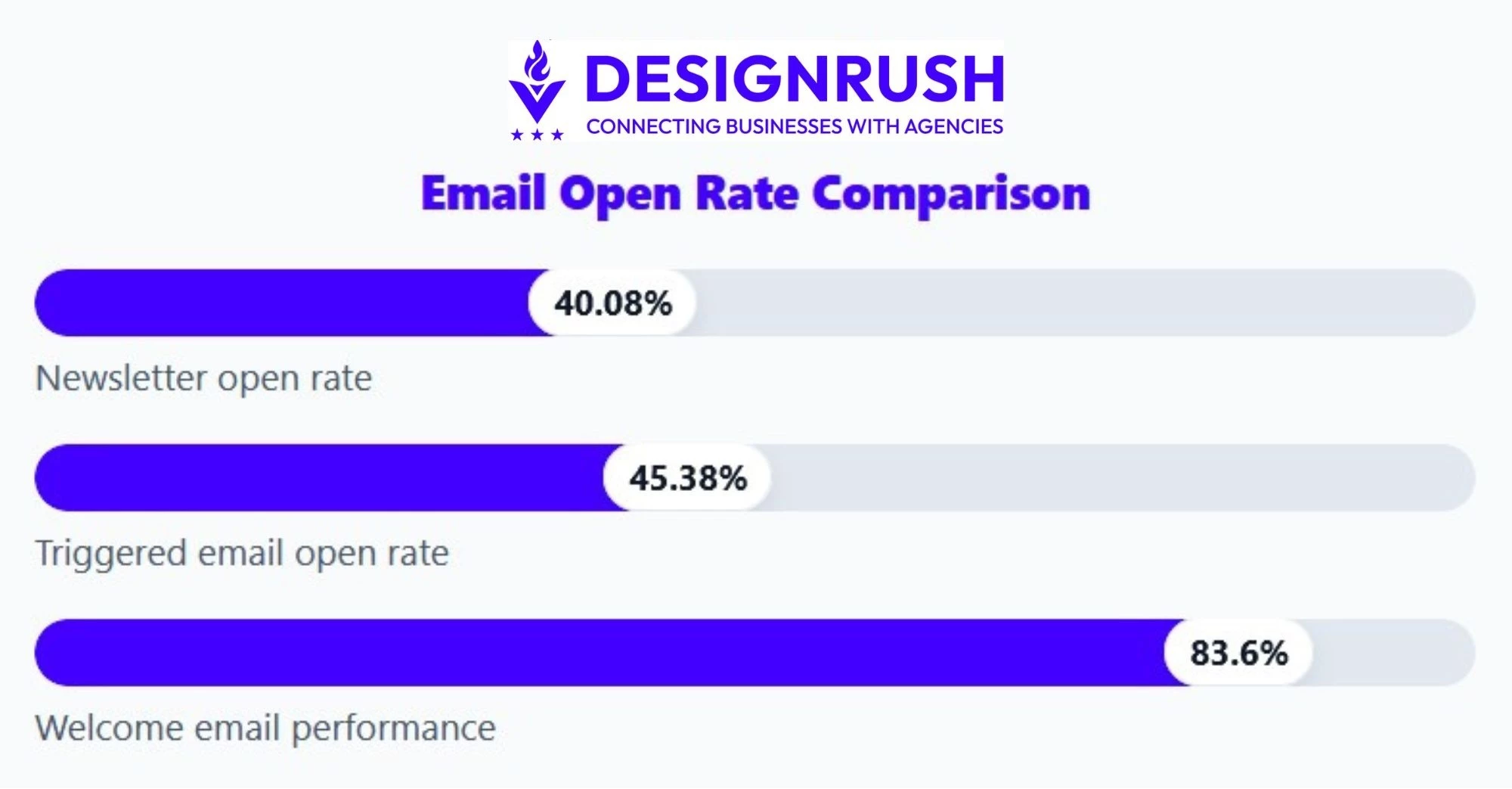
So, if your welcome flow is crawling along at 20% opens, you know there’s room to improve.
Step 2: Identify the Moments That Trigger Action
Next, sketch the key moments in your lifecycle and what you want to happen:
- New subscriber → 3–4 email welcome series
- First purchase → thank-you, how-to, cross-sell, review request
- Browse or cart abandonment → reminders, social proof, urgency
- Inactivity (e.g., 90 days) → re-engagement or “sunset” sequence
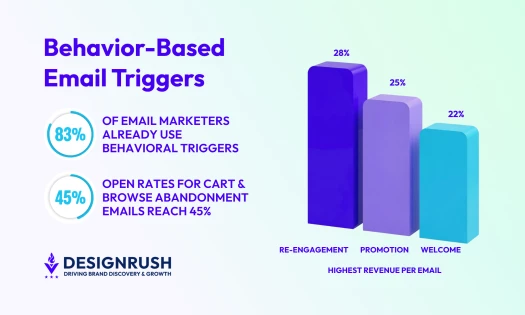
Note: In Omnisend’s report found that just three types of automated messages accounted for 88% of automated email orders: welcome, browse abandonment, and cart abandonment.
Step 3: Segment Your Audience So Automation Feels Personal
This is where your first-party data becomes gold. As we say goodbye to third-party cookies, you’ll need to rely on first-party engagement data and surveys to power better segmentation and personalization.
Automation without segmentation is just spam on autopilot.
Useful segmentation dimensions:
- Demographics: location, language, role, industry
- Behavior: products viewed, categories browsed, features used
- Value: high vs low spenders, subscription tiers, recency/frequency
- Engagement: highly engaged vs at-risk vs dormant
In practice, I like to define a few “anchor segments” early on, such as:
- “New subscribers (0–7 days)”
- “VIP customers (3+ purchases or LTV above X)”
- “At-risk (no opens or clicks in 60–90 days)”
Step 4: Turn Journeys Into Workflows That React and Exit
After choosing an email automation tool (see a breakdown of the leading options in the next section), it’s time to translate your journey map into actual automations.
A basic build process looks something like this:
- Pick a trigger
- Joined list → “Newsletter subscribers”
- Started checkout → “Abandoned cart”
- Last purchase date > 90 days → “Win-back”
- Add delays and branches
- Wait 1 hour → send reminder
- If “purchased since entering flow” → exit
- If “clicked but didn’t purchase” → send social proof email
- Attach messages
- Email 1: simple, value-driven, clear CTA
- Email 2+: add urgency, incentives, or education
Step 5: Optimize the Emails That Actually Generate Revenue
Automation is only as good as the emails it sends and the ROI it provides, so treat content and optimization as one continuous loop. Here’s how:
- Write clear, relevant subject lines: Keep them simple, not cute-for-the-sake-of-it, and only personalize when it genuinely adds context.
- Make emails easy to skim: Short paragraphs, clear headings, bullet points, one primary CTA, and a mobile-first layout.
- Sanity-check against benchmarks: As a rough guide, look for ~40% opens and 3–5% CTR on core flows, with welcome emails often much higher. If you’re way below that, something’s off.
- Test and refine regularly: I like to test 2–3 subject lines, a “story” vs “straight-to-the-point” version, and different CTA placements. Review key flows at least quarterly.
Step 6: Protect Deliverability Before You Scale
The fastest way to kill email automation ROI is landing in spam folders. Before scaling volume, lock down the technical basics and keep your list healthy.
Quick checklist:
- Authenticate your domain with SPF, DKIM, and DMARC so inbox providers trust your emails.
- Remove or suppress inactive subscribers (typically no opens or clicks in 90+ days) to protect engagement rates.
- Monitor sender reputation closely by minimizing hard bounces and keeping spam complaint rates below 0.1%.
- Warm up new sending domains gradually by increasing volume over several weeks instead of blasting thousands of emails on day one.
- Regularly clean invalid, duplicate, or role-based emails (like info@ or support@).
Good automation scales because inbox providers see consistent engagement, healthy sending behavior, and authenticated domains.
5 Email Automation Tools Built for Scale and Performance
Here are five of the strongest platforms that you can use to underpin your email marketing strategy.
- ActiveCampaign: Best for advanced automation and customer journeys
- Mailchimp: Best all-rounder for small businesses
- Omnisend: Best for ecommerce and omnichannel flows
- Nutshell: Best for CRM powered email automation
- Constant Contact: Best for simple, small-business-friendly automation
1. ActiveCampaign: Best for Advanced Automation and Customer Journeys
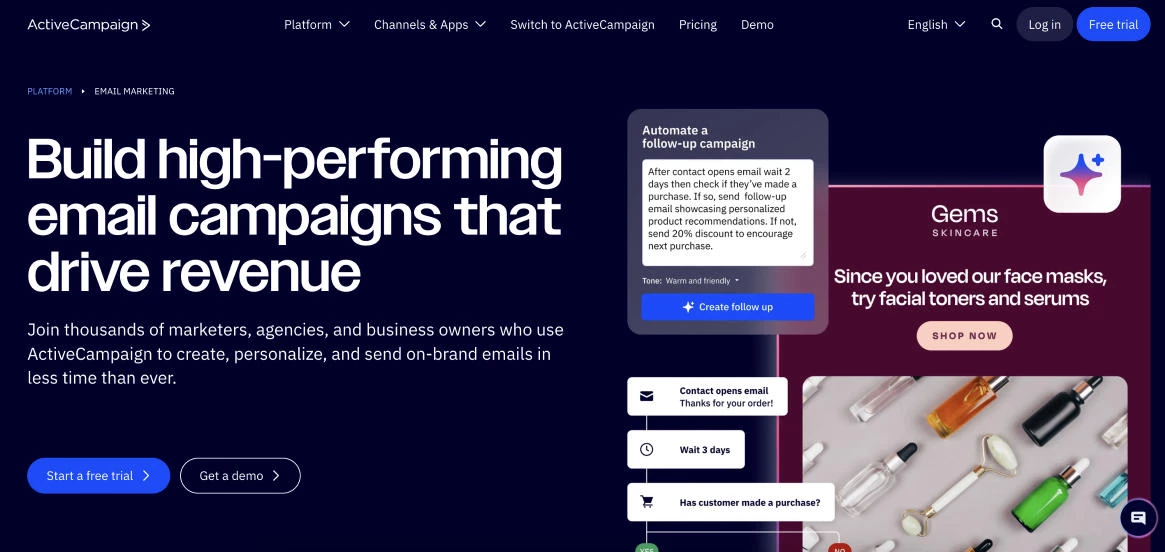
ActiveCampaign is built for businesses that want email automation to behave more like an intelligent lifecycle engine than a basic autoresponder.
It combines email marketing, CRM, and automation in one platform, making it especially useful for teams running complex customer journeys across sales and marketing.
Its visual automation builder is one of the strongest in the category, letting you trigger highly personalized flows based on actions, tags, purchases, site visits, lead scores, and CRM activity.
If your goal is to move beyond simple drip campaigns into behavior-driven automation that adapts to each subscriber in real time, ActiveCampaign is one of the most capable platforms available.
Pricing for 1,000 contacts:
- Starter: $15/month
- Plus: $49/month
- Pro: $79/month
- Enterprise: Custom pricing
Key features:
- Advanced visual automation builder with branching logic and goals
- Built-in CRM for sales and marketing alignment
- Behavioral targeting using site tracking, events, tags, and engagement data
- Dynamic segmentation and personalized email content
- Lead scoring and automated sales pipeline workflows
- Reporting on automation performance, attribution, and customer journeys
2. Mailchimp: Best All-Rounder for Small Businesses
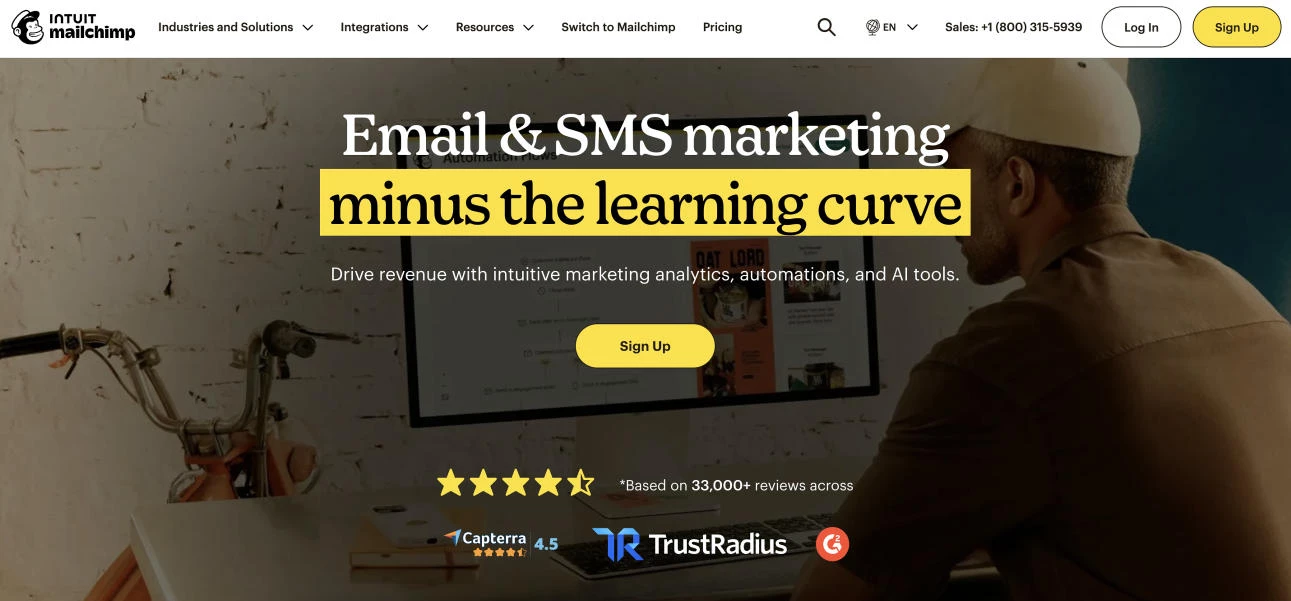
Mailchimp is the ‘default’ choice for a lot of small businesses and startups because it balances usability with increasingly capable automation.
You get an intuitive drag-and-drop email builder, a customer journey builder for multi-step flows, built-in landing pages, and a broad integration ecosystem that lets Mailchimp slot neatly into the rest of your marketing stack.
If you’re formalizing your email program and want one tool to cover newsletters, basic automation, and some multichannel activity (email + SMS + simple ads), Mailchimp is a very pragmatic option.
Pricing for up to 500 contacts:
- Free plan (under 250 contacts)
- Essentials: $6.50/month
- Standard: $10/month
- Premium: $175/month
Key features:
- Drag-and-drop email builder with ready-made templates
- Marketing automations and customer journeys based on behaviour and timing
- Audience management and segmentation tools
- SMS and basic multichannel campaigns alongside email
- Reporting on sales, engagement, and campaign performance
- Large integration ecosystem with ecommerce, CRM, and website tools
3. Omnisend: Best for eCommerce and Omnichannel Flows
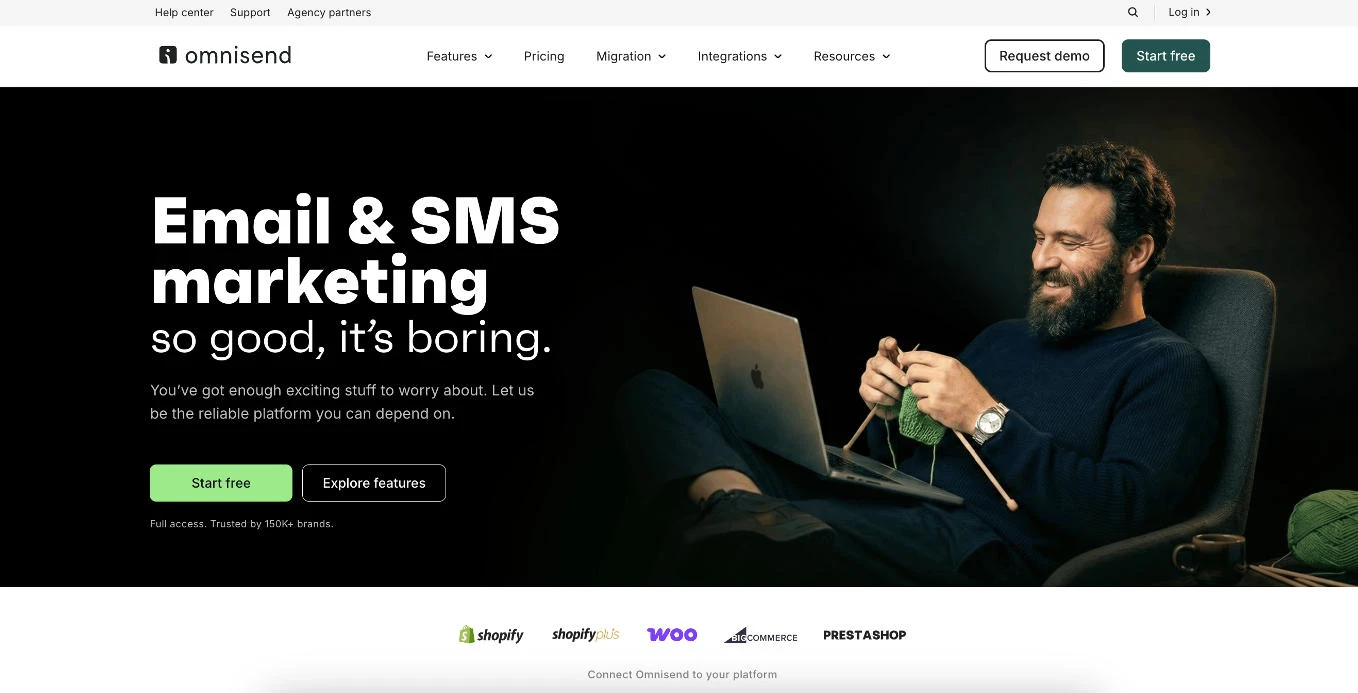
Omnisend is built specifically for ecommerce brands that want email, SMS, and push notifications working together in one automation canvas.
It plugs deeply into platforms like Shopify and WooCommerce, with proven, pre-built flows for welcome, browse and cart abandonment, post-purchase, and win-back campaigns.
If your primary goal is to drive store revenue with behavior-driven, omnichannel automations rather than just send newsletters, Omnisend is positioned exactly for that.
Pricing for up to 500 contacts:
- Free plan
- Standard: $16/month
- Pro: $59/month
Key features:
- Omnichannel automation (email, SMS, push in one workflow)
- eCommerce-focused flows for welcome, cart and browse abandonment, post-purchase, win-back
- Drag-and-drop editor with product feeds and discount blocks
- Segmentation based on shopping behavior and engagement
- Revenue and sales attribution for each campaign and flow
- Tight SMS integration with shared targeting and workflows
4. Nutshell: Best for CRM Powered Email Automation
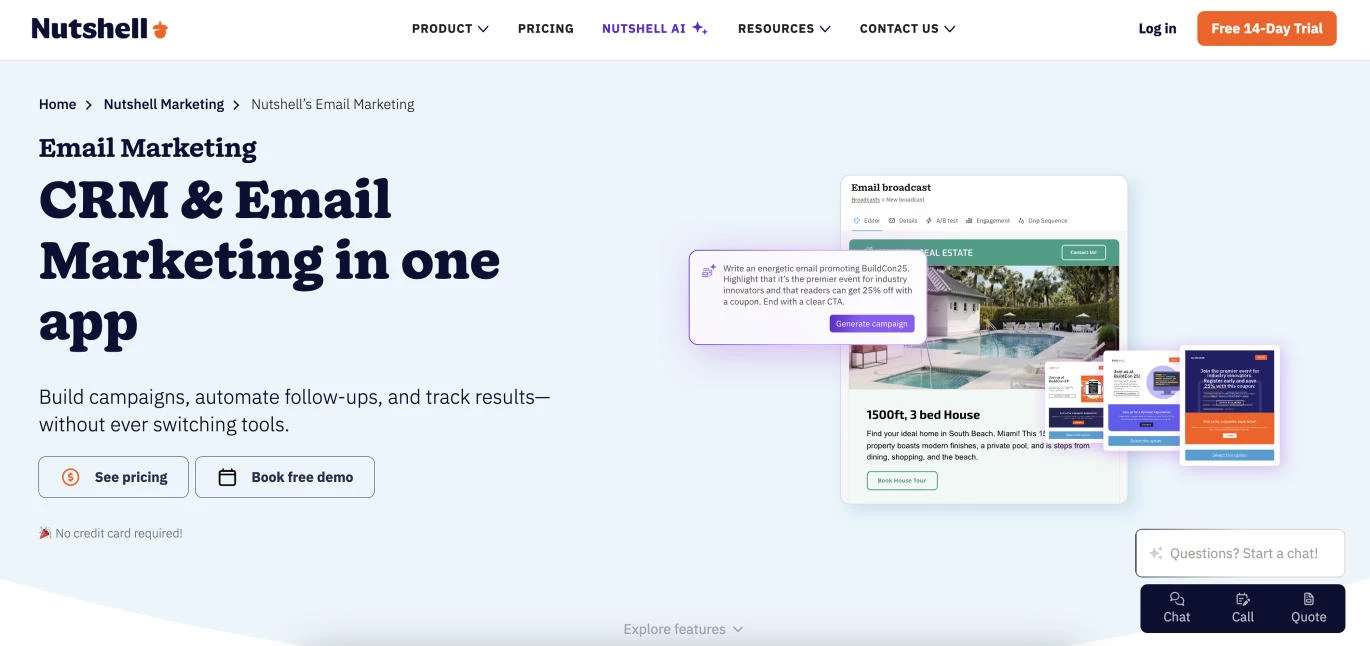
Nutshell Marketing is a strong fit if you want email automation that is tied directly to CRM reality, not a separate email tool that lives on an island.
You build audiences from CRM contacts and tags, then trigger drip campaigns based on pipeline stages and buyer behavior so your follow ups stay timely without manual chasing.
It also bakes in practical execution extras many teams end up bolting on later like landing pages SMS and reporting so you can run always on workflows without stitching together five tools.
Pricing:
- Requires an active Nutshell Sales subscription to use Nutshell Marketing
- Email & marketing add-ons to existing plans start at $12/month
Key features:
- Broadcasts newsletters and drip campaigns built inside the CRM
- Drag and drop email builder with templates for fast campaign creation
- Automation using tags audiences and pipeline stage triggers for lifecycle messaging
- Campaign A B testing plus marketing reports for performance improvement
- Preference center to reduce churn by letting subscribers choose what they receive
- Deliverability support with simplified DNS setup and DMARC enablement flow
5. Constant Contact: Best for Simple, Small-Business-Friendly Automation
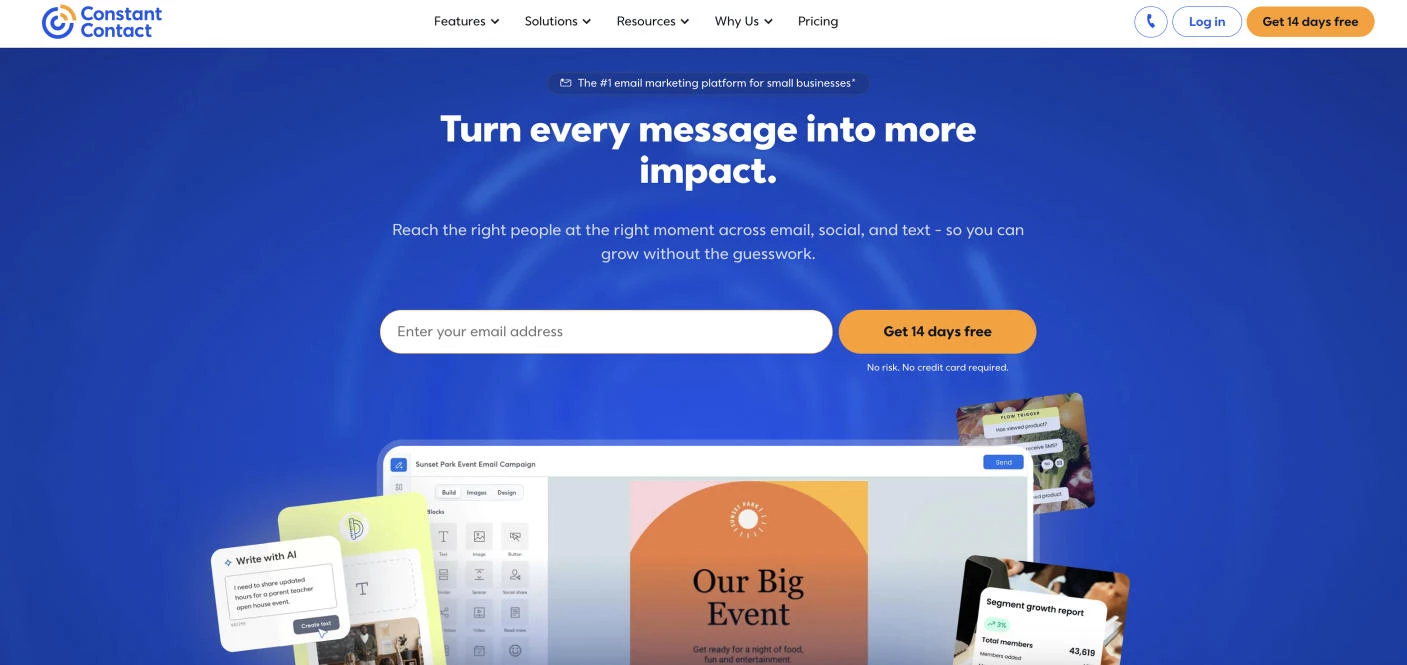
Constant Contact targets small businesses and nonprofits that want to avoid a steep learning curve. It focuses on user-friendly tools: a drag-and-drop editor, list-growth features, and ready-made automations for welcomes, birthdays, cart reminders, and simple series.
It provides a small-business friendly path into automation for those that value ease of use and hands-on support over highly complex workflow logic.
Pricing:
- Free trial
- Lite: $12/month
- Standard: $35/month
- Premium: $80/month
Key features:
- Drag-and-drop email editor with professional templates
- Automated campaigns for welcomes, birthdays, anniversaries, and drips
- List-building tools, opt-in forms, and list management
- Real-time reporting on opens, clicks, and key metrics
- Extras like event management, basic ecommerce, and SMS/email automation
- Strong small-business support with training and human help
How To Turn Email Automation Into a Growth Engine
Instead of ‘set and forget’, build each workflow with a specific goal and audience in mind. When you design automation that way, you’ll be in the best position to fully realize the benefits of email automation.
- Give each flow a clear commercial job: Define the goal (such as reduce time-to-first-purchase or increase repeat orders) and track it. This gives you clear insight into what’s working and where to invest next.
- Start with the highest-impact journeys: Get welcome, browse abandonment, and cart abandonment flows performing before you build anything fancy. You’ll see higher, more predictable revenue and better use of existing traffic fast.
- Personalize beyond [first_name]: Use behavior and lifecycle data (products viewed, segment, stage in the journey) so each flow speaks to what that person actually cares about. That’s what drives stronger retention.
- Stay on-brand and easy to skim: Keep a consistent tone and visual style across all flows, with short paragraphs, clear headings, strong buttons, and mobile-friendly layouts so people can grasp the message in a few seconds.
- Optimize the ‘money emails’ and test regularly: Focus testing on subject lines, offer type, timing, and CTA/layout in key flows like welcome and cart recovery.
- Protect list health and deliverability: Suppress chronic non-engagers, make preferences easy to manage, and watch bounces and complaints.
Following best practices and planning strategically pays off, as Vladislav Podolyako, founder and CEO of Folderly, reminds us, since it’s through such that they are able to achieve “... high inbox placement rates, significant increases in open and click-through rates, and a substantial boost in sales attributed to email marketing.”
Email Automation Failures and How to Avoid Them
Even strong automation strategies can quietly fail if workflows are poorly maintained or scaled without oversight.
These are some of the most common email automation mistakes teams make and how to prevent them before they hurt revenue, engagement, or deliverability.
- Forgetting workflow exit conditions
- Scaling broken automations too early
- Creating a generic segmentation strategy
- Neglecting mobile optimization
- Failing to refresh automations
1. Forgetting Workflow Exit Conditions
One of the fastest ways to annoy subscribers is continuing to send sales or reminder emails after they’ve already converted.
This usually happens when workflows lack proper exit logic tied to purchases, bookings, or completed actions.
How to fix it: Build “goal achieved” exits into every automation. If someone purchases, upgrades, or books a demo, automatically remove them from promotional flows and move them into the next relevant lifecycle sequence.
2. Scaling Broken Automations Too Early
Some email marketers rush to build dozens of workflows before confirming that their triggers, timing, and messaging actually work.
This creates larger performance and deliverability problems later.
| Common Problems | How To Fix It |
| Automating too many workflows too quickly | Start with one or two core flows |
| Broken links and duplicate sends scale fast | Test triggers, branches, and delays thoroughly |
| No performance benchmarks before scaling campaigns | Monitor metrics before increasing workflow complexity |
3. Creating a Generic Segmentation Strategy
When segmentation is too broad, automation stops feeling relevant and starts feeling repetitive.
These are some of the clearest signs your workflows are treating very different subscribers exactly the same:
- Every subscriber receives the same onboarding or promotional emails
- Repeat buyers and first-time customers get identical offers
- Open and click rates steadily decline across automations
- Re-engagement campaigns target active subscribers by mistake
How to fix it: Segment contacts by lifecycle stage, purchase behavior, engagement level, or customer value. Even lightweight segmentation can dramatically improve personalization and conversion rates.
4. Neglecting Mobile Optimization
Most automated emails are opened on phones, yet dynamic content blocks, oversized visuals, and cluttered layouts often break the mobile experience.
A workflow that looks polished on desktop can quickly become unreadable on smaller screens.
How to fix it: Use mobile-first templates with concise copy, single-column layouts, and clear CTA buttons. Test every automation across multiple devices before publishing, especially emails using personalization or dynamic product feeds.
5. Failing to Refresh Automations
Workflows that once performed well can quietly lose effectiveness if they are never reviewed or updated.
| What Gets Ignored | Why It Matters |
| Outdated offers, expired discounts, or broken links | Old content damages trust and lowers conversion rates |
| Underperforming subject lines or stale messaging | Engagement gradually declines without regular optimization |
| Triggers tied to old customer behavior | Automations stop matching how users actually buy or engage |
How to fix it: Audit active workflows quarterly to review performance, timing, triggers, and content freshness. Remove outdated emails, refresh offers, and identify sequences with declining engagement before they hurt deliverability.
Email Automation: Final Words
Email automation can redefine how people experience your brand without adding more hands to the team. Every automated message is a tiny decision you no longer have to make, and a touchpoint you know will happen regardless.
Pick one journey (welcome, cart recovery, or post-purchase), define the outcome you want, and spend 30 days improving that single flow to see what email automation can really do.
Our team ranks agencies worldwide to help you find a qualified partner. Visit our Agency Directory to find top-rated email marketing companies, as well as:
- Top AI Email Marketing Agencies
- Top B2B Email Marketing Agencies
- Top eCommerce Email Marketing Agencies
- Top UI/UX Design Agencies
- Top Email Marketing Companies In Houston
Email Automation FAQs
1. What is email automation?
Email automation is the use of software to send emails automatically based on subscriber behavior, timing, rules, or lifecycle events instead of sending every message manually.
These emails are triggered by actions such as signing up for a newsletter, abandoning a cart, making a purchase, or becoming inactive for a set period.
2. How big does my email list need to be before email automation is worth it?
You don’t need a huge list for automation to pay off. If you’re consistently getting new subscribers or customers each week (even a few dozen), a simple welcome series and cart recovery flow can already reclaim revenue and save time.
3. Which automation workflows should I set up first if I’m just getting started?
Start with the highest-impact journeys and ignore everything else at first: a welcome series (to introduce your brand and move people to first action), abandoned cart (or lead follow-up for B2B), and a post-purchase flow (thank you, usage tips, review request, and next-step offer).
Once those are performing, add browse abandonment and re-engagement flows if you have the volume to support them.
4. How often should I review and update my automated email flows?
As a rule of thumb, review key flows at least once a quarter. Look for drops in opens, clicks, or conversion, check that offers and messaging are still accurate, and update anything that feels dated or off-brand.
If a flow is high-traffic or high-revenue (like welcome or cart recovery), it’s worth checking in more often and running small A/B tests on subject lines, timing, and CTAs.
5. Is email automation GDPR compliant?
Email automation can be GDPR compliant when businesses collect consent properly and handle subscriber data responsibly. Compliance depends less on automation itself and more on how contact data is gathered, stored, segmented, and used for communication.
Businesses should use clear opt-in forms, maintain consent records, provide unsubscribe options, and avoid sending marketing emails without permission.