
Designing for success rarely follows a straight line. At its core, the iterative design process involves creating a prototype or concept, testing it, collecting feedback, and refining it repeatedly until the design meets its objectives.
Unlike traditional linear approaches, iterative design allows teams to adapt to changing requirements and insights gathered throughout the project lifecycle. In this guide, we’ll explore the definition of iterative design, break down its key stages, highlight its benefits, and provide actionable tips for implementation.
What Is the Iterative Design Process?
The iterative design process shares similarities with other methodologies like the UX design process and the agile design process. Both emphasize iterative improvements, rapid prototyping, and constant validation.
As businesses strive to create user-centric products and services, iterative design proves to be an essential tool for refining concepts, reducing risks, and achieving optimal outcomes.
Key Characteristics of the Iterative Design Process
- User-centric: It focuses on solving user problems by testing designs in real-world contexts.
- Feedback-driven: Continuous input from stakeholders and end users informs each iteration.
Benefits of the Iterative Design Process:
- Enhanced usability: Frequent testing ensures designs are intuitive and aligned with user expectations.
- Reduced costs: Catching flaws early in the design phase prevents costly revisions down the line.
- Increased efficiency: Iterative cycles streamline the path from concept to a functional, polished product.
- Flexibility: Adaptability to changing requirements or new insights keeps the project relevant and effective.
Iterative Design Process vs. Other Design Models
How does the design iteration process compare to traditional methodologies? Unlike traditional linear models, the iterative design process emphasizes flexibility, feedback, and cyclical refinement. Let's explore the key distinctions that set it apart.
Linear vs. Iterative
Linear Design Process
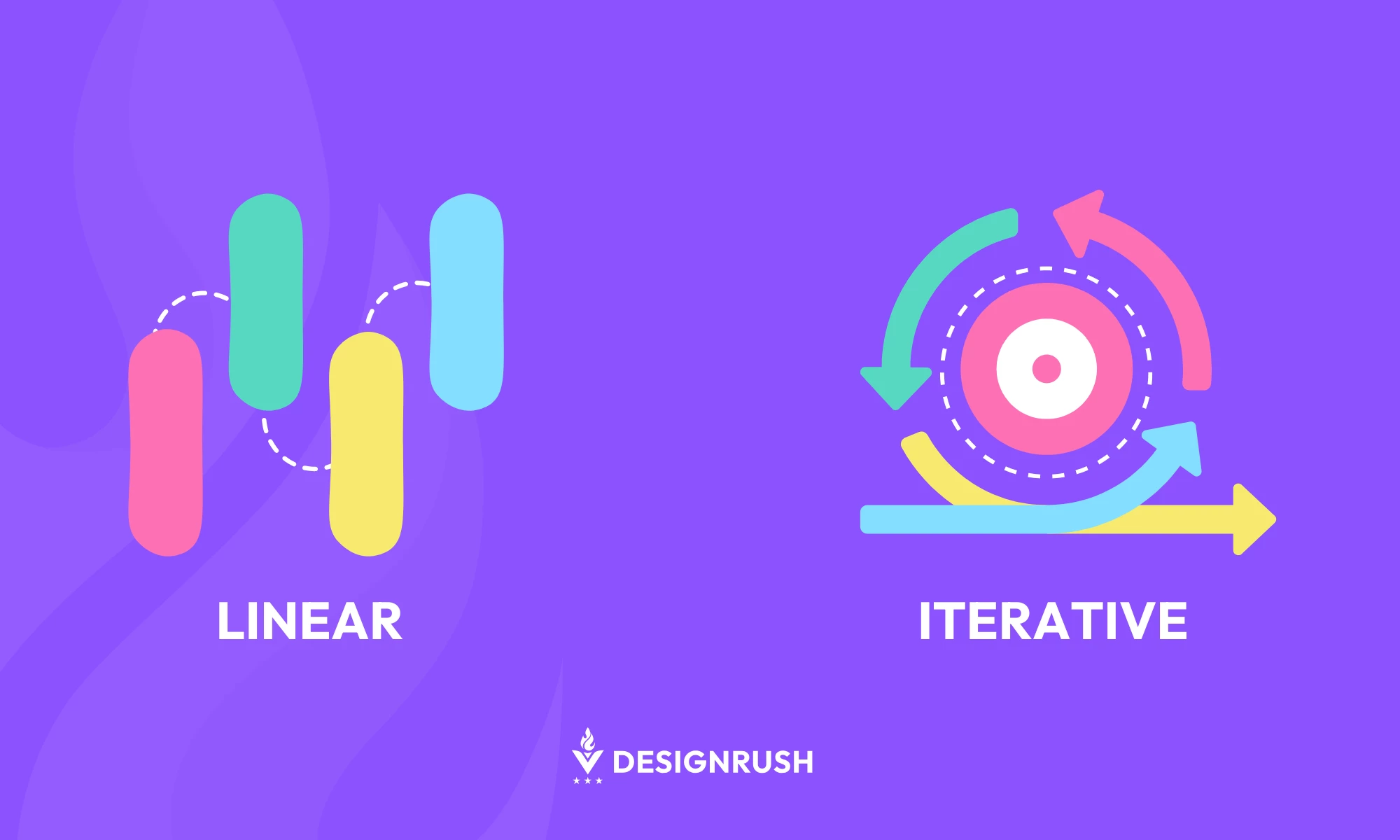
This traditional approach follows a sequential path, moving step by step from research to design to implementation, with minimal flexibility to revisit or revise previous stages.
It’s well-suited for projects with well-defined, fixed requirements, such as manufacturing blueprints or regulatory-driven systems. However, its rigid nature can make it less effective for addressing unexpected issues or evolving user needs.
Iterative Design Process
In contrast, the iterative design process is cyclical, allowing teams to revisit earlier stages as new insights arise. It’s particularly effective for dynamic, user-focused projects where feedback loops and continuous improvement are critical.
For instance, designing a mobile app benefits from iterative cycles as user preferences and technological possibilities often evolve during development.
While linear design prioritizes predictability and efficiency for static requirements, iterative design excels in environments where adaptability and responsiveness to feedback are essential.
Agile and Double Diamond Models
Agile Design Process
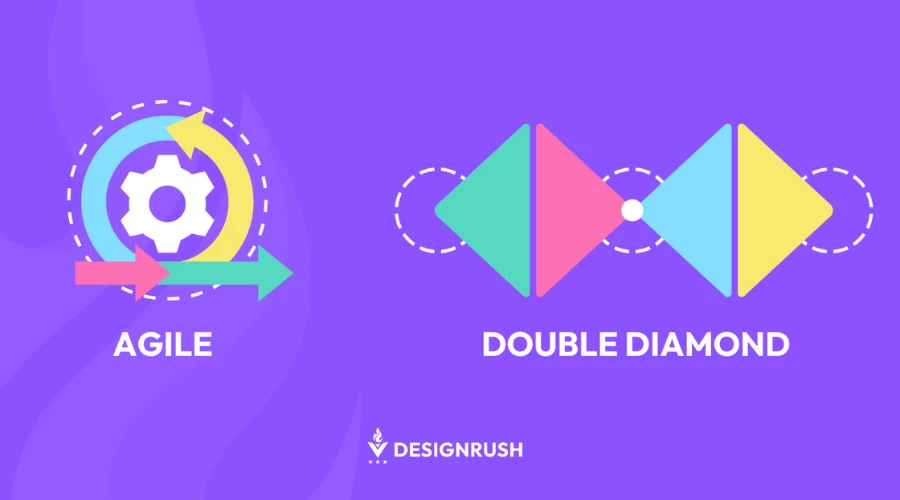
The Agile methodology shares iterative design’s emphasis on feedback and adaptability but organizes work into sprint-based workflows. Agile teams deliver small, functional increments of the project in fixed periods, which helps promote collaboration and continuous improvement.
For example, in a website redesign, an Agile approach might prioritize redesigning the homepage in one sprint and refining navigation in the next. While Agile also incorporates iterative principles, its focus on collaboration and time-boxed delivery distinguishes it.
Double Diamond Design Process
This model emphasizes divergent and convergent thinking, aligning closely with iterative cycles. The first diamond involves exploring possibilities and defining problems, while the second diamond refines solutions through prototyping and testing.
Double Diamond complements the iterative design process by structuring the exploratory and refinement phases. For example, in UX design, the first diamond might be used to research user needs, while the second diamond focuses on testing and refining prototypes.
Both the Agile and Double Diamond processes align well with iterative design, but Agile excels in fostering team collaboration and managing time, while Double Diamond provides a structured framework for exploration and refinement.
Key Stages of the Iterative Design Process
The iterative design process is structured around four distinct stages, each feeding into the next in a continuous cycle of improvement.
Stage 1: Research and Discovery
Every successful design begins with understanding the problem it aims to solve. This stage involves gathering insights into user needs, pain points, and project goals.
- Activities: Conduct user interviews, market research, and competitor analysis
- Deliverables: Personas, problem statements, and initial design requirements
- Key Tip: Define clear metrics for success to guide subsequent iterations.
Stage 2: Ideation and Prototyping
Armed with research, the team brainstorms ideas and develops low-fidelity prototypes or wireframes in the second stage. This stage prioritizes speed and creativity over perfection.
- Activities: Sketching, wireframing, and rapid prototyping using tools like Figma or Sketch
- Deliverables: Early-stage mockups or interactive prototypes
- Key Tip: Focus on functionality and usability rather than aesthetics during this phase.
Stage 3: Testing and Feedback
Testing prototypes with real users provides invaluable insights. This stage validates assumptions, uncovers usability issues, and highlights areas for improvement.
- Activities: Usability testing, A/B testing, and stakeholder reviews
- Deliverables: Comprehensive feedback reports and actionable insights
- Key Tip: Engage diverse user groups to ensure your design appeals to a broad audience.
Stage 4: Refinement and Reiteration
Based on the feedback, the design undergoes refinements to address identified issues. The cycle repeats as needed until the design meets its objectives.
- Activities: Implement changes, re-test, and optimize the design
- Deliverables: Improved prototypes or final designs ready for production
- Key Tip: Use the Double Diamond Design Process as a complementary framework to refine ideas effectively.
Best Practices for Implementing Iterative Processes
To fully unlock the potential of the iterative design process, adhering to best practices ensures efficiency and successful outcomes. Here are detailed guidelines and practical examples:
1. Start Small
Focus on solving one problem at a time. This approach minimizes complexity, allows for better resource allocation, and ensures that each iteration is manageable and impactful.
How it Works:
When redesigning an e-commerce website, instead of overhauling the entire site, begin with the checkout process. Identify pain points, such as a confusing interface or missing payment options, and iteratively refine this single component. Once the checkout process is optimized, move on to other areas like the product catalog or navigation.
Why It Works:
By tackling smaller, isolated problems, teams avoid overwhelming themselves. Plus, it can show tangible progress quickly. This incremental success builds momentum and fosters stakeholder confidence.
2. Test Early and Often

Frequent testing throughout the design process ensures you catch flaws early before they become expensive to fix. Regular testing also validates assumptions and helps align the design with user needs.
How it Works:
For a mobile app prototype, conduct usability tests with a small group of users as soon as the first clickable wireframe is ready. Gather insights on navigation, button placement, and readability. Repeat this process at every stage, from low-fidelity mockups to high-fidelity prototypes.
Why It Works:
Testing early prevents significant rework later and ensures that the design remains user-centric. By iterating on feedback, the final product aligns more closely with user expectations.
3. Prioritize Feedback

Actively seek input from diverse sources, including end-users, stakeholders, and team members, at every stage of the design process. Feedback is the cornerstone of iterative design, as it provides direction for refinement.
How it Works:
When designing a SaaS dashboard for data visualization, gather feedback from different stakeholders:
- End-users: Evaluate usability and relevance of the data displayed
- Internal teams: Ensure alignment with business goals and technical feasibility
- Project stakeholders: Confirm that the design adheres to brand guidelines and project scope
Why It Works:
Incorporating feedback from multiple perspectives ensures the design meets both user and business requirements. Regular feedback loops keep stakeholders engaged and invested in the project.
4. Use Agile Principles
Incorporate sprint cycles from Agile methodologies to align iterative design with broader project goals. Agile principles emphasize collaboration, adaptability, and delivering small, functional increments.
How it Works:
For a website redesign project, divide the work into two-week sprints. During the first sprint, focus on redesigning the homepage. Share the prototype with stakeholders at the end of the sprint for feedback. Use the next sprint to refine the homepage based on feedback while starting the redesign of a secondary page.
Why It Works:
Agile principles promote continuous improvement and adaptability, enabling teams to respond quickly to changes. Sprints ensure that every iteration delivers measurable value and keep the project on track.
5. Document Iterations

Maintain detailed records of each iteration, including feedback, changes made, and the rationale behind design decisions. Documentation ensures transparency and provides a reference for future iterations or similar projects.
How it Works:
When creating a user interface for a fintech app, keep a shared document or project management board that records:
- Feedback from each testing phase
- Screenshots or descriptions of the design before and after changes
- Justifications for decisions, such as prioritizing specific features based on user needs
Why It Works:
Clear documentation streamlines collaboration among team members and stakeholders. It also creates a historical record that can guide future design projects, ensuring consistency and reducing redundant work.
The Bottom Line
The iterative design process empowers businesses to refine concepts, reduce risks, and deliver user-focused designs. Unlike traditional approaches that often fixate on first assumptions, iterative design enables continuous improvement, making it an invaluable tool for creating functional, user-centric solutions.
For businesses in fast-paced industries like web design and digital products, the iterative design’s cycle of testing and refinement allows teams to catch errors early, reduce costly rework, and align more closely with user preferences. This is especially critical in today’s competitive landscape, where consumer expectations are higher than ever.
Incorporating the iterative design process into your broader web design process fosters scalability and impactful results. Whether you're launching a new product or revamping an existing one, the iterative design process ensures your design is innovative and practical, while evolving alongside user feedback.
Iterative Design Process FAQs
1. What is the iterative design process definition?
The iterative design process involves creating, testing, and refining prototypes through repeated cycles until the best possible design is achieved.
2. Why is iterative design important in web development?
Iterative design ensures web designs are user-focused, functional, and responsive by continuously refining prototypes based on real-world feedback.
3. How does the design iteration process differ from traditional design processes?
Unlike linear models, iterative design allows flexibility by revisiting and improving previous stages as needed.
4. What industries use the iterative design process?
Industries like web development, UX/UI design, software development, and product innovation rely on iterative design to create successful, user-centric solutions.