
A CRM for web designers keeps leads, proposals, client conversations, project handoffs, and retainers organized in one place. The best option fits naturally into how your team sells and delivers work without adding more admin.
Most CRMs are built for traditional sales teams, not web designers juggling proposals, builds, revisions, and ongoing support. This guide looks at the tools that make those moving parts easier to manage.
CRM for Web Designers: Key Findings
- The CRM market is projected to grow at a 7.93% CAGR through 2031, rising to 9.54% among small and midsize businesses. Reducing admin is a key need, with 42% of sales and marketing professionals spending at least 40% of their day on non-revenue-generating tasks.
- Tools such as Nutshell, Zoho, and OnePageCRM suit web design teams who prioritize straightforward lead tracking, client communication, and follow-ups.
- Growing agencies and retainer-based businesses need more structure around meetings, handoffs, and ongoing work. Pipedrive supports this with Nova’s Meeting Intelligence and Projects, and ManyRequests and Insightly connect client management with requests and delivery.
Why CRM Matters for Web Design Teams
As businesses prioritize better visibility into customer relationships and revenue pipelines, CRM adoption continues to accelerate.
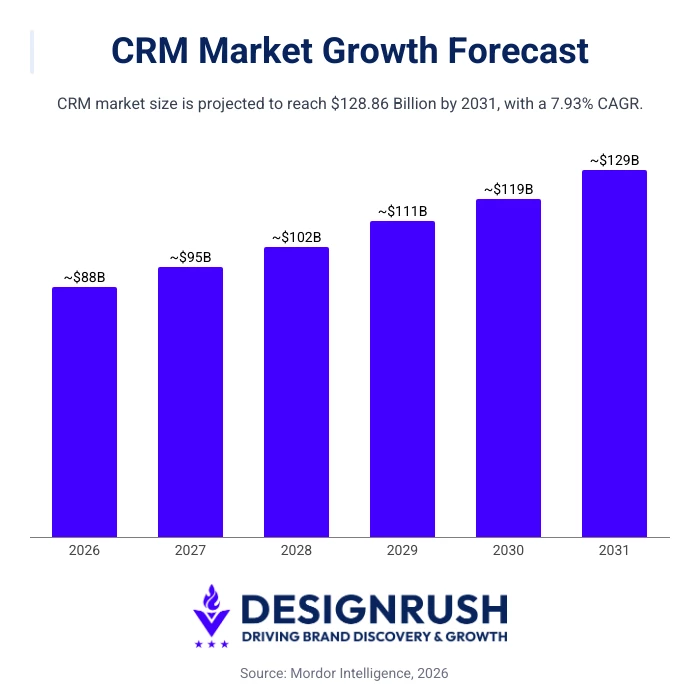
The CRM market is projected to grow at a CAGR of nearly 7.93% from 2026 to 2031, while small and mid-sized businesses are driving even faster CRM growth at a 9.54% CAGR.
The need for tools that reduce sales administration is also clear. Pipedrive’s 2026 CRM Trends Report, based on a survey of 1,000 sales and marketing professionals, found that 42% spend at least 40% of their working day on tasks that don’t directly generate revenue.
Only 11% said actively closing deals was among their most frequent weekly activities.
For web design teams, administrative work can include reviewing client history, tracking proposals, documenting requirements, coordinating project handoffs, and managing retainer conversations. A CRM keeps this information connected, helping teams stay organized and spend more time serving clients.



10 Top CRM for Web Designers
Here are the web design CRM tools that stand out most for web designers based on how real teams sell, deliver, and grow their work.
| Tool | Best For | Visual Pipeline | Project + Delivery Alignment | Client Comms | Pricing (starts at) |
| Nutshell | Simple, no-bloat CRM | ✅ | ❌ | ✅ | $19/user/month |
| Pipedrive | Meeting intelligence and project handoffs | ✅ | ✅ | ✅ | $14/seat/month |
| Zoho CRM | Scaling businesses | ✅ | ✅ | ✅ | $20/user/month |
| Freshworks CRM | Automation without complexity | ✅ | ❌ | ✅ | $11/user/month |
| Insightly | Client and project management | ✅ | ✅ | ✅ | $29/user/month |
| monday.com | CRM and workflows | ✅ | ✅ | ✅ | $12/seat/month |
| ManyRequests | Services and ongoing work | ❌ | ✅ | ✅ | $149/month |
| OnePageCRM | Action-driven workflows | ❌ | ❌ | ✅ | $15/user/month |
| EngageBay | Budget-conscious teams | ✅ | ❌ | ✅ | $12.74/user/month |
| Agile CRM | CRM + marketing | ✅ | ❌ | ✅ | $8.99/user/month |
- Nutshell: Simple, no-bloat CRM for designers
- Best for meeting intelligence and project handoffs
- Zoho CRM: Customizable CRM for scaling businesses
- Freshworks CRM: Best for automation without complexity
- Insightly: Best for client and project management
- monday.com: CRM and workflows in one platform
- ManyRequests: Best for designers selling services and ongoing work
- OnePageCRM: Best for action-driven workflows
- Engagebay: Best for budget-conscious teams
- Agile CRM: Best for CRM + marketing on a budget
1. Nutshell: Simple, No-Bloat CRM for Designers
For web designers and small agencies that want a straightforward CRM to manage leads, follow-ups, and client relationships.
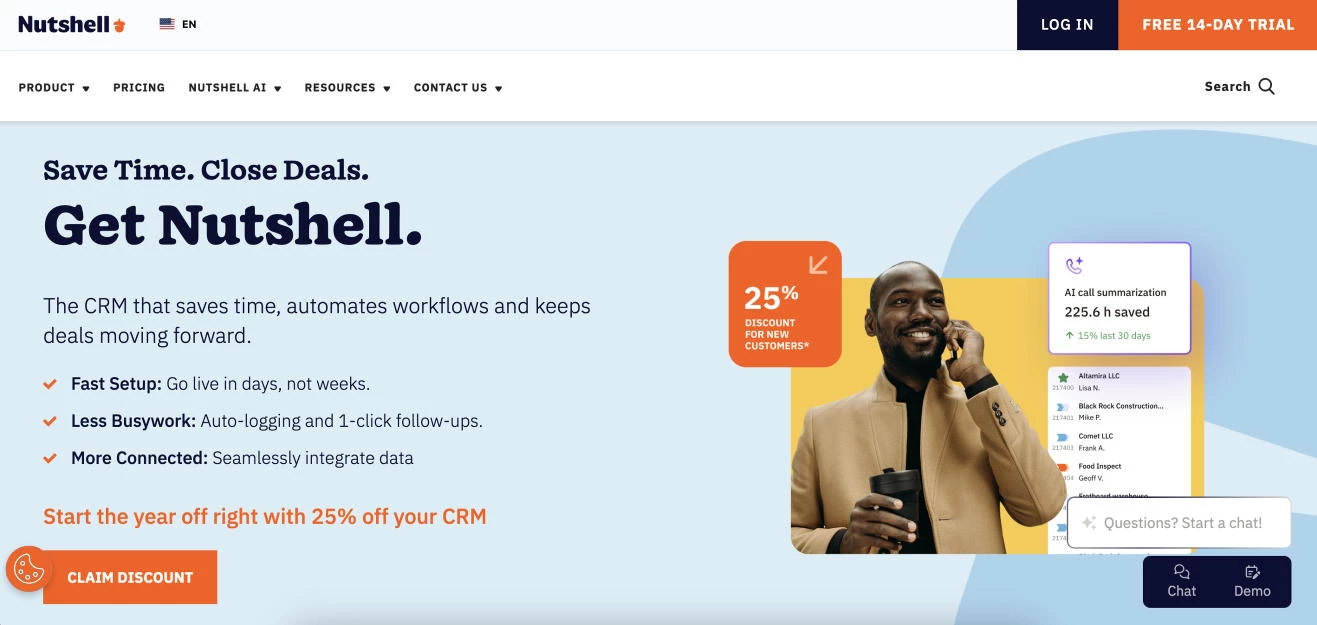
Nutshell stands out as a CRM built for growing service businesses that need structure without complexity.
Unlike enterprise CRMs that overwhelm users with modules and configurations, Nutshell focuses on the fundamentals that matter most to web designers, like clear pipelines, fast follow-ups, and visibility into where every client relationship stands.
Pricing:
- Foundation: $19/user/month
- Growth: $32/user/month
- Pro: $49/user/month
- Business: $67/user/month
- Enterprise: $89/user/month
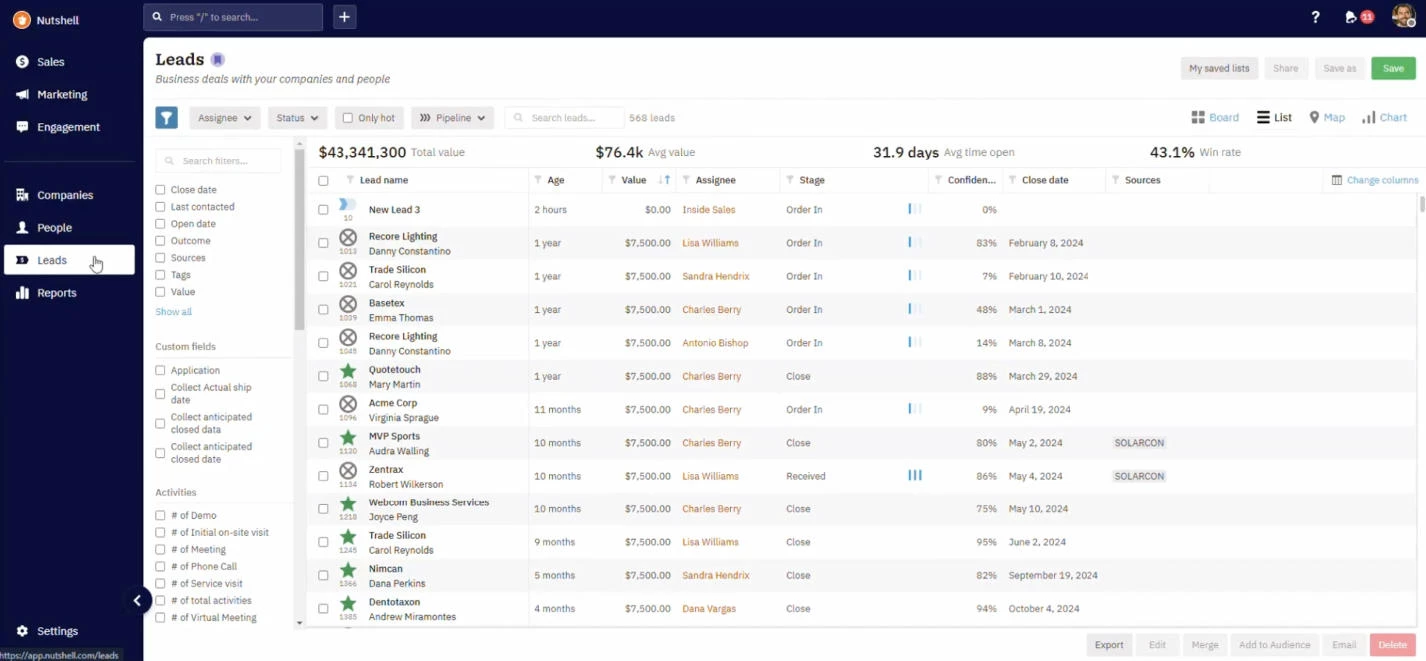
For web designers and design agencies, this simplicity is a competitive advantage. You can track new inquiries, proposals, active projects, and upsell opportunities in one place, without turning your CRM into a second job.
Nutshell also pairs relationship management with built-in email marketing and reporting, making it a practical choice for business owners who want one system to support both sales and client communication.
Other Notable Features
- Contact and activity tracking
- Business-focused reporting and forecasting
- Native integrations with popular tools
What Users Say
Users consistently highlight Nutshell’s ease of use and short learning curve. Many small agencies and service-based teams point out that it’s one of the few CRMs they actually keep using after onboarding.
Common praise includes its intuitive pipeline view, responsive support, and the fact that it doesn’t feel “overbuilt” for smaller teams.
2. Pipedrive: Best for Meeting Intelligence and Project Handoffs
For growing web design teams that want to connect prospect conversations, client records, and post-sale delivery.
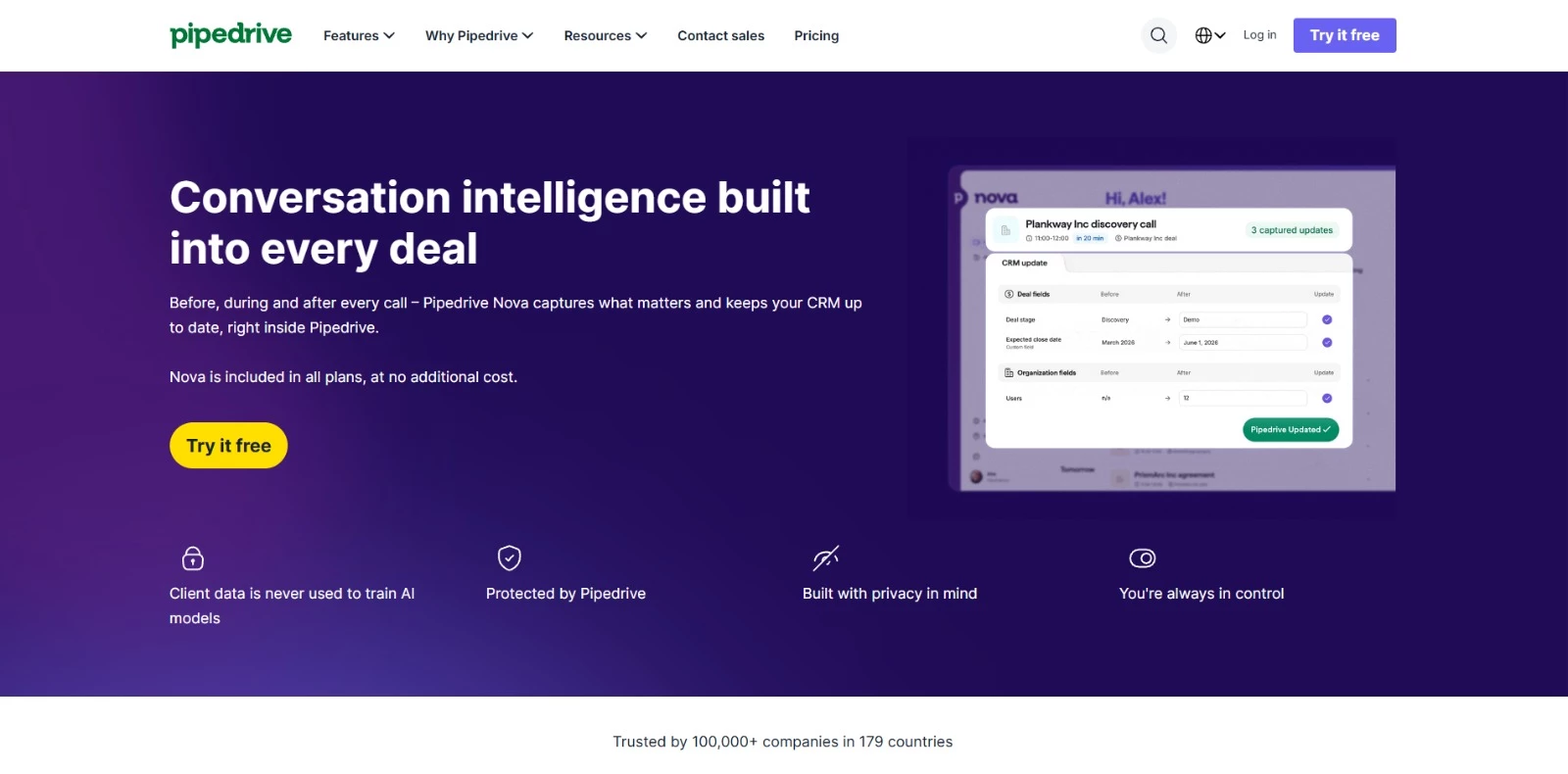
Pipedrive gives web designers and agencies a visual way to manage inquiries, proposals, retainers, and active client relationships. Its customizable pipelines show which prospects are moving forward, which proposals have stalled, and who needs attention next.
Its built-in Meeting Intelligence tool, Nova, reduces the admin surrounding discovery calls, scope discussions, and client meetings. Before a meeting, Nova prepares a brief using available CRM data, emails, calendar activity, and contact history.
It can then record and transcribe the conversation, generate a summary, identify action items, and suggest CRM updates for the user to review.
If several people handle sales and delivery, you don’t want important client details getting lost during the handoff. With Nova, your project team can check the meeting summary, transcript, and approved CRM updates instead of piecing everything together after the call.
Pricing:
- Lite: $14/seat/month
- Growth: $39/seat/month
- Premium: $59/seat/month
- Ultimate: $79/seat/month
- Free 14-day trial
Pipedrive can also support the work that begins after a proposal is accepted. Its Projects feature lets agencies organize post-sale work using project boards, phases, tasks, subtasks, activities, milestones, files, and reusable templates.
Web design teams can turn a won deal into a project without re-entering the same client information or losing track of what was discussed during sales calls.
They can also label retainer clients with custom fields and track recurring services using Pipedrive’s subscription and installment features.
Other Notable Features
- Visual pipelines for inquiries, proposals, and client relationships
- Nova pre-call briefs, transcripts, summaries, and action items
- Suggested CRM updates that users can review, edit, or skip
- Project boards, tasks, milestones, and reusable templates
- Workflow automation for reminders and client handoffs
- Custom fields for segmenting prospects, clients, and retainers
What Users Say
Users frequently point to Pipedrive’s intuitive interface and clarity as its biggest strengths. Small agencies and service businesses often highlight how easy it is to adopt and how quickly it brings structure to sales efforts.
Users also note that Pipedrive’s focus on sales pipelines means it can feel limited for broader client management or project tracking unless paired with additional tools.
3. Zoho CRM: Customizable CRM for Scaling Businesses
For growing web design teams that want a flexible CRM they can customize as their processes, client base, and service offerings expand.
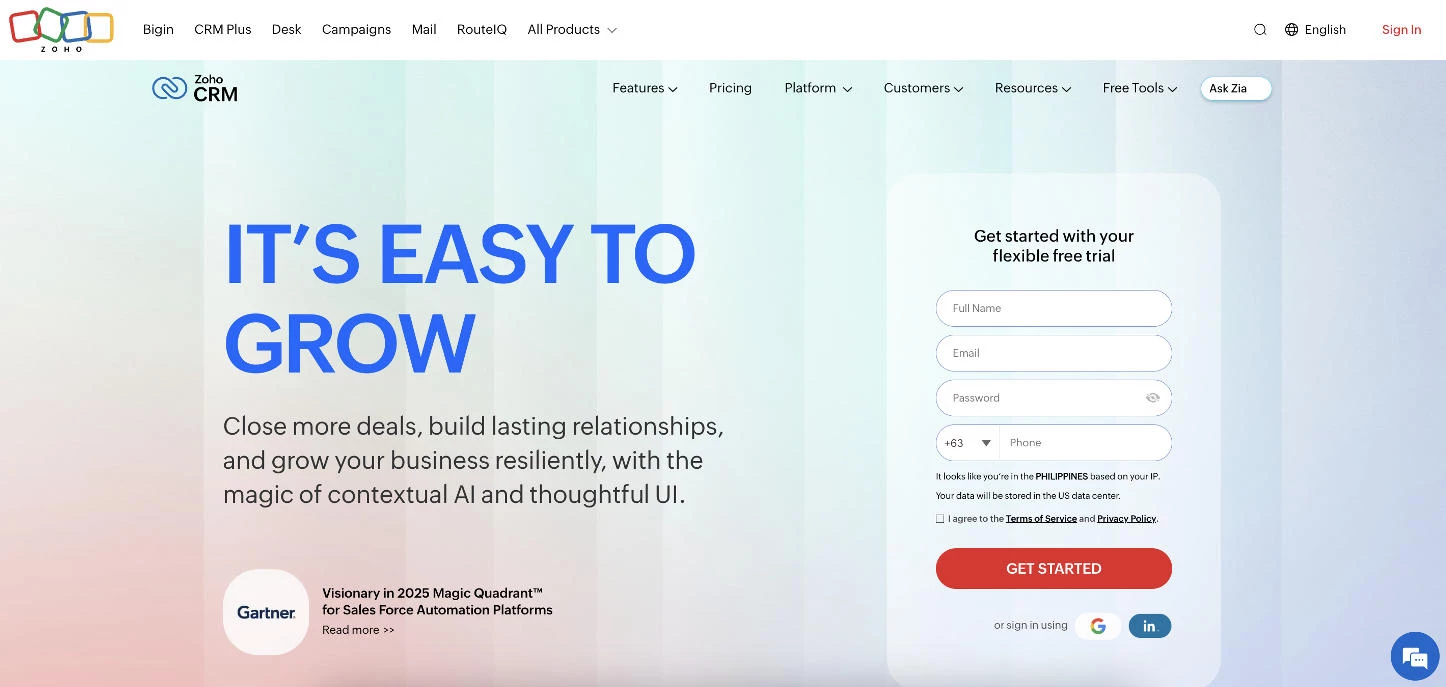
Zoho is one of the more flexible options of web design CRM software. It’s designed for teams that want to shape the CRM around their workflow, rather than adapting their workflow to the software.
For web designers and agencies planning to scale, Zoho offers a level of customization that lighter CRMs can’t match.
Designers can manage leads, proposals, ongoing client relationships, and repeat business within a single system while tailoring fields, workflows, and dashboards to reflect how their studio actually operates.
Pricing:
- Standard: $20/user/month
- Professional: $35/user/month
- Enterprise: $50/user/month
- Ultimate: $65/user/month
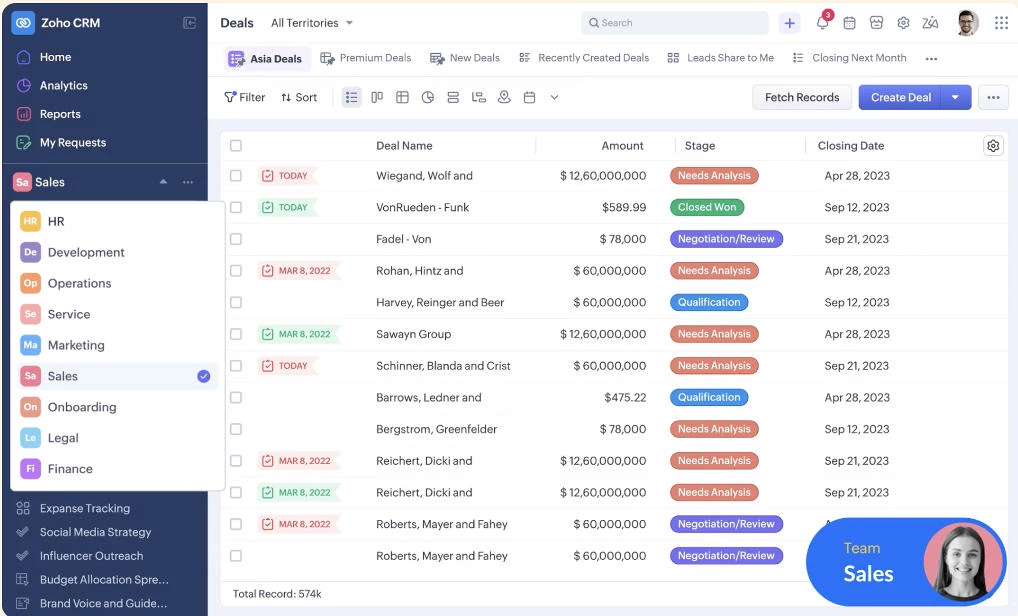
For web designers who want room to grow, Zoho CRM’s flexibility is its biggest advantage. You can start with basic contact and deal tracking, then layer in automation, analytics, and integrations as your client base and team expand.
This makes it especially appealing to agency owners who want a long-term CRM investment rather than a short-term fix.
Other Notable Features
- Advanced automation and lead scoring
- Multi-channel communication (email, phone, social)
- Deep integrations across the Zoho ecosystem
What Users Say
Users frequently praise Zoho CRM’s flexibility and value for money, especially compared to higher-priced enterprise CRMs. Agencies and service-based businesses often highlight how much control they have over setup and automation once the system is properly configured.
Some users also note that Zoho CRM’s breadth comes with a steeper learning curve, particularly during initial setup.
4. Freshworks CRM: Best for Automation Without Complexity
For web designers who want to automate lead capture, follow-ups, and communication without dealing with heavy setup or enterprise-level systems.
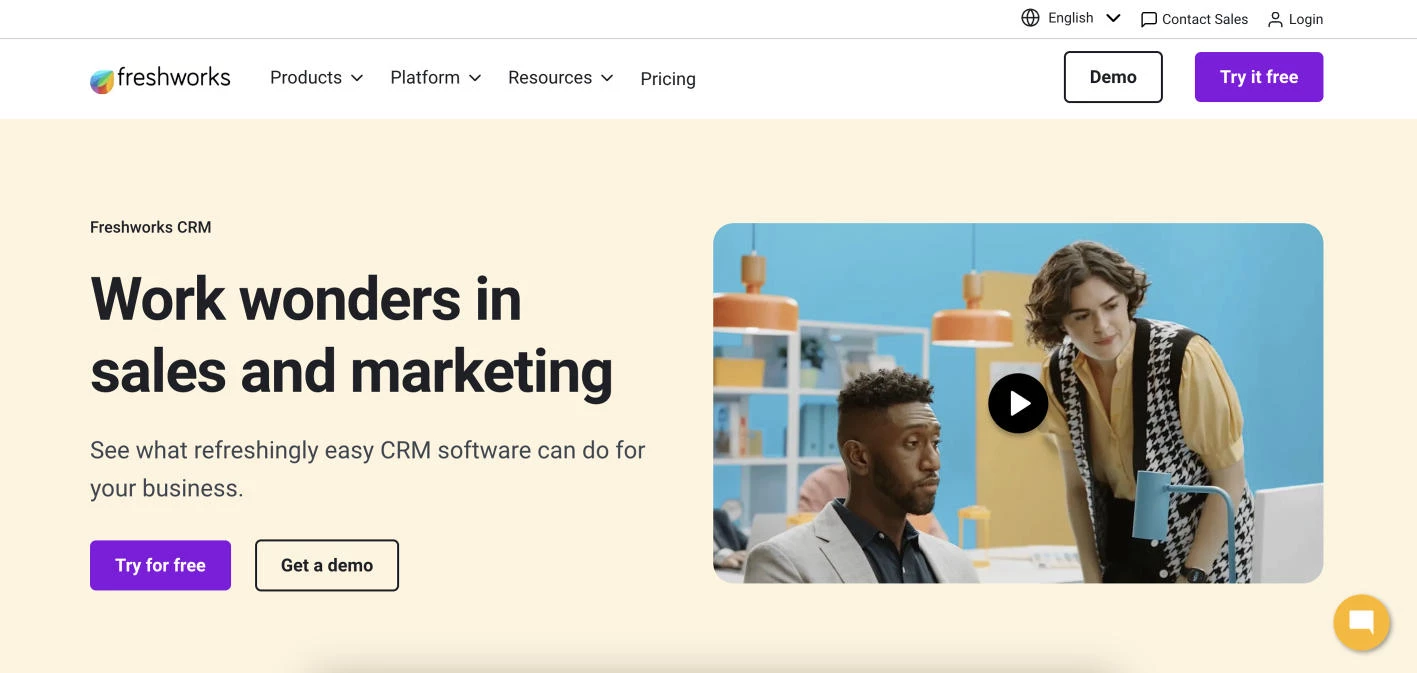
[Source: Freshworks CRM]
Freshworks CRM (formerly Freshsales) positions itself as a modern, automation-first CRM that balances power with usability.
It’s built for teams that want smarter lead handling and follow-ups without the overhead of enterprise systems, making it a strong fit for web designers managing multiple inquiries and ongoing client relationships.
Pricing:
- Growth: $11/user/month
- Pro: $47/user/month
- Enterprise: $71/user/month
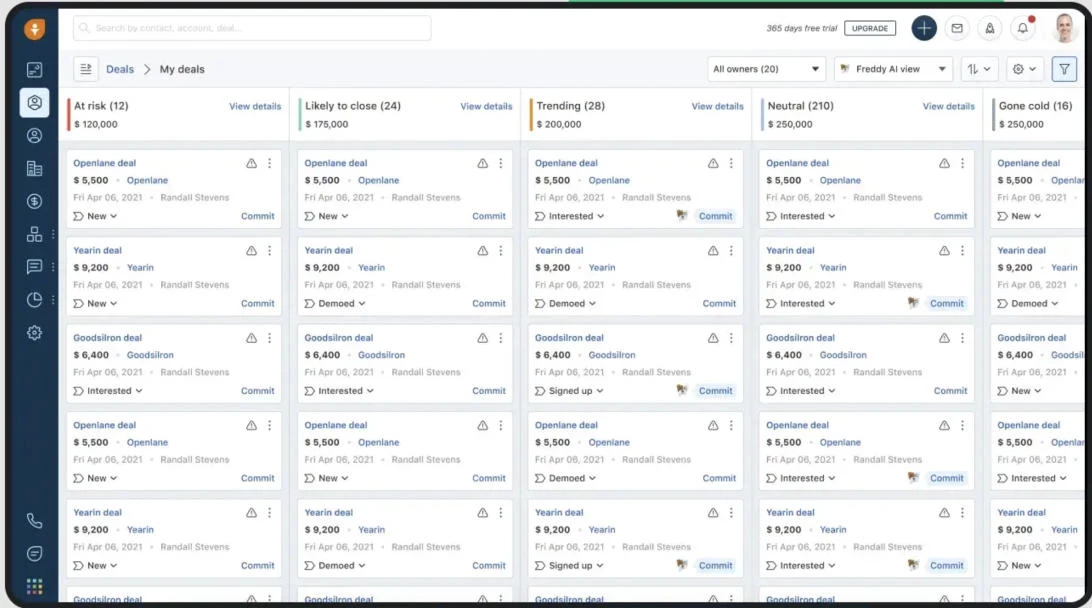
Freshworks CRM seamlessly blends sales tracking with automation and communication tools. Web designers can capture leads from forms or email, score them automatically, and trigger follow-ups without manually moving deals or chasing reminders.
The result is a CRM that helps agencies stay responsive and organized as deal volume grows. You get built-in intelligence (e.g., deal insights and activity tracking) without needing extensive setup or admin time.
That makes it appealing for teams that want efficiency now, with room to add sophistication later.
Other Notable Features
- AI-powered lead scoring and deal insights
- Email tracking and integrated calling
- Clean dashboards and performance reporting
- Native integrations with Freshworks tools and third-party apps
What Users Say
Users cite Freshworks CRM’s ease of onboarding and modern interface as standout strengths. Small agencies and service businesses often appreciate how quickly they can get value without heavy customization.
Some users mention that advanced features and automation are locked behind higher-tier plans, but many still view Freshworks CRM as a strong value given how much functionality is included out of the box.
5. Insightly: Best for Client and Project Management
For agencies that need to connect sales, client relationships, and project delivery in one system to manage work from first contact through completion.
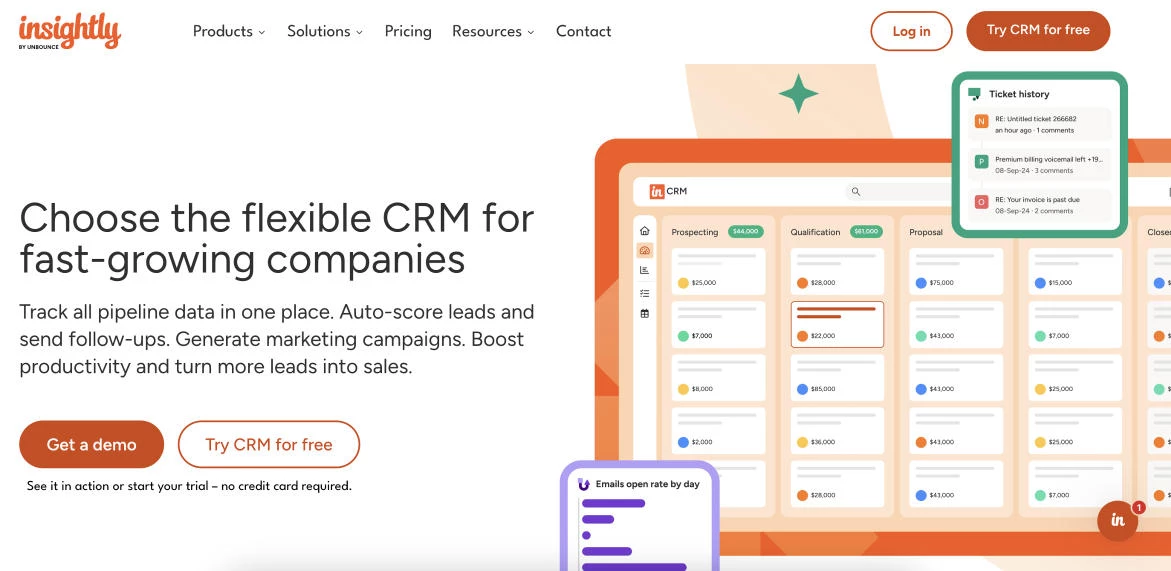
Insightly is built for service businesses that need tighter alignment between sales, clients, and delivery. It's designed to carry relationships forward into active projects, making it especially relevant for web designers who sell projects, not one-off products.
Pricing:
- Plus: $29/user/month
- Professional: $49/user/month
- Enterprise: $99/user/month
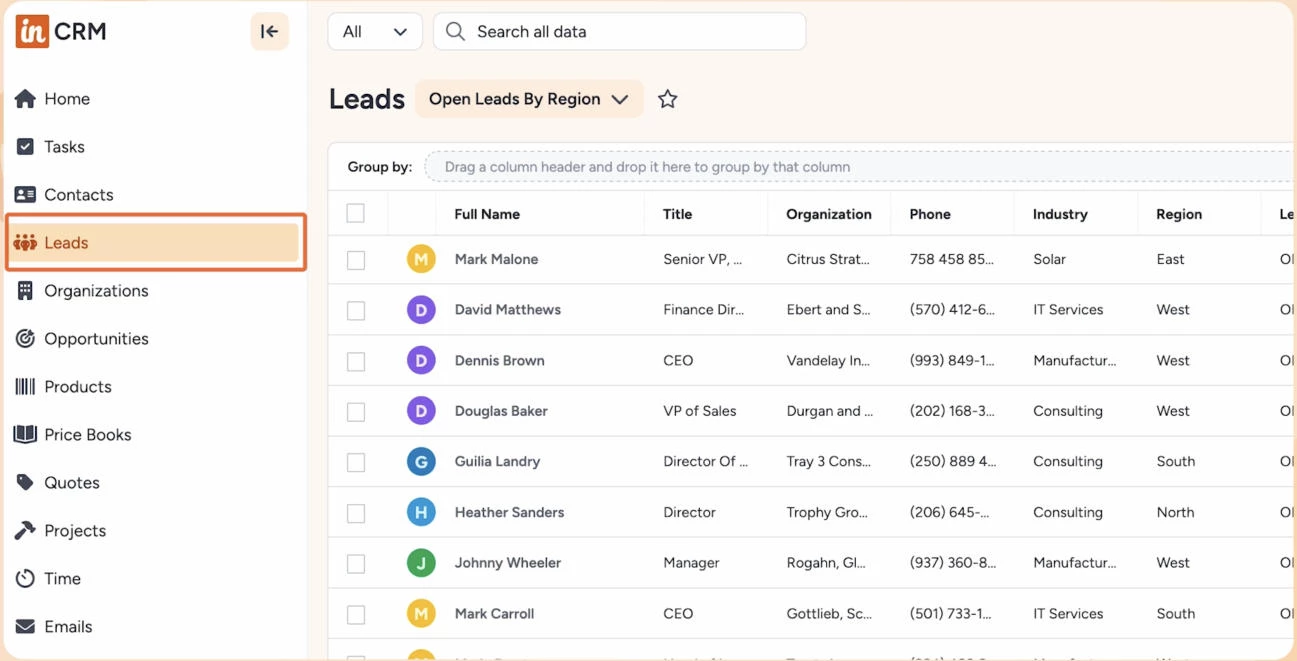
Insightly has built a native connection between CRM and project management. Web designers can convert won deals directly into projects, assign tasks, track milestones, and keep client communication tied to delivery.
This structure helps maintain continuity from first contact through launch and post-project follow-ups.
For web designers juggling multiple clients and overlapping timelines, Insightly also reduces handoffs and context switching. You gain clearer visibility into revenue pipelines and workload capacity, which is especially valuable when managing retainers, redesigns, and ongoing maintenance.
Other Notable Features
- Custom workflows and automation rules
- Relationship linking across contacts, organizations, and projects
- Sales and project reporting dashboards
- Integrations with Google Workspace, Microsoft, and accounting tools
What Users Say
Agencies and service-based teams appreciate having client history, deals, and deliverables connected in one system.
Some users mention that Insightly’s interface can feel less polished than newer CRM tools, but many still view it as a strong choice for teams that prioritize delivery visibility over pure sales optimization.
6. monday.com: CRM and Workflows in One Platform
For teams that want to manage client pipelines, active projects, and internal workflows together in a highly visual, customizable workspace.
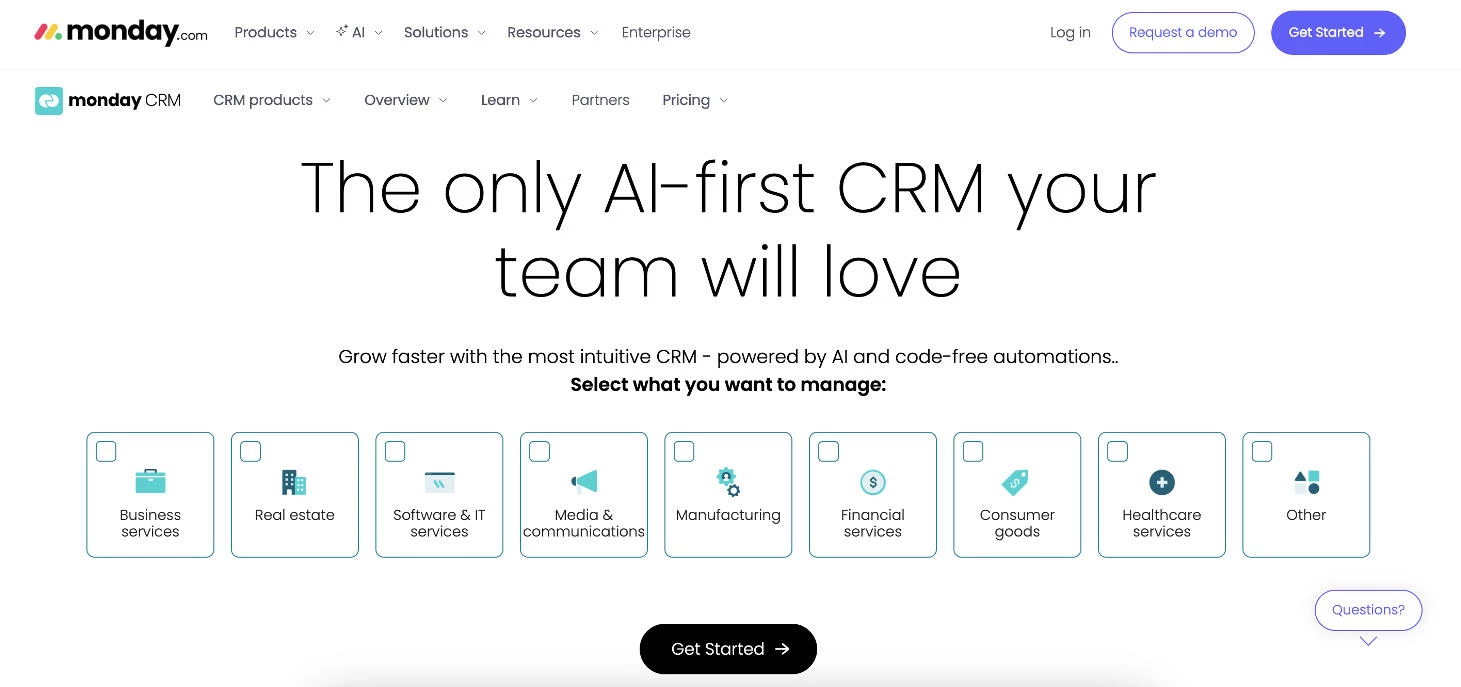
Rather than centering everything around deals alone, monday.com treats CRM as part of a broader work and delivery system. This is especially appealing to web designers who want client management tightly connected to day-to-day execution.
monday.com's CRM is built on highly visual boards that can be customized to track leads, clients, projects, timelines, and internal tasks side by side.
For web designers, this means you’re seeing how client work, deadlines, and responsibilities intersect in real time.
Pricing for 10 seats:
- Basic: $12/seat/month
- Standard: $17/seat/month
- Pro: $28/seat/month
- Ultimate: Custom pricing
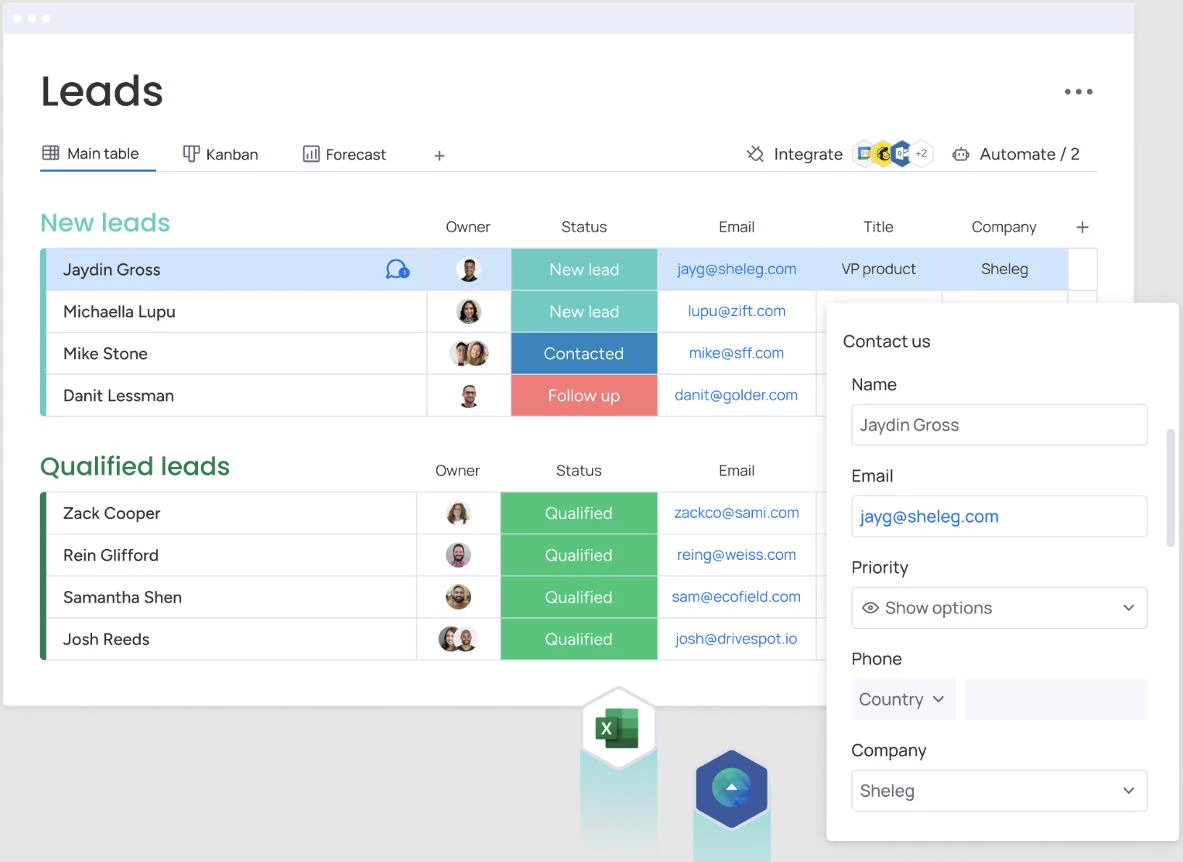
You can model your CRM around how you actually run projects, whether that’s tracking website builds by phase, managing retainers, or coordinating designers, developers, and account managers.
Business owners gain a single source of truth for both client status and operational workload.
Other Notable Features
- Timeline, workload, and dependency views
- Collaboration tools for teams and clients
- Large marketplace of integrations and templates
What Users Say
Users frequently praise monday.com’s flexibility and visual clarity, especially teams that manage complex or overlapping work.
Design teams often highlight how easily they can adapt the platform to their own processes instead of following a rigid CRM structure.
7. ManyRequests: Best for Designers Selling Services and Ongoing Work
For web designers offering retainers, productized services, or ongoing support who need a CRM built around client requests, communication, and delivery.
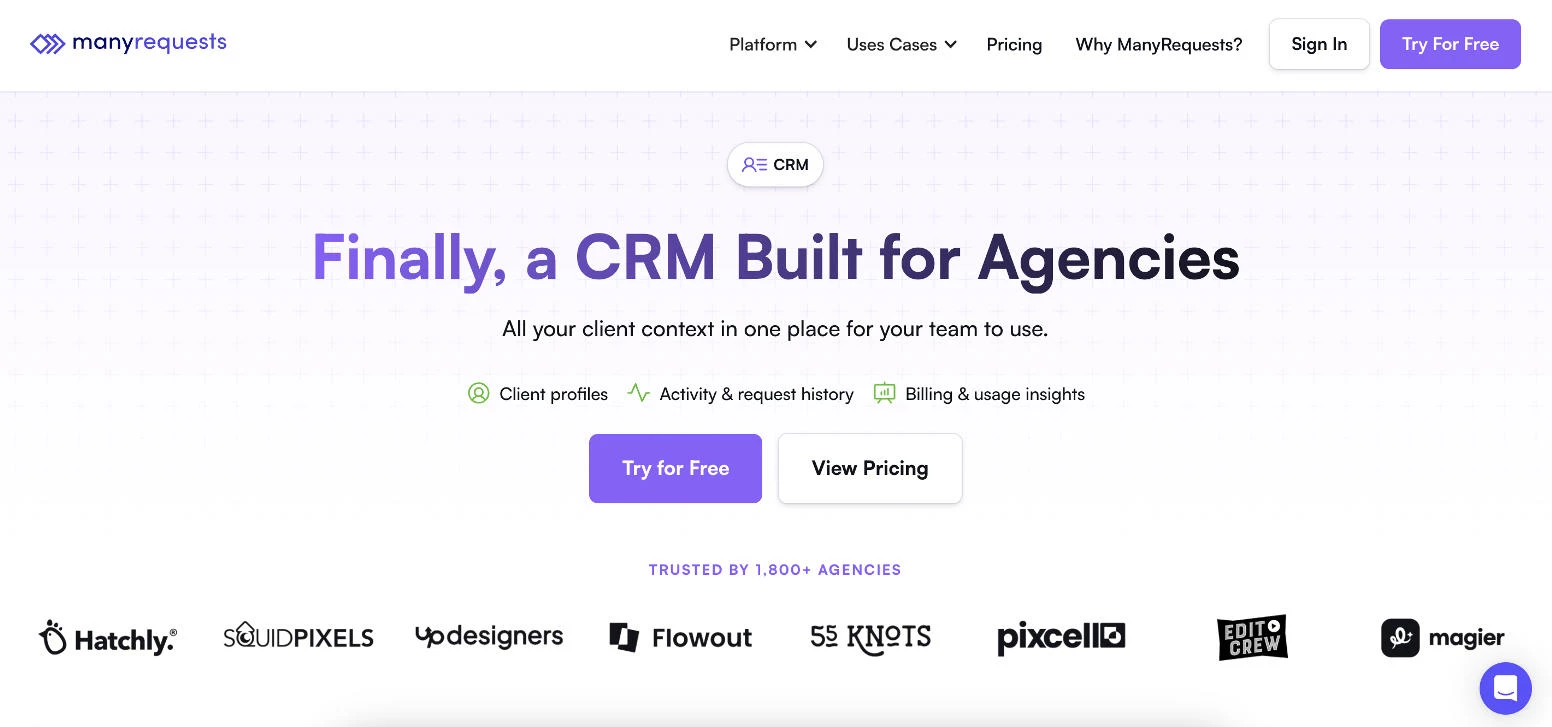
ManyRequests is purpose-built for service-based businesses, not traditional sales teams. Instead of focusing on pipelines and deals alone, it centers the entire CRM experience around clients, requests, and delivery.
The platform is a natural fit for web designers offering website builds, maintenance plans, and ongoing design support. With its client-facing portal, you can centralize communication, intake forms, requests, approvals, and payments in one branded space.
Pricing:
- Core: $149/month (5 seats included)
- Pro: $399/month (10 seats included)
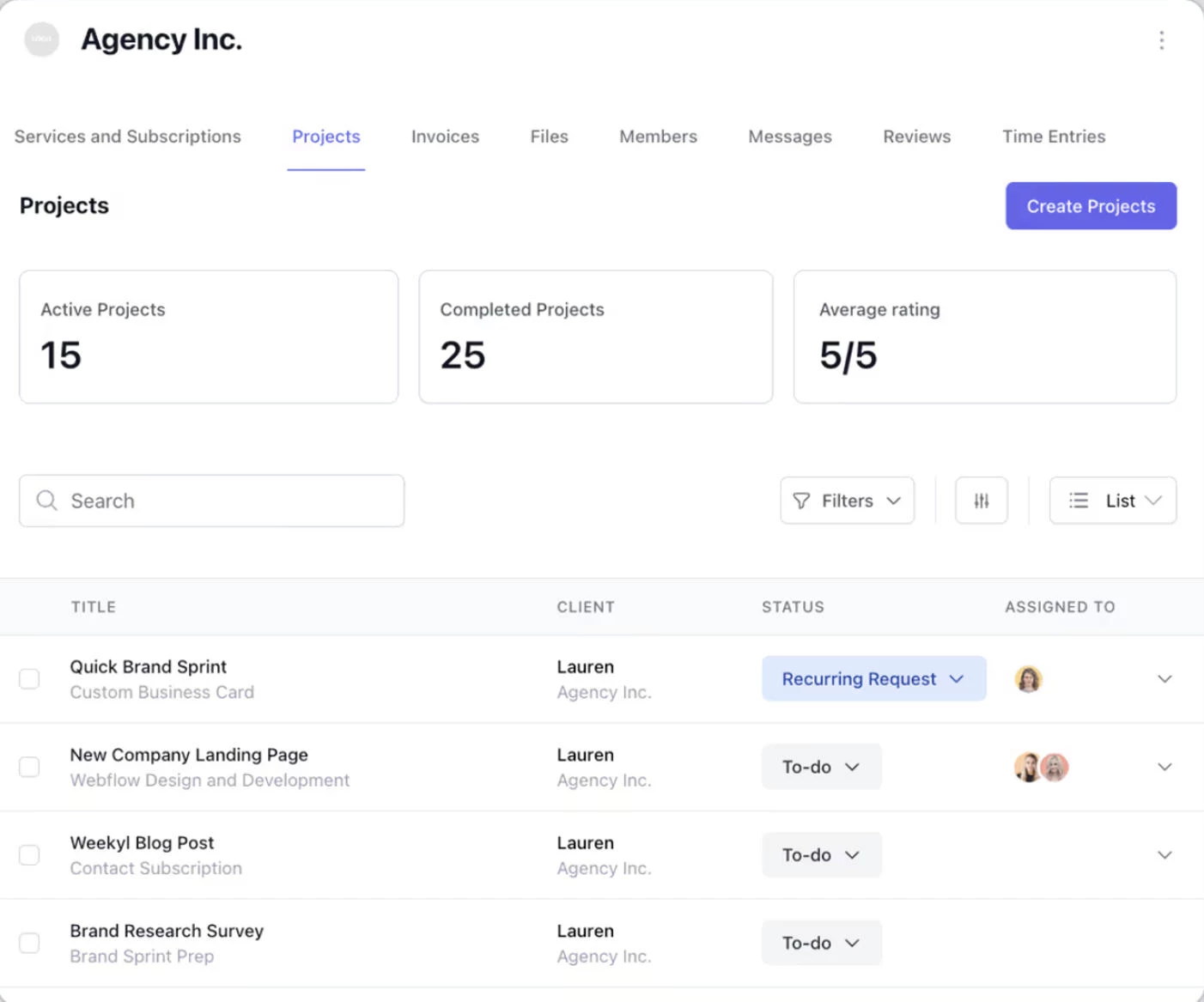
For web designers running retainers or productized services, ManyRequests functions as both a CRM and an operations hub. Business owners can track clients, manage requests, handle billing, and standardize workflows without stitching together multiple tools.
It’s especially appealing for studios that value process consistency and client experience as much as lead tracking.
Other Notable Features
- Subscription and retainer billing support
- Centralized client communication
- Workflow automation for recurring work
What Users Say
Users highlight the clarity ManyRequests brings to client communication and workload management. Design teams have noted that it dramatically reduces email clutter and sets clearer expectations with clients.
Some users mention that ManyRequests is less flexible than general-purpose CRMs, but many also see that focus as a strength.
8. OnePageCRM: Best for Action-Driven Workflows
For solo designers and small teams that depend on consistent follow-ups and want a CRM focused on next actions rather than complex pipelines.
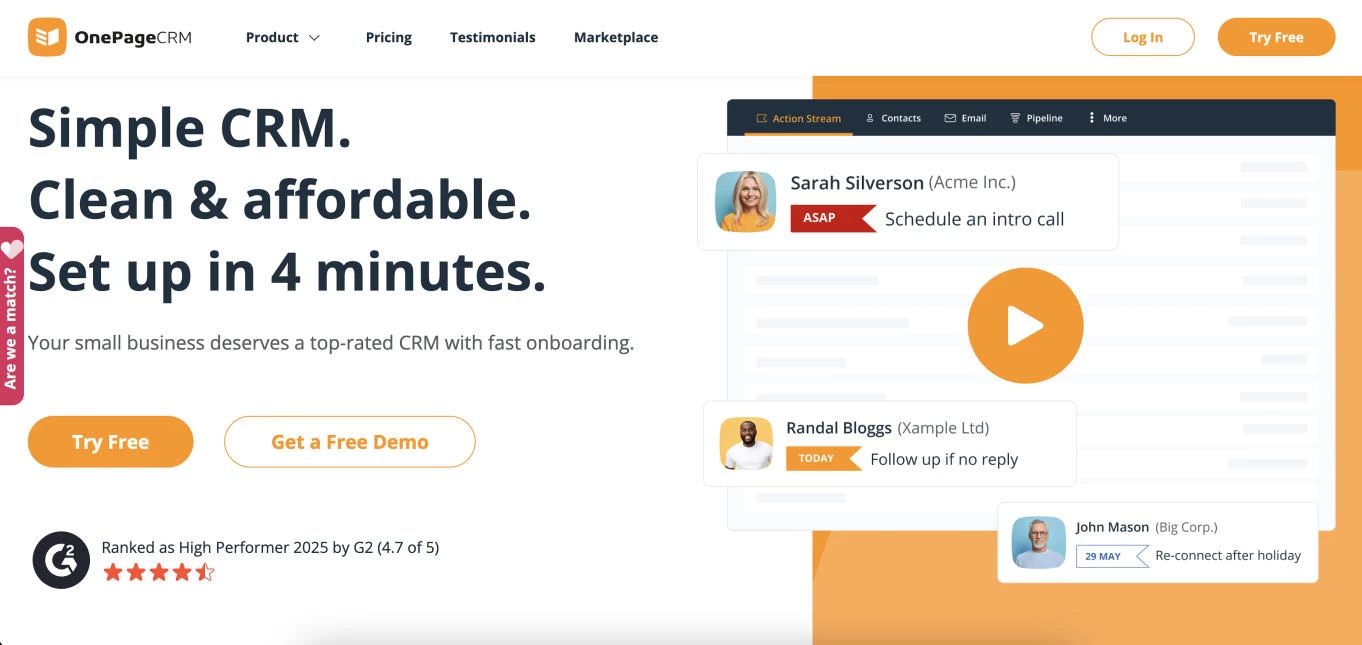
OnePageCRM takes a deliberately different approach to CRM. Instead of acting as a passive database of contacts and deals, it’s built around next actions, pushing teams to always know who to follow up with and what to do next.
This makes it especially well-suited for solo web designers and small studios where sales, client communication, and delivery often sit with the same person.
Pricing:
- Professional: $15/user/month
- Business: $29/user/month
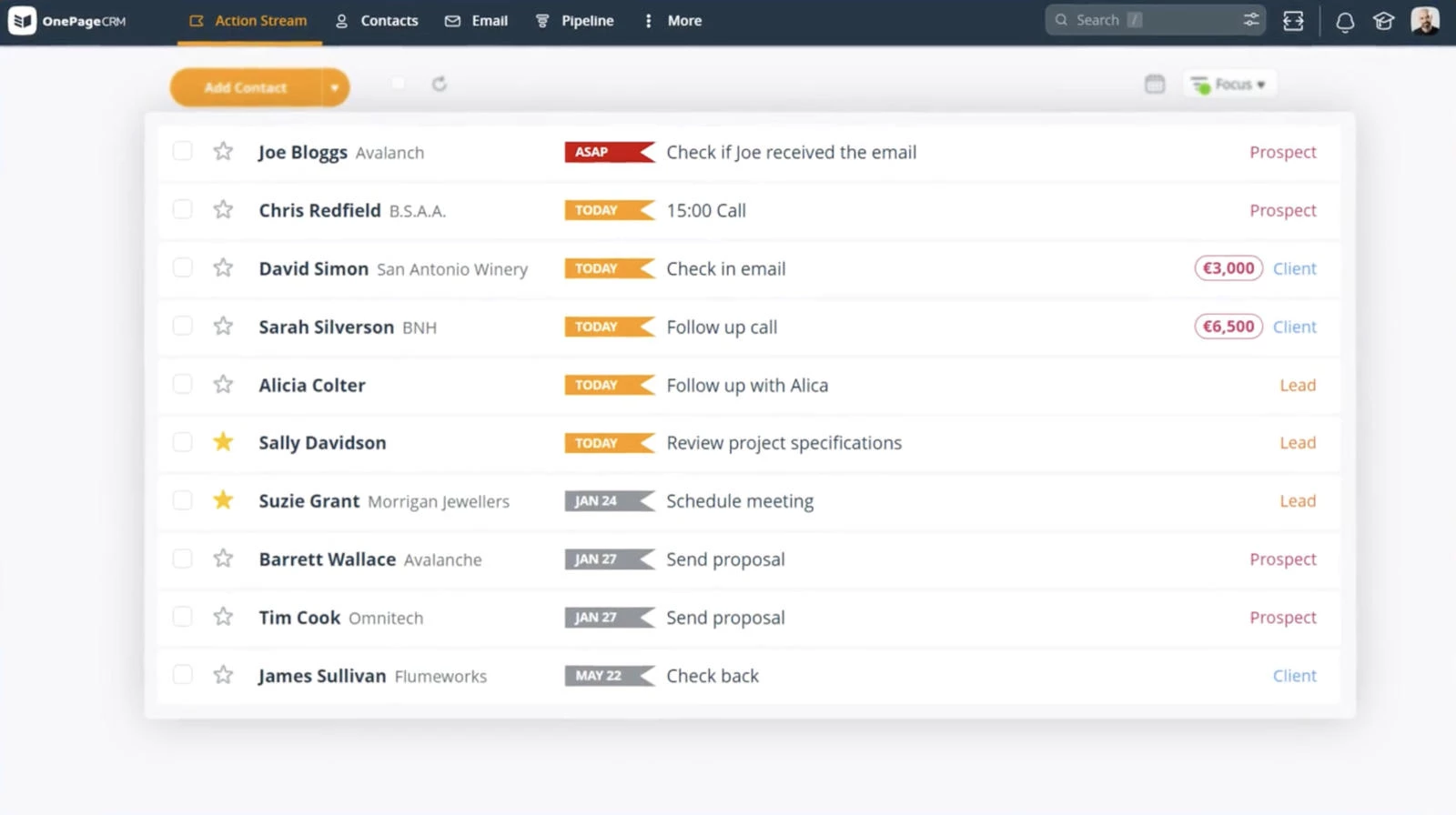
What sets OnePageCRM apart is its action-oriented design. Every contact is tied to a clear next step, whether that’s sending a proposal, checking in on feedback, or upselling ongoing maintenance.
For web designers who win work through consistent follow-up rather than high-volume pipelines, this structure helps prevent leads and opportunities from quietly slipping through the cracks.
For independent designers and small agencies, OnePageCRM’s simplicity is its strength. It reinforces disciplined outreach and relationship management, often the difference between a quiet inbox and a steady flow of signed projects.
Other Notable Features
- Simple deal tracking without pipeline overload
- Email integration and activity logging
- Sales forecasting focused on actionable opportunities
- Integrations with Google Workspace, Outlook, and accounting tools
What Users Say
Users appreciate the platform for keeping them focused and accountable, especially freelancers and small teams managing sales alongside client work.
Some users mention that OnePageCRM lacks advanced automation and reporting found in larger CRMs, but for designers who value clarity and momentum over complexity, that tradeoff is often intentional.
9. EngageBay: Best for Budget-Conscious Teams
For freelancers and small agencies that want an all-in-one CRM with marketing and communication tools at an affordable price point.
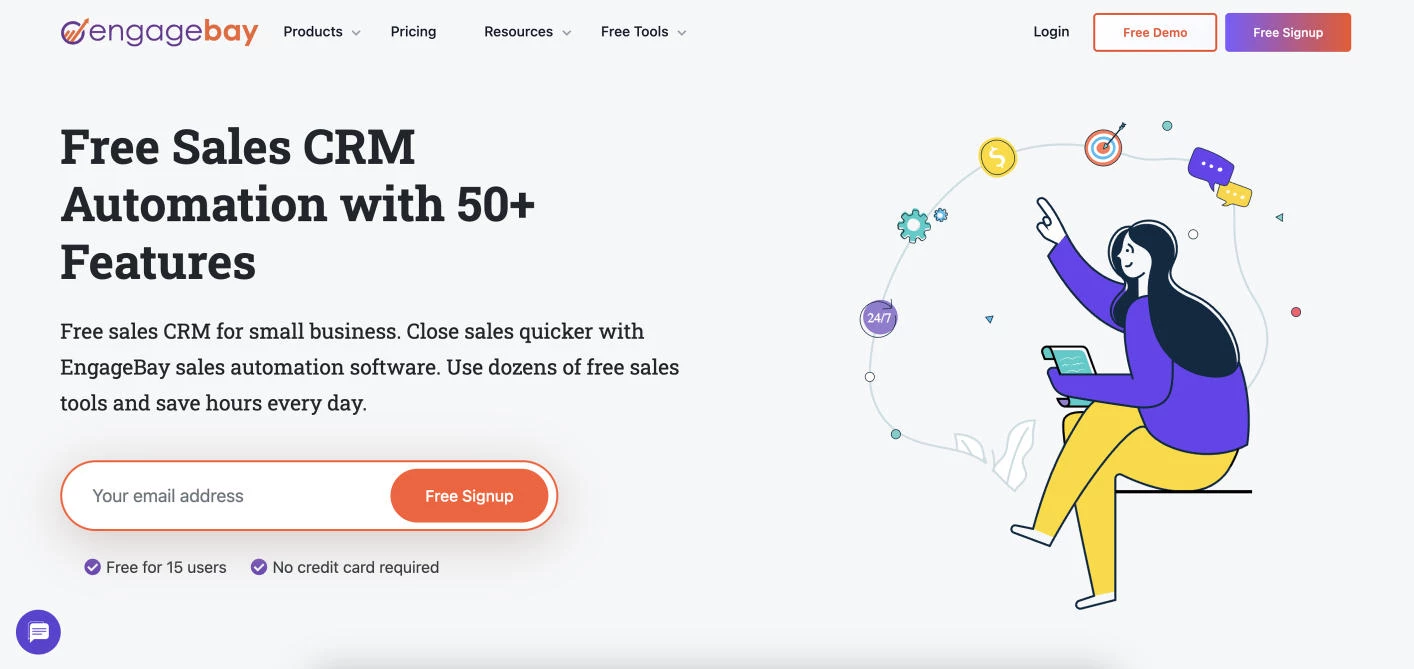
EngageBay is positioned as an all-in-one CRM designed for small businesses that want sales, marketing, and client communication in a single system, without paying enterprise prices.
For web designers and small agencies, it offers a broad feature set that covers lead capture, email marketing, deal tracking, and basic automation under one roof.
Pricing for CRM & Sales:
- Free
- Basic: $12.74/user/month
- Growth: $55.24/user/month
- Pro: $101.99/user/month
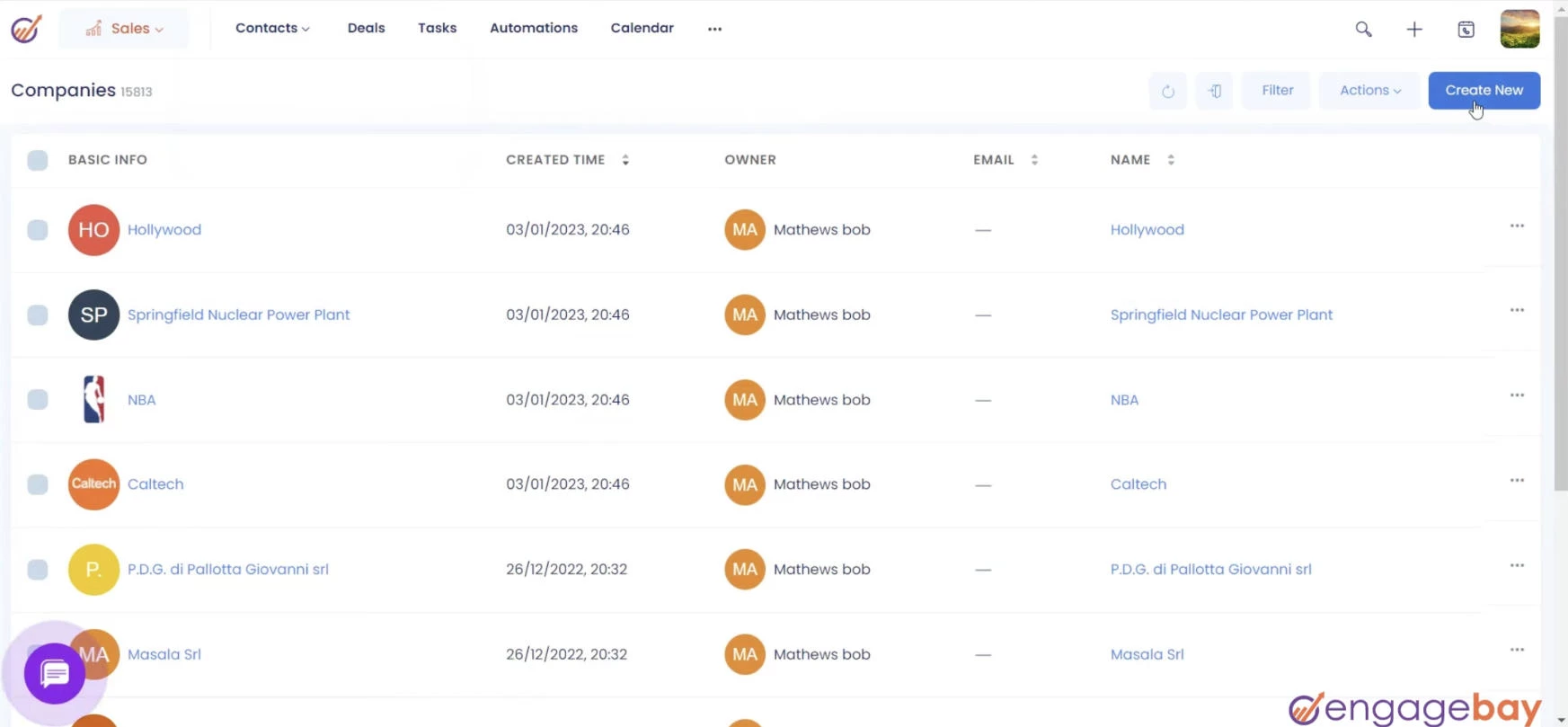
For web designers working with smaller budgets or early-stage teams, EngageBay offers strong value. You can run lead forms on your site, automate follow-ups, and send client emails without immediately upgrading to multiple paid tools.
Business owners benefit from lower software overhead while still gaining visibility into pipelines and client engagement.
Other Notable Features
- Deal and contact management in one system
- Basic helpdesk and customer support tools
- Wide range of integrations for small-business stacks
What Users Say
Users often highlight EngageBay’s affordability and all-in-one approach as its biggest strengths. Small agencies and freelancers appreciate being able to replace multiple tools with a single platform.
Some users note that the interface can feel less refined than premium CRMs and that advanced features require higher-tier plans.
10. Agile CRM: Best for CRM + Marketing on a Budget
For web designers who want to manage leads, email campaigns, and client communication in one platform without investing in multiple tools.
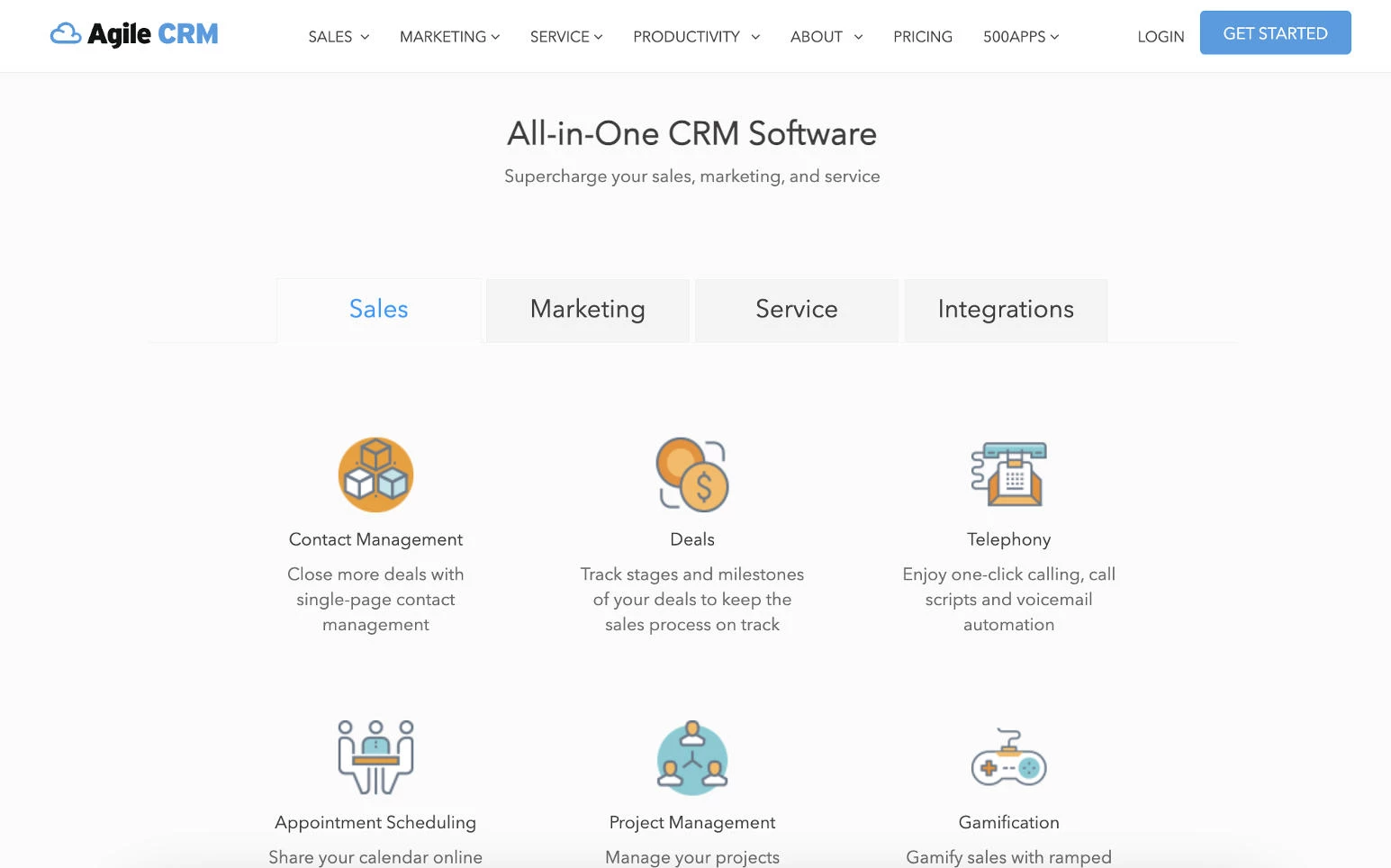
Agile CRM combines CRM, email marketing, automation, and basic customer support into a single platform, making it a practical option for web designers who want to manage leads and nurture clients without building a complex tech stack.
Pricing:
- Free
- Starter: $8.99/user/month
- Regular: $29.99/user/month
- Enterprise: $47.99/user/month
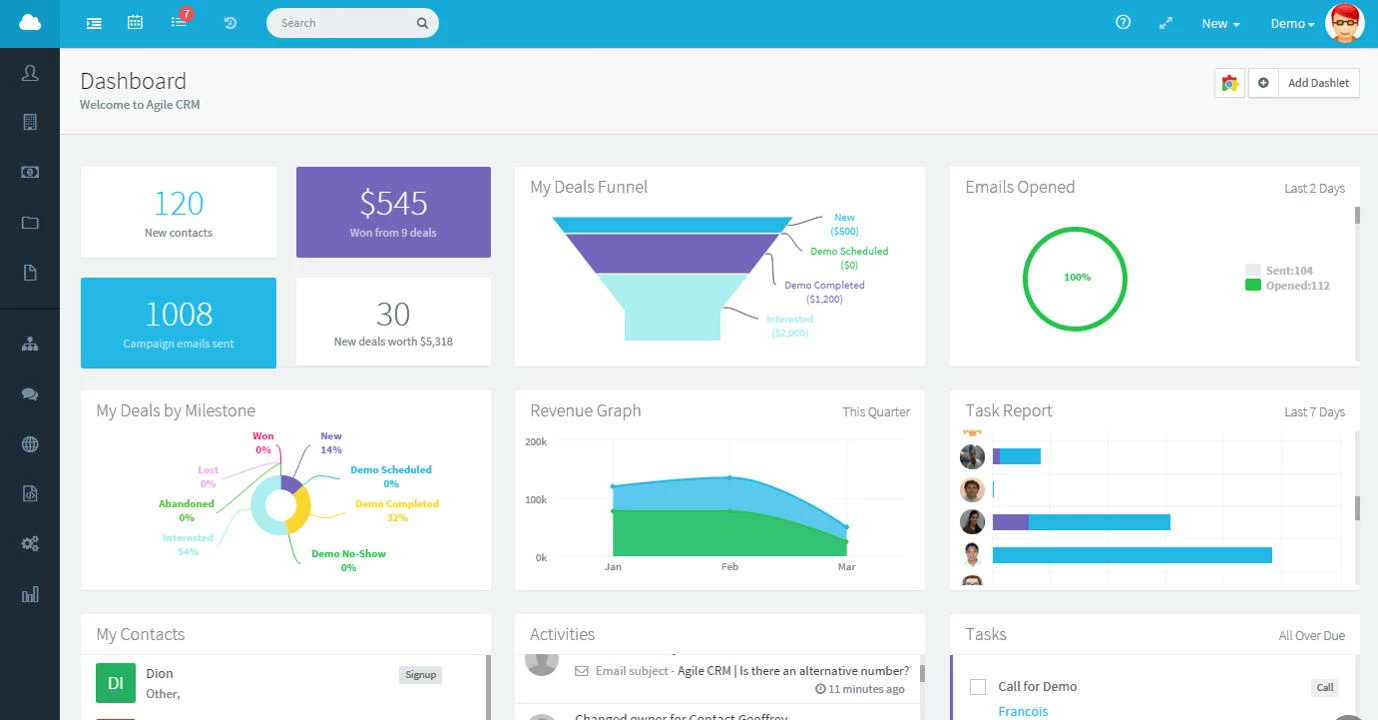
For web designers looking to stretch their budget, Agile CRM offers a low barrier to entry with features that typically require multiple tools.
You can capture leads, manage deals, run email campaigns, and log client interactions without paying for separate marketing platforms, especially appealing in early growth stages.
Other Notable Features
- Deal tracking with milestone-based pipelines
- Contact scoring and engagement tracking
- Basic helpdesk and ticketing tools
- Integrations with email, productivity, and marketing apps
What Users Say
Users often point to Agile CRM’s feature-to-price ratio as its biggest advantage. Freelancers and small agencies appreciate being able to manage sales and marketing in one place without a steep learning curve.
How To Choose the Right CRM for Your Web Design Business
The right CRM for web designers should follow your workflow, not lead it. It should align with client workflows, project delivery, and ongoing relationships.
Look for features that keep projects moving and communication clear, such as:
- Visual pipelines: Kanban-style boards that show where each lead or project stands, from inquiry to delivery
- Client portals: A central space for sharing files, updates, and approvals without long email threads
- Feedback and revision tracking: Clear visibility into comments, changes, and design iterations so nothing gets lost
- Time tracking and workload visibility: Insight into team capacity, deadlines, and active projects
- Integrations: Connections with tools like Figma, Slack, email, and project management platforms
- Automation and AI: Automated follow-ups, meeting summaries, suggested CRM updates, and reminders that reduce manual work and keep deals moving
Use the framework below to decide on the right platform and ensure it delivers value once implemented.
- Start with your client workflow
- Choose a CRM that matches your business model
- Prioritize visibility and follow-ups
- Keep automation practical
- Make sure it connects to your delivery stack
- Test with real scenarios before committing
- Plan for growth without overcomplicating
1. Start With Your Client Workflow
Before comparing tools, map how your work actually flows, from inquiry and proposal through to delivery and ongoing support.
Your CRM should reflect this lifecycle naturally. If it forces you to change how you operate or requires constant workarounds, it will create friction instead of clarity.
2. Choose a CRM That Matches Your Business Model
The best CRM for a web design agency depends on how it earns and delivers work:
- Project-based work: Prioritize pipeline visibility and deal tracking
- Retainers or subscriptions: Look for request management and recurring workflows
- High-volume leads: Prioritize automation and follow-ups
The best CRM supports how you generate and deliver revenue, not just how you track contacts.
3. Prioritize Visibility and Follow-Ups
Missed follow-ups are one of the biggest sources of lost revenue for design teams.
That’s why you should look for a CRM that clearly shows:
- Who needs attention next
- Which deals are stalled
- Where each client sits in your pipeline
Simple, visible pipelines often outperform more complex systems that bury this information.
4. Keep Automation Practical
Automation is valuable, but only when it supports real workflows.
Start with:
- Lead capture from forms or email
- Follow-up reminders
- Basic email sequences
- Meeting summaries and reviewable CRM updates
Avoid overbuilding automation early. Many teams lose adoption because the system becomes too complex to maintain.
5. Make Sure It Connects to Your Delivery Stack
Your CRM shouldn’t exist in isolation. When choosing a CRM for a web design agency, check that it connects to the tools you already use, such as:
- Email and calendar
- Project management platforms
- Invoicing and billing tools
For web designers, the biggest gains come when sales activity stays connected to project delivery and client communication.
6. Test With Real Scenarios Before Committing
Do more than explore features during a trial. Test the platform using the work your team handles every day, including:
- Logging a new lead
- Creating a proposal
- Moving a deal through stages
- Arranging a follow-up
- Reviewing a meeting summary or suggested CRM update
This quickly reveals whether a CRM feels intuitive or adds unnecessary friction.
7. Plan for Growth Without Overcomplicating
Choose a CRM that can scale, but overbuying early can slow adoption.
Look for a platform that:
- Works well out of the box
- Allows customization later
- Doesn’t require enterprise-level setup from day one
For most web design teams, simplicity drives more value than feature depth.
What Web Designers Often Get Wrong When Choosing a CRM
Steering clear of the common pitfalls will reduce the chances of poor adoption and wasted time.
Here are some ways to avoid tools that look good on paper but fail in practice:
- Choosing for features instead of fit: Many CRMs look powerful in demos, but if they don’t match how your team actually works, they’ll create more friction than value.
- Overestimating how much automation you need: Complex automation sounds appealing, but most web design teams benefit more from simple, reliable follow-ups than multi-step workflows.
- Ignoring how work continues after the deal closes: Many CRMs focus on sales, not delivery, so if you manage projects, retainers, or ongoing support, make sure your CRM supports post-sale workflows.
- Underestimating onboarding and setup time: Some tools require significant configuration before they’re usable, which might delay adoption and frustrate smaller teams.
- Not considering who will actually use it: If the CRM isn’t intuitive for designers, project managers, or account leads, it won’t be used consistently.
- Separating CRM from the rest of your stack: When your CRM isn’t connected to project management, communication, and billing tools, you duplicate work and lose visibility.
- Assuming more customization equals better results: Highly customizable platforms can become difficult to maintain without clear processes, especially for small teams.
- Switching tools too quickly: Many teams abandon CRMs before fully implementing them, when the real issue is a lack of process rather than the tool itself.
Choosing the Right CRM for a Web Design Business: Wrapping Up
The right CRM for web designers supports your workflow instead of complicating it. When it fits naturally, your team works faster, communication improves, and clients get a better experience.

Our team ranks agencies worldwide to help you find a qualified partner. Visit our Agency Directory for the top web design companies, as well as:
- Top UI/UX Design Agencies
- Top B2B Web Design Agencies
- Top WordPress Web Design Companies
- Top Web Development Companies
- Best Website Designers in New York City
Our design experts also recognize the most innovative design projects across the globe. Visit our Awards section for the best & latest in website design.