
Search UX best practices refer to the strategies and design principles that make search tools intuitive, efficient, and user-focused — empowering visitors to quickly find the information, products, or services they need.
The internet’s fast-paced, ever-evolving nature means users don’t have time for friction. A well-designed search experience simplifies navigation, reduces frustration, and drives satisfaction by delivering results that are both relevant and timely.
When search functionality is responsive, intuitive, and accurate, users are more likely to stay, explore, and engage deeper with your platform. This not only improves usability and retention rates but also builds trust and strengthens your brand’s connection with its audience.
The following sections explain why search UX matters, key design principles, and actionable best practices that can help you optimize search experiences to meet user expectations in 2026 and beyond.
Why Is Search UX Important for User Experience?

Search functionality plays a critical role in shaping the overall user experience (UX). In fact, sixty-one percent of users report that they will switch to another site if they cannot find what they're looking for within approximately five seconds.
A poorly designed search experience can drive frustration and lead users to bounce off the site entirely, while an intuitive search tool can enhance satisfaction and keep users engaged.
Impact of Effective Search Design
- Engagement: A streamlined search experience ensures users stay active on the platform. By delivering relevant and precise results quickly, search encourages further exploration and deeper interaction with the content or products.
- Conversions: In eCommerce, optimized search UX directly influences purchase decisions. Users who find the products they’re looking for without difficulty are more likely to complete transactions.
- Retention Rates: A smooth and successful search experience builds user trust and loyalty. When users know they can rely on a platform to deliver what they need, they are more likely to return.
Effective search UX is a cornerstone of modern digital design, ensuring users can navigate vast amounts of content with ease and precision.
Key Principles of Search UX Design
A successful search experience doesn’t happen by chance — it’s built on a foundation of well-defined principles that prioritize user needs and expectations. Let’s explore the fundamental principles that guide effective search UX design.
1. Relevance & Accuracy
At the heart of search UX is relevance. Users expect search results to match their queries with precision. Whether searching for a product, an article, or support resources, the ability to find exactly what they need — without sifting through irrelevant results — is key to satisfaction.
- Implementing robust algorithms that account for keywords, synonyms, and user intent helps improve accuracy.
- Features like auto-suggestions, smart filters, and sorting options further refine results, ensuring users land on the right page faster.
Relevance builds trust. When search results consistently deliver value, users gain confidence in the platform and are more likely to return.
2. Speed & Performance
Speed is critical in search UX design. Statistics show that 53% of mobile users abandon a site if it takes longer than 3 seconds to load, and search results are no exception. Delayed results not only frustrate users but can drive them to competing platforms.
- Optimizing search queries to deliver near-instant results enhances the user experience.
- Techniques like caching, asynchronous loading, and lightweight search components ensure performance remains fast, even with large datasets.
Fast search functionality keeps users engaged, reducing bounce rates and increasing the likelihood of conversions.
For more tips on improving site performance and visibility, check out SEO Best Practices.
3. Mobile Optimization
With mobile devices accounting for over 60% of online traffic, search design must cater to smaller screens and varying user behaviors. Effective mobile search UX ensures a seamless experience across devices:
- Responsive Design: Search bars should be prominently placed and easy to access on smaller screens.
- Simplified Filters: Instead of overwhelming users, offer collapsible menus or intuitive filter options tailored for touch navigation.
- Voice Search: Integrating voice search capabilities accommodates mobile users looking for hands-free convenience.
Mobile optimization ensures that users can quickly find what they need, regardless of where or how they access the platform.
6 Search UX Best Practices for Modern Interfaces
- Make Your Search Bar Visible and Prominent
- Include Predictive Search and Autosuggestions
- Offer Intuitive Filtering and Sorting Options
- Design Helpful Error and Empty States
- Include Trending Searches to Inspire and Guide Users
- Display Dynamic Results Stats
To deliver a seamless and user-friendly search experience, modern interfaces require thoughtful design that eliminates frustration and enhances navigation.
Below, we explore key search UX best practices through a “Don’t vs. Do” approach to highlight effective solutions.
1. Make Your Search Bar Visible and Prominent
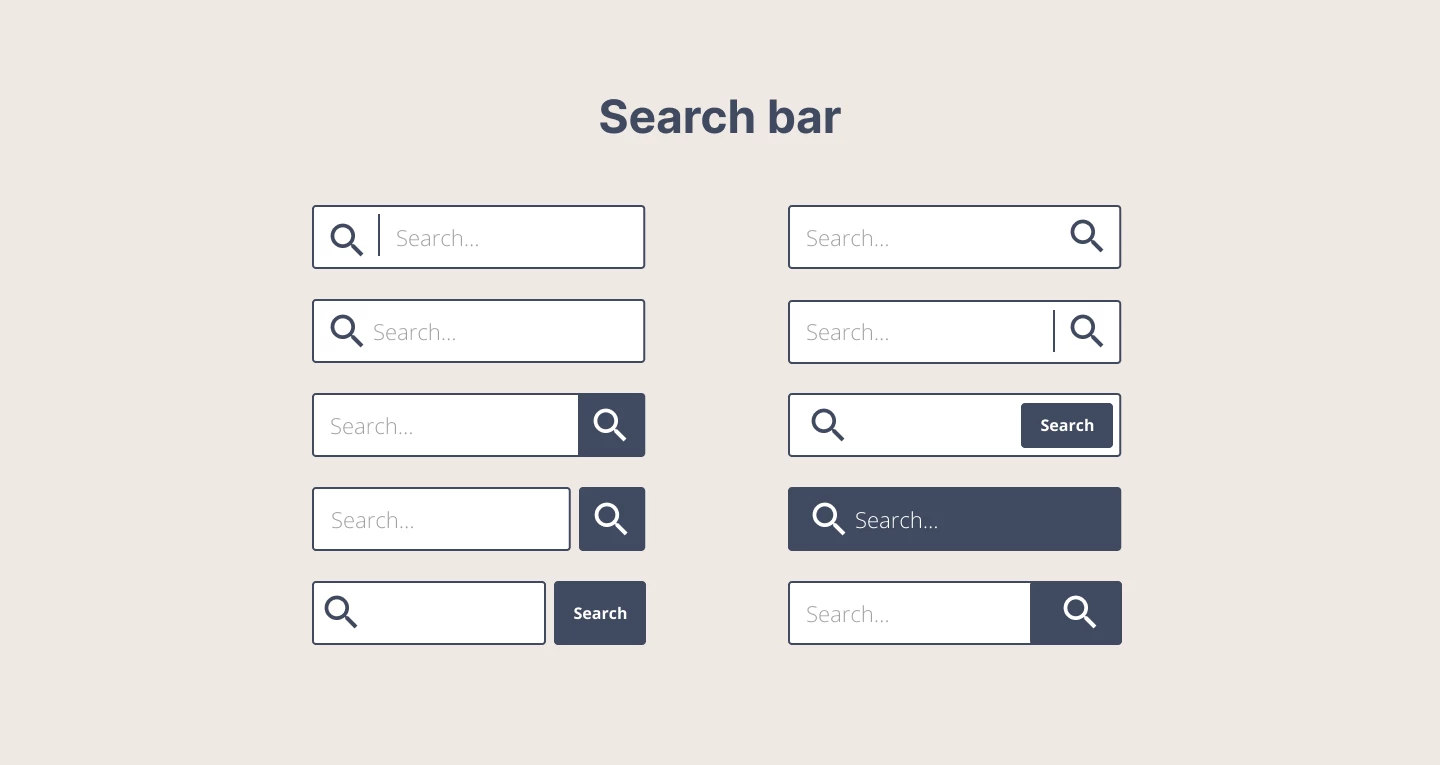
The search bar is the entry point for users, and its visibility is critical to a successful search experience.
- Don’t: Hide the search bar within menus, shrink it to an unrecognizable size, or make it hard to distinguish from other elements. Forcing users to “hunt” for search functionality creates unnecessary friction.
- Do: Place the search bar prominently at the top of the page or in the header, where users naturally look for it. Use visual cues like a magnifying glass icon and clear placeholder text to indicate its purpose.
2. Include Predictive Search and Autosuggestions
-content-large-webp.webp)
Predictive search enhances the user experience by anticipating queries and offering suggestions as users type. This feature reduces input effort and accelerates the search process.
- Don’t: Force users to type out long queries without assistance or display irrelevant suggestions that confuse rather than help. This increases search time and leads to frustration.
- Do: Implement predictive search and auto-suggestions that dynamically appear as users type. Show relevant, clickable options based on user input to accelerate the search process and improve accuracy.
Platforms like YouTube excel at predictive search. It shows dynamic suggestions that refine while users input their queries, ensuring they quickly find relevant content.
3. Offer Intuitive Filtering and Sorting Options
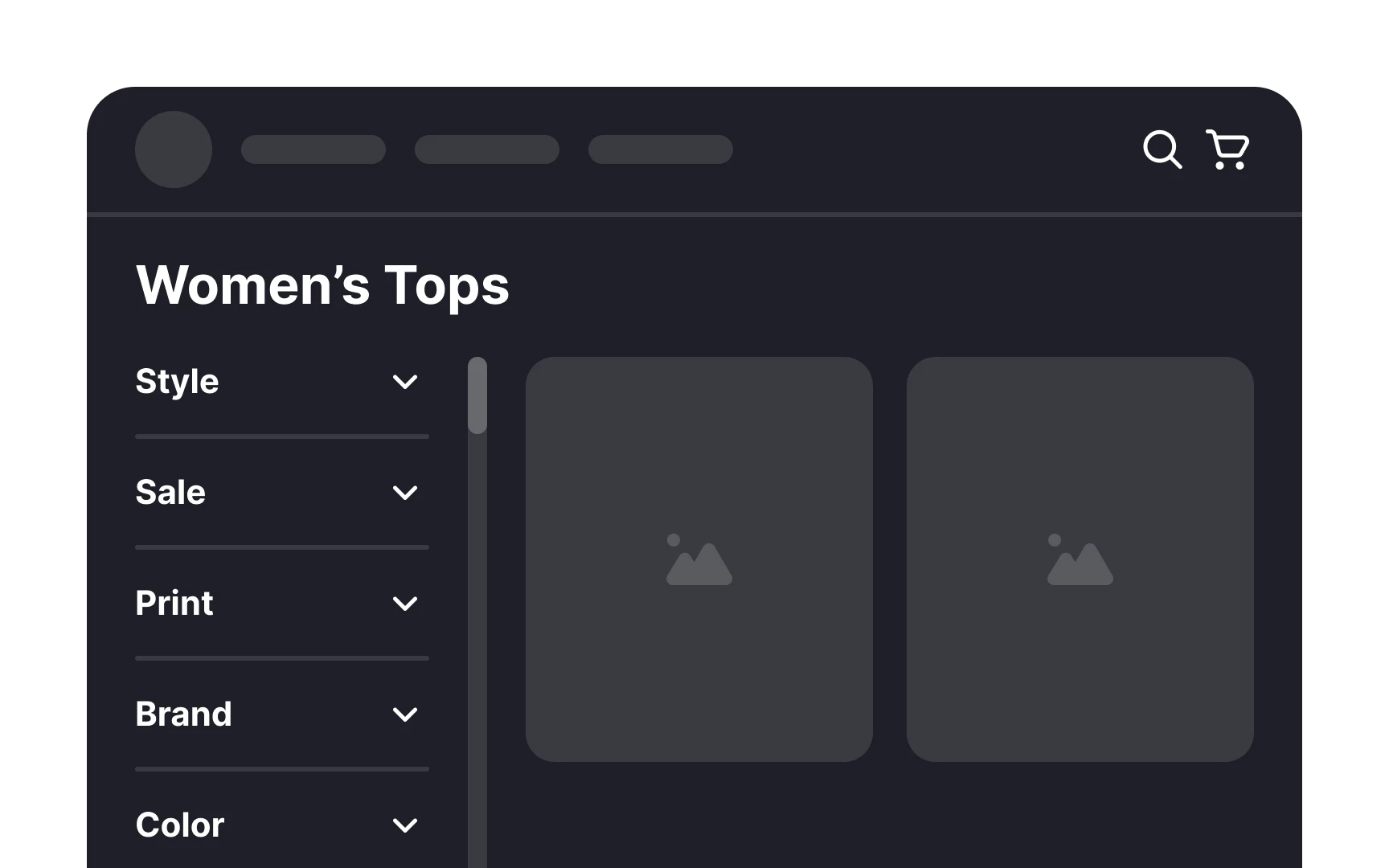
For platforms with extensive datasets, filters and sorting options are essential for refining search results. Effective filtering systems allow users to customize their search journey based on their preferences and goals.
- Don’t: Overwhelm users with too many filters or poorly organized options that are confusing and hard to use. Complex filtering can lead to abandonment.
- Do: Provide clean, logical filtering and sorting options that allow users to refine results effortlessly. Prioritize the most relevant filters, group them into categories, and use collapsible menus to avoid visual clutter.
Explore more filtering strategies and enhance your UX with the best dashboard UX design tips.
4. Design Helpful Error and Empty States
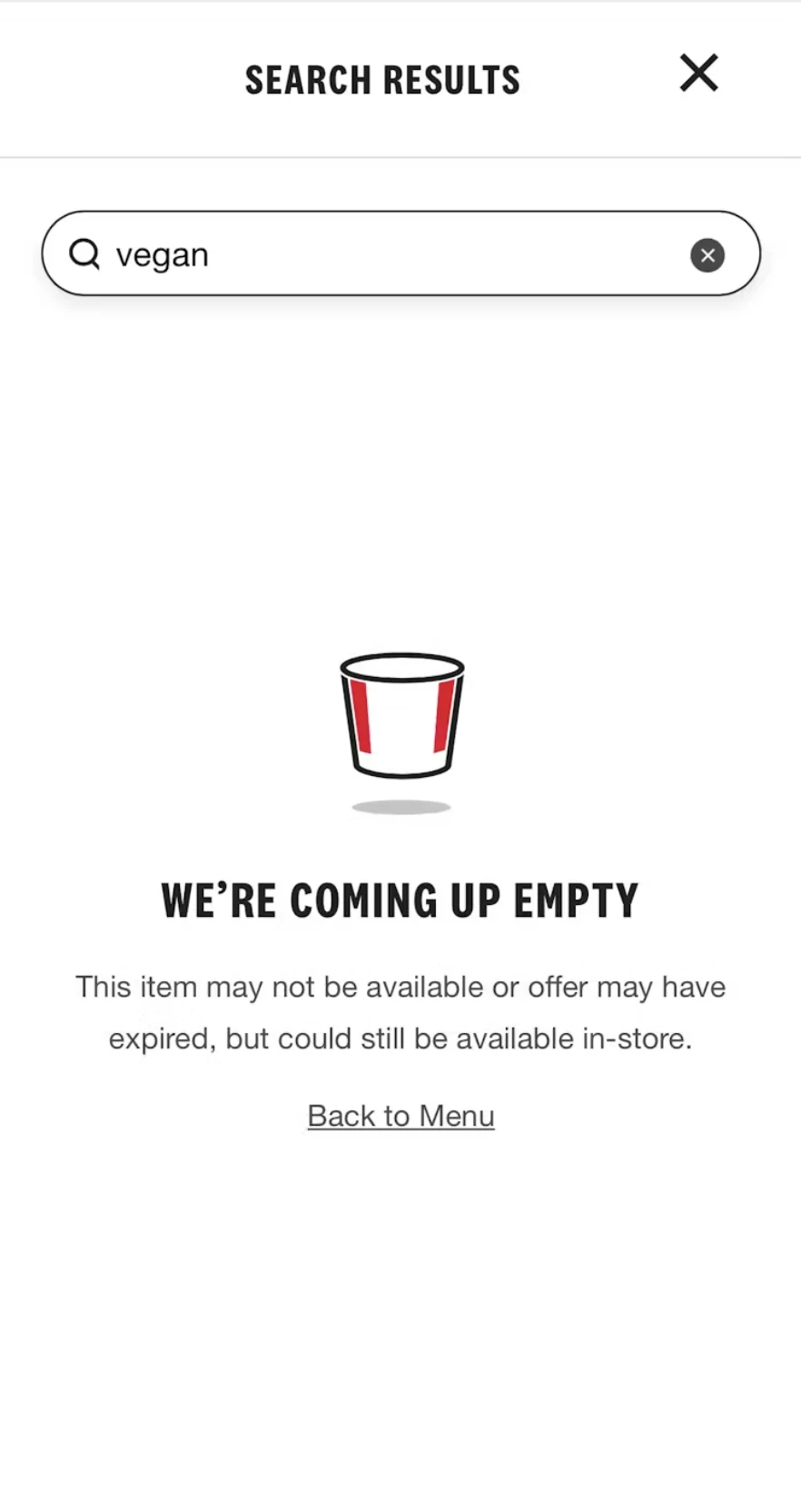
Errors and empty states are inevitable in search experiences, but how you handle them can make or break user satisfaction. Thoughtful design transforms these moments into opportunities for guidance and engagement.
- Don’t: Display generic messages like “No results found” without offering further guidance. This dead end frustrates users and increases bounce rates.
- Do: Create thoughtful error handling and engaging empty states that guide users back on track. Provide clear next steps, such as a link back to the homepage or popular search queries.
Examples of Effective Solutions:
- Provide helpful prompts: “No results found for ‘x.’ Try different keywords or browse our categories below.”
- Offer related or trending suggestions.
- Use visuals or humor to soften the frustration of empty results.
5. Include Trending Searches to Inspire and Guide Users

Trending searches enhance the user experience by offering inspiration and building confidence in both the search functionality and the brand itself.
- Don’t: Leave the search bar blank when users click on it, offering no direction or inspiration for their search. This can make undecided visitors feel stuck or unsure of where to begin.
- Do: Display trending searches in a drop-down menu as soon as users interact with the search box. This guides visitors without a specific query and leverages the “wisdom of the crowd” as social proof. For example, seeing “trending shoes” can signal popularity and quality, encouraging trust in the brand and its products.
6. Display Dynamic Results Stats
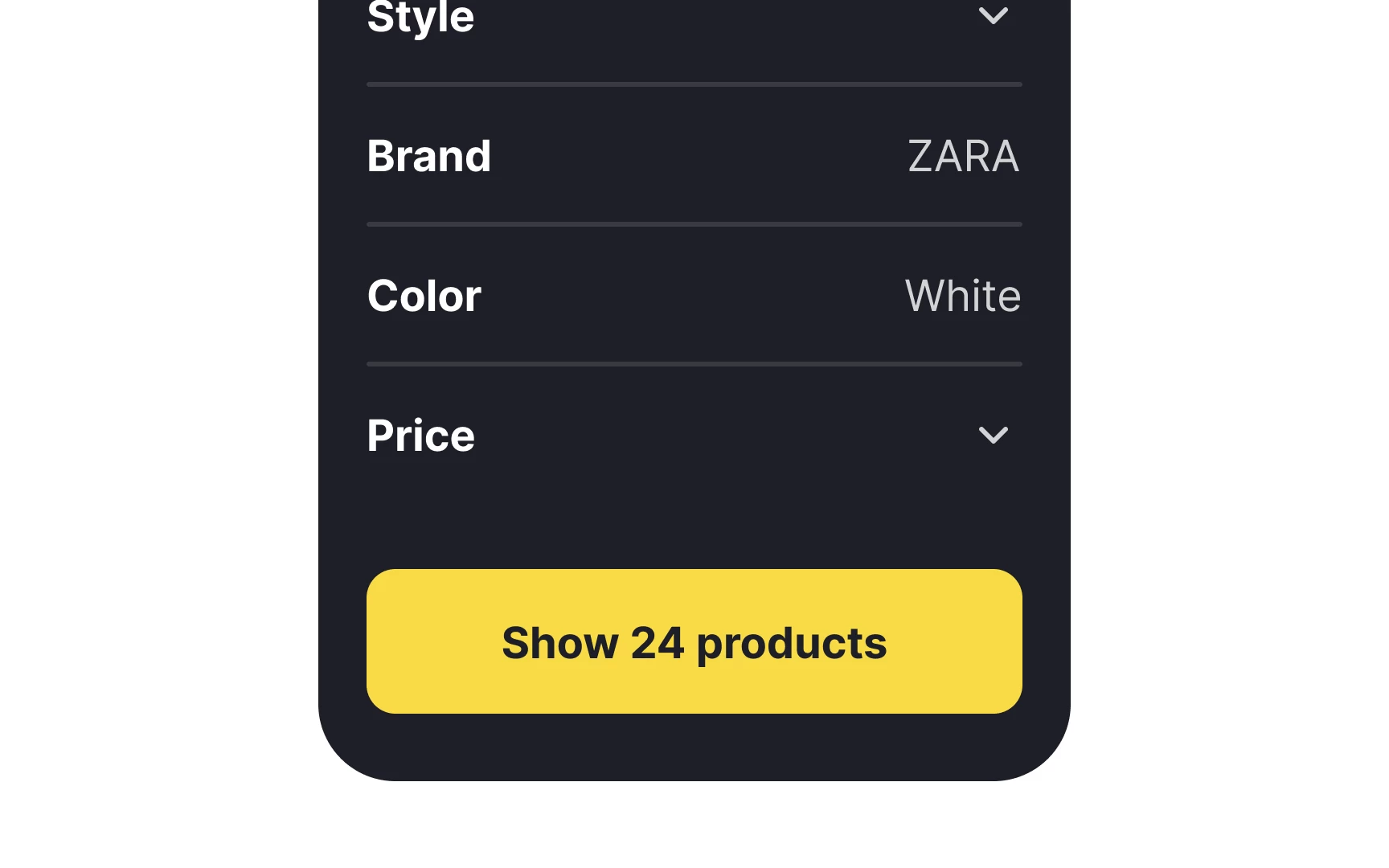
Providing results stats empowers users to adjust their queries proactively, helping them manage expectations and improving overall satisfaction with the search experience.
- Don’t: Force users to hit “enter” before showing them how many results their query will generate. This can lead to disappointment if the results are too few — or frustration if there are too many.
- Do: Display results stats dynamically as the user types, giving them a preview of the number of matches. For example, on platforms like Zillow, users can see the number of homes listed based on their filters (e.g., “3-bedroom houses in Boston”), allowing them to refine or broaden their search as needed.
Pro Tip: Personalize Search Results for Enterprise Users
In enterprise UX design, search UX must cater to diverse user roles and needs.
- Don’t: Present the same generic search results to every user, regardless of their role. This creates frustration, wastes time, and reduces search efficiency in systems with extensive datasets.
- Do: Implement role-based personalization to tailor search results based on user behavior, preferences, and job functions.
Microsoft Teams optimizes its search functionality by prioritizing relevant files, conversations, or channels based on the user’s activity and role. For example, project managers might see team project reports prioritized, while IT administrators see system logs or settings.
How to Measure the Success of Your Search UX
To determine if your search functionality is delivering an exceptional user experience, it’s essential to measure its performance against key metrics.
Tracking these UX metrics helps identify strengths, uncover areas for improvement, and ensure your search experience aligns with user expectations. Below are the most relevant metrics to evaluate search UX performance and the tools to help you optimize them.
1. Search Success Rate
The search success rate measures how often users find what they’re looking for after performing a search. It’s a direct indicator of search relevance and efficiency.
- Why It Matters: A low success rate signals issues like irrelevant results, poor filters, or ineffective algorithms, leading to user frustration and abandonment.
- How to Measure: Divide the number of successful searches (e.g., results clicked or actions taken) by the total number of searches.
Tip: Analyze user search terms and refine algorithms to improve search relevance. Tools like Google Analytics or Hotjar can help track click-through rates and interactions following searches.
2. Average Time to Find
This metric assesses the time it takes for users to locate their desired result after initiating a search. The faster they find what they need, the better the search UX.
- Why It Matters: If users spend too long searching, it indicates friction in the search process — whether due to slow performance, complex filtering, or irrelevant results.
- How to Measure: Track the time between the search query input and user interaction (e.g., clicking a result).
Tip: Implement predictive search and refine result sorting to accelerate the search process. Tools like Mixpanel and Crazy Egg can provide insights into user behavior and search journey efficiency.
3. User Satisfaction Ratings
User satisfaction is a qualitative yet vital metric that reflects how users feel about their search experience. Gathering this feedback provides direct insights into user pain points and areas for improvement.
- Why It Matters: User satisfaction ratings gauge overall search effectiveness, usability, and how well the tool meets expectations.
- How to Measure:
- Use post-search feedback forms asking, “Did you find what you were looking for?”
- Collect Net Promoter Scores (NPS) or direct ratings to assess satisfaction levels.
Example: Websites like eBay and Amazon often prompt users to rate their search experience, gathering actionable insights for ongoing improvements.
Inspiring Examples of the Best Search UX
Leading brands have set benchmarks for exceptional search UX by combining innovation, user-centric design, and advanced technologies. These case studies provide actionable insights that businesses can implement to elevate their own search experiences.
Below are standout examples showcasing how thoughtful search design can simplify navigation, enhance engagement, and drive results.
1. Amazon: Advanced Filtering and Personalization
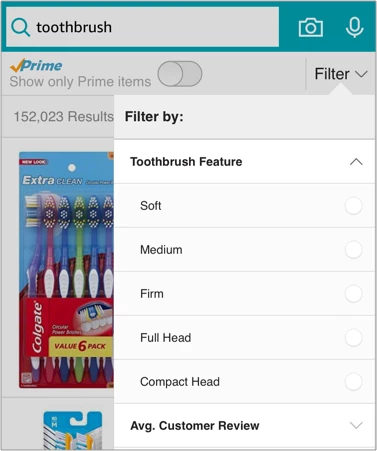
Amazon’s search UX is often considered the gold standard, particularly for large-scale eCommerce platforms. Its ability to handle massive inventories while delivering precise, personalized results is unparalleled.
Standout Features:
- Advanced Filtering: Users can refine searches by price, category, customer ratings, and shipping preferences, making it easy to narrow down results.
- Personalization: Amazon leverages past purchases, browsing history, and preferences to offer tailored search results that align with user intent.
- Dynamic Auto-Suggestions: Predictive search suggests products as users type, accelerating discovery and reducing errors.
2. Spotify: Predictive Search and Content Discovery

Spotify has mastered search UX by focusing on intuitive discovery, particularly in a content-heavy platform with millions of tracks, podcasts, and playlists.
Standout Features:
- Predictive Search: As users type, Spotify suggests artists, songs, albums, and playlists, cutting search time and guiding users toward relevant content.
- Categorized Results: Results are grouped into categories (e.g., tracks, albums, playlists), helping users navigate large datasets efficiently.
- Error Handling: If a query yields no results, Spotify offers suggestions for similar searches or related content to keep users engaged.
3. Airbnb: Intuitive Filters and Visual Search Results
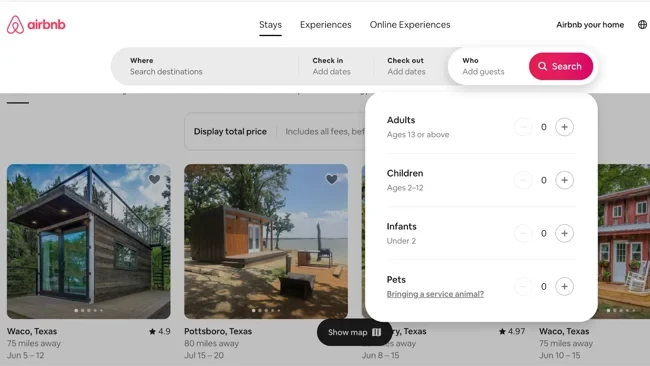
Airbnb’s search UX simplifies the process of finding accommodations with its focus on intuitive filters and visually engaging results.
Standout Features:
- Contextual Filters: Users can apply filters like location, price range, amenities, and reviews, refining search results to meet specific needs.
- Interactive Map Search: Search results are integrated with a dynamic map, allowing users to explore listings in specific areas.
- Error Prevention: The platform proactively prevents errors by guiding users with clear prompts and auto-suggestions for locations.
4. Netflix: Error Handling and Content Suggestions

Netflix excels at turning a no-results scenario into an opportunity to retain user engagement. Its search UX focuses on delivering relevant content while ensuring a seamless experience.
Standout Features:
- Smart Error Handling: If a query doesn’t match any title, Netflix suggests similar movies, genres, or trending content, ensuring users remain engaged.
- Personalized Suggestions: Netflix tailors search results based on viewing history, preferences, and global trends.
- Speed Optimization: Search results load instantly, even as users type, reducing friction and enhancing user satisfaction.
Learn more about designing exceptional user experiences with our UX design resources.
The Bottom Line
The ability to deliver intuitive, efficient search experiences sets successful platforms apart in an increasingly competitive online landscape. Websites that continually optimize their search UX based on best practices and performance metrics are better positioned to meet user expectations, retain their audiences, and achieve lasting success.
Search UX Best Practices FAQs
1. What are Search UX best practices?
Search UX best practices refer to the strategies and design principles that ensure search functionality is user-friendly, efficient, and intuitive. Key elements include predictive search, advanced filters, relevance-focused results, and thoughtful error handling.
2. Why is search UX important for websites?
A well-designed search experience enhances user satisfaction, reduces friction, and helps users find what they need quickly. This leads to higher engagement, increased conversions, and improved retention rates.
3. What types of websites need a search UI for great search UX?
Websites with large amounts of content, products, or data — such as for a tech website design — benefit most from a well-designed search UI. These include:
- Online marketplaces: For searching through diverse listings efficiently
- eCommerce platforms: To help users find products quickly based on categories, price, or other attributes
- Booking and reservation services: To streamline searches for dates, locations, and availability
- News portals and media sites: To allow users to locate specific articles, topics, or archives
- Educational platforms and libraries: To make vast repositories of resources or documents searchable
Any website with extensive content or frequent updates requires robust search functionality to enhance usability and meet user needs effectively.