
AI tools for UGC automation can save your team hours of sorting, tagging, approving, and producing content.
They help you find customer posts worth using, secure the right permissions, block off-brand content, and produce fresh video ads without organizing a full shoot. The tricky part is knowing which type of tool you actually need.
I compared five UGC management platforms and AI video generators, reviewing their features, pricing, benefits, and drawbacks to help you find the right match for your campaigns.
AI UGC Tools: Key Findings
- Yotpo, Flowbox, and TrueLoyal manage content created by real customers: Yotpo focuses on review collection, Flowbox on multi-market social commerce, and TrueLoyal on loyalty-led UGC.
- Tagshop AI and Creatify generate creator-style video ads using product information, giving teams a faster way to test new hooks, presenters, and formats without arranging a shoot.
- Yotpo and TrueLoyal summarize reviews, Flowbox scores and tags social content, and Tagshop AI and Creatify generate complete video ads.
What Is the Best AI Tool for UGC Automation?
The best AI tool for UGC automation depends on the job you need it to handle. For this comparison, I reviewed how easy each platform was to set up and use, what it automated, the quality of its generated or curated output, its pricing, and its limitations.
Yotpo, Flowbox, and TrueLoyal cover the operational side of UGC, including collection, moderation, usage rights, and publishing. Tagshop.AI and Creatify serve a different purpose, using product information, AI scripts, avatars, and voiceovers to produce UGC-style video ads without a traditional shoot.
Your content source, publishing channels, production needs, and budget will help narrow the choice.
| Tool | Category | Best For | Core Capabilities | Pricing |
| Yotpo | UGC management | eCommerce review collection | Review requests, AI moderation and summaries, branded widgets, review distribution | Reviews & UGC starts at $89 per month for 500 monthly orders |
| Flowbox | Social commerce | Multi-market social commerce | Social content collection, AI tagging, rights management, shoppable galleries, revenue tracking | Custom quote |
| TrueLoyal | Loyalty and UGC | Loyalty-led UGC programs | Rewards, challenges, review and media collection, usage rights, AI summaries | Custom quote |
| Tagshop AI | AI UGC video generator | Avatar-led UGC ads | AI Video Agent, 300+ avatars, 75+ languages, 200+ templates | Starts at $14 per month, billed annually |
| Creatify | AI ad platform | High-volume creative testing | URL-to-ad generation, AI actors, competitor tracking, performance analysis, ad launching | Free plan; paid plans start at $19 per month, billed annually |
1. Yotpo: Best for eCommerce Review Collection
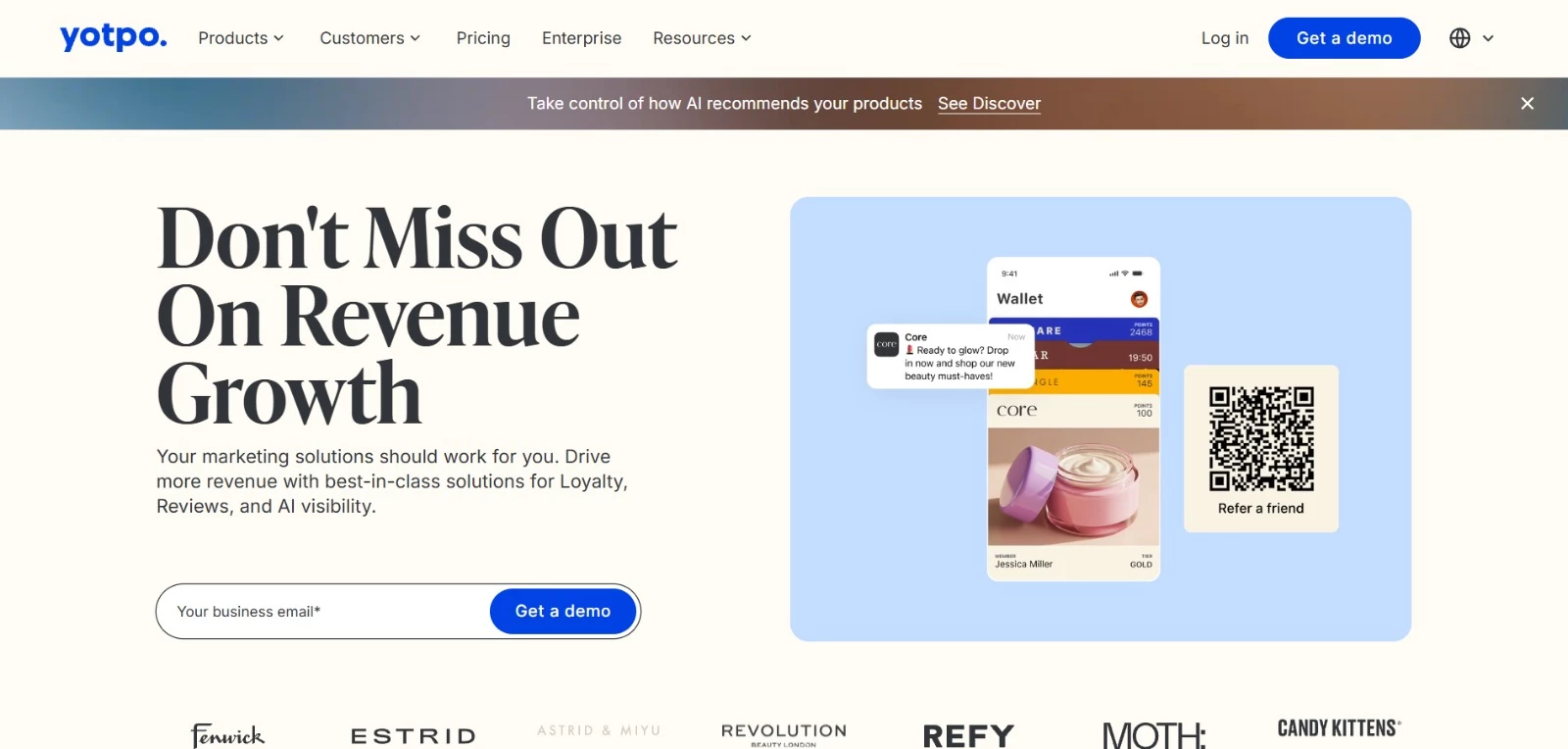
Yotpo helps eCommerce teams collect customer reviews and use them to build trust throughout the buying journey. During my review, its in-email collection caught my attention because customers can submit feedback without going through a separate form.
Once submissions come in, Yotpo can moderate them, detect recurring topics, create AI summaries, and feature the content in branded on-site widgets.
It can also distribute approved reviews to Google, Meta, TikTok Shop, and participating retail partners.
Key Features
- Collects product reviews, site reviews, photos, and videos through in-email and on-site requests
- Uses AI to moderate submissions, summarize feedback, and organize reviews by topic
- Offers six customizable on-site widgets for displaying reviews and UGC
- Syndicates review content to Google, Meta, TikTok Shop, the Shop app, and retail partners
- Supports automatic review translation, sentiment scoring, and competitive benchmarking
Pricing
Yotpo adjusts pricing based on monthly order volume. At 500 monthly orders, the available plans are:
- Reviews & UGC
- Starter: $89 per month
- Pro: $169 per month
- Premium: Custom quote
- Enterprise: Custom quote
- Loyalty & Referrals
- Free: $0 per month
- Pro: Starts at $199 per month
- Premium: Custom quote
- Enterprise: Custom quote
- Yotpo Discover
- For Brands: Custom pricing
- For Agencies: Custom pricing
- Reviews & UGC + Loyalty & Referrals Bundle
- Pro: Starts at $368 per month
- Premium: Custom quote
- Enterprise: Custom quote
Potential Limitations
- Missing features and limited functionality are recurring complaints in user feedback
- Premium and Enterprise pricing requires a custom quote, making total costs harder to estimate in advance
What Sets Yotpo Apart
Yotpo makes a compelling case for retailers that want to build a large collection of first-party reviews quickly. Its in-email collection removes several steps from the submission process, helping brands gather feedback earlier in a product’s selling cycle.
Australian department store David Jones previously collected reviews for just 0.014% of orders. After introducing Yotpo’s in-email requests, the retailer reported:
- A 2.02% order-to-review rate, representing a 130-fold increase
- 100,000 owned reviews collected within 12 months
- A 1.5% conversion lift for products carrying reviews
David Jones also collected more reviews in its first six weeks with Yotpo than it had during an entire year with its previous provider.
2. Flowbox: Best for Multi-Market Social Commerce
Flowbox helps eCommerce teams turn customer and creator content into shoppable marketing assets.
It collects posts from major social platforms, keeps permissions organized, and lets you connect approved content to products.
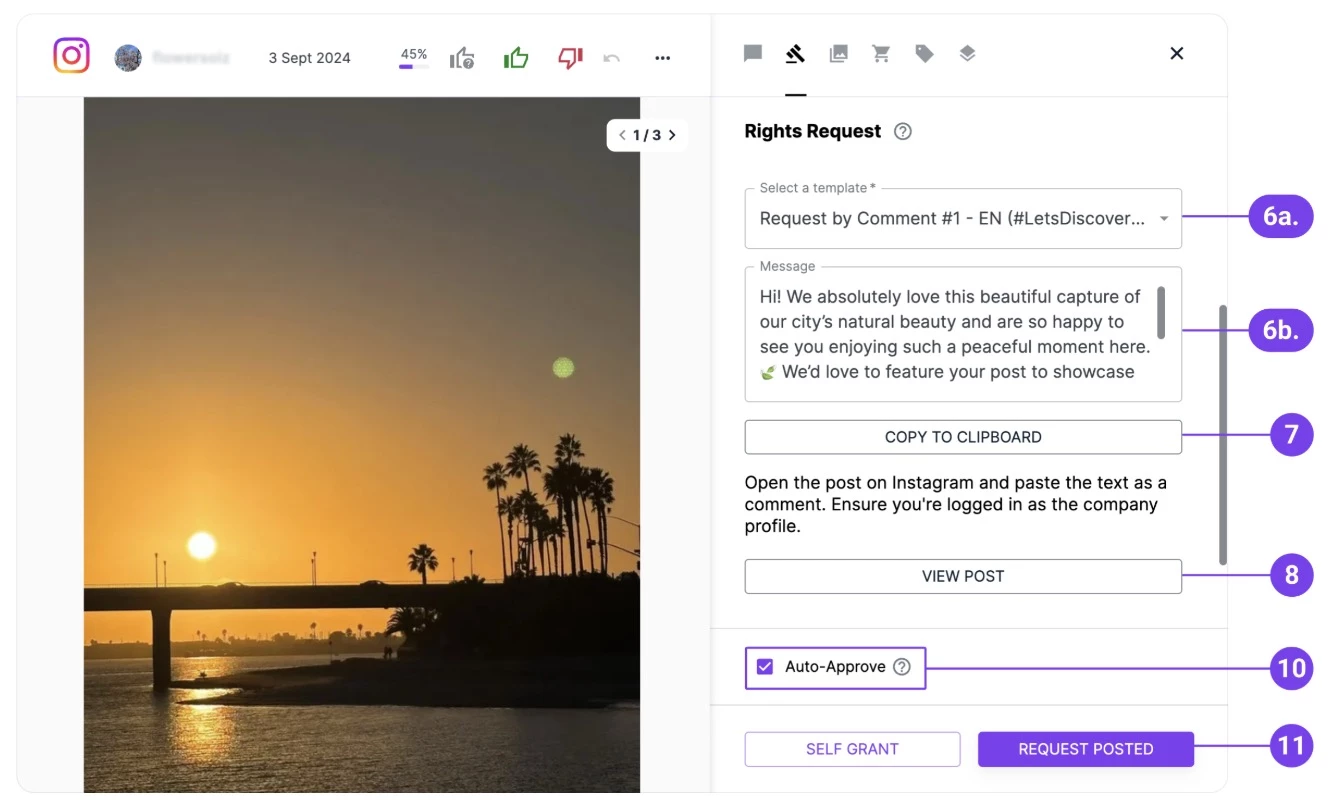
What stood out during my review was how much of the workflow sits in one place. Your team can moderate incoming posts, send rights requests, build galleries, and track which content contributes to sales without passing assets between several tools.

[Source: Flowbox]
Key Features
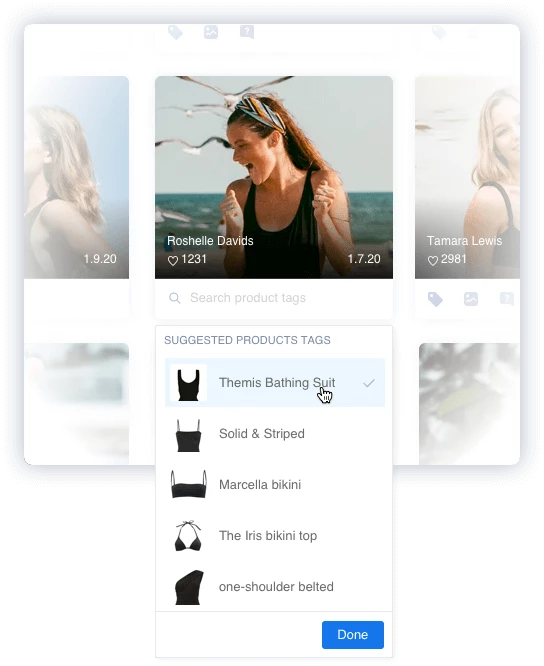
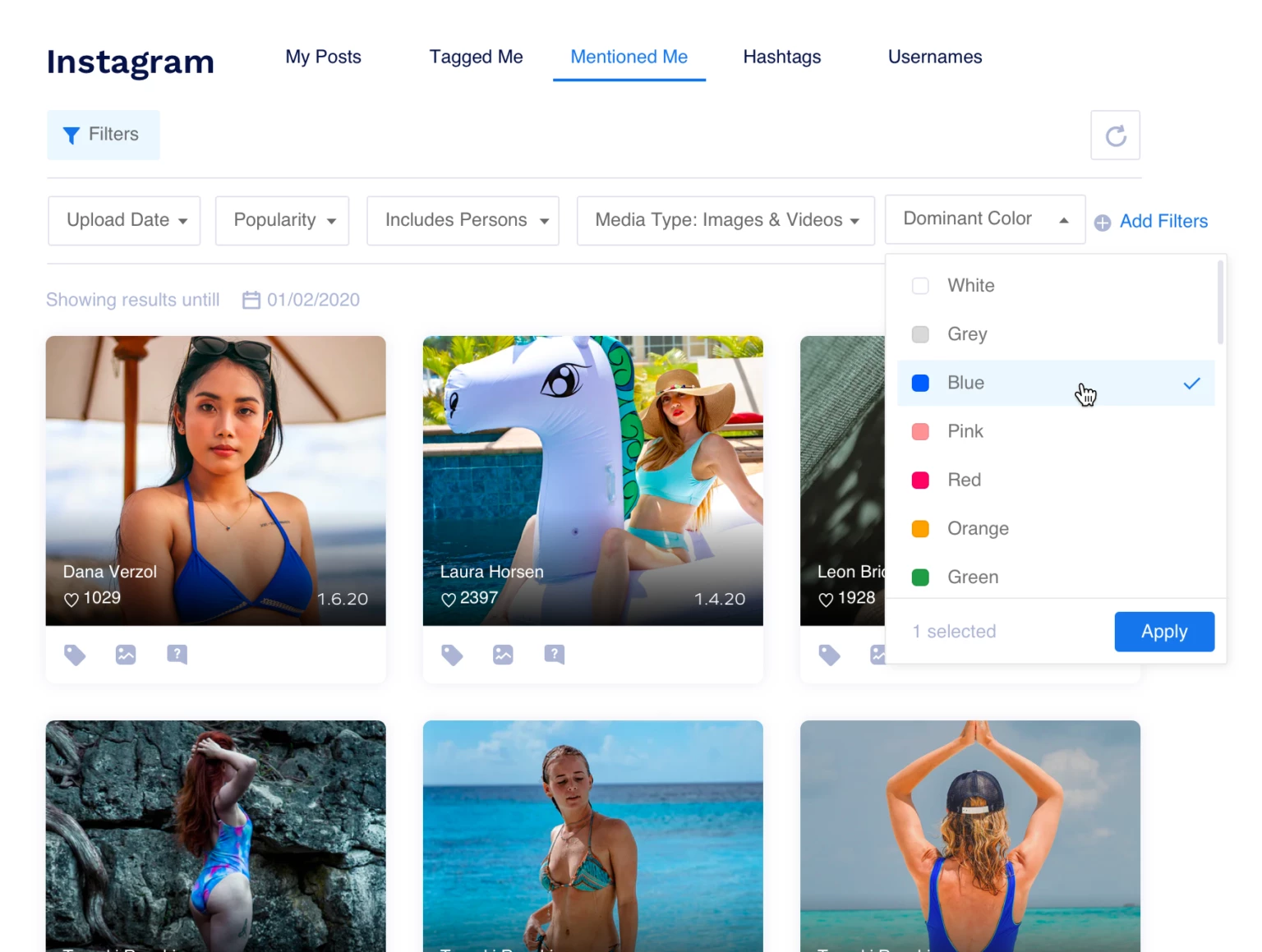
- Collects tagged, mentioned, and hashtagged content from Instagram, TikTok, Facebook, Pinterest, X, and YouTube
- Sends customizable rights requests and tracks whether permission is pending, granted, or denied
- Uses AI scoring and tagging to help teams organize and prioritize incoming content
- Creates unlimited shoppable galleries for websites, emails, ads, mobile apps, and in-store screens
- Measures revenue and conversions by gallery, post, creator, and product
Pricing
- Social Commerce: Custom quote
- Influencer Marketing: Custom quote
- Ratings & Reviews: Custom quote
- Demo required to discuss pricing and package options
Potential Limitations
- Flowbox is geared toward mid-market and enterprise brands with larger catalogs and higher UGC volumes, so its scope may exceed what a smaller store needs
- Social Commerce, Influencer Marketing, and Ratings & Reviews cover a broad set of workflows, making it important to confirm which capabilities are included in your quote
What Sets Flowbox Apart
Flowbox helped G-Star RAW incorporate customer content into its dynamic product ads.
For a two-month campaign in Germany, Flowbox automatically sourced and curated UGC, then exported it to Smartly.io as a product feed. G-Star then used that content in dynamic product ads with branded image templates.
Compared with its standard product imagery, the campaign delivered:
- An 18% increase in conversion rate
- A 16% increase in return on ad spend
- A 14% increase in click-through rate



3. TrueLoyal: Best for Loyalty-Led UGC Programs
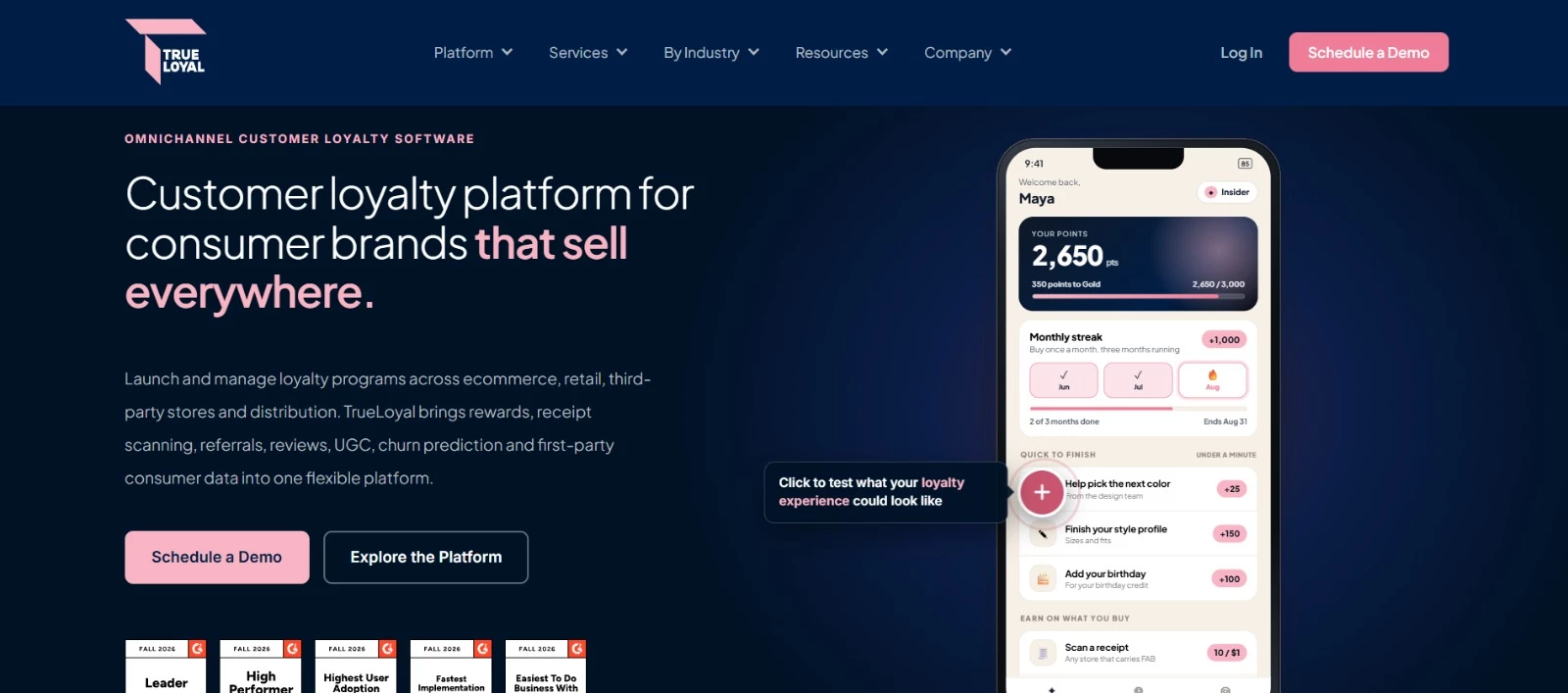
TrueLoyal uses rewards, challenges, sampling programs, and brand communities to encourage customers to create reviews, photos, videos, and product stories.
The platform records usage rights, organizes approved submissions, and helps brands reuse them in eCommerce, retail, and marketing campaigns.
During my review, the Fan Club feature caught my attention.
Brands can reward members for completing missions, testing products, sharing feedback, and creating content, giving customers a reason to stay involved after their first purchase.
TrueLoyal can also turn an existing review library into short AI-generated summaries for individual product pages.
Key Features
- Encourages UGC through rewards, challenges, sampling programs, and member communities
- Collects reviews, photos, videos, and product stories with usage-rights tracking
- Generates plain-language AI summaries using existing customer reviews
- Connects online purchases, retail transactions, scanned receipts, and engagement data to customer profiles
- Uses AI-powered churn prediction to identify customers who may disengage
Pricing
- Custom pricing based on program goals, customer base, complexity, and integrations
- Demo required to receive a quote
Potential Limitations
- TrueLoyal doesn’t publish starting prices or standard subscription tiers
- Implementations typically take four to eight weeks, depending on the program and required integrations
- AI Review Summaries work with an existing TrueLoyal Ratings & Reviews library, so the feature is not offered as a standalone tool
What Sets TrueLoyal Apart
Hero Cosmetics built the Hero Skin Squad on TrueLoyal to develop a closer relationship with its customers. Members sampled new products, participated in surveys and polls, and spoke directly with the brand.
Their activity generated reviews, UGC, and product insights that Hero used across its website, retail channels, and social media.
In the first 100 days, the program delivered:
- A 21% increase in purchase conversions
- A 25% increase in average spend per community member
- A 19% increase in Net Promoter Score
4. Tagshop.AI: Best for Avatar-Led UGC Ads

Tagshop AI creates creator-style ads using a product URL, image, or prompt. Its Video Agent asks about your campaign, then puts together the script, avatar, voiceover, scenes, captions, and B-roll.
I spent more time exploring the avatar library than the editor itself. With 300+ presenters and 75+ languages available, teams can test different faces, voices, and markets without reshooting the concept each time.
Key Features
- Generates complete UGC-style ads through a conversational AI Video Agent
- Offers more than 300 AI avatars, plus custom avatars and AI Twins
- Supports voiceovers in over 75 languages
- Creates videos using product links, images, scripts, or prompts
- Includes more than 200 templates with customizable logos, colors, fonts, and formats

Pricing
- Starter: $14 per month, billed annually, with 600 yearly credits and up to 60 videos
- Growth: $39 per month, billed annually, with 1,800 yearly credits and up to 180 videos
- Pro: $79 per month, billed annually, with 3,600 yearly credits and up to 360 videos
- API plan: Custom pricing based on video volume, concurrency, and integration requirements
Potential Limitations
- Testimonial-style videos feature AI avatars rather than verified customers
- Generated assets are retained for three months on Starter, six months on Growth, and 12 months on Pro
What Sets Tagshop AI Apart
WhiteDigital needed a faster way to create daily videos for the global brands it manages after creator sourcing and content fatigue began slowing production.
The agency started using Tagshop AI to generate testimonial-style ads featuring AI avatars that speak directly to the camera and recommend products.
Although it didn't share figures, WhiteDigital reported an immediate lift in click-through rates and engagement and is working to improve CPA and ROAS.
5. Creatify: Best for High-Volume Creative Testing

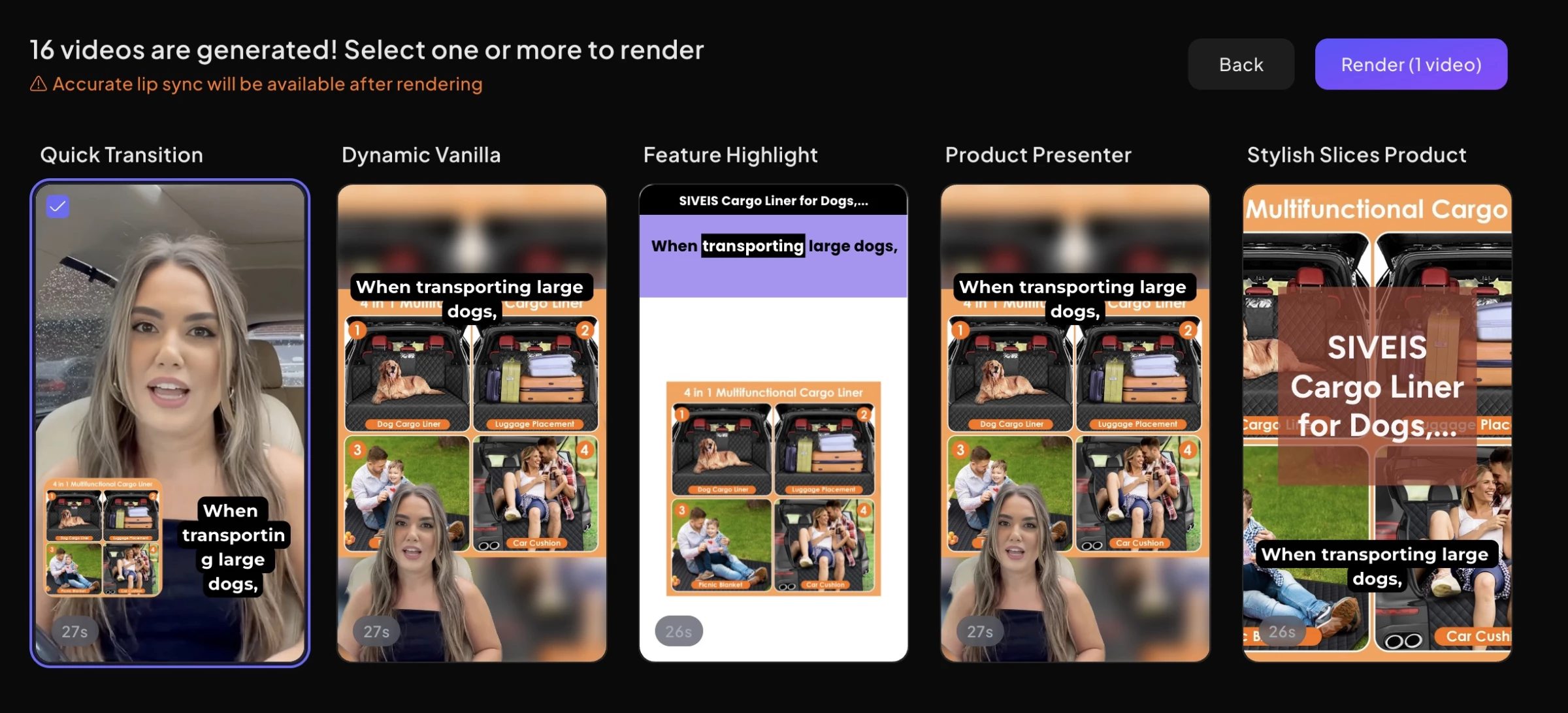
Creatify is a good fit when one video idea isn't enough. Add a product URL, and it can produce UGC-style, product, cinematic, and image ads, then track their performance and launch selected creatives on Meta, TikTok, or AppLovin.
What I liked here was the room to experiment. You can change the hook, script, actor, or format and generate a fresh batch without rebuilding the campaign.
Key Features
- Turns product pages into video and image ads
- Offers 1,500 AI actors, three custom avatars, and more than 75 languages with Pro
- Searches over 10 million Meta ads through the Competitor Ad Tracker
- Monitors spend, ROAS, and click-through rates with its Performance Agent
- Launches completed ads on Meta, TikTok, and AppLovin

Pricing
- Free: 10 monthly credits for up to two video ads or 20 image ads
- Starter: $19 per month when billed annually; includes 100 monthly credits
- Pro: $49 per month when billed annually; includes 300 monthly credits, with higher credit options available
- Enterprise: Custom pricing, credits, seats, brand spaces, and services
- Creatify Studio: Custom pricing for 25 to 100 or more completed videos per month, with a stated 48-hour turnaround
- API Starter: $99 per month for 500 API credits
- API Pro: $299 per month for 2,000 API credits
- API Enterprise: Custom pricing based on usage and integration requirements
Potential Limitations
- Free exports carry a watermark and cover only around two video ads each month
- Starter processes one generation at a time; Pro permits up to five
What Sets Creatify Apart
LAIFE needed roughly 50 video variations each week to get its TikTok Shop campaigns through the cold-start phase. Previous tools produced unrealistic characters and mismatched lip sync, leaving the team with extensive editing work.
After moving its production to Creatify, the longevity brand cut the time required for each video from hours to minutes and began creating around 50 per week.
According to the case study, LAIFE reached the lowest cost per order of $3.89.
How To Choose the Right AI Tool for UGC Automation
When comparing UGC automation tools, you should start with the problem you would pay to remove. Just saying we need more UGC is too broad. A retailer missing product reviews, a social team chasing permissions, and a paid media team short on video concepts need different tools.
1. Match the Tool to Your Bottleneck
Use the job consuming your team’s time to narrow the list:
- Customers rarely leave reviews: Yotpo can collect feedback inside an email, removing the separate review form that often interrupts submissions
- Social posts are scattered, and permissions take too long: Flowbox collects tagged and mentioned content, uses AI-powered UGC curation to prioritize it, sends rights requests, and tracks approvals
- You want customers to contribute repeatedly: TrueLoyal uses rewards, challenges, sampling programs, and fan communities to encourage reviews and UGC
- You need creator-style ads for a product launch: Tagshop AI can turn a product link or prompt into an avatar-led video with a script, voiceover, captions, and B-roll
- Your media team needs dozens of variations each week: Creatify supports creative batches, competitor research, performance tracking, and direct campaign launching
2. Calculate How Much Content the Plan Really Covers
Compare the plan limit with your monthly workload.
For example, Tagshop AI’s Starter plan includes up to 60 videos per year. That averages five videos per month. A team planning to test 20 videos each month would need Pro, which allows up to 360 per year, or a custom API plan.
Yotpo uses a different model. Its $89 Reviews & UGC Starter price applies at 500 monthly orders, so a growing store should check how the rate changes at its expected order volume.
For custom-priced tools, give every sales team the same brief:
- Monthly UGC or review volume
- Number of users and brands
- Markets and languages
- Required social and eCommerce integrations
- Storage and asset-retention needs
- Expected number of rights requests or published galleries
That should give you quotes you can compare properly.
3. Test a Complete Workflow
A perfect sample video or gallery tells you very little about the daily process. Put one real campaign through each shortlisted tool.
As Ran Avrahamy, CMO of AppsFlyer, advises:
“Start with the fundamentals: research, testing, and measurement. Then, introduce AI to scale what works. Once you can identify winning creatives, the next stage is to reveal why they perform and then extend their impact.”
If you are testing UGC management tools, collect a customer post, request permission, connect it to a product, publish it, and find the performance data afterward.
For an AI UGC video generator, use the same product URL to create several hooks with two different presenters. Correct a product claim, change the aspect ratio, add your branding, and export the final versions.
Record how long the process takes and where manual work comes back in. A tool that generates an asset quickly may still slow your team down during editing, approval, or publishing.
4. Decide Whether You Need Social Proof or Ad Creative
Yotpo, Flowbox, and TrueLoyal work with reviews, photos, videos, and posts contributed by real customers. These tools make more sense if your goal is trust, community participation, or social proof on product pages.
Tagshop AI and Creatify generate AI UGC video ads with AI actors. They are better suited to testing hooks, offers, presenters, and formats for paid campaigns.
Keep that distinction clear. An AI avatar can deliver a product script, but it shouldn’t be presented as a verified customer sharing a real experience.
5. Build a Scorecard Around the Result You Need
Score each trial using criteria tied to your bottleneck:
- Time required to produce one publishable asset
- Number of manual approval steps
- Cost per approved or generated asset
- Percentage of content rejected after review
- Rights-request turnaround time
- Editing time for each video variation
- Conversion rate, click-through rate, or ROAS
- Work required to adapt content for another market
Give more weight to the two or three criteria affecting your team today. That will produce a much clearer answer than choosing the platform with the longest feature list.
AI Tools for UGC Automation: Final Words
Whether you're managing rights, curating visuals, or turning product links into video ads, platforms like Yotpo, Flowbox, TrueLoyal, Tagshop.AI, and Creatify streamline what used to be a time-consuming process.
If you’ve been stuck trying to scale UGC manually, it might be time to let AI do the heavy lifting.
Our team ranks agencies worldwide to help you find a qualified partner. Visit our Agency Directory for the top AI Companies, as well as: