
Building a successful AI-driven application requires a blend of strategic planning and technical execution. Below is a step-by-step roadmap businesses can follow, from ideation through deployment and iteration.
How To Build an AI App: Key Points
- 71% of businesses use generative AI in at least one function, making it a key driver of competitive advantage and long-term client value.
- Using pre-trained models cuts costs and dev time. With MLOps, companies deploy AI 30% faster. By 2028, 80% of GenAI apps will be built on existing platforms.
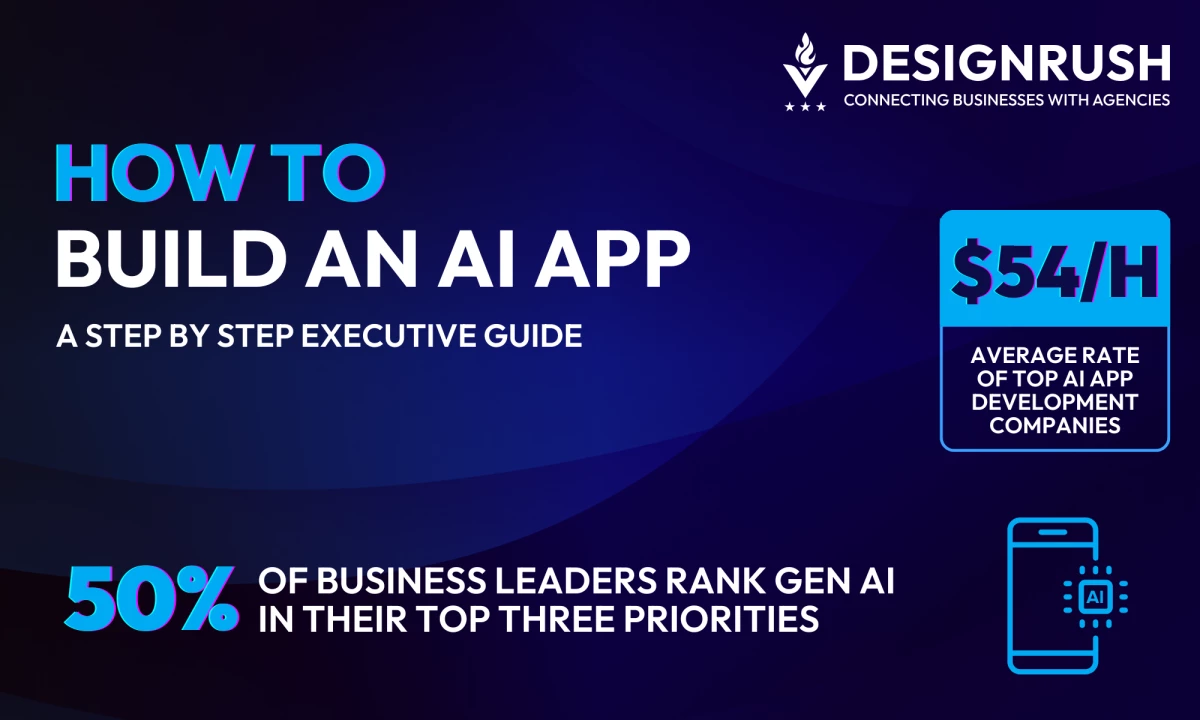
- Top AI firms charge an average of $54/hour. About 5% offer projects under $1K, while another 5% only take on $50K+ work — costs depend on app complexity and support scope.
Why Businesses Must Embrace AI App Development Now
No longer a novelty, AI is now central to client expectations. Nearly 71% of businesses regularly use gen AI in at least one business function just to remain competitive in their respective markets.
Businesses that deliver AI-powered apps can thus transition from being seen as disposable vendors to strategic partners fueling continuous innovation.



Step 1: Define the Business Use Case
Everything starts with a real-world problem or opportunity.
As Scott Jackson, CEO and Founder of Essential Designs, puts it: “Design the problem first, not the tool. If you start with ‘let’s add AI,’ you’re already lost.”
Align the AI app with concrete challenges and goals, otherwise, you're just building tech for tech’s sake.
Start With Pain Points, Not Platforms
Zero in on specific, high-impact challenges your clients face. These might include:
- Reducing churn in a subscription-based apps
- Improving demand forecasting for a DTC retail brand
- Automating compliance review for a financial institution
- Deploying a conversational bot to handle Tier-1 customer support in SaaS
AI is the means, not the end, so focus on the desired business outcome.
- What key metric should the AI app improve?
- Reduce churn by 10%?
- Increase conversions by 5%?
- Slash document processing time by 50%?
Projects with direct ROI impact are the ones that stick.
Keep It Tight
One of the biggest pitfalls is scoping too broadly. A good AI MVP should be narrow, testable, and valuable from day one.
For instance, don’t start with an all-knowing virtual assistant; start with an NLP chatbot that answers FAQ-level support tickets and scales from there.
A focused solution that delivers beats a bloated one that overpromises.
Make It “Sticky”
The right use case has long-term value baked in. AI systems often become embedded into core workflows, like a fraud detection model that financial teams use daily, or a smart inventory planner in retail ops.
These systems don’t just work once; they evolve. That’s how a 6-week pilot turns into a 3-year retainer.
Step 2: Choose Your AI Model and Framework
With the problem defined, determine the appropriate AI approach and tools:
Select a Framework
The big three in deep learning are TensorFlow, PyTorch, and Hugging Face (for NLP). Each has strengths:
Framework | Best For | Key Features | When To Use |
TensorFlow (Google) | Production at scale and cross-platform deployment |
| Ideal for enterprise-grade apps, large-scale deployments, and when using Google Cloud infrastructure |
PyTorch (Meta) | Research and rapid prototyping |
| Great for experimental modeling, academic projects, and fast iteration cycles; increasingly production-ready |
Hugging Face & Transformers | NLP and multi-modal AI apps |
| Go-to choice for NLP-heavy apps; speeds up development with ready-to-use state-of-the-art models |
Pre-trained vs. Custom Models
Decide whether to use a pre-trained model or develop a custom model:
Pre-Trained Models

How many GenAI business apps will be built on existing data platforms by 2028?
“Buy, don’t build” is often wise if the task is common. Pre-trained models come “out of the box” with knowledge from being trained on massive datasets.
Gartner predicts by 2028, 80% of GenAI business apps will be developed on existing data management platforms, not from scratch.
Fine-tuning a pre-trained model on your specific data can achieve great results with relatively little time and compute. This is faster and cheaper than training from scratch.
Custom Models
In cases of very unique data or proprietary methods, you may need to build a model from scratch or substantially modify an existing architecture.
Custom models also make sense if the IP created is a competitive advantage for your business, and you want full ownership. Keep in mind this route requires more data, more experimentation, and typically more budget.
Step 3: Select Infrastructure and Dev Stack
As a business leader, you don’t need to get into the weeds of code, but you do need to guide your team toward smart, scalable decisions.
Here’s how:
Prioritize the Right Tech Foundation
Use what your team knows.
The most advanced stack in the world is useless if your team can’t ship with it.
- The majority of AI projects today are built in Python, thanks to its vast ecosystem and talent availability.
- If your app has a web frontend or API component, JavaScript or TypeScript may come into play too.
Plan for Speed and Repeatability
AI projects aren’t “one and done”. You’ll likely have multiple versions, experiments, and updates over time.
That’s why you need a system that keeps things organized and repeatable.
What To Plan For | Why It Matters |
Tracking experiments | Lets your team compare model performance and avoid duplication |
Version control for models | Ensures you know what’s running in production (and why) |
Easy deployment | Speeds up updates and reduces downtime |
Containerization and scaling | Makes it easier to replicate environments and serve users at scale when needed |
Don’t Skip DevOps for AI
Companies adopting MLOps deploy AI solutions 30% faster on average
Embracing MLOps streamlines AI development cycles, enabling businesses to deliver solutions faster and more efficiently.
One major blind spot in AI projects? Treating them like research experiments instead of real products.
Companies that adopt MLOps practices deploy AI solutions 30% faster on average.
Even the smartest model won’t deliver results if:
- It’s only running on one person’s laptop
- The code isn’t documented or versioned
- There's no system for continuous improvement or testing
“Train your people first,” says Jackson. “Give them room to experiment (and screw up). Don’t expect overnight miracles. Buy coffee.”
Step 4: Design for Trust and User Experience
Even the smartest AI won’t succeed if people don’t trust it, or worse, can’t figure out how to use it. For adoption to stick, the user experience needs to feel intuitive, ethical, and safe.
Here’s how to get there:
Make It Understandable
People need to know why the AI made a decision, especially in high-stakes or client-facing contexts.
- Use visual aids (e.g. “this feature influenced the result by 70%”) to show how the model thinks.
- For computer vision apps, consider overlays that show what the AI is “looking at.”
- In finance or healthcare, transparency is often required by regulations.
Design for Real Conversations
If you're building a chatbot or assistant, UX matters a lot.
- Keep the tone natural and on-brand.
- Offer prompts or buttons to guide the conversation.
- Always include a “handoff to human” option, because nothing tanks trust faster than a stuck chatbot.
Build in Privacy from Day One
Don’t treat privacy as an afterthought.
- Be clear about what data the AI uses and why.
- Secure personal data with anonymization or encryption.
- Align early with regulations like GDPR or HIPAA to avoid compliance headaches later.
Step 5: Train, Test, and Validate
Now comes the core machine learning work: data and model development.
But for executives, the focus should be on data quality, measurable results, and minimizing risk.
- Start with the right data
- Train and test smartly
- Define success with the right metrics
- Expect to iterate
Start with the Right Data
Nearly 85% of AI projects fail to deliver due to poor data quality
Poor data quality remains the top reason AI projects underperform. Clean, structured data is the foundation of successful AI initiatives.
AI is only as good as the data you feed it.
- Use a mix of client data (transactions, behavior logs, etc.), public datasets, or synthetic data to fill gaps.
- Don’t underestimate this step — nearly 85% of AI projects fail to deliver due to poor data quality.
- The goal: Clean, relevant, and structured data that reflects the real-world problem.
Bad data = bad predictions, no matter how fancy the model.
Train and Test Smartly
This phase is about running experiments and finding what works, without overcomplicating things.
What Matters | Why It's Important |
Split the data logically | Avoids “cheating” the model with test data it has already seen |
Track every experiment | So you can repeat successes and learn from what didn’t work |
Avoid overfitting | A model that’s perfect in testing but fails in production won’t help anyone |
Use transfer learning | Speeds things up by adapting a proven model to your data |
Define Success with the Right Metrics
Choose metrics that map directly to business goals.
Scenario | Metric |
Predicting churn | Recall (catch as many at-risk customers as possible) |
Fraud detection | Precision and recall (balance catching fraud vs. false alarms) |
Real-time recommendations | Response time + ranking quality (e.g., NDCG, MAP) |
Expect to Iterate
The best model rarely wins on the first try.
- Improve features, tweak parameters, and test new approaches.
- Tools can automate tuning, but don’t over-optimize on test data as it gives a false sense of progress.
- Always hold out an “unseen” dataset for final validation.
Step 6: Deploy and Monitor
This stage separates successful initiatives from forgotten experiments.
The key to long-term value? Strategic deployment, rigorous monitoring, and continuous refinement.
Strategic Deployment Choices
Choosing the right deployment option depends on your business needs:
- Cloud deployment is the default for most companies, offering flexibility, scalability, and ease of integration. It's ideal for SaaS platforms, internal tools, or customer-facing web apps — especially when regular updates or rapid scaling is needed.
- Edge deployment puts AI directly on a device, like a retail camera or mobile AR application. It's useful when response time or offline functionality is critical (e.g., analyzing foot traffic in real time). However, updates are trickier and need planning.
- Hybrid approaches combine both, letting you process complex data in the cloud while delivering lightning-fast AI responses at the edge. This is often used in AR/VR and privacy-sensitive environments like healthcare or finance.
The right deployment strategy directly affects performance, customer experience, and cost, so align it with your operational goals, compliance needs, and user expectations.
Why Monitoring Matters (a Lot)
Once it goes live, your app is exposed to changing data, customer behavior, and market conditions. Without oversight, it can quietly lose accuracy, and value.
Here’s how forward-thinking businesses stay ahead:
- Performance health checks: Continually assess if the model is delivering accurate, relevant outputs. If a recommendation engine starts pushing irrelevant products, it signals it’s time to retrain with fresh data.
- Data quality and change detection: If your customer base or market behavior shifts (say, from summer shoppers to holiday buyers), the model may misfire. Monitoring data patterns ensures you can adapt before results suffer.
- Cost control: AI can get expensive — especially if your cloud-hosted model isn’t optimized. Monitoring inference costs and response times keeps your budget in check while maintaining user experience.
- Reliability metrics: Like any mission-critical system, your AI must be stable. Uptime, failure rates, and system alerts need to be tracked and responded to in real time.
Step 7: Monetize the AI App
If your business is investing in AI app development, there are multiple ways to turn those innovations into recurring revenue streams, not just one-off projects.
Here are four proven models business leaders should consider:
Monetization Model | Revenue Type | Best For |
White-Label SaaS | Recurring Subscription (Monthly/Annual) | Ideal for businesses building niche AI solutions that serve a specific market segment. By hosting and licensing the platform (rather than selling one-off projects), you unlock scalable and predictable revenue. |
API-as-a-Service | Usage-Based Billing | Great for AI capabilities that can be embedded into client systems. Instead of selling full applications, offer access to your AI via API and charge per use. This model aligns revenue with client success and usage volume. |
Custom Solution + Support Retainer | Project Fee + Monthly Retainer | Best for enterprise-grade, bespoke AI builds. The business charges an upfront development fee, then transitions into an ongoing retainer for model updates, infrastructure monitoring, or continuous improvement. |
AI Tools as Lead Generators | Indirect Revenue (Leads/Upsells) | AI can be used as a strategic entry point to win future business. Offering a free or low-cost AI tool builds credibility and trust — then opens the door to deeper engagement. |
A well-designed AI demo or audit can be the hook that gets prospects in the door.
Imagine a prospect saying: “If this free tool added this much value… what would a full engagement deliver?” That’s the kind of impression that converts.
Final Take: AI Is the New Business Growth Engine
Generative AI: A Top Priority for Business Leaders
28% place it in their top 5
Biggest Areas of Impact
Leaders see Generative AI as a game-changer, with major impacts on products, engagement, business models, and cost efficiency.
So, are you ready to position your firm at the forefront of this AI-driven future? The tools and strategies outlined in this guide can set you on the right path.
Industry research shows that nearly half of business leaders rank Generative AI among their top three priorities, while another 28% place it in their top five because of its game-changing potential.
Start with a manageable pilot project, build up your case studies, and soon you’ll be confidently owning an AI solution that’s going to differentiate your business from the pack.
When every company wants to leverage AI, businesses that master the art and science of building AI apps will become the growth engines powering the next decade of digital transformation.
Don’t miss out on this moment — the opportunity is vast, and the time to act is now.

Our team ranks agencies worldwide to help you find a qualified partner. Visit our Agency Directory for the top AI companies, as well as:
- Top AI App Development Companies
- Top AI Product Development Companies
- Top AI Web Design Companies
- Top AI Marketing Companies
- Top AI Market Research Companies
Our design experts also recognize the most innovative design projects across the globe. Given the recent uptick in AI, you'll want to visit our Awards section for the best & latest in AI website designs.
How To Build an AI App FAQs
1. How much does an AI app cost to build?
According to DesignRush, the top 50 AI app development firms charge an average hourly rate of $54. Pricing models vary widely: around 5% of agencies offer project rates under $1,000, while roughly the same percentage only take on projects starting at $50,000 or more. The final cost depends heavily on the app’s complexity, required integrations, and long-term support needs.
2. How long does it take to launch an AI MVP?
A functional minimum viable product (MVP) can often be built in 6–10 weeks with a focused team, leveraging cloud services. Thanks to pre-trained models and cloud AutoML, initial development is faster than ever. Of course, this assumes you have the data readily available and clear objectives. More complex projects could take a few months for an MVP.
3. How do I ensure my AI app is secure?
Use encrypted data transfers, restrict access with IAM policies, and follow DevSecOps best practices. For models, ensure input validation to prevent prompt injection or adversarial attacks. Cloud platforms like AWS SageMaker and Azure ML include built-in security tools. Regular audits and logging of model decisions also improve transparency.