
Let’s dive into the real-world trade-offs of free vs. paid AI tools. Whether you're managing content, code, creative, or operations, understanding the strategic implications of your AI choices can get you clear results for your investment.
Free vs. Paid AI Tools: Key Points
- Developers using GitHub Copilot Pro report over 55% faster task completion.
- Enterprises like BBVA save 2.8 hours per employee per week with ChatGPT Enterprise.
- Employees save up to 122 hours a year just by automating routine admin tasks.
Text Generation and Conversational AI
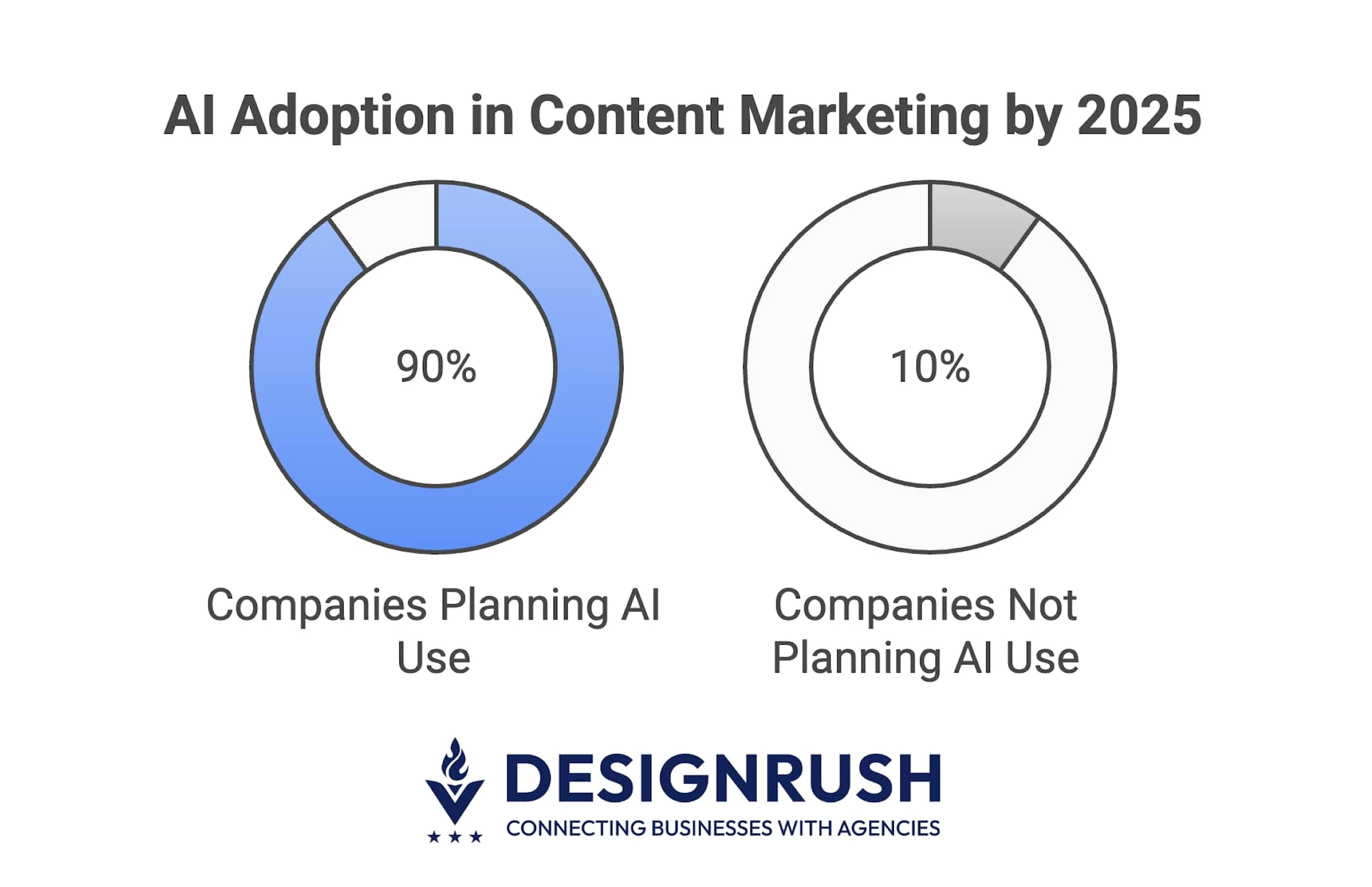
In 2025, 90% of companies plan to use AI for content marketing. But not all AI tools offer the same quality, or strategic fit.
Free versions provide broad access and fast experimentation.
Paid plans, however, deliver sharper language models, faster response times, and enterprise-ready integrations that reduce editorial effort and make your messaging feel more like your brand.



When Free Is Enough
- ChatGPT Free (GPT‑3.5): Solid for drafting emails, brainstorming content, and summarizing text.
- Perplexity AI: Great for research and quick answers, especially for teams without dedicated analysts.
But free tools often lack the depth and tone control that professional communication demands.
According to Volodymyr Lebedenko, Head of Marketing at HostZealot, not all tools are created equal — especially the free ones.
He explains that while they may be accessible, they often churn out generic content that misses the little details, sound and trustworthiness today’s audiences expect.
“If you publish AI content without proper oversight,” Lebedenko warns, “you risk sounding like everyone else, and that’s a slow leak in brand equity.”
Why Paid AI Pays Off
- ChatGPT Plus (GPT‑4 Turbo): Delivers human-like tone, faster completions, and contextual awareness that lifts copywriting and client communications.
- Google Gemini Advanced: Seamlessly embeds into Workspace apps, making AI feel like a native coworker for your team.
If your content represents your brand, paid AI helps keep your tone clear and confident at scale.
Image Creation and Multimedia Generation
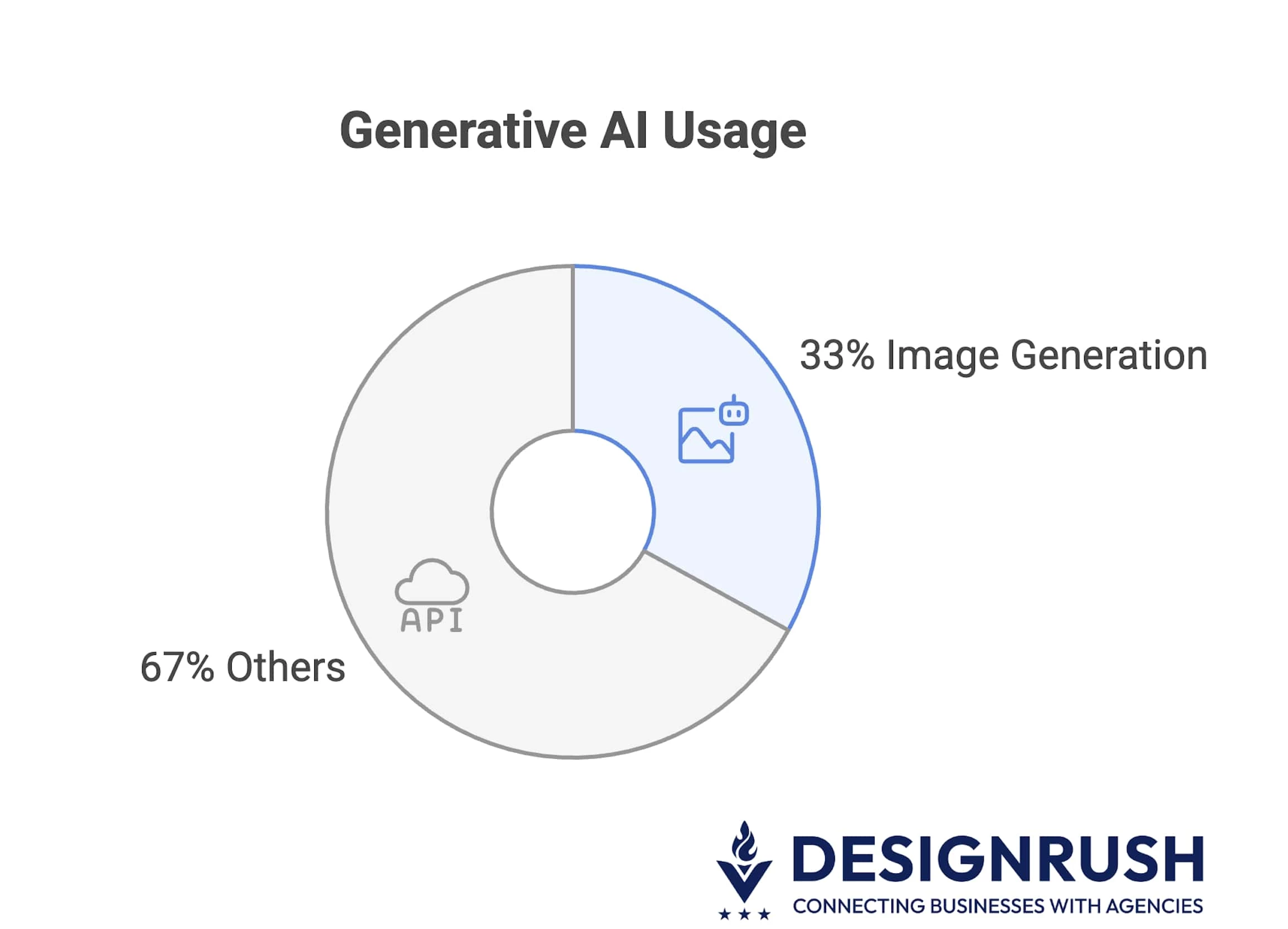
AI is becoming a regular part of creative work: from campaign visuals to product mockups.
As McKinsey’s global survey found that over one-third of organizations are using generative AI specifically for image generation.
Free AI Tools: Ideal for Fast, Low-Cost Visuals
- Canva AI (Free): Delivers fast, branded visuals for social, email, and presentations.
- Stable Diffusion: Offers powerful, open-source image generation — great for tech-savvy teams with time to experiment.
Free tools shine for volume and speed, especially when brand polish is flexible.
Paid AI Tools: Best for Quality, Style, and Customization
- DALL·E via ChatGPT Plus: High-resolution, photorealistic visuals built right into your workflow.
- MidJourney: Produces concept-art quality images perfect for campaigns, packaging, and storytelling.
If visual impact, brand consistency, or artistic distinction matter — paid tools elevate your creative edge.
Developer and Coding Assistants
For developers, AI isn’t just a bonus anymore — it’s part of the job.
In fact, a GitHub survey of 2,000 developers across the USA, Brazil, Germany, and India revealed that a staggering 97% have used AI coding tools on the job.
Free AI Tools: A Starting Point for Assisted Development
- GitHub Copilot (Free): Great for testing AI-driven code completion on small tasks.
- Windsurf: A solid no-cost alternative with unlimited completions for open-source-friendly teams.
However, free tools often come with usage caps and less context-aware suggestions.
Paid AI Tools: Help You Get More Done
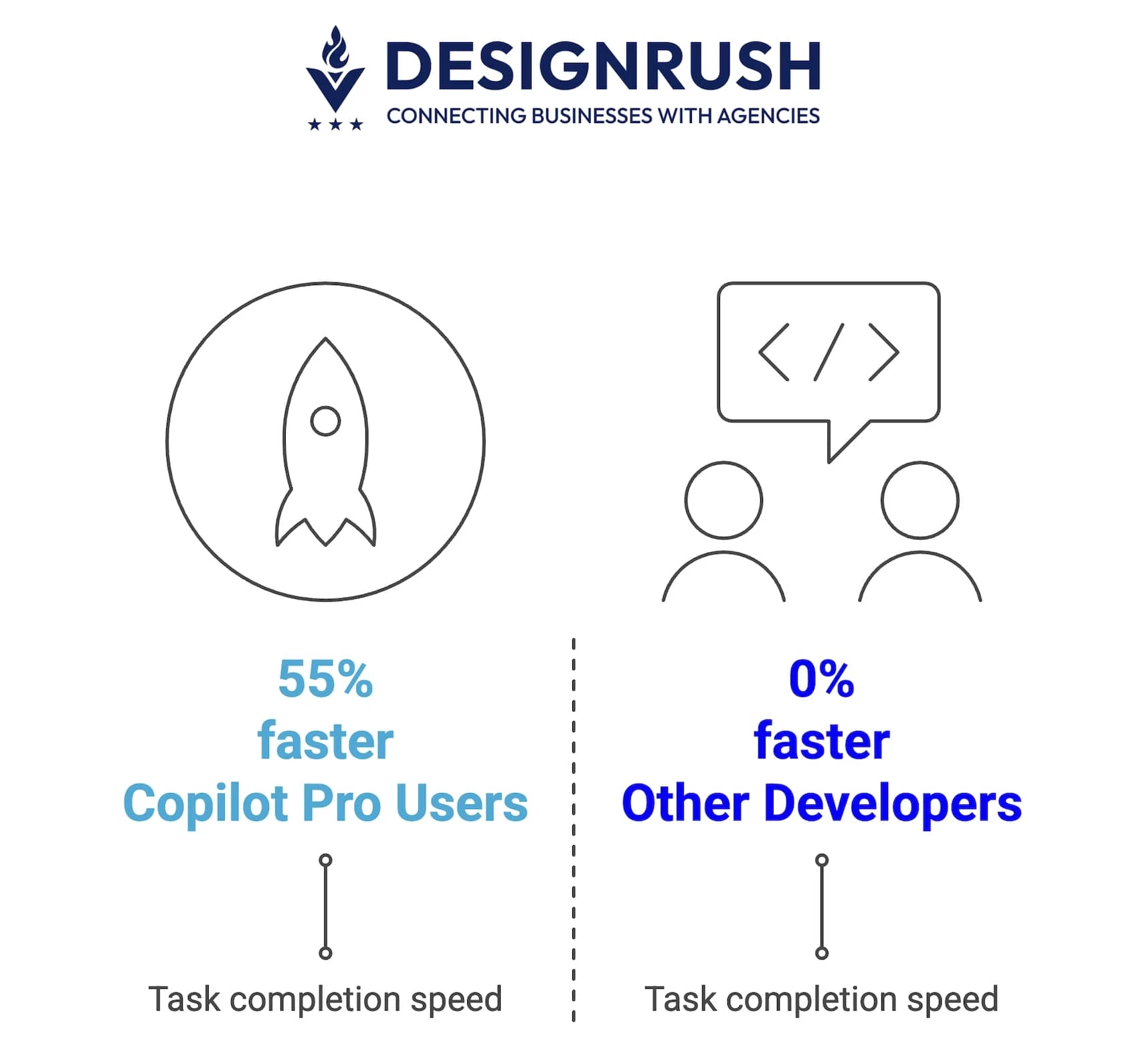
- GitHub Copilot Pro: Cuts dev time significantly with unit test generation and error explanations.
- Cursor IDE: Built for AI-first development, offering a good understanding of what you’re working on and large-scale code editing. Amazon is reportedly testing it with internal teams, which says a lot about its enterprise readiness.
Free tools are great for testing things out. Paid tools help your team ship faster with fewer errors.
In a Microsoft study, developers using Copilot Pro finished tasks over 55% faster.
Workflow Automation and Productivity
Time is money, and smart tools that do the boring stuff for you can reclaim hours lost to repetitive tasks.
Free AI Tools: Enough for Basic Workflow Relief
- Zapier Free: Automates simple workflows like form-to-email.
- Otter.ai Free: Transcribes meetings and generates summaries — ideal for light users or startups.
But limited usage and slower refresh cycles often restrict value at scale.
Paid AI Tools: Unlock Deep Integration and Business Intelligence
- Microsoft 365 Copilot: Brings GPT-4 into Word, Excel, Teams, and Outlook to draft, summarize, and visualize instantly.
- Notion Business with AI: Combines task management, research, and writing in one platform.
Automation really takes off when tools are deeply embedded into your everyday work ecosystem.
Free vs. Paid AI Tools Case Studies
How Toyota Used Free AI to Wow Crowds at the New York Auto Show
Toyota Connected North America (TCNA) provides a great example of using free or research-based AI tools to innovate without big spending.
In 2023, TCNA’s data scientists built a Generative AI art tool for Lexus marketing using entirely free, open-source models.
They fine-tuned Stable Diffusion on Lexus vehicle images and used ControlNet (open-source) to guide the art style.
The result: auto show attendees at the New York International Auto Show could type any scenario (“Lexus RX driving on Mars”, etc.) and have a custom image created in seconds.
All the AI tech behind it was free — TCNA only paid for cloud computing and storage.
Doing something new without spending a ton is the takeaway — by starting with free AI components, Toyota Connected rapidly delivered value and learned what worked, all while keeping licensing costs near zero.
How BBVA Boosted Productivity with ChatGPT Enterprise
BBVA, the global banking group, turned to OpenAI’s ChatGPT Enterprise to give their employees a productivity edge.
What started as a rollout to 3,300 employees quickly grew to over 11,000 licenses in just one year, with the tool becoming a staple across the company.
Employees use ChatGPT for all kinds of daily tasks — translating content, summarizing documents, generating code snippets, even drafting reports.
And it’s paying off: BBVA reports that employees using ChatGPT save an average of 2.8 work-hours per week.
Over 80% of licensed staff now rely on it every day.
By investing in a paid AI solution, BBVA has seen clear, measurable efficiency gains, and freed up their teams to focus on more work that really matters.
How To Choose Between Free and Paid AI Tools
Choosing between free and paid AI tools is about matching the right tool to your needs, scale, and the results you’re looking for, not only minding the budget limitations.
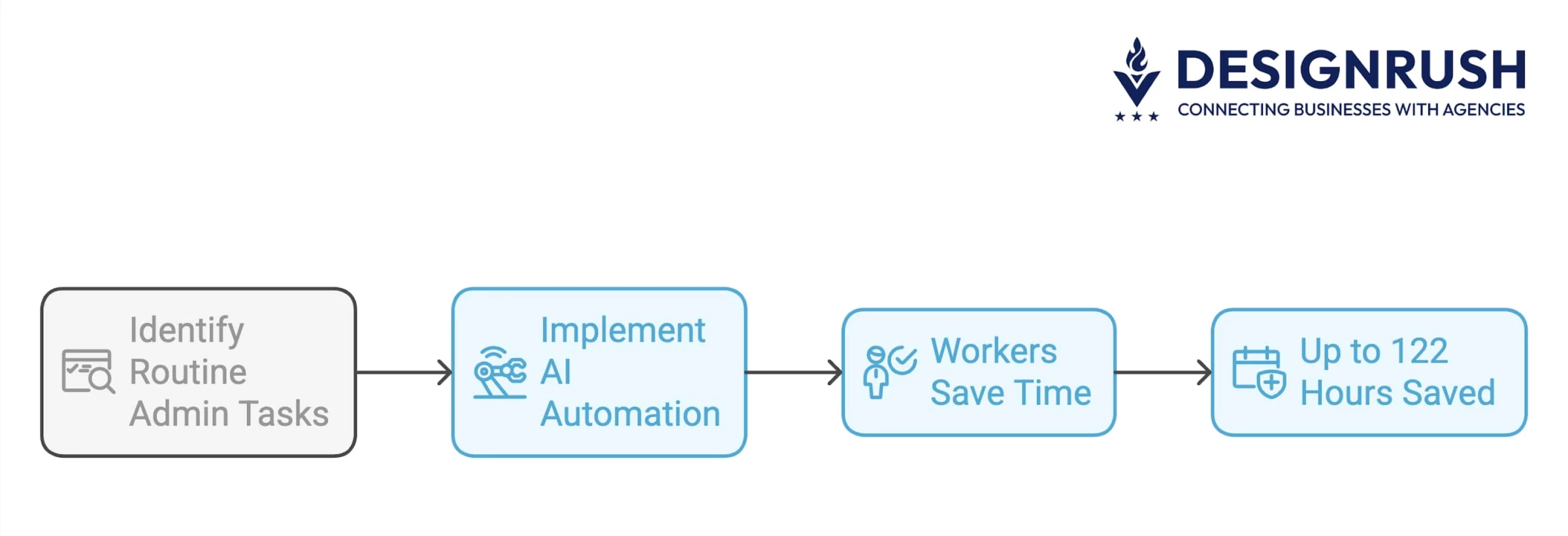
And if you're still not convinced that it's worth investing in AI, consider this: Workers could save up to 122 hours a year just by automating routine admin tasks.
That’s over three workweeks you could reclaim for actual high-impact work.
Here’s how to make the smartest choice:
- Assess your needs and use case
- Compare features and limits
- Calculate ROI: Time saved vs. cost
- Try before you buy: Pilot framework
- Don’t overlook compliance and privacy
1. Assess Your Needs and Use Case
For small businesses and early-stage projects, free tools are ideal — they let you experiment, test ideas, and learn without financial risk. They're great for personal tasks, prototyping, or lightweight content creation.
But as Justin Wheeler, CEO of Funraise, points out, it really depends on your end goal. If you're just trying to write faster or test a concept, free tools are often enough.
However, “if you’re running real campaigns or writing content that represents your mission or brand,” he says, “it’s worth paying for something that does it well.” He also encourages businesses to consider how much their time is worth and how much better results can be with the right support.
For enterprises and larger teams, that support becomes crucial. When you're handling client work, managing teams, or dealing with sensitive data, the limitations of free tools can hold you back or introduce unnecessary risk.
2. Compare Features and Limits
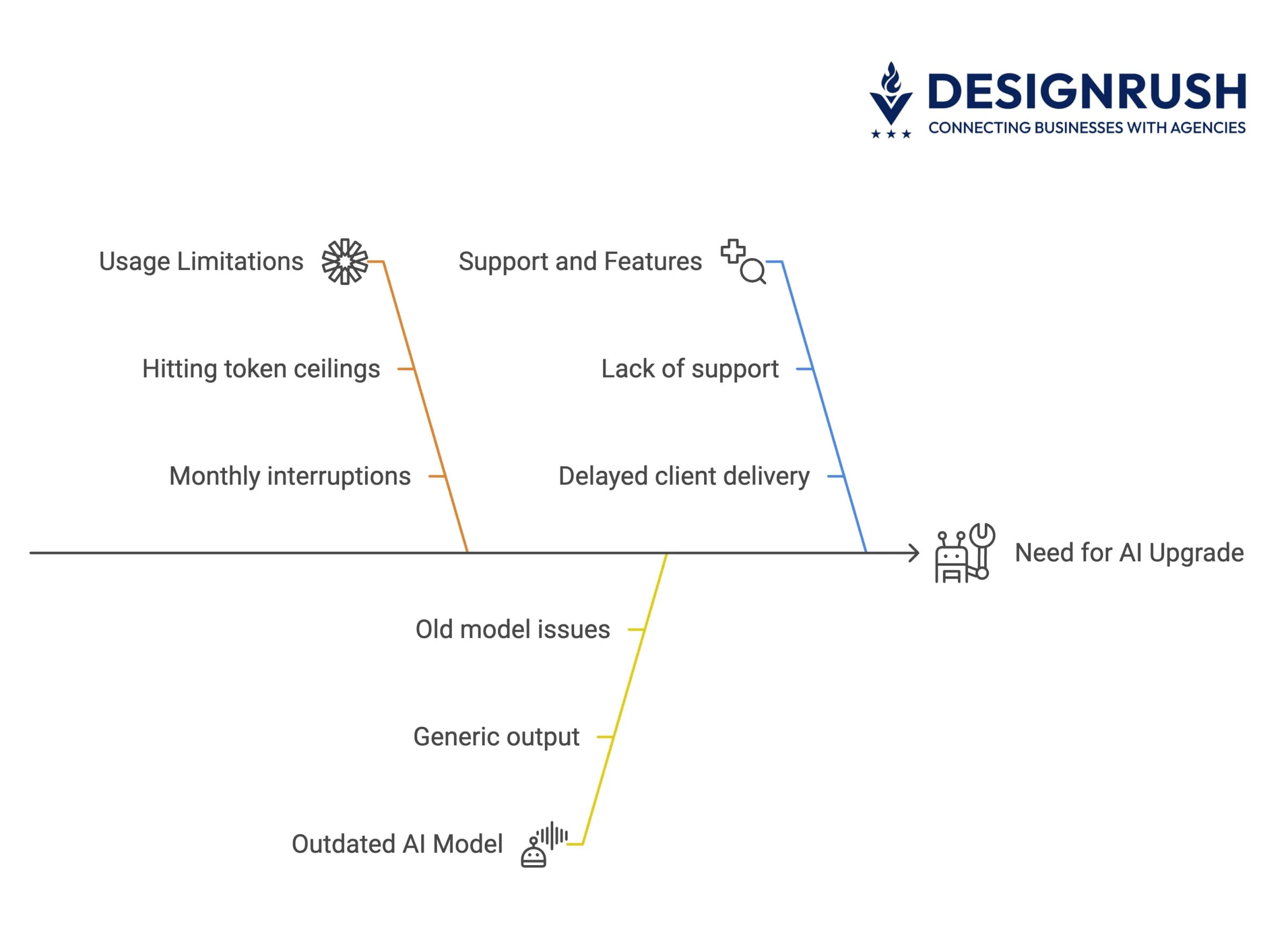
Free tools, or the free tiers of paid ones, are great for dabbling. But they often come with noticeable trade-offs: older AI models, slower speeds, limited daily usage, lack of integrations, and little to no support.
On the other hand, paid plans unlock the full potential: access to the latest models, robust privacy controls, team collaboration features, and API integrations that make scaling possible.
As Brandy Hastings, SEO Strategist at Smartsites, puts it, “The amount of credits and exclusive features largely justify the costs, but I’d say smooth integrations also help us make a decision. As a marketing agency, we don’t want employees to juggle and play ‘export-import volleyball’ with our data.”
CRM compatibility, unified outreach, and centralized data management? That’s worth paying a little extra for.
3. Calculate ROI: Time Saved vs. Cost
Use this simple formula to judge value:
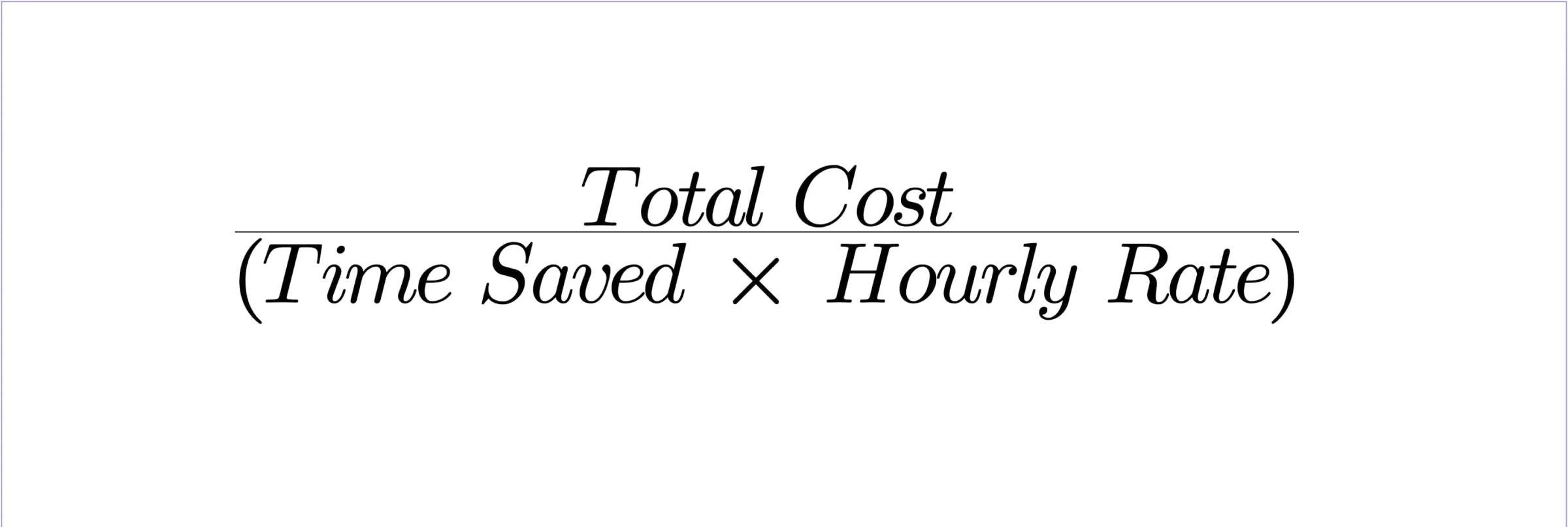
Example: A $20/month tool that saves a writer 6 hours/week at $50/hour delivers ~$1,200/month in value.
That's a massive return on a small investment.
Even smaller time savings (20–30 mins/day) can justify the cost when multiplied across a team.
4. Try Before You Buy: Pilot Framework
Start with free versions or trials, and track:
- How often you hit limits or slowdowns
- Whether output quality is usable or requires lots of editing
- If the tool actually helps you work faster, better, or makes clients happier
After 2–4 weeks, ask: Would the paid version remove these blockers and get better results?
If yes, it’s likely worth upgrading.
5. Don’t Overlook Compliance and Privacy
For industries like healthcare, finance, or law, free tools may be non-starters due to loose data handling.
Paid tools often offer SOC 2 compliance, data residency options, and limits set up to meet company rules, which are critical for trust and legal risk.
Free vs. Paid AI Tools Comparison: Final Take
Free AI tools are great for getting started: perfect for light tasks, quick experiments, and learning the ropes. But as your needs grow, so do the gaps. You’ll hit limits in quality, speed, and control that can slow you down or dull your brand.
Paid tools aren’t just faster; they’re sharper, more reliable, and built for scale. If your work needs polish, security, or serious time savings, the upgrade pays for itself fast.
Start free, but don’t stay stuck if better results are just a plan away.

Our team ranks agencies worldwide to help you find a qualified partner. Visit our Agency Directory for the top AI companies, as well as:
- Top AI App Development Companies
- Top AI Product Development Companies
- Top AI Web Design Companies
- Top AI Marketing Companies
- Top AI Market Research Companies
Our design experts also recognize the most innovative design projects across the globe. Given the recent uptick in AI tools usage, you'll want to visit our Awards section for the best & latest in AI website designs.
Free and Paid AI Tools FAQs
1. Can free AI tools be enough for my business needs?
Yes, for many small businesses and projects, free tools are perfectly sufficient, at least initially. If you’re doing experimentation, testing, or other lightweight tasks, free versions can deliver good results without cost.
2. When should I switch from free to paid?
Switch when you start hitting the ceiling of the free tier. Clear signs include: you’re hitting usage limits/caps regularly, you need a newer model or feature that’s only on the paid plan (e.g. you find GPT-3.5 isn’t handling your task well, and GPT-4 would), or you require integration into your app via API which the free version doesn’t offer.
3. Can I combine free and paid tools in my workflow?
Absolutely — a hybrid approach is common and often optimal. You might use free tools for ideation and initial drafts, then use paid tools for refinement and scaling.